
NEXUS 1 5 List of ImprovementsUpgrades Carey Jang


- Slides: 11
NEXUS 1. 5: List of Improvements/Upgrades Carey Jang, Jan. 20, 2021 • • “Part 2” slides are added. Please send me the new/updated version and updated PPT slides (Tutorial slides can wait until “Part 2” gets done) before the Chinese New Year holidays if feasible. Thanks!
Part 2
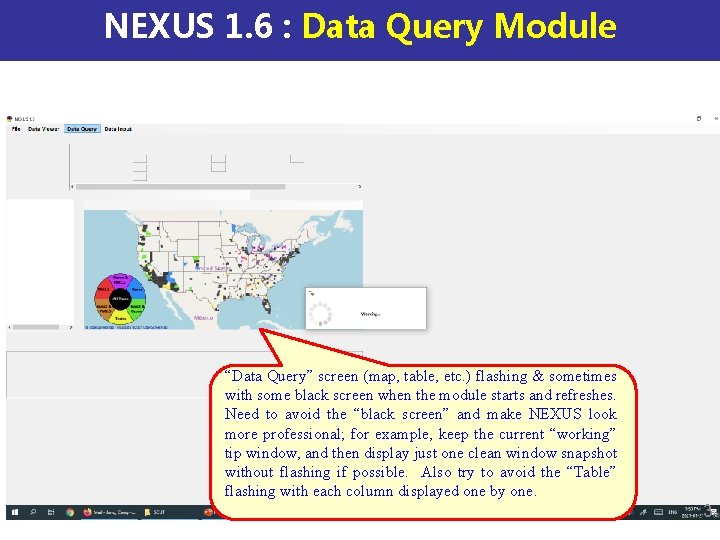
NEXUS 1. 6 : Data Query Module “Data Query” screen (map, table, etc. ) flashing & sometimes with some black screen when the module starts and refreshes. Need to avoid the “black screen” and make NEXUS look more professional; for example, keep the current “working” tip window, and then display just one clean window snapshot without flashing if possible. Also try to avoid the “Table” flashing with each column displayed one by one. 3
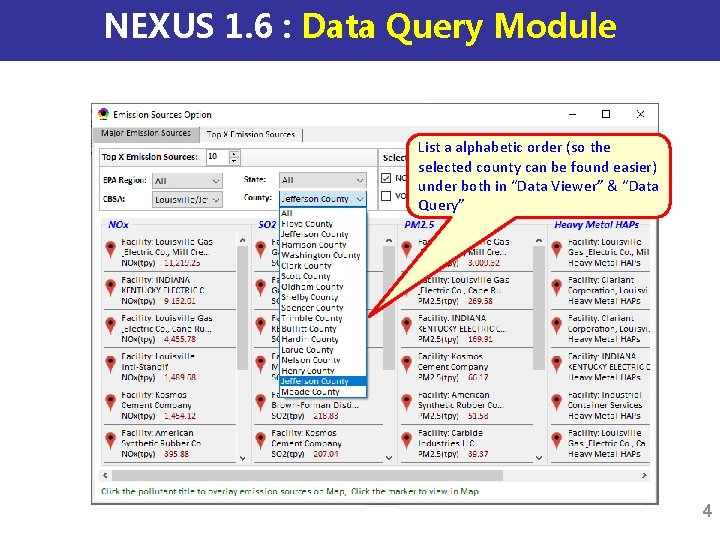
NEXUS 1. 6 : Data Query Module List a alphabetic order (so the selected county can be found easier) under both in “Data Viewer” & “Data Query” 4
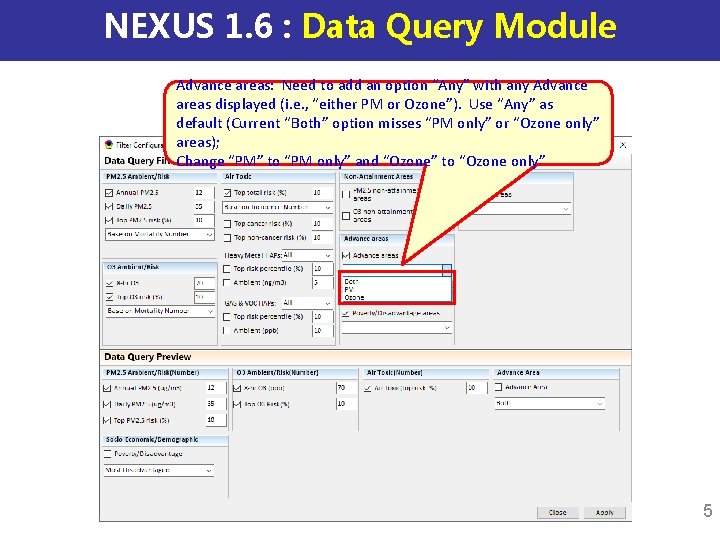
NEXUS 1. 6 : Data Query Module Advance areas: Need to add an option “Any” with any Advance areas displayed (i. e. , “either PM or Ozone”). Use “Any” as default (Current “Both” option misses “PM only” or “Ozone only” areas); Change “PM” to “PM only” and “Ozone” to “Ozone only” 5
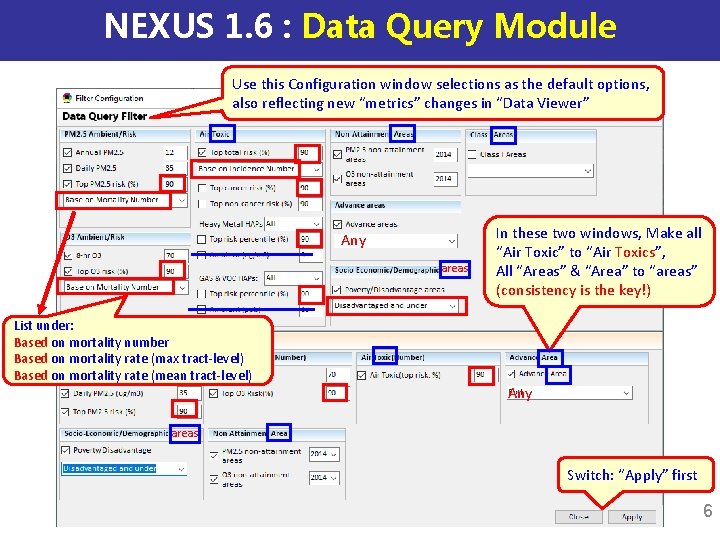
NEXUS 1. 6 : Data Query Module Use this Configuration window selections as the default options, also reflecting new “metrics” changes in “Data Viewer” Any areas List under: Based on mortality number Based on mortality rate (max tract-level) Based on mortality rate (mean tract-level) In these two windows, Make all “Air Toxic” to “Air Toxics”, All “Areas” & “Area” to “areas” (consistency is the key!) Any areas Switch: “Apply” first 6
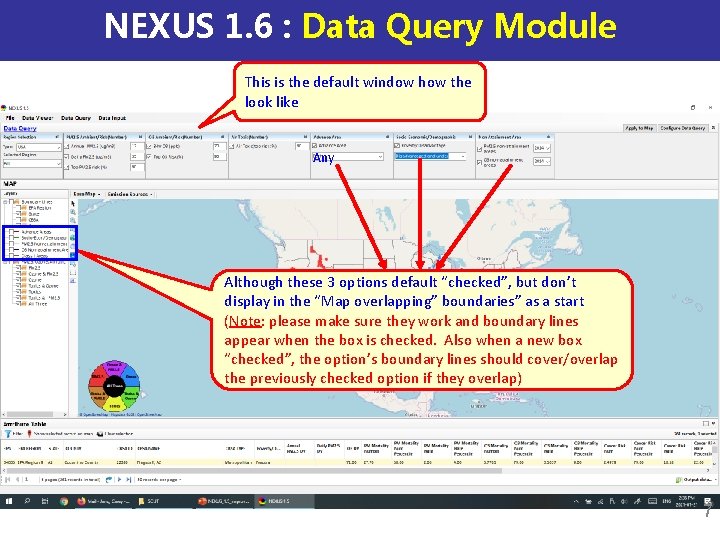
NEXUS 1. 6 : Data Query Module This is the default window how the look like Any Although these 3 options default “checked”, but don’t display in the “Map overlapping” boundaries” as a start (Note: please make sure they work and boundary lines appear when the box is checked. Also when a new box “checked”, the option’s boundary lines should cover/overlap the previously checked option if they overlap) 7
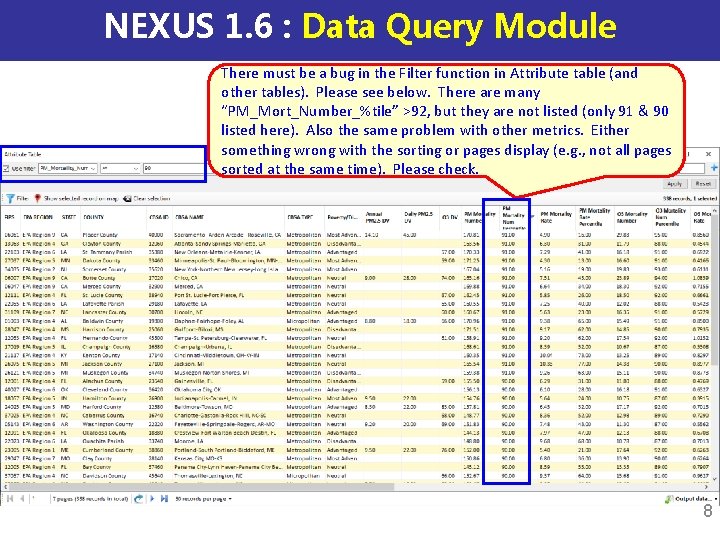
NEXUS 1. 6 : Data Query Module There must be a bug in the Filter function in Attribute table (and other tables). Please see below. There are many “PM_Mort_Number_%tile” >92, but they are not listed (only 91 & 90 listed here). Also the same problem with other metrics. Either something wrong with the sorting or pages display (e. g. , not all pages sorted at the same time). Please check. 8
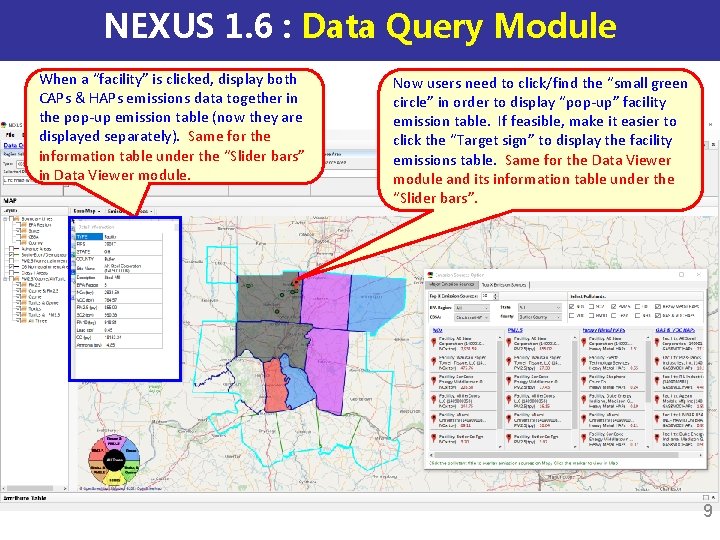
NEXUS 1. 6 : Data Query Module When a “facility” is clicked, display both CAPs & HAPs emissions data together in the pop-up emission table (now they are displayed separately). Same for the information table under the “Slider bars” in Data Viewer module. Now users need to click/find the “small green circle” in order to display “pop-up” facility emission table. If feasible, make it easier to click the “Target sign” to display the facility emissions table. Same for the Data Viewer module and its information table under the “Slider bars”. 9
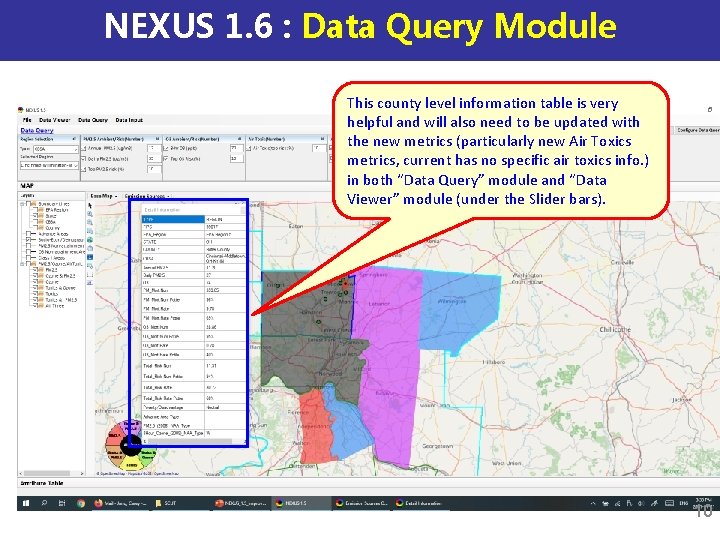
NEXUS 1. 6 : Data Query Module This county level information table is very helpful and will also need to be updated with the new metrics (particularly new Air Toxics metrics, current has no specific air toxics info. ) in both “Data Query” module and “Data Viewer” module (under the Slider bars). 10
End 11