
NEXT GENERATION SECURE MOBILITY FOR UK MINISTRY OF
NEXT GENERATION SECURE MOBILITY FOR UK MINISTRY OF DEFENCE DISTRICT DEFEND: ENDPOINT PROTECTION PLATFORM
AGENDA • Introductions • • • UK Mo. D Team Dell and Booz Allen Team UK Mo. D Priorities & Challenges • • Steve Latchem to overview organization & mission needs Discuss current challenges • Partnership Overview • District Defend Introduction • Demonstration • Technical/Architecture Discussion, Q&A • Next Steps/Action Item Review • Closing
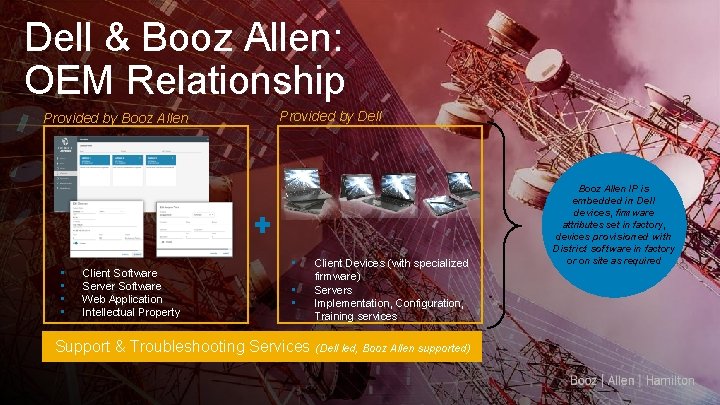
Dell & Booz Allen: OEM Relationship Provided by Booz Allen • • Client Software Server Software Web Application Intellectual Property Provided by Dell • • • Client Devices (with specialized firmware) Servers Implementation, Configuration, Training services Support & Troubleshooting Services (Dell led, Booz Allen supported) Booz Allen IP is embedded in Dell devices, firmware attributes set in factory, devices provisioned with District software in factory or on site as required
ENTERPRISE MOBILITY– A STRATEGIC IMPERATIVE TO ENABLE MISSIONS BENEFITS CHALLENGE S • COLLABORATION – Enabling employees to communicate from anywhere within the workplace facilitates information sharing and engagement • REAL-TIME DATA – Capturing information in real time increases accuracy and improves productivity within the enterprise • USER EXPERIENCE – Consumerization of IT has led employees to expect user-friendly devices with improved access and portability • COMPARTMENTALIZATION – Portable PCs (e. g. , laptops and hybrids) make it harder to contain data within different areas of the facility • DATA LEAKAGE – Putting data on a portable device increases the risk of the data leaving secure environments • HUMAN ERROR – Putting devices in the hands of employees increases the possibility of accidental or malicious security breaches
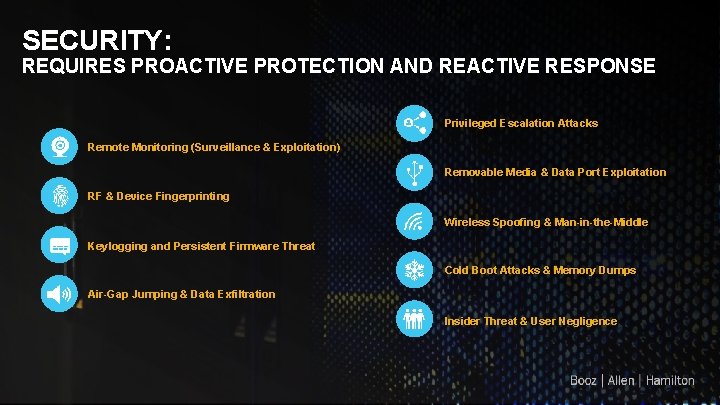
SECURITY: REQUIRES PROACTIVE PROTECTION AND REACTIVE RESPONSE Privileged Escalation Attacks Remote Monitoring (Surveillance & Exploitation) Removable Media & Data Port Exploitation RF & Device Fingerprinting Wireless Spoofing & Man-in-the-Middle Keylogging and Persistent Firmware Threat Cold Boot Attacks & Memory Dumps Air-Gap Jumping & Data Exfiltration Insider Threat & User Negligence 5
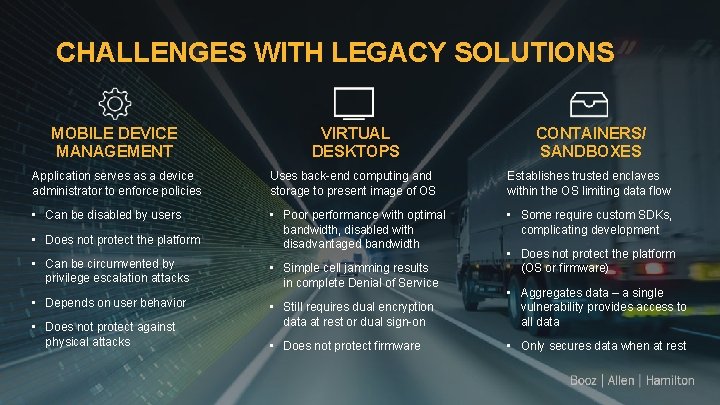
CHALLENGES WITH LEGACY SOLUTIONS MOBILE DEVICE MANAGEMENT VIRTUAL DESKTOPS CONTAINERS/ SANDBOXES Application serves as a device administrator to enforce policies Uses back-end computing and storage to present image of OS Establishes trusted enclaves within the OS limiting data flow • Can be disabled by users • Poor performance with optimal bandwidth, disabled with disadvantaged bandwidth • Some require custom SDKs, complicating development • Does not protect the platform (OS or firmware) • Can be circumvented by privilege escalation attacks • Simple cell jamming results in complete Denial of Service • Depends on user behavior • Still requires dual encryption data at rest or dual sign-on • Aggregates data – a single vulnerability provides access to all data • Does not protect firmware • Only secures data when at rest • Does not protect against physical attacks
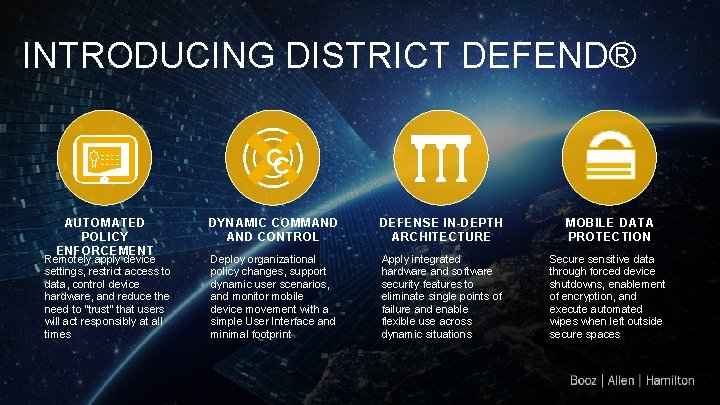
INTRODUCING DISTRICT DEFEND® ~~~~ AUTOMATED POLICY ENFORCEMENT Remotely apply device settings, restrict access to data, control device hardware, and reduce the need to “trust” that users will act responsibly at all times CC DYNAMIC COMMAND CONTROL DEFENSE IN-DEPTH ARCHITECTURE MOBILE DATA PROTECTION Deploy organizational policy changes, support dynamic user scenarios, and monitor mobile device movement with a simple User Interface and minimal footprint Apply integrated hardware and software security features to eliminate single points of failure and enable flexible use across dynamic situations Secure sensitive data through forced device shutdowns, enablement of encryption, and execute automated wipes when left outside secure spaces
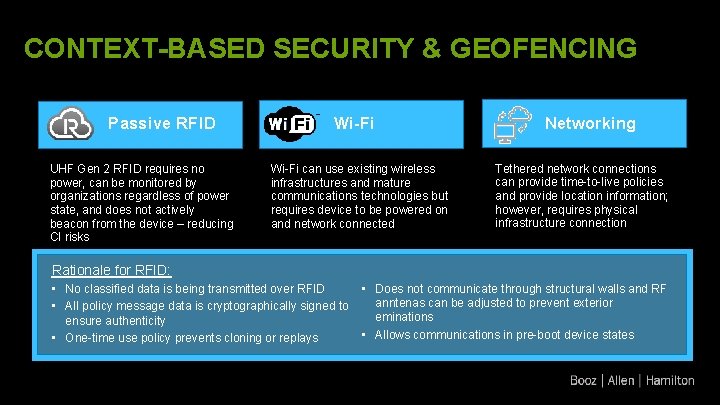
CONTEXT-BASED SECURITY & GEOFENCING Passive RFID UHF Gen 2 RFID requires no power, can be monitored by organizations regardless of power state, and does not actively beacon from the device – reducing CI risks Wi-Fi Networking Wi-Fi can use existing wireless infrastructures and mature communications technologies but requires device to be powered on and network connected Tethered network connections can provide time-to-live policies and provide location information; however, requires physical infrastructure connection Rationale for RFID: • • No classified data is being transmitted over RFID • All policy message data is cryptographically signed to ensure authenticity • • One-time use policy prevents cloning or replays Does not communicate through structural walls and RF anntenas can be adjusted to prevent exterior eminations Allows communications in pre-boot device states
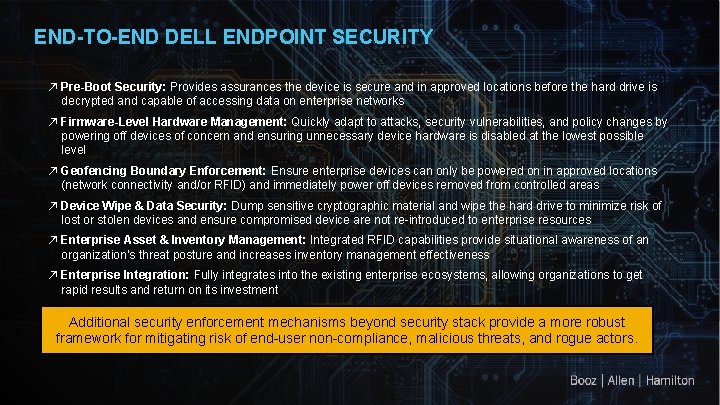
END-TO-END DELL ENDPOINT SECURITY ↗ Pre-Boot Security: Provides assurances the device is secure and in approved locations before the hard drive is decrypted and capable of accessing data on enterprise networks ↗ Firmware-Level Hardware Management: Quickly adapt to attacks, security vulnerabilities, and policy changes by powering off devices of concern and ensuring unnecessary device hardware is disabled at the lowest possible level ↗ Geofencing Boundary Enforcement: Ensure enterprise devices can only be powered on in approved locations (network connectivity and/or RFID) and immediately power off devices removed from controlled areas ↗ Device Wipe & Data Security: Dump sensitive cryptographic material and wipe the hard drive to minimize risk of lost or stolen devices and ensure compromised device are not re-introduced to enterprise resources ↗ Enterprise Asset & Inventory Management: Integrated RFID capabilities provide situational awareness of an organization’s threat posture and increases inventory management effectiveness ↗ Enterprise Integration: Fully integrates into the existing enterprise ecosystems, allowing organizations to get rapid results and return on its investment Additional security enforcement mechanisms beyond security stack provide a more robust framework for mitigating risk of end-user non-compliance, malicious threats, and rogue actors.

THE SECURE SYSTEM District-enabled device enforces the policy at the OS level Embedded chip ex-changes data with the access point and dictates policy to the device 6 1 2 Server stores and 5 RF access points detect the chips in user devices and send policies Administrator defines device policies in District Defend software exchanges policies and device information 4 3 RF gateways exchange information between the access points and the server
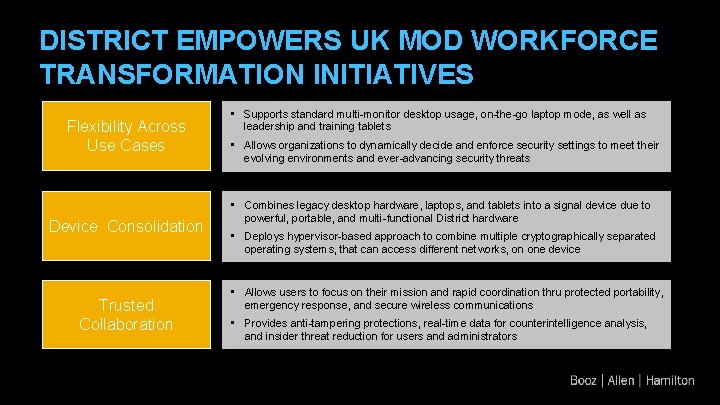
DISTRICT EMPOWERS UK MOD WORKFORCE TRANSFORMATION INITIATIVES Flexibility Across Use Cases Device Consolidation Trusted Collaboration • Supports standard multi-monitor desktop usage, on-the-go laptop mode, as well as leadership and training tablets • Allows organizations to dynamically decide and enforce security settings to meet their evolving environments and ever-advancing security threats • Combines legacy desktop hardware, laptops, and tablets into a signal device due to powerful, portable, and multi-functional District hardware • Deploys hypervisor-based approach to combine multiple cryptographically separated operating systems, that can access different networks, on one device • Allows users to focus on their mission and rapid coordination thru protected portability, emergency response, and secure wireless communications • Provides anti-tampering protections, real-time data for counterintelligence analysis, and insider threat reduction for users and administrators
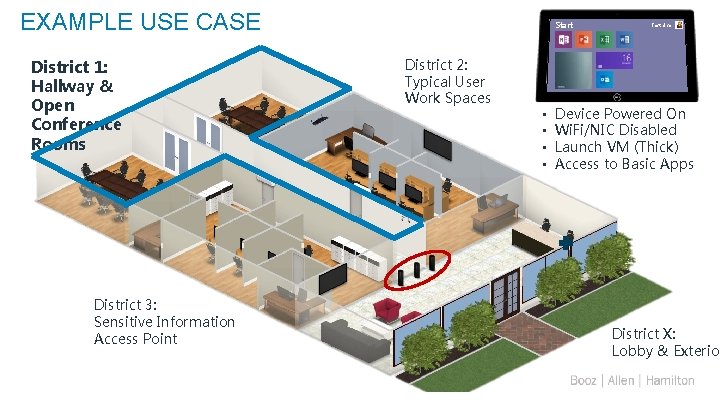
EXAMPLE USE CASE District 1: Hallway & Open Conference Rooms District 3: Sensitive Information Access Point 12 Start District 2: Typical User Work Spaces • • Test User Device Powered On Wi. Fi/NIC Disabled Launch VM (Thick) Access to Basic Apps District X: Lobby & Exterior
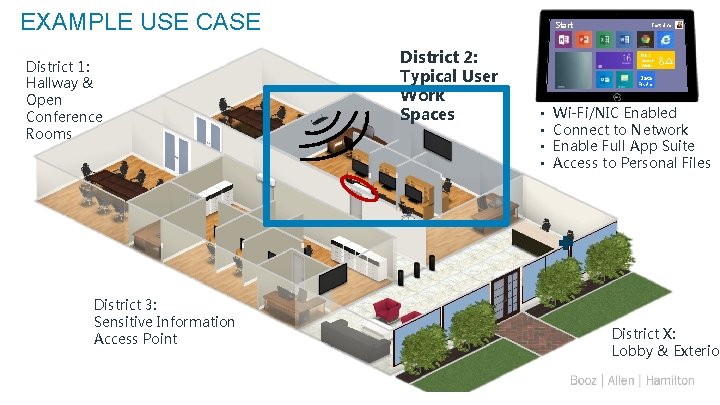
EXAMPLE USE CASE District 1: Hallway & Open Conference Rooms District 3: Sensitive Information Access Point 13 Start District 2: Typical User Work Spaces Test User NGT Search Alerts 8 Data Finder • • Wi-Fi/NIC Enabled Connect to Network Enable Full App Suite Access to Personal Files District X: Lobby & Exterior
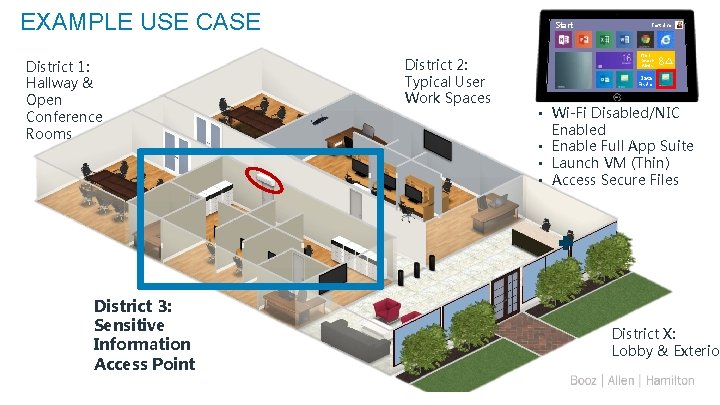
EXAMPLE USE CASE District 1: Hallway & Open Conference Rooms District 3: Sensitive Information Access Point 14 Start District 2: Typical User Work Spaces Test User NGT Search Alerts 8 Data Finder • Wi-Fi Disabled/NIC Enabled • Enable Full App Suite • Launch VM (Thin) • Access Secure Files District X: Lobby & Exterior
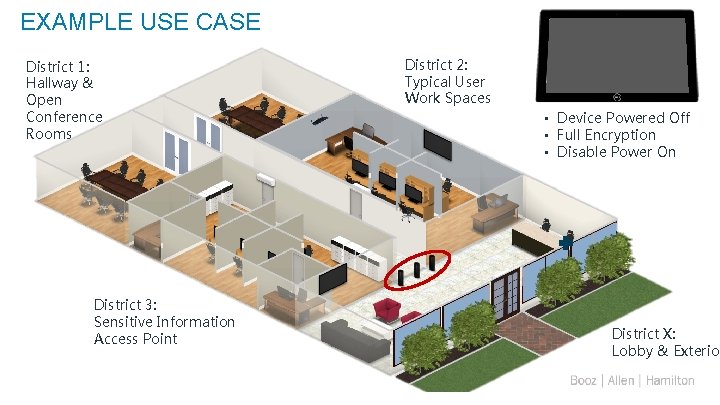
EXAMPLE USE CASE District 1: Hallway & Open Conference Rooms District 3: Sensitive Information Access Point 15 District 2: Typical User Work Spaces • Device Powered Off • Full Encryption • Disable Power On District X: Lobby & Exterior
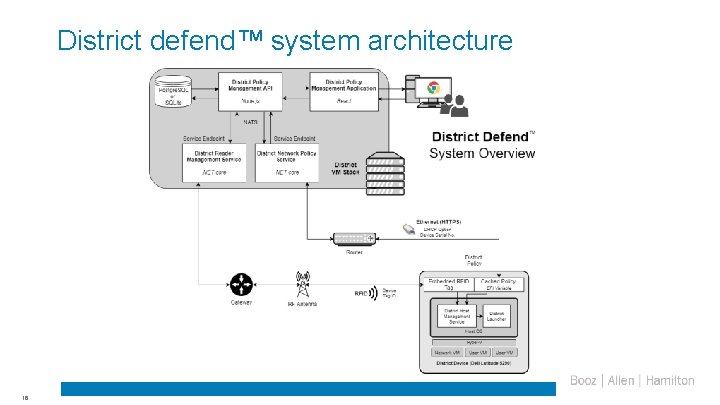
District defend™ system architecture 16
KEY BENEFITS FOR SECURITY CONSCIOUS ORGANIZATIONS AUTOMATED CENTRALIZED Gives administrators the ability to understand risk exposure and enforce end user policies automatically Enables your organization to implement security measures via a centralized presence—not user behavior • Track devices throughout facilities in real-time • Securely send policies to mobile devices - even when powered off • Provide triggered alerts to admin when devices are outside building for too long and automate forensically sound device wipe • Automatically force devices to power off when removed from facilities and prevent power-on until brought back FLEXIBLE Expands workforce flexibility by providing the tools and data your users need where they need them • Isolate multiple operating systems on the same device – allowing unclassified work outside of classified areas (subject to org policies) • Enables CSf. C-compliant multitunnel secure Wi-Fi
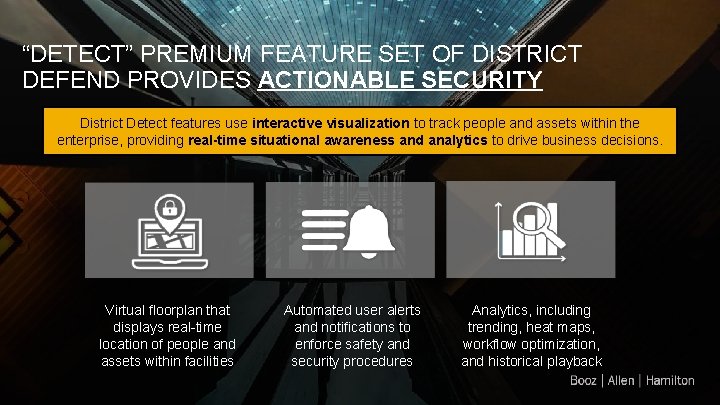
“DETECT” PREMIUM FEATURE SET OF DISTRICT DEFEND PROVIDES ACTIONABLE SECURITY District Detect features use interactive visualization to track people and assets within the enterprise, providing real-time situational awareness and analytics to drive business decisions. Virtual floorplan that displays real-time location of people and assets within facilities Automated user alerts and notifications to enforce safety and security procedures Analytics, including trending, heat maps, workflow optimization, and historical playback
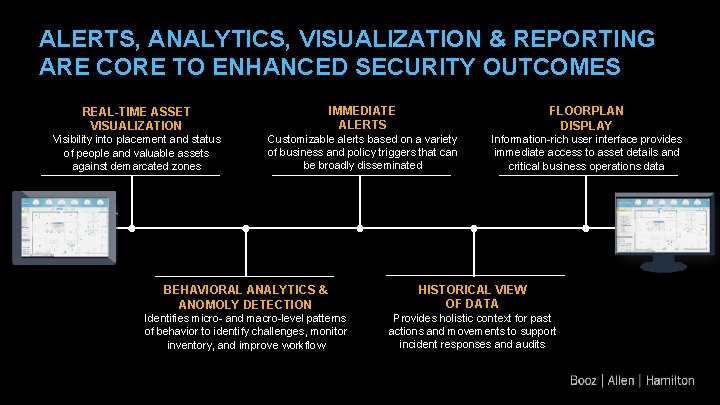
ALERTS, ANALYTICS, VISUALIZATION & REPORTING ARE CORE TO ENHANCED SECURITY OUTCOMES REAL-TIME ASSET VISUALIZATION IMMEDIATE ALERTS FLOORPLAN DISPLAY Visibility into placement and status of people and valuable assets against demarcated zones Customizable alerts based on a variety of business and policy triggers that can be broadly disseminated Information-rich user interface provides immediate access to asset details and critical business operations data BEHAVIORAL ANALYTICS & ANOMOLY DETECTION HISTORICAL VIEW OF DATA Identifies micro- and macro-level patterns of behavior to identify challenges, monitor inventory, and improve workflow Provides holistic context for past actions and movements to support incident responses and audits
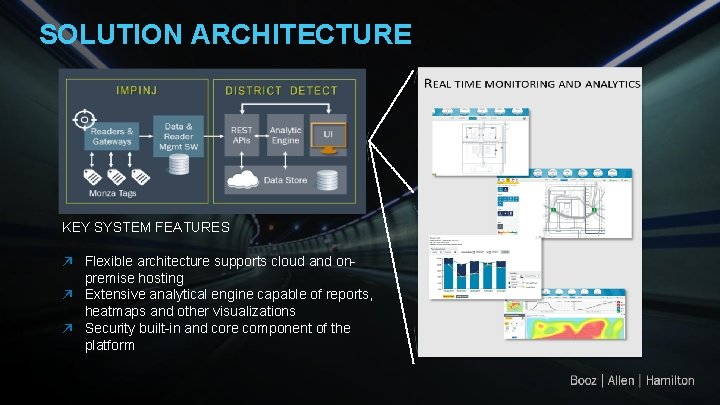
SOLUTION ARCHITECTURE KEY SYSTEM FEATURES ↗ Flexible architecture supports cloud and onpremise hosting ↗ Extensive analytical engine capable of reports, heatmaps and other visualizations ↗ Security built-in and core component of the platform

Appendix
USE CASE #1: UNIQUE SECURITY RESTRICTIONS PROBLEM An organization would like to allow their employees to use mobile devices while working inside their facility; however, there a variety of different spaces in their buildings that each have unique security restrictions or allow access to staff that are not allowed access to all information on the device. As a result, the organization either restricts mobile devices or requires excessive devices for each space. SOLUTION District Defend’s integrated RF technology makes the device aware of its location and enforces security rules to match its environment and user. If the device leaves the secure facility altogether, District Defend can force the device to power off or wipe. If the device is already powered down when it is removed, it will not be permitted to power on until it is back within the secure facility.
USE CASE #2: DEFENSE AGAINST ADVANCED THREATS PROBLEM An organization wants to use mobile devices but is uncertain of the security protections offered by i. OS, Android, and MDM solutions. Additionally, they might be looking at VDI solutions but are having issues due to lack of infrastructure or bandwidth issues. SOLUTION While most commercial platforms on the market can be easily defeated by nation-states, District Defend enforces a variety of protections to protect the device (and data residing on the device) against the most advanced attacks. By leveraging a hypervisor, the user is completely isolated from the security engine, hardware, and firmware. Additionally, District Defend was built as a framework that allows organizations to stack as much security as they want for both data-at-rest and wireless communications encryption.
USE CASE #3: HUMAN ERROR PROBLEM A security-focused defense or intelligence group is unwilling or slow to issue mobile devices to its employees because of the risk of negligence, user error, or malicious intent. Leadership and/or employees feel frustrated by their lack of mobility. SOLUTION District Defend addresses human error by providing automated, centralized control of mobile device behavior to protect, monitor, and secure sensitive assets. Additionally, organizations are able to configure policies and device privileges based on each location they will be used, and feel confident those are being automatically enforced on the end-devices.
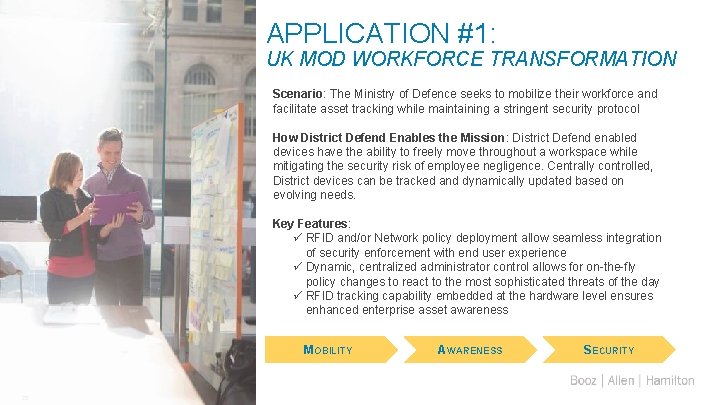
APPLICATION #1: UK MOD WORKFORCE TRANSFORMATION Scenario: The Ministry of Defence seeks to mobilize their workforce and facilitate asset tracking while maintaining a stringent security protocol How District Defend Enables the Mission: District Defend enabled devices have the ability to freely move throughout a workspace while mitigating the security risk of employee negligence. Centrally controlled, District devices can be tracked and dynamically updated based on evolving needs. Key Features: ü RFID and/or Network policy deployment allow seamless integration of security enforcement with end user experience ü Dynamic, centralized administrator control allows for on-the-fly policy changes to react to the most sophisticated threats of the day ü RFID tracking capability embedded at the hardware level ensures enhanced enterprise asset awareness MOBILITY 25 AWARENESS SECURITY
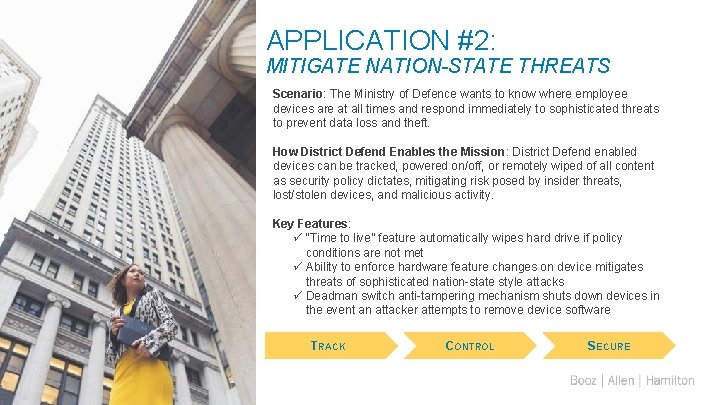
APPLICATION #2: MITIGATE NATION-STATE THREATS Scenario: The Ministry of Defence wants to know where employee devices are at all times and respond immediately to sophisticated threats to prevent data loss and theft. How District Defend Enables the Mission: District Defend enabled devices can be tracked, powered on/off, or remotely wiped of all content as security policy dictates, mitigating risk posed by insider threats, lost/stolen devices, and malicious activity. Key Features: ü “Time to live” feature automatically wipes hard drive if policy conditions are not met ü Ability to enforce hardware feature changes on device mitigates threats of sophisticated nation-state style attacks ü Deadman switch anti-tampering mechanism shuts down devices in the event an attacker attempts to remove device software TRACK 26 CONTROL SECURE
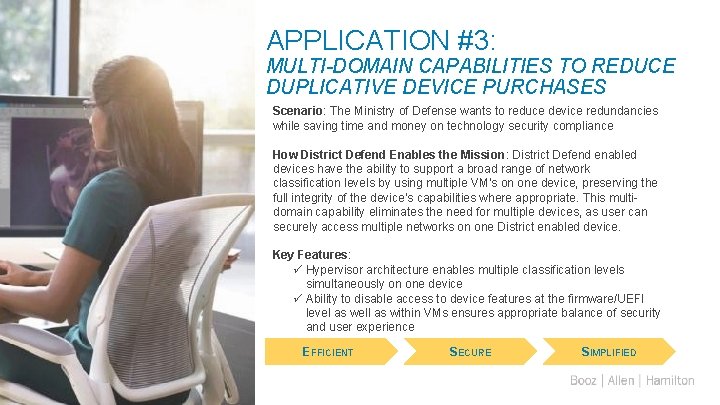
APPLICATION #3: MULTI-DOMAIN CAPABILITIES TO REDUCE DUPLICATIVE DEVICE PURCHASES Scenario: The Ministry of Defense wants to reduce device redundancies while saving time and money on technology security compliance How District Defend Enables the Mission: District Defend enabled devices have the ability to support a broad range of network classification levels by using multiple VM’s on one device, preserving the full integrity of the device’s capabilities where appropriate. This multidomain capability eliminates the need for multiple devices, as user can securely access multiple networks on one District enabled device. Key Features: ü Hypervisor architecture enables multiple classification levels simultaneously on one device ü Ability to disable access to device features at the firmware/UEFI level as well as within VMs ensures appropriate balance of security and user experience EFFICIENT 27 SECURE SIMPLIFIED

District Architecture
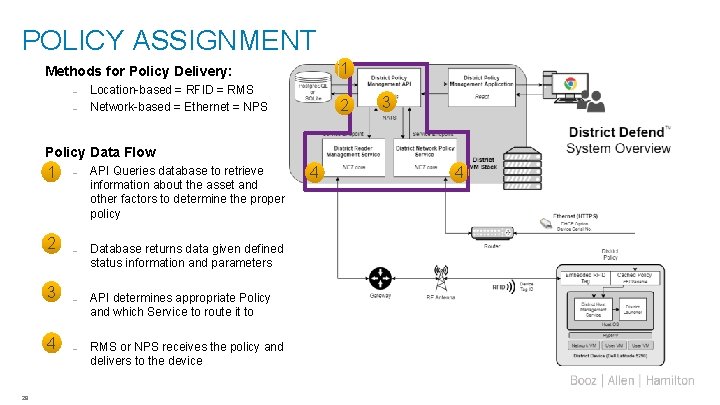
POLICY ASSIGNMENT 1 Methods for Policy Delivery: – – Location-based = RFID = RMS Network-based = Ethernet = NPS 2 3 Policy Data Flow 1 2 3 4 29 – API Queries database to retrieve information about the asset and other factors to determine the proper policy – Database returns data given defined status information and parameters – API determines appropriate Policy and which Service to route it to – RMS or NPS receives the policy and delivers to the device 4 4
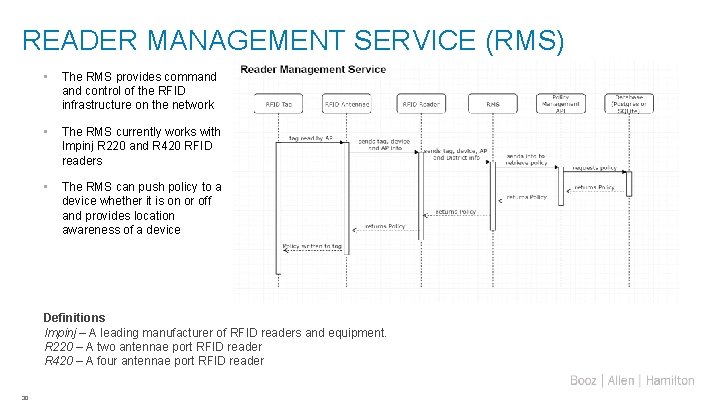
READER MANAGEMENT SERVICE (RMS) • The RMS provides command control of the RFID infrastructure on the network • The RMS currently works with Impinj R 220 and R 420 RFID readers • The RMS can push policy to a device whether it is on or off and provides location awareness of a device Definitions Impinj – A leading manufacturer of RFID readers and equipment. R 220 – A two antennae port RFID reader R 420 – A four antennae port RFID reader 30
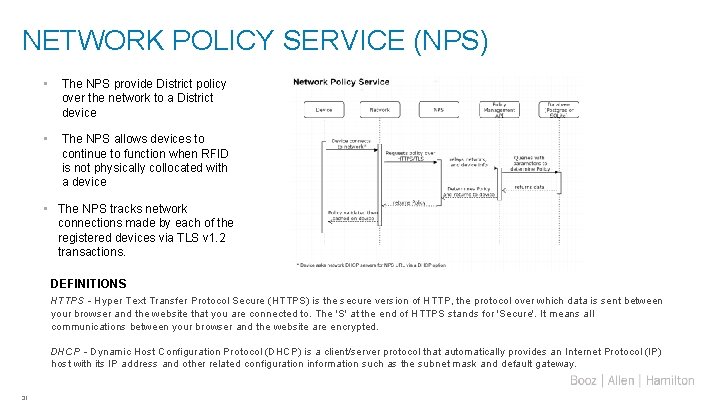
NETWORK POLICY SERVICE (NPS) • The NPS provide District policy over the network to a District device • The NPS allows devices to continue to function when RFID is not physically collocated with a device • The NPS tracks network connections made by each of the registered devices via TLS v 1. 2 transactions. DEFINITIONS HTTPS - Hyper Text Transfer Protocol Secure (HTTPS) is the secure version of HTTP, the protocol over which data is sent between your browser and the website that you are connected to. The 'S' at the end of HTTPS stands for 'Secure'. It means all communications between your browser and the website are encrypted. DHCP - Dynamic Host Configuration Protocol (DHCP) is a client/server protocol that automatically provides an Internet Protocol (IP) host with its IP address and other related configuration information such as the subnet mask and default gateway. 31
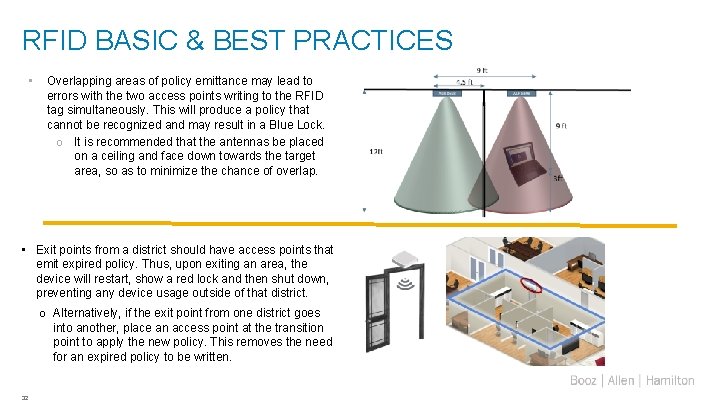
RFID BASIC & BEST PRACTICES • Overlapping areas of policy emittance may lead to errors with the two access points writing to the RFID tag simultaneously. This will produce a policy that cannot be recognized and may result in a Blue Lock. o It is recommended that the antennas be placed on a ceiling and face down towards the target area, so as to minimize the chance of overlap. • Exit points from a district should have access points that emit expired policy. Thus, upon exiting an area, the device will restart, show a red lock and then shut down, preventing any device usage outside of that district. o Alternatively, if the exit point from one district goes into another, place an access point at the transition point to apply the new policy. This removes the need for an expired policy to be written. 32
RFID BASICS & BEST PRACTICES Signal Leakage • If Access Points are placed near or pointing out of doors and/or windows, the signal may transmit into unintended areas – This may result in unauthorized or unregulated usage of device outside of the intended area Signal Absorption • If Access Points are placed behind or directed towards bodies of water, such as water coolers or aquariums, the signal will be blocked – This may result in unintended policy applications, expirations and other situations which would negatively affect the users experience and the devices functionality Signal Reflection • If metal objects are in the intended coverage area, the signal will reflect off these surfaces and be directed to other areas or diverted away from the intended area – This can prevent policy delivery, application of policy in unintended areas and other undesirable behaviors – Be aware that even metal as thin as aluminum foil will totally obstruct RF waves from reaching the device. To account for this, TTL’s and other expiration timers are running on the device providing device security. Range of the antenna is dependent on the manufacturer's specification and power settings from the District Defend UI. Consider both of these settings. 33
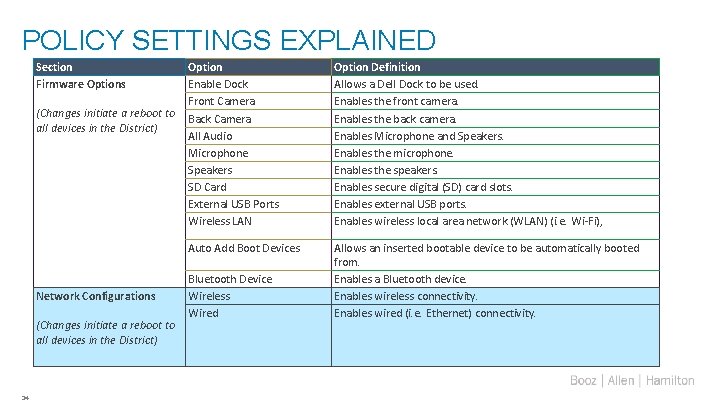
POLICY SETTINGS EXPLAINED Section Firmware Options Option Enable Dock Front Camera (Changes initiate a reboot to Back Camera all devices in the District) All Audio Microphone Speakers SD Card External USB Ports Wireless LAN Auto Add Boot Devices Network Configurations (Changes initiate a reboot to all devices in the District) 34 Bluetooth Device Wireless Wired Option Definition Allows a Dell Dock to be used. Enables the front camera. Enables the back camera. Enables Microphone and Speakers. Enables the microphone. Enables the speakers. Enables secure digital (SD) card slots. Enables external USB ports. Enables wireless local area network (WLAN) (i. e. Wi-Fi), Allows an inserted bootable device to be automatically booted from. Enables a Bluetooth device. Enables wireless connectivity. Enables wired (i. e. Ethernet) connectivity.
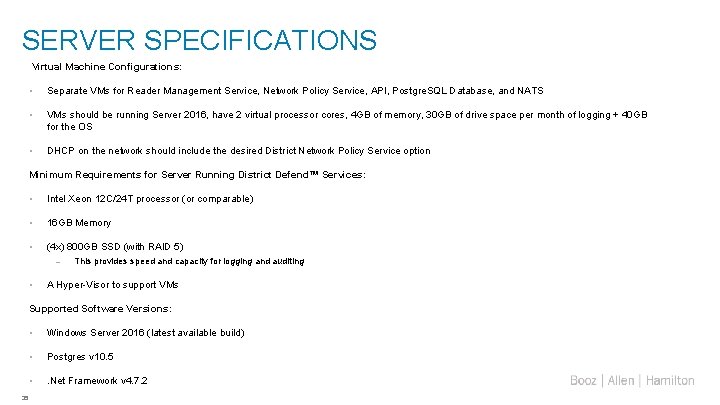
SERVER SPECIFICATIONS Virtual Machine Configurations: • Separate VMs for Reader Management Service, Network Policy Service, API, Postgre. SQL Database, and NATS • VMs should be running Server 2016, have 2 virtual processor cores, 4 GB of memory, 30 GB of drive space per month of logging + 40 GB for the OS • DHCP on the network should include the desired District Network Policy Service option Minimum Requirements for Server Running District Defend™ Services: • Intel Xeon 12 C/24 T processor (or comparable) • 16 GB Memory • (4 x) 800 GB SSD (with RAID 5) – • This provides speed and capacity for logging and auditing A Hyper-Visor to support VMs Supported Software Versions: 35 • Windows Server 2016 (latest available build) • Postgres v 10. 5 • . Net Framework v 4. 7. 2
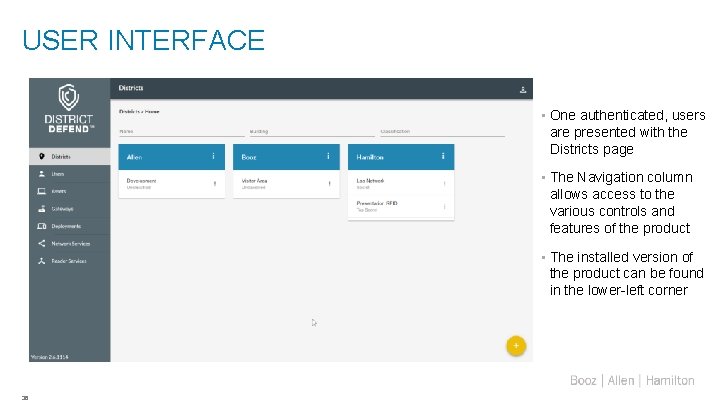
USER INTERFACE • One authenticated, users are presented with the Districts page • The Navigation column allows access to the various controls and features of the product • The installed version of the product can be found in the lower-left corner 36

GATEWAYS & ACCESS POINTS • Gateway = Impinj Speedway Reader • Access Point = RFID Antenna • These apply only to RFID deployments 37

Team Bios
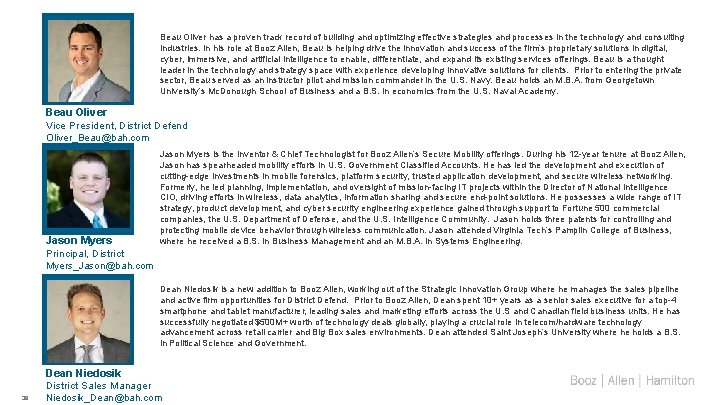
Beau Oliver has a proven track record of building and optimizing effective strategies and processes in the technology and consulting industries. In his role at Booz Allen, Beau is helping drive the innovation and success of the firm’s proprietary solutions in digital, cyber, immersive, and artificial intelligence to enable, differentiate, and expand its existing services offerings. Beau is a thought leader in the technology and strategy space with experience developing innovative solutions for clients. Prior to entering the private sector, Beau served as an instructor pilot and mission commander in the U. S. Navy. Beau holds an M. B. A. from Georgetown University’s Mc. Donough School of Business and a B. S. in economics from the U. S. Naval Academy. Beau Oliver Vice President, District Defend Oliver_Beau@bah. com Jason Myers Principal, District Jason Myers is the Inventor & Chief Technologist for Booz Allen’s Secure Mobility offerings. During his 12 -year tenure at Booz Allen, Jason has spearheaded mobility efforts in U. S. Government Classified Accounts. He has led the development and execution of cutting-edge investments in mobile forensics, platform security, trusted application development, and secure wireless networking. Formerly, he led planning, implementation, and oversight of mission-facing IT projects within the Director of National Intelligence CIO, driving efforts in wireless, data analytics, information sharing and secure end-point solutions. He possesses a wide range of IT strategy, product development, and cyber security engineering experience gained through support to Fortune 500 commercial companies, the U. S. Department of Defense, and the U. S. Intelligence Community. Jason holds three patents for controlling and protecting mobile device behavior through wireless communication. Jason attended Virginia Tech’s Pamplin College of Business, where he received a B. S. in Business Management and an M. B. A. in Systems Engineering. Myers_Jason@bah. com Dean Niedosik is a new addition to Booz Allen, working out of the Strategic Innovation Group where he manages the sales pipeline and active firm opportunities for District Defend. Prior to Booz Allen, Dean spent 10+ years as a senior sales executive for a top-4 smartphone and tablet manufacturer, leading sales and marketing efforts across the U. S and Canadian field business units. He has successfully negotiated $500 M+ worth of technology deals globally, playing a crucial role in telecom/hardware technology advancement across retail carrier and Big Box sales environments. Dean attended Saint Joseph’s University where he holds a B. S. in Political Science and Government. Dean Niedosik District Sales Manager 39 Niedosik_Dean@bah. com

Devices and Specs
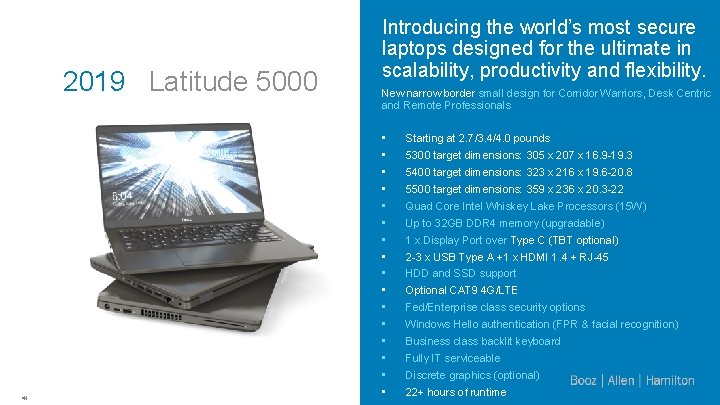
2019 Latitude 5000 41 Introducing the world’s most secure laptops designed for the ultimate in scalability, productivity and flexibility. New narrow border small design for Corridor Warriors, Desk Centric and Remote Professionals • • • • Starting at 2. 7/3. 4/4. 0 pounds 5300 target dimensions: 305 x 207 x 16. 9 -19. 3 5400 target dimensions: 323 x 216 x 19. 6 -20. 8 5500 target dimensions: 359 x 236 x 20. 3 -22 Quad Core Intel Whiskey Lake Processors (15 W) Up to 32 GB DDR 4 memory (upgradable) 1 x Display Port over Type C (TBT optional) 2 -3 x USB Type A +1 x HDMI 1. 4 + RJ-45 HDD and SSD support Optional CAT 9 4 G/LTE Fed/Enterprise class security options Windows Hello authentication (FPR & facial recognition) Business class backlit keyboard Fully IT serviceable Discrete graphics (optional) 22+ hours of runtime
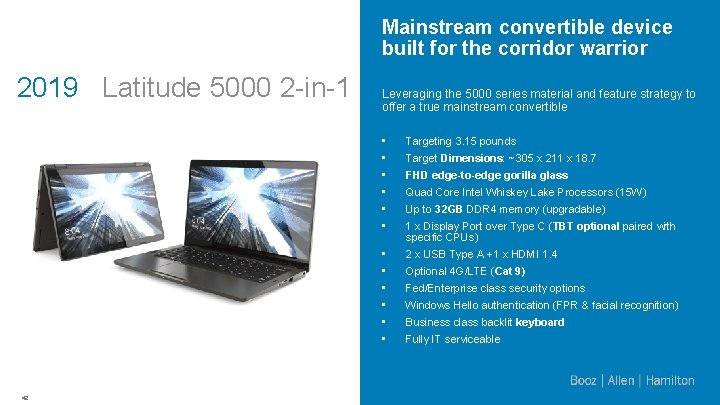
Mainstream convertible device built for the corridor warrior 2019 Latitude 5000 2 -in-1 42 Leveraging the 5000 series material and feature strategy to offer a true mainstream convertible • • • Targeting 3. 15 pounds • • • 2 x USB Type A +1 x HDMI 1. 4 Target Dimensions: ~305 x 211 x 18. 7 FHD edge-to-edge gorilla glass Quad Core Intel Whiskey Lake Processors (15 W) Up to 32 GB DDR 4 memory (upgradable) 1 x Display Port over Type C (TBT optional paired with specific CPUs) Optional 4 G/LTE (Cat 9) Fed/Enterprise class security options Windows Hello authentication (FPR & facial recognition) Business class backlit keyboard Fully IT serviceable
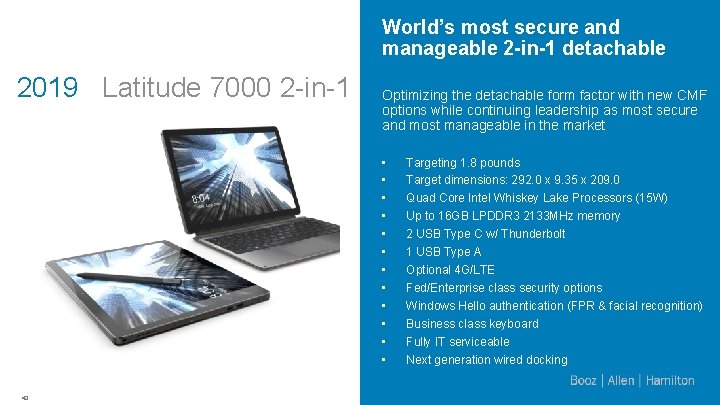
World’s most secure and manageable 2 -in-1 detachable 2019 Latitude 7000 2 -in-1 Optimizing the detachable form factor with new CMF options while continuing leadership as most secure and most manageable in the market • • • 43 Targeting 1. 8 pounds Target dimensions: 292. 0 x 9. 35 x 209. 0 Quad Core Intel Whiskey Lake Processors (15 W) Up to 16 GB LPDDR 3 2133 MHz memory 2 USB Type C w/ Thunderbolt 1 USB Type A Optional 4 G/LTE Fed/Enterprise class security options Windows Hello authentication (FPR & facial recognition) Business class keyboard Fully IT serviceable Next generation wired docking

- Slides: 44