
Next generation cloud and mobile unified communication platform

Next generation cloud and mobile unified communication platform
User Manual for CDPO Budget and Expenditure Monitoring System Department of Women Development & Child Welfare Government of Telangana from Telecom Systems Pvt. Ltd.
Budget and Expenditure Monitoring System Scope of the System § To Monitor Budget and Expenditure of every DDOs across the state on daily basis
Budget and Expenditure Monitoring System Purpose of the System § To asses the requirement of budget and to monitor pendency of expenditure and to streamline the release of the budget to each DDO in Department. § To Generate Finance related records and reports online and to avoid manual reporting on expenditure and requirement of the Budget. § To under take reconciliation of expenditure with treasury figure online. § To allow the regional and dist level officers monitor the budget and expenditure status of their sub-ordinate offices online. § To allow DDOs to generate financial records of their offices from the system.
Budget and Expenditure Monitoring System Usage of the System § DDOs will use this system for maintaining transaction wise financial records of their office. § Monitoring officers ie, . PDs and RJDs besides using this system as DDOs will use for monitoring the sub-ordinate offices in respect of financial matters. § The Head of the department will use the system for state level monitoring of budget and expenditure and to asses budget requirement for each scheme for every DDO.
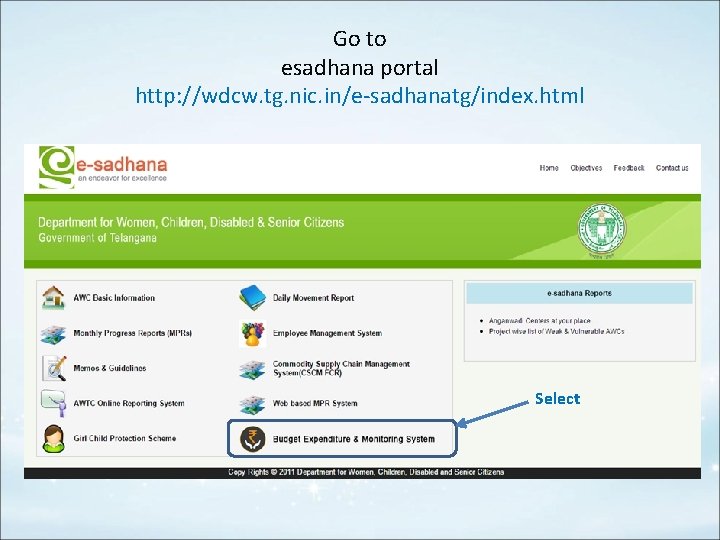
Go to esadhana portal http: //wdcw. tg. nic. in/e-sadhanatg/index. html Select
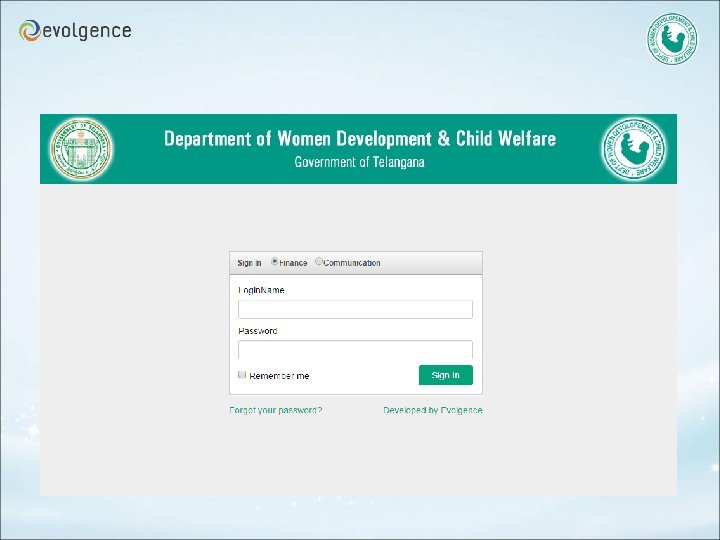
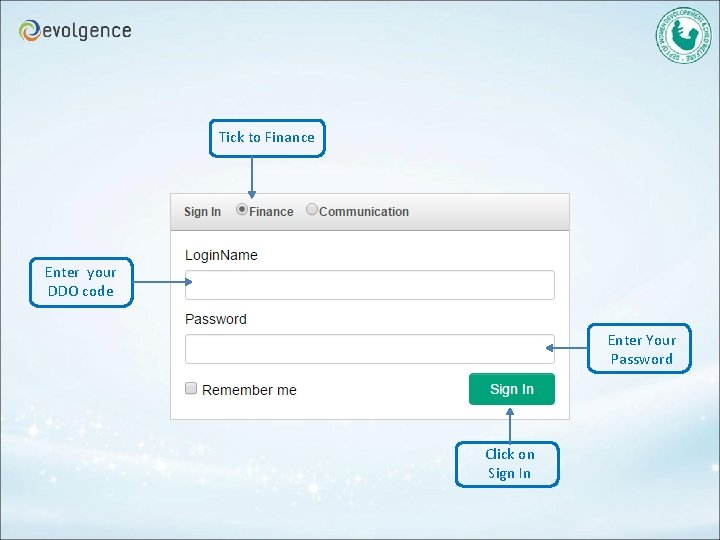
Tick to Finance Enter your DDO code Enter Your Password Click on Sign In
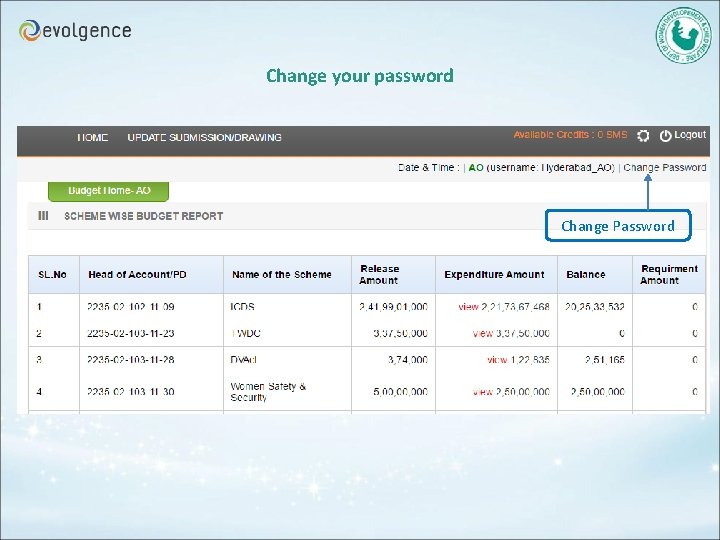
Change your password Change Password
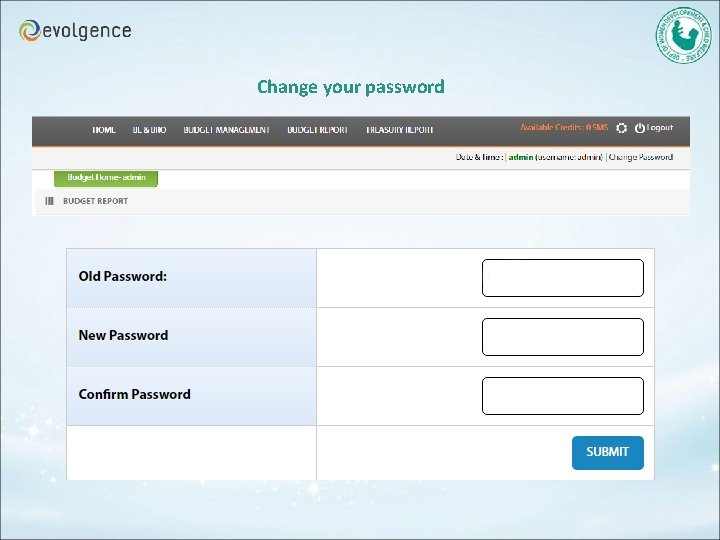
Change your password
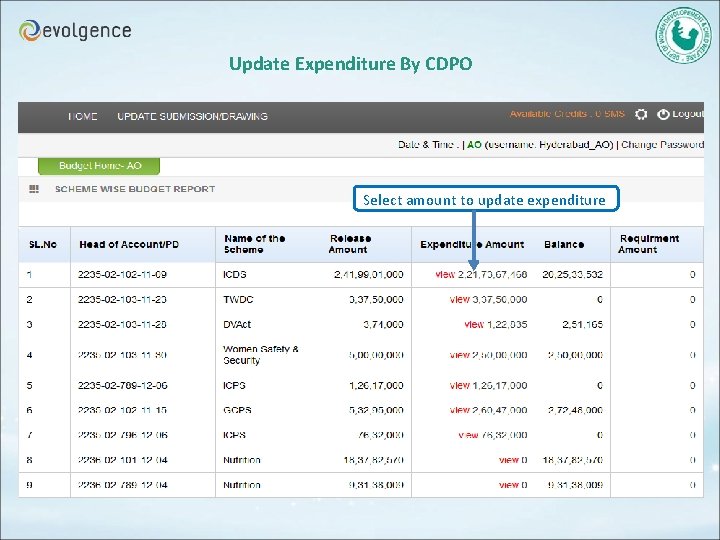
Update Expenditure By CDPO Select amount to update expenditure
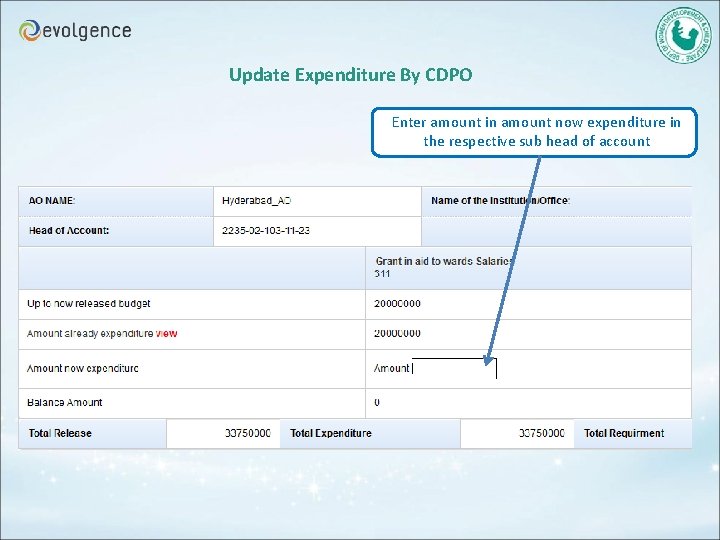
Update Expenditure By CDPO Enter amount in amount now expenditure in the respective sub head of account
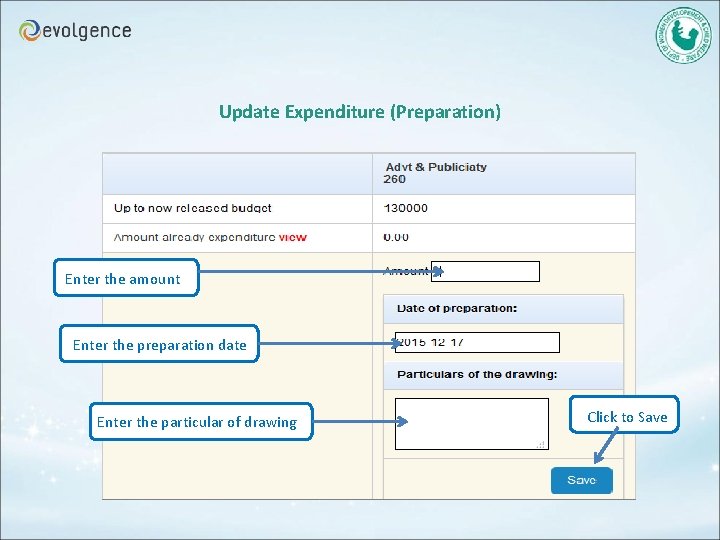
Update Expenditure (Preparation) Enter the amount Enter the preparation date Enter the particular of drawing Click to Save
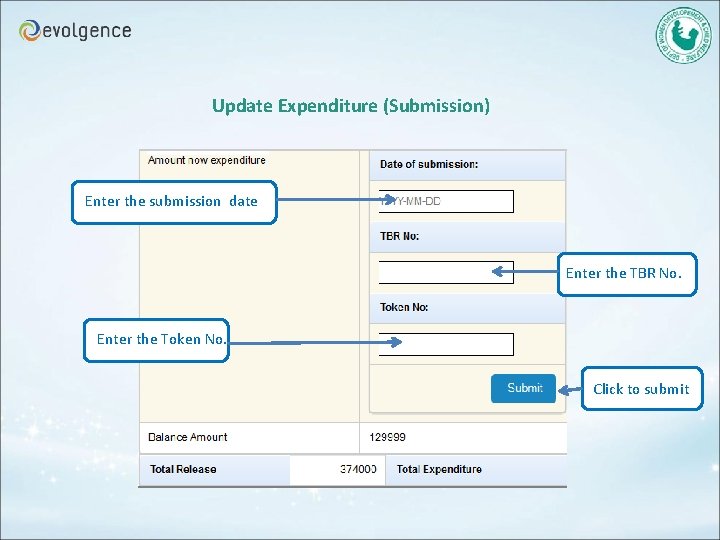
Update Expenditure (Submission) Enter the submission date Enter the TBR No. Enter the Token No. Click to submit
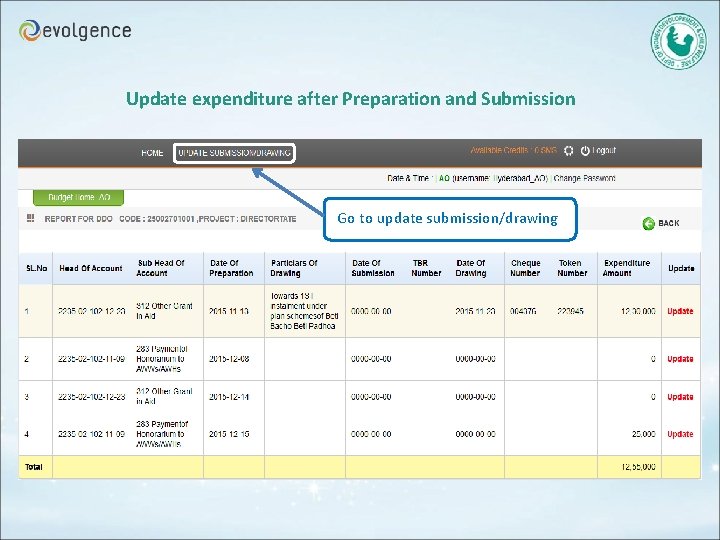
Update expenditure after Preparation and Submission Go to update submission/drawing
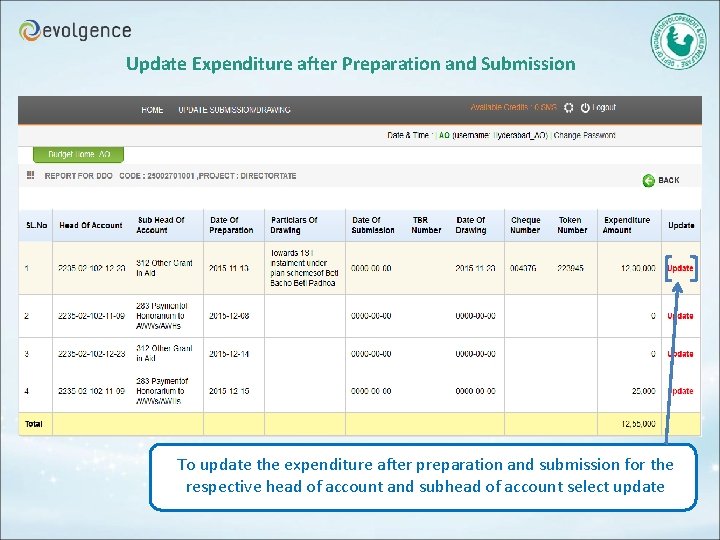
Update Expenditure after Preparation and Submission To update the expenditure after preparation and submission for the respective head of account and subhead of account select update
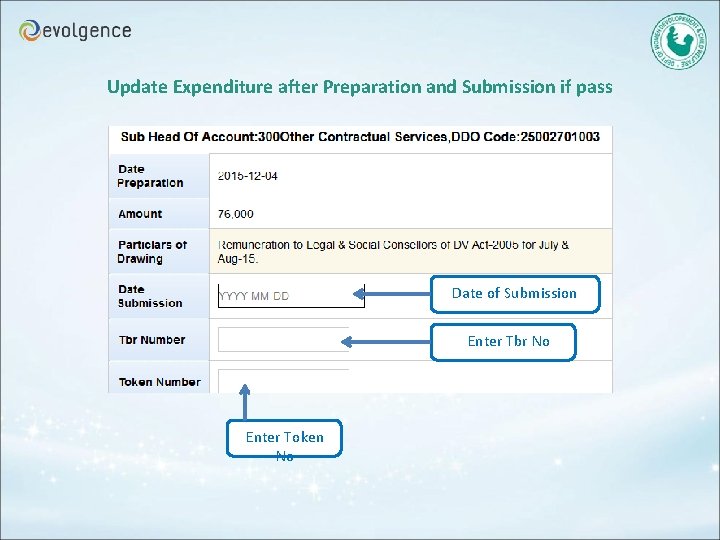
Update Expenditure after Preparation and Submission if pass Date of Submission Enter Tbr No Enter Token No
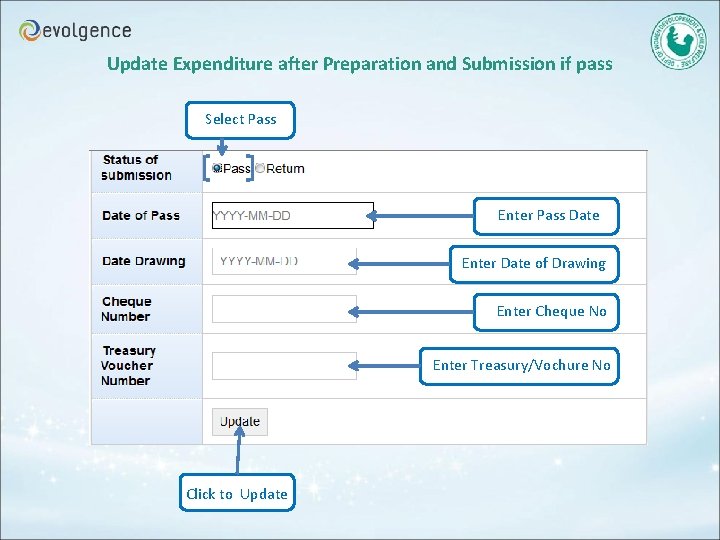
Update Expenditure after Preparation and Submission if pass Select Pass Enter Pass Date Enter Date of Drawing Enter Cheque No Enter Treasury/Vochure No Click to Update
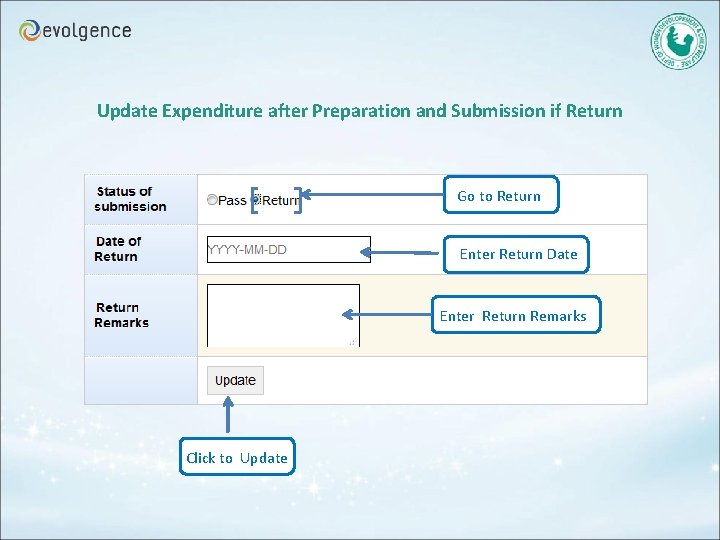
Update Expenditure after Preparation and Submission if Return Go to Return Enter Return Date Enter Return Remarks Click to Update
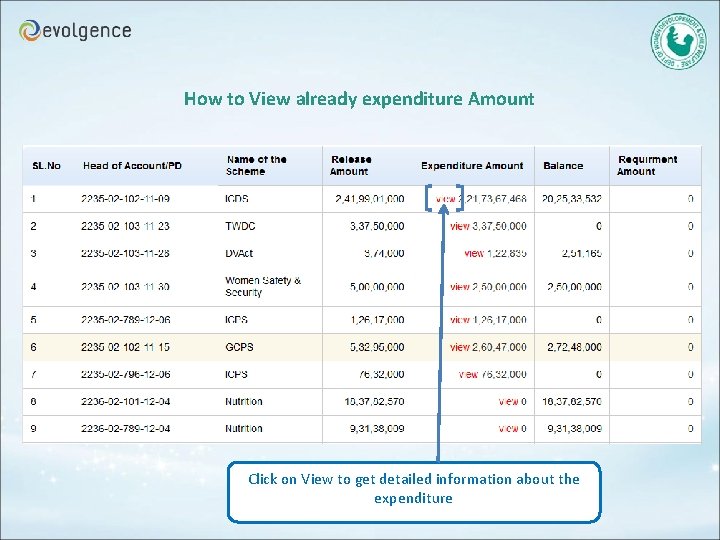
How to View already expenditure Amount Click on View to get detailed information about the expenditure
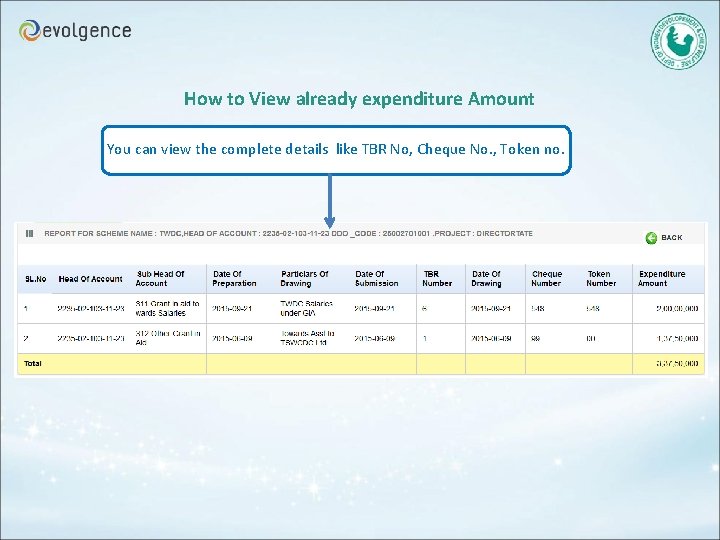
How to View already expenditure Amount You can view the complete details like TBR No, Cheque No. , Token no.
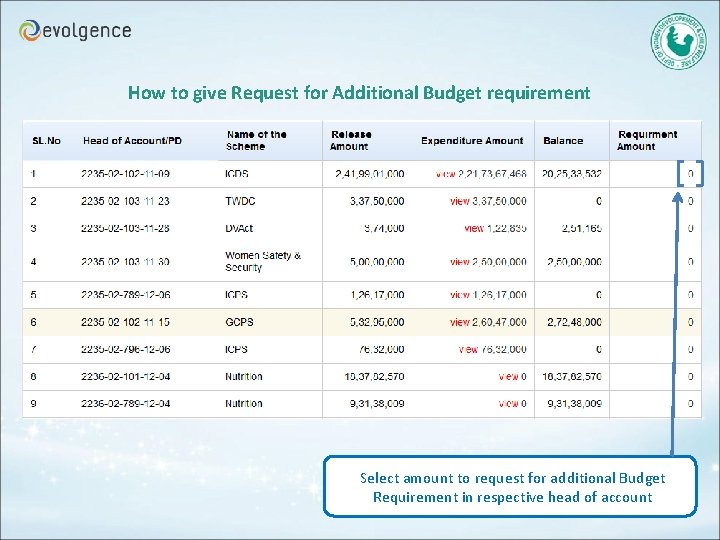
How to give Request for Additional Budget requirement Select amount to request for additional Budget Requirement in respective head of account
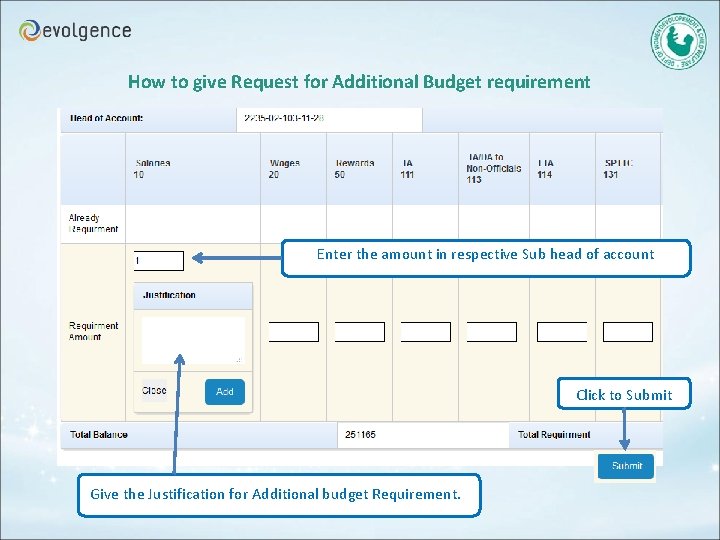
How to give Request for Additional Budget requirement Enter the amount in respective Sub head of account Click to Submit Give the Justification for Additional budget Requirement.

Thank you Please Feel free to Contact for further assistance Kiran Koneri Mobile: 7799772789 Email : kiran. koneri@evolgence. com
- Slides: 24