
Next Gen e Catalogue HMCL Catalog base features
Next Gen e. Catalogue
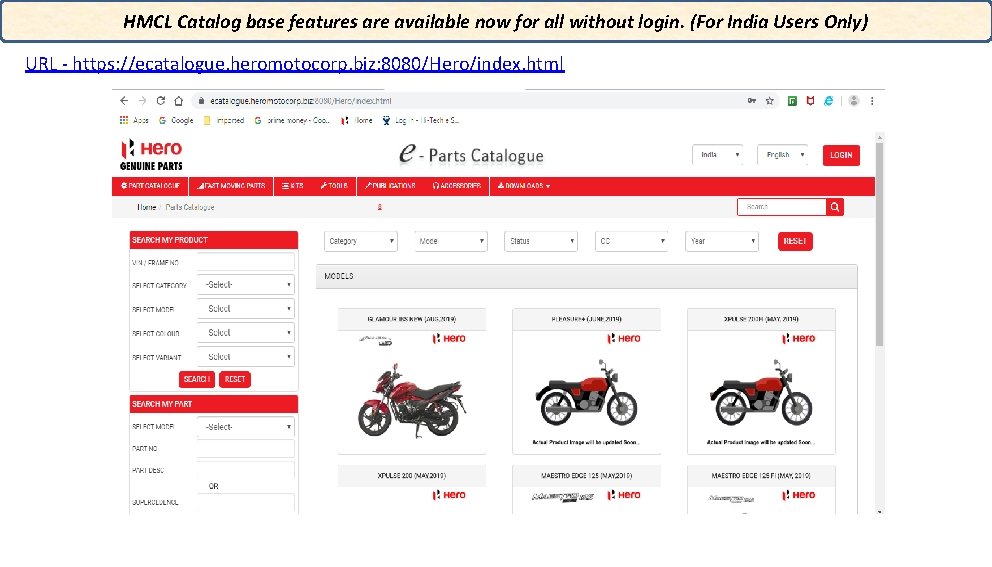
HMCL Catalog base features are available now for all without login. (For India Users Only) URL - https: //ecatalogue. heromotocorp. biz: 8080/Hero/index. html
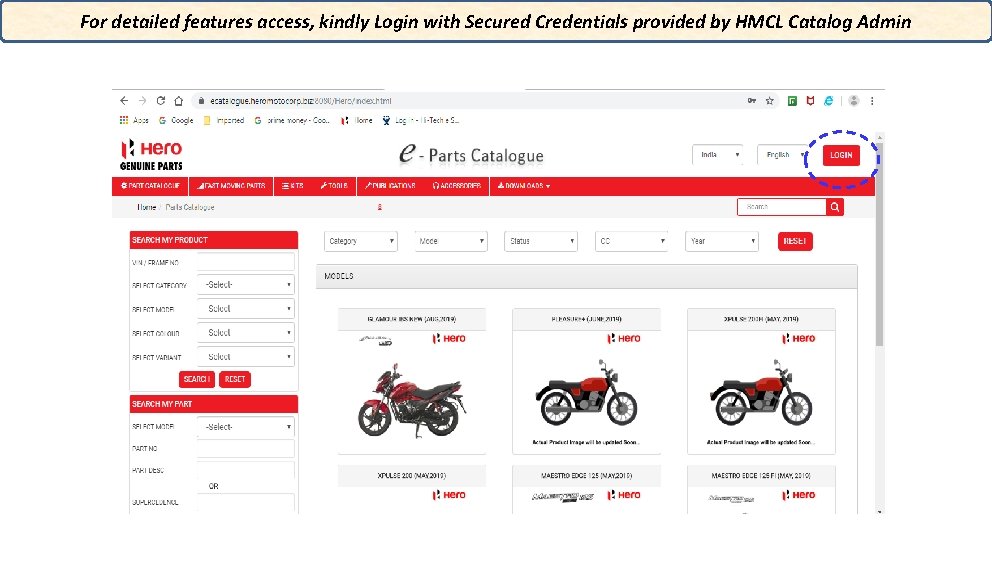
For detailed features access, kindly Login with Secured Credentials provided by HMCL Catalog Admin
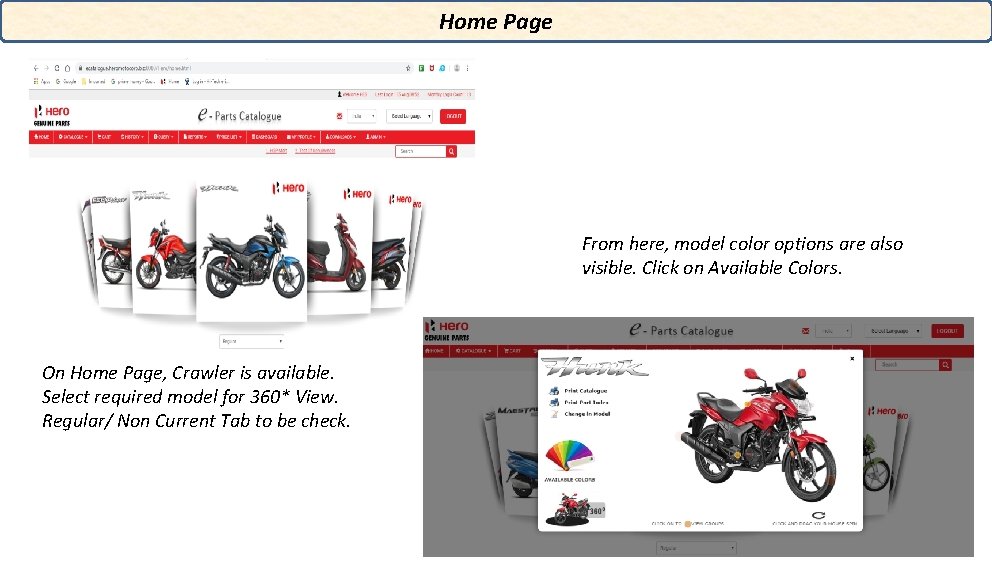
Home Page From here, model color options are also visible. Click on Available Colors. On Home Page, Crawler is available. Select required model for 360* View. Regular/ Non Current Tab to be check.
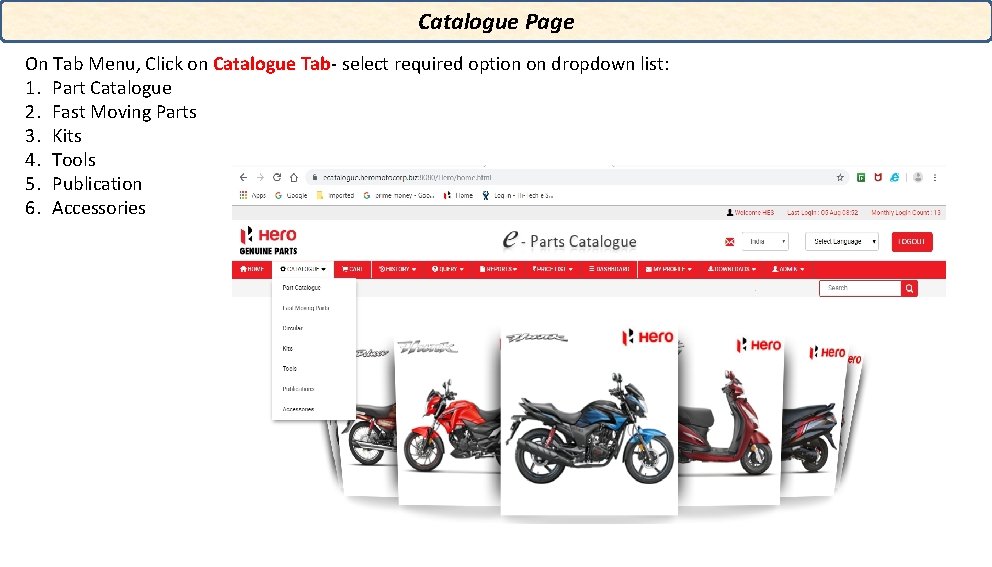
Catalogue Page On Tab Menu, Click on Catalogue Tab- select required option on dropdown list: 1. Part Catalogue 2. Fast Moving Parts 3. Kits 4. Tools 5. Publication 6. Accessories
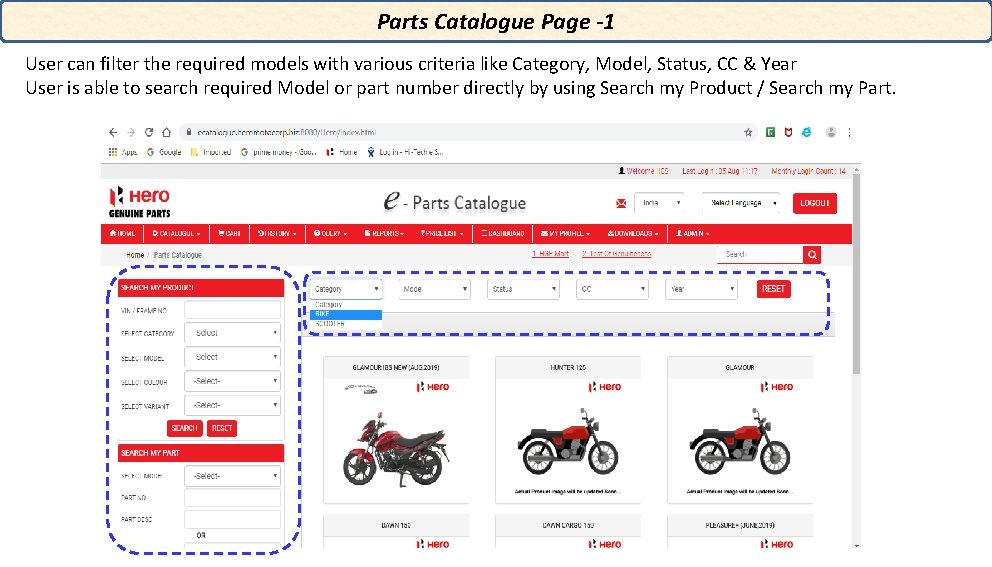
Parts Catalogue Page -1 User can filter the required models with various criteria like Category, Model, Status, CC & Year User is able to search required Model or part number directly by using Search my Product / Search my Part.
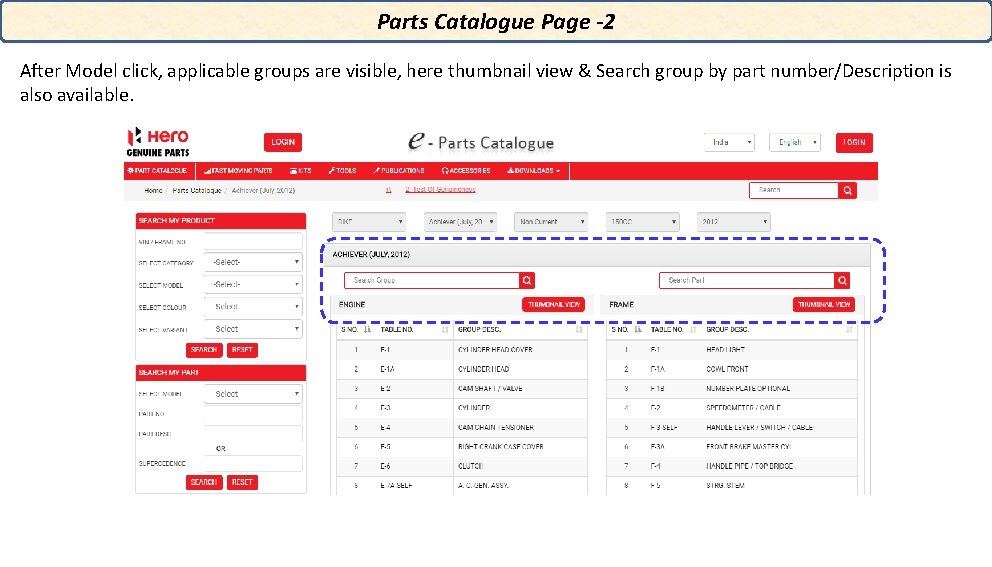
Parts Catalogue Page -2 After Model click, applicable groups are visible, here thumbnail view & Search group by part number/Description is also available.
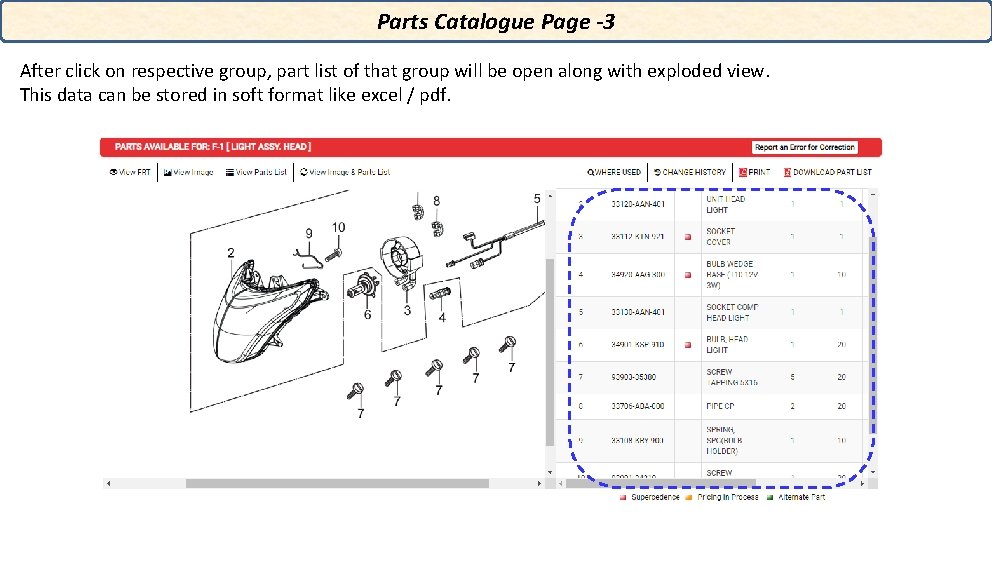
Parts Catalogue Page -3 After click on respective group, part list of that group will be open along with exploded view. This data can be stored in soft format like excel / pdf.
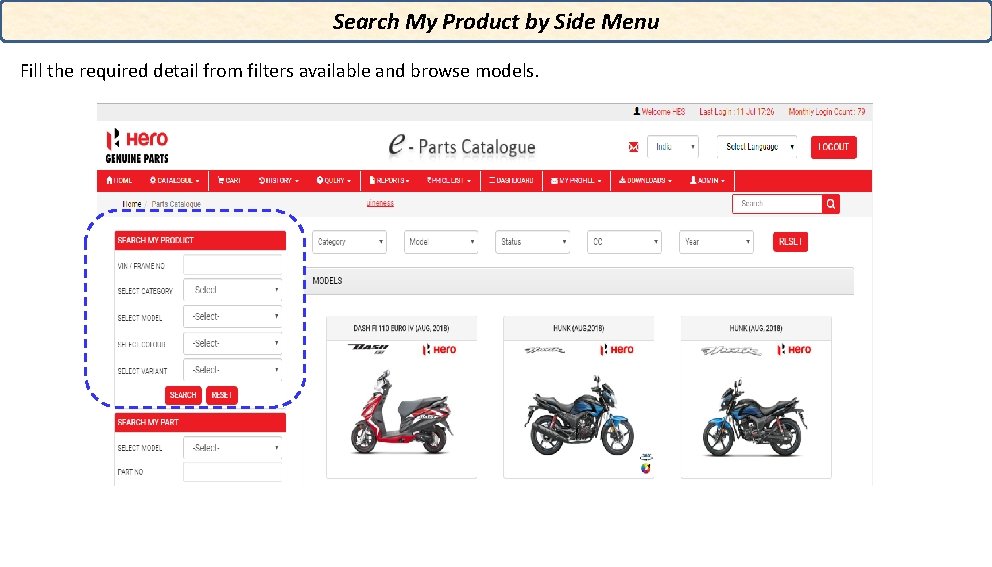
Search My Product by Side Menu Fill the required detail from filters available and browse models.
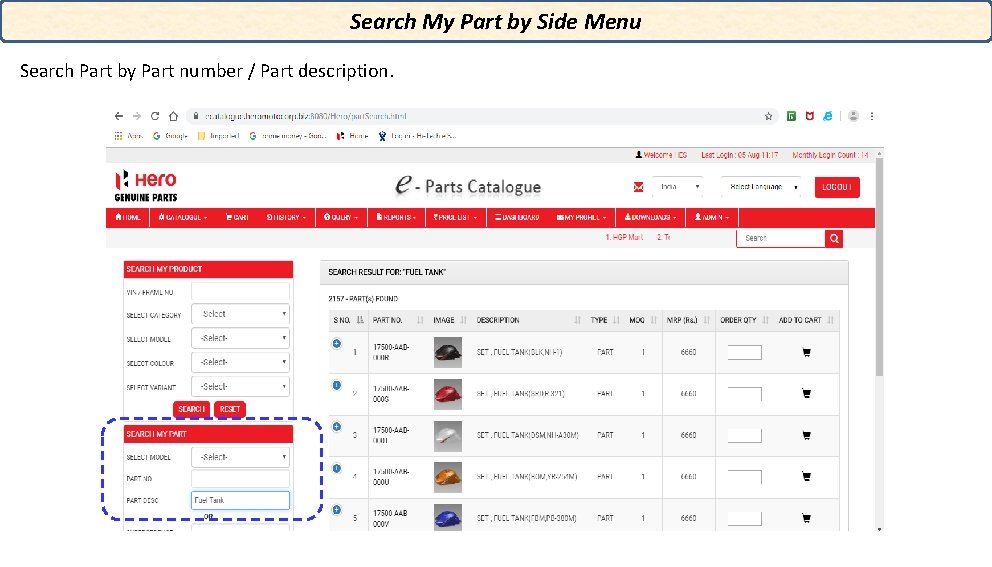
Search My Part by Side Menu Search Part by Part number / Part description.
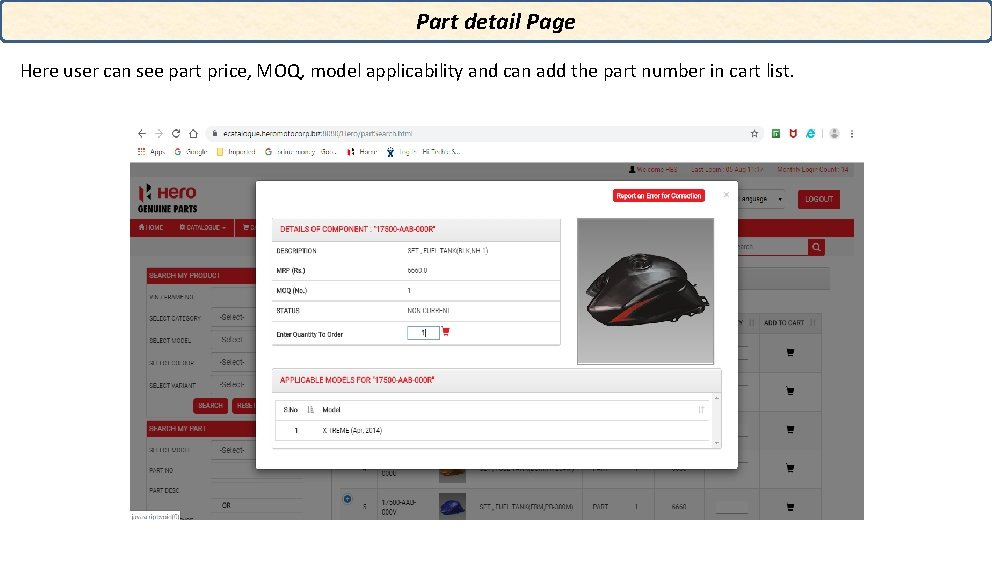
Part detail Page Here user can see part price, MOQ, model applicability and can add the part number in cart list.
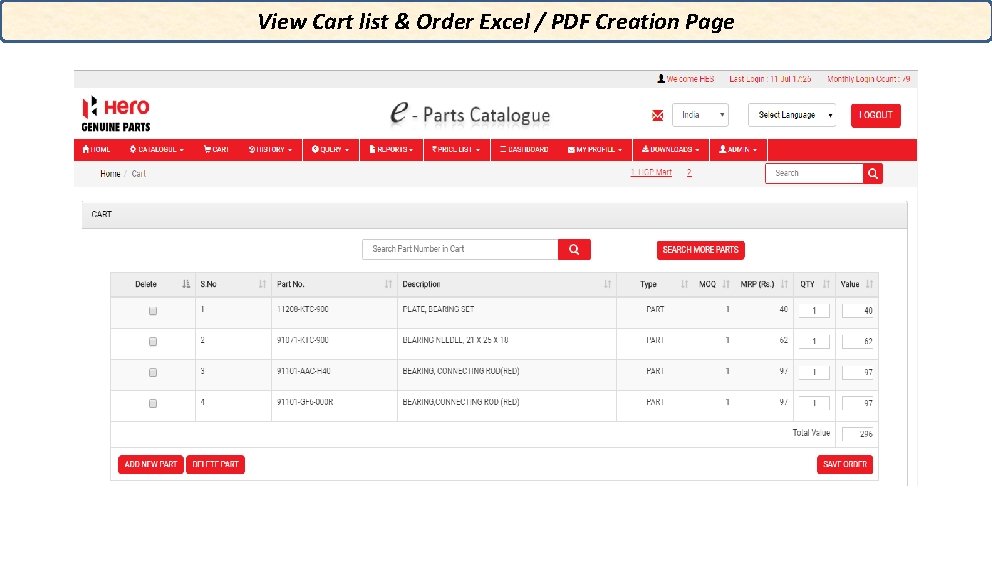
View Cart list & Order Excel / PDF Creation Page
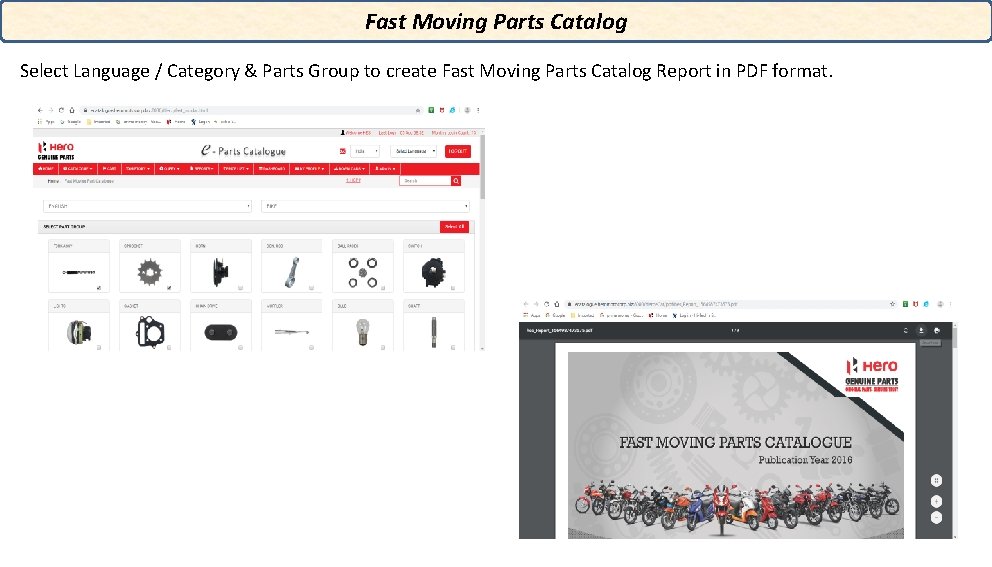
Fast Moving Parts Catalog Select Language / Category & Parts Group to create Fast Moving Parts Catalog Report in PDF format.
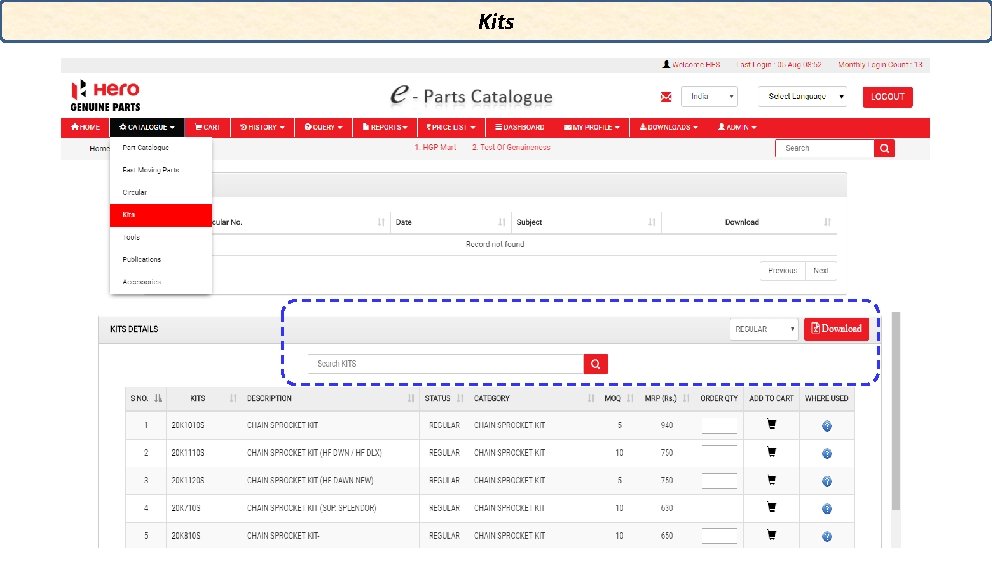
Kits
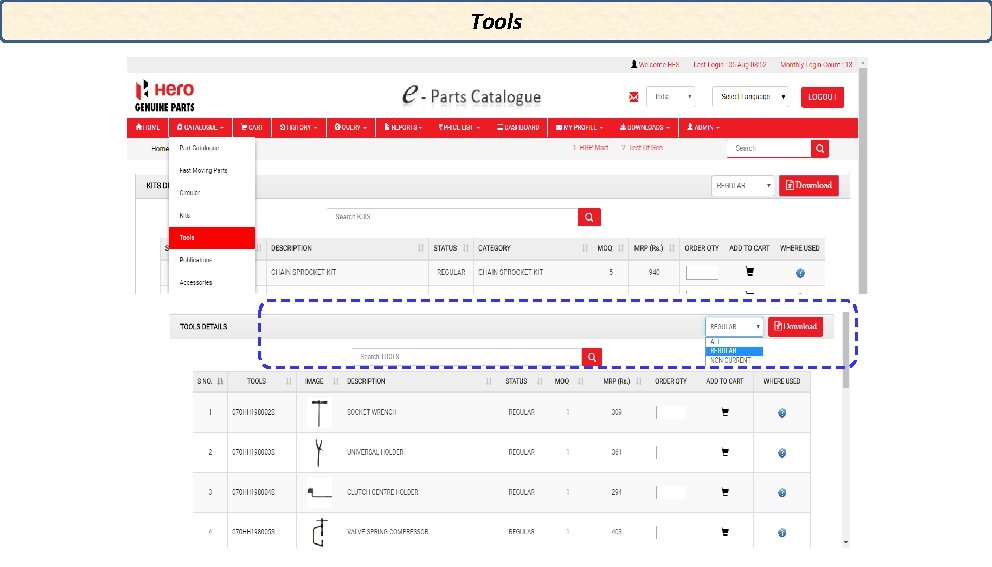
Tools
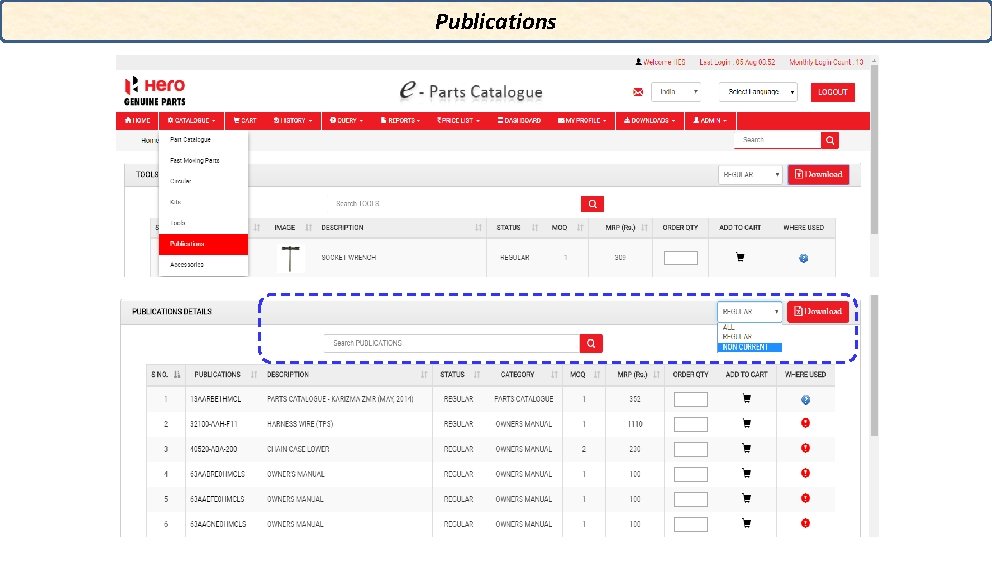
Publications
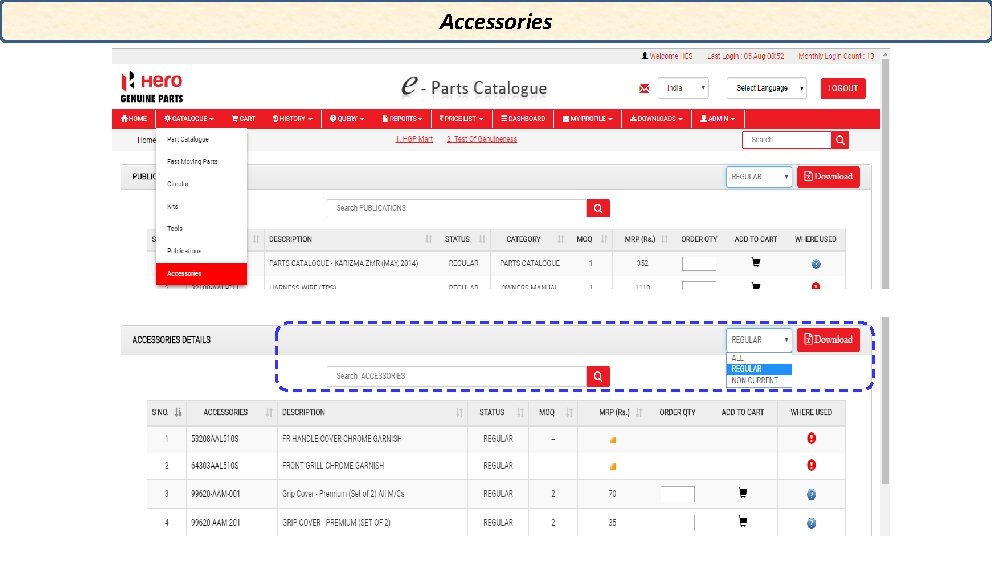
Accessories
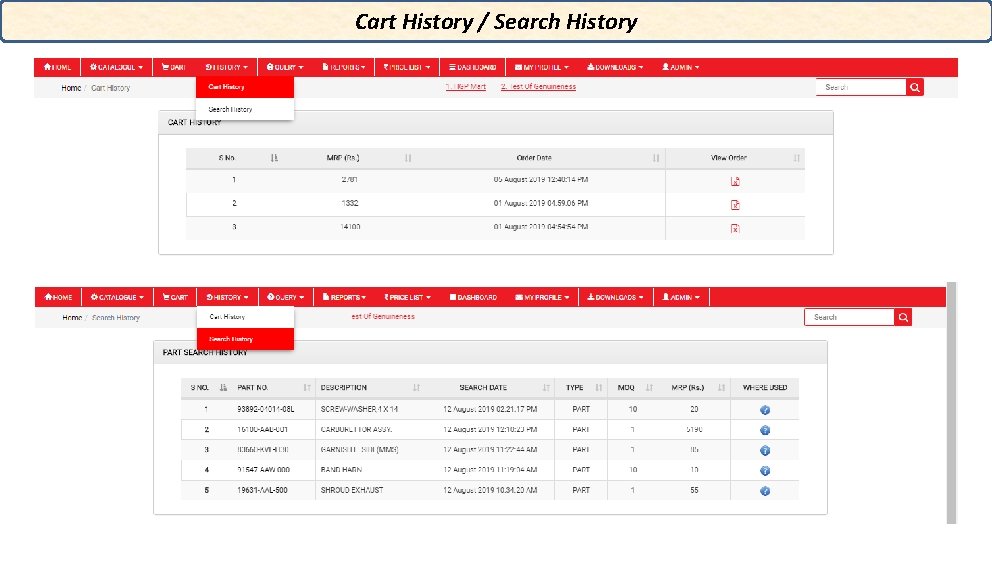
Cart History / Search History
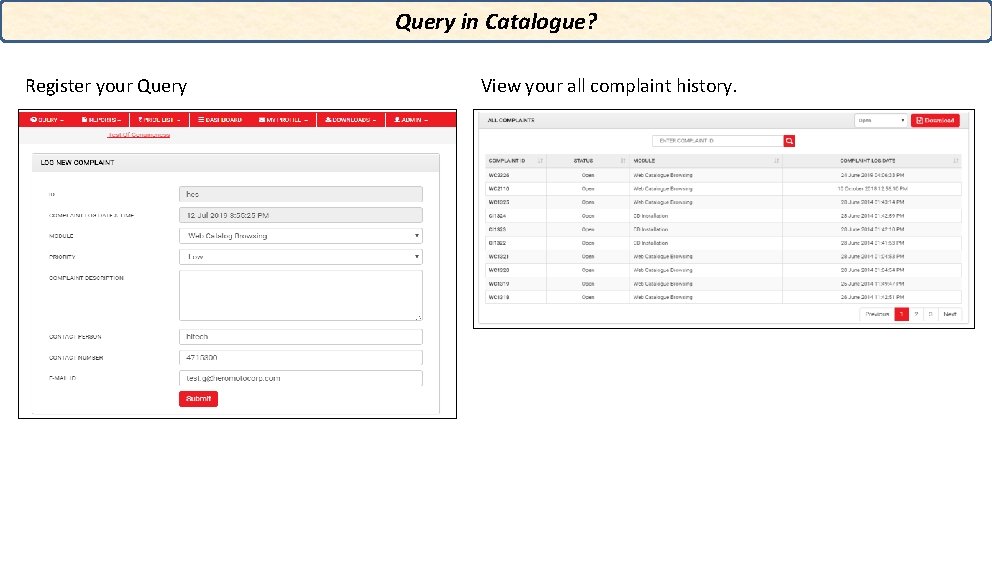
Query in Catalogue? Register your Query View your all complaint history.
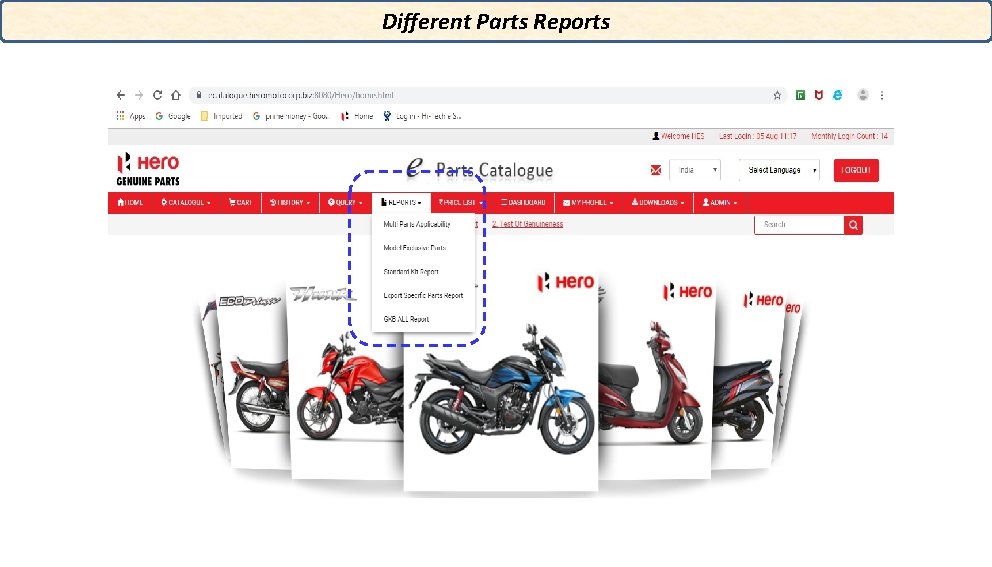
Different Parts Reports
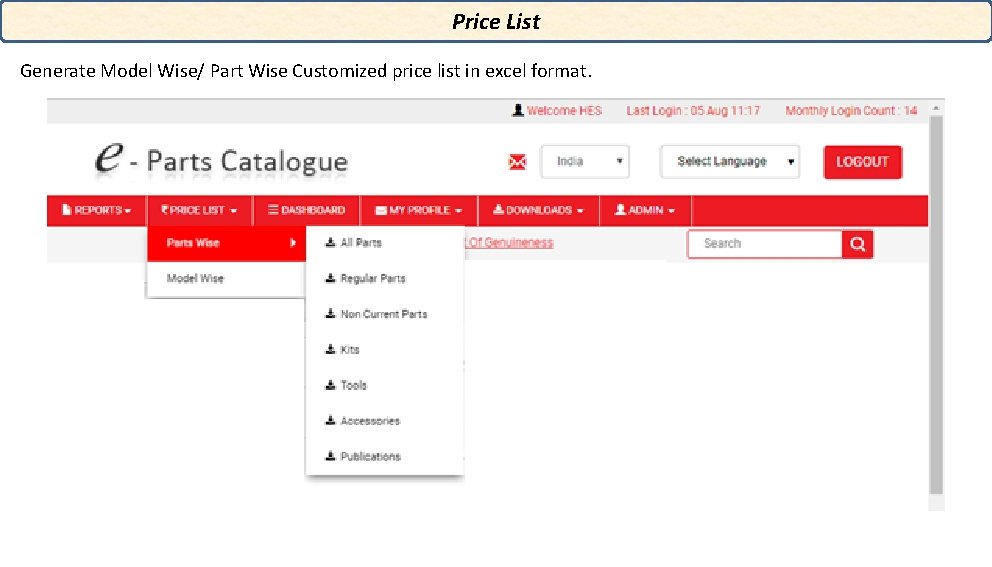
Price List Generate Model Wise/ Part Wise Customized price list in excel format.
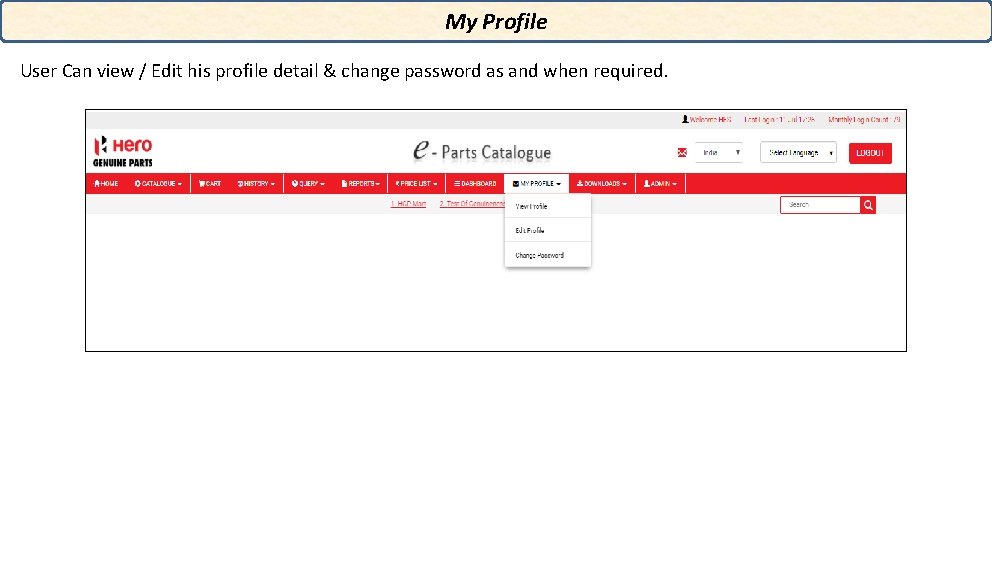
My Profile User Can view / Edit his profile detail & change password as and when required.
New Added Features • Next gen ecatalogue: Ø ecatalogue accessible on all platform (web/mobile/tablet) Ø Browser Independent (all browser supported) • Accessibility: Ø Tabbed interface introduced instead of menu based. Ø Useful feature available on single page (My Bike /Advanced search/search criteria) • History Tab: Ø Cart History Ø Search History • Part Search by: ØEcat Part No ØSAP Part No ØPartial search
New Added Features • Part List download : ØExcel download and save earlier zip file use to download • PDF download: Ø PDF will be available to save directly earlier it required to print to system • Refreshed Next gen catalogue: ØNew Look and Feel Introduced
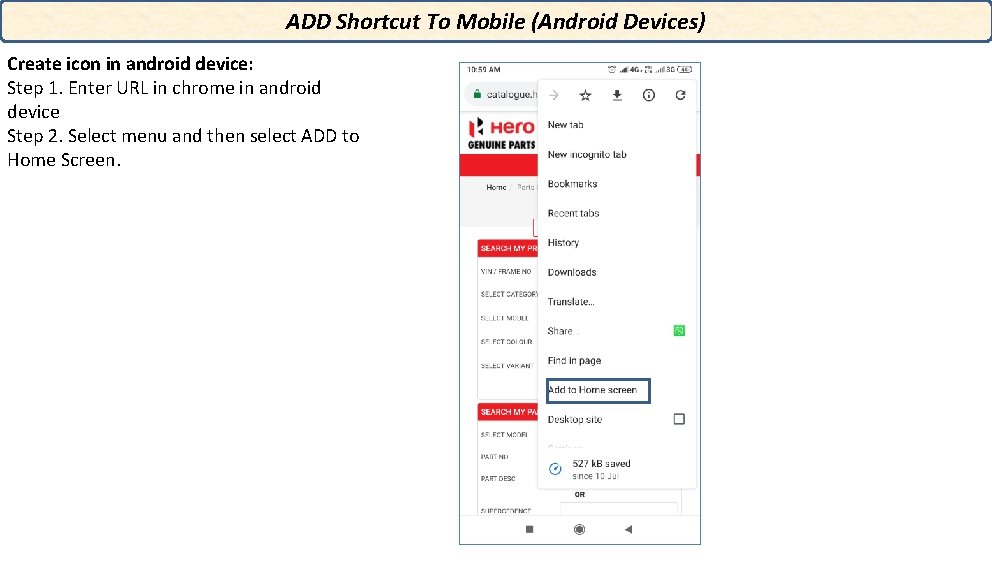
ADD Shortcut To Mobile (Android Devices) Create icon in android device: Step 1. Enter URL in chrome in android device Step 2. Select menu and then select ADD to Home Screen.
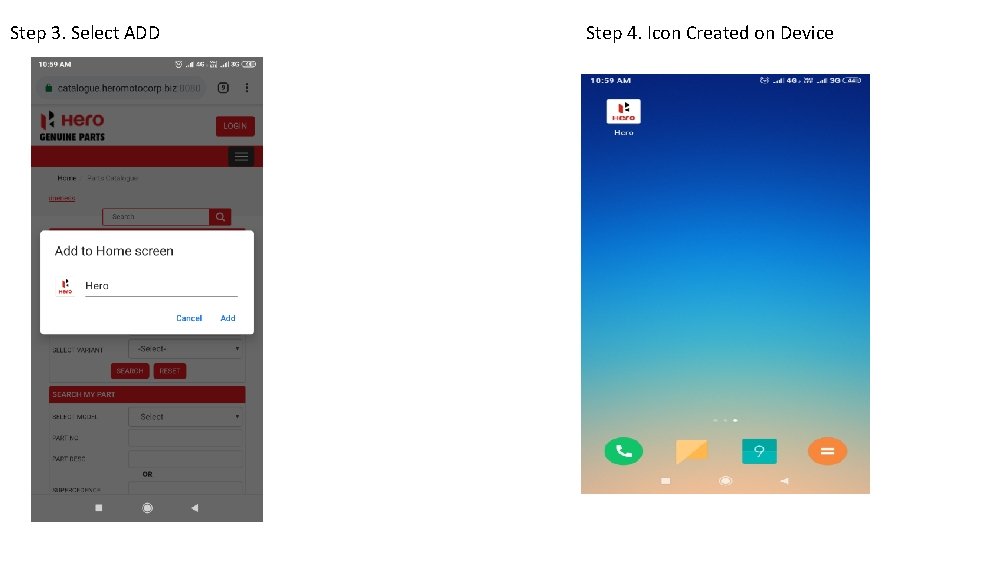
Step 3. Select ADD Step 4. Icon Created on Device
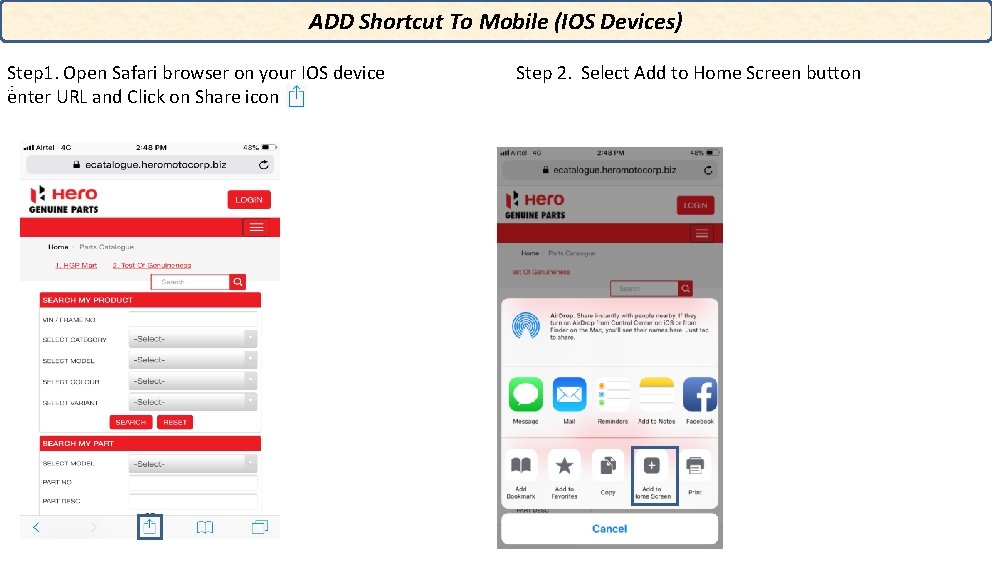
ADD Shortcut To Mobile (IOS Devices) Step 1. Open Safari browser on your IOS device. : enter URL and Click on Share icon Step 2. Select Add to Home Screen button
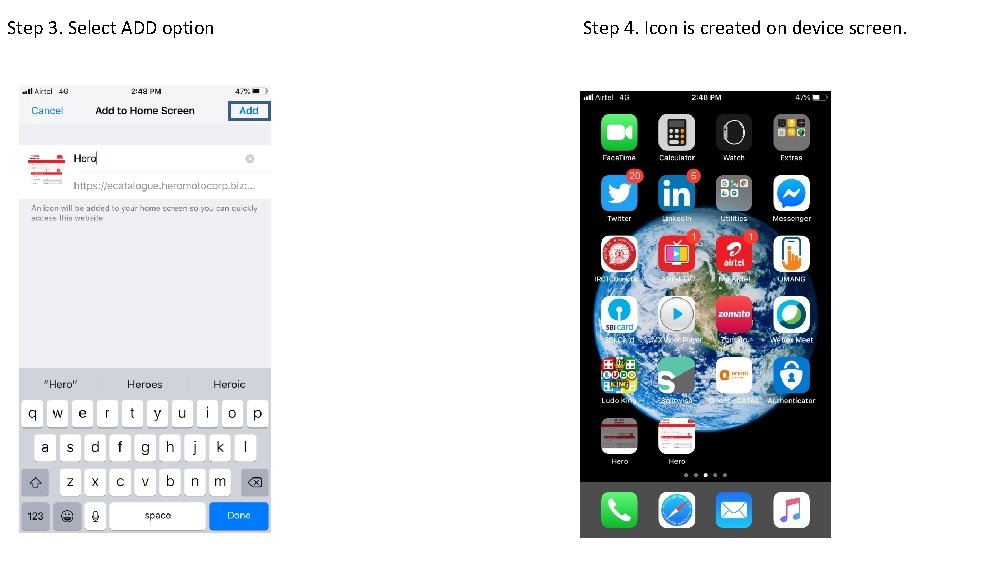
Step 3. Select ADD option Step 4. Icon is created on device screen.
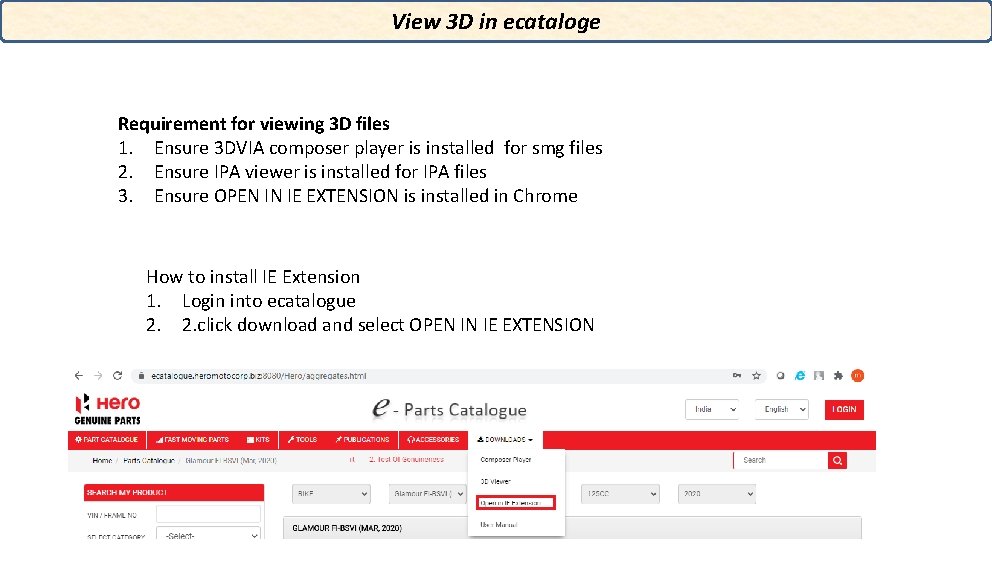
View 3 D in ecataloge Requirement for viewing 3 D files 1. Ensure 3 DVIA composer player is installed for smg files 2. Ensure IPA viewer is installed for IPA files 3. Ensure OPEN IN IE EXTENSION is installed in Chrome How to install IE Extension 1. Login into ecatalogue 2. 2. click download and select OPEN IN IE EXTENSION
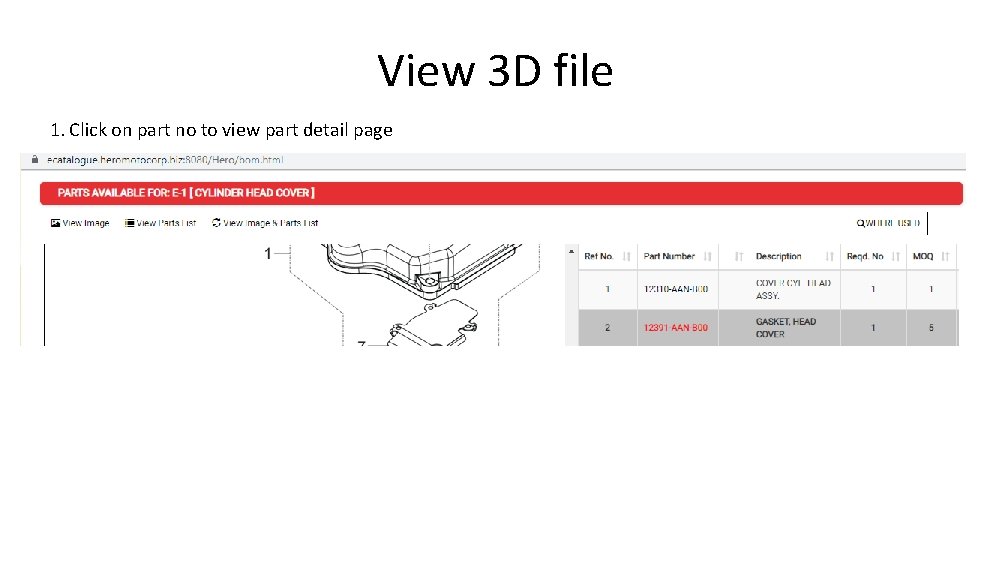
View 3 D file 1. Click on part no to view part detail page
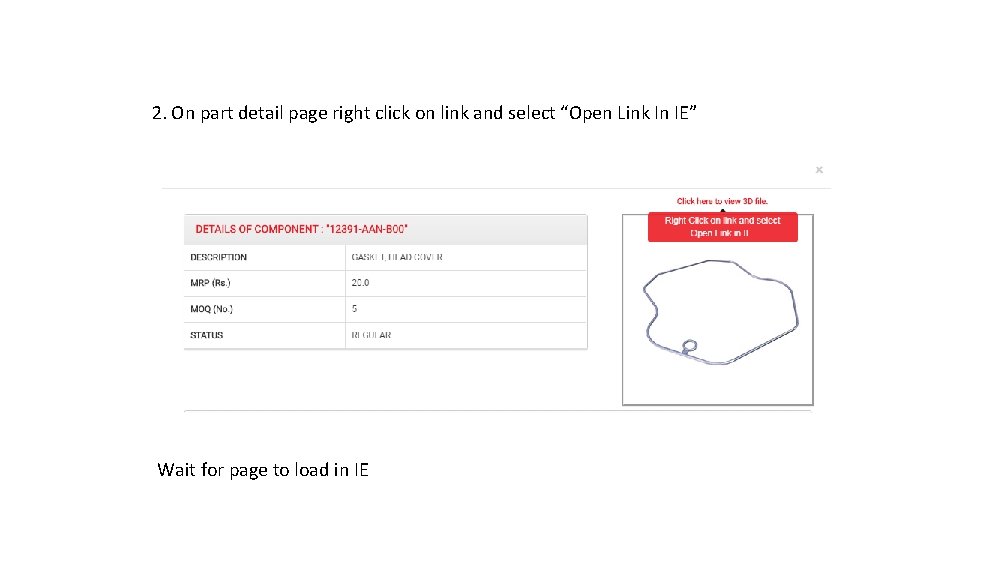
2. On part detail page right click on link and select “Open Link In IE” Wait for page to load in IE
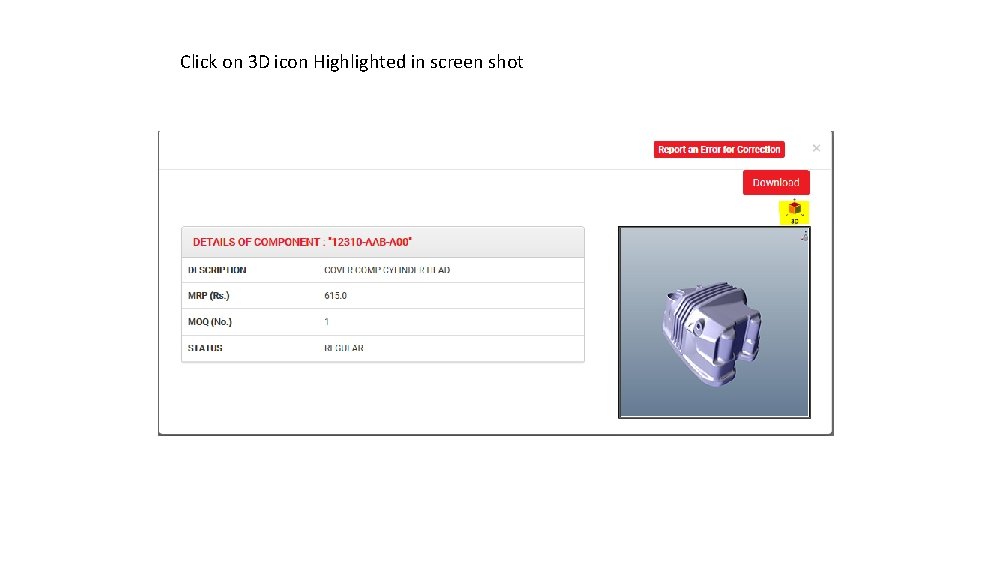
Click on 3 D icon Highlighted in screen shot
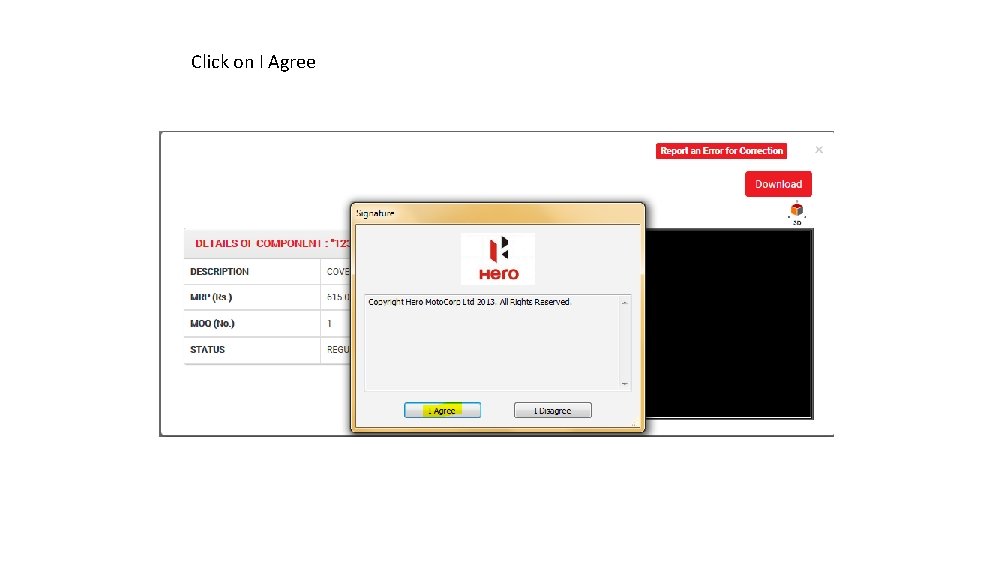
Click on I Agree
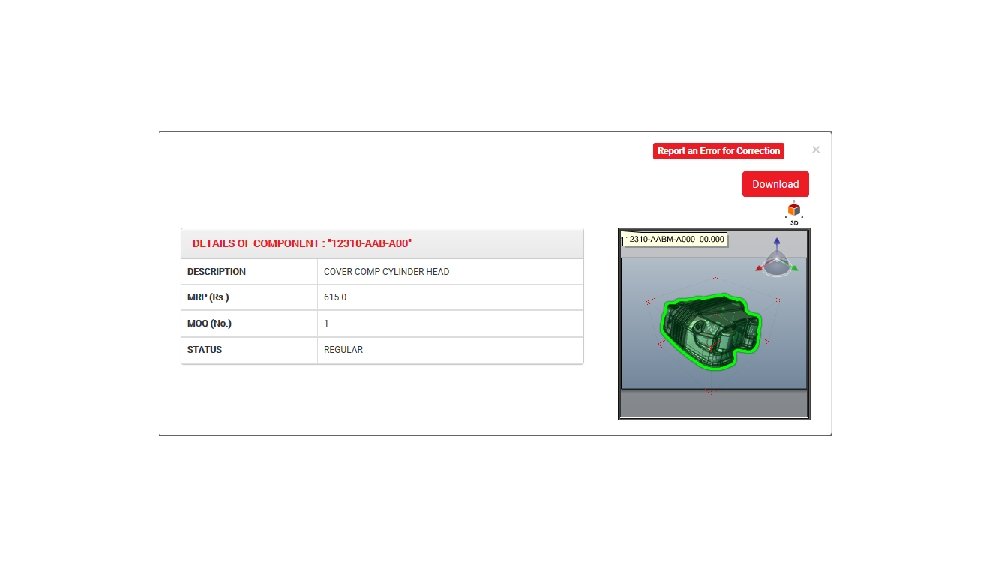
The End
- Slides: 35