
New Semantic Elements Part 1 Semantics Explained n
- Slides: 12
New Semantic Elements (Part 1)
Semantics Explained n n The textbook definition of "semantics" is the study of the relationship between words and their meanings. In the context of HTML, a semantic element is one whose name describes its actual purpose. Take, for example, the <div> element that we used extensively in XHTML. It's useful for defining a section of a web page but it does not indicate anything about the nature of the section itself. HTML 5 introduces new semantic elements that better define and organize web documents.
Benefits of Semantic Elements n n n Pages become much easier to understand when it comes time to edit them in the future. This is especially true if someone other than the original programmer is doing the editing. Search engines can better understand our website's content. The better Google, Yahoo, and Bing can pinpoint what our pages are all about, the higher our pages will likely appear in the search results. Screen readers and assistive devices can more easily interpret the organization of a page, therefore presenting site content more effectively to disabled visitors.
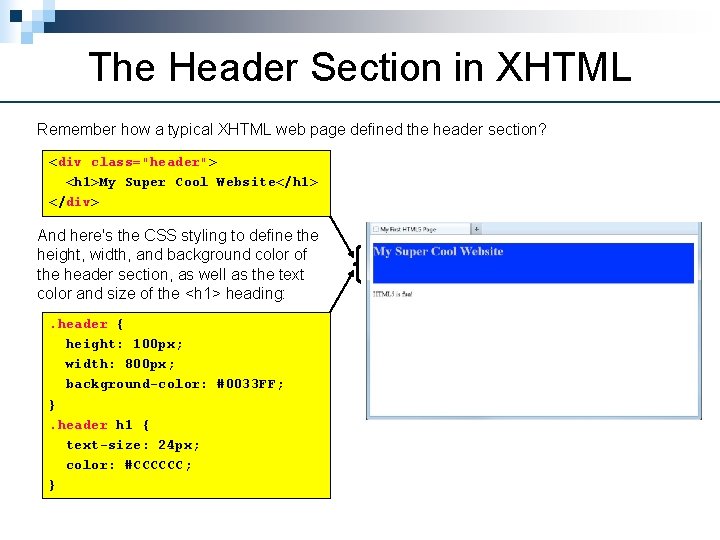
The Header Section in XHTML Remember how a typical XHTML web page defined the header section? <div class="header"> <h 1>My Super Cool Website</h 1> </div> And here's the CSS styling to define the height, width, and background color of the header section, as well as the text color and size of the <h 1> heading: . header { height: 100 px; width: 800 px; background-color: #0033 FF; }. header h 1 { text-size: 24 px; color: #CCCCCC; }
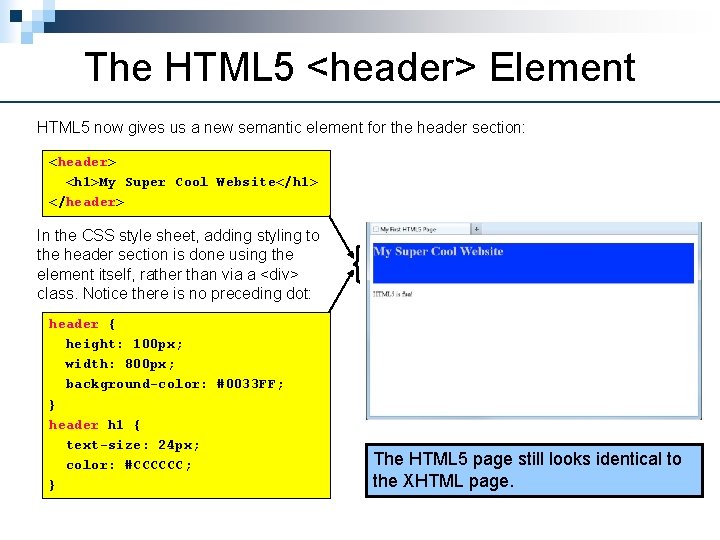
The HTML 5 <header> Element HTML 5 now gives us a new semantic element for the header section: <header> <h 1>My Super Cool Website</h 1> </header> In the CSS style sheet, adding styling to the header section is done using the element itself, rather than via a <div> class. Notice there is no preceding dot: header { height: 100 px; width: 800 px; background-color: #0033 FF; } header h 1 { text-size: 24 px; color: #CCCCCC; } The HTML 5 page still looks identical to the XHTML page.
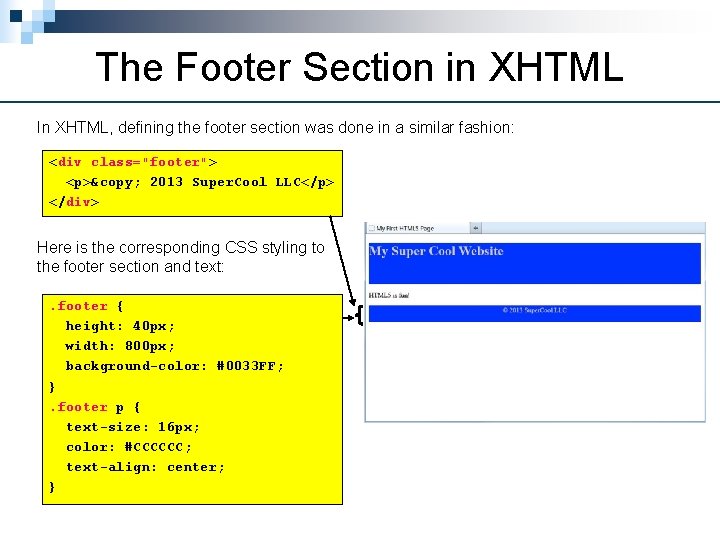
The Footer Section in XHTML In XHTML, defining the footer section was done in a similar fashion: <div class="footer"> <p>© 2013 Super. Cool LLC</p> </div> Here is the corresponding CSS styling to the footer section and text: . footer { height: 40 px; width: 800 px; background-color: #0033 FF; }. footer p { text-size: 16 px; color: #CCCCCC; text-align: center; }
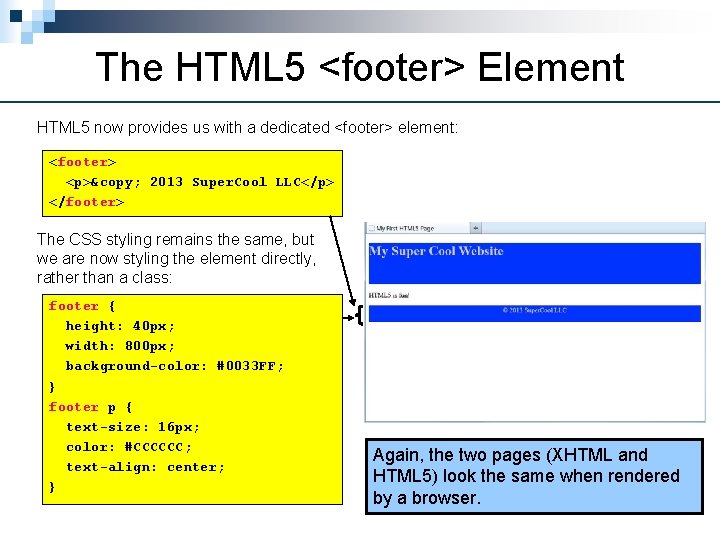
The HTML 5 <footer> Element HTML 5 now provides us with a dedicated <footer> element: <footer> <p>© 2013 Super. Cool LLC</p> </footer> The CSS styling remains the same, but we are now styling the element directly, rather than a class: footer { height: 40 px; width: 800 px; background-color: #0033 FF; } footer p { text-size: 16 px; color: #CCCCCC; text-align: center; } Again, the two pages (XHTML and HTML 5) look the same when rendered by a browser.
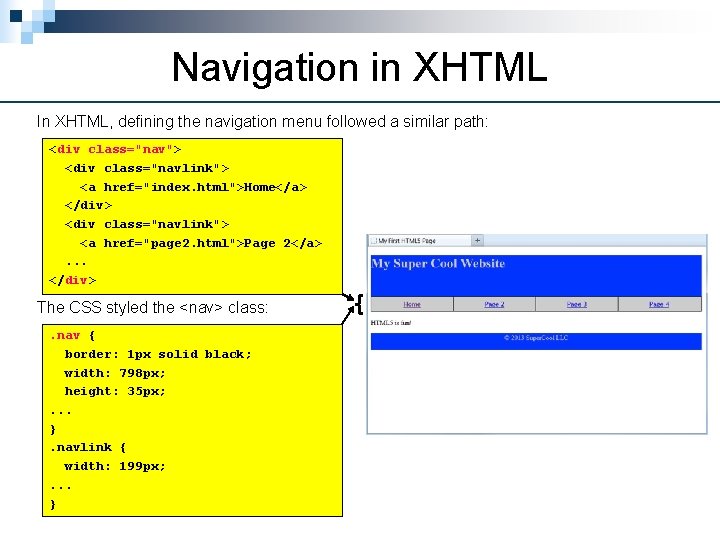
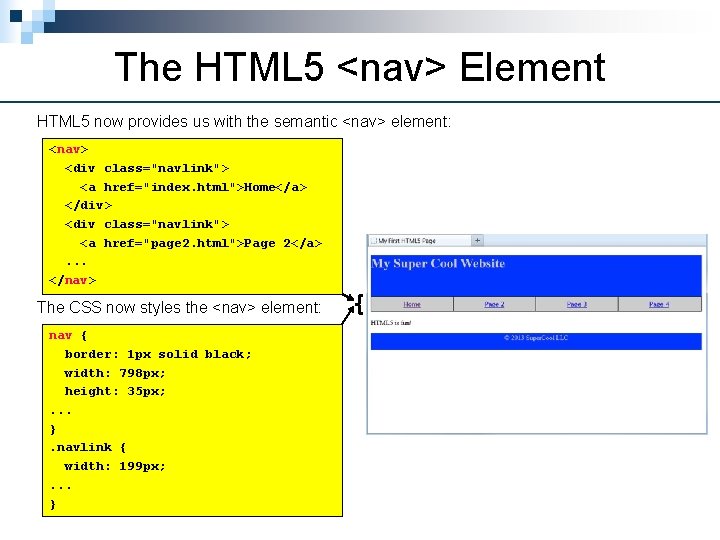
Navigation in XHTML In XHTML, defining the navigation menu followed a similar path: <div class="nav"> <div class="navlink"> <a href="index. html">Home</a> </div> <div class="navlink"> <a href="page 2. html">Page 2</a>. . . </div> The CSS styled the <nav> class: . nav { border: 1 px solid black; width: 798 px; height: 35 px; . . . }. navlink { width: 199 px; . . . }
The HTML 5 <nav> Element HTML 5 now provides us with the semantic <nav> element: <nav> <div class="navlink"> <a href="index. html">Home</a> </div> <div class="navlink"> <a href="page 2. html">Page 2</a>. . . </nav> The CSS now styles the <nav> element: nav { border: 1 px solid black; width: 798 px; height: 35 px; . . . }. navlink { width: 199 px; . . . }
Revisiting the Header Element n n The official W 3 C specification for the <header> element says that it "represents a group of introductory or navigational aids. " The specification further states that, "A header element is intended to usually contain the section's heading (an h 1– h 6 element) but this is not required. The header element can also be used to wrap a section's table of contents, a search form, or any relevant logos. " Since the header section often includes site navigation menus, let's go back to our simple site and move the <nav> within the <header>.
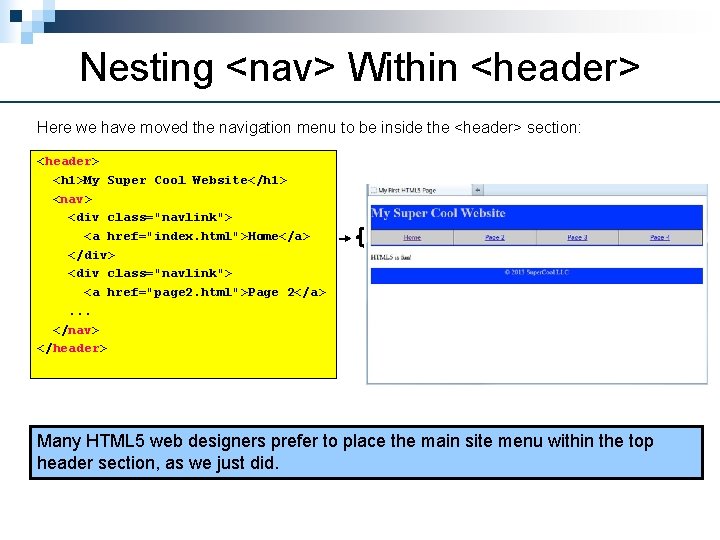
Nesting <nav> Within <header> Here we have moved the navigation menu to be inside the <header> section: <header> <h 1>My Super Cool Website</h 1> <nav> <div class="navlink"> <a href="index. html">Home</a> </div> <div class="navlink"> <a href="page 2. html">Page 2</a>. . . </nav> </header> Many HTML 5 web designers prefer to place the main site menu within the top header section, as we just did.
Summary of Semantic Elements n n The new semantic elements in HTML 5 add meaning to sections of a web document, assisting other programmers, search engines, and screen readers for the visually impaired. Just like the <div> elements they replace, the new semantic elements do not actually do anything that is visible on the web page. That is accomplished completely with CSS styling. In the coming days, we will be learning about and using several more of the new semantic elements in HTML 5.