
New Progresses of DTIMap a Program for DTI
- Slides: 24
New Progresses of DTI-Map, a Program for DTI Computation and Fiber Tracking l Hangyi Jiang, Peter van Zijl, Susumu Mori Dept. of Radiology Johns Hopkins University School of Medicine F. M. Kirby Research Center for Functional Brain Imaging
All-in-One Strategy ¨ Integrating DTI computation, fiber tracking, 3 D visualization, ROI drawing and statistic analysis all together; ¨ Windows-style programming with userfriendly interface, most operations could be done just by few clicks;
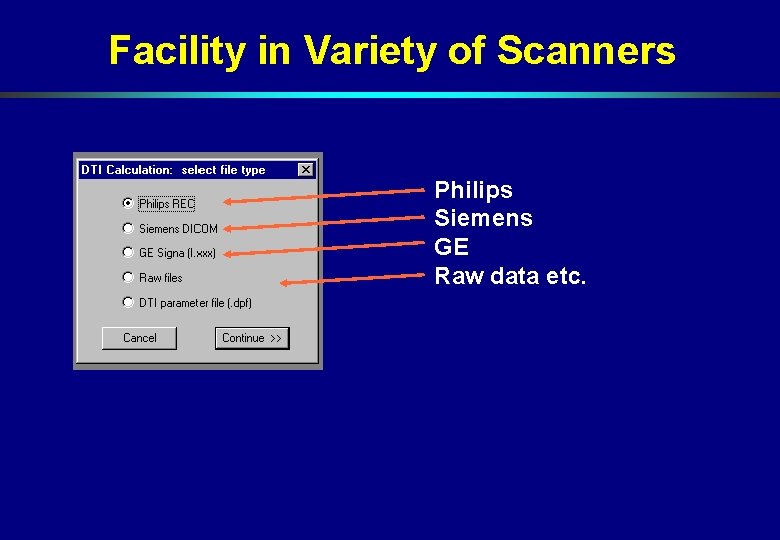
Facility in Variety of Scanners Philips Siemens GE Raw data etc.
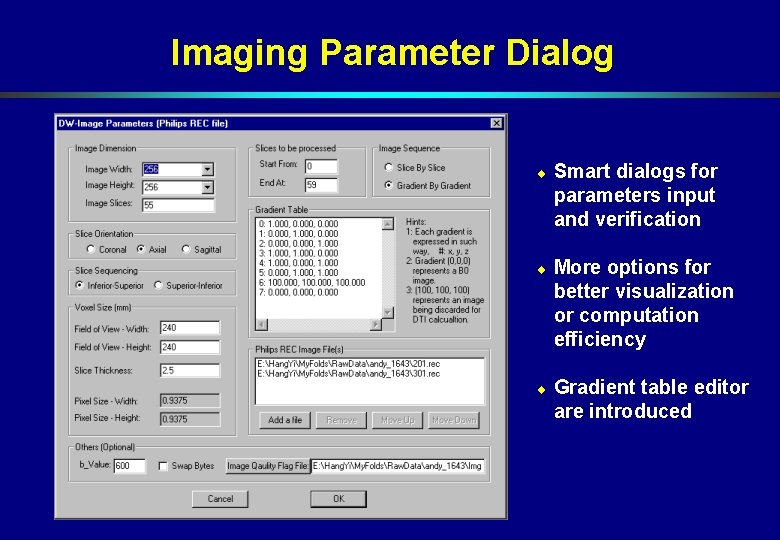
Imaging Parameter Dialog ¨ Smart dialogs for parameters input and verification ¨ More options for better visualization or computation efficiency ¨ Gradient table editor are introduced
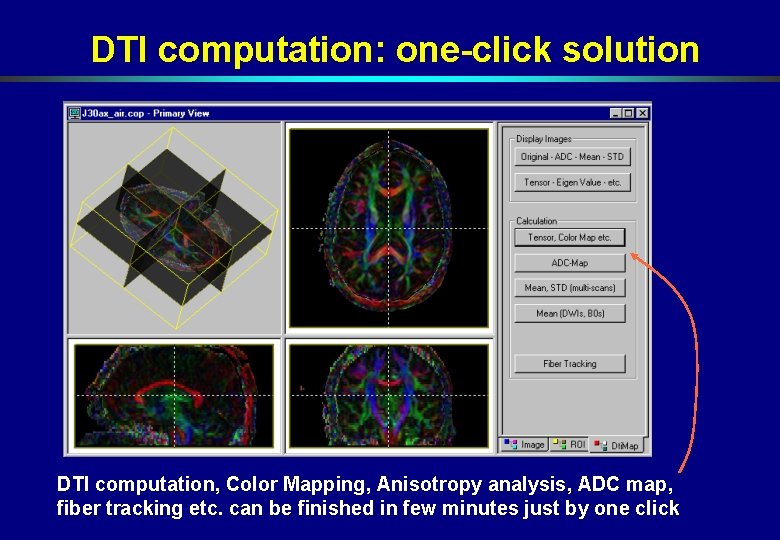
DTI computation: one-click solution DTI computation, Color Mapping, Anisotropy analysis, ADC map, fiber tracking etc. can be finished in few minutes just by one click
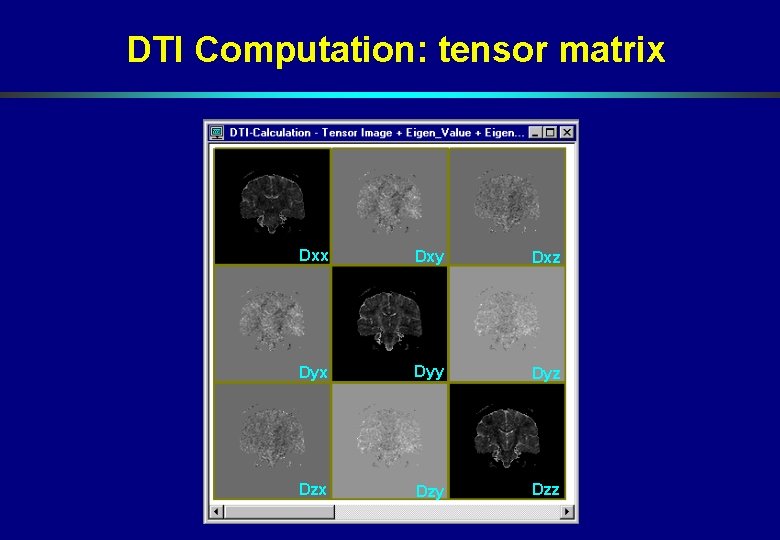
DTI Computation: tensor matrix Dxy Dxz Dyx Dyy Dyz Dzx Dzy Dzz
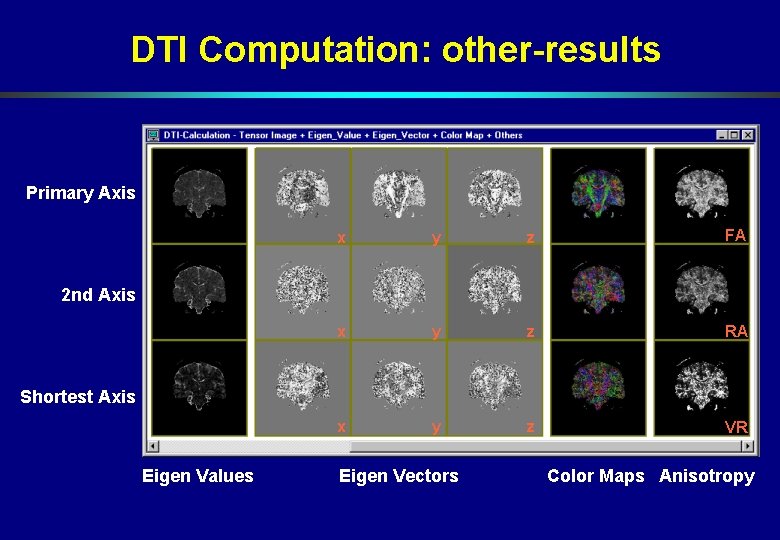
DTI Computation: other-results Primary Axis x y z FA x y z RA x y z VR 2 nd Axis Shortest Axis Eigen Values Eigen Vectors Color Maps Anisotropy
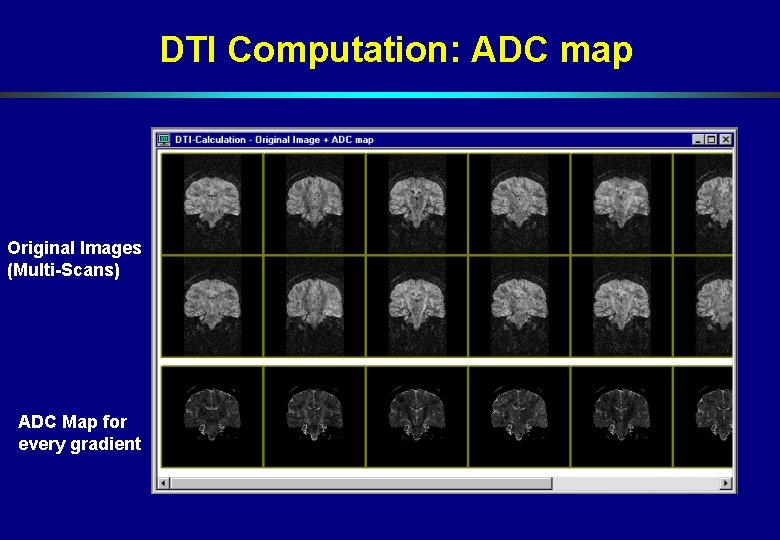
DTI Computation: ADC map Original Images (Multi-Scans) ADC Map for every gradient
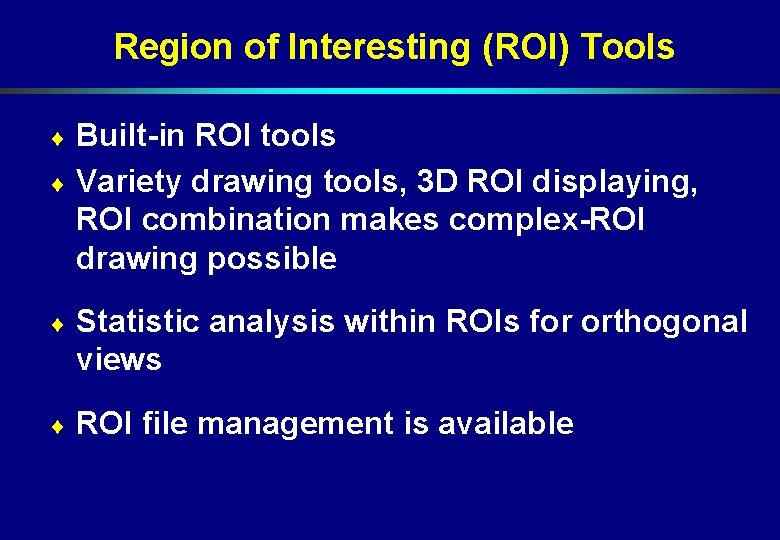
Region of Interesting (ROI) Tools Built-in ROI tools ¨ Variety drawing tools, 3 D ROI displaying, ROI combination makes complex-ROI drawing possible ¨ ¨ Statistic analysis within ROIs for orthogonal views ¨ ROI file management is available
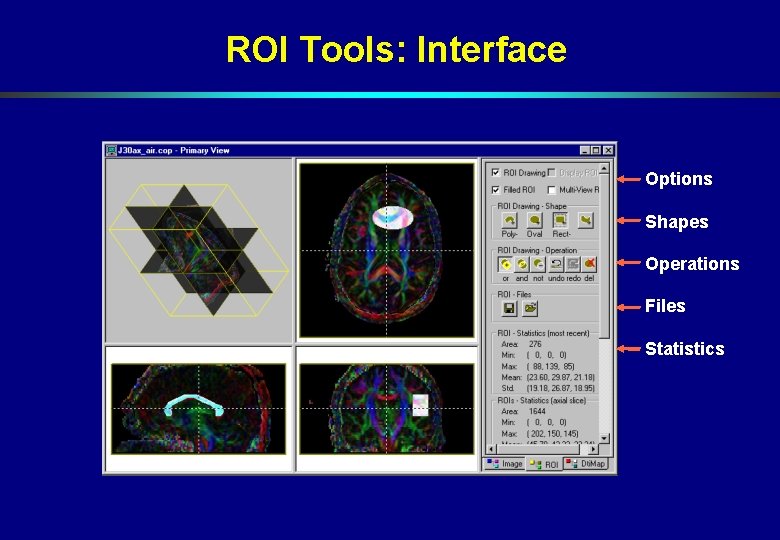
ROI Tools: Interface Options Shapes Operations Files Statistics
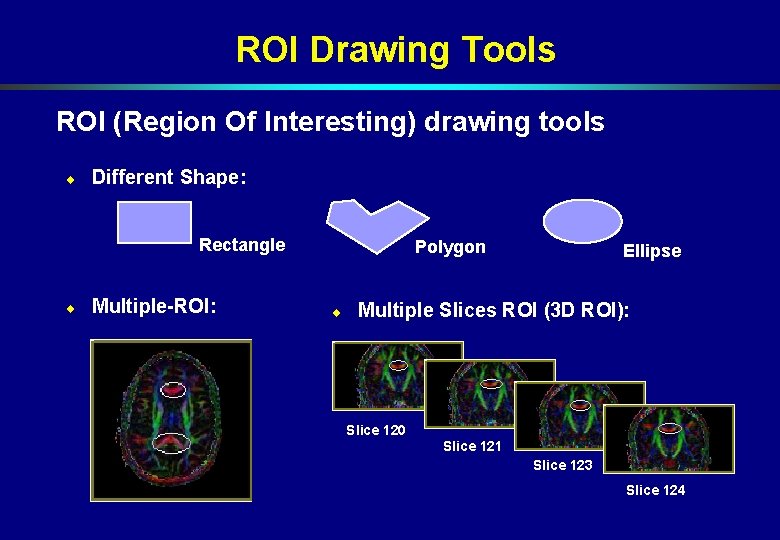
ROI Drawing Tools ROI (Region Of Interesting) drawing tools ¨ Different Shape: Rectangle ¨ Multiple-ROI: Polygon ¨ Ellipse Multiple Slices ROI (3 D ROI): Slice 120 Slice 121 Slice 123 Slice 124
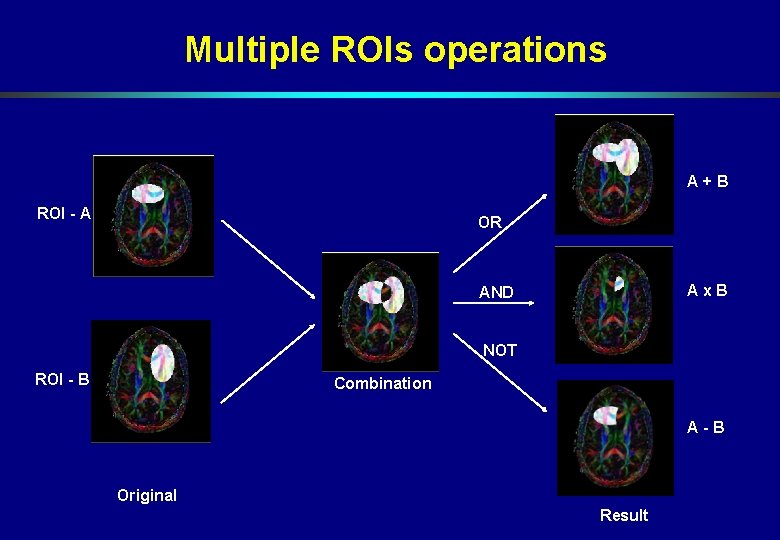
Multiple ROIs operations A+B ROI - A OR Ax. B AND NOT ROI - B Combination A-B Original Result
Fiber Tracking ¨ Fiber tracking can be finished in a few minutes ¨ Fiber selection by multi-ROIs combination ¨ Visualization in 2 D or 3 D views ¨ Fiber data file management is available
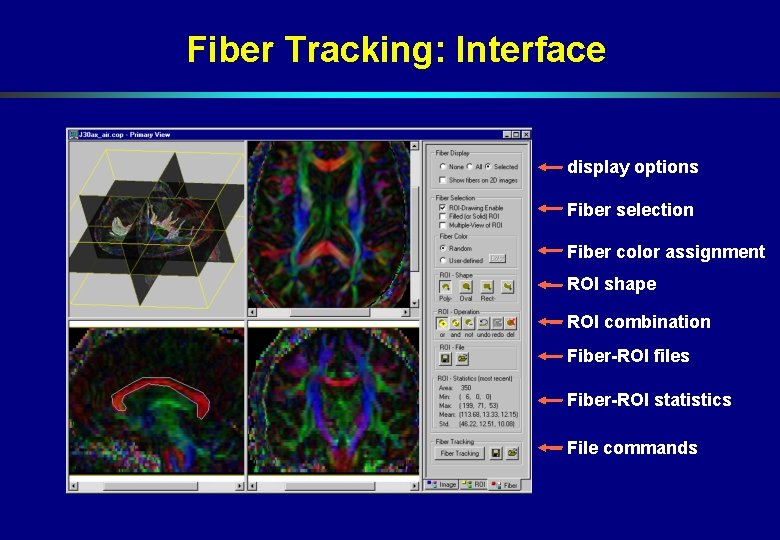
Fiber Tracking: Interface display options Fiber selection Fiber color assignment ROI shape ROI combination Fiber-ROI files Fiber-ROI statistics File commands
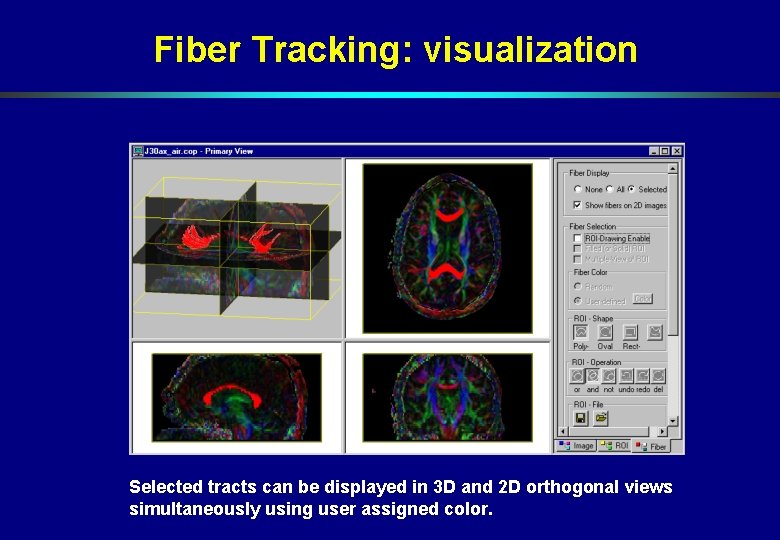
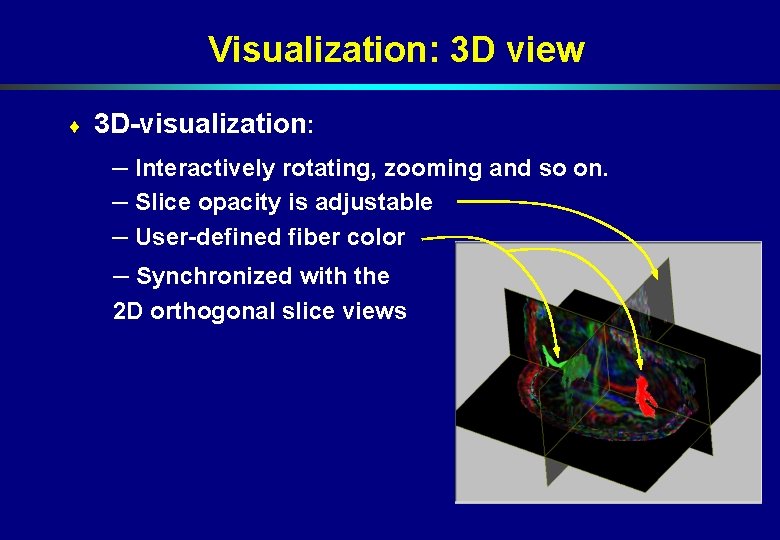
Fiber Tracking: visualization Selected tracts can be displayed in 3 D and 2 D orthogonal views simultaneously using user assigned color.
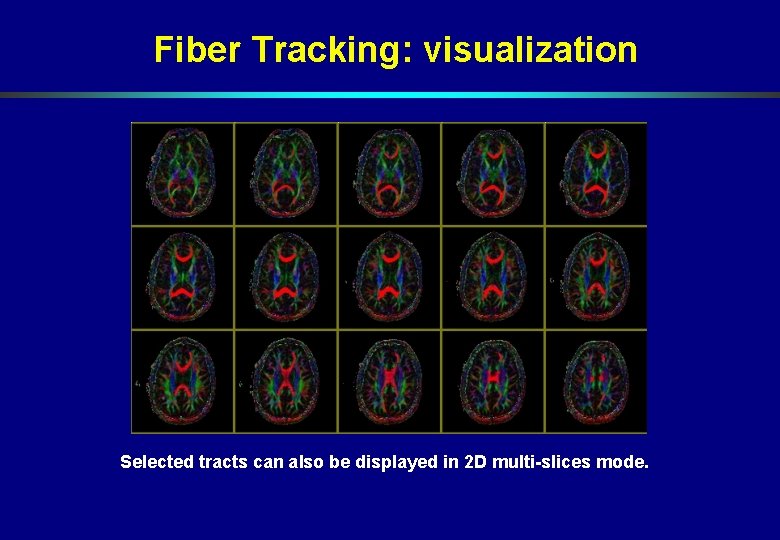
Fiber Tracking: visualization Selected tracts can also be displayed in 2 D multi-slices mode.
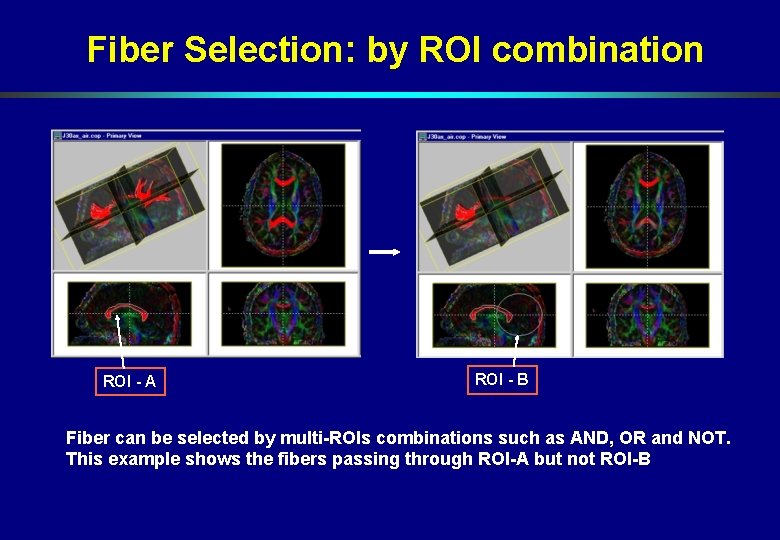
Fiber Selection: by ROI combination ROI - A ROI - B Fiber can be selected by multi-ROIs combinations such as AND, OR and NOT. This example shows the fibers passing through ROI-A but not ROI-B
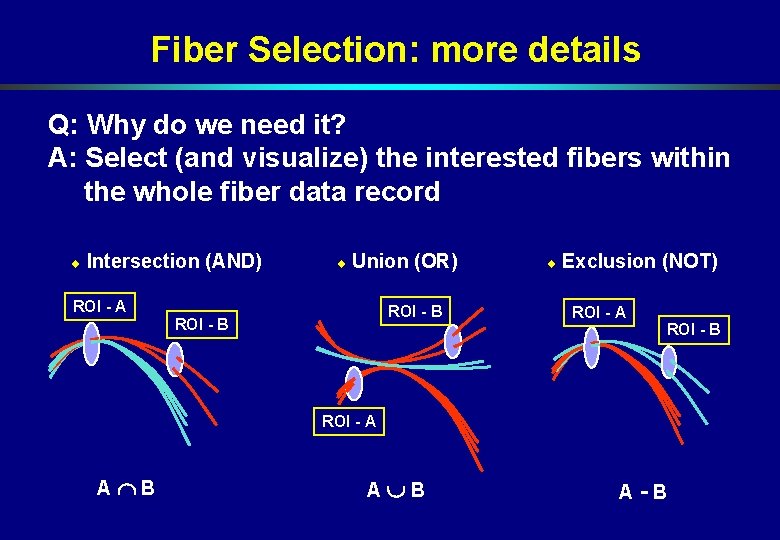
Fiber Selection: more details Q: Why do we need it? A: Select (and visualize) the interested fibers within the whole fiber data record ¨ Intersection (AND) ¨ Union (OR) ROI - A ROI - B ¨ Exclusion (NOT) ROI - A ROI - B ROI - A A B A-B
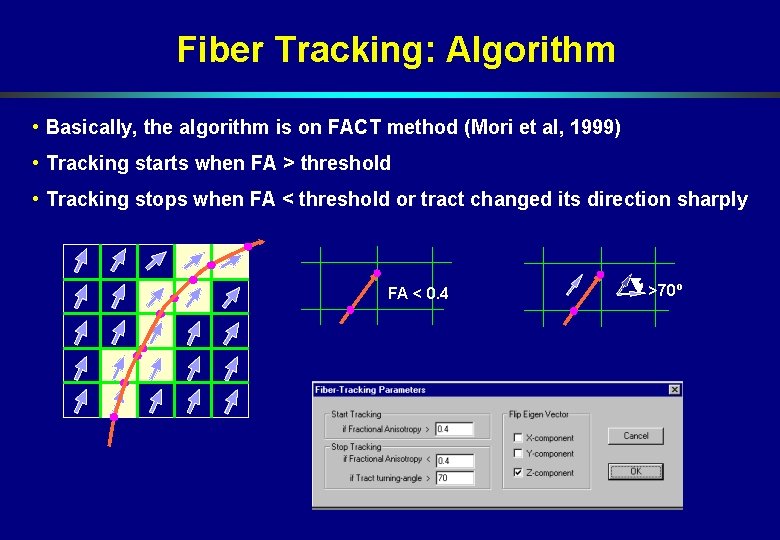
Fiber Tracking: Algorithm • Basically, the algorithm is on FACT method (Mori et al, 1999) • Tracking starts when FA > threshold • Tracking stops when FA < threshold or tract changed its direction sharply FA < 0. 4 >70º
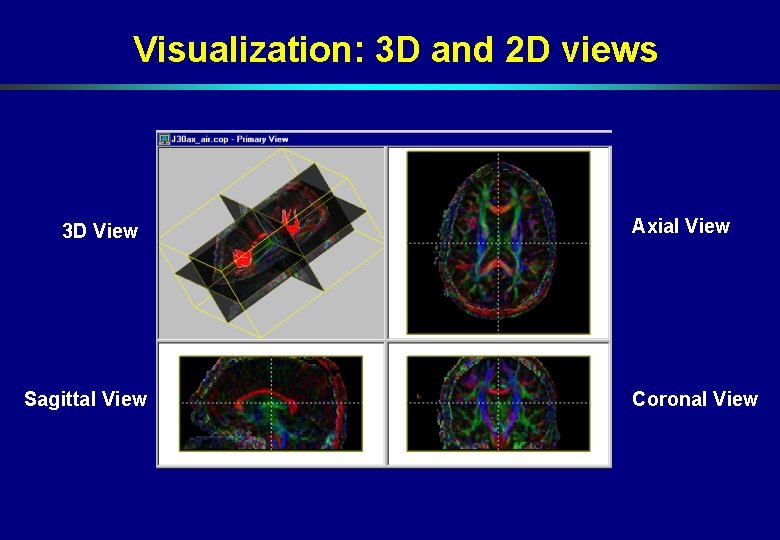
Visualization Visualizing images in 2 D-orthogonal views and 3 D view ¨ 3 D viewing direction changing freely ¨ Zoom in, zoom out interactively for 3 D view ¨ Multi-slices image viewing, image scaling, image data and profile viewing are available ¨
Visualization: 3 D and 2 D views 3 D View Sagittal View Axial View Coronal View
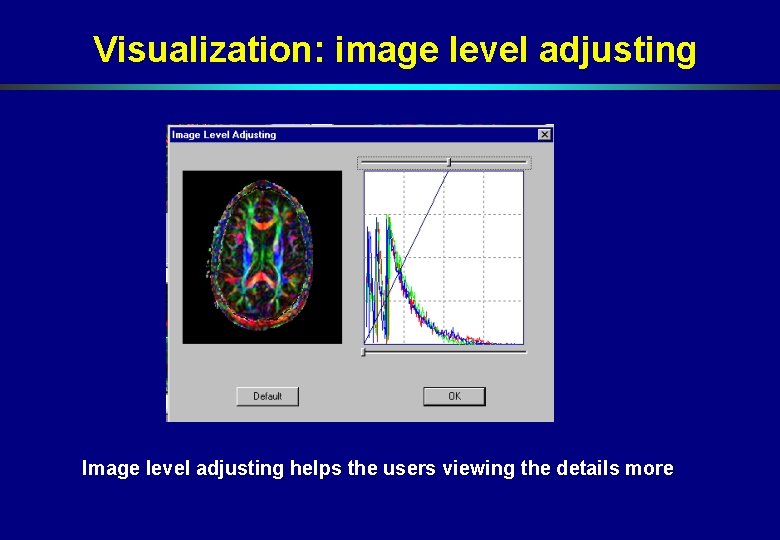
Visualization: image level adjusting Image level adjusting helps the users viewing the details more
Visualization: 3 D view ¨ 3 D-visualization: – Interactively rotating, zooming and so on. – Slice opacity is adjustable – User-defined fiber color – Synchronized with the 2 D orthogonal slice views
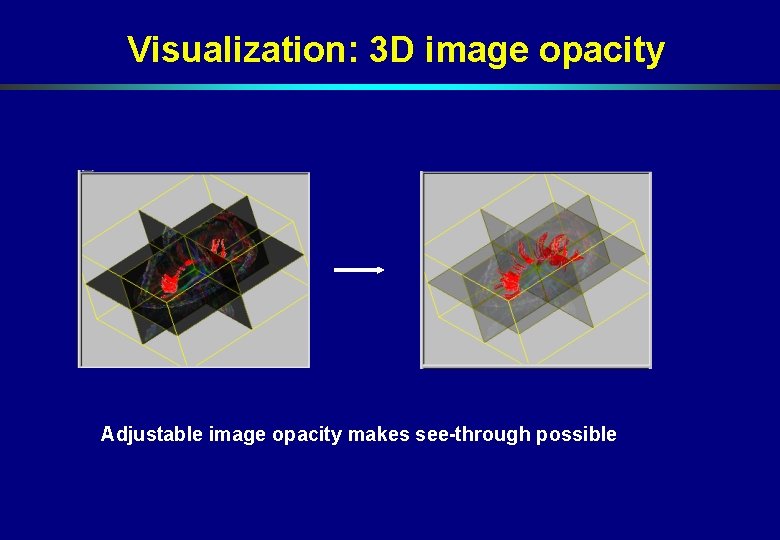
Visualization: 3 D image opacity Adjustable image opacity makes see-through possible