
New Innovations for Residents Introduction Resident Introduction Objectives
New Innovations for Residents Introduction
Resident Introduction Objectives Explore Track Produce Schedules Procedures Scholarly Activities Results Duty Hours Journals

Resident Introduction Log In www. new-innov. com Click Client Login Complete the fields Click Login Contact Coordinator for: • Institution Login • Username • Password
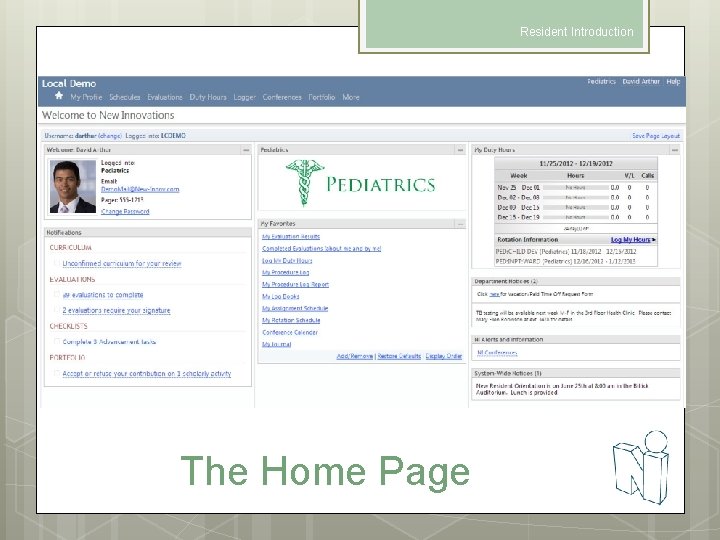
Resident Introduction The Home Page

Resident Introduction Change your password
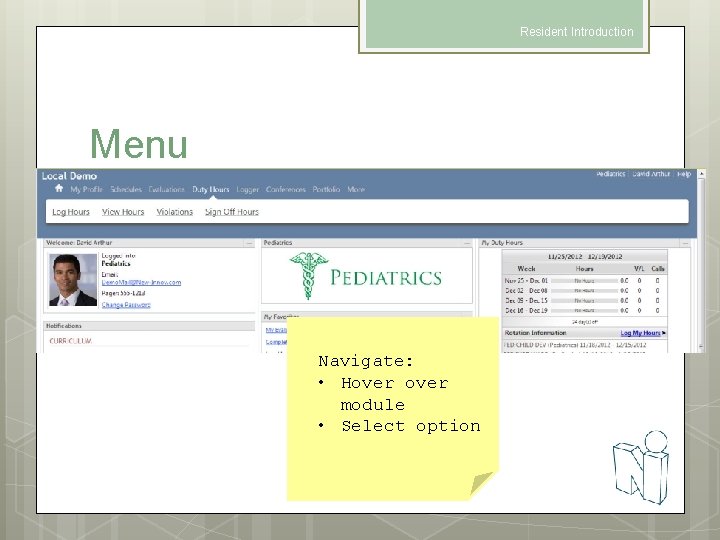
Resident Introduction Menu Navigate: • Hover module • Select option

Resident Introduction NI Message Box When you have a message from New Innovations there will be a bubble beside your name. Click to retrieve message…
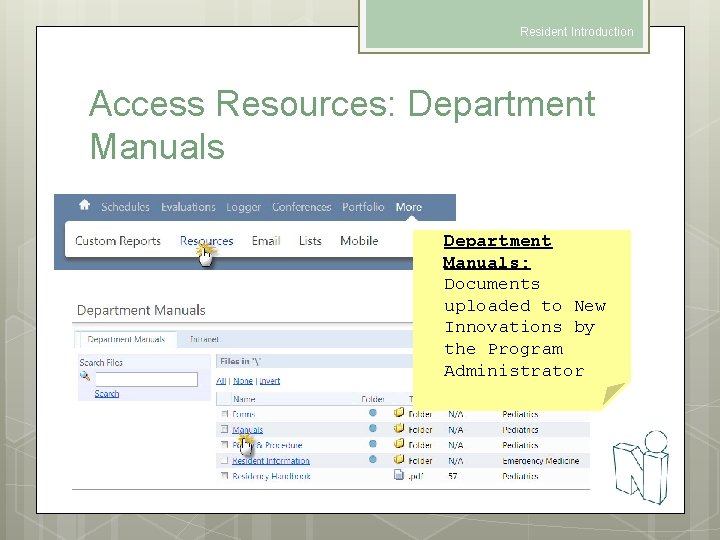
Resident Introduction Access Resources: Department Manuals: Documents uploaded to New Innovations by the Program Administrator
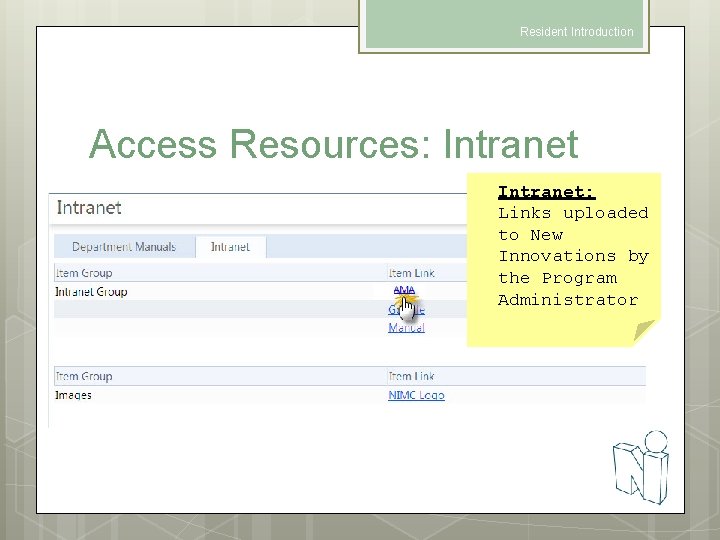
Resident Introduction Access Resources: Intranet: Links uploaded to New Innovations by the Program Administrator
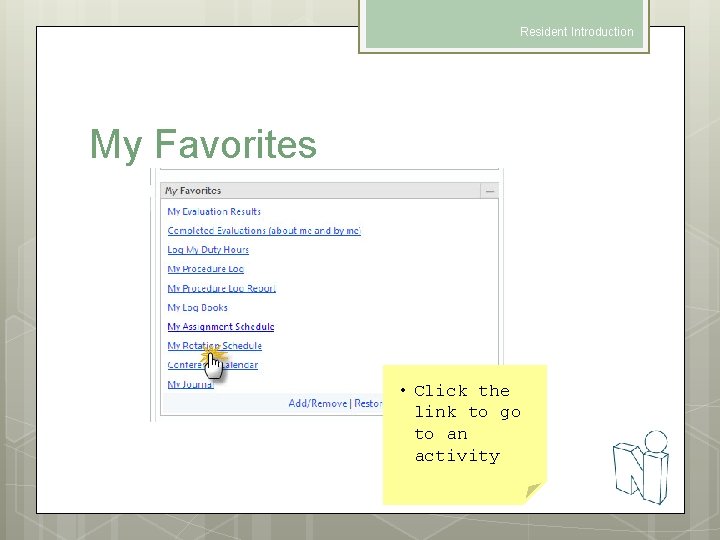
Resident Introduction My Favorites • Click the link to go to an activity
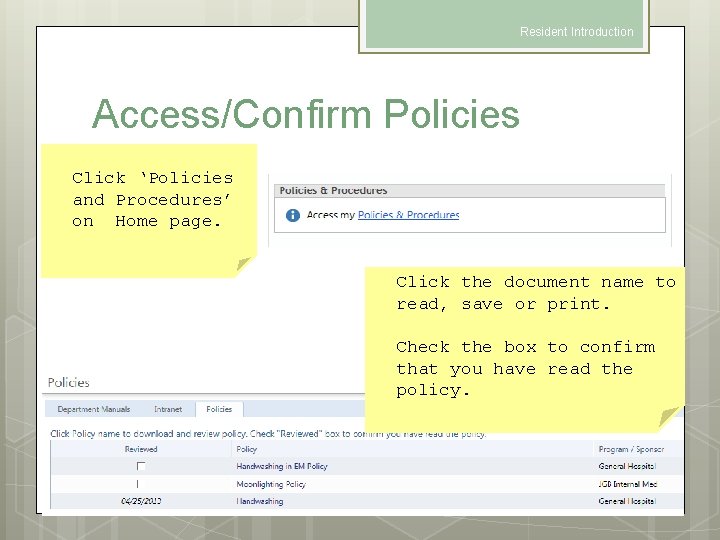
Resident Introduction Access/Confirm Policies Click ‘Policies and Procedures’ on Home page. Click the document name to read, save or print. Check the box to confirm that you have read the policy.
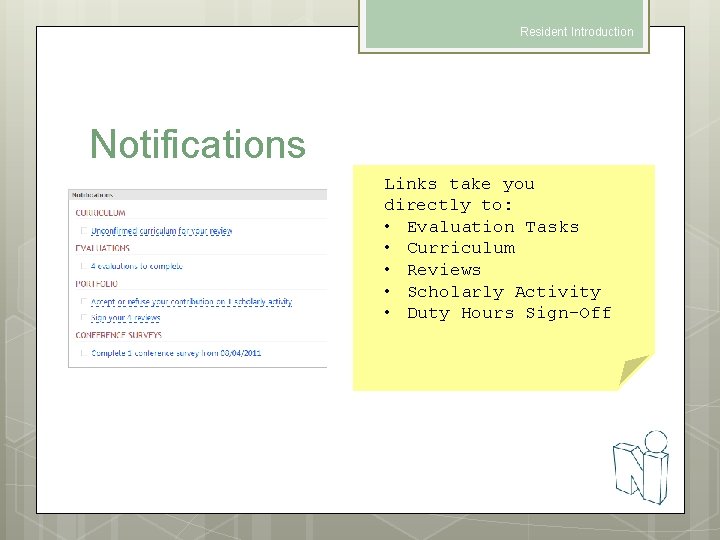
Resident Introduction Notifications Links take you directly to: • Evaluation Tasks • Curriculum • Reviews • Scholarly Activity • Duty Hours Sign-Off

Resident Introduction My Rotation Schedule & Curriculum
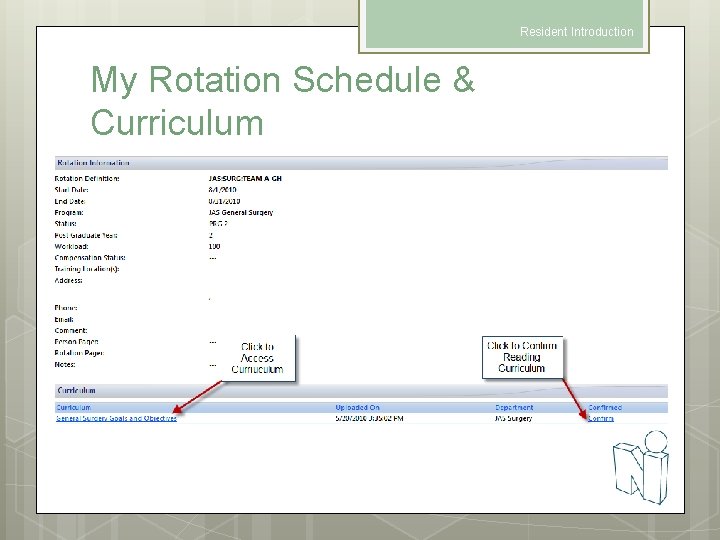
Resident Introduction My Rotation Schedule & Curriculum
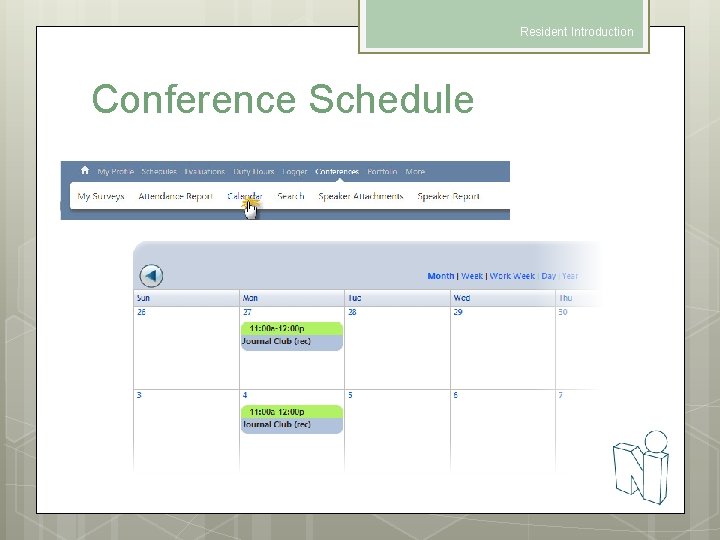
Resident Introduction Conference Schedule
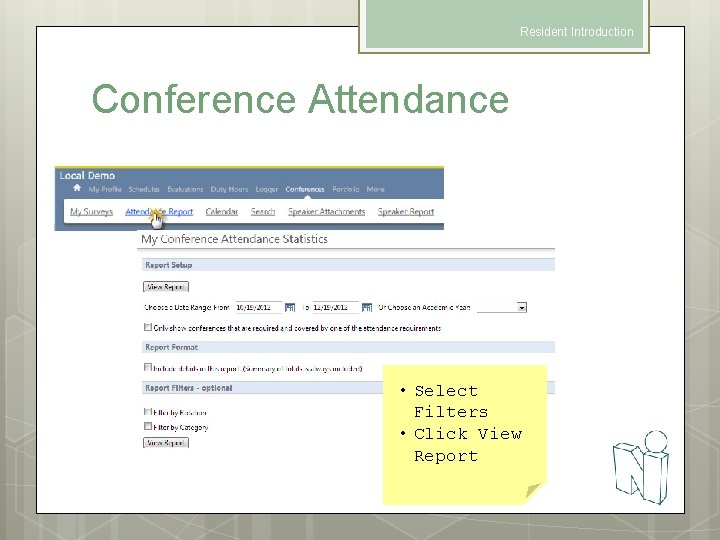
Resident Introduction Conference Attendance • Select Filters • Click View Report
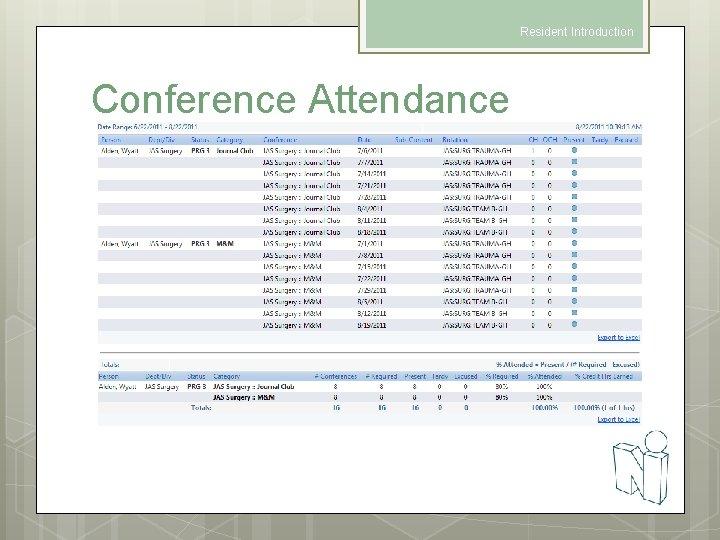
Resident Introduction Conference Attendance
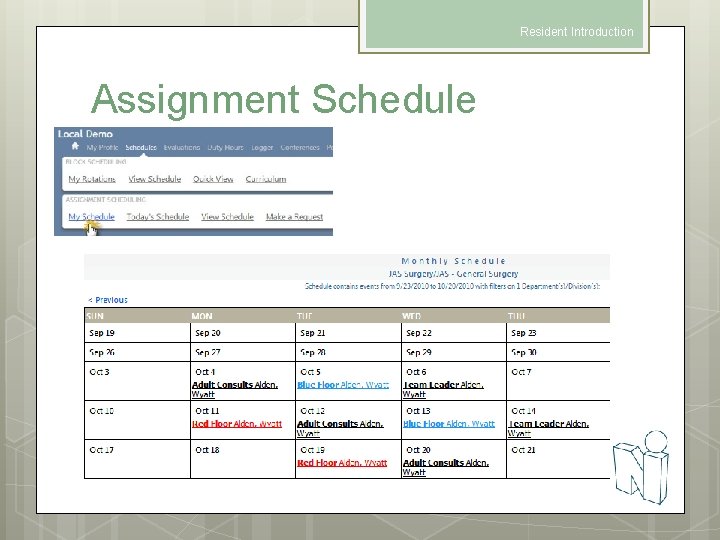
Resident Introduction Assignment Schedule
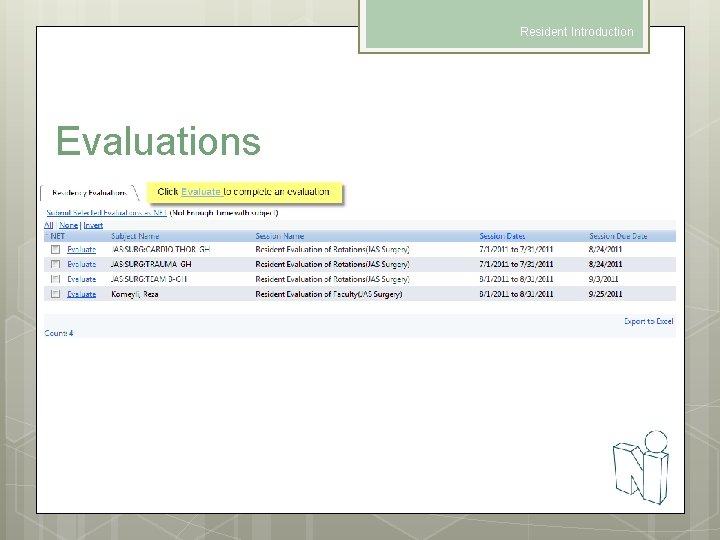
Resident Introduction Evaluations
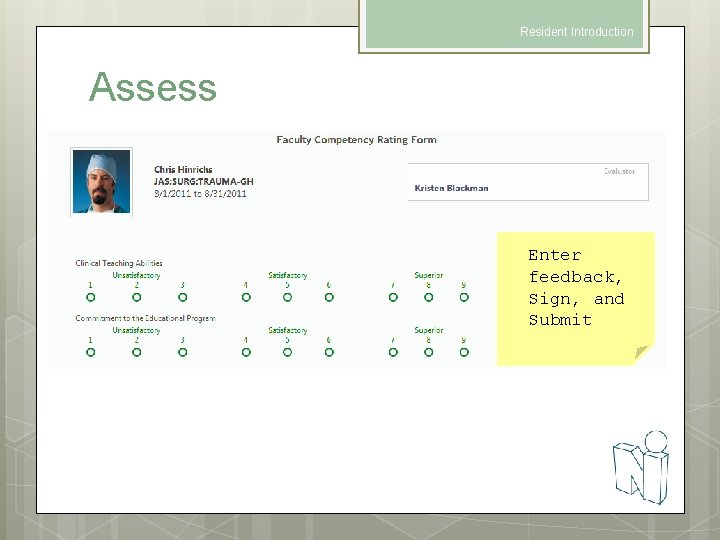
Resident Introduction Assess Enter feedback, Sign, and Submit
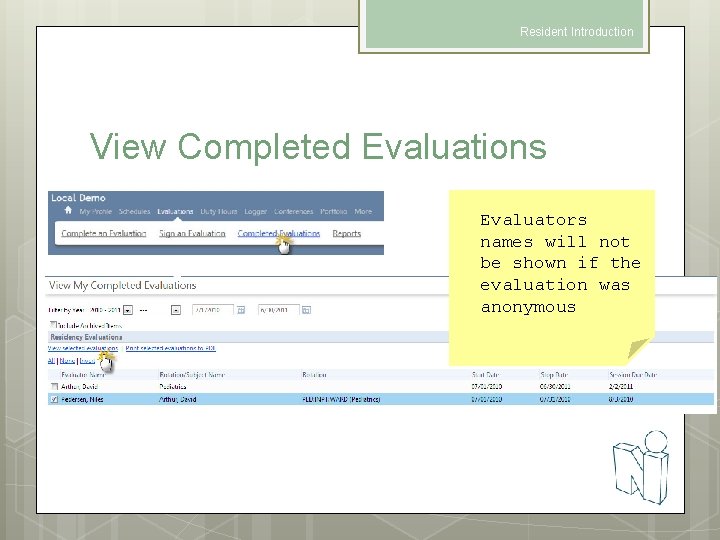
Resident Introduction View Completed Evaluations Evaluators names will not be shown if the evaluation was anonymous
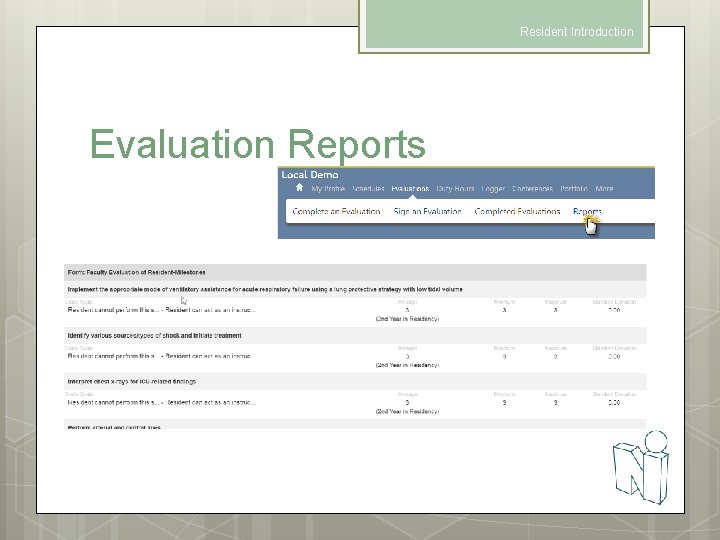
Resident Introduction Evaluation Reports
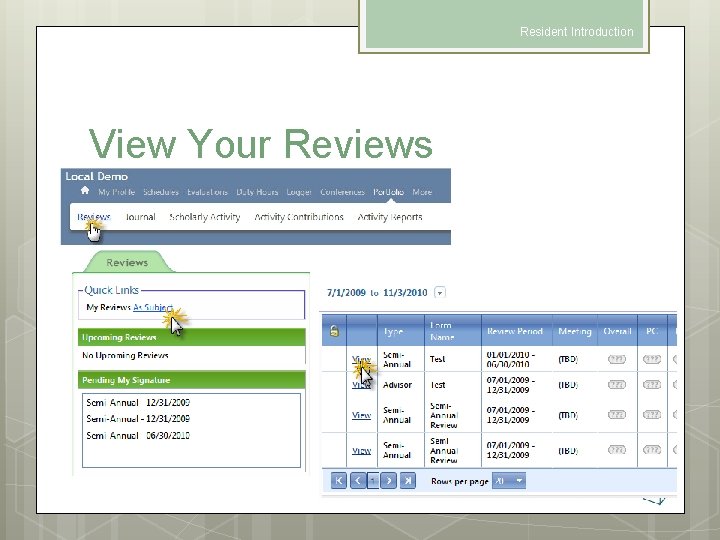
Resident Introduction View Your Reviews
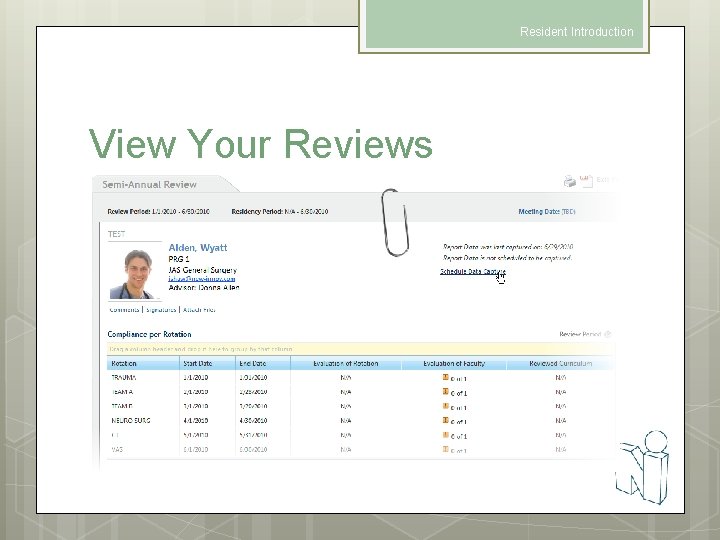
Resident Introduction View Your Reviews
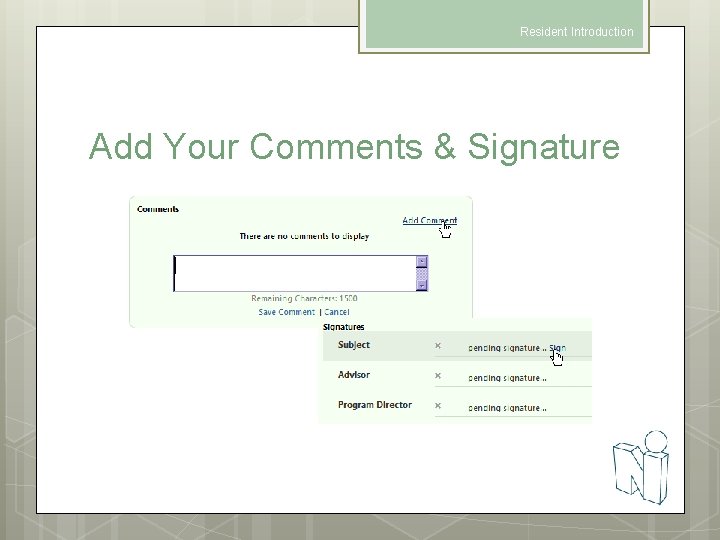
Resident Introduction Add Your Comments & Signature
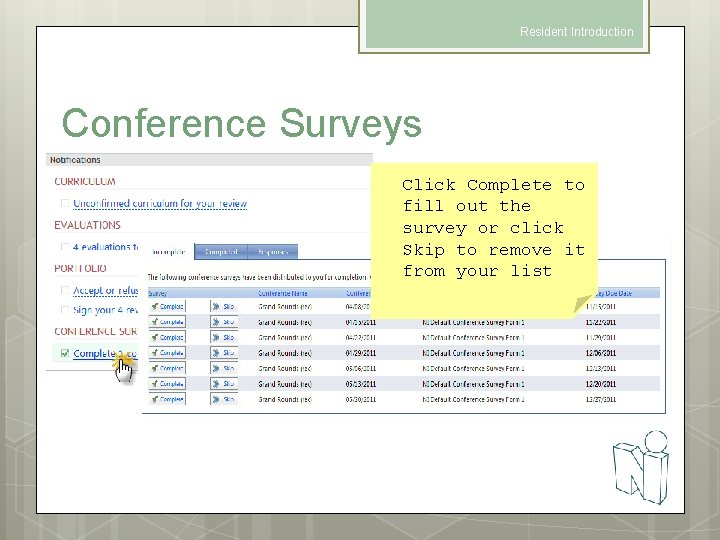
Resident Introduction Conference Surveys Click Complete to fill out the survey or click Skip to remove it from your list
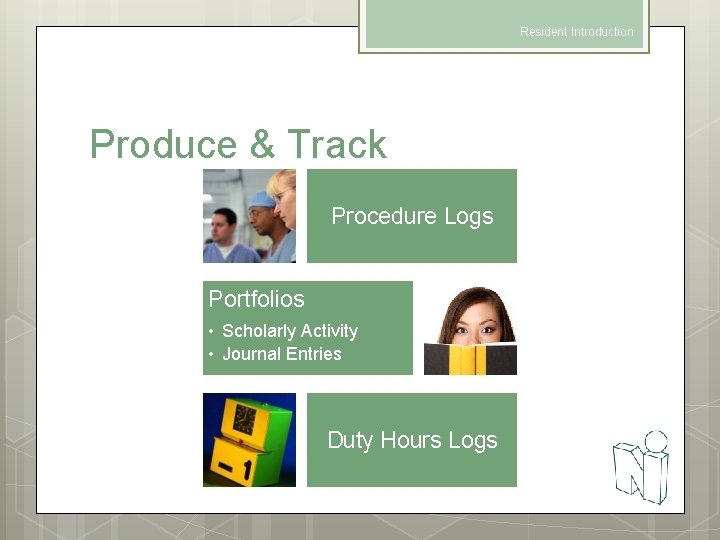
Resident Introduction Produce & Track Procedure Logs Portfolios • Scholarly Activity • Journal Entries Duty Hours Logs

Resident Introduction Log Procedures

Resident Introduction Log Procedures • Enter Procedure Details • Select Supervisor • Save and Retain information or Save and Clear the form • Click View Log Listing to see Procedures logged
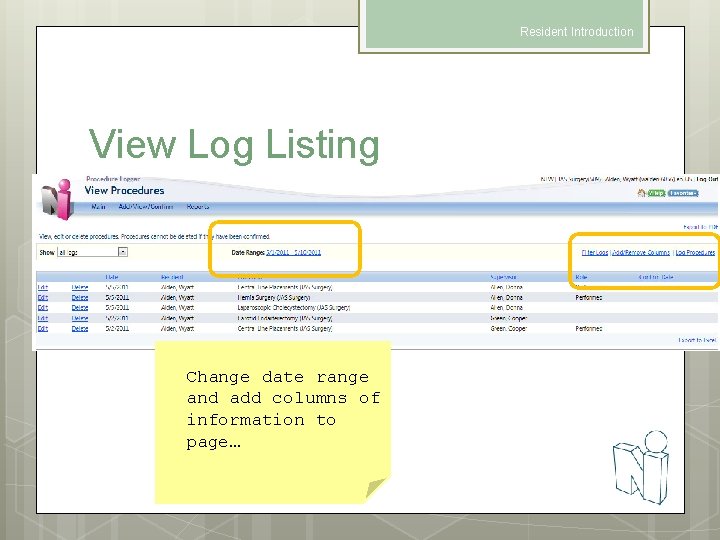
Resident Introduction View Log Listing Change date range and add columns of information to page…
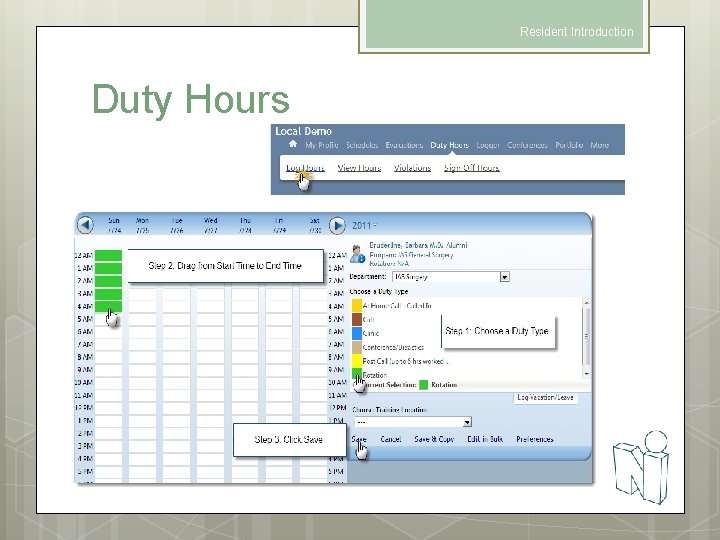
Resident Introduction Duty Hours
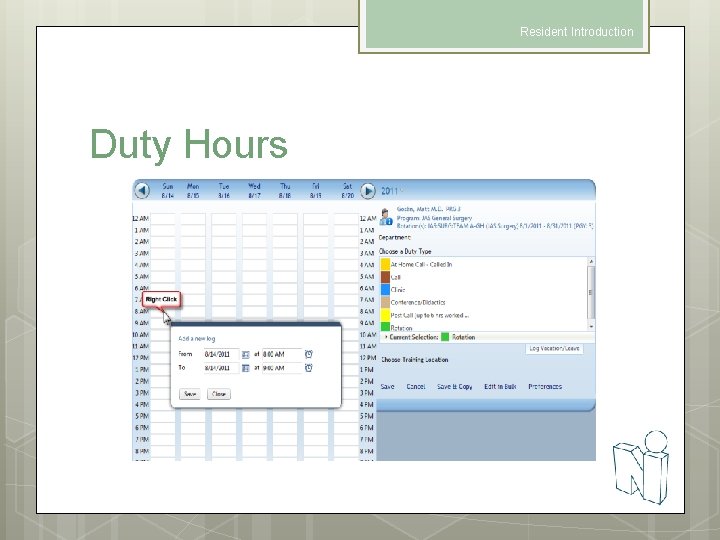
Resident Introduction Duty Hours

Resident Introduction View Duty Hours Logs Edit, Delete or add Details to Duty Hour Logs
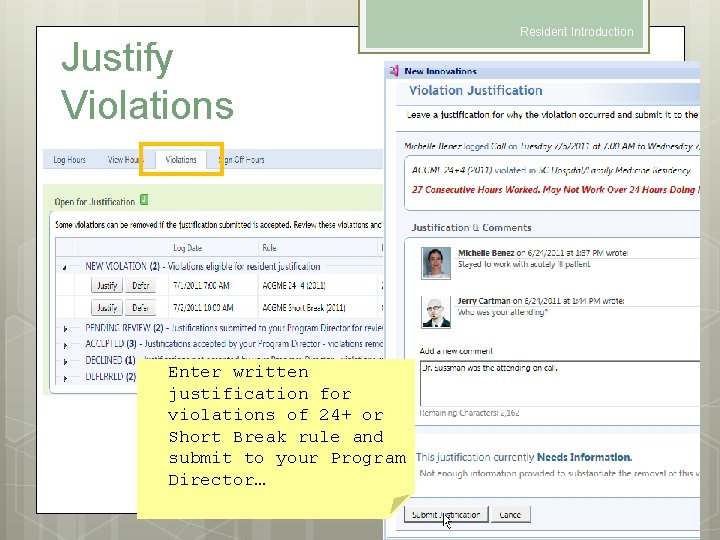
Justify Violations Enter written justification for violations of 24+ or Short Break rule and submit to your Program Director… Resident Introduction
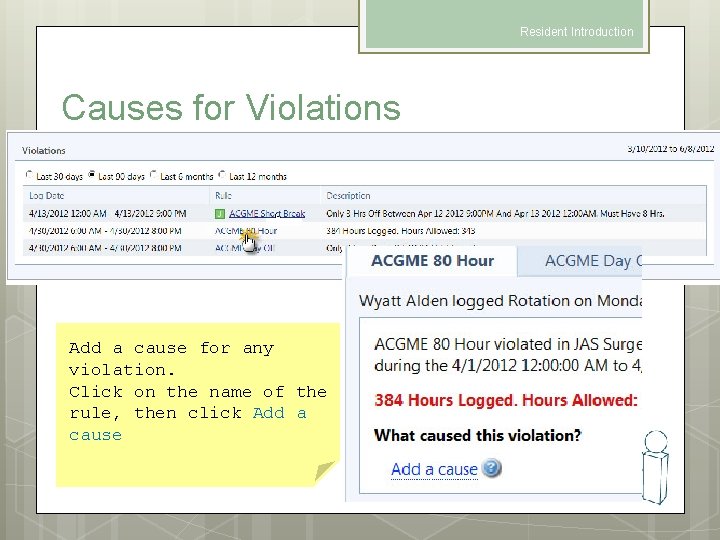
Resident Introduction Causes for Violations Add a cause for any violation. Click on the name of the rule, then click Add a cause
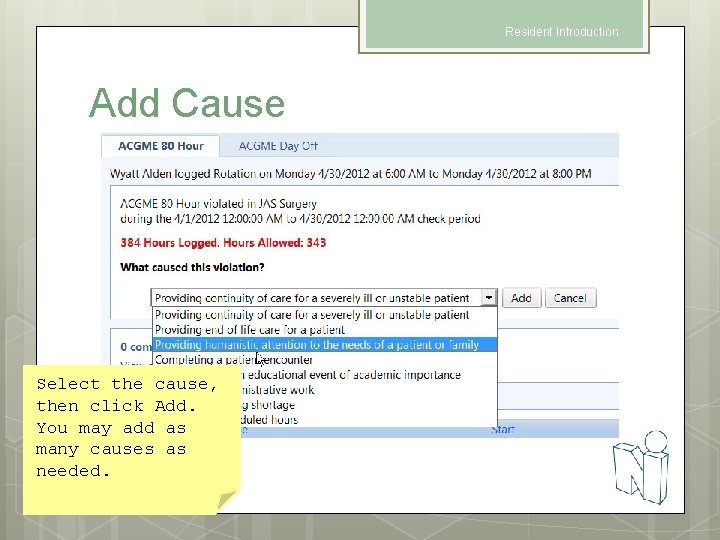
Resident Introduction Add Cause Select the cause, then click Add. You may add as many causes as needed.
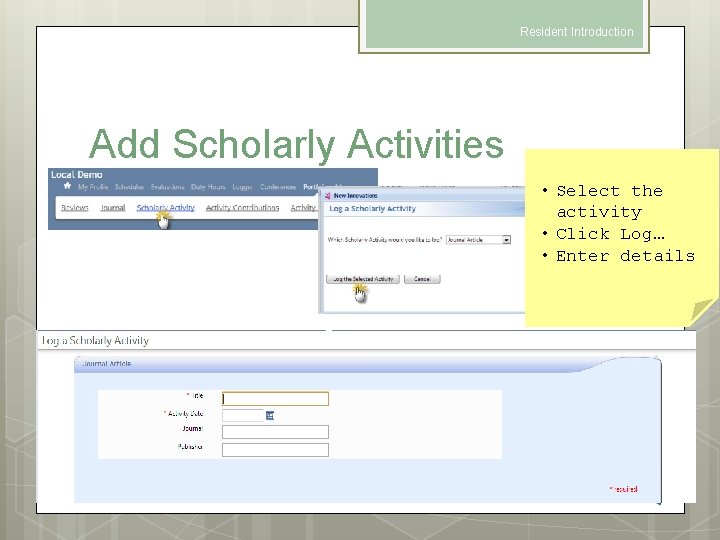
Resident Introduction Add Scholarly Activities • Select the activity • Click Log… • Enter details
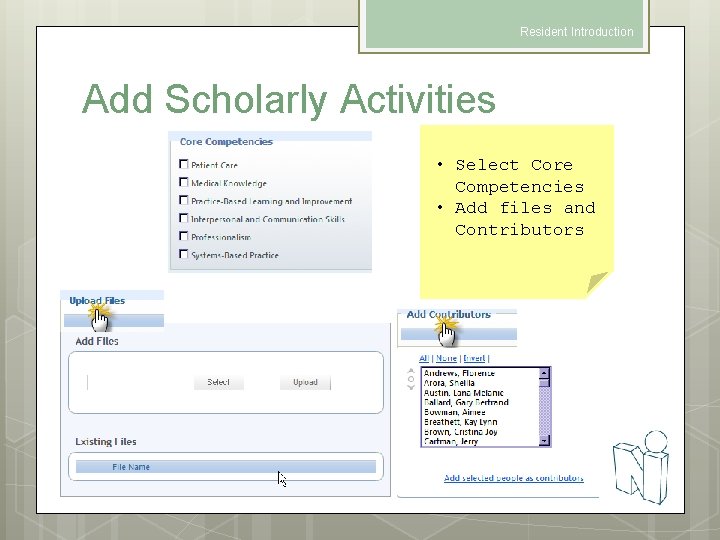
Resident Introduction Add Scholarly Activities • Select Core Competencies • Add files and Contributors
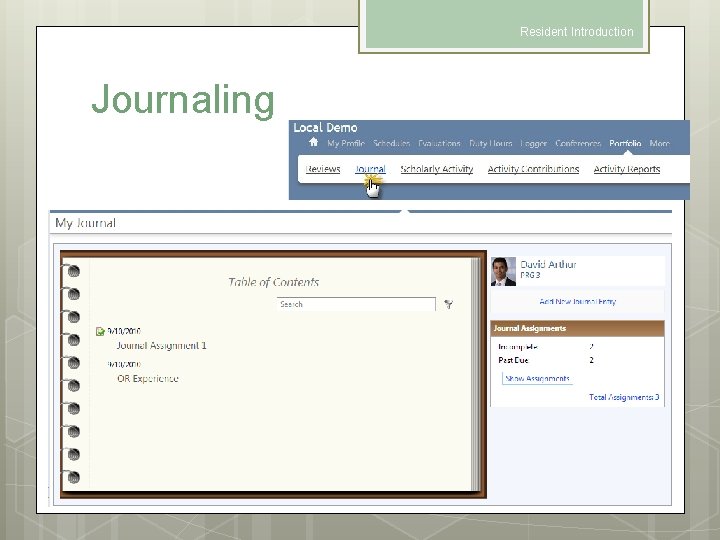
Resident Introduction Journaling
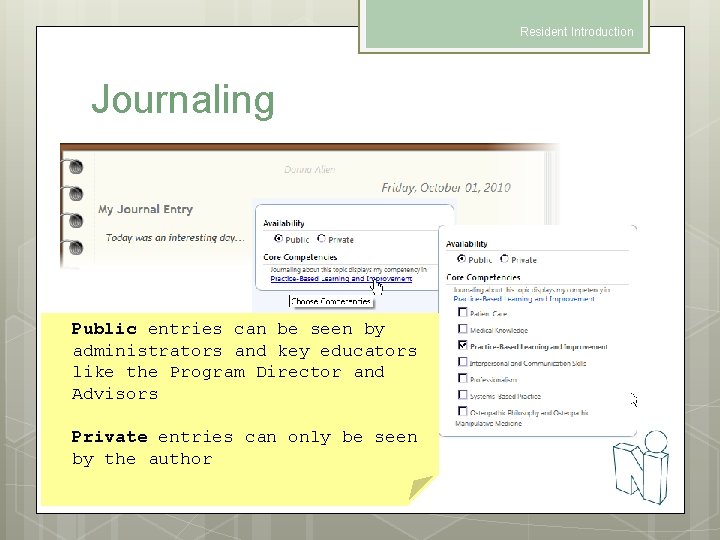
Resident Introduction Journaling Public entries can be seen by administrators and key educators like the Program Director and Advisors Private entries can only be seen by the author
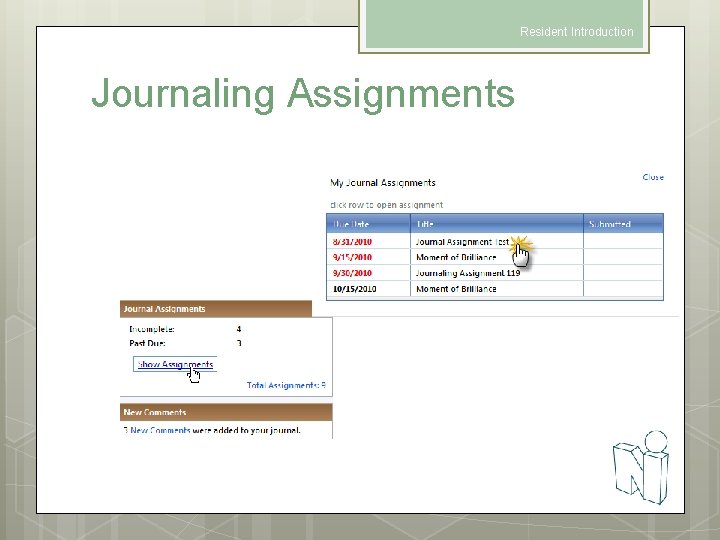
Resident Introduction Journaling Assignments
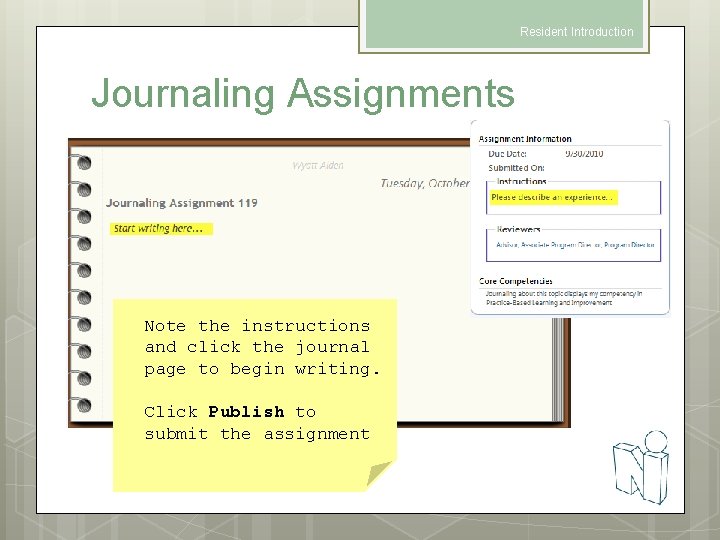
Resident Introduction Journaling Assignments Note the instructions and click the journal page to begin writing. Click Publish to submit the assignment
Resident Introduction Thank you for using New Innovations!
- Slides: 43