
New Innovations for Residents Introduction How Do I
- Slides: 14
New Innovations for Residents Introduction
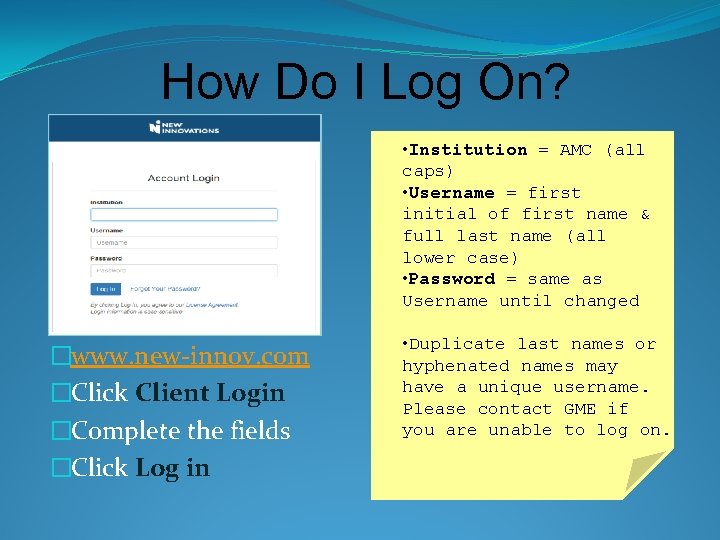
How Do I Log On? • Institution = AMC (all caps) • Username = first initial of first name & full last name (all lower case) • Password = same as Username until changed �www. new-innov. com �Click Client Login �Complete the fields �Click Log in • Duplicate last names or hyphenated names may have a unique username. Please contact GME if you are unable to log on.
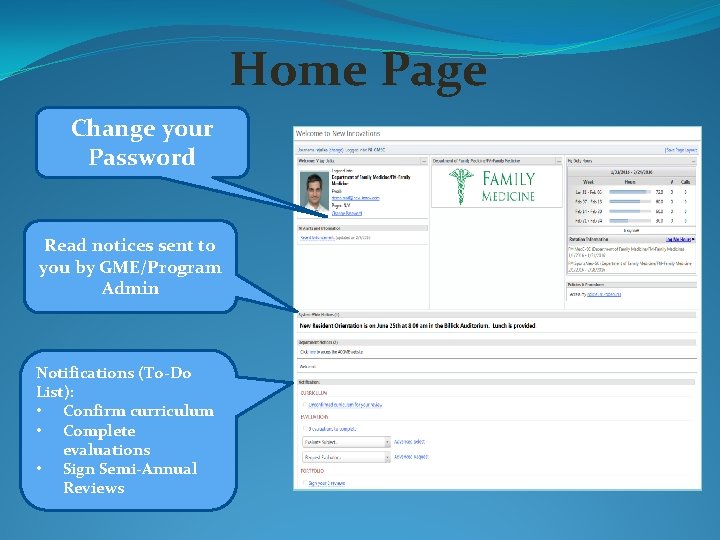
Home Page Change your Password Read notices sent to you by GME/Program Admin Notifications (To-Do List): • Confirm curriculum • Complete evaluations • Sign Semi-Annual Reviews
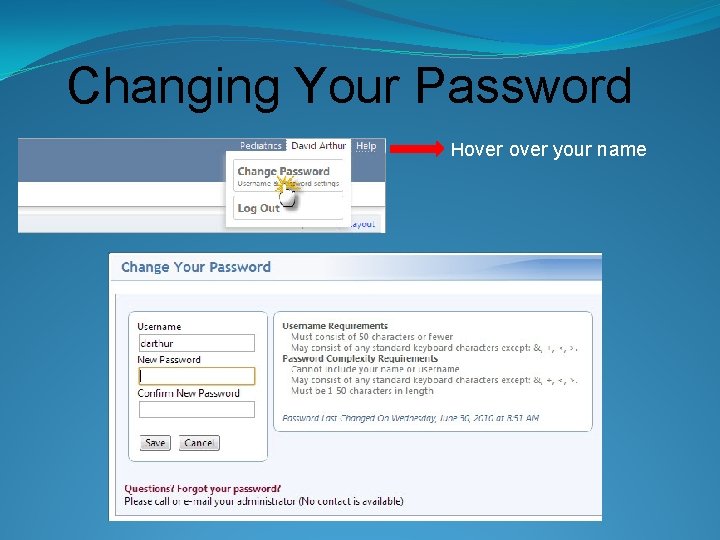
Changing Your Password Hover your name
Accessing your forms on New Innovations
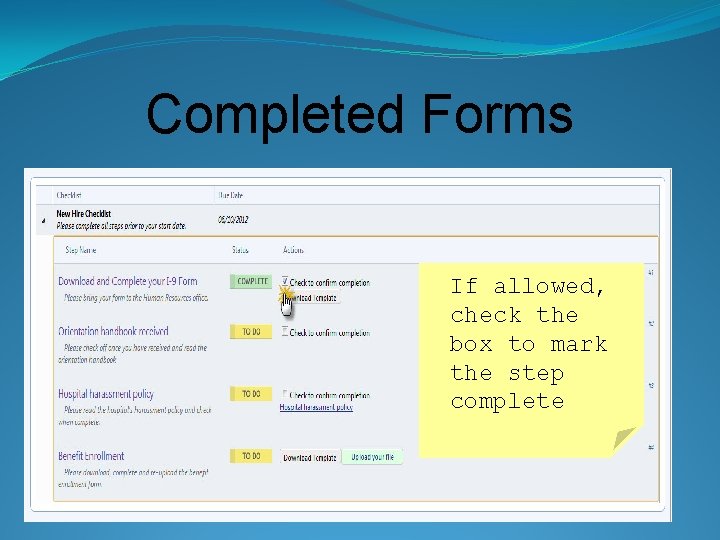
Onboarding Checklists �Checklists contain tasks that you are required to complete prior to starting your training. �A checklist has steps to upload documents, view required videos or sites, and indicate that a task is complete. �You may receive email notifications letting you know the checklist is available and when it is complete.
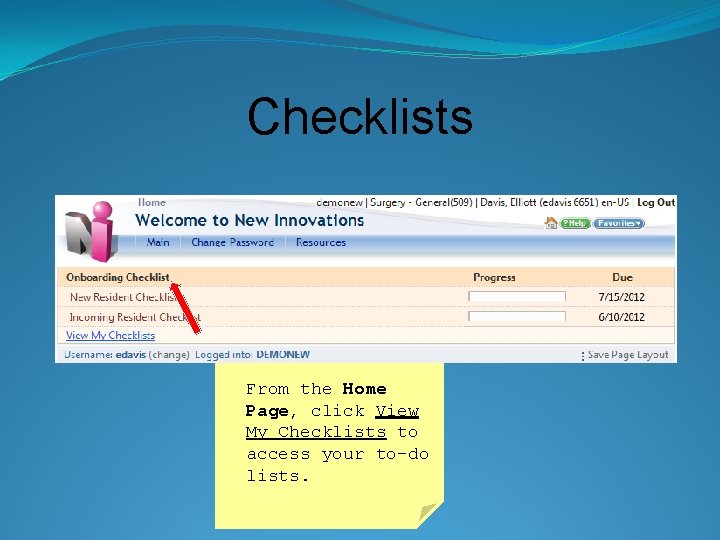
Checklists From the Home Page, click View My Checklists to access your to-do lists.
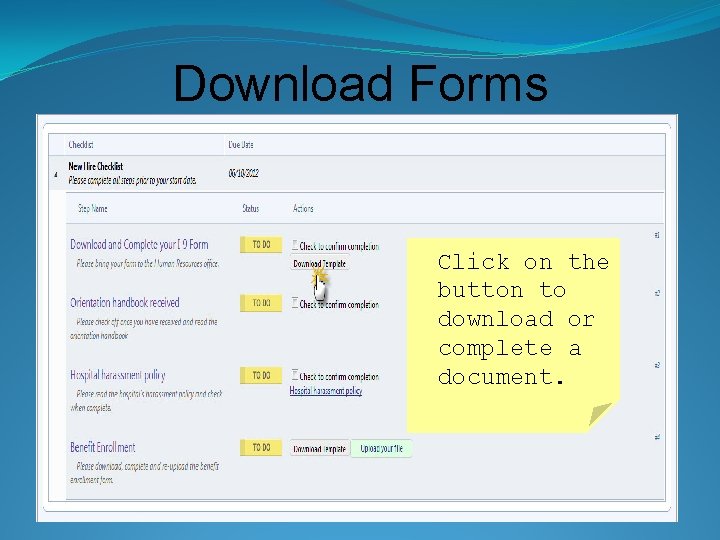
Download Forms Click on the button to download or complete a document.
Completed Forms If allowed, check the box to mark the step complete
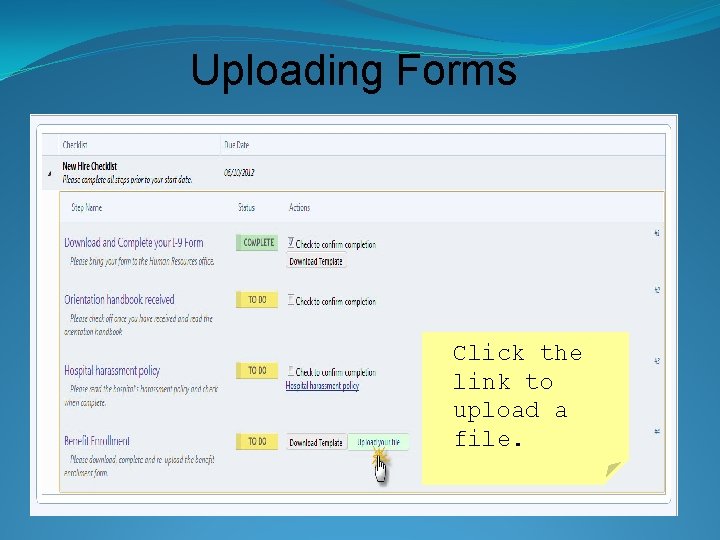
Uploading Forms You may be asked to upload a document. Click the link to upload a file.
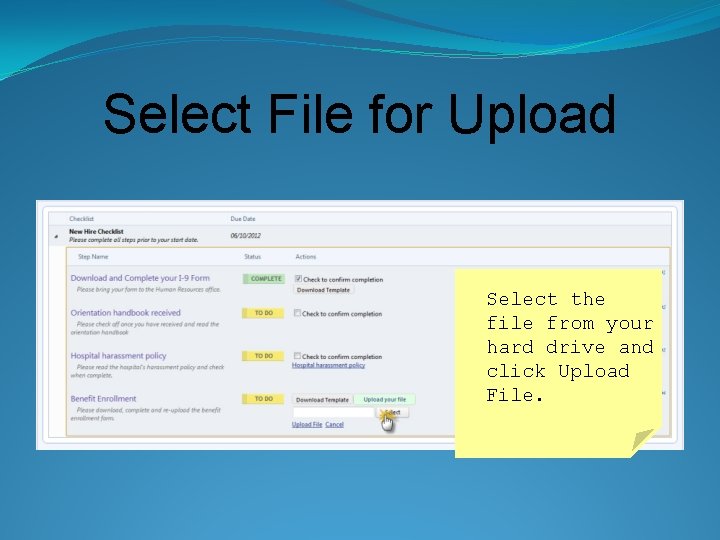
Select File for Upload Select the file from your hard drive and click Upload File.
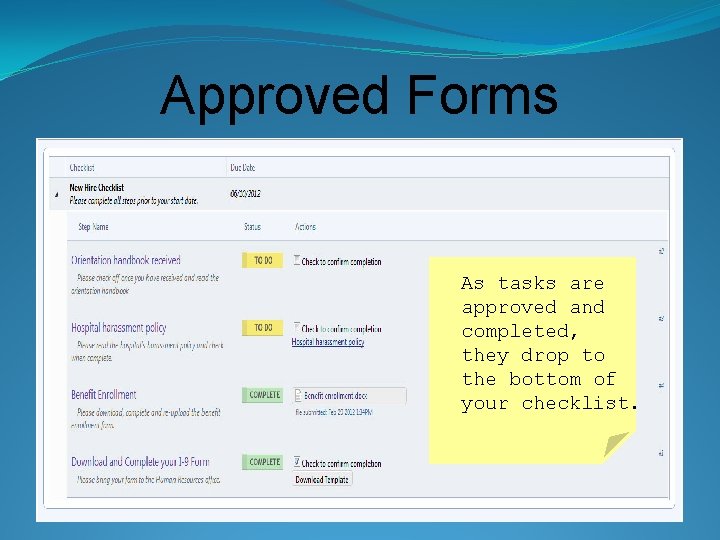
Approved Forms As tasks are approved and completed, they drop to the bottom of your checklist.
Congratulations! �Once you have completed your checklist you may receive an email notification that it is complete �Upon completion, the checklist no longer appears on your Home Page
QUESTIONS? Contact GME at: § 518 -262 -3593 § gme@mail. amc. edu