
New Generation Data Protection Powered by the Acronis
New Generation Data Protection Powered by the Acronis Any. Data Engine Acronis Backup Advanced Product Presentation © 2016 Proudly distributed by Proprietary and Confidential 1
Agenda • Acronis Corporate Overview • Challenges of Data Protection • Solution and Benefits • Licensing and Support • Customer Stories © 2016 Proprietary and Confidential 2

Acronis Corporate Overview © 2016 Proprietary and Confidential 3
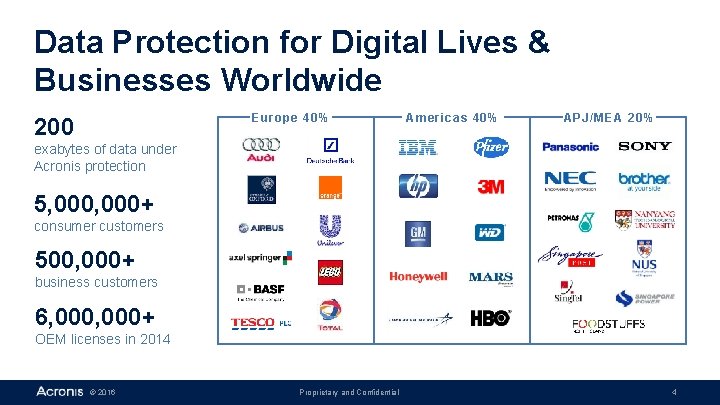
Data Protection for Digital Lives & Businesses Worldwide Europe 40% 200 Americas 40% APJ/MEA 20% exabytes of data under Acronis protection 5, 000+ consumer customers 500, 000+ business customers 6, 000+ OEM licenses in 2014 © 2016 Proprietary and Confidential 4
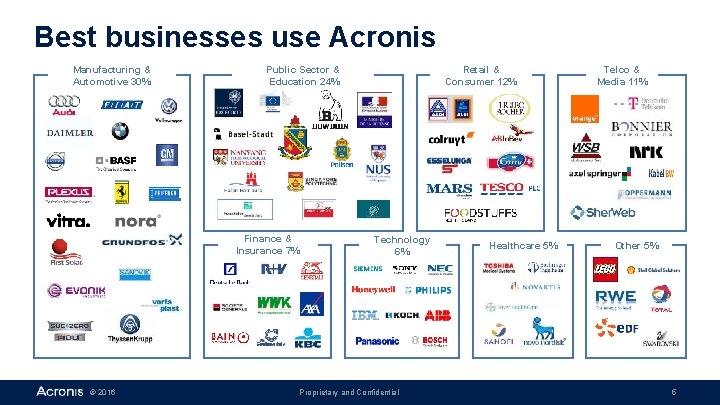
Best businesses use Acronis Manufacturing & Automotive 30% Public Sector & Education 24% Finance & Insurance 7% © 2016 Retail & Consumer 12% Technology 6% Proprietary and Confidential Healthcare 5% Telco & Media 11% Other 5% 5
Creators of the Acronis Any. Data Engine FAMOUS FOR TECHNOLOGY § § AWARD WINNING PRODUCTS Full Image Backup on running system Universal Restore (recover to any hardware or hypervisor) Active Restore (boot and run while recovery continues) World-class support of Windows, Linux and other OS/Apps CONTINUOUS INNOVATIONS § § Differential & Reverse Incremental, vm. Flashback Compression & Optimized Deduplication Integrated Cloud Storage, Flexible Policy Based Management, Static & Dynamic Grouping Extendable Backup Schemes, External Crypto and SSL STRONG TECHNOLOGY DEVELOPMENT § Acronis Labs § 300+ engineers, 20+ Ph. Ds § 100+ patents, 1. 5 million lines of code © 2016 Proprietary and Confidential 6
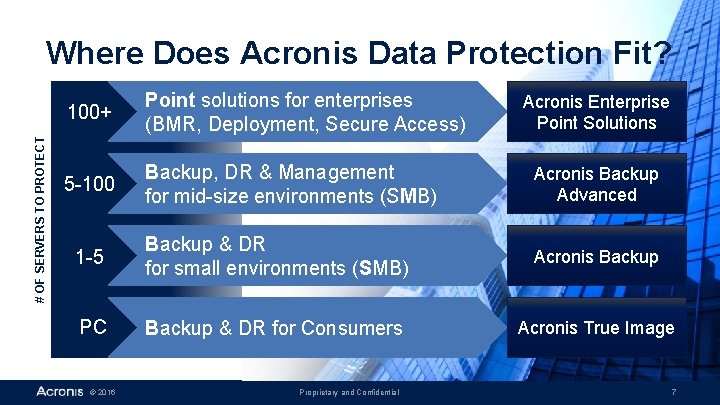
# OF SERVERS TO PROTECT Where Does Acronis Data Protection Fit? 100+ Point solutions for enterprises (BMR, Deployment, Secure Access) 5 -100 Backup, DR & Management for mid-size environments (SMB) Acronis Backup Advanced 1 -5 Backup & DR for small environments (SMB) Acronis Backup PC Backup & DR for Consumers Acronis True Image © 2016 Proprietary and Confidential Acronis Enterprise Point Solutions 7
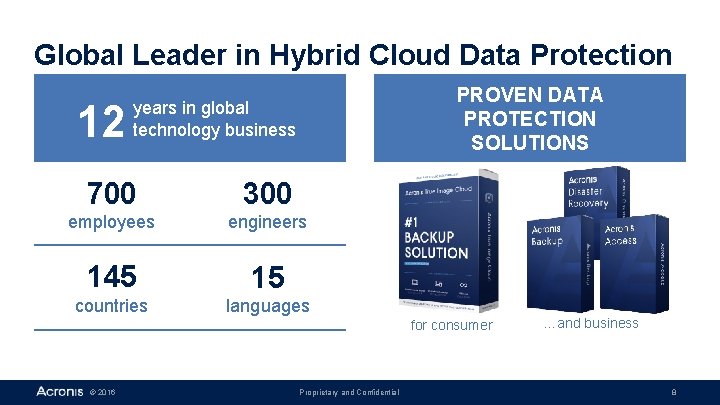
Global Leader in Hybrid Cloud Data Protection 12 PROVEN DATA PROTECTION SOLUTIONS years in global technology business 700 300 employees engineers 145 15 countries languages for consumer © 2016 Proprietary and Confidential …and business 8
Data Protection Challenges In New Generation Data Centers © 2016 Proprietary and Confidential 9
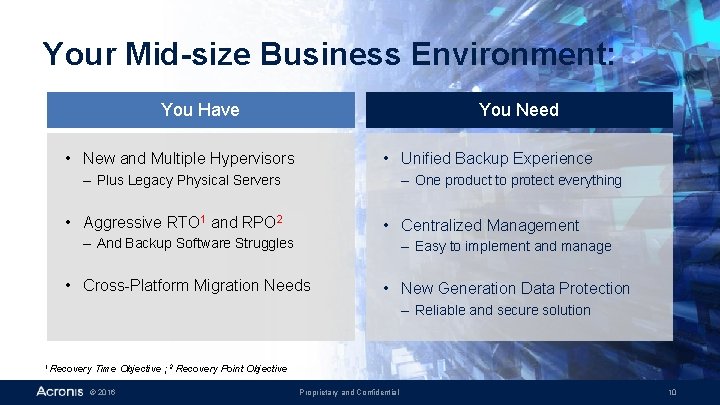
Your Mid-size Business Environment: You Need You Have • New and Multiple Hypervisors • Unified Backup Experience – Plus Legacy Physical Servers – One product to protect everything • Aggressive RTO 1 and RPO 2 • Centralized Management – And Backup Software Struggles – Easy to implement and manage • Cross-Platform Migration Needs • New Generation Data Protection – Reliable and secure solution 1 Recovery Time Objective ; 2 Recovery Point Objective © 2016 Proprietary and Confidential 10
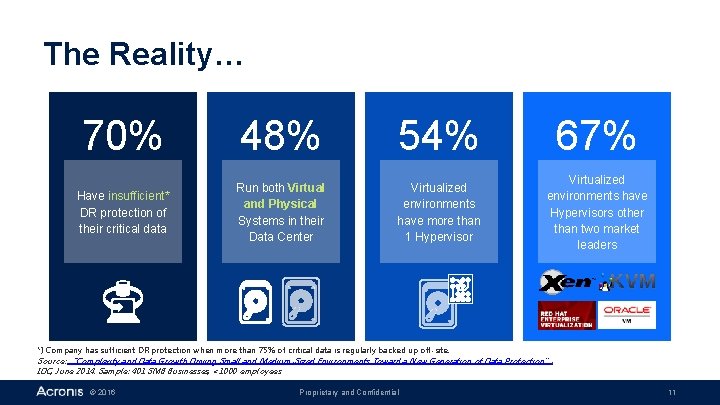
The Reality… 70% 48% 54% 67% Have insufficient* DR protection of their critical data Run both Virtual and Physical Systems in their Data Center Virtualized environments have more than 1 Hypervisor Virtualized environments have Hypervisors other than two market leaders *) Company has sufficient DR protection when more than 75% of critical data is regularly backed up off-site. Source: “Complexity and Data Growth Driving Small and Medium-Sized Environments Toward a New Generation of Data Protection”, IDC, June 2014. Sample: 401 SMB Businesses, <1000 employees © 2016 Proprietary and Confidential 11
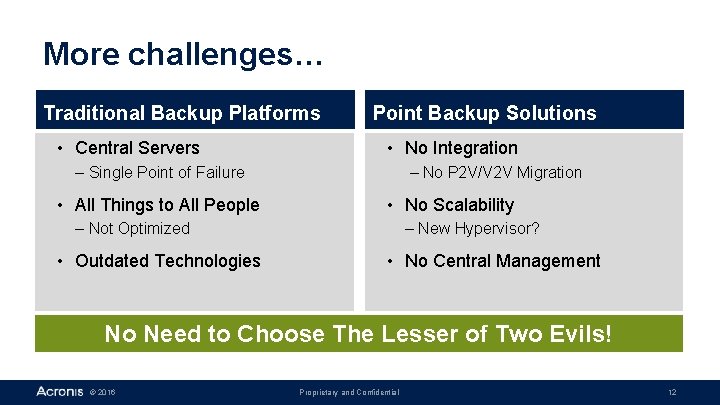
More challenges… Traditional Backup Platforms • Central Servers Point Backup Solutions • No Integration – Single Point of Failure • All Things to All People – No P 2 V/V 2 V Migration • No Scalability – Not Optimized • Outdated Technologies – New Hypervisor? • No Central Management No Need to Choose The Lesser of Two Evils! © 2016 Proprietary and Confidential 12
Solution and Benefits New Generation Data Protection © 2016 Proprietary and Confidential 13
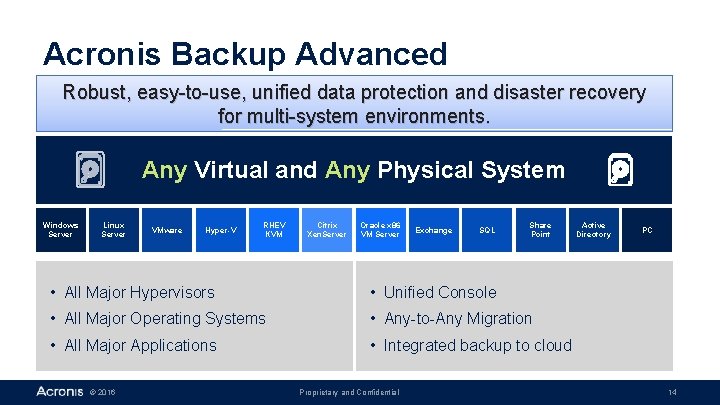
Acronis Backup Advanced Robust, easy-to-use, unified data protection and disaster recovery for multi-system environments. Any Virtual and Any Physical System Windows Server Linux Server VMware Hyper-V RHEV KVM Citrix Xen. Server Oracle x 86 VM Server Exchange SQL Share Point • All Major Hypervisors • Unified Console • All Major Operating Systems • Any-to-Any Migration • All Major Applications • Integrated backup to cloud © 2016 Proprietary and Confidential Active Directory PC 14
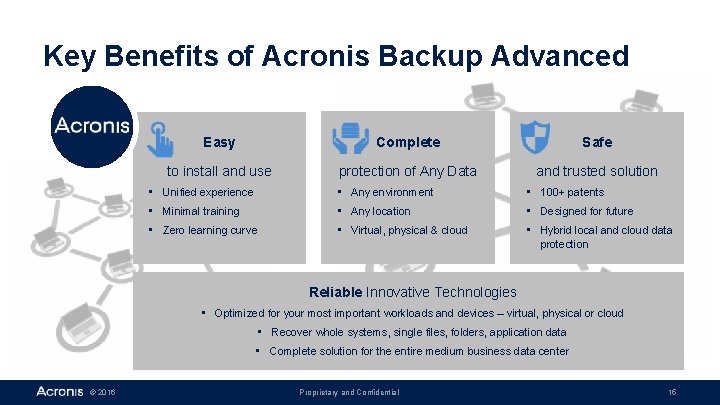
Key Benefits of Acronis Backup Advanced Easy Complete Safe to install and use protection of Any Data and trusted solution • Unified experience • Any environment • 100+ patents • Minimal training • Any location • Designed for future • Zero learning curve • Virtual, physical & cloud • Hybrid local and cloud data protection Reliable Innovative Technologies • Optimized for your most important workloads and devices – virtual, physical or cloud • Recover whole systems, single files, folders, application data • Complete solution for the entire medium business data center © 2016 Proprietary and Confidential 15
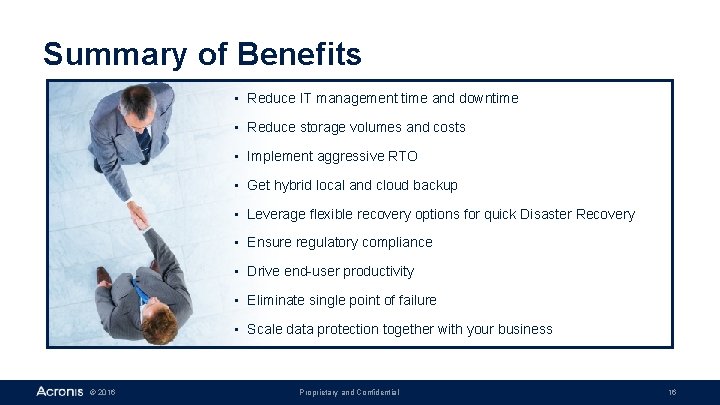
Summary of Benefits • Reduce IT management time and downtime • Reduce storage volumes and costs • Implement aggressive RTO • Get hybrid local and cloud backup • Leverage flexible recovery options for quick Disaster Recovery • Ensure regulatory compliance • Drive end-user productivity • Eliminate single point of failure • Scale data protection together with your business © 2016 Proprietary and Confidential 16
Acronis Backup Advanced Key Features © 2016 Proprietary and Confidential 17
Acronis Backup Advanced Key Features - Easy • Centralized Management • Compression • Simplify administration – Reduce backup footprint • Reduce IT workload – Reduce data protection costs • Agentless VMware/Hyper-V Backup • Acronis Universal Restore • Reduce system resource load – Recover to any platform • Ease of implementation – Reduce RTO • Any-to-Any Migration • Catalog and Indexing • Simplify technology upgrades – Find any data easily • Reduce IT costs – Improve user satisfaction © 2016 Proprietary and Confidential 18
Acronis Backup Advanced Key Features - Complete • Windows and Linux physical server backup; VMware, Hyper-V, Xen, RHEV, KVM, Oracle VM virtual backup and Exchange, SQL, Share. Point and Active Directory data protection – Protect everything – Reduce risks • Disk Imaging Technology • Deduplication – Backup more systems without increasing storage footprint – Reduce risks without increasing costs • Disk, Tape, Cloud storage – Choose best storage options – Optimize data protection costs – Complete backup without data loss – Recover entire system to same or dissimilar hardware © 2016 Proprietary and Confidential 19
Acronis Backup Advanced Key Features - Safe • Acronis Universal Restore • Backup Replication and Staging – Recover to any physical or virtual system – Reduce risks during disasters • Alerting, Reporting and Monitoring – Be notified of any events – Reduce operational risks – Store backups in multiple locations – Implement 3 -2 -1 hybrid cloud backup strategy • Resource Throttling – Control the production system resource load – Reduce business impact • Encryption – Protect data in-flight and at-rest – Enforce privacy of business data © 2016 Proprietary and Confidential 20
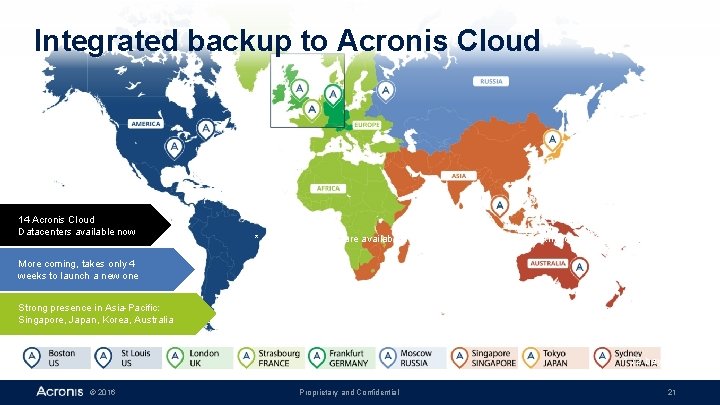
Integrated backup to Acronis Cloud 14 Acronis Cloud Datacenters available now * depends on hardware availability ** depends on location *** working on increasing capacity More coming, takes only 4 weeks to launch a new one Strong presence in Asia-Pacific: Singapore, Japan, Korea, Australia * 72 bay servers © 2016 Proprietary and Confidential 21
Acronis Backup Advanced version 11. 7 What’s New © 2016 Proprietary and Confidential 22

Acronis Backup Solutions in 2016 Acronis Backup Advanced Acronis Backup 12 Acronis Backup Advanced 12 • H 2 • Q 2 • 11. 7 - February © 2016 Proprietary and Confidential 23
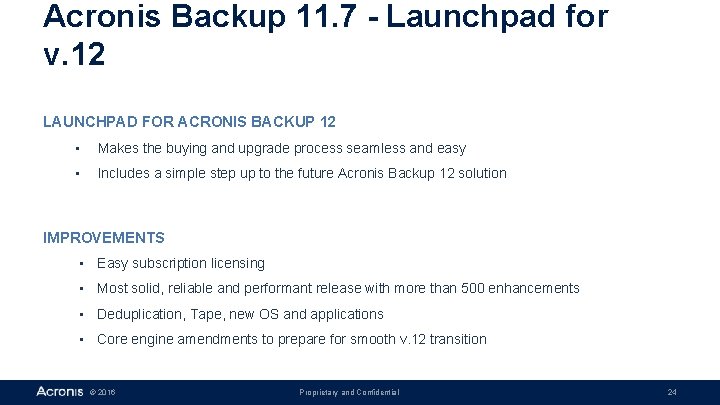
Acronis Backup 11. 7 - Launchpad for v. 12 LAUNCHPAD FOR ACRONIS BACKUP 12 • Makes the buying and upgrade process seamless and easy • Includes a simple step up to the future Acronis Backup 12 solution IMPROVEMENTS • Easy subscription licensing • Most solid, reliable and performant release with more than 500 enhancements • Deduplication, Tape, new OS and applications • Core engine amendments to prepare for smooth v. 12 transition © 2016 Proprietary and Confidential 24
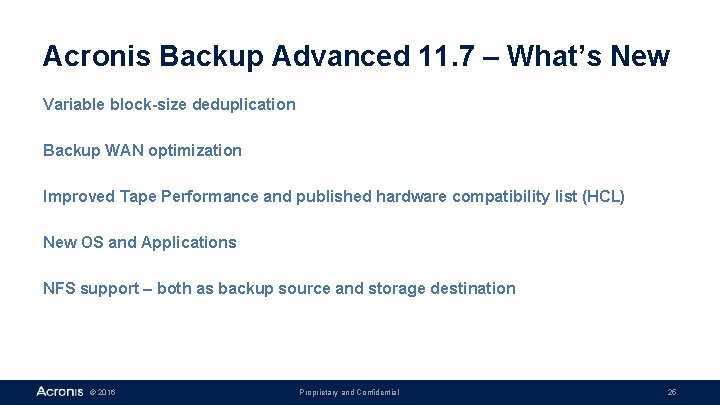
Acronis Backup Advanced 11. 7 – What’s New Variable block-size deduplication Backup WAN optimization Improved Tape Performance and published hardware compatibility list (HCL) New OS and Applications NFS support – both as backup source and storage destination © 2016 Proprietary and Confidential 25
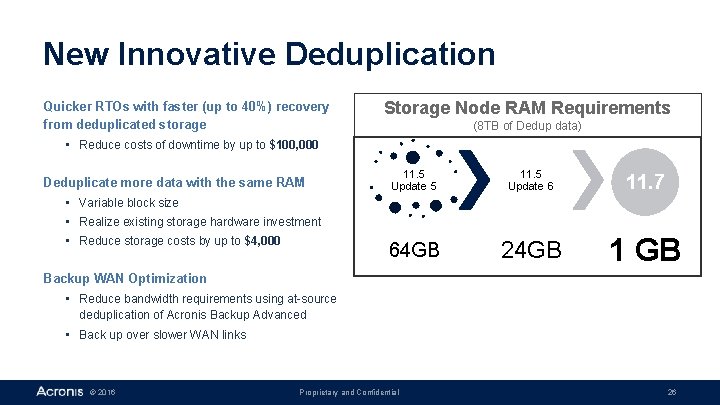
New Innovative Deduplication Quicker RTOs with faster (up to 40%) recovery from deduplicated storage Storage Node RAM Requirements (8 TB of Dedup data) • Reduce costs of downtime by up to $100, 000 Deduplicate more data with the same RAM 11. 5 Update 5 11. 5 Update 6 11. 7 64 GB 24 GB 1 GB • Variable block size • Realize existing storage hardware investment • Reduce storage costs by up to $4, 000 Backup WAN Optimization • Reduce bandwidth requirements using at-source deduplication of Acronis Backup Advanced • Back up over slower WAN links © 2016 Proprietary and Confidential 26
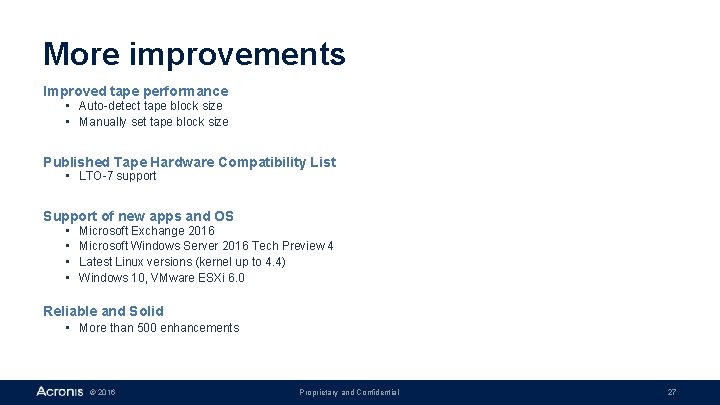
More improvements Improved tape performance • Auto-detect tape block size • Manually set tape block size Published Tape Hardware Compatibility List • LTO-7 support Support of new apps and OS • • Microsoft Exchange 2016 Microsoft Windows Server 2016 Tech Preview 4 Latest Linux versions (kernel up to 4. 4) Windows 10, VMware ESXi 6. 0 Reliable and Solid • More than 500 enhancements © 2016 Proprietary and Confidential 27

Acronis Backup Advanced 11. 7 benefits Back up More, Recover Faster • Back up more data, Back up more systems, Back up more business • Ideal for medium-sized businesses, Acronis Backup Advanced 11. 7 combines higher performance, quality and reliability with new features that make the buying and upgrade process seamless and easy, including a simple step up to the future Acronis Backup 12 solution • Get reliable support of Windows and Linux; Exchange, SQL, Share. Point and Active Directory applications, as well as VMware, Hyper-V, Xen, RHEV, KVM and Oracle VM virtual hypervisors • Enjoy easy, complete and affordable subscription licensing © 2016 Proprietary and Confidential 28
Licensing and Maintenance Acronis Backup Advanced © 2016 Proprietary and Confidential 29
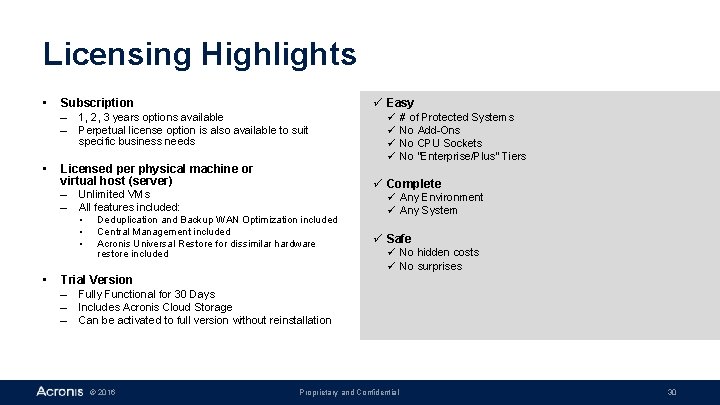
Licensing Highlights • Subscription – 1, 2, 3 years options available – Perpetual license option is also available to suit specific business needs • Licensed per physical machine or virtual host (server) – Unlimited VMs – All features included: • • ü Easy ü ü # of Protected Systems No Add-Ons No CPU Sockets No “Enterprise/Plus” Tiers ü Complete Deduplication and Backup WAN Optimization included Central Management included Acronis Universal Restore for dissimilar hardware restore included ü Any Environment ü Any System ü Safe ü No hidden costs ü No surprises Trial Version – Fully Functional for 30 Days – Includes Acronis Cloud Storage – Can be activated to full version without reinstallation © 2016 Proprietary and Confidential 30
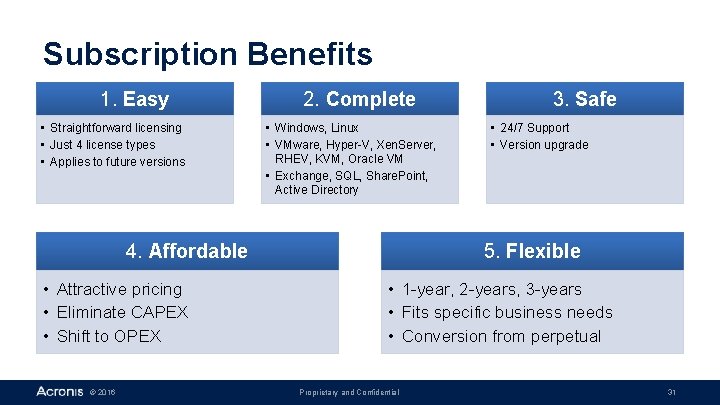
Subscription Benefits 1. Easy • Straightforward licensing • Just 4 license types • Applies to future versions 2. Complete • Windows, Linux • VMware, Hyper-V, Xen. Server, RHEV, KVM, Oracle VM • Exchange, SQL, Share. Point, Active Directory 4. Affordable • Attractive pricing • Eliminate CAPEX • Shift to OPEX © 2016 3. Safe • 24/7 Support • Version upgrade 5. Flexible • 1 -year, 2 -years, 3 -years • Fits specific business needs • Conversion from perpetual Proprietary and Confidential 31
Maintenance and Support • Acronis Advantage – Web chat, phone, e-mail support – Software upgrades to new versions – Included with subscription licenses ü Direct access to Acronis engineers ü Receive support at any time ü Gain peace of mind with included software upgrades © 2016 Proprietary and Confidential 32

Customer Stories © 2016 Proprietary and Confidential 33
Why Customers Like Acronis Lance Auman Easy Systems Integration Manager, Pentagon Federal Credit Union That’s the beauty of Acronis. We set policies and ignore it, knowing that we’re protected all the time. Reliable © 2016 § Any-to-Any migration – P 2 V, V 2 P, P 2 P Technical Director, Gerard Darel Compared to its main competitors, Acronis Backup for VMware proved to be the easiest to use, fastest for recovery and the most efficient solution. § Hybrid Backup to local devices, NAS, SAN, Tape and to Cloud in the same solution Thomas Haas § File and System backup and granular recovery Samuel Chemouni Fast § Backup of Physical and Virtual environments Strategic Outsourcing team, Bechtle Remote Services Gmb. H & Co. In Acronis’ recovery product we have found, after an intensive selection process, a product, which meets the responsible administrators’ demands extremely well. We employ this product in all server operational situations and can already confirm its effectiveness in multiple recovery cases that have occurred. Proprietary and Confidential § Restore system in seconds with Active Restore 34
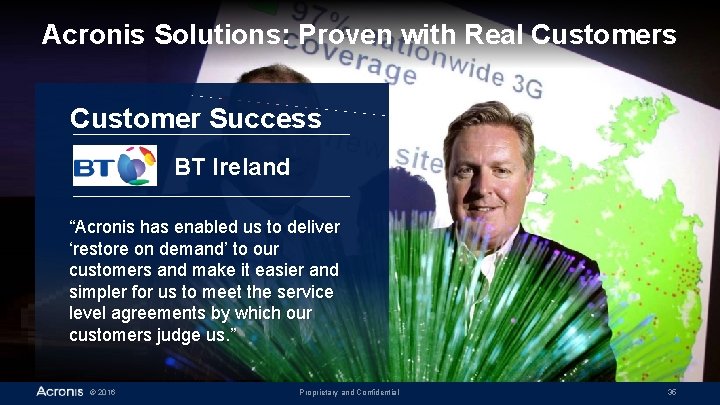
Acronis Solutions: Proven with Real Customers Customer Success BT Ireland “Acronis has enabled us to deliver ‘restore on demand’ to our customers and make it easier and simpler for us to meet the service level agreements by which our customers judge us. ” © 2016 Proprietary and Confidential 35
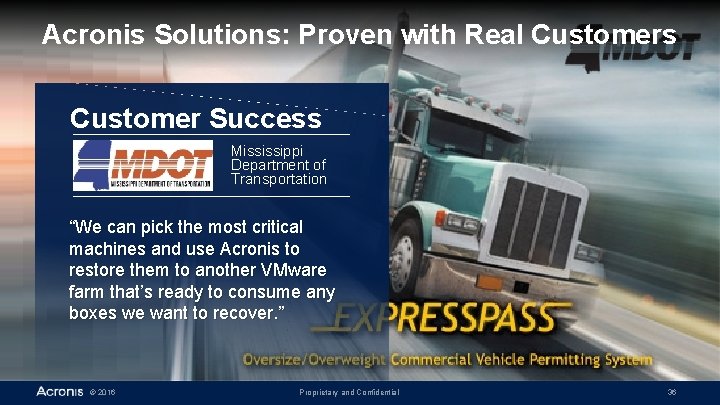
Acronis Solutions: Proven with Real Customers Customer Success Mississippi Department of Transportation “We can pick the most critical machines and use Acronis to restore them to another VMware farm that’s ready to consume any boxes we want to recover. ” © 2016 Proprietary and Confidential 36
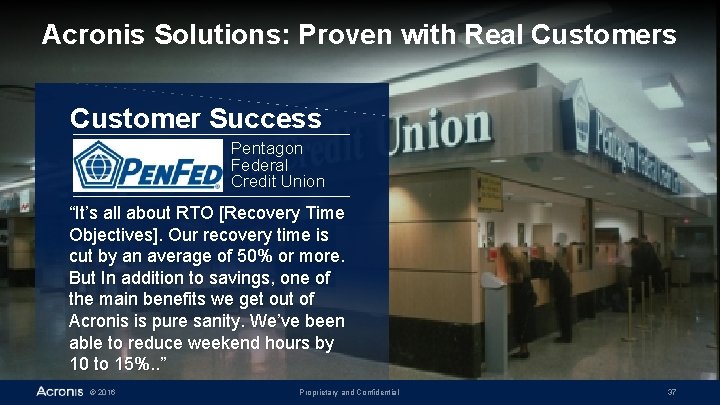
Acronis Solutions: Proven with Real Customers Customer Success Pentagon Federal Credit Union “It’s all about RTO [Recovery Time Objectives]. Our recovery time is cut by an average of 50% or more. But In addition to savings, one of the main benefits we get out of Acronis is pure sanity. We’ve been able to reduce weekend hours by 10 to 15%. . ” © 2016 Proprietary and Confidential 37
New Generation Data Protection Powered by the Acronis Any. Data Engine www. acronis. com twitter. com/acronis blog. acronis. com Proudly distributed by facebook. com/acronis © 2016 Proprietary and Confidential 38
Acronis Any. Data Engine Technologies © 2016 Proprietary and Confidential 39
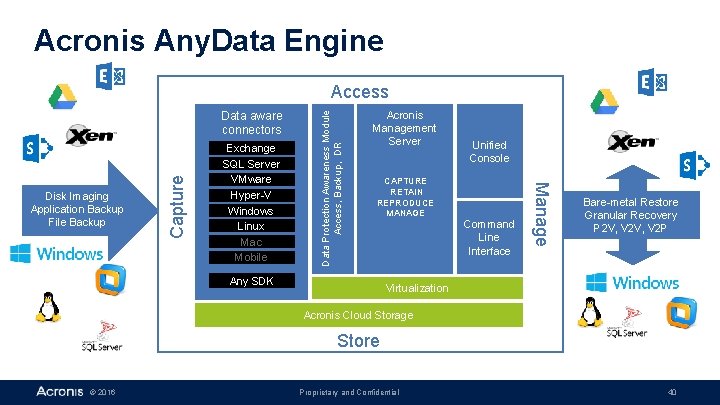
Acronis Any. Data Engine Exchange SQL Server VMware Hyper-V Windows Linux Mac Mobile Acronis Management Server Unified Console CAPTURE RETAIN REPRODUCE MANAGE Any SDK Command Line Interface Manage Disk Imaging Application Backup File Backup Capture Data aware connectors Data Protection Awareness Module Access, Backup, DR Access Bare-metal Restore Granular Recovery P 2 V, V 2 P Virtualization Acronis Cloud Storage Store © 2016 Proprietary and Confidential 40
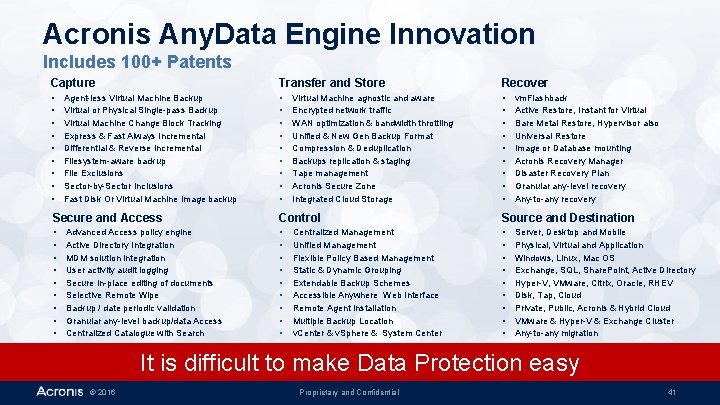
Acronis Any. Data Engine Innovation Includes 100+ Patents Capture Transfer and Store Recover • • • • • • • Agent-less Virtual Machine Backup Virtual or Physical Single-pass Backup Virtual Machine Change Block Tracking Express & Fast Always Incremental Differential & Reverse Incremental Filesystem-aware backup File Exclusions Sector-by-Sector Inclusions Fast Disk Or Virtual Machine Image backup Virtual Machine agnostic and aware Encrypted network traffic WAN optimization & bandwidth throttling Unified & New Gen Backup Format Compression & Deduplication Backups replication & staging Tape management Acronis Secure Zone Integrated Cloud Storage vm. Flashback Active Restore, Instant for Virtual Bare Metal Restore, Hypervisor also Universal Restore Image or Database mounting Acronis Recovery Manager Disaster Recovery Plan Granular any-level recovery Any-to-any recovery Secure and Access Control Source and Destination • • • • • • • Advanced Access policy engine Active Directory Integration MDM solution integration User activity audit logging Secure in-place editing of documents Selective Remote Wipe Backup / date periodic validation Granular any-level backup/data Access Centralized Catalogue with Search Centralized Management Unified Management Flexible Policy Based Management Static & Dynamic Grouping Extendable Backup Schemes Accessible Anywhere Web Interface Remote Agent Installation Multiple Backup Location v. Center & v. Sphere & System Center Server, Desktop and Mobile Physical, Virtual and Application Windows, Linux, Mac OS Exchange, SQL, Share. Point, Active Directory Hyper-V, VMware, Citrix, Oracle, RHEV Disk, Tap, Cloud Private, Public, Acronis & Hybrid Cloud VMware & Hyper-V & Exchange Cluster Any-to-any migration It is difficult to make Data Protection easy © 2016 Proprietary and Confidential 41
Backup Features Acronis Backup Advanced © 2016 Proprietary and Confidential 42
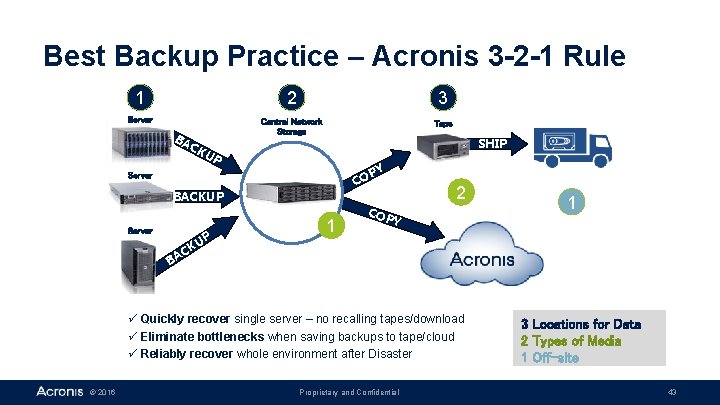
Best Backup Practice – Acronis 3 -2 -1 Rule 1 2 3 Server Central Network Storage Tape BA CK SHIP UP CO Server BACKUP Server CK BA UP 1 PY 2 COP Y ü Quickly recover single server – no recalling tapes/download ü Eliminate bottlenecks when saving backups to tape/cloud ü Reliably recover whole environment after Disaster © 2016 Proprietary and Confidential 1 3 Locations for Data 2 Types of Media 1 Off-site 43
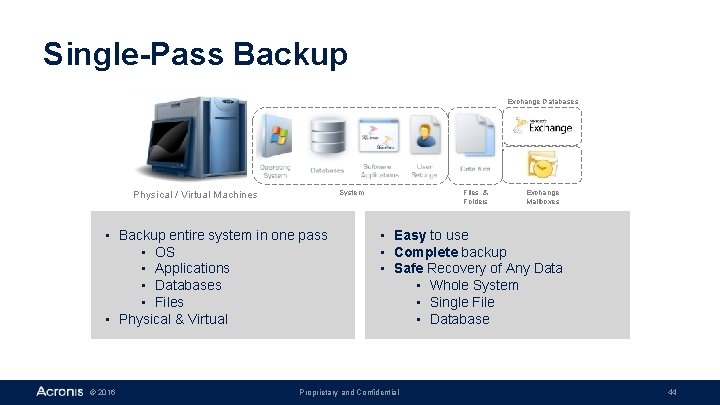
Single-Pass Backup Exchange Databases System Physical / Virtual Machines • Backup entire system in one pass • OS • Applications • Databases • Files • Physical & Virtual © 2016 Files & Folders Exchange Mailboxes • Easy to use • Complete backup • Safe Recovery of Any Data • Whole System • Single File • Database Proprietary and Confidential 44
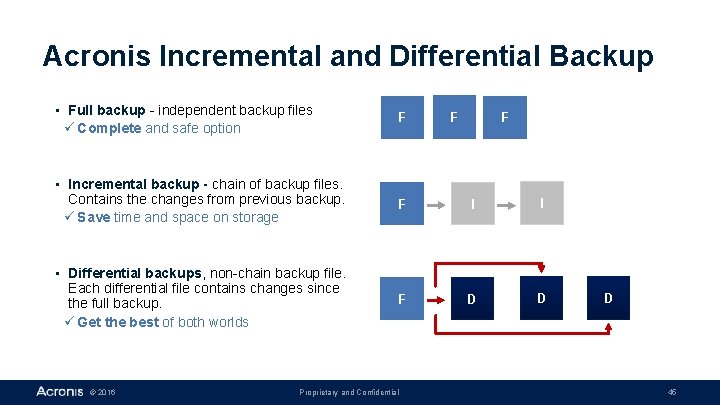
Acronis Incremental and Differential Backup • Full backup - independent backup files ü Complete and safe option F • Incremental backup - chain of backup files. Contains the changes from previous backup. ü Save time and space on storage F I I • Differential backups, non-chain backup file. Each differential file contains changes since the full backup. ü Get the best of both worlds F D D © 2016 Proprietary and Confidential F F D 45
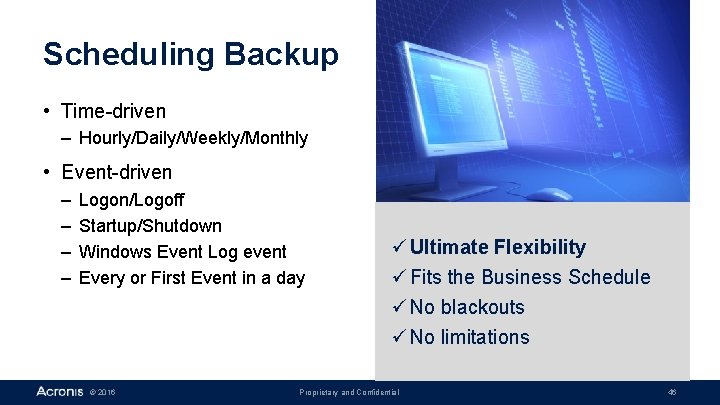
Scheduling Backup • Time-driven – Hourly/Daily/Weekly/Monthly • Event-driven – – Logon/Logoff Startup/Shutdown Windows Event Log event Every or First Event in a day © 2016 ü Ultimate Flexibility ü Fits the Business Schedule ü No blackouts ü No limitations Proprietary and Confidential 46
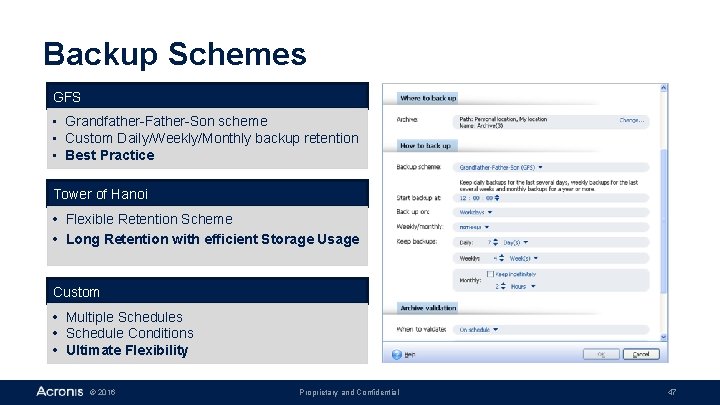
Backup Schemes GFS • Grandfather-Father-Son scheme • Custom Daily/Weekly/Monthly backup retention • Best Practice Tower of Hanoi • Flexible Retention Scheme • Long Retention with efficient Storage Usage Custom • Multiple Schedules • Schedule Conditions • Ultimate Flexibility © 2016 Proprietary and Confidential 47
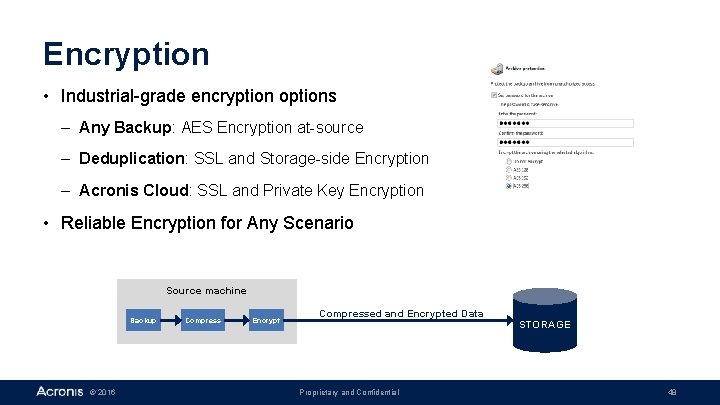
Encryption • Industrial-grade encryption options – Any Backup: AES Encryption at-source – Deduplication: SSL and Storage-side Encryption – Acronis Cloud: SSL and Private Key Encryption • Reliable Encryption for Any Scenario Source machine Backup © 2016 Compress Encrypt Compressed and Encrypted Data Proprietary and Confidential STORAGE 48
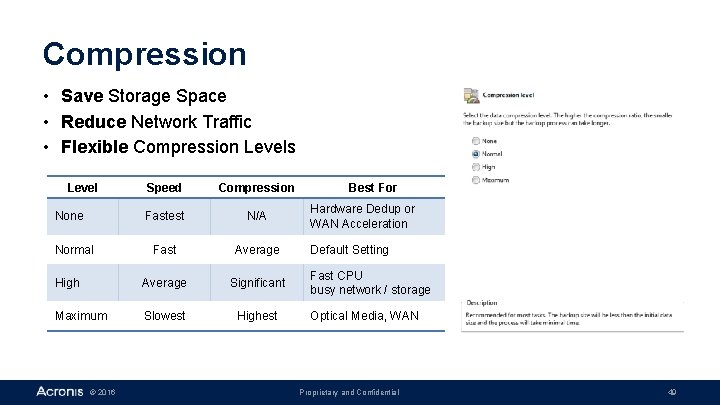
Compression • Save Storage Space • Reduce Network Traffic • Flexible Compression Levels Level Speed Compression Fastest N/A Fast Average High Average Significant Maximum Slowest Highest None Normal © 2016 Best For Hardware Dedup or WAN Acceleration Default Setting Fast CPU busy network / storage Optical Media, WAN Proprietary and Confidential 49
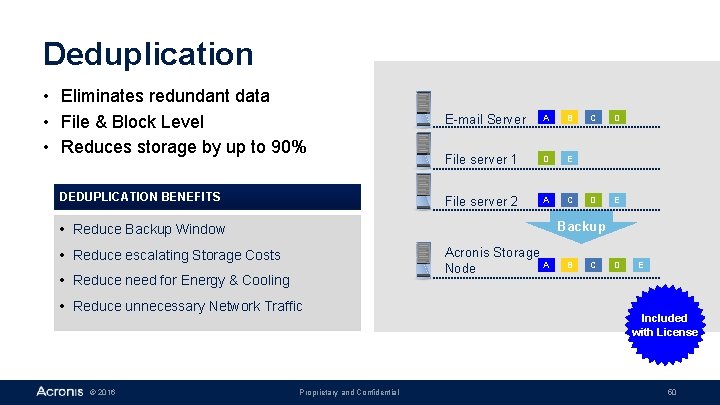
Deduplication • Eliminates redundant data • File & Block Level • Reduces storage by up to 90% DEDUPLICATION BENEFITS E-mail Server A B File server 1 D E File server 2 A C D D E Backup • Reduce Backup Window Acronis Storage A Node • Reduce escalating Storage Costs • Reduce need for Energy & Cooling • Reduce unnecessary Network Traffic © 2016 C Proprietary and Confidential B C D E Included with License 50
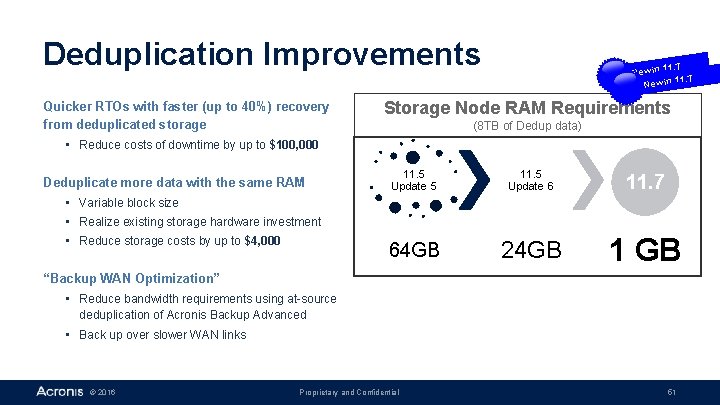
Deduplication Improvements Quicker RTOs with faster (up to 40%) recovery from deduplicated storage 11. 7 New in Storage Node RAM Requirements (8 TB of Dedup data) • Reduce costs of downtime by up to $100, 000 Deduplicate more data with the same RAM 11. 5 Update 5 11. 5 Update 6 11. 7 64 GB 24 GB 1 GB • Variable block size • Realize existing storage hardware investment • Reduce storage costs by up to $4, 000 “Backup WAN Optimization” • Reduce bandwidth requirements using at-source deduplication of Acronis Backup Advanced • Back up over slower WAN links © 2016 Proprietary and Confidential 51
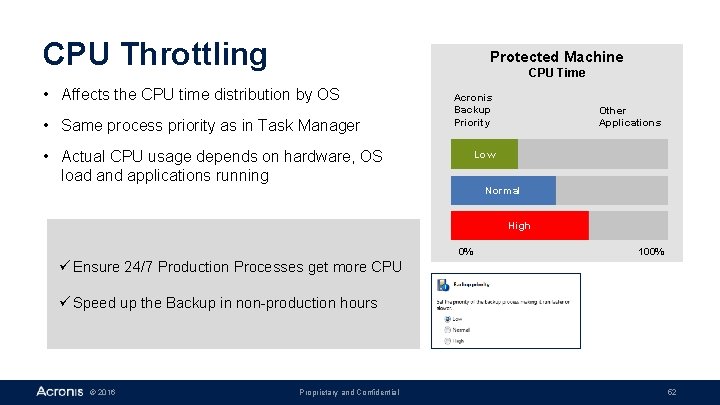
CPU Throttling Protected Machine CPU Time • Affects the CPU time distribution by OS • Same process priority as in Task Manager Acronis Backup Priority • Actual CPU usage depends on hardware, OS load and applications running Other Applications Low Normal High 0% 100% ü Ensure 24/7 Production Processes get more CPU ü Speed up the Backup in non-production hours © 2016 Proprietary and Confidential 52
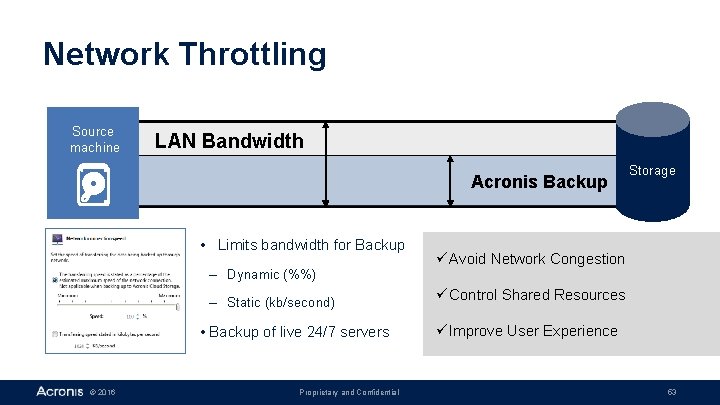
Network Throttling Source machine LAN Bandwidth Acronis Backup • Limits bandwidth for Backup – Dynamic (%%) – Static (kb/second) • Backup of live 24/7 servers © 2016 Proprietary and Confidential Storage ü Avoid Network Congestion ü Control Shared Resources ü Improve User Experience 53
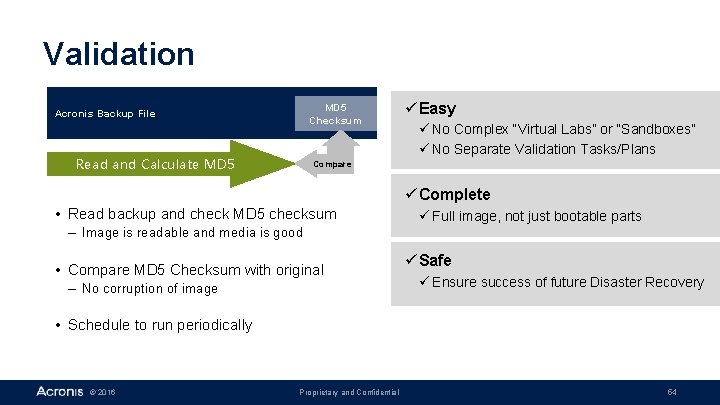
Validation MD 5 Checksum Acronis Backup File Read and Calculate MD 5 üEasy ü No Complex “Virtual Labs” or “Sandboxes” ü No Separate Validation Tasks/Plans Compare üComplete • Read backup and check MD 5 checksum ü Full image, not just bootable parts – Image is readable and media is good • Compare MD 5 Checksum with original – No corruption of image üSafe ü Ensure success of future Disaster Recovery • Schedule to run periodically © 2016 Proprietary and Confidential 54
Virtual and Migration Features Acronis Backup Advanced © 2016 Proprietary and Confidential 55
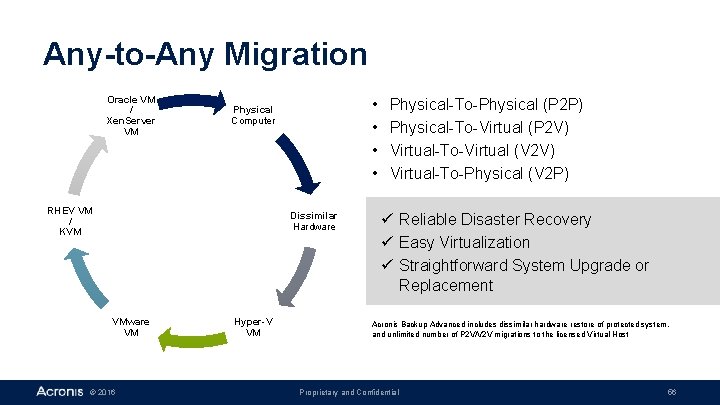
Any-to-Any Migration Oracle VM / Xen. Server VM • • Physical Computer RHEV VM / KVM Dissimilar Hardware VM © 2016 Hyper-V VM Physical-To-Physical (P 2 P) Physical-To-Virtual (P 2 V) Virtual-To-Virtual (V 2 V) Virtual-To-Physical (V 2 P) ü Reliable Disaster Recovery ü Easy Virtualization ü Straightforward System Upgrade or Replacement Acronis Backup Advanced includes dissimilar hardware restore of protected system, and unlimited number of P 2 V/V 2 V migrations to the licensed Virtual Host Proprietary and Confidential 56
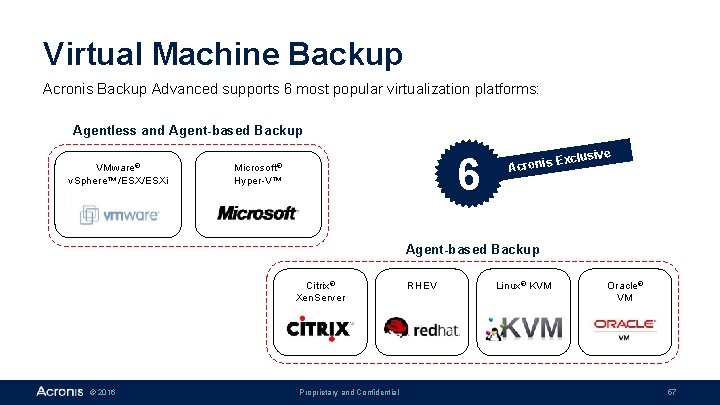
Virtual Machine Backup Acronis Backup Advanced supports 6 most popular virtualization platforms: Agentless and Agent-based Backup VMware® v. Sphere™/ESXi 6 Microsoft® Hyper-V™ E Acronis xclusive Agent-based Backup Citrix® Xen. Server © 2016 Proprietary and Confidential RHEV Linux® KVM Oracle® VM 57
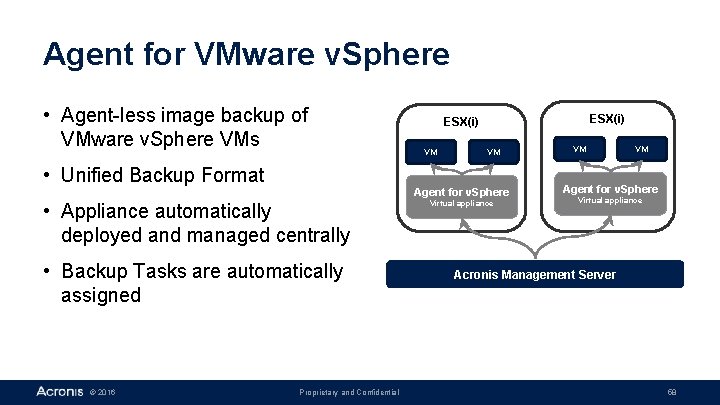
Agent for VMware v. Sphere • Agent-less image backup of VMware v. Sphere VMs ESX(i) VM VM • Unified Backup Format Agent for v. Sphere • Appliance automatically deployed and managed centrally • Backup Tasks are automatically assigned © 2016 Proprietary and Confidential Virtual appliance VM VM Agent for v. Sphere Virtual appliance Acronis Management Server 58
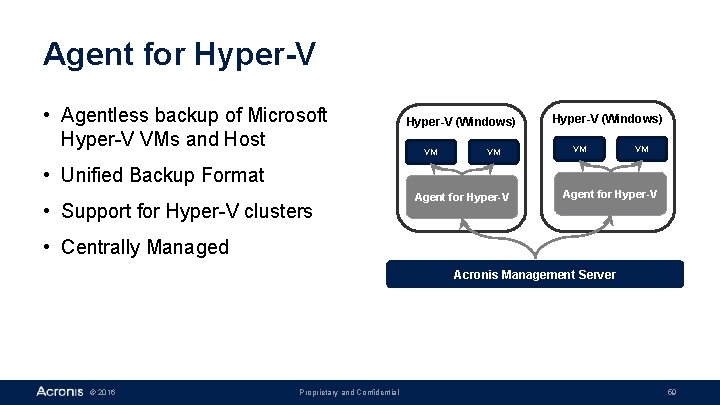
Agent for Hyper-V • Agentless backup of Microsoft Hyper-V VMs and Host Hyper-V (Windows) VM VM • Unified Backup Format • Support for Hyper-V clusters Agent for Hyper-V • Centrally Managed Acronis Management Server © 2016 Proprietary and Confidential 59
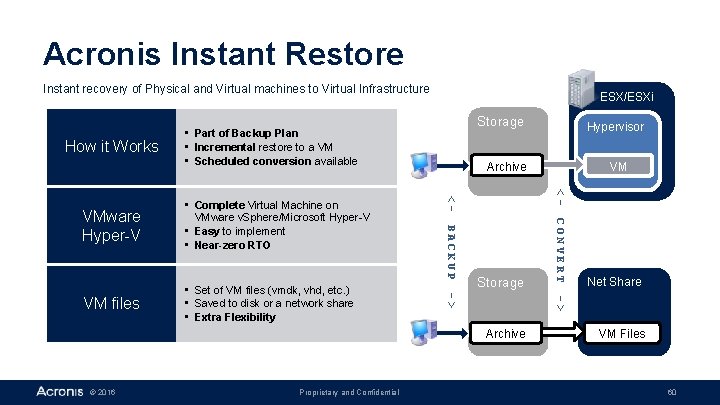
Acronis Instant Restore Instant recovery of Physical and Virtual machines to Virtual Infrastructure How it Works ESX/ESXi Storage • Part of Backup Plan • Incremental restore to a VM • Scheduled conversion available Net Share -> Proprietary and Confidential CONVERT Archive © 2016 VM <- Storage -> VM files • Set of VM files (vmdk, vhd, etc. ) • Saved to disk or a network share • Extra Flexibility BACKUP • Complete Virtual Machine on VMware v. Sphere/Microsoft Hyper-V • Easy to implement • Near-zero RTO Archive <- VMware Hyper-V Hypervisor VM Files 60
Application Support Acronis Backup Advanced © 2016 Proprietary and Confidential 61
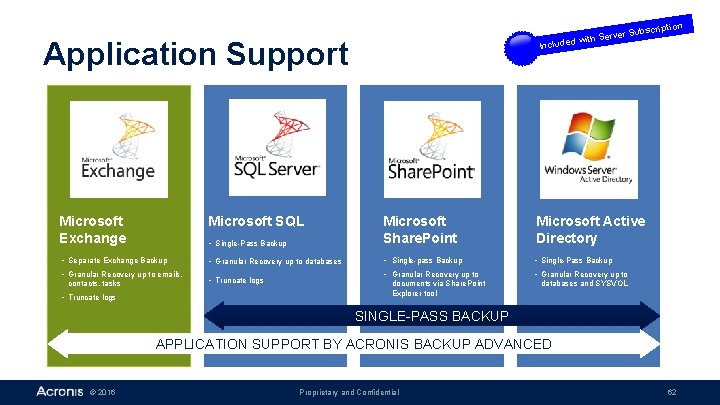
on bscripti rver Su e d with S Include Application Support • Single-Pass Backup Microsoft Share. Point Microsoft Active Directory • Granular Recovery up to databases • Single-pass Backup • Single-Pass Backup • Granular Recovery up to Microsoft Exchange Microsoft SQL • Separate Exchange Backup • Granular Recovery up to emails, contacts, tasks • Truncate logs documents via Share. Point Explorer tool databases and SYSVOL SINGLE-PASS BACKUP APPLICATION SUPPORT BY ACRONIS BACKUP ADVANCED © 2016 Proprietary and Confidential 62
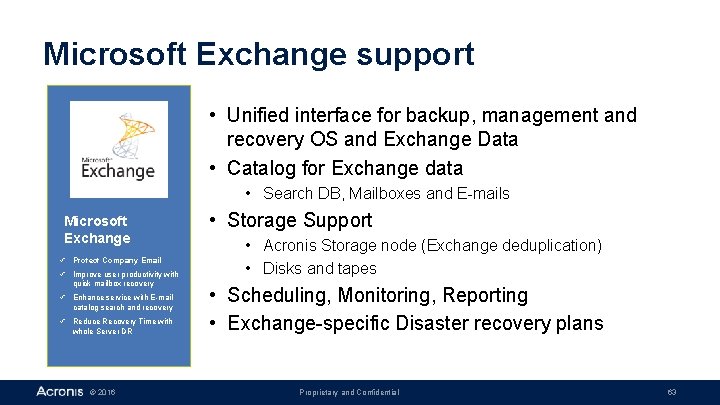
Microsoft Exchange support • Unified interface for backup, management and recovery OS and Exchange Data • Catalog for Exchange data • Search DB, Mailboxes and E-mails Microsoft Exchange ü Protect Company Email ü Improve user productivity with quick mailbox recovery ü Enhance service with E-mail catalog search and recovery ü Reduce Recovery Time with whole Server DR © 2016 • Storage Support • Acronis Storage node (Exchange deduplication) • Disks and tapes • Scheduling, Monitoring, Reporting • Exchange-specific Disaster recovery plans Proprietary and Confidential 63
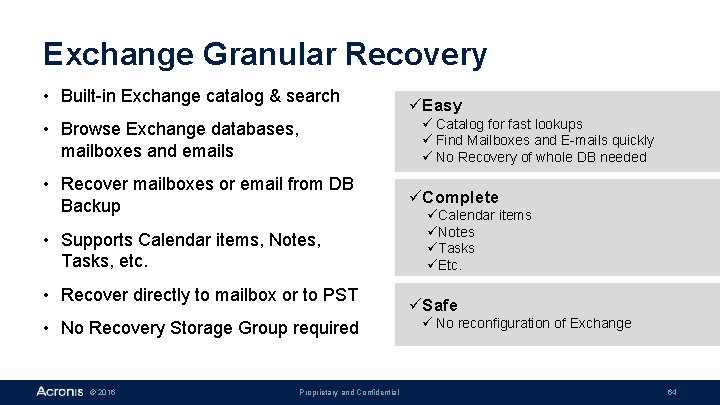
Exchange Granular Recovery • Built-in Exchange catalog & search ü Catalog for fast lookups ü Find Mailboxes and E-mails quickly ü No Recovery of whole DB needed • Browse Exchange databases, mailboxes and emails • Recover mailboxes or email from DB Backup • Supports Calendar items, Notes, Tasks, etc. • Recover directly to mailbox or to PST • No Recovery Storage Group required © 2016 üEasy Proprietary and Confidential üComplete üCalendar items üNotes üTasks üEtc. üSafe ü No reconfiguration of Exchange 64
Exchange Key Features • • Database and Mailbox backup Express Full Backup Granular Recovery Intelligent Exchange Cluster Support Continuous Data Protection (CDP) Data cataloging Restore to Exchange, Disk, PST Support of Exchange 2003, 2007, 2010, 2013, 2016 Most comprehensive Exchange Data Protection in the Market © 2016 Proprietary and Confidential 65
Microsoft SQL support • Unified interface for backup, management and recovery OS and SQL Databases • Catalog and Search for SQL DBs • Scheduling, Monitoring, Reporting Microsoft SQL • Simplify the data protection with Single Pass Backup • Get flexible recovery with server, files or databases recovery • Reduce risk of low disk space with • SQL Transaction Log Truncation • Advanced SQL DB Recovery – Mounting from Backup built-in log truncation – Active Restore © 2016 Proprietary and Confidential 66
Microsoft Share. Point Support • Unified interface for backup, management and recovery Share. Point Servers and Farms • Scheduling, Monitoring, Reporting Share. Point SQL DB Protection Microsoft Share. Point • Granular Recovery of Items and Documents ü Simplify the data protection with Single Pass Backup ü Improve User productivity with granular recovery of documents ü Reduce Recovery Time with whole Server DR © 2016 Proprietary and Confidential 67
Microsoft Active Directory support • Unified interface for backup, management and recovery of Active Directory Domain Controllers • Scheduling, Monitoring, Reporting Microsoft Active Directory ü Simplify the data protection with Single Pass Backup ü Reduce Recovery Time with Server DR and support of authoritative and nonauthoritative restore © 2016 • AD DB and SYSVOL Recovery • Authoritative and Non-Authoritative Restore Proprietary and Confidential 68
Storage Support Acronis Backup Advanced © 2016 Proprietary and Confidential 69
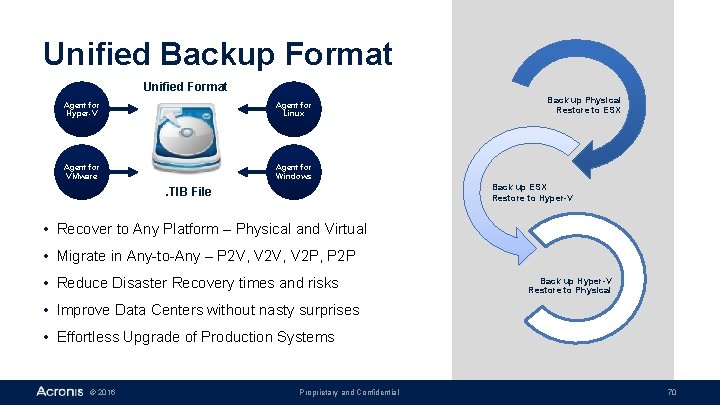
Unified Backup Format Unified Format Agent for Hyper-V Agent for Linux Agent for VMware Agent for Windows Back up Physical Restore to ESX Back up ESX Restore to Hyper-V . TIB File • Recover to Any Platform – Physical and Virtual • Migrate in Any-to-Any – P 2 V, V 2 P, P 2 P • Reduce Disaster Recovery times and risks Back up Hyper-V Restore to Physical • Improve Data Centers without nasty surprises • Effortless Upgrade of Production Systems © 2016 Proprietary and Confidential 70
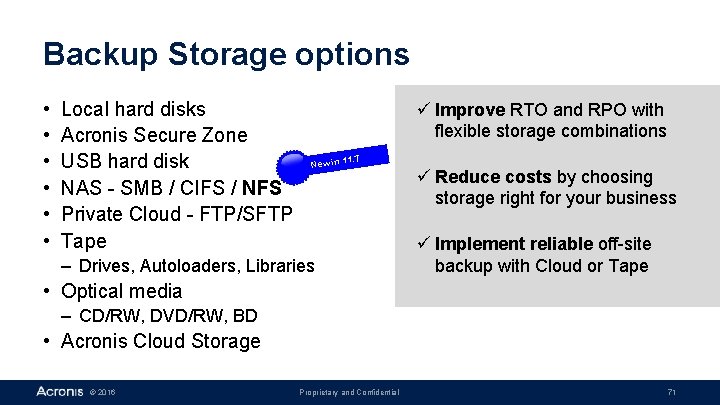
Backup Storage options • • • Local hard disks Acronis Secure Zone USB hard disk NAS - SMB / CIFS / NFS Private Cloud - FTP/SFTP Tape ü Improve RTO and RPO with flexible storage combinations. 7 11 New in – Drives, Autoloaders, Libraries ü Reduce costs by choosing storage right for your business ü Implement reliable off-site backup with Cloud or Tape • Optical media – CD/RW, DVD/RW, BD • Acronis Cloud Storage © 2016 Proprietary and Confidential 71
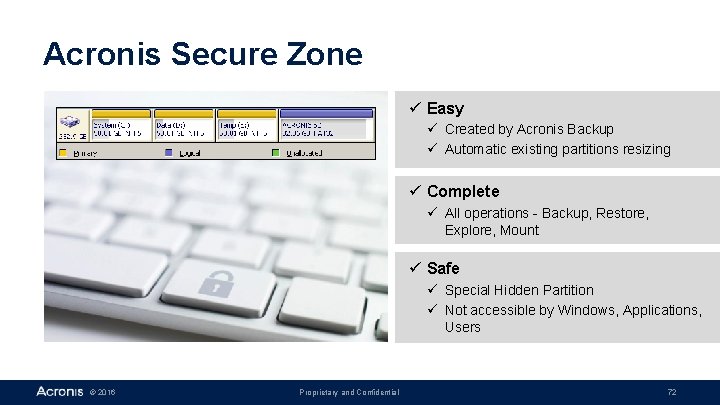
Acronis Secure Zone ü Easy ü Created by Acronis Backup ü Automatic existing partitions resizing ü Complete ü All operations - Backup, Restore, Explore, Mount ü Safe ü Special Hidden Partition ü Not accessible by Windows, Applications, Users © 2016 Proprietary and Confidential 72
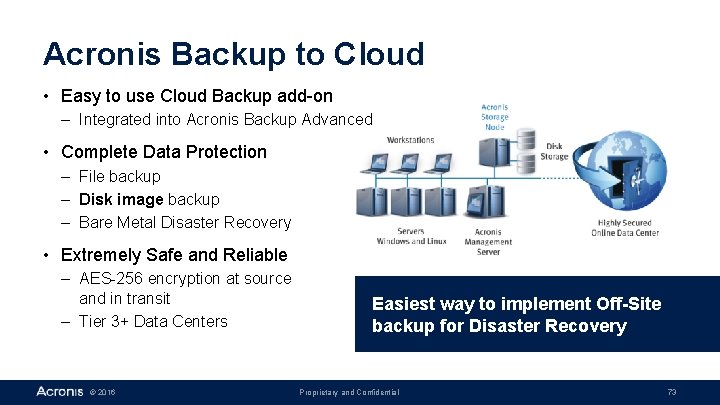
Acronis Backup to Cloud • Easy to use Cloud Backup add-on – Integrated into Acronis Backup Advanced • Complete Data Protection – File backup – Disk image backup – Bare Metal Disaster Recovery • Extremely Safe and Reliable – AES-256 encryption at source and in transit – Tier 3+ Data Centers © 2016 Easiest way to implement Off-Site backup for Disaster Recovery Proprietary and Confidential 73
Recovery Acronis Backup Advanced © 2016 Proprietary and Confidential 74
Recovery • Online (in Operating System) – Files and Application Data (Granular) – Easy and quick • Offline (using Bootable Media) – Bare-Metal Recovery – Recovery to dissimilar hardware with Acronis Universal Restore – Remote recovery using Bootable Agent – Complete and reliable • Acronis Active Restore – Start in Bootable Media – Continue in Operating System – Best of both worlds © 2016 Proprietary and Confidential 75
Bare Metal Recovery • Bare Metal - computer with empty hard disk (no OS) • Rebuilding system from Bare Metal to full operation • Starting from empty hard disk – no OS or data © 2016 Proprietary and Confidential 76
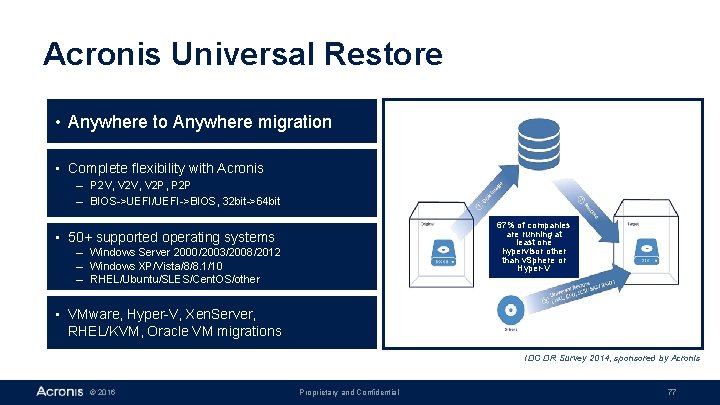
Acronis Universal Restore • Anywhere to Anywhere migration • Complete flexibility with Acronis – P 2 V, V 2 P, P 2 P – BIOS->UEFI/UEFI->BIOS, 32 bit->64 bit 67% of companies are running at least one hypervisor other than v. Sphere or Hyper-V • 50+ supported operating systems – Windows Server 2000/2003/2008/2012 – Windows XP/Vista/8/8. 1/10 – RHEL/Ubuntu/SLES/Cent. OS/other • VMware, Hyper-V, Xen. Server, RHEL/KVM, Oracle VM migrations IDC DR Survey 2014, sponsored by Acronis © 2016 Proprietary and Confidential 77
Acronis Universal Restore in Numbers • Thousands of FUBAR situations saved per year • Support for all major file systems – FAT 16/FAT 32/NTFS – Re. FS/Ext 2, 3, 4/Reiser. FS/XFS/JFS/other • 50+ supported operating systems – Windows Server 2000/2003/2008/2012 – Windows XP/Vista/8/8. 1/10 – RHEL/Ubuntu/SLES/Cent. OS/other • Dozens of supported migrations – P 2 V/V 2 P/V 2 V/P 2 P – BIOS->UEFI/UEFI->BIOS – 32 bit->64 bit • Support for any driver – Windows drivers in system folders – Linux drivers in modules folders – Custom driver location © 2016 Proprietary and Confidential 78
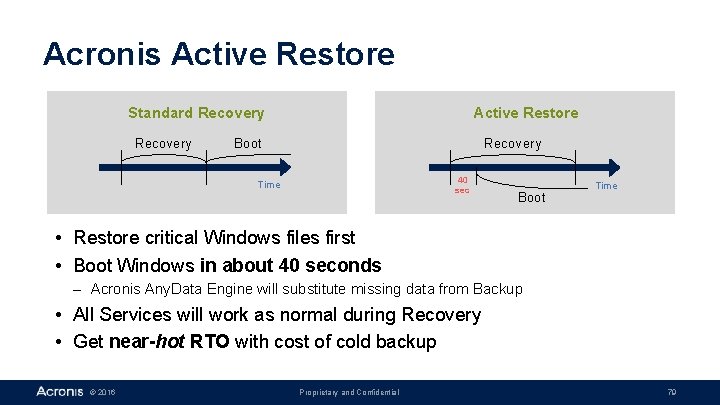
Acronis Active Restore Standard Recovery Active Restore Boot Recovery 40 sec Time Boot Time • Restore critical Windows files first • Boot Windows in about 40 seconds – Acronis Any. Data Engine will substitute missing data from Backup • All Services will work as normal during Recovery • Get near-hot RTO with cost of cold backup © 2016 Proprietary and Confidential 79
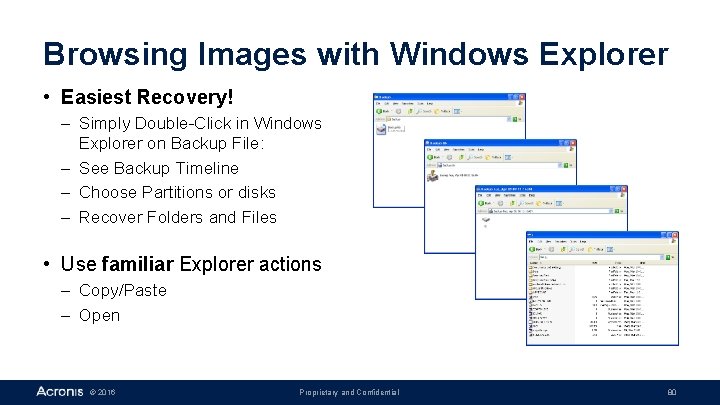
Browsing Images with Windows Explorer • Easiest Recovery! – Simply Double-Click in Windows Explorer on Backup File: – See Backup Timeline – Choose Partitions or disks – Recover Folders and Files • Use familiar Explorer actions – Copy/Paste – Open © 2016 Proprietary and Confidential 80
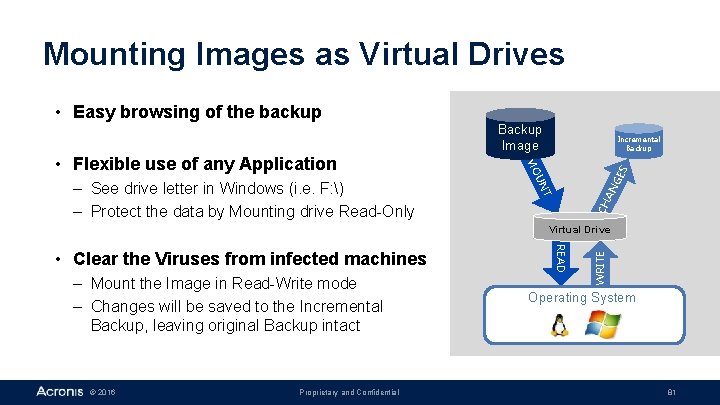
Mounting Images as Virtual Drives GE S UN T – See drive letter in Windows (i. e. F: ) – Protect the data by Mounting drive Read-Only Incremental Backup MO • Flexible use of any Application Backup Image CH AN • Easy browsing of the backup – Mount the Image in Read-Write mode – Changes will be saved to the Incremental Backup, leaving original Backup intact © 2016 Proprietary and Confidential READ • Clear the Viruses from infected machines WRITE Virtual Drive Operating System 81
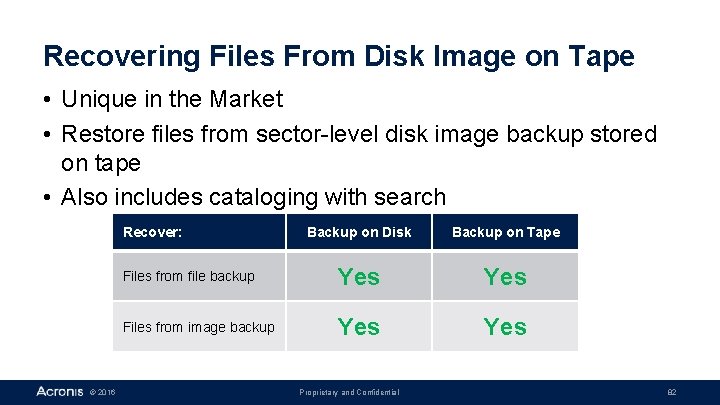
Recovering Files From Disk Image on Tape • Unique in the Market • Restore files from sector-level disk image backup stored on tape • Also includes cataloging with search Recover: © 2016 Backup on Disk Backup on Tape Files from file backup Yes Files from image backup Yes Proprietary and Confidential 82
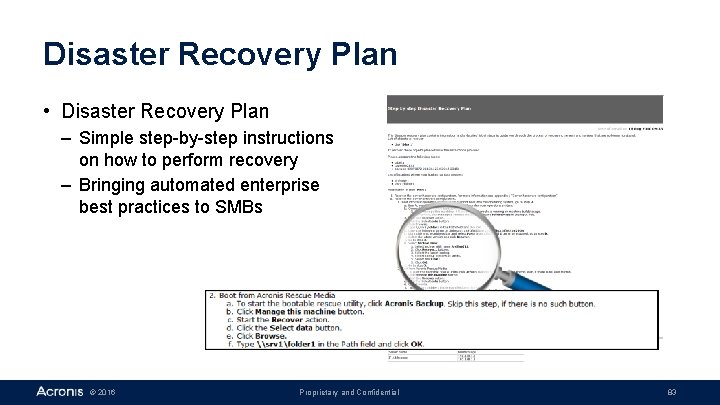
Disaster Recovery Plan • Disaster Recovery Plan – Simple step-by-step instructions on how to perform recovery – Bringing automated enterprise best practices to SMBs © 2016 Proprietary and Confidential 83
Management Features Acronis Backup Advanced © 2016 Proprietary and Confidential 84
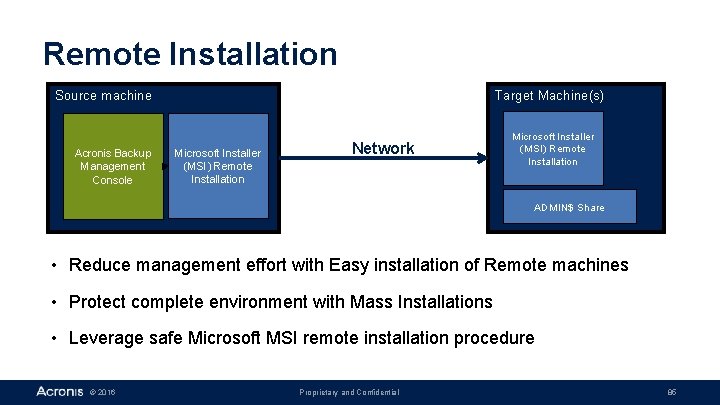
Remote Installation Source machine Acronis Backup Management Console Target Machine(s) Microsoft Installer (MSI) Remote Installation Network Microsoft Installer (MSI) Remote Installation ADMIN$ Share • Reduce management effort with Easy installation of Remote machines • Protect complete environment with Mass Installations • Leverage safe Microsoft MSI remote installation procedure © 2016 Proprietary and Confidential 85
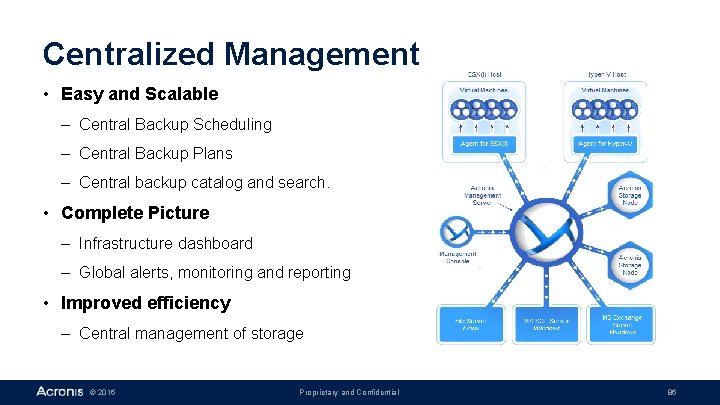
Centralized Management • Easy and Scalable – Central Backup Scheduling – Central Backup Plans – Central backup catalog and search. • Complete Picture – Infrastructure dashboard – Global alerts, monitoring and reporting • Improved efficiency – Central management of storage © 2016 Proprietary and Confidential 86
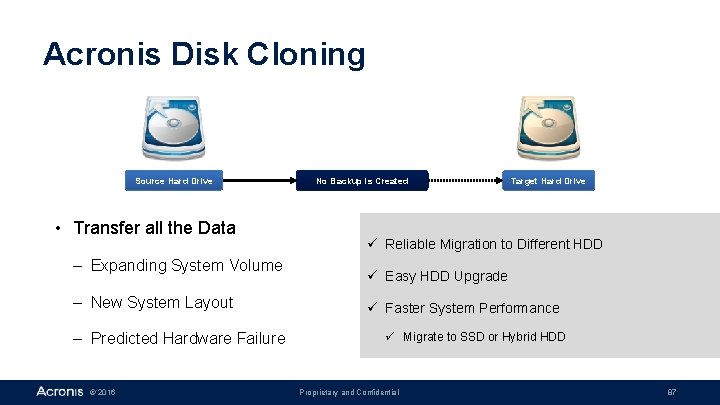
Acronis Disk Cloning Source Hard Drive • Transfer all the Data – Expanding System Volume – New System Layout – Predicted Hardware Failure © 2016 No Backup is Created Target Hard Drive ü Reliable Migration to Different HDD ü Easy HDD Upgrade ü Faster System Performance ü Migrate to SSD or Hybrid HDD Proprietary and Confidential 87

Licensing Acronis Backup Advanced © 2016 Proprietary and Confidential 88

Licensing: Per Physical Machine Unmanaged Storage: File Servers, NAS, SAN No License Required Management Server Included Protected Servers License Per Physical Server/Host Management Console Included Acronis Backup Advanced: . . for Server. . for Workstation NETWORK • Acronis Storage Node Included © 2016 Protected PCs License per PC • Proprietary and Confidential 3 x 3 x Easy and affordable subscription • No Add-ons, tiers, surcharges • No CPU Sockets • No per-VM, per-OS licenses Scale your environment easily 89
Use Cases Acronis Backup Advanced © 2016 Proprietary and Confidential 90
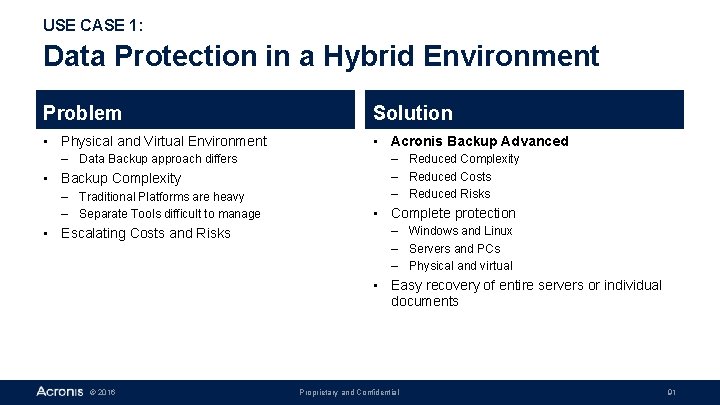
USE CASE 1: Data Protection in a Hybrid Environment Problem Solution • Physical and Virtual Environment • Acronis Backup Advanced – Data Backup approach differs • Backup Complexity – Traditional Platforms are heavy – Separate Tools difficult to manage • Escalating Costs and Risks – Reduced Complexity – Reduced Costs – Reduced Risks • Complete protection – Windows and Linux – Servers and PCs – Physical and virtual • Easy recovery of entire servers or individual documents © 2016 Proprietary and Confidential 91
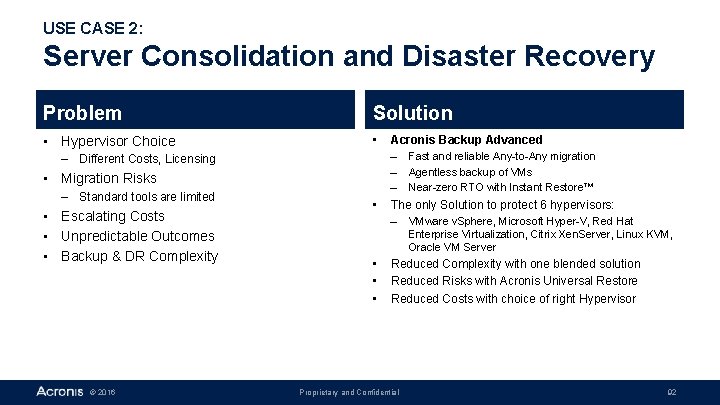
USE CASE 2: Server Consolidation and Disaster Recovery Problem Solution • Hypervisor Choice • – Different Costs, Licensing • Migration Risks – Standard tools are limited • Escalating Costs • Unpredictable Outcomes • Backup & DR Complexity © 2016 • Acronis Backup Advanced – Fast and reliable Any-to-Any migration – Agentless backup of VMs – Near-zero RTO with Instant Restore™ The only Solution to protect 6 hypervisors: – VMware v. Sphere, Microsoft Hyper-V, Red Hat Enterprise Virtualization, Citrix Xen. Server, Linux KVM, Oracle VM Server • • • Reduced Complexity with one blended solution Reduced Risks with Acronis Universal Restore Reduced Costs with choice of right Hypervisor Proprietary and Confidential 92
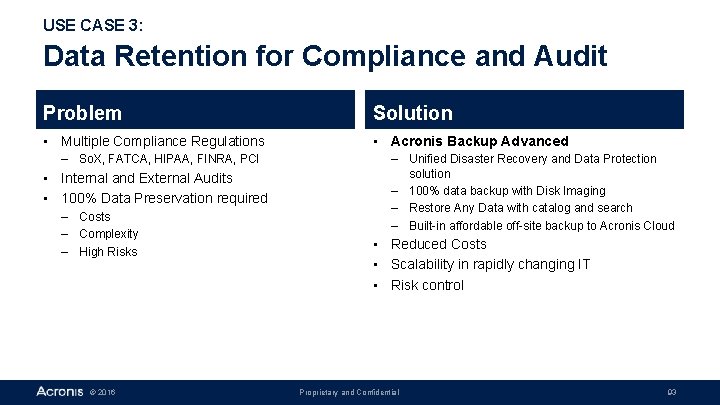
USE CASE 3: Data Retention for Compliance and Audit Problem Solution • Multiple Compliance Regulations • Acronis Backup Advanced – So. X, FATCA, HIPAA, FINRA, PCI • Internal and External Audits • 100% Data Preservation required – Costs – Complexity – High Risks © 2016 – Unified Disaster Recovery and Data Protection solution – 100% data backup with Disk Imaging – Restore Any Data with catalog and search – Built-in affordable off-site backup to Acronis Cloud • Reduced Costs • Scalability in rapidly changing IT • Risk control Proprietary and Confidential 93
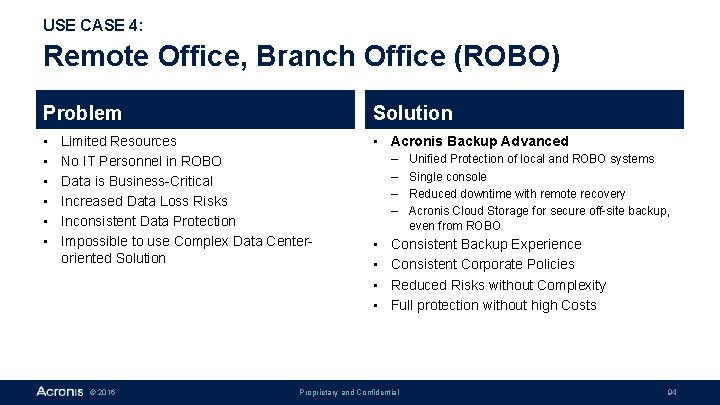
USE CASE 4: Remote Office, Branch Office (ROBO) Problem Solution • • Acronis Backup Advanced Limited Resources No IT Personnel in ROBO Data is Business-Critical Increased Data Loss Risks Inconsistent Data Protection Impossible to use Complex Data Centeroriented Solution © 2016 – – • • Unified Protection of local and ROBO systems Single console Reduced downtime with remote recovery Acronis Cloud Storage for secure off-site backup, even from ROBO Consistent Backup Experience Consistent Corporate Policies Reduced Risks without Complexity Full protection without high Costs Proprietary and Confidential 94
USE CASE 5: Recovery of Applications (e. g. Exchange) Problem Solution • Application Backup • Acronis Backup Advanced – Application-specific features needed • Resource Overload – Traditional Backups heavy – Point Tools not scalable – Built-in Tools limited • Escalating Costs • Risks – Inability to Restore Data – User Productivity affected © 2016 – – – Exchange, SQL, Share. Point, Active Directory Single Pass Backup, CDP, Express Full Backup Transaction Log Backup and Truncation Individual mailbox, folder, e-mail Recovery Searchable Catalog • Improve User & IT Productivity • Reduce Risks with reliable Data Protection • Achieve faster RTO – Recover entire Server to dissimilar hardware Proprietary and Confidential 95

Appendix Extra details © 2016 Proprietary and Confidential 96
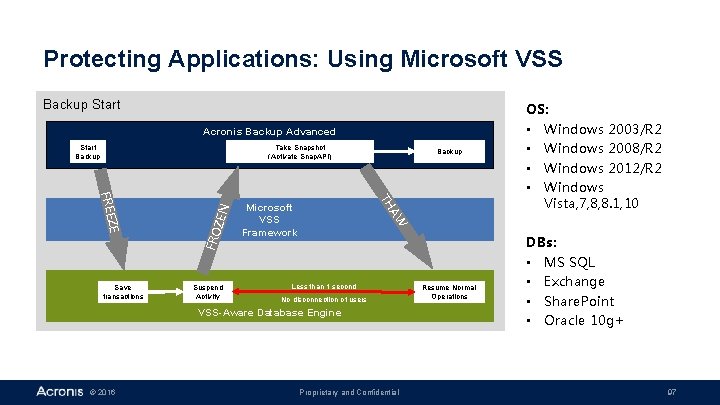
Protecting Applications: Using Microsoft VSS Backup Start Acronis Backup Advanced Take Snapshot (Activate Snap. API) ZE Suspend Activity Backup AW TH FR E E Save transactions FR O Z EN Start Backup Microsoft VSS Framework Less than 1 second No disconnection of users VSS-Aware Database Engine © 2016 Proprietary and Confidential Resume Normal Operations OS: • Windows 2003/R 2 • Windows 2008/R 2 • Windows 2012/R 2 • Windows Vista, 7, 8, 8. 1, 10 DBs: • MS SQL • Exchange • Share. Point • Oracle 10 g+ 97
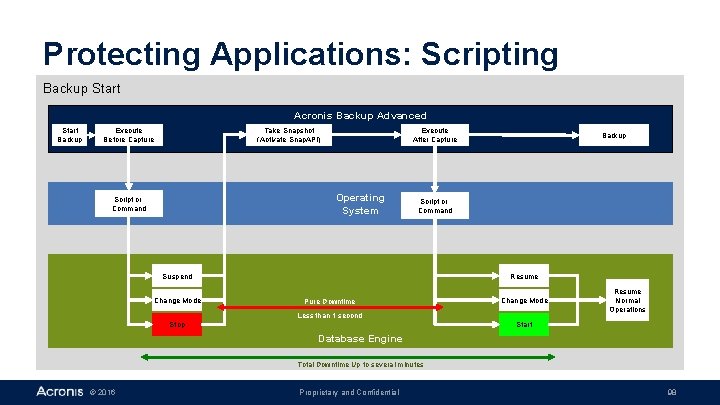
Protecting Applications: Scripting Backup Start Acronis Backup Advanced Start Backup Take Snapshot (Activate Snap. API) Execute Before Capture Execute After Capture Operating System Script or Command Suspend Change Mode Backup Resume Pure Downtime Change Mode Less than 1 second Stop Resume Normal Operations Start Database Engine Total Downtime Up to several minutes © 2016 Proprietary and Confidential 98
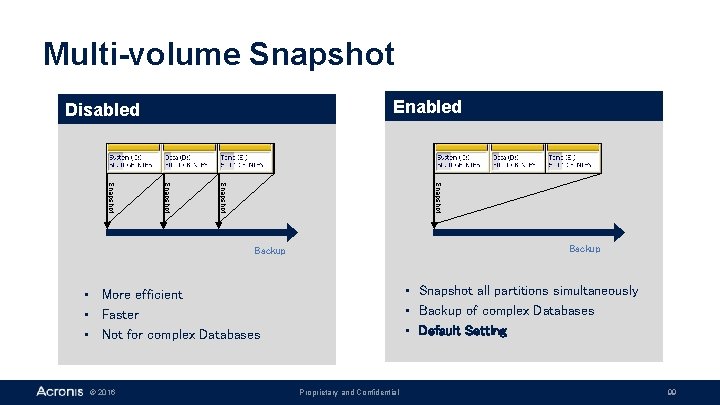
Multi-volume Snapshot Enabled Disabled Snapshot Backup • Snapshot all partitions simultaneously • Backup of complex Databases • Default Setting • More efficient • Faster • Not for complex Databases © 2016 Proprietary and Confidential 99
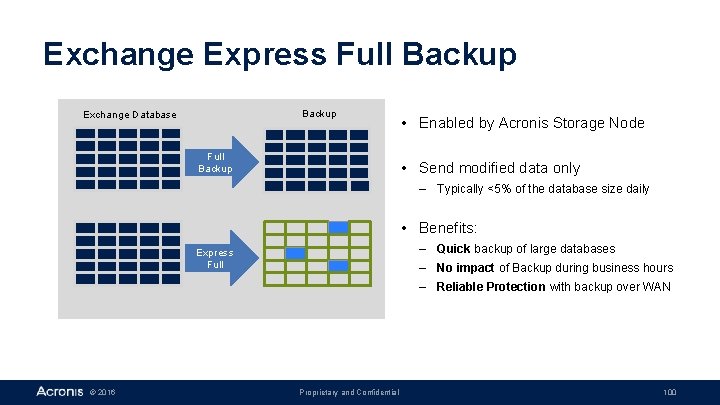
Exchange Express Full Backup Exchange Database Full Backup • Enabled by Acronis Storage Node • Send modified data only – Typically <5% of the database size daily • Benefits: – Quick backup of large databases Express Full – No impact of Backup during business hours – Reliable Protection with backup over WAN © 2016 Proprietary and Confidential 100
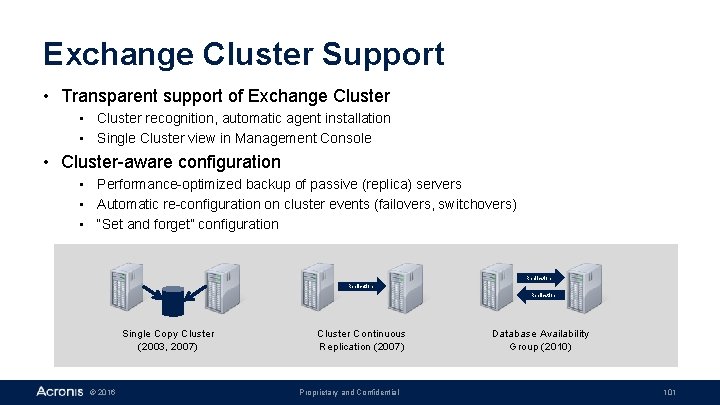
Exchange Cluster Support • Transparent support of Exchange Cluster • Cluster recognition, automatic agent installation • Single Cluster view in Management Console • Cluster-aware configuration • Performance-optimized backup of passive (replica) servers • Automatic re-configuration on cluster events (failovers, switchovers) • “Set and forget” configuration Replication Single Copy Cluster (2003, 2007) © 2016 Cluster Continuous Replication (2007) Proprietary and Confidential Database Availability Group (2010) 101
Local Hard Disk Strengths • Convenient – no connectivity/password/firewall issues • Fast Caution • No impact to shared resources (e. g. • Same machine as production network) • Does not protect from major • Mobile disasters • 1 -to-1 management © 2016 Proprietary and Confidential 102
External Hard Disk (USB) Strengths • Convenient – no connectivity/password/firewall issues • Fast • No impact to shared resources • Mobile © 2016 Caution • Does not cover major disasters • 1 -to-1 management Proprietary and Confidential 103
Network Storage Strengths • • Relatively Fast Covers hardware failure Centrally managed Supports SMB/CIFS and NFS Caution • Uses Shared Resource, like LAN • Not mobile © 2016 Proprietary and Confidential 104
Tape and Optical Media Strengths • Covers hardware failure • Mobile • Acronis One-Click restore from CD/DVD Caution • Lower performance © 2016 Proprietary and Confidential 105
Acronis Backup to Cloud Strengths • • Reliable Off-premise location Tier-3+ Data Center Accessible from Anywhere Centrally managed Caution • Performance depends on Internet Connectivity © 2016 Proprietary and Confidential 106

Bootable media • Bootable CD, DVD, ISO file, Flash Drive, PXE Server – Can be created by user anytime • Standalone Acronis Backup – Does not require pre-installed OS • Contains Drivers – SAN, NAS, SCSI, RAID, USB, IEEE 1394, Network • Universal (generic) – Works on any hardware - no individual disks for each machine • Supports All major operations – Backup, Recovery, Cloning, Disk Management • Flexible Base – – © 2016 Linux – Default media created in Acronis Backup Windows – Created with Windows PE Proprietary and Confidential 107
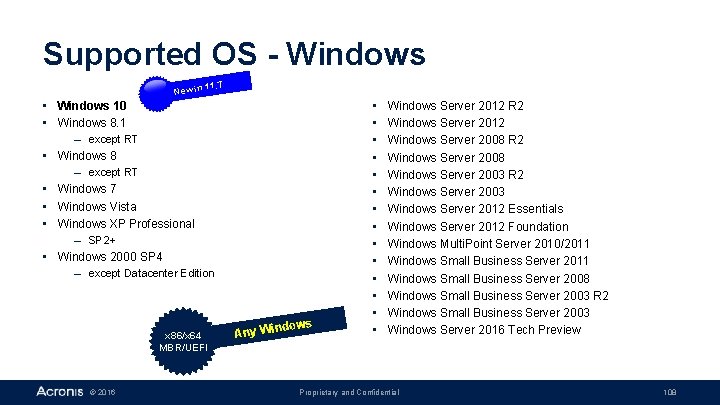
Supported OS - Windows New in 11. 7 • Windows 10 • Windows 8. 1 – except RT • Windows 8 – except RT • Windows 7 • Windows Vista • Windows XP Professional – SP 2+ • Windows 2000 SP 4 – except Datacenter Edition x 86/x 64 MBR/UEFI © 2016 Any Win dows • • • • Windows Server 2012 R 2 Windows Server 2012 Windows Server 2008 R 2 Windows Server 2008 Windows Server 2003 R 2 Windows Server 2003 Windows Server 2012 Essentials Windows Server 2012 Foundation Windows Multi. Point Server 2010/2011 Windows Small Business Server 2008 Windows Small Business Server 2003 R 2 Windows Small Business Server 2003 Windows Server 2016 Tech Preview Proprietary and Confidential 108
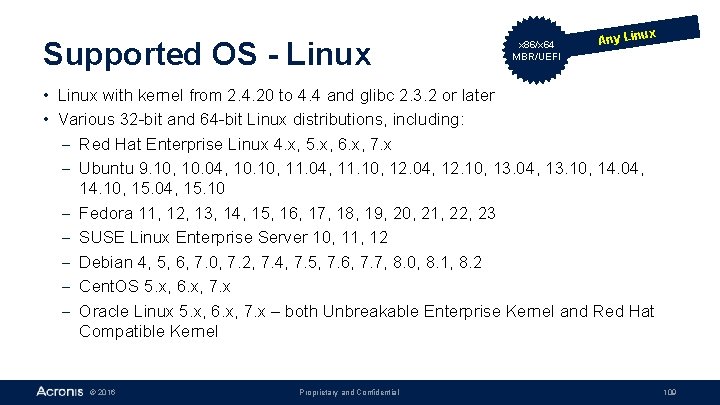
Supported OS - Linux x 86/x 64 MBR/UEFI ux Any Lin • Linux with kernel from 2. 4. 20 to 4. 4 and glibc 2. 3. 2 or later • Various 32 -bit and 64 -bit Linux distributions, including: - Red Hat Enterprise Linux 4. x, 5. x, 6. x, 7. x - Ubuntu 9. 10, 10. 04, 10. 10, 11. 04, 11. 10, 12. 04, 12. 10, 13. 04, 13. 10, 14. 04, 14. 10, 15. 04, 15. 10 - Fedora 11, 12, 13, 14, 15, 16, 17, 18, 19, 20, 21, 22, 23 - SUSE Linux Enterprise Server 10, 11, 12 - Debian 4, 5, 6, 7. 0, 7. 2, 7. 4, 7. 5, 7. 6, 7. 7, 8. 0, 8. 1, 8. 2 - Cent. OS 5. x, 6. x, 7. x - Oracle Linux 5. x, 6. x, 7. x – both Unbreakable Enterprise Kernel and Red Hat Compatible Kernel © 2016 Proprietary and Confidential 109
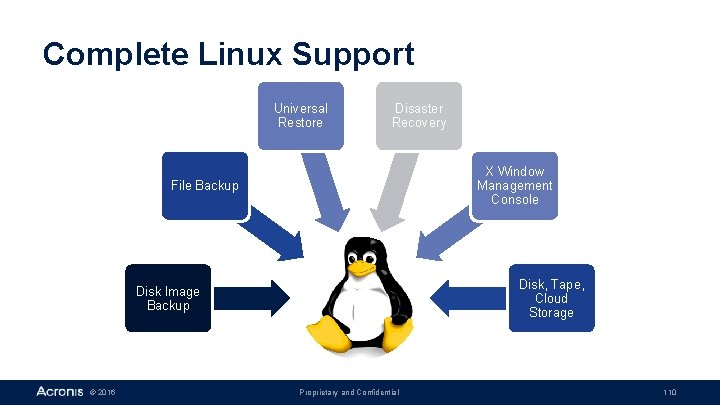
Complete Linux Support Universal Restore Disaster Recovery X Window Management Console File Backup Disk, Tape, Cloud Storage Disk Image Backup © 2016 Proprietary and Confidential 110
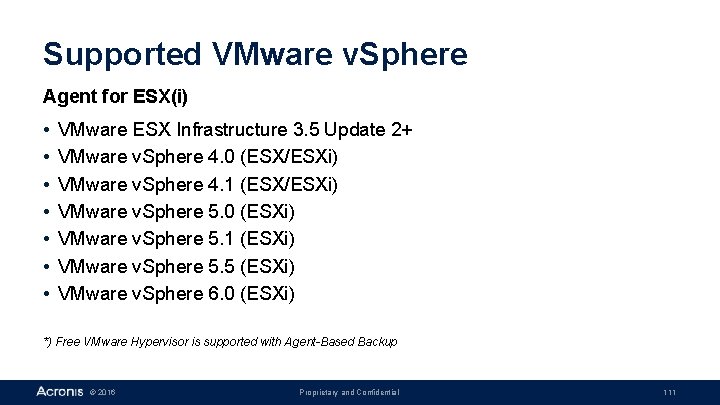
Supported VMware v. Sphere Agent for ESX(i) • • VMware ESX Infrastructure 3. 5 Update 2+ VMware v. Sphere 4. 0 (ESX/ESXi) VMware v. Sphere 4. 1 (ESX/ESXi) VMware v. Sphere 5. 0 (ESXi) VMware v. Sphere 5. 1 (ESXi) VMware v. Sphere 5. 5 (ESXi) VMware v. Sphere 6. 0 (ESXi) *) Free VMware Hypervisor is supported with Agent-Based Backup © 2016 Proprietary and Confidential 111
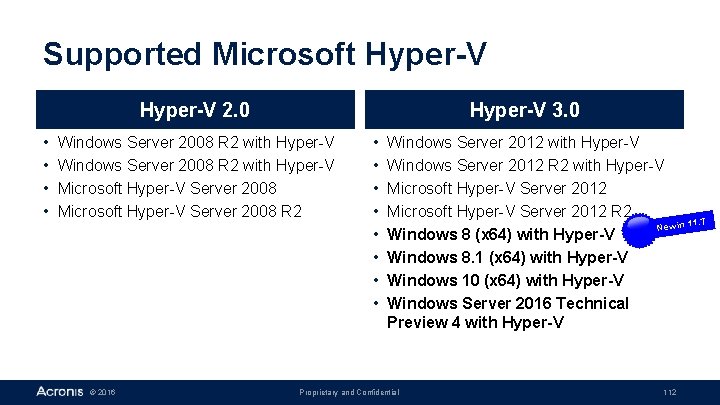
Supported Microsoft Hyper-V 2. 0 • • Hyper-V 3. 0 Windows Server 2008 R 2 with Hyper-V Microsoft Hyper-V Server 2008 R 2 © 2016 • • Windows Server 2012 with Hyper-V Windows Server 2012 R 2 with Hyper-V Microsoft Hyper-V Server 2012 R 2 11. 7 New in Windows 8 (x 64) with Hyper-V Windows 8. 1 (x 64) with Hyper-V Windows 10 (x 64) with Hyper-V Windows Server 2016 Technical Preview 4 with Hyper-V Proprietary and Confidential 112

Supported Microsoft Applications New in 11. 7 • MS Exchange Server: 2003 SP 2+, 2007, 2010, 2013, 2016 • MS SQL Server: 2005, 2008 R 2, 2014 • MS Share. Point: 3. 0 SP 2, 2007 SP 2, 2010 SP 1, 2013 © 2016 Proprietary and Confidential 113
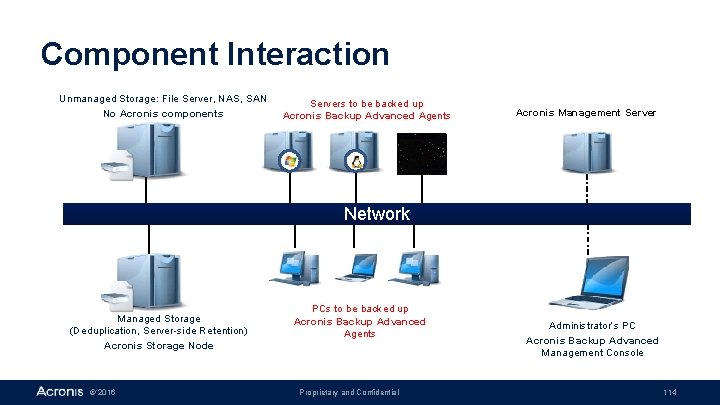
Component Interaction Unmanaged Storage: File Server, NAS, SAN No Acronis components Servers to be backed up Acronis Backup Advanced Agents Acronis Management Server Network Managed Storage (Deduplication, Server-side Retention) Acronis Storage Node © 2016 PCs to be backed up Acronis Backup Advanced Agents Proprietary and Confidential Administrator‘s PC Acronis Backup Advanced Management Console 114
- Slides: 114