
New Design TRP Dealers IL Secretary of State



- Slides: 23
New Design TRP Dealers IL Secretary of State Training
New TRP Essentials q. Old TRPs are being discontinued November 3, 2020 q. TRPs will be printed by users q. Expirations will remain the same at 90 days q. Only SOS facilities can issue second or additional TRPs q. Superusers will assign packages of 25 to each user and cannot be shared or reallocated
Permit Abuse q. Each lost, missing, stolen, or destroyed TRP will result in a $151 fee q Misuse of any permit will result in a $175 fee per instance, possible loss of system access, and/or criminal charges
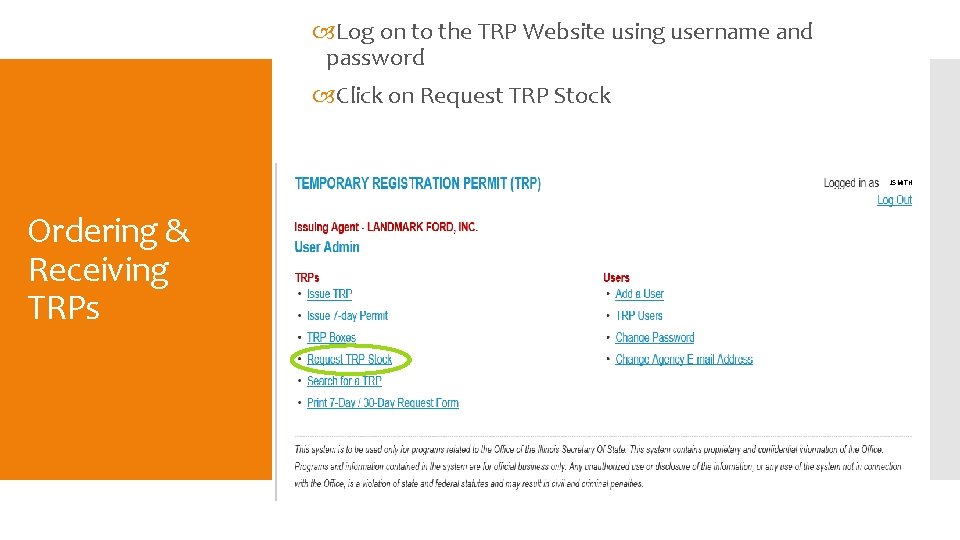
Log on to the TRP Website using username and password Click on Request TRP Stock JSMITH Ordering & Receiving TRPs
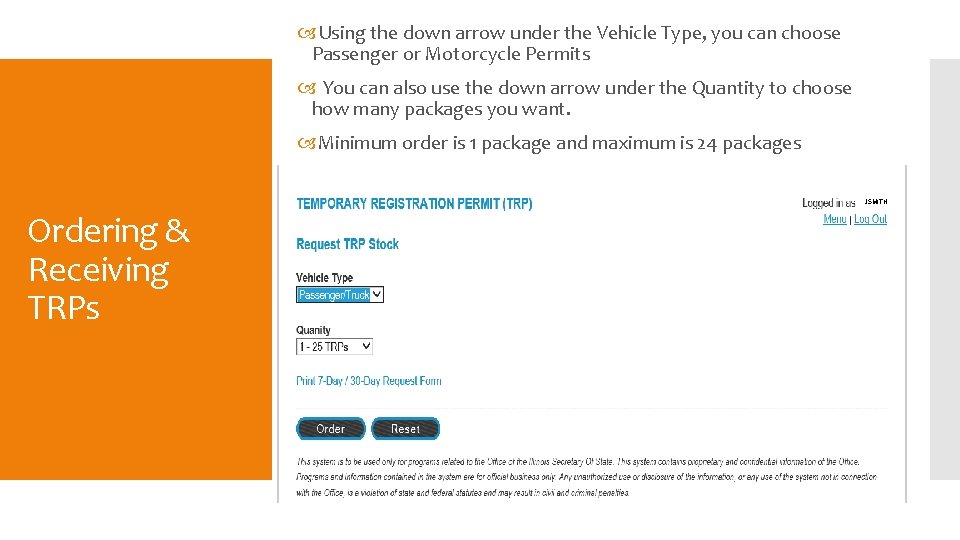
Using the down arrow under the Vehicle Type, you can choose Passenger or Motorcycle Permits You can also use the down arrow under the Quantity to choose how many packages you want. Minimum order is 1 package and maximum is 24 packages JSMITH Ordering & Receiving TRPs
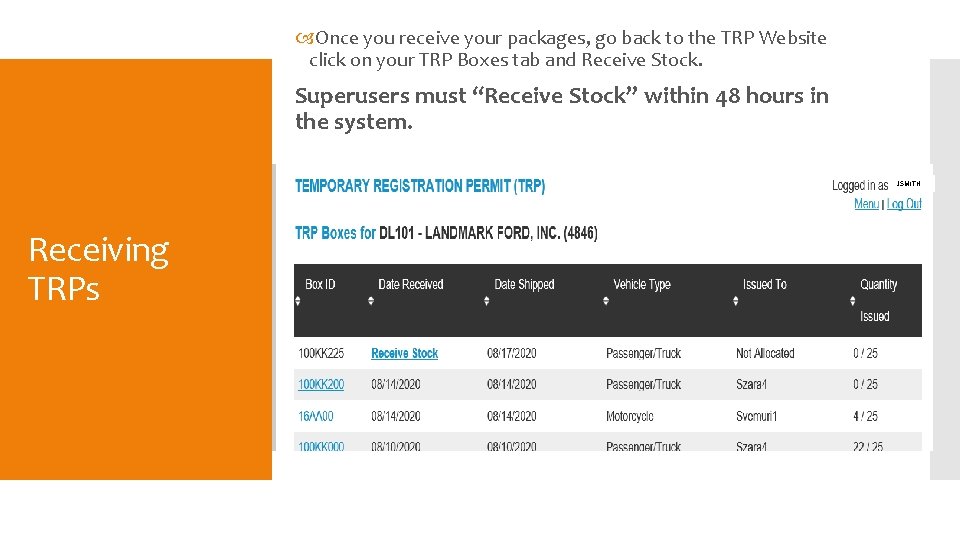
Once you receive your packages, go back to the TRP Website click on your TRP Boxes tab and Receive Stock. Superusers must “Receive Stock” within 48 hours in the system. JSMITH Receiving TRPs
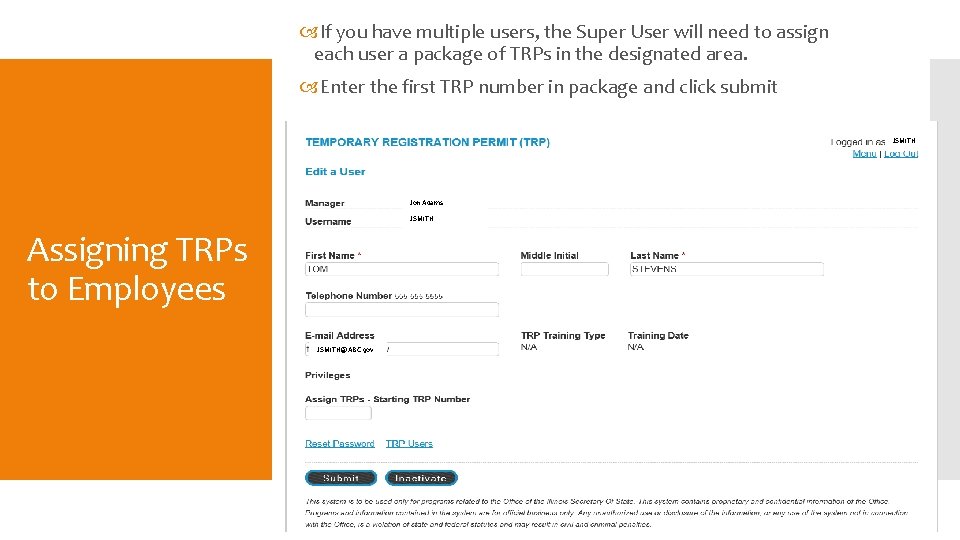
If you have multiple users, the Super User will need to assign each user a package of TRPs in the designated area. Enter the first TRP number in package and click submit JSMITH Jon Adams JSMITH Assigning TRPs to Employees JSMITH@ABC. gov
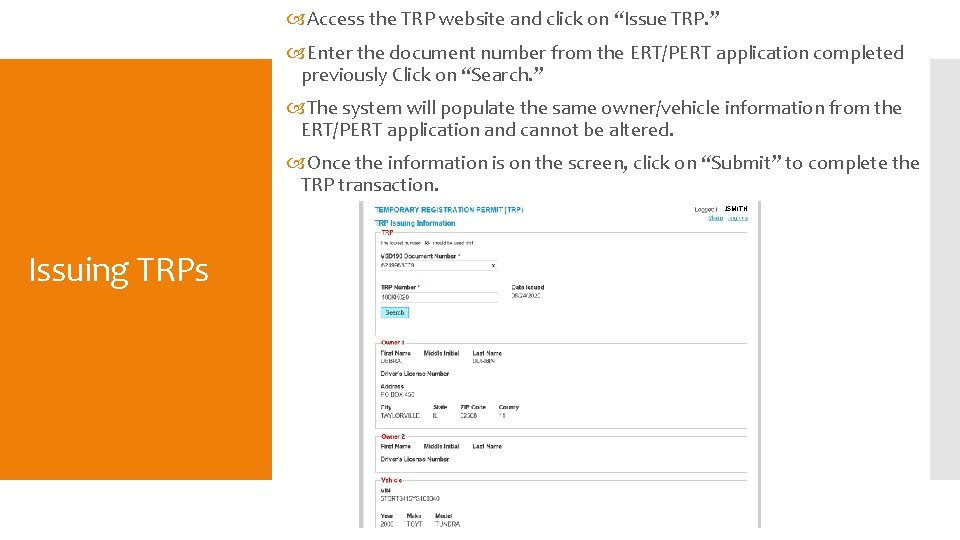
Access the TRP website and click on “Issue TRP. ” Enter the document number from the ERT/PERT application completed previously Click on “Search. ” The system will populate the same owner/vehicle information from the ERT/PERT application and cannot be altered. Once the information is on the screen, click on “Submit” to complete the TRP transaction. JSMITH Issuing TRPs
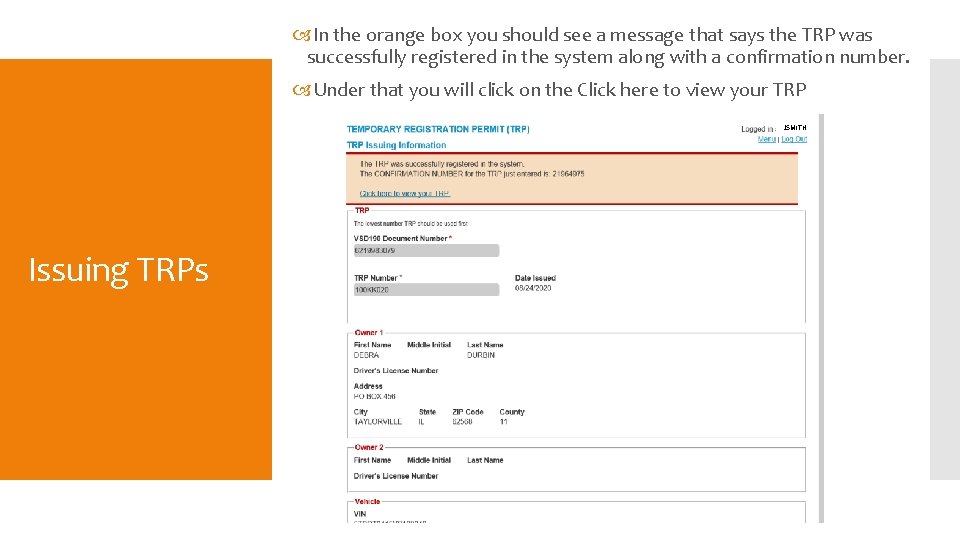
In the orange box you should see a message that says the TRP was successfully registered in the system along with a confirmation number. Under that you will click on the Click here to view your TRP JSMITH Issuing TRPs
When loading the TRP in the printer, put it face down with the perforation on left Printing TRPs
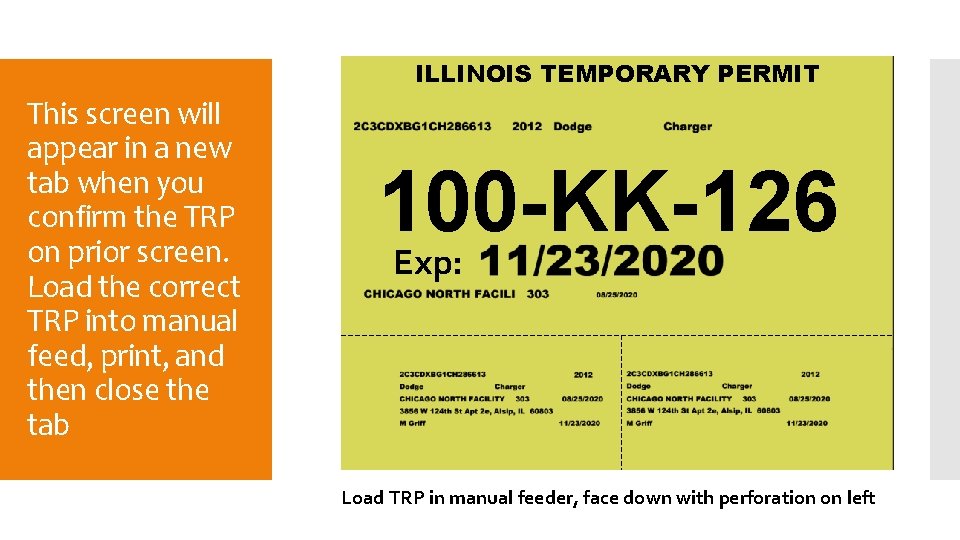
ILLINOIS TEMPORARY PERMIT This screen will appear in a new tab when you confirm the TRP on prior screen. Load the correct TRP into manual feed, print, and then close the tab 100 -KK-126 Exp: Load TRP in manual feeder, face down with perforation on left
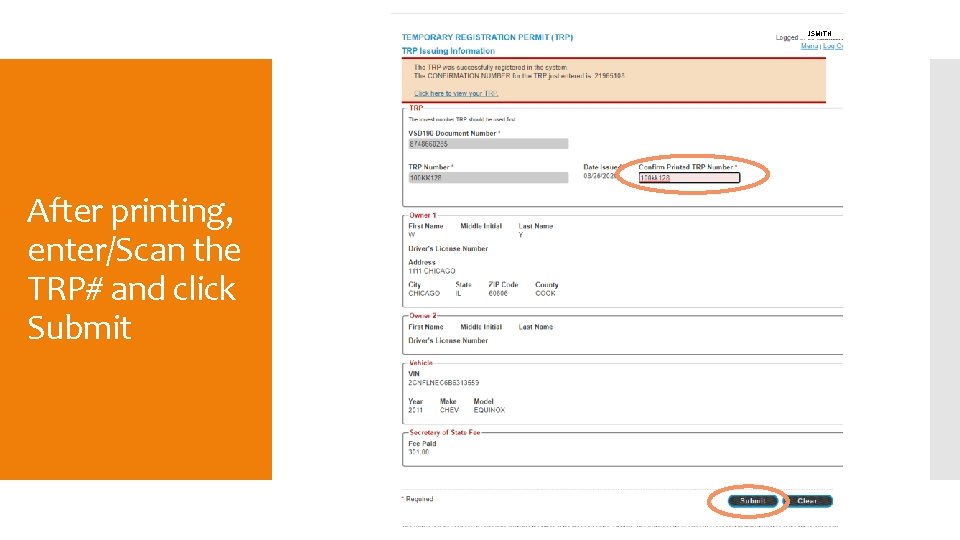
JSMITH After printing, enter/Scan the TRP# and click Submit
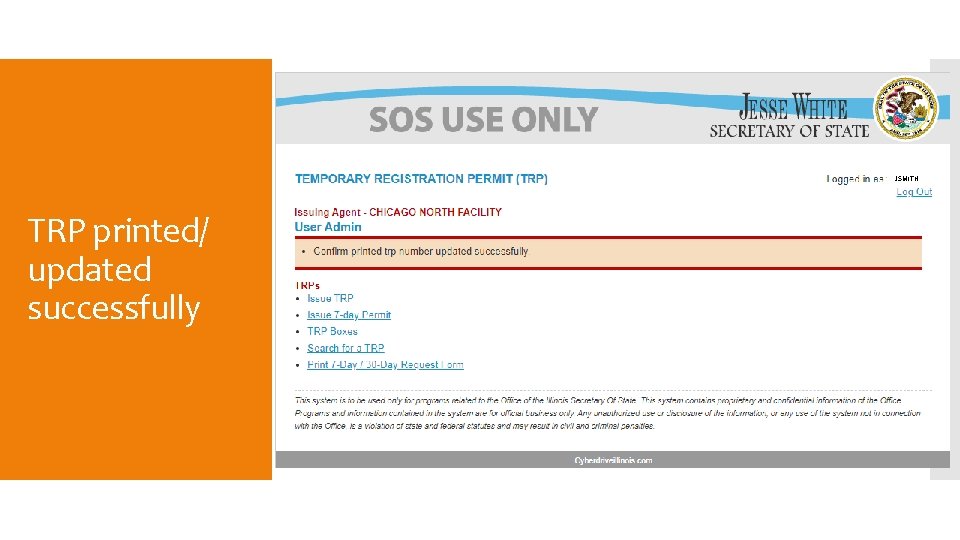
JSMITH TRP printed/ updated successfully
Tear off bottom portions and give the Owner Copy to customer and keep Agent Copy for your records
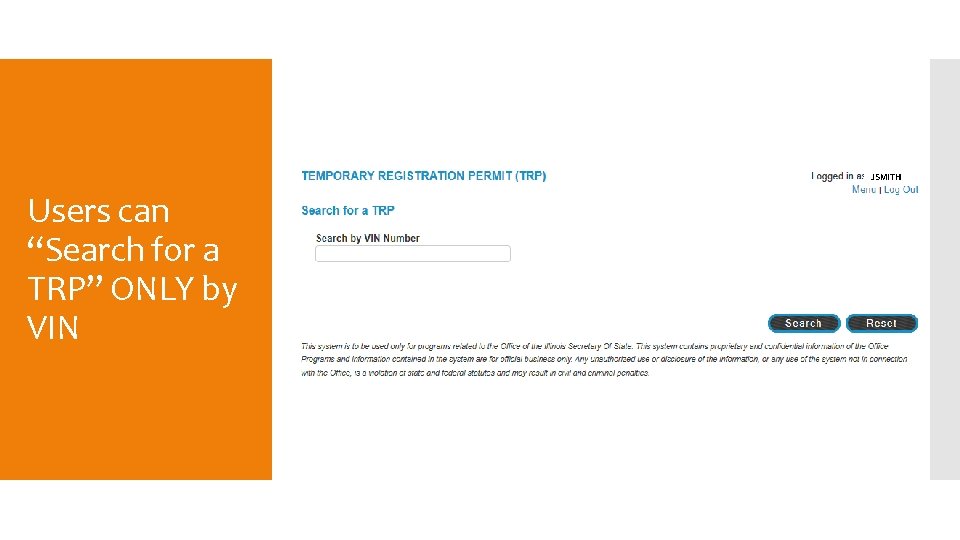
JSMITH Users can “Search for a TRP” ONLY by VIN
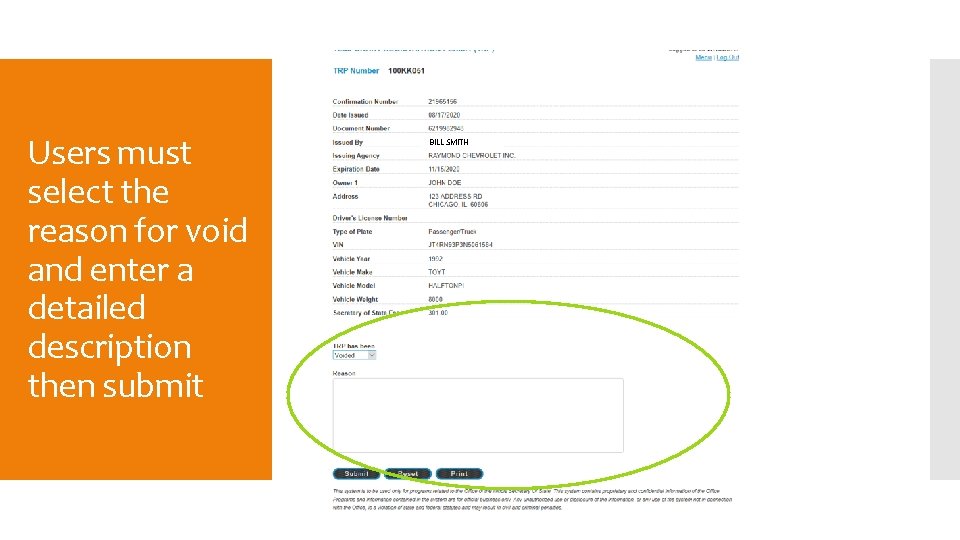
Users must select the reason for void and enter a detailed description then submit BILL SMITH
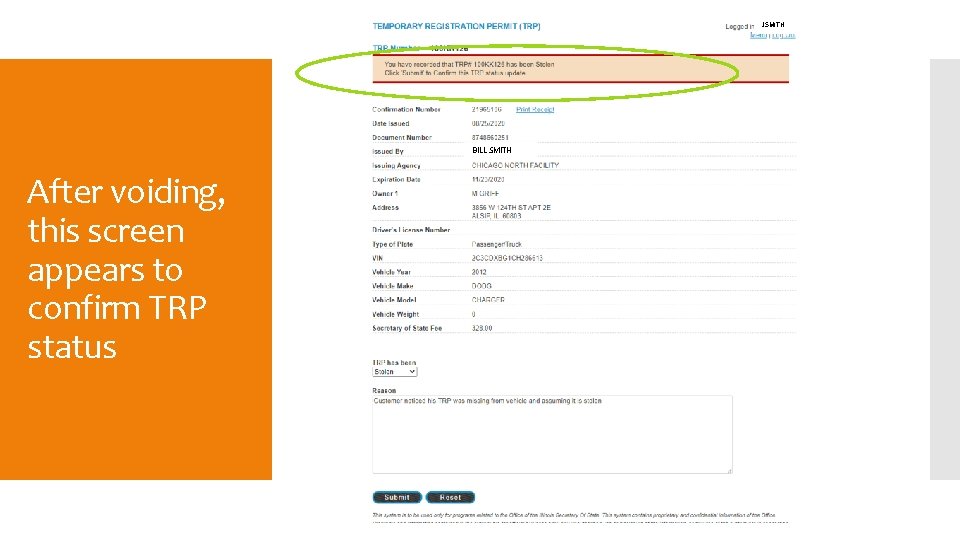
JSMITH BILL SMITH After voiding, this screen appears to confirm TRP status
Prepare a manila envelope for each package of 25 to store receipts and voided TRPs to assist with inventory/audits TRPs must be stored in a secure area Superuser must confirm DAILY TRPs are issued in sequential order and voided properly Storage & Voids Management must return all voided TRPs MONTHLY to: Howlett Building Room 414 Springfield, IL 62756 217 -524 -4329
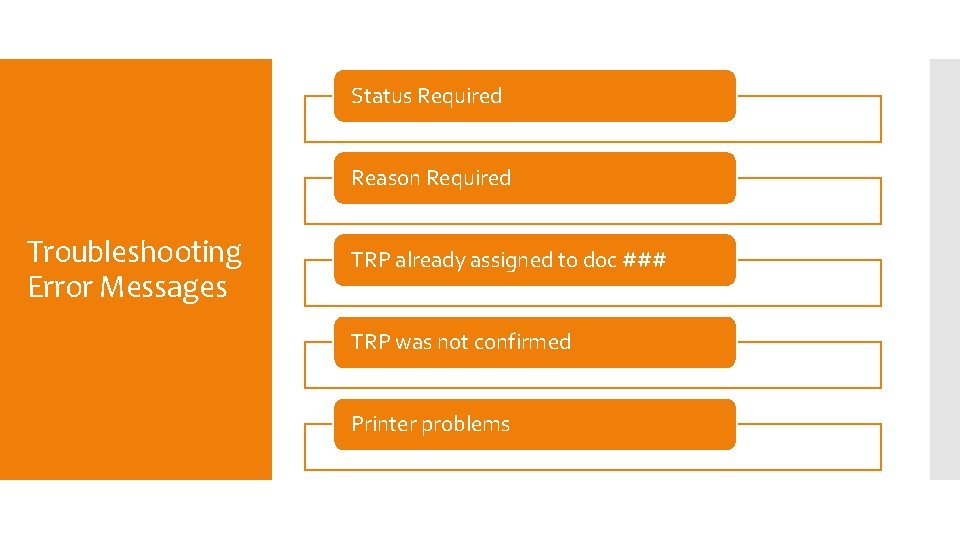
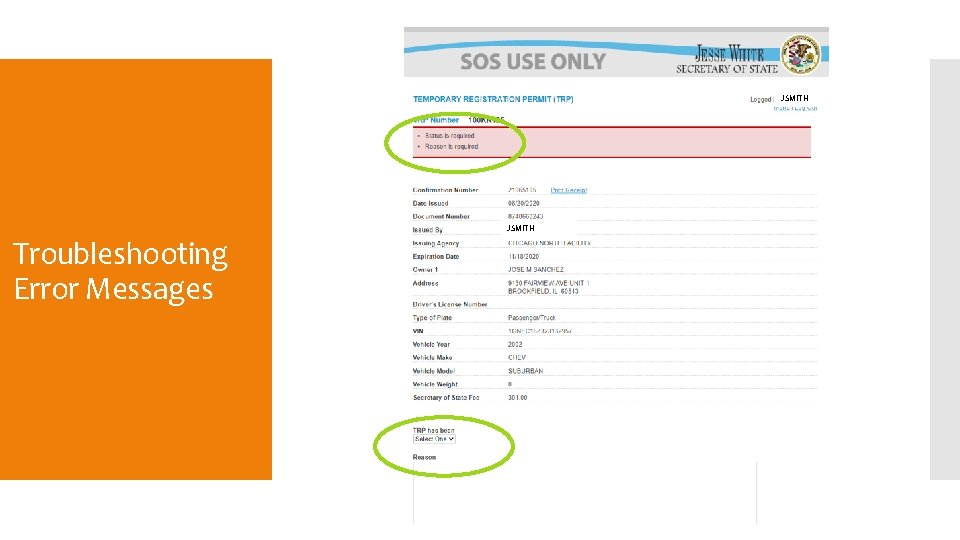
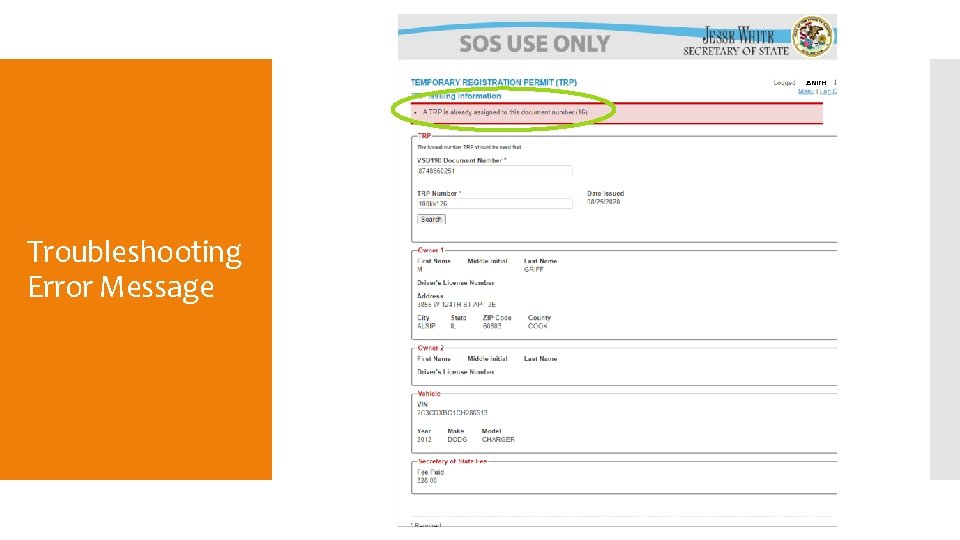
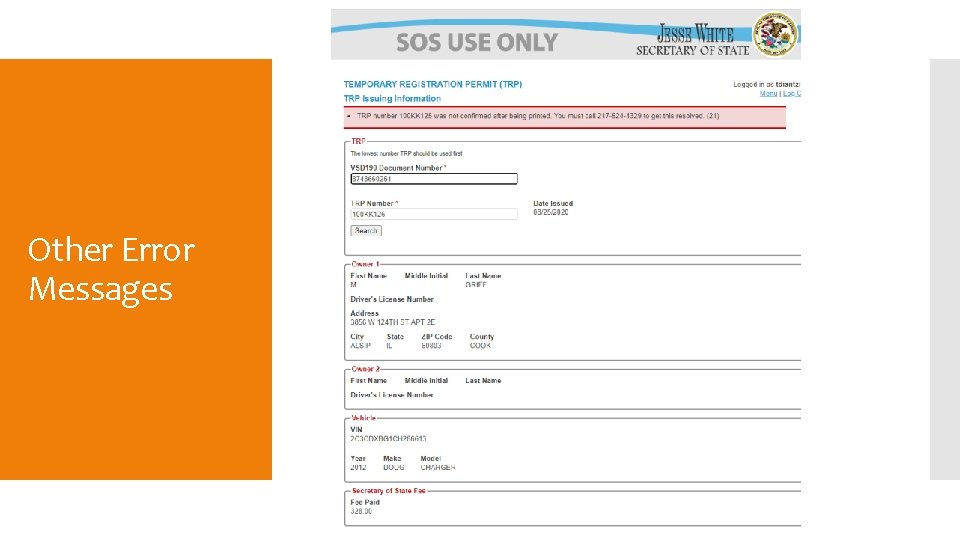
Status Required Reason Required Troubleshooting Error Messages TRP already assigned to doc ### TRP was not confirmed Printer problems
JSMITH Troubleshooting Error Messages
JSMITH Troubleshooting Error Message
Other Error Messages
Questions & Concerns TRP Hotline: 217 -524 -4329