
New Bus Prep Work Order Use this transaction
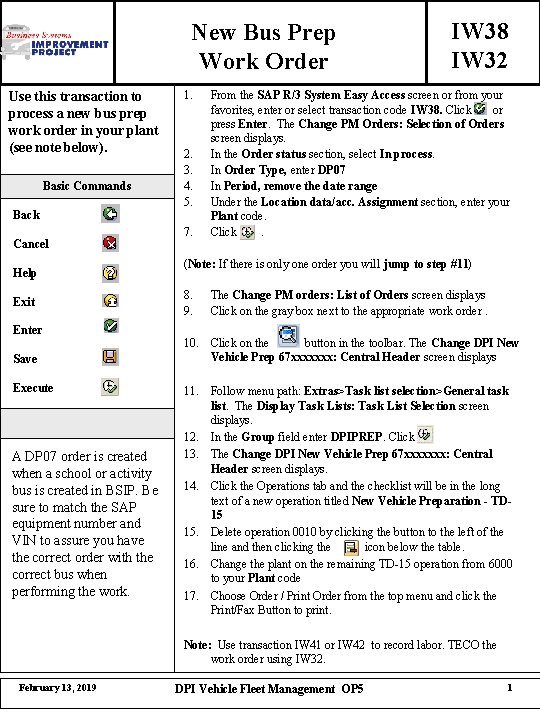
New Bus Prep Work Order Use this transaction to process a new bus prep work order in your plant (see note below). Basic Commands 1. 2. 3. 4. 5. Back Cancel Help Exit Enter Save Execute A DP 07 order is created when a school or activity bus is created in BSIP. Be sure to match the SAP equipment number and VIN to assure you have the correct order with the correct bus when performing the work. 7. IW 38 IW 32 From the SAP R/3 System Easy Access screen or from your favorites, enter or select transaction code IW 38. Click or press Enter. The Change PM Orders: Selection of Orders screen displays. In the Order status section, select In process. In Order Type, enter DP 07 In Period, remove the date range Under the Location data/acc. Assignment section, enter your Plant code. Click. (Note: If there is only one order you will jump to step #11) 8. 9. The Change PM orders: List of Orders screen displays Click on the gray box next to the appropriate work order. 10. Click on the button in the toolbar. The Change DPI New Vehicle Prep 67 xxxxxxx: Central Header screen displays 11. Follow menu path: Extras>Task list selection>General task list. The Display Task Lists: Task List Selection screen displays. 12. In the Group field enter DPIPREP. Click 13. The Change DPI New Vehicle Prep 67 xxxxxxx: Central Header screen displays. 14. Click the Operations tab and the checklist will be in the long text of a new operation titled New Vehicle Preparation - TD 15 15. Delete operation 0010 by clicking the button to the left of the line and then clicking the icon below the table. 16. Change the plant on the remaining TD-15 operation from 6000 to your Plant code 17. Choose Order / Print Order from the top menu and click the Print/Fax Button to print. Note: Use transaction IW 41 or IW 42 to record labor. TECO the work order using IW 32. February 13, 2019 DPI Vehicle Fleet Management OP 5 1
- Slides: 1