
New April 2019 FUJITSU GENERAL LIMITED Copyright 2018

- Slides: 20
New April 2019 FUJITSU GENERAL LIMITED Copyright 2018 FUJITSU GENERAL LIMITED
Contents n Product specifications n Concept n Product features n Function list n Difference with current application n Settings n Demonstration of New FGLair n Schedule n Field trial schedule n Release date 1 Copyright 2018 FUJITSU GENERAL LIMITED
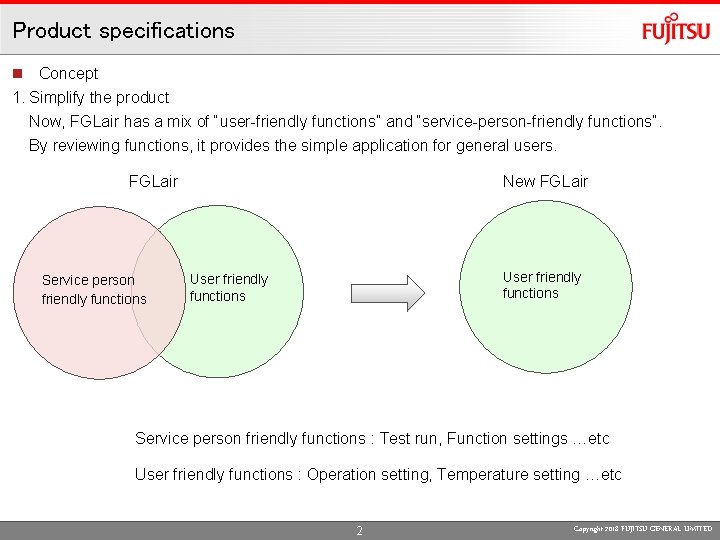
Product specifications n Concept 1. Simplify the product Now, FGLair has a mix of “user-friendly functions” and “service-person-friendly functions”. By reviewing functions, it provides the simple application for general users. FGLair Service person friendly functions New FGLair User friendly functions Service person friendly functions : Test run, Function settings …etc User friendly functions : Operation setting, Temperature setting …etc 2 Copyright 2018 FUJITSU GENERAL LIMITED
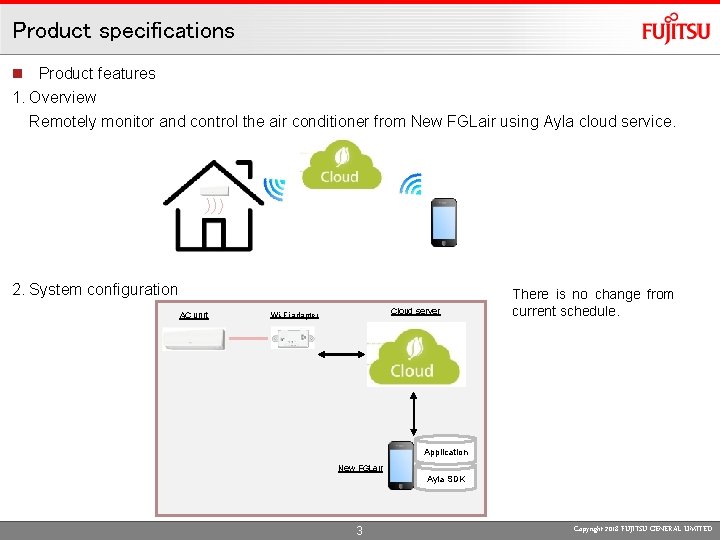
Product specifications n Product features 1. Overview Remotely monitor and control the air conditioner from New FGLair using Ayla cloud service. 2. System configuration AC unit Cloud server Wi-Fi adapter There is no change from current schedule. Application New FGLair Ayla SDK 3 Copyright 2018 FUJITSU GENERAL LIMITED
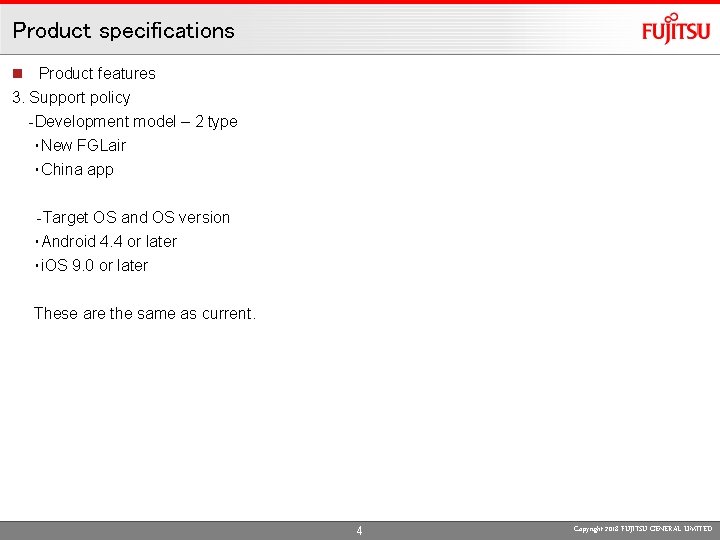
Product specifications n Product features 3. Support policy -Development model – 2 type ・New FGLair ・China app -Target OS and OS version ・Android 4. 4 or later ・i. OS 9. 0 or later These are the same as current. 4 Copyright 2018 FUJITSU GENERAL LIMITED
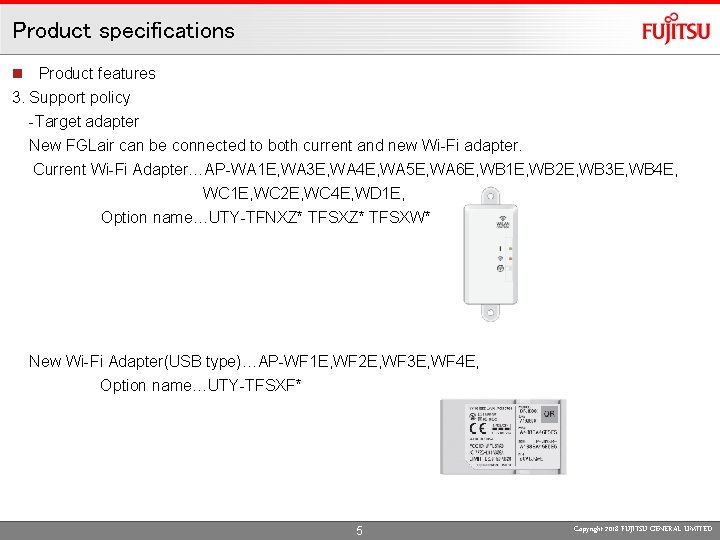
Product specifications n Product features 3. Support policy -Target adapter New FGLair can be connected to both current and new Wi-Fi adapter. Current Wi-Fi Adapter…AP-WA 1 E, WA 3 E, WA 4 E, WA 5 E, WA 6 E, WB 1 E, WB 2 E, WB 3 E, WB 4 E, WC 1 E, WC 2 E, WC 4 E, WD 1 E, Option name…UTY-TFNXZ* TFSXW* New Wi-Fi Adapter(USB type)…AP-WF 1 E, WF 2 E, WF 3 E, WF 4 E, Option name…UTY-TFSXF* 5 Copyright 2018 FUJITSU GENERAL LIMITED
Contents n Product specifications n Concept n Product features n Function list n Difference with current application n Settings n Demonstration of New FGLair n Schedule n Field trial schedule n Release date 6 Copyright 2018 FUJITSU GENERAL LIMITED
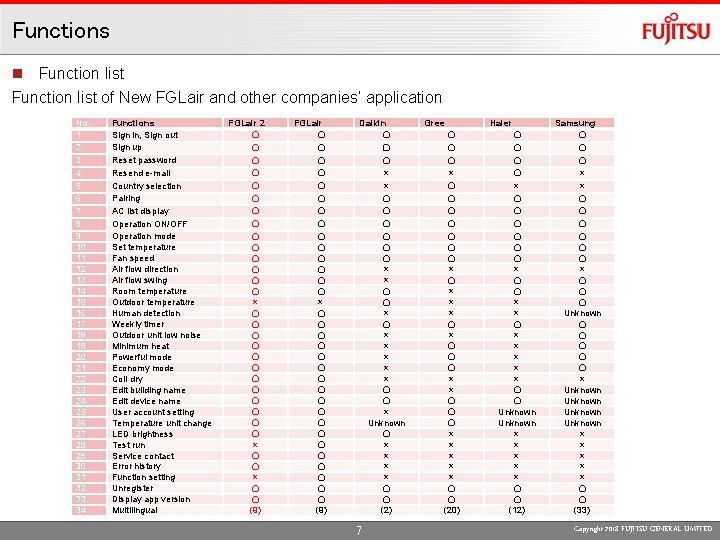
Functions n Function list of New FGLair and other companies’ application No. 1 2 3 4 5 6 7 8 9 10 11 12 13 14 15 16 17 18 19 20 21 22 23 24 25 26 27 28 29 30 31 32 33 34 Functions Sign in, Sign out Sign up Reset password Resend e-mail Country selection Pairing AC list display Operation ON/OFF Operation mode Set temperature Fan speed Air flow direction Air flow swing Room temperature Outdoor temperature Human detection Weekly timer Outdoor unit low noise Minimum heat Powerful mode Economy mode Coil dry Edit building name Edit device name User account setting Temperature unit change LED brightness Test run Service contact Error history Function setting Unregister Display app version Multilingual FGLair 2 〇 〇 〇 〇 × 〇 〇 〇 × 〇 〇 (9) FGLair 〇 〇 〇 〇 × 〇 〇 〇 〇 〇 (9) Daikin 〇 〇 〇 × × 〇 〇 × × × 〇 〇 × Unknown 〇 × × 〇 〇 (2) 7 Gree 〇 〇 〇 × 〇 〇 〇 〇 × × × 〇 〇 〇 × × × 〇 〇 (20) Haier 〇 〇 〇 〇 × × 〇 × × × 〇 〇 Unknown × × × 〇 〇 (12) Samsung 〇 〇 〇 × × 〇 〇 〇 Unknown 〇 〇 〇 × Unknown × × × 〇 〇 (33) Copyright 2018 FUJITSU GENERAL LIMITED
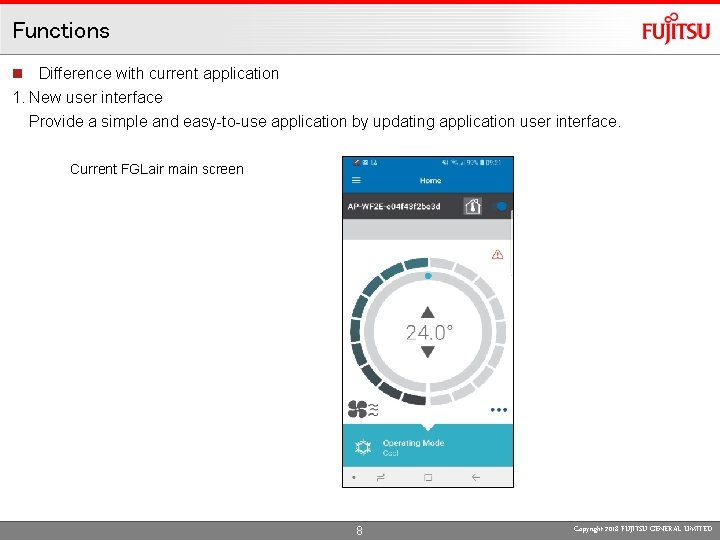
Functions n Difference with current application 1. New user interface Provide a simple and easy-to-use application by updating application user interface. Current FGLair main screen 8 Copyright 2018 FUJITSU GENERAL LIMITED
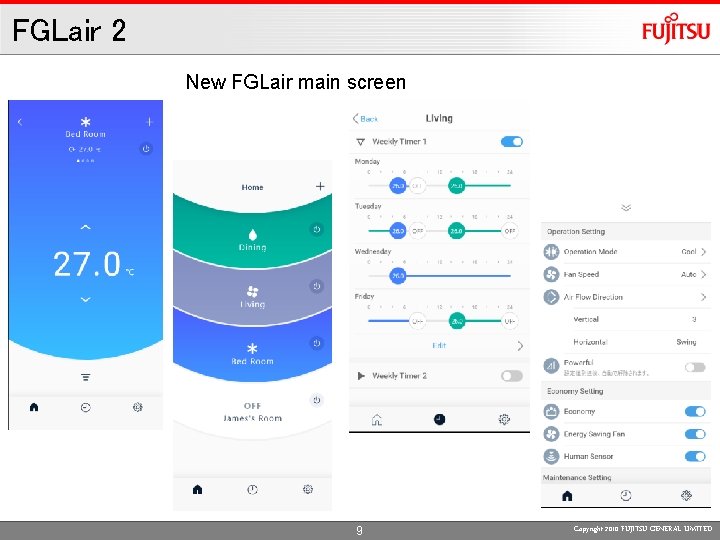
FGLair 2 New FGLair main screen 9 Copyright 2010 FUJITSU GENERAL LIMITED
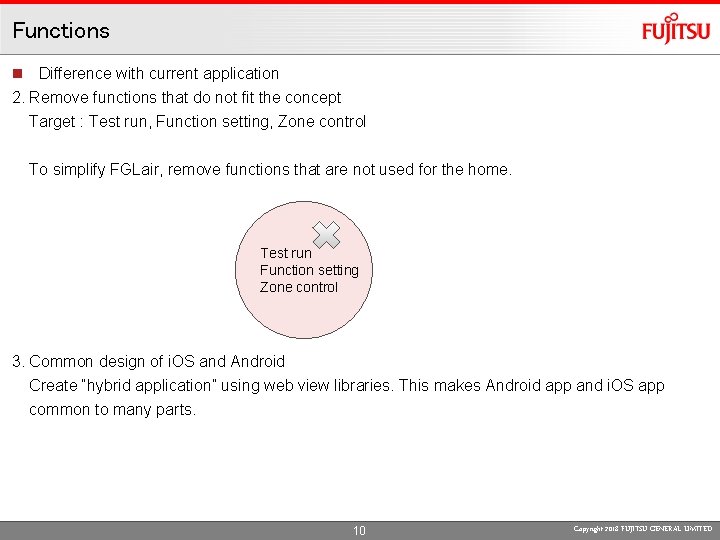
Functions n Difference with current application 2. Remove functions that do not fit the concept Target : Test run, Function setting, Zone control To simplify FGLair, remove functions that are not used for the home. Test run Function setting Zone control 3. Common design of i. OS and Android Create “hybrid application” using web view libraries. This makes Android app and i. OS app common to many parts. 10 Copyright 2018 FUJITSU GENERAL LIMITED
Contents n Product specifications n Concept n Product features n Function list n Difference with current application n Settings n Demonstration of New FGLair n Schedule n Field trial schedule n Release date 11 Copyright 2018 FUJITSU GENERAL LIMITED
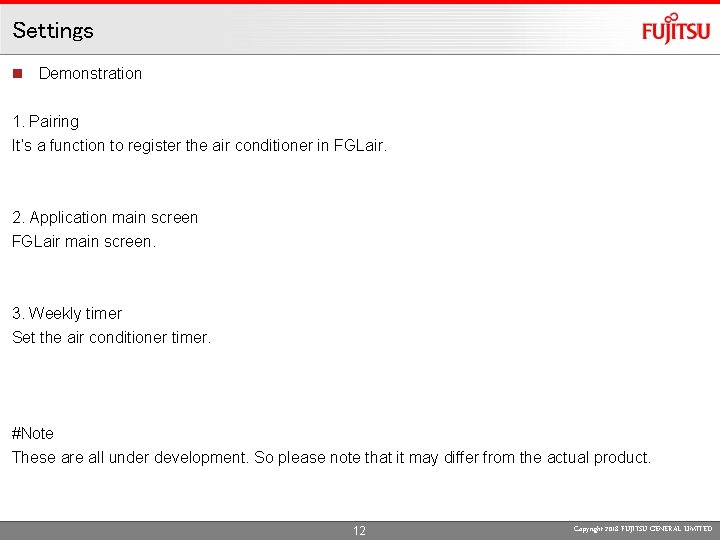
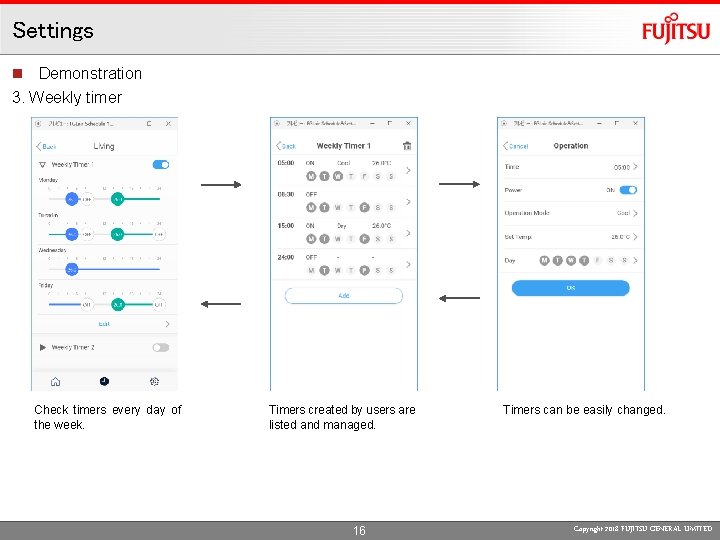
Settings n Demonstration 1. Pairing It’s a function to register the air conditioner in FGLair. 2. Application main screen FGLair main screen. 3. Weekly timer Set the air conditioner timer. #Note These are all under development. So please note that it may differ from the actual product. 12 Copyright 2018 FUJITSU GENERAL LIMITED
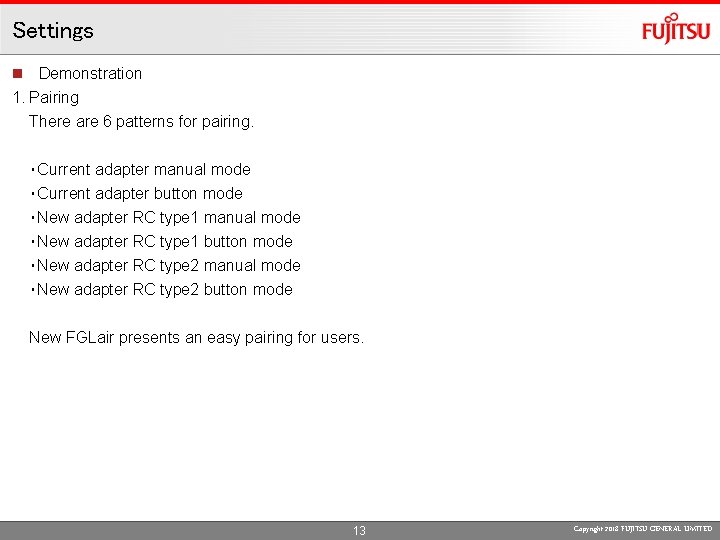
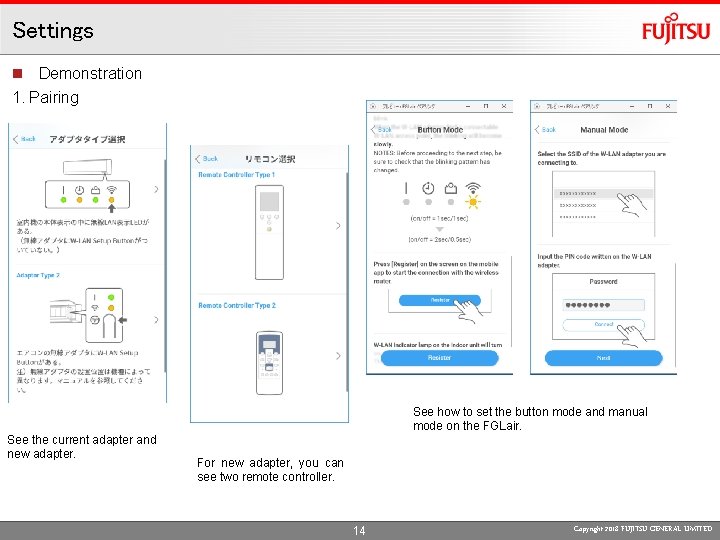
Settings n Demonstration 1. Pairing There are 6 patterns for pairing. ・Current adapter manual mode ・Current adapter button mode ・New adapter RC type 1 manual mode ・New adapter RC type 1 button mode ・New adapter RC type 2 manual mode ・New adapter RC type 2 button mode New FGLair presents an easy pairing for users. 13 Copyright 2018 FUJITSU GENERAL LIMITED
Settings n Demonstration 1. Pairing See how to set the button mode and manual mode on the FGLair. See the current adapter and new adapter. For new adapter, you can see two remote controller. 14 Copyright 2018 FUJITSU GENERAL LIMITED
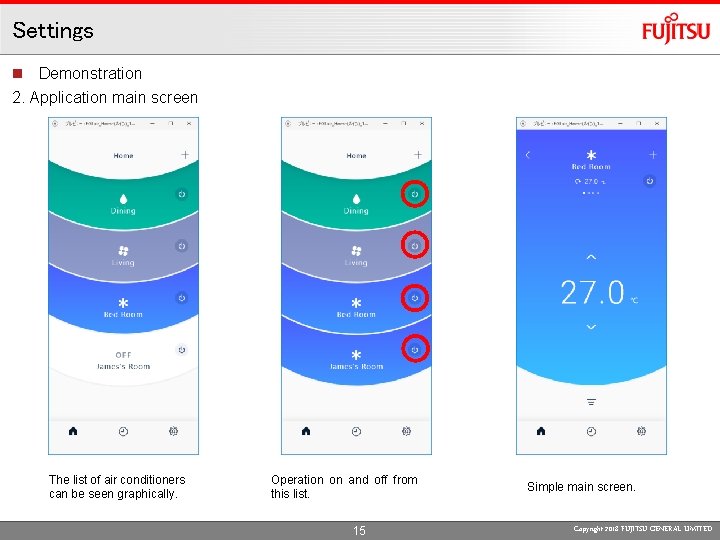
Settings n Demonstration 2. Application main screen The list of air conditioners can be seen graphically. Operation on and off from this list. 15 Simple main screen. Copyright 2018 FUJITSU GENERAL LIMITED
Settings n Demonstration 3. Weekly timer Check timers every day of the week. Timers created by users are listed and managed. 16 Timers can be easily changed. Copyright 2018 FUJITSU GENERAL LIMITED
Contents n Product specifications n Concept n Product features n Function list n Difference with current application n Settings n Demonstration of New FGLair n Schedule n Field trial schedule n Release date 17 Copyright 2018 FUJITSU GENERAL LIMITED
Schedule n Field trial 1. Test schedule 27. 5. 2019 – 7. 6. 2019 2. Target area FG EURO FG AI FG AUST FG (Shanghai) 3. Test contents Now planning. #Note We will get back to you later about test details. n Release Scheduled for release in July 2019. 18 Copyright 2018 FUJITSU GENERAL LIMITED