
NEVADA STUDENT ASSESSMENTS SPRING 2020 Science Summative Smarter

- Slides: 76
NEVADA STUDENT ASSESSMENTS SPRING 2020 Science, Summative (Smarter Balanced), and Alternate Assessments Department of Assessment, February 2020
HOUSEKEEPING: ONLINE MEETING In order to mark attendance for this online meeting, we need to know that you are participating. 1. Type your name in the chat box and let us know you are here! 2. If you are viewing this as a group, type in the names of all who are in attendance. 2
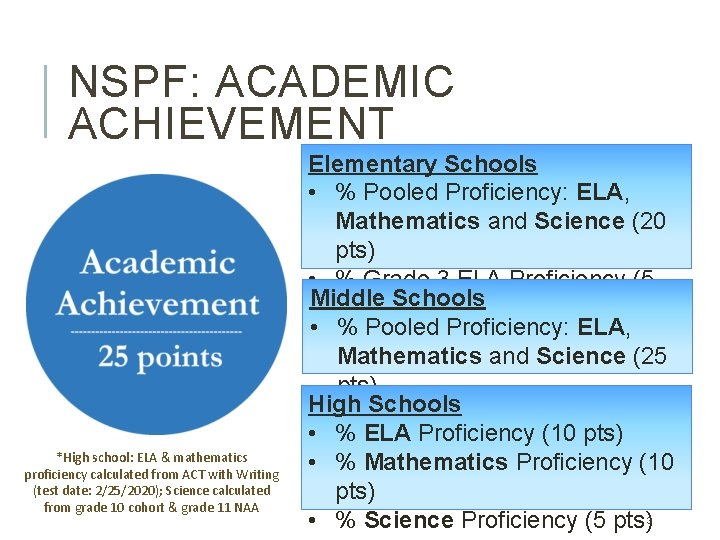
NSPF: ACADEMIC ACHIEVEMENT *High school: ELA & mathematics proficiency calculated from ACT with Writing (test date: 2/25/2020); Science calculated from grade 10 cohort & grade 11 NAA Elementary Schools • % Pooled Proficiency: ELA, Mathematics and Science (20 pts) • % Grade 3 ELA Proficiency (5 Middle pts) Schools • % Pooled Proficiency: ELA, Mathematics and Science (25 pts) High Schools • % ELA Proficiency (10 pts) • % Mathematics Proficiency (10 pts) • % Science Proficiency (5 pts)3
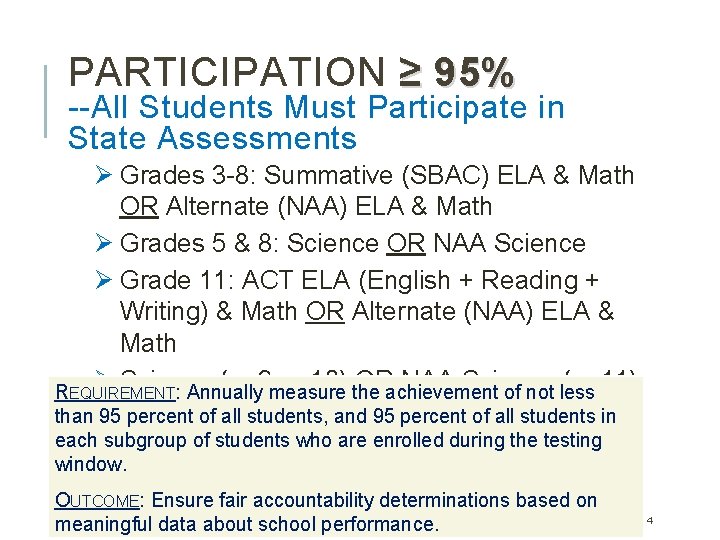
PARTICIPATION ≥ 95% --All Students Must Participate in State Assessments Ø Grades 3 -8: Summative (SBAC) ELA & Math OR Alternate (NAA) ELA & Math Ø Grades 5 & 8: Science OR NAA Science Ø Grade 11: ACT ELA (English + Reading + Writing) & Math OR Alternate (NAA) ELA & Math Ø Science (gr 9 or 10) OR NAA Science (gr 11) REQUIREMENT: Annually measure the achievement of not less than 95 percent of all students, and 95 percent of all students in each subgroup of students who are enrolled during the testing window. OUTCOME: Ensure fair accountability determinations based on meaningful data about school performance. 4
COMMUNICATE ABOUT TESTING Ø Notify parents/guardians of participating students, and affected students, at least one month prior. Ø Schools should utilize multiple modes of communication (e. g. phone, email, newsletter). 5
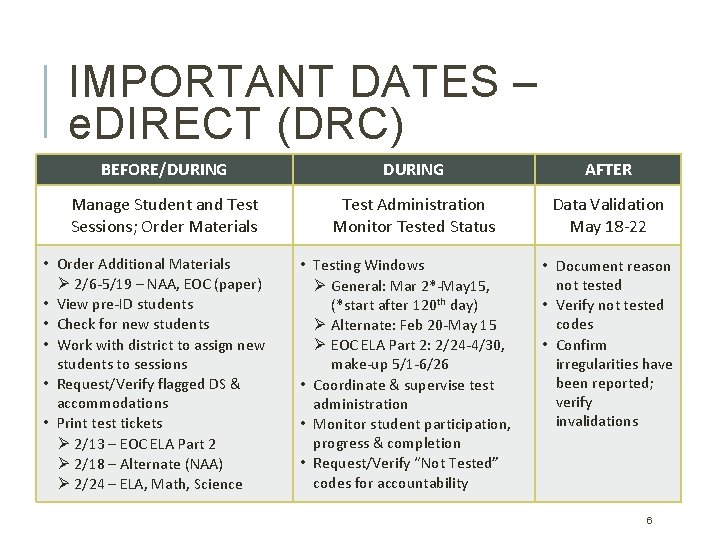
IMPORTANT DATES – e. DIRECT (DRC) BEFORE/DURING AFTER Manage Student and Test Sessions; Order Materials Test Administration Monitor Tested Status Data Validation May 18 -22 • Order Additional Materials Ø 2/6 -5/19 – NAA, EOC (paper) • View pre-ID students • Check for new students • Work with district to assign new students to sessions • Request/Verify flagged DS & accommodations • Print test tickets Ø 2/13 – EOC ELA Part 2 Ø 2/18 – Alternate (NAA) Ø 2/24 – ELA, Math, Science • Testing Windows Ø General: Mar 2*-May 15, (*start after 120 th day) Ø Alternate: Feb 20 -May 15 Ø EOC ELA Part 2: 2/24 -4/30, make-up 5/1 -6/26 • Coordinate & supervise test administration • Monitor student participation, progress & completion • Request/Verify “Not Tested” codes for accountability • Document reason not tested • Verify not tested codes • Confirm irregularities have been reported; verify invalidations 6
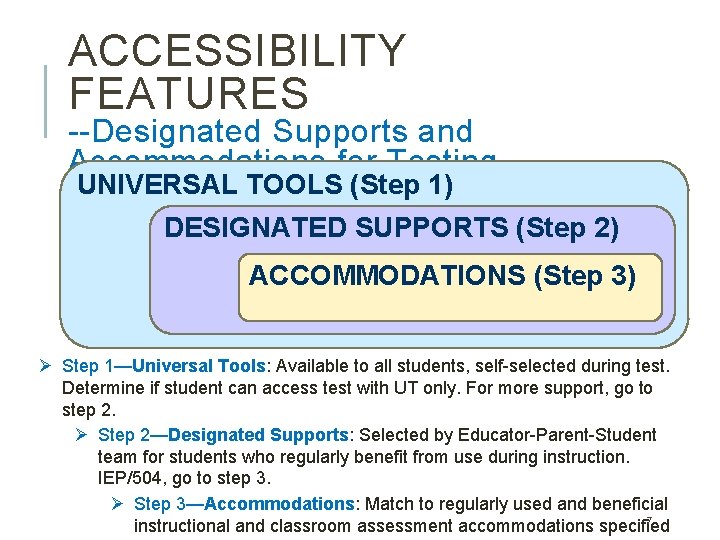
ACCESSIBILITY FEATURES --Designated Supports and Accommodations for Testing UNIVERSAL TOOLS (Step 1) DESIGNATED SUPPORTS (Step 2) ACCOMMODATIONS (Step 3) Ø Step 1—Universal Tools: Available to all students, self-selected during test. Determine if student can access test with UT only. For more support, go to step 2. Ø Step 2—Designated Supports: Selected by Educator-Parent-Student team for students who regularly benefit from use during instruction. IEP/504, go to step 3. Ø Step 3—Accommodations: Match to regularly used and beneficial 7 instructional and classroom assessment accommodations specified
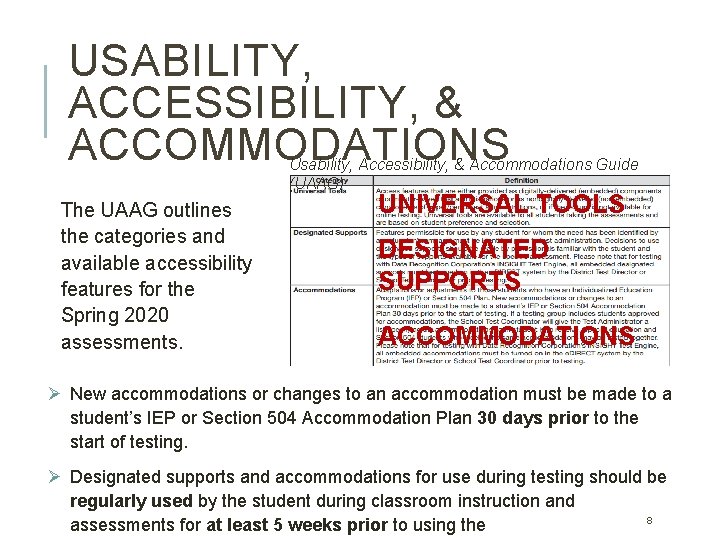
USABILITY, ACCESSIBILITY, & ACCOMMODATIONS Usability, Accessibility, & Accommodations Guide (UAAG) The UAAG outlines the categories and available accessibility features for the Spring 2020 assessments. UNIVERSAL TOOLS DESIGNATED SUPPORTS ACCOMMODATIONS Ø New accommodations or changes to an accommodation must be made to a student’s IEP or Section 504 Accommodation Plan 30 days prior to the start of testing. Ø Designated supports and accommodations for use during testing should be regularly used by the student during classroom instruction and 8 assessments for at least 5 weeks prior to using the
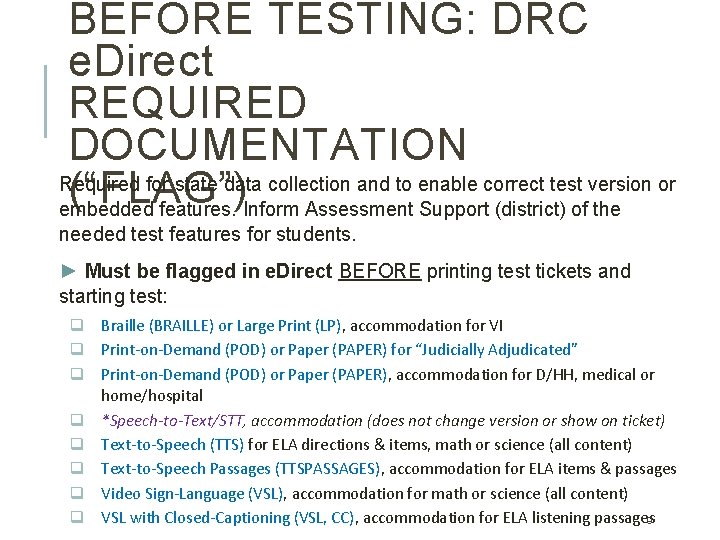
BEFORE TESTING: DRC e. Direct REQUIRED DOCUMENTATION Required for state data collection and to enable correct test version or (“FLAG”) embedded features. Inform Assessment Support (district) of the needed test features for students. ► Must be flagged in e. Direct BEFORE printing test tickets and starting test: q Braille (BRAILLE) or Large Print (LP), accommodation for VI q Print-on-Demand (POD) or Paper (PAPER) for “Judicially Adjudicated” q Print-on-Demand (POD) or Paper (PAPER), accommodation for D/HH, medical or home/hospital q *Speech-to-Text/STT, accommodation (does not change version or show on ticket) q Text-to-Speech (TTS) for ELA directions & items, math or science (all content) q Text-to-Speech Passages (TTSPASSAGES), accommodation for ELA items & passages q Video Sign-Language (VSL), accommodation for math or science (all content) q VSL with Closed-Captioning (VSL, CC), accommodation for ELA listening passages 9
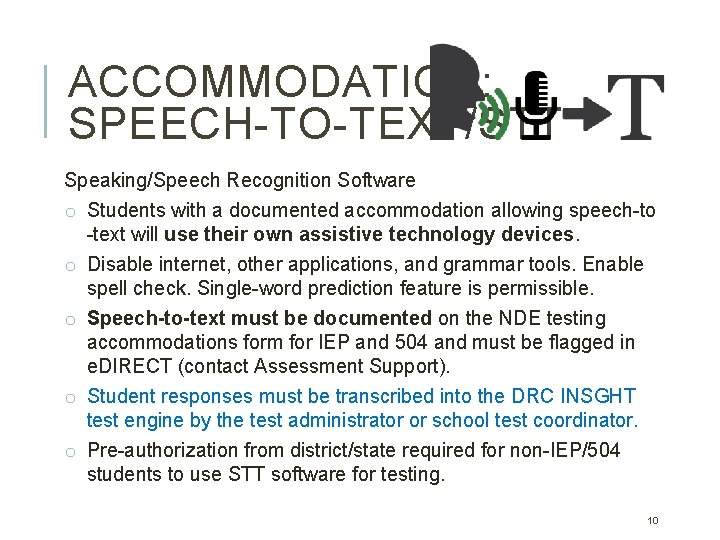
ACCOMMODATION: SPEECH-TO-TEXT/STT Speaking/Speech Recognition Software o Students with a documented accommodation allowing speech-to -text will use their own assistive technology devices. o Disable internet, other applications, and grammar tools. Enable spell check. Single-word prediction feature is permissible. o Speech-to-text must be documented on the NDE testing accommodations form for IEP and 504 and must be flagged in e. DIRECT (contact Assessment Support). o Student responses must be transcribed into the DRC INSGHT test engine by the test administrator or school test coordinator. o Pre-authorization from district/state required for non-IEP/504 students to use STT software for testing. 10
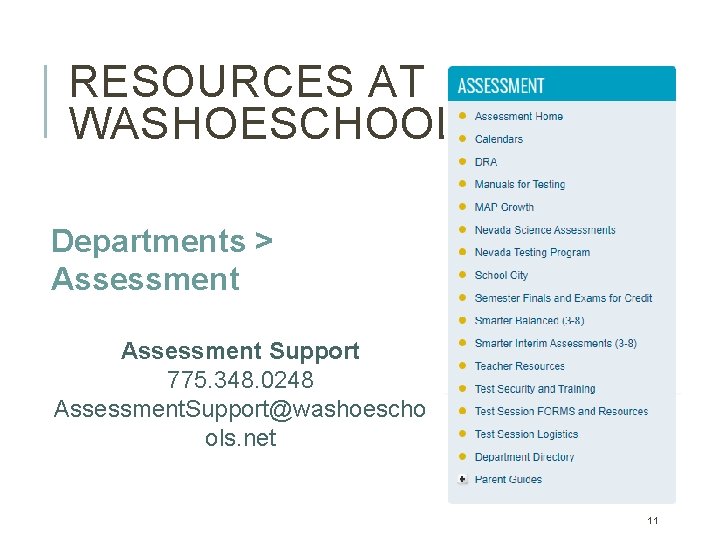
RESOURCES AT WASHOESCHOOLS. NET Departments > Assessment Support 775. 348. 0248 Assessment. Support@washoescho ols. net 11
TEST ADMINISTRATOR Protocols & Procedures for Test Security and Test Administration 12
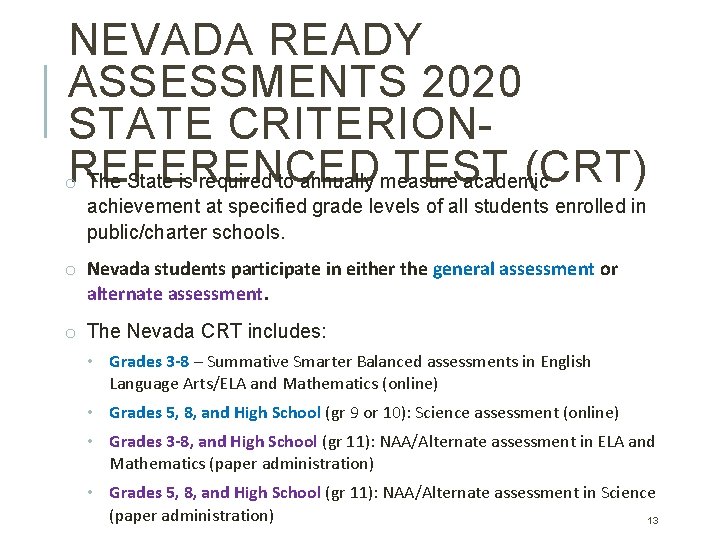
NEVADA READY ASSESSMENTS 2020 STATE CRITERIONTEST (CRT) o. REFERENCED The State is required to annually measure academic achievement at specified grade levels of all students enrolled in public/charter schools. o Nevada students participate in either the general assessment or alternate assessment. o The Nevada CRT includes: • Grades 3 -8 – Summative Smarter Balanced assessments in English Language Arts/ELA and Mathematics (online) • Grades 5, 8, and High School (gr 9 or 10): Science assessment (online) • Grades 3 -8, and High School (gr 11): NAA/Alternate assessment in ELA and Mathematics (paper administration) • Grades 5, 8, and High School (gr 11): NAA/Alternate assessment in Science (paper administration) 13
FORMS & PROTOCOLS FOR TEST ADMINISTRATORS o Test Administrators must be licensed Nevada educators, trained in Nevada test security and test administration procedures. Ø If test administration requires exposure to test content or student responses, a confidentiality agreement must be signed and returned to the school test coordinator prior to testing. Ø Follow procedures provided in the Test Administrator’s Manual, and the Read Aloud, Scribing, or Transcribing Protocol(s). o A confidentiality agreement must be signed by D/HH interpreters 14 and medical caregivers authorized to be in the testing room.
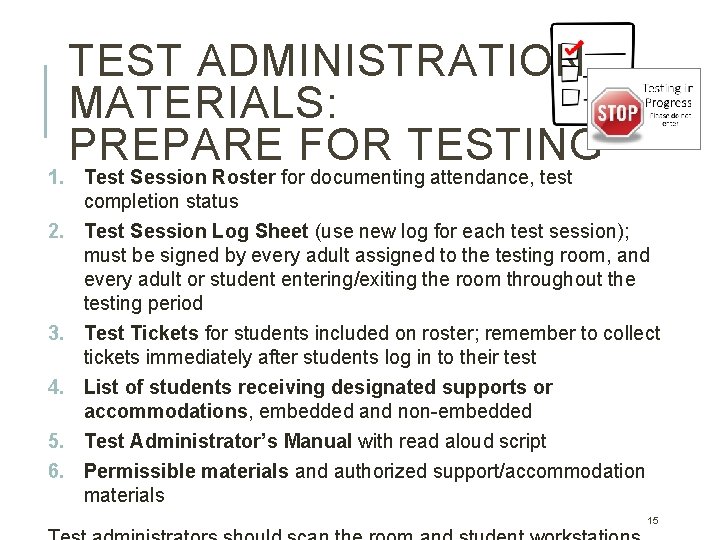
TEST ADMINISTRATION MATERIALS: PREPARE FOR TESTING 1. Test Session Roster for documenting attendance, test completion status 2. Test Session Log Sheet (use new log for each test session); must be signed by every adult assigned to the testing room, and every adult or student entering/exiting the room throughout the testing period 3. Test Tickets for students included on roster; remember to collect tickets immediately after students log in to their test 4. List of students receiving designated supports or accommodations, embedded and non-embedded 5. Test Administrator’s Manual with read aloud script 6. Permissible materials and authorized support/accommodation materials 15
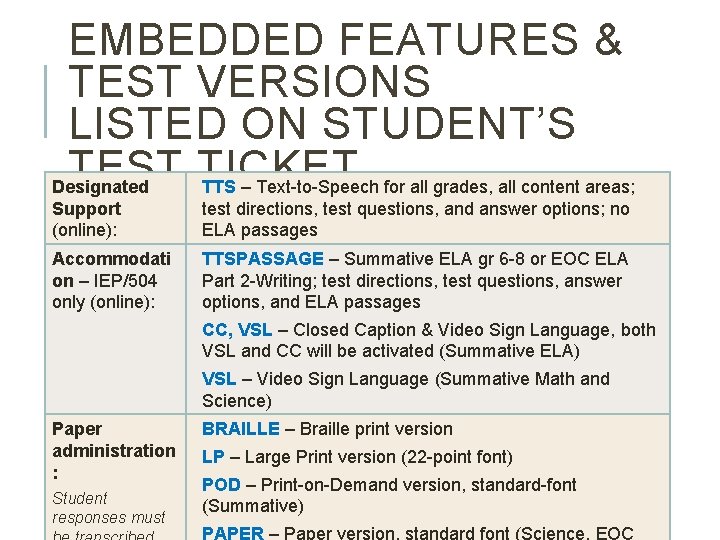
EMBEDDED FEATURES & TEST VERSIONS LISTED ON STUDENT’S TEST TICKET Designated TTS – Text-to-Speech for all grades, all content areas; Support (online): test directions, test questions, and answer options; no ELA passages Accommodati on – IEP/504 only (online): TTSPASSAGE – Summative ELA gr 6 -8 or EOC ELA Part 2 -Writing; test directions, test questions, answer options, and ELA passages CC, VSL – Closed Caption & Video Sign Language, both VSL and CC will be activated (Summative ELA) VSL – Video Sign Language (Summative Math and Science) Paper administration : Student responses must BRAILLE – Braille print version LP – Large Print version (22 -point font) POD – Print-on-Demand version, standard-font (Summative) PAPER – Paper version, standard font (Science, EOC 16
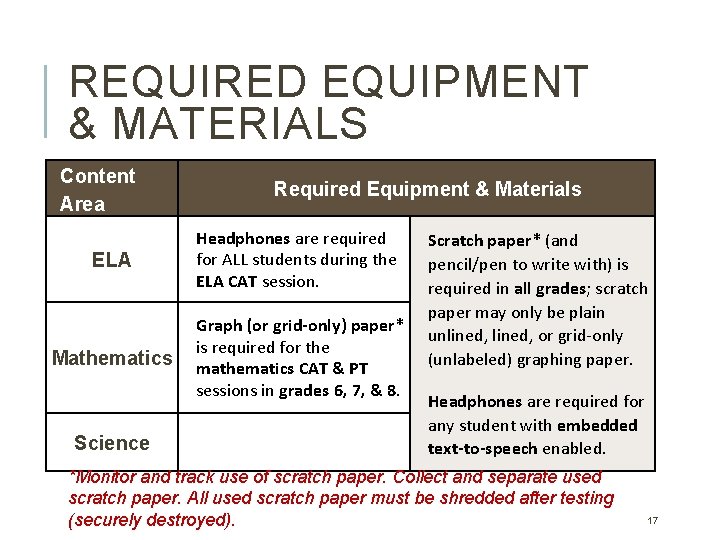
REQUIRED EQUIPMENT & MATERIALS Content Area Required Equipment & Materials ELA Headphones are required for ALL students during the ELA CAT session. Mathematics Graph (or grid-only) paper* is required for the mathematics CAT & PT sessions in grades 6, 7, & 8. Science Scratch paper* (and pencil/pen to write with) is required in all grades; scratch paper may only be plain unlined, or grid-only (unlabeled) graphing paper. Headphones are required for any student with embedded text-to-speech enabled. *Monitor and track use of scratch paper. Collect and separate used scratch paper. All used scratch paper must be shredded after testing (securely destroyed). 17
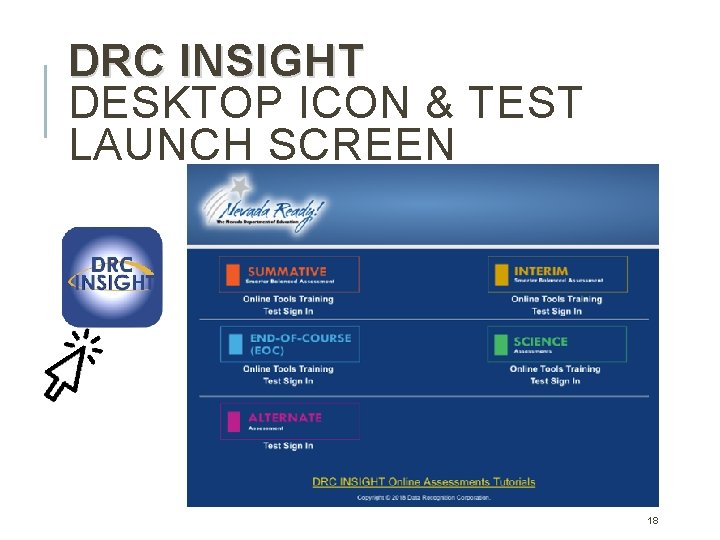
DRC INSIGHT DESKTOP ICON & TEST LAUNCH SCREEN 18
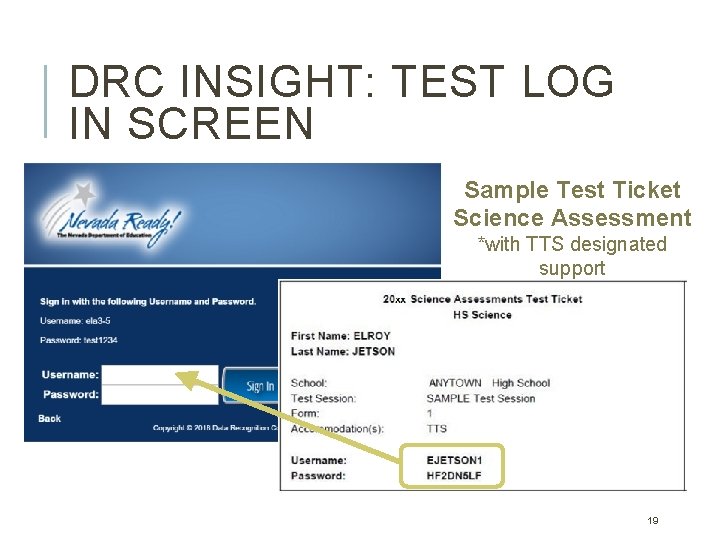
DRC INSIGHT: TEST LOG IN SCREEN Sample Test Ticket Science Assessment *with TTS designated support 19
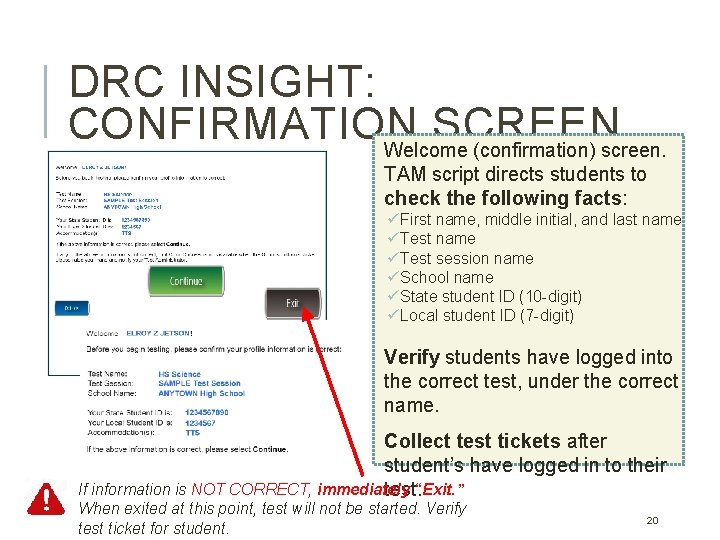
DRC INSIGHT: CONFIRMATION SCREEN Welcome (confirmation) screen. TAM script directs students to check the following facts: üFirst name, middle initial, and last name üTest session name üSchool name üState student ID (10 -digit) üLocal student ID (7 -digit) Verify students have logged into the correct test, under the correct name. Collect test tickets after student’s have logged in to their If information is NOT CORRECT, immediately test. “Exit. ” When exited at this point, test will not be started. Verify test ticket for student. 20
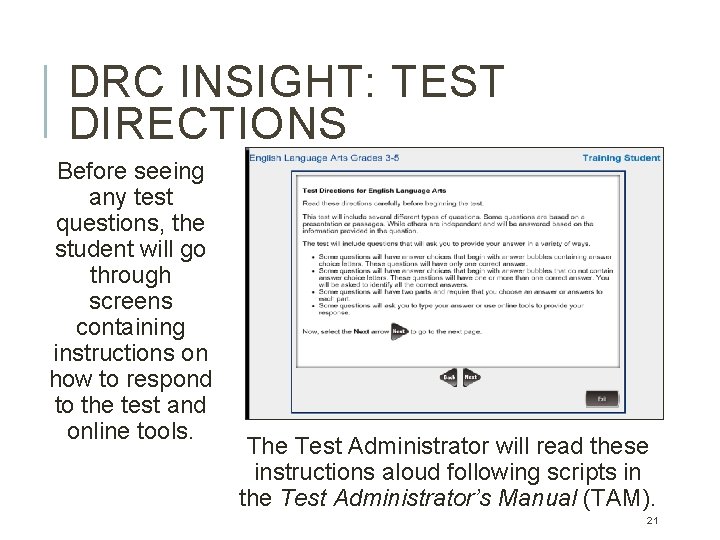
DRC INSIGHT: TEST DIRECTIONS Before seeing any test questions, the student will go through screens containing instructions on how to respond to the test and online tools. The Test Administrator will read these instructions aloud following scripts in the Test Administrator’s Manual (TAM). 21
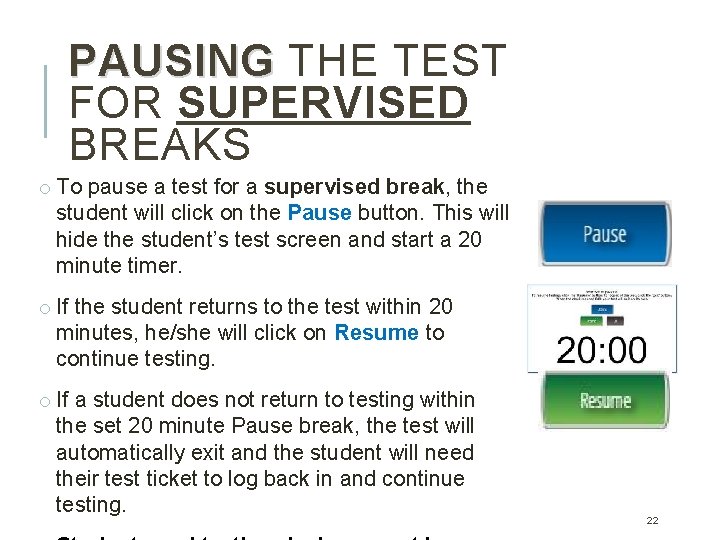
PAUSING THE TEST FOR SUPERVISED BREAKS o To pause a test for a supervised break, the student will click on the Pause button. This will hide the student’s test screen and start a 20 minute timer. o If the student returns to the test within 20 minutes, he/she will click on Resume to continue testing. o If a student does not return to testing within the set 20 minute Pause break, the test will automatically exit and the student will need their test ticket to log back in and continue testing. 22
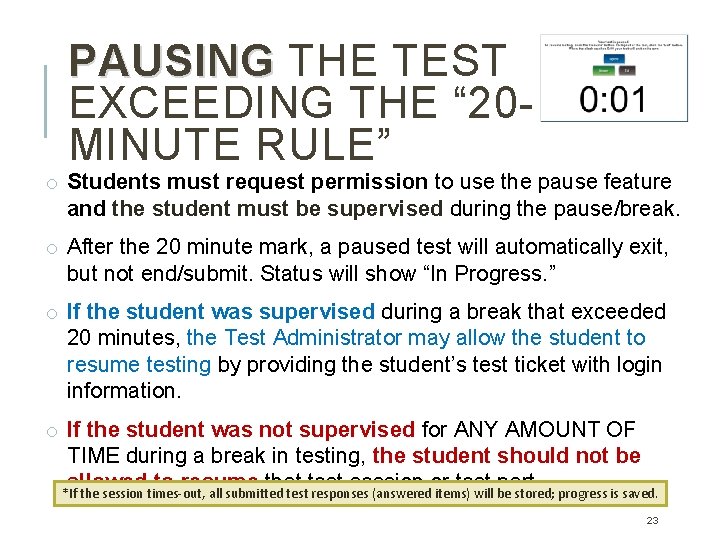
PAUSING THE TEST EXCEEDING THE “ 20 MINUTE RULE” o Students must request permission to use the pause feature and the student must be supervised during the pause/break. o After the 20 minute mark, a paused test will automatically exit, but not end/submit. Status will show “In Progress. ” o If the student was supervised during a break that exceeded 20 minutes, the Test Administrator may allow the student to resume testing by providing the student’s test ticket with login information. o If the student was not supervised for ANY AMOUNT OF TIME during a break in testing, the student should not be allowed to resume that test session or test part. *If the session times-out, all submitted test responses (answered items) will be stored; progress is saved. 23
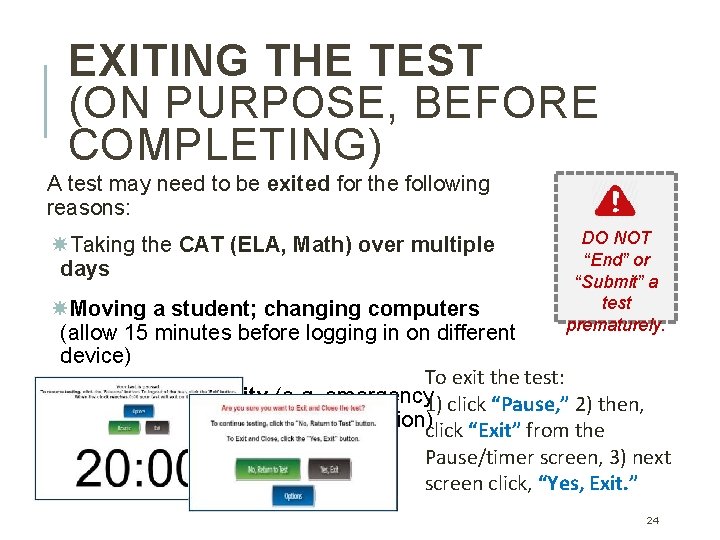
EXITING THE TEST (ON PURPOSE, BEFORE COMPLETING) A test may need to be exited for the following reasons: Taking the CAT (ELA, Math) over multiple days DO NOT “End” or “Submit” a test prematurely. Moving a student; changing computers (allow 15 minutes before logging in on different device) To exit the test: Testing irregularity (e. g. emergency 1) click “Pause, ” 2) then, evacuation, student illness, disruption)click “Exit” from the Pause/timer screen, 3) next screen click, “Yes, Exit. ” 24
GRADES 3 -8: SUMMATIVE ASSESSMENT (SBAC) IN ELA AND MATHEMATICS q Content for the Summative assessments provided by Smarter Balanced. q Blueprints are available for Summative Smarter Balanced assessments: https: //contentexplorer. smarterbalanced. org/testdevelopment#blueprints q Each student must participate in four “test sessions” (2 ELA, 2 Math): ELA Computer Adaptive Test (CAT) – may be given over multiple days ELA Performance Task (PT, 2 parts) – 2 testing periods Math Computer Adaptive Test (CAT) – may be given over multiple days Math Performance Task (PT, 1 part) – 1 testing period q Students receive 1 test ticket for each session (4 total for Summative). 25
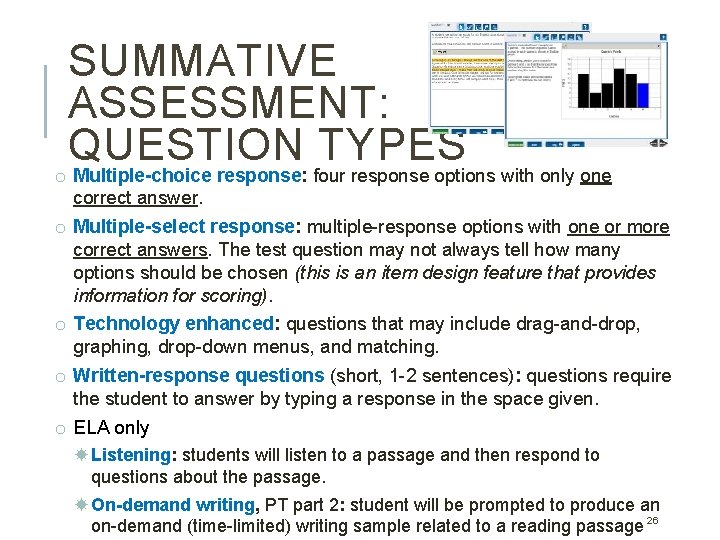
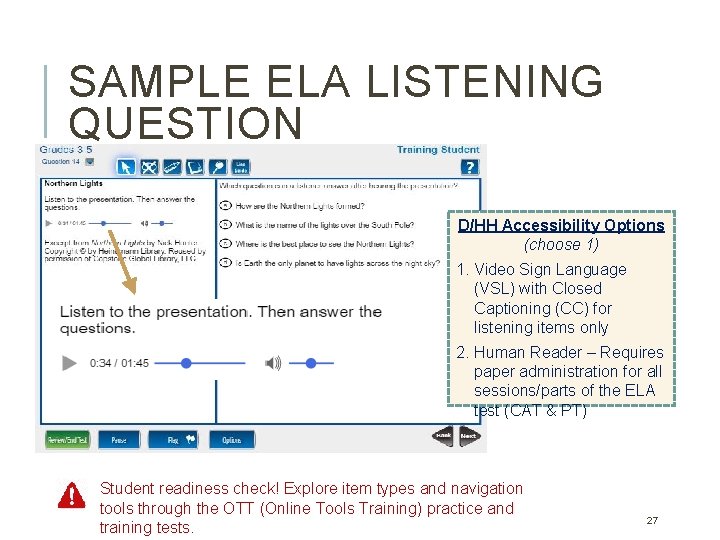
SUMMATIVE ASSESSMENT: QUESTION TYPES o Multiple-choice response: four response options with only one correct answer. o Multiple-select response: multiple-response options with one or more correct answers. The test question may not always tell how many options should be chosen (this is an item design feature that provides information for scoring). o Technology enhanced: questions that may include drag-and-drop, graphing, drop-down menus, and matching. o Written-response questions (short, 1 -2 sentences): questions require the student to answer by typing a response in the space given. o ELA only Listening: students will listen to a passage and then respond to questions about the passage. On-demand writing, PT part 2: student will be prompted to produce an on-demand (time-limited) writing sample related to a reading passage 26
SAMPLE ELA LISTENING QUESTION D/HH Accessibility Options (choose 1) 1. Video Sign Language (VSL) with Closed Captioning (CC) for listening items only 2. Human Reader – Requires paper administration for all sessions/parts of the ELA test (CAT & PT) Student readiness check! Explore item types and navigation tools through the OTT (Online Tools Training) practice and training tests. 27
SUMMATIVE ASSESSMENT: COMPUTER ADAPTIVE TESTS (CAT) CAT – Better at pinpointing student performance and areas of strength and weakness. – Personalized to the individual student taking the test. – Delivery of questions based on the student’s response to the previous item—correct or incorrect. – Question difficulty may increase or decrease as the student progresses through the items. – Number of items for an individual student will vary. Students typically respond to 40– 44 items on each CAT. 28
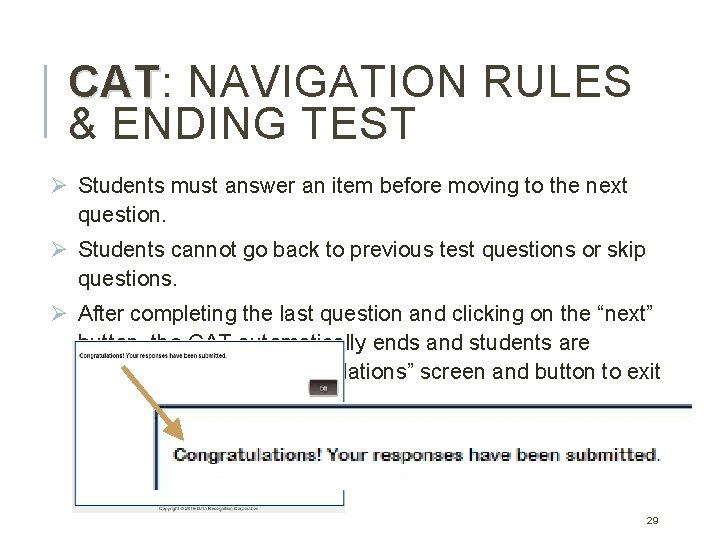
CAT: CAT NAVIGATION RULES & ENDING TEST Ø Students must answer an item before moving to the next question. Ø Students cannot go back to previous test questions or skip questions. Ø After completing the last question and clicking on the “next” button, the CAT automatically ends and students are presented with a “Congratulations” screen and button to exit the test. 29
CAT: CAT TESTING TIME o The estimated testing time for each CAT session (ELA, Math) is 2 hours. o Administration of a CAT session may be completed over multiple days. o If the scheduled testing period ends before a student finishes, direct student to click Pause and then click Exit Test. Note on the testing roster which students need more time. o Paused tests may be resumed on a subsequent day. The student will use their original test ticket and the test will start at the next item. o Students working productively must be given time to complete the test. 30
SUMMATIVE ASSESSMENT: PERFORMANCE TASKS (o P T ) Performance Tasks are “fixed form” tests. Once started, the task (or task part) must be completed and submitted within a single testing period. The ELA Performance Task is split into two parts (one test ticket). Part 1 contains a reading passage and 3 or fewer test questions. Part 2 contains the same reading passage and an ondemand writing item. The Mathematics Performance Task has only one part. o PT item sets are randomized and students may not receive 31
Tip: DON’T schedule a Performance Task to start late in the day! PT: PT TESTING TIME o PT = “fixed-form”, once started, each PT part must be completed in a single supervised testing period; cannot return to test after unsupervised break. o Plan accordingly to ensure students will have sufficient time to complete the PT part before the end of the school day. o Estimated testing time for EACH PT PART is 1. 5 -2 hours o ELA PT there must be a distinct break in testing between part 1 and part 2. Ø Part 1 – students “cold read” the passage and respond to a 1 -3 questions. Ø Part 2 – students should be able to use “skim & scan” to read the same passage, and then will respond to an on-demand writing task. Ø Parts 1 and 2 may be given on the same day or on separate days. Ø Do not permit students to start the next part without permission. Before moving to the next part, collect used scratch paper, provide new blank 32
GRADES 5, 8, & HS: SCIENCE ASSESSMENT Test content was developed specifically for Nevada and is aligned with the Nevada Academic Content Standards for Science (NVACSS), based on the Next Generation Science Standards (NGSS). v Grade 5 test items align to grade 5 standards v Grade 8 test items align to grades 6 -8 banded standards v Grade HS (taken during 9 th or 10 th) test items align to Life Science/Biology standards Additional information regarding the NGSS and blueprints can be found here: http: //www. doe. nv. gov/Standards_Instructional_Support/Nevada_Acad emic_Standards/Science/ 33
SCIENCE ASSESSMENT: QUESTION TYPES o Multiple-choice response: four response options with only one correct answer. o Multiple-select response: multiple-response options with one or more correct answers. The test question may not always tell how many options should be chosen (this is an item design feature that provides information for scoring). o Technology enhanced: questions that may include drag-anddrop, graphing, drop-down menus, and matching. o Grades 5 & 8 only – Written-response questions (short, 1 -2 sentences): questions require the student to answer by typing a response in the space given. 34
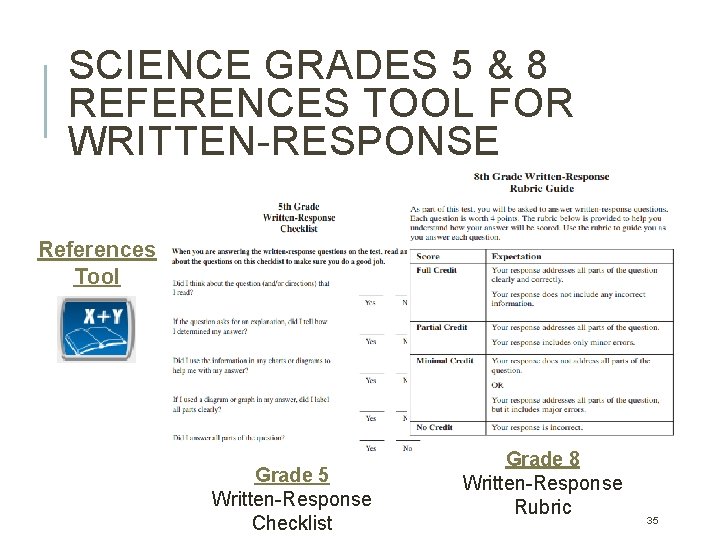
SCIENCE GRADES 5 & 8 REFERENCES TOOL FOR WRITTEN-RESPONSE References Tool Grade 5 Written-Response Checklist Grade 8 Written-Response Rubric 35
SCIENCE: SCIENCE TESTING TIME Tip: Be conscientious about scheduling. Don’t start the test late in the afternoon! o The Science assessment contains two parts. The test parts can be administered on the same day or on separate days. o The test is “fixed-form”, once started, each part must be completed in a single supervised testing period. o Students cannot return to a test part after an unsupervised break. o Estimated testing time for each part of the test is 1 hour, for a total testing time of 2 hours. o Do not permit students to start the next part without permission. Before moving to the next part, determine if there is enough time for the student to complete the test and re-issue the same 36 test ticket.
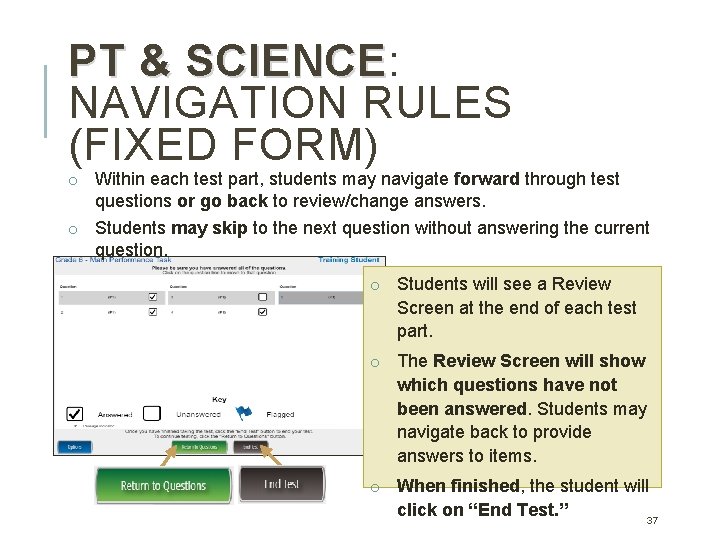
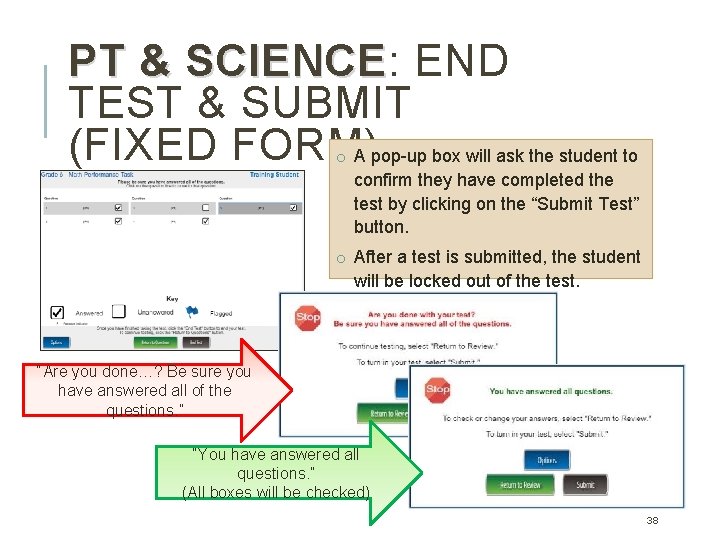
PT & SCIENCE: SCIENCE NAVIGATION RULES (FIXED FORM) o Within each test part, students may navigate forward through test questions or go back to review/change answers. o Students may skip to the next question without answering the current question. o Students will see a Review Screen at the end of each test part. o The Review Screen will show which questions have not been answered. Students may navigate back to provide answers to items. o When finished, the student will click on “End Test. ” 37
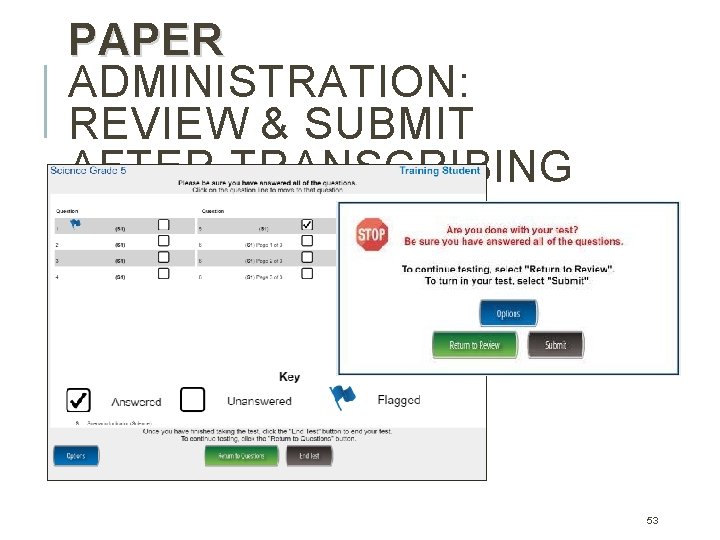
PT & SCIENCE: SCIENCE END TEST & SUBMIT (FIXED FORM) A pop-up box will ask the student to o confirm they have completed the test by clicking on the “Submit Test” button. o After a test is submitted, the student will be locked out of the test. “Are you done…? Be sure you have answered all of the questions. ” “You have answered all questions. ” (All boxes will be checked) 38
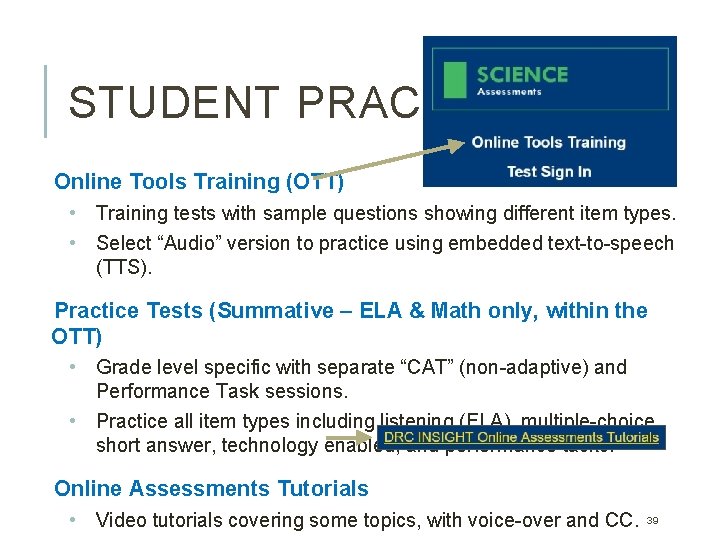
STUDENT PRACTICE Online Tools Training (OTT) • Training tests with sample questions showing different item types. • Select “Audio” version to practice using embedded text-to-speech (TTS). Practice Tests (Summative – ELA & Math only, within the OTT) • Grade level specific with separate “CAT” (non-adaptive) and Performance Task sessions. • Practice all item types including listening (ELA), multiple-choice, short answer, technology enabled, and performance tasks. Online Assessments Tutorials • Video tutorials covering some topics, with voice-over and CC. 39
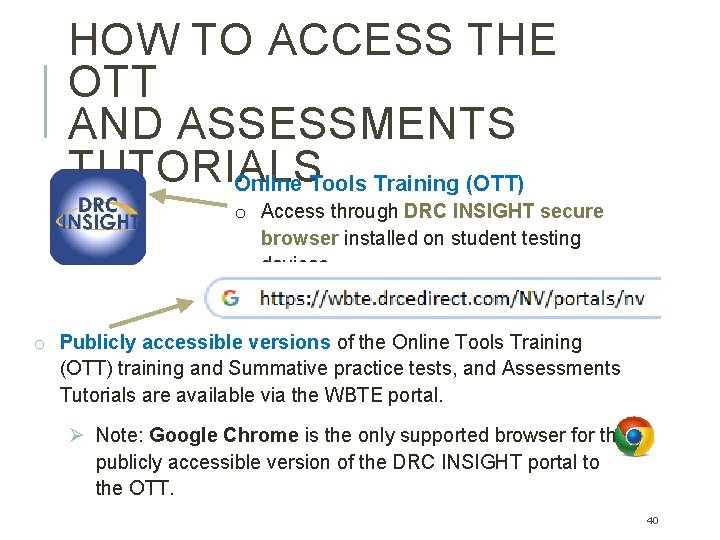
HOW TO ACCESS THE OTT AND ASSESSMENTS TUTORIALS Online Tools Training (OTT) o Access through DRC INSIGHT secure browser installed on student testing devices. o Publicly accessible versions of the Online Tools Training (OTT) training and Summative practice tests, and Assessments Tutorials are available via the WBTE portal. Ø Note: Google Chrome is the only supported browser for the publicly accessible version of the DRC INSIGHT portal to the OTT. 40
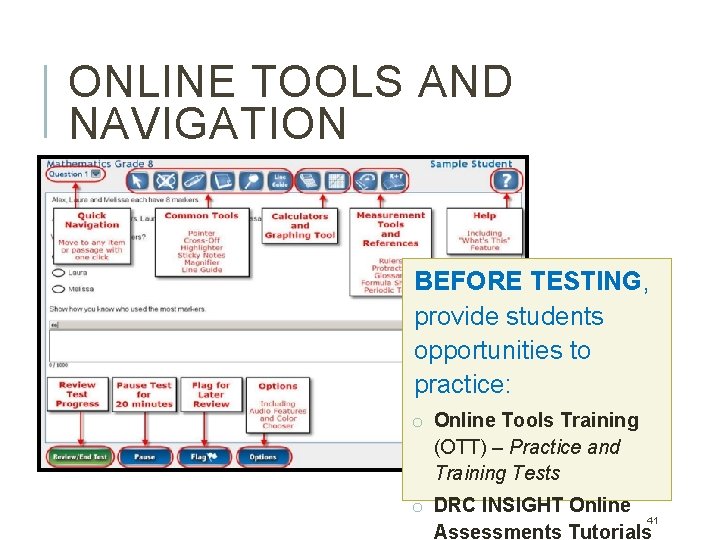
ONLINE TOOLS AND NAVIGATION BEFORE TESTING, provide students opportunities to practice: o Online Tools Training (OTT) – Practice and Training Tests o DRC INSIGHT Online 41 Assessments Tutorials
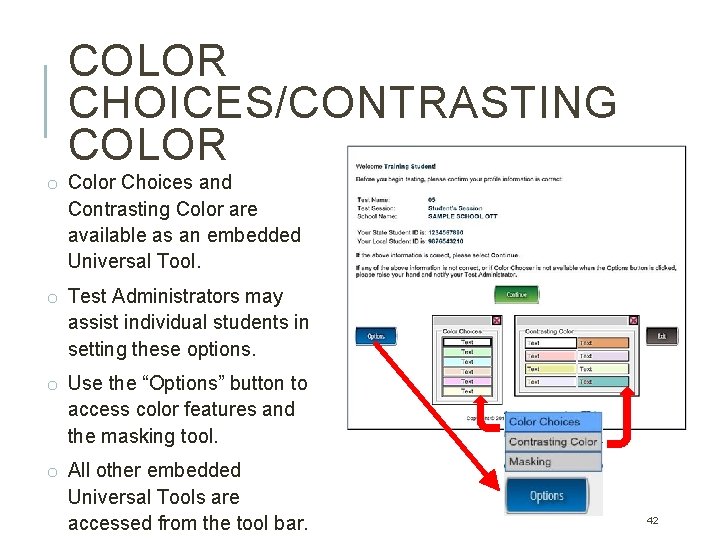
COLOR CHOICES/CONTRASTING COLOR o Color Choices and Contrasting Color are available as an embedded Universal Tool. o Test Administrators may assist individual students in setting these options. o Use the “Options” button to access color features and the masking tool. o All other embedded Universal Tools are accessed from the tool bar. 42
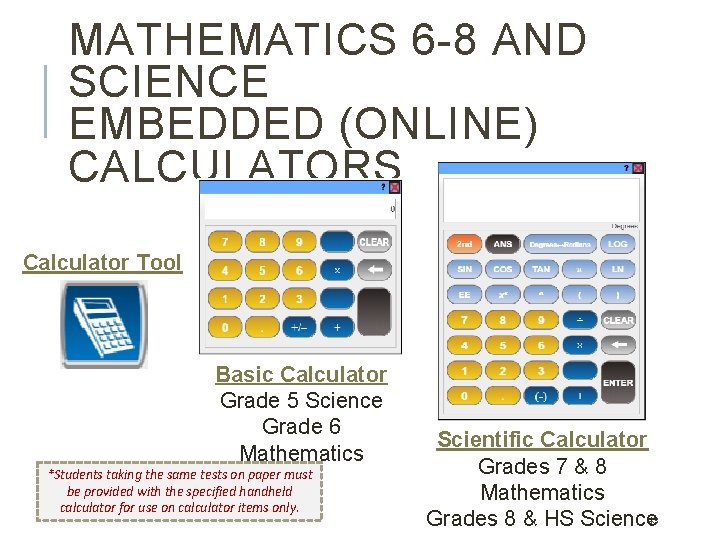
MATHEMATICS 6 -8 AND SCIENCE EMBEDDED (ONLINE) CALCULATORS Calculator Tool Basic Calculator Grade 5 Science Grade 6 Mathematics *Students taking the same tests on paper must be provided with the specified handheld calculator for use on calculator items only. Scientific Calculator Grades 7 & 8 Mathematics 43 Grades 8 & HS Science
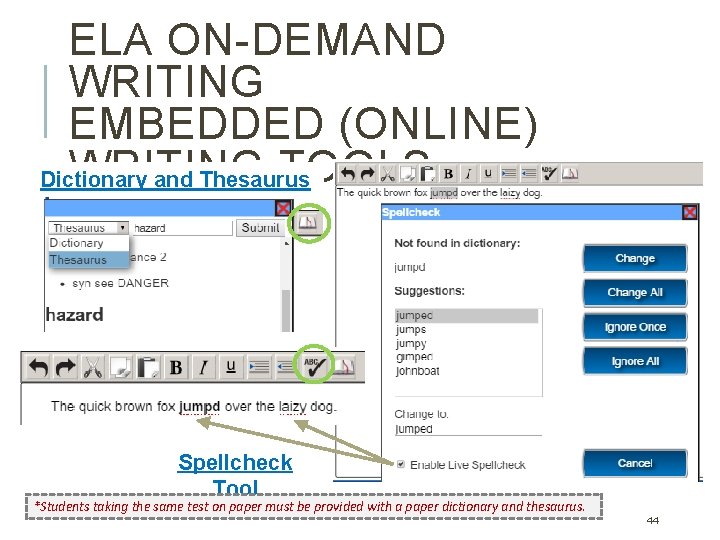
ELA ON-DEMAND WRITING EMBEDDED (ONLINE) WRITING TOOLS Dictionary and Thesaurus Tool Spellcheck Tool *Students taking the same test on paper must be provided with a paper dictionary and thesaurus. 44
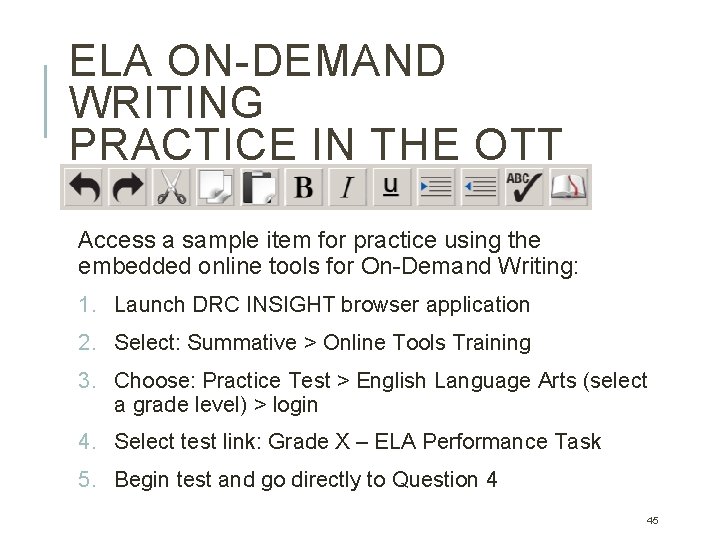
ELA ON-DEMAND WRITING PRACTICE IN THE OTT Access a sample item for practice using the embedded online tools for On-Demand Writing: 1. Launch DRC INSIGHT browser application 2. Select: Summative > Online Tools Training 3. Choose: Practice Test > English Language Arts (select a grade level) > login 4. Select test link: Grade X – ELA Performance Task 5. Begin test and go directly to Question 4 45
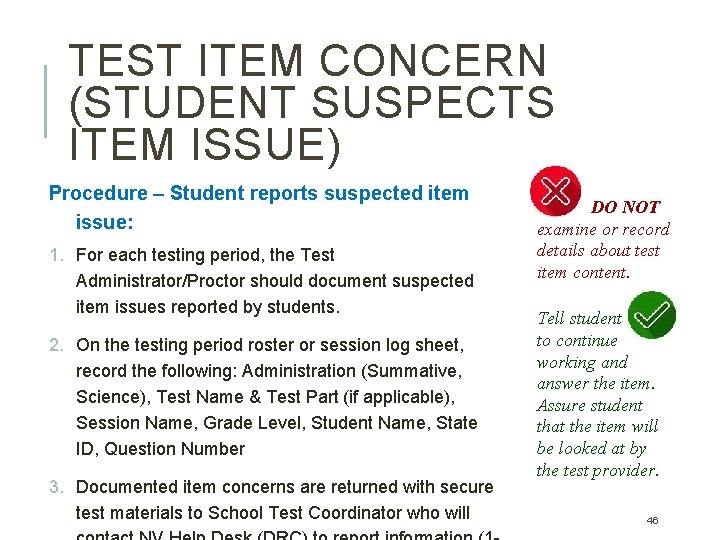
TEST ITEM CONCERN (STUDENT SUSPECTS ITEM ISSUE) Procedure – Student reports suspected item issue: 1. For each testing period, the Test Administrator/Proctor should document suspected item issues reported by students. 2. On the testing period roster or session log sheet, record the following: Administration (Summative, Science), Test Name & Test Part (if applicable), Session Name, Grade Level, Student Name, State ID, Question Number 3. Documented item concerns are returned with secure test materials to School Test Coordinator who will DO NOT examine or record details about test item content. Tell student to continue working and answer the item. Assure student that the item will be looked at by the test provider. 46
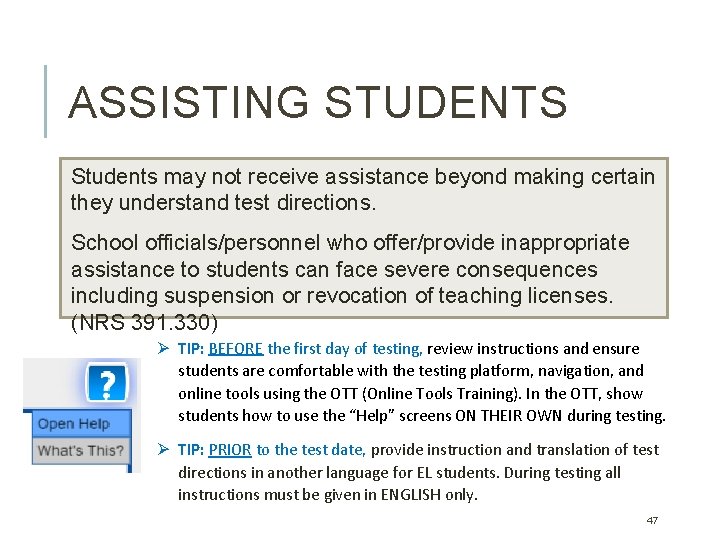
ASSISTING STUDENTS Students may not receive assistance beyond making certain they understand test directions. School officials/personnel who offer/provide inappropriate assistance to students can face severe consequences including suspension or revocation of teaching licenses. (NRS 391. 330) Ø TIP: BEFORE the first day of testing, review instructions and ensure students are comfortable with the testing platform, navigation, and online tools using the OTT (Online Tools Training). In the OTT, show students how to use the “Help” screens ON THEIR OWN during testing. Ø TIP: PRIOR to the test date, provide instruction and translation of test directions in another language for EL students. During testing all instructions must be given in ENGLISH only. 47
GRADES 3 -8 & 11: ALTERNATE ASSESSMENT o The Nevada Alternate Assessment (NAA) is an alternate assessment for students with significant cognitive disabilities to demonstrate knowledge in each content area. Only students who meet the eligibility requirements should participate in the NAA. o Participation in the NAA during high school (grade 11) is a requirement for the alternative diploma. o This test is administered on paper but all student responses must be entered into DRC INSIGHT to be scored. o The NAA test is administered to each student one-on-one and video recorded. o Students may take as much time as needed to complete the assessment. Breaks should be given based on the student’s individual needs. 48
PAPER ADMINISTRATION: NAA & PAPER FORMS OF ONLINE TESTS Alternate (NAA) – all tests, 1. Test Administrator & Student paper administration only General: ELA, Math, Science • BRAILLE – Braille print • LP – Large Print; 22 -point or larger, locally prepared • POD – Print-on-Demand; standard-sized font for Summative ELA or Math • PAPER – Paper; standardsized font for Science or EOC ELA Part 2 o Secure materials: manual with script, test booklet, response collection sheet, other permissible materials. o Student responses recorded on separate collection sheet. 2. Test Administrator (or Test Coordinator), computer with DRC INSIGHT secure browser o Secure materials: student’s test ticket, student’s response collection sheet. o Responses transcribed from 49 collection sheet into DRC INSIGHT.
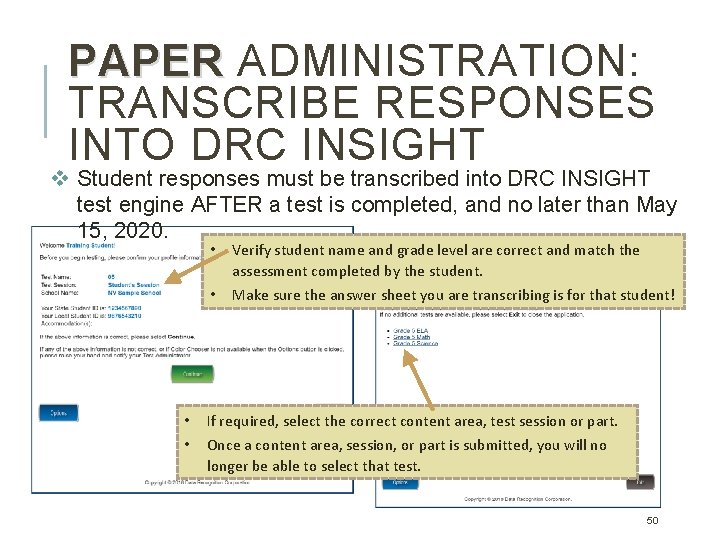
PAPER ADMINISTRATION: TRANSCRIBE RESPONSES INTO DRC INSIGHT v Student responses must be transcribed into DRC INSIGHT test engine AFTER a test is completed, and no later than May 15, 2020. • • • Verify student name and grade level are correct and match the assessment completed by the student. • Make sure the answer sheet you are transcribing is for that student! If required, select the correct content area, test session or part. Once a content area, session, or part is submitted, you will no longer be able to select that test. 50
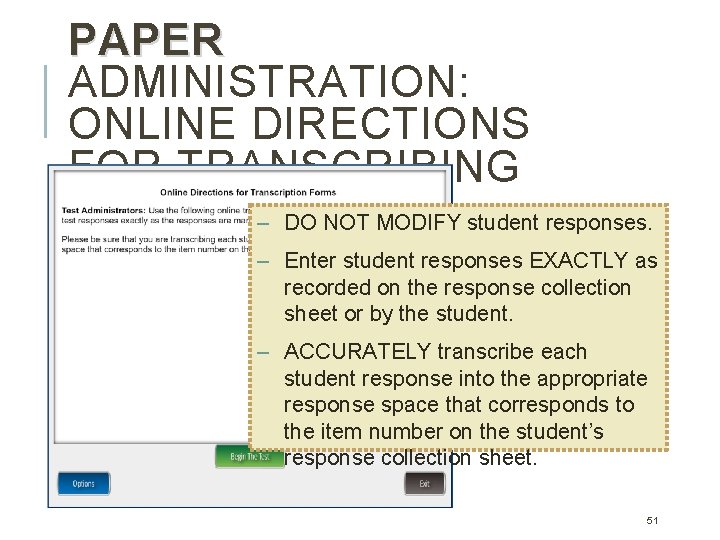
PAPER ADMINISTRATION: ONLINE DIRECTIONS FOR TRANSCRIBING – DO NOT MODIFY student responses. – Enter student responses EXACTLY as recorded on the response collection sheet or by the student. – ACCURATELY transcribe each student response into the appropriate response space that corresponds to the item number on the student’s response collection sheet. 51
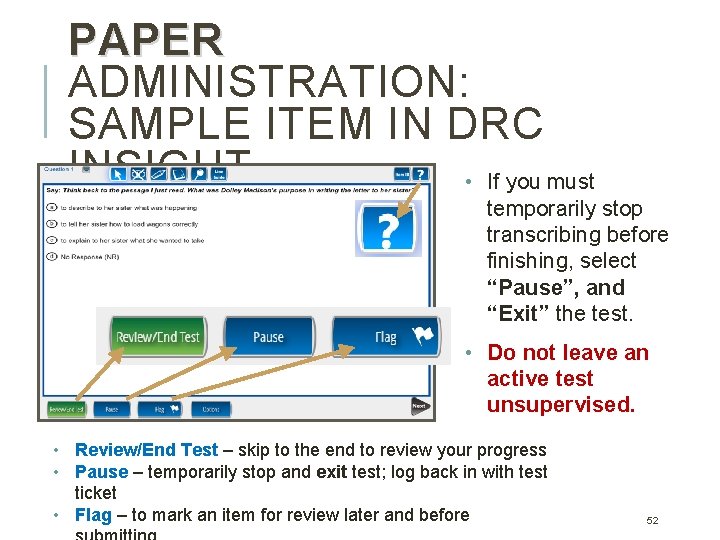
PAPER ADMINISTRATION: SAMPLE ITEM IN DRC INSIGHT • If you must temporarily stop transcribing before finishing, select “Pause”, and “Exit” the test. • Do not leave an active test unsupervised. • Review/End Test – skip to the end to review your progress • Pause – temporarily stop and exit test; log back in with test ticket • Flag – to mark an item for review later and before 52
PAPER ADMINISTRATION: REVIEW & SUBMIT AFTER TRANSCRIBING 53
TEST COORDINATOR Test Security Staff Training, Assignments Test Management Monitoring & Reporting 54
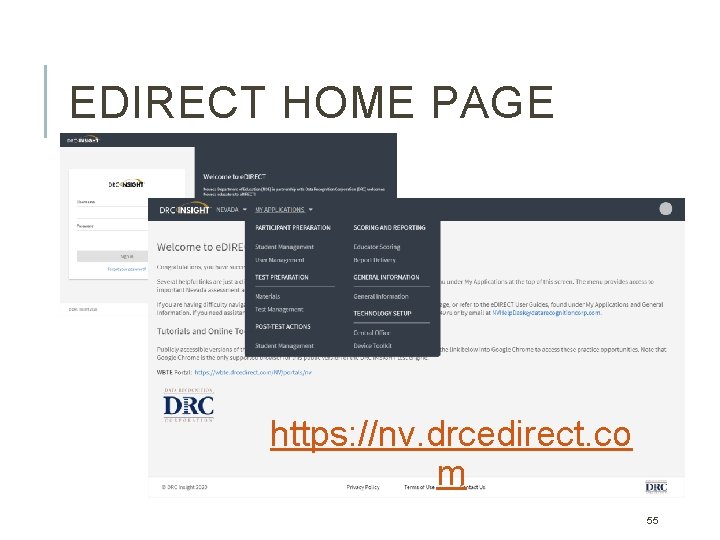
EDIRECT HOME PAGE https: //nv. drcedirect. co m 55
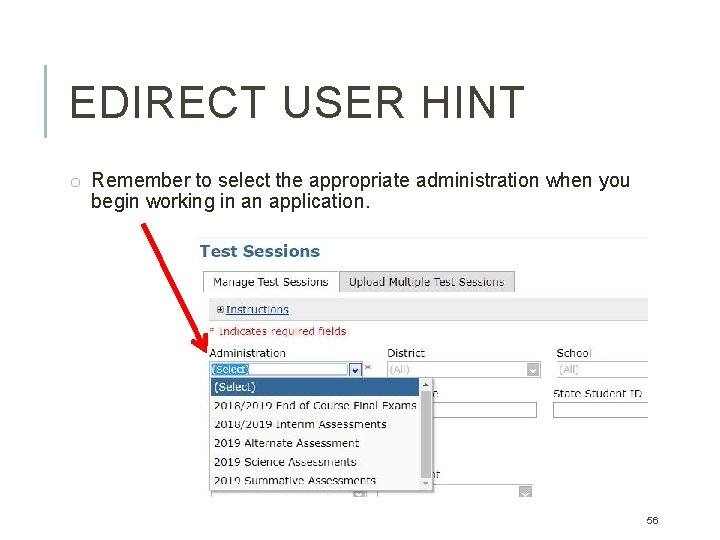
EDIRECT USER HINT o Remember to select the appropriate administration when you begin working in an application. 56
PRINT TEST TICKETS o Test tickets are secure materials. Ø DO NOT share login credentials electronically (i. e. do not email). Ø SIGN OUT/IN test tickets each day. Return all used and unused test tickets to test coordinator as directed and before the end of the school day. Ø TA must COLLECT test tickets after students successfully login to each test/test part. Ø TA must ACCOUNT FOR every test ticket prior to dismissing students from testing room. o Passwords are randomized eight character (numbers & letters). o Print and organize test tickets: Log in to e. Direct 1. Select: Test Management application > Manage Test Sessions 2. Select: Administration (2020) and apply desired filters 3. Click button: Show Sessions 4. Choose the action: Print All Tickets 57
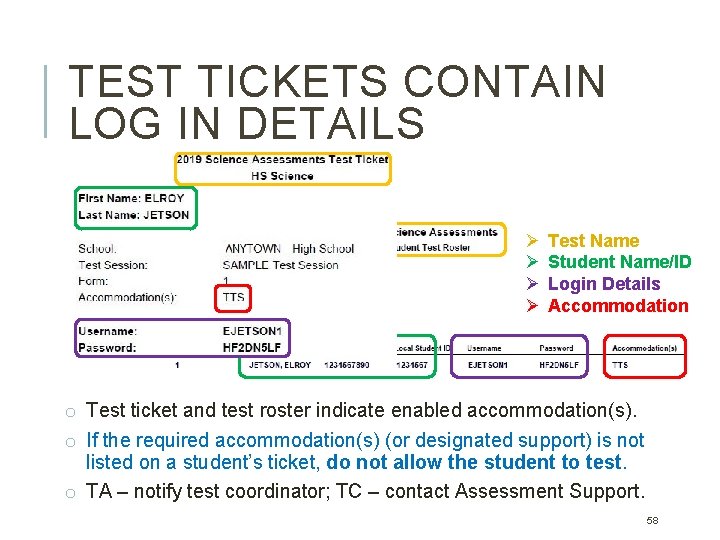
TEST TICKETS CONTAIN LOG IN DETAILS Ø Ø Test Name Student Name/ID Login Details Accommodation o Test ticket and test roster indicate enabled accommodation(s). o If the required accommodation(s) (or designated support) is not listed on a student’s ticket, do not allow the student to test. o TA – notify test coordinator; TC – contact Assessment Support. 58
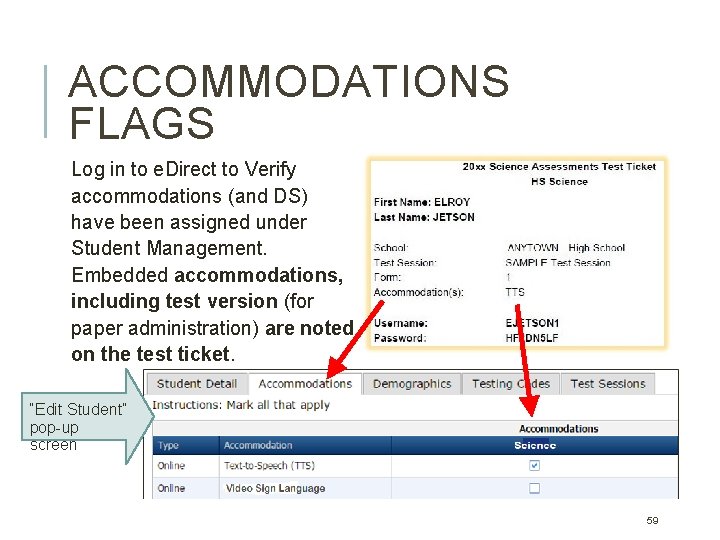
ACCOMMODATIONS FLAGS Log in to e. Direct to Verify accommodations (and DS) have been assigned under Student Management. Embedded accommodations, including test version (for paper administration) are noted on the test ticket. “Edit Student” pop-up screen 59
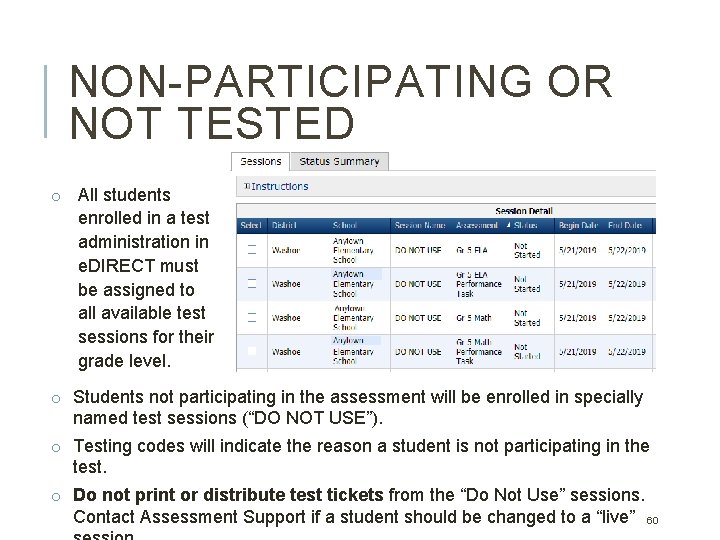
NON-PARTICIPATING OR NOT TESTED o All students enrolled in a test administration in e. DIRECT must be assigned to all available test sessions for their grade level. o Students not participating in the assessment will be enrolled in specially named test sessions (“DO NOT USE”). o Testing codes will indicate the reason a student is not participating in the test. o Do not print or distribute test tickets from the “Do Not Use” sessions. Contact Assessment Support if a student should be changed to a “live” 60
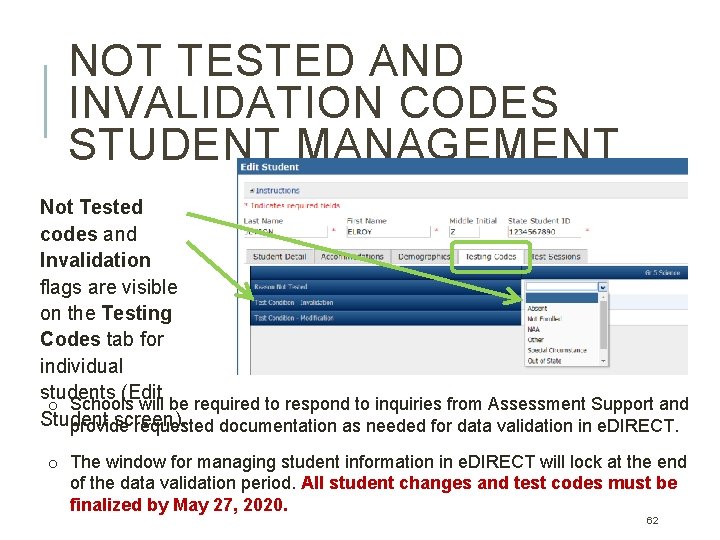
NOT TESTED CODES Ø A “Reason Not Tested” code must be applied to every nonparticipating student in e. DIRECT. Students cannot be deleted from the system. Ø Assessment Support will manually code not tested students based on information provided by schools and in Infinite Campus. Ø Reason Not Tested codes include: Absent, Not Enrolled, NAA, Other, Home School, Out of State, and Special Circumstance. Ø Students with a documented “test refusal” will be coded “Other” for all tests and considered a non-participant for school accountability ratings. 61
NOT TESTED AND INVALIDATION CODES STUDENT MANAGEMENT Not Tested codes and Invalidation flags are visible on the Testing Codes tab for individual students (Edit o Schools will be required to respond to inquiries from Assessment Support and Student screen). provide requested documentation as needed for data validation in e. DIRECT. o The window for managing student information in e. DIRECT will lock at the end of the data validation period. All student changes and test codes must be finalized by May 27, 2020. 62
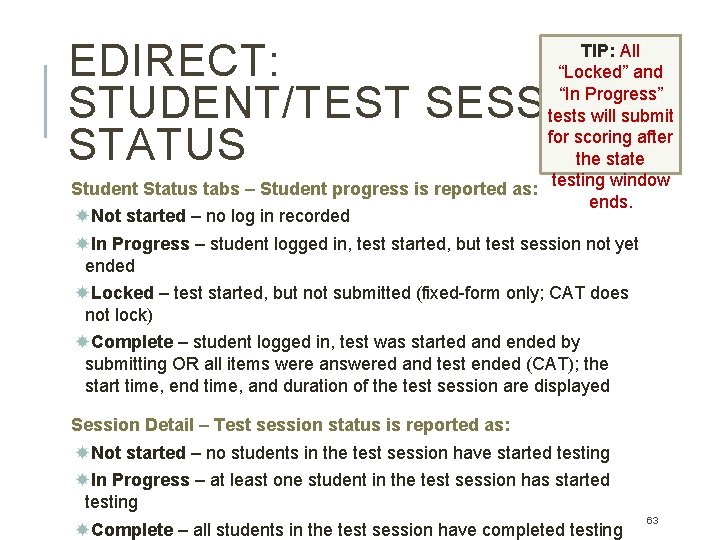
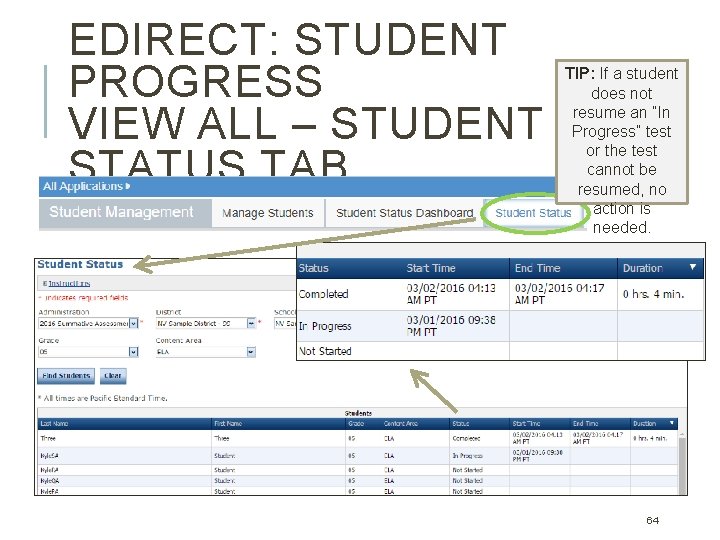
EDIRECT: STUDENT/TEST SESSION STATUS TIP: All “Locked” and “In Progress” tests will submit for scoring after the state Student Status tabs – Student progress is reported as: testing window ends. Not started – no log in recorded In Progress – student logged in, test started, but test session not yet ended Locked – test started, but not submitted (fixed-form only; CAT does not lock) Complete – student logged in, test was started and ended by submitting OR all items were answered and test ended (CAT); the start time, end time, and duration of the test session are displayed Session Detail – Test session status is reported as: Not started – no students in the test session have started testing In Progress – at least one student in the test session has started testing Complete – all students in the test session have completed testing 63
EDIRECT: STUDENT PROGRESS VIEW ALL – STUDENT STATUS TAB TIP: If a student does not resume an “In Progress” test or the test cannot be resumed, no action is needed. 64
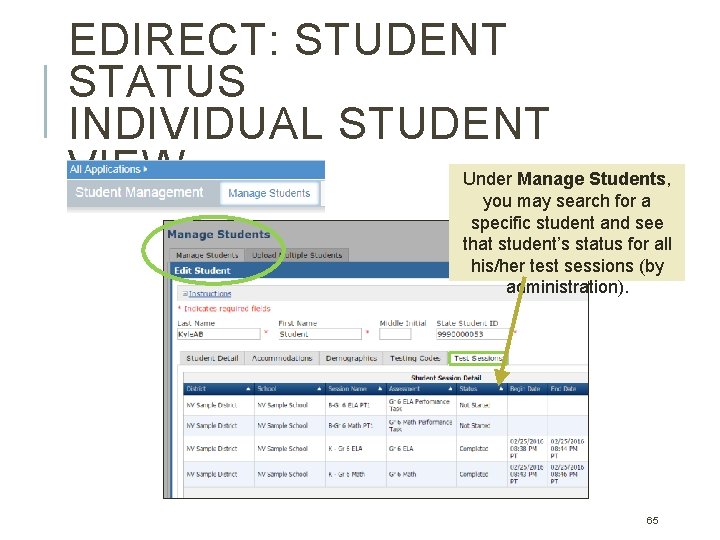
EDIRECT: STUDENT STATUS INDIVIDUAL STUDENT VIEW Under Manage Students, you may search for a specific student and see that student’s status for all his/her test sessions (by administration). 65
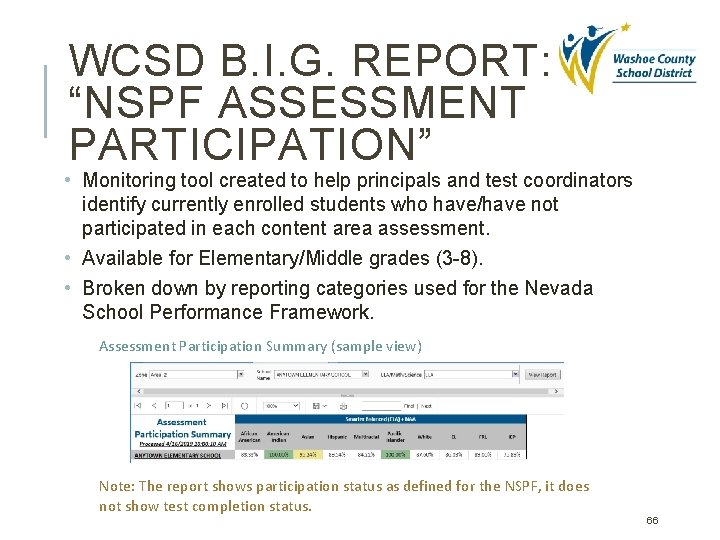
WCSD B. I. G. REPORT: “NSPF ASSESSMENT PARTICIPATION” • Monitoring tool created to help principals and test coordinators identify currently enrolled students who have/have not participated in each content area assessment. • Available for Elementary/Middle grades (3 -8). • Broken down by reporting categories used for the Nevada School Performance Framework. Assessment Participation Summary (sample view) Note: The report shows participation status as defined for the NSPF, it does not show test completion status. 66
NAA: HANDLING OF SECURE MATERIALS 1. Locked, secure storage must be accessible to only the Principal, Test Coordinator, and authorized Test Administrator. 2. Materials may be checked out to test administrators only AFTER they have completed the WCSD training. 3. Early administration or administration of the NAA examination to a person who is not eligible is a testing irregularity. Testing window: Feb 20 -May 15, 2020. 4. The Test Administrator must account for all test materials, including Test Booklets, Student Response Collection Sheets, and any other materials used for the examination. 5. Upon completion of testing, Test Administrators must return all test materials to the School Test Coordinator in a timely manner, but no later than the end of the testing window for the examination. Ø Materials to be returned to DRC include Test Booklets, Student Response Booklets, any auxiliary materials, Student Response Collection Sheets, and the student video file CDs, DVDs, or USB flash drives. 67
NAA: TEST MATERIAL KITS o Each grade-specific test kit contains: Test Booklet, also known as the Teacher Booklet or Administrator’s Guide ELA Student Response Booklet Math Student Response Booklet Science Student Response Booklet (grades 5, 8, & 11 only) o Each grade level test kit can be used to test 3* students (in the same grade level) who take the NAA. *A separate student response collection sheet must be used for each student. Order additional kits through e. Direct: Materials application > Additional Materials. 68
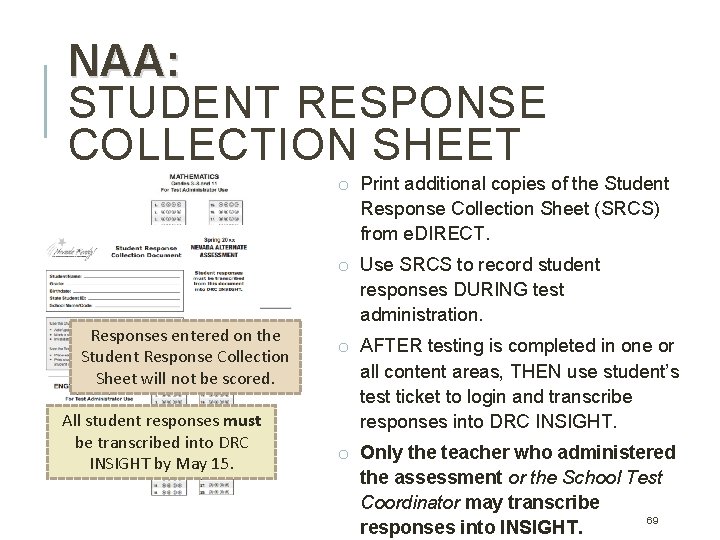
NAA: STUDENT RESPONSE COLLECTION SHEET o Print additional copies of the Student Response Collection Sheet (SRCS) from e. DIRECT. Responses entered on the Student Response Collection Sheet will not be scored. All student responses must be transcribed into DRC INSIGHT by May 15. o Use SRCS to record student responses DURING test administration. o AFTER testing is completed in one or all content areas, THEN use student’s test ticket to login and transcribe responses into DRC INSIGHT. o Only the teacher who administered the assessment or the School Test Coordinator may transcribe 69 responses into INSIGHT.
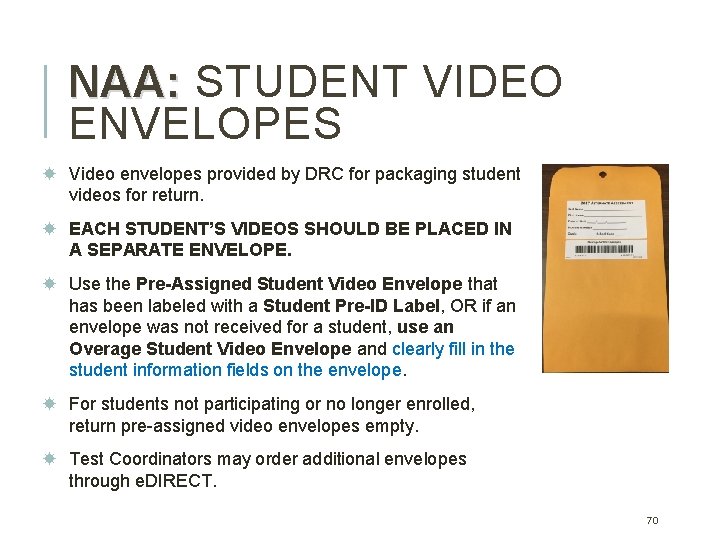
NAA: STUDENT VIDEO ENVELOPES Video envelopes provided by DRC for packaging student videos for return. EACH STUDENT’S VIDEOS SHOULD BE PLACED IN A SEPARATE ENVELOPE. Use the Pre-Assigned Student Video Envelope that has been labeled with a Student Pre-ID Label, OR if an envelope was not received for a student, use an Overage Student Video Envelope and clearly fill in the student information fields on the envelope. For students not participating or no longer enrolled, return pre-assigned video envelopes empty. Test Coordinators may order additional envelopes through e. DIRECT. 70
NAA: RETURN TEST MATERIALS TO DRC TC – Package Student Videos Envelopes and Nonscorable Test Materials Place Student Video Envelopes into a DRC return box and seal using heavy-duty packing tape ensuring the flaps marked A and B are visible. Ø 1 box for returning materials – pack all materials together with videos on top (and cushioned). Use only the pink DRC label on flap A and a UPS Return Service label on flap B. Ø 2 or more boxes for returning materials – separate videos and nonscorable materials (test booklets, etc. ). Use the pink DRC label on flap A for video returns. Use a white DRC label on flap A for nonscorable materials returns. Affix a UPS Return Service label to flap B. Use heavy-duty packing tape and “H”-taping method. Keep boxes secured until handed off to UPS (May 21 -29, 2020). 71
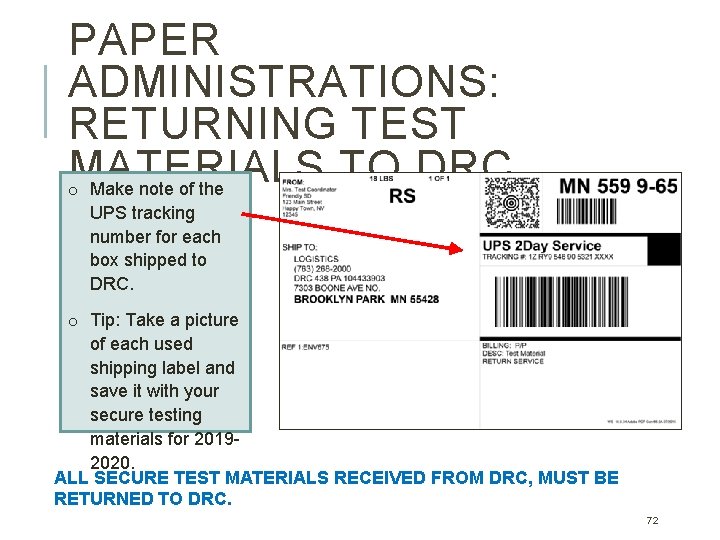
PAPER ADMINISTRATIONS: RETURNING TEST MATERIALS TO DRC o Make note of the UPS tracking number for each box shipped to DRC. o Tip: Take a picture of each used shipping label and save it with your secure testing materials for 20192020. ALL SECURE TEST MATERIALS RECEIVED FROM DRC, MUST BE RETURNED TO DRC. 72
STAFFING Test Administrator (TA): Must be licensed* Nevada educational personnel, employed by school Proctor: May be licensed or unlicensed, employed by school. Unlicensed proctors/staff must not be left alone with testing students or secure test materials. No Relatives in Testing Room, including school employees. Parent/Guardian/Ward/same household adults may NOT be in the testing room with their relative. (Rule does not apply to related students participating in the same test). *Long Term Substitute: Contact Assessment Support for guidance. --Hired on UHR filling specific vacancy; proctor or TA --Assigned through AESOP, temporary; proctor only 73
REVIEW SCHOOL TEST SECURITY PLAN Topics 1. Professional expectations; required training (Primer, NDE video) 2. Test environment; allowed and non-permissible materials; electronics policy 3. Maintaining security of testing materials 4. Compliance with designated supports and accommodations plans for testing 5. Preparing for online test administration 6. Students who require additional time for testing 7. Responding to emergencies and disruptions 8. Incidents during testing; reporting irregularities 74
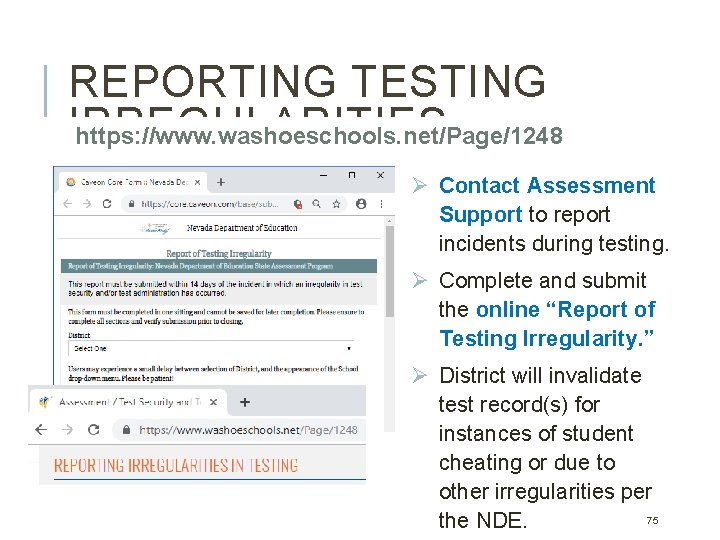
REPORTING TESTING IRREGULARITIES https: //www. washoeschools. net/Page/1248 Ø Contact Assessment Support to report incidents during testing. Ø Complete and submit the online “Report of Testing Irregularity. ” Ø District will invalidate test record(s) for instances of student cheating or due to other irregularities per 75 the NDE.
Dr. Sandra Aird, Director of Assessment WCSD Assessment Support Team Phone: 348 -0248 Assessment. Support@washoeschools. net Hours: 7: 30 A – 4: 00 P NV DRC Help Desk Phone Number: 866 -588 -4978 Email Address: NVHelp. Desk@datarecognitioncorp. com CONTACT INFORMATION Q&A