
Nevada Partnership For Homeless Youth PRESENTED BY TEAM

Nevada Partnership For Homeless Youth PRESENTED BY TEAM 4: SIMON TIU BROWLY DO MOONSOO CHOI JASON CAI CHRISTINA YOU LORAINE LI KATY NOMURA
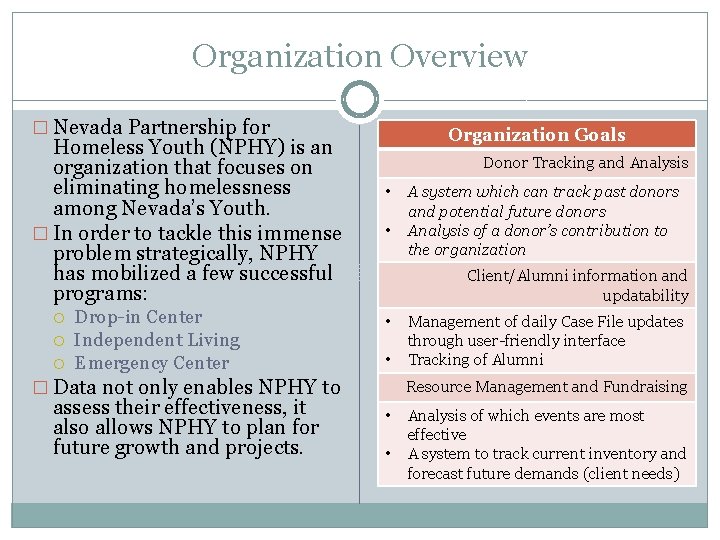
Organization Overview � Nevada Partnership for Homeless Youth (NPHY) is an organization that focuses on eliminating homelessness among Nevada’s Youth. � In order to tackle this immense problem strategically, NPHY has mobilized a few successful programs: Drop-in Center Independent Living Emergency Center Organization Goals Donor Tracking and Analysis • • Client/Alumni information and updatability • • � Data not only enables NPHY to assess their effectiveness, it also allows NPHY to plan for future growth and projects. A system which can track past donors and potential future donors Analysis of a donor’s contribution to the organization Management of daily Case File updates through user-friendly interface Tracking of Alumni Resource Management and Fundraising • • Analysis of which events are most effective A system to track current inventory and forecast future demands (client needs)
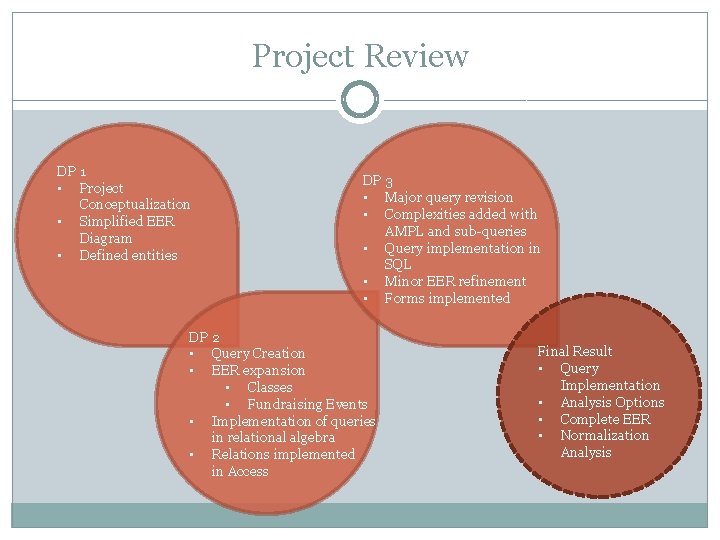
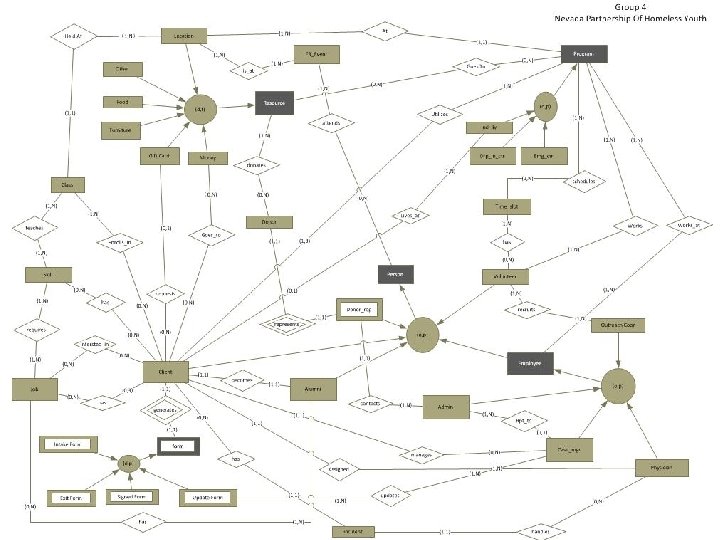
Project Review DP 1 • Project Conceptualization • Simplified EER Diagram • Defined entities DP 3 • Major query revision • Complexities added with AMPL and sub-queries • Query implementation in SQL • Minor EER refinement • Forms implemented DP 2 • Query Creation • EER expansion • Classes • Fundraising Events • Implementation of queries in relational algebra • Relations implemented in Access Final Result • Query Implementation • Analysis Options • Complete EER • Normalization Analysis
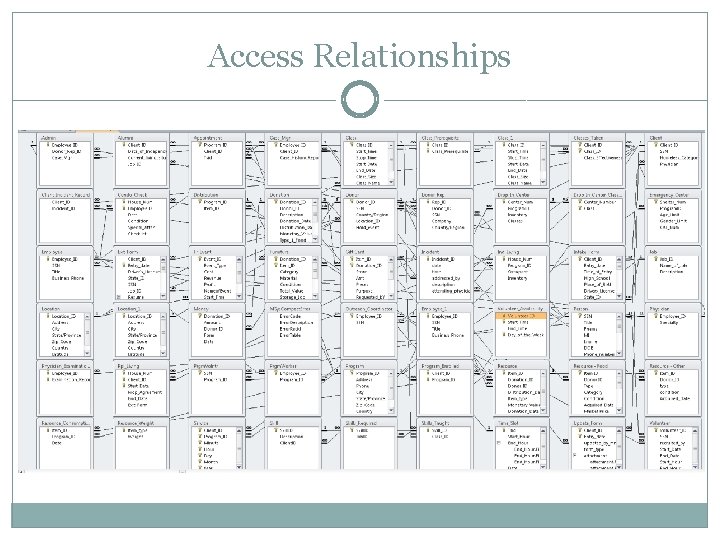
Access Relationships
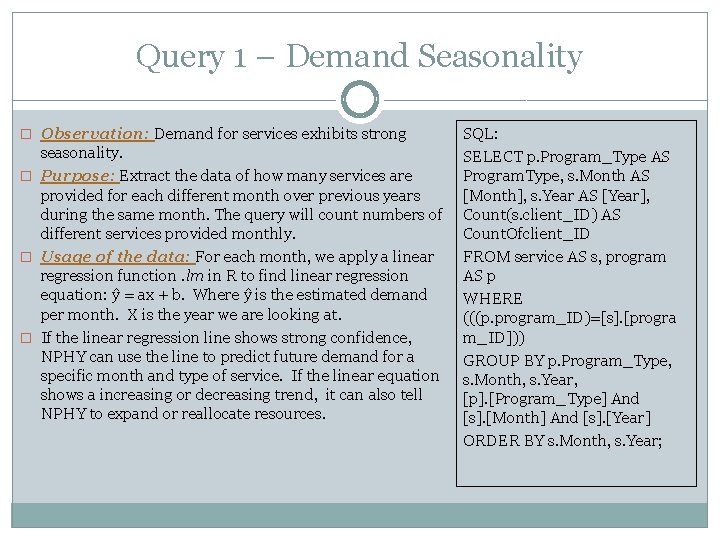
Query 1 – Demand Seasonality � Observation: Demand for services exhibits strong seasonality. � Purpose: Extract the data of how many services are provided for each different month over previous years during the same month. The query will count numbers of different services provided monthly. � Usage of the data: For each month, we apply a linear regression function. lm in R to find linear regression equation: ŷ = ax + b. Where ŷ is the estimated demand per month. X is the year we are looking at. � If the linear regression line shows strong confidence, NPHY can use the line to predict future demand for a specific month and type of service. If the linear equation shows a increasing or decreasing trend, it can also tell NPHY to expand or reallocate resources. SQL: SELECT p. Program_Type AS Program. Type, s. Month AS [Month], s. Year AS [Year], Count(s. client_ID) AS Count. Ofclient_ID FROM service AS s, program AS p WHERE (((p. program_ID)=[s]. [progra m_ID])) GROUP BY p. Program_Type, s. Month, s. Year, [p]. [Program_Type] And [s]. [Month] And [s]. [Year] ORDER BY s. Month, s. Year;
![Query 1 - Access Regression line summary: lm(formula = demand[jan, ]$count ~ demand[jan, ]$year)](http://slidetodoc.com/presentation_image/c64f0e77f40c4ce449e1a1081b1138cf/image-7.jpg "Query 1 - Access Regression line summary: lm(formula = demand[jan, ]$count ~ demand[jan, ]$year)")
Query 1 - Access Regression line summary: lm(formula = demand[jan, ]$count ~ demand[jan, ]$year) Residuals: Min 1 Q Median 3 Q Max -13. 182 -4. 291 -3. 309 4. 691 21. 764 Coefficients: Estimate Std. Error t value Pr(>|t|) (Intercept) -1. 392 e+04 1. 973 e+03 -7. 054 5. 96 e-05 *** demand[jan, ]$year 6. 982 e+00 9. 838 e-01 7. 097 5. 69 e-05 *** --Signif. codes: 0 ‘***’ 0. 001 ‘**’ 0. 01 ‘*’ 0. 05 ‘. ’ 0. 1 ‘ ’ 1 Residual standard error: 10. 32 on 9 degrees of freedom Multiple R-squared: 0. 8484, Adjusted R-squared: 0. 8316 F-statistic: 50. 37 on 1 and 9 DF, p-value: 5. 686 e-05 Therefore, b = -1. 392 e+04 , a = 6. 982 e+00 for equation ŷ = ax + b
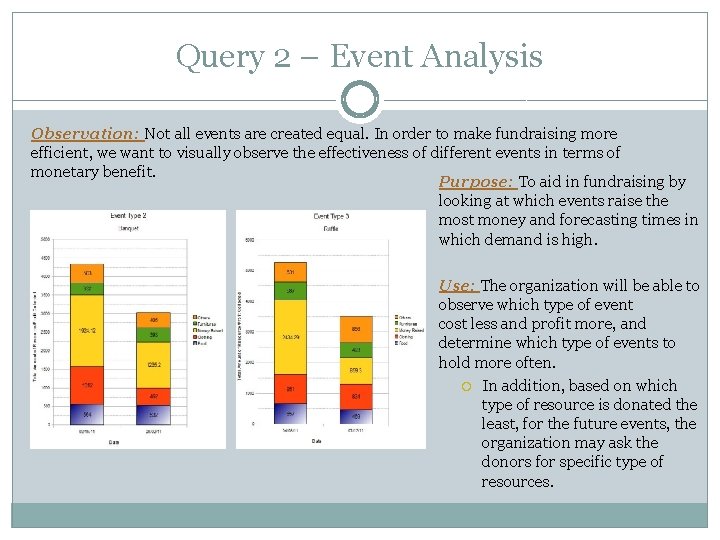
Query 2 – Event Analysis Observation: Not all events are created equal. In order to make fundraising more efficient, we want to visually observe the effectiveness of different events in terms of monetary benefit. Purpose: To aid in fundraising by looking at which events raise the most money and forecasting times in which demand is high. Use: The organization will be able to observe which type of event cost less and profit more, and determine which type of events to hold more often. In addition, based on which type of resource is donated the least, for the future events, the organization may ask the donors for specific type of resources.
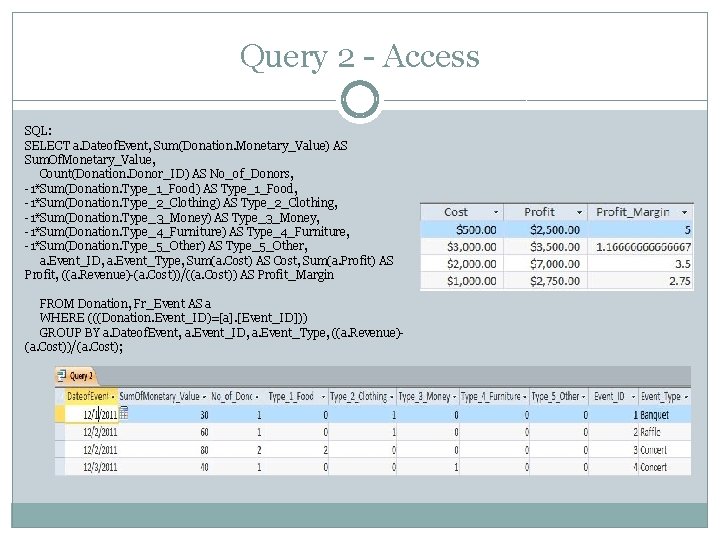
Query 2 - Access SQL: SELECT a. Dateof. Event, Sum(Donation. Monetary_Value) AS Sum. Of. Monetary_Value, Count(Donation. Donor_ID) AS No_of_Donors, -1*Sum(Donation. Type_1_Food) AS Type_1_Food, -1*Sum(Donation. Type_2_Clothing) AS Type_2_Clothing, -1*Sum(Donation. Type_3_Money) AS Type_3_Money, -1*Sum(Donation. Type_4_Furniture) AS Type_4_Furniture, -1*Sum(Donation. Type_5_Other) AS Type_5_Other, a. Event_ID, a. Event_Type, Sum(a. Cost) AS Cost, Sum(a. Profit) AS Profit, ((a. Revenue)-(a. Cost))/((a. Cost)) AS Profit_Margin FROM Donation, Fr_Event AS a WHERE (((Donation. Event_ID)=[a]. [Event_ID])) GROUP BY a. Dateof. Event, a. Event_ID, a. Event_Type, ((a. Revenue)(a. Cost))/(a. Cost);
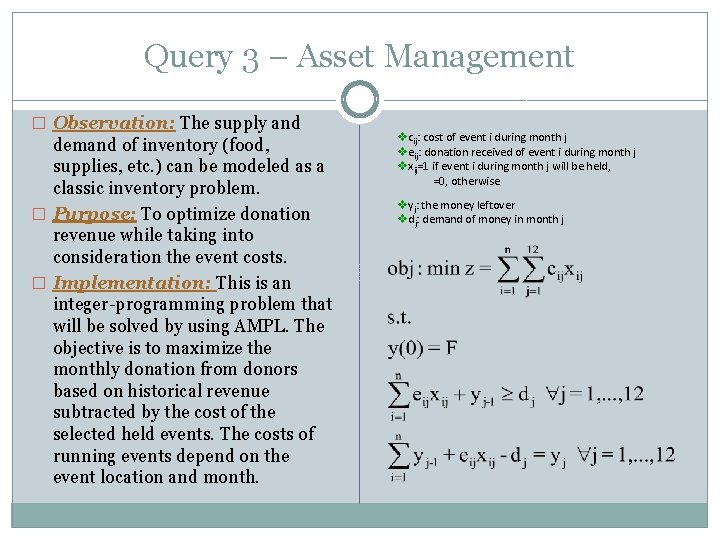
Query 3 – Asset Management � Observation: The supply and demand of inventory (food, supplies, etc. ) can be modeled as a classic inventory problem. � Purpose: To optimize donation revenue while taking into consideration the event costs. � Implementation: This is an integer-programming problem that will be solved by using AMPL. The objective is to maximize the monthly donation from donors based on historical revenue subtracted by the cost of the selected held events. The costs of running events depend on the event location and month. vcij: cost of event i during month j veij: donation received of event i during month j vxij=1 if event i during month j will be held, =0, otherwise vyj: the money leftover vdj: demand of money in month j
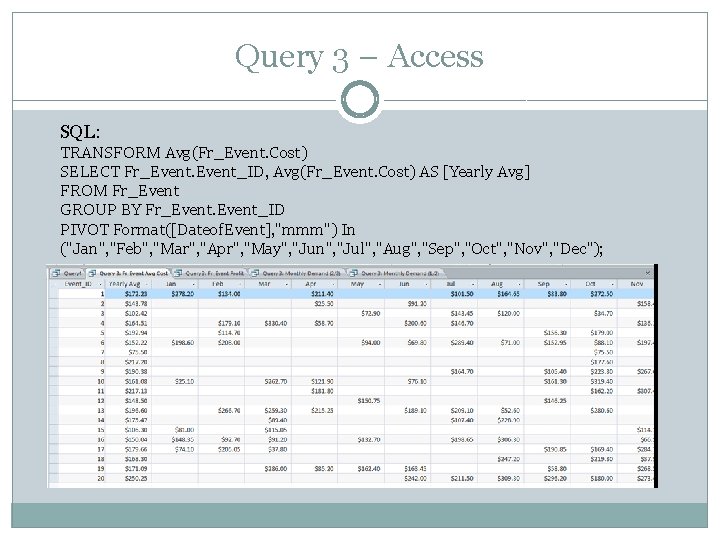
Query 3 – Access SQL: TRANSFORM Avg(Fr_Event. Cost) SELECT Fr_Event_ID, Avg(Fr_Event. Cost) AS [Yearly Avg] FROM Fr_Event GROUP BY Fr_Event_ID PIVOT Format([Dateof. Event], "mmm") In ("Jan", "Feb", "Mar", "Apr", "May", "Jun", "Jul", "Aug", "Sep", "Oct", "Nov", "Dec");
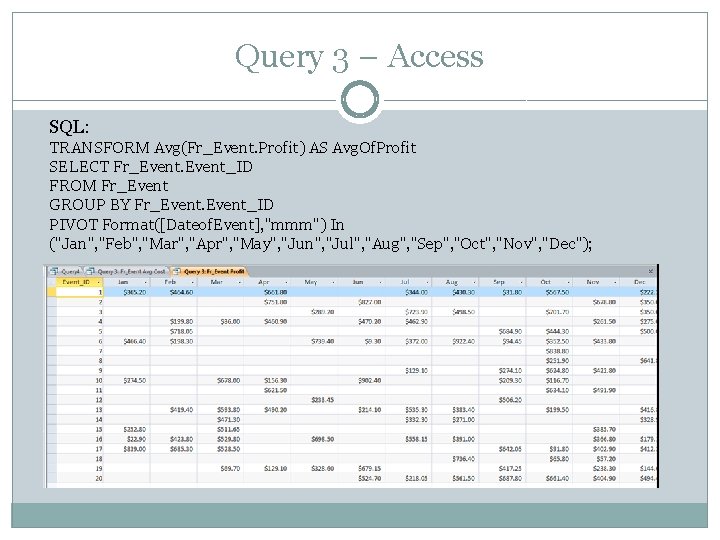
Query 3 – Access SQL: TRANSFORM Avg(Fr_Event. Profit) AS Avg. Of. Profit SELECT Fr_Event_ID FROM Fr_Event GROUP BY Fr_Event_ID PIVOT Format([Dateof. Event], "mmm") In ("Jan", "Feb", "Mar", "Apr", "May", "Jun", "Jul", "Aug", "Sep", "Oct", "Nov", "Dec");
![Query 3 – Access Cont. SQL: SELECT Format([Consumption Date], 'mmm/yyyy') AS [Month/Year], Sum(Resources. [Monetary_Val](http://slidetodoc.com/presentation_image/c64f0e77f40c4ce449e1a1081b1138cf/image-13.jpg "Query 3 – Access Cont. SQL: SELECT Format([Consumption Date], 'mmm/yyyy') AS [Month/Year], Sum(Resources. [Monetary_Val")
Query 3 – Access Cont. SQL: SELECT Format([Consumption Date], 'mmm/yyyy') AS [Month/Year], Sum(Resources. [Monetary_Val ue]) AS Total FROM Donation INNER JOIN (Resources INNER JOIN Resource_Consumption ON Resources. [Item_ID] = Resource_Consumption. Item_ ID) ON Donation_ID = Resources. [Donation_ID] GROUP BY Format([Consumption Date], 'mmm/yyyy'); SQL: SELECT Format([Month/Year], 'mmm') AS [Month], Avg([Query 3: Monthly Demand (1/2)]. Total) AS Demand FROM [Query 3: Monthly Demand (1/2)] GROUP BY Format([Month/Year], 'mmm');
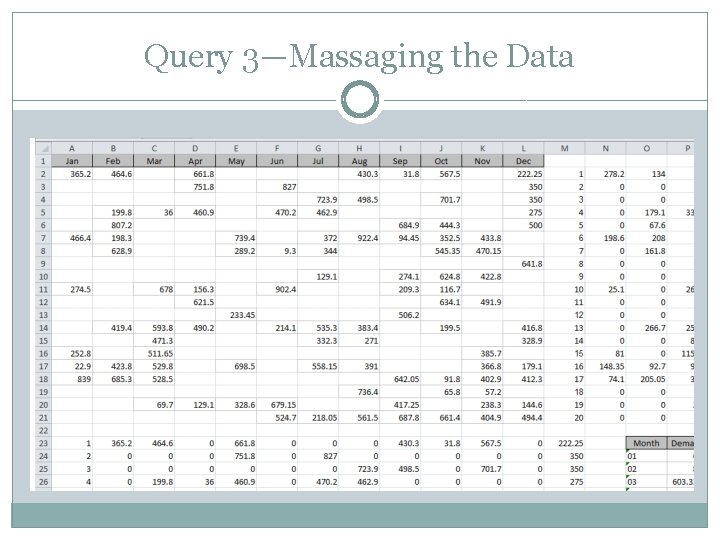
Query 3—Massaging the Data
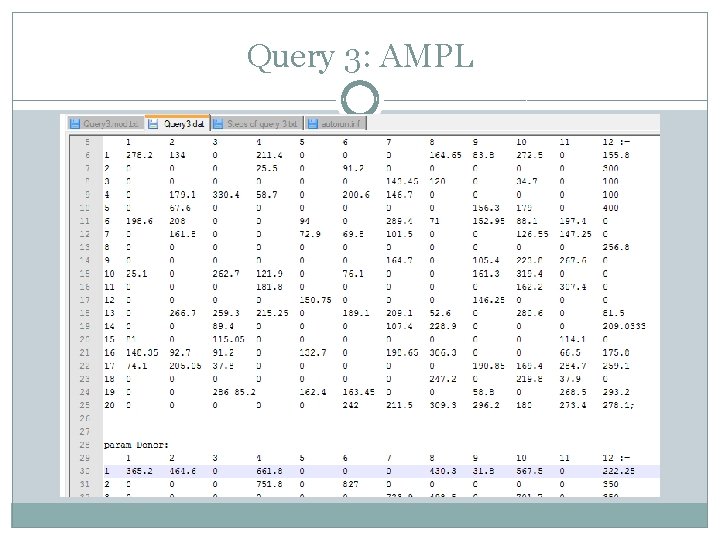
Query 3: AMPL
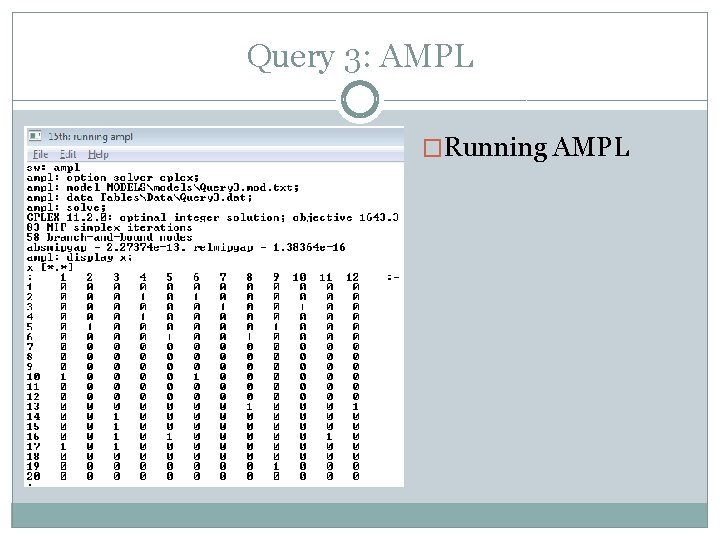
Query 3: AMPL �Running AMPL
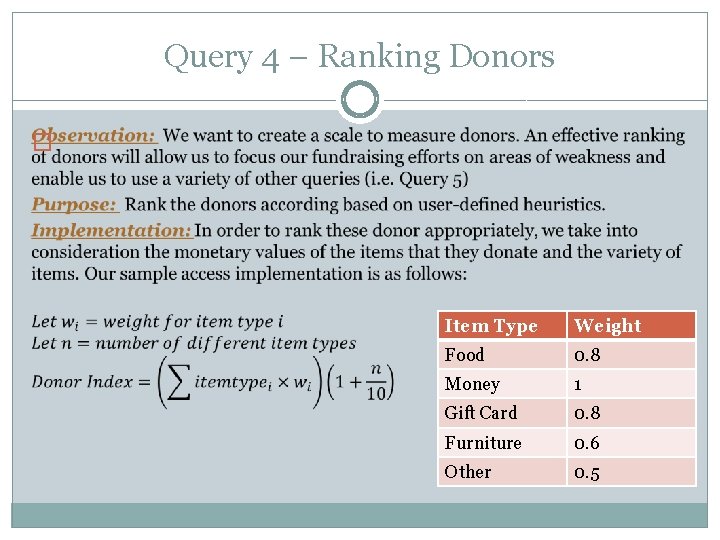
Query 4 – Ranking Donors � Item Type Weight Food 0. 8 Money 1 Gift Card 0. 8 Furniture 0. 6 Other 0. 5
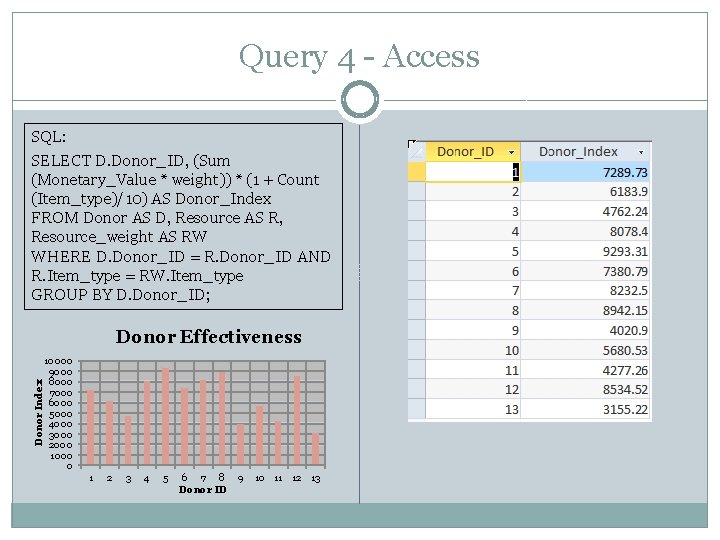
Query 4 - Access SQL: SELECT D. Donor_ID, (Sum (Monetary_Value * weight)) * (1 + Count (Item_type)/10) AS Donor_Index FROM Donor AS D, Resource AS R, Resource_weight AS RW WHERE D. Donor_ID = R. Donor_ID AND R. Item_type = RW. Item_type GROUP BY D. Donor_ID; Donor Index Donor Effectiveness 10000 9000 8000 7000 6000 5000 4000 3000 2000 1000 0 1 2 3 4 5 6 7 8 Donor ID 9 10 11 12 13
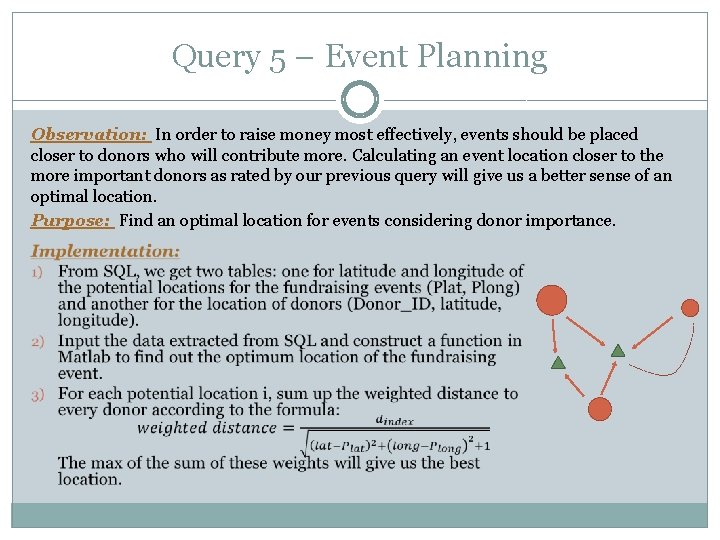
Query 5 – Event Planning Observation: In order to raise money most effectively, events should be placed closer to donors who will contribute more. Calculating an event location closer to the more important donors as rated by our previous query will give us a better sense of an optimal location. Purpose: Find an optimal location for events considering donor importance.
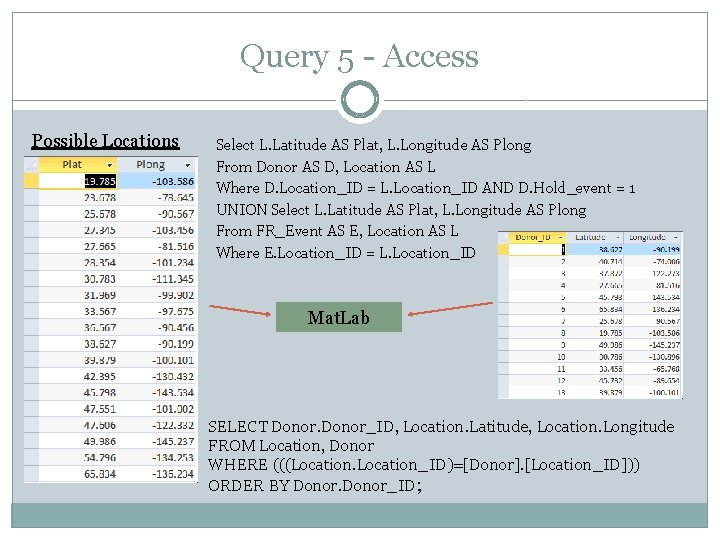
Query 5 - Access Possible Locations Select L. Latitude AS Plat, L. Longitude AS Plong From Donor AS D, Location AS L Where D. Location_ID = L. Location_ID AND D. Hold_event = 1 UNION Select L. Latitude AS Plat, L. Longitude AS Plong From FR_Event AS E, Location AS L Where E. Location_ID = L. Location_ID Mat. Lab SELECT Donor_ID, Location. Latitude, Location. Longitude FROM Location, Donor WHERE (((Location_ID)=[Donor]. [Location_ID])) ORDER BY Donor_ID;
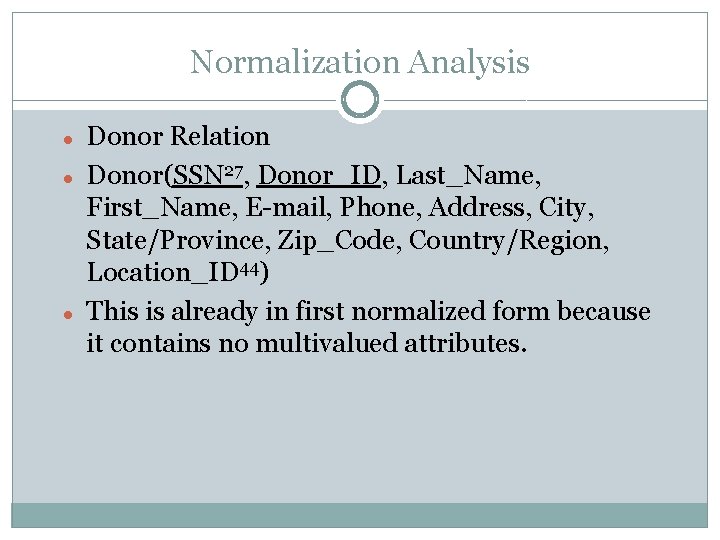
Normalization Analysis Donor Relation Donor(SSN 27, Donor_ID, Last_Name, First_Name, E-mail, Phone, Address, City, State/Province, Zip_Code, Country/Region, Location_ID 44) This is already in first normalized form because it contains no multivalued attributes.
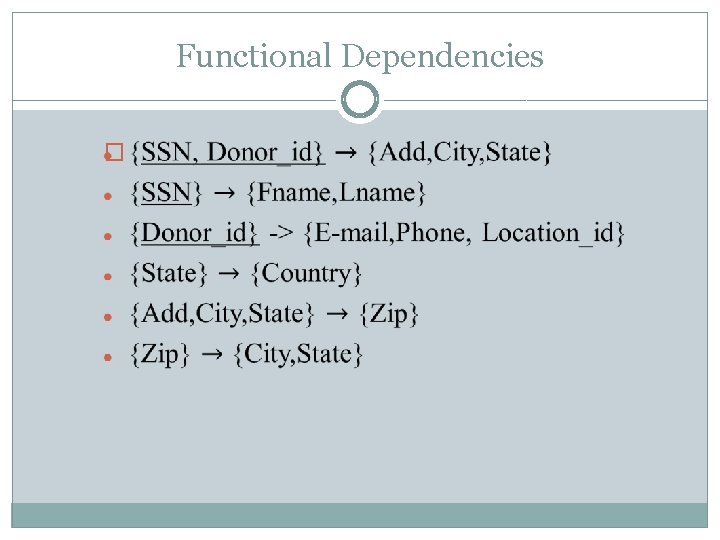
Functional Dependencies �
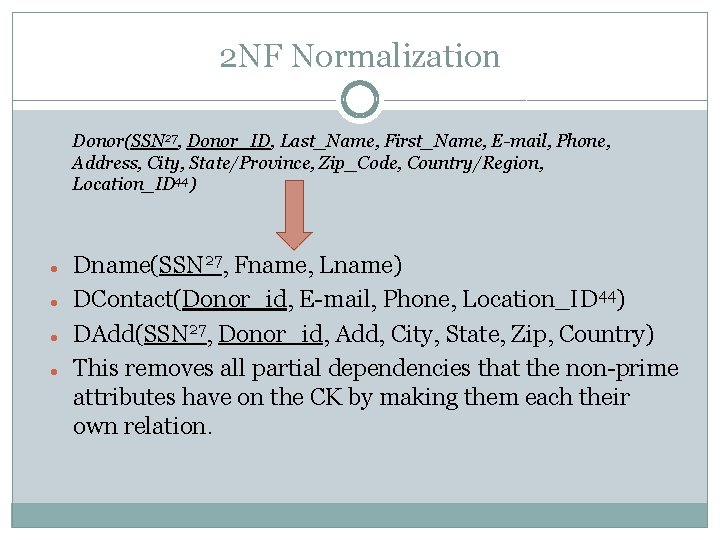
2 NF Normalization Donor(SSN 27, Donor_ID, Last_Name, First_Name, E-mail, Phone, Address, City, State/Province, Zip_Code, Country/Region, Location_ID 44) Dname(SSN 27, Fname, Lname) DContact(Donor_id, E-mail, Phone, Location_ID 44) DAdd(SSN 27, Donor_id, Add, City, State, Zip, Country) This removes all partial dependencies that the non-prime attributes have on the CK by making them each their own relation.
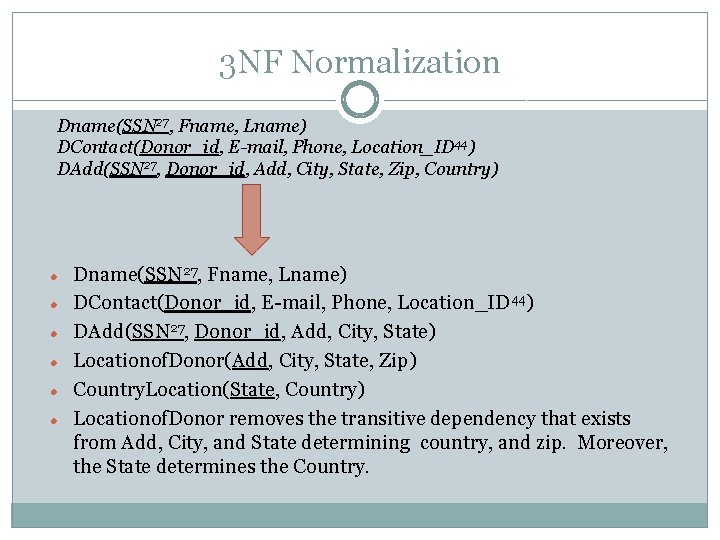
3 NF Normalization Dname(SSN 27, Fname, Lname) DContact(Donor_id, E-mail, Phone, Location_ID 44) DAdd(SSN 27, Donor_id, Add, City, State, Zip, Country) Dname(SSN 27, Fname, Lname) DContact(Donor_id, E-mail, Phone, Location_ID 44) DAdd(SSN 27, Donor_id, Add, City, State) Locationof. Donor(Add, City, State, Zip) Country. Location(State, Country) Locationof. Donor removes the transitive dependency that exists from Add, City, and State determining country, and zip. Moreover, the State determines the Country.
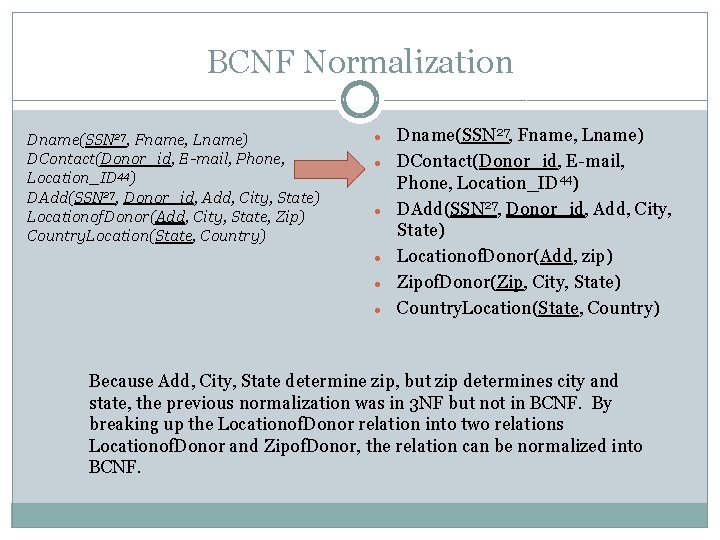
BCNF Normalization Dname(SSN 27, Fname, Lname) DContact(Donor_id, E-mail, Phone, Location_ID 44) DAdd(SSN 27, Donor_id, Add, City, State) Locationof. Donor(Add, City, State, Zip) Country. Location(State, Country) Dname(SSN 27, Fname, Lname) DContact(Donor_id, E-mail, Phone, Location_ID 44) DAdd(SSN 27, Donor_id, Add, City, State) Locationof. Donor(Add, zip) Zipof. Donor(Zip, City, State) Country. Location(State, Country) Because Add, City, State determine zip, but zip determines city and state, the previous normalization was in 3 NF but not in BCNF. By breaking up the Locationof. Donor relation into two relations Locationof. Donor and Zipof. Donor, the relation can be normalized into BCNF.
Future Work Add More Queries Ex: add a query that will produce a schedule for employees and volunteers Ex: add a query that will help plan future outreach, possibly via social networking Improve Current Queries Ex: add more graphs and features to the current queries to improve functionality Automation of the Process Add functionality that will read files to automate data entry Write macros to automate usage of the database
- Slides: 26