
Networks in GIS Network model Flow on Networks
- Slides: 60
Networks in GIS • • Network model Flow on Networks Hydrologic networks Linear referencing on networks Some slides in this presentation were prepared by Dr Francisco Olivera
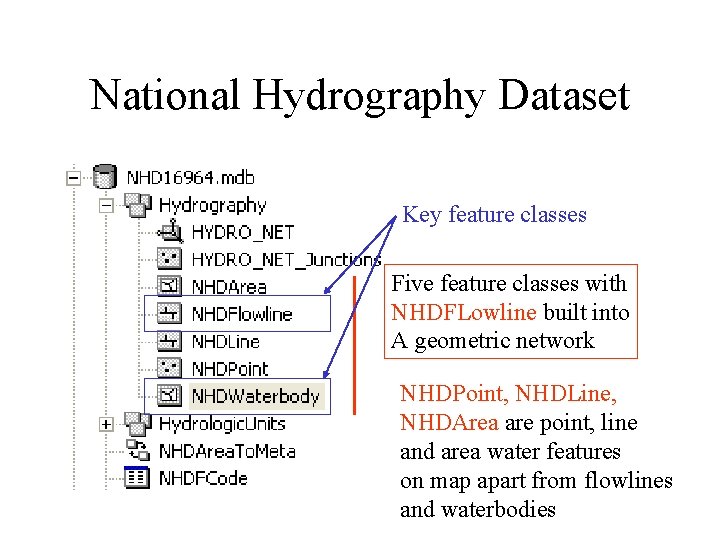
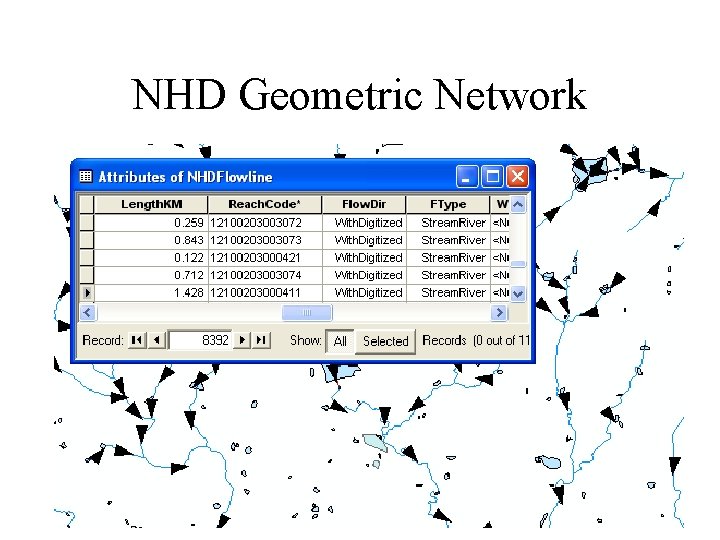
National Hydrography Dataset Key feature classes Five feature classes with NHDFLowline built into A geometric network NHDPoint, NHDLine, NHDArea are point, line and area water features on map apart from flowlines and waterbodies
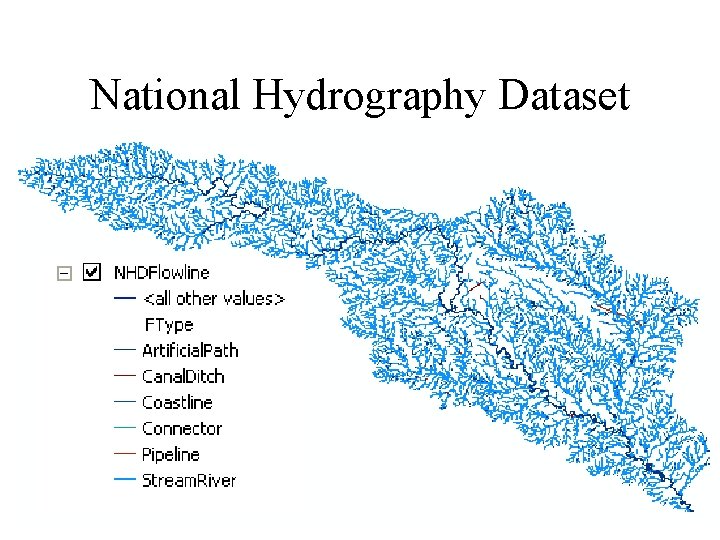
National Hydrography Dataset
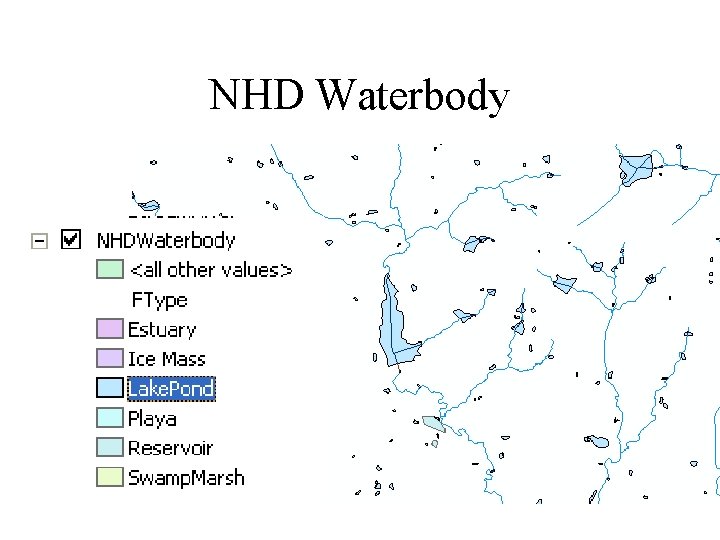
NHD Waterbody
NHD Geometric Network
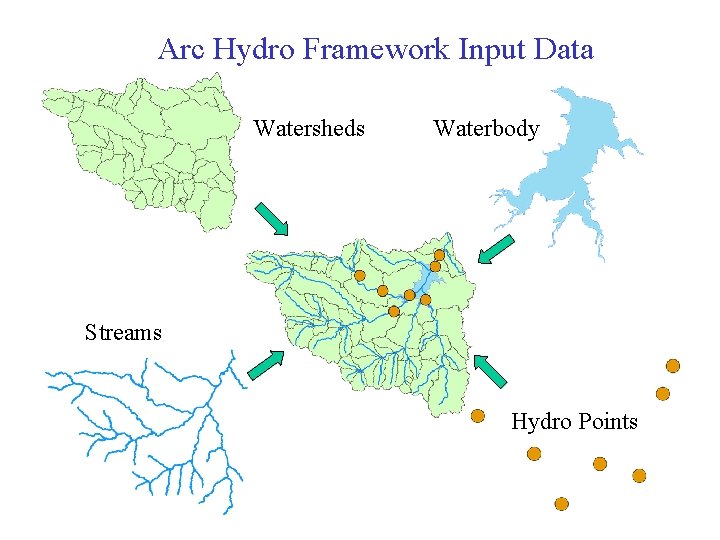
Arc Hydro Framework Input Data Watersheds Waterbody Streams Hydro Points
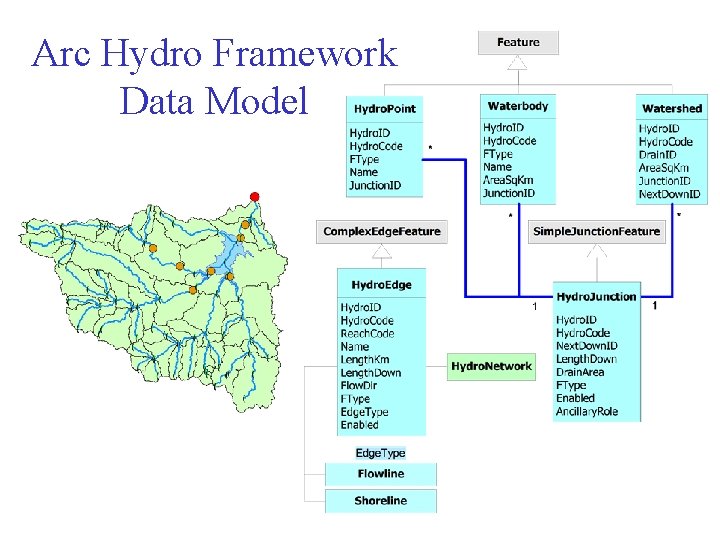
Arc Hydro Framework Data Model
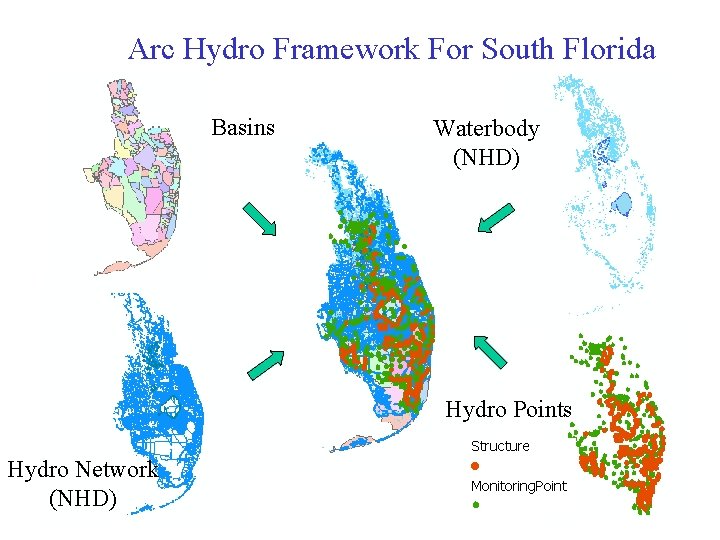
Arc Hydro Framework For South Florida Basins Waterbody (NHD) Hydro Points Hydro Network (NHD)
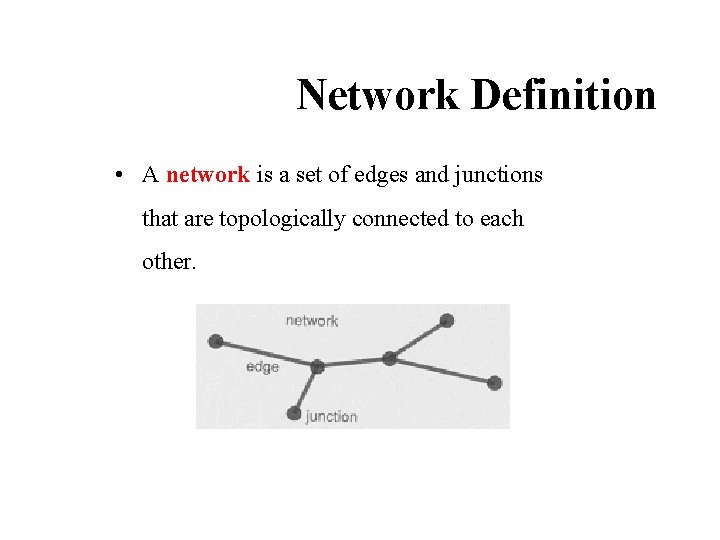
Network Definition • A network is a set of edges and junctions that are topologically connected to each other.
Network Model in GIS • Three components – Geometric model: (x, y, z, m) coordinates of edges and junctions – Logical model: which edges are connected to what junctions – Addressing model: location on the network using measure
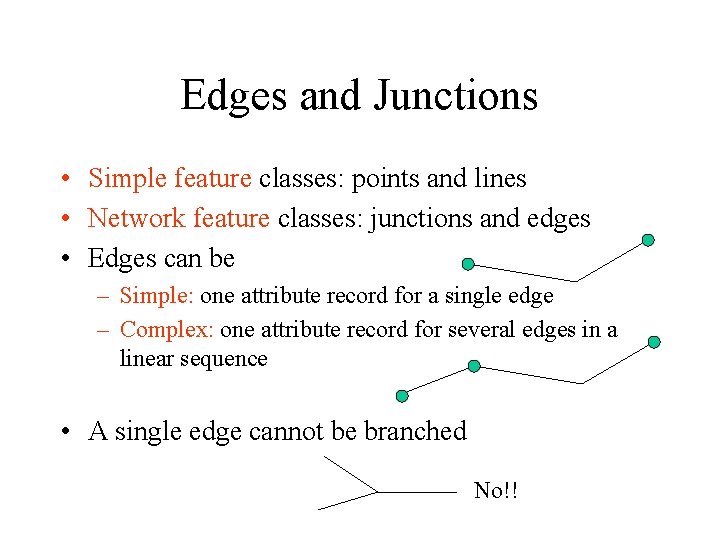
Edges and Junctions • Simple feature classes: points and lines • Network feature classes: junctions and edges • Edges can be – Simple: one attribute record for a single edge – Complex: one attribute record for several edges in a linear sequence • A single edge cannot be branched No!!
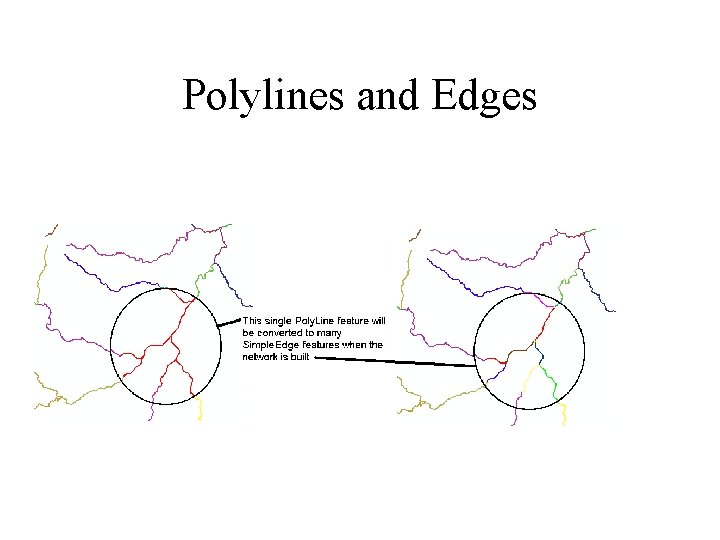
Polylines and Edges
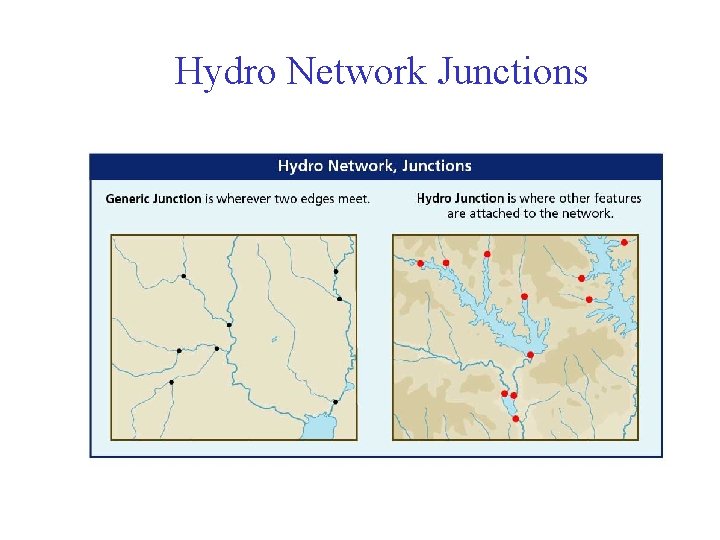
Junctions • Junctions exist at all points where edges join – If necessary they are added during network building (generic junctions) • Junctions can be placed on the interior of an edge e. g. stream gage • Any number of point feature classes can be built into junctions on a single network
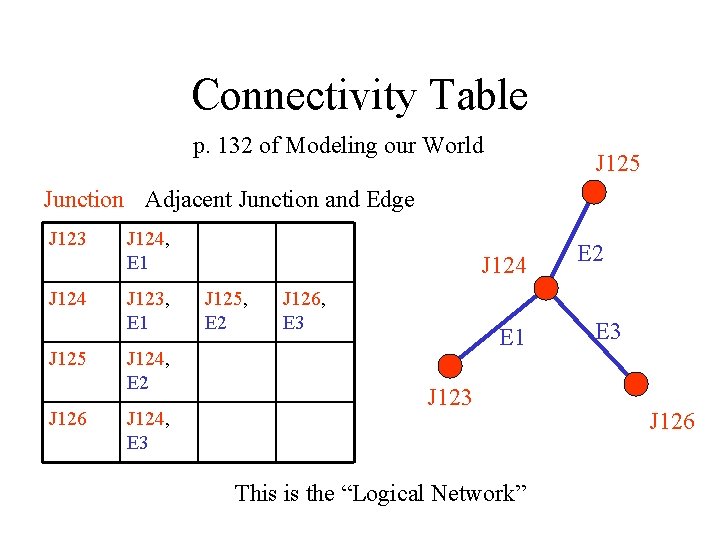
Connectivity Table p. 132 of Modeling our World J 125 Junction Adjacent Junction and Edge J 123 J 124 J 125 J 126 J 124, E 1 J 123, E 1 J 124, E 2 J 124, E 3 J 124 J 125, E 2 J 126, E 3 E 1 J 123 This is the “Logical Network” E 2 E 3 J 126
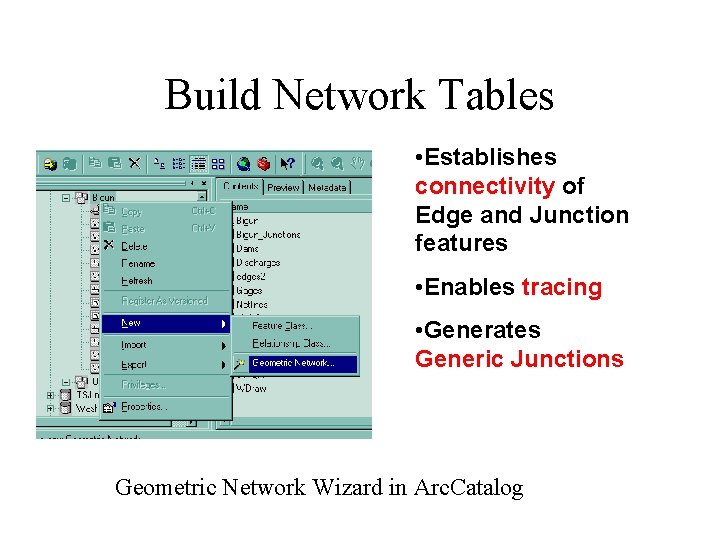
Build Network Tables • Establishes connectivity of Edge and Junction features • Enables tracing • Generates Generic Junctions Geometric Network Wizard in Arc. Catalog
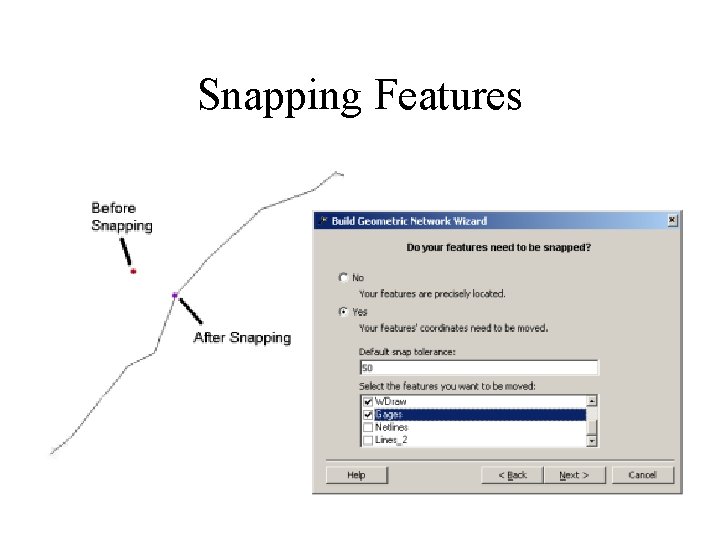
Snapping Features
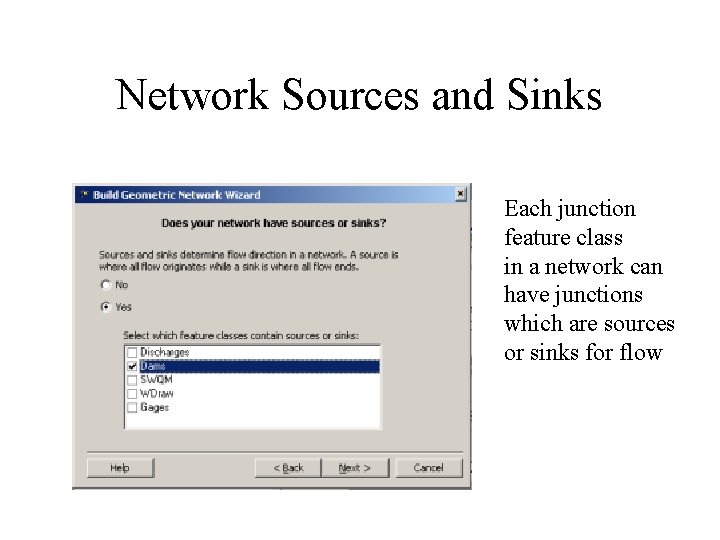
Network Sources and Sinks Each junction feature class in a network can have junctions which are sources or sinks for flow
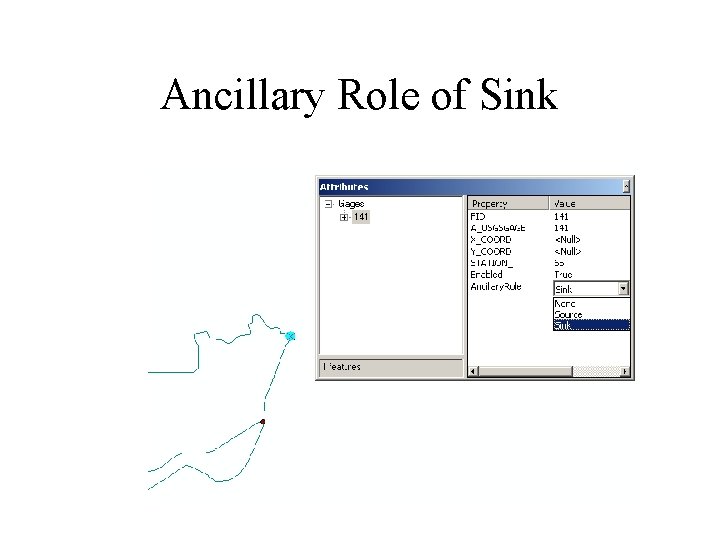
Ancillary Role of Sink
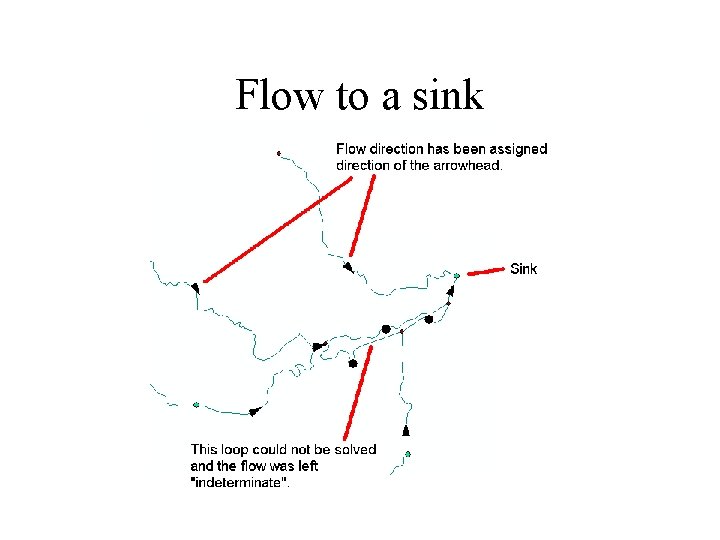
Flow to a sink
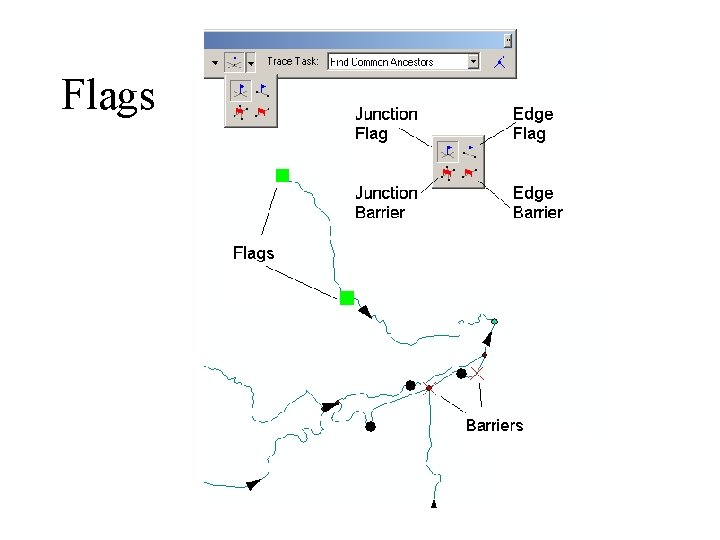
Flags
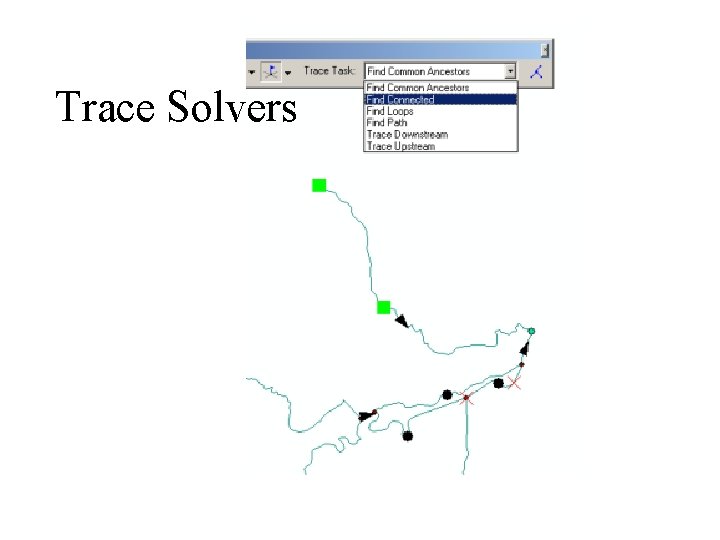
Trace Solvers
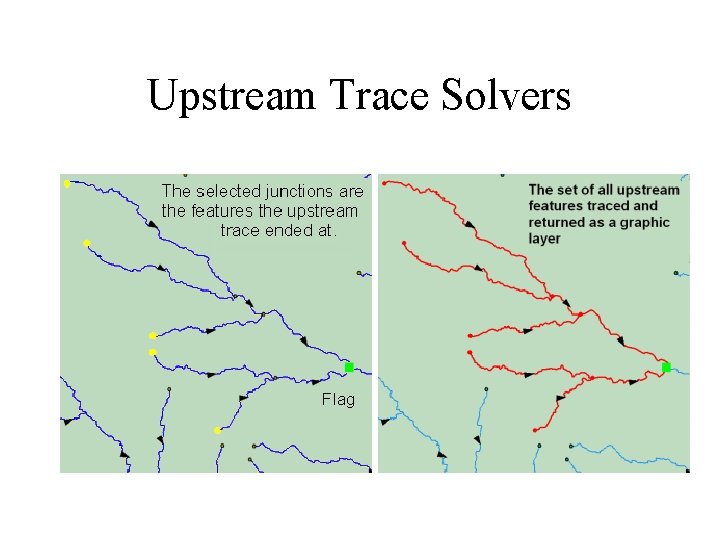
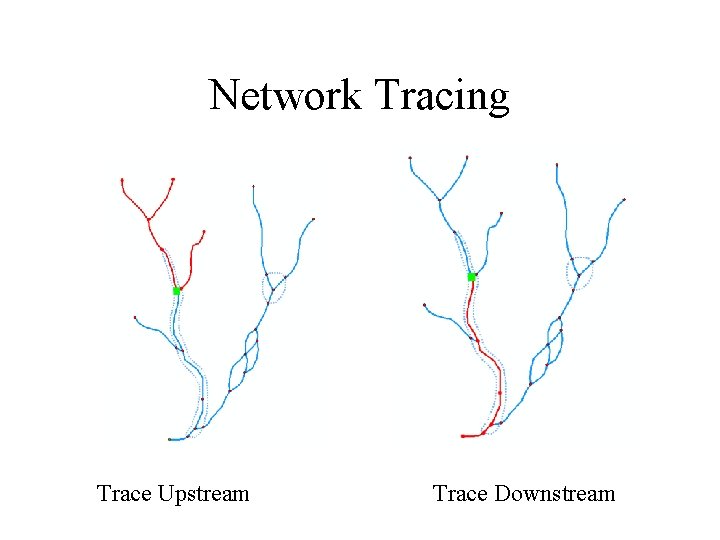
Upstream Trace Solvers
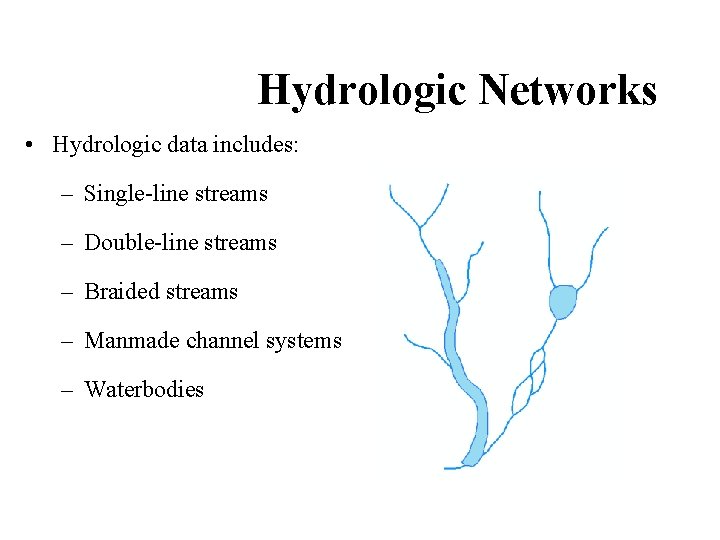
Hydrologic Networks • Hydrologic data includes: – Single-line streams – Double-line streams – Braided streams – Manmade channel systems – Waterbodies
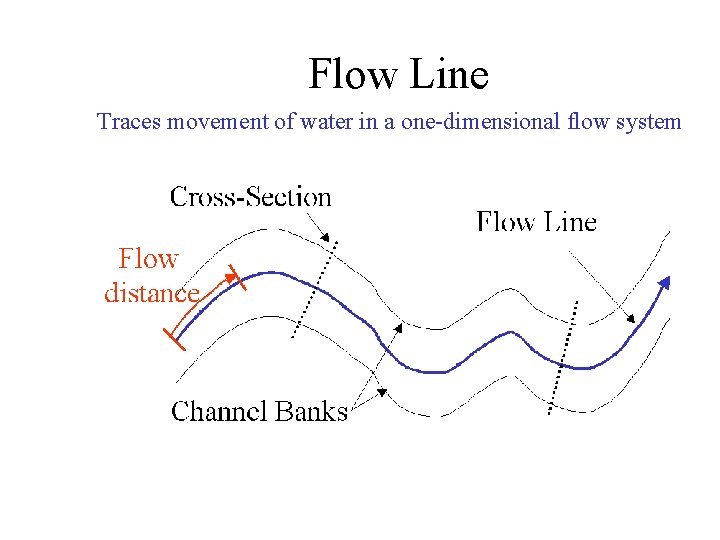
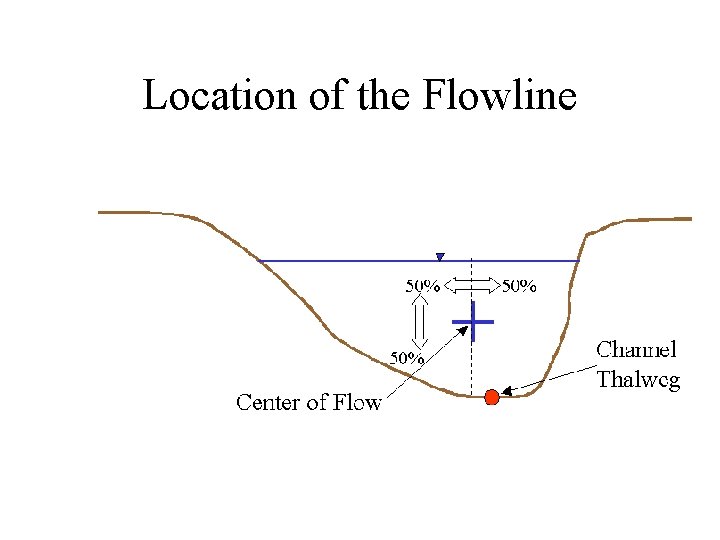
Flow Line Traces movement of water in a one-dimensional flow system
Location of the Flowline
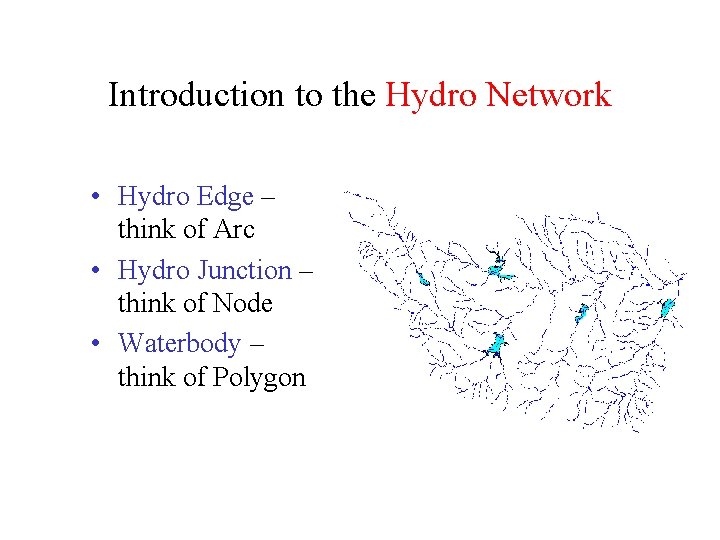
Introduction to the Hydro Network • Hydro Edge – think of Arc • Hydro Junction – think of Node • Waterbody – think of Polygon
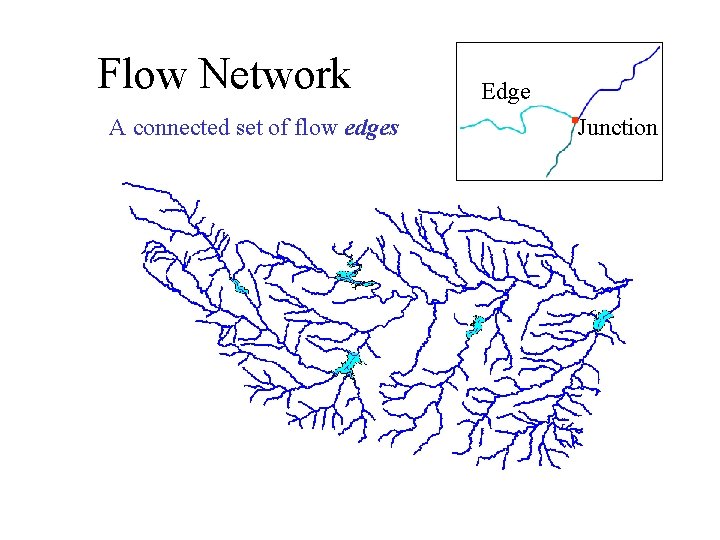
Flow Network A connected set of flow edges Edge Junction
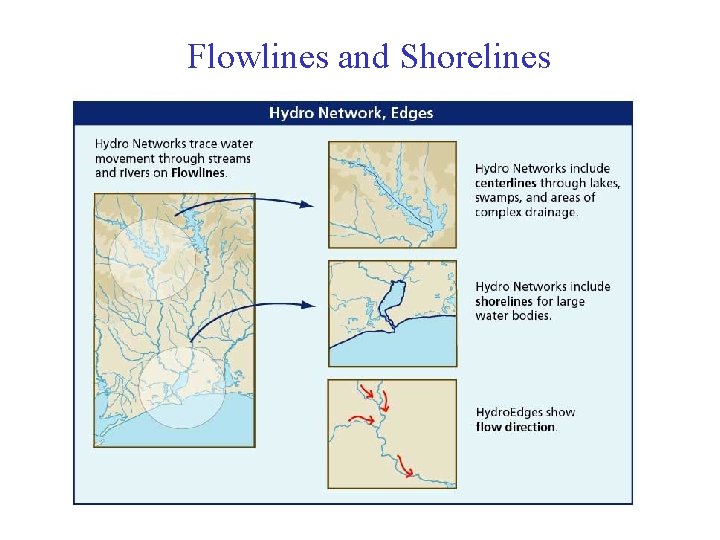
Flowlines and Shorelines
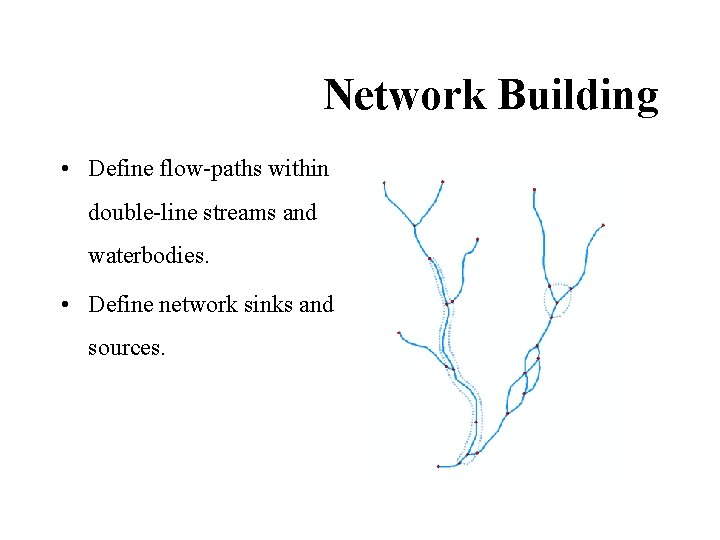
Network Building • Define flow-paths within double-line streams and waterbodies. • Define network sinks and sources.
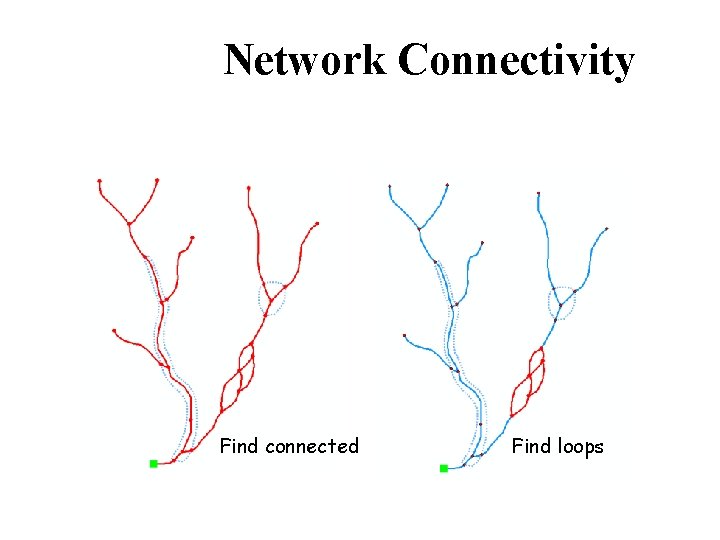
Network Connectivity Find connected Find loops
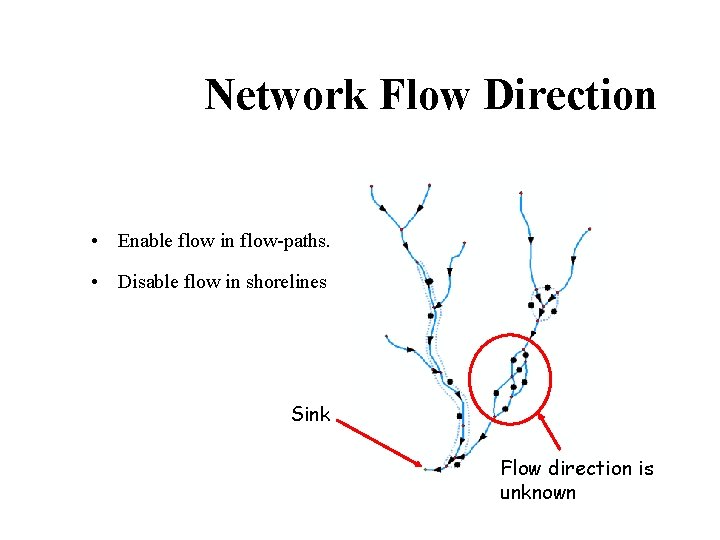
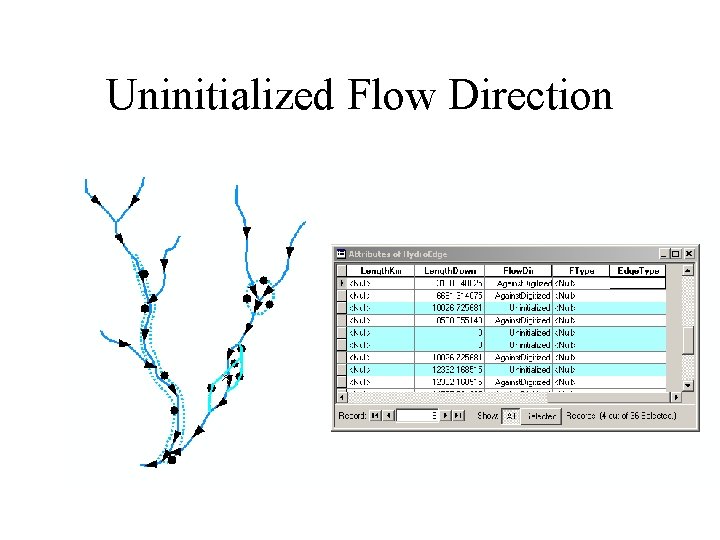
Network Flow Direction • Enable flow in flow-paths. • Disable flow in shorelines Sink Flow direction is unknown
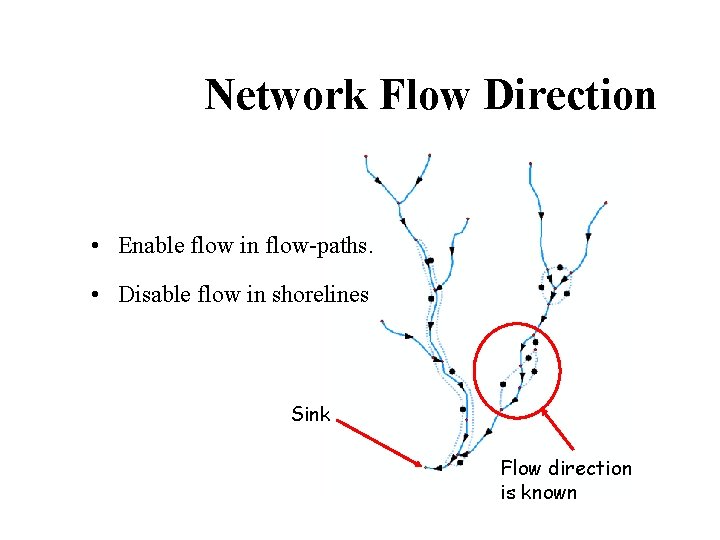
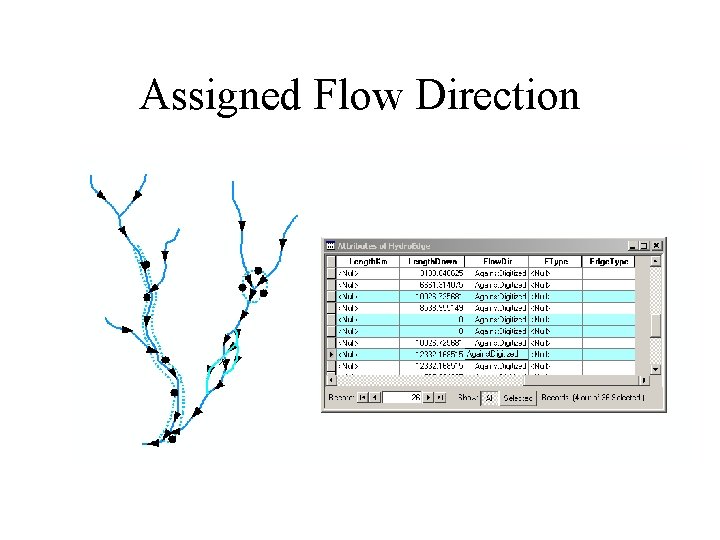
Network Flow Direction • Enable flow in flow-paths. • Disable flow in shorelines Sink Flow direction is known
Uninitialized Flow Direction
Assigned Flow Direction
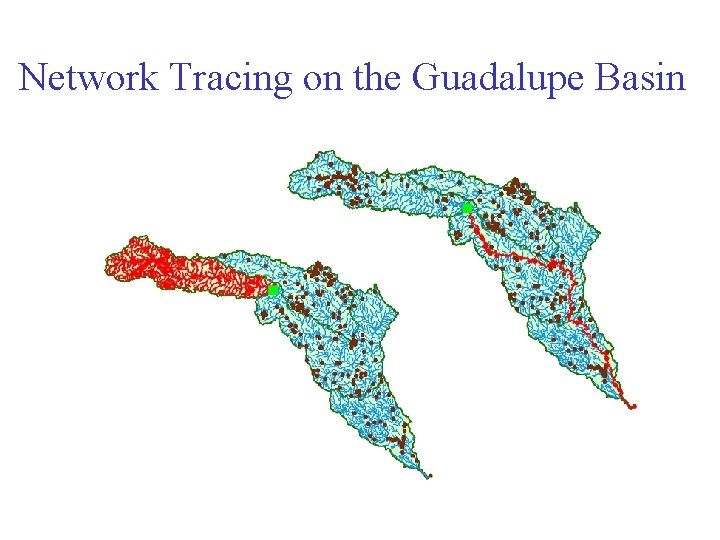
Network Tracing Trace Upstream Trace Downstream
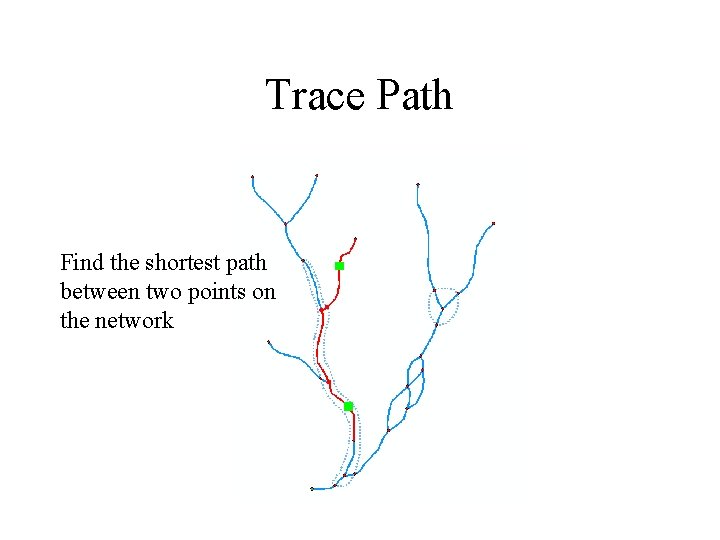
Trace Path Find the shortest path between two points on the network
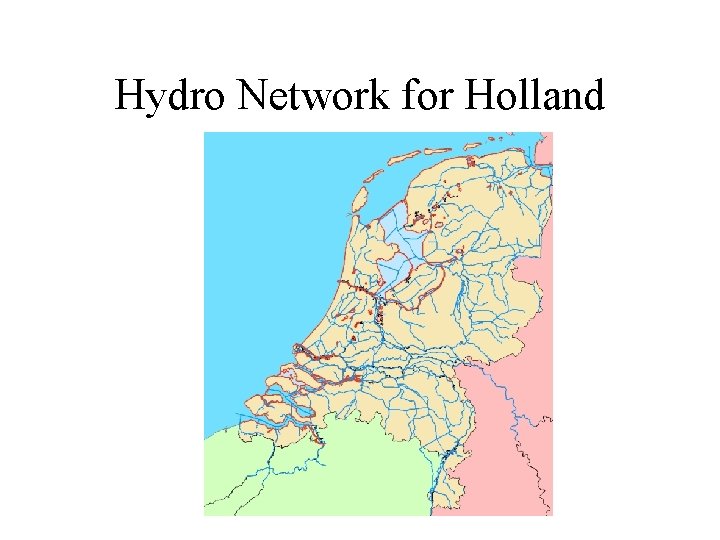
Hydro Network for Holland
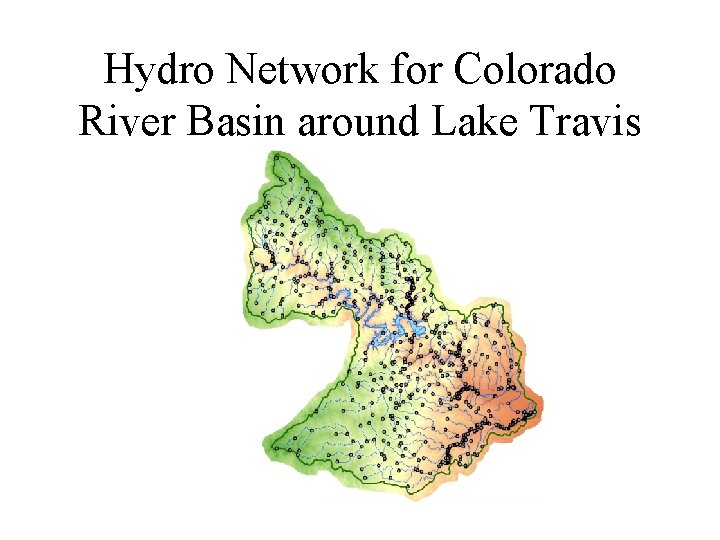
Hydro Network for Colorado River Basin around Lake Travis
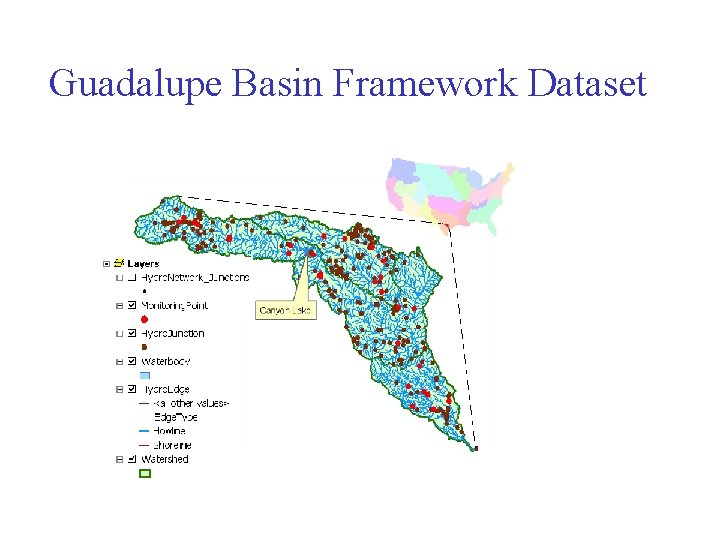
Guadalupe Basin Framework Dataset
Network Tracing on the Guadalupe Basin
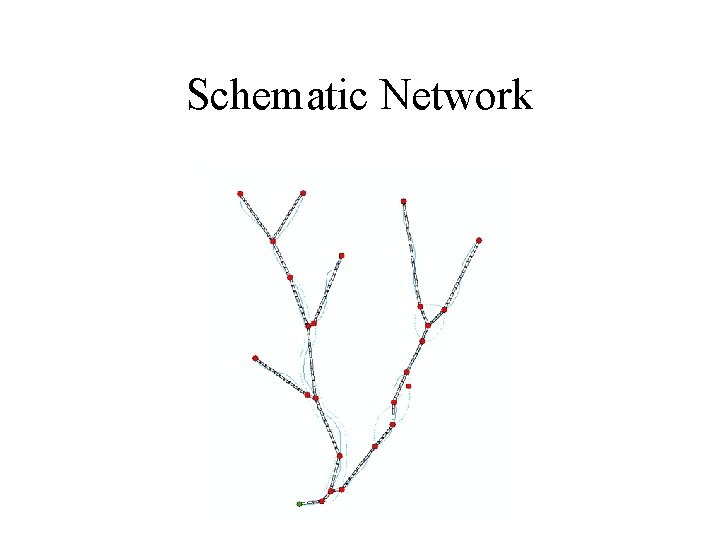
Schematic Network
Hydro Network Junctions
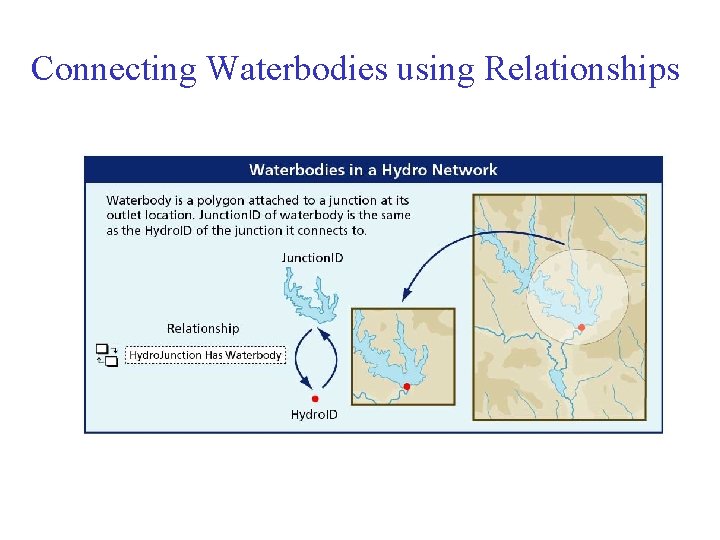
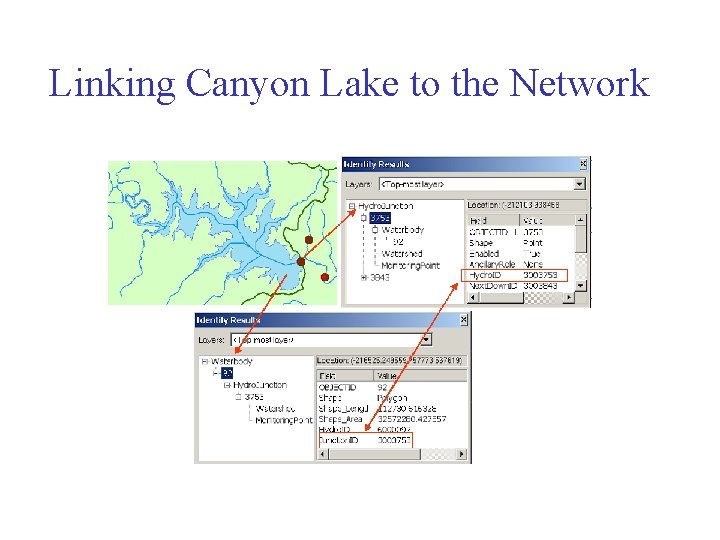
Connecting Waterbodies using Relationships
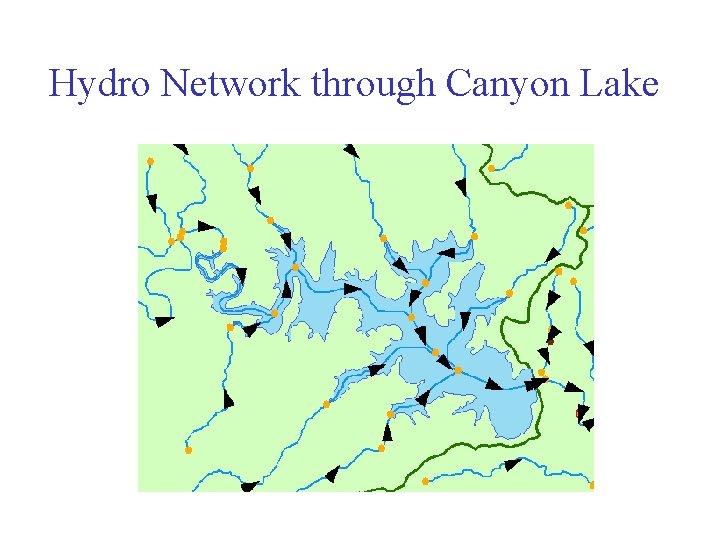
Hydro Network through Canyon Lake
Linking Canyon Lake to the Network
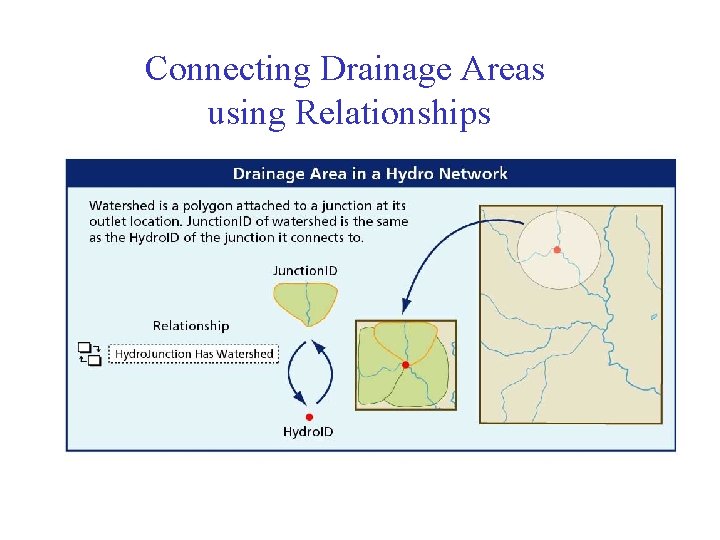
Connecting Drainage Areas using Relationships
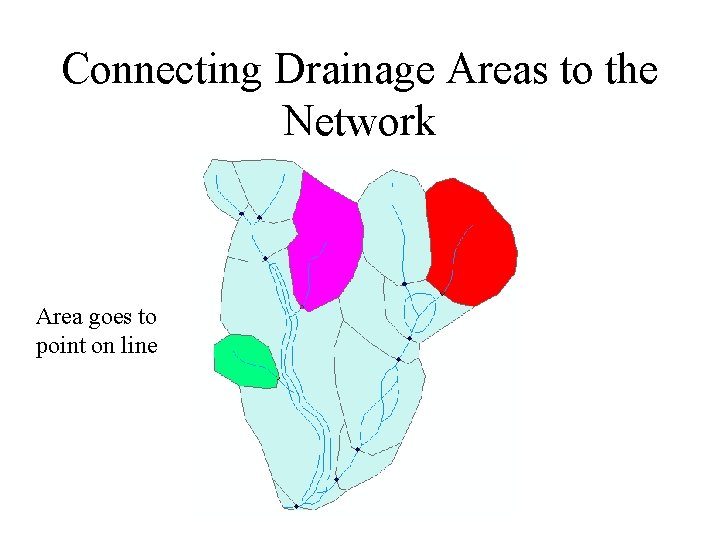
Connecting Drainage Areas to the Network Area goes to point on line
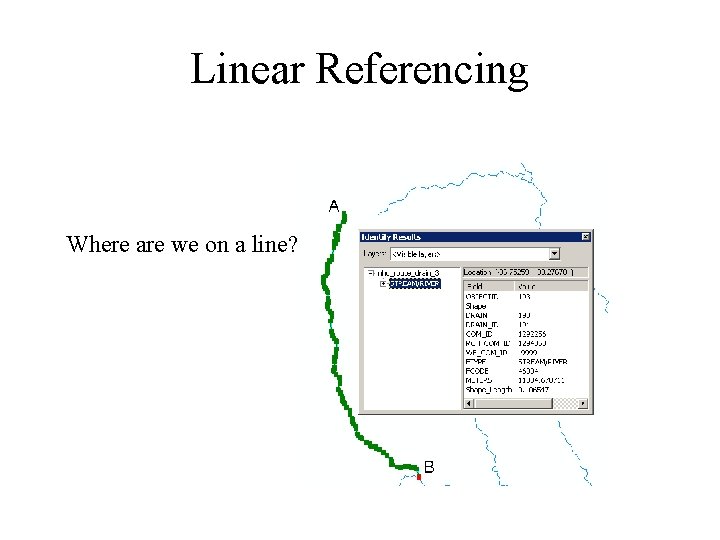
Linear Referencing Where are we on a line?
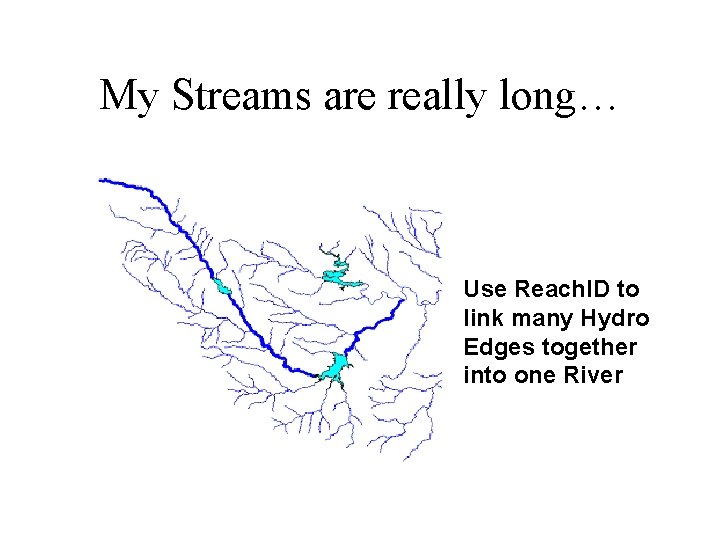
My Streams are really long… Use Reach. ID to link many Hydro Edges together into one River
Addressing
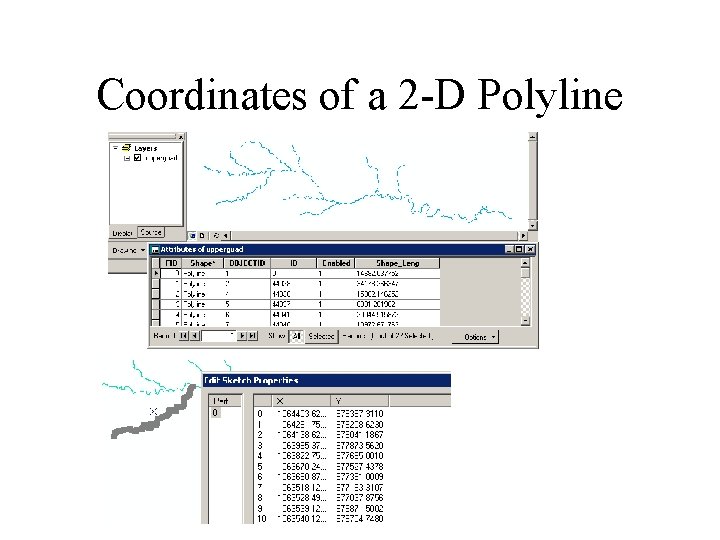
Coordinates of a 2 -D Polyline
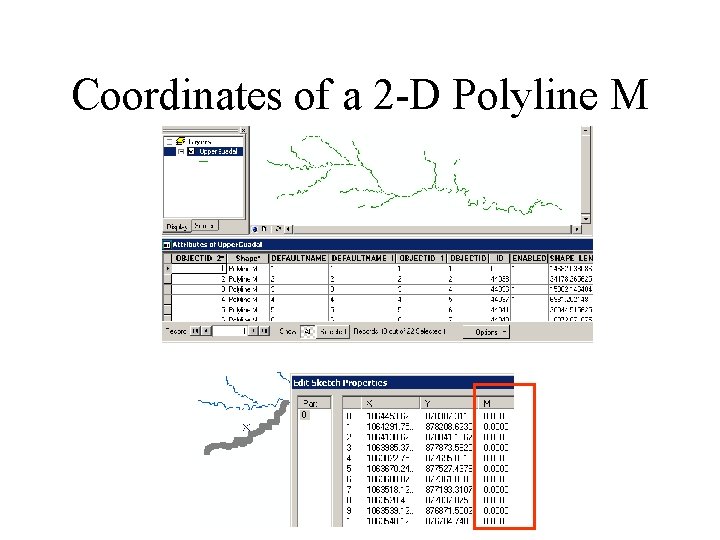
Coordinates of a 2 -D Polyline M
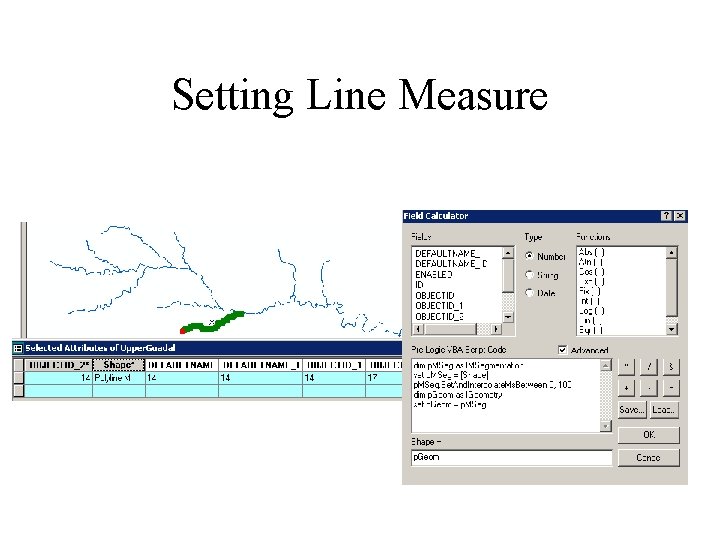
Setting Line Measure
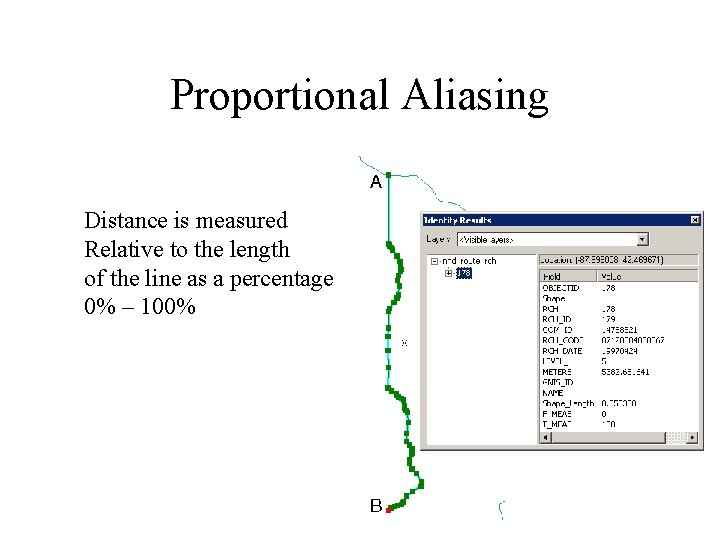
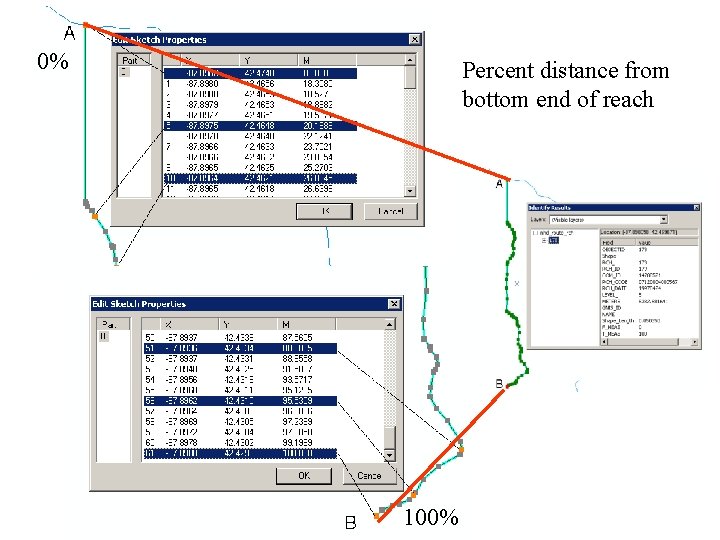
Proportional Aliasing Distance is measured Relative to the length of the line as a percentage 0% – 100%
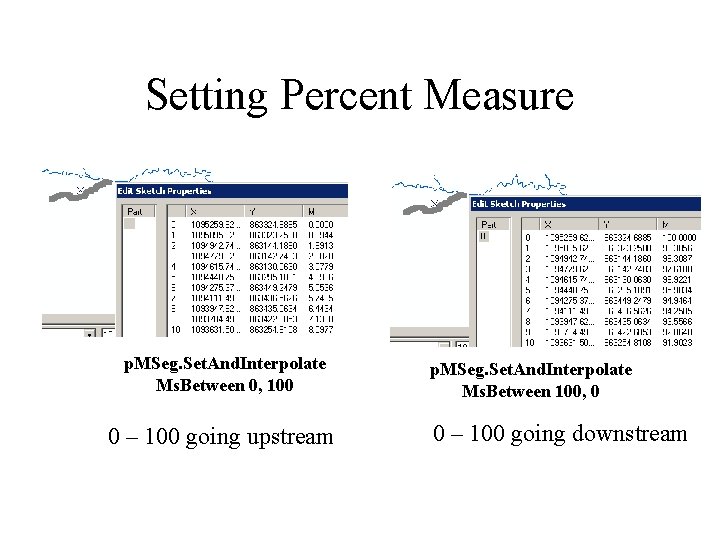
Setting Percent Measure p. MSeg. Set. And. Interpolate Ms. Between 0, 100 0 – 100 going upstream p. MSeg. Set. And. Interpolate Ms. Between 100, 0 0 – 100 going downstream
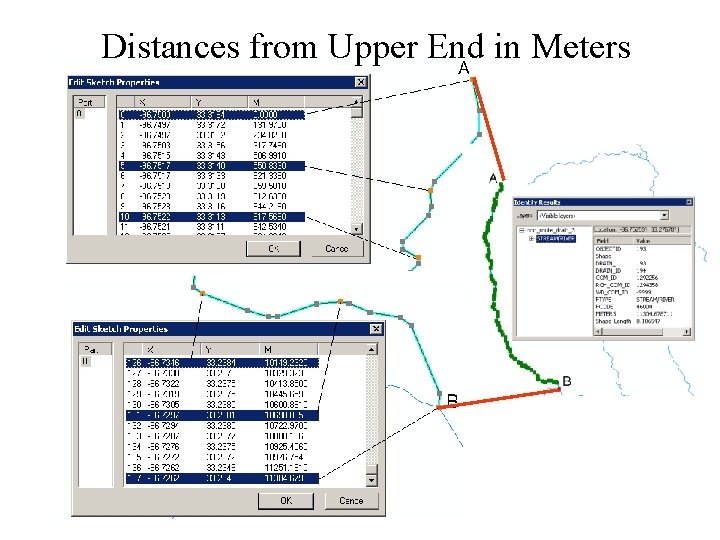
Distances from Upper End in Meters
0% Percent distance from bottom end of reach 100%
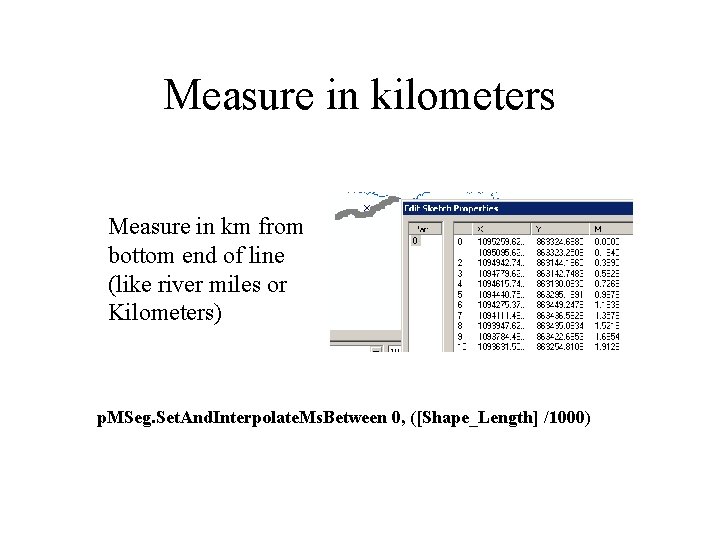
Measure in kilometers Measure in km from bottom end of line (like river miles or Kilometers) p. MSeg. Set. And. Interpolate. Ms. Between 0, ([Shape_Length] /1000)
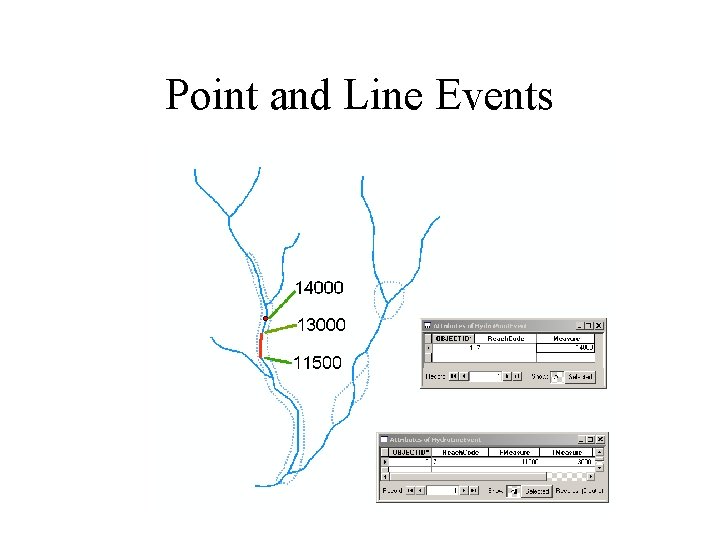
Point and Line Events
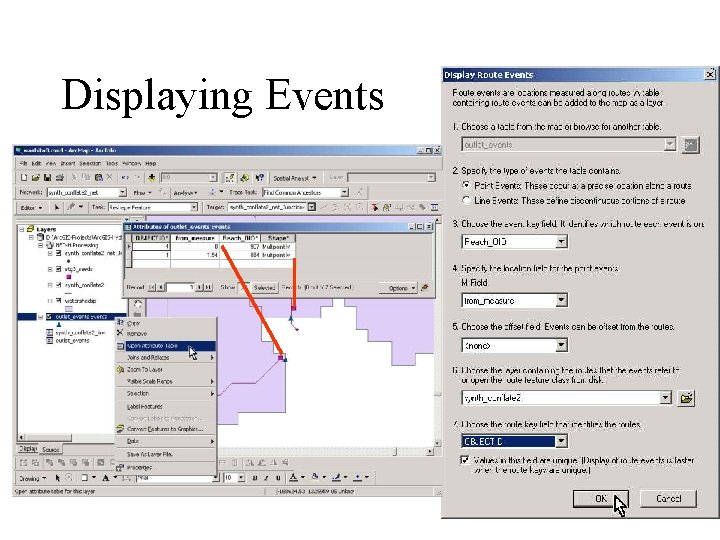
Displaying Events