
Networking Malware CS 598 Network Security Michael Rogers
- Slides: 93
Networking & Malware CS 598: Network Security Michael Rogers & Leena Winterrowd March 26, 2013
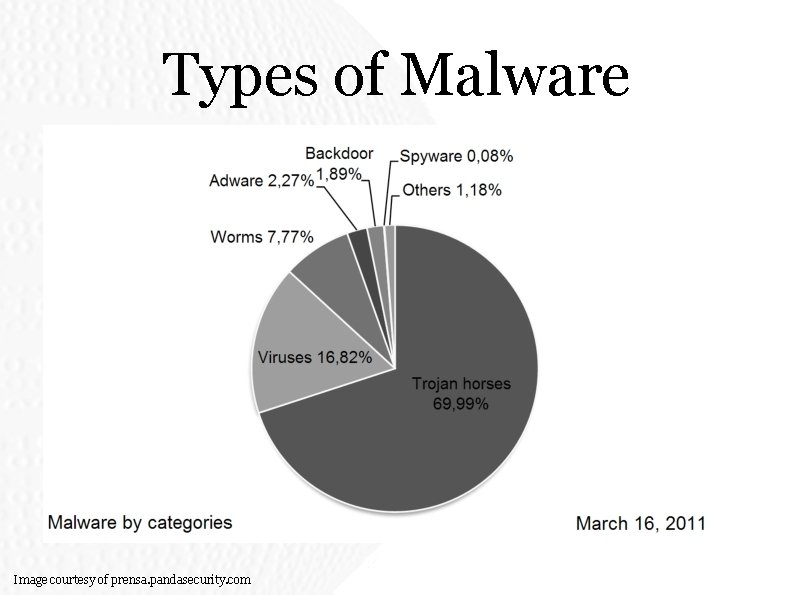
Types of Malware Image courtesy of prensa. pandasecurity. com
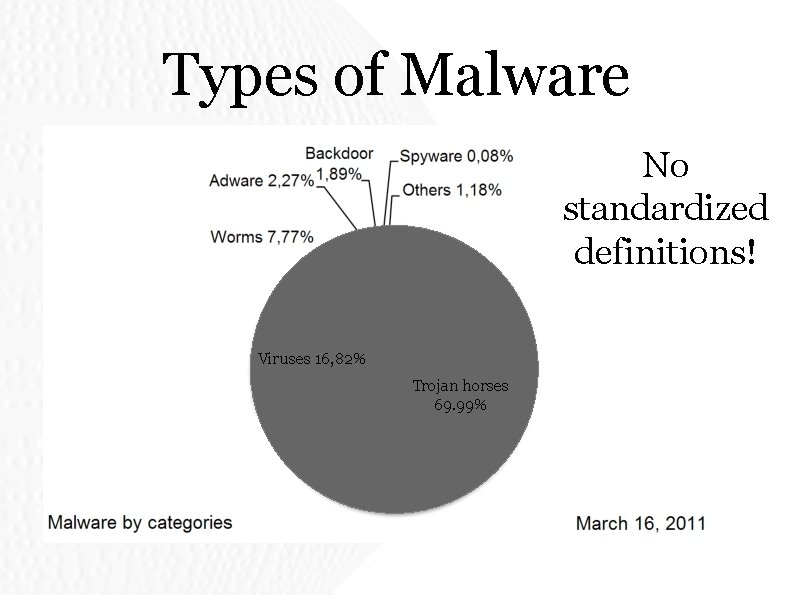
Types of Malware No standardized definitions! Viruses 16, 82% Trojan horses 69. 99%
Viruses • Programs capable of selfreplication • Spread to other systems • Cannot execute on their own • Must attach themselves to other programs Effectively need userinteraction to spread •
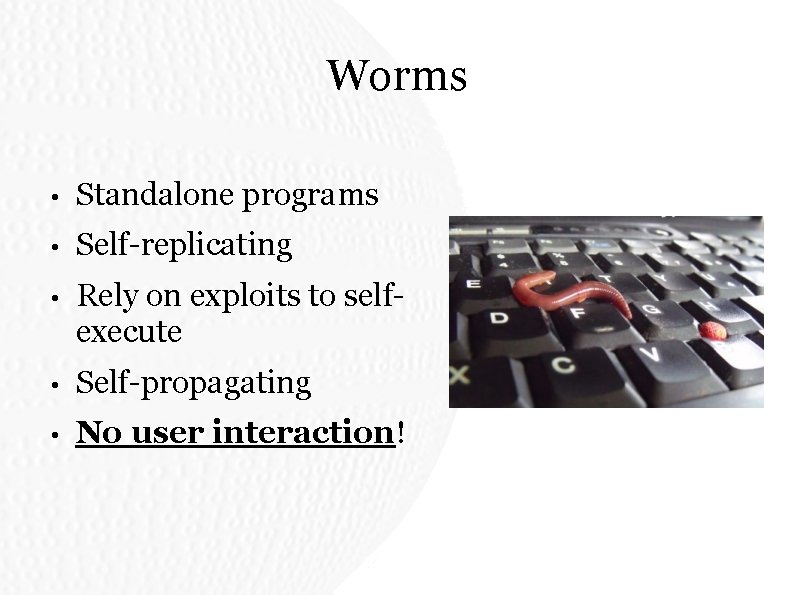
Worms • Standalone programs • Self-replicating • Rely on exploits to selfexecute • Self-propagating • No user interaction!
Ye Olde Computyre Virus Thou hast presently received ye olde virus! Since it doth not useth 'electricitee' or 'computyres', thou art on ye olde 'Honore Systeme'. Please deleteth all of thy files from thy hard drive and forward ye olde virus to thy friends.
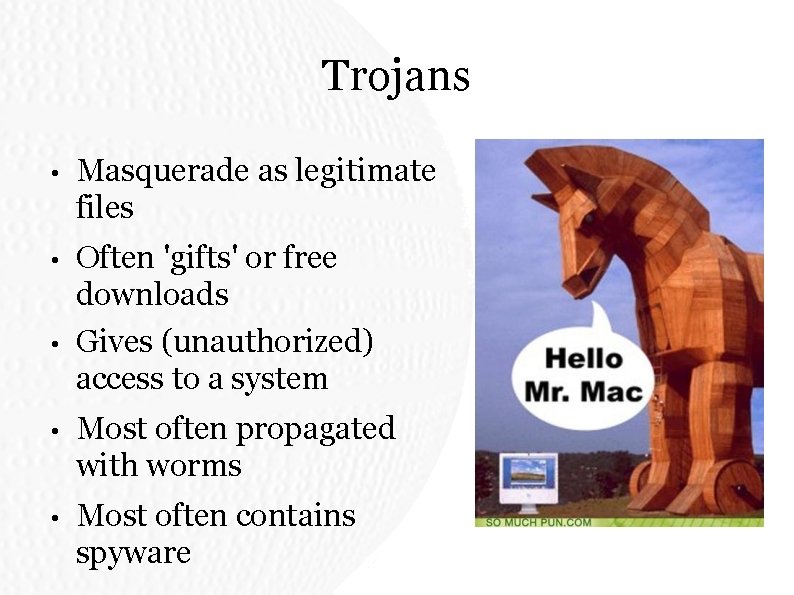
Trojans • Masquerade as legitimate files • Often 'gifts' or free downloads Gives (unauthorized) access to a system • • Most often propagated with worms • Most often contains spyware
Backdoors • Bypass security to directly access data/service • Often default/hard-coded password • Maintain undetectability • Example (2003): • 2 -line Linux kernel change: http: //kerneltrap. org/node/1584 • Frequently used by worms
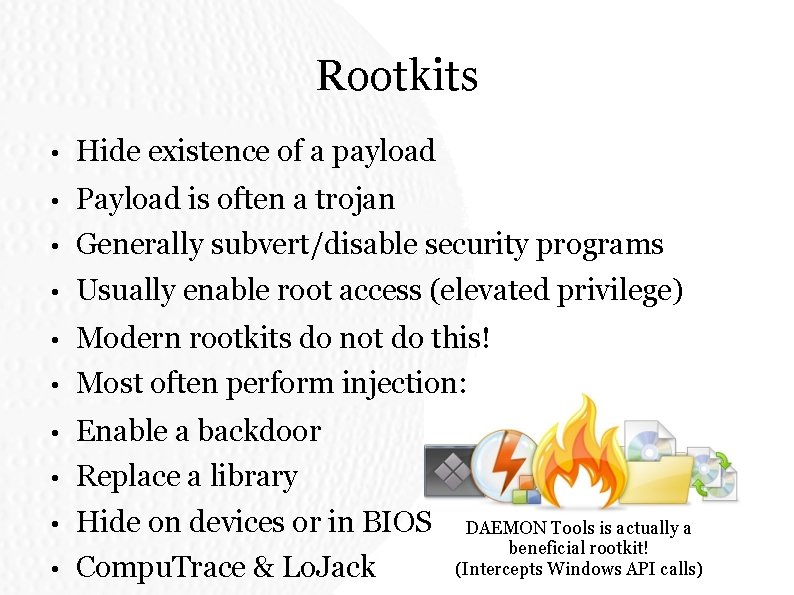
Rootkits • Hide existence of a payload • Payload is often a trojan • Generally subvert/disable security programs • Usually enable root access (elevated privilege) • Modern rootkits do not do this! • Most often perform injection: • Enable a backdoor • Replace a library • Hide on devices or in BIOS • Compu. Trace & Lo. Jack DAEMON Tools is actually a beneficial rootkit! (Intercepts Windows API calls)
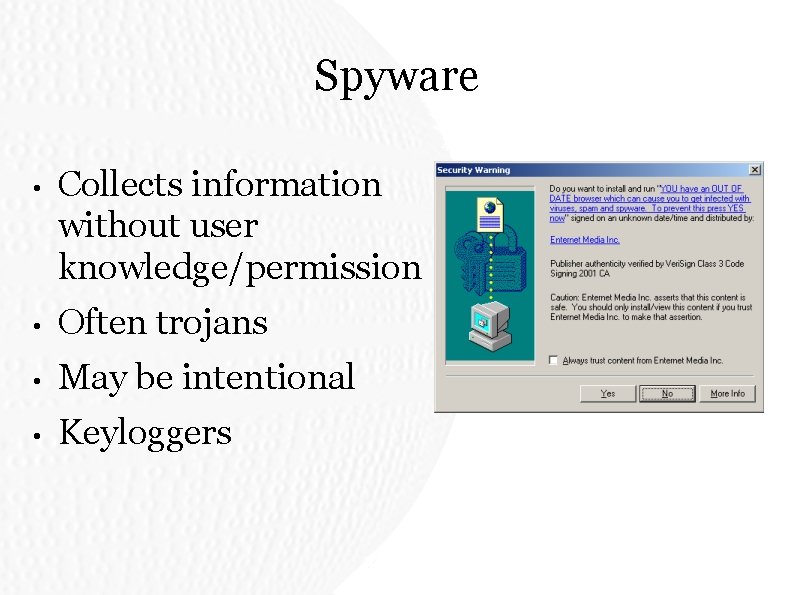
Spyware • Collects information without user knowledge/permission • Often trojans • May be intentional • Keyloggers
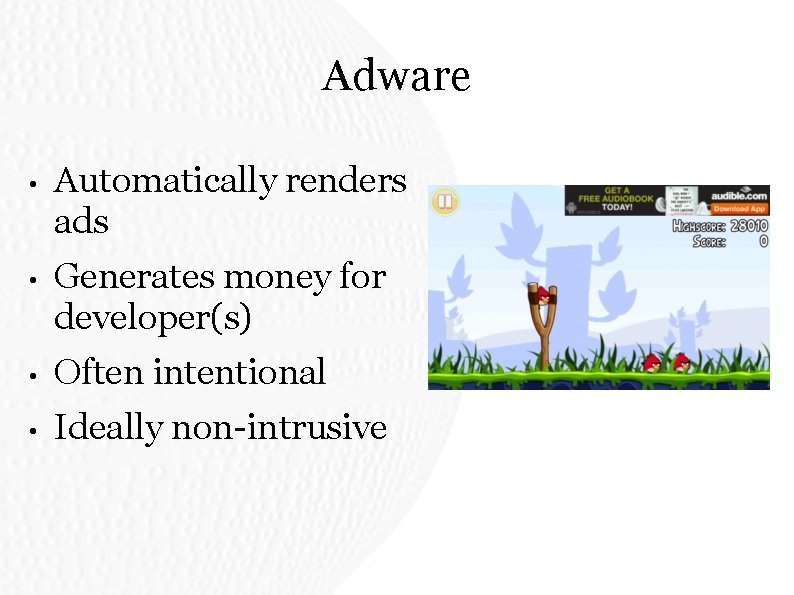
Adware • Automatically renders ads • Generates money for developer(s) • Often intentional • Ideally non-intrusive
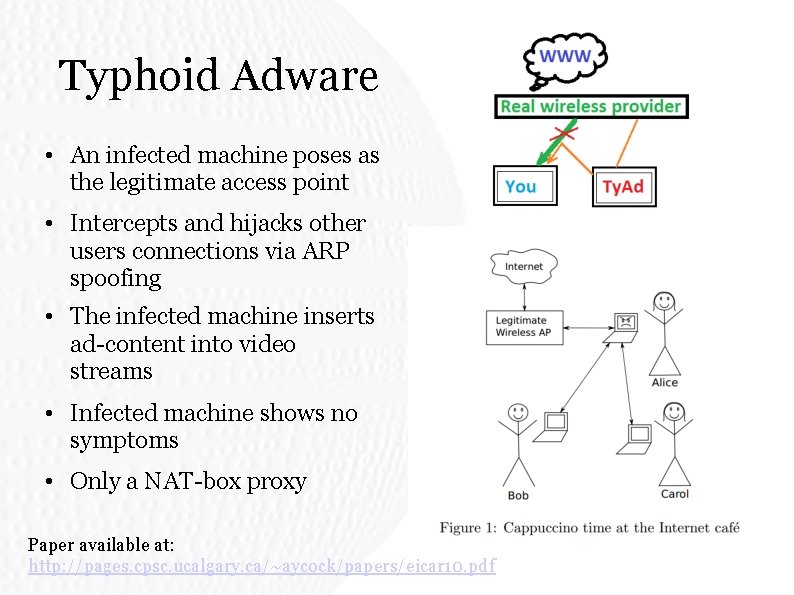
Typhoid Adware • An infected machine poses as the legitimate access point • Intercepts and hijacks other users connections via ARP spoofing • The infected machine inserts ad-content into video streams • Infected machine shows no symptoms • Only a NAT-box proxy Paper available at: http: //pages. cpsc. ucalgary. ca/~aycock/papers/eicar 10. pdf
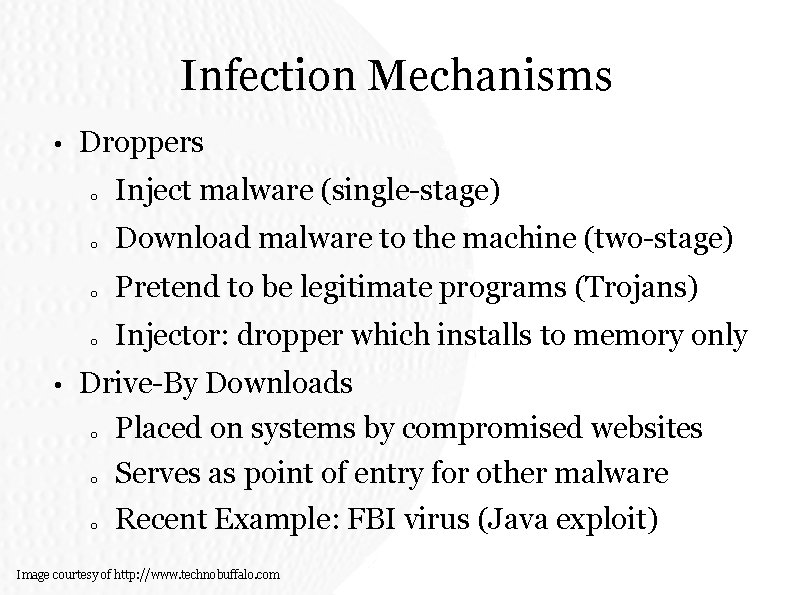
Infection Mechanisms • • Droppers o Inject malware (single-stage) o Download malware to the machine (two-stage) o Pretend to be legitimate programs (Trojans) o Injector: dropper which installs to memory only Drive-By Downloads o Placed on systems by compromised websites o Serves as point of entry for other malware o Recent Example: FBI virus (Java exploit) Image courtesy of http: //www. technobuffalo. com
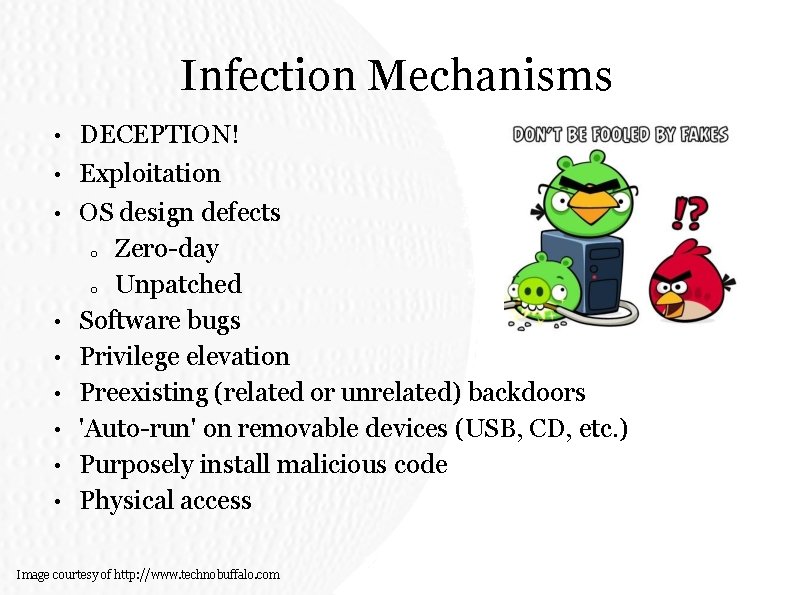
Infection Mechanisms • • • DECEPTION! Exploitation OS design defects o Zero-day o Unpatched Software bugs Privilege elevation Preexisting (related or unrelated) backdoors 'Auto-run' on removable devices (USB, CD, etc. ) Purposely install malicious code Physical access Image courtesy of http: //www. technobuffalo. com
Well-Known Malware Examples
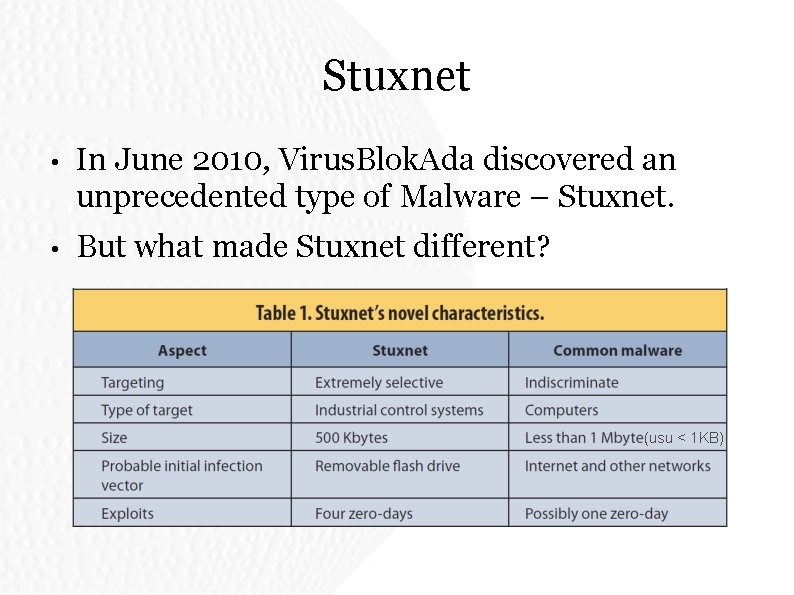
Stuxnet • In June 2010, Virus. Blok. Ada discovered an unprecedented type of Malware – Stuxnet. • But what made Stuxnet different? (usu < 1 KB)
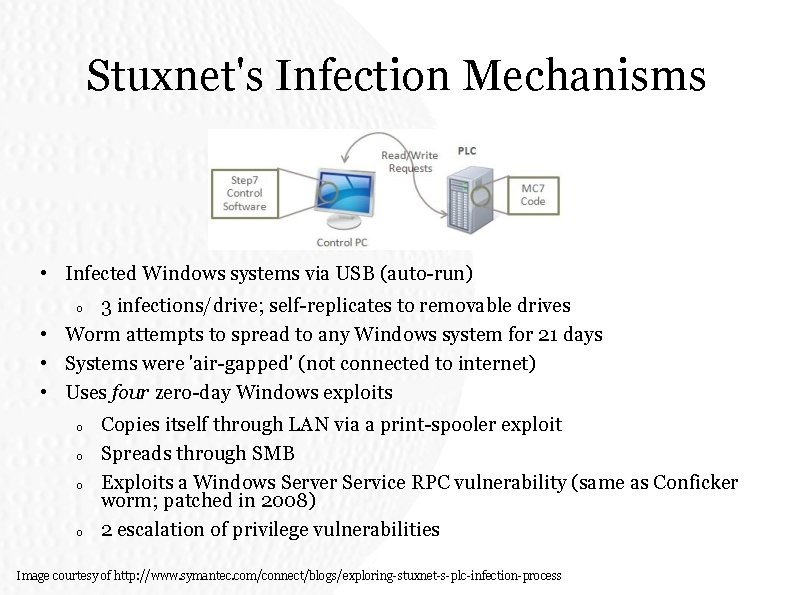
Stuxnet's Infection Mechanisms • Infected Windows systems via USB (auto-run) 3 infections/drive; self-replicates to removable drives • Worm attempts to spread to any Windows system for 21 days • Systems were 'air-gapped' (not connected to internet) • Uses four zero-day Windows exploits o o o Copies itself through LAN via a print-spooler exploit Spreads through SMB Exploits a Windows Server Service RPC vulnerability (same as Conficker worm; patched in 2008) 2 escalation of privilege vulnerabilities Image courtesy of http: //www. symantec. com/connect/blogs/exploring-stuxnet-s-plc-infection-process
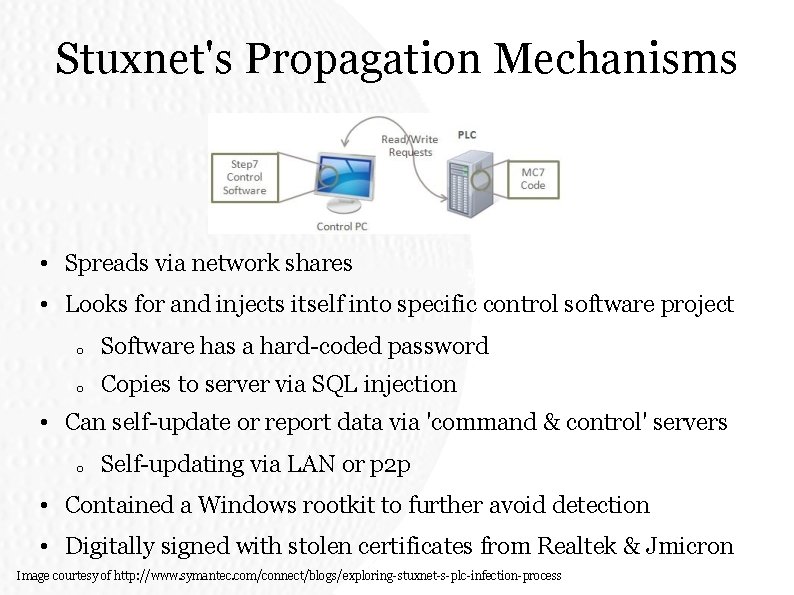
Stuxnet's Propagation Mechanisms • Spreads via network shares • Looks for and injects itself into specific control software project o Software has a hard-coded password o Copies to server via SQL injection • Can self-update or report data via 'command & control' servers o Self-updating via LAN or p 2 p • Contained a Windows rootkit to further avoid detection • Digitally signed with stolen certificates from Realtek & Jmicron Image courtesy of http: //www. symantec. com/connect/blogs/exploring-stuxnet-s-plc-infection-process
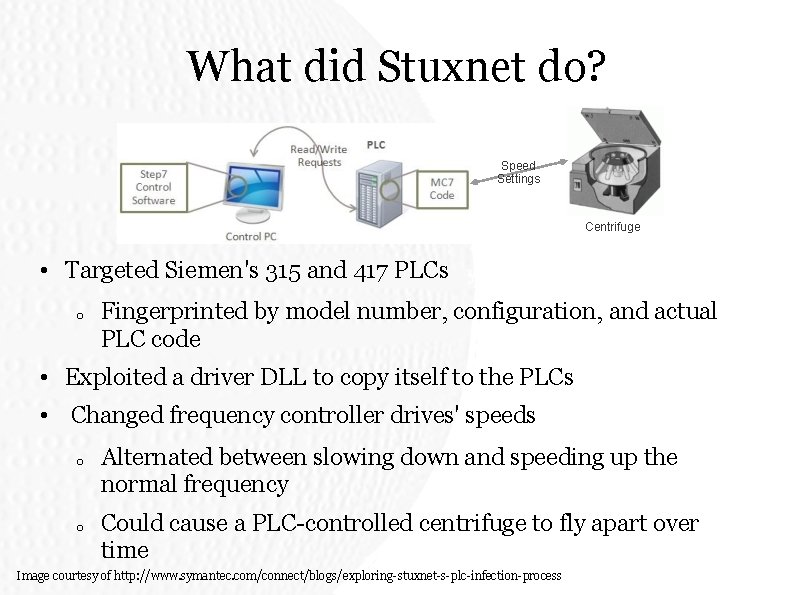
What did Stuxnet do? Speed Settings Centrifuge • Targeted Siemen's 315 and 417 PLCs o Fingerprinted by model number, configuration, and actual PLC code • Exploited a driver DLL to copy itself to the PLCs • Changed frequency controller drives' speeds o o Alternated between slowing down and speeding up the normal frequency Could cause a PLC-controlled centrifuge to fly apart over time Image courtesy of http: //www. symantec. com/connect/blogs/exploring-stuxnet-s-plc-infection-process
Flame • "Arguably the most sophisticated malware ever found" o ~20 MB • Spreads via LAN or USB • Compromised Microsoft code-signing certificate o • MD 5 chosen-prefix collision attack Modular design
What did Flame do? • Steals information • Records Skype calls • Activates Bluetooth o • Steals information from other Bluetooth devices Communicates information back to command & control server and awaits further instructions
DNSChanger • Drive-by download claiming to be a required video codec • Modified DNS config to go through a rogue name server • Injected/substituted advertising on web pages & redirected some links • Could spread within a LAN • o Mimicked a DHCP server o Pointed others towards the rogue DNS servers Perpetrators apprehended, but rogue DNS servers left running for fear of knocking infected machines off the internet
Nimda • Virus/worm hybrid • Infected via multiple avenues o Email o Network shares o Compromised websites o Microsoft IIS vulnerability exploits o • Backdoors left by other worms (Code Red II and sadmind/IIS) Became the internet's most widespread worm within 22 minutes
Why Malware is Written • 'For teh lulz' (entertainment value) o • To show off o • Attacks may act as the victim Sociopolitical o o o • Exploit remote systems as a show of skill Anonymity o • Causing distraction or destruction just because it's amusing Anonymous, Lulzsec, hacktivists Stuxnet & Flame May cause physical damage! (Stuxnet) For profit
Malware for Profit • Spyware o o o • Botnets o • Cloud-based attacks (DDOS, click fraud, spam) Adware/scareware/ransomware o • Gain personal information for various purposes Targeted marketing or identity theft Corporate espionage/sabotage Directly bilk money from victims Recursive o o Sell dropper/backdoor kits Promote further infection
Malware Propagation
Target Selection • Completely targeted • Semi-targeted • Brute-force/random • Pseudorandom • Diffusion
Completely Targeted • • • Predetermined list of targets Common to spam/phishing Tend to employ social engineering techniques
Semi-Targeted • • Takes a good guess at the next target Often target machines on the local network (worms) Uses the concept of homogeneity o Exploit one in network → may be able to exploit all E-mail contact lists (trojans)
Brute-Force • • Port-scanning and IP scanning the entire address space Often start from a randomized offset and skip around
Pseudorandom • • • Brute-force with restrictions (for better performance) Example: Blacklist known darknet/honeypot addresses Example: Prioritize IPs belonging to a specific country
Diffusion • • Design malware to use alternate channels of infection (USB drives or smartphones) Hope someone plugs the wrong thing in the wrong place Can be random or targeted Targeted often requires research on habits/behaviors of individuals in the target environment
Actual Propagation • Self-propagation • Social engineering • Secondary infections • Malicious code sources: o From central source o From infector o Inject as part of exploitation
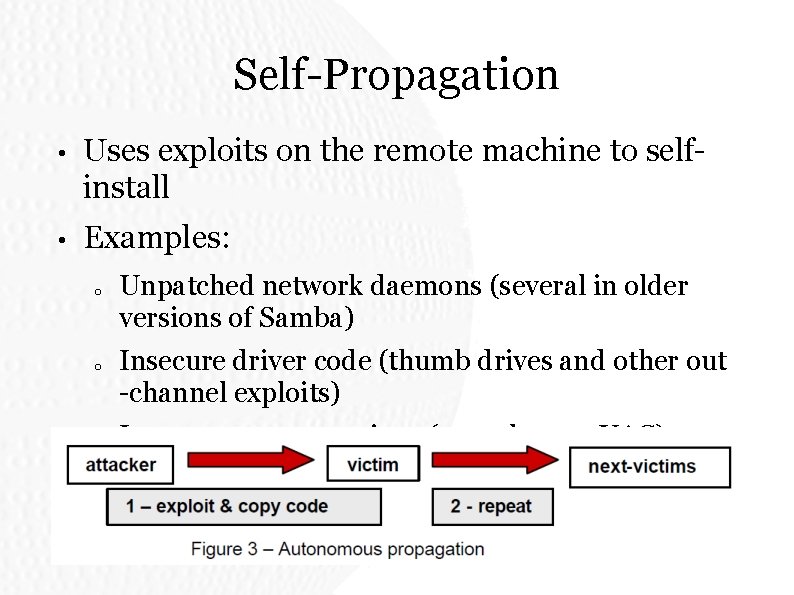
Self-Propagation • Uses exploits on the remote machine to selfinstall • Examples: o o o Unpatched network daemons (several in older versions of Samba) Insecure driver code (thumb drives and other out -channel exploits) Insecure system settings (autoplay, no UAC)
Social Engineering • Sends a copy of the malware disguised as something innocuous o • "Funny cat video!. mpg. exe" Spread by malicious user, unwitting infected user, or the malware itself
Secondary Infections • Create an artificial vulnerability or exploit • Serves as the vehicle for other malware • Primary approach of droppers & backdoors
Honeypots • Detection mechanism that exploits random/pseudorandom propagation • o Pose as a vulnerable system o Capture malware samples Often run by known organizations • o Known IP spaces = easy to avoid Low interaction honeypots • o Emulate aspects of a vulnerable system o Safer but only emulate specific aspects High interaction honeypots o Actual full systems/VMs o Specialized firewall o Infection (hopefully) cannot spread
Communication and Control
Four different classifications • Uncontrolled and silent • Controlled and silent • Uncontrolled and noisy • Controlled and noisy
Uncontrolled and Silent • No interaction with programmer in either direction • No transmitting of information back to source • Behavior must be pre-programmed, e. g. Stuxnet • Often used simply to cause destruction
Uncontrolled and Silent • Pros • Cannot be disrupted by compromising command method • Less likely to be detected by network monitoring (under correct conditions)
Uncontrolled and Silent • Cons • No dynamic control • Cannot be used for data theft, reconnaissance
Controlled and Silent • Can receive commands • Numerous channels available, such as IRC, DHT, Google link bombing, establishing direct network contact, P 2 P networks, file drops • Does not transmit information • Often used for targeted attacks, occasionally used for botnets, planting backdoors
Controlled and Silent • Pros • Behavior can change dynamically after launch in direct response to controller • Less likely to be detected by network monitoring (under correct conditions, initially)
Controlled and Silent • Cons • Cannot be used for data theft, reconnaissance • Can be disrupted or even destroyed by subversion of command mechanism
Uncontrolled and Noisy • Can communicate information about infected systems • Methods include file drops on a central server or to online hosting services (e. g. Mega), IRC channels, P 2 P services • More useful for reconnaissance, smash-and-grab
Uncontrolled and Noisy • Pros • Easiest for ‘blitz’ style attacks • Good for blind mapping
Uncontrolled and Noisy • Cons • No dynamic control • More likely to be detected
Controlled and Noisy • Allows for both control and communication • Allows for targeting and exploiting specific systems • Frequently used for more sophisticated malware • High-end botnets, spyware, backdoors
Controlled and Noisy • Pros • Can dynamically alter behavior • Can gain information about infected systems • Allows for most sophisticated behavior
Controlled and Noisy • Cons • Most likely to be detected • Can be disrupted or destroyed by subversion of communication mechanism • Provides most chances for perpetrator to be caught
Detecting Malware Warning signs at the network level
Detecting the Act of Infection • Look for network packets which indicate an attack or exploit • Known bad packets • Malformed packets • Often requires deep packet inspection (NIDS such as Snort and Bro)
Detecting Suspicious Traffic Types • Probes on multiple ports from the same source (singleorigin port scanning) • Can be frustrated or defeated by a distributed scan (likely via botnet), use of proxies or anonymization services such as Tor, cooldown periods
Detecting Suspicious Traffic Types • Encrypted traffic on unusual ports • Can be frustrated or defeated by tunneling through normally encrypted ports such as 443 for HTTPS
Detecting Suspicious Traffic Types • Requests for multiple IP addresses on the same LAN from a single source • Can be frustrated or defeated by a distributed scan (likely via botnet) and/or use of proxies or anonymization services such as Tor if done remotely, cooldown periods
Detecting Suspicious Traffic Types • Requests with unusual strings and/or misspellings • Browser type "Mo. Zilla", "Inert. Net Esplorer" • User-Agent: %^&NQvt • Requests with unusual IP headers and/or flags • <!--- malicious message --->
Detecting Suspicious Traffic Volume • Observe the (networking) behavior of a suspect machine • Look for large traffic spikes • Look for strange traffic behavior
Detecting Suspicious Traffic Volume • Large traffic spikes may indicate an attempt at a ‘fire hose’ or ‘spray and pray’ method of infection • Large traffic spikes may also indicate cooption of system resources such as Bitcoin mining, click fraud, or distributed cryptographic attacks
Detecting Suspicious Traffic Volume • Strange behavior is more subtle • Look for port scanning behavior • Look for network communications while the system is otherwise idle • Look for network communications to a large number of IP addresses in a relatively short time • ESPECIALLY if the IP addresses are sequential • Look for network communications using unusual protocols • IRC traffic when no IRC client is installed
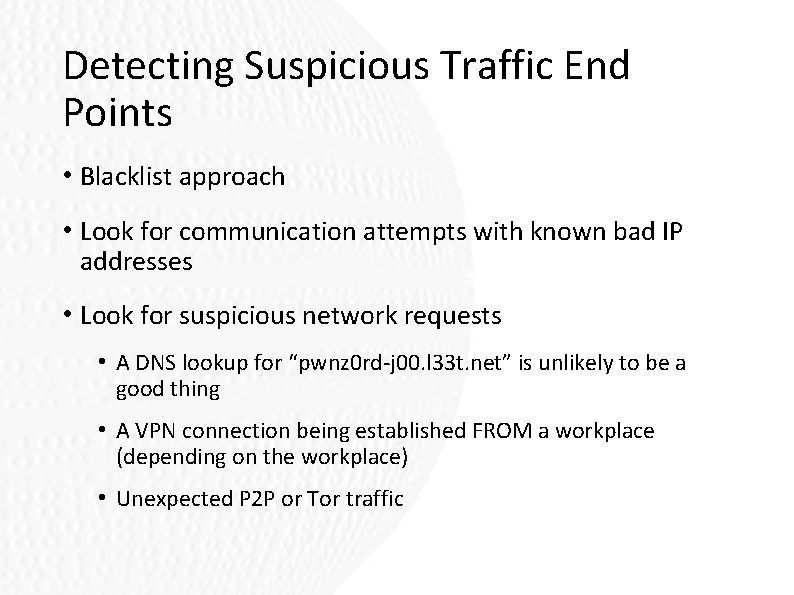
Detecting Suspicious Traffic End Points • Blacklist approach • Look for communication attempts with known bad IP addresses • Look for suspicious network requests • A DNS lookup for “pwnz 0 rd-j 00. l 33 t. net” is unlikely to be a good thing • A VPN connection being established FROM a workplace (depending on the workplace) • Unexpected P 2 P or Tor traffic
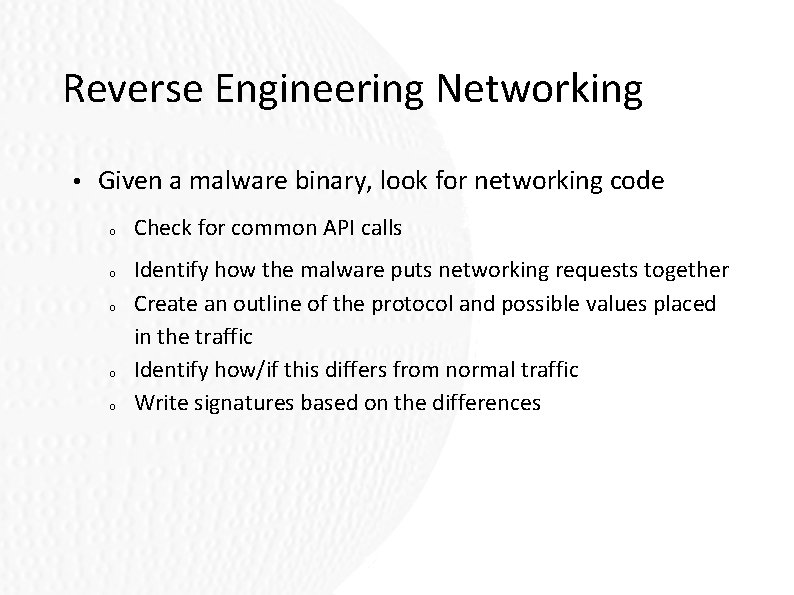
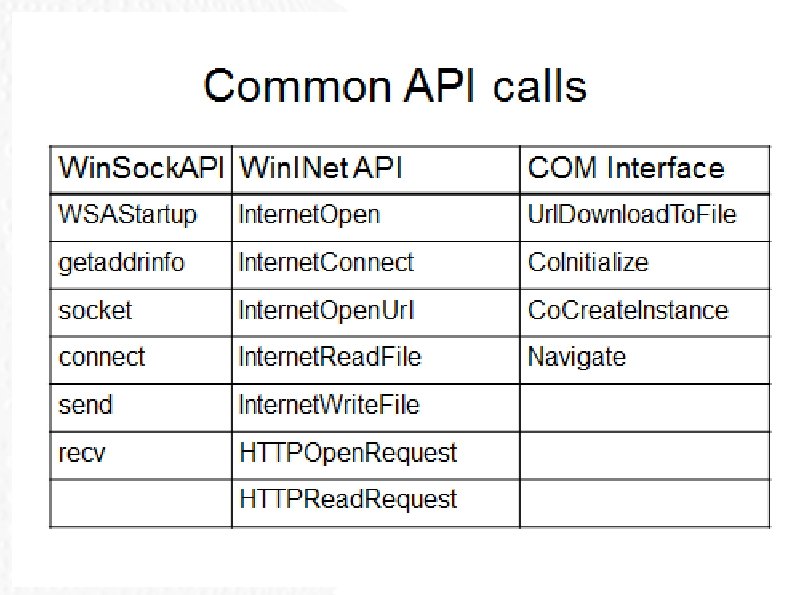
Reverse Engineering Networking • Given a malware binary, look for networking code o o o Check for common API calls Identify how the malware puts networking requests together Create an outline of the protocol and possible values placed in the traffic Identify how/if this differs from normal traffic Write signatures based on the differences
Anti Techniques • Anti-Disassembly • Anti-Debugger • Anti-Virtual Machine • Goal: Make it too difficult for beginners or even average malware analysts to handle
Anti-Disassembly • Goal: Trick Disassemblers into showing incorrect code • Raises the bar for malware analysts • Debugging assembly is difficult enough already • Can make it too difficult for novice malware analysts….
Types of Disassembly • Linear Disassembly • Disassemble one instruction at a time • Do not look at type of instruction • Flow-oriented Disassembly • Look at instruction and disassemble based on program flow • Used by IDA Pro and other commercial products
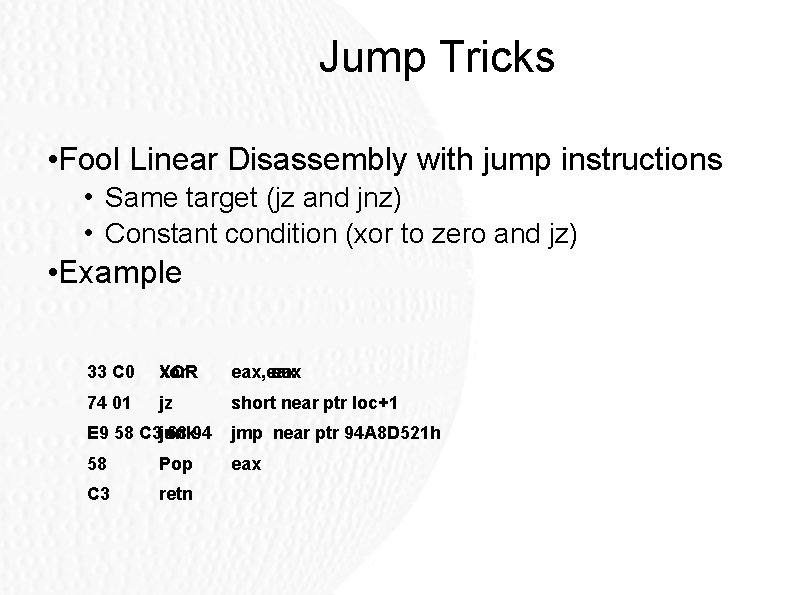
Jump Tricks • Fool Linear Disassembly with jump instructions • Same target (jz and jnz) • Constant condition (xor to zero and jz) • Example 33 C 0 XOR xor eax, eax 74 01 jz short near ptr loc+1 68 94 E 9 58 C 3 junk jmp near ptr 94 A 8 D 521 h 58 Pop eax C 3 retn
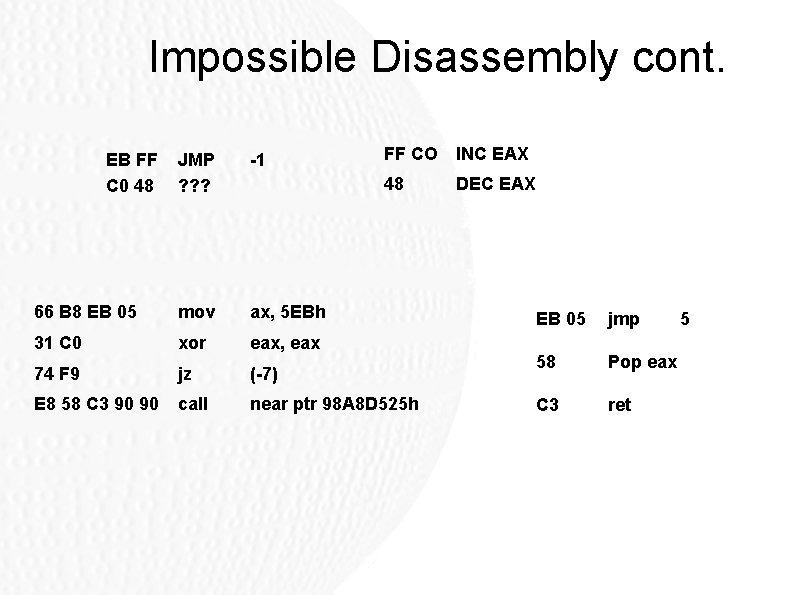
Impossible Disassembly • Recall Assembly instructions are multiple byte lengths depending on instruction • Jump back a byte into an instruction already disassembled and use it as part of another instruction • Screws over disassemblers
Impossible Disassembly cont. EB FF C 0 48 FF CO INC EAX 48 DEC EAX JMP ? ? ? -1 66 B 8 EB 05 mov ax, 5 EBh 31 C 0 xor eax, eax 74 F 9 jz (-7) E 8 58 C 3 90 90 call near ptr 98 A 8 D 525 h EB 05 jmp 58 Pop eax C 3 ret 5
Hiding Cross Referenced Code • Graph view in IDA is nice but…. • It is easy to hide function calls made through pointers • C++ uses this extensively • Be aware that function calls through pointers can get lost!!!
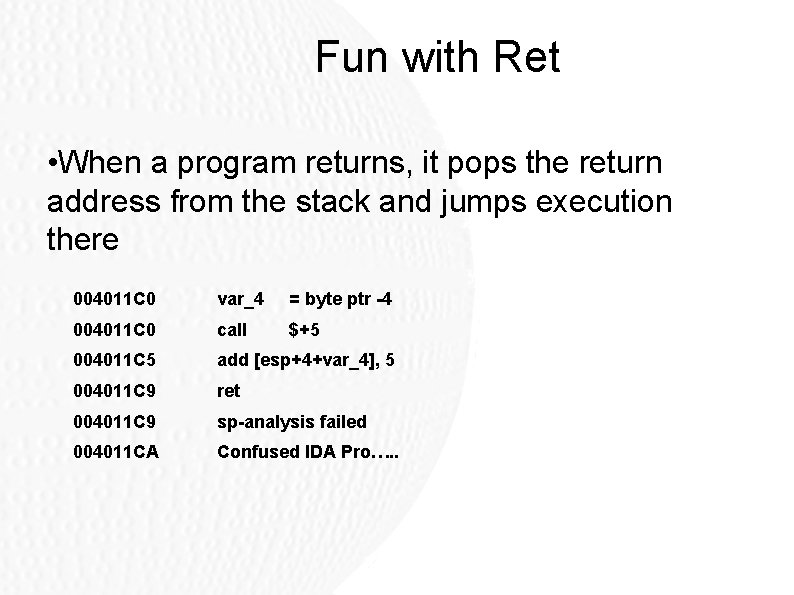
Fun with Ret • When a program returns, it pops the return address from the stack and jumps execution there 004011 C 0 var_4 = byte ptr -4 004011 C 0 call $+5 004011 C 5 add [esp+4+var_4], 5 004011 C 9 ret 004011 C 9 sp-analysis failed 004011 CA Confused IDA Pro…. .
Handling Exception Handlers • Exception handling is common in C • When an exception is thrown, handlers are searched by looking through a linked list data structure • New exception handlers are added to the list by appending to the end • During an exception, each exception handler is called in sequence pushing itself onto the stack
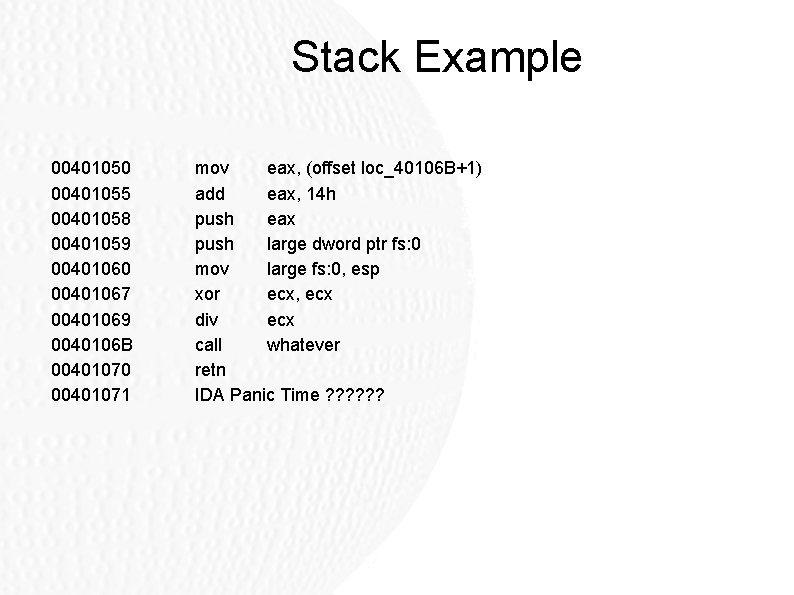
Stack Example 00401050 00401055 00401058 00401059 00401060 00401067 00401069 0040106 B 00401070 00401071 mov eax, (offset loc_40106 B+1) add eax, 14 h push eax push large dword ptr fs: 0 mov large fs: 0, esp xor ecx, ecx div ecx call whatever retn IDA Panic Time ? ? ?
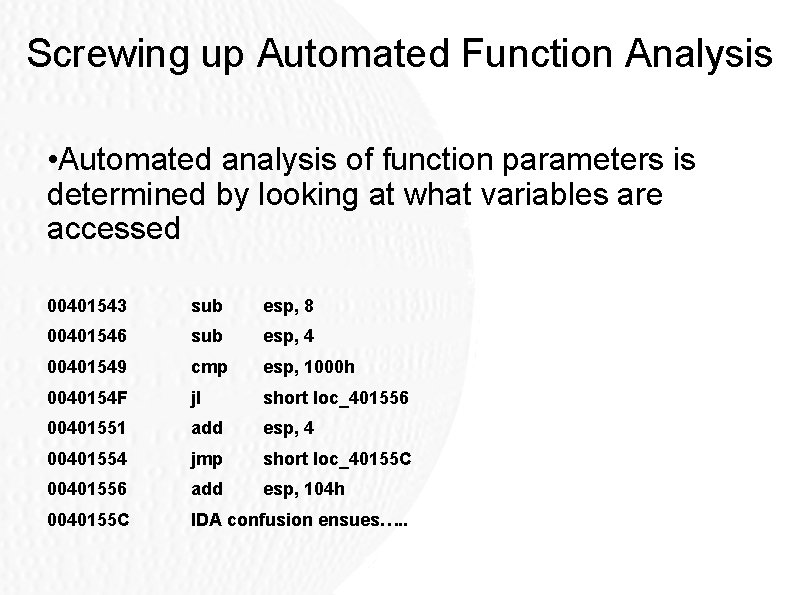
Screwing up Automated Function Analysis • Automated analysis of function parameters is determined by looking at what variables are accessed 00401543 sub esp, 8 00401546 sub esp, 4 00401549 cmp esp, 1000 h 0040154 F jl short loc_401556 00401551 add esp, 4 00401554 jmp short loc_40155 C 00401556 add esp, 104 h 0040155 C IDA confusion ensues…. .
Anti-Disassembly • Disassemblers are nice but not infallible • We get to keep our jobs ☺ • Good malware analysts can recognize impossible assembly and run through the code to figure out what is going on • IDA supports manually re-classifying code as well as code replacement to “fix” problem areas
Anti-Debugging • Goal is to cause malware to exit or skip important behavior during debugging • As a malware analyst, we need to find this code to get to the fun parts • Thus, we need to jump over and circumvent antidebugging techniques
Windows API Calls • Is. Debugger. Present • Check. Remote. Debugger. Present • NTQuery. Information. Process • Output. Debug. String • Watch for fun calls to Output. Debug. String • Output. Debug. String(“%s%s%s”) • If these calls exist, the program is looking for an attached debugger
Manual Checks for Debuggers • Check the PEB • Structure of this header is available on MSDN • Being. Debugged. Flag: Set if process is being debugged • Process. Heap flag: Pointer to the first entry of the heap for a program • Contains a header with a flag telling the kernel if a debugger is present • Offset 0 x 10 in XP and 0 x 40 in Windows 7
Manual Checks cont. • NTGlobal. Flag • Debuggers set different heap flags when running programs • Typically: • Enable Tail Check • Enable Free Check • Validate parameters • All allow the debugger to watch for heap errors
Manual Checks cont. • Debuggers leave residue on the system: • Check to see if the default debugger (Dr. Watson) has been replaced in the registry • Look for key: KHLMSOFTWAREMicrosoftWindowsCurrent. Versi onAe. Debug • Malware may also look for known Debug windows with Find. Window
Looking for Debugger Behavior • Malware can scan its own code in memory looking for software breakpoints inserted by debuggers • Int 3 (0 x. CC): Most common software breakpoint • Or just calculate an MD 5 checksum of the loaded memory • If it does not match, quit
Debugger Behavior cont. • Timing Checks • Debugged programs run slower especially if the analyst is stepping through code • Strategy: Perform system time check, run code, perform another time check • If time 2 is too much later than time 1, then quit assuming a debugger
Debugger Behavior cont. • Common ways to check system time: • Rdtsc: Number of ticks since last reboot • Query. Performance. Counter: • Get. Tick. Count: Windows API time since last boot in milliseconds • Look for two calls to these functions along with a compare • Then jump over the compare to continue to the good stuff
Messing with Debuggers • Thread Local Storage • Another cool place to hide code • Supposed to be used to initialize thread specific storage variables • Of course can be used for anything and often skipped by debuggers (debuggers break on the main code) • Easy to find requires a separate. tls section in the PE header • If found force your debugger to load the code
Playing with Exceptions • By default, debuggers break on exceptions to let the programmer view what caused the error • Timing detection works really well here since debugger (almost) always stop execution • When debugging, step back into the code’s exception handlers to make sure they are clean
Inserting Breakpoints • Debuggers use 0 x. CC to trigger a breakpoint • Malware can insert these too!!!! • Often this is used as 0 x. DC (valid instruction when not debugging) • When debugged, the debugger will pause at 0 x. CC then set the SP to the next byte • All subsequent code is then out of alignment
Invalid PE headers • Debuggers are often more strict when reading PE headers than the Windows loader • Certain Size variables have a well known maximum value that the Windows loader enforces • Debuggers can take these at face value • Number. Of. RVAand. Sizes • Size. Of. Raw. Data
Detecting Virtual Machines • This is becoming less popular as virtual machines become more popular • In the beginning, most virtual machines were bad targets because they were power users and malware analysts • Virtualization is now popular for everyday use • Just because a system is running in a VM does not mean it is not useful now!!!!
VMWare • VMWare does not try to hide…. . • Drivers are named with well known names • VMTools is commonly installed • VMTools in program files • VMTray • System services • Look for any string with VMWare to find these checks
Virtualization Artifacts • VMWare and others run the VM in an isolated environment • The software traps most CPU calls which request hardware information through interrupts • Unfortunately, some of these instructions do not generate interrupts • To virtualize these, every instruction would need to be tested before they were run
Virtualization Artifacts cont • This would be a huge performance hit!!!! • Strategy is then: • Query one of these functions • Check through another method what the value is (Often implemented in a virtualized fashion) • If the values differ, then we are running in a VM
Vulnerable Instructions • Sidt – Store interrupt descriptor table • Sgdt – Store global descriptor table • Sldt – Store local descriptor table • Smsw – Store machine status word • Str – Store task Register • In (with second operand VX) • cpuid
Circumvention • These instructions will not normally be used in programs • Search for them in IDA and analyze…. .