
Networking Fundamentals Add Corporate Logo Here Dr Tim

















- Slides: 45
Networking Fundamentals Add Corporate Logo Here Dr. Tim Lin ECE Department Cal Poly Pomona For CS 499 Team Teaching Class Winter 2010 CS 499 Cyber Security Winter 2010 > EXIT
Reference • Behrouz A. Fourouzan: • TCP / IP Protocol Suite 4 th edition, Mc. Graw Hill and • TCP / IP Protocol Suite 3 rd edition, Mc. Graw Hill • Also, the corresponding Power. Point Files 9/10/2020 CS 499 Cyber Security Winter 2010 user@domain 2
Agenda • • What is Computer Network ISO / OSI model Internet Organizations IP Addresses – v 4 • Classful • Classless – V 6 • IP Protocol – Header • ICMP Protocol 9/10/2020 • UDP Protocol • TCP Protocol – – • • • Header Flow Control Error Control Congestion Control FTP Protocol HTTP Protocol SMTP Protocol Network Commands Technology (LAN) CS 499 Cyber Security Winter 2010 3
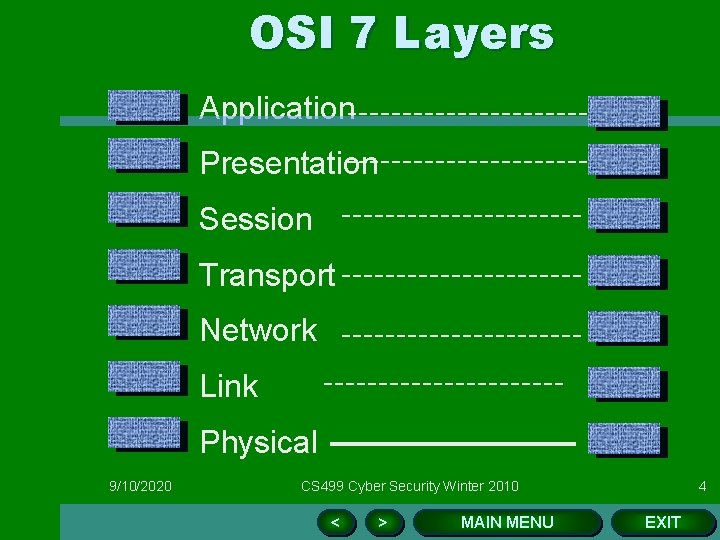
OSI 7 Layers Application Presentation Session Transport Network Link Physical 9/10/2020 CS 499 Cyber Security Winter 2010 < > MAIN MENU 4 EXIT
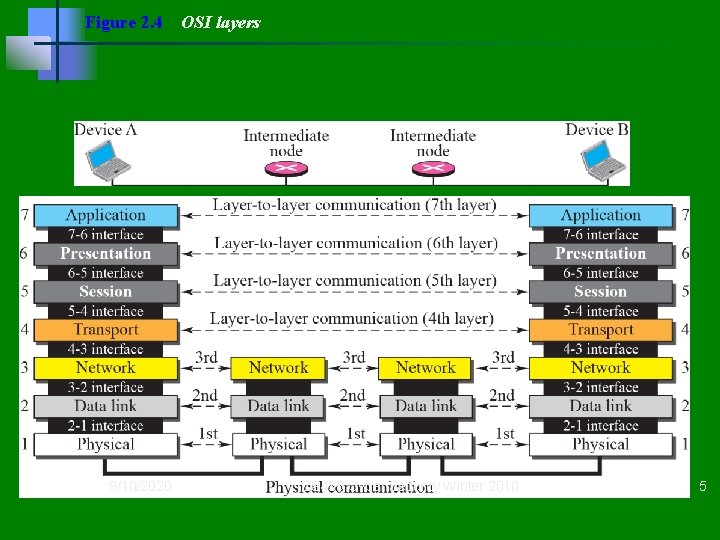
Figure 2. 4 9/10/2020 OSI layers CS 499 Cyber Security Winter 2010 5
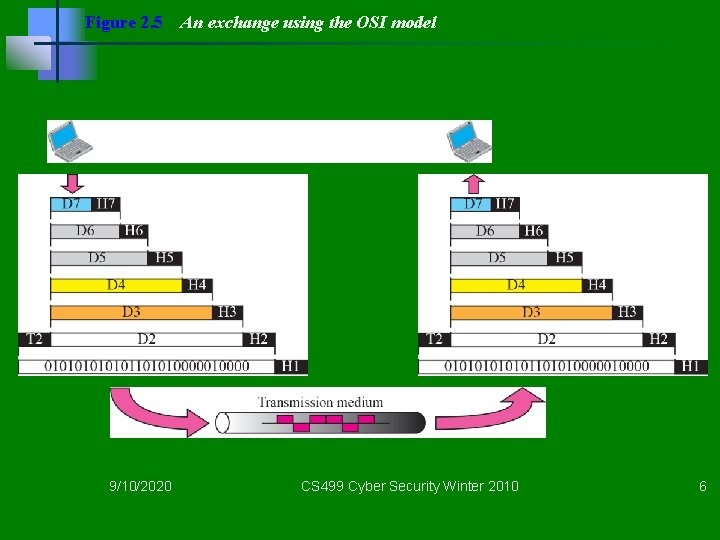
Figure 2. 5 9/10/2020 An exchange using the OSI model CS 499 Cyber Security Winter 2010 6
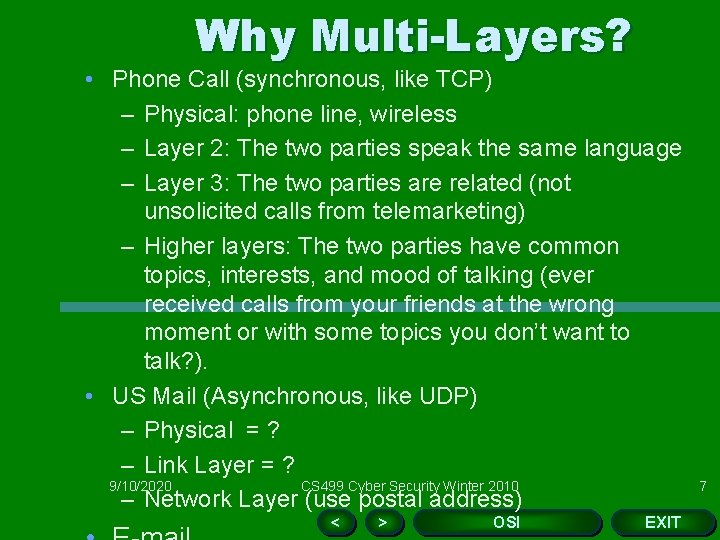
Why Multi-Layers? • Phone Call (synchronous, like TCP) – Physical: phone line, wireless – Layer 2: The two parties speak the same language – Layer 3: The two parties are related (not unsolicited calls from telemarketing) – Higher layers: The two parties have common topics, interests, and mood of talking (ever received calls from your friends at the wrong moment or with some topics you don’t want to talk? ). • US Mail (Asynchronous, like UDP) – Physical = ? – Link Layer = ? 9/10/2020 CS 499 Cyber Security Winter 2010 – Network Layer (use postal address) < > OSI EXIT 7
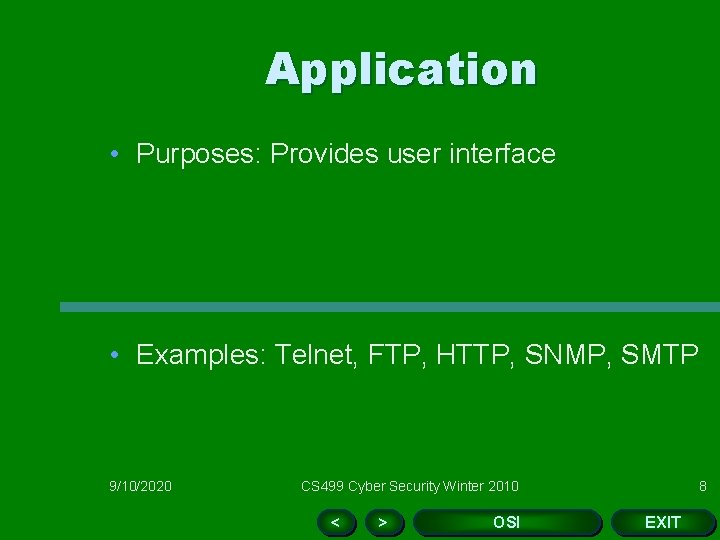
Application • Purposes: Provides user interface • Examples: Telnet, FTP, HTTP, SNMP, SMTP 9/10/2020 CS 499 Cyber Security Winter 2010 < > OSI 8 EXIT
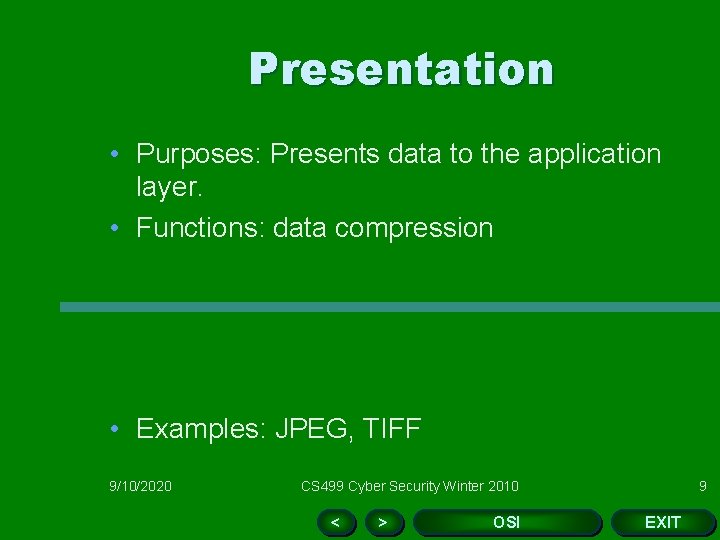
Presentation • Purposes: Presents data to the application layer. • Functions: data compression • Examples: JPEG, TIFF 9/10/2020 CS 499 Cyber Security Winter 2010 < > OSI 9 EXIT
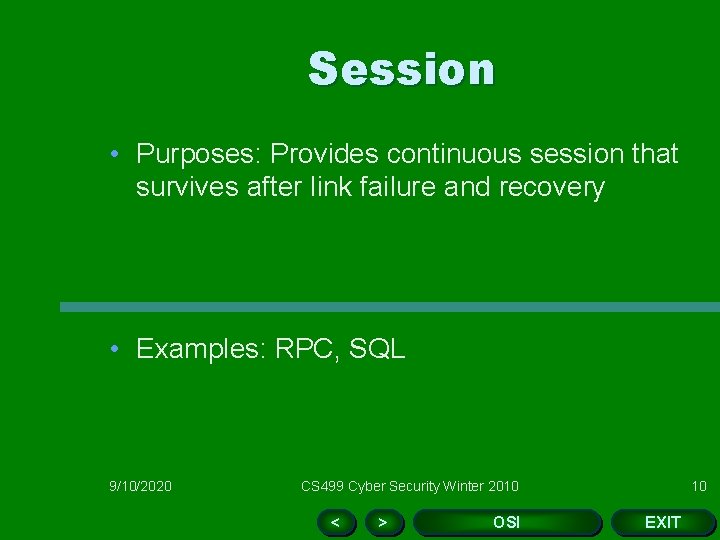
Session • Purposes: Provides continuous session that survives after link failure and recovery • Examples: RPC, SQL 9/10/2020 CS 499 Cyber Security Winter 2010 < > OSI 10 EXIT
Transport • Purposes: Provides end to end data transport services. • Examples: TCP, UDP 9/10/2020 CS 499 Cyber Security Winter 2010 < > OSI 11 EXIT
Network • Purposes: Responsible for routing through an internetworking and for network addressing. • Procotolcs: IP, IPX, ARP, ICMP, IGMP • Devices: Router 9/10/2020 CS 499 Cyber Security Winter 2010 < > OSI 12 EXIT
Data Link • Purposes: Getting data from one computer to another computer. • There are two sublevels – Logical Link control – Medium Access control (MAC) • Protocols: IEEE 802. 3 CSMA/CD, 802. 4 Token Bus, 802. 5 Token Ring • Devices: Bridge, NIC 9/10/2020 CS 499 Cyber Security Winter 2010 < > OSI 13 EXIT
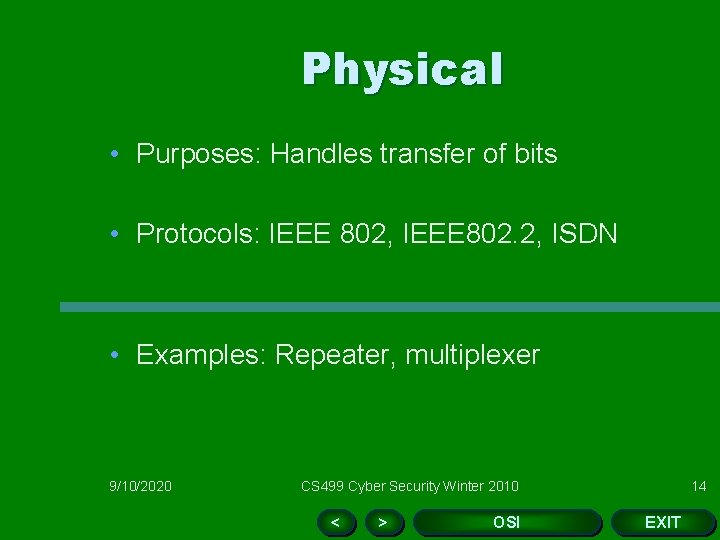
Physical • Purposes: Handles transfer of bits • Protocols: IEEE 802, IEEE 802. 2, ISDN • Examples: Repeater, multiplexer 9/10/2020 CS 499 Cyber Security Winter 2010 < > OSI 14 EXIT
Web Links for OSI • OSI Model 1: – http: //www. serverwatch. com/tutorials/article. php/1 474881 • OSI Model 2: – http: //www. geocities. com/Silicon. Valley/Monitor/31 31/ne/osimodel. html • OSI Model 3: – http: //www. wikipedia. org/wiki/OSI_model 9/10/2020 CS 499 Cyber Security Winter 2010 < > OSI 15 EXIT
TCP / IP Protocol Stack • There are hundreds of TCP IP protocols, among them TCP, IP, UDP, FTP, ICMP, are a few (in)famous ones. • See the poster PDF on the network protocols from Agilent technology. 9/10/2020 CS 499 Cyber Security Winter 2010 16
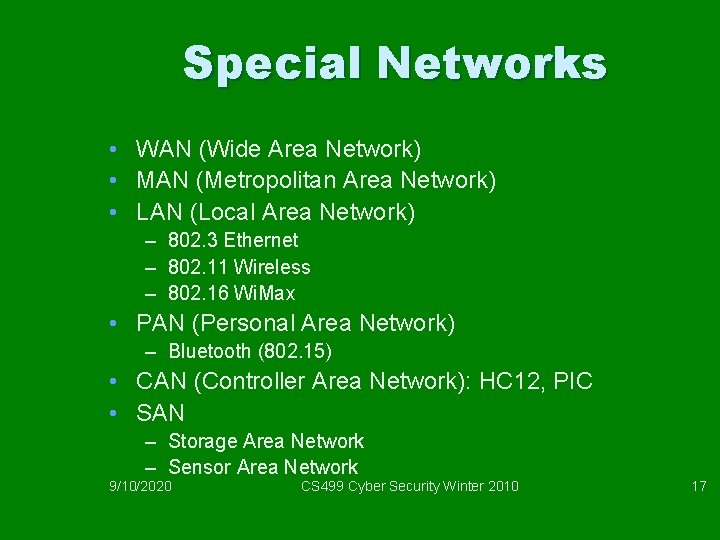
Special Networks • WAN (Wide Area Network) • MAN (Metropolitan Area Network) • LAN (Local Area Network) – 802. 3 Ethernet – 802. 11 Wireless – 802. 16 Wi. Max • PAN (Personal Area Network) – Bluetooth (802. 15) • CAN (Controller Area Network): HC 12, PIC • SAN – Storage Area Network – Sensor Area Network 9/10/2020 CS 499 Cyber Security Winter 2010 17
Internet Administration (some of them) üInternet Engineering Task Force (IETF): üProtocol standards in RFC ühttp: //www. ietf. org/ üInternet Assigned Number Authority (IANA) ü: protocol assignments and domain names ü http: //www. iana. org/ üInstitute of Electrical and Electronic Engineers (IEEE) üHardware address of your NIC card ühttp: //www. ieee. org 9/10/2020 CS 499 Cyber Security Winter 2010 18
Getting IP address of your computer (DOS) Command: DHCP IP address DNS Physical Address 9/10/2020 CS 499 Cyber Security Winter 2010 19
9/10/2020 CS 499 Cyber Security Winter 2010 20
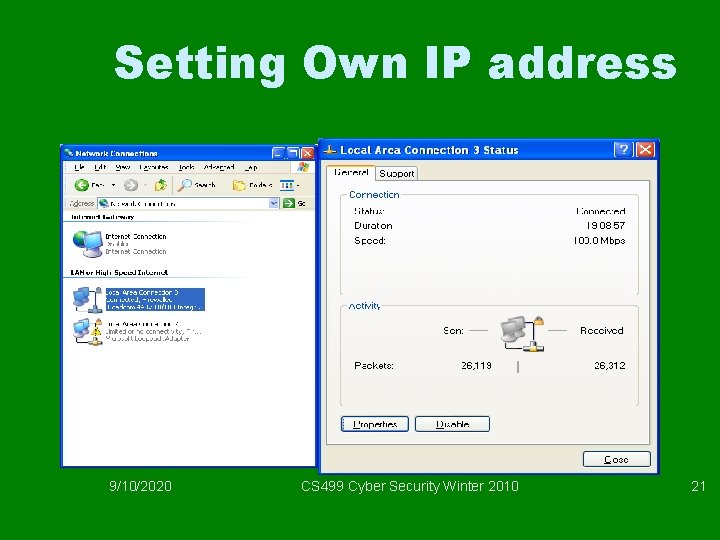
Setting Own IP address 9/10/2020 CS 499 Cyber Security Winter 2010 21
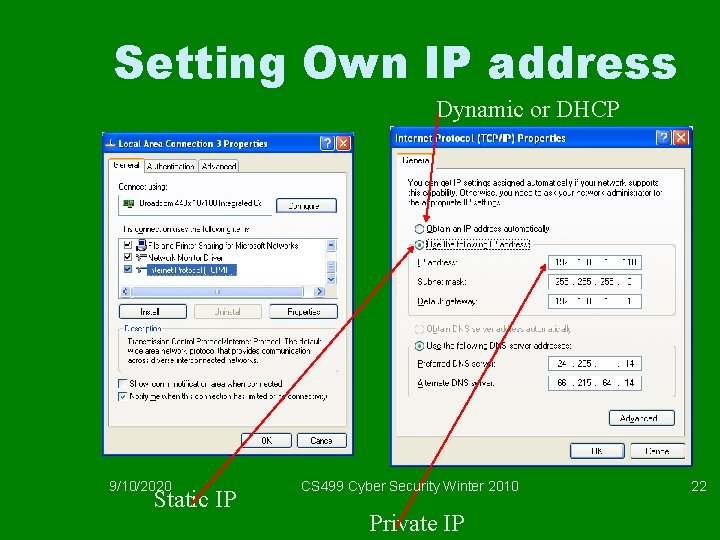
Setting Own IP address Dynamic or DHCP 9/10/2020 Static IP CS 499 Cyber Security Winter 2010 Private IP 22
IPv 4 addresses • Uses 4 bytes as in previous chars 17 and 20 • The bytes are presented in decimals in 0 -255 range • Used as classful (A, B, C, D and E) and classless (subnetting or CIDR) • Every computer with an NIC (Network Interface Card) has an IP address. Some computers may have multple IP addresses. 9/10/2020 CS 499 Cyber Security Winter 2010 23
Finding the class of address (From Forouzan Figure 5 -6, 4 th edition) 9/10/2020 CS 499 Cyber Security Winter 2010 24
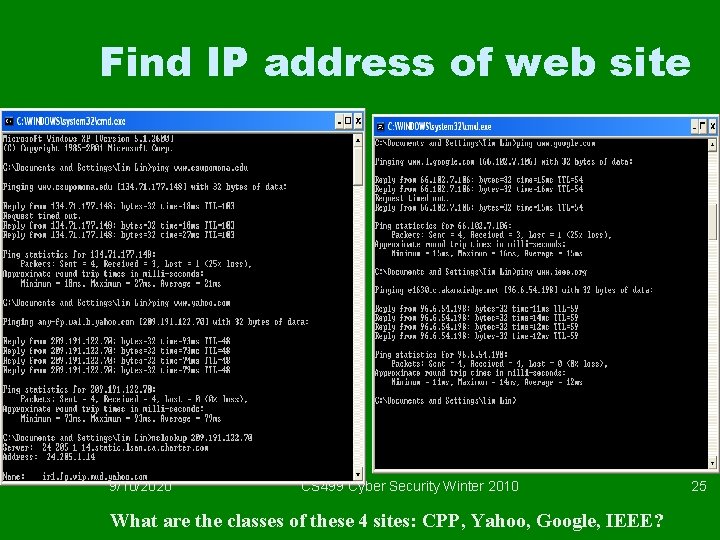
Find IP address of web site 9/10/2020 CS 499 Cyber Security Winter 2010 What are the classes of these 4 sites: CPP, Yahoo, Google, IEEE? 25
Classful IP Addresses • • Use Class A (first byte) Class B (first 2 bytes) Class C (first 3 bytes) And Class D and E 9/10/2020 CS 499 Cyber Security Winter 2010 26
Figure 5. 8 Netid and hostid (Mc. Graw. Hill, Fourouzan, 4 th edition, TCP / IP Protocl Sutie_ 9/10/2020 CS 499 Cyber Security Winter 2010 27
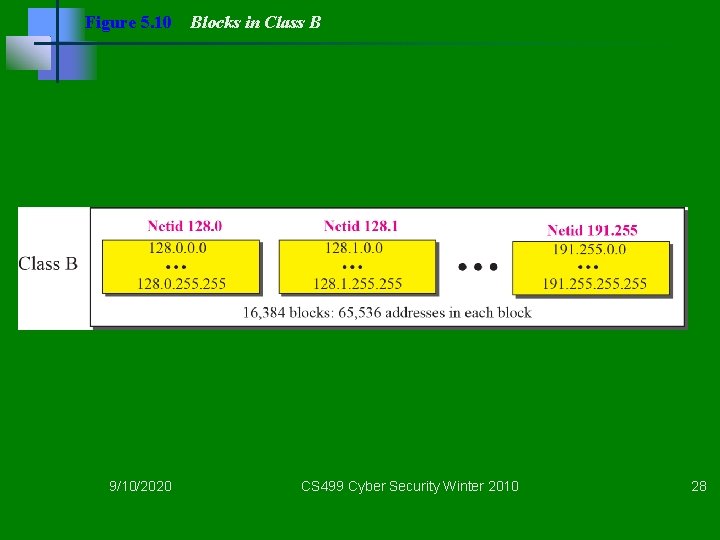
Figure 5. 10 9/10/2020 Blocks in Class B CS 499 Cyber Security Winter 2010 28
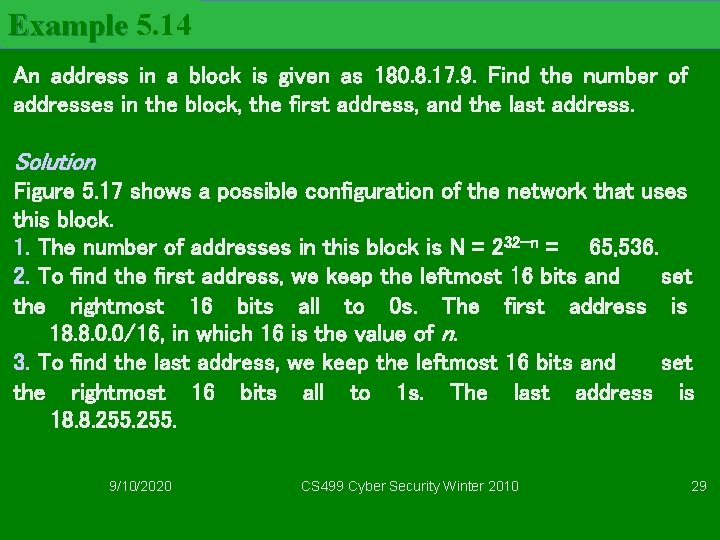
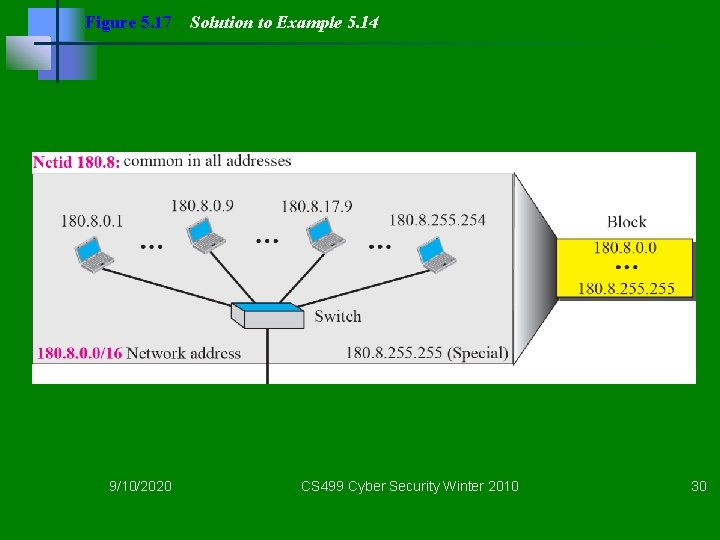
Example 5. 14 An address in a block is given as 180. 8. 17. 9. Find the number of addresses in the block, the first address, and the last address. Solution Figure 5. 17 shows a possible configuration of the network that uses this block. 1. The number of addresses in this block is N = 232−n = 65, 536. 2. To find the first address, we keep the leftmost 16 bits and set the rightmost 16 bits all to 0 s. The first address is 18. 8. 0. 0/16, in which 16 is the value of n. 3. To find the last address, we keep the leftmost 16 bits and set the rightmost 16 bits all to 1 s. The last address is 18. 8. 255. 9/10/2020 CS 499 Cyber Security Winter 2010 29
Figure 5. 17 9/10/2020 Solution to Example 5. 14 CS 499 Cyber Security Winter 2010 30
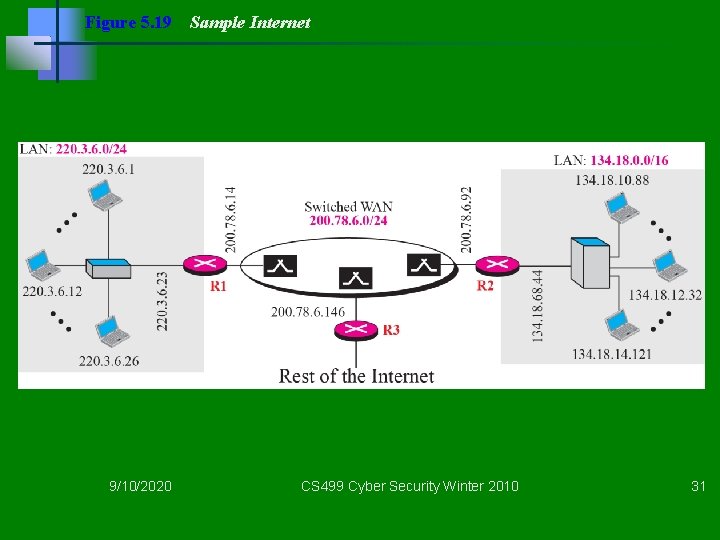
Figure 5. 19 9/10/2020 Sample Internet CS 499 Cyber Security Winter 2010 31
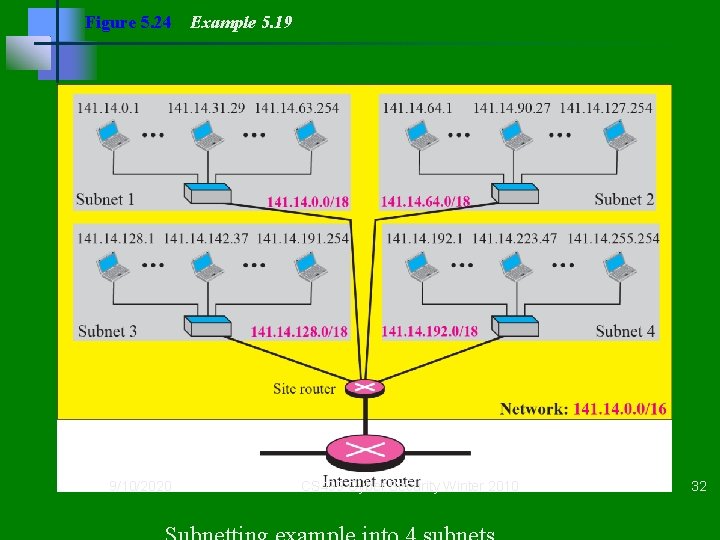
Figure 5. 24 9/10/2020 Example 5. 19 CS 499 Cyber Security Winter 2010 32
CIDR or Classless • Variable length blocks • Format –x. y. z. t/n with 1 <= n <= 32 • Extension of Classful addressing – Class A: n = 8 – Class B: n = 16 – Class C: n = 24 9/10/2020 CS 499 Cyber Security Winter 2010 33
Example 1 Which of the following can be the beginning address of a block that contains 16 addresses? Solution Only two are eligible (a and c). The address 205. 16. 37. 32 is eligible because 32 is divisible by 16. The address 17. 33. 80 is eligible because 80 is divisible by 16. 9/10/2020 TCP/IP Protocol Suite CS 499 Cyber Security Winter 2010 34 34
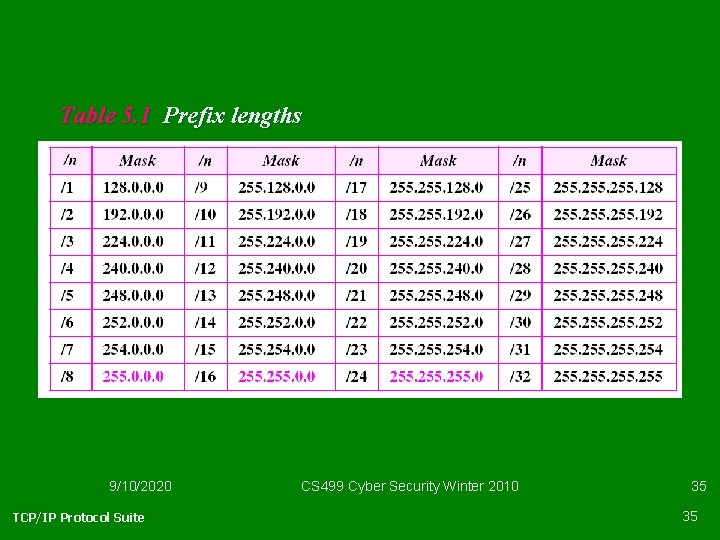
Table 5. 1 Prefix lengths 9/10/2020 TCP/IP Protocol Suite CS 499 Cyber Security Winter 2010 35 35
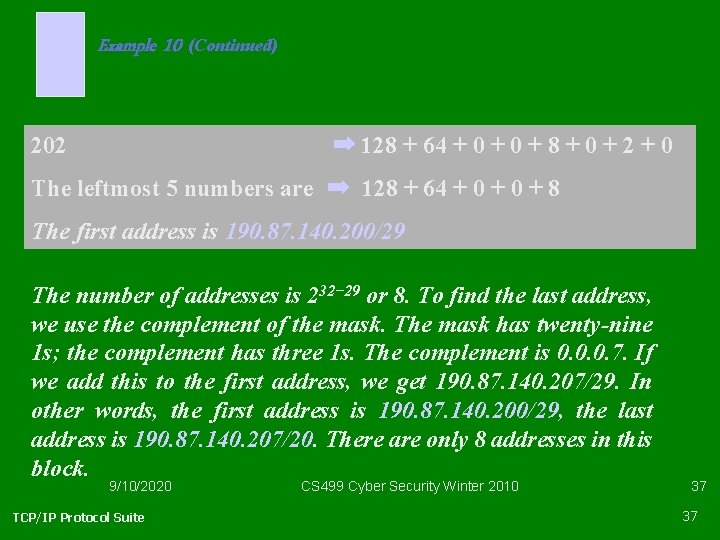
Example 10 Find the block if one of the addresses is 190. 87. 140. 202/29. Solution We follow the procedure in the previous examples to find the first address, the number of addresses, and the last address. To find the first address, we notice that the mask (/29) has five 1 s in the last byte. So we write the last byte as powers of 2 and retain only the leftmost five as shown below: 9/10/2020 TCP/IP Protocol Suite CS 499 Cyber Security Winter 2010 See Next Slide 36 36
Example 10 (Continued) 202 ➡ 128 + 64 + 0 + 8 + 0 + 2 + 0 The leftmost 5 numbers are ➡ 128 + 64 + 0 + 8 The first address is 190. 87. 140. 200/29 The number of addresses is 232− 29 or 8. To find the last address, we use the complement of the mask. The mask has twenty-nine 1 s; the complement has three 1 s. The complement is 0. 0. 0. 7. If we add this to the first address, we get 190. 87. 140. 207/29. In other words, the first address is 190. 87. 140. 200/29, the last address is 190. 87. 140. 207/20. There are only 8 addresses in this block. 9/10/2020 TCP/IP Protocol Suite CS 499 Cyber Security Winter 2010 37 37
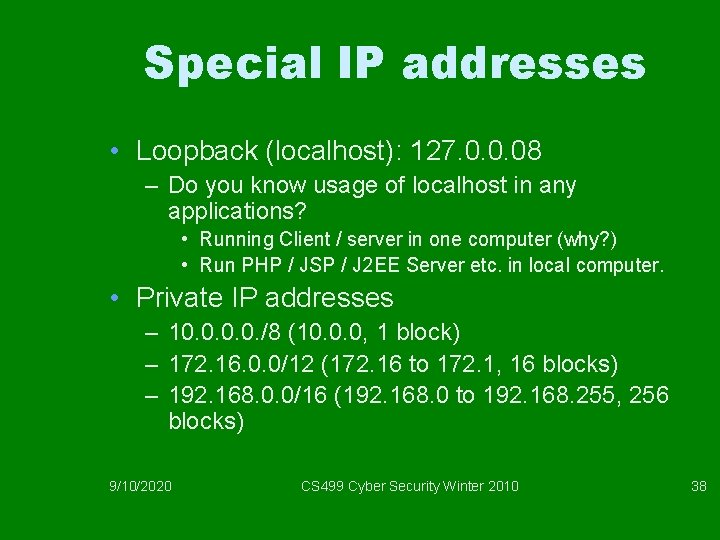
Special IP addresses • Loopback (localhost): 127. 0. 0. 08 – Do you know usage of localhost in any applications? • Running Client / server in one computer (why? ) • Run PHP / JSP / J 2 EE Server etc. in local computer. • Private IP addresses – 10. 0. /8 (10. 0. 0, 1 block) – 172. 16. 0. 0/12 (172. 16 to 172. 1, 16 blocks) – 192. 168. 0. 0/16 (192. 168. 0 to 192. 168. 255, 256 blocks) 9/10/2020 CS 499 Cyber Security Winter 2010 38
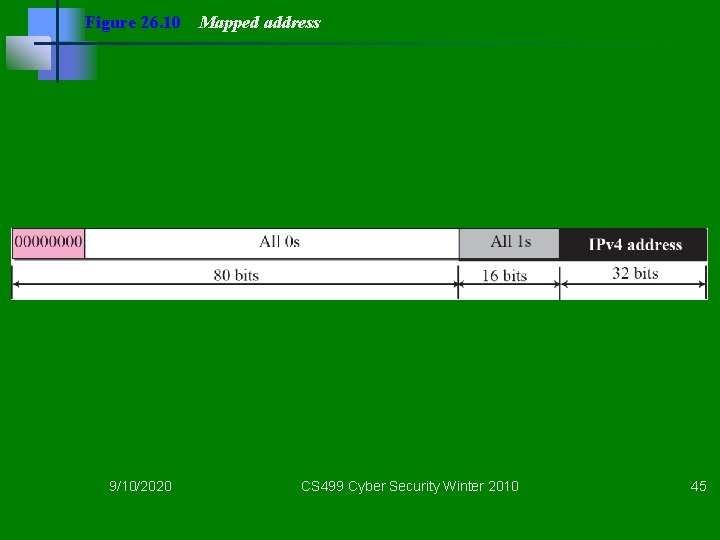
IPv 6 • IP addresses of (near) future since IPv 4 of 232 or 4 billion addresses (< 6 billion people). • Use 16 bytes instead of 4 bytes • Consider ISBN-10 and ISB-13 are used concurrently now, someday, IPv 6 may exist concurrently with IPv 4 and finally IPv 4 may phase out. • Transition has to be handled so that IPv 4 address can be represented as part of IPv 6 address. 9/10/2020 CS 499 Cyber Security Winter 2010 39
Example 26. 1 Show the unabbreviated colon hex notation for the following IPv 6 addresses: a. An address with 64 0 s followed by 64 1 s. b. An address with 128 0 s. c. An address with 128 1 s. d. An address with 128 alternative 1 s and 0 s. Solution a. 0000: FFFF: FFFF b. 0000: 0000: 0000 c. FFFF: FFFF: FFFF d. AAAA: AAAA: AAAA 9/10/2020 CS 499 Cyber Security Winter 2010 40
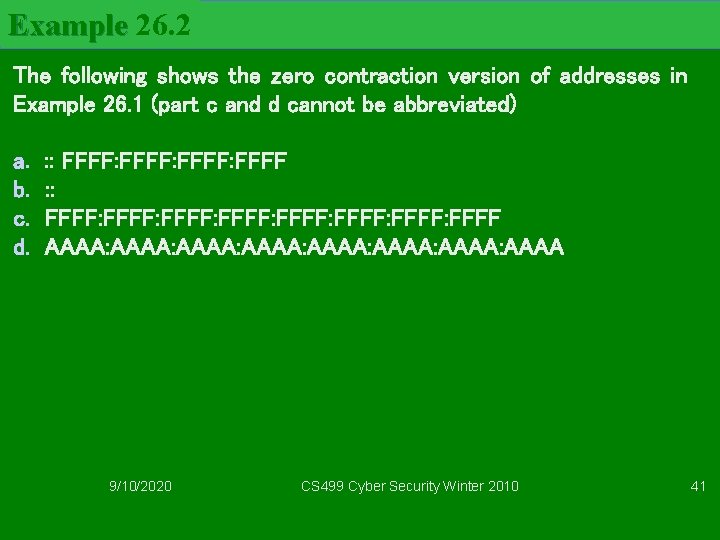
Example 26. 2 The following shows the zero contraction version of addresses in Example 26. 1 (part c and d cannot be abbreviated) a. b. c. d. : : FFFF: FFFF: FFFF: FFFF AAAA: AAAA: AAAA 9/10/2020 CS 499 Cyber Security Winter 2010 41
Figure 26. 5 9/10/2020 Address space allocation CS 499 Cyber Security Winter 2010 42
9/10/2020 CS 499 Cyber Security Winter 2010 43
Figure 26. 9 9/10/2020 Compatible address CS 499 Cyber Security Winter 2010 44
Figure 26. 10 9/10/2020 Mapped address CS 499 Cyber Security Winter 2010 45