
Network Topologies Introduction The physical topology of a
- Slides: 30
Network Topologies
Introduction • The physical topology of a network refers to the configuration of cables, computers, and other peripherals. • Physical topology should not be confused with logical topology which is the method used to pass information between workstations. • Logical topology was discussed in the Protocol chapter.
Introduction(cont. ) • Topology ‐ Physical and logical network layout – Physical – actual layout of the computer cables and other network devices – Logical – the way in which the network appears to the devices that use it • Common topologies: – Bus, ring, star, mesh, tree and wireless
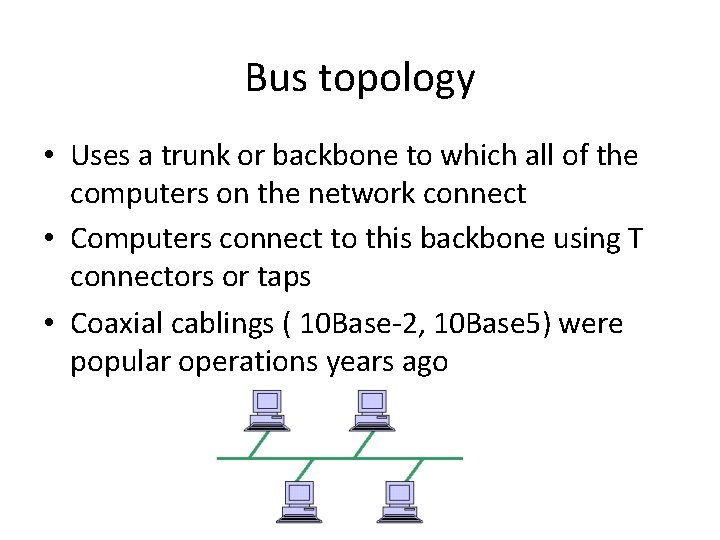
Bus topology • Uses a trunk or backbone to which all of the computers on the network connect • Computers connect to this backbone using T connectors or taps • Coaxial cablings ( 10 Base‐ 2, 10 Base 5) were popular operations years ago
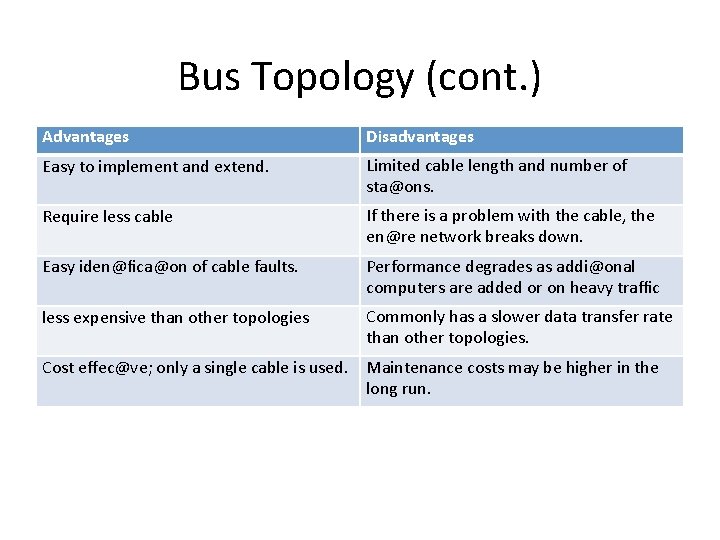
Bus Topology (cont. ) Advantages Disadvantages Easy to implement and extend. Limited cable length and number of sta@ons. Require less cable If there is a problem with the cable, the en@re network breaks down. Easy iden@fica@on of cable faults. Performance degrades as addi@onal computers are added or on heavy traffic less expensive than other topologies Commonly has a slower data transfer rate than other topologies. Cost effec@ve; only a single cable is used. Maintenance costs may be higher in the long run.
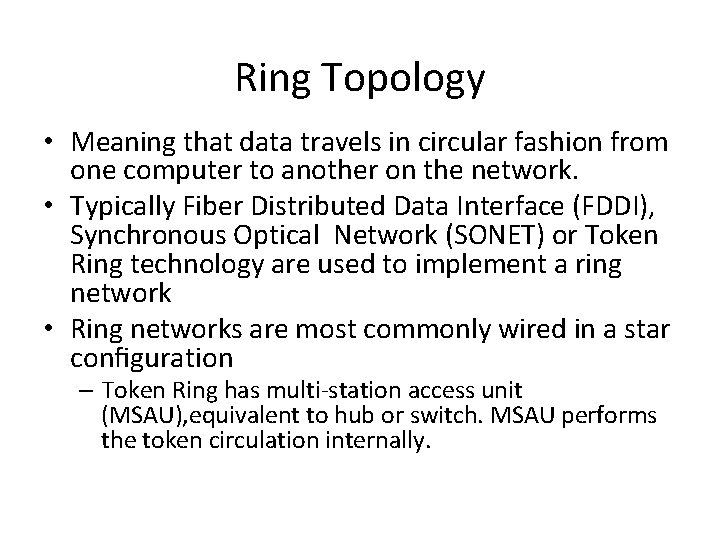
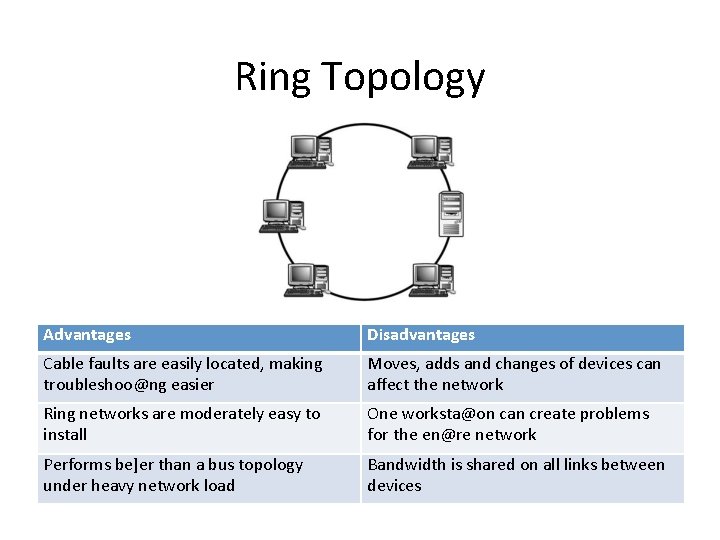
Ring Topology • Meaning that data travels in circular fashion from one computer to another on the network. • Typically Fiber Distributed Data Interface (FDDI), Synchronous Optical Network (SONET) or Token Ring technology are used to implement a ring network • Ring networks are most commonly wired in a star configuration – Token Ring has multi‐station access unit (MSAU), equivalent to hub or switch. MSAU performs the token circulation internally.
Ring Topology Advantages Disadvantages Cable faults are easily located, making troubleshoo@ng easier Moves, adds and changes of devices can affect the network Ring networks are moderately easy to install One worksta@on can create problems for the en@re network Performs be]er than a bus topology under heavy network load Bandwidth is shared on all links between devices
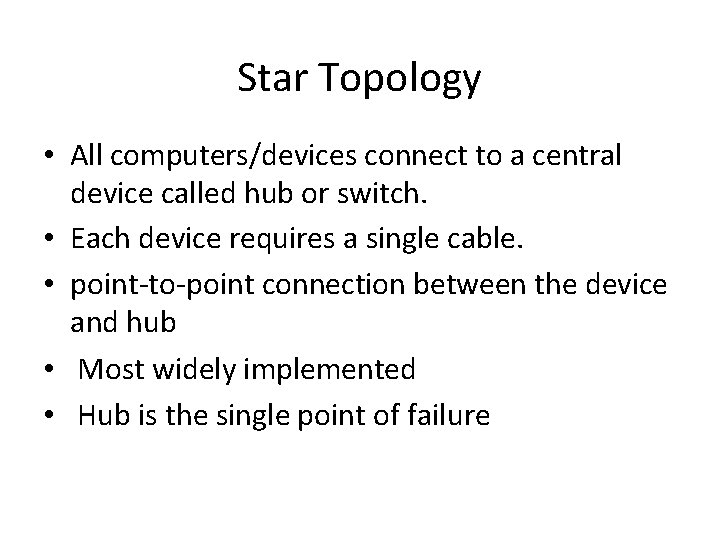
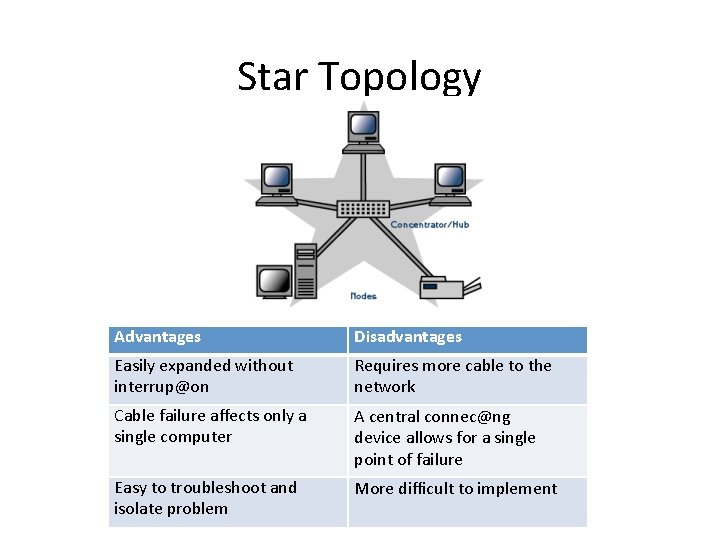
Star Topology • All computers/devices connect to a central device called hub or switch. • Each device requires a single cable. • point‐to‐point connection between the device and hub • Most widely implemented • Hub is the single point of failure
Star Topology Advantages Disadvantages Easily expanded without interrup@on Requires more cable to the network Cable failure affects only a single computer A central connec@ng device allows for a single point of failure Easy to troubleshoot and isolate problem More difficult to implement
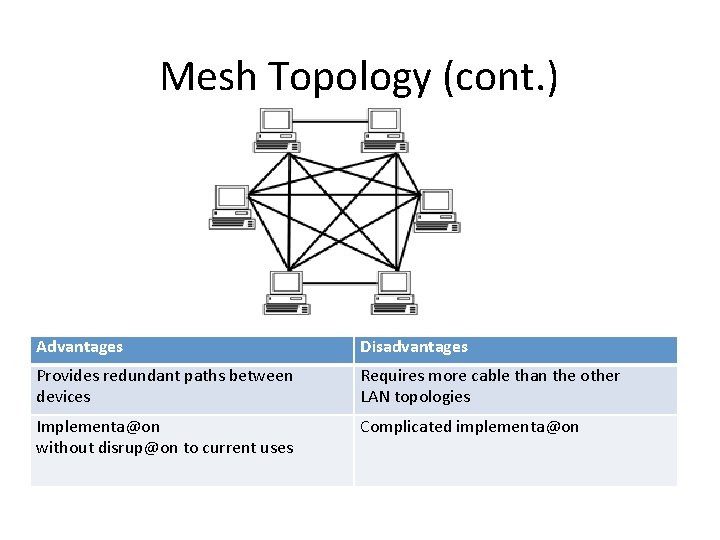
Mesh Topology • Each computer connects to every other. • High level of redundancy. • Rarely used. – Wiring is very complicated – Cabling cost is high – Troubleshooting a failed cable is trick
Mesh Topology (cont. ) Advantages Disadvantages Provides redundant paths between devices Requires more cable than the other LAN topologies Implementa@on without disrup@on to current uses Complicated implementa@on
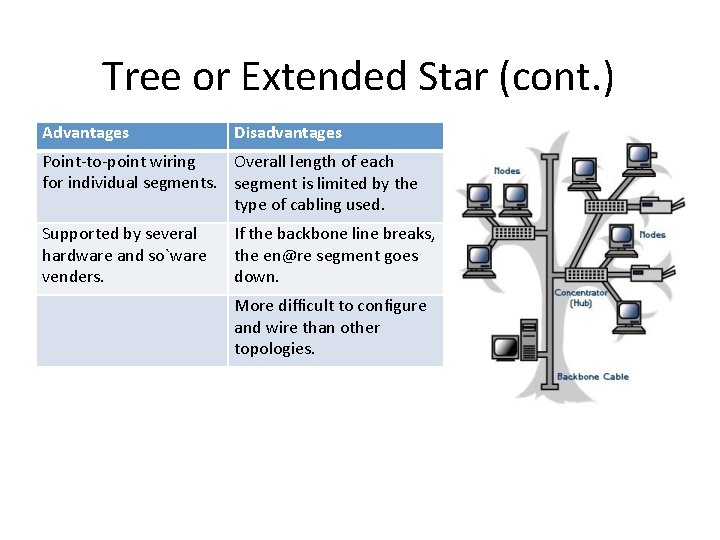
Tree or Extended Star • A tree topology combines characteristic of bus and star topologies. • It consists of groups of star‐configured workstations connected to a linear bus backbone cable. • Tree topologies allow for the expansion of an existing network, and enable to configure a network to meet their needs.
Tree or Extended Star (cont. ) Advantages Disadvantages Point‐to‐point wiring Overall length of each for individual segments. segment is limited by the type of cabling used. Supported by several hardware and so`ware venders. If the backbone line breaks, the en@re segment goes down. More difficult to configure and wire than other topologies.
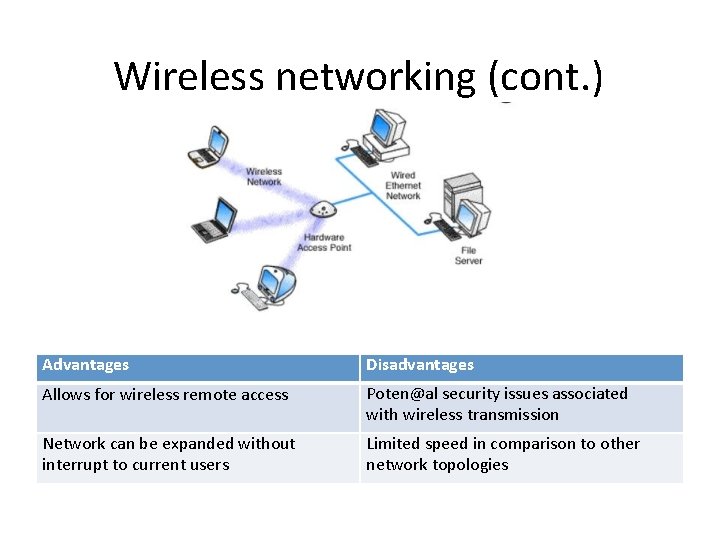
Wireless networking • Do not require physical cabling • Particularly useful for remote access for laptop users • Eliminate cable faults and cable breaks. • Signal interference and security issue.
Wireless networking (cont. ) Advantages Disadvantages Allows for wireless remote access Poten@al security issues associated with wireless transmission Network can be expanded without interrupt to current users Limited speed in comparison to other network topologies
Considerations When Choosing a Topology • Money. A bus network may be the least expensive way to install a network. • Length of cable needed. The bus network uses shorter lengths of cable. • Future growth. With a star topology, expanding a network is easily done by adding another concentrator. • Cable type. The most common cable is unshielded twisted pair, which is most o` en used with star topologies.
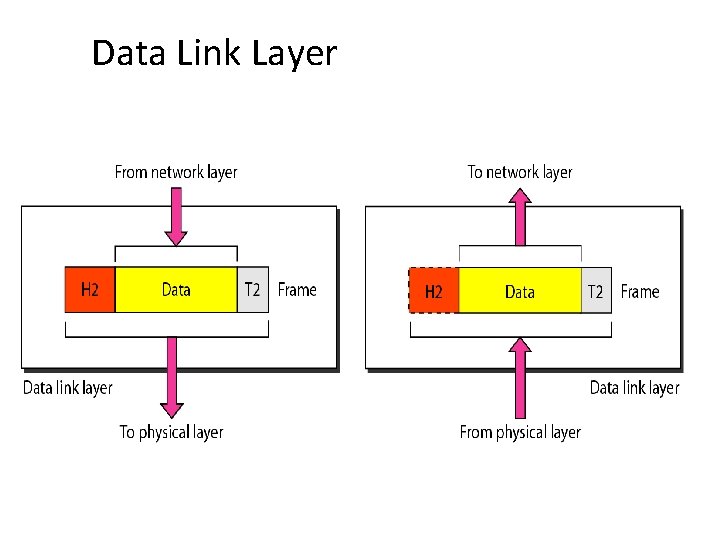
Data Link Layer
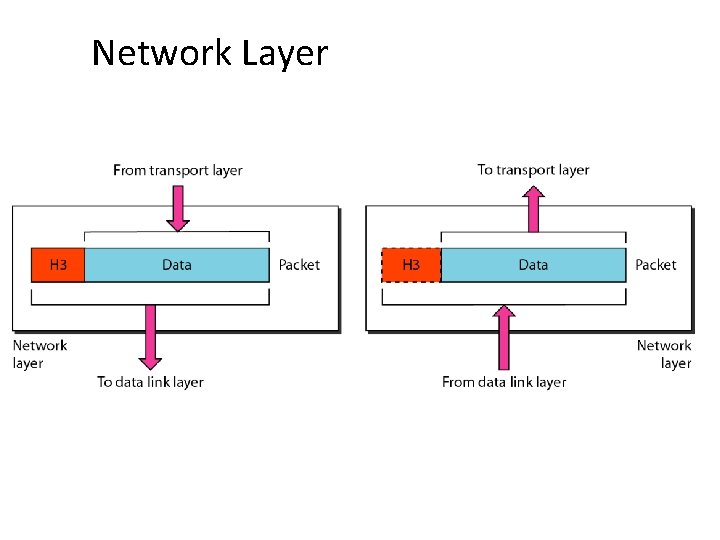
Network Layer