
NETWORK SECURITY LAB 1 ETHICAL ISSUES IN NETWORK
NETWORK SECURITY LAB 1. ETHICAL ISSUES IN NETWORK SECURITY
Coverage INTRODUCTION NETWORKS ISSUES COUNTER MEASURES
Coverage INTRODUCTION NETWORK ISSUES COUNTER MEASURES
Coverage INTRODUCTION NETWORK ISSUES COUNTER MEASURES
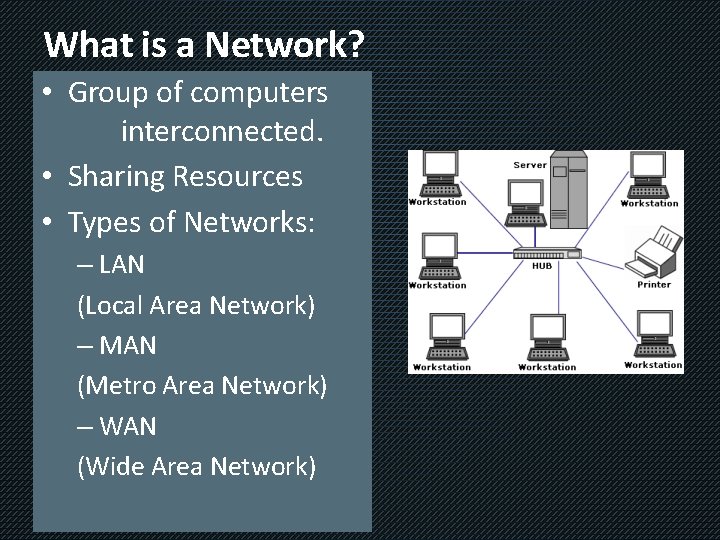
What is a Network? • Group of computers interconnected. • Sharing Resources • Types of Networks: – LAN (Local Area Network) – MAN (Metro Area Network) – WAN (Wide Area Network)
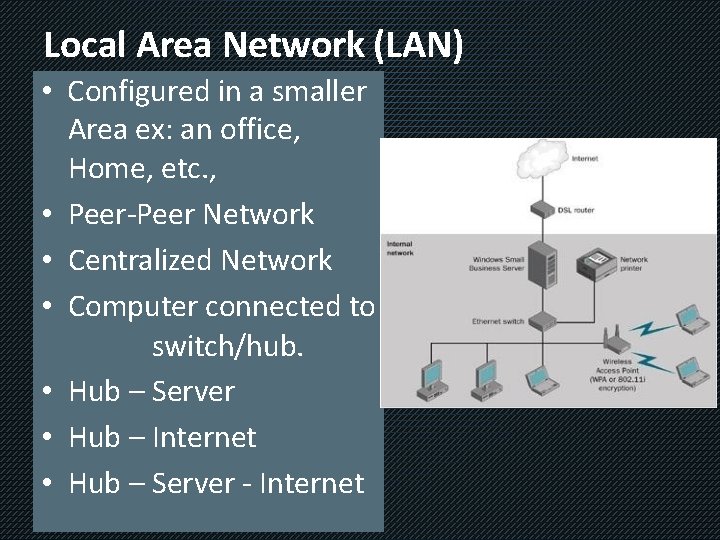
Local Area Network (LAN) • Configured in a smaller Area ex: an office, Home, etc. , • Peer-Peer Network • Centralized Network • Computer connected to switch/hub. • Hub – Server • Hub – Internet • Hub – Server - Internet
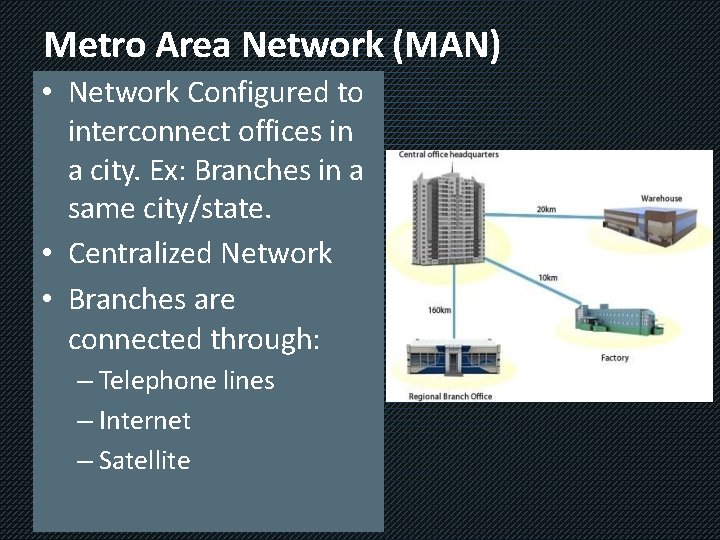
Metro Area Network (MAN) • Network Configured to interconnect offices in a city. Ex: Branches in a same city/state. • Centralized Network • Branches are connected through: – Telephone lines – Internet – Satellite
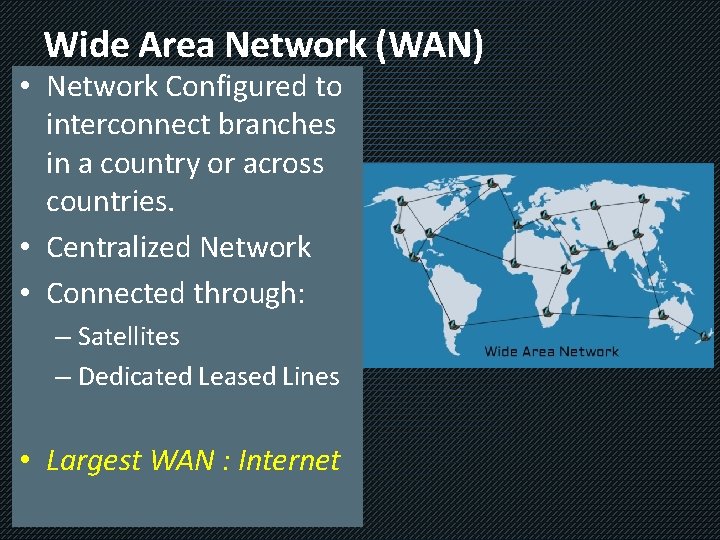
Wide Area Network (WAN) • Network Configured to interconnect branches in a country or across countries. • Centralized Network • Connected through: – Satellites – Dedicated Leased Lines • Largest WAN : Internet
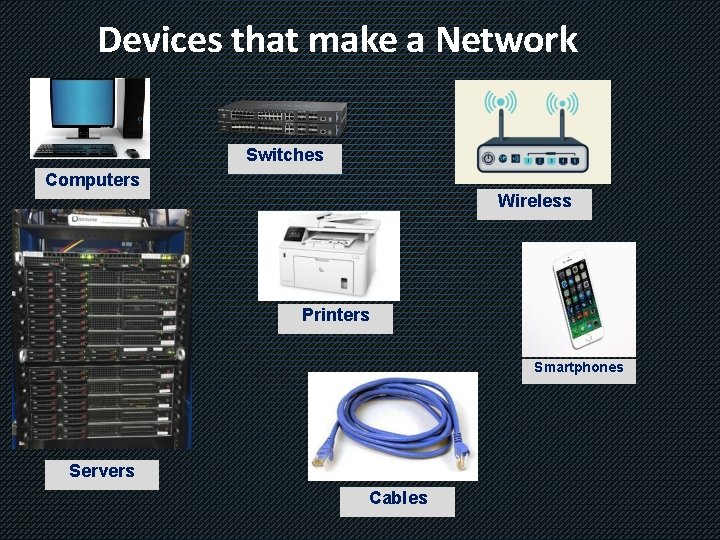
Devices that make a Network Switches Computers Wireless Printers Smartphones Servers Cables
Coverage INTRODUCTION NETWORK ISSUES COUNTER MEASURES
Network Security Issues/Threats • Network security is prime most concern of all organizations. • The information passed between Computers is very vulnerable. • In the last decade there has been a massive increase of Hackers & Crackers creating: – Viruses – Ransomware – Other malicious threats
Security Threats • The following is a list of commonly known security threats • Viruses, Worms and Trojans • SPAM • Phishing • Packet sniffing • Malicious Websites • Password Attacks • Improperly secured wired/wireless networks
Viruses, Worms and Trojans • Virus: A malicious program or code that acts by attaching to a host program, once loaded on to the computer and corrupts data and system services. – Ex: My. Doom, Sasser & Netsky, etc. , • Worms: Similar to Virus, but doesn’t need a host program to operate, it can operate on its own. – Ex: MSBlast!, Michelangelo, ILOVEYOU • Trojans: A program disguised, contains harmful codes inside that may target data and file allocation table, thereby causing severe damage to computer.
SPAM and Phishing • SPAM: Flooding a computer or a network with millions of copies of the same message. Affects the performance of the target by slowing down the network and results in Denial of Service (DOS) • Phishing: Fraud emails disguised as legitimate communication to collect personal/financial information of targets.
Packet Sniffing – Malicious Sites • Packet Sniffer: – A program that enables listening onto the network (eavesdropping). – Monitors the traffic on the network (packets). – Also capable of capturing the packets from network channel. • Malicious Sites: – Websites that contain malicious codes and scripts. – Capable of capturing data from computers.
Password Attacks • Password Attacks: – Used to determine the password of any user on a network. – Achieved through automatic tools. • Example: Brute force. – Once password is determined, the hacker can easily access all the personal information stored on the computer.
Open wire and wireless networks • Threats: – Open networks are the most favorite entry points of hackers. – Shared data on open network can cause serious damages. – Nodes (computers) on open network can be used as botnets to forward the infections/malware deeper into network levels.
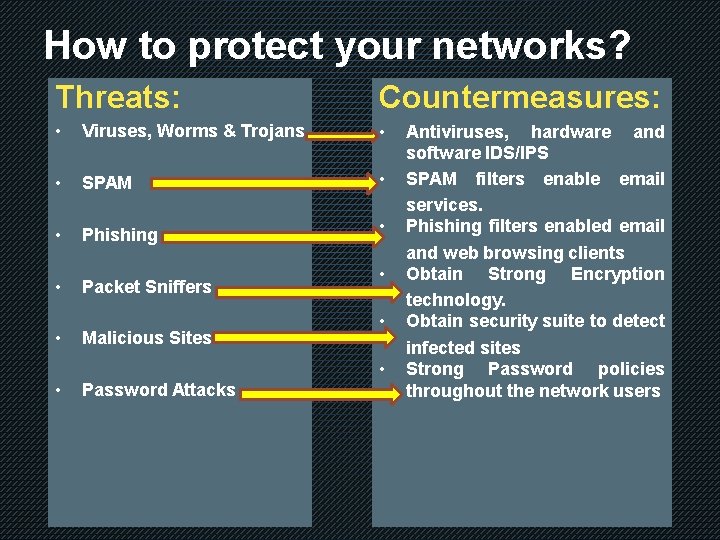
How to protect your networks? Threats: Countermeasures: • Viruses, Worms & Trojans • • SPAM • • Phishing • • • Packet Sniffers Malicious Sites • • Password Attacks Antiviruses, hardware and software IDS/IPS SPAM filters enable email services. Phishing filters enabled email and web browsing clients Obtain Strong Encryption technology. Obtain security suite to detect infected sites Strong Password policies throughout the network users
Protect your Network - II • Other measures include – Updating Operating System with latest service packs. – Updating Antivirus/IDS/IPS software with latest databases of signatures. – Following network maintenance best practices such as: • • Monitor access permissions regularly on network. Devising a Security policy and strict adherence. File Integrity Management (FIM) Solutions. Keep up with existing and future threads.
REPORT WORK • Prepare a report on recent ransomware attacks : Wannacry and Petya: – What was the attack (type, source, point of origination) – What infection did it cause. – Countermeasures taken.
- Slides: 20