
Network Security 2 Module 6 Configure Remote Access

- Slides: 22
Network Security 2 Module 6 – Configure Remote Access VPN ISCW-Mod 3_L 7 © 2007 Cisco Systems, Inc. All rights reserved. 1
Module 6 – Configure Remote Access VPN Lesson 6. 2 Configure the Easy. VPN Server ISCW-Mod 3_L 7 © 2007 Cisco Systems, Inc. All rights reserved. 2
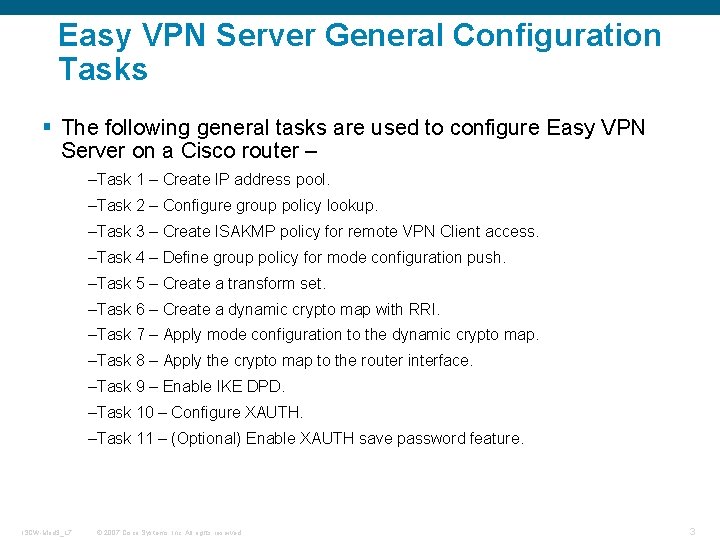
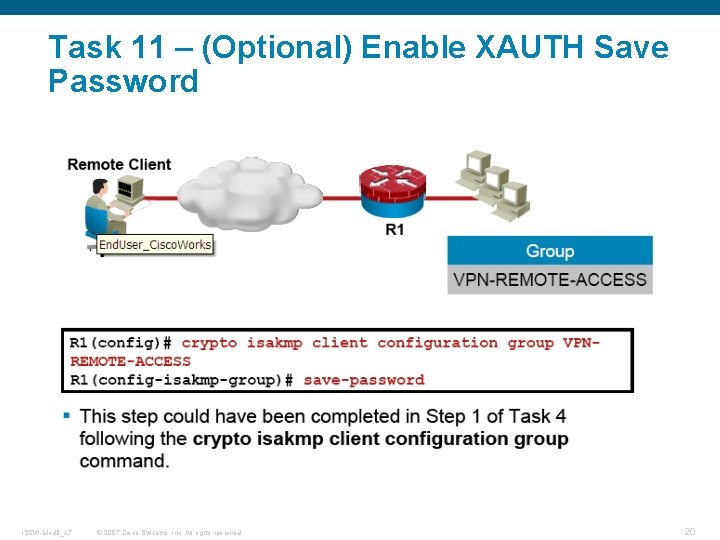
Easy VPN Server General Configuration Tasks § The following general tasks are used to configure Easy VPN Server on a Cisco router – –Task 1 – Create IP address pool. –Task 2 – Configure group policy lookup. –Task 3 – Create ISAKMP policy for remote VPN Client access. –Task 4 – Define group policy for mode configuration push. –Task 5 – Create a transform set. –Task 6 – Create a dynamic crypto map with RRI. –Task 7 – Apply mode configuration to the dynamic crypto map. –Task 8 – Apply the crypto map to the router interface. –Task 9 – Enable IKE DPD. –Task 10 – Configure XAUTH. –Task 11 – (Optional) Enable XAUTH save password feature. ISCW-Mod 3_L 7 © 2007 Cisco Systems, Inc. All rights reserved. 3
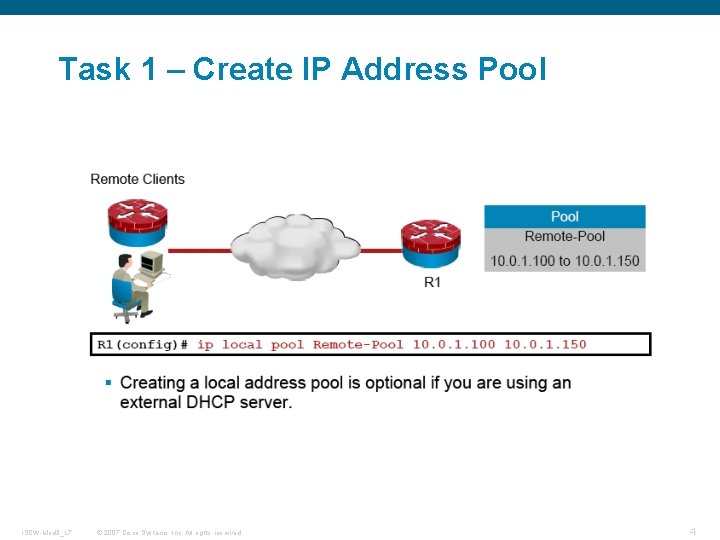
Task 1 – Create IP Address Pool ISCW-Mod 3_L 7 © 2007 Cisco Systems, Inc. All rights reserved. 4
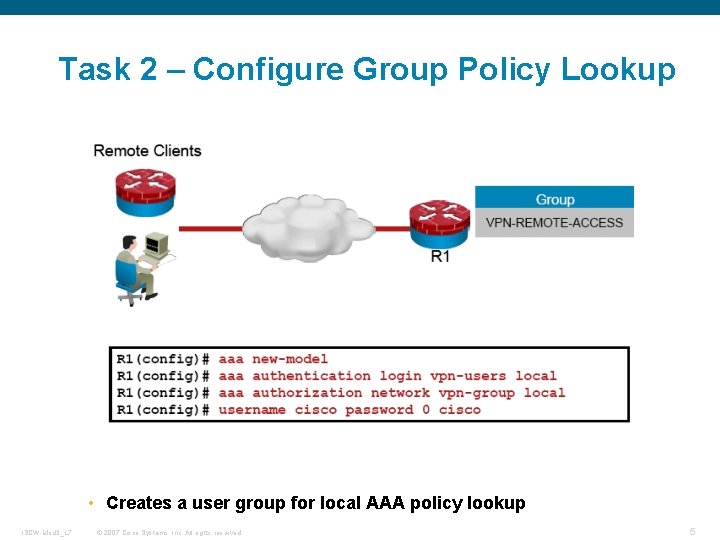
Task 2 – Configure Group Policy Lookup • Creates a user group for local AAA policy lookup ISCW-Mod 3_L 7 © 2007 Cisco Systems, Inc. All rights reserved. 5
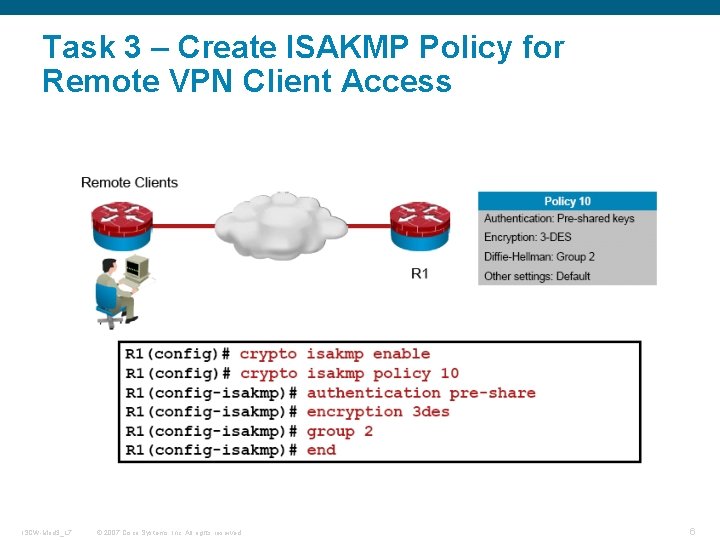
Task 3 – Create ISAKMP Policy for Remote VPN Client Access ISCW-Mod 3_L 7 © 2007 Cisco Systems, Inc. All rights reserved. 6
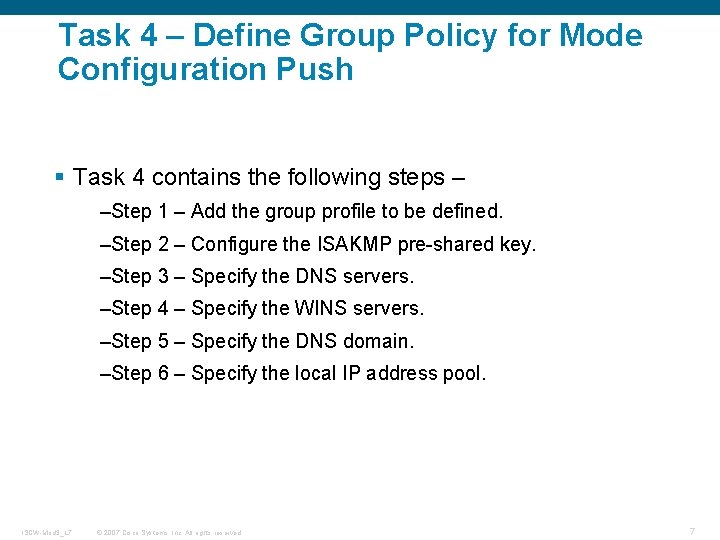
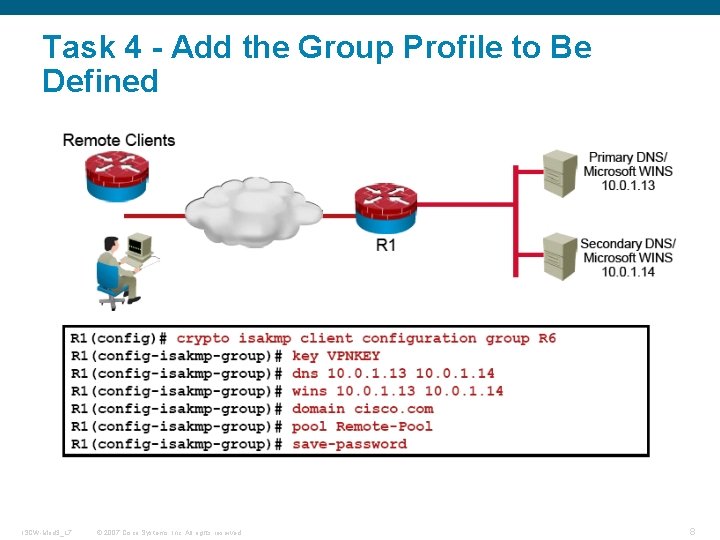
Task 4 – Define Group Policy for Mode Configuration Push § Task 4 contains the following steps – –Step 1 – Add the group profile to be defined. –Step 2 – Configure the ISAKMP pre-shared key. –Step 3 – Specify the DNS servers. –Step 4 – Specify the WINS servers. –Step 5 – Specify the DNS domain. –Step 6 – Specify the local IP address pool. ISCW-Mod 3_L 7 © 2007 Cisco Systems, Inc. All rights reserved. 7
Task 4 - Add the Group Profile to Be Defined ISCW-Mod 3_L 7 © 2007 Cisco Systems, Inc. All rights reserved. 8
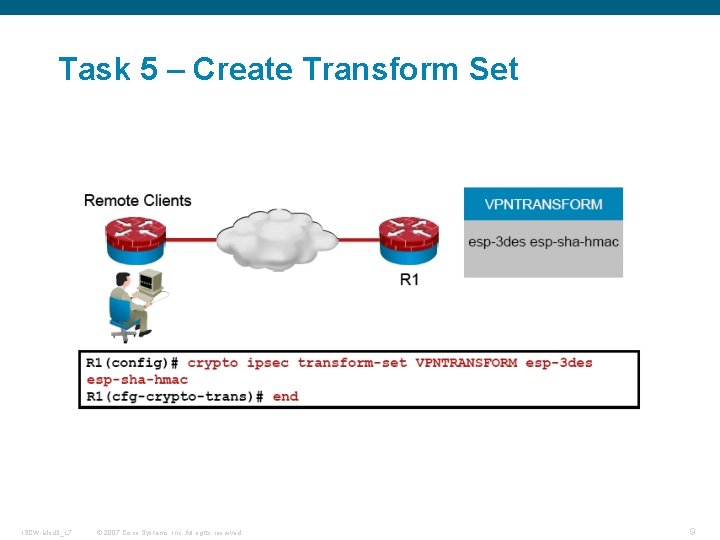
Task 5 – Create Transform Set ISCW-Mod 3_L 7 © 2007 Cisco Systems, Inc. All rights reserved. 9
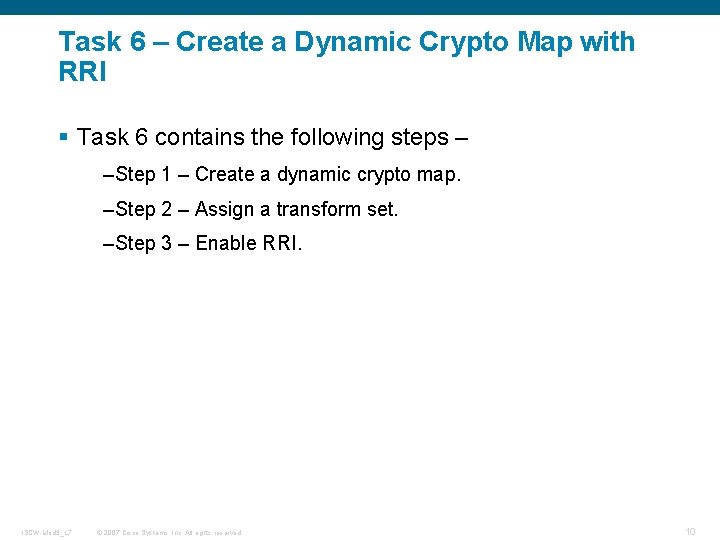
Task 6 – Create a Dynamic Crypto Map with RRI § Task 6 contains the following steps – –Step 1 – Create a dynamic crypto map. –Step 2 – Assign a transform set. –Step 3 – Enable RRI. ISCW-Mod 3_L 7 © 2007 Cisco Systems, Inc. All rights reserved. 10
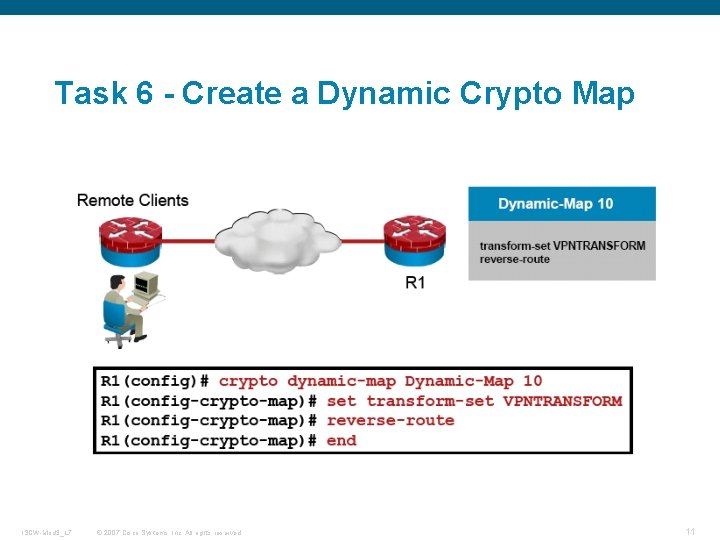
Task 6 - Create a Dynamic Crypto Map ISCW-Mod 3_L 7 © 2007 Cisco Systems, Inc. All rights reserved. 11
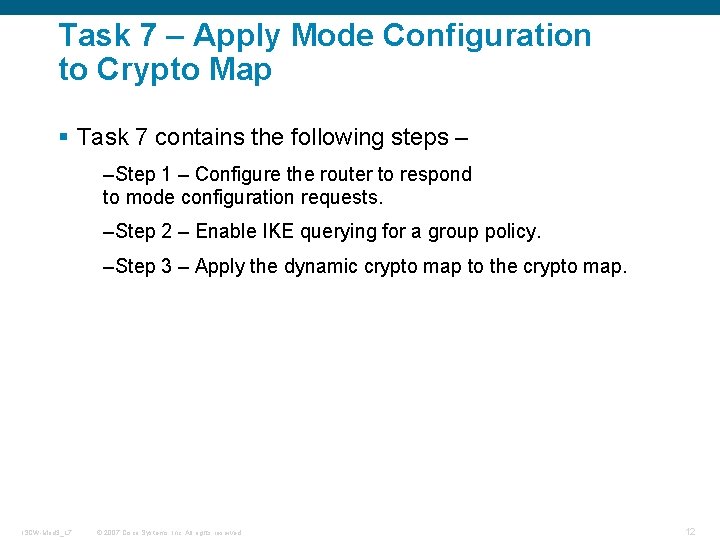
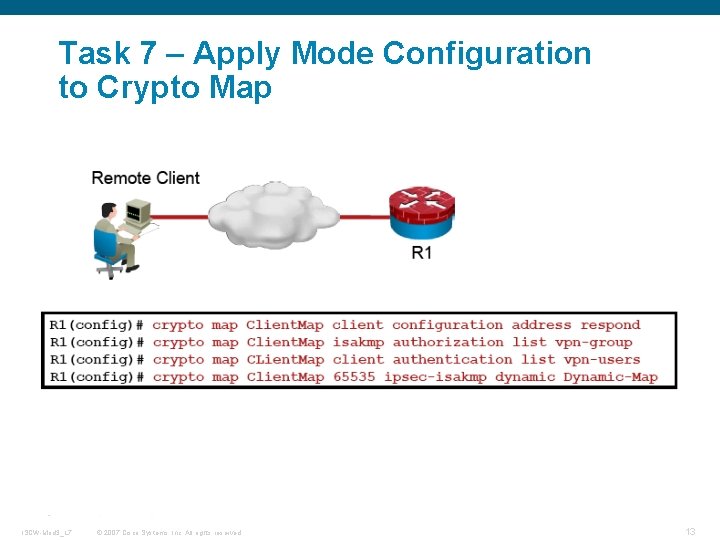
Task 7 – Apply Mode Configuration to Crypto Map § Task 7 contains the following steps – –Step 1 – Configure the router to respond to mode configuration requests. –Step 2 – Enable IKE querying for a group policy. –Step 3 – Apply the dynamic crypto map to the crypto map. ISCW-Mod 3_L 7 © 2007 Cisco Systems, Inc. All rights reserved. 12
Task 7 – Apply Mode Configuration to Crypto Map ISCW-Mod 3_L 7 © 2007 Cisco Systems, Inc. All rights reserved. 13
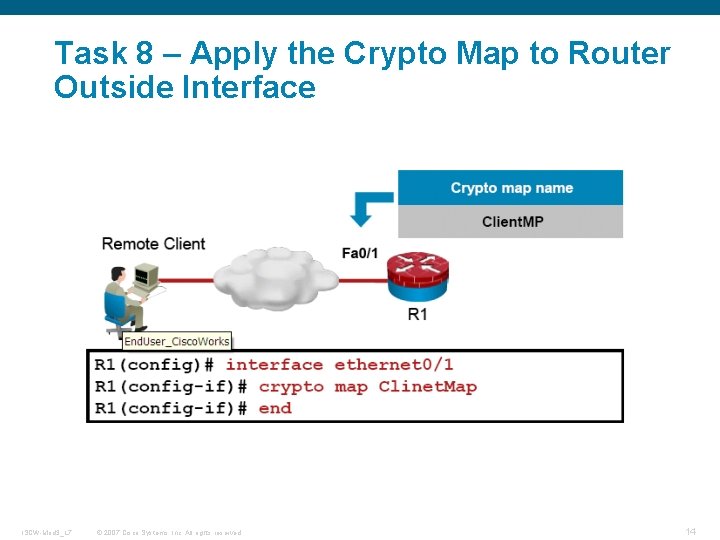
Task 8 – Apply the Crypto Map to Router Outside Interface ISCW-Mod 3_L 7 © 2007 Cisco Systems, Inc. All rights reserved. 14
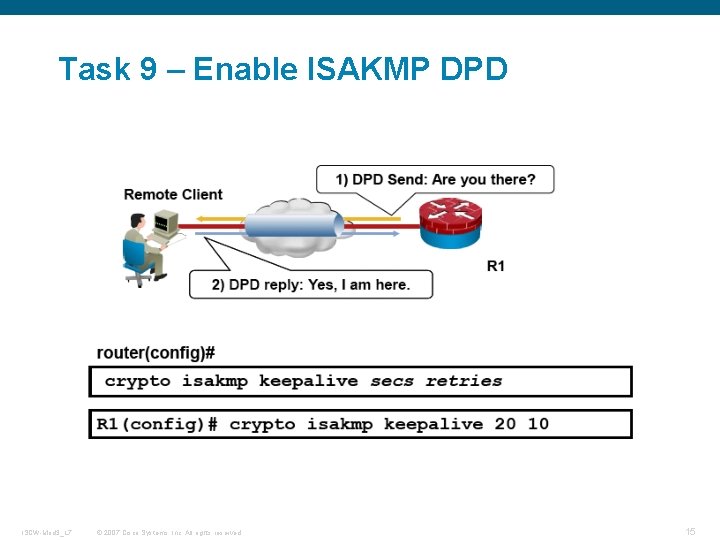
Task 9 – Enable ISAKMP DPD ISCW-Mod 3_L 7 © 2007 Cisco Systems, Inc. All rights reserved. 15
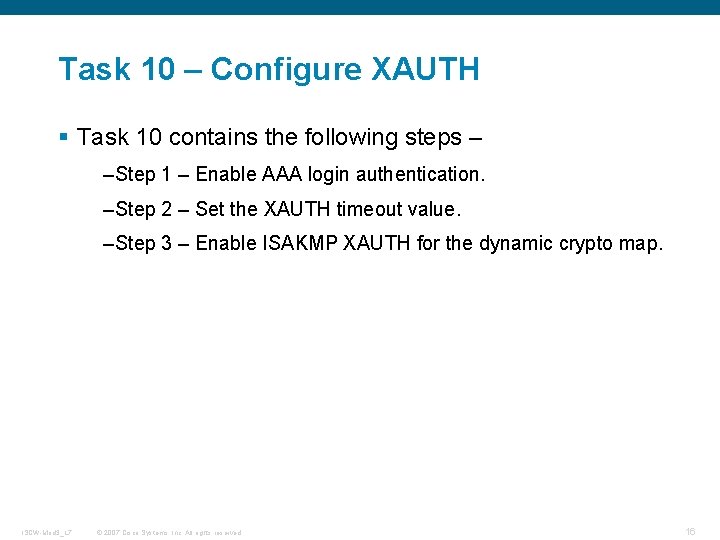
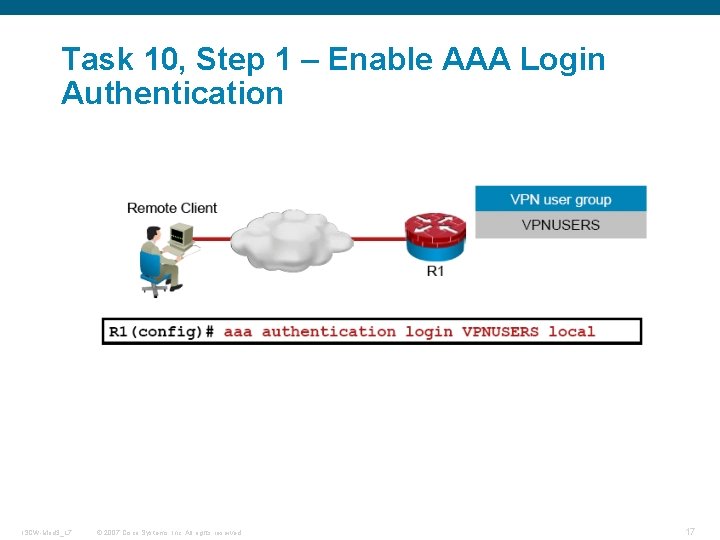
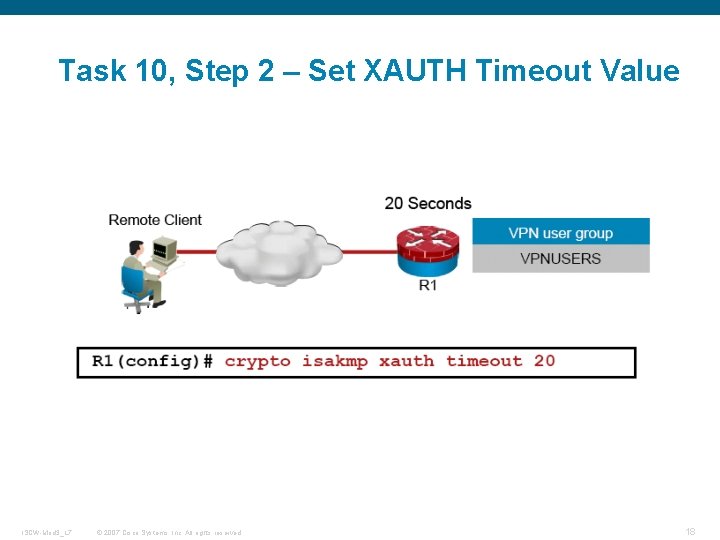
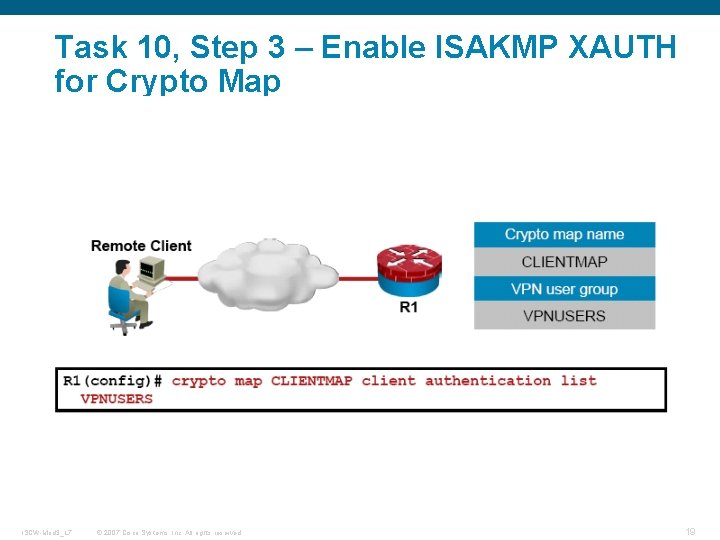
Task 10 – Configure XAUTH § Task 10 contains the following steps – –Step 1 – Enable AAA login authentication. –Step 2 – Set the XAUTH timeout value. –Step 3 – Enable ISAKMP XAUTH for the dynamic crypto map. ISCW-Mod 3_L 7 © 2007 Cisco Systems, Inc. All rights reserved. 16
Task 10, Step 1 – Enable AAA Login Authentication ISCW-Mod 3_L 7 © 2007 Cisco Systems, Inc. All rights reserved. 17
Task 10, Step 2 – Set XAUTH Timeout Value ISCW-Mod 3_L 7 © 2007 Cisco Systems, Inc. All rights reserved. 18
Task 10, Step 3 – Enable ISAKMP XAUTH for Crypto Map ISCW-Mod 3_L 7 © 2007 Cisco Systems, Inc. All rights reserved. 19
Task 11 – (Optional) Enable XAUTH Save Password ISCW-Mod 3_L 7 © 2007 Cisco Systems, Inc. All rights reserved. 20
Q and A ISCW-Mod 3_L 7 © 2007 Cisco Systems, Inc. All rights reserved. 22
ISCW-Mod 3_L 7 © 2007 Cisco Systems, Inc. All rights reserved. 23