
NETWORK SCHEDULING TECHNIQUES 11272020 1 Network Diagrams PMI
- Slides: 37
NETWORK SCHEDULING TECHNIQUES 11/27/2020 1
Network Diagrams ØPMI defines the scheduling process as: “the identification of the project objectives and the ordered activity necessary to complete the project including the identification of resource types and quantities required. ” ØProject scheduling defines the network logic for all activities that must either precede or succeed other tasks from the beginning of the project until its completion. 11/27/2020 2
Network Diagrams ØProvide a basis for planning and how to use the resources ØIdentify the critical path and project completion time ØIdentify where slacks (float) are ØReveal interdependencies of activities ØAid in risk analysis (what-if analysis) 11/27/2020 3
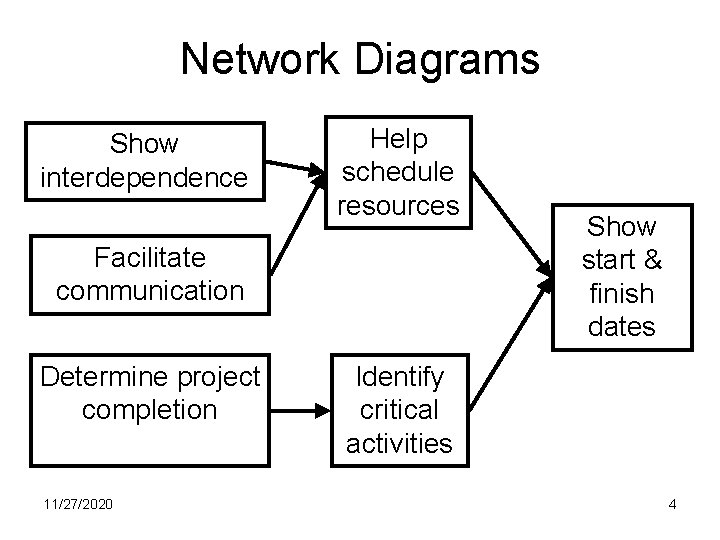
Network Diagrams Show interdependence Help schedule resources Facilitate communication Determine project completion 11/27/2020 Show start & finish dates Identify critical activities 4
Network Scheduling Techniques ØNetwork scheduling techniques provide a logical process to consider the order in which the project activities should occur. ØThe primary methods for developing project activity networks are: q. Program Evaluation and Review Technique (PERT) q. Critical Path Method (CPM) – Also called Arrow Diagram Method (ADM) q. Precedence Diagram Method (PDM) 11/27/2020 5
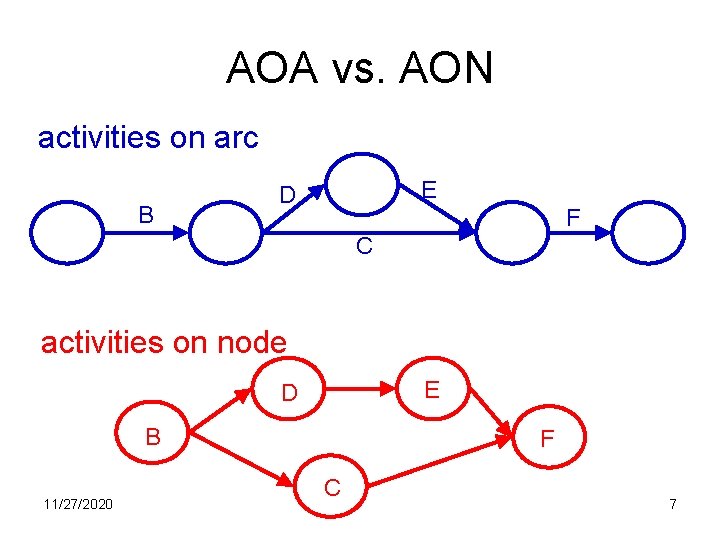
Network Scheduling Techniques ØThere are two ways to show the network: q. Activity-On-Node (AON) – nodes represent the activities q. Activity-On-Arch (AOA) – archs represent the activities ØAON is easier, and it used in commercial software. 11/27/2020 6
AOA vs. AON activities on arc B E D F C activities on node E D B 11/27/2020 F C 7
PERT/CPM ØPERT was developed in the late 1950 s in collaboration between the US Navy, Booz-Allen Hamilton and Lockeed Corporation for the creation of the Polaris missile program. ØCPM was developed at the same time by Du. Pont. ØOver the years the differences between PERT and CPM have blurred, so it is common to refer these techniques as just PERT/CPM. 11/27/2020 8
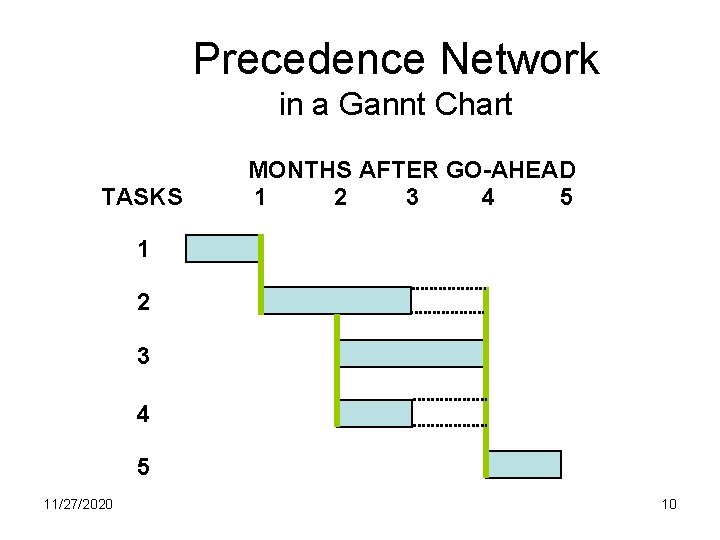
Precedence Diagramming Method (PDM) ØPERT/CPM networks do not allow for leads and lags between two activities; i. e. a preceding activity must be completely finished before the start of the successor activity. ØPrecedence Diagramming Method (PDM) allows these leads and lags. ØMost project management software systems use PDM and show interrelationships on bar charts. 11/27/2020 9
Precedence Network in a Gannt Chart TASKS MONTHS AFTER GO-AHEAD 1 2 3 4 5 11/27/2020 10
Network Development Rules ØAll activities must be linked to each other ØNetwork diagrams flow from left to right ØAn activity cannot begin until all preceding connected activities have been completed ØEach activity should have a unique identifier (number, letter, code, etc. ) ØLooping is not permitted ØIt is common to start from a single beginning and finish on a single ending node 11/27/2020 11
Steps in Creating the Network ØDefine the project and all of its significant activities ØDevelop the relationship among activities ØDecide which activities must precede others ØDraw the network connecting all of the activities ØCompute the longest path which is the critical path ØCalculate activity slacks (float) ØUse the network to help plan, schedule, and control the project 11/27/2020 12
Node Labels ØNodes representing activities should be labeled with the following information: q. Identifier q. Description q. Duration q. Early Start Time q. Early Finish Time q. Late Start Time q. Late Finish Time q. Float 11/27/2020 13
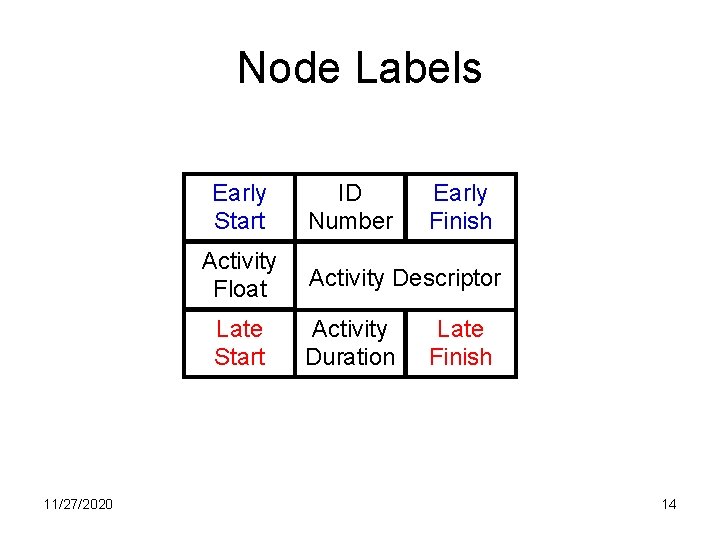
Node Labels Early Start Activity Float Late Start 11/27/2020 ID Number Early Finish Activity Descriptor Activity Duration Late Finish 14
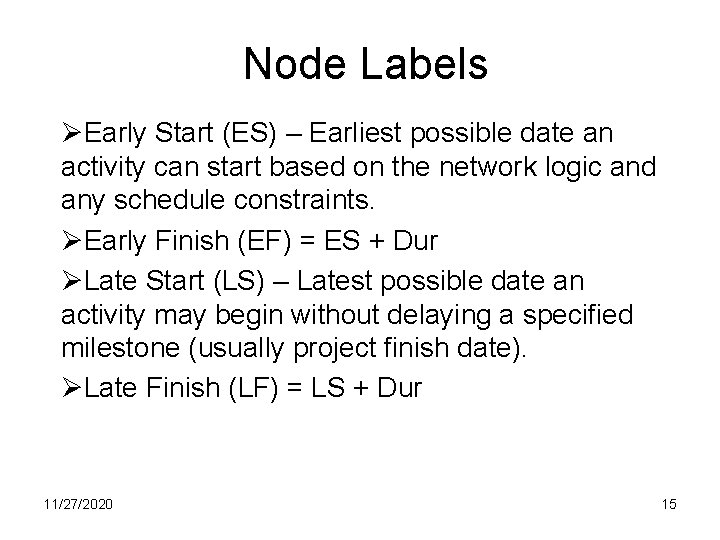
Node Labels ØEarly Start (ES) – Earliest possible date an activity can start based on the network logic and any schedule constraints. ØEarly Finish (EF) = ES + Dur ØLate Start (LS) – Latest possible date an activity may begin without delaying a specified milestone (usually project finish date). ØLate Finish (LF) = LS + Dur 11/27/2020 15
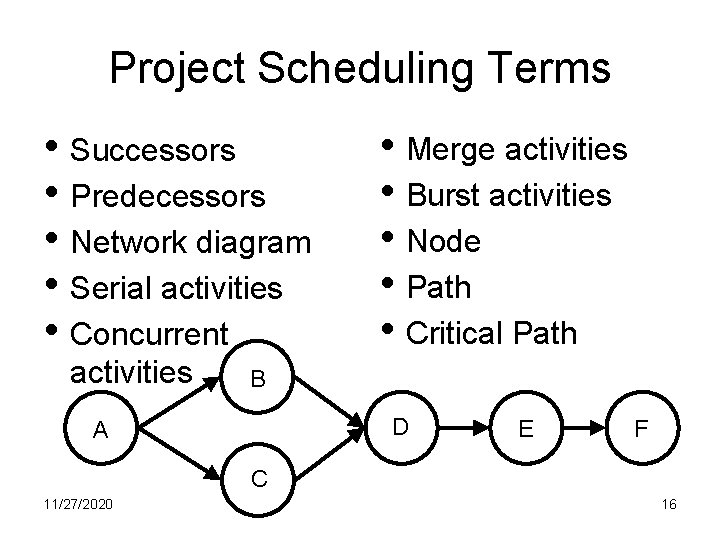
Project Scheduling Terms • Successors • Predecessors • Network diagram • Serial activities • Concurrent activities • Merge activities • Burst activities • Node • Path • Critical Path B D A E F C 11/27/2020 16
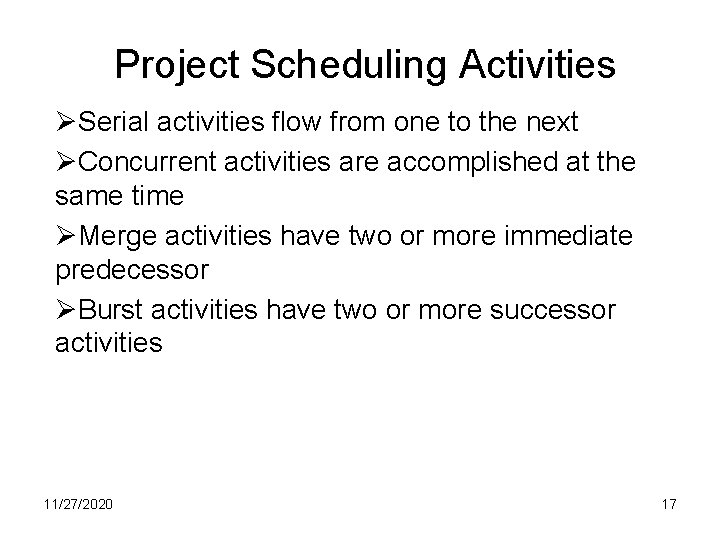
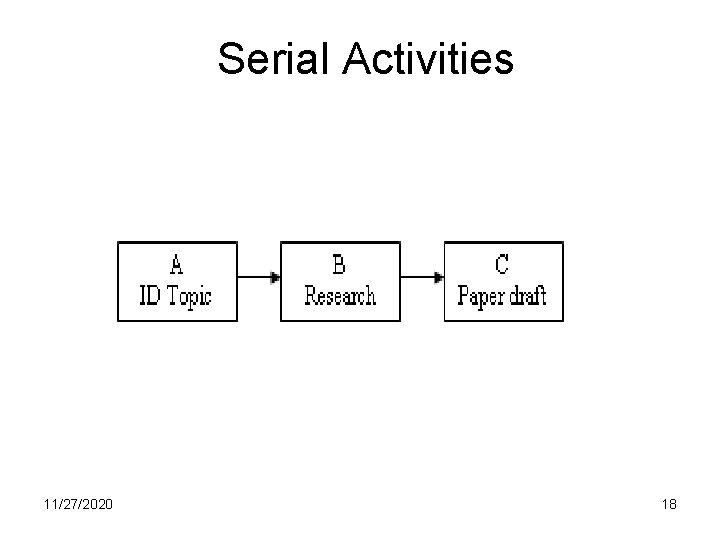
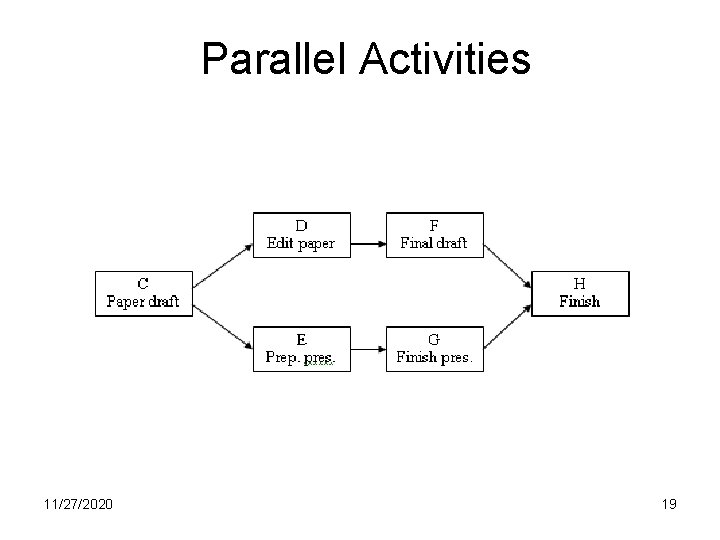
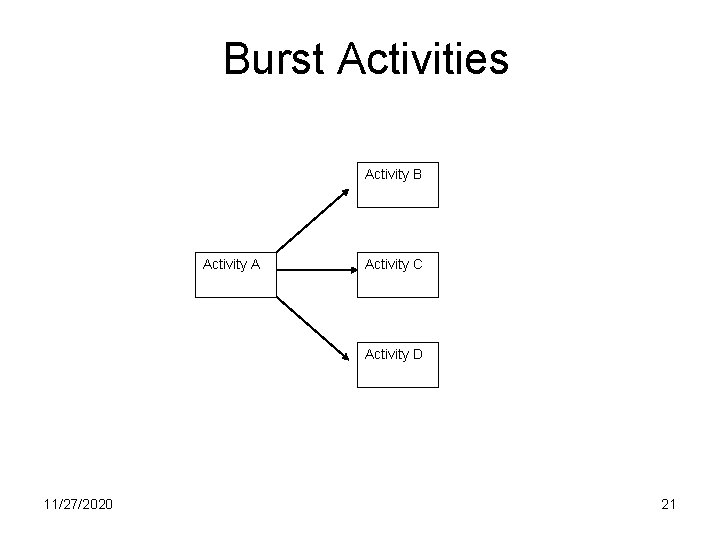
Project Scheduling Activities ØSerial activities flow from one to the next ØConcurrent activities are accomplished at the same time ØMerge activities have two or more immediate predecessor ØBurst activities have two or more successor activities 11/27/2020 17
Serial Activities 11/27/2020 18
Parallel Activities 11/27/2020 19
Merge Activities Activity A Activity B Activity D Activity C 11/27/2020 20
Burst Activities Activity B Activity A Activity C Activity D 11/27/2020 21
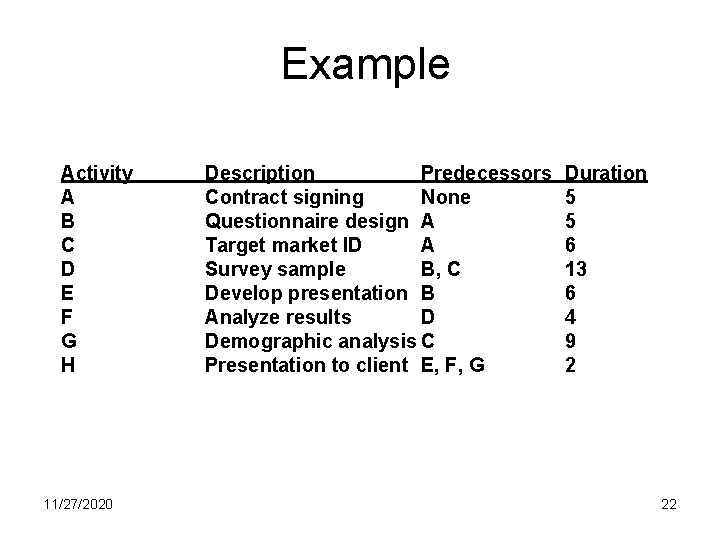
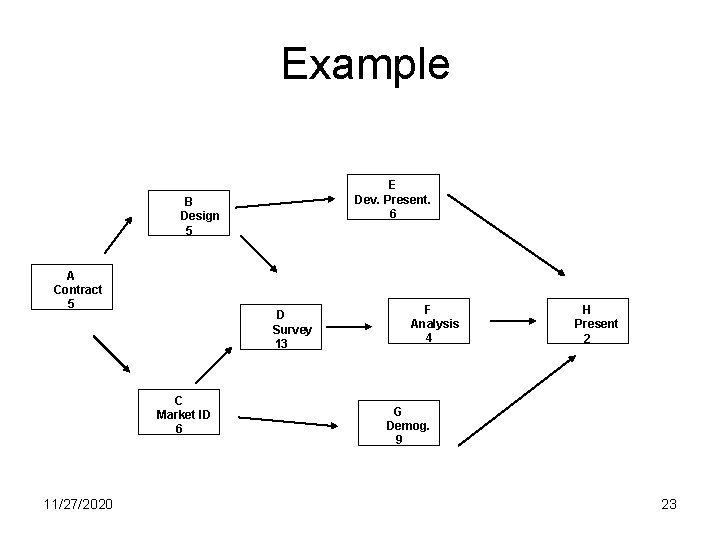
Example Activity A B C D E F G H 11/27/2020 Description Predecessors Contract signing None Questionnaire design A Target market ID A Survey sample B, C Develop presentation B Analyze results D Demographic analysis C Presentation to client E, F, G Duration 5 5 6 13 6 4 9 2 22
Example E Dev. Present. 6 B Design 5 A Contract 5 D Survey 13 C Market ID 6 11/27/2020 F Analysis 4 H Present 2 G Demog. 9 23
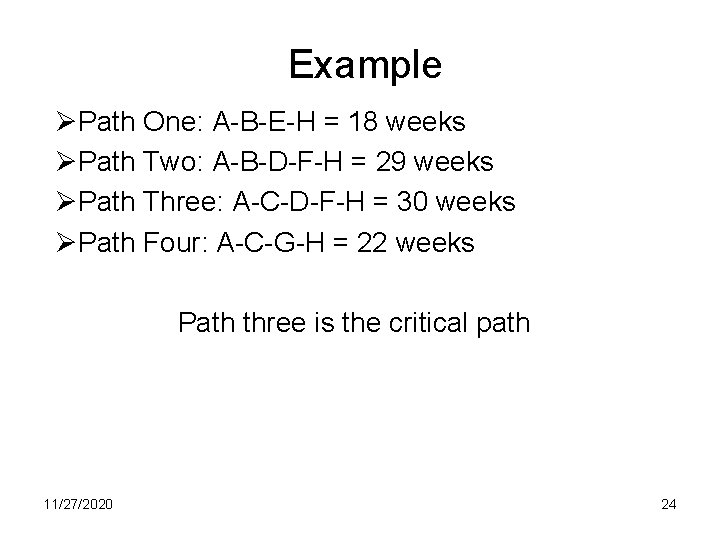
Example ØPath One: A-B-E-H = 18 weeks ØPath Two: A-B-D-F-H = 29 weeks ØPath Three: A-C-D-F-H = 30 weeks ØPath Four: A-C-G-H = 22 weeks Path three is the critical path 11/27/2020 24
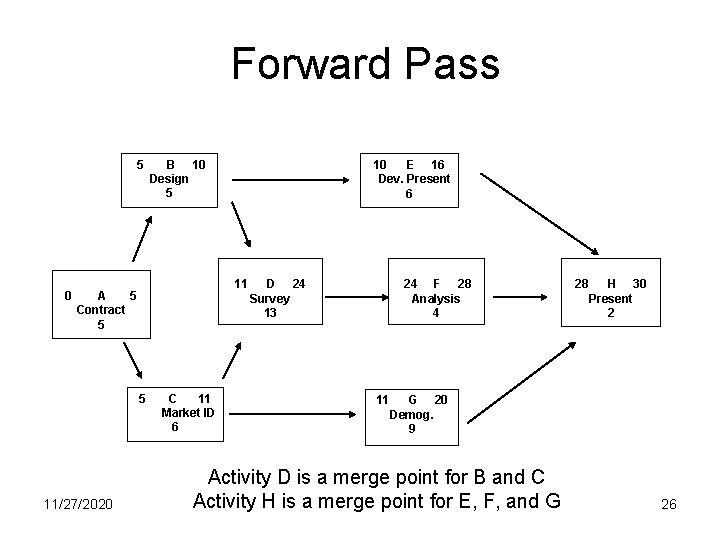
Forward Pass ØForward pass determines the earliest times (ES) each activity can begin and the earliest it can be completed (EF). ØThere are three steps for applying the forward pass: q. Add all activity times along each path as we move through the network (ES + Dur = EF) q. Carry the EF time to the activity nodes immediately succeeding the recently completed node. That EF becomes the ES of the next node, unless the succeeding node is a merge point q. At a merge point, the largest preceding EF becomes the ES for that node (because the earliest the successor can begin is when all preceding activities have been completed) 11/27/2020 25
Forward Pass 5 0 B 10 Design 5 11 A 5 Contract 5 5 11/27/2020 10 E 16 Dev. Present 6 C 11 Market ID 6 D 24 Survey 13 24 F 28 Analysis 4 11 28 H 30 Present 2 G 20 Demog. 9 Activity D is a merge point for B and C Activity H is a merge point for E, F, and G 26
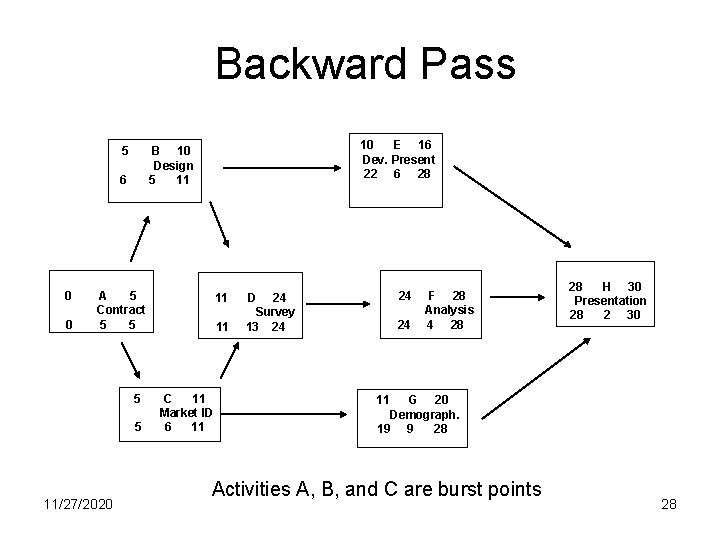
Backward Pass ØThe goal of the backward pass is to determine each activity's Late Start (LS) and Late Finish (LF) times. ØThere are three steps for applying the backward pass: q. Subtract activity times along each path through the network (LF – Dur = LS). q. Carry back the LS time to the activity nodes immediately preceding the successor node. That LS becomes the LF of the next node, unless the preceding node is a burst point. q. In the case of a burst point, the smallest succeeding LS becomes the LF for that node (because the latest the predecessor can finish is when any one of the successor activities should start) 11/27/2020 27
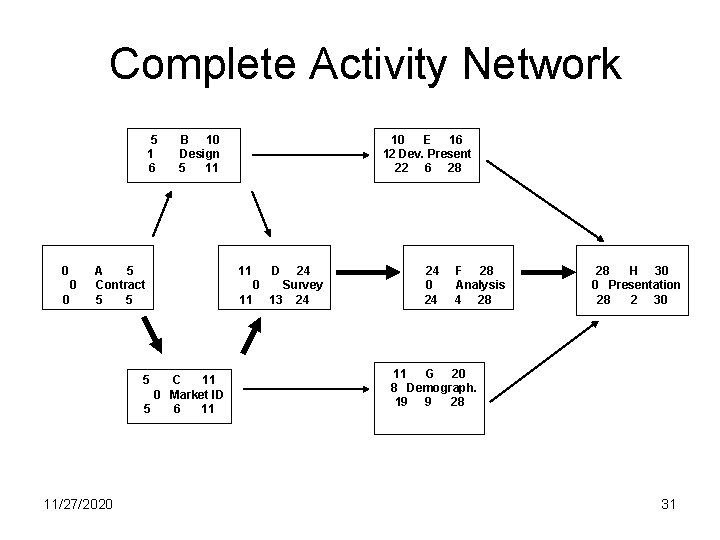
Backward Pass 5 6 0 0 10 E 16 Dev. Present 22 6 28 B 10 Design 5 11 A 5 Contract 5 5 11/27/2020 11 11 C 11 Market ID 6 11 24 D 24 Survey 13 24 24 F 28 Analysis 4 28 28 H 30 Presentation 28 2 30 11 G 20 Demograph. 19 9 28 Activities A, B, and C are burst points 28
Slack Time (Float) ØSince there exists only one path through the network that is the longest, the other paths must either be equal or shorter. ØTherefore, there activities that can be completed before the time when they are actually needed. ØThe time between the scheduled completion date and the required date to meet critical path is referred as the slack time. ØThe activities on the critical path have zero slack time. 11/27/2020 29
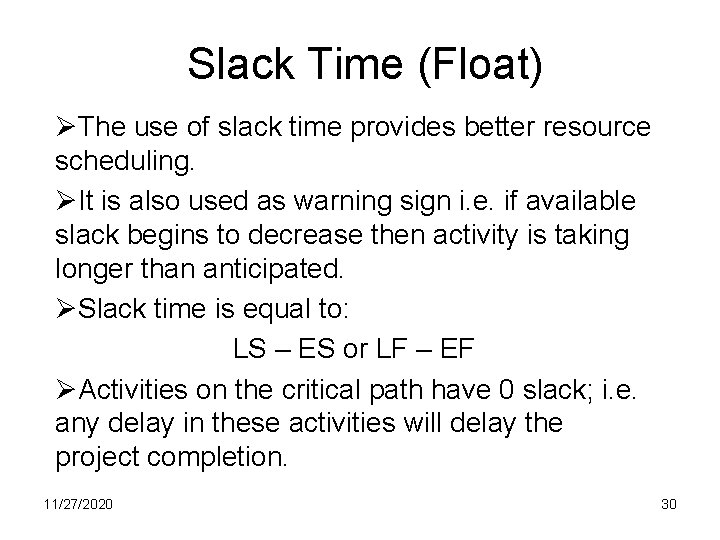
Slack Time (Float) ØThe use of slack time provides better resource scheduling. ØIt is also used as warning sign i. e. if available slack begins to decrease then activity is taking longer than anticipated. ØSlack time is equal to: LS – ES or LF – EF ØActivities on the critical path have 0 slack; i. e. any delay in these activities will delay the project completion. 11/27/2020 30
Complete Activity Network 5 1 6 0 0 0 B 10 Design 5 11 A 5 Contract 5 5 5 C 11 0 Market ID 5 6 11 11/27/2020 10 E 16 12 Dev. Present 22 6 28 11 D 24 0 Survey 11 13 24 24 0 24 F 28 Analysis 4 28 28 H 30 0 Presentation 28 2 30 11 G 20 8 Demograph. 19 9 28 31
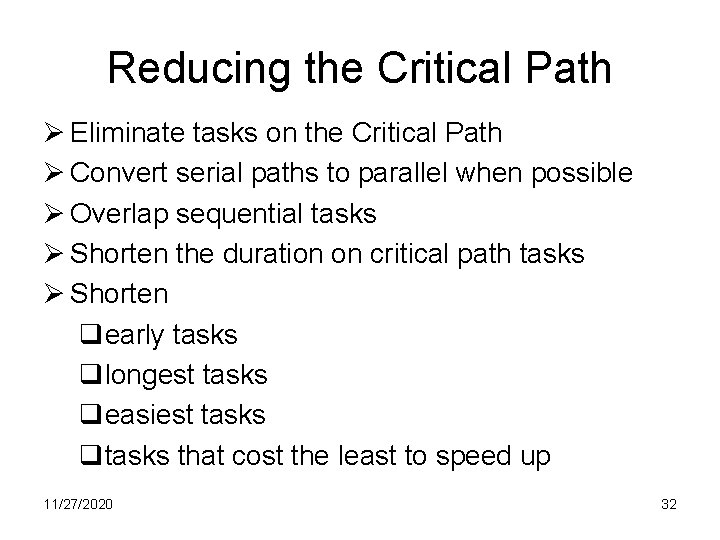
Reducing the Critical Path Ø Eliminate tasks on the Critical Path Ø Convert serial paths to parallel when possible Ø Overlap sequential tasks Ø Shorten the duration on critical path tasks Ø Shorten qearly tasks qlongest tasks qeasiest tasks qtasks that cost the least to speed up 11/27/2020 32
Lag ØLag is the time between Early Start or Early Finish of one activity and Early Start and Early Finish on another activity. ØFor example, in a Finish-to-Start dependency with a 10 -day lag, the successor activity cannot start until 10 days after the predecessor activity has finished. ØLags are not the same as slacks. Lags are between activities whereas slacks are within activities. 11/27/2020 33
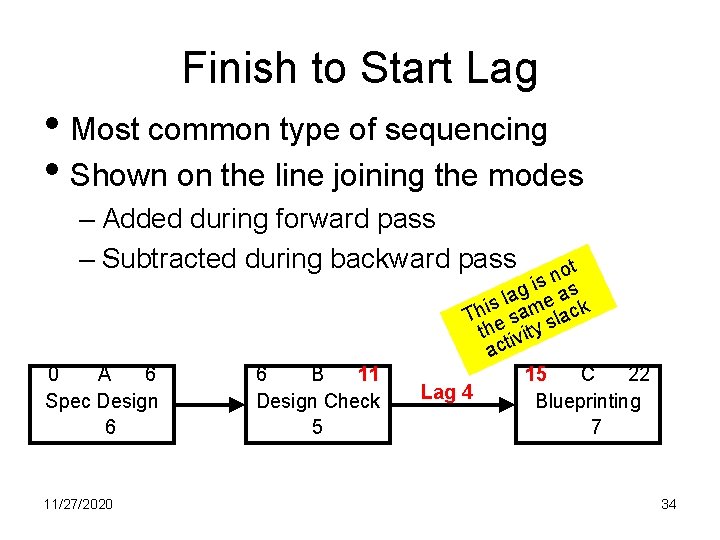
Finish to Start Lag • Most common type of sequencing • Shown on the line joining the modes – Added during forward pass – Subtracted during backward pass 0 A 6 Spec Design 6 11/27/2020 6 B 11 Design Check 5 ot n is s g a a l e s i m Th e sa slack th ivity act 15 C 22 Lag 4 Blueprinting 7 34
Lead ØLead allows an acceleration of the successor activity. We can expedite the schedule by not waiting a preceding activity to be completely finished before starting its successor. ØFor example, in a Finish-to-Start dependency with a 10 -day lead, the successor activity can start 10 days before the predecessor activity has finished. 11/27/2020 35
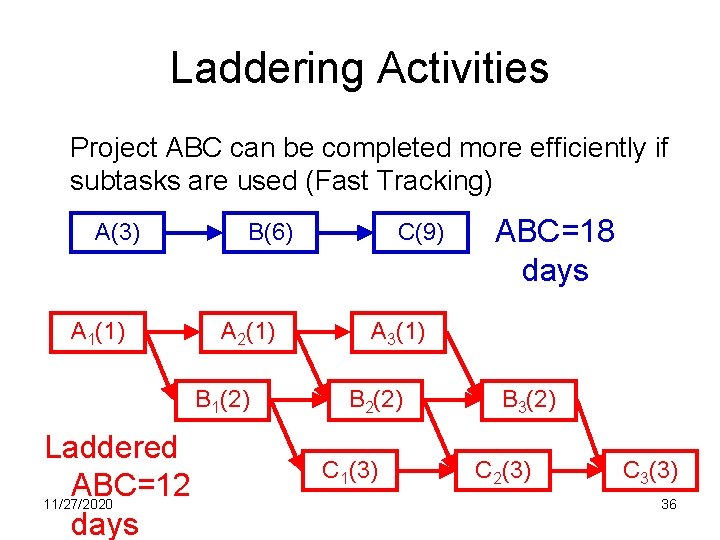
Laddering Activities Project ABC can be completed more efficiently if subtasks are used (Fast Tracking) A(3) A 1(1) B(6) A 2(1) B 1(2) Laddered ABC=12 11/27/2020 days C(9) ABC=18 days A 3(1) B 2(2) C 1(3) B 3(2) C 2(3) C 3(3) 36
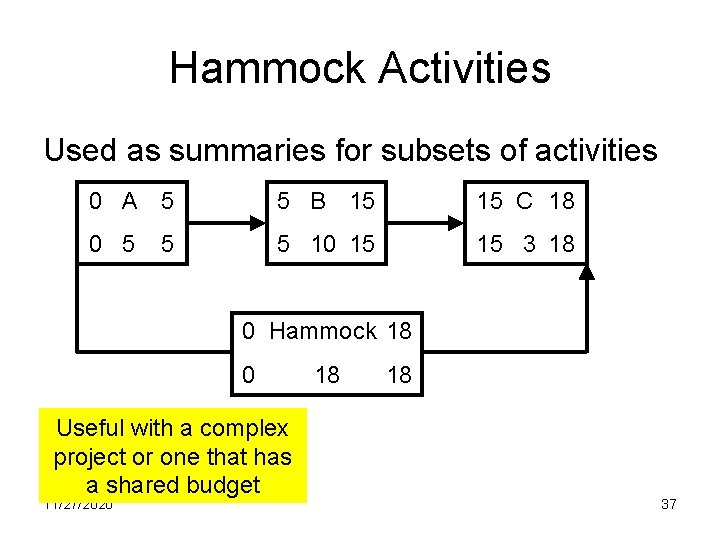
Hammock Activities Used as summaries for subsets of activities 0 A 5 5 B 15 15 C 18 0 5 5 10 15 15 3 18 5 0 Hammock 18 0 Useful with a complex project or one that has a shared budget 11/27/2020 18 18 37