
Network Programming and Sockets CPSC 363 Computer Networks
- Slides: 19
Network Programming and Sockets CPSC 363 Computer Networks Ellen Walker Hiram College (Includes figures from Computer Networking by Kurose & Ross, © Addison Wesley 2002)
Sockets • Data structures representing a connection • Provide communication between process, O/S (and network card, etc) – Buffers for sent / received information – Variables with addresses, port information, etc. – Methods (functions) for send / receive • A socket looks much like a stream to the application programmer – Open, read and write, close!
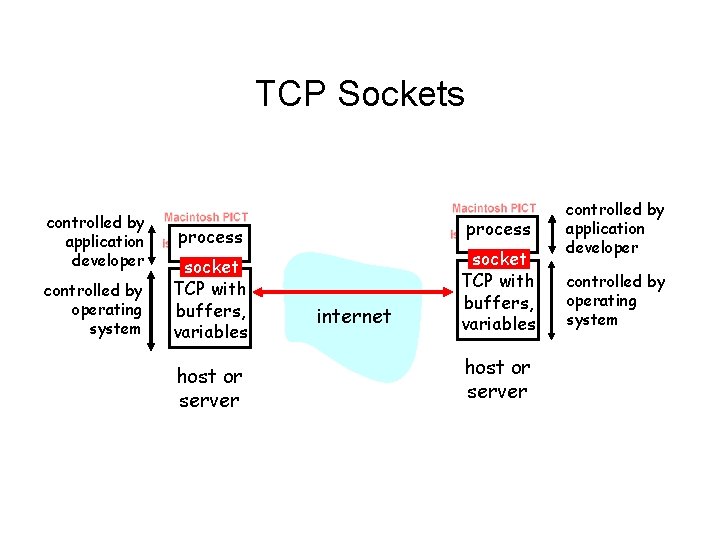
TCP Sockets controlled by application developer controlled by operating system process socket TCP with buffers, variables host or server internet socket TCP with buffers, variables host or server controlled by application developer controlled by operating system
Socket Programming in Java • • Uses java. net. * library Same interface on all platforms Nicely object-oriented; fairly self-documenting Covered in our textbook
Socket Programming for Linux / Unix • Basic C libraries go back to BSD Unix – Libraries include sys/socket. h, netinet/in. h, netdb. h, arpa/inet. h – Socket is an int, also struct for address – Requires explicit conversion for byte order, etc. • C++ encapsulation of BSD socket interface by Rob Tougher – Makes sockets look like I/O streams – May not be standard, but easy to use – http: //www. linuxgazette. com/issue 74/tougher. html
Socket Programming for MS Windows • Windows sockets (winsock) - Not originally standardized, but now Microsoft distributes a library (WSOCK 32. LIB) • Calls are very similar to BSD socket code • Microsoft MSDN Winsock documentation (includes sample code) • Winsock FAQ
Client/Server Application Programs (TCP) • Client – – Requests a connection with the server Receives connection info Communicates (sends/receives) Closes the connection • Server – Infinite loop… • Wait for connection request • Generate & send connection info • Communicate until connection is closed
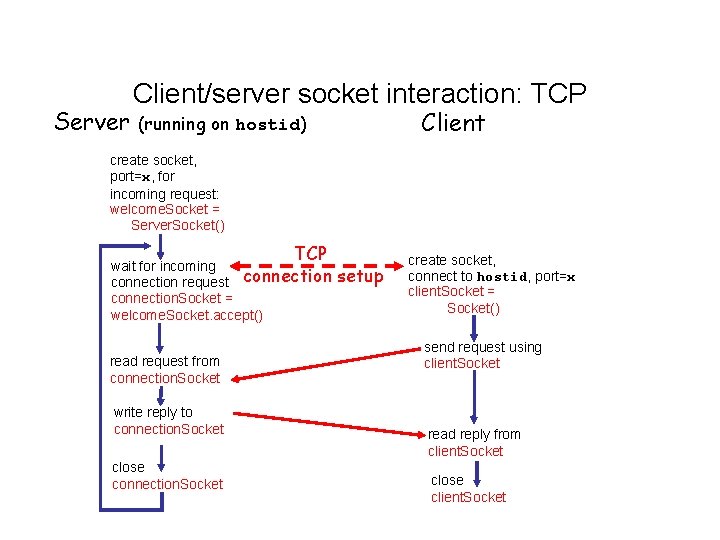
Server Client/server socket interaction: TCP Client (running on hostid) create socket, port=x, for incoming request: welcome. Socket = Server. Socket() TCP wait for incoming connection request connection. Socket = welcome. Socket. accept() read request from connection. Socket write reply to connection. Socket close connection. Socket setup create socket, connect to hostid, port=x client. Socket = Socket() send request using client. Socket read reply from client. Socket close client. Socket
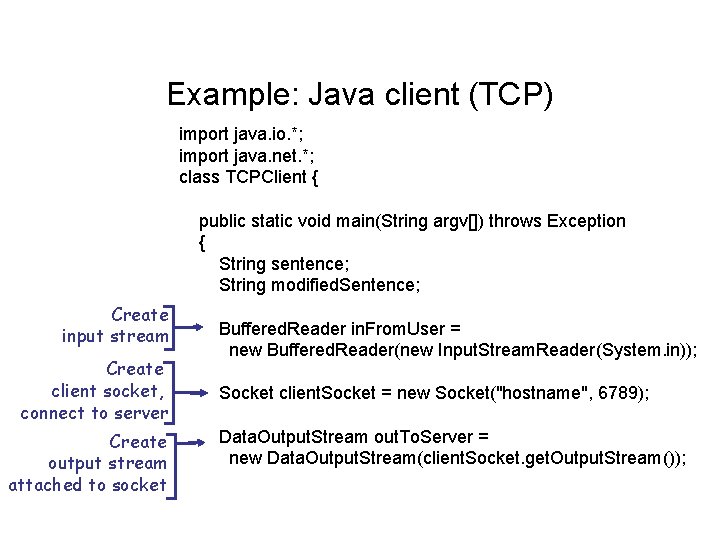
Example: Java client (TCP) import java. io. *; import java. net. *; class TCPClient { public static void main(String argv[]) throws Exception { String sentence; String modified. Sentence; Create input stream Create client socket, connect to server Create output stream attached to socket Buffered. Reader in. From. User = new Buffered. Reader(new Input. Stream. Reader(System. in)); Socket client. Socket = new Socket("hostname", 6789); Data. Output. Stream out. To. Server = new Data. Output. Stream(client. Socket. get. Output. Stream());
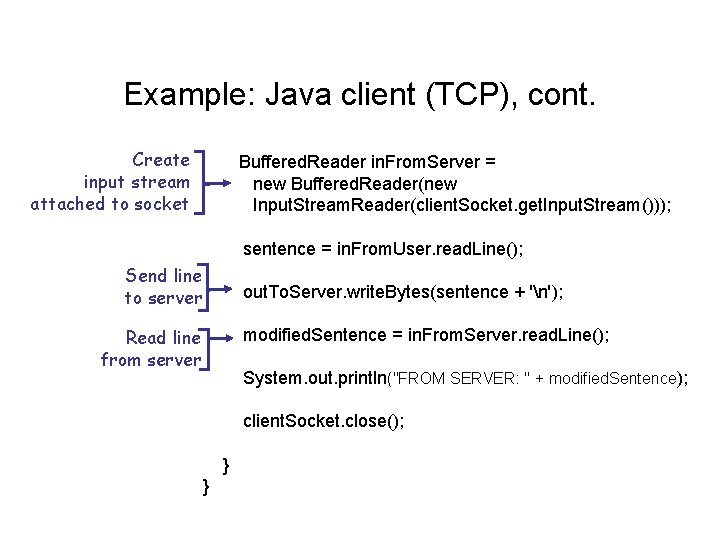
Example: Java client (TCP), cont. Create input stream attached to socket Buffered. Reader in. From. Server = new Buffered. Reader(new Input. Stream. Reader(client. Socket. get. Input. Stream())); sentence = in. From. User. read. Line(); Send line to server out. To. Server. write. Bytes(sentence + 'n'); Read line from server modified. Sentence = in. From. Server. read. Line(); System. out. println("FROM SERVER: " + modified. Sentence); client. Socket. close(); } }
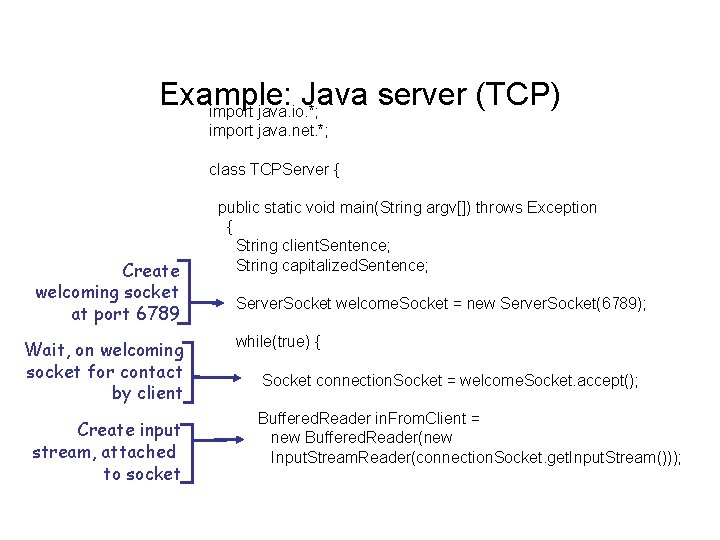
Example: Java server (TCP) import java. io. *; import java. net. *; class TCPServer { Create welcoming socket at port 6789 Wait, on welcoming socket for contact by client Create input stream, attached to socket public static void main(String argv[]) throws Exception { String client. Sentence; String capitalized. Sentence; Server. Socket welcome. Socket = new Server. Socket(6789); while(true) { Socket connection. Socket = welcome. Socket. accept(); Buffered. Reader in. From. Client = new Buffered. Reader(new Input. Stream. Reader(connection. Socket. get. Input. Stream()));
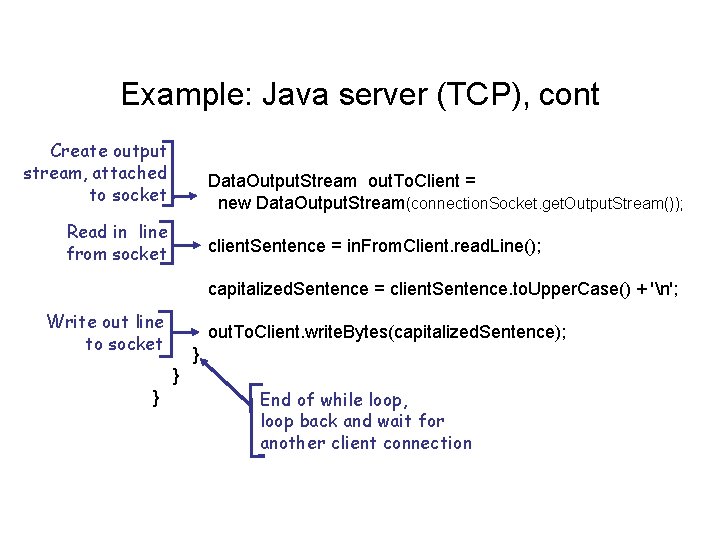
Example: Java server (TCP), cont Create output stream, attached to socket Data. Output. Stream out. To. Client = new Data. Output. Stream(connection. Socket. get. Output. Stream()); Read in line from socket client. Sentence = in. From. Client. read. Line(); capitalized. Sentence = client. Sentence. to. Upper. Case() + 'n'; Write out line to socket out. To. Client. write. Bytes(capitalized. Sentence); } } } End of while loop, loop back and wait for another client connection
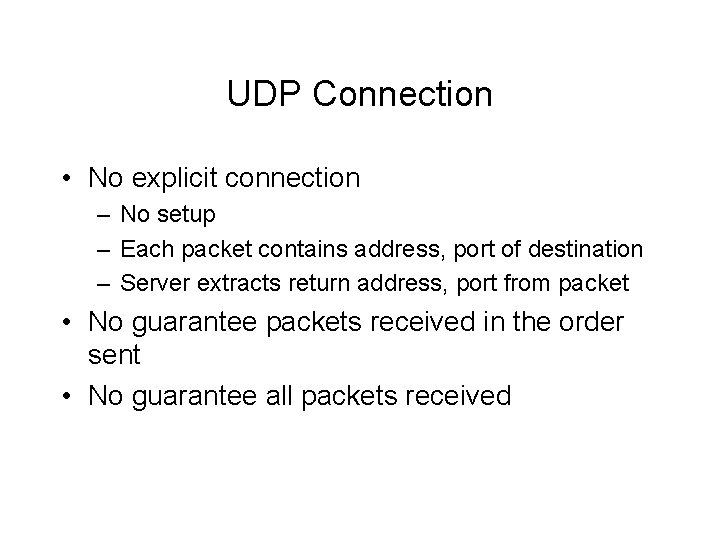
UDP Connection • No explicit connection – No setup – Each packet contains address, port of destination – Server extracts return address, port from packet • No guarantee packets received in the order sent • No guarantee all packets received
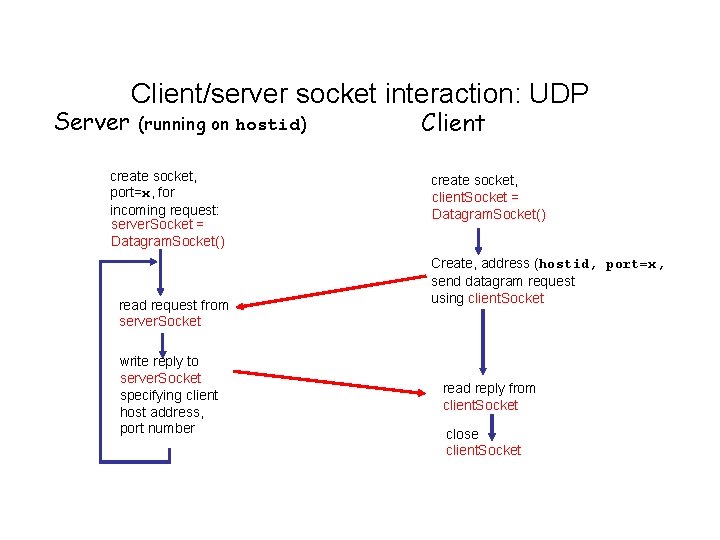
Server Client/server socket interaction: UDP (running on hostid) create socket, port=x, for incoming request: server. Socket = Datagram. Socket() read request from server. Socket write reply to server. Socket specifying client host address, port number Client create socket, client. Socket = Datagram. Socket() Create, address (hostid, port=x, send datagram request using client. Socket read reply from client. Socket close client. Socket
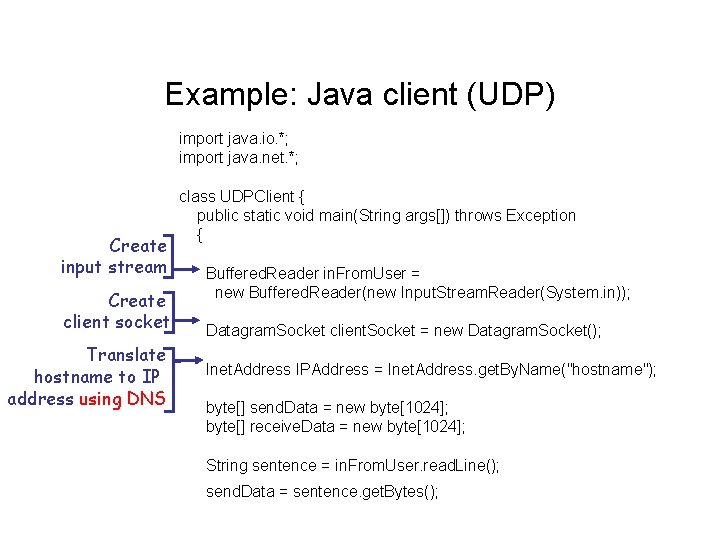
Example: Java client (UDP) import java. io. *; import java. net. *; Create input stream Create client socket Translate hostname to IP address using DNS class UDPClient { public static void main(String args[]) throws Exception { Buffered. Reader in. From. User = new Buffered. Reader(new Input. Stream. Reader(System. in)); Datagram. Socket client. Socket = new Datagram. Socket(); Inet. Address IPAddress = Inet. Address. get. By. Name("hostname"); byte[] send. Data = new byte[1024]; byte[] receive. Data = new byte[1024]; String sentence = in. From. User. read. Line(); send. Data = sentence. get. Bytes();
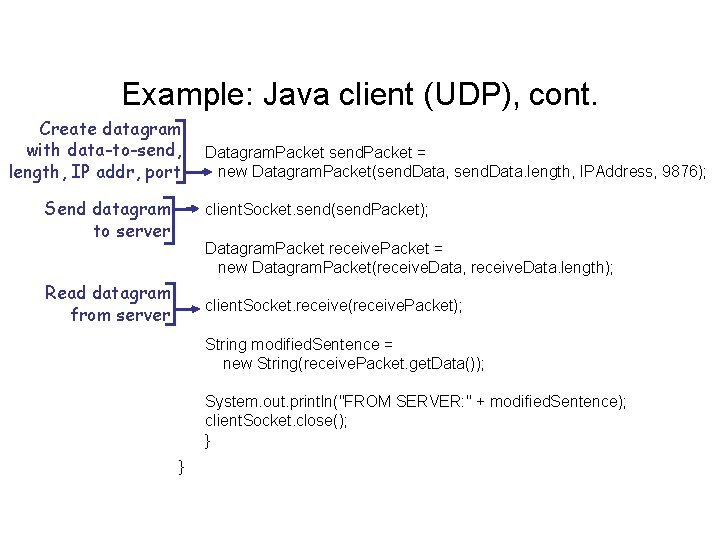
Example: Java client (UDP), cont. Create datagram with data-to-send, length, IP addr, port Send datagram to server Datagram. Packet send. Packet = new Datagram. Packet(send. Data, send. Data. length, IPAddress, 9876); client. Socket. send(send. Packet); Datagram. Packet receive. Packet = new Datagram. Packet(receive. Data, receive. Data. length); Read datagram from server client. Socket. receive(receive. Packet); String modified. Sentence = new String(receive. Packet. get. Data()); System. out. println("FROM SERVER: " + modified. Sentence); client. Socket. close(); } }
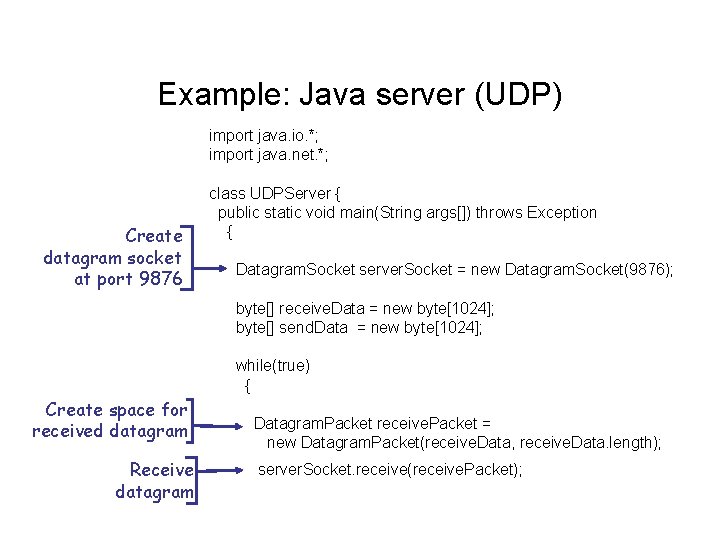
Example: Java server (UDP) import java. io. *; import java. net. *; Create datagram socket at port 9876 class UDPServer { public static void main(String args[]) throws Exception { Datagram. Socket server. Socket = new Datagram. Socket(9876); byte[] receive. Data = new byte[1024]; byte[] send. Data = new byte[1024]; while(true) { Create space for received datagram Receive datagram Datagram. Packet receive. Packet = new Datagram. Packet(receive. Data, receive. Data. length); server. Socket. receive(receive. Packet);
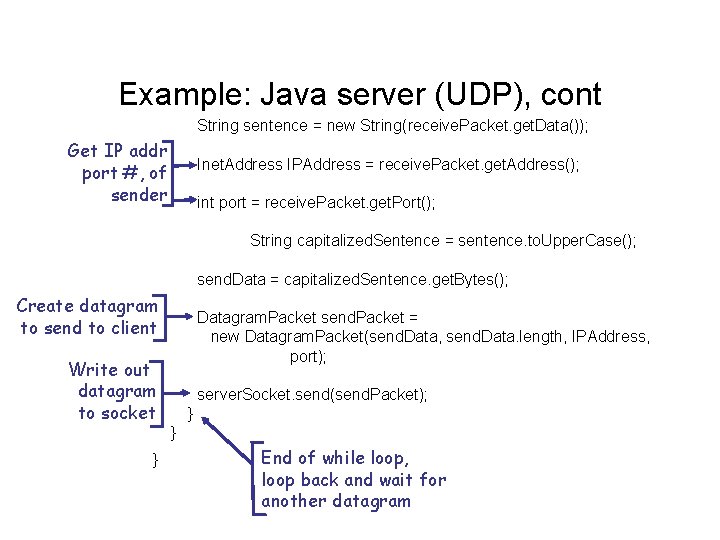
Example: Java server (UDP), cont String sentence = new String(receive. Packet. get. Data()); Get IP addr port #, of sender Inet. Address IPAddress = receive. Packet. get. Address(); int port = receive. Packet. get. Port(); String capitalized. Sentence = sentence. to. Upper. Case(); send. Data = capitalized. Sentence. get. Bytes(); Create datagram to send to client Write out datagram to socket } Datagram. Packet send. Packet = new Datagram. Packet(send. Data, send. Data. length, IPAddress, port); server. Socket. send(send. Packet); } } End of while loop, loop back and wait for another datagram
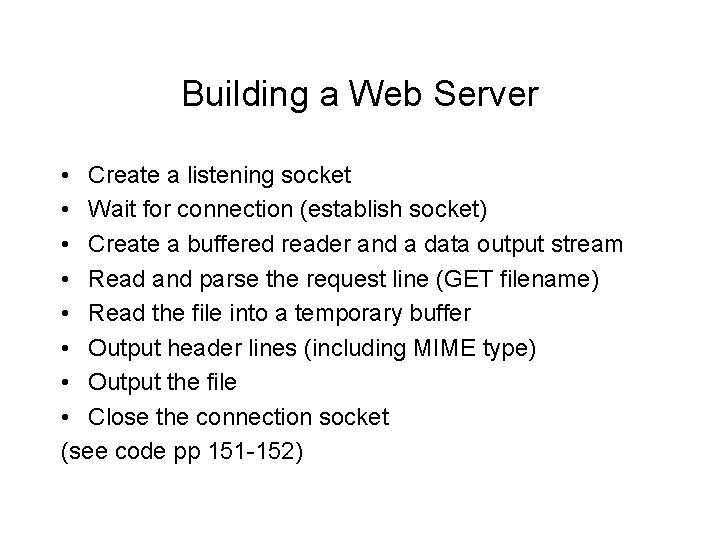
Building a Web Server • Create a listening socket • Wait for connection (establish socket) • Create a buffered reader and a data output stream • Read and parse the request line (GET filename) • Read the file into a temporary buffer • Output header lines (including MIME type) • Output the file • Close the connection socket (see code pp 151 -152)