
Network KNOW YOUR NETWORK NK DEBNATH Networking Benefits
Network + KNOW YOUR NETWORK NK DEBNATH
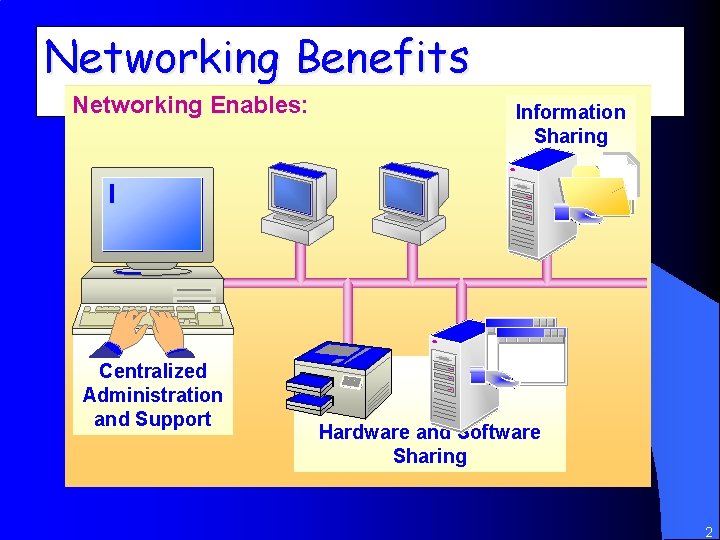
Networking Benefits Networking Enables: Centralized Administration and Support Information Sharing Hardware and Software Sharing 2
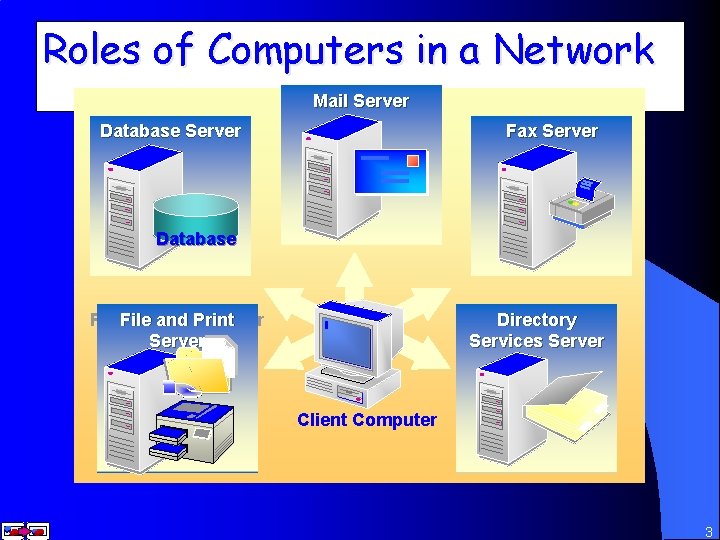
Roles of Computers in a Network Mail Server Database Server Fax Server Database Print File andand Print Server Directory Services Server Client Computer 3

Types of Networks Peer-to-Peer Client-Server 4
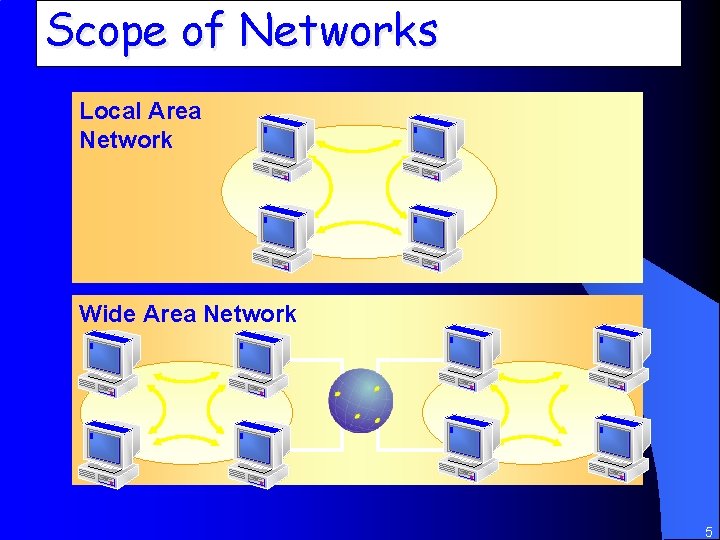
Scope of Networks Local Area Network Wide Area Network 5
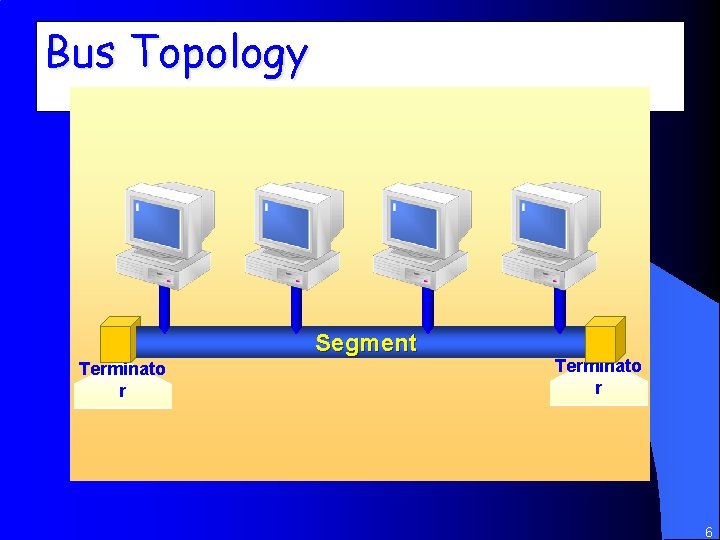
Bus Topology Segment Terminato r 6
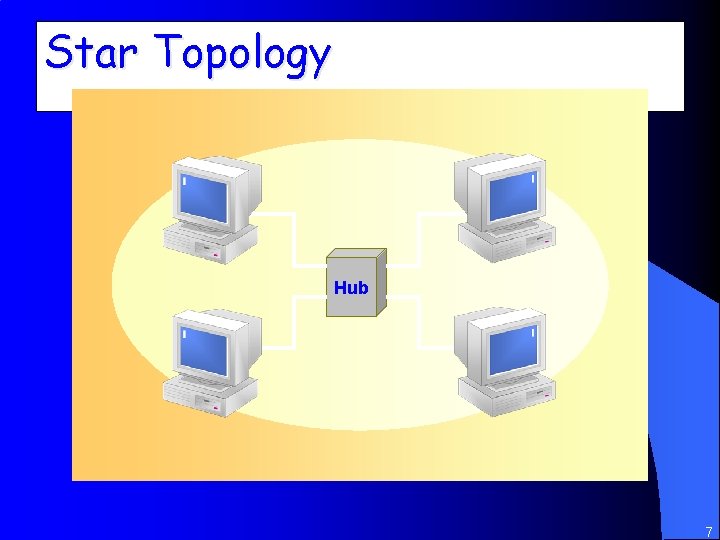
Star Topology Hub 7
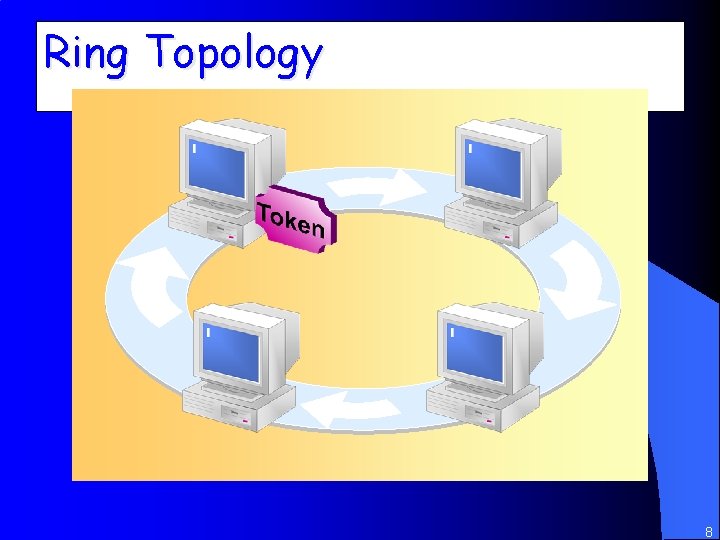
Ring Topology 8
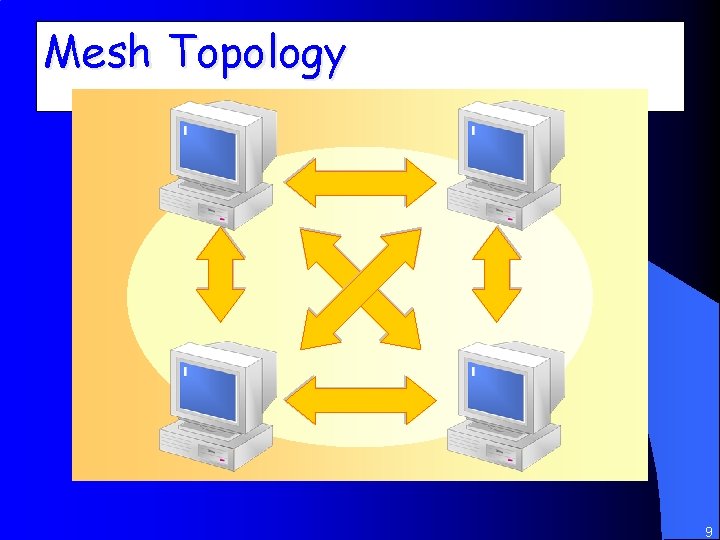
Mesh Topology 9
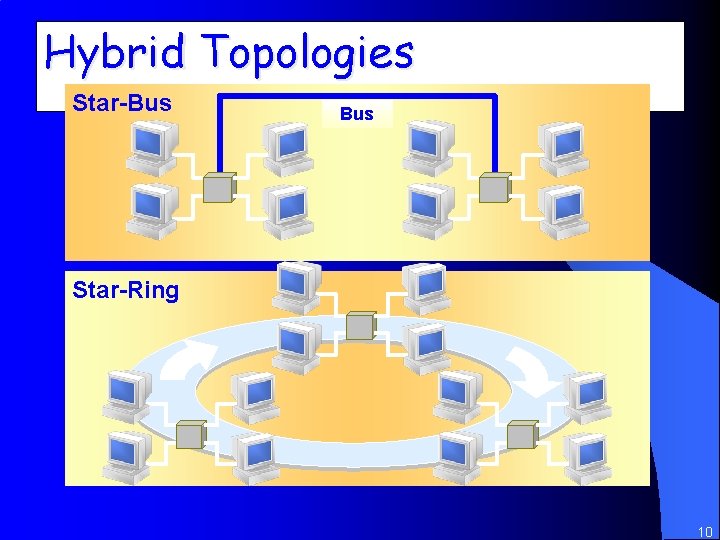
Hybrid Topologies Star-Bus Star-Ring 10
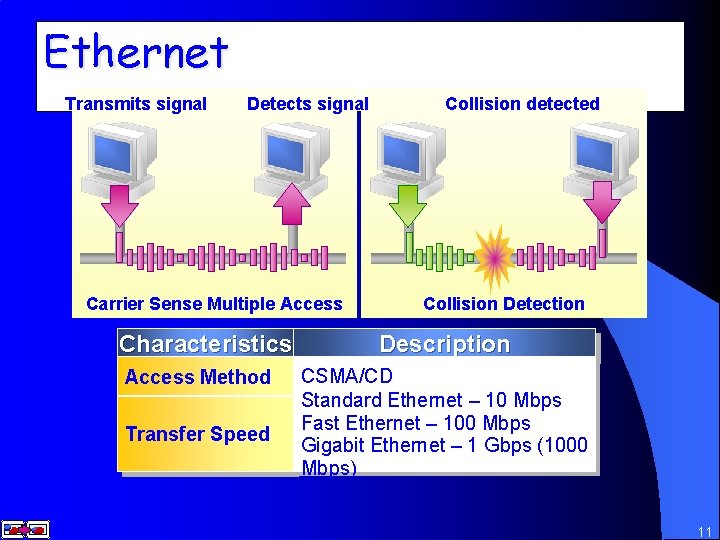
Ethernet Transmits signal Detects signal Carrier Sense Multiple Access Characteristics Access Method Transfer Speed Collision detected Collision Detection Description CSMA/CD Standard Ethernet – 10 Mbps Fast Ethernet – 100 Mbps Gigabit Ethernet – 1 Gbps (1000 Mbps) 11
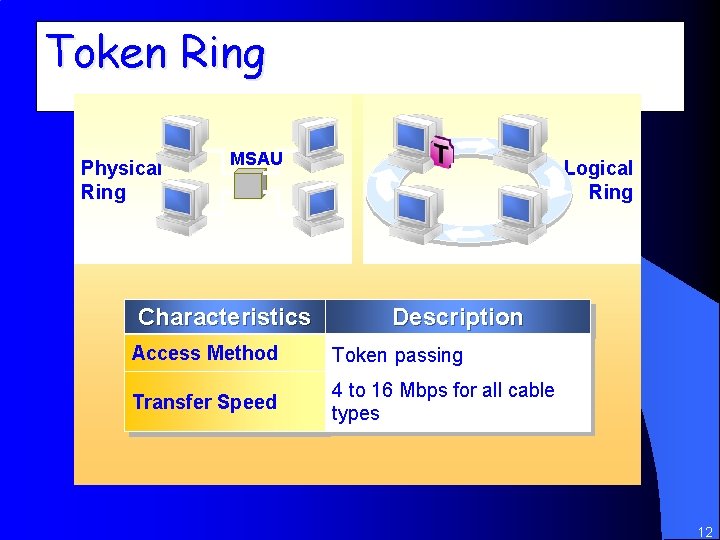
Token Ring Physical Ring MSAU Characteristics Logical Ring Description Access Method Token passing Transfer Speed 4 to 16 Mbps for all cable types 12
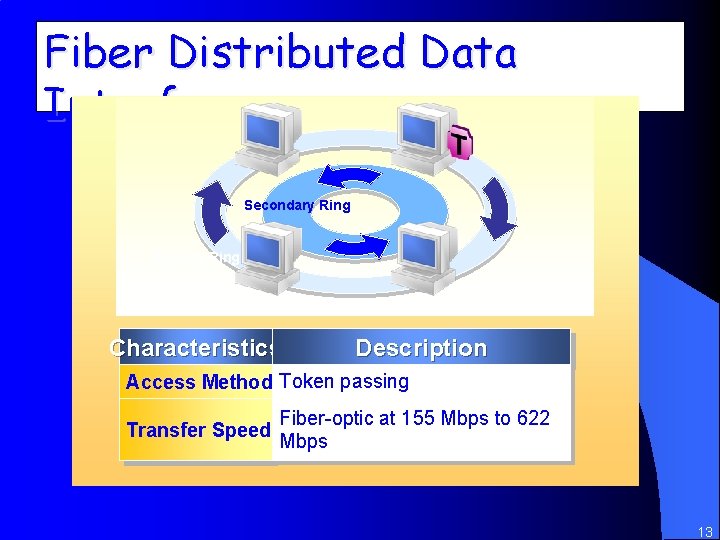
Fiber Distributed Data Interface Secondary Ring Primary Ring Characteristics Description Access Method Token passing Transfer Speed Fiber-optic at 155 Mbps to 622 Mbps 13
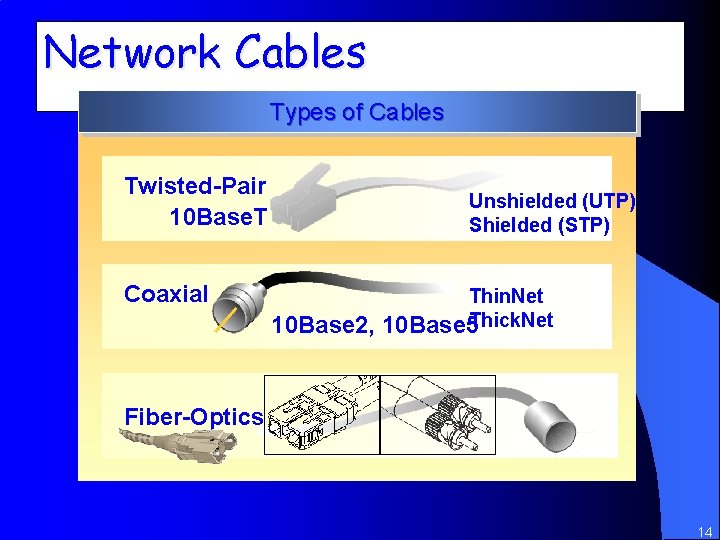
Network Cables Types of Cables Twisted-Pair 10 Base. T Unshielded (UTP) Shielded (STP) Coaxial 10 Base 2, Thin. Net 10 Base 5 Thick. Net Fiber-Optics 14
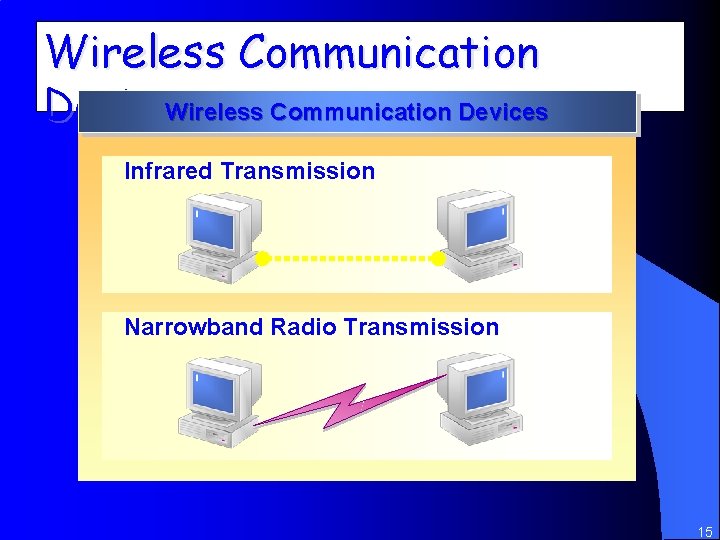
Wireless Communication Devices Infrared Transmission Narrowband Radio Transmission 15
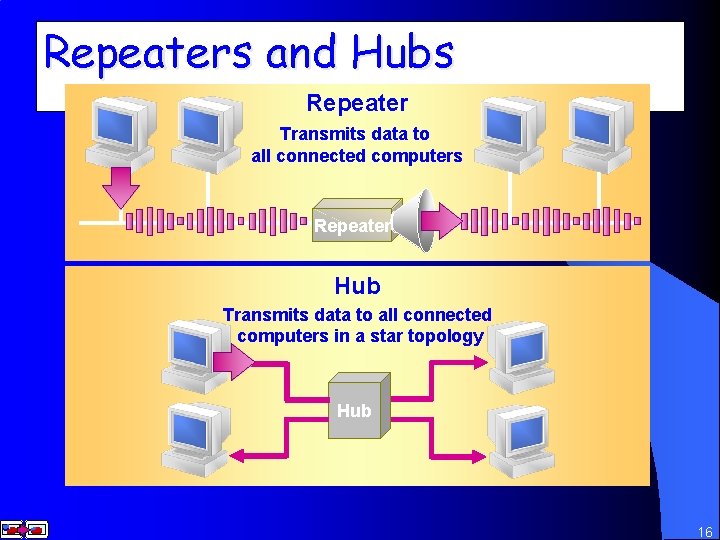
Repeaters and Hubs Repeater Transmits data to all connected computers Repeater Hub Transmits data to all connected computers in a star topology Hub 16
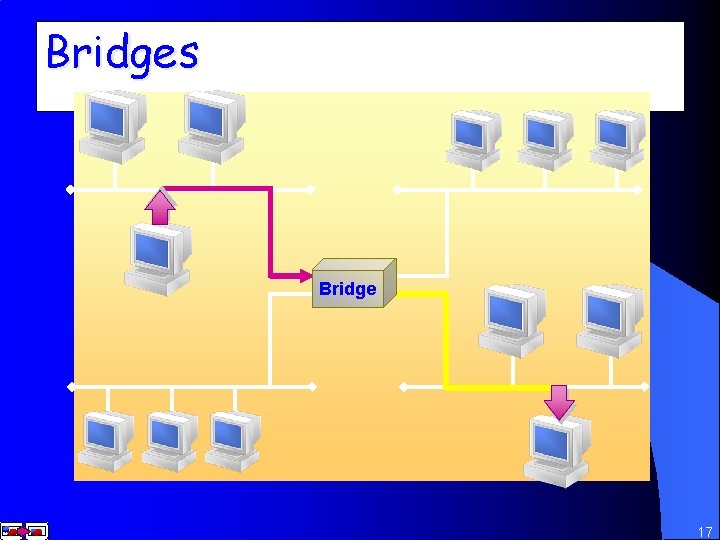
Bridges Bridge 17
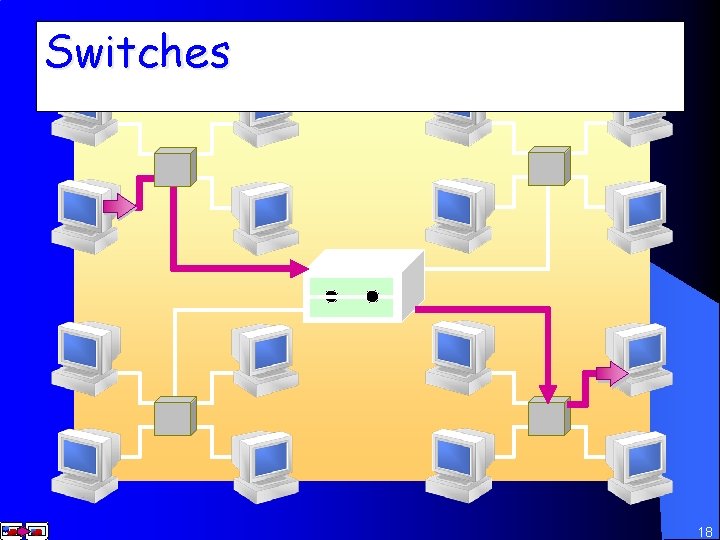
Switches Switch 18
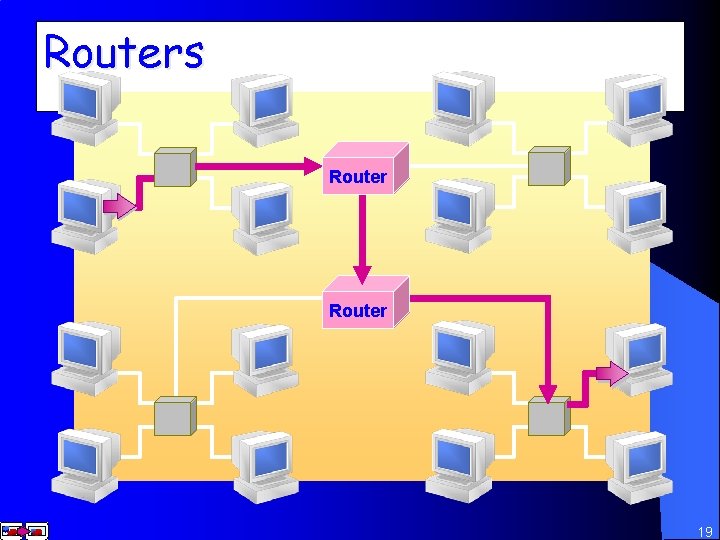
Routers Router 19
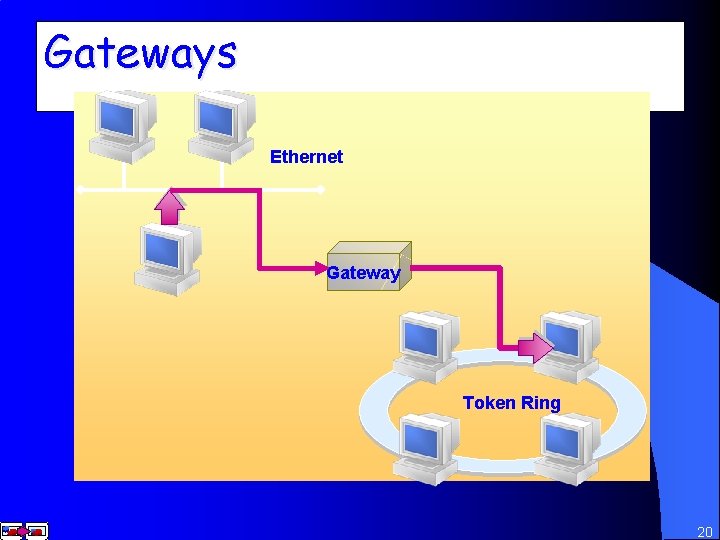
Gateways Ethernet Gateway Token Ring 20
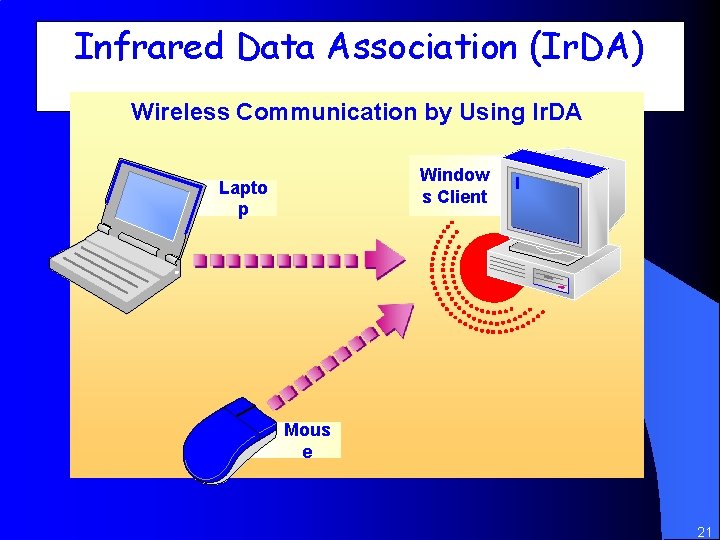
Infrared Data Association (Ir. DA) Wireless Communication by Using Ir. DA Window s Client Lapto p Mous e 21
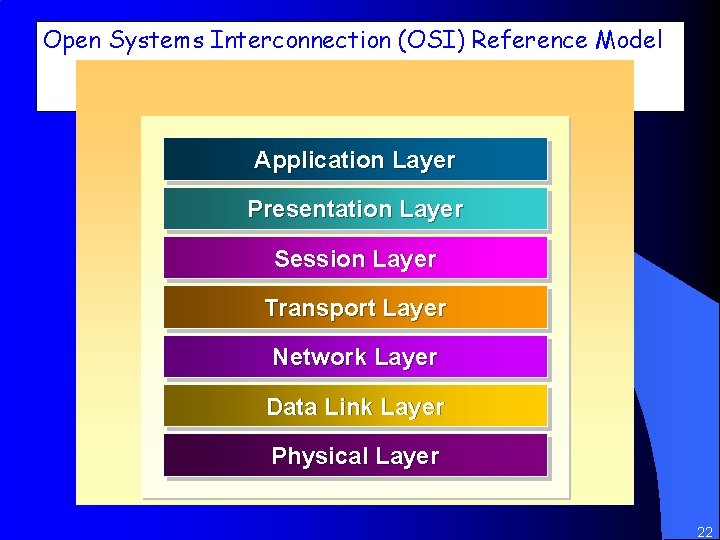
Open Systems Interconnection (OSI) Reference Model Application Layer Presentation Layer Session Layer Transport Layer Network Layer Data Link Layer Physical Layer 22
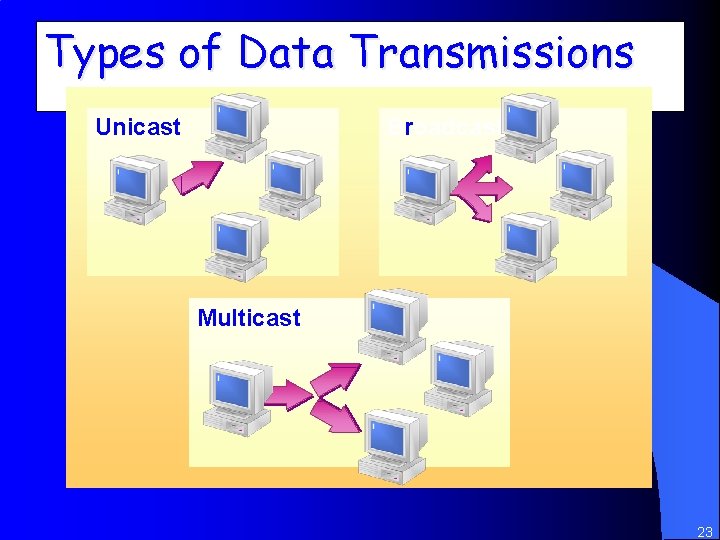
Types of Data Transmissions Unicast Broadcast Multicast 23
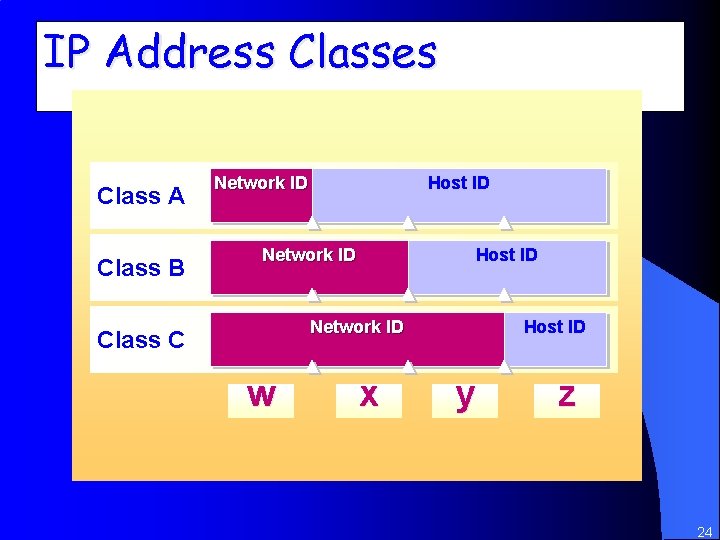
IP Address Classes Class A Class B Network ID Host ID Network ID Class C w x Host ID y z 24
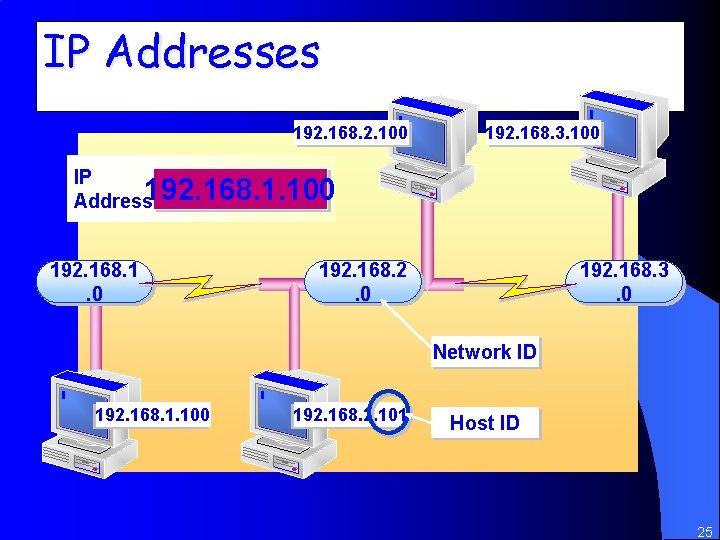
IP Addresses 192. 168. 2. 100 192. 168. 3. 100 IP Address 192. 168. 1. 100 192. 168. 1. 0 192. 168. 2. 0 192. 168. 3. 0 Network ID 192. 168. 1. 100 192. 168. 2. 101 Host ID 25
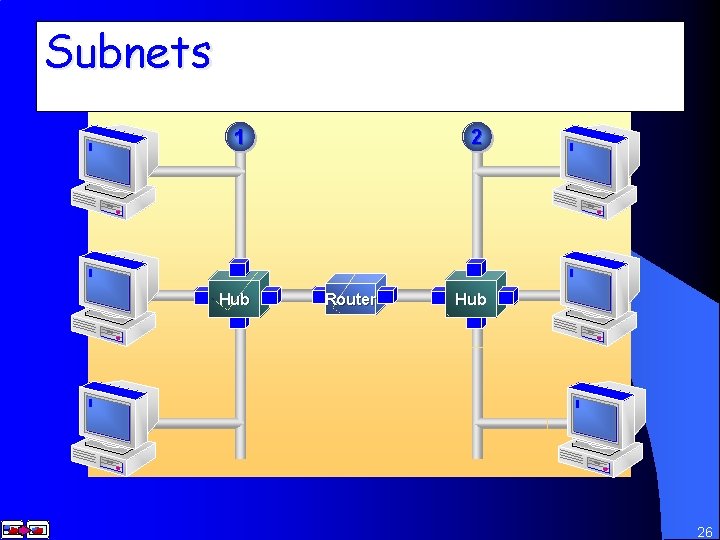
Subnets Subnet 1 Subnet 2 1 Hub 2 Router Hub 26
Addressing Guidelines The First Number in the Network ID Cannot Be 127 The Host ID Cannot Be All 255 s The Host ID Cannot Be All Zeros The Host ID Must Be Unique to the Local Network ID 27
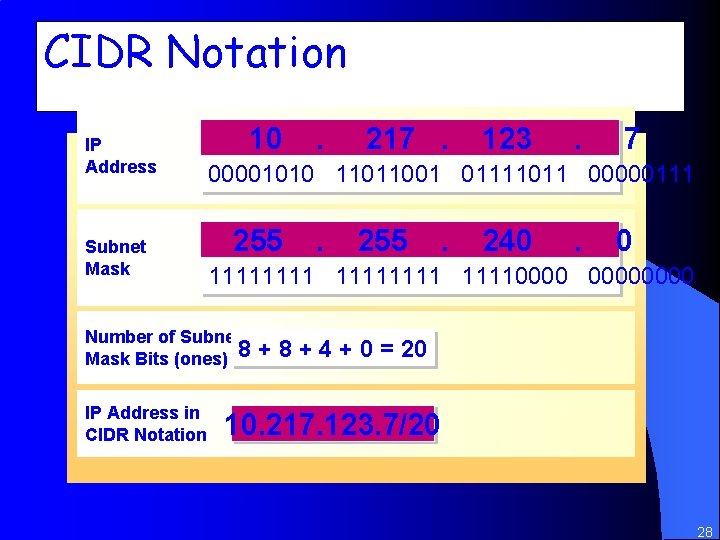
CIDR Notation IP Address Subnet Mask 10 217. 123 . 7 00001010 11011001 01111011 00000111 255 . 240 . 0 111111110000 Number of Subnet Mask Bits (ones) 8 IP Address in CIDR Notation . + 8 + 4 + 0 = 20 10. 217. 123. 7/20 28
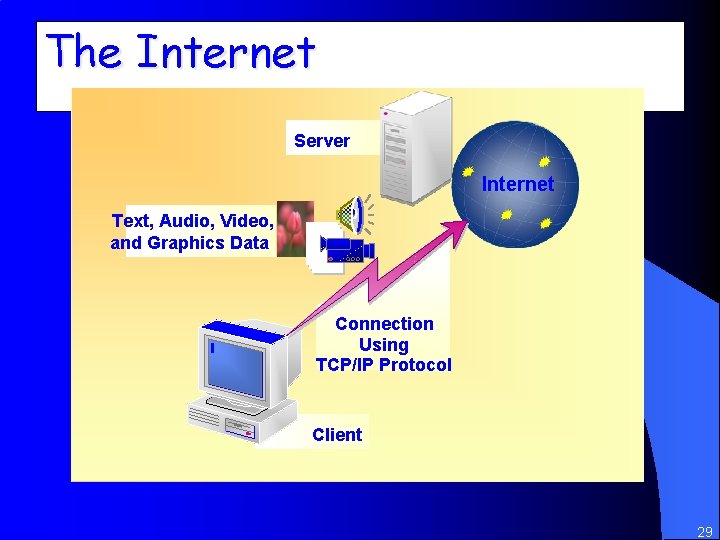
The Internet Server Internet Text, Audio, Video, and Graphics Data Connection Using TCP/IP Protocol Client 29
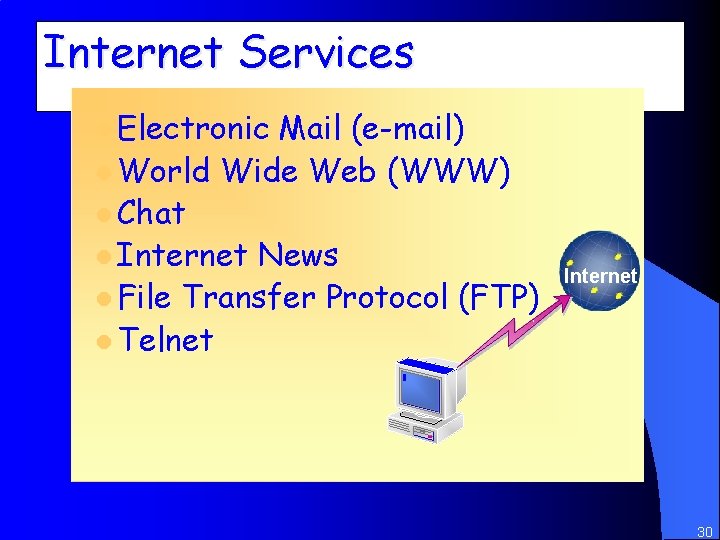
Internet Services l Electronic Mail (e-mail) l World Wide Web (WWW) l Chat l Internet News l File Transfer Protocol (FTP) l Telnet Internet 30
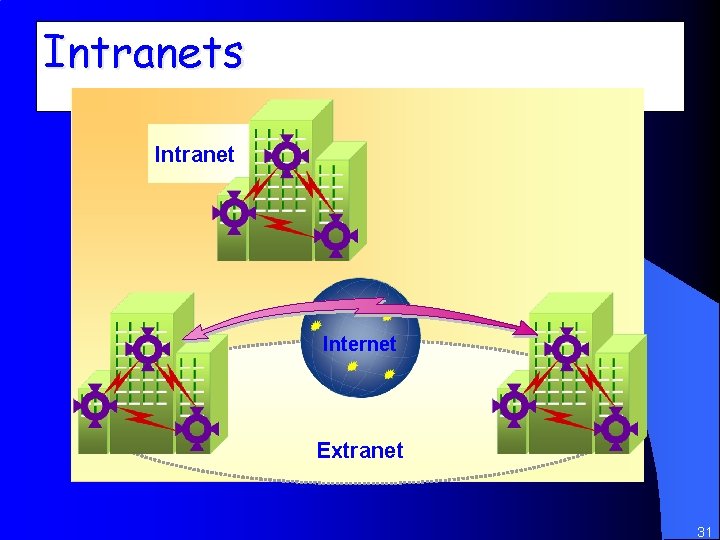
Intranets Intranet Internet Extranet 31
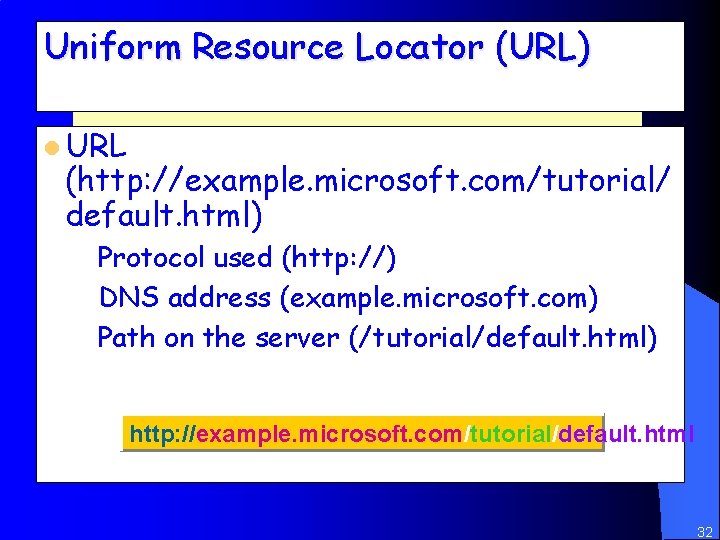
Uniform Resource Locator (URL) l URL (http: //example. microsoft. com/tutorial/ default. html) – Protocol used (http: //) – DNS address (example. microsoft. com) – Path on the server (/tutorial/default. html) http: //example. microsoft. com/tutorial/default. html 32
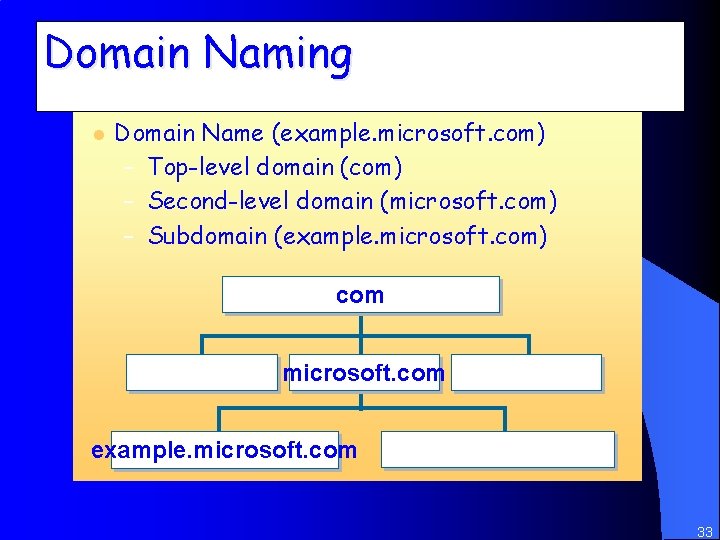
Domain Naming l Domain Name (example. microsoft. com) – Top-level domain (com) – Second-level domain (microsoft. com) – Subdomain (example. microsoft. com) com microsoft. com example. microsoft. com 33
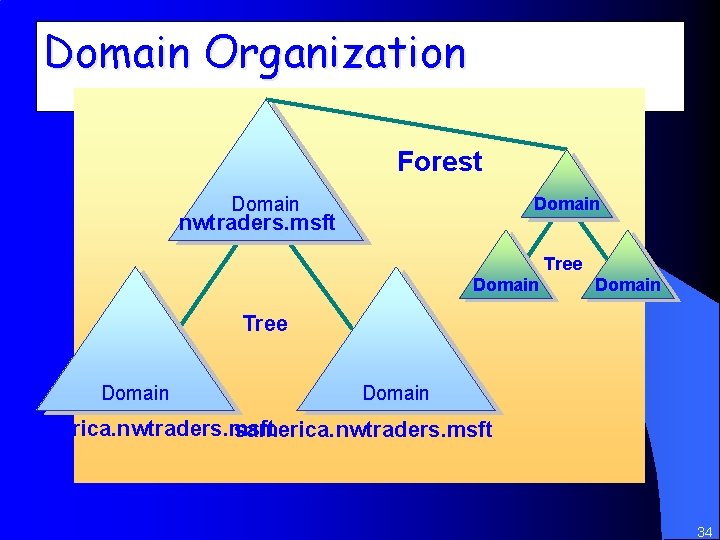
Domain Organization Forest Domain nwtraders. msft Tree Domain namerica. nwtraders. msft samerica. nwtraders. msft 34
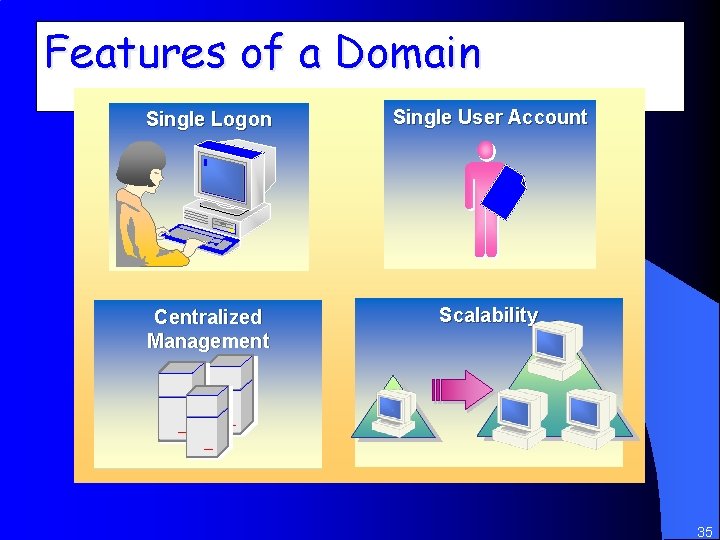
Features of a Domain Single Logon Single User Account Centralized Management Scalability 35
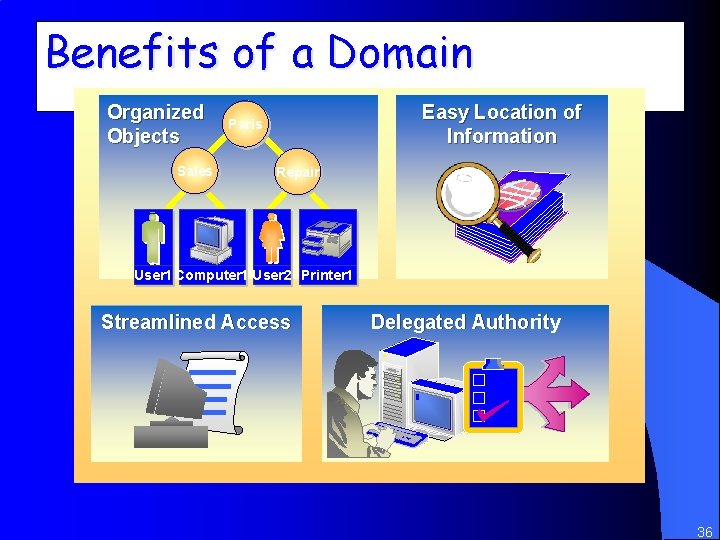
Benefits of a Domain Organized Objects Sales Easy Location of Information Paris Repair User 1 Computer 1 User 2 Printer 1 Streamlined Access Delegated Authority 36
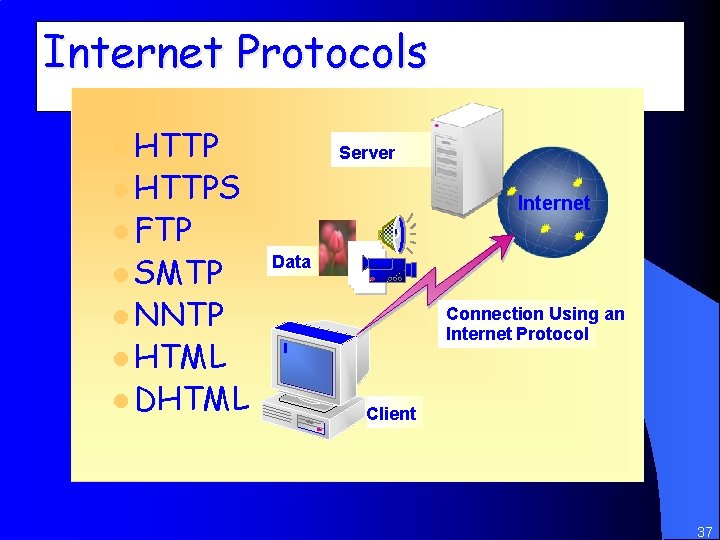
Internet Protocols l HTTP Server l HTTPS Internet l FTP l SMTP Data l NNTP Connection Using an Internet Protocol l HTML l DHTML Client 37
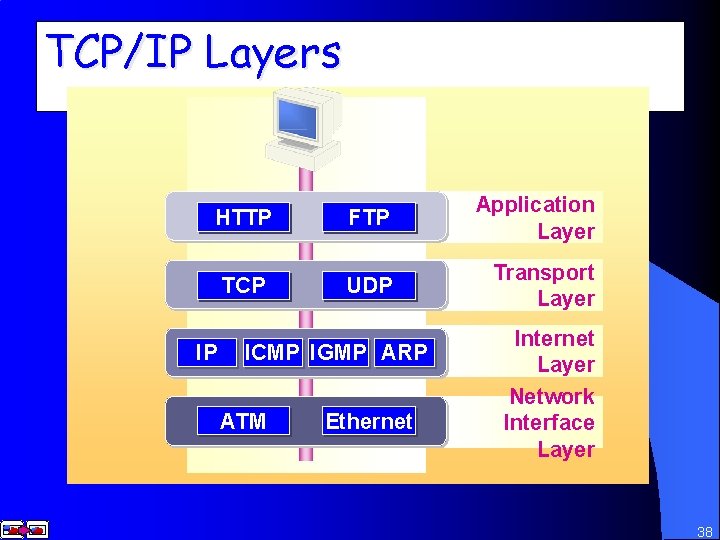
TCP/IP Layers Application Layer HTTP FTP Application Layer Transport Layer TCP UDP Transport Layer IP Internet Layer ARP ICMP IGMP Network Layer ATM Interface Ethernet Internet Layer Network Interface Layer 38
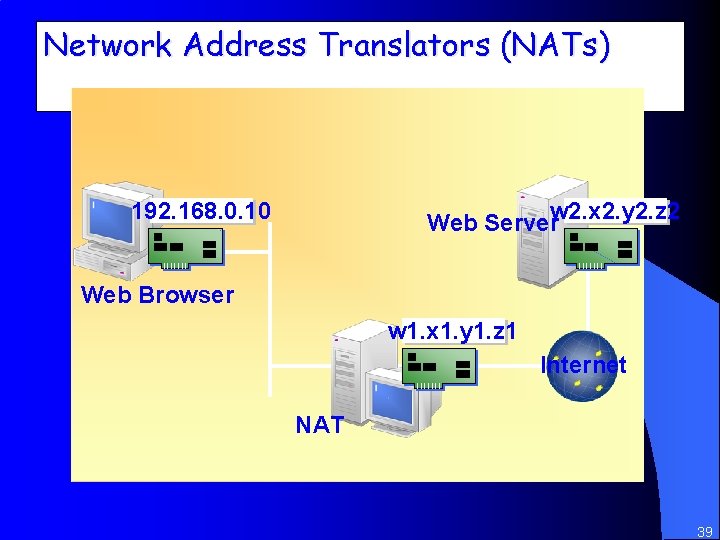
Network Address Translators (NATs) 192. 168. 0. 10 w 2. x 2. y 2. z 2 Web Server Web Browser w 1. x 1. y 1. z 1 Internet NAT 39
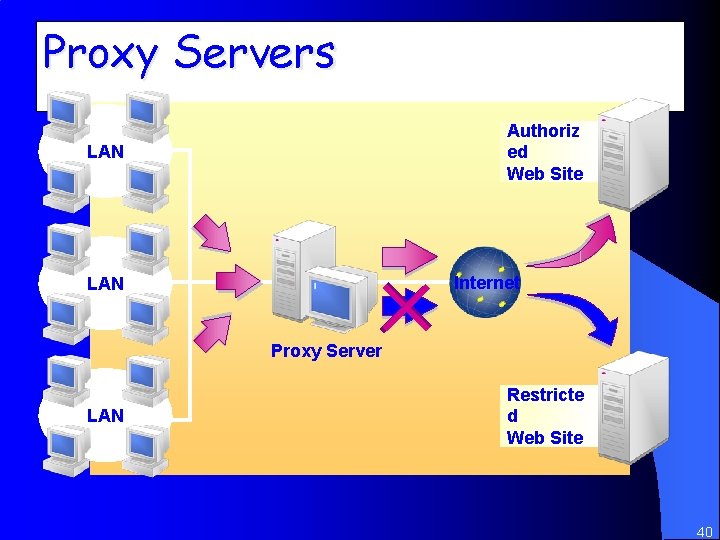
Proxy Servers Authoriz ed Web Site LAN Internet LAN Proxy Server LAN Restricte d Web Site 40
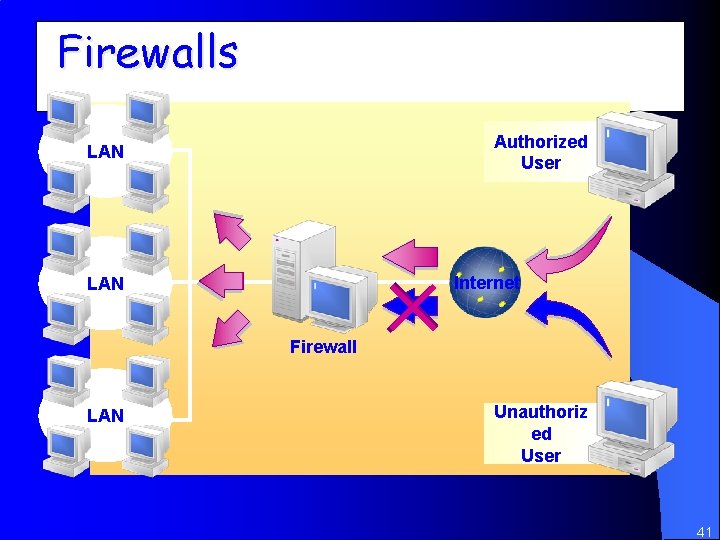
Firewalls Authorized User LAN Internet LAN Firewall LAN Unauthoriz ed User 41

42
- Slides: 42