
Network Introduction Connecting Comm Cell Clients PRESENTED BY
Network Introduction Connecting Comm. Cell Clients PRESENTED BY Technical Enablement Copyright © 2020 Commvault | All Rights Reserved.

Direct Network Connection with restricted ports Copyright © 2020 Commvault | All Rights Reserved.
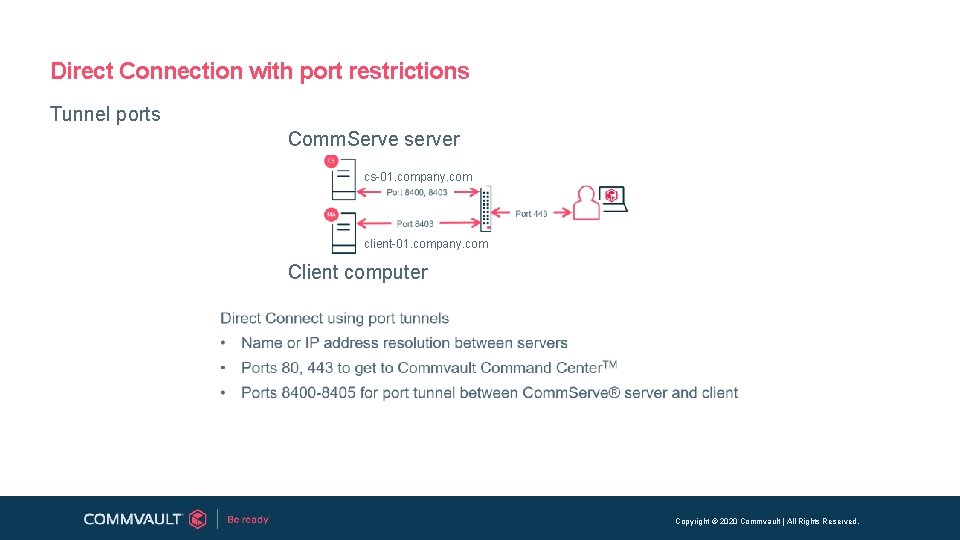
Direct Connection with port restrictions Tunnel ports Comm. Serve server cs-01. company. com client-01. company. com Client computer Copyright © 2020 Commvault | All Rights Reserved.

Port restrictions for client computer Copyright © 2020 Commvault | All Rights Reserved.
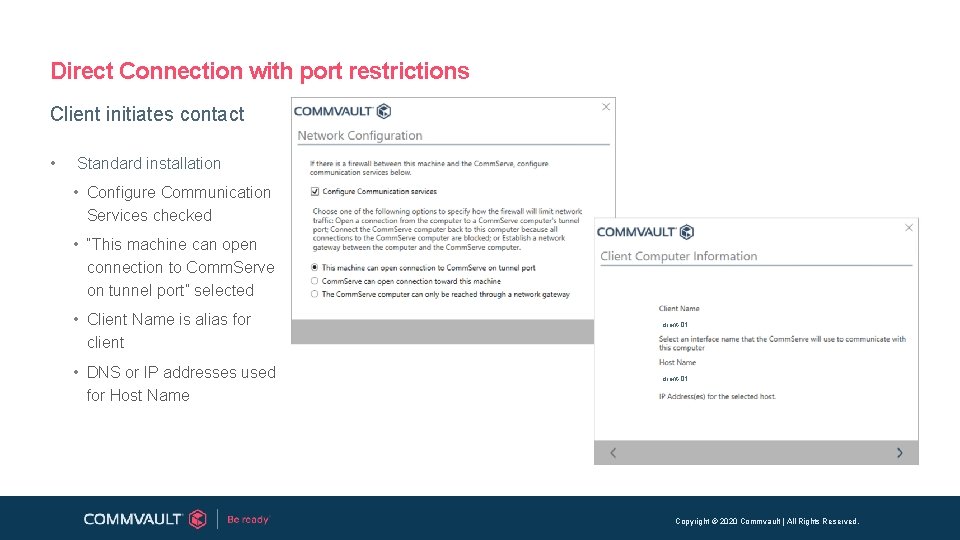
Direct Connection with port restrictions Client initiates contact • Standard installation • Configure Communication Services checked • “This machine can open connection to Comm. Serve on tunnel port” selected • Client Name is alias for client • DNS or IP addresses used for Host Name client-01 Copyright © 2020 Commvault | All Rights Reserved.

Direct Connection with port restrictions Select tunnel port • Standard installation • Comm. Serve Client Name is an alias but the alias is critical for disconnected mode. Obtained from the console and copied here. te-cs-01 • Comm. Serve Host Name left blank for disconnected mode and initialization later. • Port used for communications defined Copyright © 2020 Commvault | All Rights Reserved.
Port restrictions for Comm. Serve server Copyright © 2020 Commvault | All Rights Reserved.
Default Ports Static Ports - http: //documentation. commvault. com/commvault/v 11/article? p=7108. htm • Server Side • Port 8403 – Commvault Firewall (cvfwd, Gx. FWS, tunnel port for HTTP/HTTPS) • Port 8401 – Commvault Server Event Manager (Gx. Ev. Mgr. S) • Port 8400 – Commvault Communication Services (Gx. CVD) • Port 80 – Comm. Cell Web. Console and Comm. Cell console • Port 81 – Comm. Cell Web. Console • Port 443 – Commvault Command Center console • Client Side • Port 8400 – Commvault Communication Services (Gx. CVD) • Port 8403 – Commvault Firewall (cvfwd. exe, tunnel port for HTTP/HTTPS) Copyright © 2020 Commvault | All Rights Reserved.
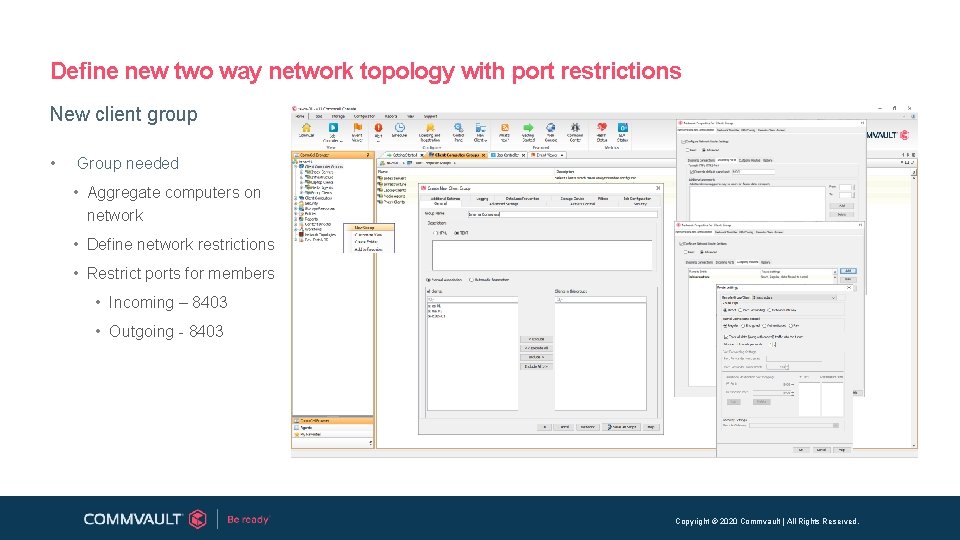
Define new two way network topology with port restrictions New client group • Group needed • Aggregate computers on network • Define network restrictions • Restrict ports for members • Incoming – 8403 • Outgoing - 8403 Copyright © 2020 Commvault | All Rights Reserved.
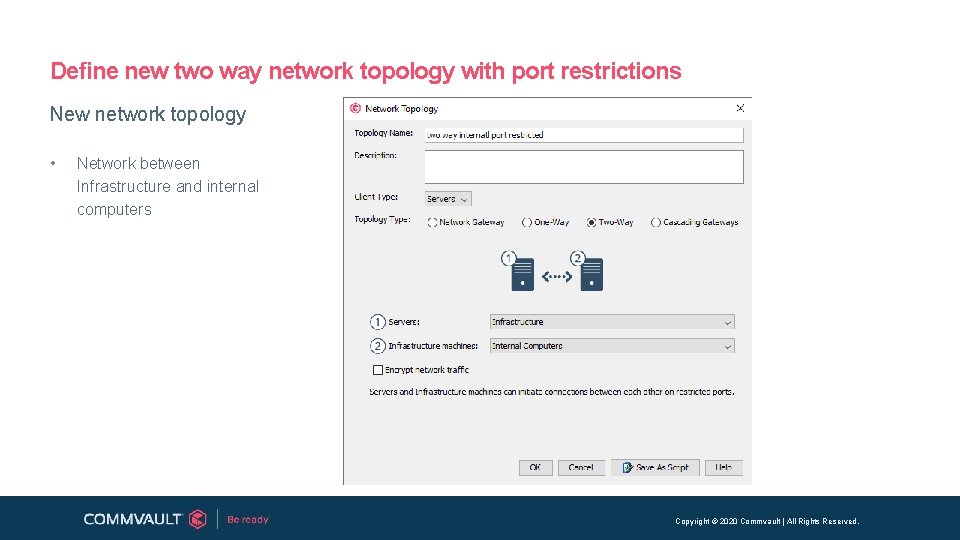
Define new two way network topology with port restrictions New network topology • Network between Infrastructure and internal computers Copyright © 2020 Commvault | All Rights Reserved.
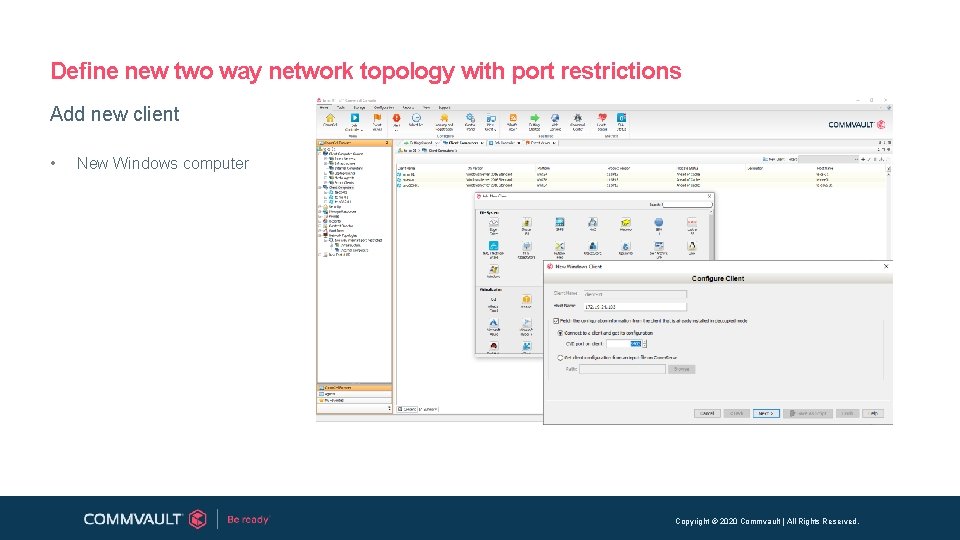
Define new two way network topology with port restrictions Add new client • New Windows computer Copyright © 2020 Commvault | All Rights Reserved.
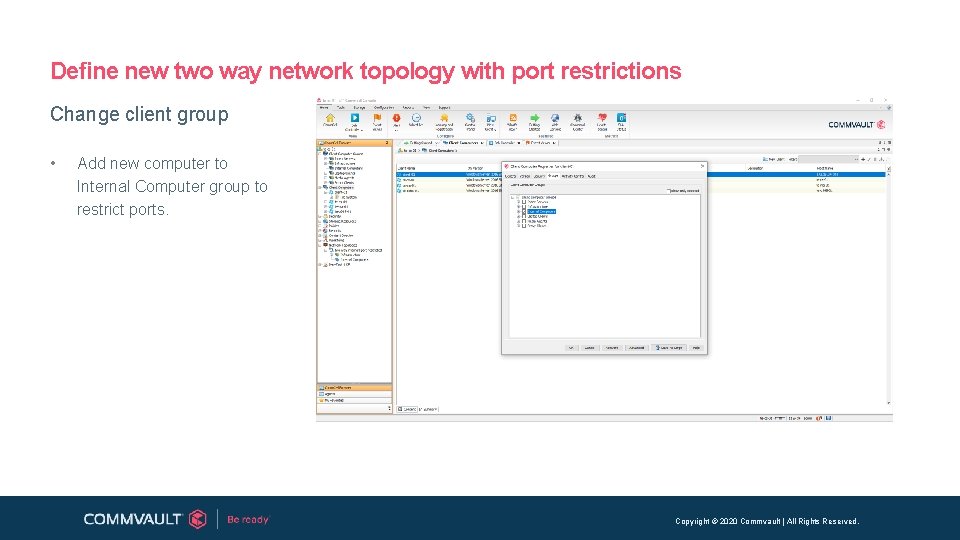
Define new two way network topology with port restrictions Change client group • Add new computer to Internal Computer group to restrict ports. Copyright © 2020 Commvault | All Rights Reserved.
Generic Configurations Copyright © 2020 Commvault | All Rights Reserved.
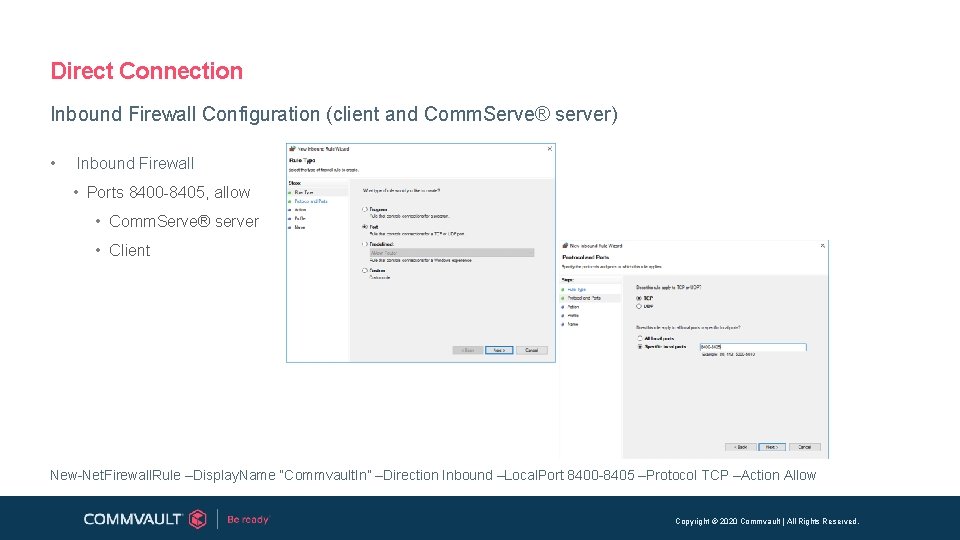
Direct Connection Inbound Firewall Configuration (client and Comm. Serve® server) • Inbound Firewall • Ports 8400 -8405, allow • Comm. Serve® server • Client New-Net. Firewall. Rule –Display. Name “Commvault. In” –Direction Inbound –Local. Port 8400 -8405 –Protocol TCP –Action Allow Copyright © 2020 Commvault | All Rights Reserved.
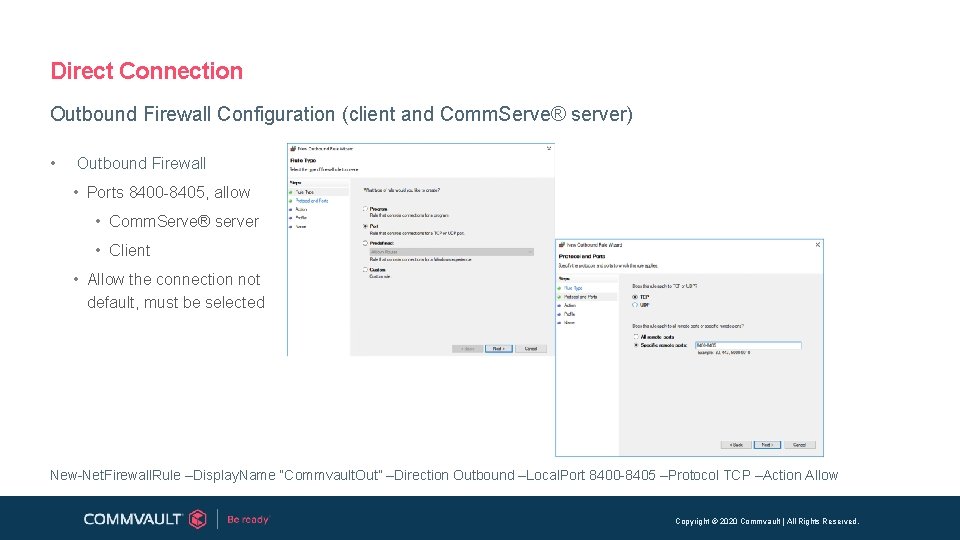
Direct Connection Outbound Firewall Configuration (client and Comm. Serve® server) • Outbound Firewall • Ports 8400 -8405, allow • Comm. Serve® server • Client • Allow the connection not default, must be selected New-Net. Firewall. Rule –Display. Name “Commvault. Out” –Direction Outbound –Local. Port 8400 -8405 –Protocol TCP –Action Allow Copyright © 2020 Commvault | All Rights Reserved.
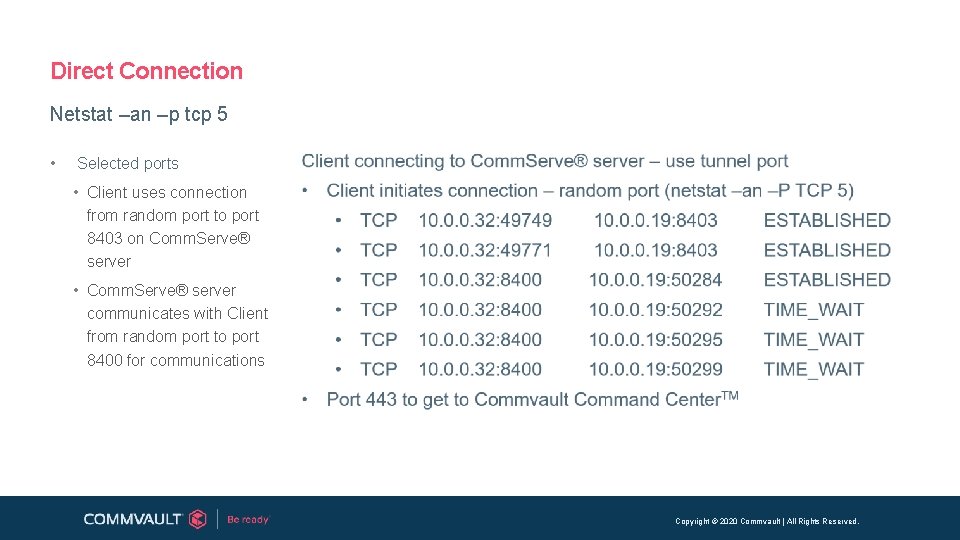
Direct Connection Netstat –an –p tcp 5 • Selected ports • Client uses connection from random port to port 8403 on Comm. Serve® server • Comm. Serve® server communicates with Client from random port to port 8400 for communications Copyright © 2020 Commvault | All Rights Reserved.
- Slides: 16