
Network Communications Chapter 12 Local Area Network Switching
- Slides: 16
Network Communications Chapter 12 Local Area Network Switching
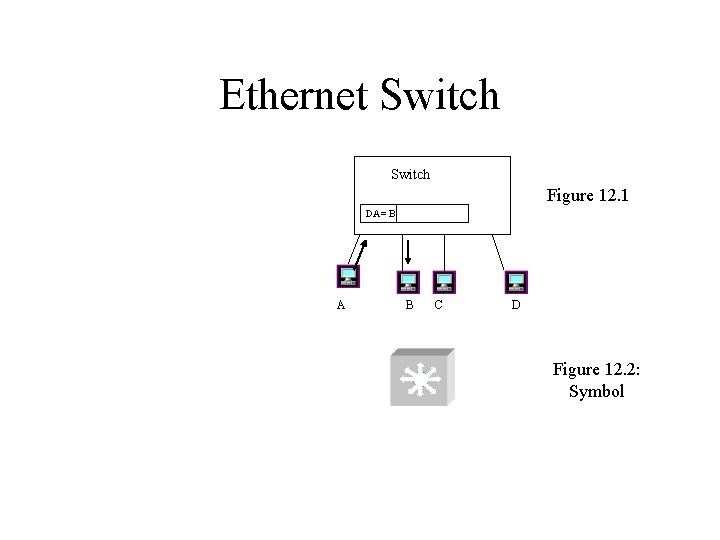
Ethernet Switch Figure 12. 1 DA= B A B C D Figure 12. 2: Symbol
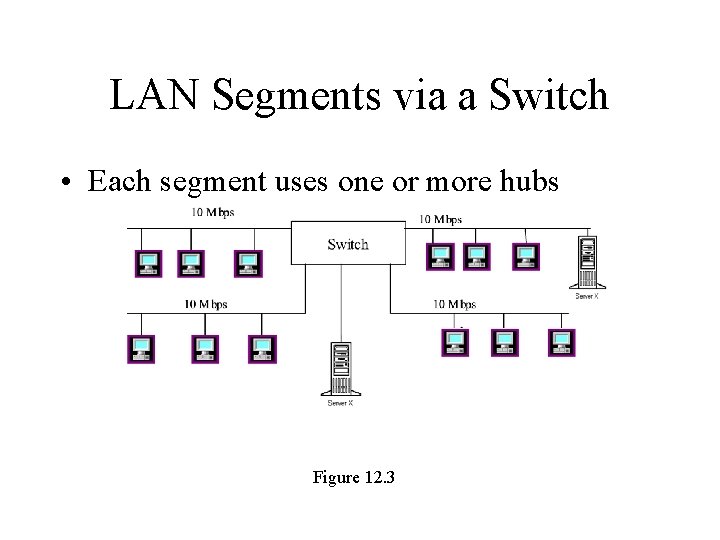
LAN Segments via a Switch • Each segment uses one or more hubs Figure 12. 3
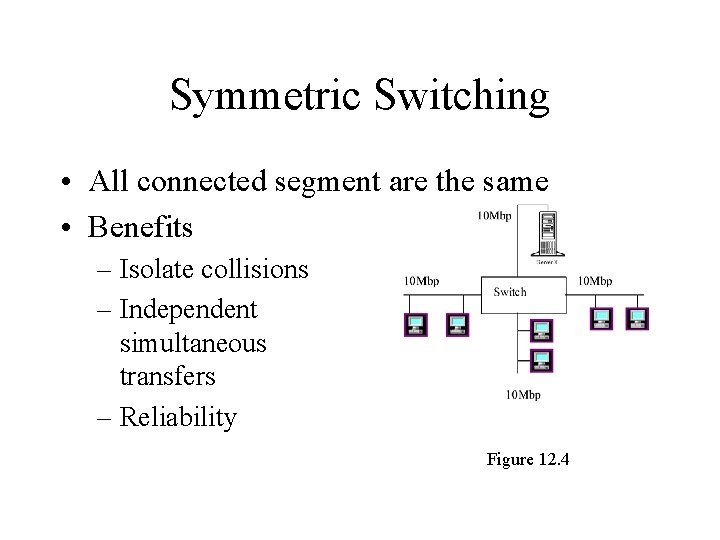
Symmetric Switching • All connected segment are the same • Benefits – Isolate collisions – Independent simultaneous transfers – Reliability Figure 12. 4
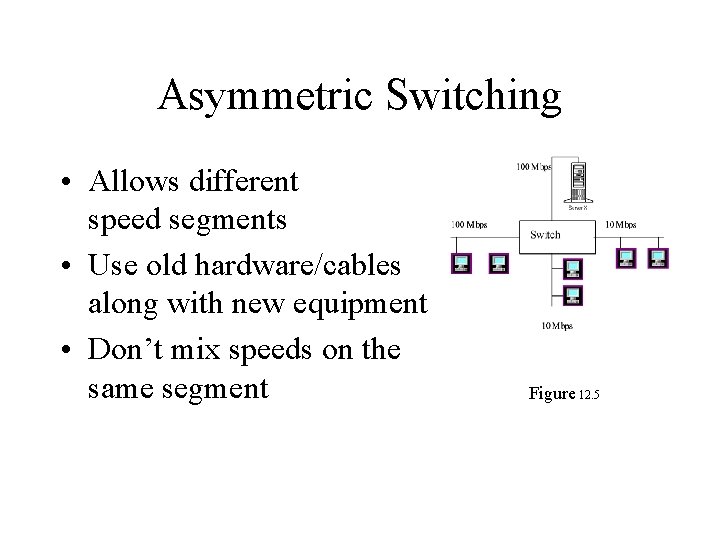
Asymmetric Switching • Allows different speed segments • Use old hardware/cables along with new equipment • Don’t mix speeds on the same segment Figure 12. 5
Switch Operation • Cut Through Switch – No per link frame checking (done end-to-end) – Reads only the header – Short frame processing delay • Store-and-Forward – Full error checking per link – More reliable – Longer frame processing delay
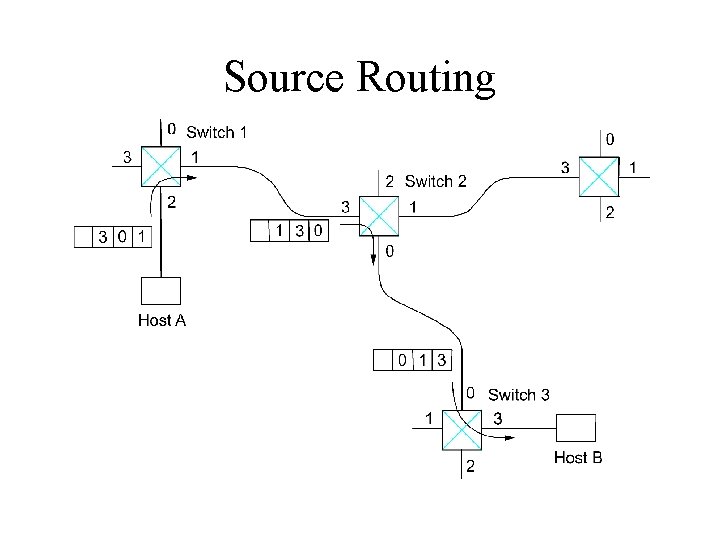
Source Routing
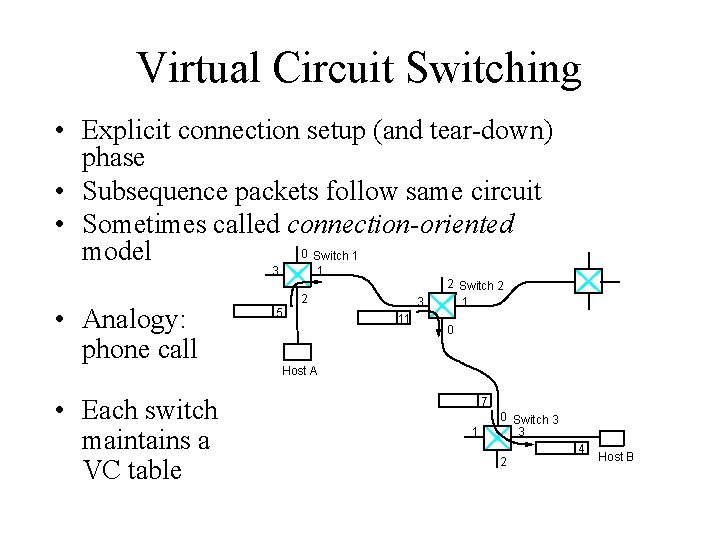
Virtual Circuit Switching • Explicit connection setup (and tear-down) phase • Subsequence packets follow same circuit • Sometimes called connection-oriented 0 Switch 1 model 3 • Analogy: phone call 1 2 5 3 11 2 Switch 2 1 0 Host A • Each switch maintains a VC table 7 1 0 Switch 3 3 2 4 Host B
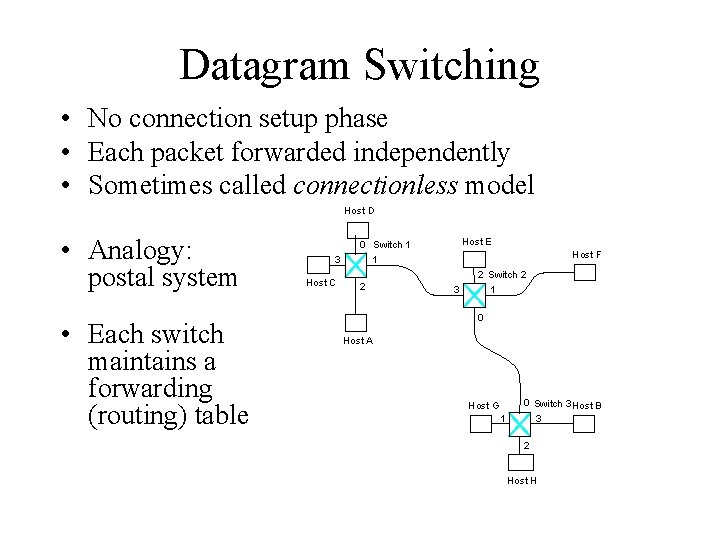
Datagram Switching • No connection setup phase • Each packet forwarded independently • Sometimes called connectionless model Host D • Analogy: postal system • Each switch maintains a forwarding (routing) table 3 Host C Host E 0 Switch 1 1 2 Host F 3 2 Switch 2 1 0 Host A Host G 1 0 Switch 3 Host B 3 2 Host H
Delay calculation • • Timelines Acknowledgements & Timeouts Stop-and-Wait Sliding Window
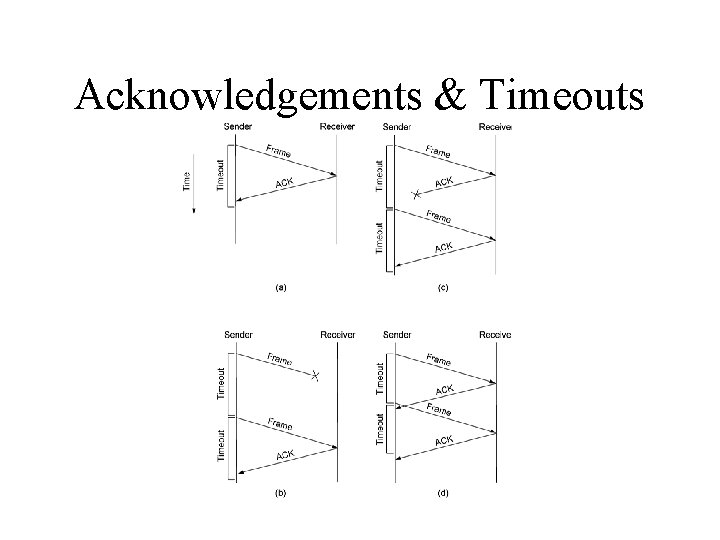
Acknowledgements & Timeouts
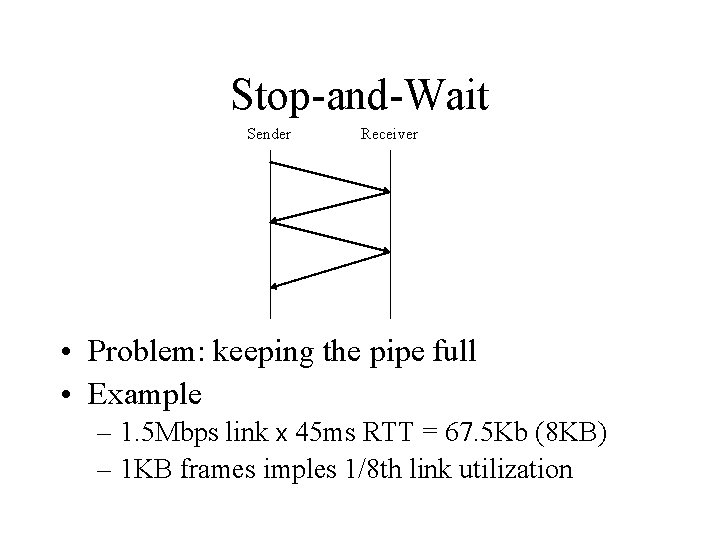
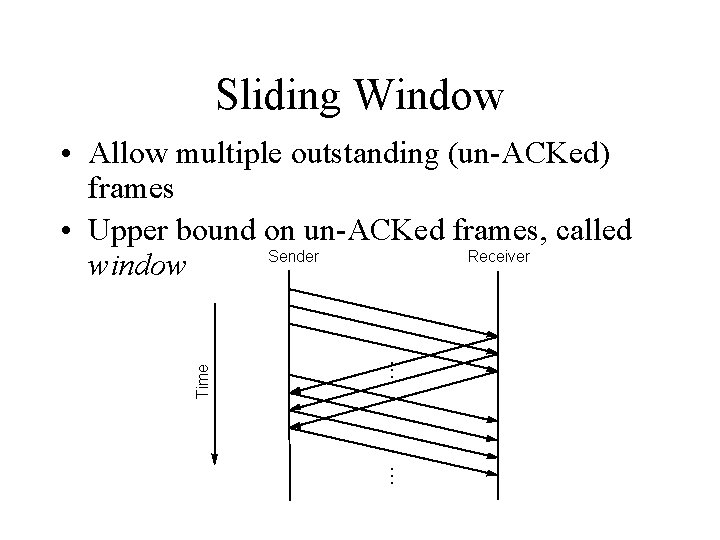
Stop-and-Wait Sender Receiver • Problem: keeping the pipe full • Example – 1. 5 Mbps link x 45 ms RTT = 67. 5 Kb (8 KB) – 1 KB frames imples 1/8 th link utilization
Sliding Window … … Time • Allow multiple outstanding (un-ACKed) frames • Upper bound on un-ACKed frames, called Sender Receiver window
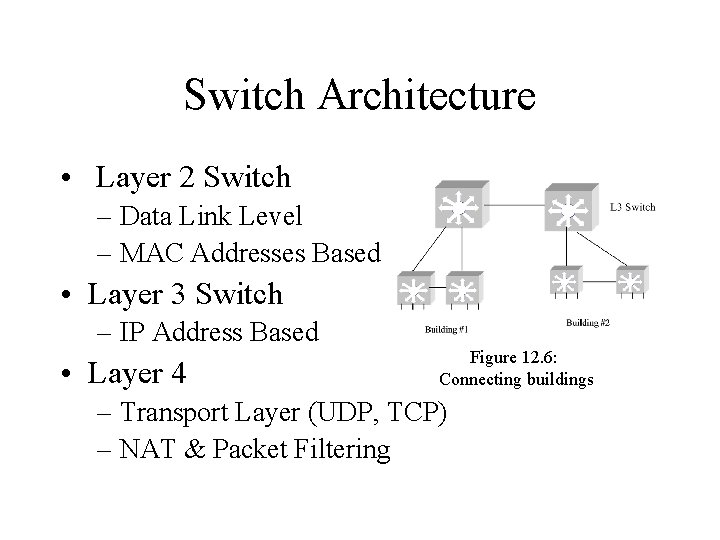
Switch Architecture • Layer 2 Switch – Data Link Level – MAC Addresses Based • Layer 3 Switch – IP Address Based • Layer 4 Figure 12. 6: Connecting buildings – Transport Layer (UDP, TCP) – NAT & Packet Filtering
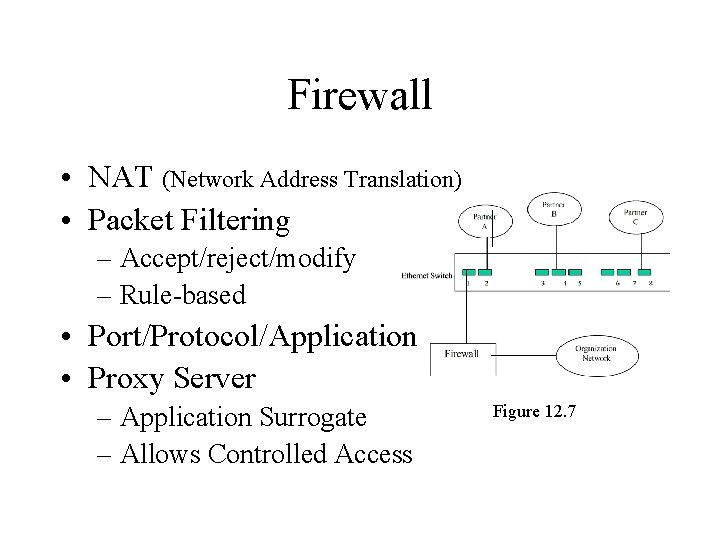
Firewall • NAT (Network Address Translation) • Packet Filtering – Accept/reject/modify – Rule-based • Port/Protocol/Application • Proxy Server – Application Surrogate – Allows Controlled Access Figure 12. 7
VLAN • Quasi-static switch configuration – Connect specific LAN segments to form a VLAN – Isolate all VLANs from each other • Maintained by administrator – Subject to hacking (lock equipment cabinets) – Complex to maintain in a large multi-switch environment