
NETW 1010 IOT Design An Embedded System Overview
NETW 1010 IOT Design: An Embedded System Overview Micro. Controllers Dr. Eng. Amr T. Abdel-Hamid Fall 2016
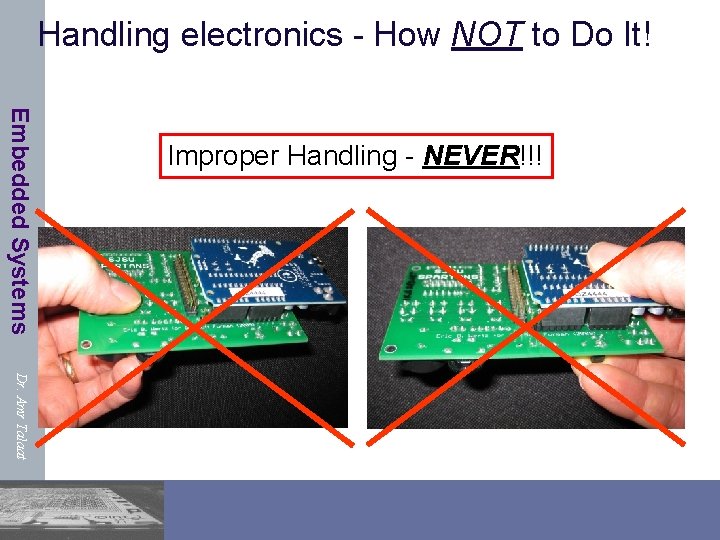
Handling electronics - How NOT to Do It! Embedded Systems Improper Handling - NEVER!!! Dr. Amr Talaat
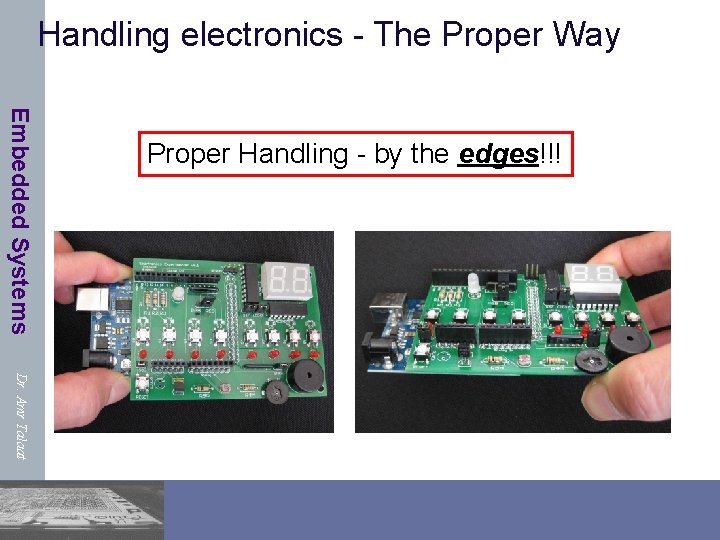
Handling electronics - The Proper Way Embedded Systems Proper Handling - by the edges!!! Dr. Amr Talaat
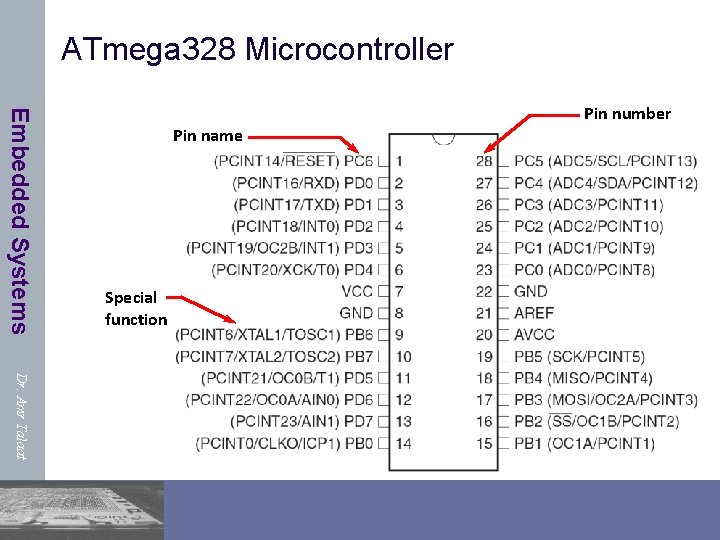
ATmega 328 Microcontroller Embedded Systems Pin name Special function Pin number Dr. Amr Talaat

Microcontroller Ports and Pins Embedded Systems n The communication channels through which information flows into or out of the microcontroller n Dr. Amr Talaat Ex. PORTB n Pins PB 0 – PB 7 n May not be contiguous n Often bi-directional C
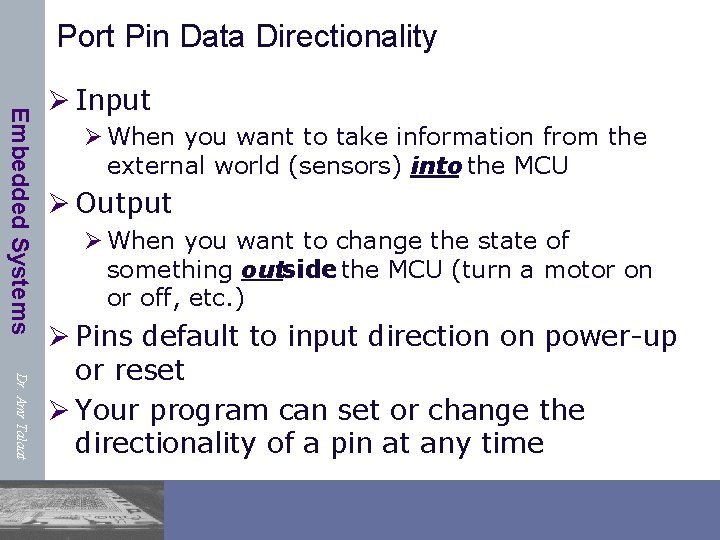
Port Pin Data Directionality Embedded Systems Ø Input Ø When you want to take information from the external world (sensors) into the MCU Ø Output Ø When you want to change the state of something outside the MCU (turn a motor on or off, etc. ) Dr. Amr Talaat Ø Pins default to input direction on power-up or reset Ø Your program can set or change the directionality of a pin at any time
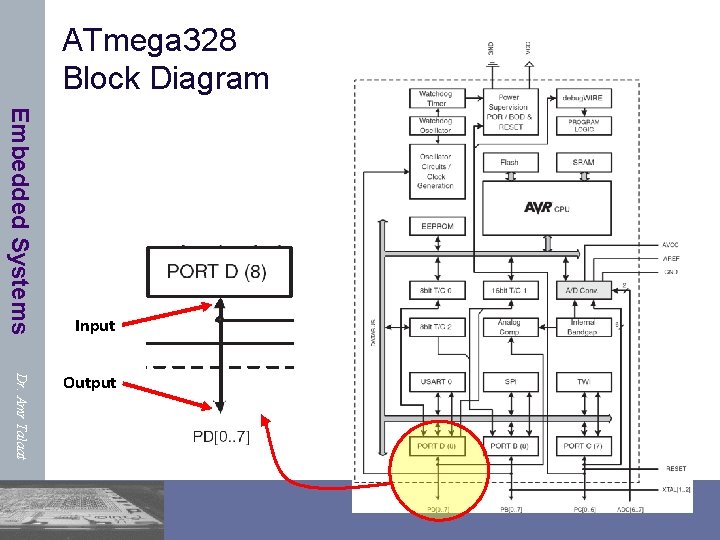
ATmega 328 Block Diagram Embedded Systems Input Dr. Amr Talaat Output
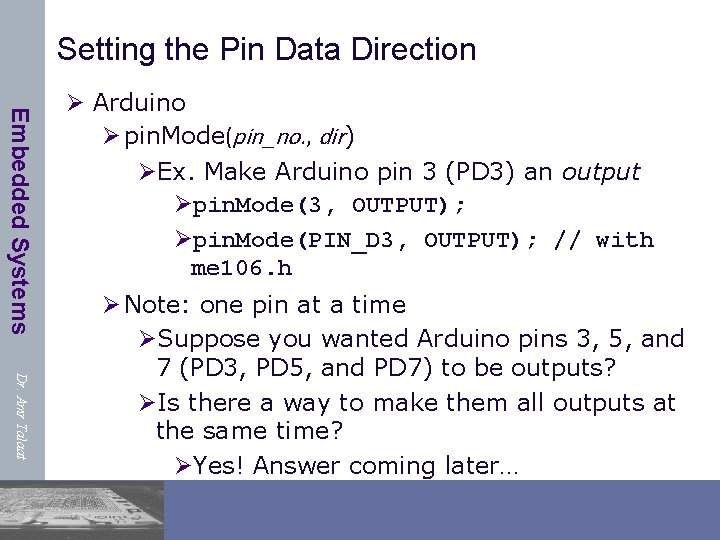
Setting the Pin Data Direction Embedded Systems Ø Arduino Ø pin. Mode(pin_no. , dir) ØEx. Make Arduino pin 3 (PD 3) an output Øpin. Mode(3, OUTPUT); Øpin. Mode(PIN_D 3, OUTPUT); // with me 106. h Dr. Amr Talaat Ø Note: one pin at a time ØSuppose you wanted Arduino pins 3, 5, and 7 (PD 3, PD 5, and PD 7) to be outputs? ØIs there a way to make them all outputs at the same time? ØYes! Answer coming later…
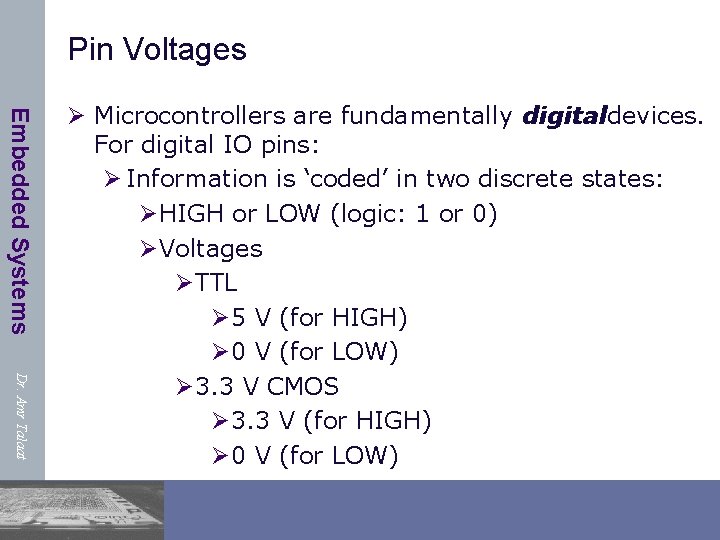
Pin Voltages Embedded Systems Dr. Amr Talaat Ø Microcontrollers are fundamentally digitaldevices. For digital IO pins: Ø Information is ‘coded’ in two discrete states: ØHIGH or LOW (logic: 1 or 0) ØVoltages ØTTL Ø 5 V (for HIGH) Ø 0 V (for LOW) Ø 3. 3 V CMOS Ø 3. 3 V (for HIGH) Ø 0 V (for LOW)
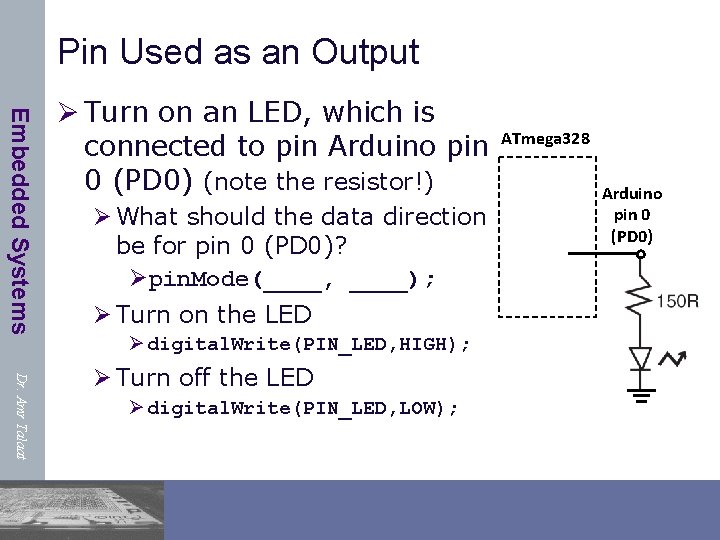
Pin Used as an Output Embedded Systems Ø Turn on an LED, which is connected to pin Arduino pin 0 (PD 0) (note the resistor!) Ø What should the data direction be for pin 0 (PD 0)? Øpin. Mode(____, ____); Ø Turn on the LED Ø digital. Write(PIN_LED, HIGH); Dr. Amr Talaat Ø Turn off the LED Ø digital. Write(PIN_LED, LOW); ATmega 328 Arduino pin 0 (PD 0)
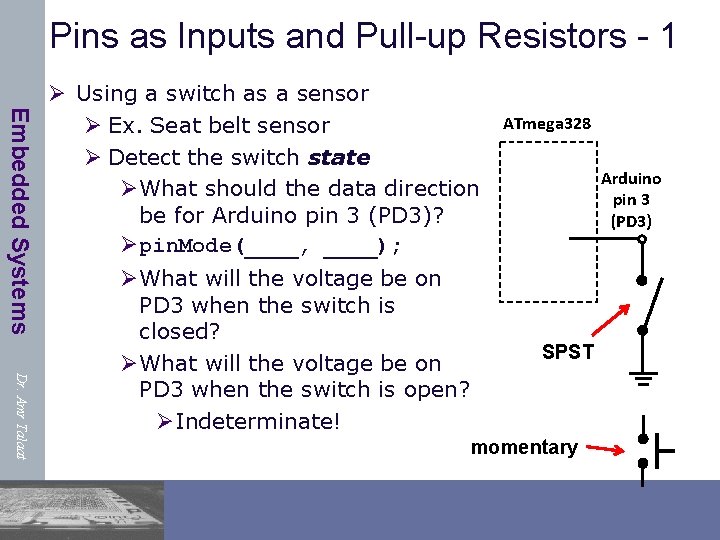
Pins as Inputs and Pull-up Resistors - 1 Embedded Systems Ø Using a switch as a sensor Ø Ex. Seat belt sensor Ø Detect the switch state ØWhat should the data direction be for Arduino pin 3 (PD 3)? Øpin. Mode(____, ____); Dr. Amr Talaat ØWhat will the voltage be on PD 3 when the switch is closed? ØWhat will the voltage be on PD 3 when the switch is open? ØIndeterminate! ATmega 328 Arduino pin 3 (PD 3) SPST momentary
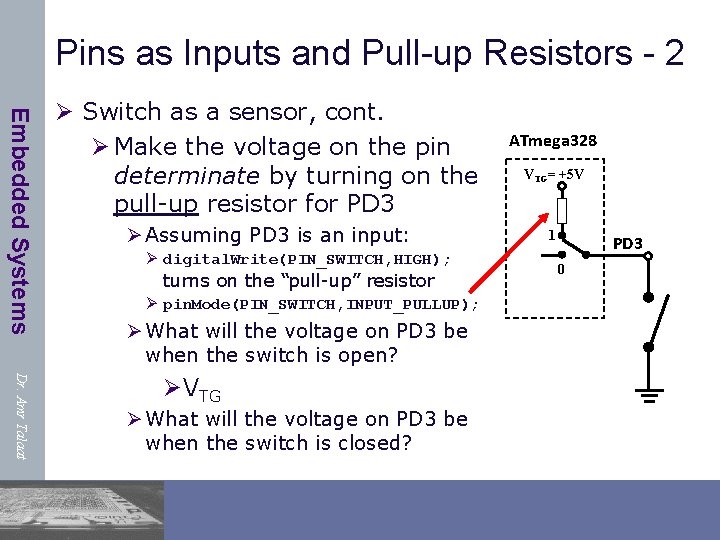
Pins as Inputs and Pull-up Resistors - 2 Embedded Systems Ø Switch as a sensor, cont. Ø Make the voltage on the pin determinate by turning on the pull-up resistor for PD 3 Ø Assuming PD 3 is an input: Ø digital. Write(PIN_SWITCH, HIGH); turns on the “pull-up” resistor Ø pin. Mode(PIN_SWITCH, INPUT_PULLUP); Ø What will the voltage on PD 3 be when the switch is open? Dr. Amr Talaat ØVTG Ø What will the voltage on PD 3 be when the switch is closed? ATmega 328 VTG= +5 V 1 PD 3 0
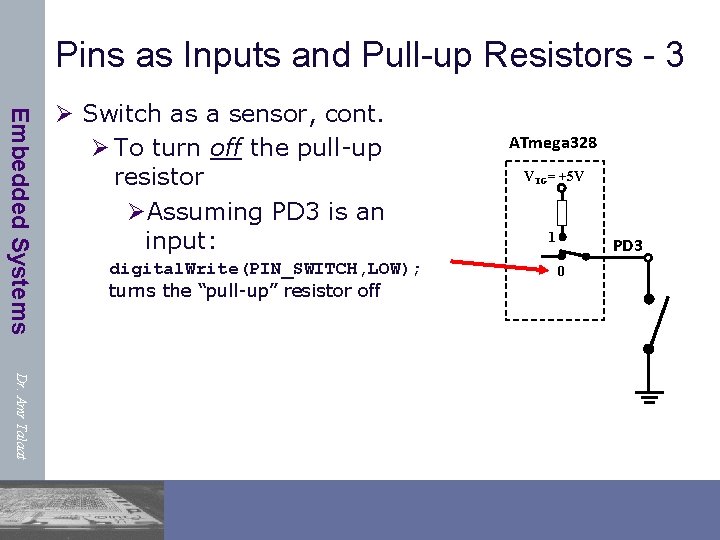
Pins as Inputs and Pull-up Resistors - 3 Embedded Systems Ø Switch as a sensor, cont. Ø To turn off the pull-up resistor ØAssuming PD 3 is an input: digital. Write(PIN_SWITCH, LOW); turns the “pull-up” resistor off ATmega 328 VTG= +5 V 1 PD 3 0 Dr. Amr Talaat
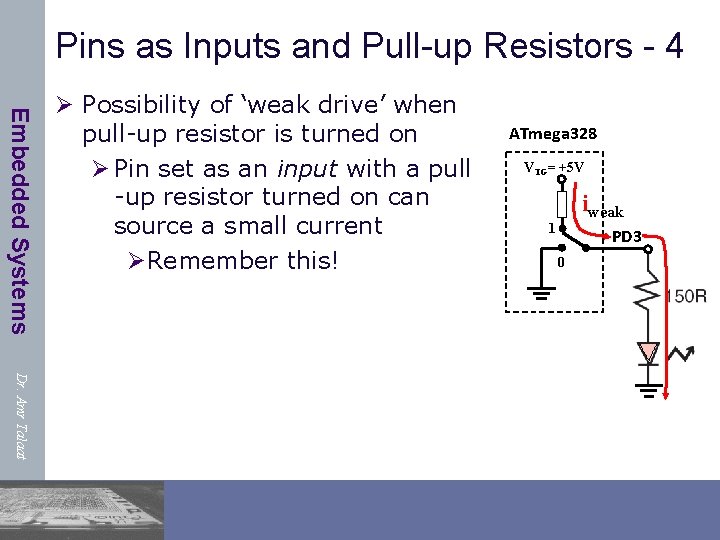
Pins as Inputs and Pull-up Resistors - 4 Embedded Systems Ø Possibility of ‘weak drive’ when pull-up resistor is turned on Ø Pin set as an input with a pull -up resistor turned on can source a small current ØRemember this! ATmega 328 VTG= +5 V iweak 1 PD 3 0 Dr. Amr Talaat
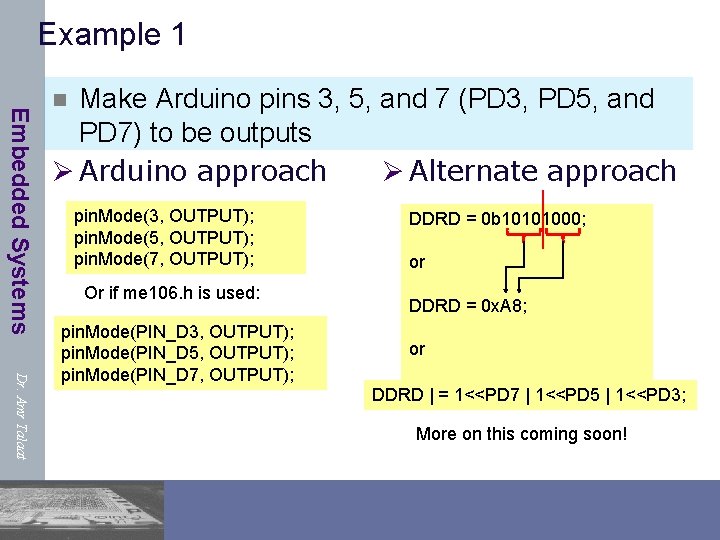
Example 1 Embedded Systems Make Arduino pins 3, 5, and 7 (PD 3, PD 5, and PD 7) to be outputs Ø Arduino approach Ø Alternate approach n pin. Mode(3, OUTPUT); pin. Mode(5, OUTPUT); pin. Mode(7, OUTPUT); Or if me 106. h is used: Dr. Amr Talaat pin. Mode(PIN_D 3, OUTPUT); pin. Mode(PIN_D 5, OUTPUT); pin. Mode(PIN_D 7, OUTPUT); DDRD = 0 b 10101000; or DDRD = 0 x. A 8; or DDRD | = 1<<PD 7 | 1<<PD 5 | 1<<PD 3; More on this coming soon!

Example 2 n Embedded Systems Make pins Arduino pins 0 and 1 (PD 0 and PD 1) inputs, and turn on pull-up resistors Ø Arduino approach pin. Mode(0, INPUT); pin. Mode(1, INPUT); digital. Write(0, HIGH); digital. Write(1, HIGH); Or if me 106. h is used: Dr. Amr Talaat pin. Mode(PIN_D 0, INPUT); pin. Mode(PIN_D 1, INPUT); digital. Write(PIN_D 0, HIGH); digital. Write(PIN_D 1, HIGH); Ø Alternate approach DDRD = 0; // all PORTD pins inputs PORTD = 0 b 00000011; or PORTD = 0 x 03; or better yet: DDRD & = ~(1<<PD 1 | 1<<PD 0); PORTD | = (1<<PD 1 | 1<<PD 0); More on this coming soon!
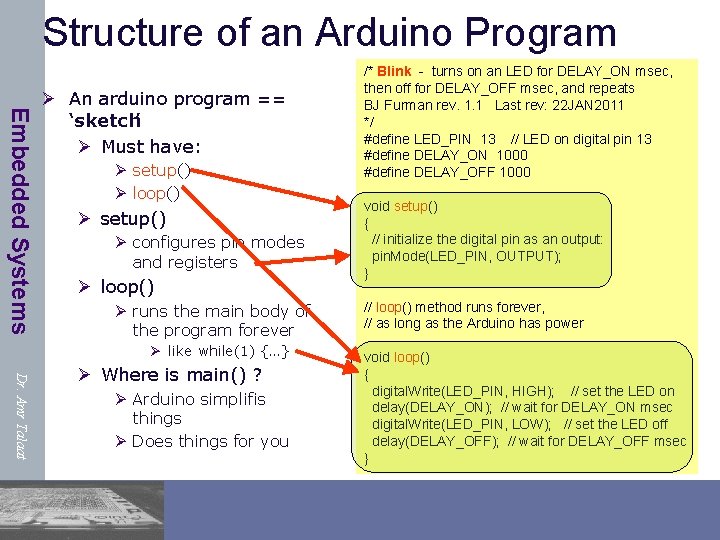
Structure of an Arduino Program Embedded Systems Ø An arduino program == ‘sketch’ Ø Must have: Ø setup() Ø loop() Ø setup() Ø configures pin modes and registers Ø loop() Ø runs the main body of the program forever Ø like while(1) {…} Dr. Amr Talaat Ø Where is main() ? Ø Arduino simplifis things Ø Does things for you /* Blink - turns on an LED for DELAY_ON msec, then off for DELAY_OFF msec, and repeats BJ Furman rev. 1. 1 Last rev: 22 JAN 2011 */ #define LED_PIN 13 // LED on digital pin 13 #define DELAY_ON 1000 #define DELAY_OFF 1000 void setup() { // initialize the digital pin as an output: pin. Mode(LED_PIN, OUTPUT); } // loop() method runs forever, // as long as the Arduino has power void loop() { digital. Write(LED_PIN, HIGH); // set the LED on delay(DELAY_ON); // wait for DELAY_ON msec digital. Write(LED_PIN, LOW); // set the LED off delay(DELAY_OFF); // wait for DELAY_OFF msec }
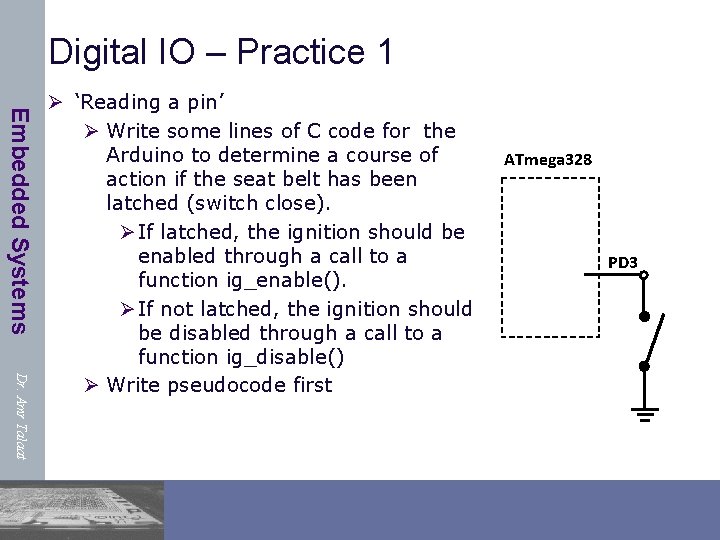
Digital IO – Practice 1 Embedded Systems Dr. Amr Talaat Ø ‘Reading a pin’ Ø Write some lines of C code for the Arduino to determine a course of action if the seat belt has been latched (switch close). Ø If latched, the ignition should be enabled through a call to a function ig_enable(). Ø If not latched, the ignition should be disabled through a call to a function ig_disable() Ø Write pseudocode first ATmega 328 PD 3

Digital IO – Practice 1 Pseudocode Embedded Systems Ø ‘Reading a pin’ Ø Pseudocode: Set up PD 3 as an input Turn on PD 3 pull-up resistor Read voltage on Arduino pin 3 (PIN_D 3) IF PIN_D 3 voltage is LOW (latched), THEN call function ig_enable() ELSE call function ig_disable() ATmega 328 VTG= +5 V 1 PD 3 0 Dr. Amr Talaat
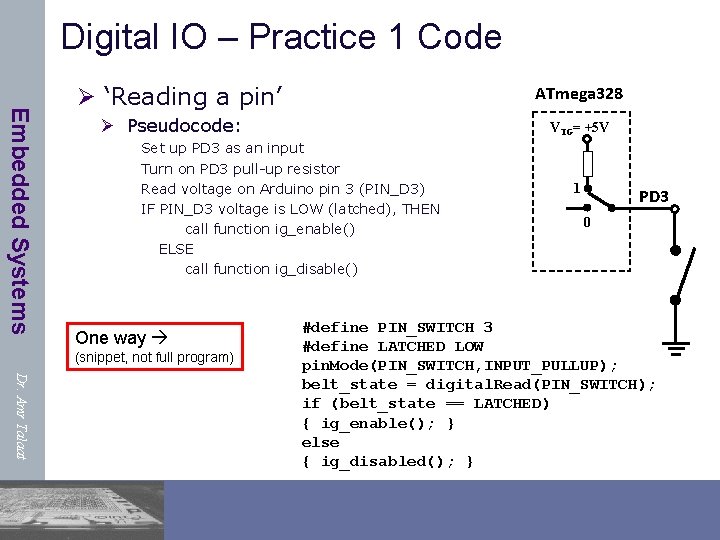
Digital IO – Practice 1 Code Embedded Systems Ø ‘Reading a pin’ ATmega 328 Ø Pseudocode: VTG= +5 V Set up PD 3 as an input Turn on PD 3 pull-up resistor Read voltage on Arduino pin 3 (PIN_D 3) IF PIN_D 3 voltage is LOW (latched), THEN call function ig_enable() ELSE call function ig_disable() One way (snippet, not full program) 1 PD 3 0 Dr. Amr Talaat #define PIN_SWITCH 3 #define LATCHED LOW pin. Mode(PIN_SWITCH, INPUT_PULLUP); belt_state = digital. Read(PIN_SWITCH); if (belt_state == LATCHED) { ig_enable(); } else { ig_disabled(); }
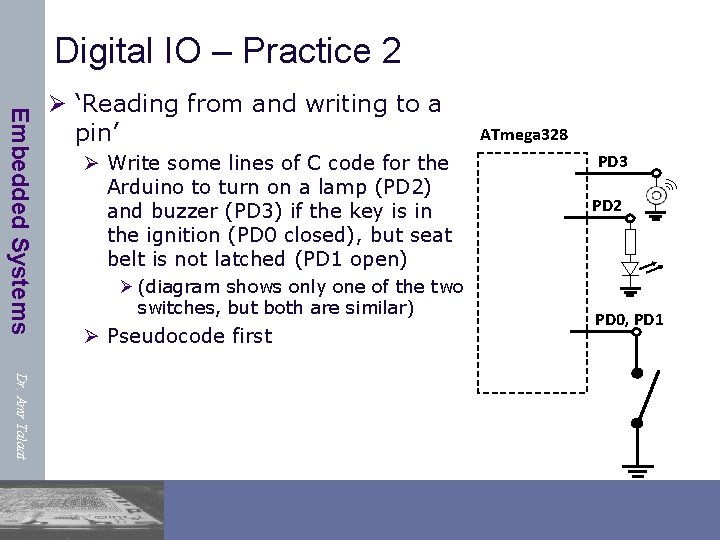
Digital IO – Practice 2 Embedded Systems Ø ‘Reading from and writing to a pin’ Ø Write some lines of C code for the Arduino to turn on a lamp (PD 2) and buzzer (PD 3) if the key is in the ignition (PD 0 closed), but seat belt is not latched (PD 1 open) Ø (diagram shows only one of the two switches, but both are similar) Ø Pseudocode first ATmega 328 PD 3 PD 2 PD 0, PD 1 Dr. Amr Talaat
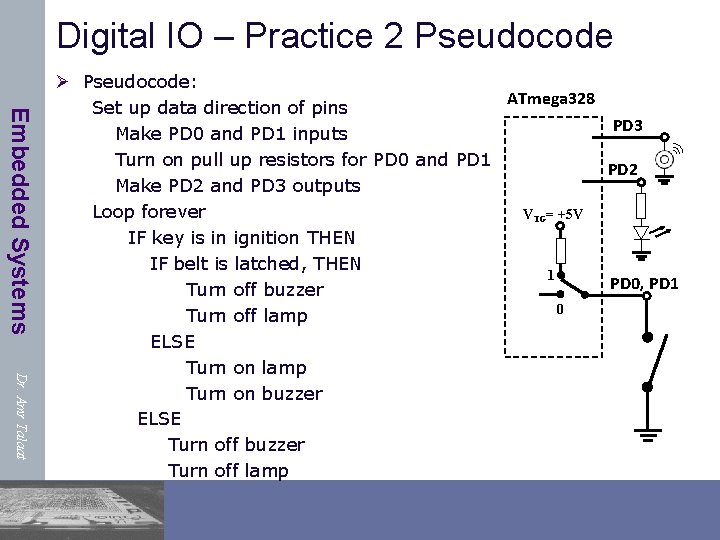
Digital IO – Practice 2 Pseudocode Embedded Systems Dr. Amr Talaat Ø Pseudocode: ATmega 328 Set up data direction of pins PD 3 Make PD 0 and PD 1 inputs Turn on pull up resistors for PD 0 and PD 1 PD 2 Make PD 2 and PD 3 outputs Loop forever VTG= +5 V IF key is in ignition THEN IF belt is latched, THEN 1 PD 0, PD 1 Turn off buzzer 0 Turn off lamp ELSE Turn on lamp Turn on buzzer ELSE Turn off buzzer Turn off lamp

Digital IO – Practice 2 (Arduino style code) Embedded Systems Dr. Amr Talaat #define PIN_IGNITION 0 #define PIN_SEATBELT 1 #define PIN_LED 2 #define PIN_BUZZER 3 #define SEATBELT_LATCHED LOW #define KEY_IN_IGNITION LOW #define LED_ON HIGH #define LED_OFF LOW #define BUZZER_ON HIGH #define BUZZER_OFF LOW void setup() { pin. Mode(PIN_IGNITION, INPUT_PULLUP); // key switch pin. Mode(PIN_SEATBELT, INPUT_PULLUP); // belt latch switch pin. Mode(PIN_LED, OUTPUT); // lamp pin. Mode(PIN_BUZZER, OUTPUT); // buzzer } void loop() { /* see next page for code */} ATmega 328 PD 3 PD 2 VTG= +5 V 1 PD 0, PD 1 0
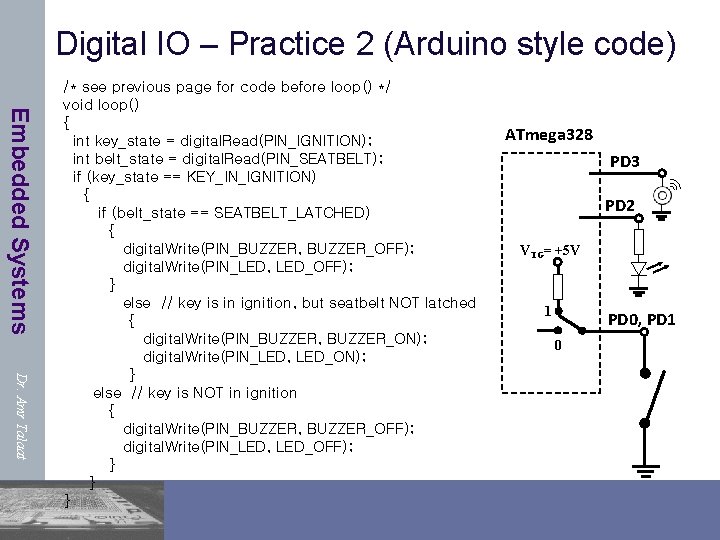
Digital IO – Practice 2 (Arduino style code) Embedded Systems Dr. Amr Talaat /* see previous page for code before loop() */ void loop() { int key_state = digital. Read(PIN_IGNITION); int belt_state = digital. Read(PIN_SEATBELT); if (key_state == KEY_IN_IGNITION) { if (belt_state == SEATBELT_LATCHED) { digital. Write(PIN_BUZZER, BUZZER_OFF); digital. Write(PIN_LED, LED_OFF); } else // key is in ignition, but seatbelt NOT latched { digital. Write(PIN_BUZZER, BUZZER_ON); digital. Write(PIN_LED, LED_ON); } else // key is NOT in ignition { digital. Write(PIN_BUZZER, BUZZER_OFF); digital. Write(PIN_LED, LED_OFF); } } } ATmega 328 PD 3 PD 2 VTG= +5 V 1 PD 0, PD 1 0
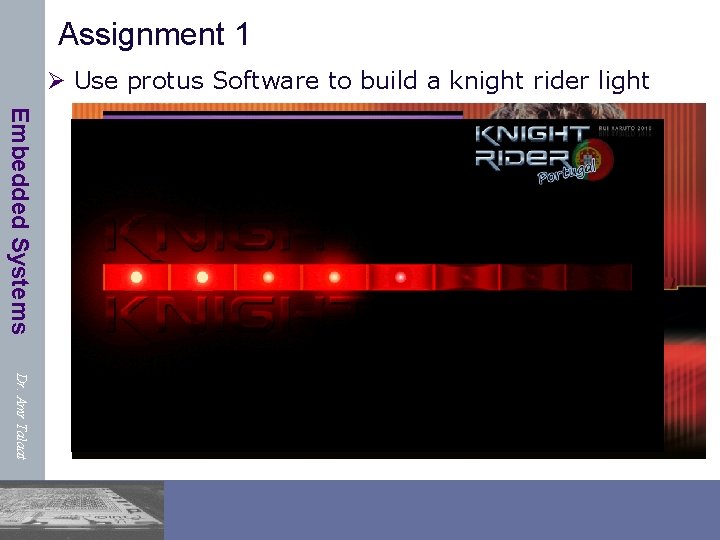
Assignment 1 Ø Use protus Software to build a knight rider light Embedded Systems Dr. Amr Talaat
Embedded Systems Ø http: //www. instructables. com/tag/type-id/categorytechnology/channel-arduino/ Ø https: //www. arduino. cc/en/Reference/Home. Page Dr. Amr Talaat
- Slides: 26