
Netbeans 5 5 version control cvs svn configuration
Netbeans 5. 5 version control: cvs, svn configuration for AUV Workbench & various X 3 D, XMSF projects Don Brutzman brutzman@nps. edu 1 December 2007
Netbeans setup 1 • Install latest Java 1. 6, Netbeans 5. 5 – Bundled version works well – http: //java. sun. com or http: //java. sun. com/javase/downloads/index. jsp – http: //www. netbeans. org • Further Java setup checks – Ensure no other versions of Java or Netbeans installed – Ensure JAVA_HOME properly set – Netbeans Tools -> Update Center for updates – http: //wiki. netbeans. org/wiki/view/Faq. How. To. Set. Up. SSHAuth
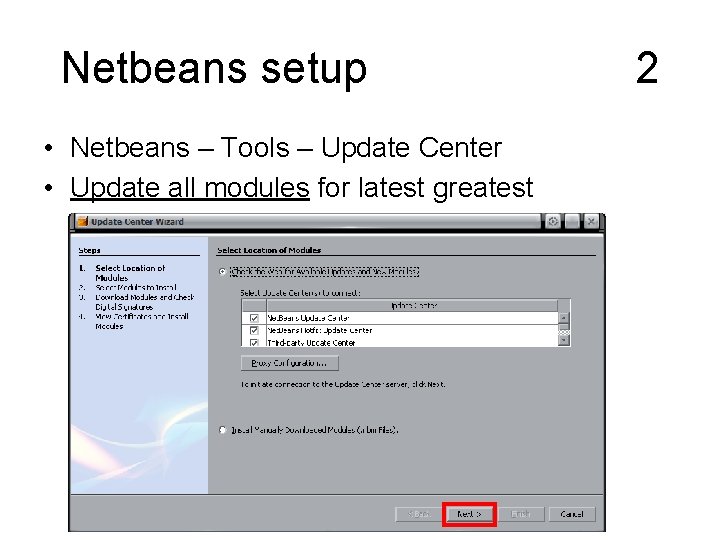
Netbeans setup • Netbeans – Tools – Update Center • Update all modules for latest greatest 2
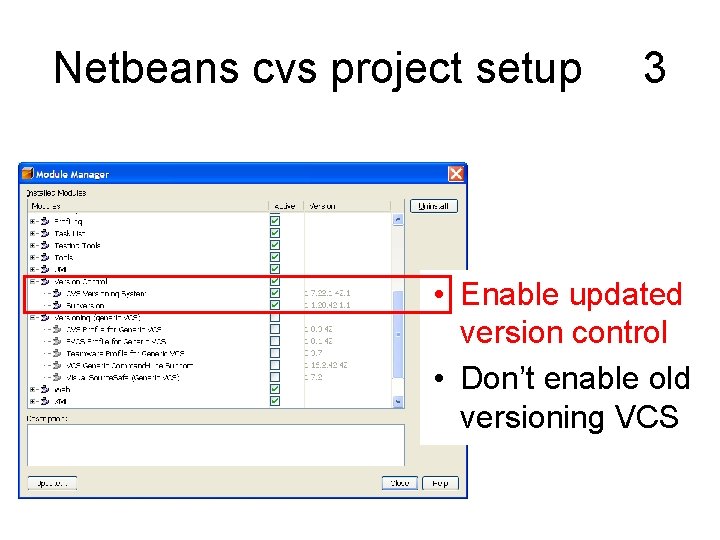
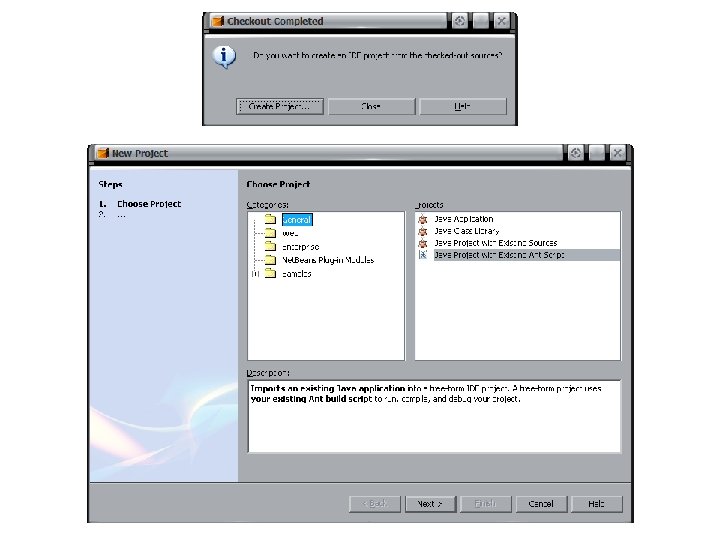
Netbeans cvs project setup 3 • Enable updated version control • Don’t enable old versioning VCS
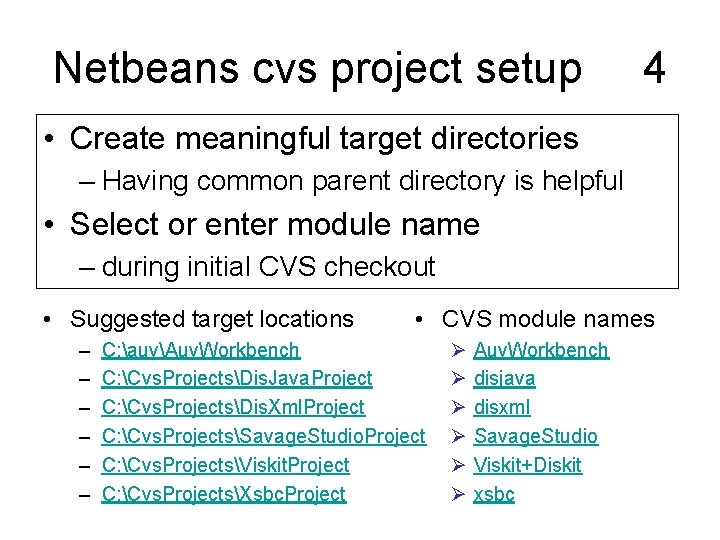
Netbeans cvs project setup 4 • Create meaningful target directories – Having common parent directory is helpful • Select or enter module name – during initial CVS checkout • Suggested target locations – – – • CVS module names C: auvAuv. Workbench C: Cvs. ProjectsDis. Java. Project C: Cvs. ProjectsDis. Xml. Project C: Cvs. ProjectsSavage. Studio. Project C: Cvs. ProjectsViskit. Project C: Cvs. ProjectsXsbc. Project Ø Ø Ø Auv. Workbench disjava disxml Savage. Studio Viskit+Diskit xsbc
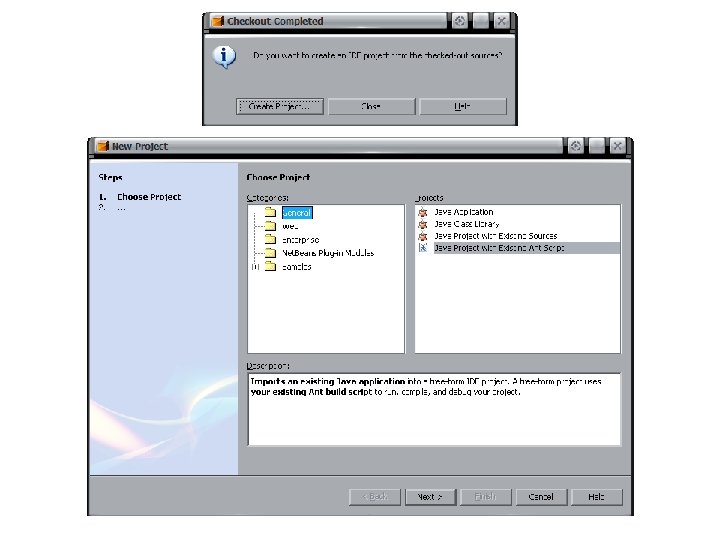
Netbeans cvs project setup 5 • Basic setup procedure simpler than 4. 0 – No more ‘Versioning’ panel to fool with • Simple two-part process – Check out via cvs – Click to Create Project • Avoid importing 4. 1 settings, they may fail • Follow-on directions show type-in values blocked out in red – Other values are usually found automatically
Netbeans cvs project setup • Server-side authentication keys must be cached prior to initial cvs checkout • Use the Pu. TTy tool to secure-shell (ssh) into the cvs server – Example: xmsf. cvs. sourceforge. net • Log in using checkout account name • Screen snapshots follow 6
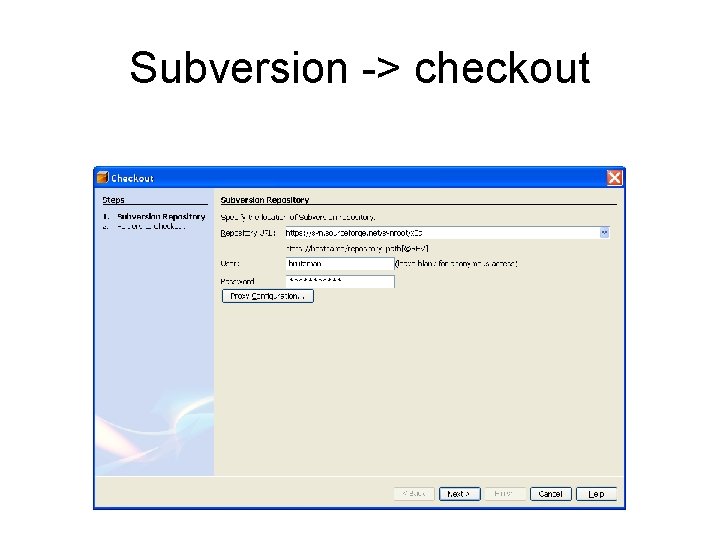
Subversion -> checkout
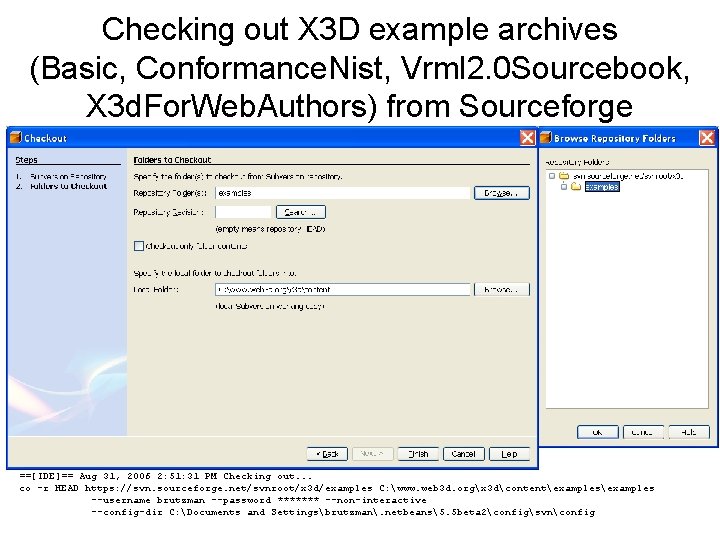
Checking out X 3 D example archives (Basic, Conformance. Nist, Vrml 2. 0 Sourcebook, X 3 d. For. Web. Authors) from Sourceforge ==[IDE]== Aug 31, 2006 2: 51: 31 PM Checking out. . . co -r HEAD https: //svn. sourceforge. net/svnroot/x 3 d/examples C: www. web 3 d. orgx 3 dcontentexamples --username brutzman --password ******* --non-interactive --config-dir C: Documents and Settingsbrutzman. netbeans5. 5 beta 2configsvnconfig
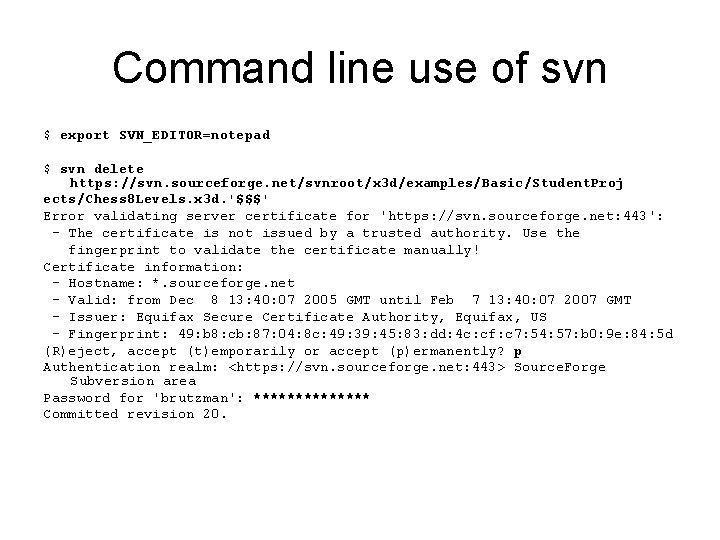
Command line use of svn $ export SVN_EDITOR=notepad $ svn delete https: //svn. sourceforge. net/svnroot/x 3 d/examples/Basic/Student. Proj ects/Chess 8 Levels. x 3 d. '$$$' Error validating server certificate for 'https: //svn. sourceforge. net: 443': - The certificate is not issued by a trusted authority. Use the fingerprint to validate the certificate manually! Certificate information: - Hostname: *. sourceforge. net - Valid: from Dec 8 13: 40: 07 2005 GMT until Feb 7 13: 40: 07 2007 GMT - Issuer: Equifax Secure Certificate Authority, Equifax, US - Fingerprint: 49: b 8: cb: 87: 04: 8 c: 49: 39: 45: 83: dd: 4 c: cf: c 7: 54: 57: b 0: 9 e: 84: 5 d (R)eject, accept (t)emporarily or accept (p)ermanently? p Authentication realm: <https: //svn. sourceforge. net: 443> Source. Forge Subversion area Password for 'brutzman': ******* Committed revision 20.
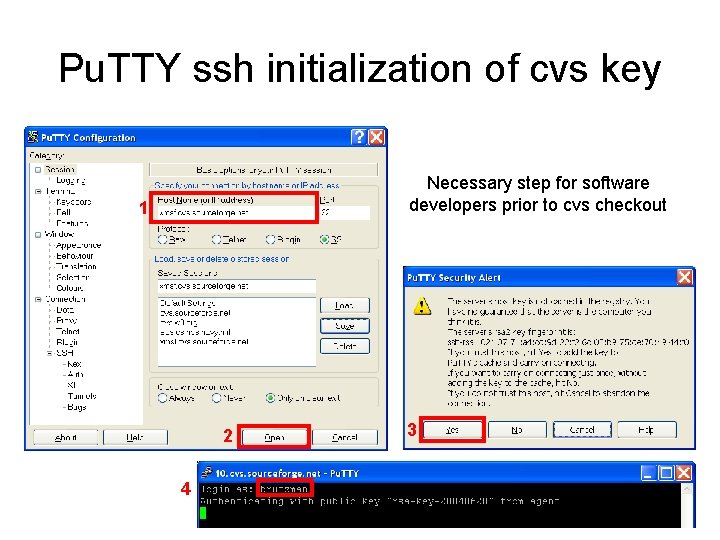
Pu. TTY ssh initialization of cvs key Necessary step for software developers prior to cvs checkout 1 2 4 3
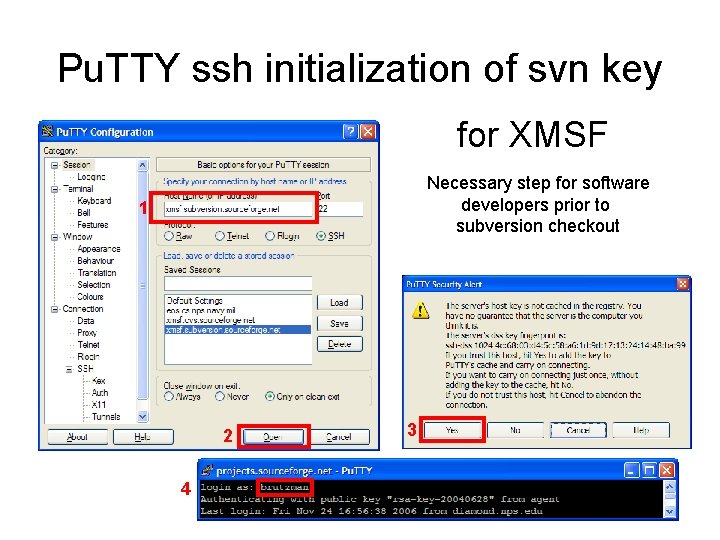
Pu. TTY ssh initialization of svn key for XMSF Necessary step for software developers prior to subversion checkout 1 2 4 3
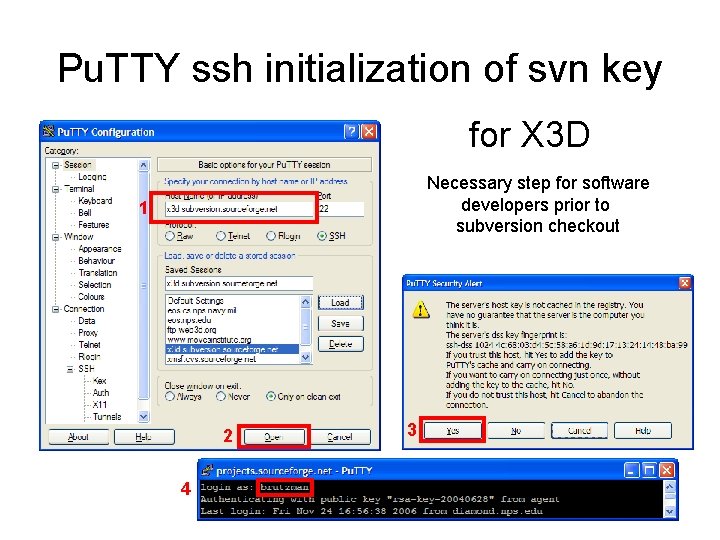
Pu. TTY ssh initialization of svn key for X 3 D Necessary step for software developers prior to subversion checkout 1 2 4 3
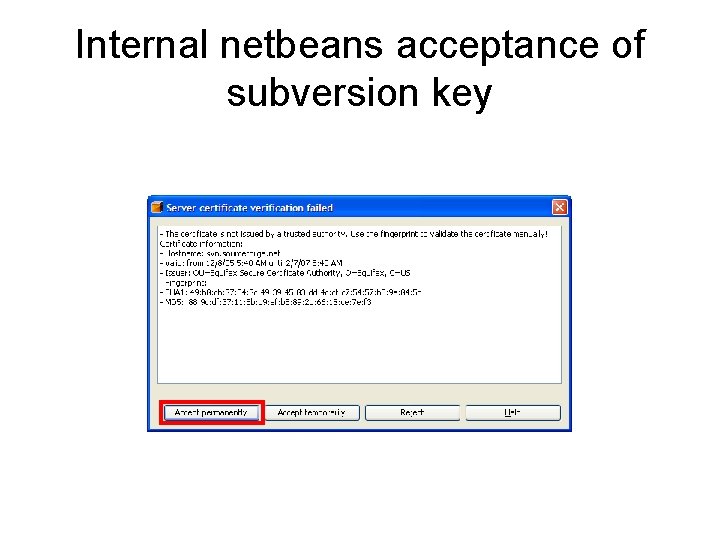
Internal netbeans acceptance of subversion key
Additional developers setup 1 • Developers making and committing source changes into one of the cvs archives need to first install putty tools, then get account • Putty security tools: – http: //www. chiark. greenend. org. uk/~sgtatham/putty/download. html • Requesting a developer account: – Don Mc. Gregor (xmsf) mcgredo@nps. navy. mil – Arnie Buss (Simkit) abuss@nps. navy. mil
Additional developers setup 2 • wincvs is separate alternative, usually not needed – http: //www. wincvs. org/download. html
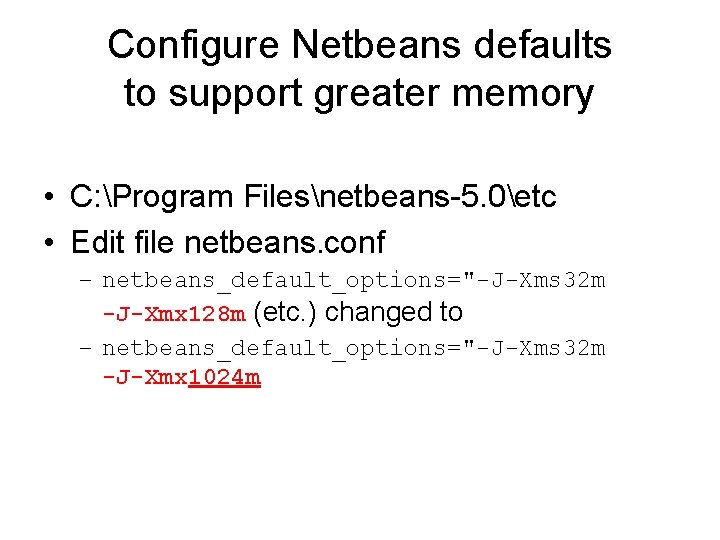
Configure Netbeans defaults to support greater memory • C: Program Filesnetbeans-5. 0etc • Edit file netbeans. conf – netbeans_default_options="-J-Xms 32 m -J-Xmx 128 m (etc. ) changed to – netbeans_default_options="-J-Xms 32 m -J-Xmx 1024 m
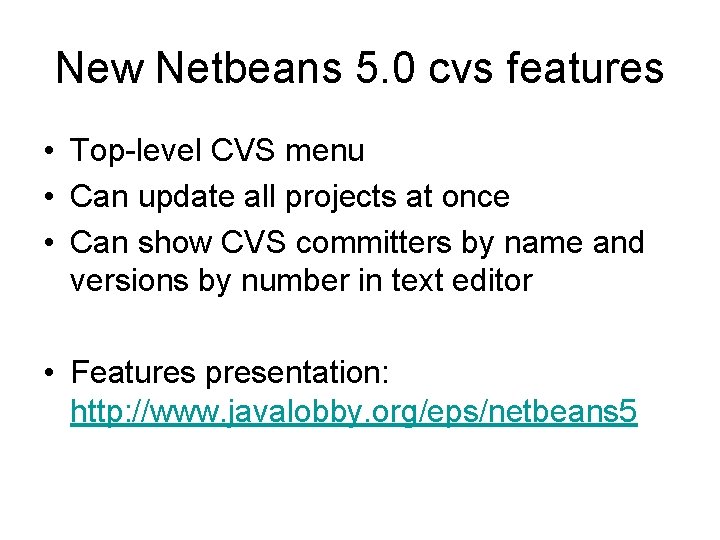
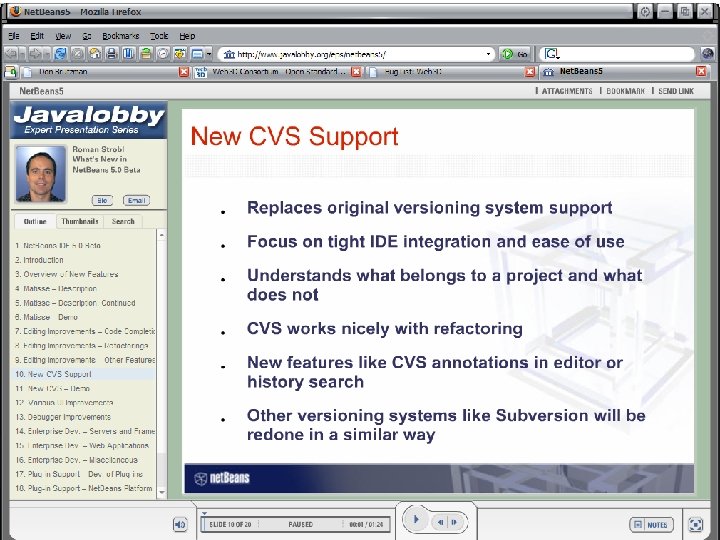
New Netbeans 5. 0 cvs features • Top-level CVS menu • Can update all projects at once • Can show CVS committers by name and versions by number in text editor • Features presentation: http: //www. javalobby. org/eps/netbeans 5
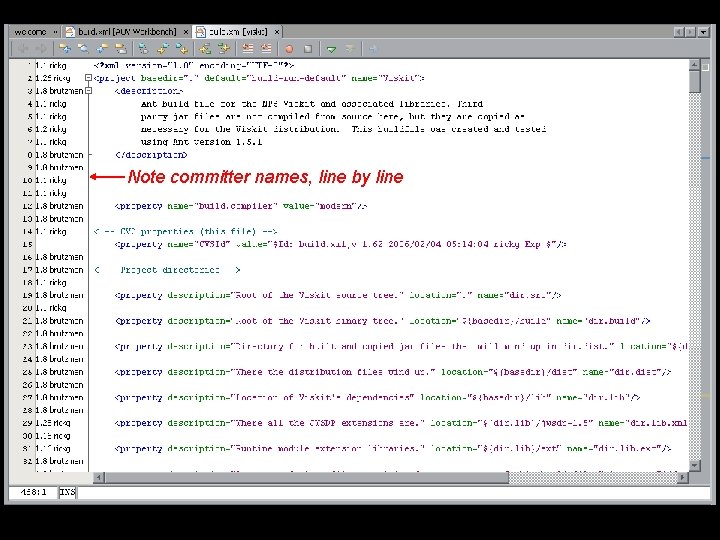
Note committer names, line by line
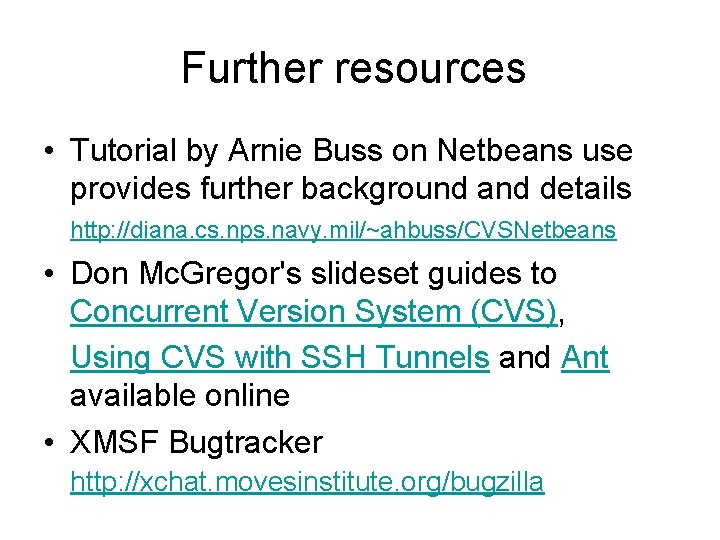
Further resources • Tutorial by Arnie Buss on Netbeans use provides further background and details http: //diana. cs. nps. navy. mil/~ahbuss/CVSNetbeans • Don Mc. Gregor's slideset guides to Concurrent Version System (CVS), Using CVS with SSH Tunnels and Ant available online • XMSF Bugtracker http: //xchat. movesinstitute. org/bugzilla
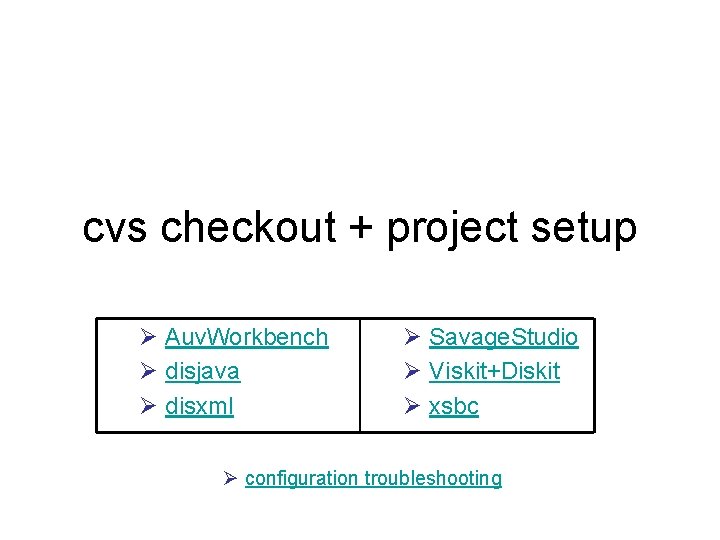
cvs checkout + project setup Ø Auv. Workbench Ø disjava Ø disxml Ø Savage. Studio Ø Viskit+Diskit Ø xsbc Ø configuration troubleshooting
Auv. Workbench project https: //www. movesinstitute. org/xmsf. html#Projects-AUV project index
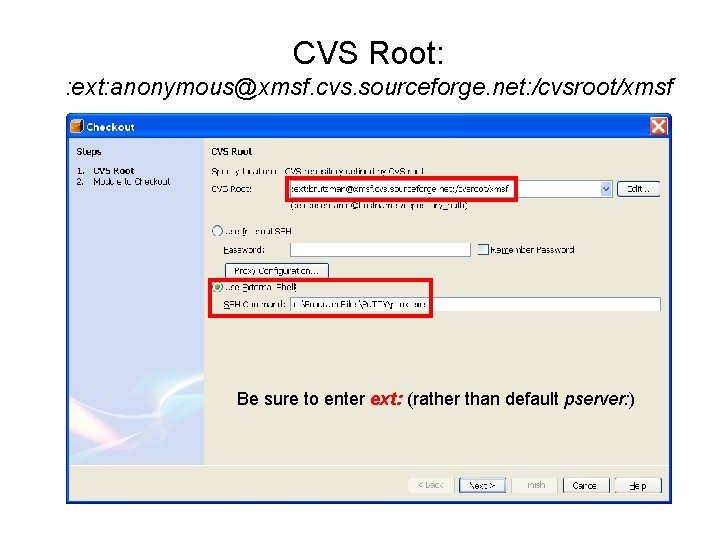
CVS Root: : ext: anonymous@xmsf. cvs. sourceforge. net: /cvsroot/xmsf Be sure to enter ext: (rather than default pserver: )
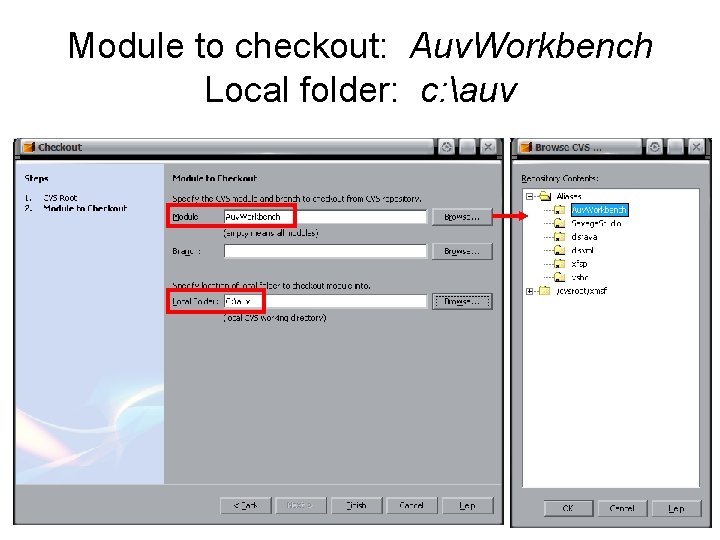
Module to checkout: Auv. Workbench Local folder: c: auv
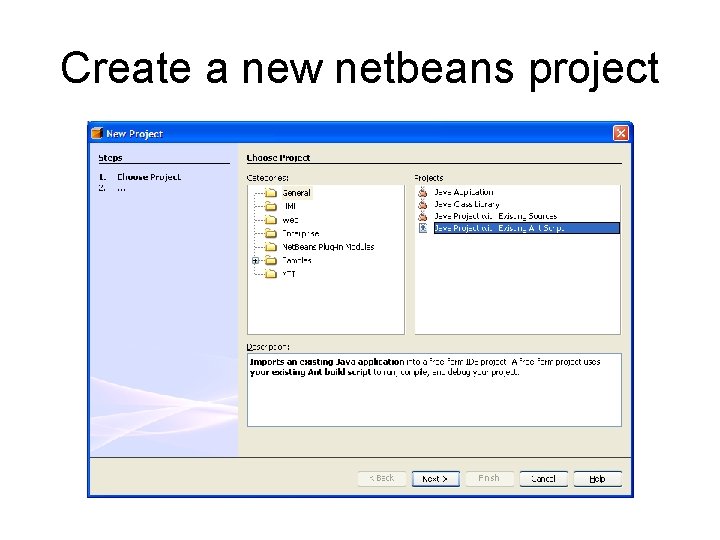
Create a new netbeans project
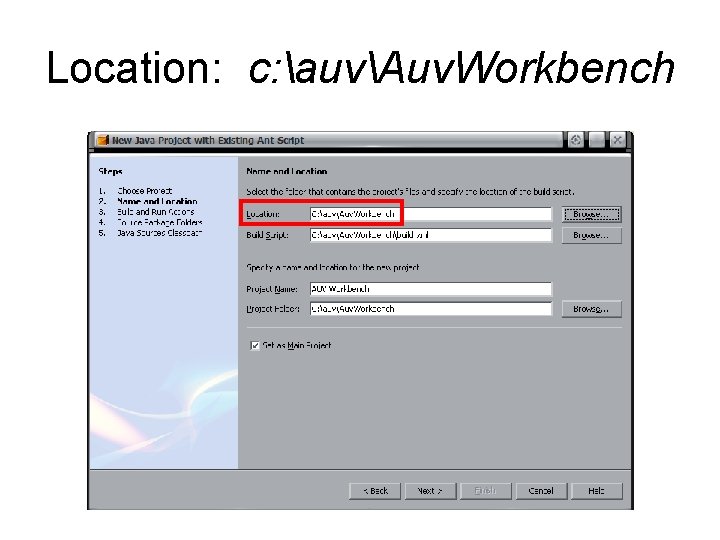
Location: c: auvAuv. Workbench
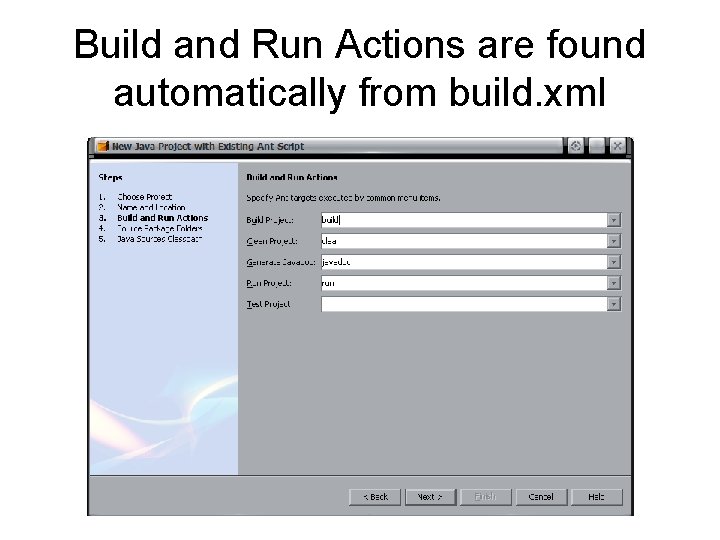
Build and Run Actions are found automatically from build. xml
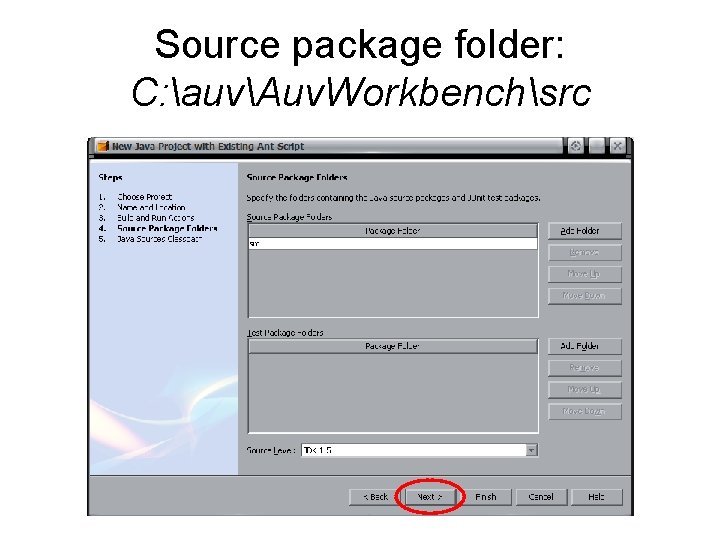
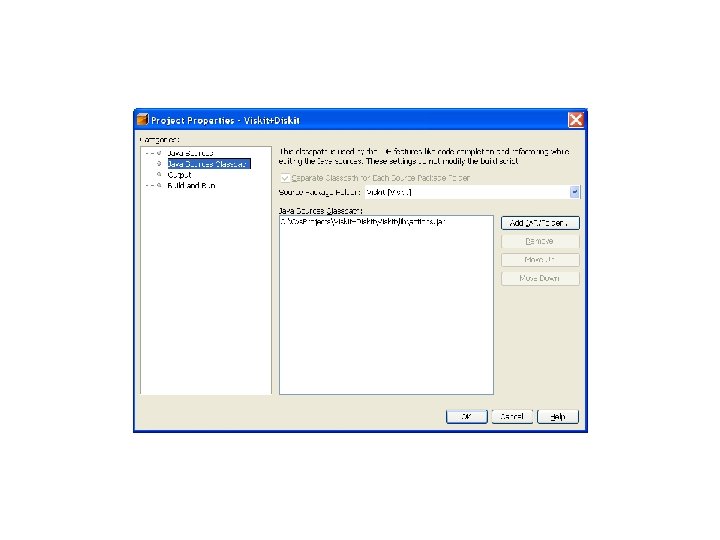
Source package folder: C: auvAuv. Workbenchsrc
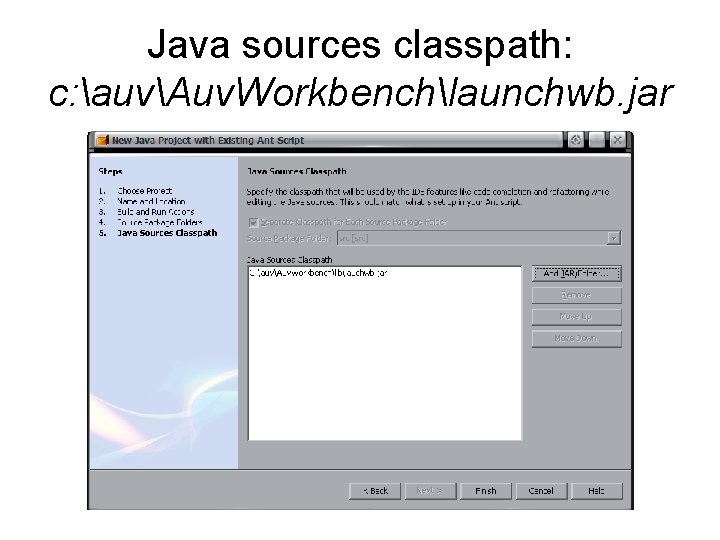
Java sources classpath: c: auvAuv. Workbenchlaunchwb. jar
dis-java project Distributed Interactive Simulation (DIS) protocol http: //www. sourceforge. net/projects/xmsf project index
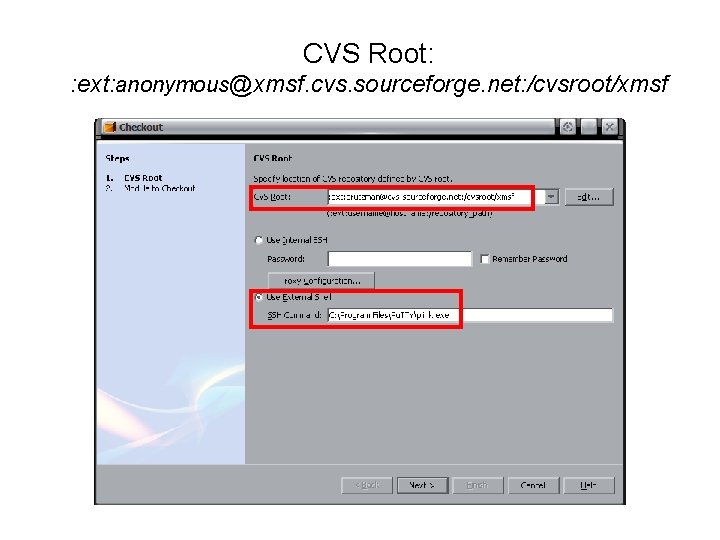
CVS Root: : ext: anonymous@xmsf. cvs. sourceforge. net: /cvsroot/xmsf
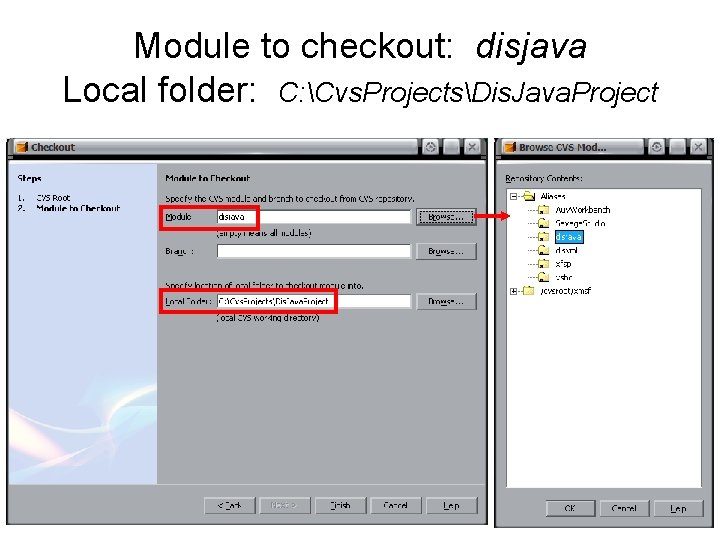
Module to checkout: disjava Local folder: C: Cvs. ProjectsDis. Java. Project
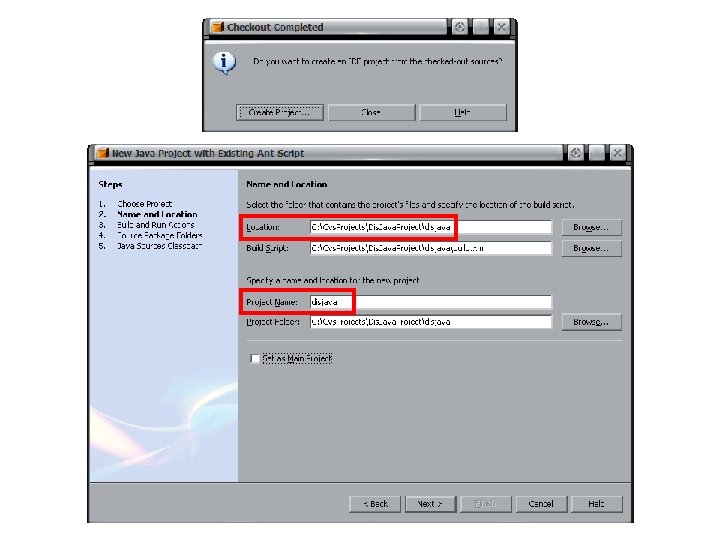
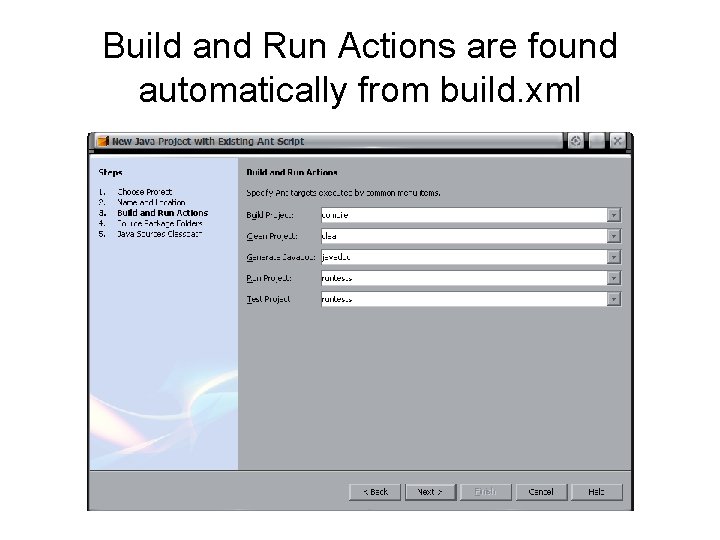
Build and Run Actions are found automatically from build. xml
dis-xml project Distributed Interactive Simulation (DIS) protocol http: //www. sourceforge. net/projects/xmsf project index
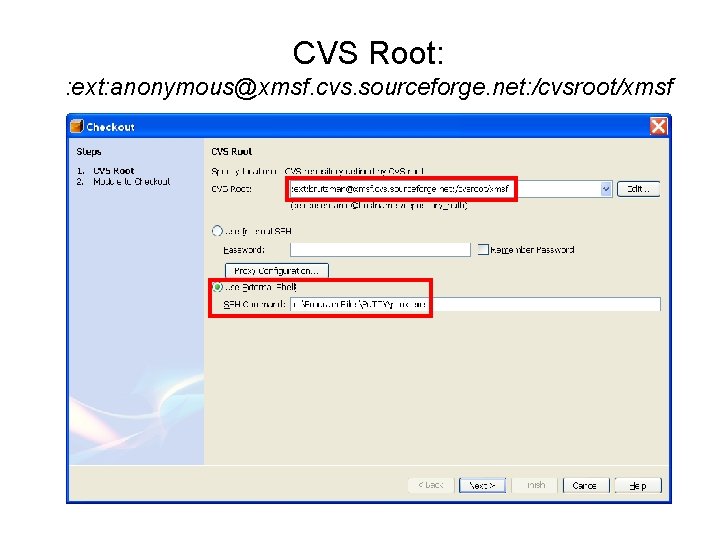
CVS Root: : ext: anonymous@xmsf. cvs. sourceforge. net: /cvsroot/xmsf
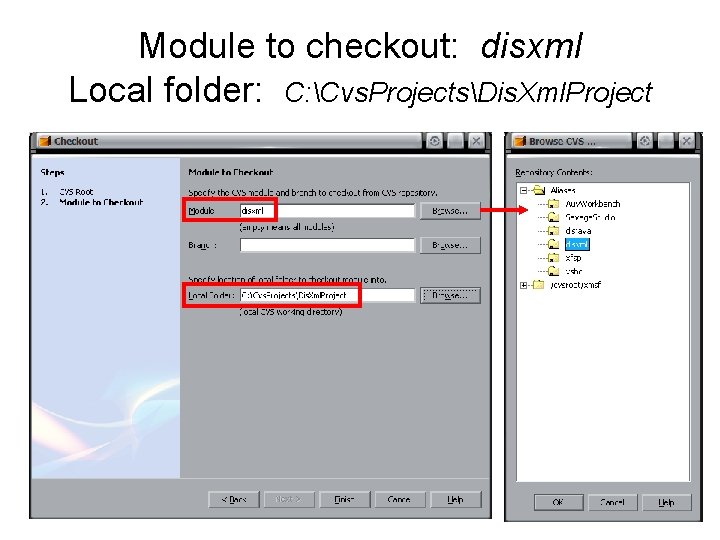
Module to checkout: disxml Local folder: C: Cvs. ProjectsDis. Xml. Project
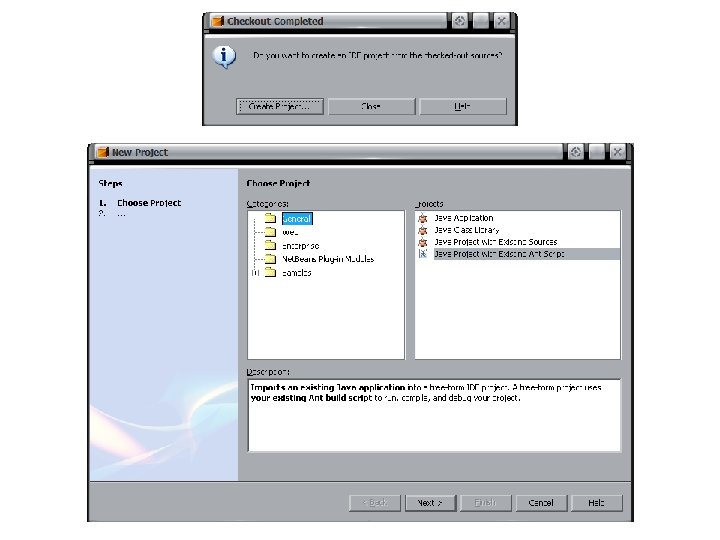
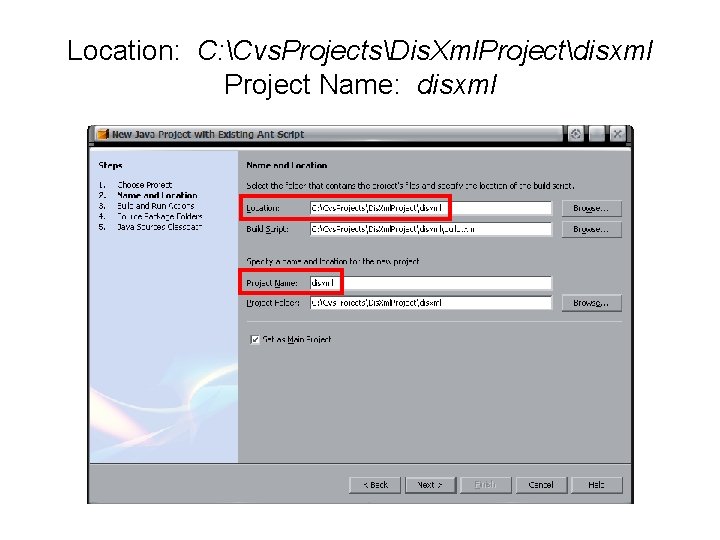
Location: C: Cvs. ProjectsDis. Xml. Projectdisxml Project Name: disxml
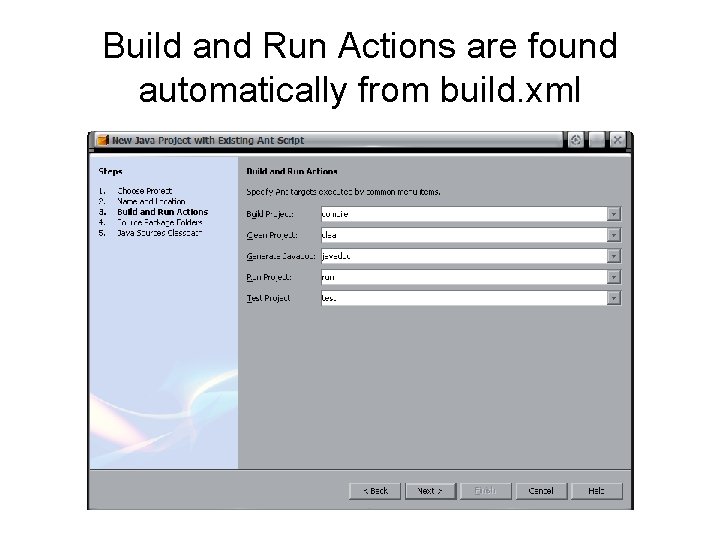
Build and Run Actions are found automatically from build. xml
Savage. Studio project Savage X 3 D scenario authoring tool http: //www. sourceforge. net/projects/xmsf project index
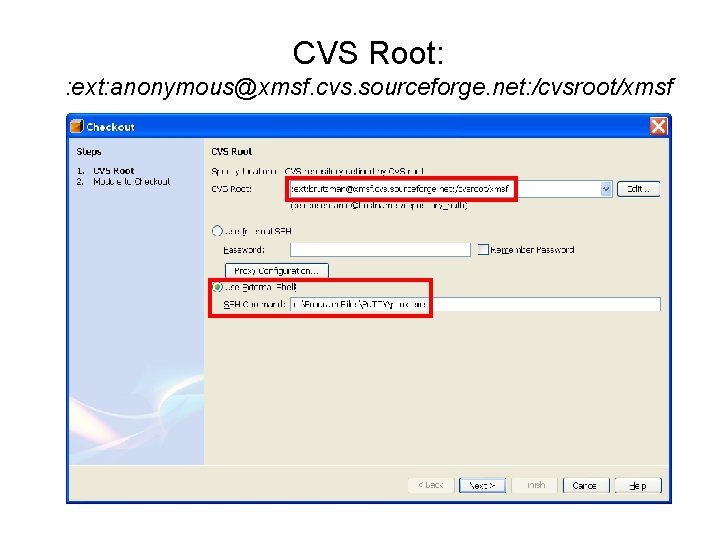
CVS Root: : ext: anonymous@xmsf. cvs. sourceforge. net: /cvsroot/xmsf
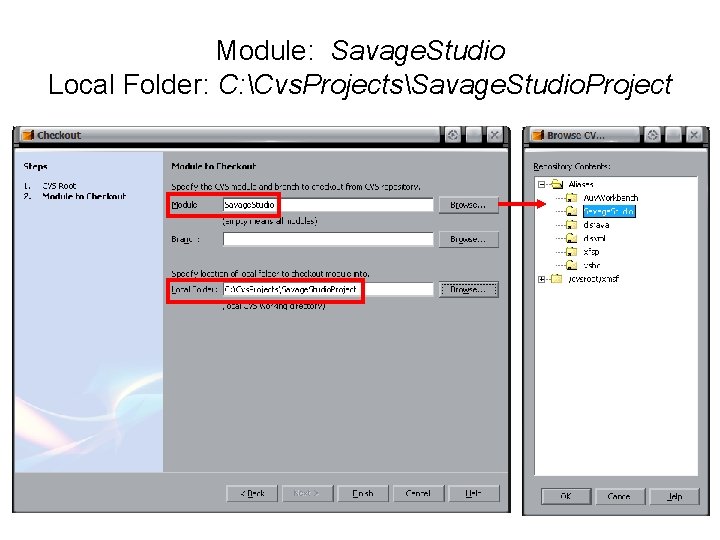
Module: Savage. Studio Local Folder: C: Cvs. ProjectsSavage. Studio. Project
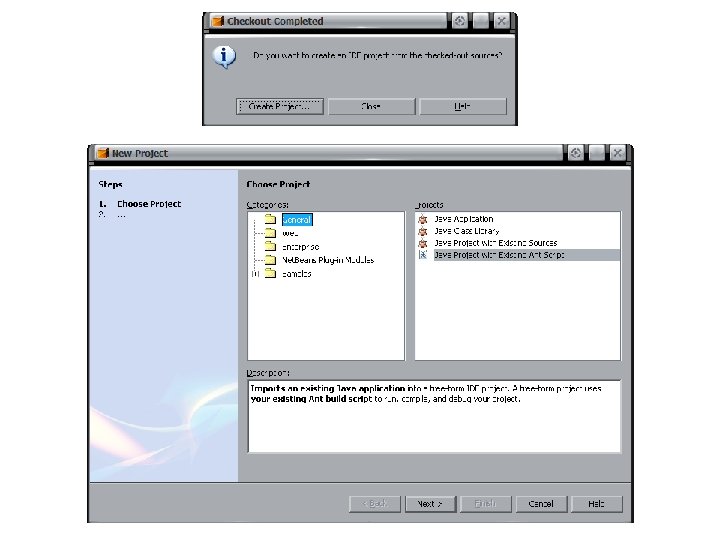
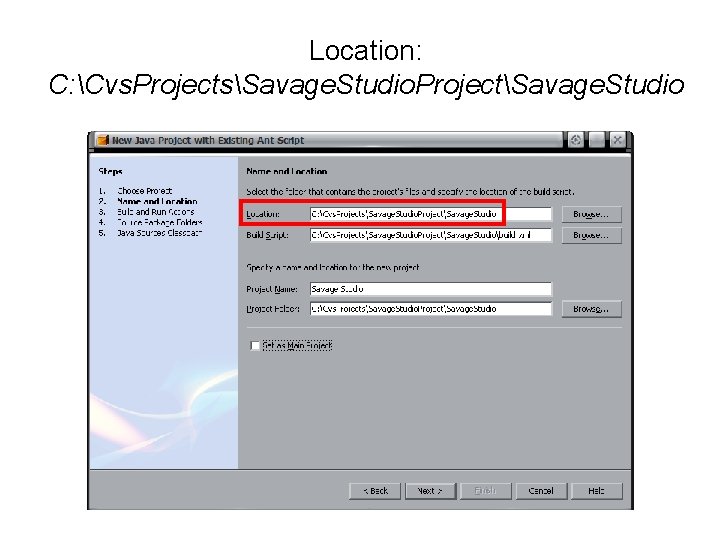
Location: C: Cvs. ProjectsSavage. Studio. ProjectSavage. Studio
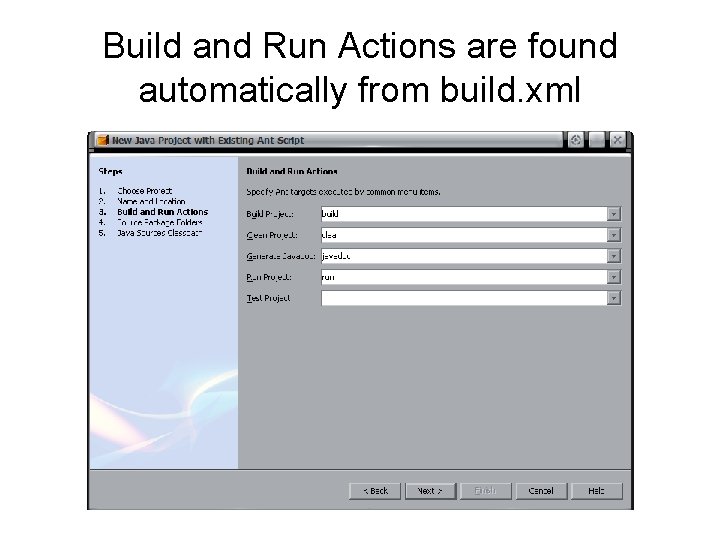
Build and Run Actions are found automatically from build. xml
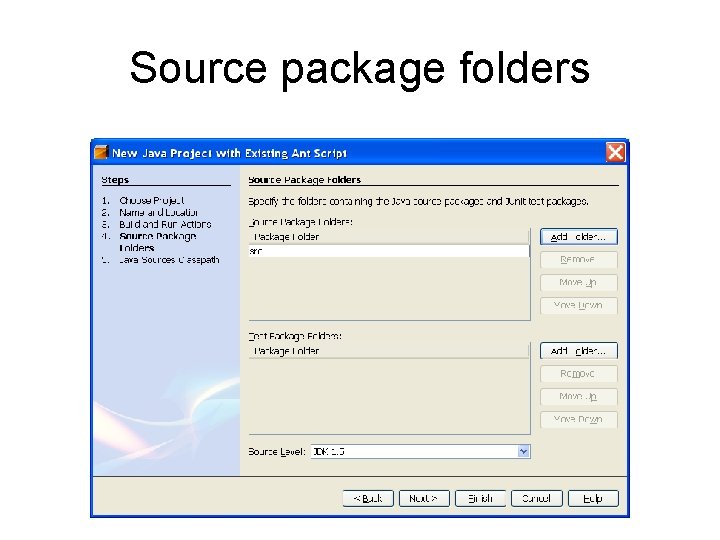
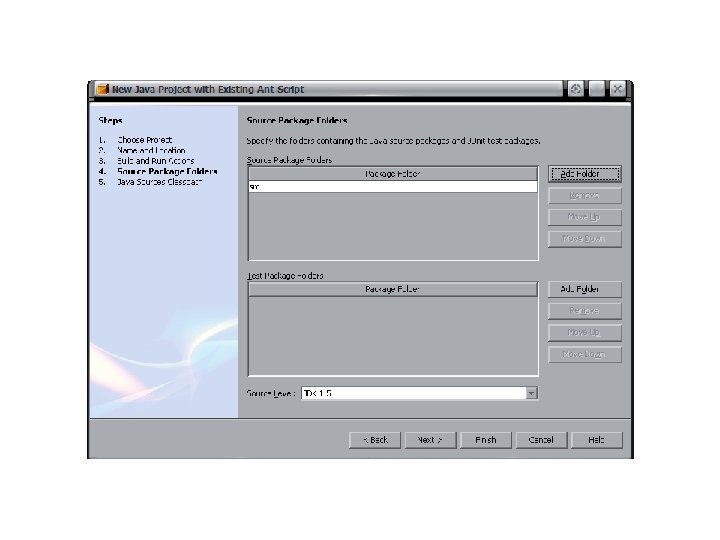
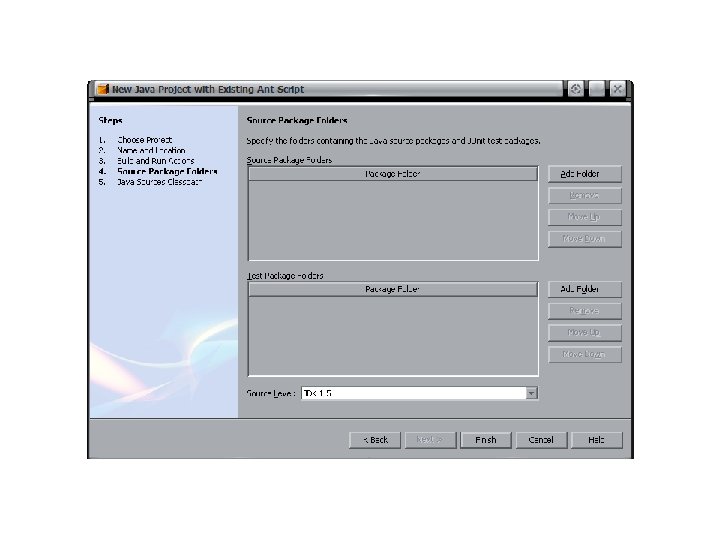
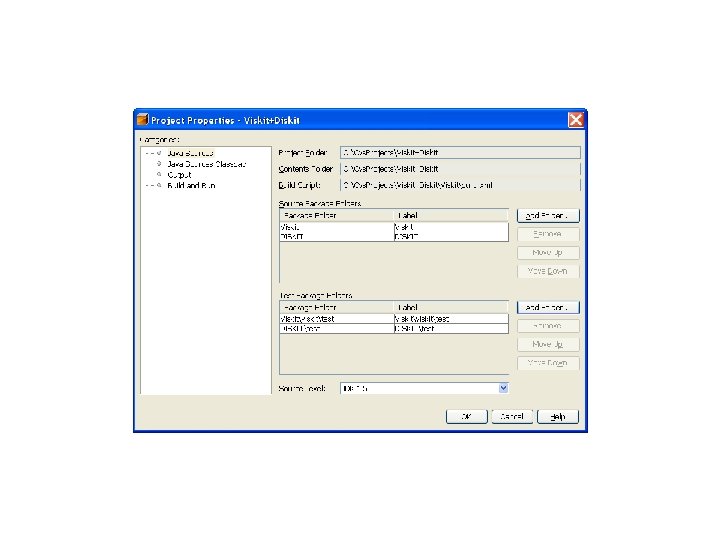
Source package folders
Savage and Savage. Defense X 3 D Model Archives Savage is an open distribution Savage. Defense is under controlled access, For Official Use Only (FOUO) project index
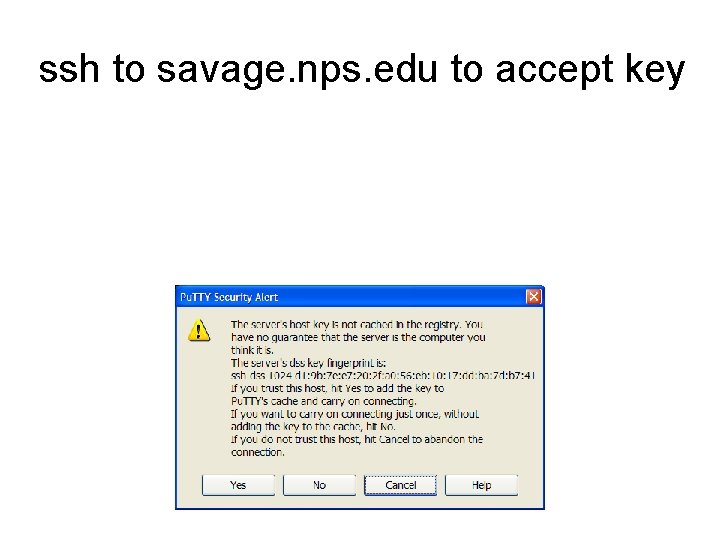
ssh to savage. nps. edu to accept key
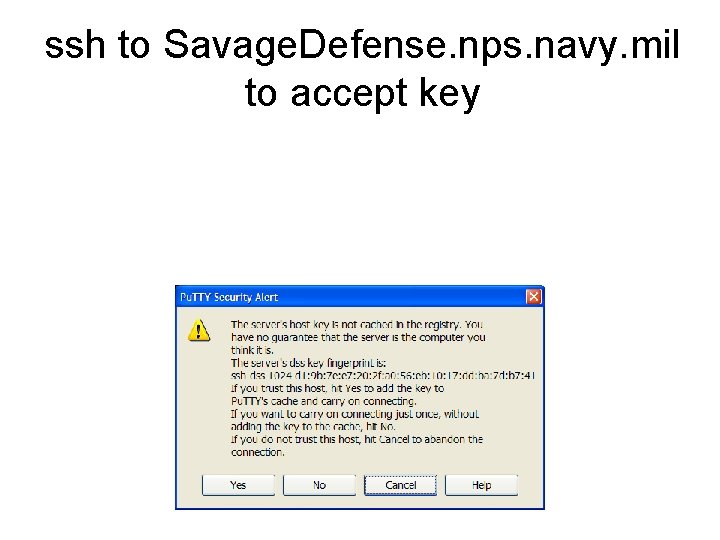
ssh to Savage. Defense. nps. navy. mil to accept key
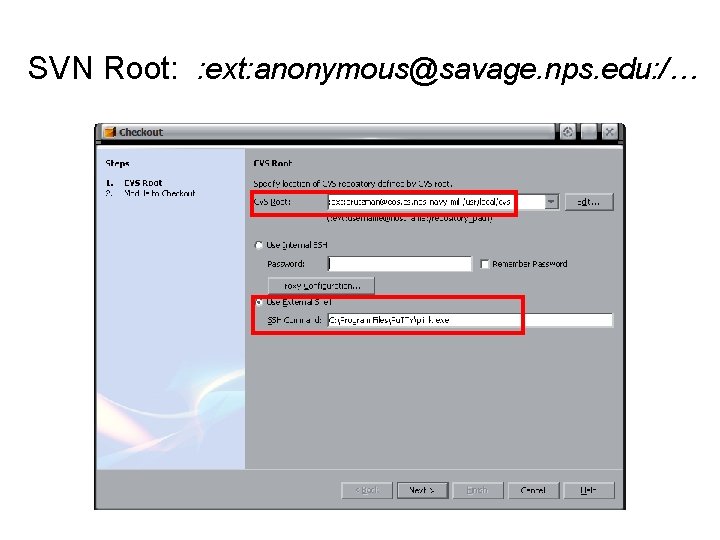
SVN Root: : ext: anonymous@savage. nps. edu: /…
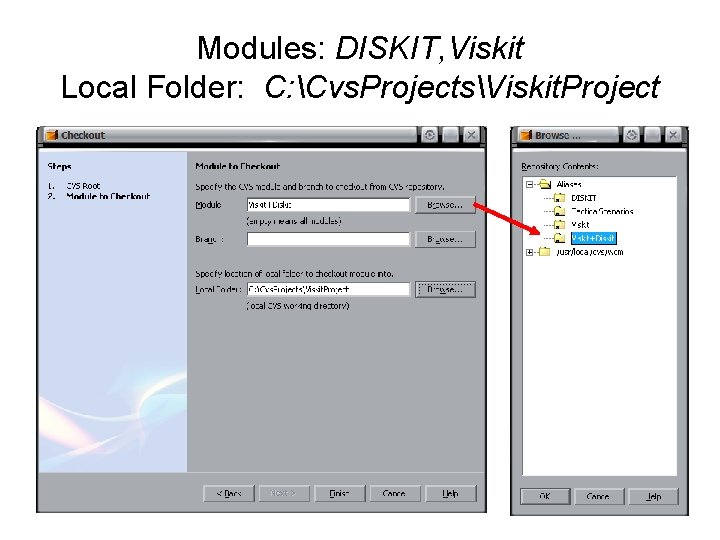
Modules: DISKIT, Viskit Local Folder: C: Cvs. ProjectsViskit. Project
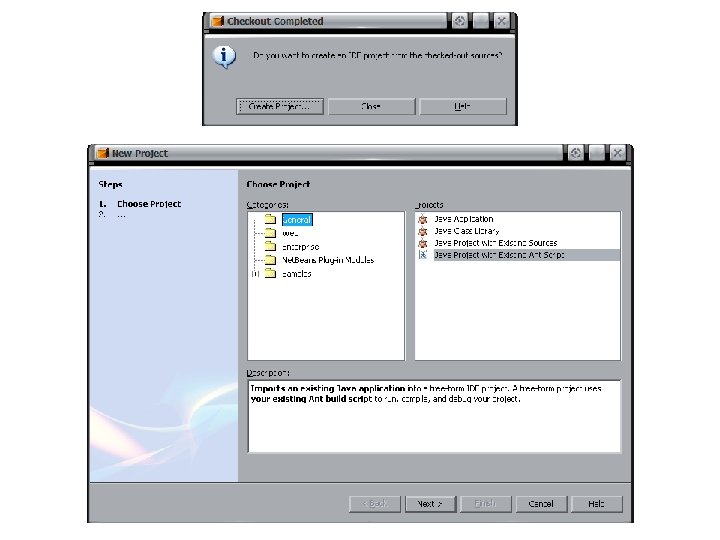
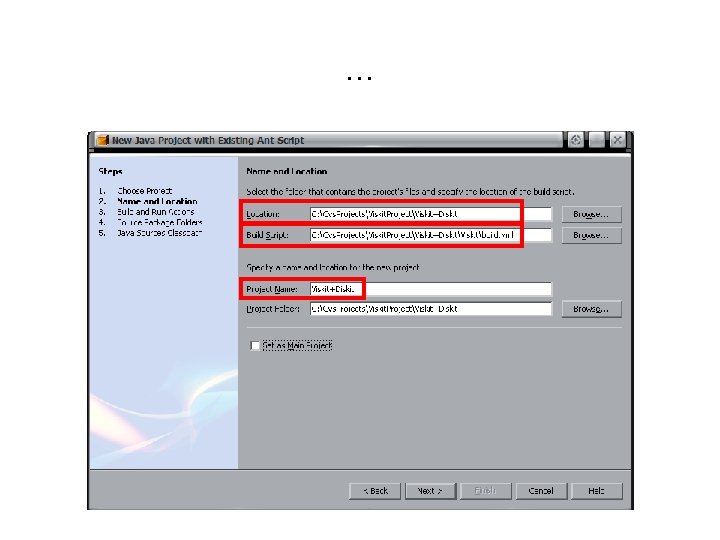
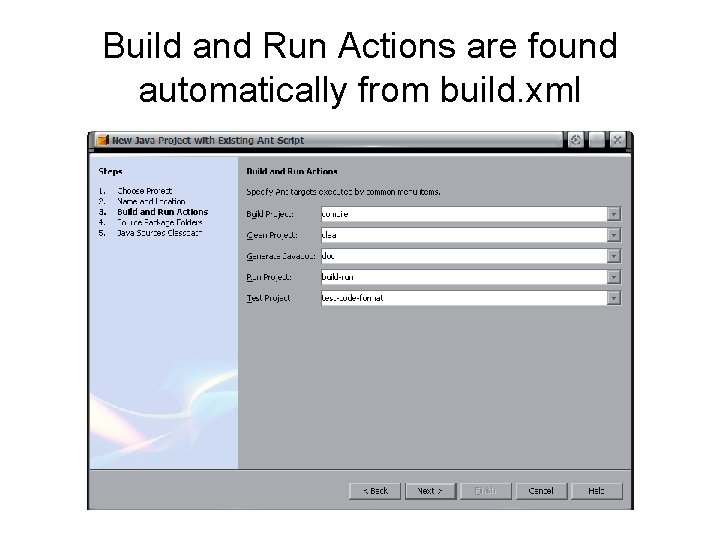
Build and Run Actions are found automatically from build. xml
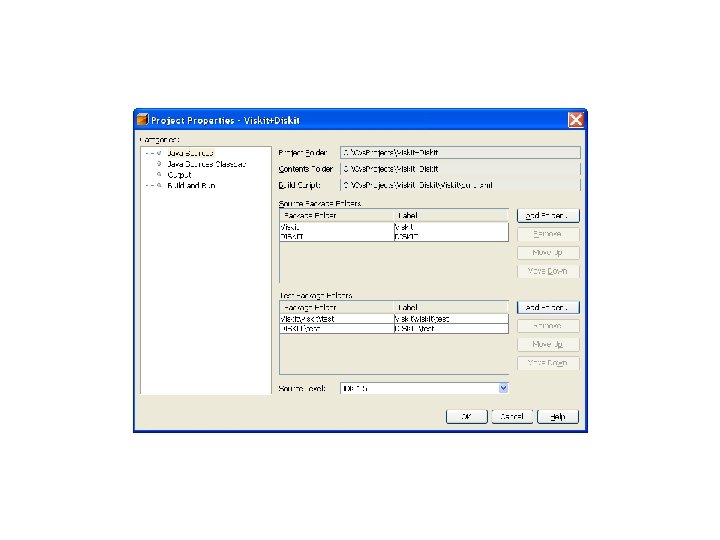
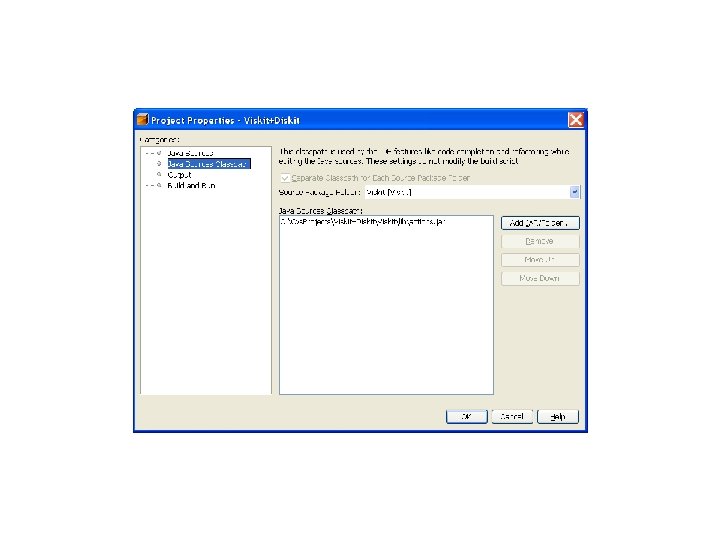
Simkit/Viskit/Diskit/Gridkit Discrete-event simulation (DES) project index
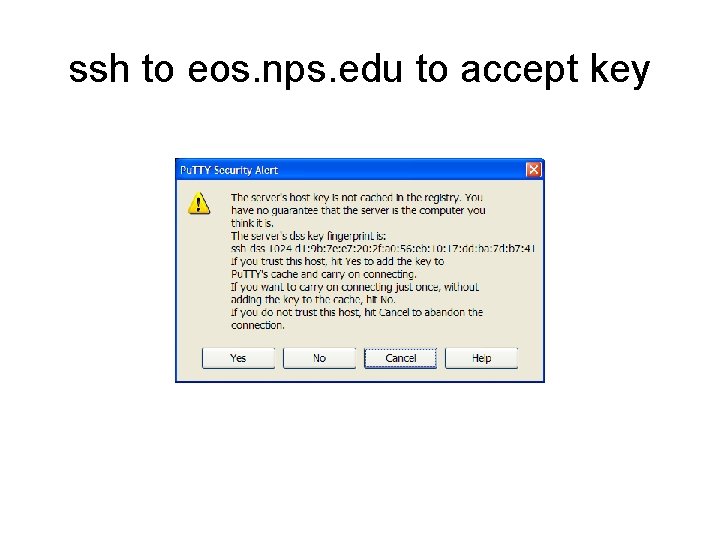
ssh to eos. nps. edu to accept key
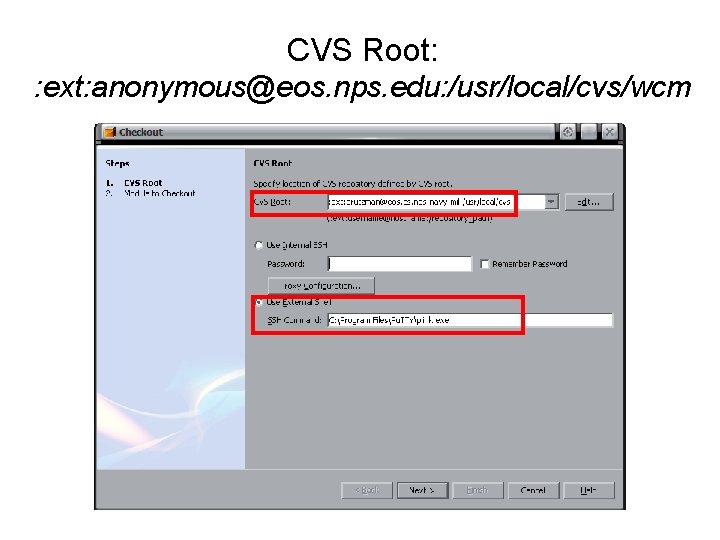
CVS Root: : ext: anonymous@eos. nps. edu: /usr/local/cvs/wcm
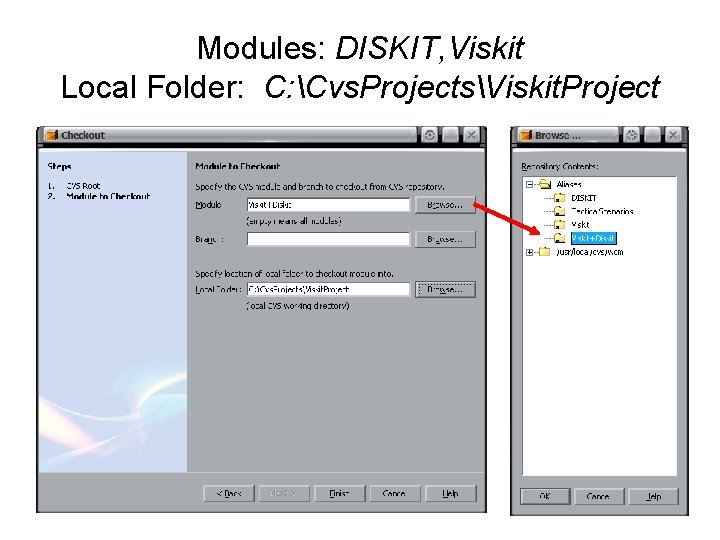
Modules: DISKIT, Viskit Local Folder: C: Cvs. ProjectsViskit. Project
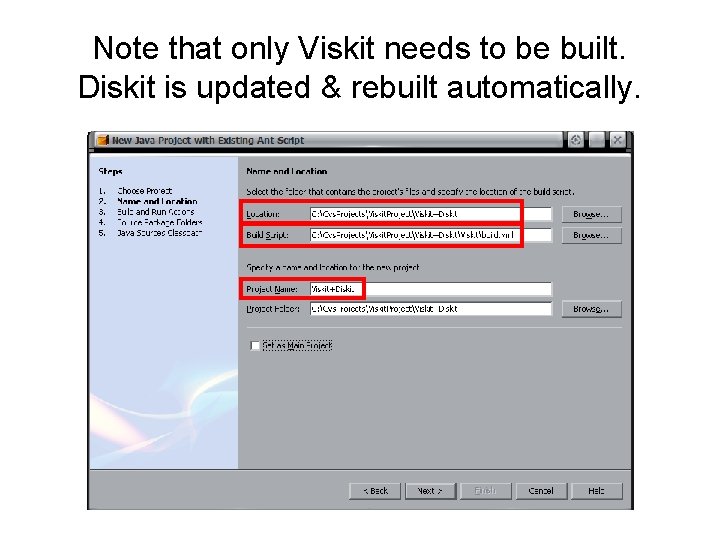
Note that only Viskit needs to be built. Diskit is updated & rebuilt automatically.
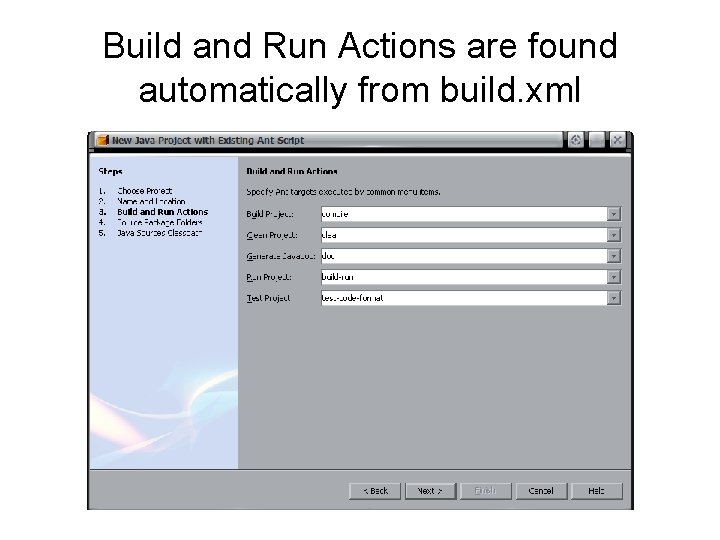
Build and Run Actions are found automatically from build. xml
x 3 d project Extensible 3 D (X 3 D) Graphics Examples, Tools http: //www. sourceforge. net/projects/x 3 d project index
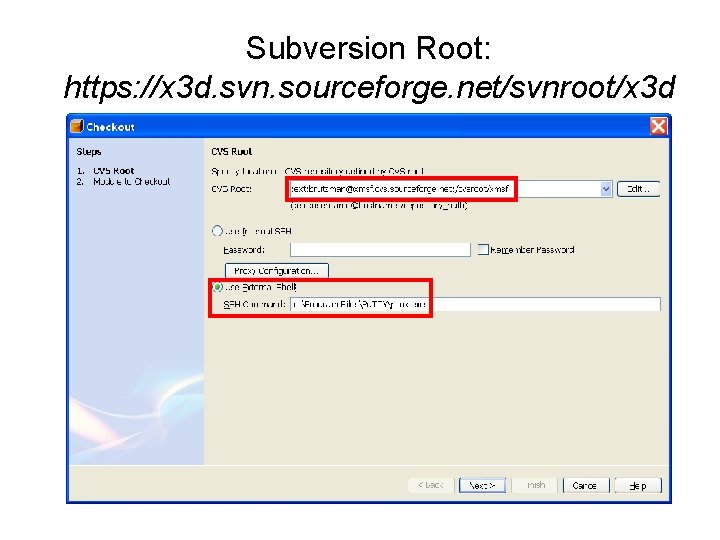
Subversion Root: https: //x 3 d. svn. sourceforge. net/svnroot/x 3 d
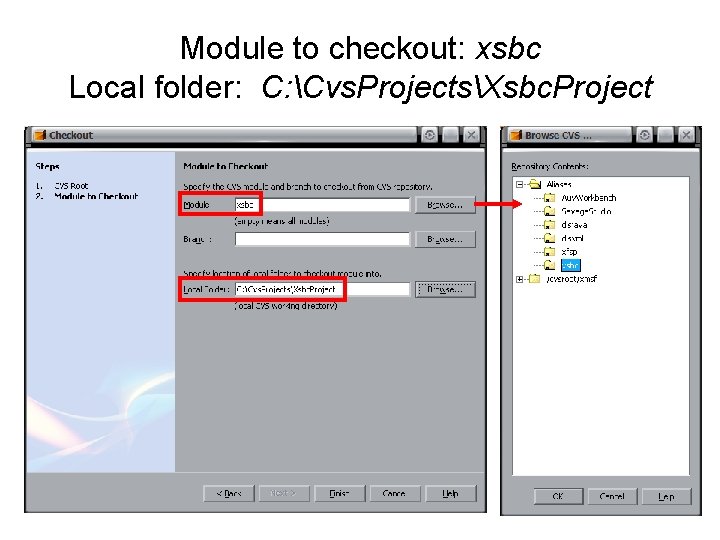
Module to checkout: xsbc Local folder: C: Cvs. ProjectsXsbc. Project
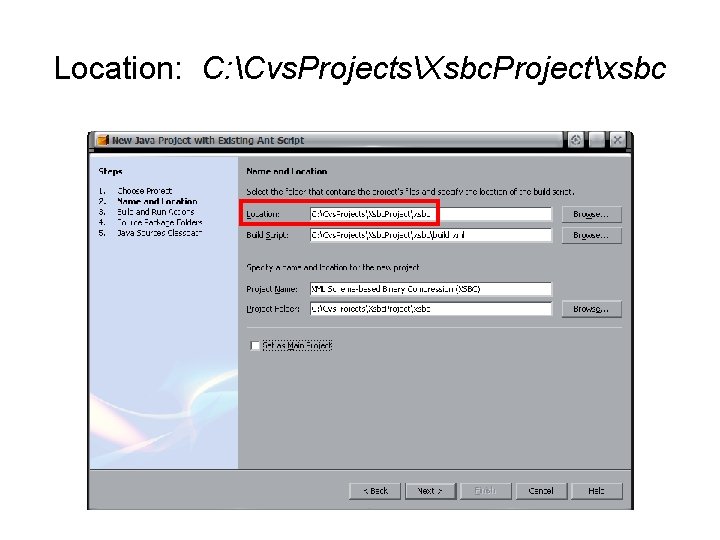
Location: C: Cvs. ProjectsXsbc. Projectxsbc
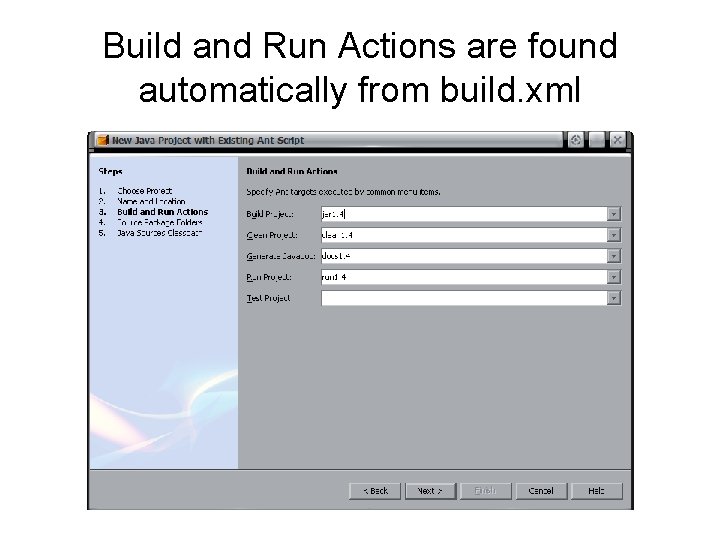
Build and Run Actions are found automatically from build. xml
xsbc project XML Schema-based Binary Compression http: //www. sourceforge. net/projects/xmsf project index
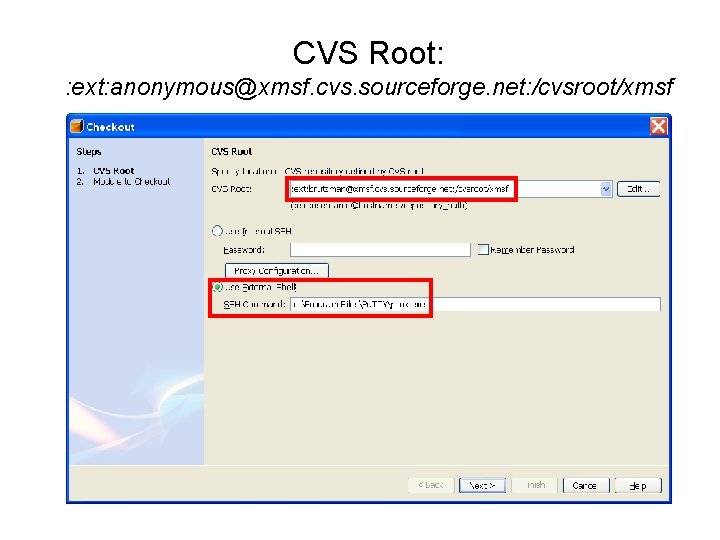
CVS Root: : ext: anonymous@xmsf. cvs. sourceforge. net: /cvsroot/xmsf
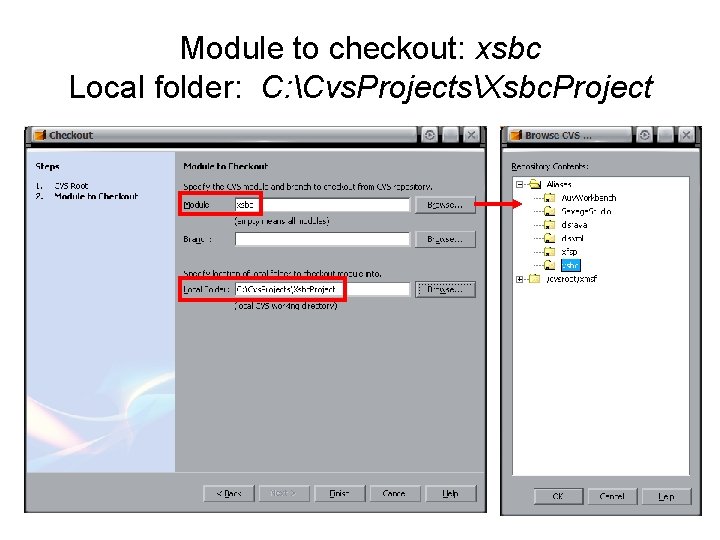
Module to checkout: xsbc Local folder: C: Cvs. ProjectsXsbc. Project
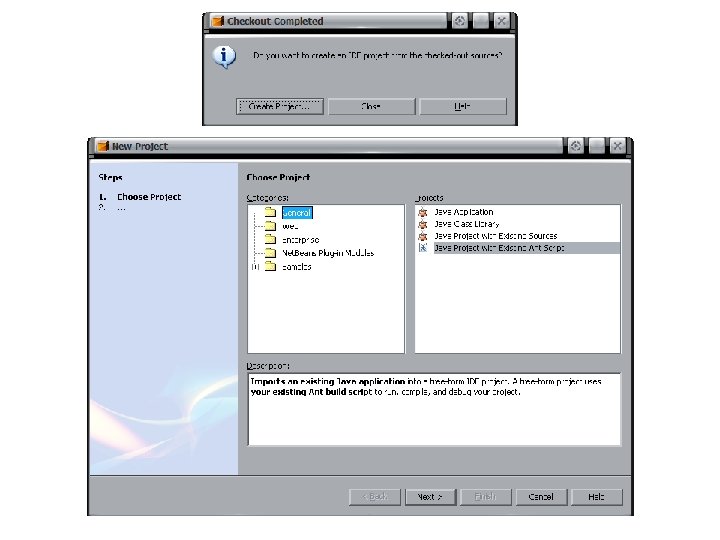
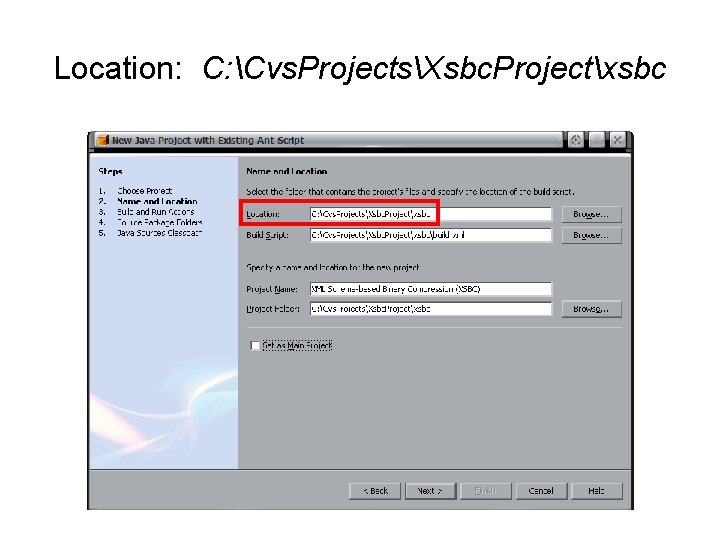
Location: C: Cvs. ProjectsXsbc. Projectxsbc
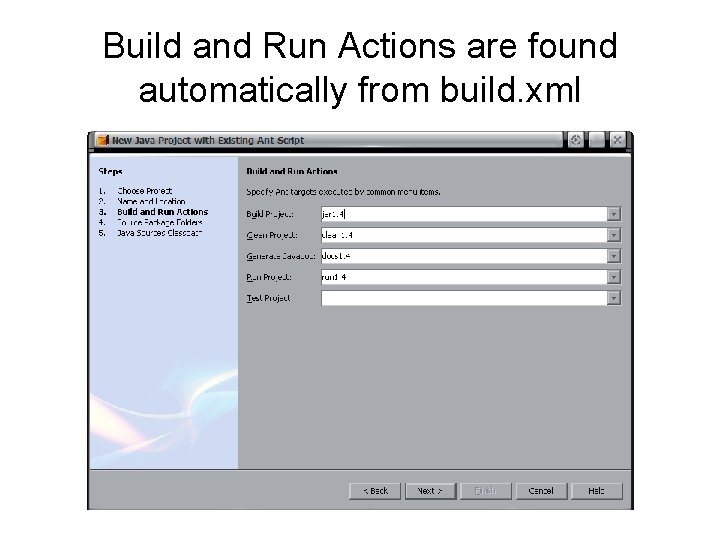
Build and Run Actions are found automatically from build. xml
Configuration Troubleshooting project index
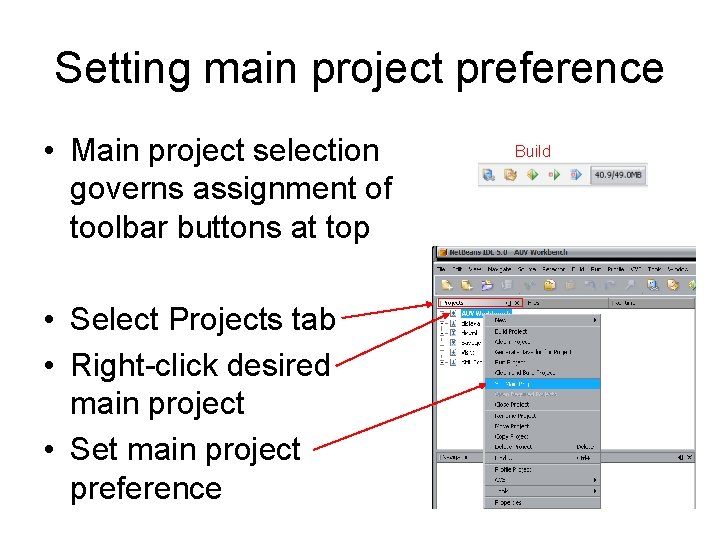
Setting main project preference • Main project selection governs assignment of toolbar buttons at top • Select Projects tab • Right-click desired main project • Set main project preference Build
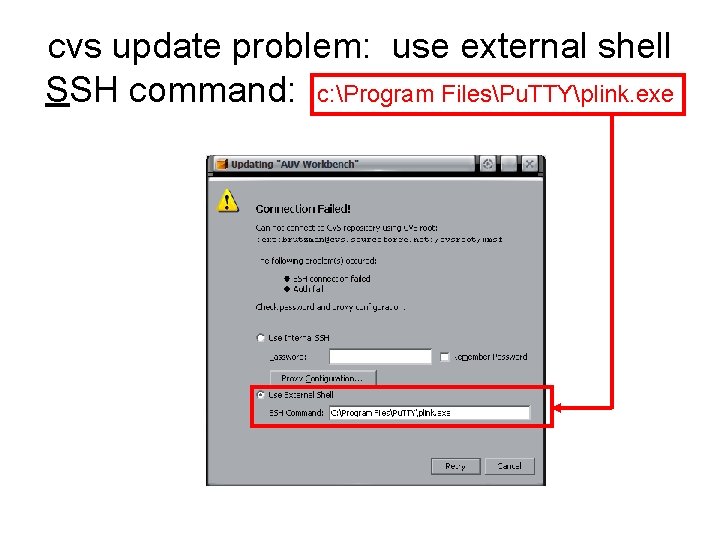
cvs update problem: use external shell SSH command: c: Program FilesPu. TTYplink. exe
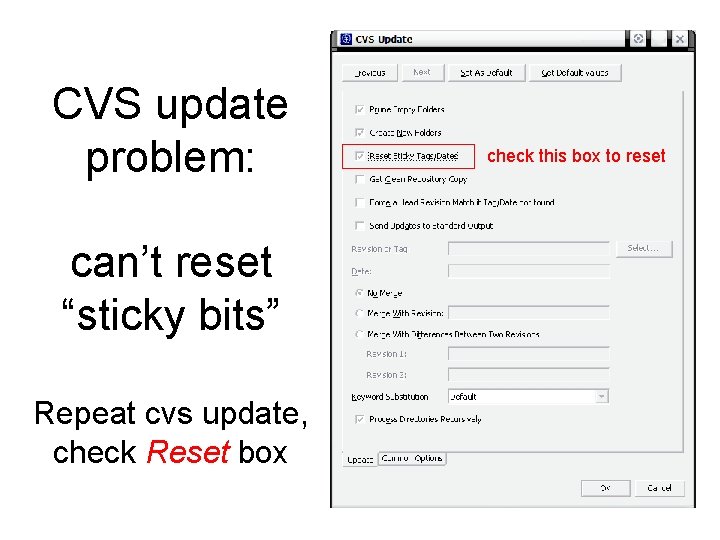
CVS update problem: can’t reset “sticky bits” Repeat cvs update, check Reset box check this box to reset

Not yet ready…
TOPTIVA C: Cvs. ProjectsToptiva. Project project index
• CVS archive on surfaris • Need ssh script to connect • Site may change due to server reconfigurations
- Slides: 88