
NET Framework 8 Visual Studio 2008 ExpressVisual CVisual

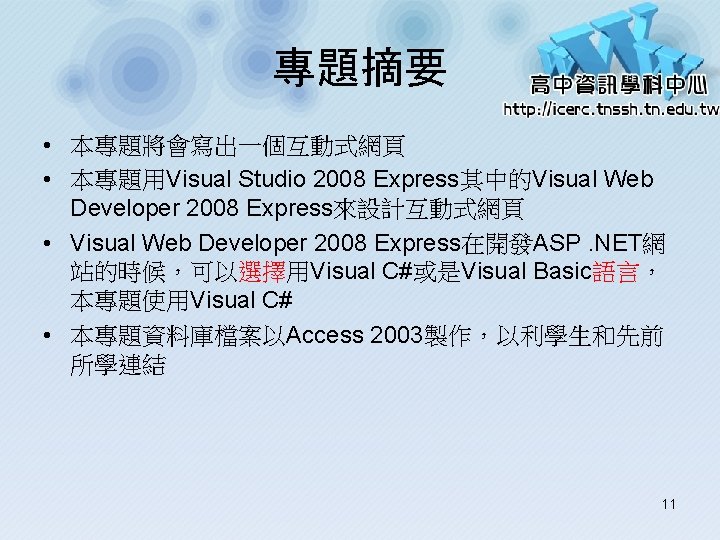
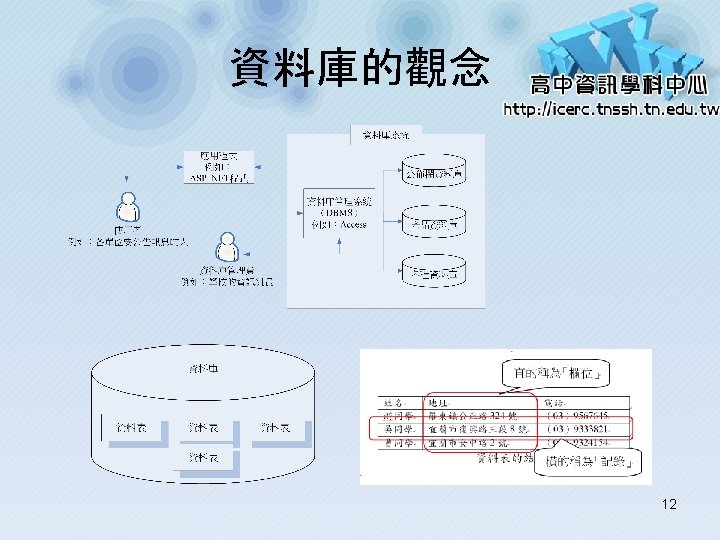
- Slides: 27
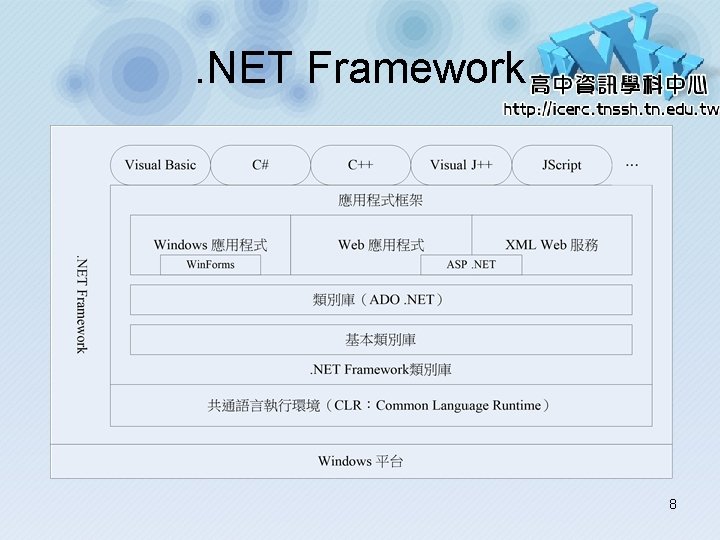
. NET Framework 8
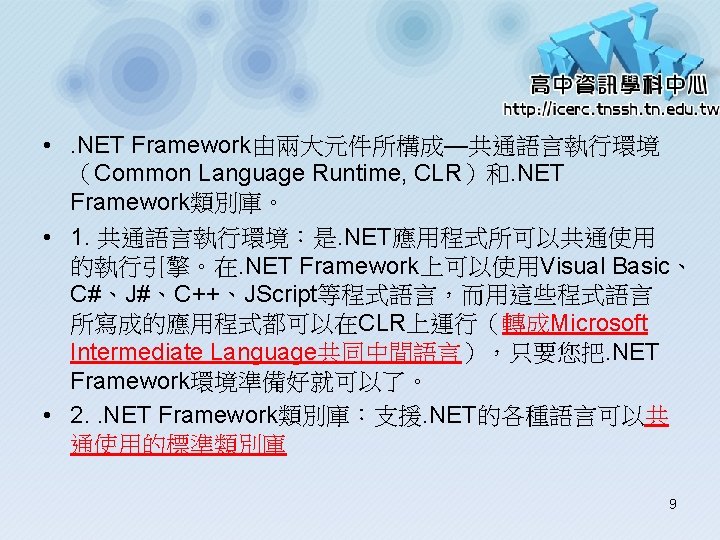
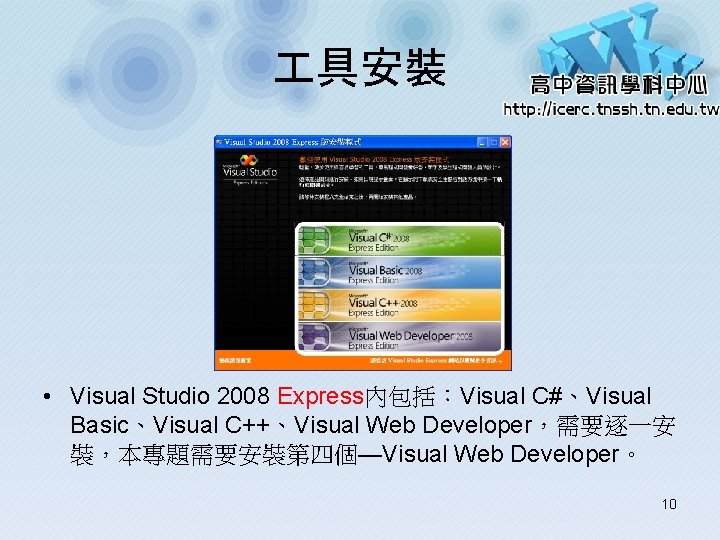
具安裝 • Visual Studio 2008 Express內包括:Visual C#、Visual Basic、Visual C++、Visual Web Developer,需要逐一安 裝,本專題需要安裝第四個—Visual Web Developer。 10
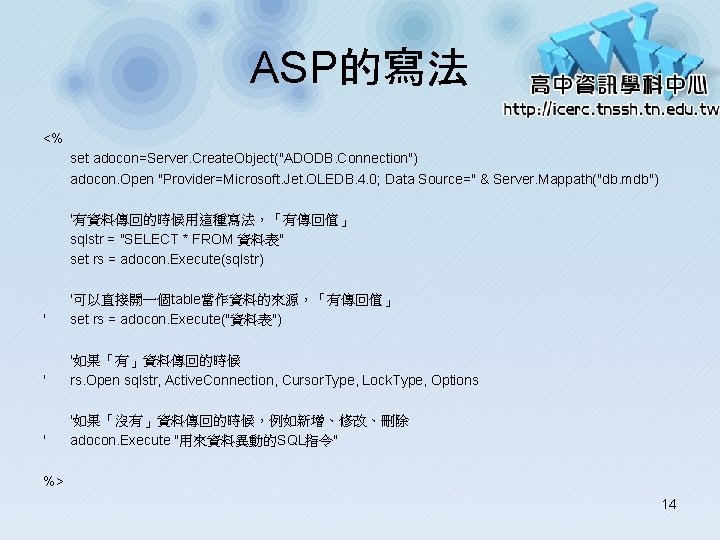
ASP的寫法 <% set adocon=Server. Create. Object("ADODB. Connection") adocon. Open "Provider=Microsoft. Jet. OLEDB. 4. 0; Data Source=" & Server. Mappath("db. mdb") '有資料傳回的時候用這種寫法,「有傳回值」 sqlstr = "SELECT * FROM 資料表" set rs = adocon. Execute(sqlstr) ' '可以直接開一個table當作資料的來源,「有傳回值」 set rs = adocon. Execute("資料表") ' '如果「有」資料傳回的時候 rs. Open sqlstr, Active. Connection, Cursor. Type, Lock. Type, Options ' '如果「沒有」資料傳回的時候,例如新增、修改、刪除 adocon. Execute "用來資料異動的SQL指令" %> 14
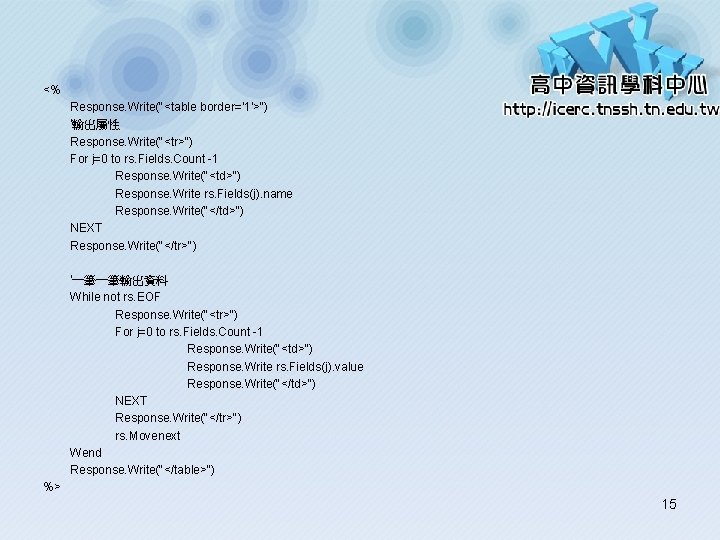
<% Response. Write("<table border='1'>") '輸出屬性 Response. Write("<tr>") For j=0 to rs. Fields. Count -1 Response. Write("<td>") Response. Write rs. Fields(j). name Response. Write("</td>") NEXT Response. Write("</tr>") '一筆一筆輸出資料 While not rs. EOF Response. Write("<tr>") For j=0 to rs. Fields. Count -1 Response. Write("<td>") Response. Write rs. Fields(j). value Response. Write("</td>") NEXT Response. Write("</tr>") rs. Movenext Wend Response. Write("</table>") %> 15
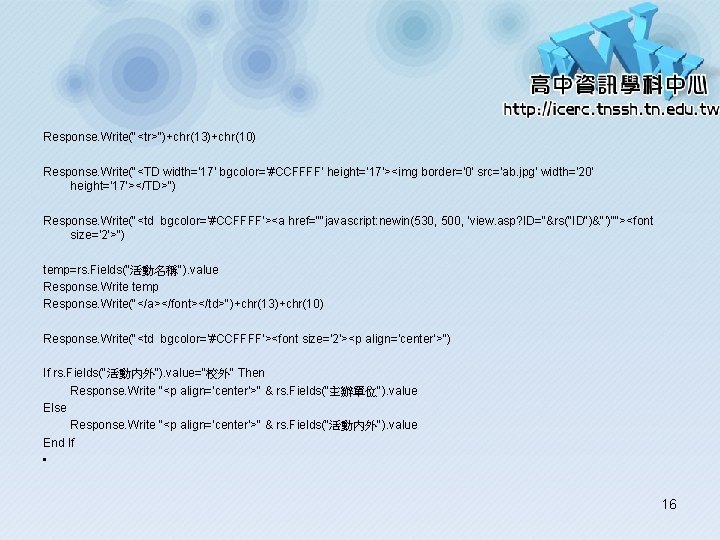
Response. Write("<tr>")+chr(13)+chr(10) Response. Write("<TD width='17' bgcolor='#CCFFFF' height='17'><img border='0' src='ab. jpg' width='20' height='17'></TD>") Response. Write("<td bgcolor='#CCFFFF'><a href=""javascript: newin(530, 500, 'view. asp? ID="&rs("ID")&"')""><font size='2'>") temp=rs. Fields("活動名稱"). value Response. Write temp Response. Write("</a></font></td>")+chr(13)+chr(10) Response. Write("<td bgcolor='#CCFFFF'><font size='2'><p align='center'>") If rs. Fields("活動內外"). value="校外" Then Response. Write "<p align='center'>" & rs. Fields("主辦單位"). value Else Response. Write "<p align='center'>" & rs. Fields("活動內外"). value End If • 16
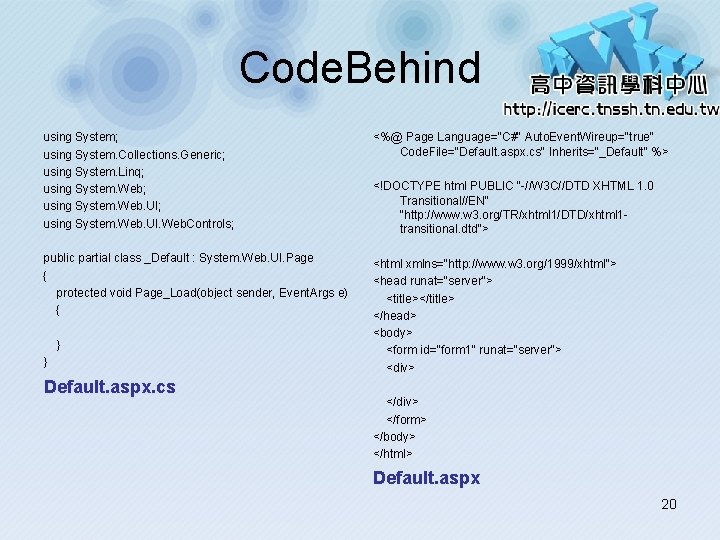
Code. Behind using System; using System. Collections. Generic; using System. Linq; using System. Web. UI; using System. Web. UI. Web. Controls; <%@ Page Language="C#" Auto. Event. Wireup="true" Code. File="Default. aspx. cs" Inherits="_Default" %> public partial class _Default : System. Web. UI. Page { protected void Page_Load(object sender, Event. Args e) { <html xmlns="http: //www. w 3. org/1999/xhtml"> <head runat="server"> <title></title> </head> <body> <form id="form 1" runat="server"> <div> } } Default. aspx. cs <!DOCTYPE html PUBLIC "-//W 3 C//DTD XHTML 1. 0 Transitional//EN" "http: //www. w 3. org/TR/xhtml 1/DTD/xhtml 1 transitional. dtd"> </div> </form> </body> </html> Default. aspx 20
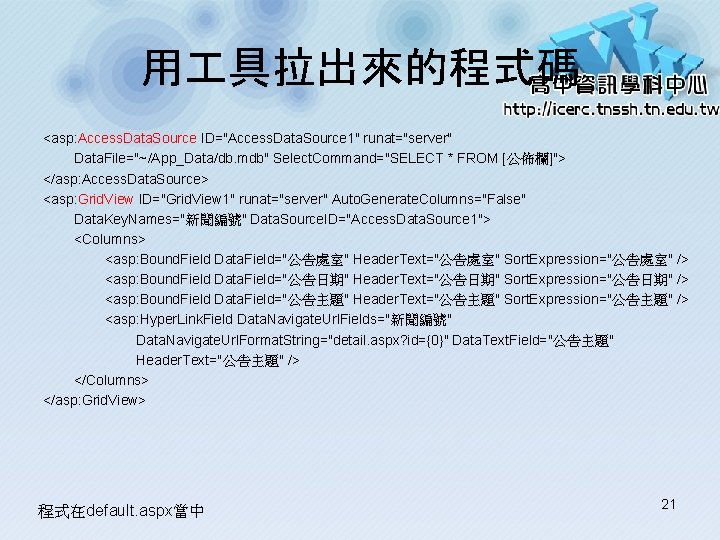
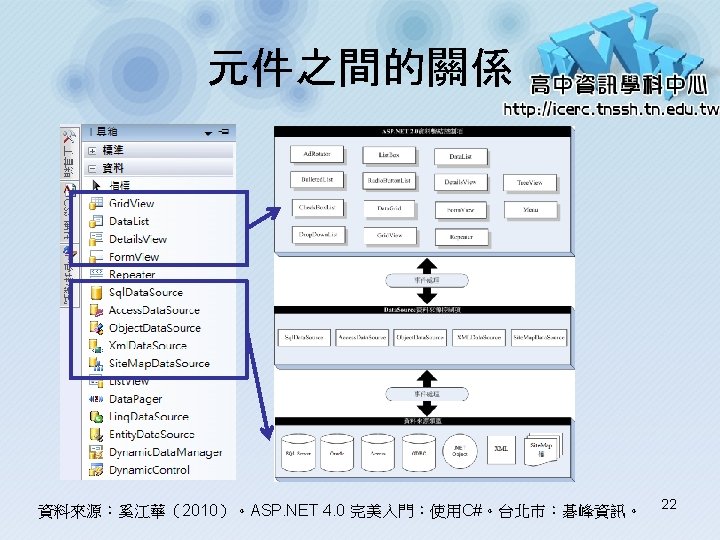
用 具拉出來的程式碼 <asp: Access. Data. Source ID="Access. Data. Source 1" runat="server" Data. File="~/App_Data/db. mdb" Select. Command="SELECT * FROM [公佈欄]"> </asp: Access. Data. Source> <asp: Grid. View ID="Grid. View 1" runat="server" Auto. Generate. Columns="False" Data. Key. Names="新聞編號" Data. Source. ID="Access. Data. Source 1"> <Columns> <asp: Bound. Field Data. Field="公告處室" Header. Text="公告處室" Sort. Expression="公告處室" /> <asp: Bound. Field Data. Field="公告日期" Header. Text="公告日期" Sort. Expression="公告日期" /> <asp: Bound. Field Data. Field="公告主題" Header. Text="公告主題" Sort. Expression="公告主題" /> <asp: Hyper. Link. Field Data. Navigate. Url. Fields="新聞編號" Data. Navigate. Url. Format. String="detail. aspx? id={0}" Data. Text. Field="公告主題" Header. Text="公告主題" /> </Columns> </asp: Grid. View> 程式在default. aspx當中 21
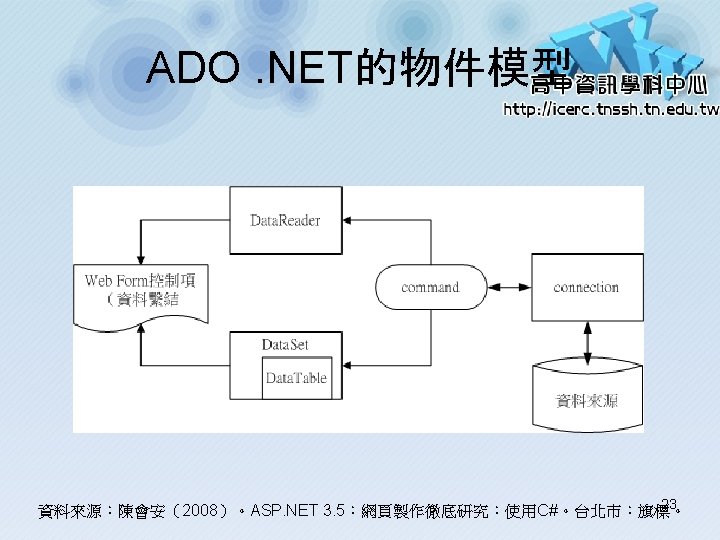
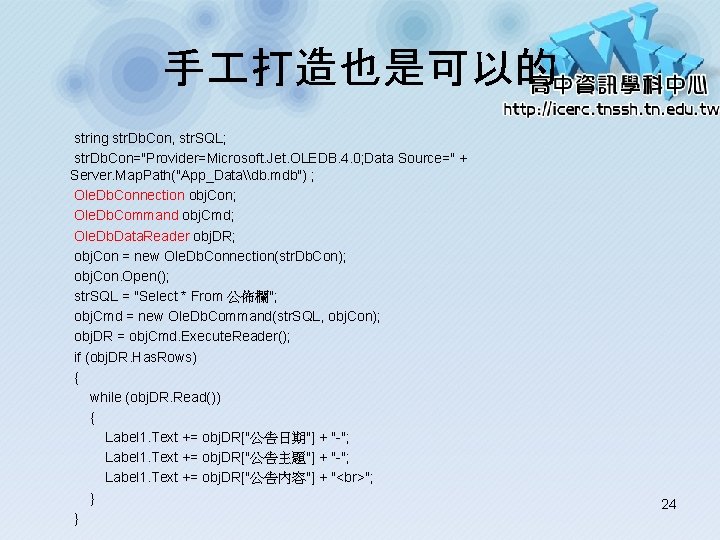
手 打造也是可以的 string str. Db. Con, str. SQL; str. Db. Con="Provider=Microsoft. Jet. OLEDB. 4. 0; Data Source=" + Server. Map. Path("App_Data\db. mdb") ; Ole. Db. Connection obj. Con; Ole. Db. Command obj. Cmd; Ole. Db. Data. Reader obj. DR; obj. Con = new Ole. Db. Connection(str. Db. Con); obj. Con. Open(); str. SQL = "Select * From 公佈欄"; obj. Cmd = new Ole. Db. Command(str. SQL, obj. Con); obj. DR = obj. Cmd. Execute. Reader(); if (obj. DR. Has. Rows) { while (obj. DR. Read()) { Label 1. Text += obj. DR["公告日期"] + "-"; Label 1. Text += obj. DR["公告主題"] + "-"; Label 1. Text += obj. DR["公告內容"] + " "; } } 24