
Need your My Math Lab card or access
• Need your My. Math. Lab card or access code (purchased with text or purchased online) • Need a Valid E-Mail Address (recommend you use your Purdue email address) • Need to know Purdue’s zip code is 47907 and your course ID for your Class • You may use an ITa. P computer or your own computer (need Adobe Flash. Player 11. 9 or newer). This is a free download.
My. Math. Lab • Register with your access code the first time only that you enter My. Math. Lab. • Each successive time (once you are confirmed as registered), you go to www. mylabandmastering. com, and click on Sign in. • For your username, use your Purdue email address (with the @purdue. edu). • Select a password that you will remember (minimum 8 characters, at least 1 letter and 1 number) Write your login name and password down in your textbook or another safe place. Remember them!
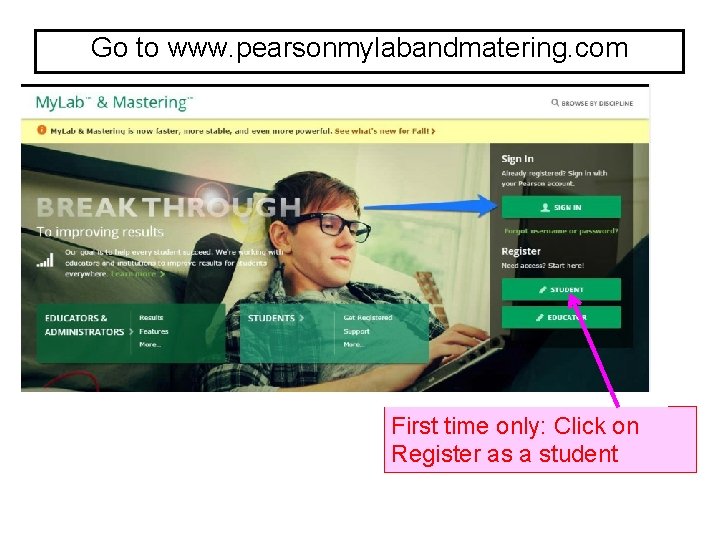
Go to www. pearsonmylabandmatering. com First time only: Click on Register as a student 4
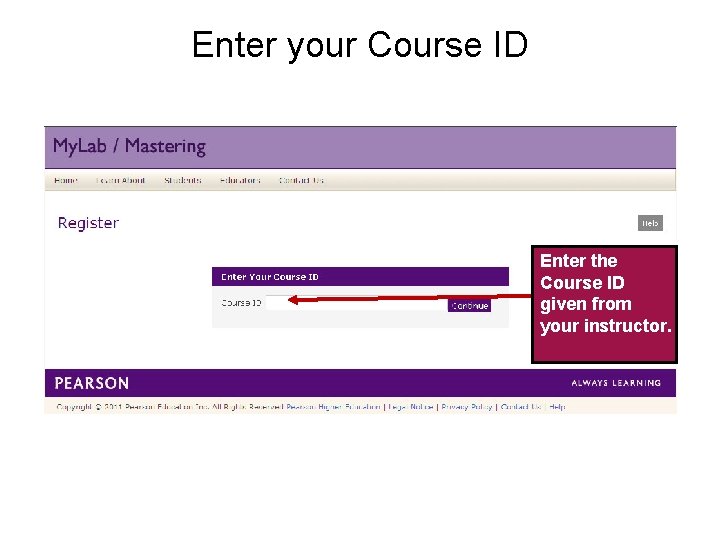
Enter your Course ID Enter the Course ID given from your instructor. 5 Temporary Access Feature – Course. Compass and My. Lab / Mastering New Design
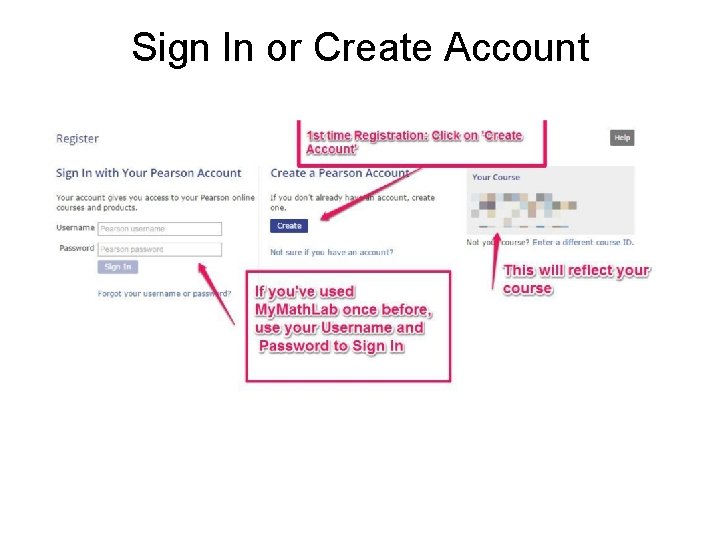
Sign In or Create Account 6 Temporary Access Feature – Course. Compass and My. Lab / Mastering New Design
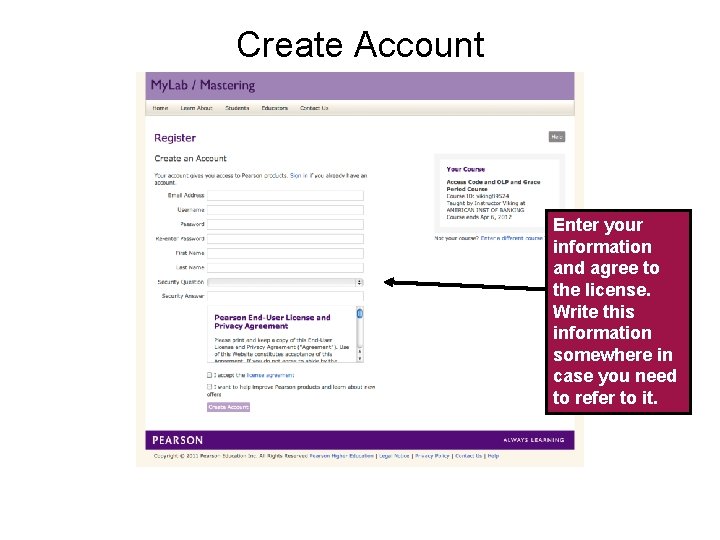
Create Account Enter your information and agree to the license. Write this information somewhere in case you need to refer to it. 7 Temporary Access Feature – Course. Compass and My. Lab / Mastering New Design
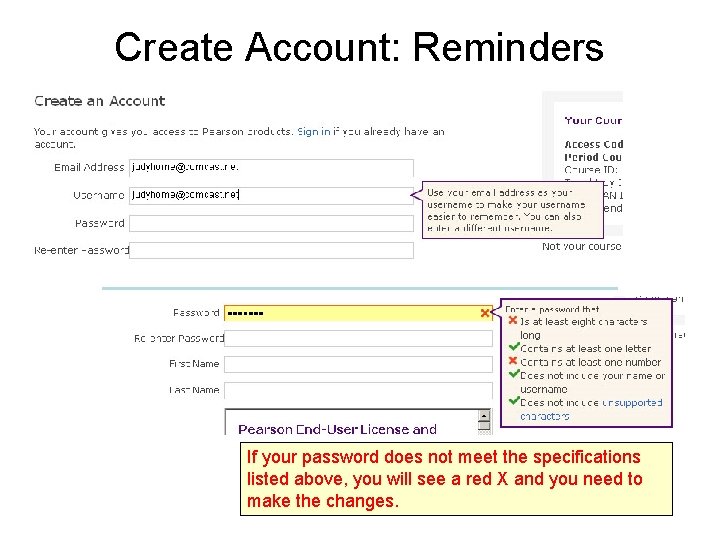
Create Account: Reminders If your password does not meet the specifications listed above, you will see a red X and you need to make the changes. 8 Temporary Access Feature – Course. Compass and My. Lab / Mastering New Design
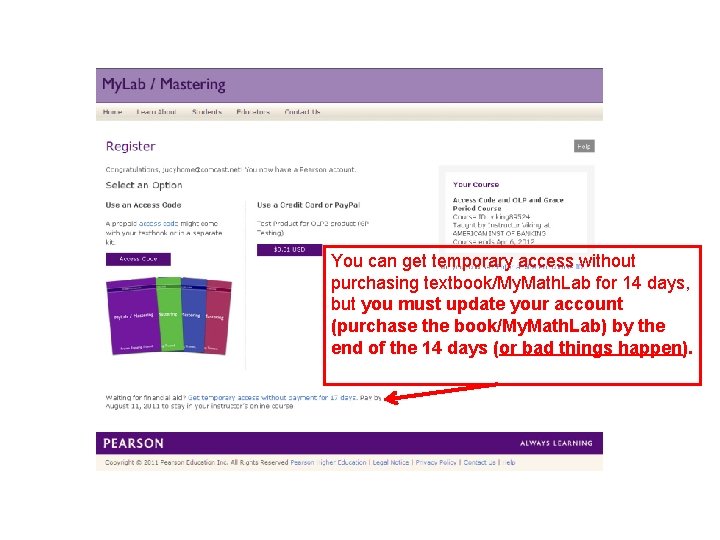
You can get temporary access without purchasing textbook/My. Math. Lab for 14 days, but you must update your account (purchase the book/My. Math. Lab) by the end of the 14 days (or bad things happen).
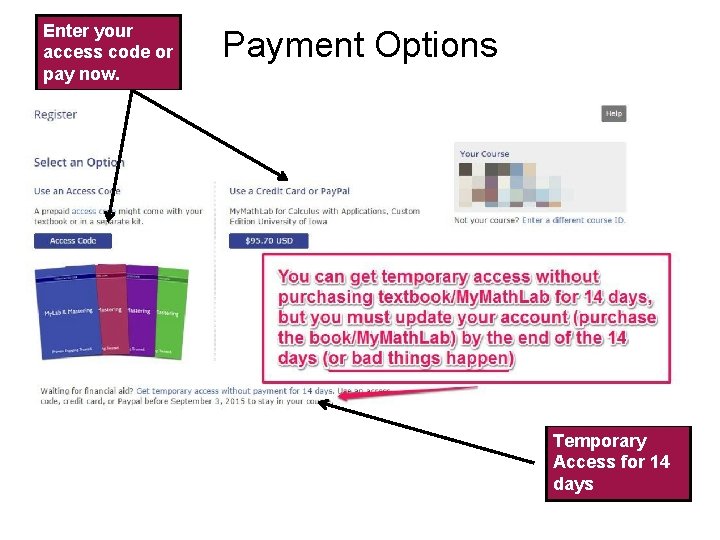
Enter your access code or pay now. Payment Options Temporary Access for 14 days 10 Temporary Access Feature – Course. Compass and My. Lab / Mastering New Design
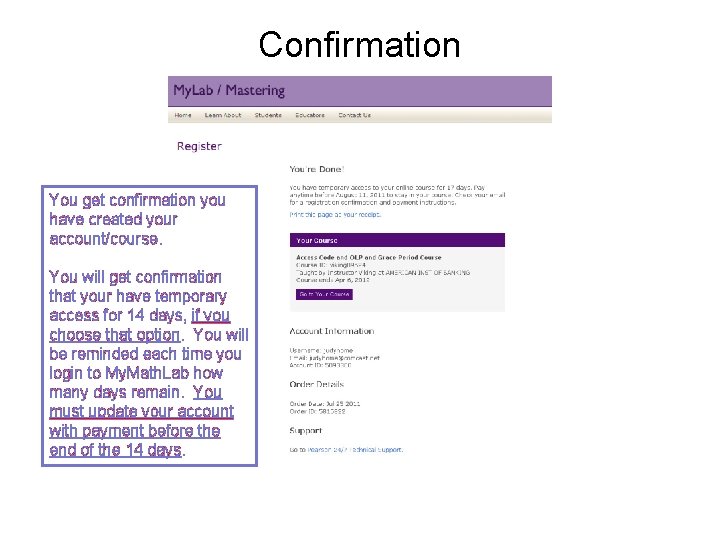
Confirmation You get confirmation you have created your account/course. You will get confirmation that your have temporary access for 14 days, if you choose that option. You will be reminded each time you login to My. Math. Lab how many days remain. You must update your account with payment before the end of the 14 days. 11 Temporary Access Feature – Course. Compass and My. Lab / Mastering New Design
Once you receive confirmation that you are registered or enrolled in the class; each successive time you go to My. Math. Lab, you will SIGN IN using your username and password. (Do not try to ‘register’ again. ) Write down your login name and password on an index card, in your textbook, or a piece of paper and keep in a safe location! You should memorize this information.
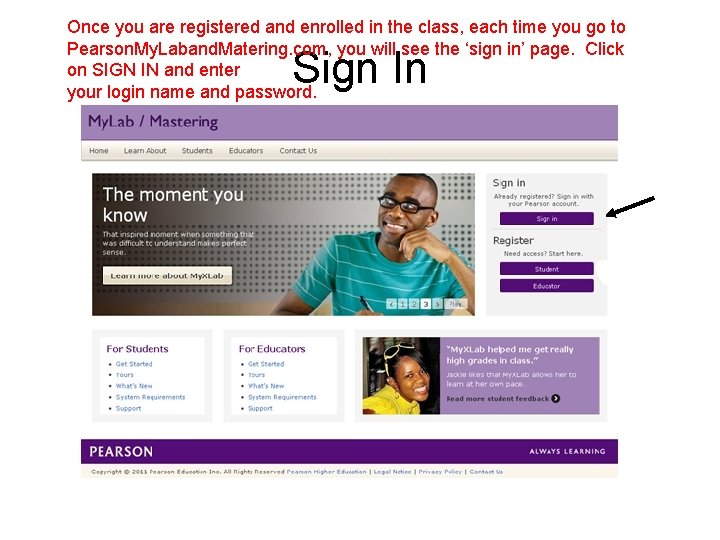
Once you are registered and enrolled in the class, each time you go to Pearson. My. Laband. Matering. com, you will see the ‘sign in’ page. Click on SIGN IN and enter your login name and password. Sign In
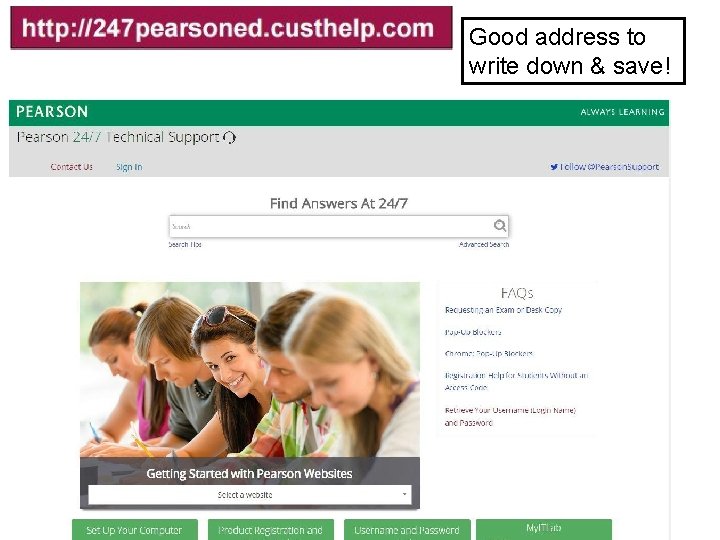
Good address to write down & save! If you need help, go to the address above. I suggest you print this ‘slide’ and keep with your textbook or notes.
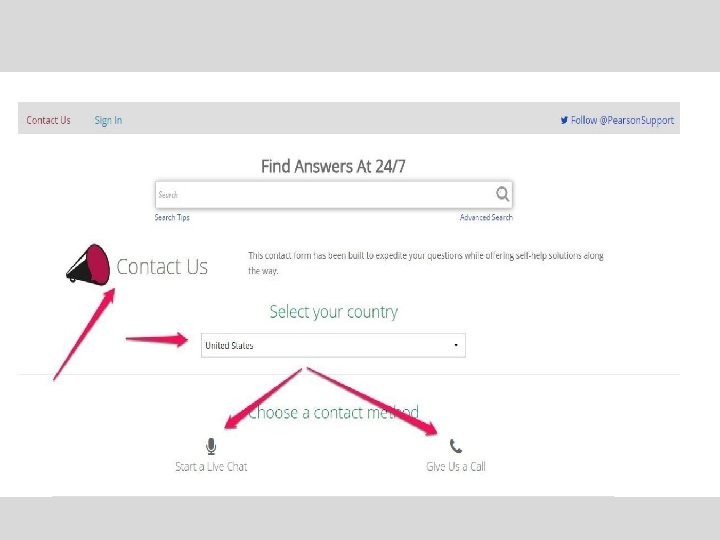
Problems? ? ? Contact Student Support at 1 -800 -677 -6337 for technical support 24 hours a day. For math tutoring at the Pearson Tutor Center call 1 -800 -435 -4084 between 5 PM and midnight Sunday through Thursday. You might be asked for your My. Math. Lab course ID or student access code. Keep the course ID and your access code handy.
- Slides: 16