
NCURSES Library Functions for Screen Handling 2 rand

NCURSES Library - Functions for Screen Handling 2
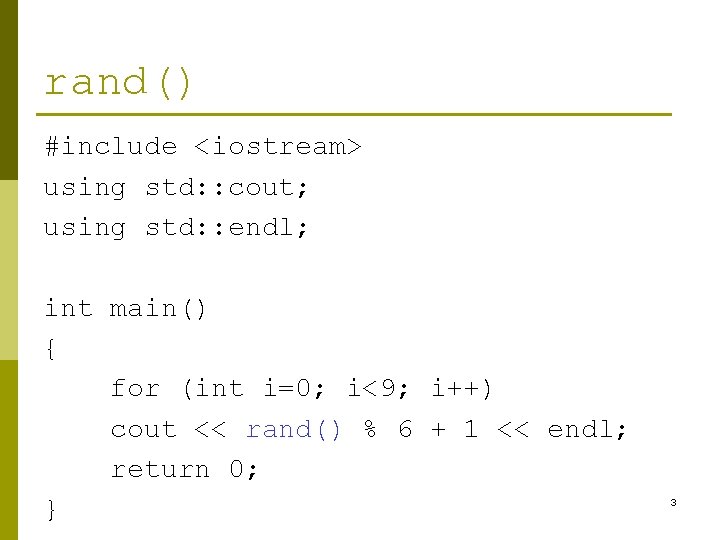
rand() #include <iostream> using std: : cout; using std: : endl; int main() { for (int i=0; i<9; i++) cout << rand() % 6 + 1 << endl; return 0; } 3
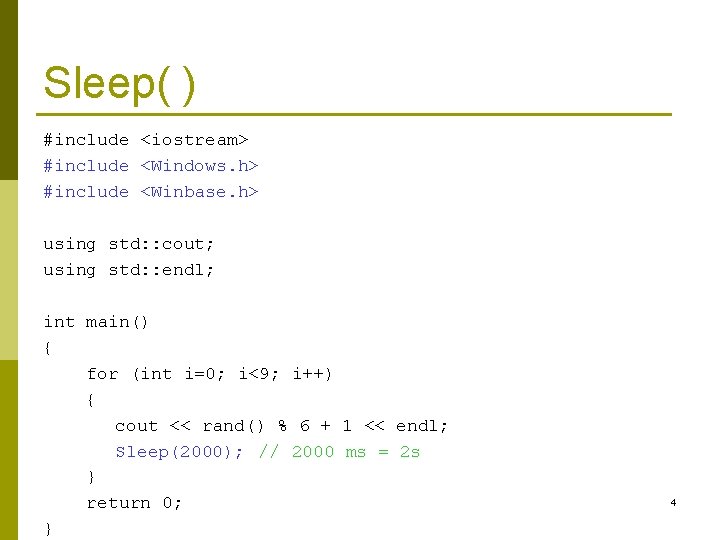
Sleep( ) #include <iostream> #include <Windows. h> #include <Winbase. h> using std: : cout; using std: : endl; int main() { for (int i=0; i<9; i++) { cout << rand() % 6 + 1 << endl; Sleep(2000); // 2000 ms = 2 s } return 0; } 4

Screen Handling 5
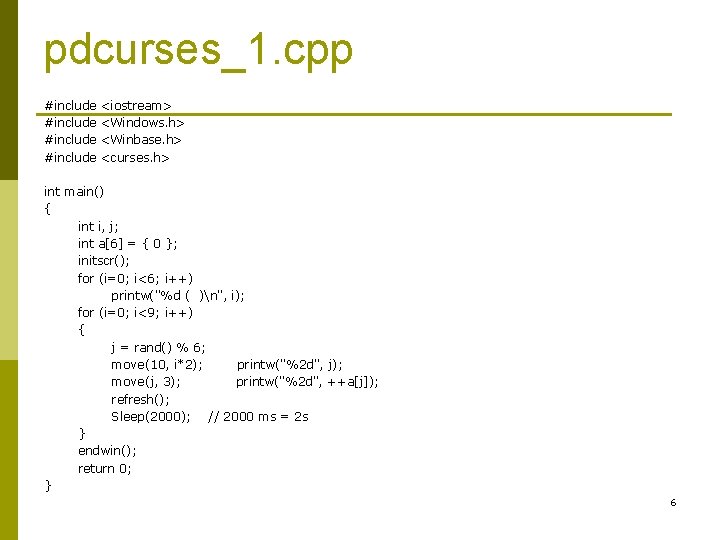
pdcurses_1. cpp #include <iostream> #include <Windows. h> #include <Winbase. h> #include <curses. h> int main() { int i, j; int a[6] = { 0 }; initscr(); for (i=0; i<6; i++) printw("%d ( )n", i); for (i=0; i<9; i++) { j = rand() % 6; move(10, i*2); printw("%2 d", j); move(j, 3); printw("%2 d", ++a[j]); refresh(); Sleep(2000); // 2000 ms = 2 s } endwin(); return 0; } 6
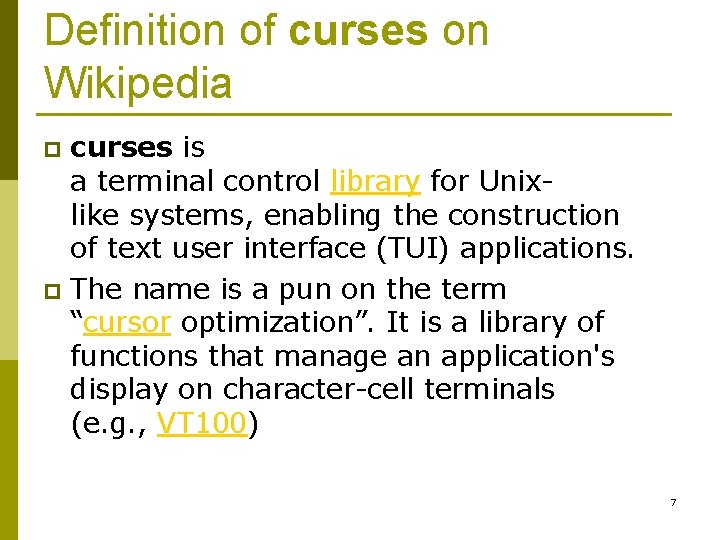
Definition of curses on Wikipedia curses is a terminal control library for Unixlike systems, enabling the construction of text user interface (TUI) applications. p The name is a pun on the term “cursor optimization”. It is a library of functions that manage an application's display on character-cell terminals (e. g. , VT 100) p 7
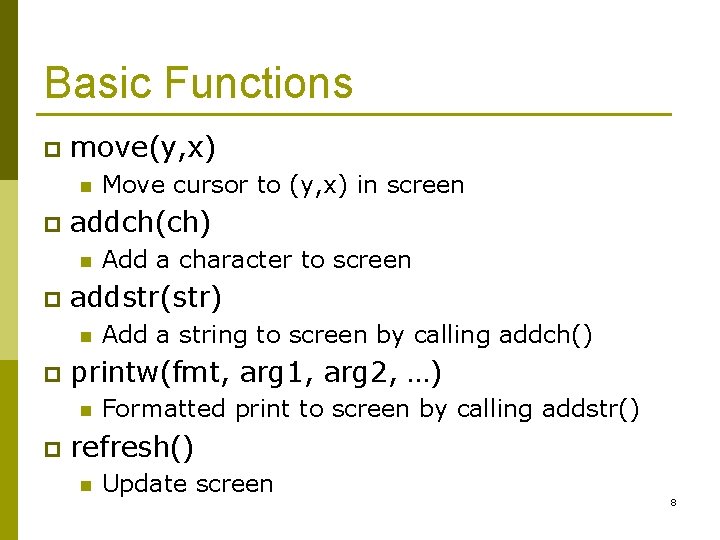
Basic Functions p move(y, x) n p addch(ch) n p Add a string to screen by calling addch() printw(fmt, arg 1, arg 2, …) n p Add a character to screen addstr(str) n p Move cursor to (y, x) in screen Formatted print to screen by calling addstr() refresh() n Update screen 8
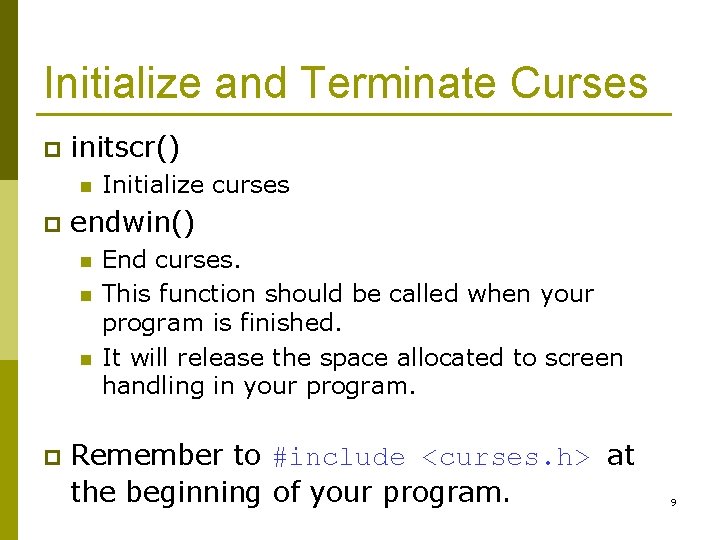
Initialize and Terminate Curses p initscr() n p endwin() n n n p Initialize curses End curses. This function should be called when your program is finished. It will release the space allocated to screen handling in your program. Remember to #include <curses. h> at the beginning of your program. 9
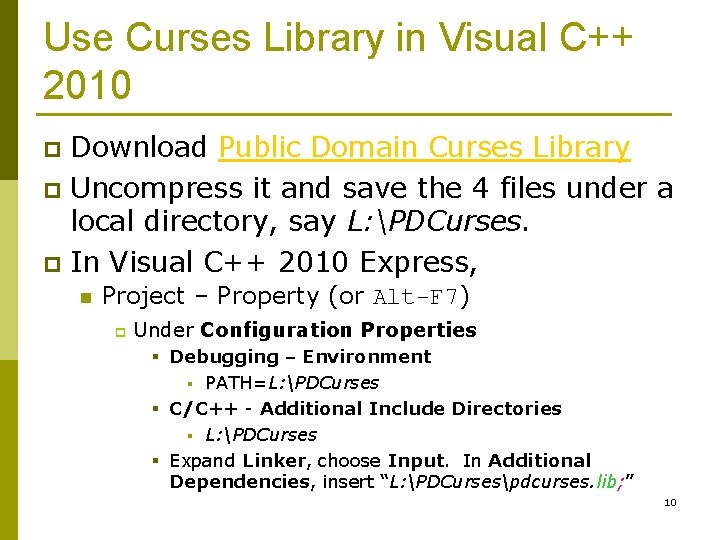
Use Curses Library in Visual C++ 2010 Download Public Domain Curses Library p Uncompress it and save the 4 files under a local directory, say L: PDCurses. p In Visual C++ 2010 Express, p n Project – Property (or Alt-F 7) p Under Configuration Properties § Debugging – Environment § PATH=L: PDCurses § C/C++ - Additional Include Directories § L: PDCurses § Expand Linker, choose Input. In Additional Dependencies, insert “L: PDCursespdcurses. lib; ” 10
Exercise p Modify pdcurses_1. cpp so that in addition to the counting number, in the same row you also show a bar (e. g. "******") to show the same number of stars. 11
Homework: 8 Queens p Imagine there are 8 queens attending a race. On your computer screen each queen is represented by a character ‘Q’. On each row there is one queen. n p Use a random number generator to determine which queen will move forward. n p If you think a single character is monotonous, you may modify this program to handle 8 horses ~/-^ You may use the Sleep() function to slow down the program. Suppose the length of each lane is 50. The first queen who arrives at the destination wins the race. 12
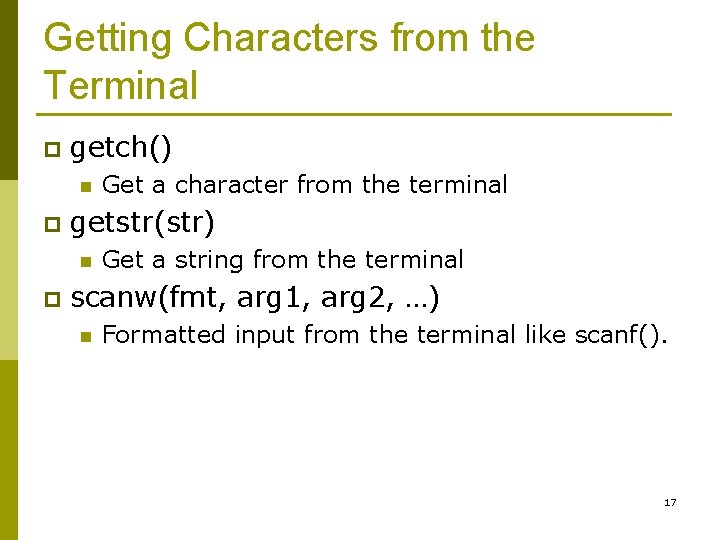
Getting Characters from the Terminal p getch() n p getstr(str) n p Get a character from the terminal Get a string from the terminal scanw(fmt, arg 1, arg 2, …) n Formatted input from the terminal like scanf(). 17
![pdcurses_3. cpp #include <curses. h> int main() { char text[10]; int i, j, c;](http://slidetodoc.com/presentation_image/ca635ab7bda557fd4991fbf44883a3a9/image-18.jpg "pdcurses_3. cpp #include <curses. h> int main() { char text[10]; int i, j, c;")
pdcurses_3. cpp #include <curses. h> int main() { char text[10]; int i, j, c; initscr(); getstr(text); // input the string "1, 2" addstr(text); addch('n'); scanw("%d, %d", &i, &j); printw("%dt%dn", i, j); // input the string "1, 2" again c = getch(); endwin(); return 0; } 18
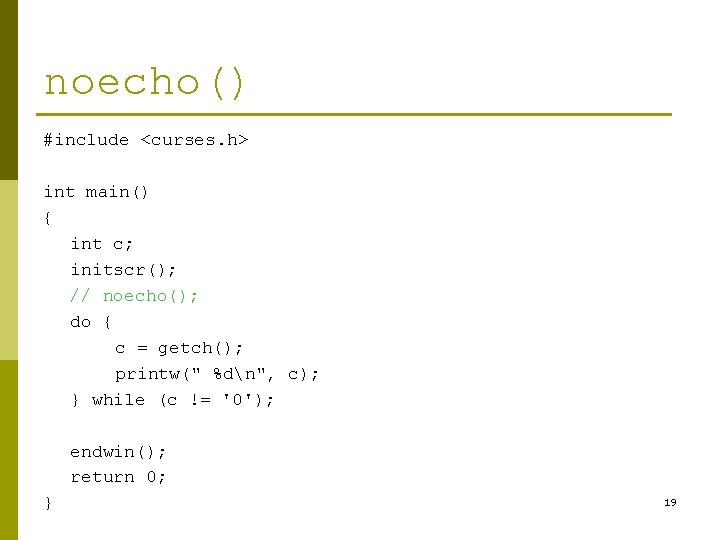
noecho() #include <curses. h> int main() { int c; initscr(); // noecho(); do { c = getch(); printw(" %dn", c); } while (c != '0'); endwin(); return 0; } 19

pdcurses_4. cpp // pdcurses_4. cpp #include <curses. h> int main() { int y=10, x=10; char c; initscr(); noecho(); do { move(y, x); addch('Q'); c = getch(); move(y, x); addch(' '); switch (c) { case 'h': x--; break; case 'l': x++; break; case 'j': y++; break; case 'k': y--; break; } } while (c != 'q'); endwin(); return 0; } 20
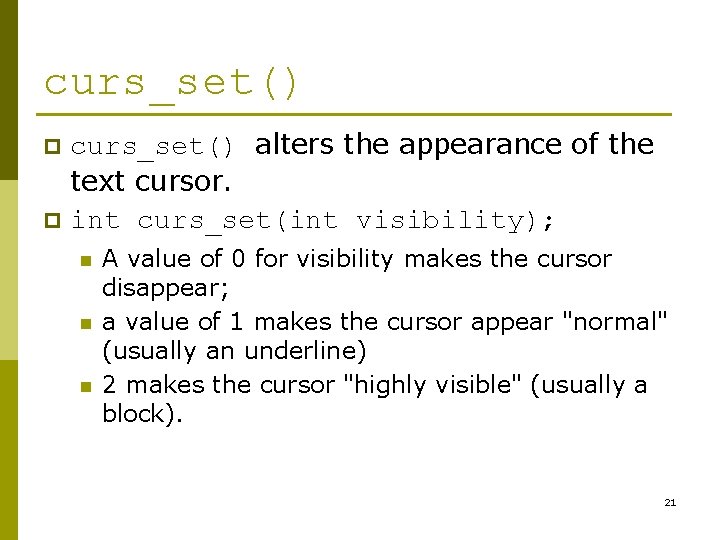
curs_set() alters the appearance of the text cursor. p int curs_set(int visibility); p n n n A value of 0 for visibility makes the cursor disappear; a value of 1 makes the cursor appear "normal" (usually an underline) 2 makes the cursor "highly visible" (usually a block). 21
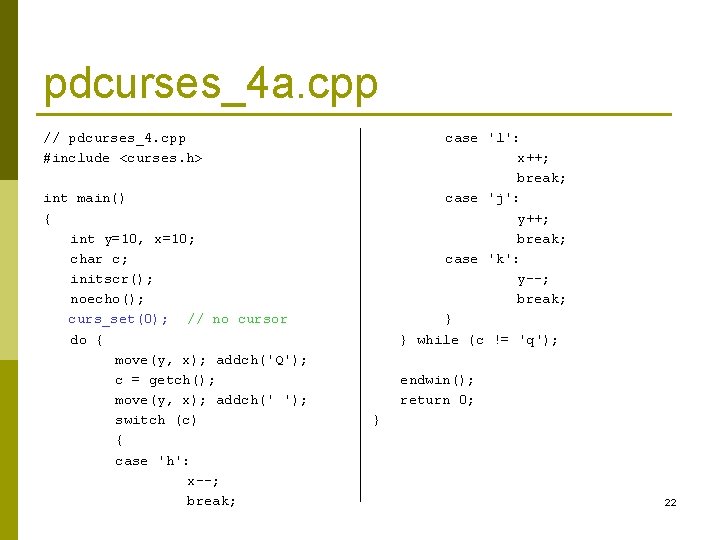
pdcurses_4 a. cpp // pdcurses_4. cpp #include <curses. h> int main() { int y=10, x=10; char c; initscr(); noecho(); curs_set(0); // no cursor do { move(y, x); addch('Q'); c = getch(); move(y, x); addch(' '); switch (c) { case 'h': x--; break; case 'l': x++; break; case 'j': y++; break; case 'k': y--; break; } } while (c != 'q'); endwin(); return 0; } 22
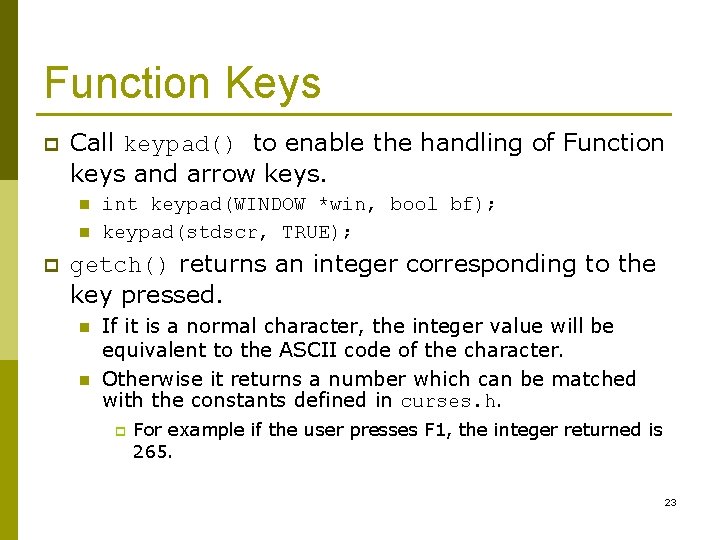
Function Keys p Call keypad() to enable the handling of Function keys and arrow keys. n n p int keypad(WINDOW *win, bool bf); keypad(stdscr, TRUE); getch() returns an integer corresponding to the key pressed. n n If it is a normal character, the integer value will be equivalent to the ASCII code of the character. Otherwise it returns a number which can be matched with the constants defined in curses. h. p For example if the user presses F 1, the integer returned is 265. 23
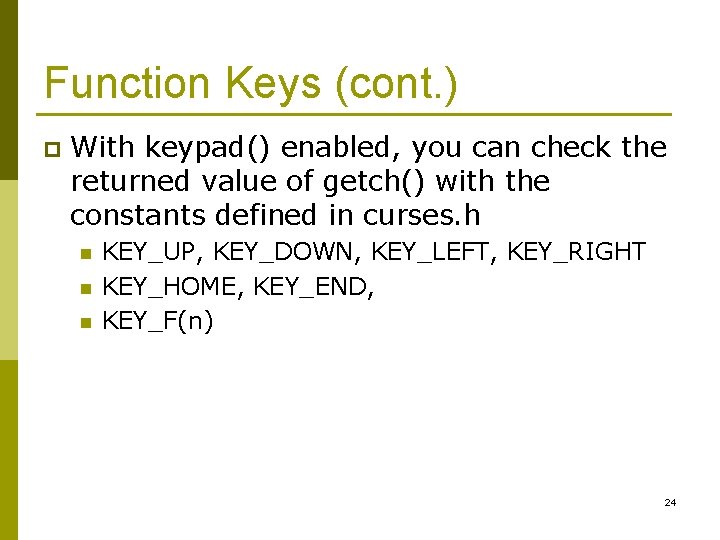
Function Keys (cont. ) p With keypad() enabled, you can check the returned value of getch() with the constants defined in curses. h n n n KEY_UP, KEY_DOWN, KEY_LEFT, KEY_RIGHT KEY_HOME, KEY_END, KEY_F(n) 24
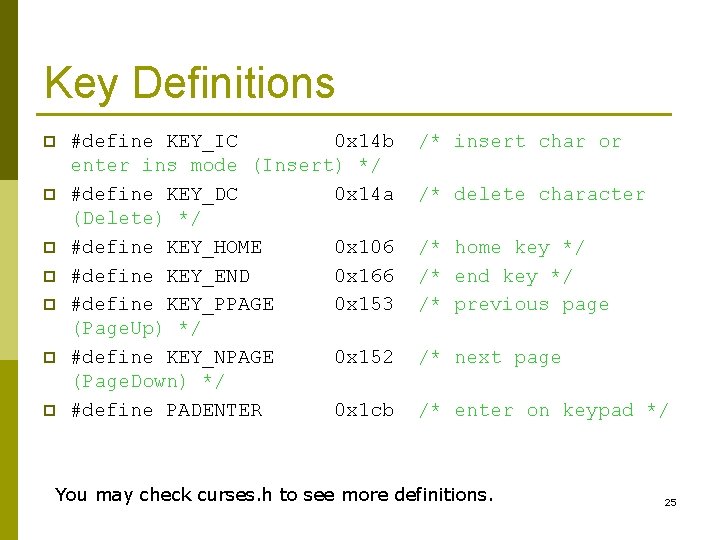
Key Definitions p p p p #define KEY_IC 0 x 14 b enter ins mode (Insert) */ #define KEY_DC 0 x 14 a (Delete) */ #define KEY_HOME 0 x 106 #define KEY_END 0 x 166 #define KEY_PPAGE 0 x 153 (Page. Up) */ #define KEY_NPAGE 0 x 152 (Page. Down) */ #define PADENTER 0 x 1 cb /* insert char or /* delete character /* home key */ /* end key */ /* previous page /* next page /* enter on keypad */ You may check curses. h to see more definitions. 25
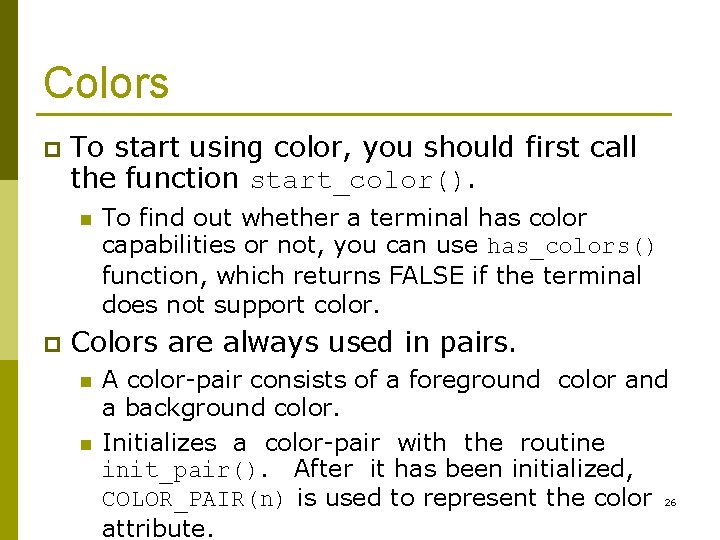
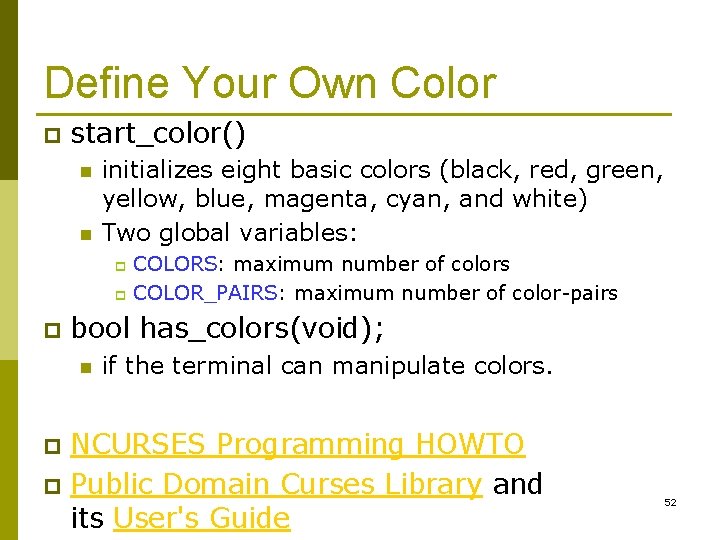
Colors p To start using color, you should first call the function start_color(). n p To find out whether a terminal has color capabilities or not, you can use has_colors() function, which returns FALSE if the terminal does not support color. Colors are always used in pairs. n n A color-pair consists of a foreground color and a background color. Initializes a color-pair with the routine init_pair(). After it has been initialized, COLOR_PAIR(n) is used to represent the color 26 attribute.
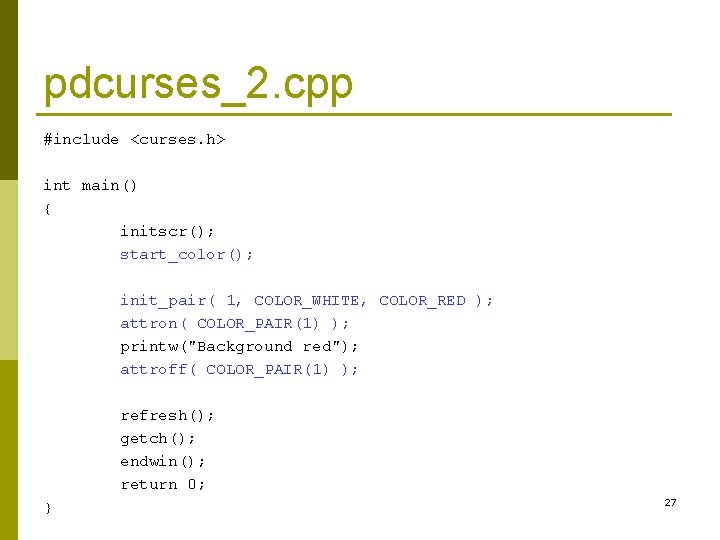
pdcurses_2. cpp #include <curses. h> int main() { initscr(); start_color(); init_pair( 1, COLOR_WHITE, COLOR_RED ); attron( COLOR_PAIR(1) ); printw("Background red"); attroff( COLOR_PAIR(1) ); refresh(); getch(); endwin(); return 0; } 27
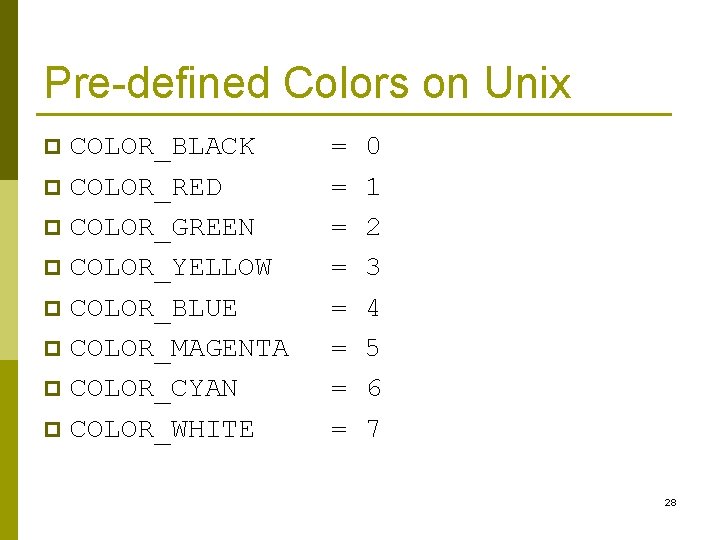
Pre-defined Colors on Unix COLOR_BLACK p COLOR_RED p COLOR_GREEN p COLOR_YELLOW p COLOR_BLUE p COLOR_MAGENTA p COLOR_CYAN p COLOR_WHITE p = = = = 0 1 2 3 4 5 6 7 28
Exercise: Arrow Keys Modify pdcurses_4 a. cpp so that users can use arrow keys and HJKL to control the movement of ‘Q’. p Moreover, try to allow users to use both uppercase ‘H’ and lowercase ‘h’ to do the same movement. p Users can also change the color of ‘Q’ by pressing ‘ 0’…’ 7’. p 29
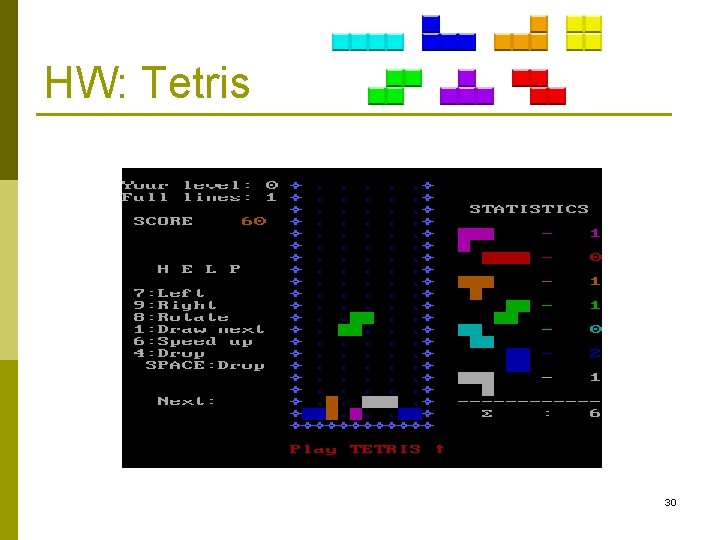
HW: Tetris 30
int timeout(int delay) p The timeout() function affects the behaviour of getch() when reading a character from stdscr. n n If delay is a positive number, then getch() will wait for that many milliseconds before returning If no character was available, then ERR (-1) will be returned. 31
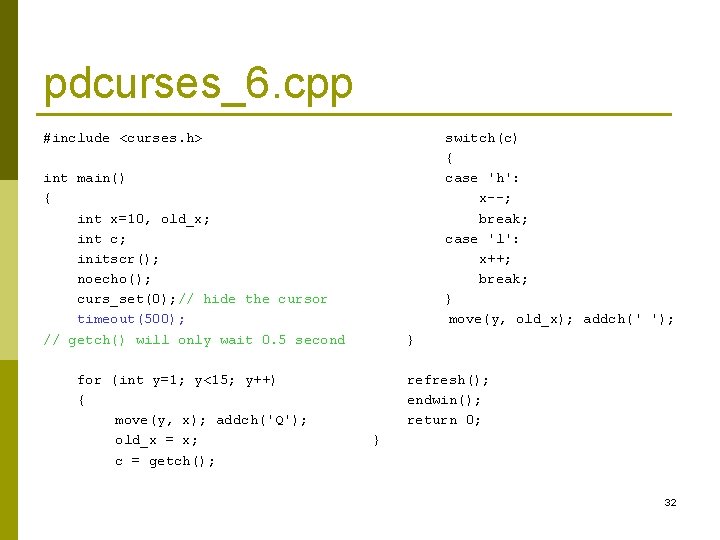
pdcurses_6. cpp #include <curses. h> switch(c) { case 'h': x--; break; case 'l': x++; break; } move(y, old_x); addch(' '); int main() { int x=10, old_x; int c; initscr(); noecho(); curs_set(0); // hide the cursor timeout(500); // getch() will only wait 0. 5 second for (int y=1; y<15; y++) { move(y, x); addch('Q'); old_x = x; c = getch(); } refresh(); endwin(); return 0; } 32
HW: Tetris Rotation Replay Falling Down 33
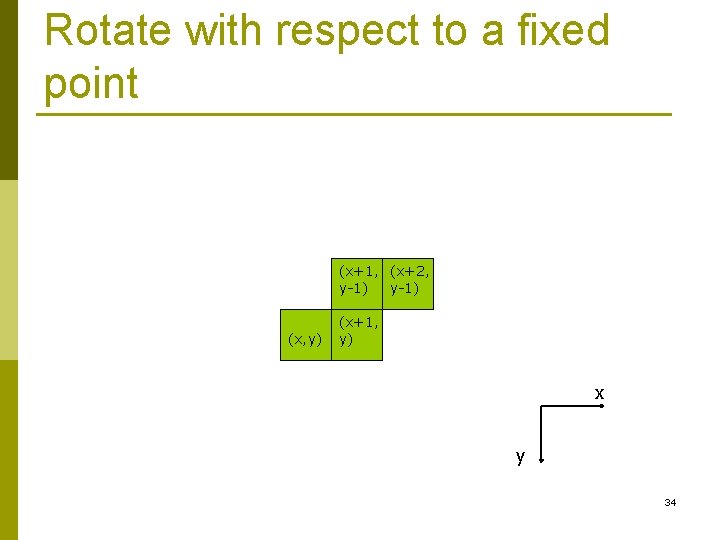
Rotate with respect to a fixed point (x+1, (x+2, y-1) (x, y) (x+1, y) x y 34
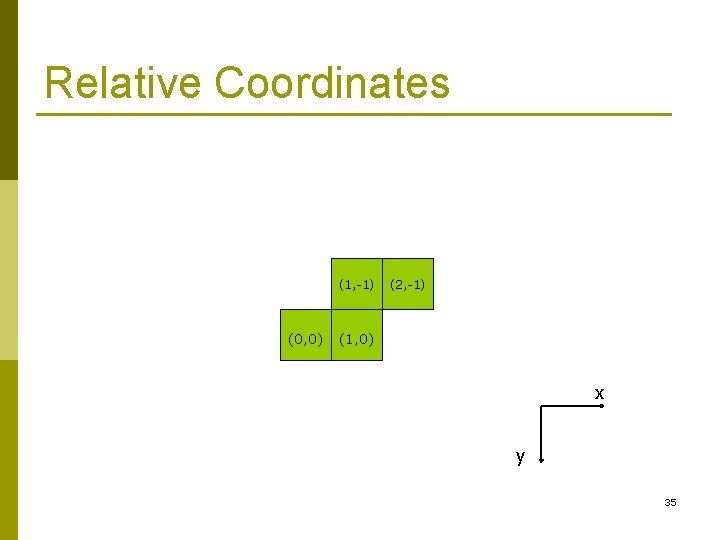
Relative Coordinates (1, -1) (0, 0) (2, -1) (1, 0) x y 35
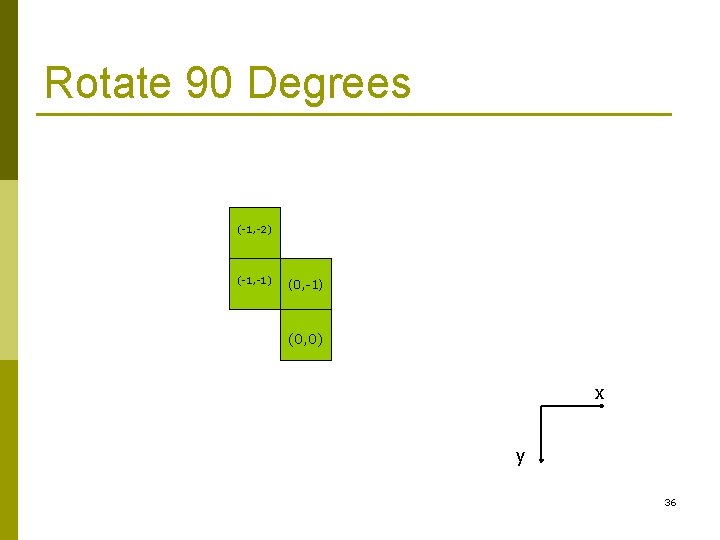
Rotate 90 Degrees (-1, -2) (-1, -1) (0, 0) x y 36
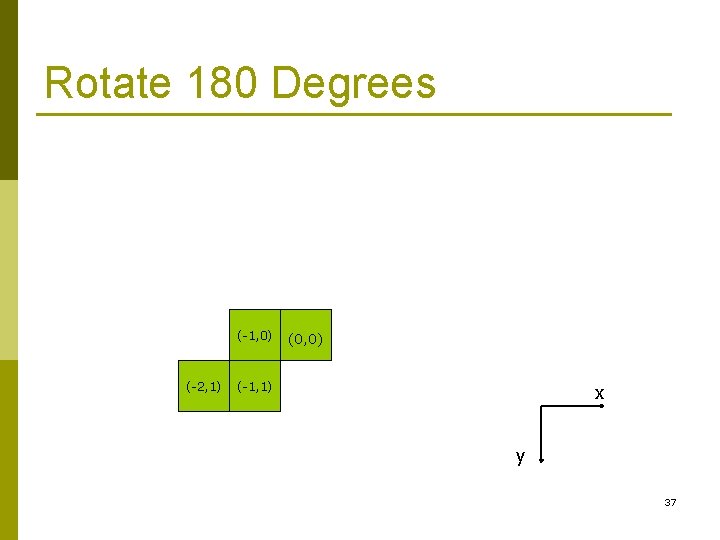
Rotate 180 Degrees (-1, 0) (-2, 1) (0, 0) (-1, 1) x y 37
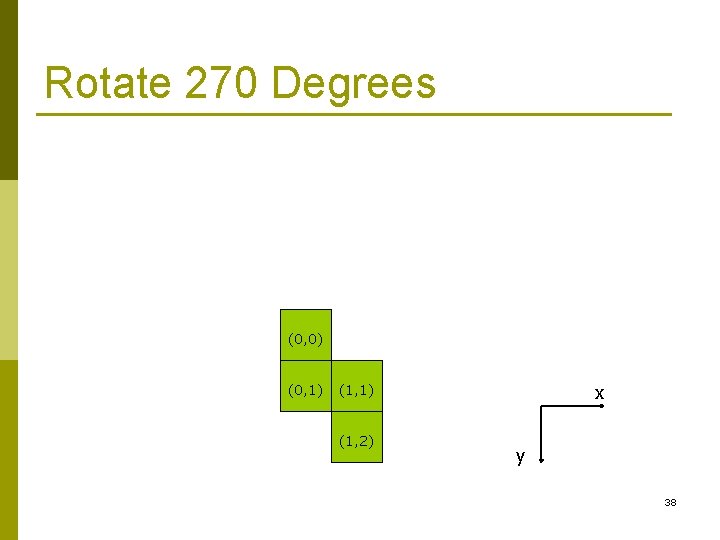
Rotate 270 Degrees (0, 0) (0, 1) (1, 2) x y 38
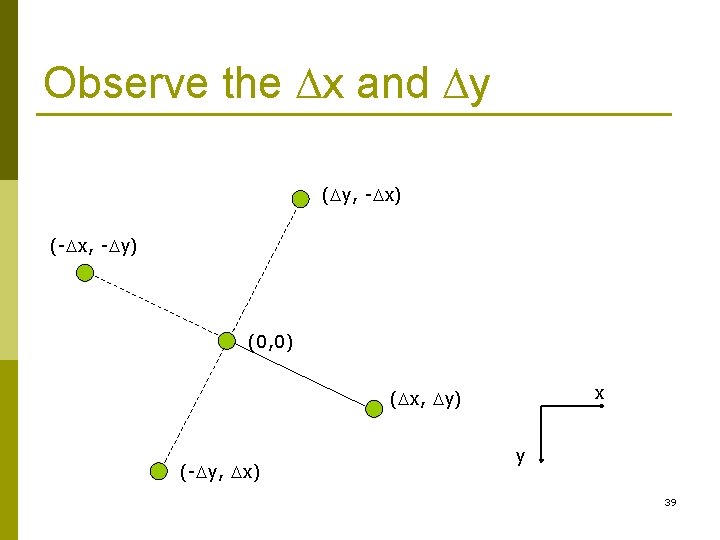
Observe the x and y ( y, - x) (- x, - y) (0, 0) x ( x, y) (- y, x) y 39
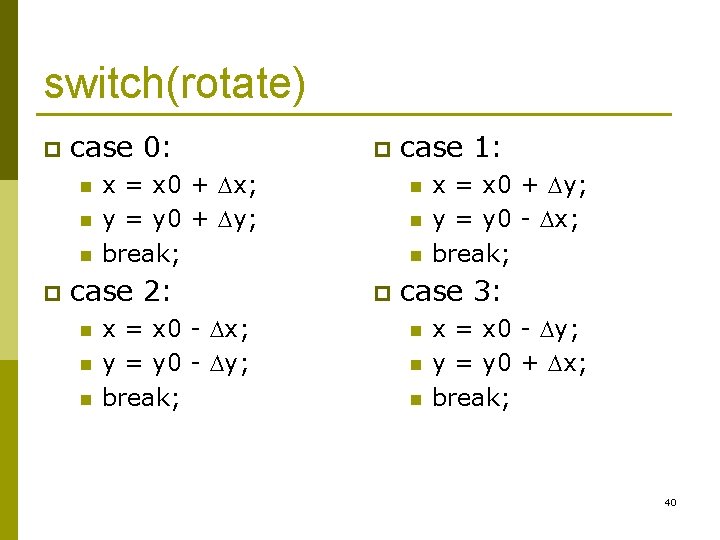
switch(rotate) p case 0: n n n p x = x 0 + x; y = y 0 + y; break; case 2: n n n p x = x 0 - x; y = y 0 - y; break; case 1: n n n p x = x 0 + y; y = y 0 - x; break; case 3: n n n x = x 0 - y; y = y 0 + x; break; 40
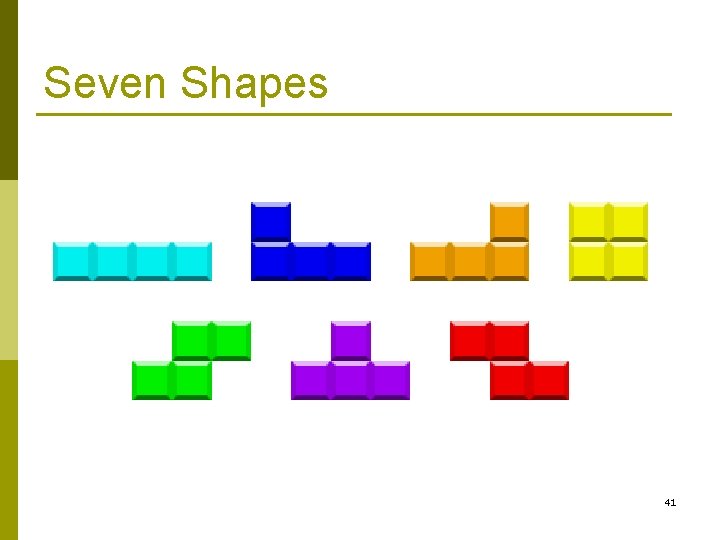
Seven Shapes 41
![Represent these objects with struct Shape { Cell c[4]; }; struct Cell { int](http://slidetodoc.com/presentation_image/ca635ab7bda557fd4991fbf44883a3a9/image-42.jpg "Represent these objects with struct Shape { Cell c[4]; }; struct Cell { int")
Represent these objects with struct Shape { Cell c[4]; }; struct Cell { int dx; int dy; } 42
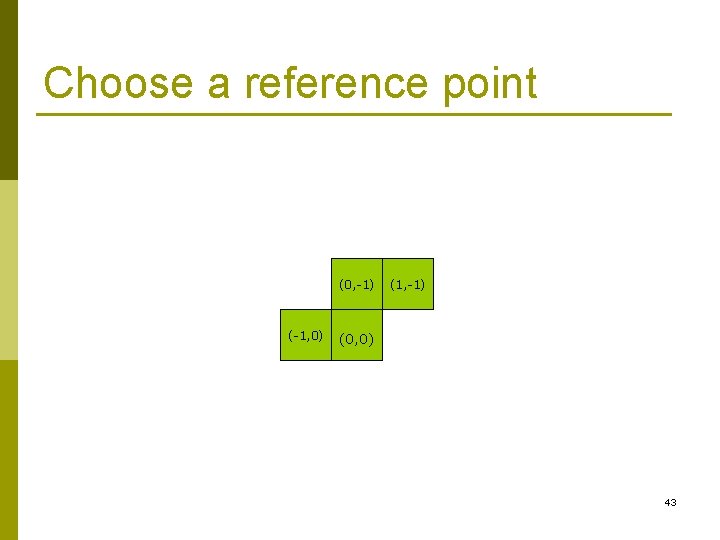
Choose a reference point (0, -1) (-1, 0) (1, -1) (0, 0) 43
![Shape s[7]; void init_shape() { int i, j, x, y; FILE* fp; fp =](http://slidetodoc.com/presentation_image/ca635ab7bda557fd4991fbf44883a3a9/image-44.jpg "Shape s[7]; void init_shape() { int i, j, x, y; FILE* fp; fp =")
Shape s[7]; void init_shape() { int i, j, x, y; FILE* fp; fp = fopen("X: \WWW\Course\CS 101\shape_xy. txt", "r"); for (i=0; i<7; i++) { 0 0 0 1 -1 0 -1 1 for (j=0; j<4; j++) 0 0 1 0 2 0 -1 0 { 0 0 0 1 -1 0 -1 -1 fscanf(fp, "%d %d", &y, &x); 0 0 0 1 0 -1 -1 0 s[i]. c[j]. dx = x; 0 0 0 1 0 2 -1 0 s[i]. c[j]. dy = y; 0 0 0 -1 -1 0 -1 1 } 0 0 0 -1 0 -2 -1 0 } fclose(fp); // Initialize the bottom line for (i=0; i<12; i++) occupy[11][i] = true; } 44
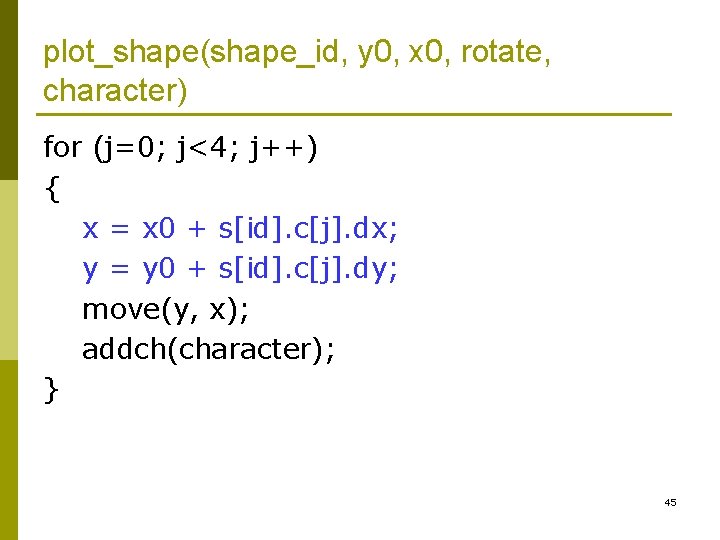
plot_shape(shape_id, y 0, x 0, rotate, character) for (j=0; j<4; j++) { x = x 0 + s[id]. c[j]. dx; y = y 0 + s[id]. c[j]. dy; move(y, x); addch(character); } 45
Consider Rotations 46
test_rotate() KEY_LEFT p KEY_RIGHT p KEY_UP p p tetris-1. cpp 47
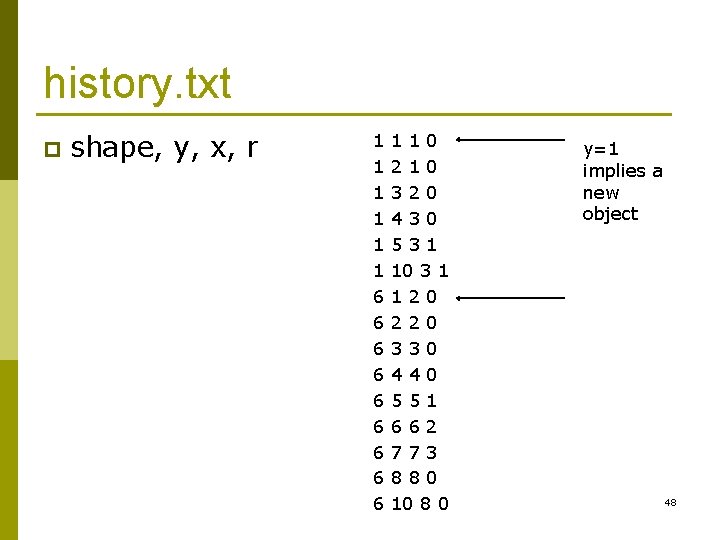
history. txt p shape, y, x, r 1 1 1 0 1 2 1 0 1 3 2 0 1 4 3 0 1 5 3 1 1 10 3 1 6 1 2 0 6 2 2 0 6 3 3 0 6 4 4 0 6 5 5 1 6 6 6 2 6 7 7 3 6 8 8 0 6 10 8 0 y=1 implies a new object 48
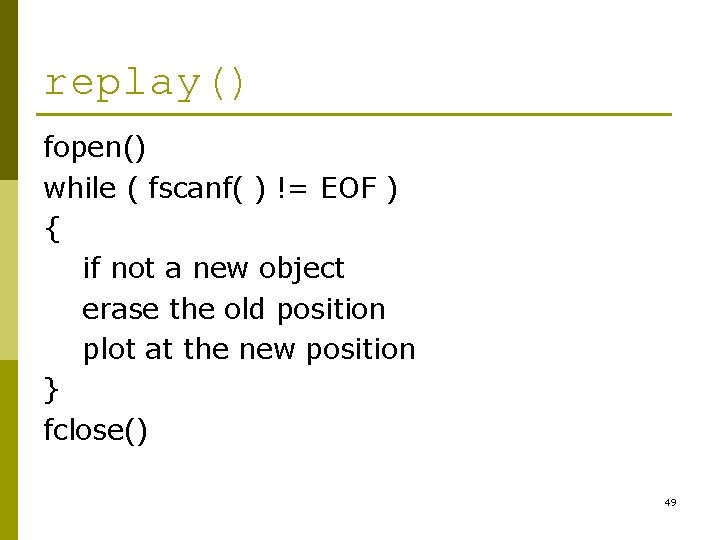
replay() fopen() while ( fscanf( ) != EOF ) { if not a new object erase the old position plot at the new position } fclose() 49
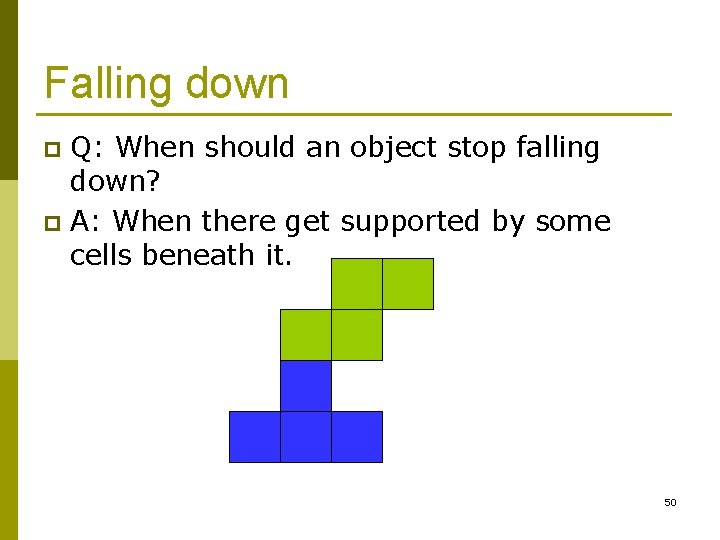
Falling down Q: When should an object stop falling down? p A: When there get supported by some cells beneath it. p 50
![bool occupy[][] p We need an array to allow the program checking which cells](http://slidetodoc.com/presentation_image/ca635ab7bda557fd4991fbf44883a3a9/image-51.jpg "bool occupy[][] p We need an array to allow the program checking which cells")
bool occupy[][] p We need an array to allow the program checking which cells (at the bottom) are occupied by previous objects. while ( ! beneath( ) ) { erase y = y + 1 plot } update_occupy(); 51
Define Your Own Color p start_color() n n initializes eight basic colors (black, red, green, yellow, blue, magenta, cyan, and white) Two global variables: COLORS: maximum number of colors p COLOR_PAIRS: maximum number of color-pairs p p bool has_colors(void); n if the terminal can manipulate colors. NCURSES Programming HOWTO p Public Domain Curses Library and its User's Guide p 52
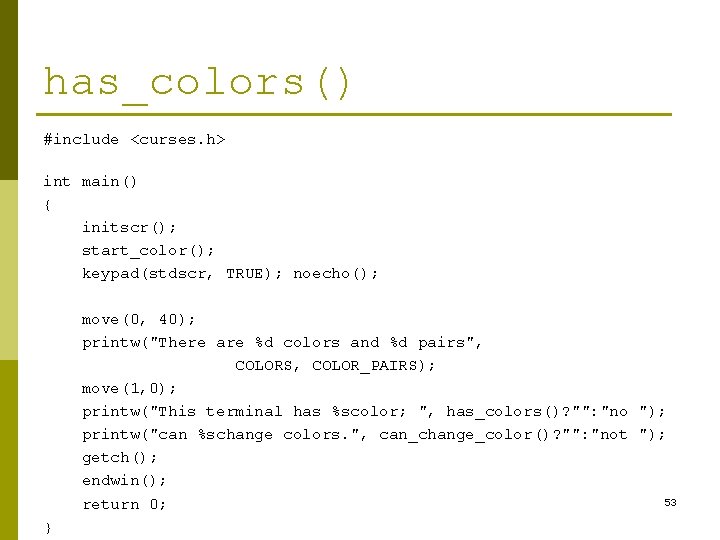
has_colors() #include <curses. h> int main() { initscr(); start_color(); keypad(stdscr, TRUE); noecho(); move(0, 40); printw("There are %d colors and %d pairs", COLORS, COLOR_PAIRS); move(1, 0); printw("This terminal has %scolor; ", has_colors()? "": "no "); printw("can %schange colors. ", can_change_color()? "": "not "); getch(); endwin(); 53 return 0; }
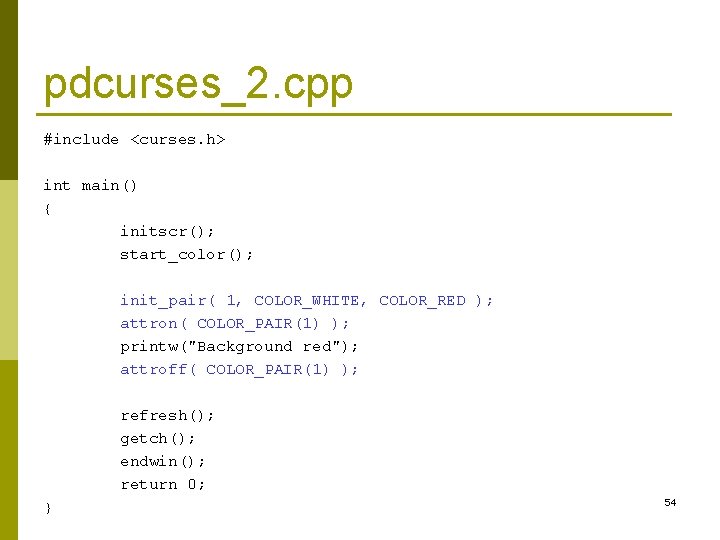
pdcurses_2. cpp #include <curses. h> int main() { initscr(); start_color(); init_pair( 1, COLOR_WHITE, COLOR_RED ); attron( COLOR_PAIR(1) ); printw("Background red"); attroff( COLOR_PAIR(1) ); refresh(); getch(); endwin(); return 0; } 54
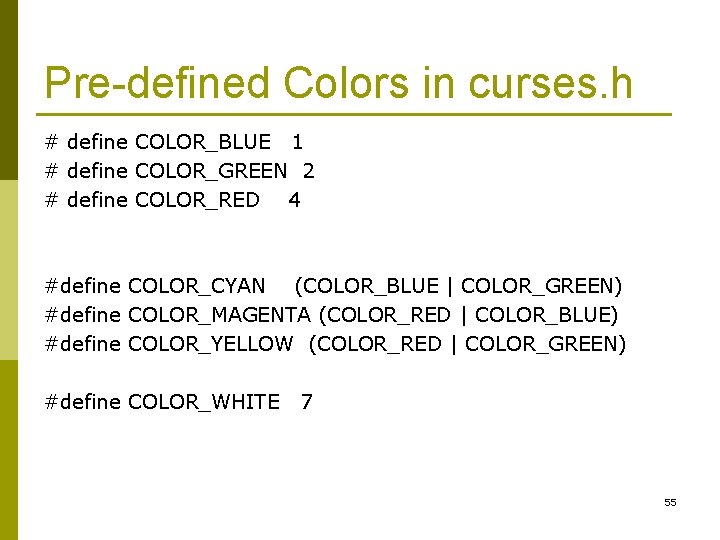
Pre-defined Colors in curses. h # define COLOR_BLUE 1 # define COLOR_GREEN 2 # define COLOR_RED 4 #define COLOR_CYAN (COLOR_BLUE | COLOR_GREEN) #define COLOR_MAGENTA (COLOR_RED | COLOR_BLUE) #define COLOR_YELLOW (COLOR_RED | COLOR_GREEN) #define COLOR_WHITE 7 55
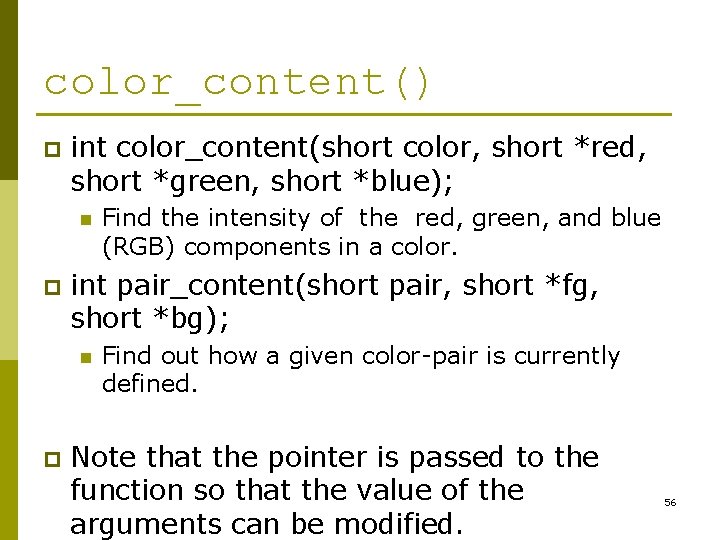
color_content() p int color_content(short color, short *red, short *green, short *blue); n p int pair_content(short pair, short *fg, short *bg); n p Find the intensity of the red, green, and blue (RGB) components in a color. Find out how a given color-pair is currently defined. Note that the pointer is passed to the function so that the value of the arguments can be modified. 56
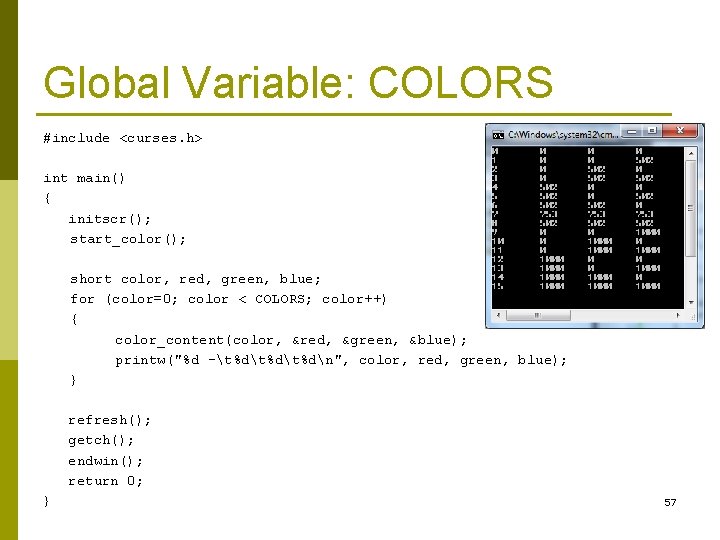
Global Variable: COLORS #include <curses. h> int main() { initscr(); start_color(); short color, red, green, blue; for (color=0; color < COLORS; color++) { color_content(color, &red, &green, &blue); printw("%d -t%dt%dn", color, red, green, blue); } refresh(); getch(); endwin(); return 0; } 57
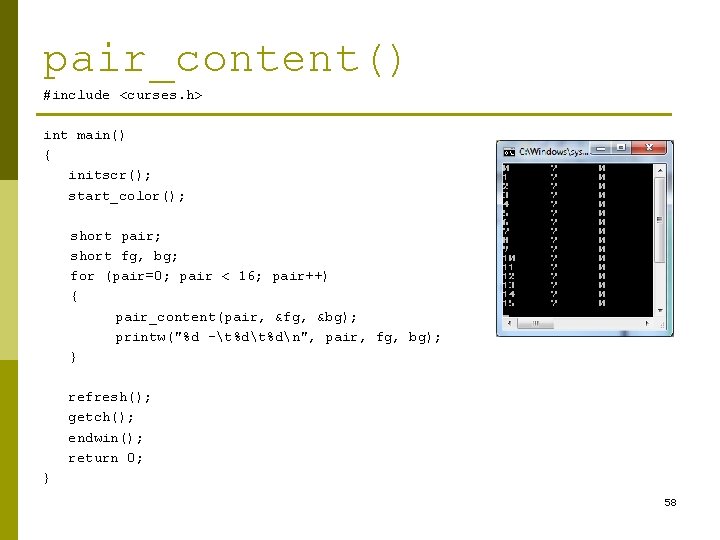
pair_content() #include <curses. h> int main() { initscr(); start_color(); short pair; short fg, bg; for (pair=0; pair < 16; pair++) { pair_content(pair, &fg, &bg); printw("%d -t%dn", pair, fg, bg); } refresh(); getch(); endwin(); return 0; } 58
![Highlighted Color #include <curses. h> int main() { char* name[] = { "Black", "Blue",](http://slidetodoc.com/presentation_image/ca635ab7bda557fd4991fbf44883a3a9/image-59.jpg "Highlighted Color #include <curses. h> int main() { char* name[] = { \"Black\", \"Blue\",")
Highlighted Color #include <curses. h> int main() { char* name[] = { "Black", "Blue", "Green", "Cyan", "Red", "Magenta", "Yellow", "White", "Grey", "BLUE", "GREEN", "CYAN", "RED", "MAGENTA", "YELLOW", "WHITE" }; initscr(); start_color(); short c; for (c=0; c < 8; c++) { init_pair( c, COLOR_WHITE, c ); attron( COLOR_PAIR(c) ); move(c, 10); printw("%10 s", name[c]); attroff( COLOR_PAIR(c) ); } for (c=8; c < 16; c++) { init_pair( c, COLOR_WHITE, c ); attron( COLOR_PAIR(c) ); move(c-8, 20); printw("%10 s", name[c]); attroff( COLOR_PAIR(c) ); } refresh(); getch(); endwin(); return 0; } 59
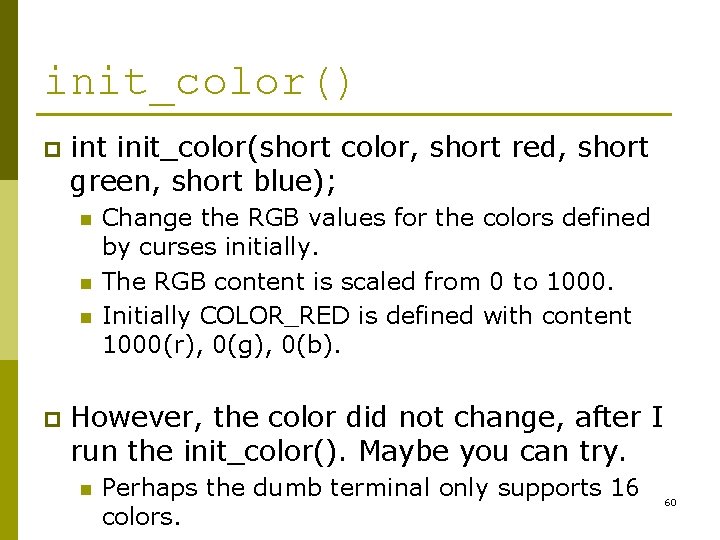
init_color() p int init_color(short color, short red, short green, short blue); n n n p Change the RGB values for the colors defined by curses initially. The RGB content is scaled from 0 to 1000. Initially COLOR_RED is defined with content 1000(r), 0(g), 0(b). However, the color did not change, after I run the init_color(). Maybe you can try. n Perhaps the dumb terminal only supports 16 colors. 60
Executable File (. EXE) Under your ProjectdemoDebug directory, there is a “demo. exe”. p After setting “PATH=%PATH%; L: PDCurses”, you can run the file “demo” directly (just like a command as “DIR”, “VOL”, “DATE”) from the Command Window. p 61
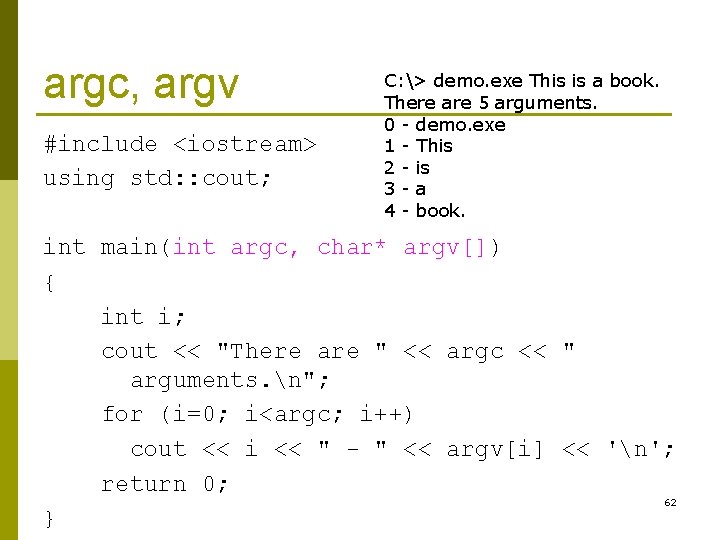
argc, argv #include <iostream> using std: : cout; C: > demo. exe This is a book. There are 5 arguments. 0 - demo. exe 1 - This 2 - is 3 - a 4 - book. int main(int argc, char* argv[]) { int i; cout << "There are " << argc << " arguments. n"; for (i=0; i<argc; i++) cout << i << " - " << argv[i] << 'n'; return 0; 62 }
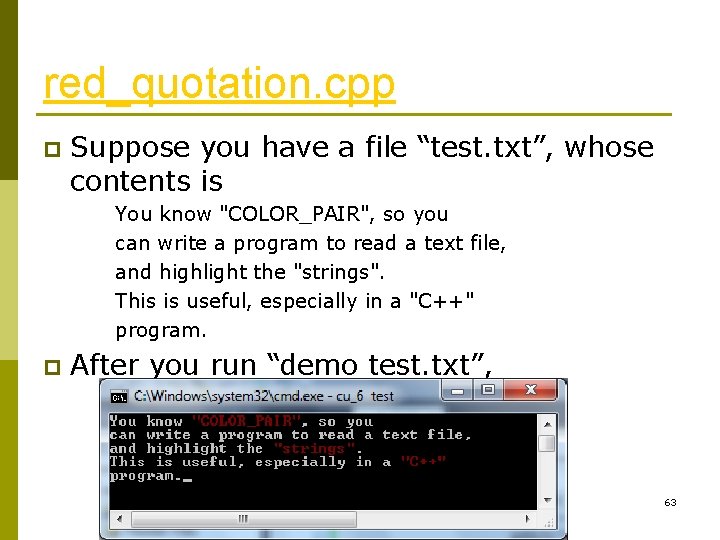
red_quotation. cpp p Suppose you have a file “test. txt”, whose contents is You know "COLOR_PAIR", so you can write a program to read a text file, and highlight the "strings". This is useful, especially in a "C++" program. p After you run “demo test. txt”, 63
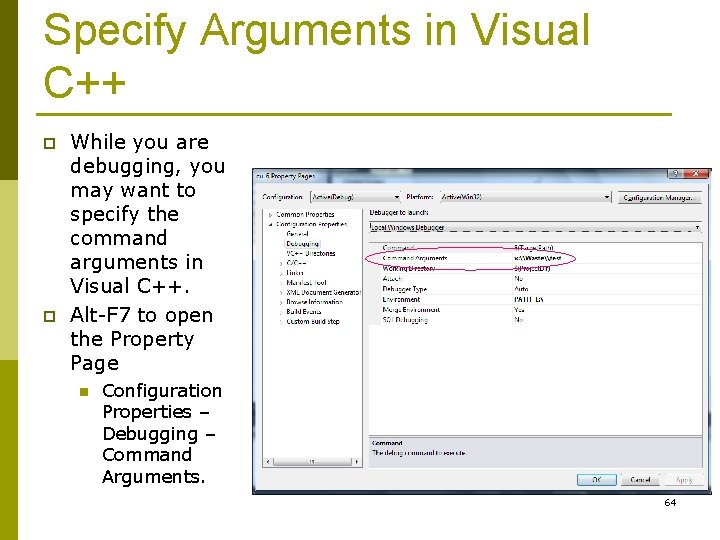
Specify Arguments in Visual C++ p p While you are debugging, you may want to specify the command arguments in Visual C++. Alt-F 7 to open the Property Page n Configuration Properties – Debugging – Command Arguments. 64
TODO p There are many ways you can improve this program: n n n Check the number of arguments at the command line. Show strings in red, comments in green, keywords (e. g. int, short, while) in blue. Pause for every 23 lines (one page). Wait for the user to press <Space> to display the next page. If the user press <b>, then back to the previous page. If the user press <q>, then quit the program. 65
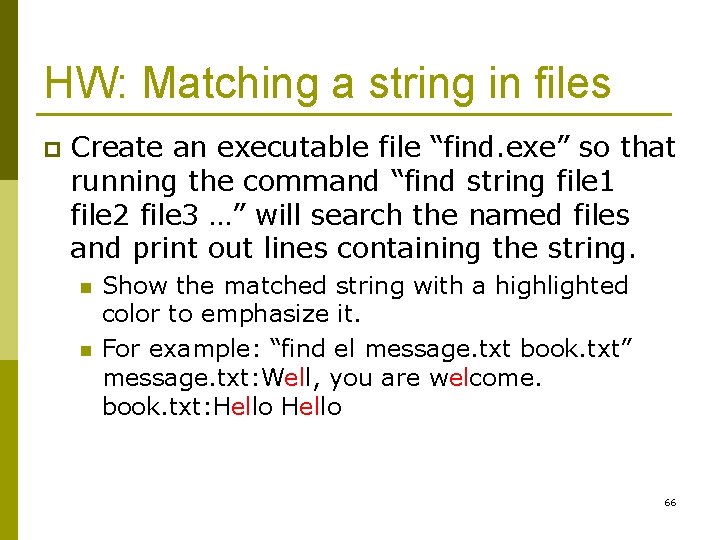
HW: Matching a string in files p Create an executable file “find. exe” so that running the command “find string file 1 file 2 file 3 …” will search the named files and print out lines containing the string. n n Show the matched string with a highlighted color to emphasize it. For example: “find el message. txt book. txt” message. txt: Well, you are welcome. book. txt: Hello 66
- Slides: 66