
NCAS Unified Model Introduction Part 4 a UM
- Slides: 12
NCAS Unified Model Introduction Part 4 a: UM tools and facilities University of Reading, 3 -5 December 2014
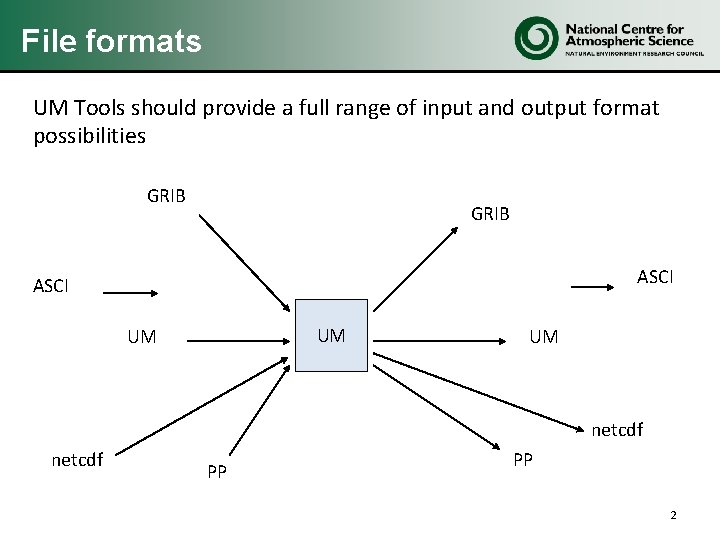
File formats UM Tools should provide a full range of input and output format possibilities GRIB ASCI UM UM UM netcdf PP PP 2
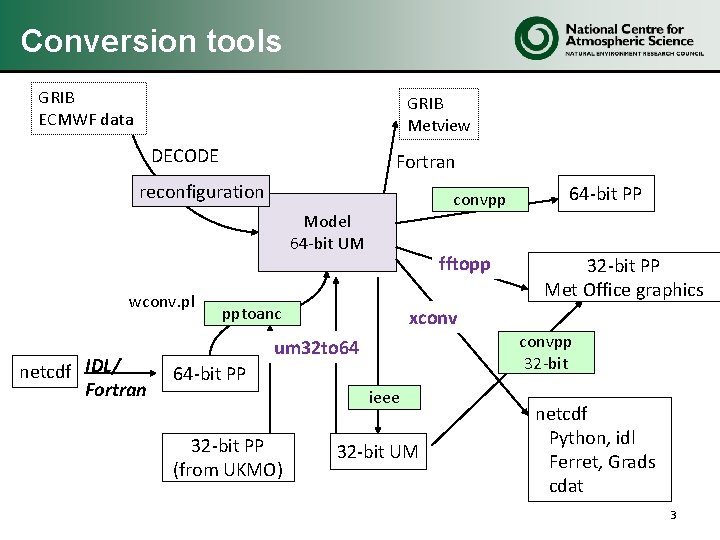
Conversion tools GRIB ECMWF data GRIB Metview DECODE Fortran reconfiguration convpp Model 64 -bit UM wconv. pl netcdf IDL/ Fortran fftopp pptoanc 32 -bit PP Met Office graphics xconvpp 32 -bit um 32 to 64 64 -bit PP ieee 32 -bit PP (from UKMO) 64 -bit PP 32 -bit UM netcdf Python, idl Ferret, Grads cdat 3
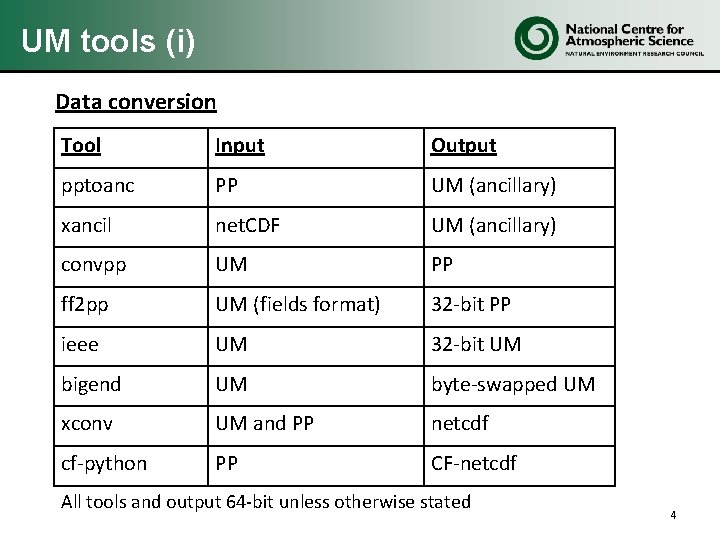
UM tools (i) Data conversion Tool Input Output pptoanc PP UM (ancillary) xancil net. CDF UM (ancillary) convpp UM PP ff 2 pp UM (fields format) 32 -bit PP ieee UM 32 -bit UM bigend UM byte-swapped UM xconv UM and PP netcdf cf-python PP CF-netcdf All tools and output 64 -bit unless otherwise stated 4
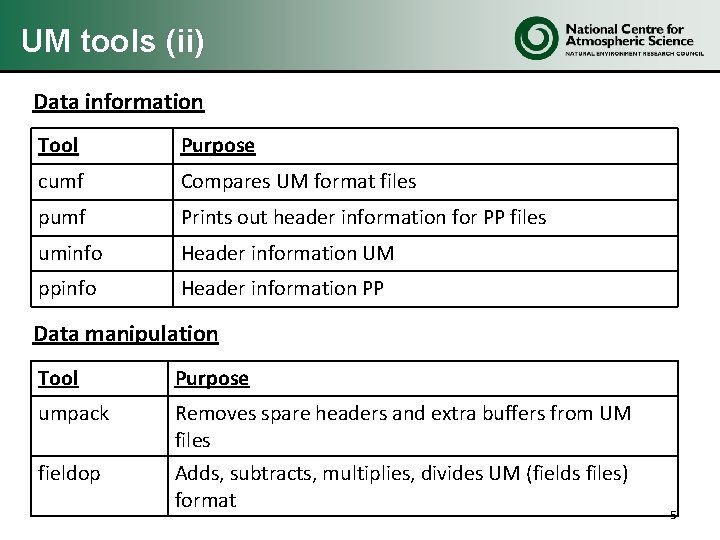
UM tools (ii) Data information Tool Purpose cumf Compares UM format files pumf Prints out header information for PP files uminfo Header information UM ppinfo Header information PP Data manipulation Tool Purpose umpack Removes spare headers and extra buffers from UM files fieldop Adds, subtracts, multiplies, divides UM (fields files) format 5
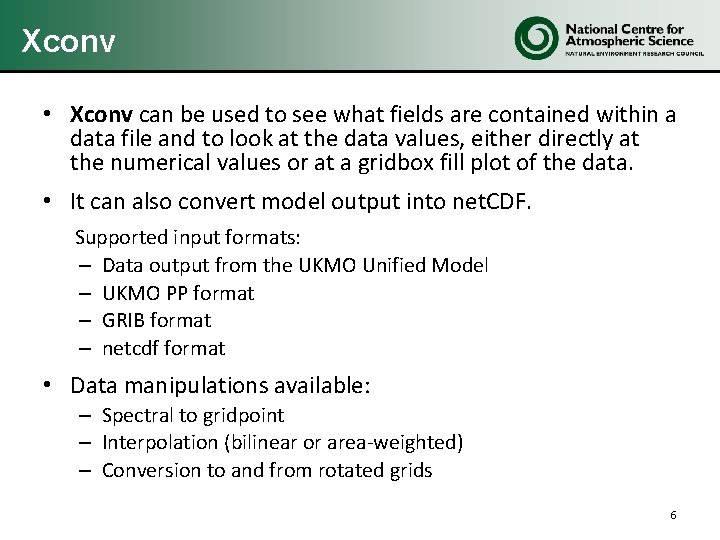
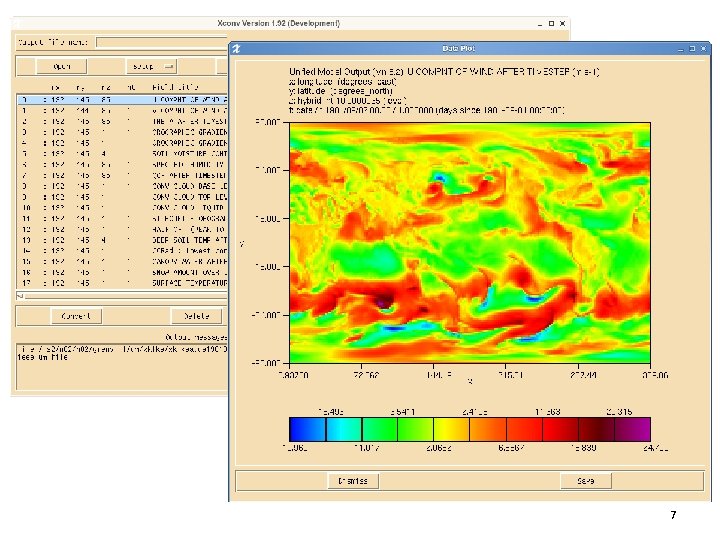
Xconv • Xconv can be used to see what fields are contained within a data file and to look at the data values, either directly at the numerical values or at a gridbox fill plot of the data. • It can also convert model output into net. CDF. Supported input formats: – Data output from the UKMO Unified Model – UKMO PP format – GRIB format – netcdf format • Data manipulations available: – Spectral to gridpoint – Interpolation (bilinear or area-weighted) – Conversion to and from rotated grids 6
7
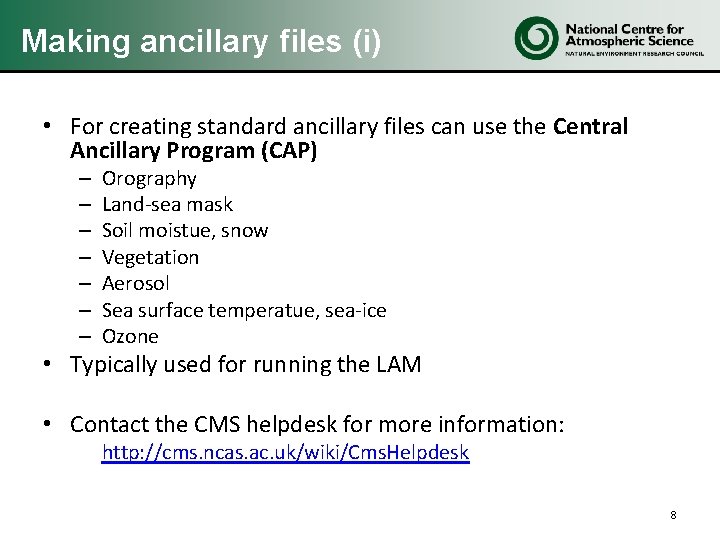
Making ancillary files (i) • For creating standard ancillary files can use the Central Ancillary Program (CAP) – – – – Orography Land-sea mask Soil moistue, snow Vegetation Aerosol Sea surface temperatue, sea-ice Ozone • Typically used for running the LAM • Contact the CMS helpdesk for more information: http: //cms. ncas. ac. uk/wiki/Cms. Helpdesk 8
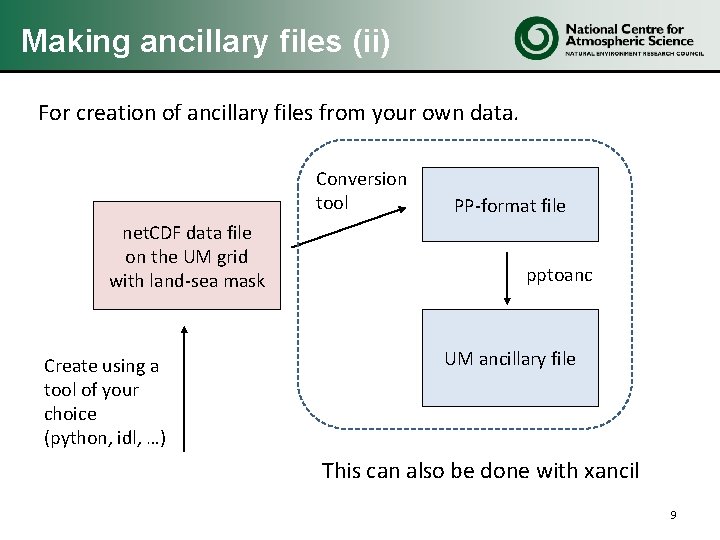
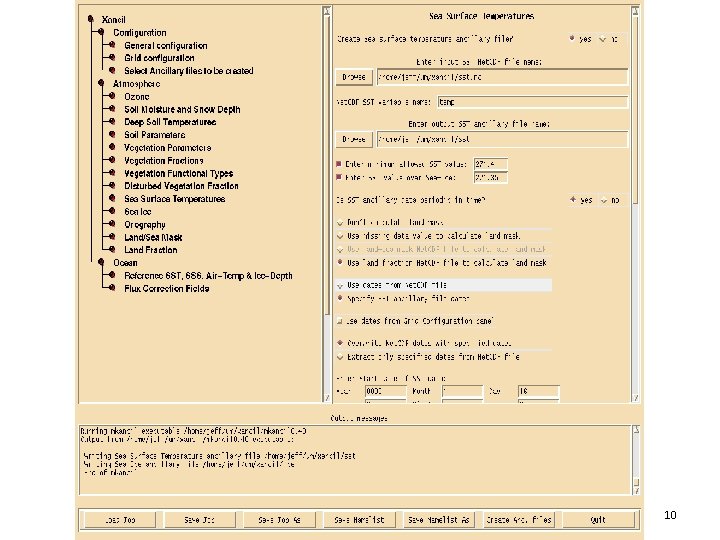
Making ancillary files (ii) For creation of ancillary files from your own data. Conversion tool net. CDF data file on the UM grid with land-sea mask Create using a tool of your choice (python, idl, …) PP-format file pptoanc UM ancillary file This can also be done with xancil 9
xancil 10
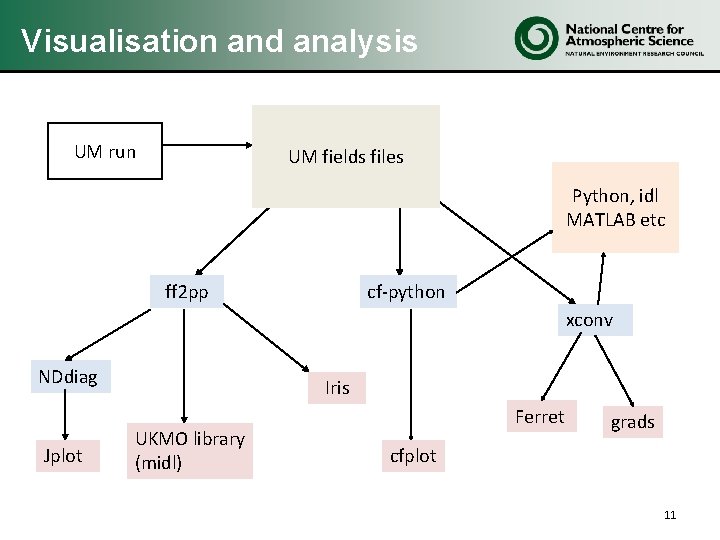
Visualisation and analysis UM run UM fields files Python, idl MATLAB etc ff 2 pp cf-python xconv NDdiag Jplot Iris UKMO library (midl) Ferret grads cfplot 11
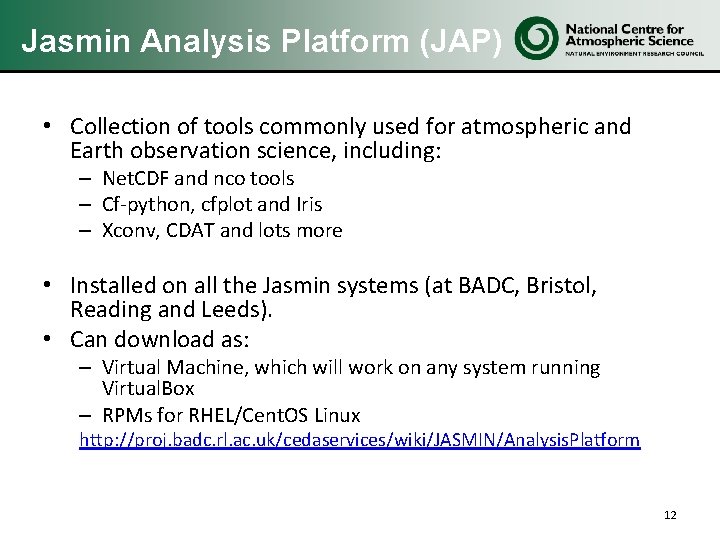
Jasmin Analysis Platform (JAP) • Collection of tools commonly used for atmospheric and Earth observation science, including: – Net. CDF and nco tools – Cf-python, cfplot and Iris – Xconv, CDAT and lots more • Installed on all the Jasmin systems (at BADC, Bristol, Reading and Leeds). • Can download as: – Virtual Machine, which will work on any system running Virtual. Box – RPMs for RHEL/Cent. OS Linux http: //proj. badc. rl. ac. uk/cedaservices/wiki/JASMIN/Analysis. Platform 12