
Navigation tools in powerchart Here is an overview
- Slides: 7
Navigation tools in powerchart
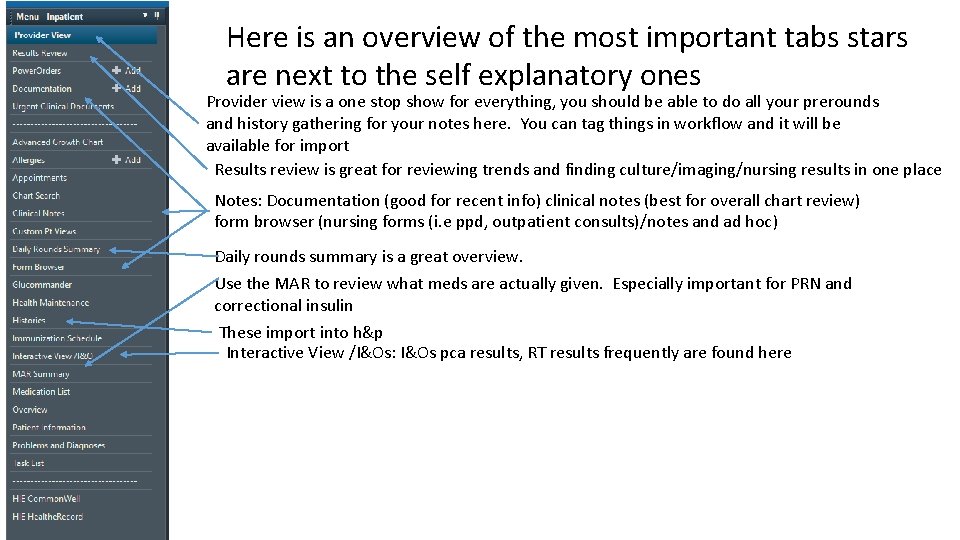
Here is an overview of the most important tabs stars are next to the self explanatory ones Provider view is a one stop show for everything, you should be able to do all your prerounds and history gathering for your notes here. You can tag things in workflow and it will be available for import Results review is great for reviewing trends and finding culture/imaging/nursing results in one place Notes: Documentation (good for recent info) clinical notes (best for overall chart review) form browser (nursing forms (i. e ppd, outpatient consults)/notes and ad hoc) Daily rounds summary is a great overview. Use the MAR to review what meds are actually given. Especially important for PRN and correctional insulin These import into h&p Interactive View /I&Os: I&Os pca results, RT results frequently are found here
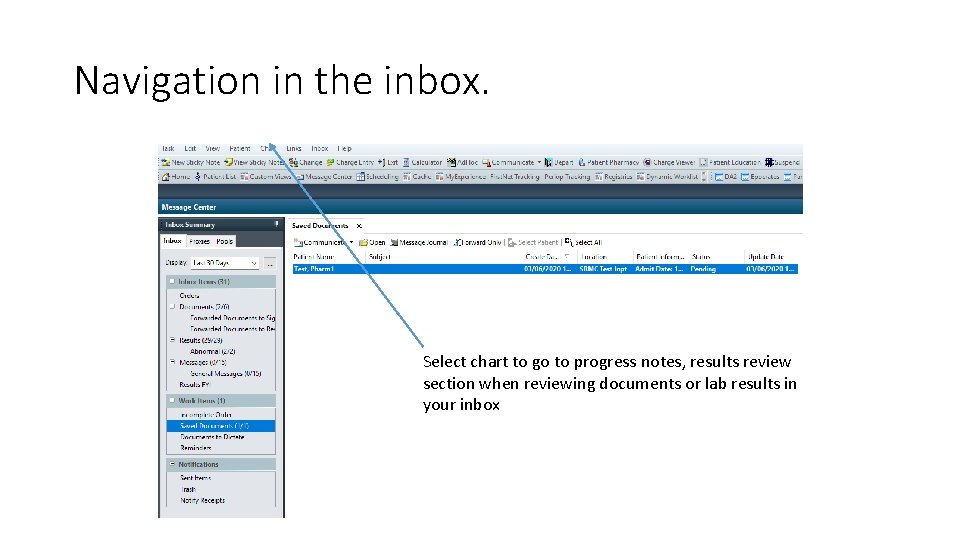
Navigation in the inbox. Select chart to go to progress notes, results review section when reviewing documents or lab results in your inbox
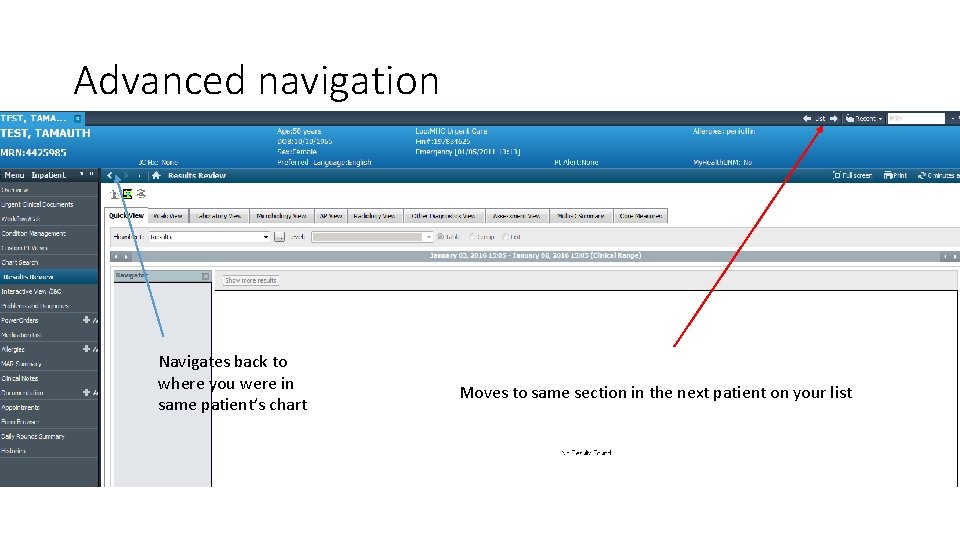
Advanced navigation Navigates back to where you were in same patient’s chart Moves to same section in the next patient on your list
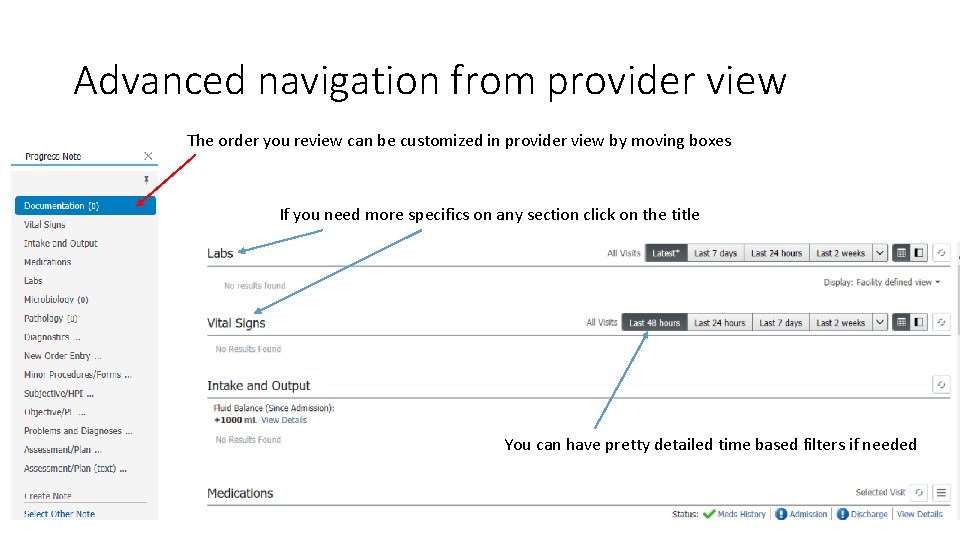
Advanced navigation from provider view The order you review can be customized in provider view by moving boxes If you need more specifics on any section click on the title You can have pretty detailed time based filters if needed
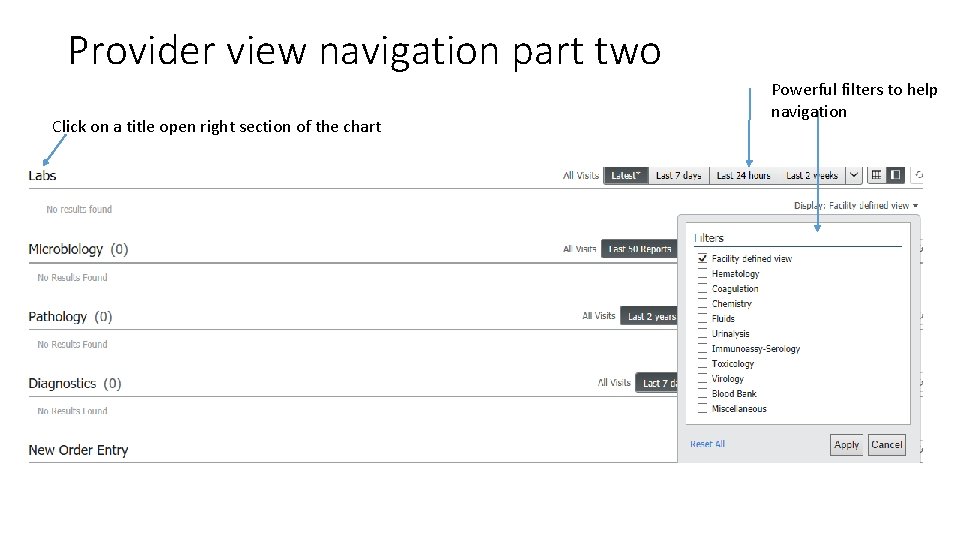
Provider view navigation part two Click on a title open right section of the chart Powerful filters to help navigation
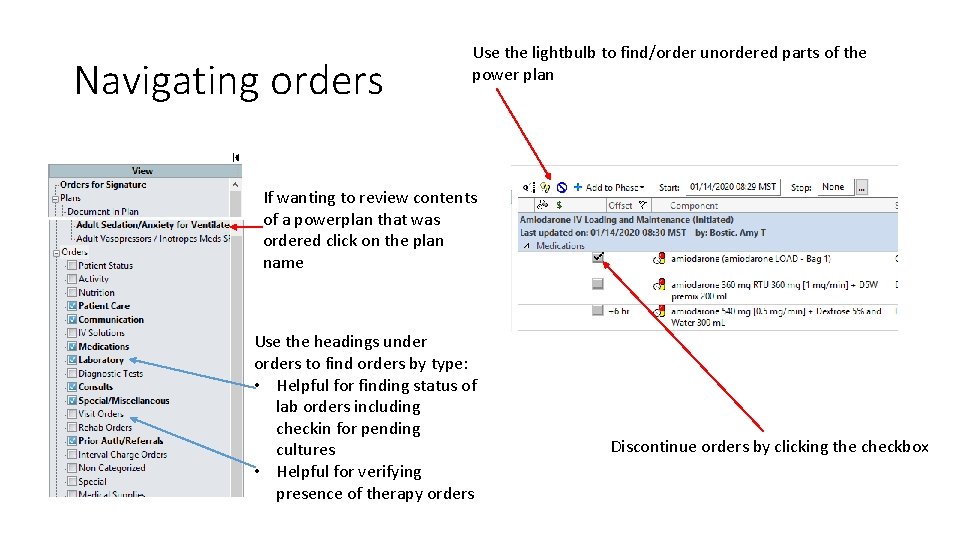
Navigating orders Use the lightbulb to find/order unordered parts of the power plan If wanting to review contents of a powerplan that was ordered click on the plan name Use the headings under orders to find orders by type: • Helpful for finding status of lab orders including checkin for pending cultures • Helpful for verifying presence of therapy orders Discontinue orders by clicking the checkbox