
Navigating the Medicare Plan Finder New Jersey State

- Slides: 43
Navigating the Medicare Plan Finder New Jersey State Health Insurance Assistance Program November 2 2012 1
What is the Medicare Plan Finder? v. Internet Tool on official Medicare web site v Helps people learn about drug coverage and Ø Review current Medicare enrollment Ø Compare Part D plans & Medicare Advantage Health Plans (HMOs/PPOs) Ø Identify which plans cover your prescriptions at most affordable cost Ø Enroll in a Part D or Medicare Advantage plan 2
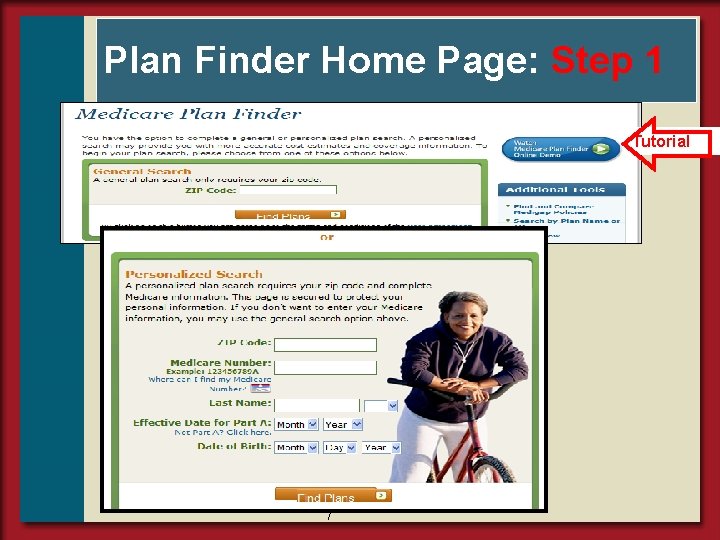
Getting Started: What You Will Need v Beneficiary’s zip code v List of beneficiary's prescription drugs o strength and quantity o if can take generics v Pharmacy beneficiary uses v. Other Helpful Information Ø Medicare Card Ø Other Health Insurance cards Ø Subsidy eligibility o Medicaid, LIS, PAAD 3
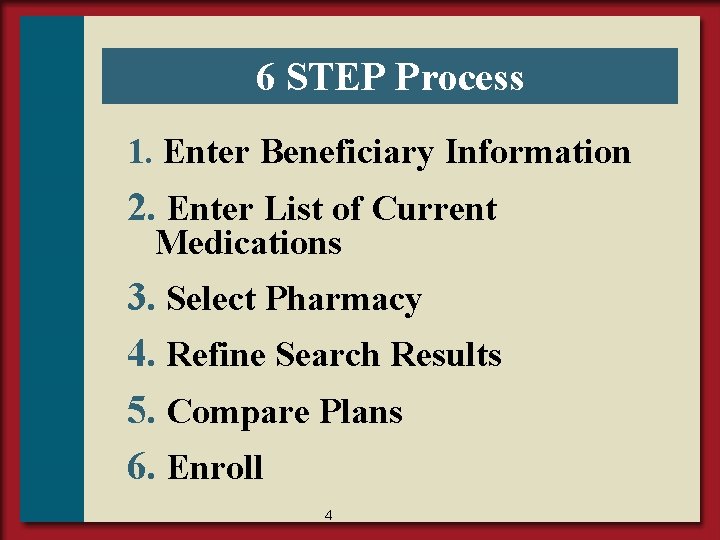
6 STEP Process 1. Enter Beneficiary Information 2. Enter List of Current Medications 3. Select Pharmacy 4. Refine Search Results 5. Compare Plans 6. Enroll 4
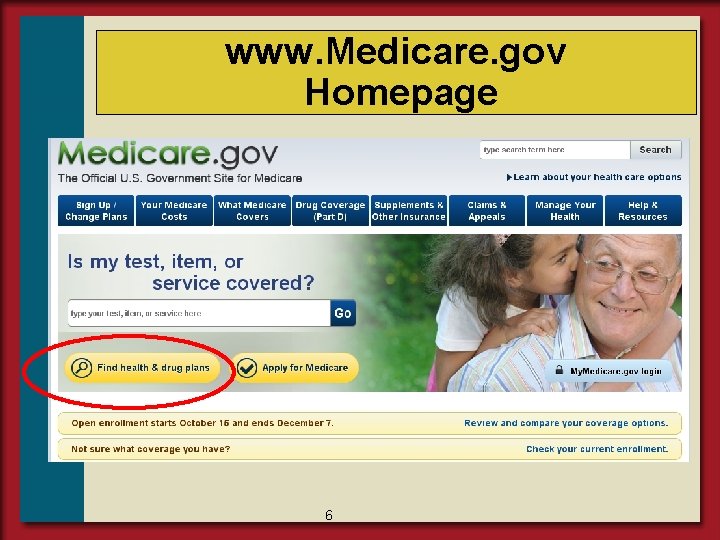
Getting to the Drug Plan Finder v Go to www. Medicare. gov Ø Click “Compare Drug and Health Plans” Ø Or www. medicare. gov/find-a-plan v Or call 1 -800 -Medicare Ø Customer Service Assistance for choosing a plan & enrolling Ø available 24 hrs a day Ø English and Spanish speaking CSRs 5
www. Medicare. gov Homepage 6
Plan Finder Home Page: Step 1 Tutorial 7
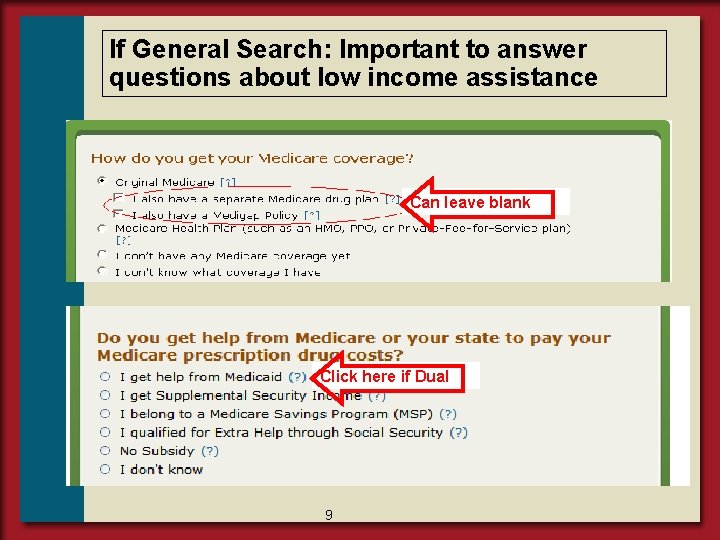
If General Search: Important to answer questions about low income assistance Can leave blank Click here if Dual 9
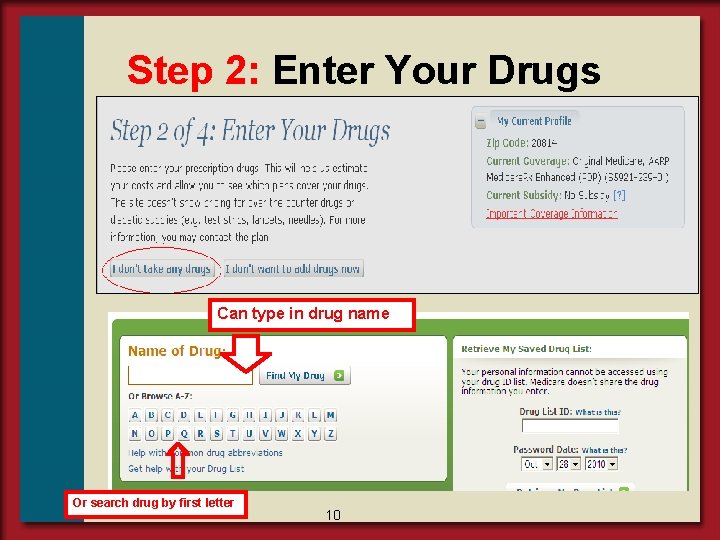
Step 2: Enter Your Drugs Can type in drug name Or search drug by first letter 10
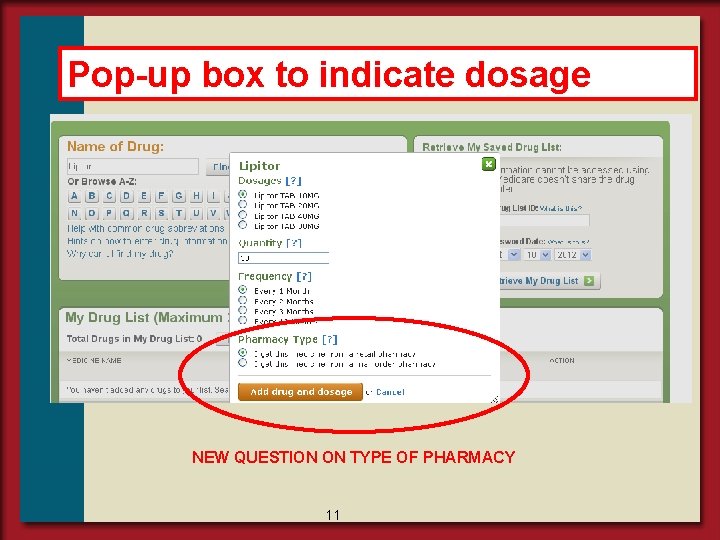
Pop-up box to indicate dosage NEW QUESTION ON TYPE OF PHARMACY 11
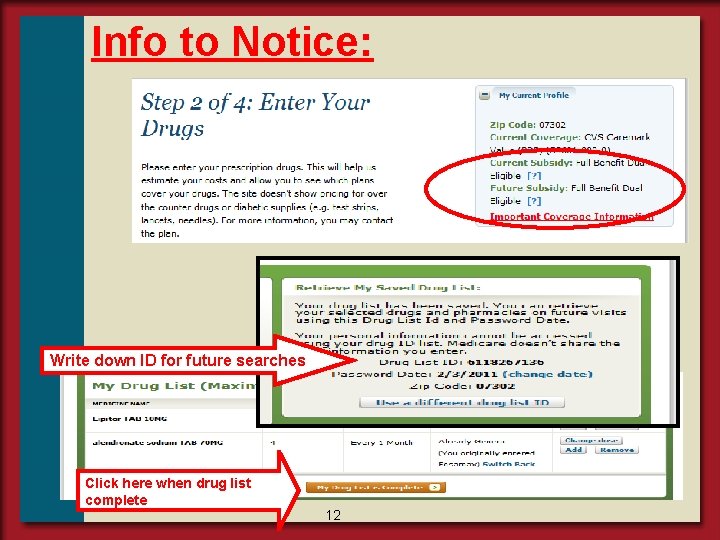
Info to Notice: Write down ID for future searches Click here when drug list complete 12
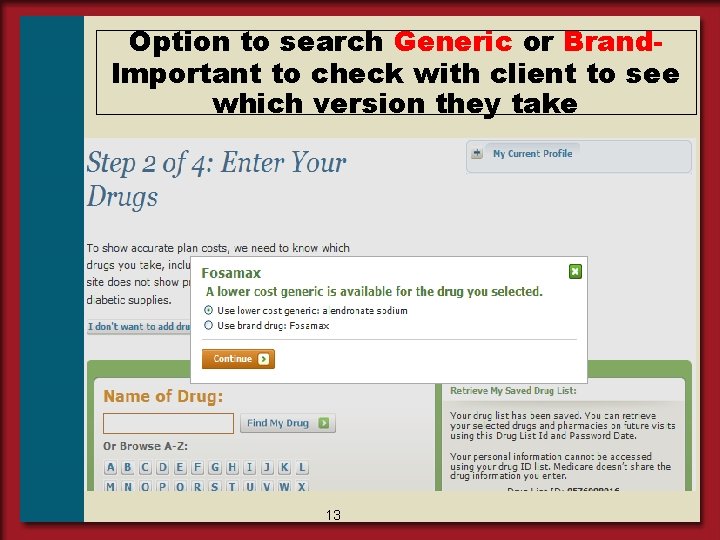
Option to search Generic or Brand. Important to check with client to see which version they take 13
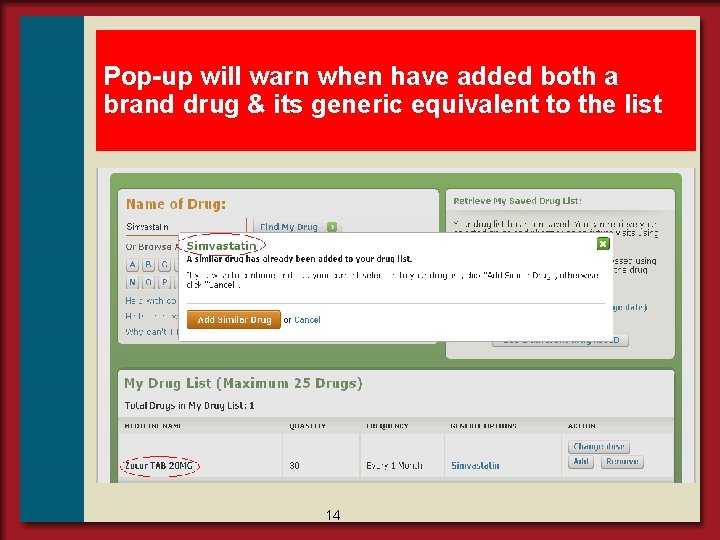
Pop-up will warn when have added both a brand drug & its generic equivalent to the list 14
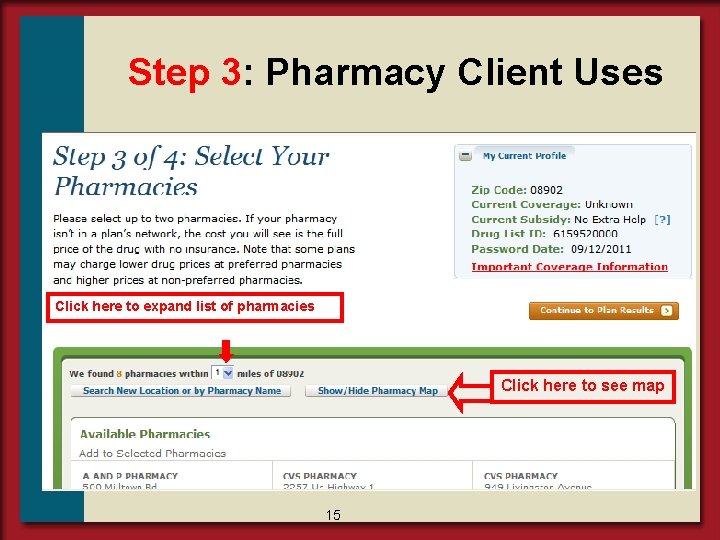
Step 3: Pharmacy Client Uses Click here to expand list of pharmacies Click here to see map 15
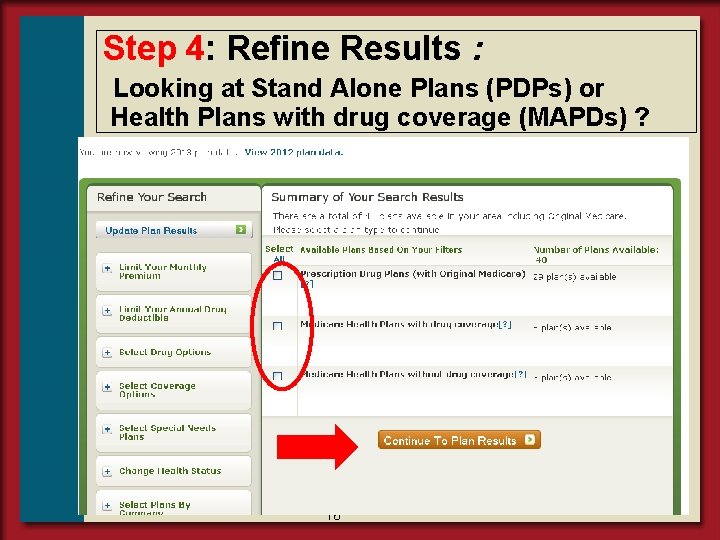
Step 4: Refine Results : Looking at Stand Alone Plans (PDPs) or Health Plans with drug coverage (MAPDs) ? 16
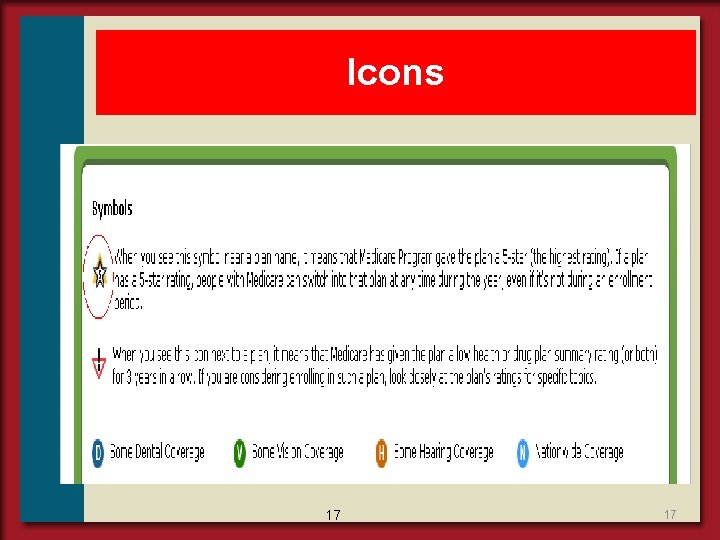
Icons 17 17
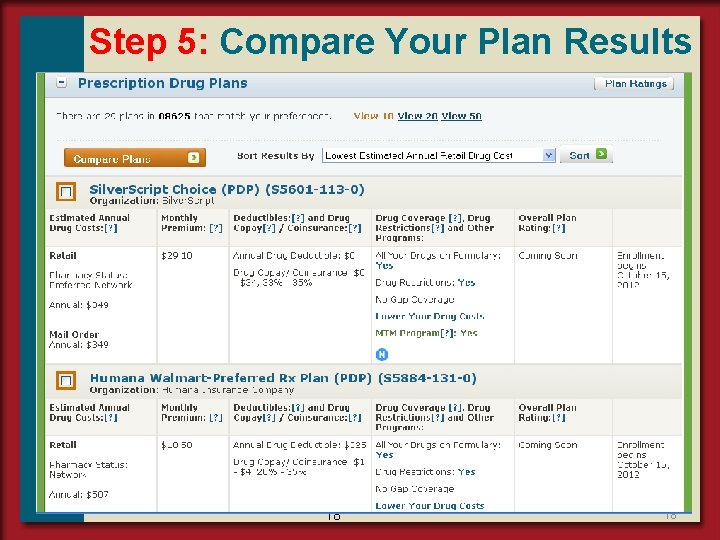
Step 5: Compare Your Plan Results 18 18
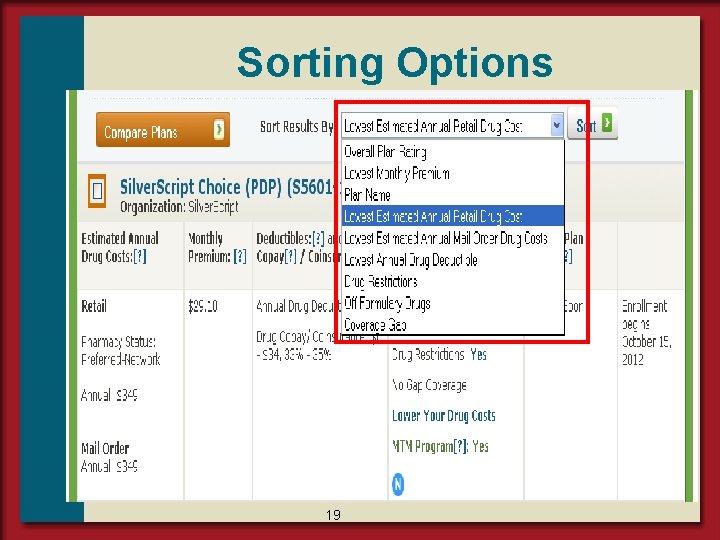
Sorting Options 19
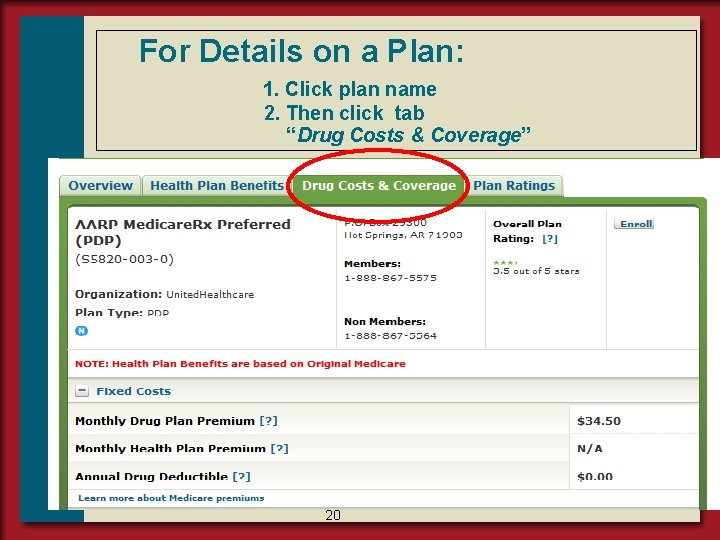
For Details on a Plan: 1. Click plan name 2. Then click tab “Drug Costs & Coverage” 20
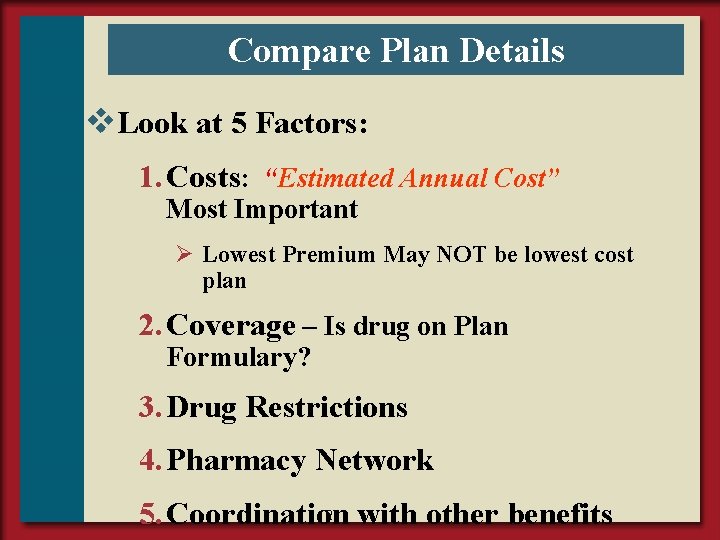
Compare Plan Details v. Look at 5 Factors: 1. Costs: “Estimated Annual Cost” Most Important Ø Lowest Premium May NOT be lowest cost plan 2. Coverage – Is drug on Plan Formulary? 3. Drug Restrictions 4. Pharmacy Network 21 with other benefits 5. Coordination
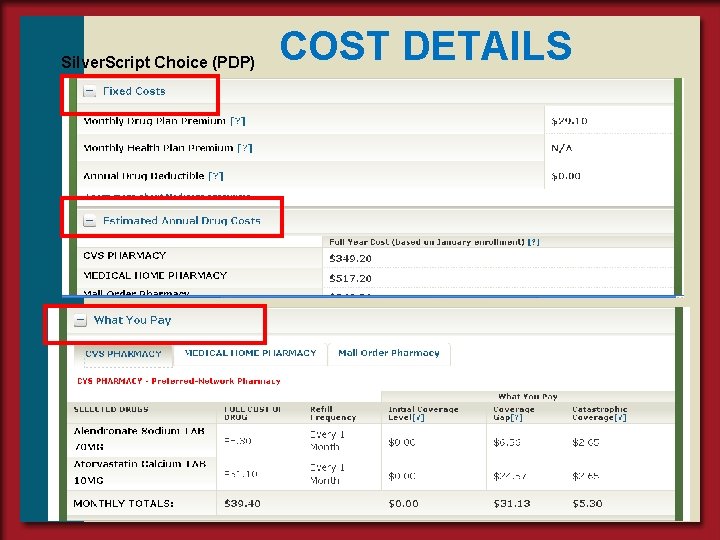
Silver. Script Choice (PDP) COST DETAILS 22
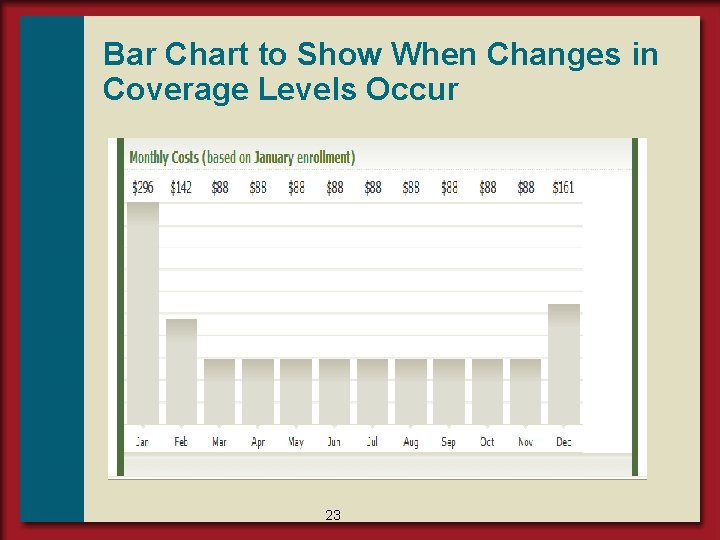
Bar Chart to Show When Changes in Coverage Levels Occur 23
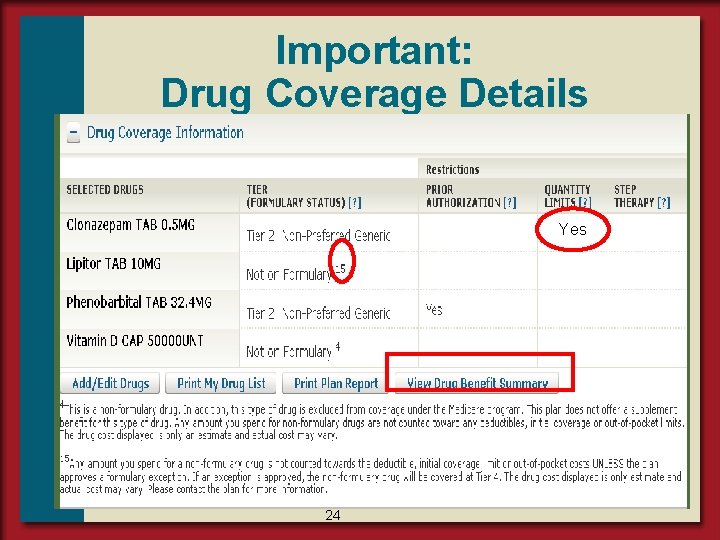
Important: Drug Coverage Details Yes 24
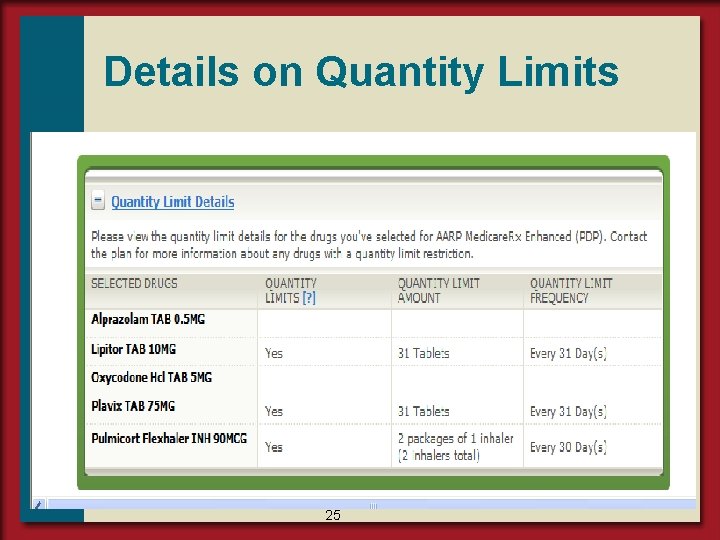
Details on Quantity Limits 25
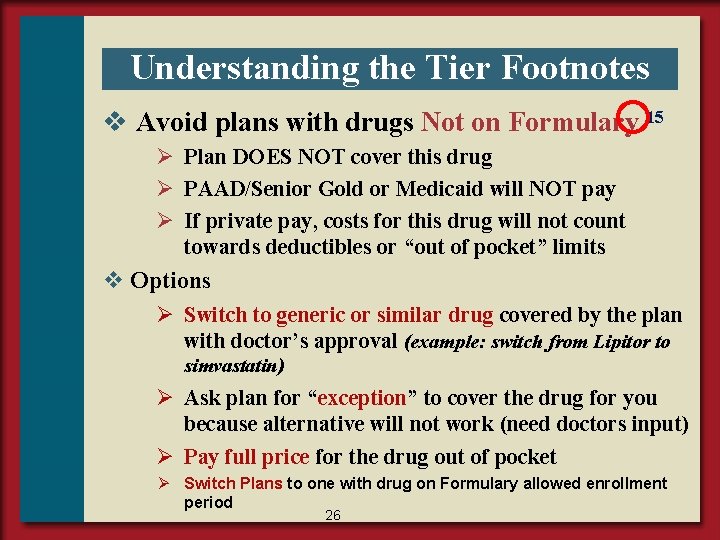
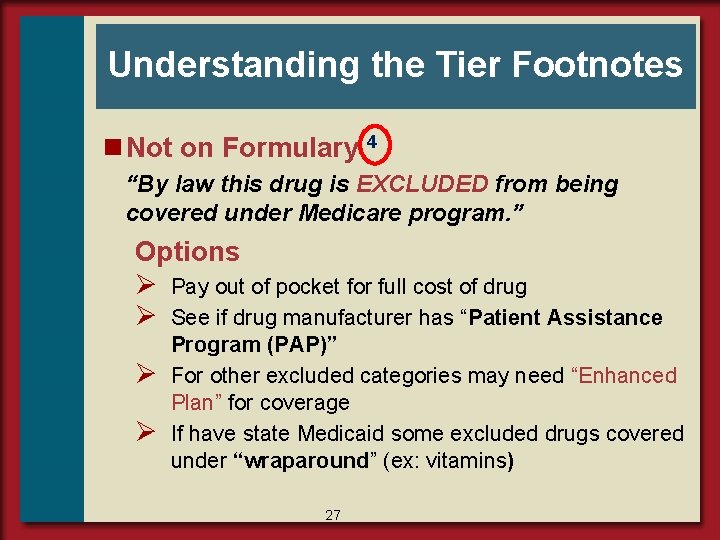
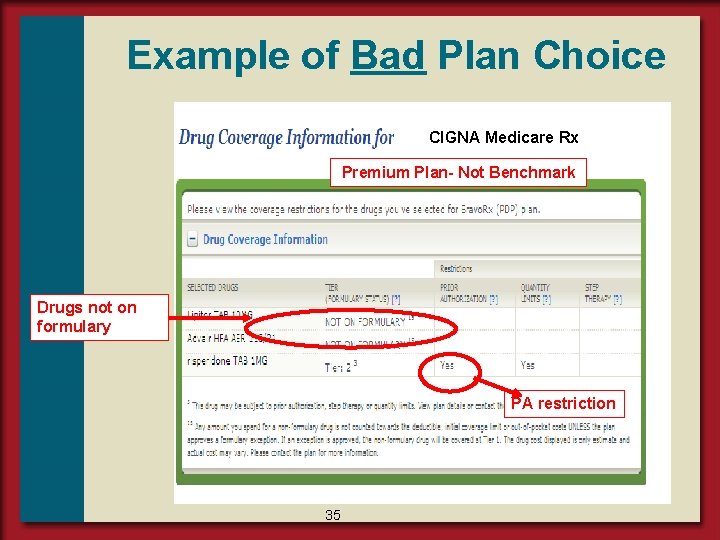
Understanding the Tier Footnotes v Avoid plans with drugs Not on Formulary 15 Ø Plan DOES NOT cover this drug Ø PAAD/Senior Gold or Medicaid will NOT pay Ø If private pay, costs for this drug will not count towards deductibles or “out of pocket” limits v Options Ø Switch to generic or similar drug covered by the plan with doctor’s approval (example: switch from Lipitor to simvastatin) Ø Ask plan for “exception” to cover the drug for you because alternative will not work (need doctors input) Ø Pay full price for the drug out of pocket Ø Switch Plans to one with drug on Formulary allowed enrollment period 26
Understanding the Tier Footnotes n Not on Formulary 4 “By law this drug is EXCLUDED from being covered under Medicare program. ” Options Ø Pay out of pocket for full cost of drug Ø See if drug manufacturer has “Patient Assistance Ø Ø Program (PAP)” For other excluded categories may need “Enhanced Plan” for coverage If have state Medicaid some excluded drugs covered under “wraparound” (ex: vitamins) 27
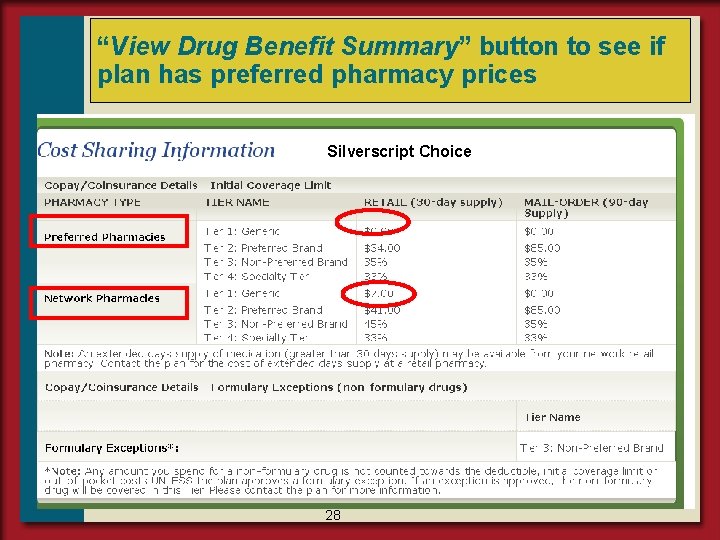
“View Drug Benefit Summary” button to see if plan has preferred pharmacy prices Silverscript Choice 28
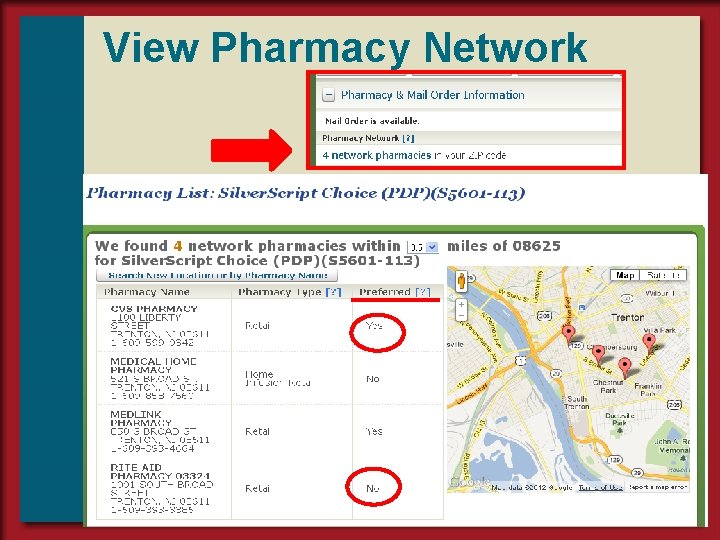
View Pharmacy Network 29
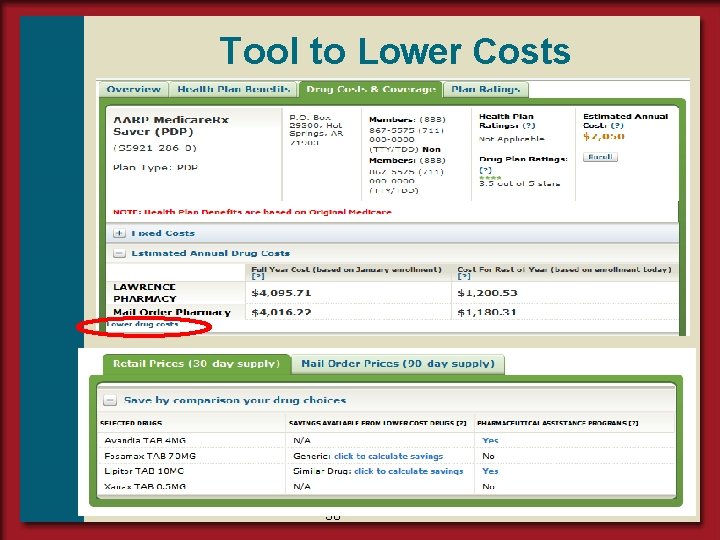
Tool to Lower Costs 30
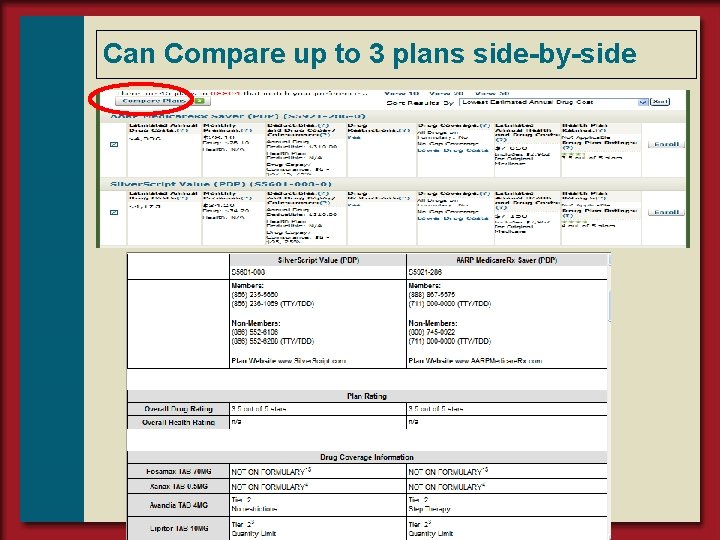
Can Compare up to 3 plans side-by-side 31
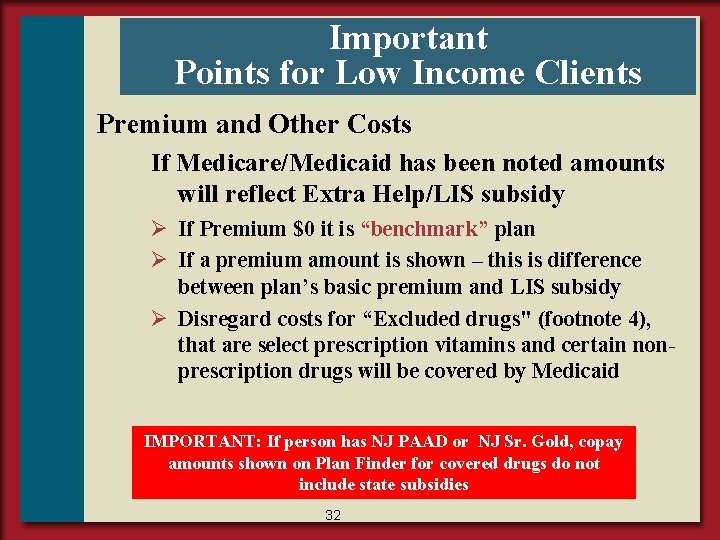
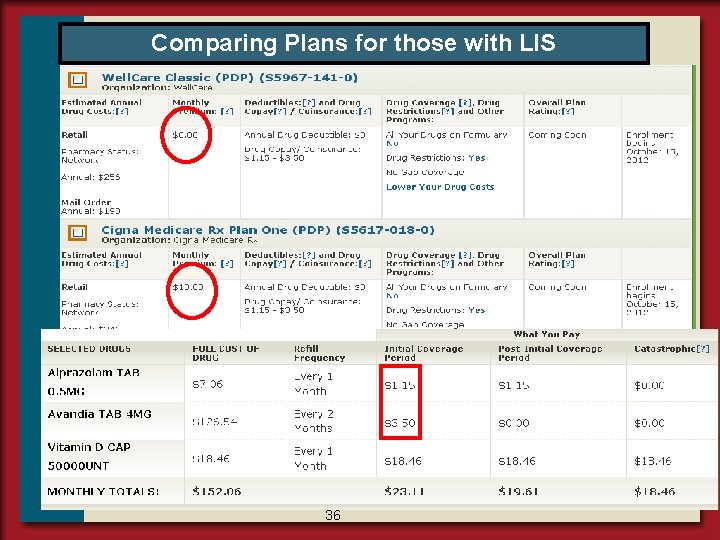
Important Points for Low Income Clients Premium and Other Costs If Medicare/Medicaid has been noted amounts will reflect Extra Help/LIS subsidy Ø If Premium $0 it is “benchmark” plan Ø If a premium amount is shown – this is difference between plan’s basic premium and LIS subsidy Ø Disregard costs for “Excluded drugs" (footnote 4), that are select prescription vitamins and certain nonprescription drugs will be covered by Medicaid IMPORTANT: If person has NJ PAAD or NJ Sr. Gold, copay amounts shown on Plan Finder for covered drugs do not include state subsidies 32
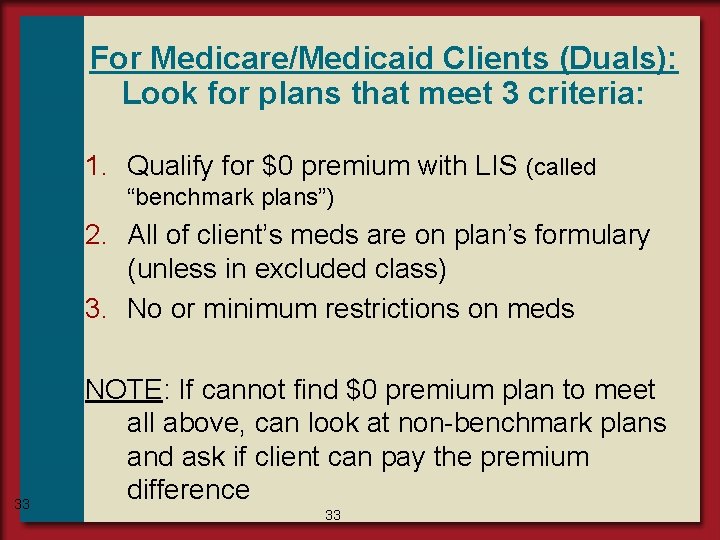
For Medicare/Medicaid Clients (Duals): Look for plans that meet 3 criteria: 1. Qualify for $0 premium with LIS (called “benchmark plans”) 2. All of client’s meds are on plan’s formulary (unless in excluded class) 3. No or minimum restrictions on meds 33 NOTE: If cannot find $0 premium plan to meet all above, can look at non-benchmark plans and ask if client can pay the premium difference 33
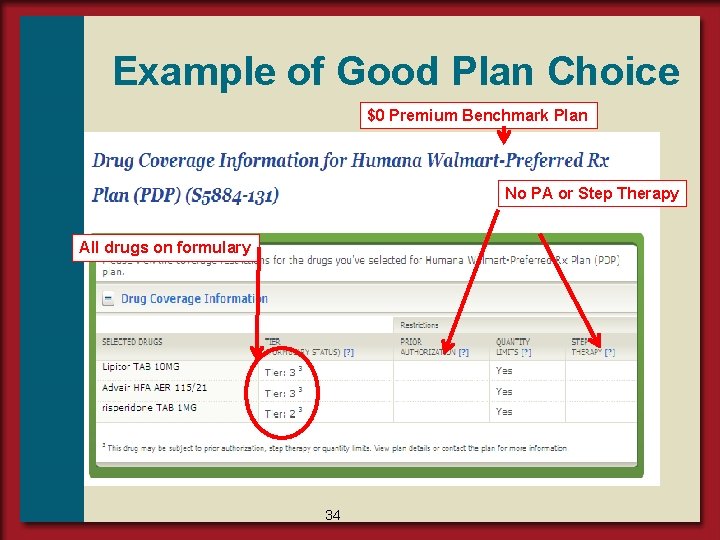
Example of Good Plan Choice $0 Premium Benchmark Plan No PA or Step Therapy All drugs on formulary 34
Example of Bad Plan Choice CIGNA Medicare Rx Premium Plan- Not Benchmark Drugs not on formulary PA restriction 35
Comparing Plans for those with LIS 36
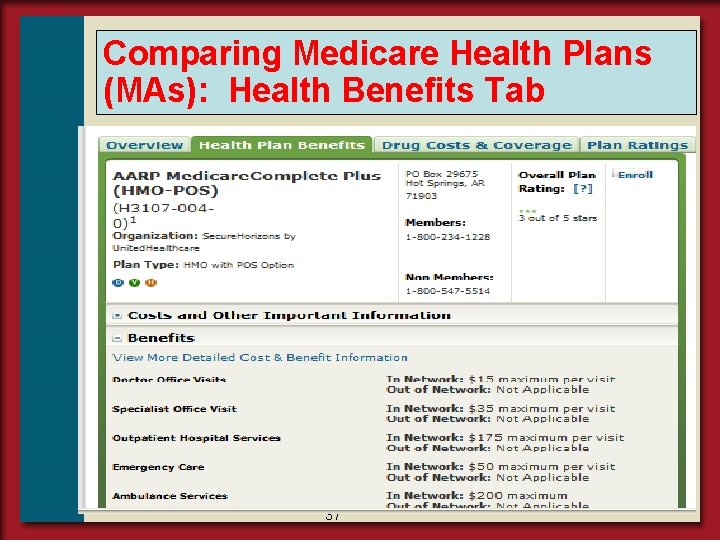
Comparing Medicare Health Plans (MAs): Health Benefits Tab 37
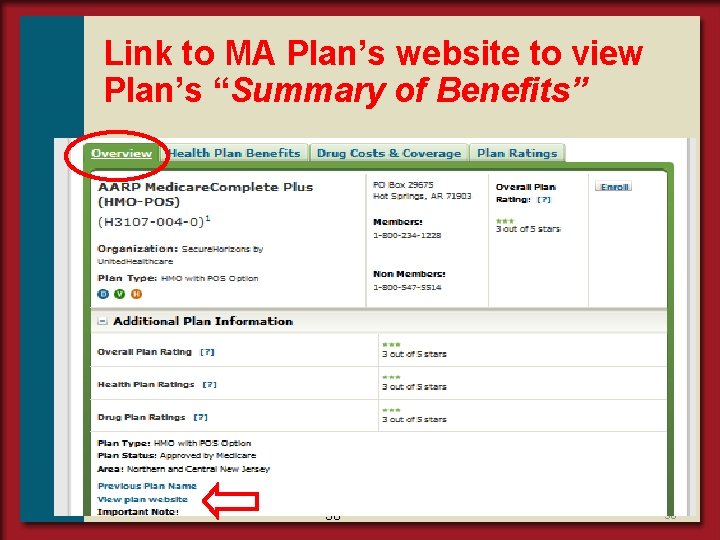
Link to MA Plan’s website to view Plan’s “Summary of Benefits” 38 38
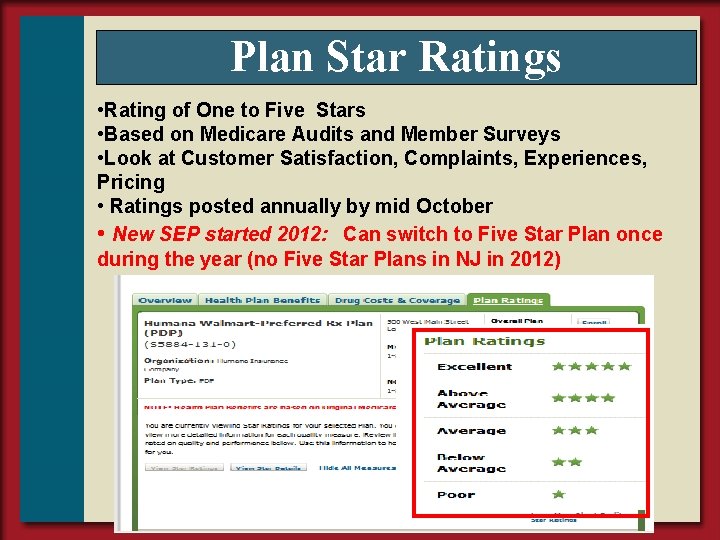
Plan Star Ratings • Rating of One to Five Stars • Based on Medicare Audits and Member Surveys • Look at Customer Satisfaction, Complaints, Experiences, Pricing • Ratings posted annually by mid October • New SEP started 2012: Can switch to Five Star Plan once during the year (no Five Star Plans in NJ in 2012) 39
STEP 6 : Enroll v. Limited to Medicare Enrollment Periods Ø New to Medicare (IEP) Ø Annual Enrollment Period (AEP) Ø Special Enrollment Periods (SEP) v. If SNF resident, LIS or Dual can enroll or switch plans each month v. Will be AUTOMATICALLY disenrolled from current plan when enroll in new plan 40
How to Enroll n By Phone 1 (800) Medicare Call Plan Directly n By Internet www. medicare. gov Plan’s website IMPORTANT: Ø Get enrollment confirmation Ø Advise not to pay premium by automatic deduction from Social Security check 41
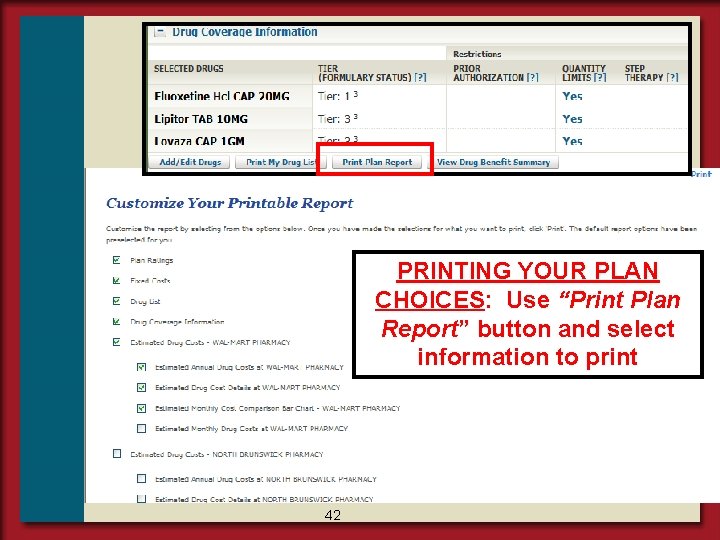
PRINTING YOUR PLAN CHOICES: Use “Print Plan Report” button and select information to print 42
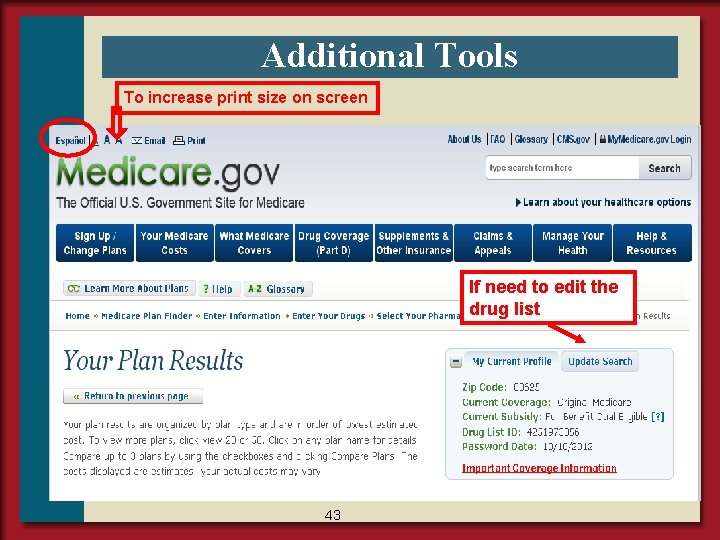
Additional Tools To increase print size on screen If need to edit the drug list 43
QUESTIONS? Call 1 -800 -Medicare Or NJ SHIP Hotline 1 -800 -792 -8820 45