
NAVIANCE STUDENT 11 th Grade Completing Bridge Bill
NAVIANCE STUDENT 11 th Grade Completing Bridge Bill In:
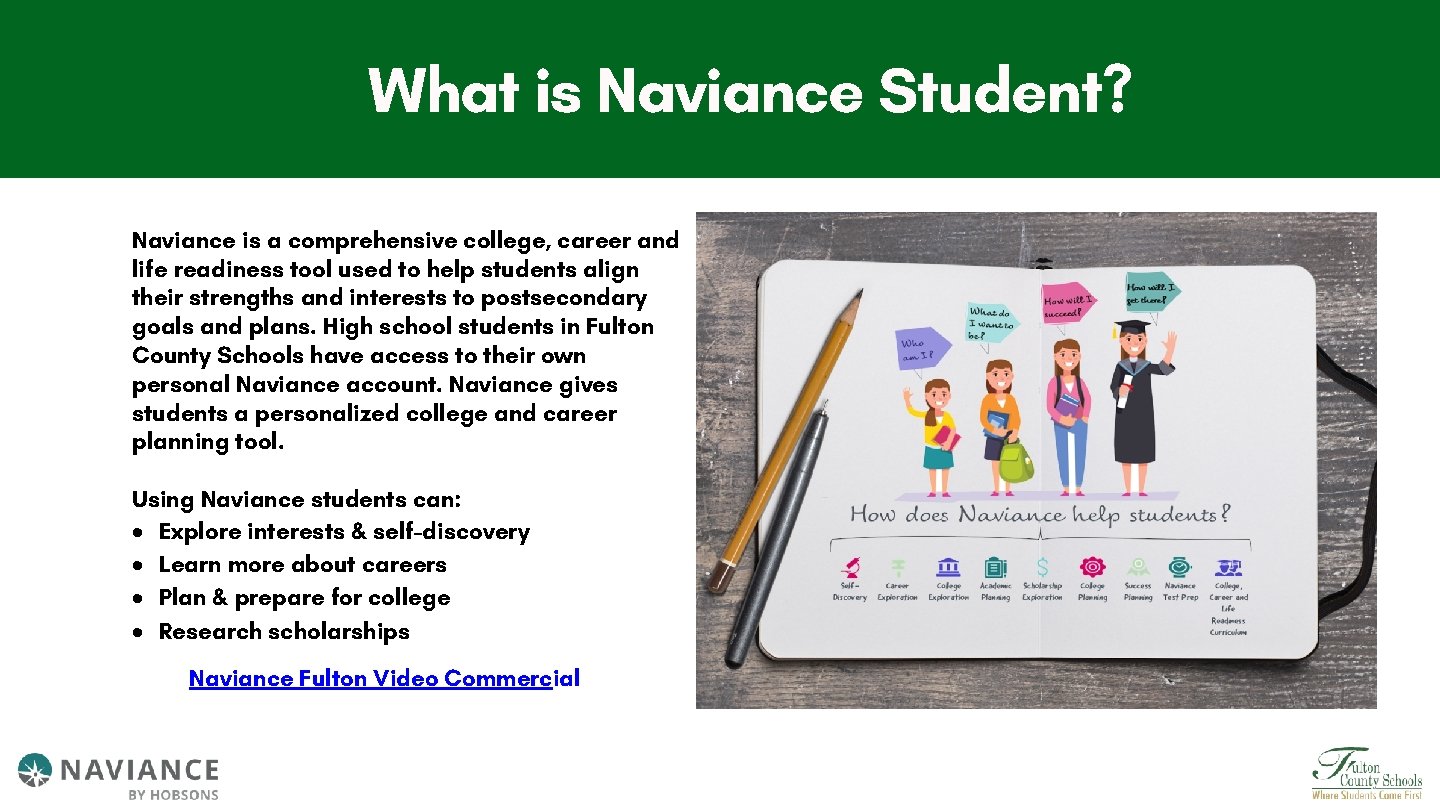
What is Naviance Student? Naviance is a comprehensive college, career and life readiness tool used to help students align their strengths and interests to postsecondary goals and plans. High school students in Fulton County Schools have access to their own personal Naviance account. Naviance gives students a personalized college and career planning tool. Using Naviance students can: Explore interests & self-discovery Learn more about careers Plan & prepare for college Research scholarships Naviance Fulton Video Commercial
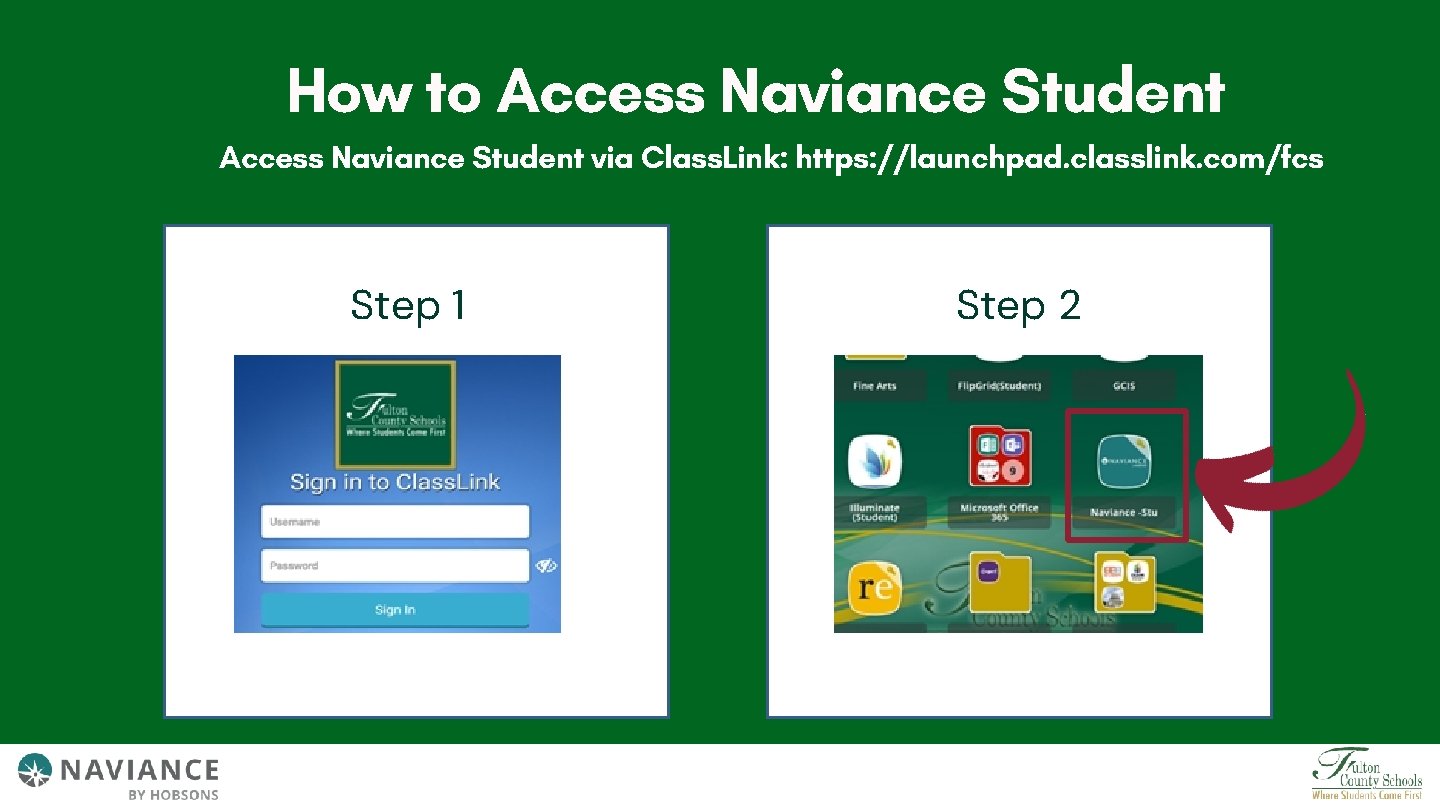
How to Access Naviance Student via Class. Link: https: //launchpad. classlink. com/fcs Step 1 Step 2
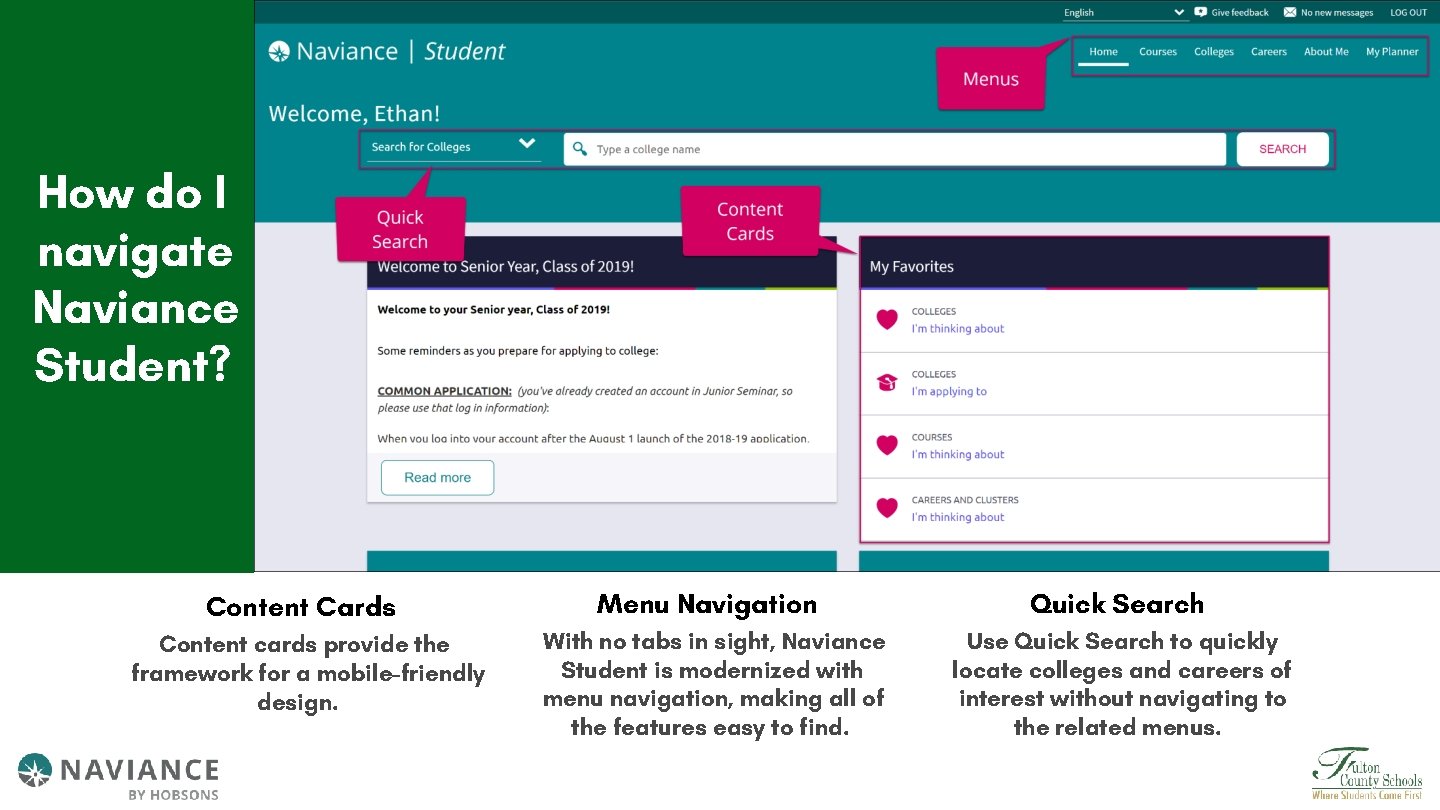
How do I navigate Naviance Student? Content Cards Content cards provide the framework for a mobile-friendly design. Menu Navigation Quick Search With no tabs in sight, Naviance Student is modernized with menu navigation, making all of the features easy to find. Use Quick Search to quickly locate colleges and careers of interest without navigating to the related menus.
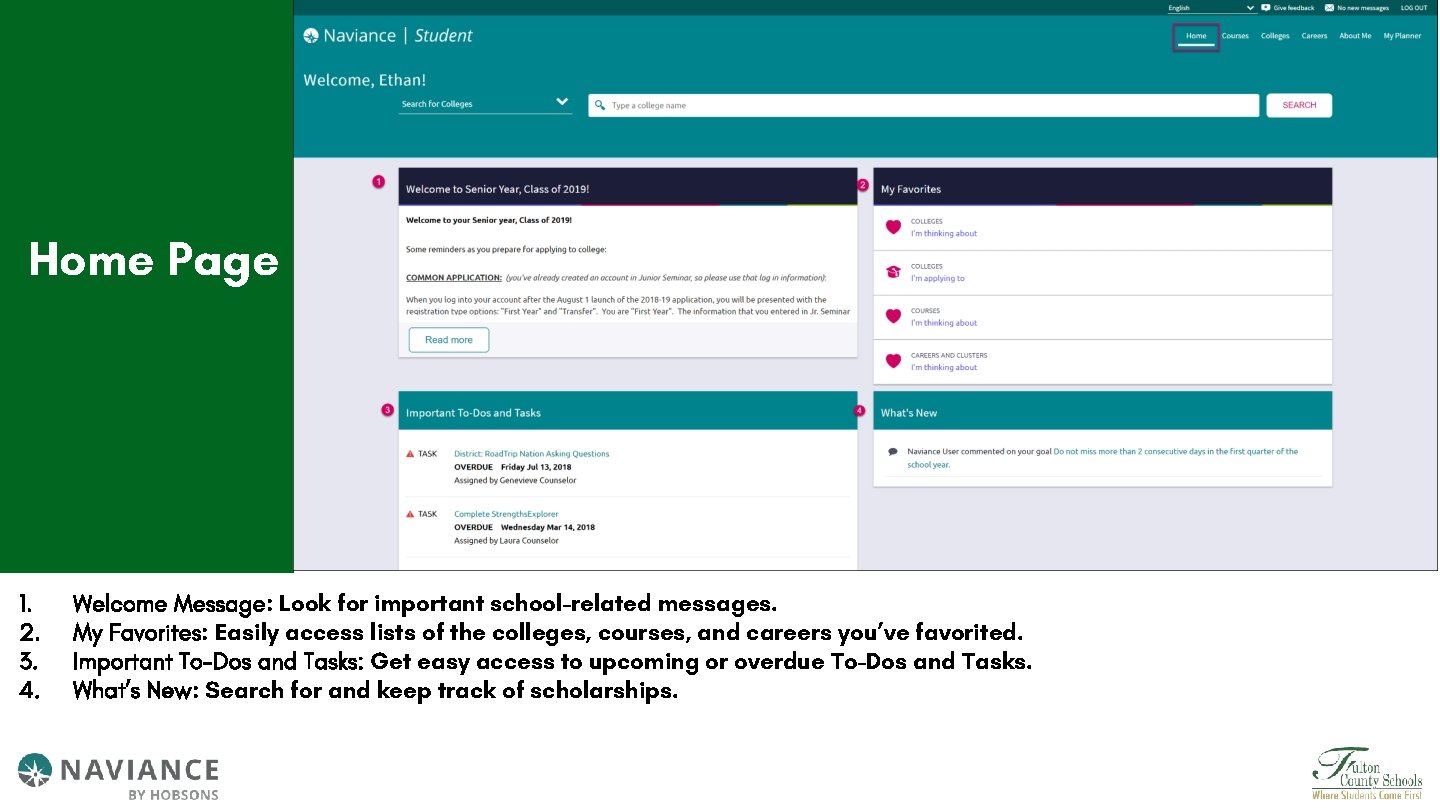
Home Page 1. 2. 3. 4. Welcome Message: Look for important school-related messages. My Favorites: Easily access lists of the colleges, courses, and careers you’ve favorited. Important To-Dos and Tasks: Get easy access to upcoming or overdue To-Dos and Tasks. What’s New: Search for and keep track of scholarships.
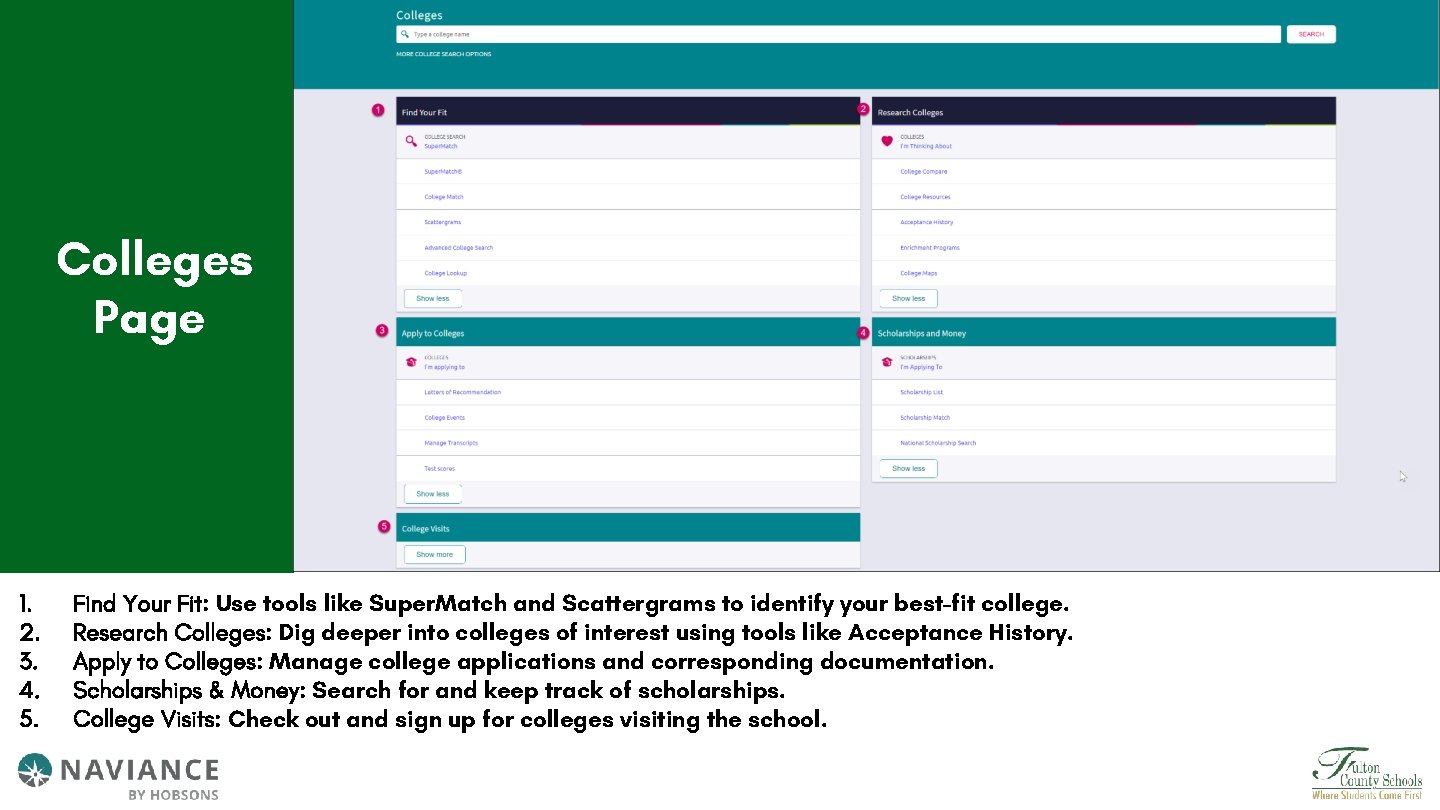
Colleges Page 1. 2. 3. 4. 5. Find Your Fit: Use tools like Super. Match and Scattergrams to identify your best-fit college. Research Colleges: Dig deeper into colleges of interest using tools like Acceptance History. Apply to Colleges: Manage college applications and corresponding documentation. Scholarships & Money: Search for and keep track of scholarships. College Visits: Check out and sign up for colleges visiting the school.
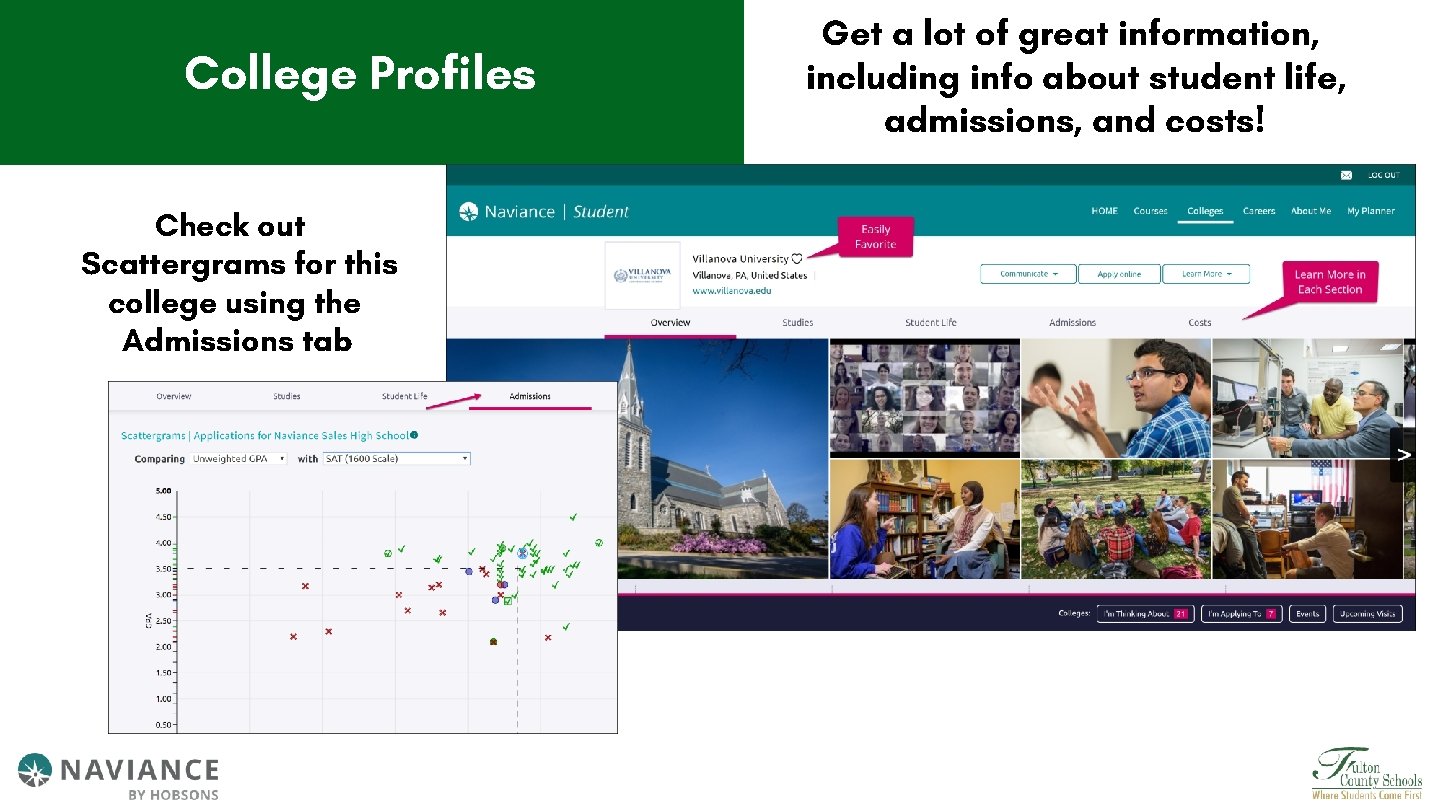
College Profiles Check out Scattergrams for this college using the Admissions tab Get a lot of great information, including info about student life, admissions, and costs!
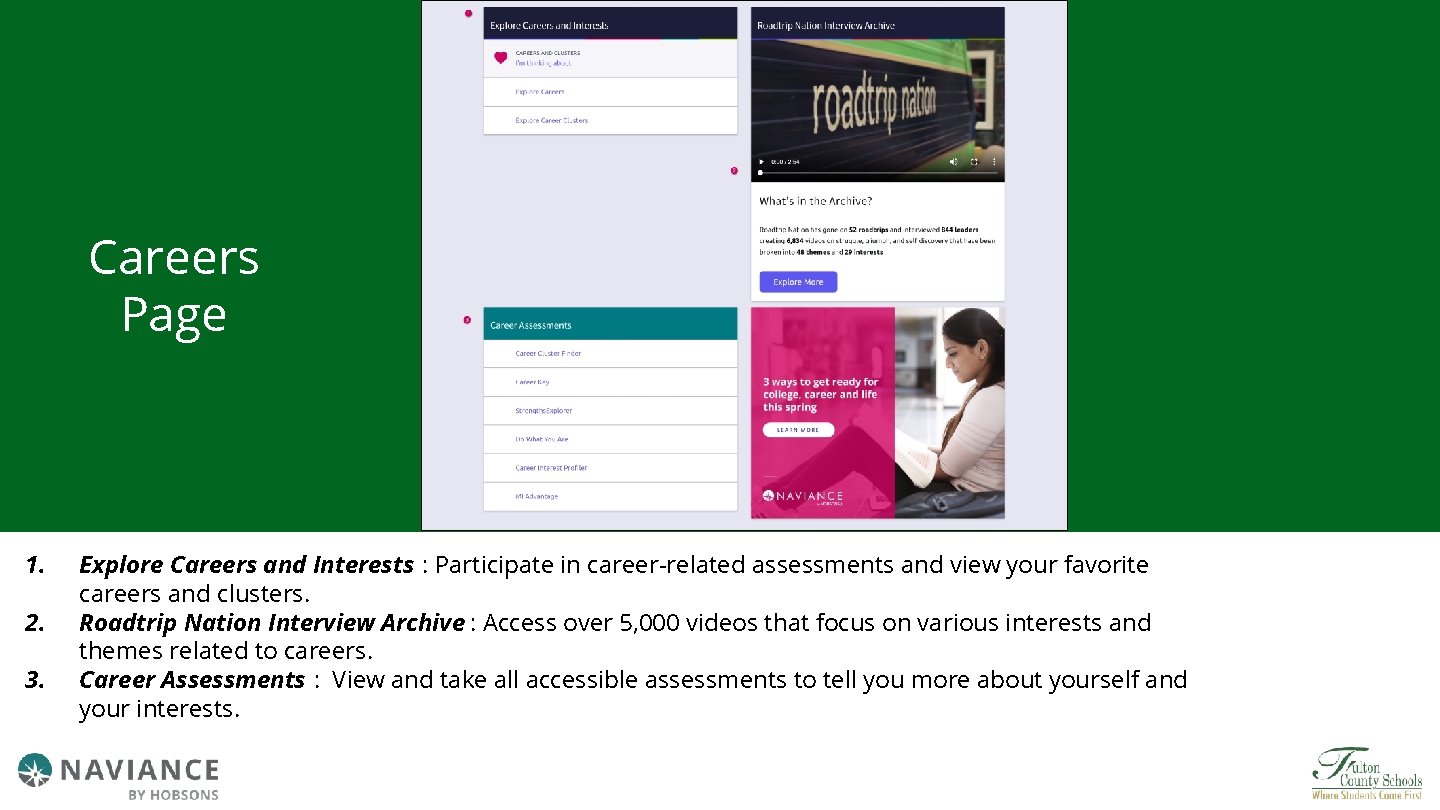
Careers Page 1. 2. 3. Explore Careers and Interests : Participate in career-related assessments and view your favorite careers and clusters. Roadtrip Nation Interview Archive : Access over 5, 000 videos that focus on various interests and themes related to careers. Career Assessments : View and take all accessible assessments to tell you more about yourself and your interests.
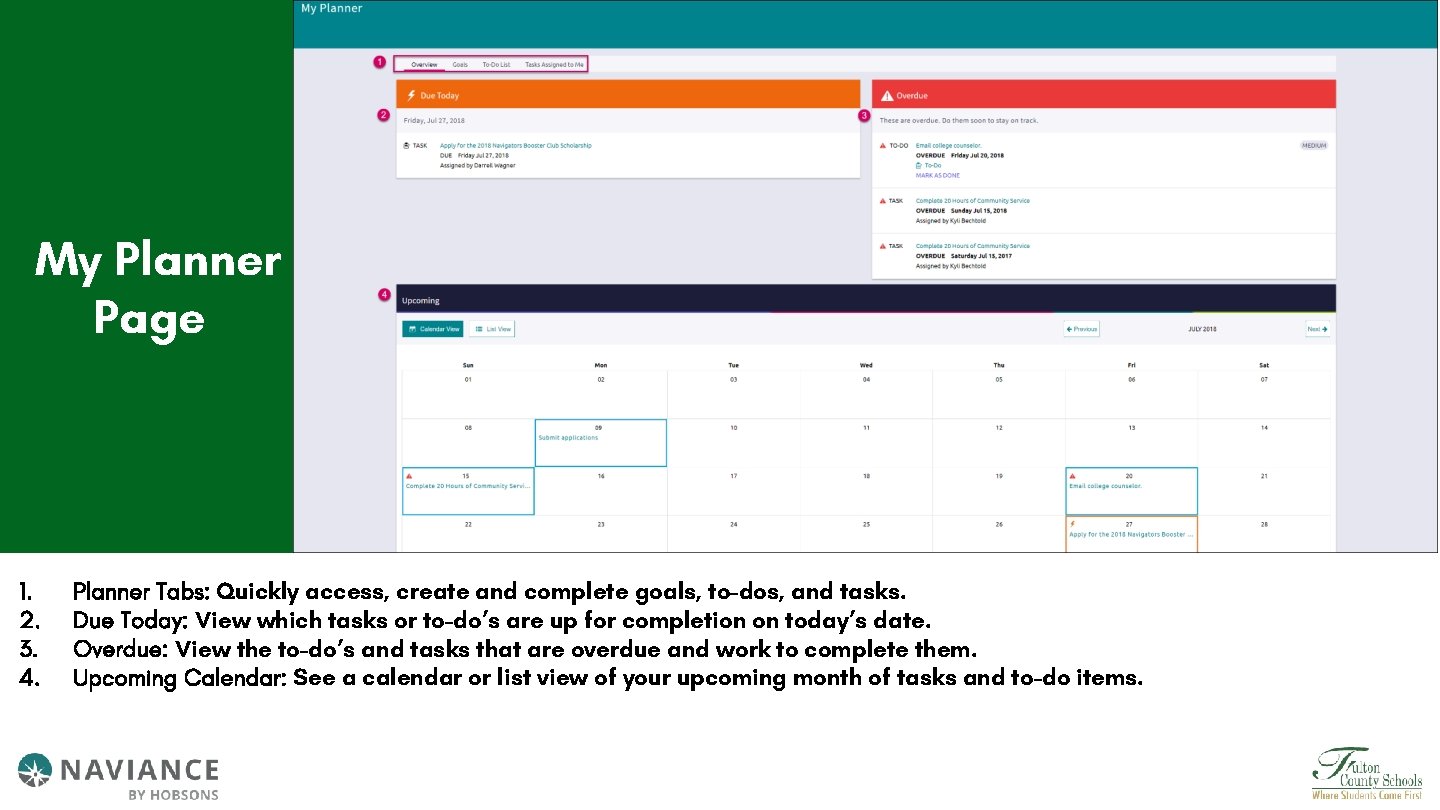
My Planner Page 1. 2. 3. 4. Planner Tabs: Quickly access, create and complete goals, to-dos, and tasks. Due Today: View which tasks or to-do’s are up for completion on today’s date. Overdue: View the to-do’s and tasks that are overdue and work to complete them. Upcoming Calendar: See a calendar or list view of your upcoming month of tasks and to-do items.
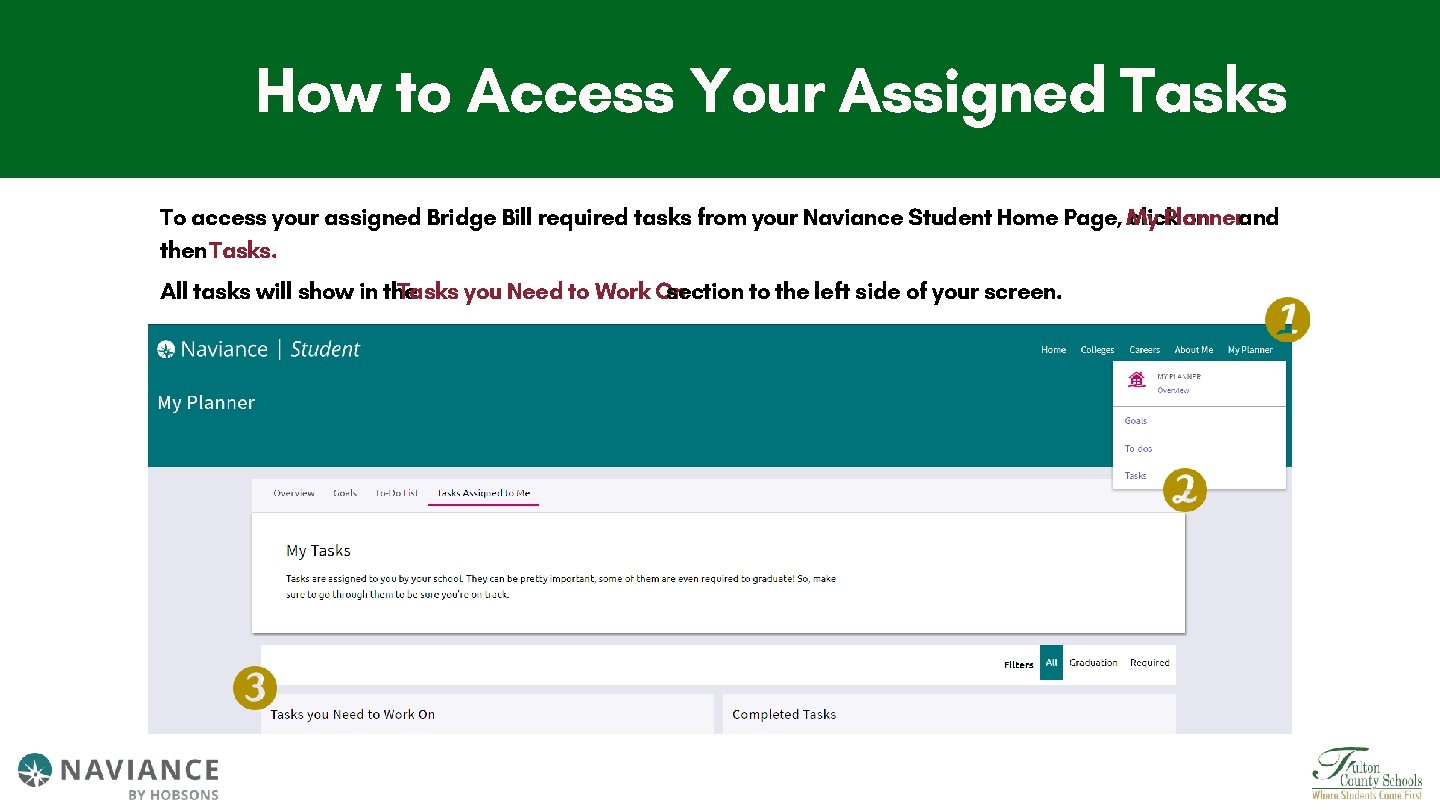
How to Access Your Assigned Tasks To access your assigned Bridge Bill required tasks from your Naviance Student Home Page, My click Planner on and then Tasks. All tasks will show in the Tasks you Need to Work On section to the left side of your screen.
Your th 11 Grade Assigned Bridge Bill Tasks • Complete the 11 th Grade Dual Enrollment Survey • 11 th Grade Workforce Development Survey • Complete Do What You Are Assessment/Save at Least 3 Careers • Super. Match College Search/Add 3 Colleges
- Slides: 11