
NassiShneiderman Charts Andrea Schumacher 10262020 1 Background n
Nassi-Shneiderman Charts Andrea Schumacher 10/26/2020 1
Background n n Nassi-Shneiderman (N-S) charts were initially developed in the early 1970’s by Ike Nassi and Ben Shneiderman They are based on and perform a function similar to flowcharts The initial purpose was to develop a technique to chart the logic design of structured programs N-S Charts are also know as Program Structure Diagrams (PSD) and Chapin Charts. 10/26/2020 2
Agenda n n n n n 1) Overview 2) Primary Uses 3) Advantages 4) Disadvantages 5) Relationship with Other Techniques 6) Symbols 7) Examples 8) Resources/Tools 9) Group projects 10/26/2020 3
Overview n Nassi-Shneiderman charts have four primary uses: 1. 2. 3. 4. 10/26/2020 Creating the logic design Programming from the charts Writing program documentation Maintenance of the program 4
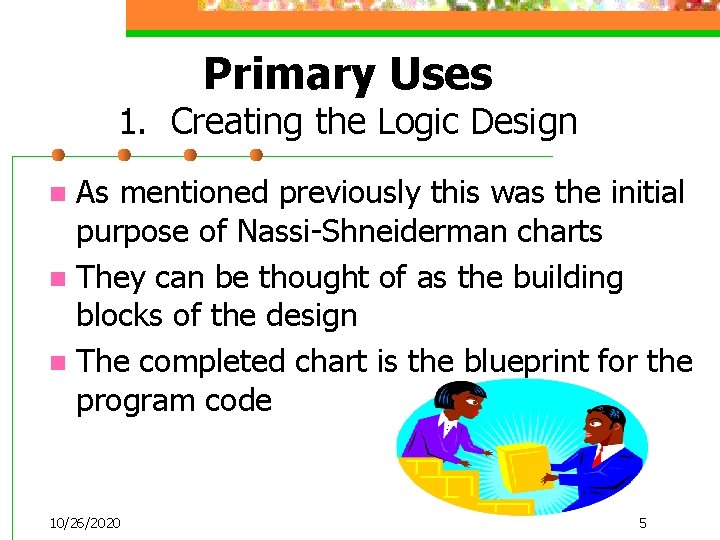
Primary Uses 1. Creating the Logic Design As mentioned previously this was the initial purpose of Nassi-Shneiderman charts n They can be thought of as the building blocks of the design n The completed chart is the blueprint for the program code n 10/26/2020 5
Primary Uses 2. Programming From the Charts The N-S chart can be use to do the actual programming n It can be considered as a type of “pictorial” pseudocode n Some of the N-S editors convert the diagram directly into source code n 10/26/2020 6
Primary Uses 3. Writing Program Documentation n The N-S chart is a pictorial representation of the logical design of the program n Using the N-S chart as an actual part of the documentation is a great idea! 10/26/2020 7
Primary Uses 4. Maintenance of the Program n N-S charts provide a quick reference to the structure and design of the program which helps during on-going maintenance and upgrades. 10/26/2020 8
Advantages - General n n One main advantage is that N-S charts adopt the structured programming philosophy N-S charts use only a few symbols which make them easier to learn then traditional flowcharts They help to recognize missing policies or procedures from business rules Completed charts should fit on one page, there are no complex arrows to follow 10/26/2020 9
Advantages – General (cont. ) Have one entry point and one exit point n They can be nested to show complex procedures n N-S charts are independent of any specific programming language n 10/26/2020 10
Advantages – Programming The logic is documented in the N-S chart so regardless of the coding language used, N-S charts make coding much easier then starting from scratch n Clearly displays sequence, selection, and repetition (such as nested loops) to make debugging easier n Confusing “GOTOs” are not represented n 10/26/2020 11
Disadvantages n They can be difficult to draw n They can be harder to update or change then traditional flow charts because everything stays together n They must be comprehensive to be understood 10/26/2020 12
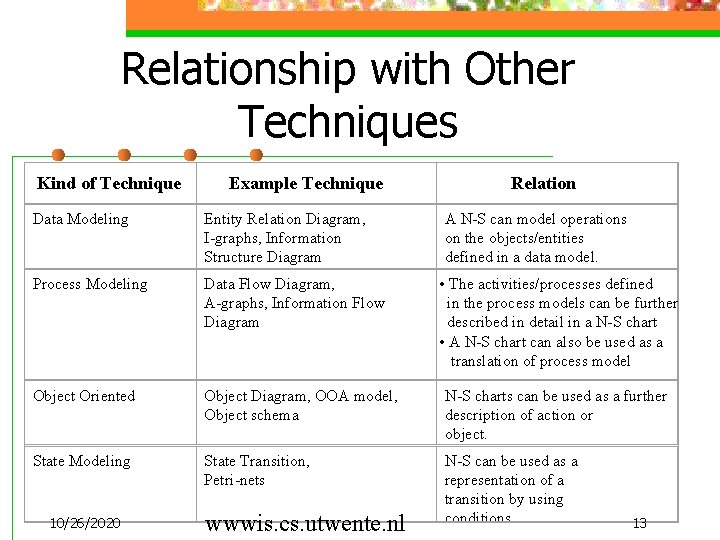
Relationship with Other Techniques Kind of Technique Example Technique Relation Data Modeling Entity Relation Diagram, I-graphs, Information Structure Diagram Process Modeling Data Flow Diagram, A-graphs, Information Flow Diagram Object Oriented Object Diagram, OOA model, Object schema N-S charts can be used as a further description of action or object. State Modeling State Transition, Petri-nets N-S can be used as a representation of a transition by using conditions. 10/26/2020 wwwis. cs. utwente. nl A N-S can model operations on the objects/entities defined in a data model. • The activities/processes defined in the process models can be further described in detail in a N-S chart • A N-S chart can also be used as a translation of process model 13
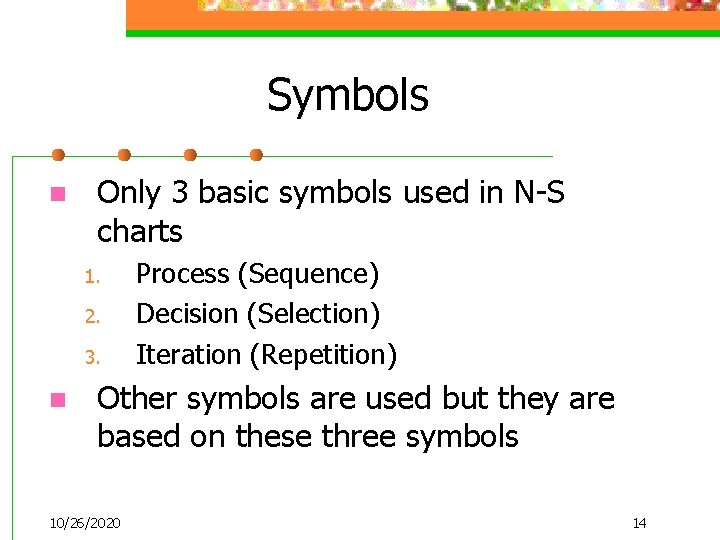
Symbols n Only 3 basic symbols used in N-S charts 1. 2. 3. n Process (Sequence) Decision (Selection) Iteration (Repetition) Other symbols are used but they are based on these three symbols 10/26/2020 14
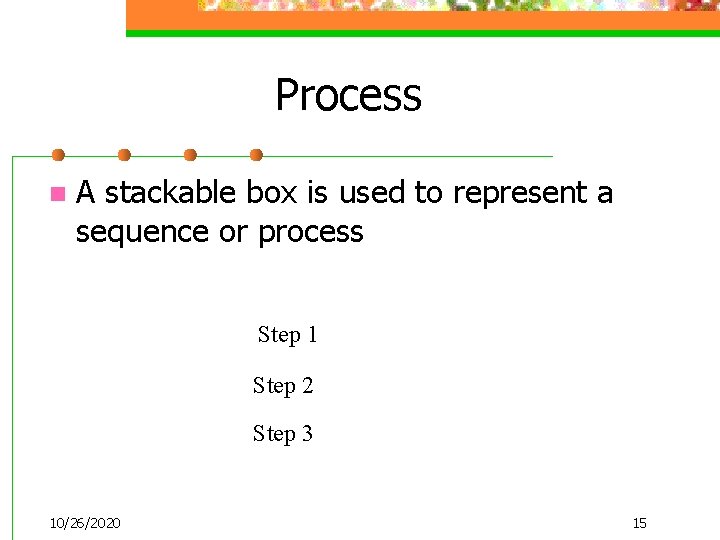
Process n A stackable box is used to represent a sequence or process Step 1 Step 2 Step 3 10/26/2020 15
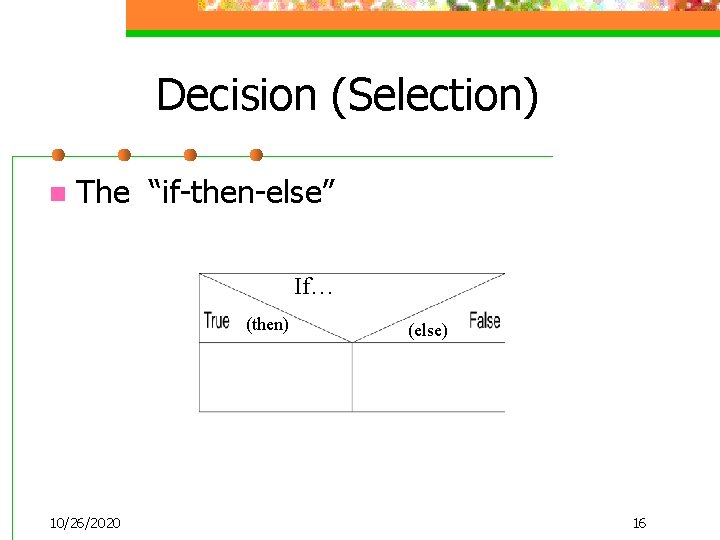
Decision (Selection) n The “if-then-else” If… (then) 10/26/2020 (else) 16
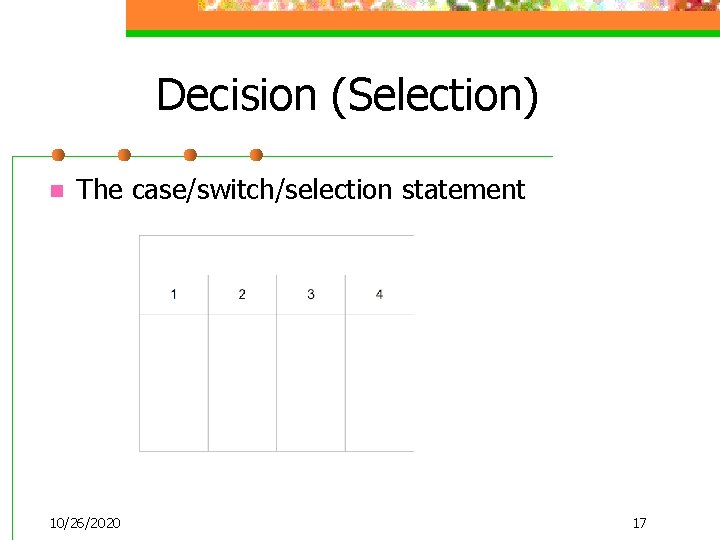
Decision (Selection) n The case/switch/selection statement 10/26/2020 17
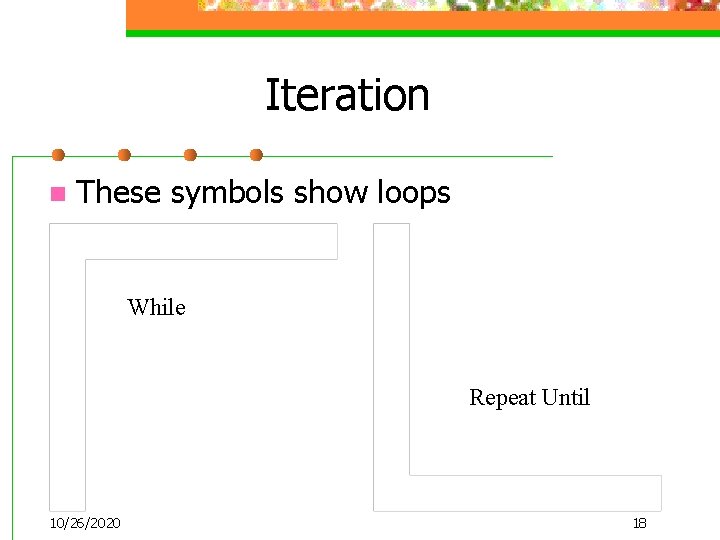
Iteration n These symbols show loops While Repeat Until 10/26/2020 18
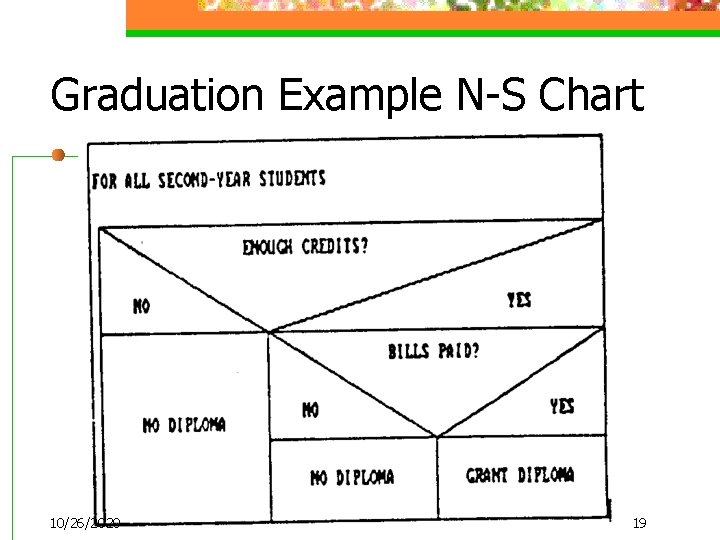
Graduation Example N-S Chart 10/26/2020 19
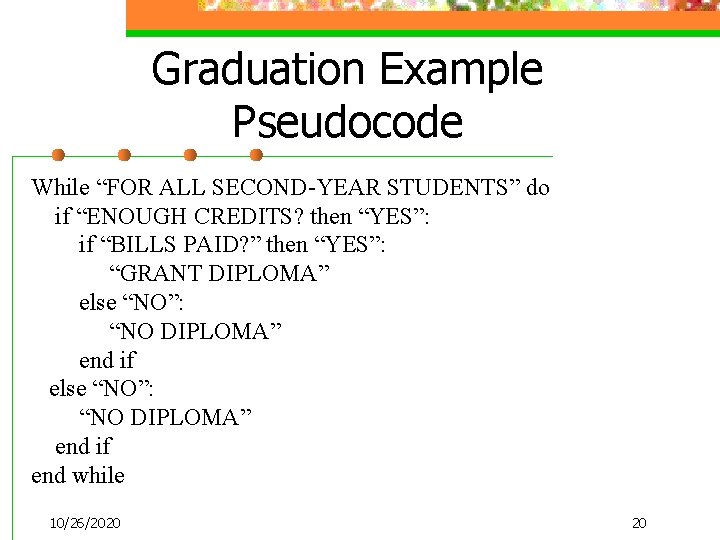
Graduation Example Pseudocode While “FOR ALL SECOND-YEAR STUDENTS” do if “ENOUGH CREDITS? then “YES”: if “BILLS PAID? ” then “YES”: “GRANT DIPLOMA” else “NO”: “NO DIPLOMA” end if else “NO”: “NO DIPLOMA” end if end while 10/26/2020 20
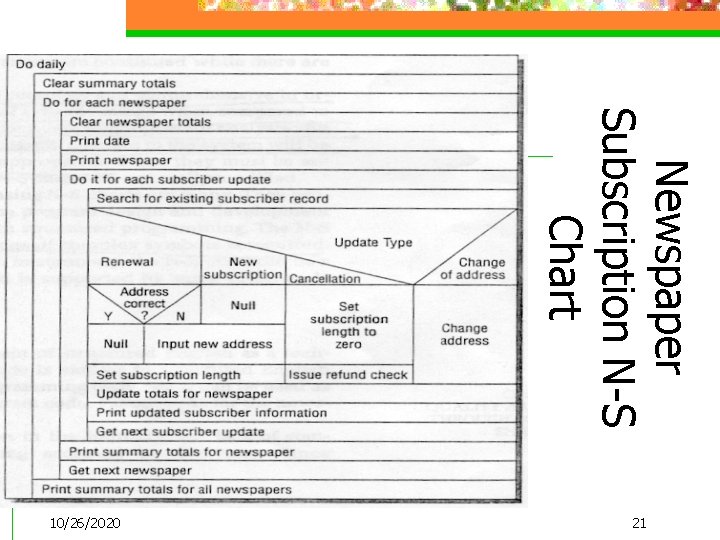
Newspaper Subscription N-S Chart 21 10/26/2020
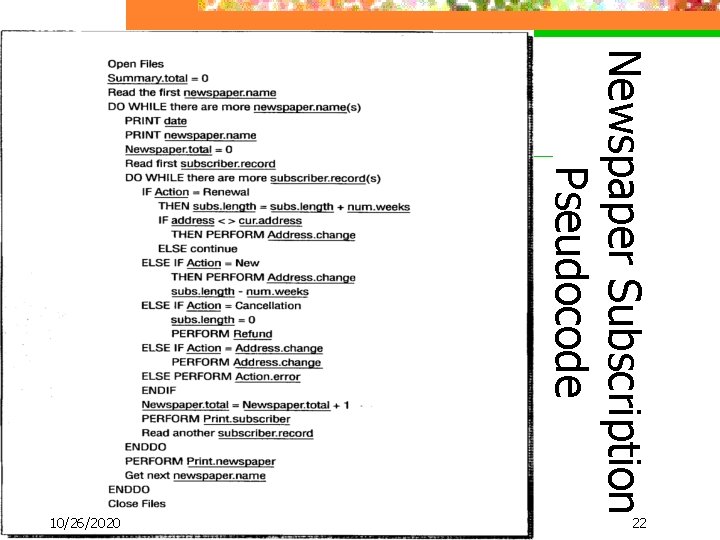
Newspaper Subscription Pseudocode 22 10/26/2020
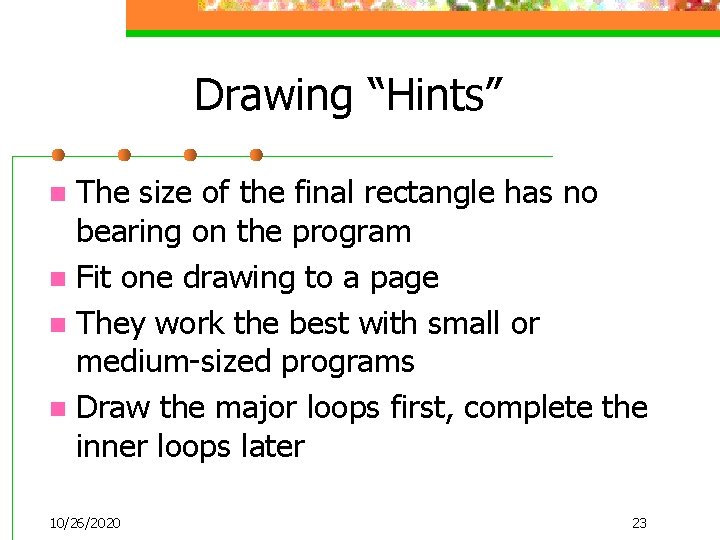
Drawing “Hints” The size of the final rectangle has no bearing on the program n Fit one drawing to a page n They work the best with small or medium-sized programs n Draw the major loops first, complete the inner loops later n 10/26/2020 23
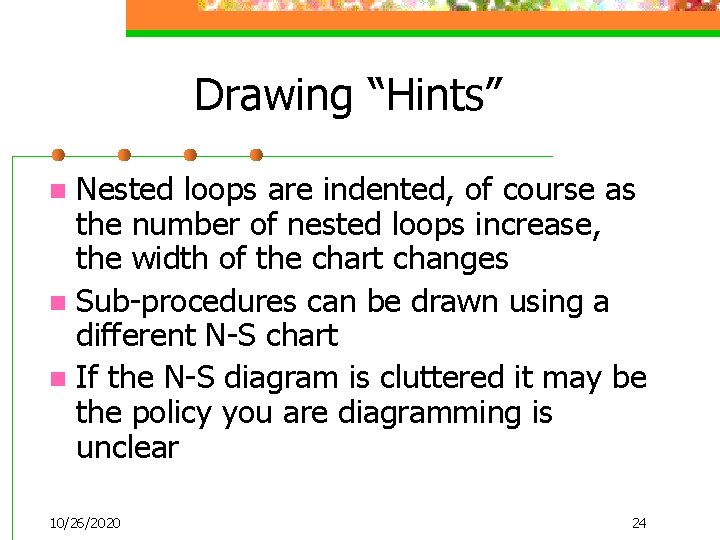
Drawing “Hints” Nested loops are indented, of course as the number of nested loops increase, the width of the chart changes n Sub-procedures can be drawn using a different N-S chart n If the N-S diagram is cluttered it may be the policy you are diagramming is unclear n 10/26/2020 24
User Comments n n The University of Liverpool develop a N-S editor using a VAX based Pascal complier called NSEDIT User responses: n n n 60% agreed that it helped to ensure the correct syntax 21% said it enforced structured programming 12% felt it made the transition from design to code easier 10/26/2020 25
Editor Downloads/Tools Nassi-Shneiderman Diagrams Editor for Unix http: //www. kfa-juelich. de/zam/nassi/ n n n free download for a demo or about $30 dollars for a user license Microsoft Visio 2000 supports N-S charts 10/26/2020 26
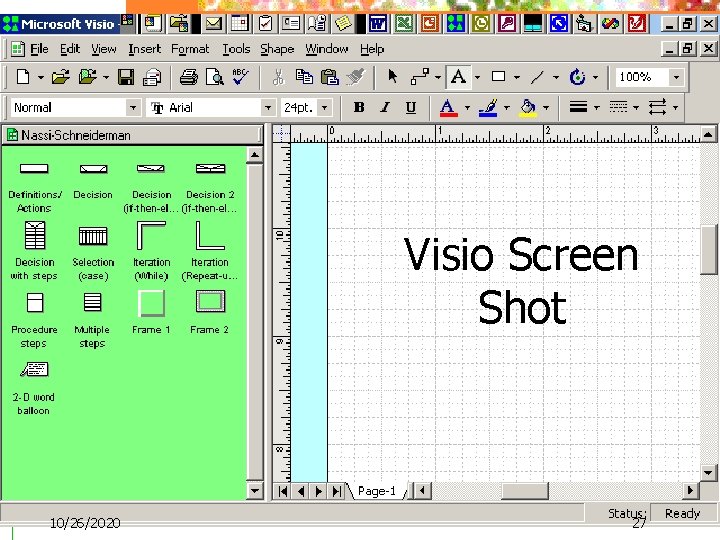
Visio Screen Shot 10/26/2020 27
MS Visio Example 28 10/26/2020
Editor Downloads (cont. ) n Strukto. Graaf 3. 0 Windows 95/98/ME/NT/2000 http: //www. sichemsoft. nl/producuk. html n A free download for a demo, about 135 (or student version for 57) for a user license 10/26/2020 29
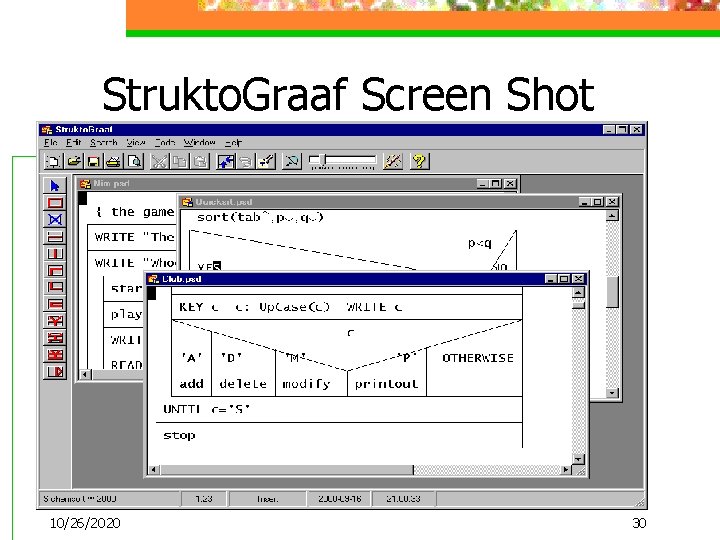
Strukto. Graaf Screen Shot 10/26/2020 30
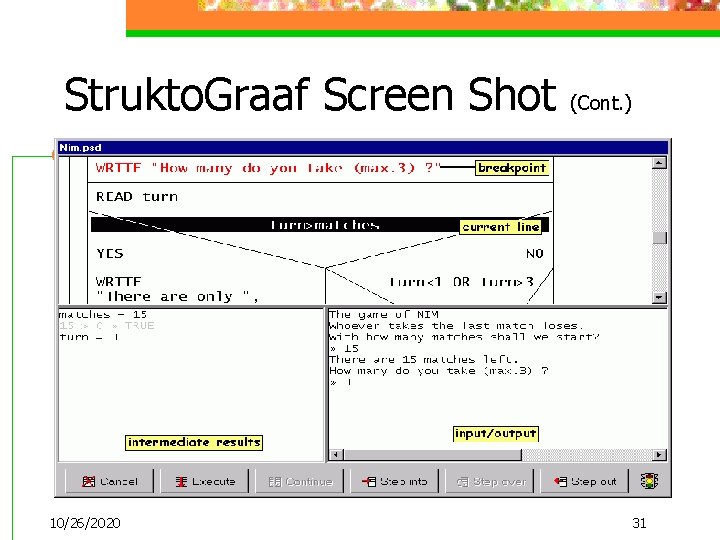
Strukto. Graaf Screen Shot (Cont. ) 10/26/2020 31
Summary n We have seen some of the advantages and disadvantages of using Nassi. Shneiderman charts n I think you can clearly see the benefits to using N-S charts for system design as well as documentation and maintenance 10/26/2020 32
References n Beek, Marcel, Koolen, Hans, Van Setten, Mark: (1996), “Program Structure Diagrams”, (visited 3/18/01), wwwis. cs. utwente. nl: 8080/dmrg/mee/misop. htm n Cary, David (2000): “Nassi-Shneiderman on the Web”, (visited 3/18/01), www. rdrop. com/~cary/html/psd. html n Coenen, Frans: “Comp 101 – Design and Style Review”, (visited 3/6/01), www. csc. liv. ac. uk/~frans/comp 101/week 9/design. And. Style. htm. n Halewood, K. and Woodward M. R. : (1988), “NSEDIT: A Syntax-directed Editor and Testing Tool based on Nassi-Shneiderman Charts”, Software-Practice and Experience, Vol. 18, No. 10, pp. 987 -998 n Juch, Forschungszentrum: (1997) “Nassi Tutorial”, (visited 3/12/01), www. kfajuelich. de/zam/nassi/tutorial. html n Kendall, Kenneth E. and Kendall, Julie E. : (1999) System Analysis and Design, Prentice Hall, New Jersey 10/26/2020 33
References (cont. ) n Seesing, Paul R. : (1993), “Basic System Analysis Tools for Computer Users”, (visited 4/9/01), www. open. org/~prslkg/sy_chap. htm n Tiemann, Peter: “Nassi-Shneiderman Charts”, (visited 4/9/01), www. preview. org/software/sc_help/nassishneiderman n “Why Should I Use Structograms? ”: (visited 4/9/01), www. blue-riversoftware. com/products/whystructs. htm n Weiss, Edmond H. : (1990). “Visualizing a Procedure with Nassi-Schneiderman Charts”, Journal of Technical Writing and Communication, Vol. 20, No. 3, pp. 237 -254 n Woodward, M. R. : (1987) “The Use of Nassi-Shneiderman Charts and Supporting Tools in Software Engineering Education”, Computer Education, Vol. 11, No. 4, pp. 267 -279 10/26/2020 34
Class Exercises 10/26/2020 35
- Slides: 35