
Nano VNAF Nano VNAF 4 3 120 150
- Slides: 26
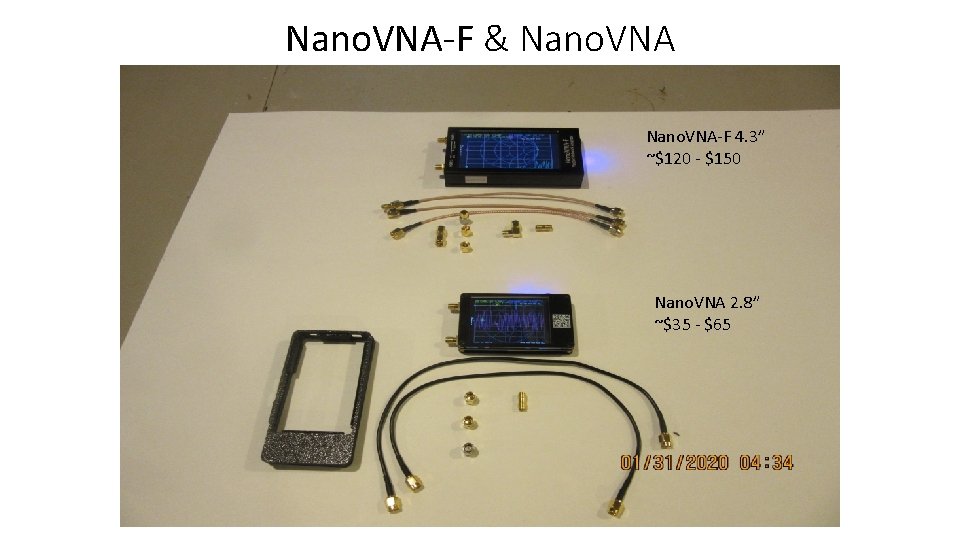
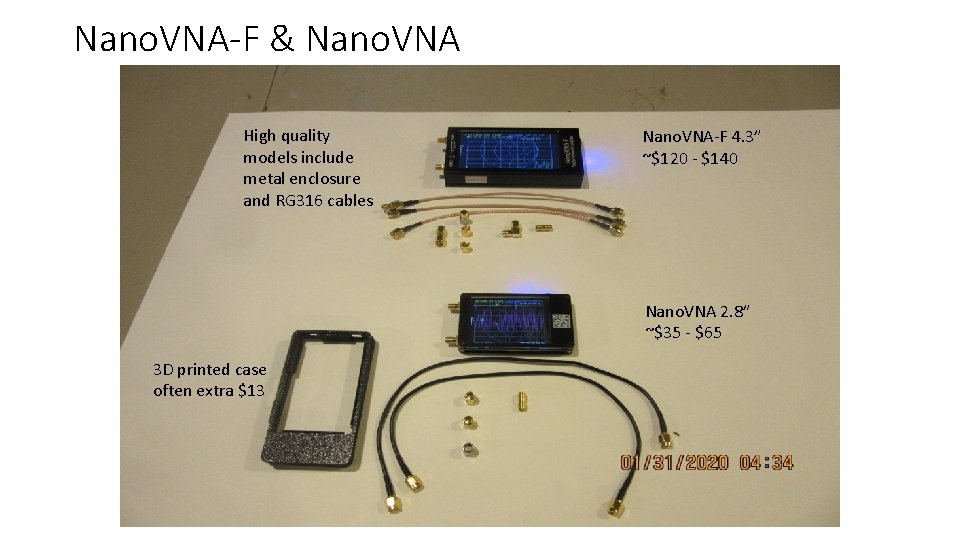
Nano. VNA-F & Nano. VNA-F 4. 3” ~$120 - $150 Nano. VNA 2. 8” ~$35 - $65
Nano. VNA Overview • Low price precision measurement test equipment • Small portable PC connectable device • Requires calibration before using to ensure accuracy • Open source architecture – hardware and software • Uses include measuring: • Inductance • Complex antenna impedance • Chokes • Gain • Attenuation • Align filters • Measuring coax length and finding location of defects in a feedline
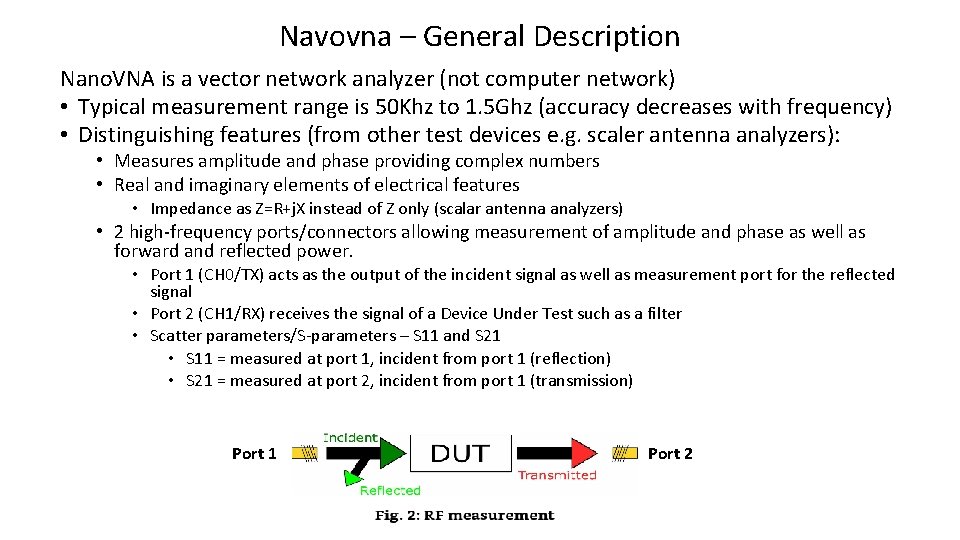
Navovna – General Description Nano. VNA is a vector network analyzer (not computer network) • Typical measurement range is 50 Khz to 1. 5 Ghz (accuracy decreases with frequency) • Distinguishing features (from other test devices e. g. scaler antenna analyzers): • Measures amplitude and phase providing complex numbers • Real and imaginary elements of electrical features • Impedance as Z=R+j. X instead of Z only (scalar antenna analyzers) • 2 high-frequency ports/connectors allowing measurement of amplitude and phase as well as forward and reflected power. • Port 1 (CH 0/TX) acts as the output of the incident signal as well as measurement port for the reflected signal • Port 2 (CH 1/RX) receives the signal of a Device Under Test such as a filter • Scatter parameters/S-parameters – S 11 and S 21 • S 11 = measured at port 1, incident from port 1 (reflection) • S 21 = measured at port 2, incident from port 1 (transmission) Port 1 Port 2
Hardware versions and construction High quality models and many cheaper clones • Sold with or without batteries, get one with the battery included • Sold with or without shielded ports (different from shielded case) • Cheaper models have inferior and fewer accessories, e. g. # of SMA connectors and coax leads (RG 174 vs. RG 316) • Nano. VNA 2. 8” screen – original marketed by Hugen enclosed in a protective plastic (3 D printed) case • Nano. VNA-F 4. 3” – Deepelec sold through Aliexpress is a high quality offering with metal case and complete accessory package • Required calibration accessories include: short, open, load, thru connectors (SMA)
Nano. VNA-F & Nano. VNA High quality models include metal enclosure and RG 316 cables Nano. VNA-F 4. 3” ~$120 - $140 Nano. VNA 2. 8” ~$35 - $65 3 D printed case often extra $13
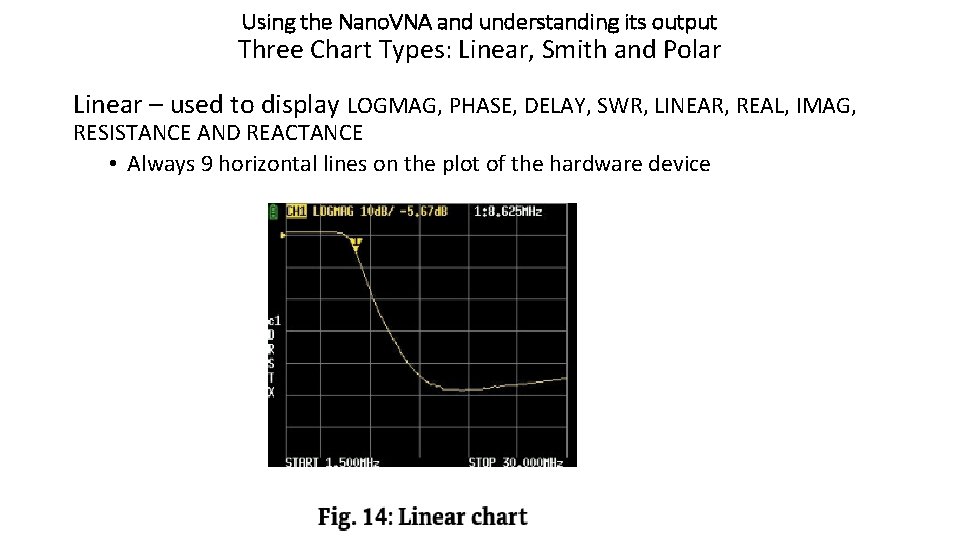
Using the Nano. VNA and understanding its output Three Chart Types: Linear, Smith and Polar Linear – used to display LOGMAG, PHASE, DELAY, SWR, LINEAR, REAL, IMAG, RESISTANCE AND REACTANCE • Always 9 horizontal lines on the plot of the hardware device
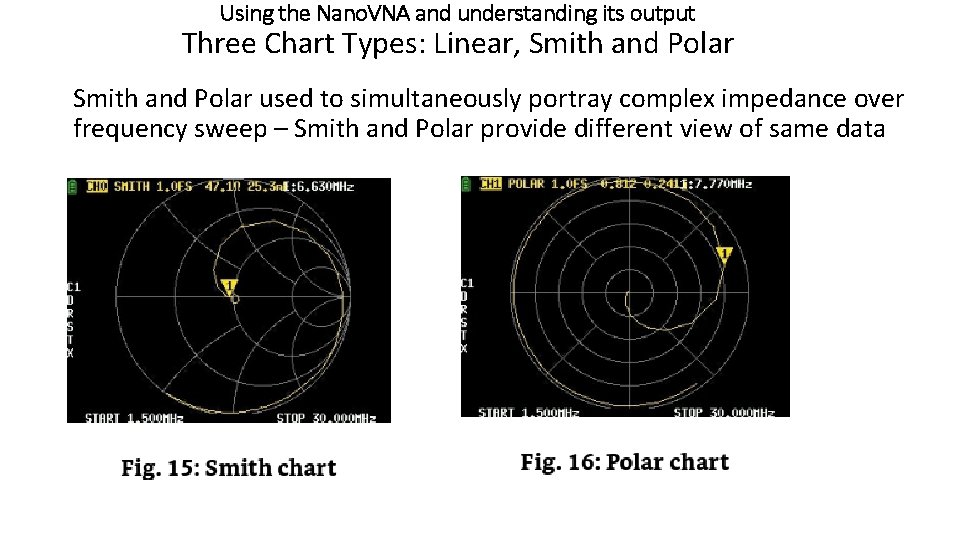
Using the Nano. VNA and understanding its output Three Chart Types: Linear, Smith and Polar used to simultaneously portray complex impedance over frequency sweep – Smith and Polar provide different view of same data
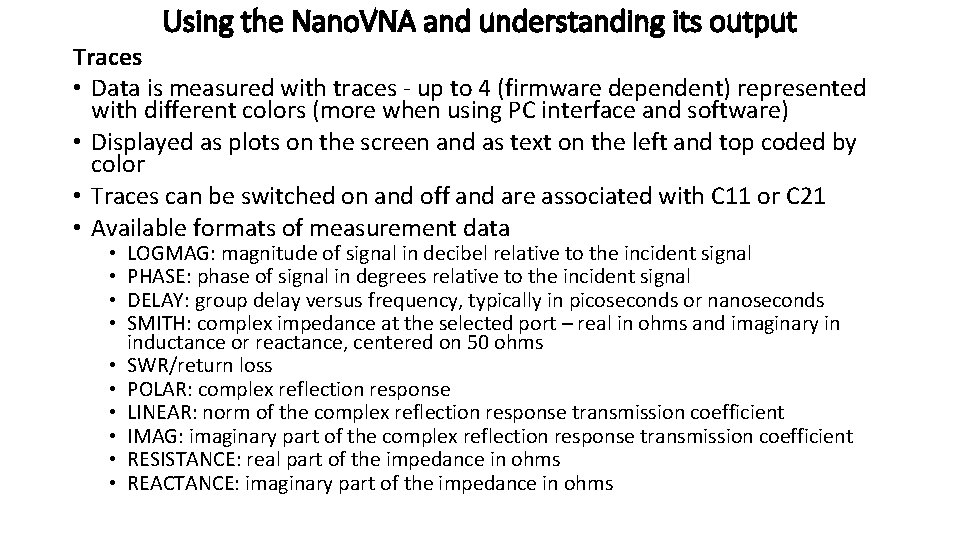
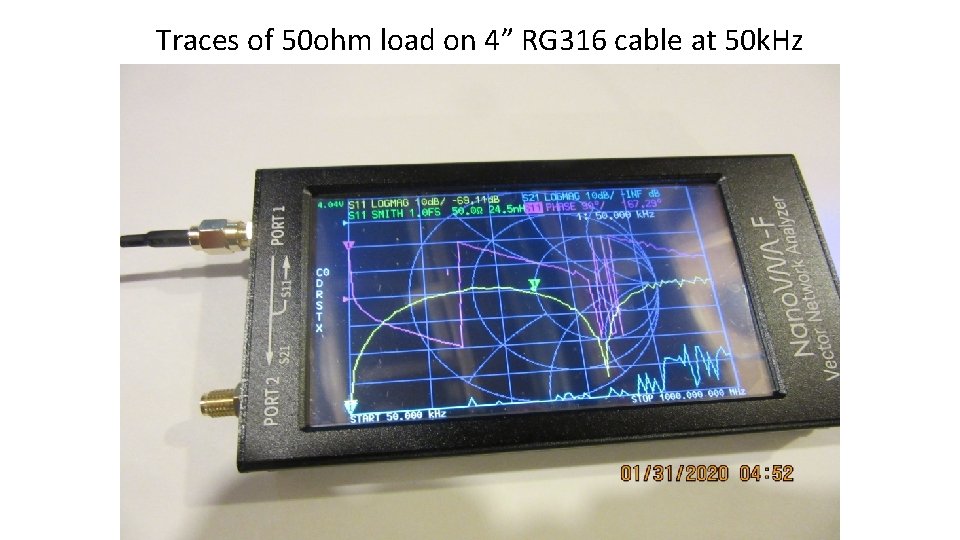
Using the Nano. VNA and understanding its output Traces • Data is measured with traces - up to 4 (firmware dependent) represented with different colors (more when using PC interface and software) • Displayed as plots on the screen and as text on the left and top coded by color • Traces can be switched on and off and are associated with C 11 or C 21 • Available formats of measurement data • • • LOGMAG: magnitude of signal in decibel relative to the incident signal PHASE: phase of signal in degrees relative to the incident signal DELAY: group delay versus frequency, typically in picoseconds or nanoseconds SMITH: complex impedance at the selected port – real in ohms and imaginary in inductance or reactance, centered on 50 ohms SWR/return loss POLAR: complex reflection response LINEAR: norm of the complex reflection response transmission coefficient IMAG: imaginary part of the complex reflection response transmission coefficient RESISTANCE: real part of the impedance in ohms REACTANCE: imaginary part of the impedance in ohms
Traces of 50 ohm load on 4” RG 316 cable at 50 k. Hz
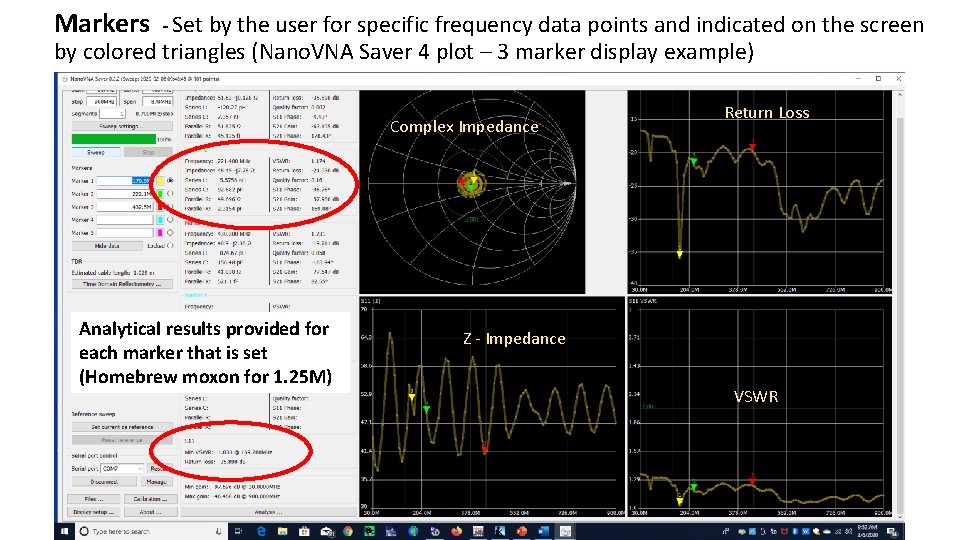
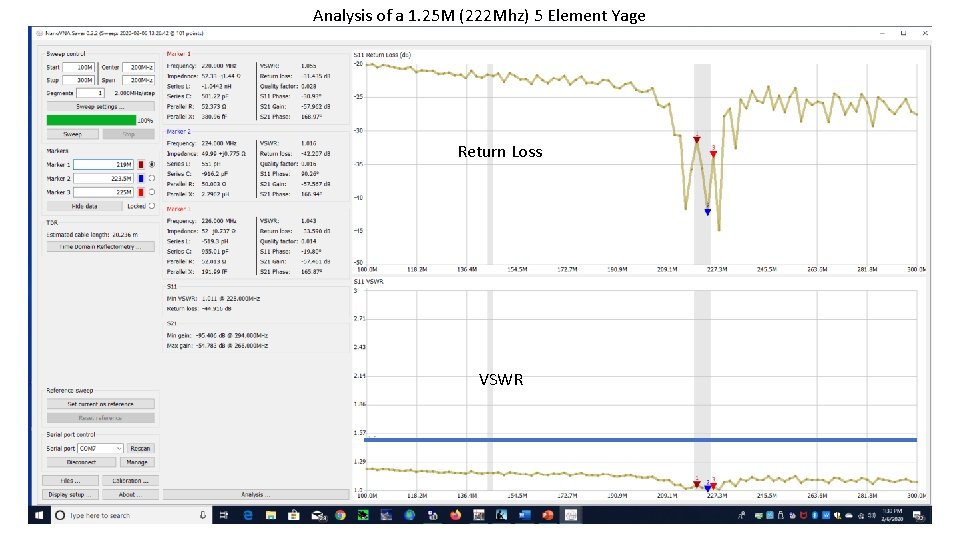
Markers - Set by the user for specific frequency data points and indicated on the screen by colored triangles (Nano. VNA Saver 4 plot – 3 marker display example) Complex Impedance Analytical results provided for each marker that is set (Homebrew moxon for 1. 25 M) Return Loss Z - Impedance VSWR
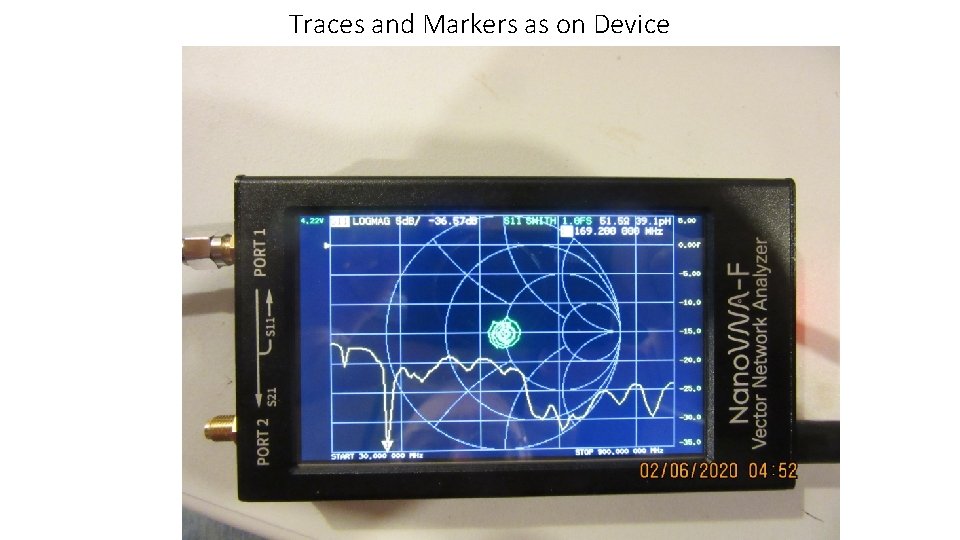
Traces and Markers as on Device
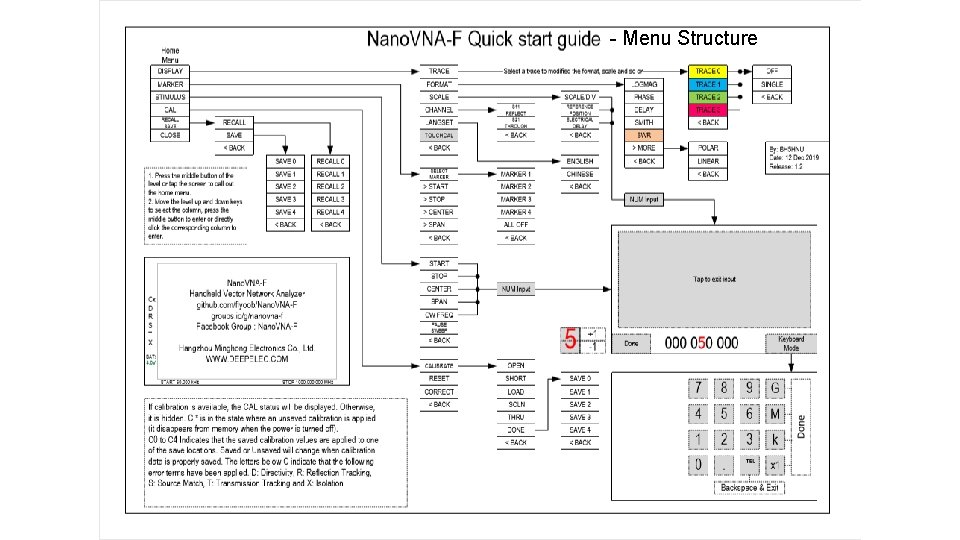
- Menu Structure
Calibration • “The Nano. VNA is a very capable, high precision measurement device. But unlike some other instruments, it needs careful calibration before reliable measurement results can be expected. This is primarily due to the fact, that a VNA provides phase information, not only magnitudes. Bear in mind, that we are talking about a sensitivity of up to 70 d. B. This is one in ten million!” • The phase of a signal is changed by many effects e. g. • Distance, type of feedline, connector type – which become more critical as frequency increases into VHF+ range • Two types of calibration – Full S 21 (thru) and Partial S 11 (reflected) • S 11 – open, short, load • S 21 – open, short, load, isolation, thru • 5 calibration memories C 0 -C 4, can be set for various uses/frequency ranges
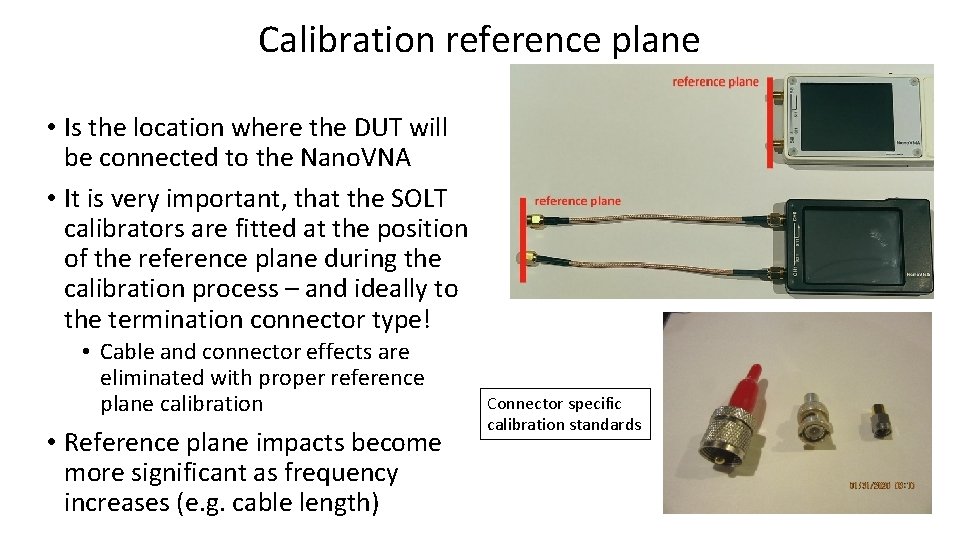
Calibration reference plane • Is the location where the DUT will be connected to the Nano. VNA • It is very important, that the SOLT calibrators are fitted at the position of the reference plane during the calibration process – and ideally to the termination connector type! • Cable and connector effects are eliminated with proper reference plane calibration • Reference plane impacts become more significant as frequency increases (e. g. cable length) Connector specific calibration standards
PC Software – Nano. VNA Saver • This is probably the most comprehensive software currently available for the Nano. VNA. As this software is based on Python it can be installed on Windows, Mac, and Linux. • Check it on Git. Hub, where you will find the latest release and instructions for installation. • The following illustrations are based on the Nano. VNA Saver 0. 2. 2 release running on a Windows 10 computer. • Note: Once the Nano. VNA is connected to the PC, a software calibration is required for accurate measurement, like the firmware calibration for the standalone device • 1 st the hardware unit should be calibrated • 2 nd the software is calibrated • Other software products include: Nano. VNA-Web-Client, Nano. VNASharp, TAPR VNA, Matlab/Labview
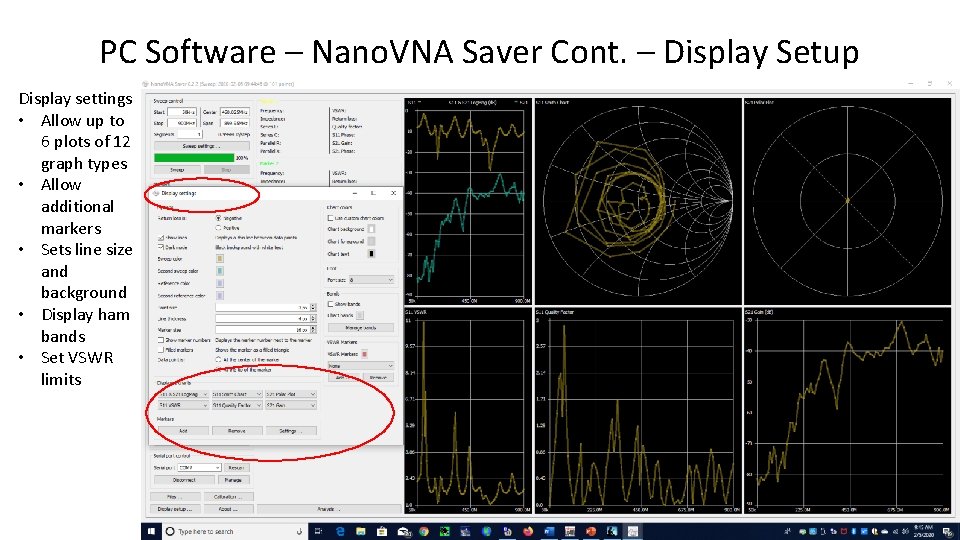
PC Software – Nano. VNA Saver Cont. – Display Setup Display settings • Allow up to 6 plots of 12 graph types • Allow additional markers • Sets line size and background • Display ham bands • Set VSWR limits
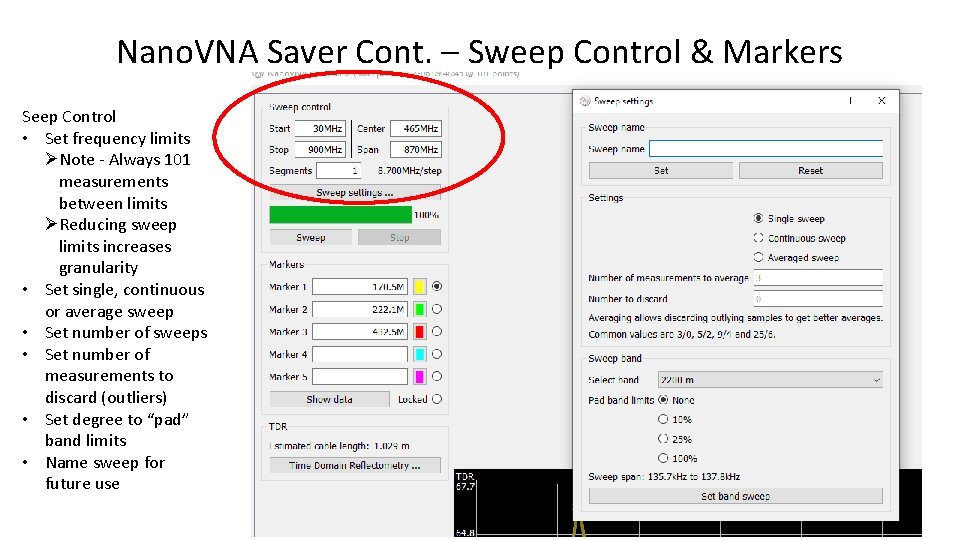
Nano. VNA Saver Cont. – Sweep Control & Markers Seep Control • Set frequency limits ØNote - Always 101 measurements between limits ØReducing sweep limits increases granularity • Set single, continuous or average sweep • Set number of sweeps • Set number of measurements to discard (outliers) • Set degree to “pad” band limits • Name sweep for future use
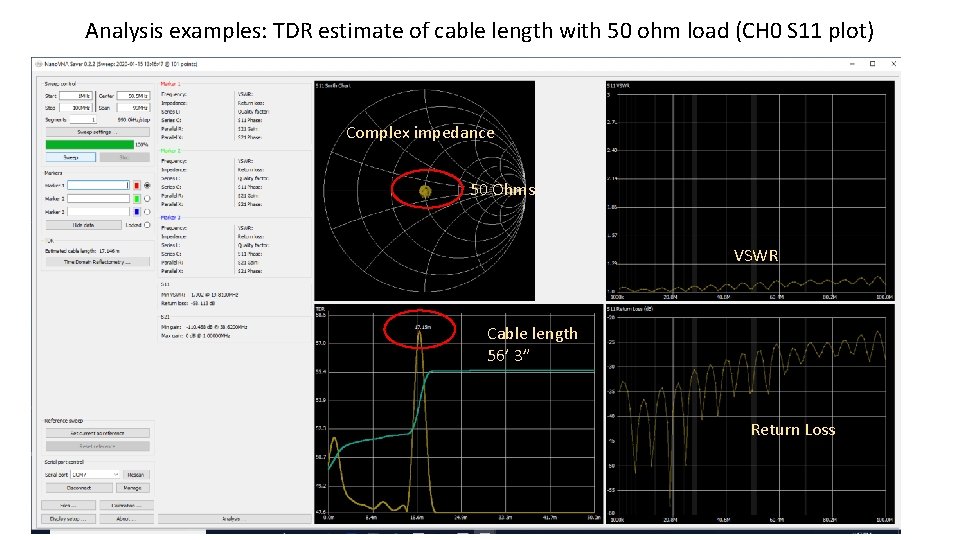
Analysis examples: TDR estimate of cable length with 50 ohm load (CH 0 S 11 plot) Complex impedance 50 Ohms VSWR Cable length 56’ 3” Return Loss
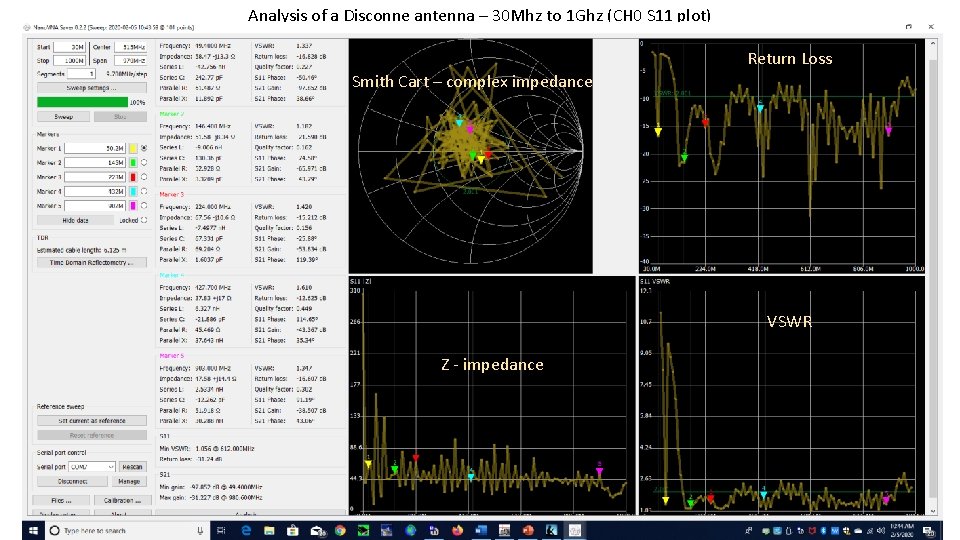
Analysis of a Disconne antenna – 30 Mhz to 1 Ghz (CH 0 S 11 plot) Return Loss Smith Cart – complex impedance VSWR Z - impedance
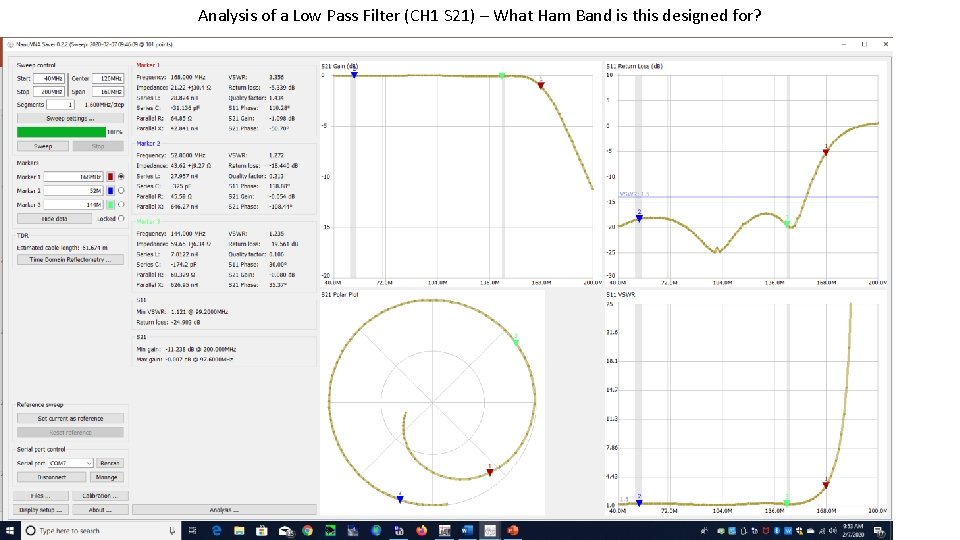
Analysis of a Low Pass Filter (CH 1 S 21) – What Ham Band is this designed for? Return Loss VSWR
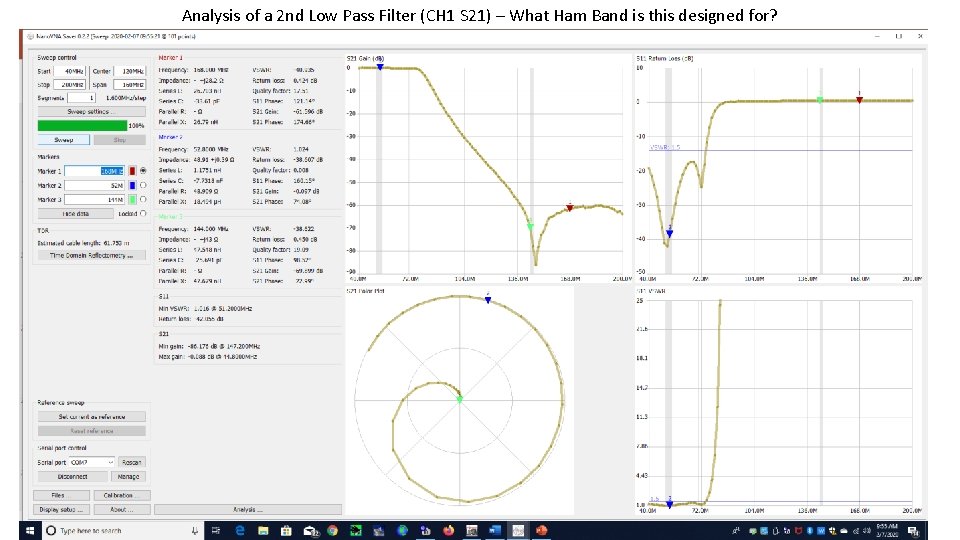
Analysis of a 2 nd Low Pass Filter (CH 1 S 21) – What Ham Band is this designed for? Return Loss VSWR
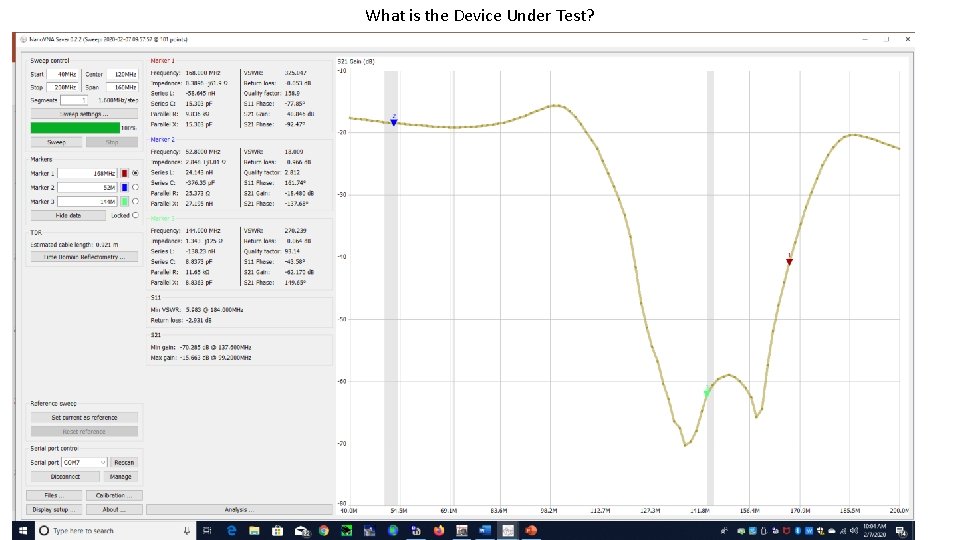
What is the Device Under Test? Return Loss VSWR
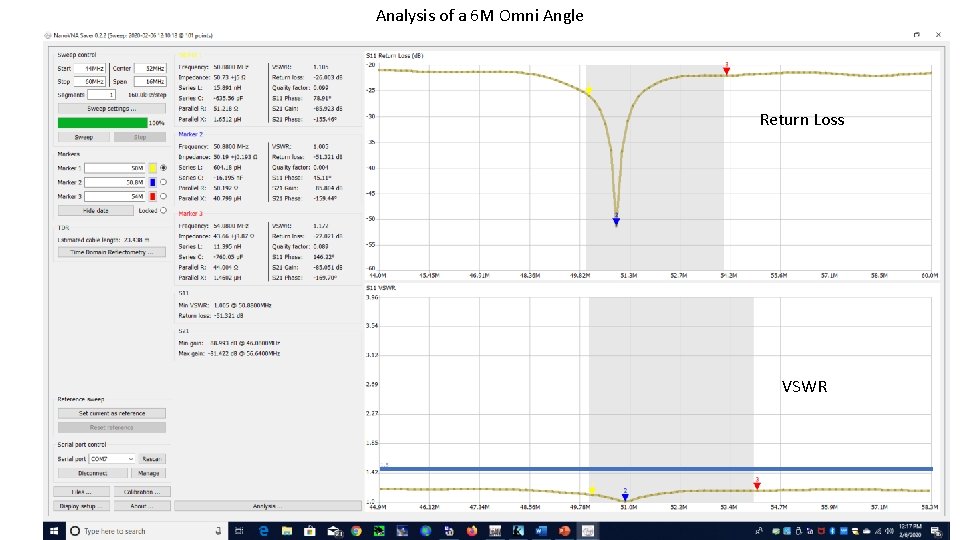
Analysis of a 6 M Omni Angle Return Loss VSWR
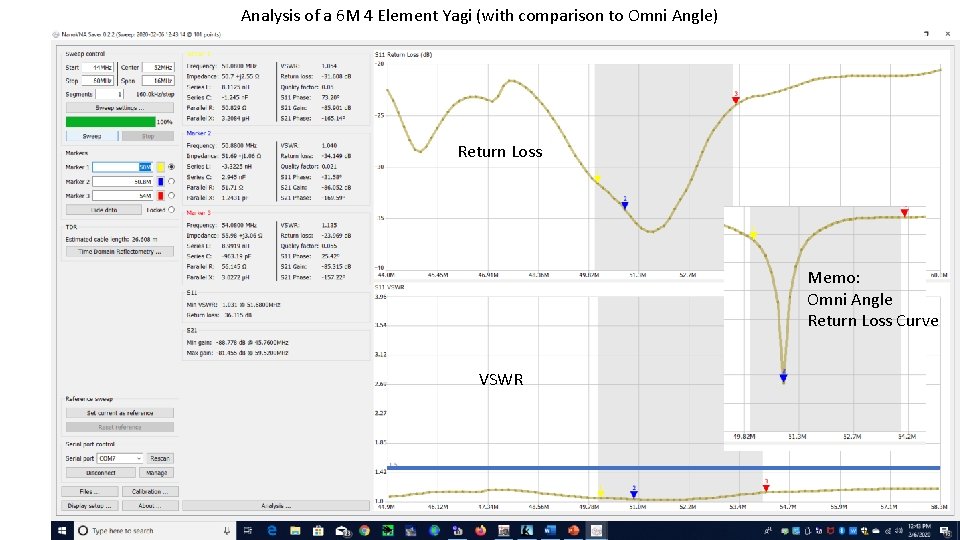
Analysis of a 6 M 4 Element Yagi (with comparison to Omni Angle) Return Loss Memo: Omni Angle Return Loss Curve VSWR
Analysis of a 1. 25 M (222 Mhz) 5 Element Yage Return Loss VSWR
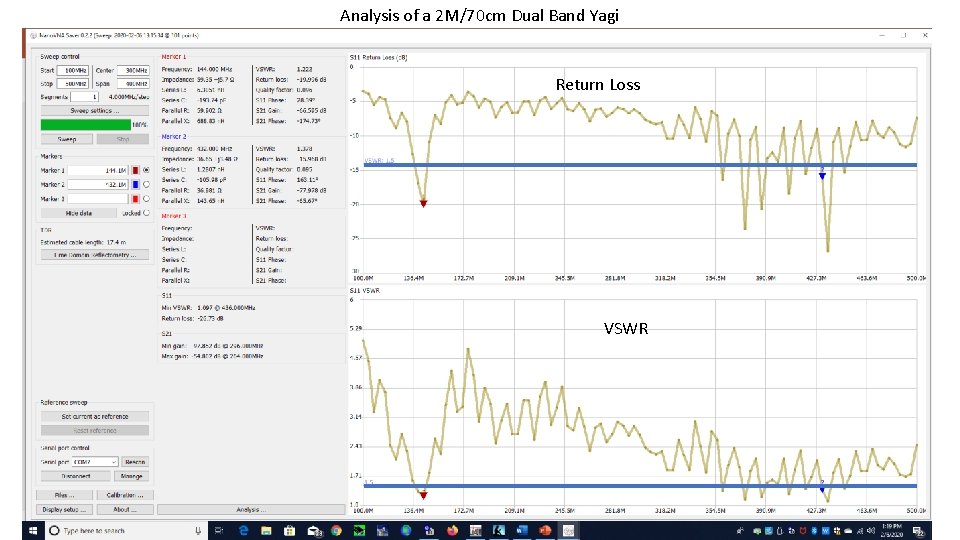
Analysis of a 2 M/70 cm Dual Band Yagi Return Loss VSWR