
NAIF Navigation and Ancillary Information Facility A SPICE
- Slides: 57
NAIF - Navigation and Ancillary Information Facility A SPICE Update (Uses animations: display using Power. Point’s “Slide Show” Mode or “Presenter View”) May 2018 Charles Acton NAIF Manager The research described in this publication was carried out at the Jet Propulsion Laboratory, California Institute of Technology, under a contract with the National Aeronautics and Space Administration.
NAIF - Navigation and Ancillary Information Facility First some reminders about SPICE… 2
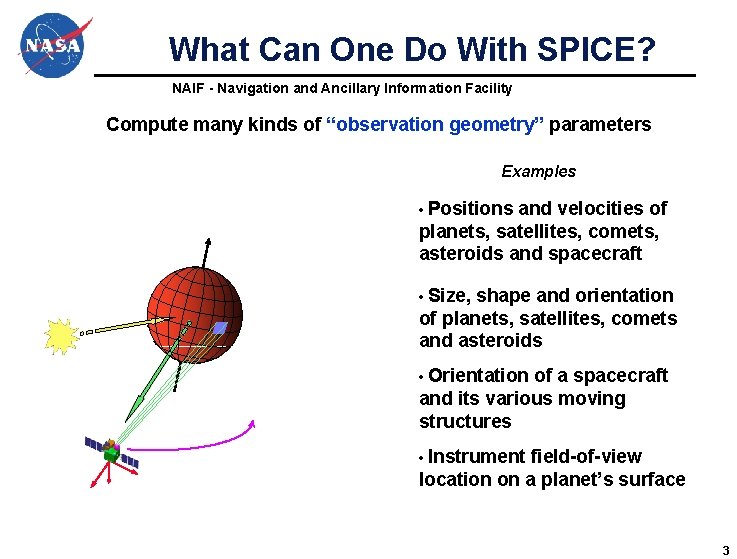
What Can One Do With SPICE? NAIF - Navigation and Ancillary Information Facility Compute many kinds of “observation geometry” parameters Examples • Positions and velocities of planets, satellites, comets, asteroids and spacecraft • Size, shape and orientation of planets, satellites, comets and asteroids • Orientation of a spacecraft and its various moving structures • Instrument field-of-view location on a planet’s surface 3
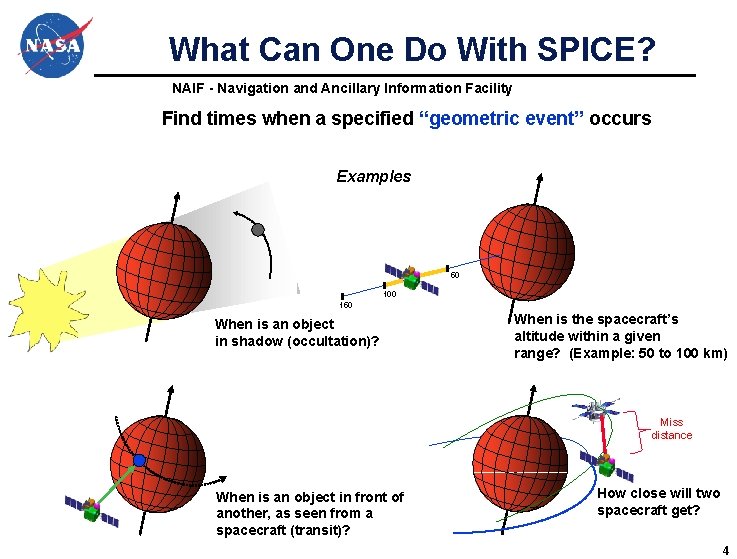
What Can One Do With SPICE? NAIF - Navigation and Ancillary Information Facility Find times when a specified “geometric event” occurs Examples 50 100 150 When is an object in shadow (occultation)? When is the spacecraft’s altitude within a given range? (Example: 50 to 100 km) Miss distance When is an object in front of another, as seen from a spacecraft (transit)? How close will two spacecraft get? 4
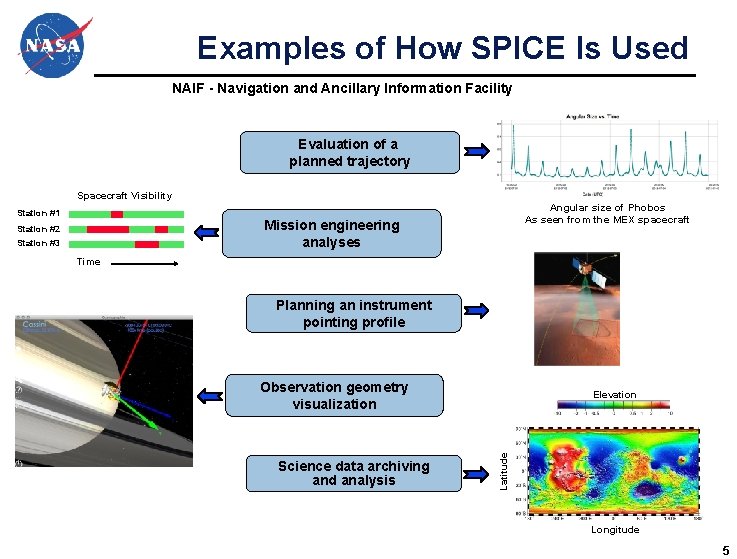
Examples of How SPICE Is Used NAIF - Navigation and Ancillary Information Facility Evaluation of a planned trajectory Spacecraft Visibility Station #1 Angular size of Phobos As seen from the MEX spacecraft Mission engineering analyses Station #2 Station #3 Time Planning an instrument pointing profile Observation geometry visualization Latitude Science data archiving and analysis Elevation Longitude 5
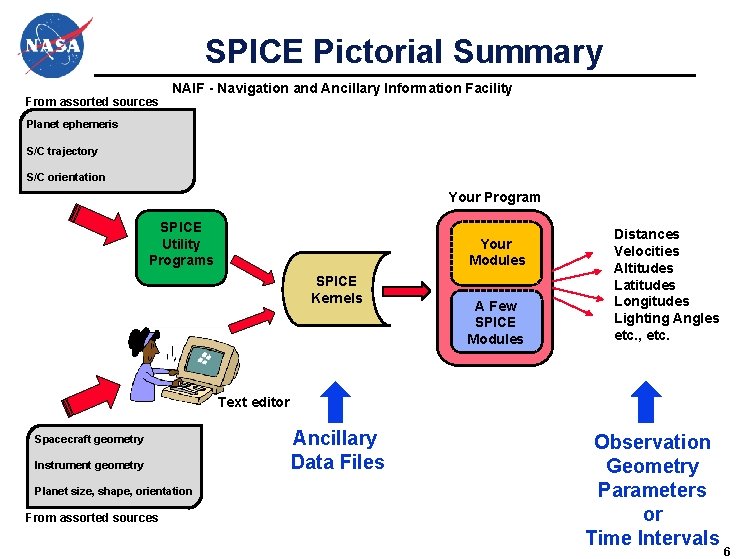
SPICE Pictorial Summary From assorted sources NAIF - Navigation and Ancillary Information Facility Planet ephemeris S/C trajectory S/C orientation Your Program SPICE Utility Programs Your Modules SPICE Kernels A Few SPICE Modules Distances Velocities Altitudes Latitudes Longitudes Lighting Angles etc. , etc. Text editor Spacecraft geometry Instrument geometry Planet size, shape, orientation From assorted sources Ancillary Data Files Observation Geometry Parameters or Time Intervals 6
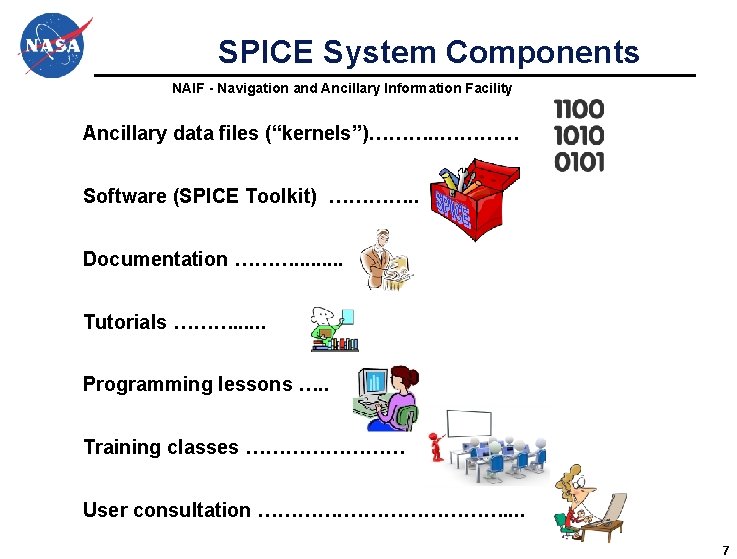
SPICE System Components NAIF - Navigation and Ancillary Information Facility Ancillary data files (“kernels”)………. . ………… Software (SPICE Toolkit) …………. . Documentation ………. . Tutorials ………. . . Programming lessons …. . Training classes ………… User consultation …………. . 7
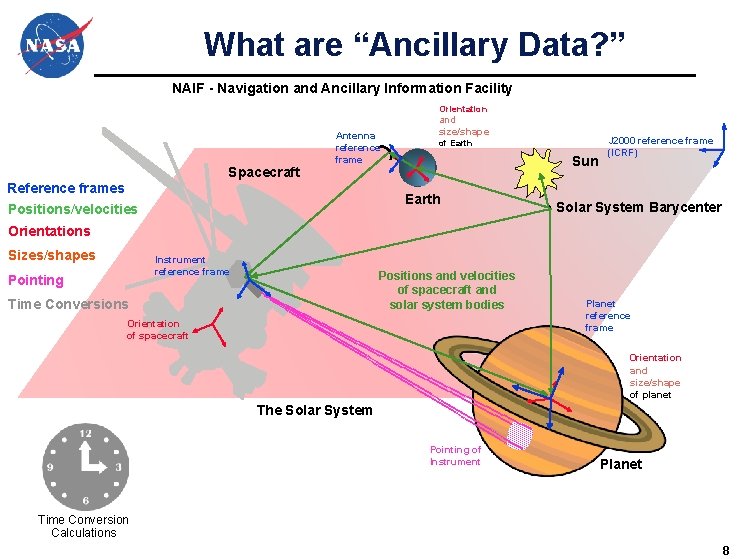
What are “Ancillary Data? ” NAIF - Navigation and Ancillary Information Facility Orientation Spacecraft Antenna reference frame Reference frames and size/shape of Earth Sun Earth Positions/velocities J 2000 reference frame (ICRF) • Solar System Barycenter Orientations Sizes/shapes Instrument reference frame Pointing Positions and velocities of spacecraft and solar system bodies Time Conversions Orientation of spacecraft Planet reference frame Orientation and size/shape of planet The Solar System Pointing of Instrument Planet Time Conversion Calculations 8
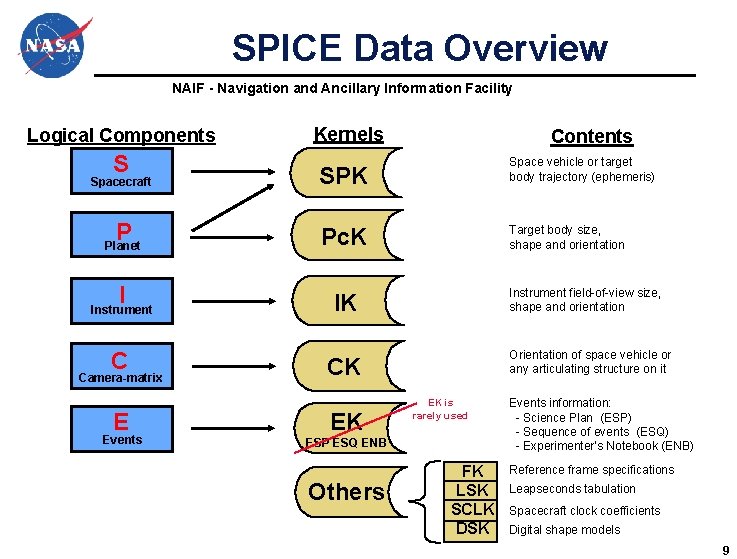
SPICE Data Overview NAIF - Navigation and Ancillary Information Facility Logical Components S Kernels Spacecraft SPK P Planet Pc. K I Instrument IK C Camera-matrix E Events Contents Space vehicle or target body trajectory (ephemeris) Target body size, shape and orientation Instrument field-of-view size, shape and orientation Orientation of space vehicle or any articulating structure on it CK EK EK is rarely used ESP ESQ ENB Others FK LSK SCLK DSK Events information: - Science Plan (ESP) - Sequence of events (ESQ) - Experimenter’s Notebook (ENB) Reference frame specifications Leapseconds tabulation Spacecraft clock coefficients Digital shape models 9
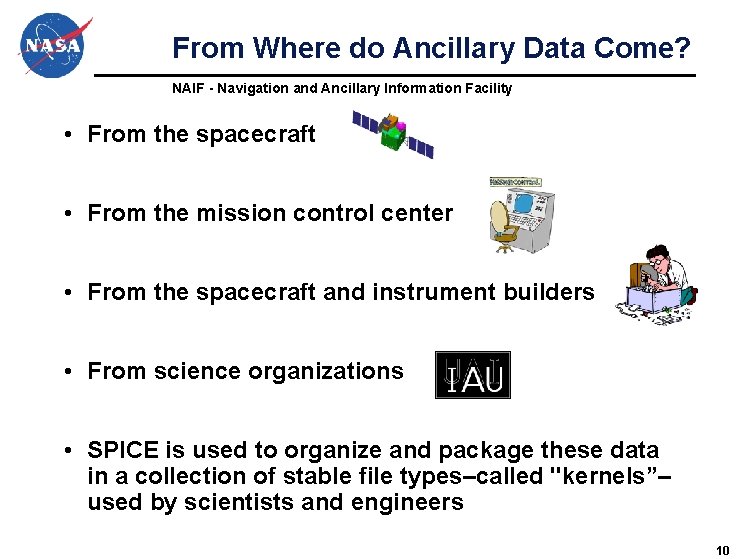
From Where do Ancillary Data Come? NAIF - Navigation and Ancillary Information Facility • From the spacecraft • From the mission control center • From the spacecraft and instrument builders • From science organizations • SPICE is used to organize and package these data in a collection of stable file types–called "kernels”– used by scientists and engineers 10
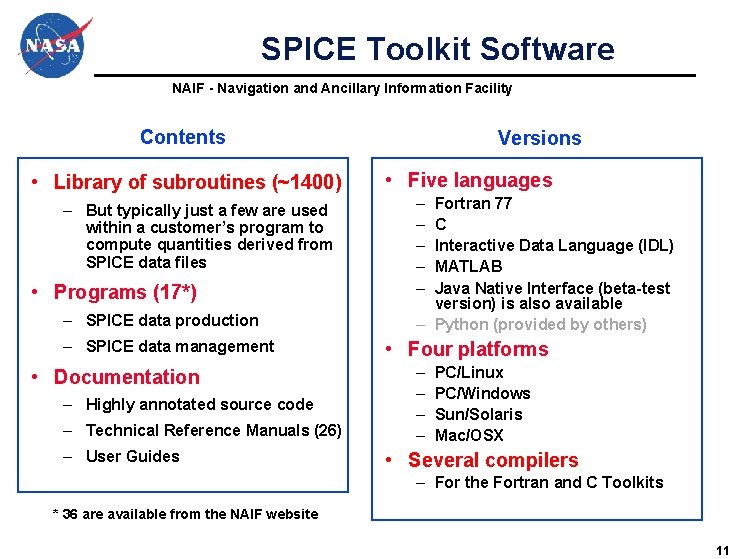
SPICE Toolkit Software NAIF - Navigation and Ancillary Information Facility Contents • Library of subroutines (~1400) – But typically just a few are used within a customer’s program to compute quantities derived from SPICE data files • Programs (17*) – SPICE data production – SPICE data management • Documentation – Highly annotated source code – Technical Reference Manuals (26) – User Guides Versions • Five languages – – – Fortran 77 C Interactive Data Language (IDL) MATLAB Java Native Interface (beta-test version) is also available – Python (provided by others) • Four platforms – – PC/Linux PC/Windows Sun/Solaris Mac/OSX • Several compilers – For the Fortran and C Toolkits * 36 are available from the NAIF website 11
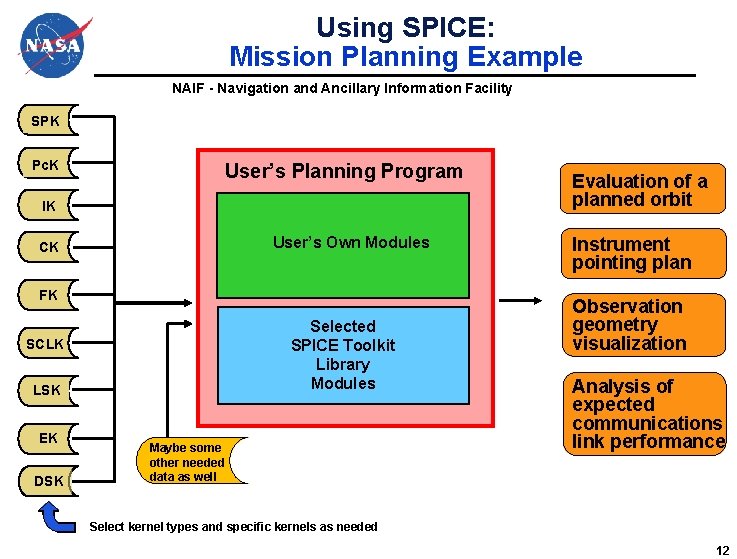
Using SPICE: Mission Planning Example NAIF - Navigation and Ancillary Information Facility SPK Pc. K User’s Planning Program IK User’s Own Modules CK FK Selected SPICE Toolkit Library Modules SCLK LSK EK DSK Maybe some other needed data as well Evaluation of a planned orbit Instrument pointing plan Observation geometry visualization Analysis of expected communications link performance Select kernel types and specific kernels as needed 12
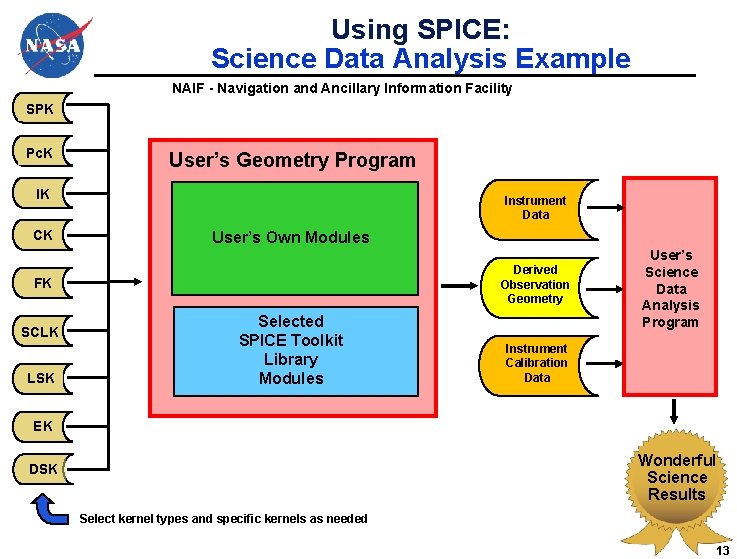
Using SPICE: Science Data Analysis Example NAIF - Navigation and Ancillary Information Facility SPK Pc. K User’s Geometry Program IK CK Instrument Data User’s Own Modules Derived Observation Geometry FK SCLK LSK Selected SPICE Toolkit Library Modules User’s Science Data Analysis Program Instrument Calibration Data EK Wonderful Science Results DSK Select kernel types and specific kernels as needed 13
SPICE Documentation NAIF - Navigation and Ancillary Information Facility • The NAIF Team has worked hard to provide SPICE users a great deal of documentation. We hope that you will make good use of it! – Source code “headers” describing all inputs and outputs, and giving working examples of how to use Toolkit modules (APIs) – Technical reference documents for major subsystems, called “required reading” documents – A summary of the most often used Toolkit APIs, named “Most Used APIs” – A permuted index based on all API abstracts; this can help you find a module that will make the calculation you need. • All of this documentation is available as both plain ASCII text and as linked HTML documents – All are in the SPICE Toolkit and available from the NAIF website. 14
SPICE Tutorials, Lessons and Help NAIF - Navigation and Ancillary Information Facility • In addition to the items mentioned on the previous page, you can also find these. – SPICE Tutorials: » https: //naif. jpl. nasa. gov/naif/tutorials. html – SPICE programming lessons: » https: //naif. jpl. nasa. gov/naif/lessons. html – An assortment of possibly useful links: » https: //naif. jpl. nasa. gov/naif/links. html – A list of the most often encountered user problems: » https: //naif. jpl. nasa. gov/pub/naif/toolkit_docs/FORTRAN/req/ problems. html 15
SPICE Use by Missions NAIF - Navigation and Ancillary Information Facility • Each mission is different, so it could be that yours does not use some of the kinds of data or capabilities outlined in the previous charts. 16
NAIF - Navigation and Ancillary Information Facility What Is “Newish” Major additions in recent years 17
NAIF - Navigation and Ancillary Information Facility The Geometry Finder Subsystem (GF)
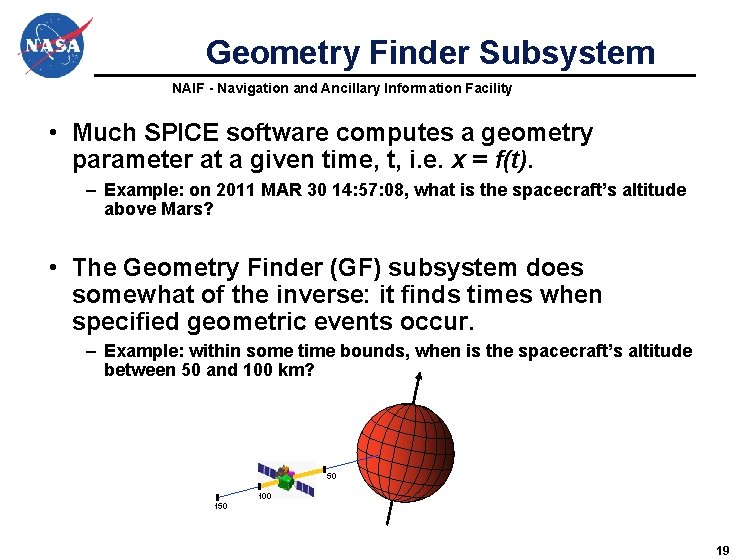
Geometry Finder Subsystem NAIF - Navigation and Ancillary Information Facility • Much SPICE software computes a geometry parameter at a given time, t, i. e. x = f(t). – Example: on 2011 MAR 30 14: 57: 08, what is the spacecraft’s altitude above Mars? • The Geometry Finder (GF) subsystem does somewhat of the inverse: it finds times when specified geometric events occur. – Example: within some time bounds, when is the spacecraft’s altitude between 50 and 100 km? 50 100 150 19
Types of GF APIs NAIF - Navigation and Ancillary Information Facility • GF provides two primary types of event-finding APIs – Boolean: a geometric condition (an event) is true or false » Example: Phobos is occulted by Mars » Example: Vesta is not in the OSIRIS instrument’s field of view – We also call these binary conditions – Numeric: a geometric quantity has a given value, is within a given range or has achieved a local or global maximum or minimum » Example: spacecraft altitude is between X and Y km above the surface » Example: angular separation of Titan from Saturn has reached the maximum within the time window being used for the search 20
NAIF - Navigation and Ancillary Information Facility The Web. Geocalc Tool
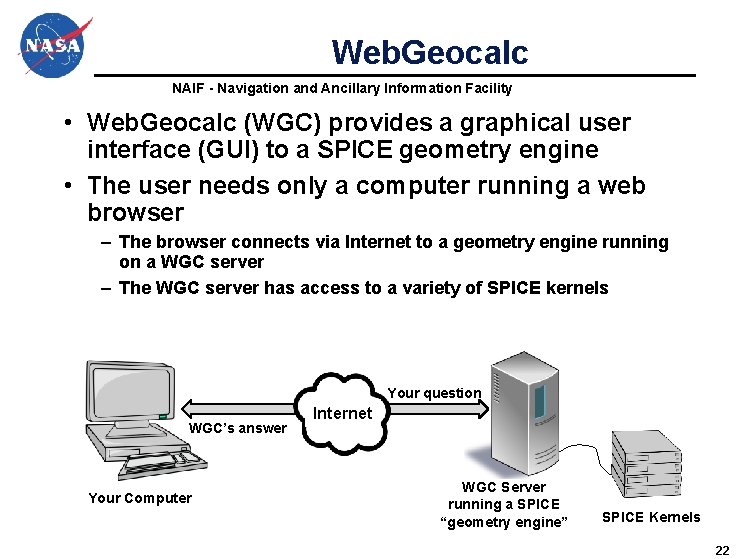
Web. Geocalc NAIF - Navigation and Ancillary Information Facility • Web. Geocalc (WGC) provides a graphical user interface (GUI) to a SPICE geometry engine • The user needs only a computer running a web browser – The browser connects via Internet to a geometry engine running on a WGC server – The WGC server has access to a variety of SPICE kernels Your question WGC’s answer Your Computer Internet WGC Server running a SPICE “geometry engine” SPICE Kernels 22
Purpose of Web. Geocalc NAIF - Navigation and Ancillary Information Facility • WGC can support planetary science in several ways – Help a user check his/her own SPICE-based program under development (the “gold bar” check) – Help a user understand or check the validity of a SPICE data file (a “kernel”) – Help a user quickly solve a one-time space geometry problem – Help a science data peer reviewer do spot checks of geometry parameters contained in an archive about to be submitted to an archive center – Allow those unable to write a SPICE-based program to nevertheless make some kinds of space geometry computations 23
Using Web. Geocalc NAIF - Navigation and Ancillary Information Facility • Web. Geocalc (WGC) makes it easy to do many kinds of SPICE computations – You need not write a program using SPICE Toolkit software – Instead, open a web browser and use standard GUI widgets to: » read a variety of HELP statements (if just learning to use WGC) » select the computation desired » select the data to be used in your computation » specify the computation details » and finally, press the “CALCULATE” button – Your results, possibly including some plots, appear in your browser window 24
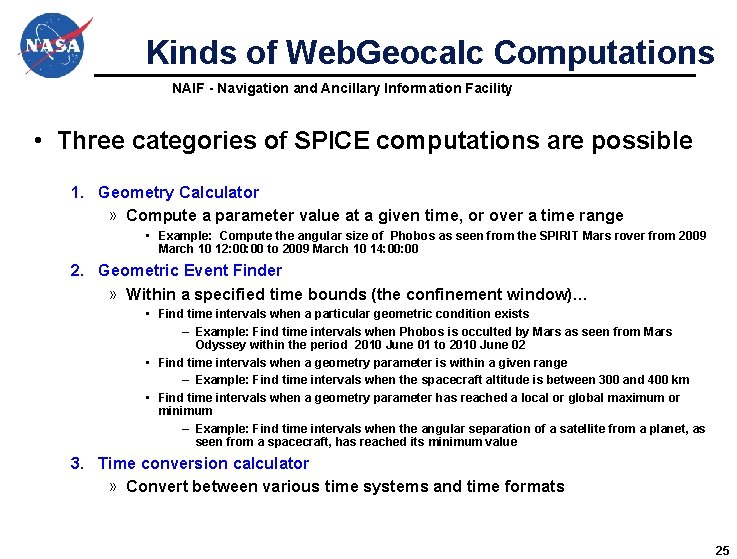
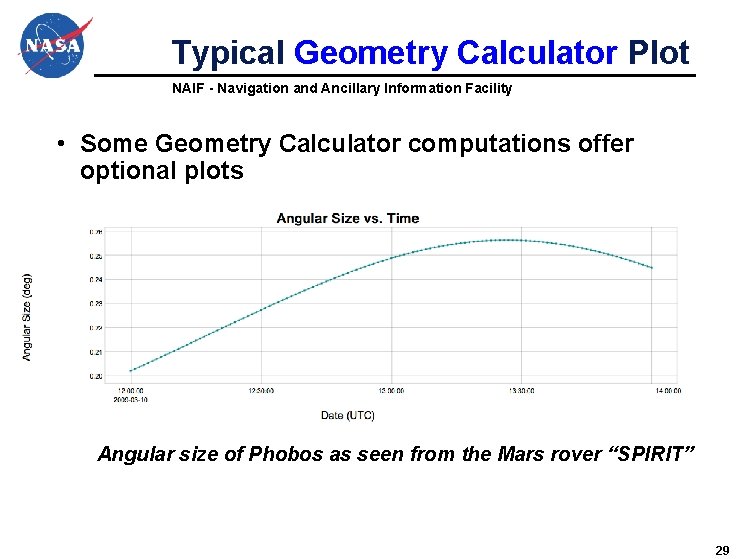
Kinds of Web. Geocalc Computations NAIF - Navigation and Ancillary Information Facility • Three categories of SPICE computations are possible 1. Geometry Calculator » Compute a parameter value at a given time, or over a time range • Example: Compute the angular size of Phobos as seen from the SPIRIT Mars rover from 2009 March 10 12: 00 to 2009 March 10 14: 00 2. Geometric Event Finder » Within a specified time bounds (the confinement window)… • Find time intervals when a particular geometric condition exists – Example: Find time intervals when Phobos is occulted by Mars as seen from Mars Odyssey within the period 2010 June 01 to 2010 June 02 • Find time intervals when a geometry parameter is within a given range – Example: Find time intervals when the spacecraft altitude is between 300 and 400 km • Find time intervals when a geometry parameter has reached a local or global maximum or minimum – Example: Find time intervals when the angular separation of a satellite from a planet, as seen from a spacecraft, has reached its minimum value 3. Time conversion calculator » Convert between various time systems and time formats 25
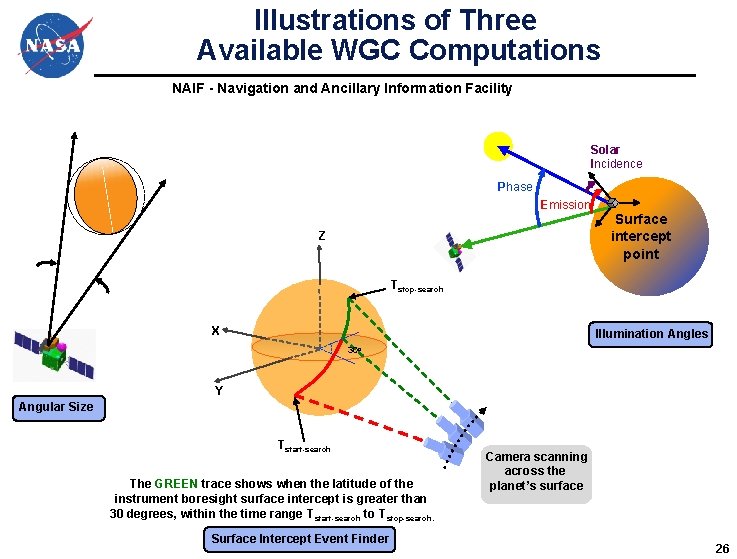
Illustrations of Three Available WGC Computations NAIF - Navigation and Ancillary Information Facility Solar Incidence Phase Emission Z Surface intercept point Tstop-search X Illumination Angles • 30 o Y Angular Size Tstart-search The GREEN trace shows when the latitude of the instrument boresight surface intercept is greater than 30 degrees, within the time range T start-search to Tstop-search. Surface Intercept Event Finder Camera scanning across the planet’s surface 26
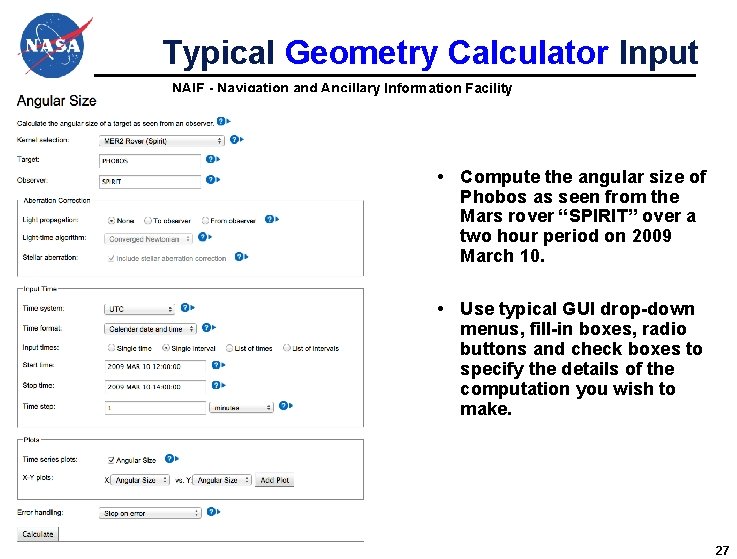
Typical Geometry Calculator Input NAIF - Navigation and Ancillary Information Facility • Compute the angular size of Phobos as seen from the Mars rover “SPIRIT” over a two hour period on 2009 March 10. • Use typical GUI drop-down menus, fill-in boxes, radio buttons and check boxes to specify the details of the computation you wish to make. 27
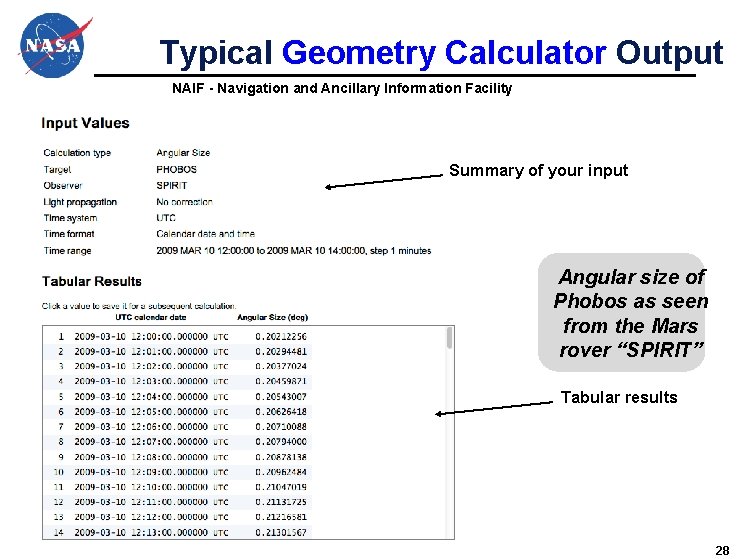
Typical Geometry Calculator Output NAIF - Navigation and Ancillary Information Facility Summary of your input Angular size of Phobos as seen from the Mars rover “SPIRIT” Tabular results 28
Typical Geometry Calculator Plot NAIF - Navigation and Ancillary Information Facility • Some Geometry Calculator computations offer optional plots Angular size of Phobos as seen from the Mars rover “SPIRIT” 29
NAIF - Navigation and Ancillary Information Facility SPICE-Enhanced Cosmographia A 3 D Mission Visualization Tool
Cosmographia Visualization Tool NAIF - Navigation and Ancillary Information Facility • Most SPICE products are numbers. • Sometimes a visual representation of these numbers can be very helpful! • NAIF now offers a 3 D mission visualization tool that can help scientists and engineers better understand mission and observation geometry. • Some examples follow. 31
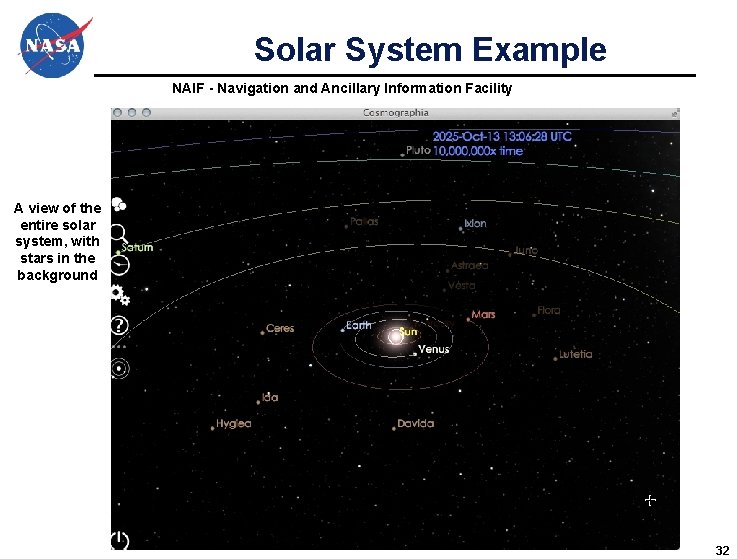
Solar System Example NAIF - Navigation and Ancillary Information Facility A view of the entire solar system, with stars in the background 32
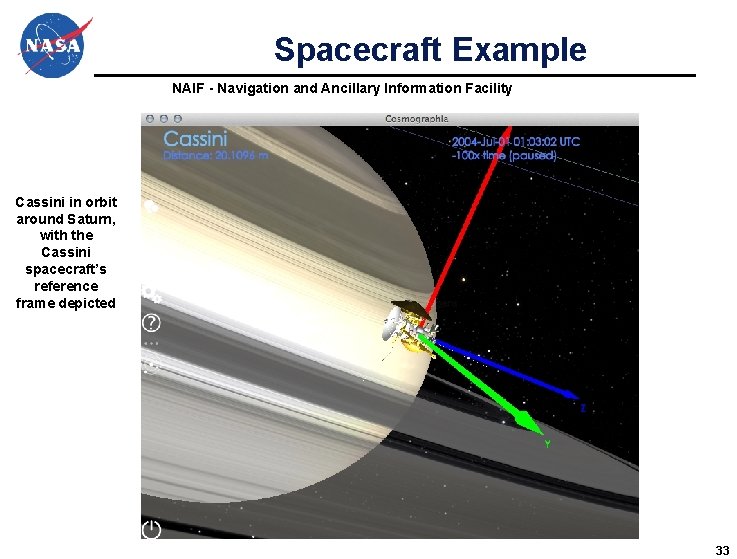
Spacecraft Example NAIF - Navigation and Ancillary Information Facility Cassini in orbit around Saturn, with the Cassini spacecraft’s reference frame depicted 33
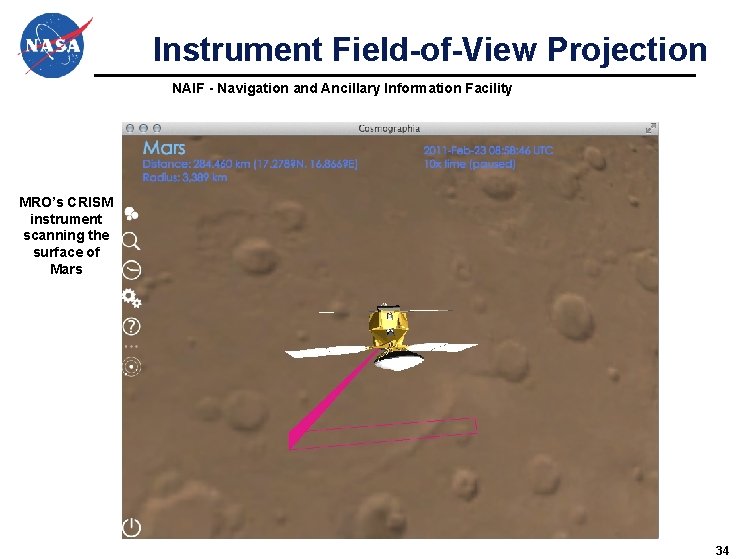
Instrument Field-of-View Projection NAIF - Navigation and Ancillary Information Facility MRO’s CRISM instrument scanning the surface of Mars 34
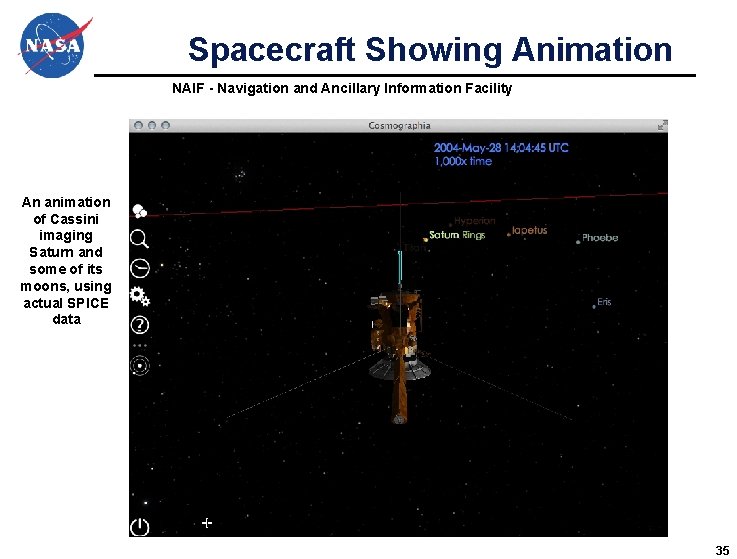
Spacecraft Showing Animation NAIF - Navigation and Ancillary Information Facility An animation of Cassini imaging Saturn and some of its moons, using actual SPICE data 35
Cosmographia Details NAIF - Navigation and Ancillary Information Facility • Cosmographia is a downloadable tool – Available here: https: //naif. jpl. nasa. gov/naif/cosmographia. html – Packages are available for Macintosh, Linux and Windows • User interface: – GUI controls and “hot keys, ” or – Python scripting • Uses JSON files to provide configuration data and to connect it with SPICE kernels 36
NAIF - Navigation and Ancillary Information Facility The Digital Shape Kernel Subsystem (DSK)
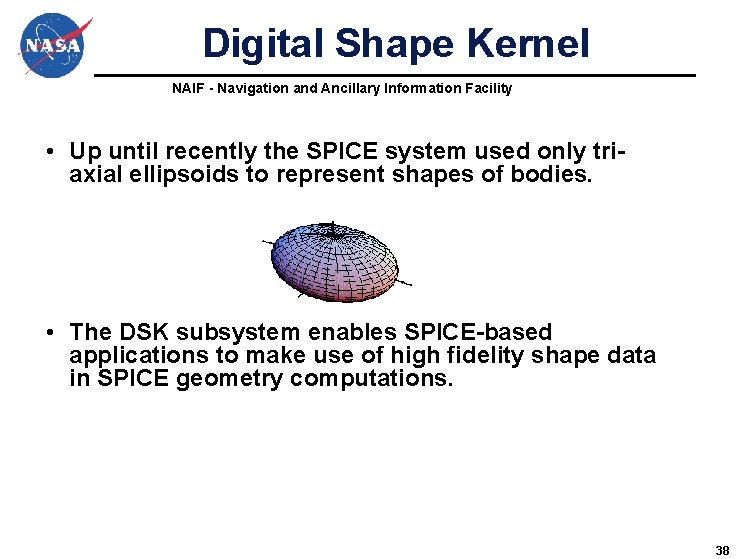
Digital Shape Kernel NAIF - Navigation and Ancillary Information Facility • Up until recently the SPICE system used only triaxial ellipsoids to represent shapes of bodies. • The DSK subsystem enables SPICE-based applications to make use of high fidelity shape data in SPICE geometry computations. 38
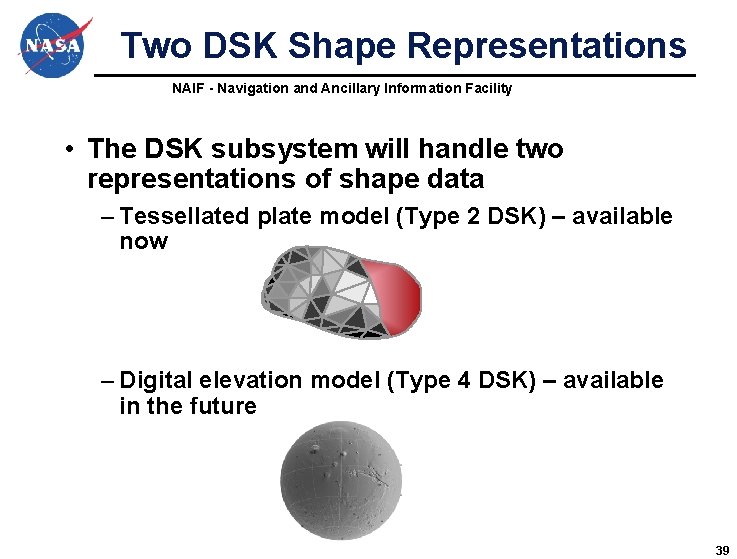
Two DSK Shape Representations NAIF - Navigation and Ancillary Information Facility • The DSK subsystem will handle two representations of shape data – Tessellated plate model (Type 2 DSK) – available now – Digital elevation model (Type 4 DSK) – available in the future 39
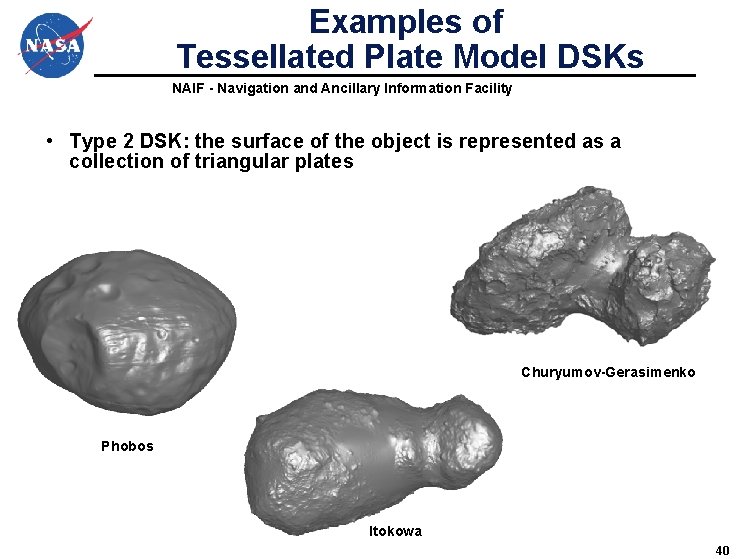
Examples of Tessellated Plate Model DSKs NAIF - Navigation and Ancillary Information Facility • Type 2 DSK: the surface of the object is represented as a collection of triangular plates Churyumov-Gerasimenko Phobos Itokowa 40
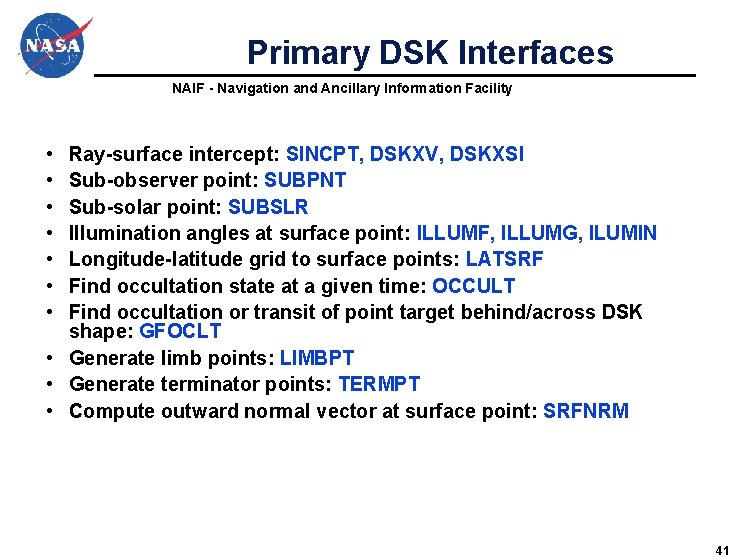
Primary DSK Interfaces NAIF - Navigation and Ancillary Information Facility • • Ray-surface intercept: SINCPT, DSKXV, DSKXSI Sub-observer point: SUBPNT Sub-solar point: SUBSLR Illumination angles at surface point: ILLUMF, ILLUMG, ILUMIN Longitude-latitude grid to surface points: LATSRF Find occultation state at a given time: OCCULT Find occultation or transit of point target behind/across DSK shape: GFOCLT • Generate limb points: LIMBPT • Generate terminator points: TERMPT • Compute outward normal vector at surface point: SRFNRM 41
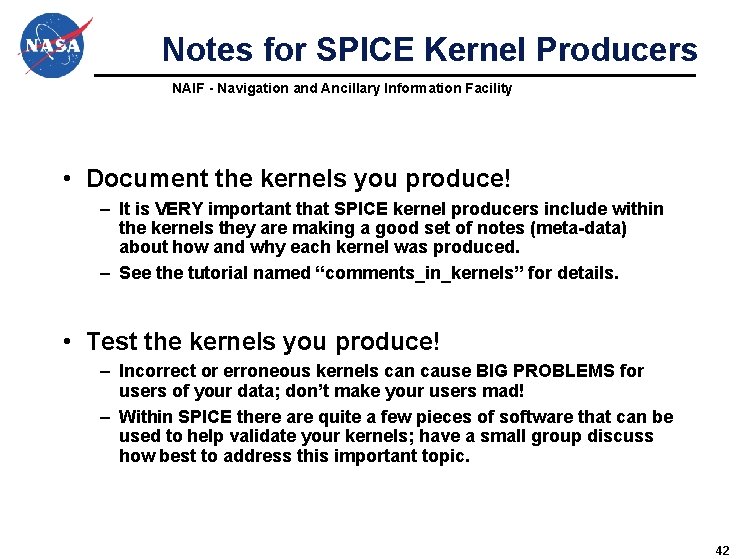
Notes for SPICE Kernel Producers NAIF - Navigation and Ancillary Information Facility • Document the kernels you produce! – It is VERY important that SPICE kernel producers include within the kernels they are making a good set of notes (meta-data) about how and why each kernel was produced. – See the tutorial named “comments_in_kernels” for details. • Test the kernels you produce! – Incorrect or erroneous kernels can cause BIG PROBLEMS for users of your data; don’t make your users mad! – Within SPICE there are quite a few pieces of software that can be used to help validate your kernels; have a small group discuss how best to address this important topic. 42
The End NAIF - Navigation and Ancillary Information Facility • NAIF hopes you are finding the SPICE system useful in your various space science missions. The END 43
NAIF - Navigation and Ancillary Information Facility Some Backup Material 44
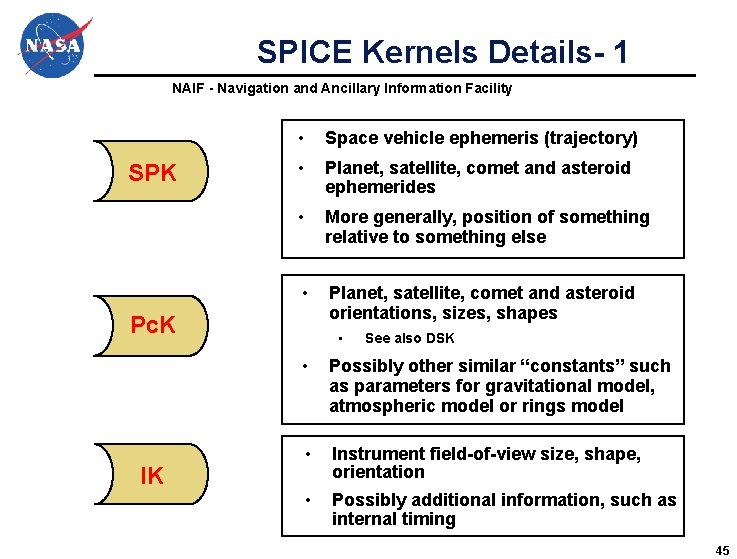
SPICE Kernels Details- 1 NAIF - Navigation and Ancillary Information Facility SPK • Space vehicle ephemeris (trajectory) • Planet, satellite, comet and asteroid ephemerides • More generally, position of something relative to something else • Planet, satellite, comet and asteroid orientations, sizes, shapes Pc. K IK • See also DSK • Possibly other similar “constants” such as parameters for gravitational model, atmospheric model or rings model • Instrument field-of-view size, shape, orientation • Possibly additional information, such as internal timing 45
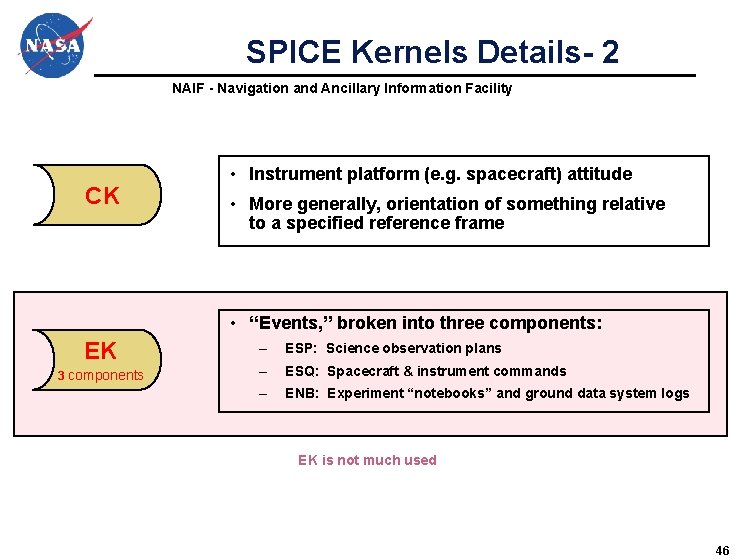
SPICE Kernels Details- 2 NAIF - Navigation and Ancillary Information Facility CK • Instrument platform (e. g. spacecraft) attitude • More generally, orientation of something relative to a specified reference frame • “Events, ” broken into three components: EK 3 components – ESP: Science observation plans – ESQ: Spacecraft & instrument commands – ENB: Experiment “notebooks” and ground data system logs EK is not much used 46
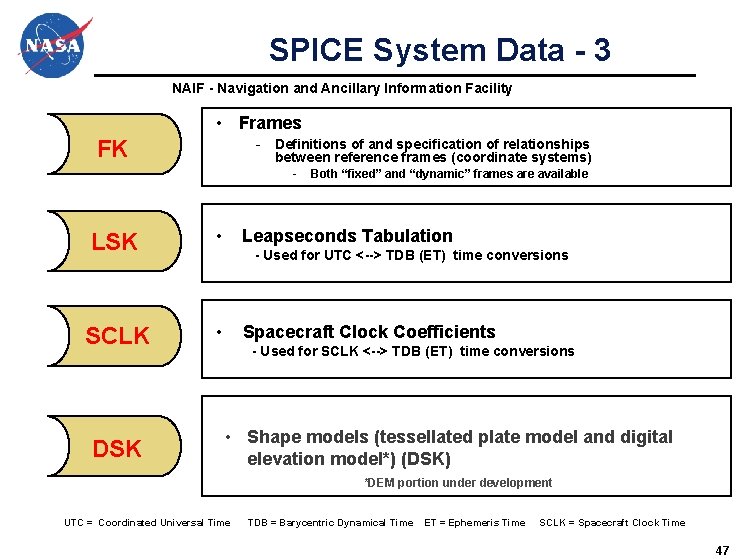
SPICE System Data - 3 NAIF - Navigation and Ancillary Information Facility • Frames FK - Definitions of and specification of relationships between reference frames (coordinate systems) - LSK • SCLK • DSK Both “fixed” and “dynamic” frames are available Leapseconds Tabulation - Used for UTC <--> TDB (ET) time conversions Spacecraft Clock Coefficients - Used for SCLK <--> TDB (ET) time conversions • Shape models (tessellated plate model and digital elevation model*) (DSK) *DEM portion under development UTC = Coordinated Universal Time TDB = Barycentric Dynamical Time ET = Ephemeris Time SCLK = Spacecraft Clock Time 47
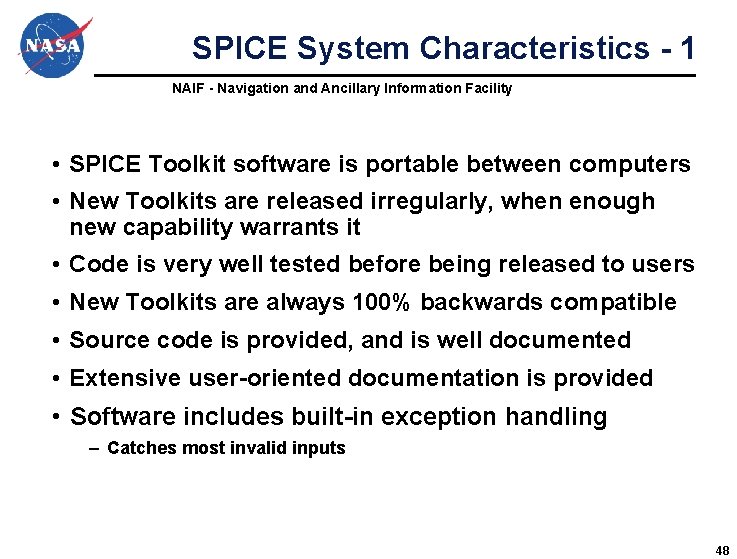
SPICE System Characteristics - 1 NAIF - Navigation and Ancillary Information Facility • SPICE Toolkit software is portable between computers • New Toolkits are released irregularly, when enough new capability warrants it • Code is very well tested before being released to users • New Toolkits are always 100% backwards compatible • Source code is provided, and is well documented • Extensive user-oriented documentation is provided • Software includes built-in exception handling – Catches most invalid inputs 48
SPICE System Characteristics - 2 NAIF - Navigation and Ancillary Information Facility • All numeric computations are double precision • Kernel files are portable between computers • Kernel files are separable – Use only those you need for a particular application • SPICE kernels and software free of licensing and U. S. ITAR restrictions – Everyone is free to use SPICE • No cost to individual end users 49
Supported Environments NAIF - Navigation and Ancillary Information Facility • The SPICE Toolkit has been ported to many popular “environments” – Each environment is characterized by… » Language » Hardware type (platform) » Operating System » Compiler (where applicable) » Selected compilation options (32 -bit or 64 -bit) • NAIF provides separate, ready-built SPICE Toolkit packages for each supported environment – If you need to port the Toolkit to a new environment yourself, consult with NAIF staff first 50
What “Vehicle” Types Can Be Supported? NAIF - Navigation and Ancillary Information Facility • Landers • Cruise/Flyby – Remote sensing – In-situ measurements – Rover or balloon relay – Remote sensing – In-situ measurement – Instrument calibration • Orbiters • Rovers – Remote sensing – In-situ measurement – Communications relay – Remote sensing – In-situ sensing – Local terrain characterization • Balloons and aircraft* • Terrestrial applications – Remote sensing – In-situ measurements * Not yet demonstrated – Ephemerides for telescopes – Radiometric tracking & comm – Optical tracking & comm 51
More Than Just Planetary Science NAIF - Navigation and Ancillary Information Facility • Today SPICE is used well beyond just planetary science missions. – – – Heliophysics Earth science Observations from terrestrial observatories Space technology demos Probably still more…? 52
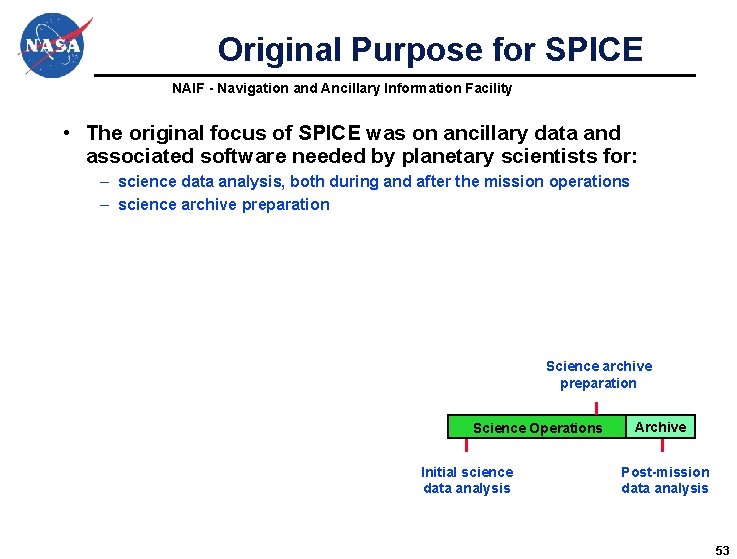
Original Purpose for SPICE NAIF - Navigation and Ancillary Information Facility • The original focus of SPICE was on ancillary data and associated software needed by planetary scientists for: – science data analysis, both during and after the mission operations – science archive preparation Science Operations Initial science data analysis Archive Post-mission data analysis 53
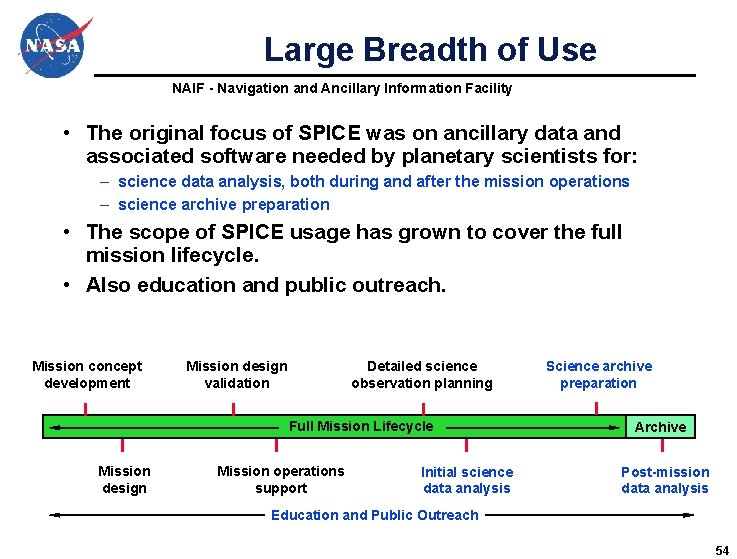
Large Breadth of Use NAIF - Navigation and Ancillary Information Facility • The original focus of SPICE was on ancillary data and associated software needed by planetary scientists for: – science data analysis, both during and after the mission operations – science archive preparation • The scope of SPICE usage has grown to cover the full mission lifecycle. • Also education and public outreach. Mission concept development Mission design validation Detailed science observation planning Full Mission Lifecycle Mission design Mission operations support Initial science data analysis Science archive preparation Archive Post-mission data analysis Education and Public Outreach 54
Ancillary Data Archives NAIF - Navigation and Ancillary Information Facility • SPICE is the U. S. Planetary Data System’s recommendation for archiving ancillary data – But its use is not a requirement • Use of SPICE is recommended by the International Planetary Data Alliance – But its use is not a requirement • SPICE data for European planetary missions are archived in ESA’s Planetary Science Archive – Some of these data are also mirrored on the NAIF server • SPICE data for some Japanese, Indian and Russian missions may be available from their local archives 55
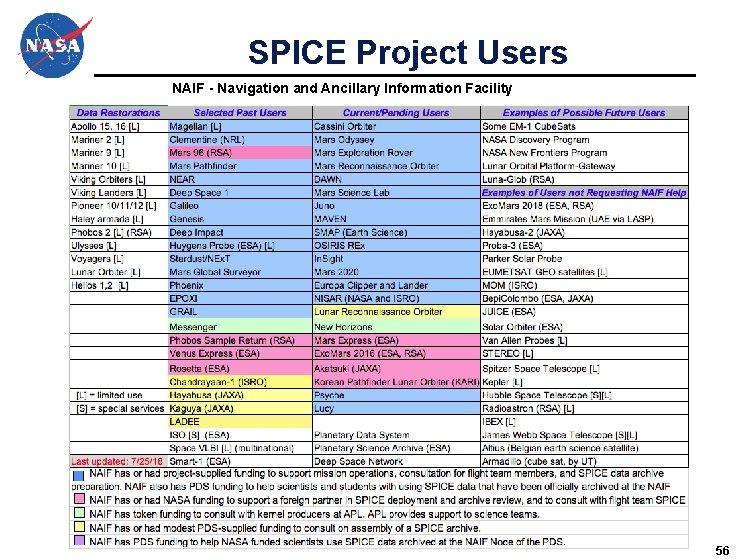
SPICE Project Users NAIF - Navigation and Ancillary Information Facility 56
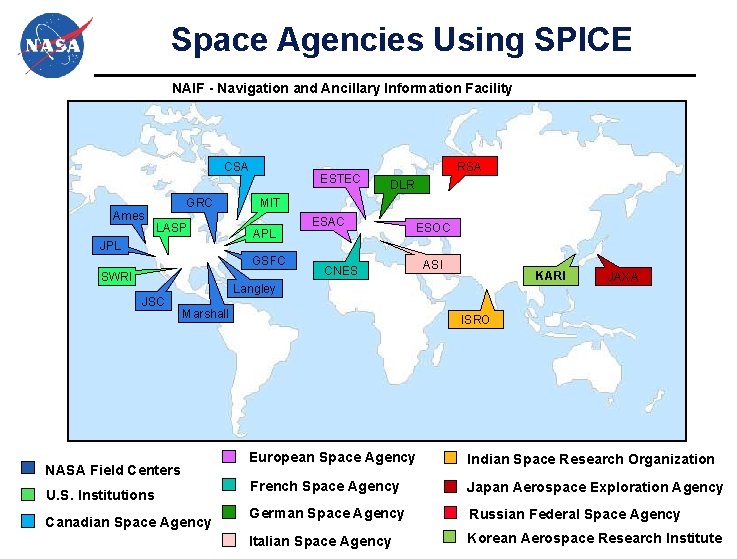
Space Agencies Using SPICE NAIF - Navigation and Ancillary Information Facility CSA Ames GRC LASP JPL ESTEC JSC DLR MIT APL GSFC SWRI RSA ESAC ESOC CNES ASI KARI Langley Marshall NASA Field Centers U. S. Institutions Canadian Space Agency JAXA ISRO European Space Agency Indian Space Research Organization French Space Agency Japan Aerospace Exploration Agency German Space Agency Russian Federal Space Agency Italian Space Agency Korean Aerospace Research Institute