
Nagios and Kentix System Partners Critical Monitoring Alerts



- Slides: 29
Nagios and Kentix System Partners Critical Monitoring Alerts in Your Hand Tanja Lewit T. Lewit@Kentix. com
Introduction & Agenda • Nagios Core is the industry standard, Open Source IT monitoring system that enables organizations to identify and resolve IT infrastructure problems before they affect critical business processes. • Kentix is a one box “Lego Block” that adds physical environmental monitoring and security as an extension.
Nagios and Kentix as “Partners” With Kentix and Nagios integration ANY monitored parameter can be established as an “alert” and can be sent via text or email to your phone. We will cover: >Nagios Setup for monitoring Kentix Alarm Manager-PRO with connected Multi. Sensors >Setting up Nagios SMS-Alarming and Email notification via Alarm Manager
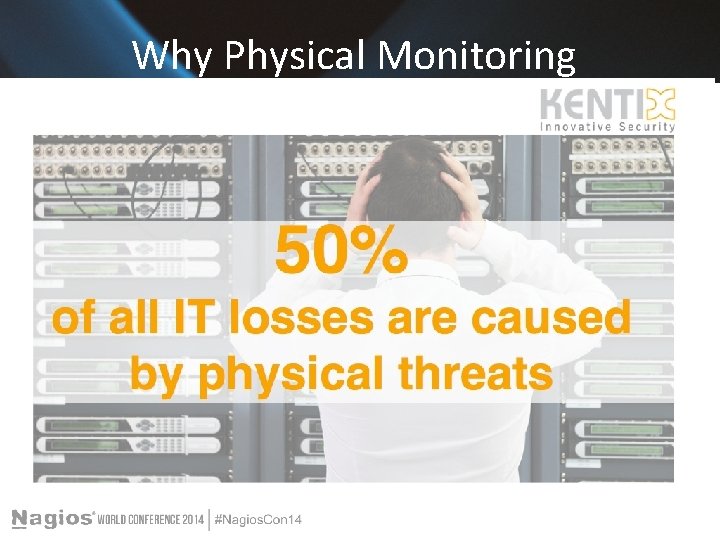
Why Physical Monitoring
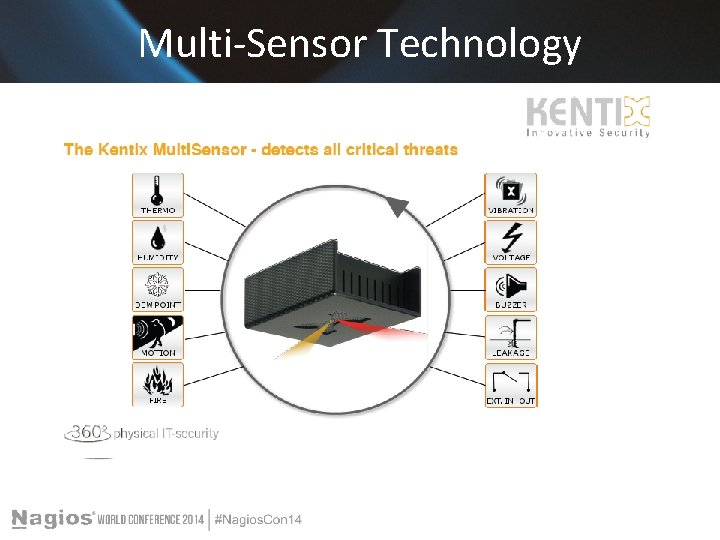
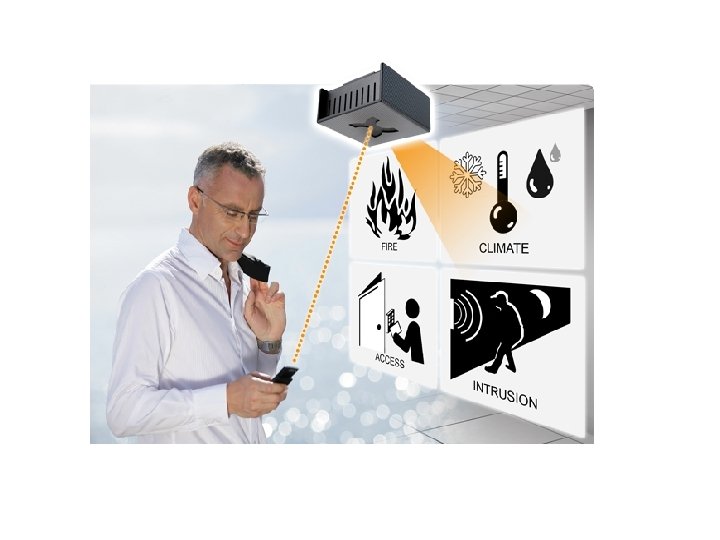
One Box Innovative Security Kentix was developed to ensure Critical Equipment protection. We feature Multi-Sensor technology which provides for all environmental sensing parameters in one. Temp, humidity, dew point, CO 2 , Pre-alarm for Fire, Motion, Access, Sabotage, Power Loss , etc. The IT server room is a critical equipment area and beyond the network and processes, security and reliability of uptime means making sure the equipment Is protected.
Multi-Sensor Technology
Nagios Core Overview Comprehensive Monitoring: Provides monitoring of all mission-critical infrastructure components including applications, services, operating systems, network protocols, system metrics, and network infrastructure. Visibility: Provides central view of your entire IT operations network and business processes.
Nagios Core Benefits Awareness: Alerts are delivered to IT staff via email and SMS. Multiuser notification escalation capabilities ensure alerts reach the attention of the right people. Problem Remediation: Event handlers allow you to automatically restart failed applications, services, servers, and devices when problems are detected. Reports: Ensure SLAs are being met, provides historical records of outages, notifications, and alert response for later analysis. Extendable Architecture: Provides easy integration with in-house and third-party applications. Hundreds of community-developed add-ons extend core functionality.
The Partners
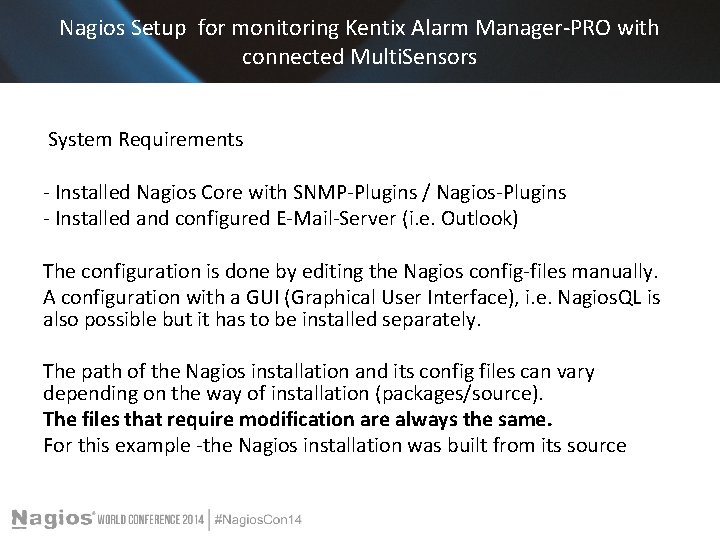
Nagios Setup for monitoring Kentix Alarm Manager-PRO with connected Multi. Sensors System Requirements - Installed Nagios Core with SNMP-Plugins / Nagios-Plugins - Installed and configured E-Mail-Server (i. e. Outlook) The configuration is done by editing the Nagios config-files manually. A configuration with a GUI (Graphical User Interface), i. e. Nagios. QL is also possible but it has to be installed separately. The path of the Nagios installation and its config files can vary depending on the way of installation (packages/source). The files that require modification are always the same. For this example -the Nagios installation was built from its source
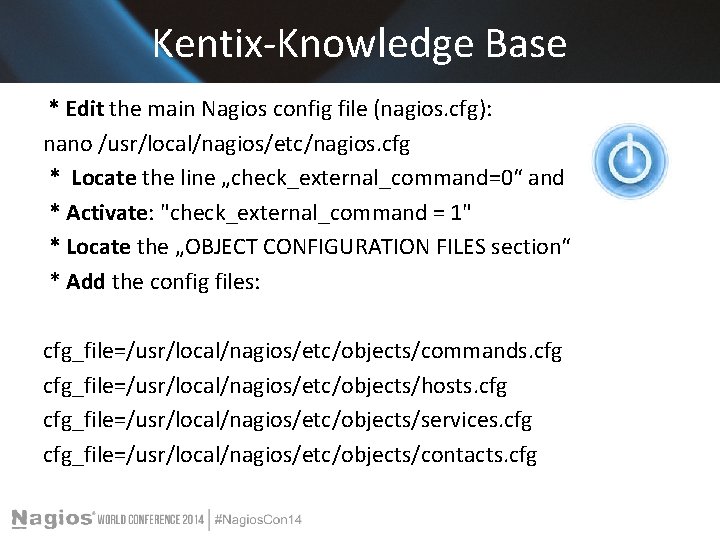
Kentix-Knowledge Base * Edit the main Nagios config file (nagios. cfg): nano /usr/local/nagios/etc/nagios. cfg * Locate the line „check_external_command=0“ and * Activate: "check_external_command = 1" * Locate the „OBJECT CONFIGURATION FILES section“ * Add the config files: cfg_file=/usr/local/nagios/etc/objects/commands. cfg_file=/usr/local/nagios/etc/objects/hosts. cfg_file=/usr/local/nagios/etc/objects/services. cfg_file=/usr/local/nagios/etc/objects/contacts. cfg
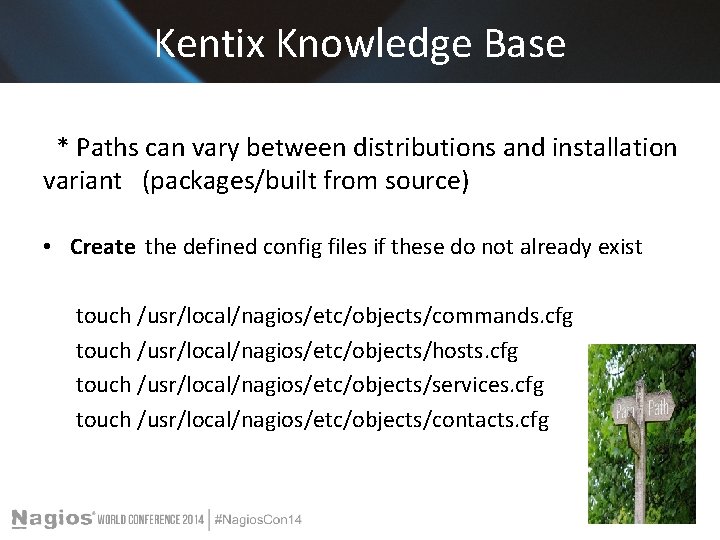
Kentix Knowledge Base * Paths can vary between distributions and installation variant (packages/built from source) • Create the defined config files if these do not already exist touch /usr/local/nagios/etc/objects/commands. cfg touch /usr/local/nagios/etc/objects/hosts. cfg touch /usr/local/nagios/etc/objects/services. cfg touch /usr/local/nagios/etc/objects/contacts. cfg
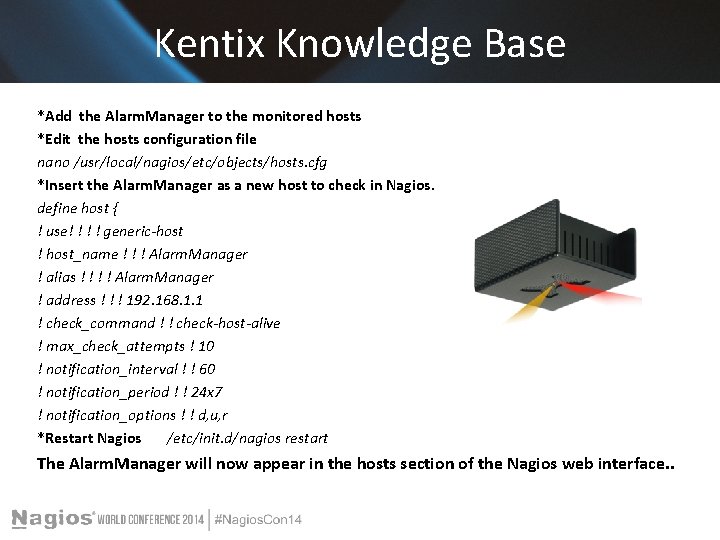
Kentix Knowledge Base *Add the Alarm. Manager to the monitored hosts *Edit the hosts configuration file nano /usr/local/nagios/etc/objects/hosts. cfg *Insert the Alarm. Manager as a new host to check in Nagios. define host { ! use! ! generic-host ! host_name ! ! ! Alarm. Manager ! alias ! ! Alarm. Manager ! address ! ! ! 192. 168. 1. 1 ! check_command ! ! check-host-alive ! max_check_attempts ! 10 ! notification_interval ! ! 60 ! notification_period ! ! 24 x 7 ! notification_options ! ! d, u, r *Restart Nagios /etc/init. d/nagios restart The Alarm. Manager will now appear in the hosts section of the Nagios web interface. .
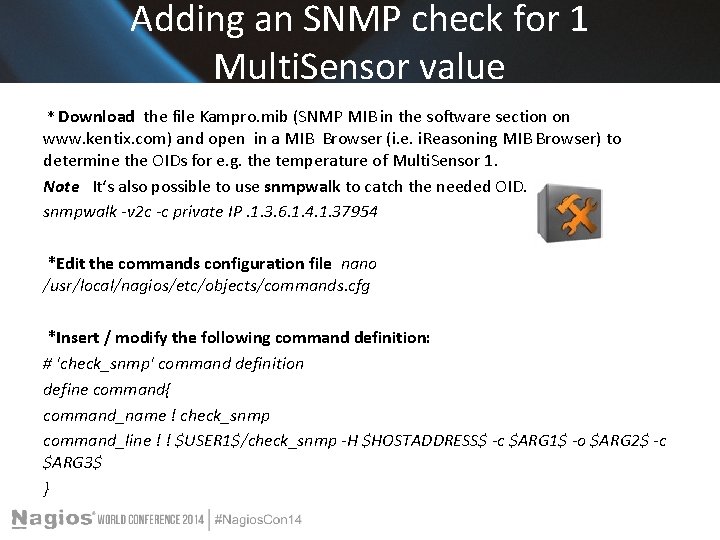
Adding an SNMP check for 1 Multi. Sensor value * Download the file Kampro. mib (SNMP MIB in the software section on www. kentix. com) and open in a MIB Browser (i. e. i. Reasoning MIB Browser) to determine the OIDs for e. g. the temperature of Multi. Sensor 1. Note Itʻs also possible to use snmpwalk to catch the needed OID. snmpwalk -v 2 c -c private IP. 1. 3. 6. 1. 4. 1. 37954 *Edit the commands configuration file nano /usr/local/nagios/etc/objects/commands. cfg *Insert / modify the following command definition: # 'check_snmp' command definition define command{ command_name ! check_snmp command_line ! ! $USER 1$/check_snmp -H $HOSTADDRESS$ -c $ARG 1$ -o $ARG 2$ -c $ARG 3$ }
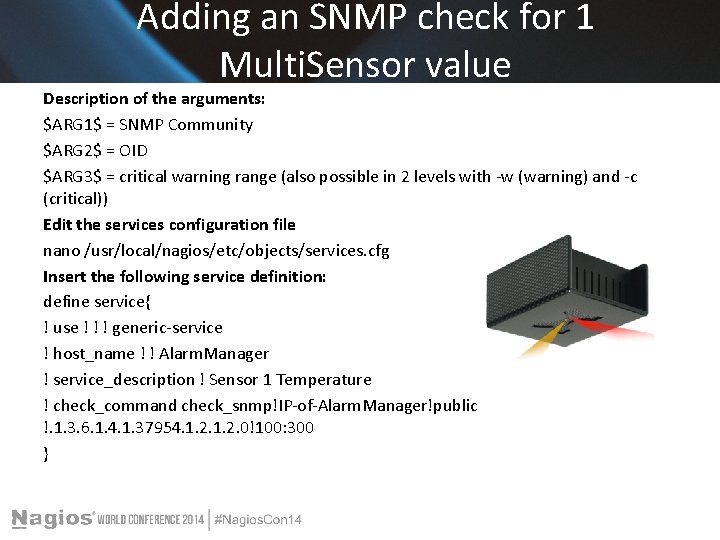
Adding an SNMP check for 1 Multi. Sensor value Description of the arguments: $ARG 1$ = SNMP Community $ARG 2$ = OID $ARG 3$ = critical warning range (also possible in 2 levels with -w (warning) and -c (critical)) Edit the services configuration file nano /usr/local/nagios/etc/objects/services. cfg Insert the following service definition: define service{ ! use ! ! ! generic-service ! host_name ! ! Alarm. Manager ! service_description ! Sensor 1 Temperature ! check_command check_snmp!IP-of-Alarm. Manager!public !. 1. 3. 6. 1. 4. 1. 37954. 1. 2. 0!100: 300 }
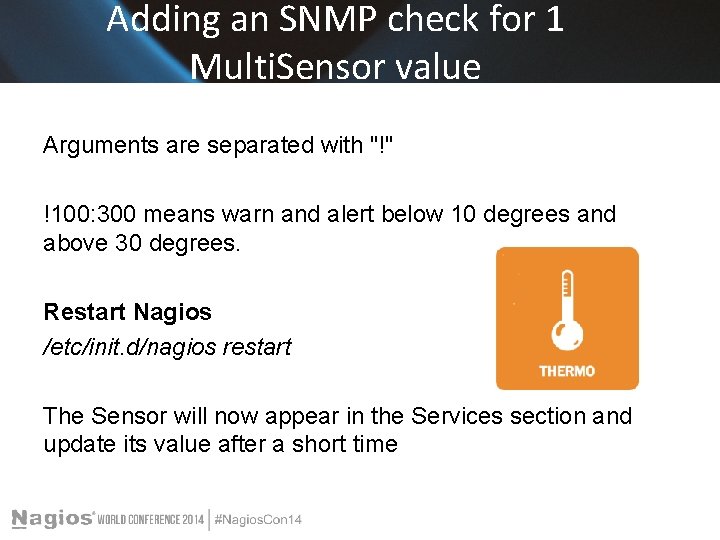
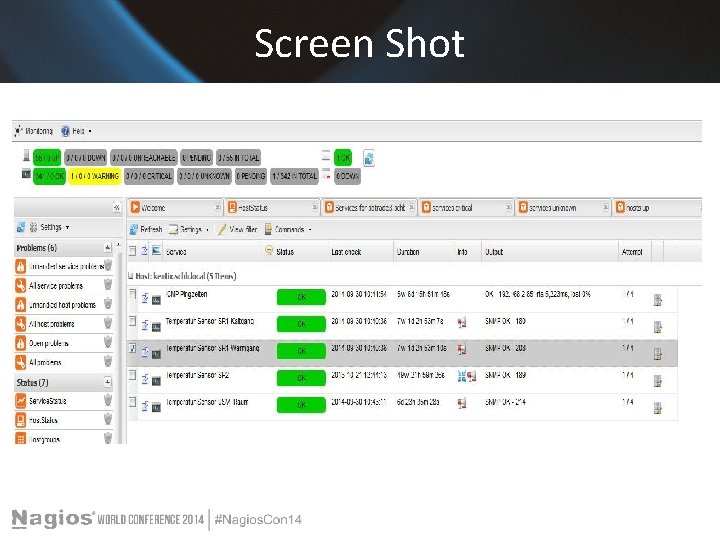
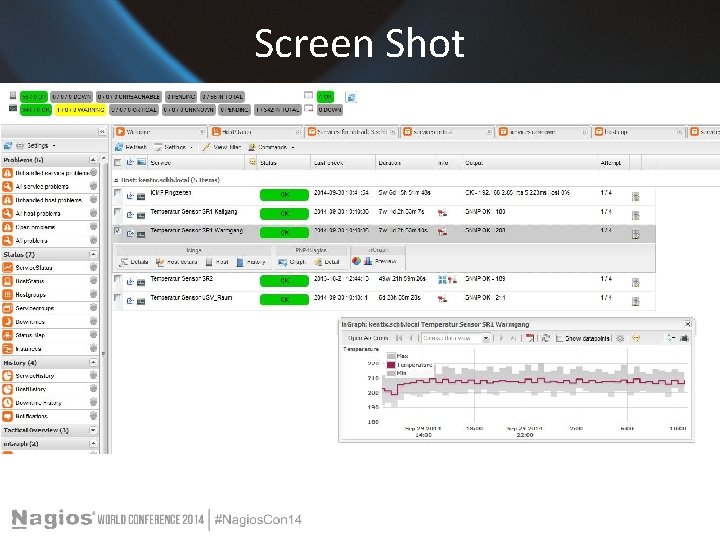
Adding an SNMP check for 1 Multi. Sensor value Arguments are separated with "!" !100: 300 means warn and alert below 10 degrees and above 30 degrees. Restart Nagios /etc/init. d/nagios restart The Sensor will now appear in the Services section and update its value after a short time
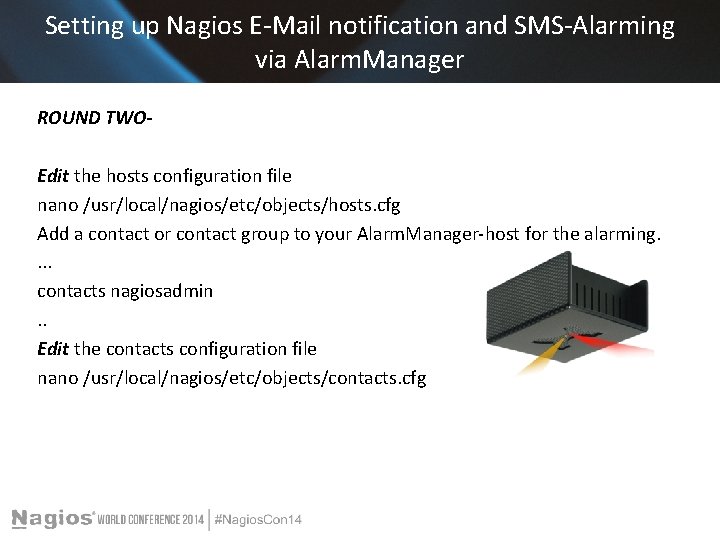
Setting up Nagios E-Mail notification and SMS-Alarming via Alarm. Manager ROUND TWOEdit the hosts configuration file nano /usr/local/nagios/etc/objects/hosts. cfg Add a contact or contact group to your Alarm. Manager-host for the alarming. . contacts nagiosadmin. . Edit the contacts configuration file nano /usr/local/nagios/etc/objects/contacts. cfg
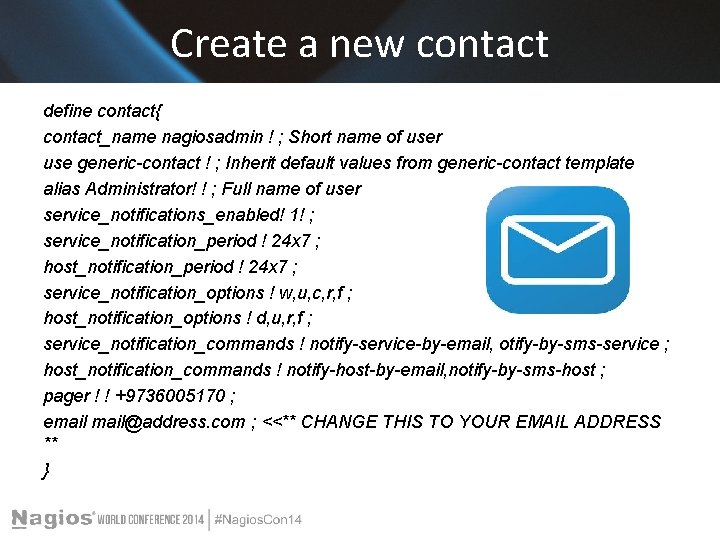
Create a new contact define contact{ contact_name nagiosadmin ! ; Short name of user use generic-contact ! ; Inherit default values from generic-contact template alias Administrator! ! ; Full name of user service_notifications_enabled! 1! ; service_notification_period ! 24 x 7 ; host_notification_period ! 24 x 7 ; service_notification_options ! w, u, c, r, f ; host_notification_options ! d, u, r, f ; service_notification_commands ! notify-service-by-email, otify-by-sms-service ; host_notification_commands ! notify-host-by-email, notify-by-sms-host ; pager ! ! +9736005170 ; email@address. com ; <<** CHANGE THIS TO YOUR EMAIL ADDRESS ** }
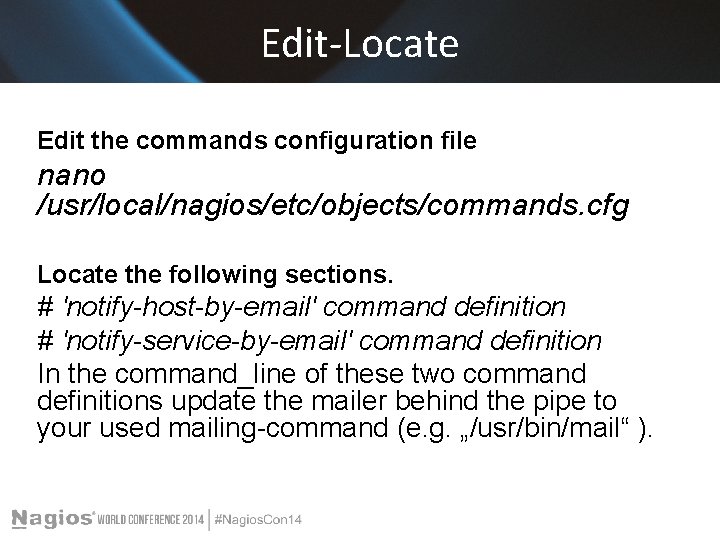
Edit-Locate Edit the commands configuration file nano /usr/local/nagios/etc/objects/commands. cfg Locate the following sections. # 'notify-host-by-email' command definition # 'notify-service-by-email' command definition In the command_line of these two command definitions update the mailer behind the pipe to your used mailing-command (e. g. „/usr/bin/mail“ ).
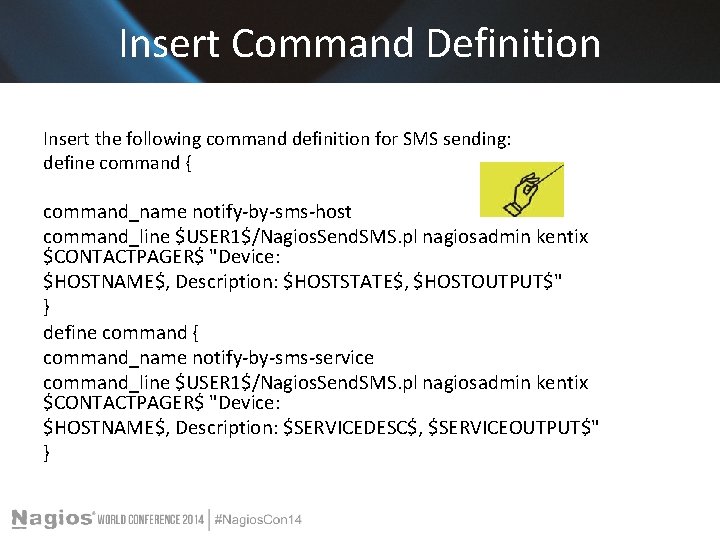
Insert Command Definition Insert the following command definition for SMS sending: define command { command_name notify-by-sms-host command_line $USER 1$/Nagios. Send. SMS. pl nagiosadmin kentix $CONTACTPAGER$ "Device: $HOSTNAME$, Description: $HOSTSTATE$, $HOSTOUTPUT$" } define command { command_name notify-by-sms-service command_line $USER 1$/Nagios. Send. SMS. pl nagiosadmin kentix $CONTACTPAGER$ "Device: $HOSTNAME$, Description: $SERVICEDESC$, $SERVICEOUTPUT$" }
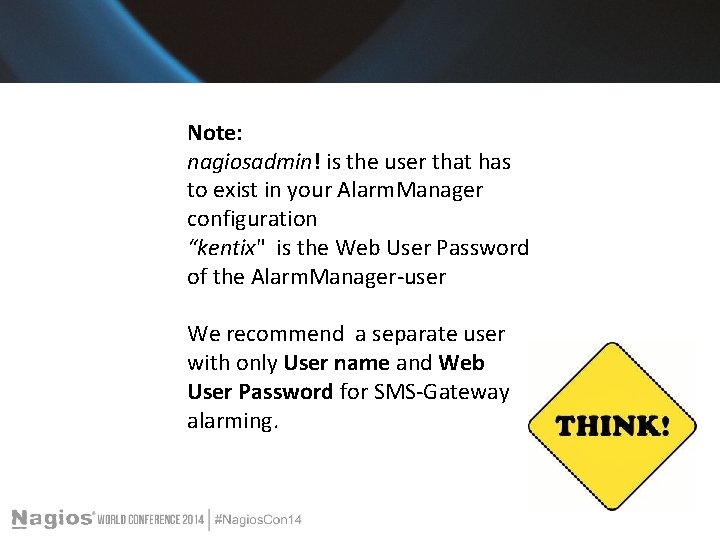
Note: nagiosadmin! is the user that has to exist in your Alarm. Manager configuration “kentix" is the Web User Password of the Alarm. Manager-user We recommend a separate user with only User name and Web User Password for SMS-Gateway alarming.
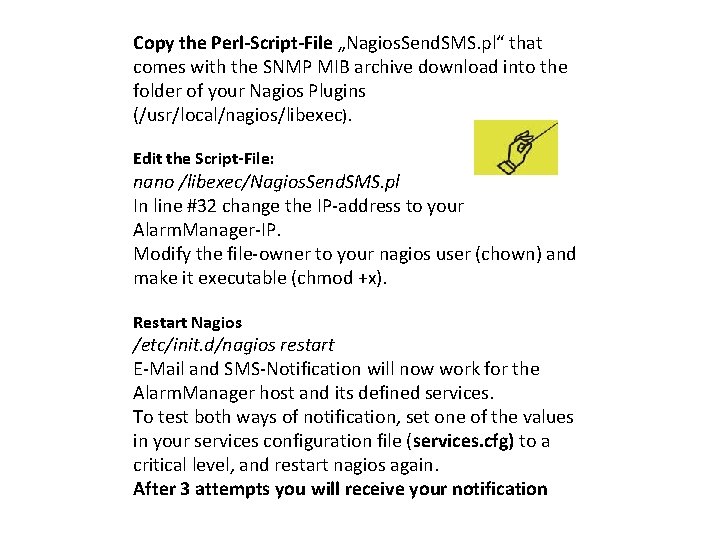
Copy the Perl-Script-File „Nagios. Send. SMS. pl“ that comes with the SNMP MIB archive download into the folder of your Nagios Plugins (/usr/local/nagios/libexec). Edit the Script-File: nano /libexec/Nagios. Send. SMS. pl In line #32 change the IP-address to your Alarm. Manager-IP. Modify the file-owner to your nagios user (chown) and make it executable (chmod +x). Restart Nagios /etc/init. d/nagios restart E-Mail and SMS-Notification will now work for the Alarm. Manager host and its defined services. To test both ways of notification, set one of the values in your services configuration file (services. cfg) to a critical level, and restart nagios again. After 3 attempts you will receive your notification
Screen Shot
Screen Shot
Can you repeat that? Have no fear!! All information available on the web www. Kentix. com http: //kentix. com/us/? page=service_knowledge -base And always dedicated support 1 -844 -KENTIX 2
Conclusion Its about securing and monitoring mission critical applications and equipment. Nagios- Is The Industry Standard In IT Infrastructure Monitoring Plus + the Innovative system that Detects all physical risks - instant alerting - ingeniously simple to ensure the Environment and Equipment are monitored and secure Achieve instant awareness of IT infrastructure and the critical environment of any problems, so downtime doesn't adversely affect your business.
Questions? Any questions?
The End Presenter t. lewit@kentix. com