
Nachos Instructional OS Part 2 CS 270 Tao
- Slides: 52
Nachos Instructional OS: Part 2 CS 270, Tao Yang, Spring 2011
Topics n Program execution in Nachos n n Given a C program, produce binary MIPS code. Execute this MIPS code. n n n Machine object How to load a program How to execute a program: process-level flow. Demo of single-process execution flow. Programming Assignment 2. n n n Support multiprogramming. System calls for process execution. System calls for a simple file system interface. 12/2/2020 2
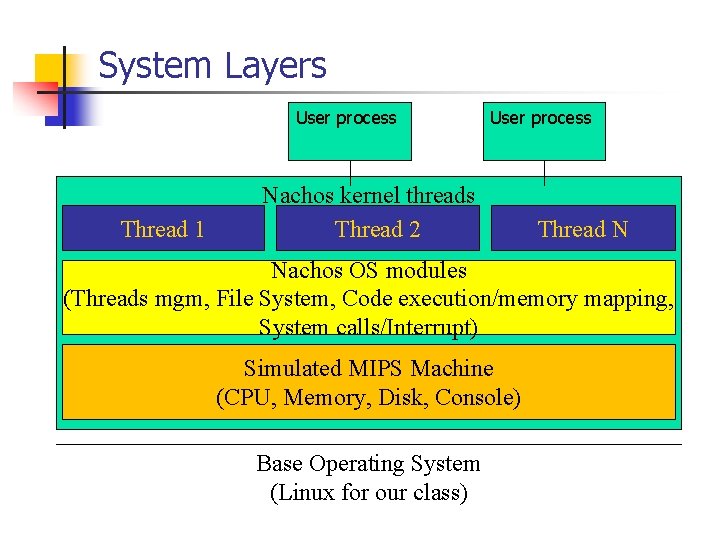
System Layers User process Thread 1 User process Nachos kernel threads Thread 2 Thread N Nachos OS modules (Threads mgm, File System, Code execution/memory mapping, System calls/Interrupt) Simulated MIPS Machine (CPU, Memory, Disk, Console) Base Operating System (Linux for our class)
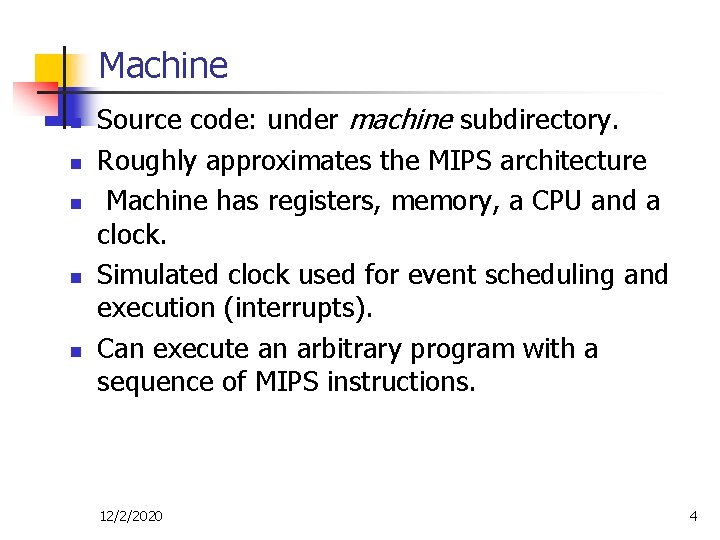
Machine n n n Source code: under machine subdirectory. Roughly approximates the MIPS architecture Machine has registers, memory, a CPU and a clock. Simulated clock used for event scheduling and execution (interrupts). Can execute an arbitrary program with a sequence of MIPS instructions. 12/2/2020 4
Machine: Code execution Steps n n n Load instructions into the machine's memory. Initialize registers (including the program counter PCReg). Tell the machine to start executing instructions. The machine then fetches the instruction PCReg points at, decodes it, and executes it. The process is repeated until an illegal operation is performed or an interrupt is generated. When a trap or interrupt takes place, an interrupt service routine deals with the condition. 12/2/2020 5
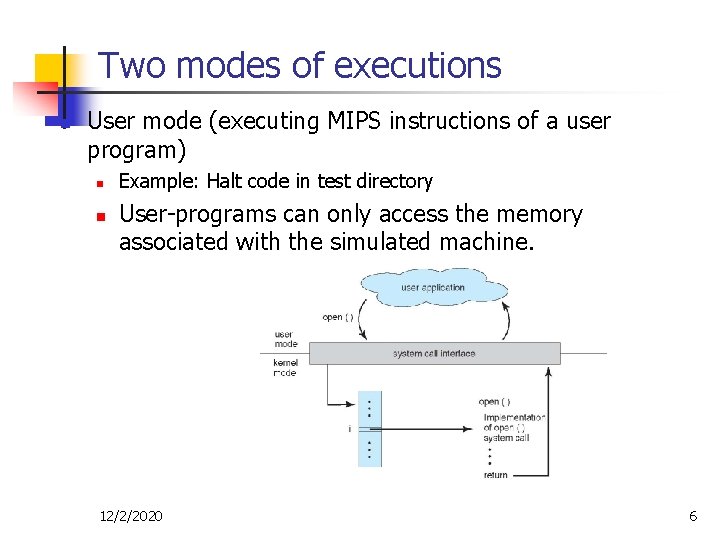
Two modes of executions n User mode (executing MIPS instructions of a user program) n n Example: Halt code in test directory User-programs can only access the memory associated with the simulated machine. 12/2/2020 6
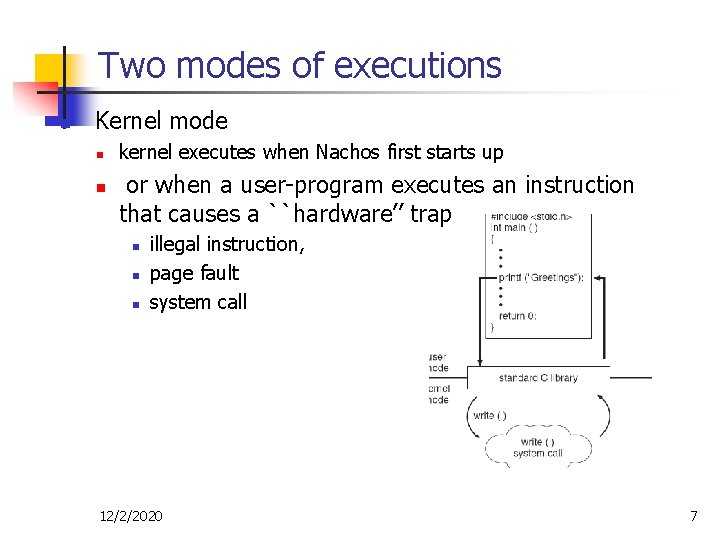
Two modes of executions n Kernel mode n n kernel executes when Nachos first starts up or when a user-program executes an instruction that causes a ``hardware’’ trap n n n illegal instruction, page fault system call 12/2/2020 7
Machine Object: Implement a MIPS machine n n an instance created when Nachos starts up. Supported public variables: n n n Registers: 40 registers. Memory: Byte-addressable. Virtual memory: use a single linear page table or a software-managed TLB. 12/2/2020 8
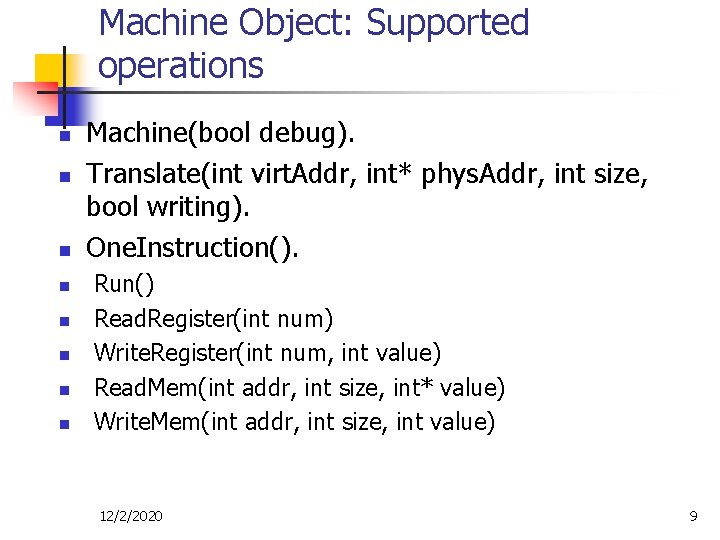
Machine Object: Supported operations n n n n Machine(bool debug). Translate(int virt. Addr, int* phys. Addr, int size, bool writing). One. Instruction(). Run() Read. Register(int num) Write. Register(int num, int value) Read. Mem(int addr, int size, int* value) Write. Mem(int addr, int size, int value) 12/2/2020 9
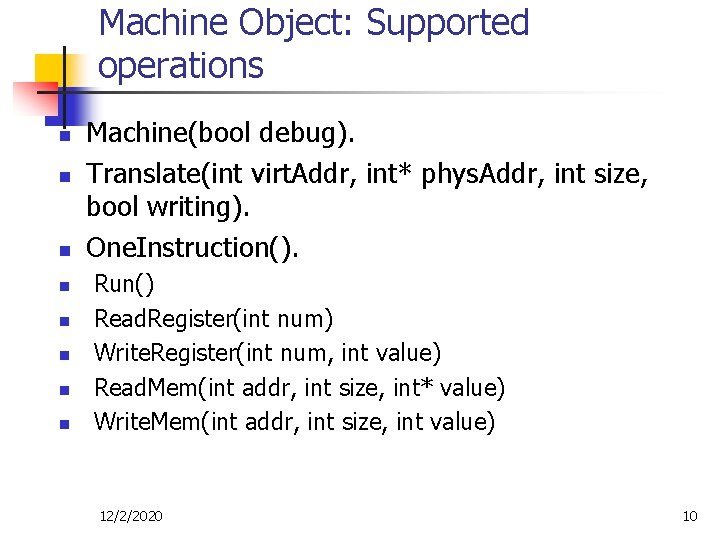
Machine Object: Supported operations n n n n Machine(bool debug). Translate(int virt. Addr, int* phys. Addr, int size, bool writing). One. Instruction(). Run() Read. Register(int num) Write. Register(int num, int value) Read. Mem(int addr, int size, int* value) Write. Mem(int addr, int size, int value) 12/2/2020 10
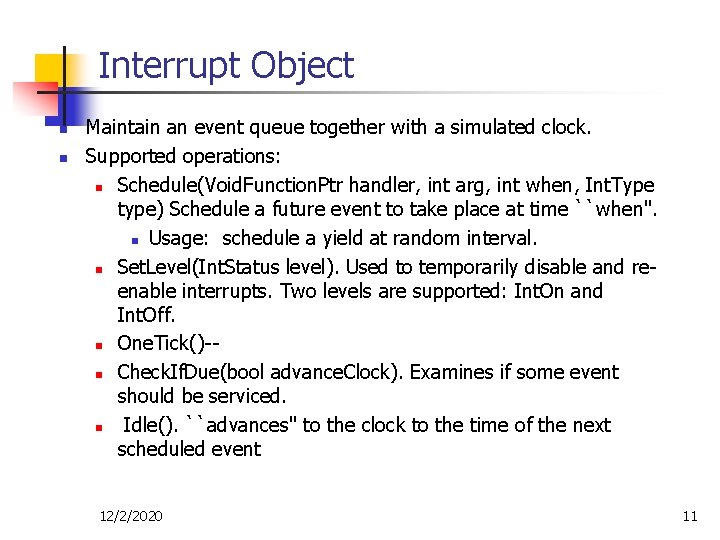
Interrupt Object n n Maintain an event queue together with a simulated clock. Supported operations: n Schedule(Void. Function. Ptr handler, int arg, int when, Int. Type type) Schedule a future event to take place at time ``when''. n Usage: schedule a yield at random interval. n Set. Level(Int. Status level). Used to temporarily disable and reenable interrupts. Two levels are supported: Int. On and Int. Off. n One. Tick()-n Check. If. Due(bool advance. Clock). Examines if some event should be serviced. n Idle(). ``advances'' to the clock to the time of the next scheduled event 12/2/2020 11
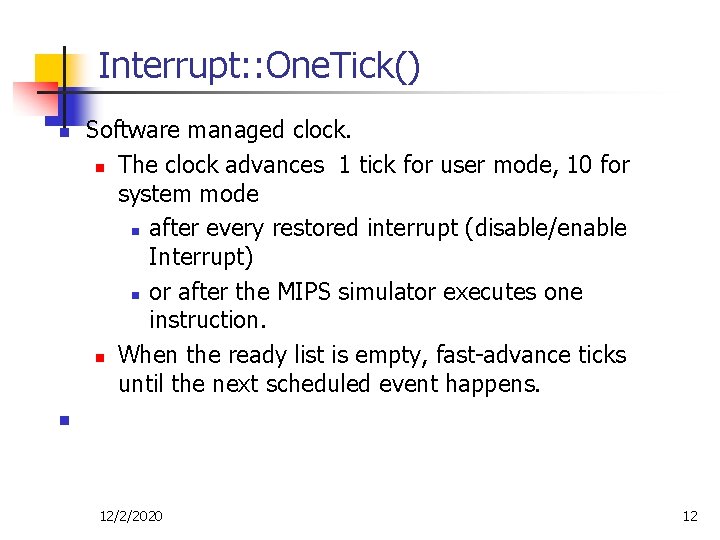
Interrupt: : One. Tick() n Software managed clock. n The clock advances 1 tick for user mode, 10 for system mode n after every restored interrupt (disable/enable Interrupt) n or after the MIPS simulator executes one instruction. n When the ready list is empty, fast-advance ticks until the next scheduled event happens. n 12/2/2020 12
Timer object n n n Generate interrupts at regular or random intervals Then Nachos invokes the predefined clock event handling procedure. Supported operation: n n Timer(Void. Function. Ptr timer. Handler, int call. Arg, bool do. Random). Create a real-time clock that interrupts n n every Timer. Ticks (100) time units Or set this a random number for random mode 12/2/2020 13
Console Object n n Simulates the behavior of a character-oriented CRT device Data can be written to the device one character at a time through the Put. Char() routine. Input characters arrive one-at-a-time. They can be retrieved by Get. Char(). Supported operations: n Console(char *read. File, char *write. File, Void. Function. Ptr read. Avail, Void. Function. Ptr write. Done, int call. Arg). Create a console instance. ``read. File'' is the Unix file of where the data is to be read from; if NULL, standard input is assumed. n n Put. Char(char ch) Get. Char() 12/2/2020 14
Disk Object n n Simulates the behavior of a real disk. n The disk has only a single platter, with multiple tracks (32). n Each track contains the same number of sectors (32). n Allow only one pending operation at a time. n Contain a ``track buffer'' cache. Immediately after seeking to a new track, the disk starts reading sectors, placing them in the track buffer. Supported operations: n Disk(char *name, Void. Function. Ptr call. When. Done, int call. Arg) n Read. Request(int sector. Number, char *data) n Write. Request(int sector. Number, char *data) n Compute. Latency(int new. Sector, bool writing) 12/2/2020 15
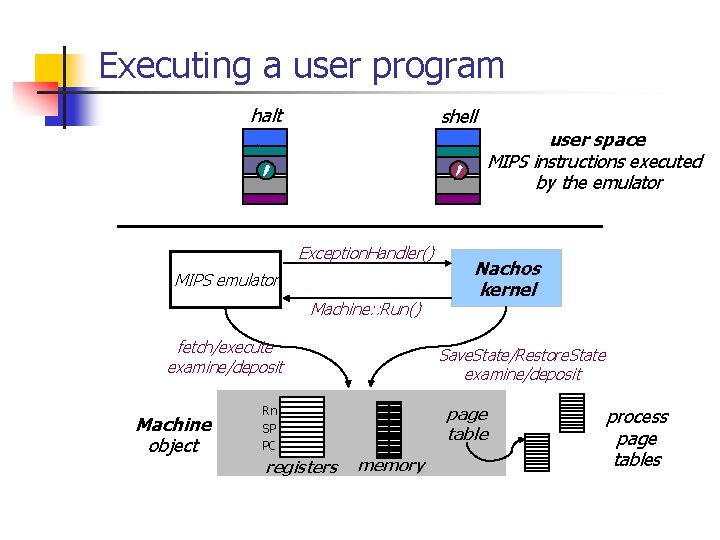
Executing a user program halt shell data Exception. Handler() MIPS emulator Machine: : Run() fetch/execute examine/deposit Machine object Nachos kernel Save. State/Restore. State examine/deposit Rn SP PC registers user space MIPS instructions executed by the emulator page table memory process page tables
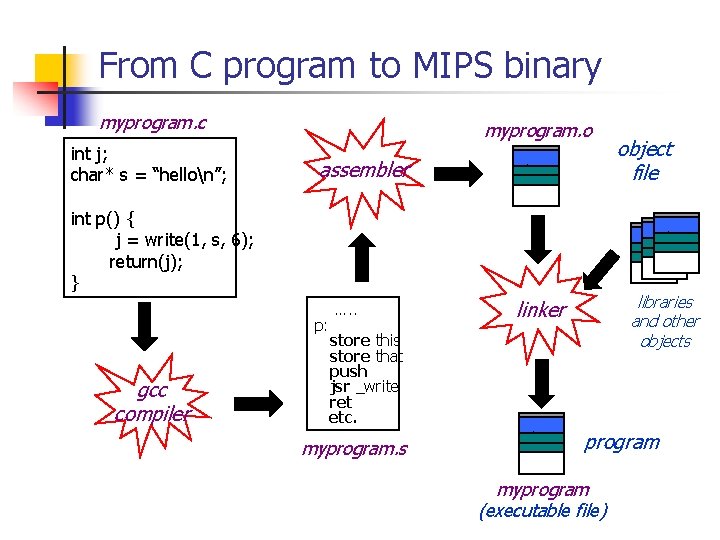
From C program to MIPS binary myprogram. c int j; char* s = “hellon”; myprogram. o assembler data int p() { j = write(1, s, 6); return(j); } data p: gcc compiler object file …. . libraries and other objects linker store this store that push jsr _write ret etc. myprogram. s data program myprogram (executable file)
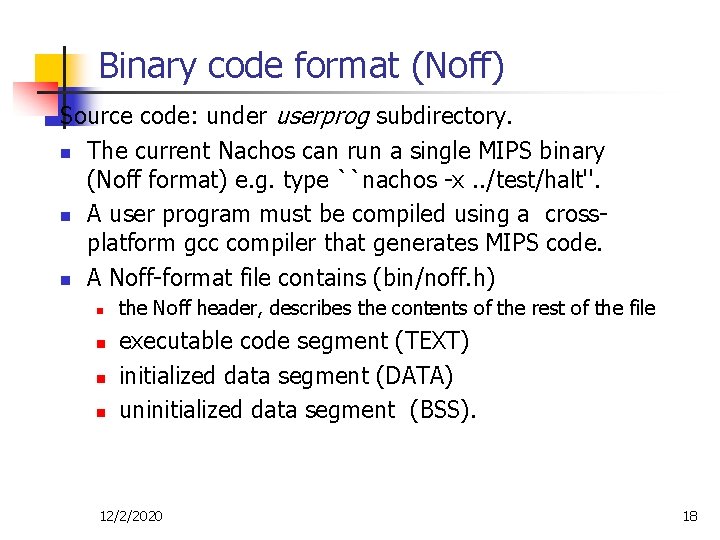
Binary code format (Noff) Source code: under userprog subdirectory. n The current Nachos can run a single MIPS binary (Noff format) e. g. type ``nachos -x. . /test/halt''. n A user program must be compiled using a crossplatform gcc compiler that generates MIPS code. n A Noff-format file contains (bin/noff. h) n n the Noff header, describes the contents of the rest of the file executable code segment (TEXT) initialized data segment (DATA) uninitialized data segment (BSS). 12/2/2020 18
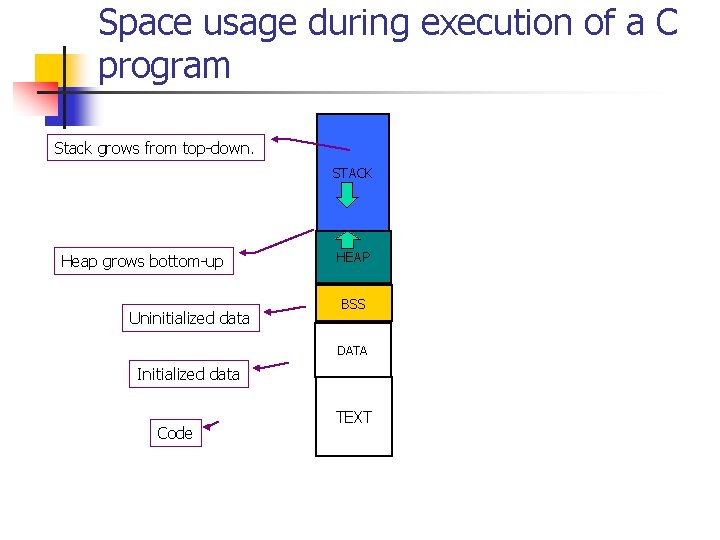
Space usage during execution of a C program Stack grows from top-down. STACK Heap grows bottom-up Uninitialized data HEAP BSS DATA Initialized data Code TEXT
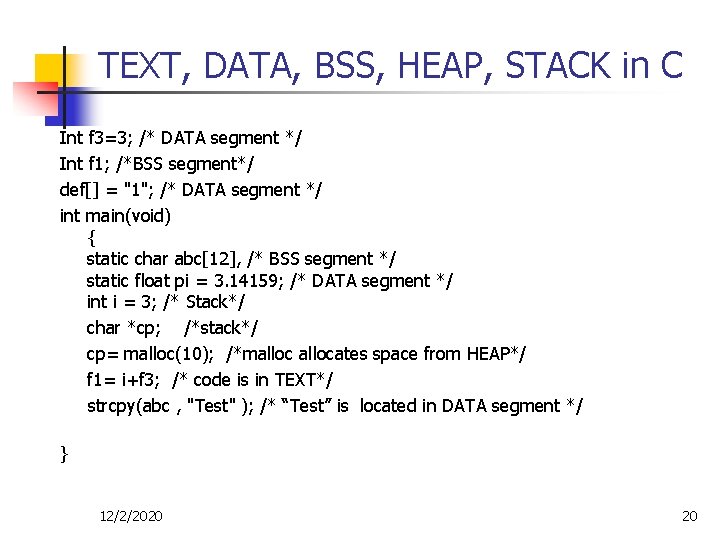
TEXT, DATA, BSS, HEAP, STACK in C Int f 3=3; /* DATA segment */ Int f 1; /*BSS segment*/ def[] = "1"; /* DATA segment */ int main(void) { static char abc[12], /* BSS segment */ static float pi = 3. 14159; /* DATA segment */ int i = 3; /* Stack*/ char *cp; /*stack*/ cp= malloc(10); /*mallocates space from HEAP*/ f 1= i+f 3; /* code is in TEXT*/ strcpy(abc , "Test" ); /* “Test” is located in DATA segment */ } 12/2/2020 20
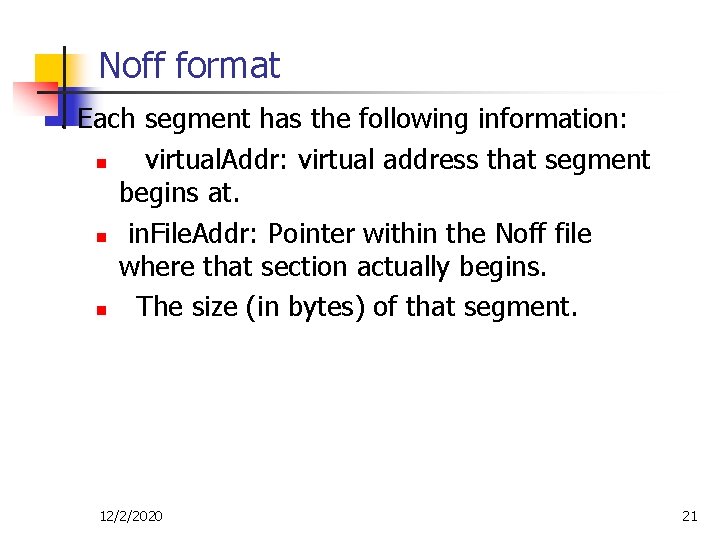
Noff format. Each segment has the following information: n virtual. Addr: virtual address that segment begins at. n in. File. Addr: Pointer within the Noff file where that section actually begins. n The size (in bytes) of that segment. 12/2/2020 21
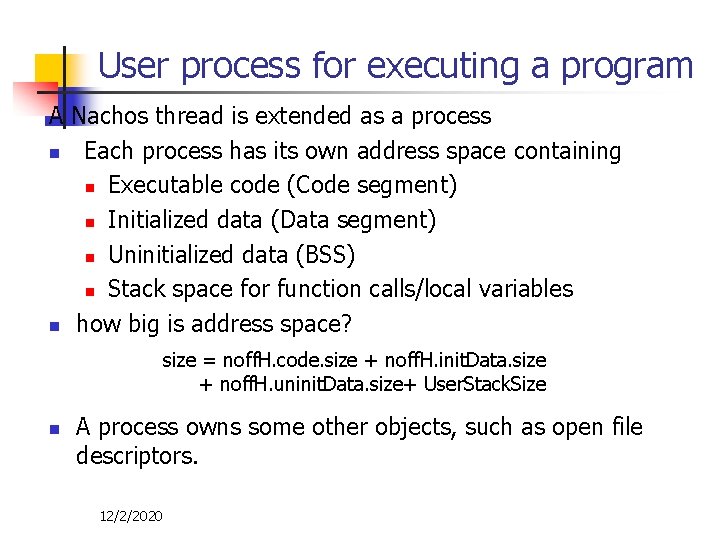
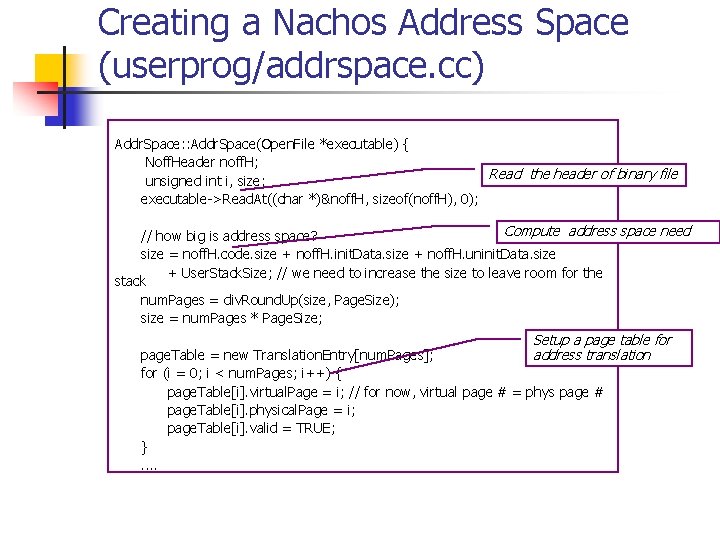
User process for executing a program A Nachos thread is extended as a process n Each process has its own address space containing n Executable code (Code segment) n Initialized data (Data segment) n Uninitialized data (BSS) n Stack space for function calls/local variables n how big is address space? size = noff. H. code. size + noff. H. init. Data. size + noff. H. uninit. Data. size+ User. Stack. Size n A process owns some other objects, such as open file descriptors. 12/2/2020
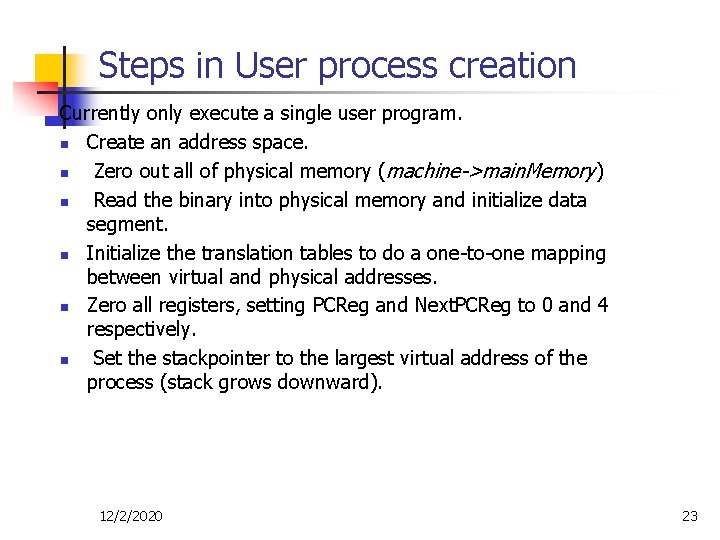
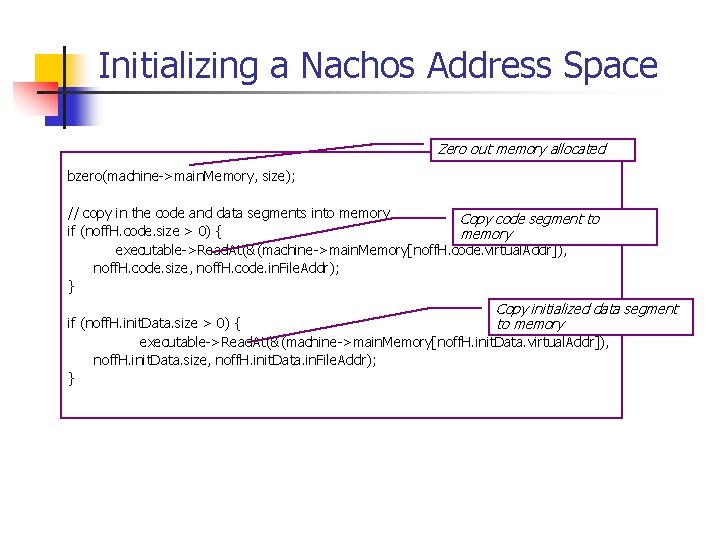
Steps in User process creation Currently only execute a single user program. n Create an address space. n Zero out all of physical memory (machine->main. Memory) n Read the binary into physical memory and initialize data segment. n Initialize the translation tables to do a one-to-one mapping between virtual and physical addresses. n Zero all registers, setting PCReg and Next. PCReg to 0 and 4 respectively. n Set the stackpointer to the largest virtual address of the process (stack grows downward). 12/2/2020 23
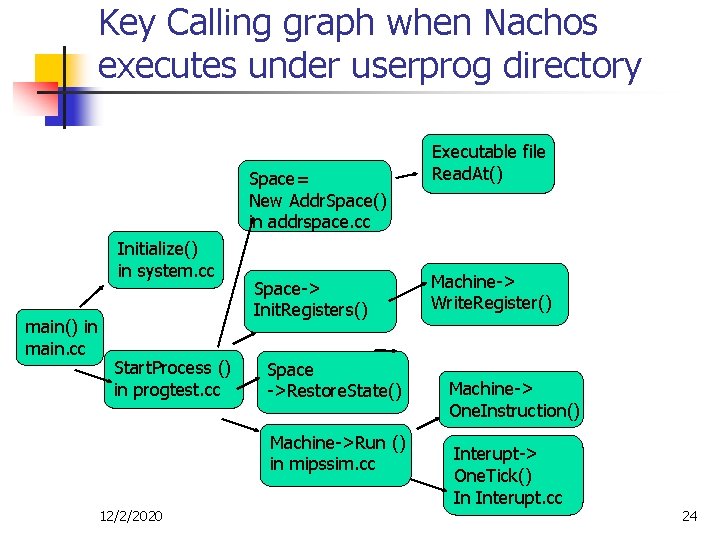
Key Calling graph when Nachos executes under userprog directory Space= New Addr. Space() in addrspace. cc Initialize() in system. cc main() in main. cc Start. Process () in progtest. cc Space-> Init. Registers() Space ->Restore. State() Machine->Run () in mipssim. cc 12/2/2020 Executable file Read. At() Machine-> Write. Register() Machine-> One. Instruction() Interupt-> One. Tick() In Interupt. cc 24
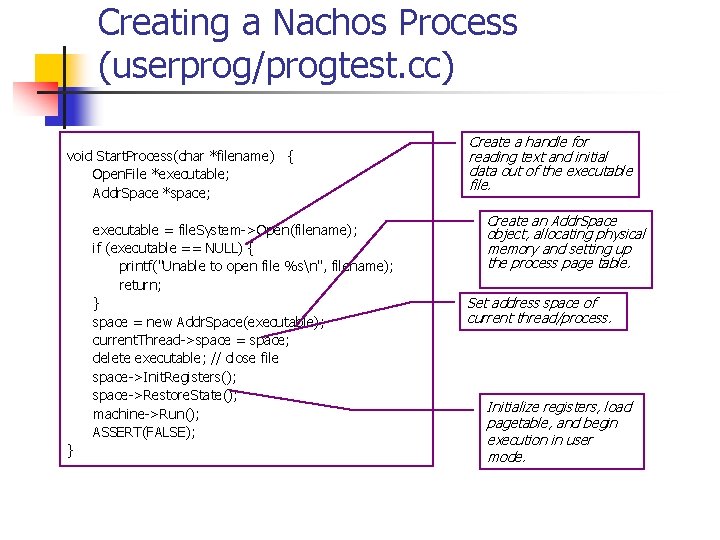
Creating a Nachos Process (userprog/progtest. cc) void Start. Process(char *filename) { Open. File *executable; Addr. Space *space; executable = file. System->Open(filename); if (executable == NULL) { printf("Unable to open file %sn", filename); return; } space = new Addr. Space(executable); current. Thread->space = space; delete executable; // close file space->Init. Registers(); space->Restore. State(); machine->Run(); ASSERT(FALSE); } Create a handle for reading text and initial data out of the executable file. Create an Addr. Space object, allocating physical memory and setting up the process page table. Set address space of current thread/process. Initialize registers, load pagetable, and begin execution in user mode.
Creating a Nachos Address Space (userprog/addrspace. cc) Addr. Space: : Addr. Space(Open. File *executable) { Noff. Header noff. H; Read the header of binary file unsigned int i, size; executable->Read. At((char *)&noff. H, sizeof(noff. H), 0); Compute address space need // how big is address space? size = noff. H. code. size + noff. H. init. Data. size + noff. H. uninit. Data. size + User. Stack. Size; // we need to increase the size to leave room for the stack num. Pages = div. Round. Up(size, Page. Size); size = num. Pages * Page. Size; Setup a page table for address translation page. Table = new Translation. Entry[num. Pages]; for (i = 0; i < num. Pages; i++) { page. Table[i]. virtual. Page = i; // for now, virtual page # = phys page # page. Table[i]. physical. Page = i; page. Table[i]. valid = TRUE; }. .
Initializing a Nachos Address Space Zero out memory allocated bzero(machine->main. Memory, size); // copy in the code and data segments into memory Copy code segment to if (noff. H. code. size > 0) { memory executable->Read. At(&(machine->main. Memory[noff. H. code. virtual. Addr]), noff. H. code. size, noff. H. code. in. File. Addr); } Copy initialized data segment to memory if (noff. H. init. Data. size > 0) { executable->Read. At(&(machine->main. Memory[noff. H. init. Data. virtual. Addr]), noff. H. init. Data. size, noff. H. init. Data. in. File. Addr); }
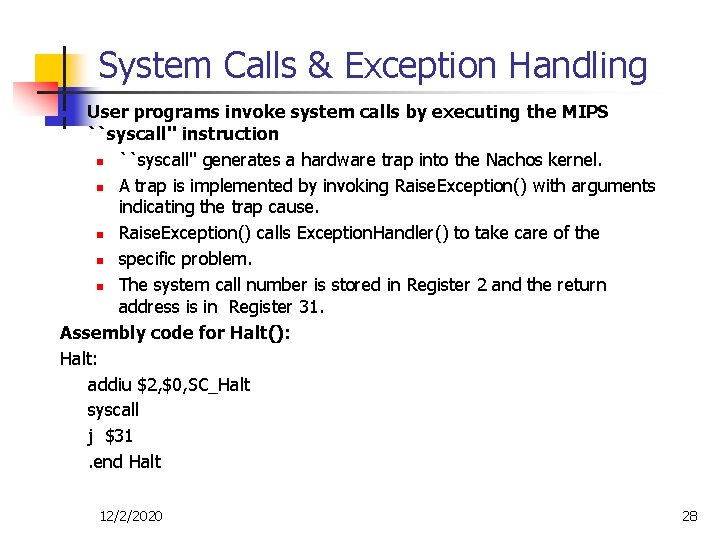
System Calls & Exception Handling User programs invoke system calls by executing the MIPS ``syscall'' instruction n ``syscall'' generates a hardware trap into the Nachos kernel. n A trap is implemented by invoking Raise. Exception() with arguments indicating the trap cause. n Raise. Exception() calls Exception. Handler() to take care of the n specific problem. n The system call number is stored in Register 2 and the return address is in Register 31. Assembly code for Halt(): Halt: addiu $2, $0, SC_Halt syscall j $31. end Halt n 12/2/2020 28
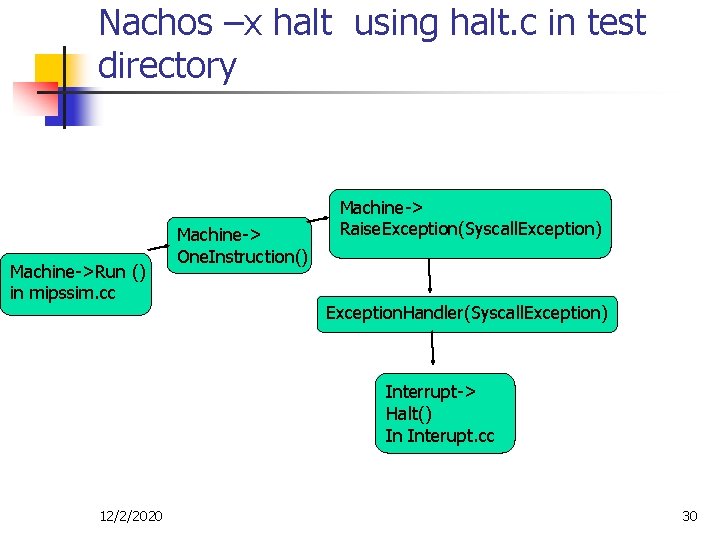
When typing “nachos –x halt” n n n The main thread starts by running function Start. Process() in file progtest. cc. This thread is used to run halt binary. Start. Process() allocates a new address space and loads the halt binary. It also initializes registers and sets up the page table. Call Machine: : Run() to execute the halt binary using the MPIS emulator. n n The halt binary invokes the system call Halt(), which causes a trap back to the Nachos kernel via functions Raise. Exception() and Exception. Handler(). The exception handler determines that a Halt() system call was requested from user mode, and it halts Nachos. 12/2/2020 29
Nachos –x halt using halt. c in test directory Machine->Run () in mipssim. cc Machine-> One. Instruction() Machine-> Raise. Exception(Syscall. Exception) Exception. Handler(Syscall. Exception) Interrupt-> Halt() In Interupt. cc 12/2/2020 30
Assignment 2: Multiprogramming&System Calls n n n Modify source code under userprog subdirectory. n ~1200 lines of code. The crossplatform compiler is under ~cs 270 t/gcc. n This compiler on x 86 machines produces a. out with the coff format. n Use utility coff 2 noff (under nachos’ bin directory) to convert it as Noff. n Check the makefile under test subdirectory on how to use gcc and coff 2 noff. System calls to be implemented: n Multiprogramming: Fork(), Yield(), Exit(), Exec() and Join(). n File and console I/O: Creat(), Open(), Read(), Write(), and Close(). 12/2/2020 31
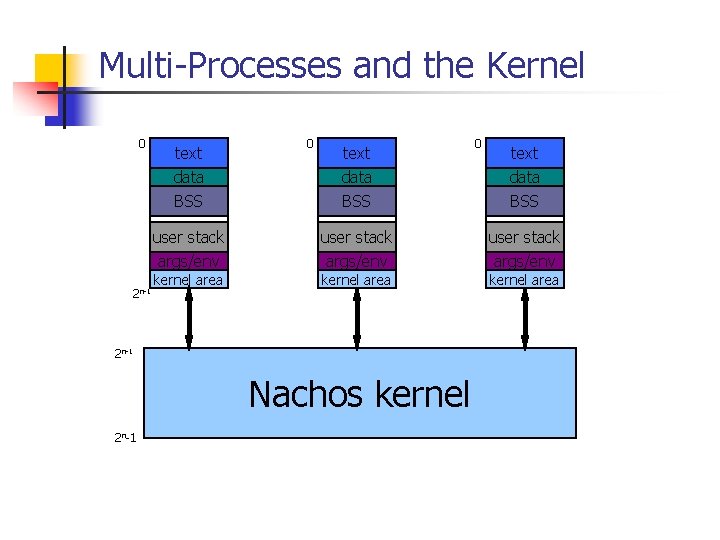
Multi-Processes and the Kernel 0 2 n-1 text data 0 text data BSS BSS user stack args/env kernel area 2 n-1 Nachos kernel 2 n-1 0 kernel area
To run multiple processes Nachos should n Provide the physical memory management; n Set up an address translation table with linear page tables; n Save/restore address-space related state during process switching (Addr. Space: : Save. User. State() and Addr. Space: Restore. User. State() are called). 12/2/2020 33
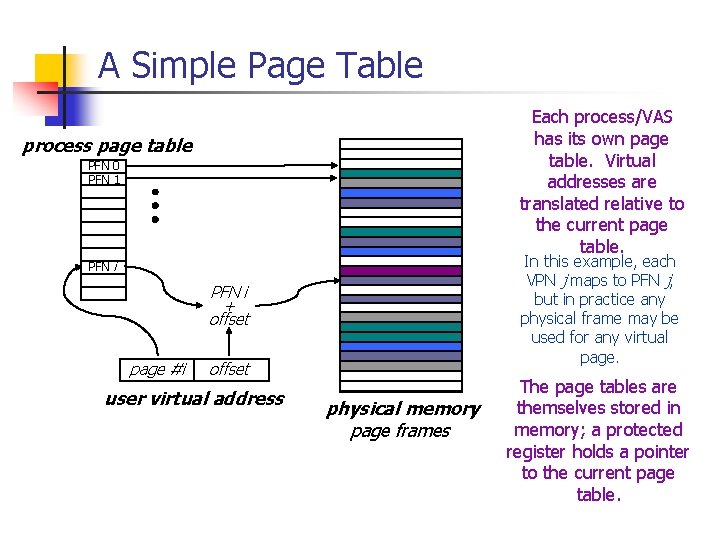
Address translation with linear page tables n A virtual address is split into page number and page offset components n n n Machine->page. Table points to the page table to be used. Machine->page. Table. Size -- the actual size of the page table. Process switching requires to set the above pointer properly for each user. Physical page 0 starts at machine-> main. Memory. Each page has 128 -bytes. The actual number of physical pages is Num. Phys. Pages (32). 12/2/2020 34
A Simple Page Table Each process/VAS has its own page table. Virtual addresses are translated relative to the current page table. process page table PFN 0 PFN 1 In this example, each VPN j maps to PFN j, but in practice any physical frame may be used for any virtual page. PFN i + offset page #i offset user virtual address physical memory page frames The page tables are themselves stored in memory; a protected register holds a pointer to the current page table.
Assignment 2: Files involved n n Key files. n progtest. cc -- test routines to run user code. n addrspace. h addrspace. cc -- create an address space and load the program from disk. n syscall. h -- the system call interface. n exception. cc -- the handler for system calls and other user-level exceptions such as page faults. n filesys. h, openfile. h console. h -- interface to the Nachos file system and console. Other related files: n bitmap. h bitmap. cc -- manipulate bitmpas (useful for keeping track of physical page frames). n translate. h, translate. cc -- translation tables. n machine. h, machine. cc -- emulates main memory, processor, etc. n mipsim. cc -- emulates MPIS R 2/3000 instructions. n console. cc -- emulates a terminal using UNIX files. 12/2/2020 36
Questions n Process management n How to let two processes run in parallel? What are fundamental mechanisms to enable this functionality? n n Another Nachos Process? Thread? How to execute Machine->Run? How to set PC (program counter) correctly in the new process? How to invoke Machine->Run() from the current execution process? 12/2/2020 37
Assignment 2: Implementation Notes Tao Yang
Part I: Multiprogramming n n n Fork(func) creates a new user-level (child) process, whose address space starts out as an exact copy of that of the caller (the parent), Yield(): temporarily relinquish the CPU to another process. Exit(int) call takes a single argument, which is an integer status value as in Unix. The currently executing process is terminated. . Exec(filename) spawns a new user-level thread (process), but creates a new address space. It should return to the parent a Space. Id. Join(ID) call waits and returns only after a process with the specified ID has finished.
Getting Started n n Review start. s (under test directory) which includes all system call stubs, following the style of Halt. Modify Exception. Handler() in exception. cc to include all system call entries. n After each system call, increment PC registers so that Exception. Handler() execution flow returns back to next instruction after user’s system call place. n n n Arguments of a system call are in Registers 4, 5, 6 etc. n n counter = machine->Read. Register(PCReg); machine->Write. Register(Prev. PCReg, counter); counter = counter + 4; machine>Write. Register(Next. PCReg, counter); how to verify? You may review MPIS assembly code produced for a test C program using gcc -S. If needed, return result is register 2 n machine->Write. Register(2, result);
PCB (Process Control Block) n n Write the PCB and a process manager. Create a PCB class that will store the necessary information about a process. Don't worry about putting everything in it right now, you can always add more as you go along. To start, it should have a PID, parent PID, and Thread*. The process manager- it can have get. PID and clear. PID methods, which return an unused process id and clear a process id respectively.
Memory Manager n Write a Memory Manager that will be used to facilitate memory allocation: n n Track memory page usage. Allocate a page Free a page Modify Addr. Space: Addr. Space (addrspace. cc) to use the memory manager. n n Modify the page table constructors to use pages allocated by your memory manager Create a PCB (process control block) also for each process to include key control information.
Add. Space. cc n n Write a function (e. g. Addr. Space: : Translate), which converts a virtual address to a physical address. It does so by breaking the virtual address into a page table index and an offset. Write a function( e. g. Addr. Space: : Read. File), which loads the code and data segments into the translated memory, instead of at position 0. n n Read data into a system buffer (disk. Buffer). Copy buffered data into proper memory locations (e. g. at machine->main. Memory[phys. Addr]. )
Implement Fork() in Exception. Handler() n Func. Entry = Value of register 4 ( sys call argu) n n n Target function to be executed in the new space. Create a new kernel thread. Create a new Addr. Space to be a duplicate of the Current. Thread's space and get a new PCB. The current thread calls Yield() so the new thread can run. The new thread runs a dummy function that creates a bridge for execution of the user function). n n Call New. Thread->Fork(Fork. Bridge, Func. Entry) Why? It needs to set program counter properly in a new space.
Fork. Bridge() : Key parts n n Set counter = Func. Entry Initialize and restore the registers. For example, n n n current. Thread->Restore. User. State(); current. Thread->space->Restore. State(); machine->Write. Register(PCReg, counter); machine->Write. Register(Prev. PCReg, counter-4); machine->Write. Register(Next. PCReg, counter+4); Call machine->Run() which executes the forked user process in the desired Func. Entry address.
Implement Exec() n Exec is creating a new process with new code and data segments from a file. n Allocate a new address space which fits this file. n n n In order to get that file name you will have to write a function that copies over the string from user space. Allocate a new kernel thread and a PCB to execute with the above space. Fork the new thread to run a dummy bridge function that sets the machine registers straight and runs the code n n Load data/code from an Open. File object constructed from the filename passed in by the user. Call New. Thread->Fork(Exec. Bridge , NULL); The calling thread should yield to give control to the newly spawned thread. Return the process ID that executes this binary.
Exec. Bridge(): Key parts n Initialize registers/restore state. n n n (current. Thread->space)->Init. Registers(); (current. Thread->space)->Restore. State(); Machine->run();
System Calls for File System n For the entire system, maintain a set of objects (Sys. Open. File class) representing system-wide opened files. n n n Each file may be opened by many user processes. Call it file. Open. Table[]; For each process, maintain a set of objects in PCB (User. Open. File class) representing files opened by this process. n n Each file has filename, index to the system-wide open table entry, and offset for the current read/write pointer
Implement create() n Nachos already has a simple file system implemented n n filesys. cc and openfile. cc under filesys directory. Use Nachos file. System to add a new file to its directory.
Implement open() n n Use file. System->Open() (nachos’open) to locate the file object. Add the opened file object to the system-wide file. Open. Table. n n If it is already opened by some other user process, just share the entry. Else insert to the local file open table in PCB.
Implement read() n n Allocate an internal buffer. If Inputfile ID is Console. Input n n n Else, find the current read offset. n n Then use getchar() and save data in the internal buffer. Read until EOF or n. Use open. File: Read. At (defined in openfile. cc) to read data from the nachos file. Copy data from the internal buffer to the destination memory location. n Need to copy one by one since the address needs to be translated one by one.
Implement write() n n Allocate an internal buffer. Copy data from the source memory location to the internal buffer. n n If Outputfile ID is Console. Output n n Need to copy one by one since the address needs to be translated one by one. Then use printf (assuming string type). Else, find the current write offset. n Use open. File: Write. At (defined in openfile. cc) to write data to the nachos file.