
MYPLATE THE LIVESTRONG COM CALORIE TRACKER WHAT IS

- Slides: 13
MYPLATE THE LIVESTRONG. COM CALORIE TRACKER
WHAT IS THE MYPLATE APP? • An application you can download on your phone or on your tablet. • Tracks you daily caloric, fat, carbohydrate and protein intake. • Tracks the amount of calories you burned daily through exercise. • Goals and progress are based on height, weight, gender and age. “…[The] Calorie Tracker can help you reach your diet, weight loss and fitness goals by tracking your daily calories and exercise. ” LIVESTRONG. COM
PROFESSIONALS WHO CAN USE MYPLATE • Doctors • Nutritional counselors • Trainers • Therapist Nutrition is Important in the health care field!
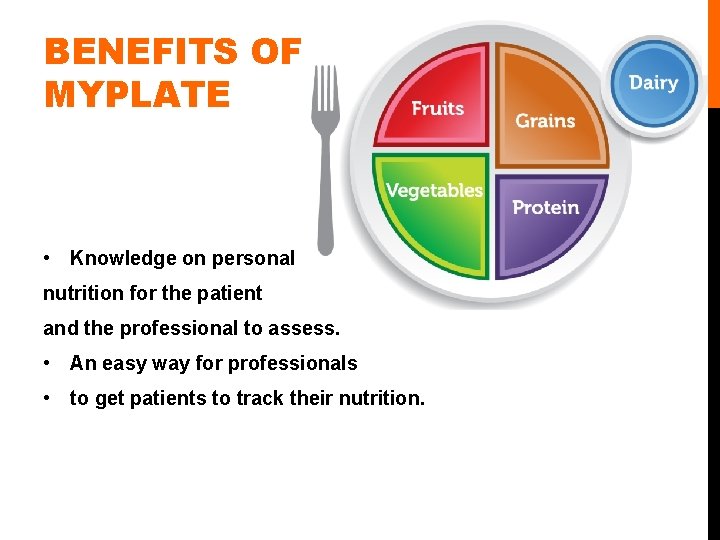
BENEFITS OF MYPLATE • Knowledge on personal nutrition for the patient and the professional to assess. • An easy way for professionals • to get patients to track their nutrition.
OTHER BENEFITS • Personalized • You create your profile specific to you to get the most accurate results. • Large database • Contains more than 1. 3 million food and restaurant items. • You can be specific with what you track • You can chart your calories, carbs, protein, fat sodium, cholesterol, sugars and fiber. • Available online (www. livestrong. com/thedailyplate) • Along with the app, there is an online service you can access at home. • Support groups, forums, Q&A.
HOW TO DOWNLOAD • App store on your phone of tablet • Search, “My. Plate” • Install • It’s Free!
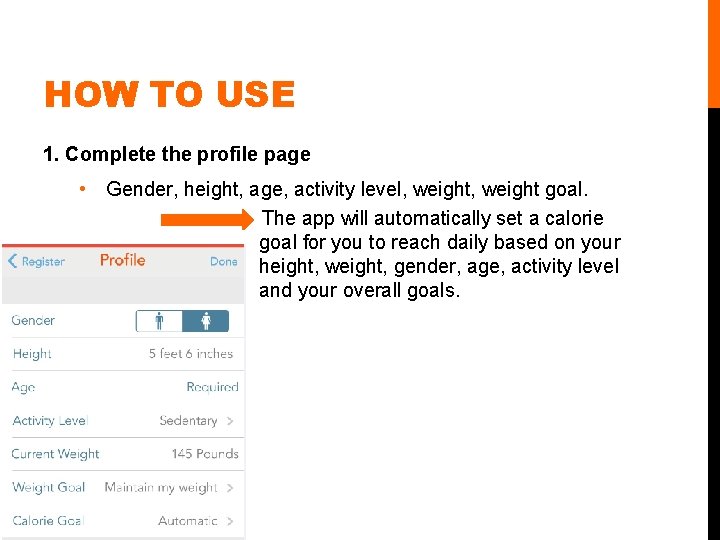
HOW TO USE 1. Complete the profile page • Gender, height, age, activity level, weight goal. The app will automatically set a calorie goal for you to reach daily based on your height, weight, gender, age, activity level and your overall goals.
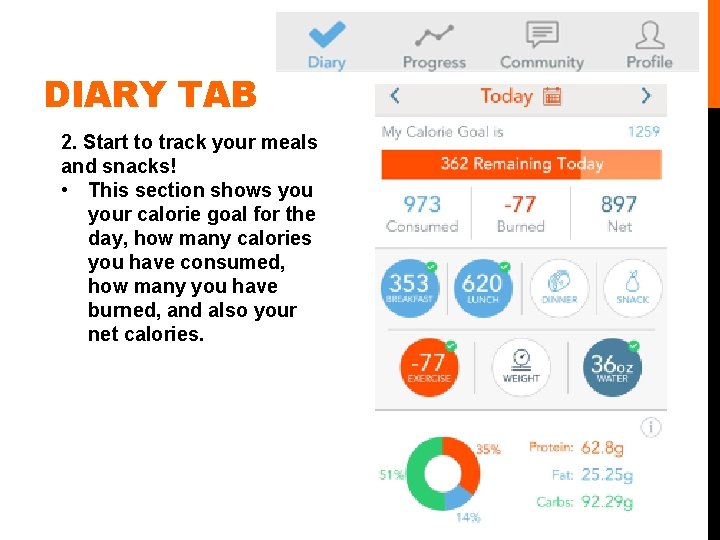
DIARY TAB 2. Start to track your meals and snacks! • This section shows your calorie goal for the day, how many calories you have consumed, how many you have burned, and also your net calories.
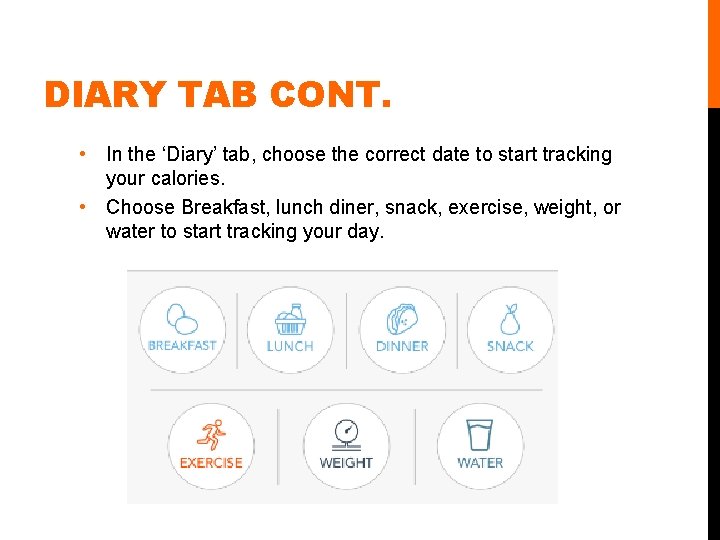
DIARY TAB CONT. • In the ‘Diary’ tab, choose the correct date to start tracking your calories. • Choose Breakfast, lunch diner, snack, exercise, weight, or water to start tracking your day.
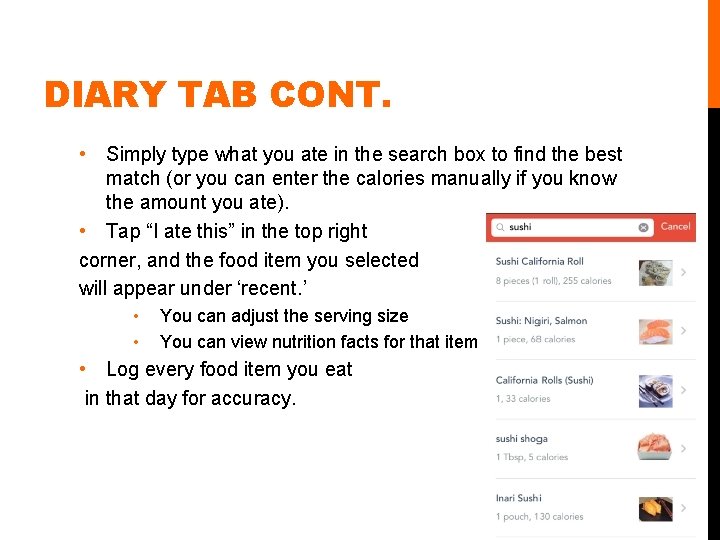
DIARY TAB CONT. • Simply type what you ate in the search box to find the best match (or you can enter the calories manually if you know the amount you ate). • Tap “I ate this” in the top right corner, and the food item you selected will appear under ‘recent. ’ • • You can adjust the serving size You can view nutrition facts for that item • Log every food item you eat in that day for accuracy.
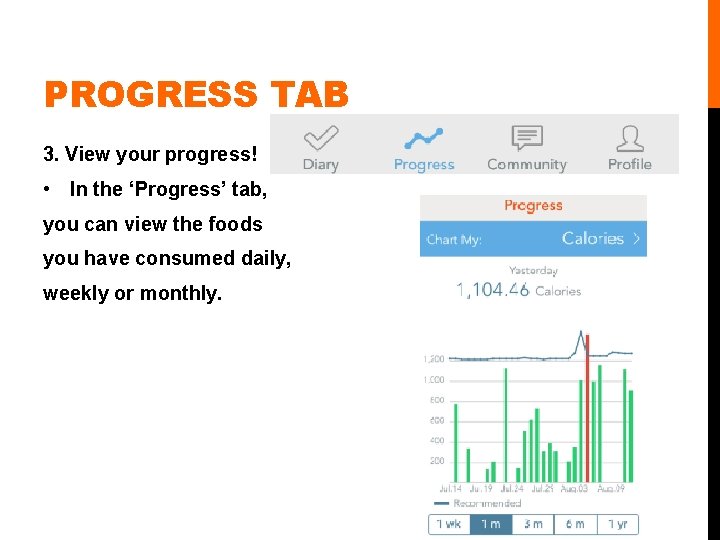
PROGRESS TAB 3. View your progress! • In the ‘Progress’ tab, you can view the foods you have consumed daily, weekly or monthly.
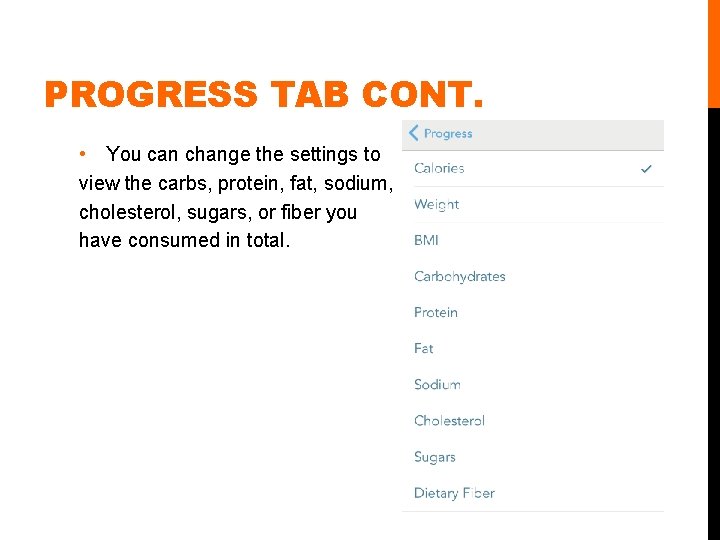
PROGRESS TAB CONT. • You can change the settings to view the carbs, protein, fat, sodium, cholesterol, sugars, or fiber you have consumed in total.
WHY USE THE MYPLATE APP? • Easy way to track your food intake • Convenient • Available on your phone, tablet and online • Accurate • Based on your personal information • Large database • Personalized • Specific to your personal information • Makes communication easy with your doctor • Tracking your calories is beneficial for your knowledge, and also your doctor’s.