
My SQL Working on Turing Login to SSH
![Create Table • Mysql> CREATE TABLE table_name (columnname datatype[constraint name]]…. ); • EX: CREATE](https://slidetodoc.com/presentation_image_h2/090518bc13b1e1ce09e57a1c5c24675c/image-11.jpg "Create Table • Mysql> CREATE TABLE table_name (columnname datatype[constraint name]]…. ); • EX: CREATE")
![To display certain distinct tuples • mysql> SELECT [DISTINCT] columnlist FROM tablename(s) [WHERE condition];](https://slidetodoc.com/presentation_image_h2/090518bc13b1e1ce09e57a1c5c24675c/image-14.jpg "To display certain distinct tuples • mysql> SELECT [DISTINCT] columnlist FROM tablename(s) [WHERE condition];")
- Slides: 21
My. SQL Working on Turing
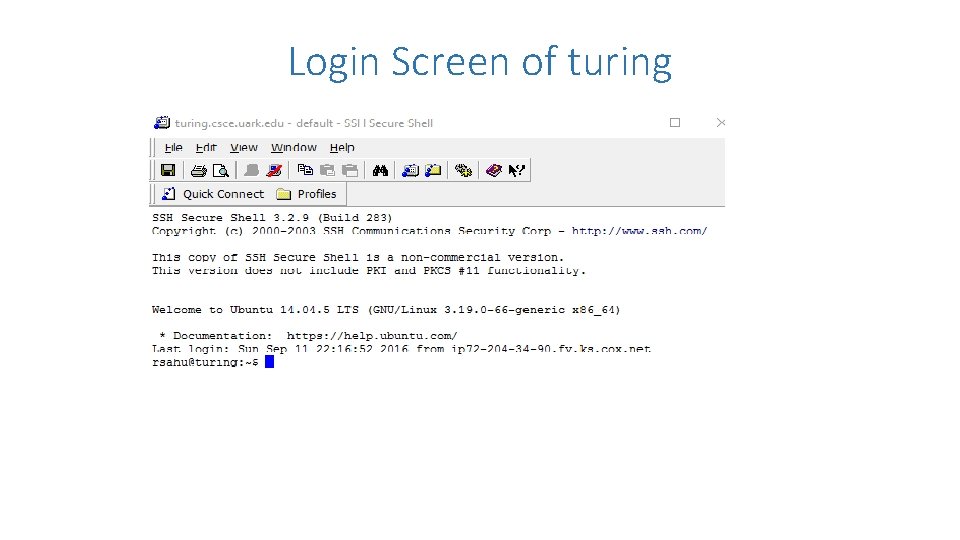
Login to SSH • Log on to turing. csce. uark. edu using your UARK username and password. • Those who don't have the SSH client, can download that from university's IT site at http: //software. uark. edu.
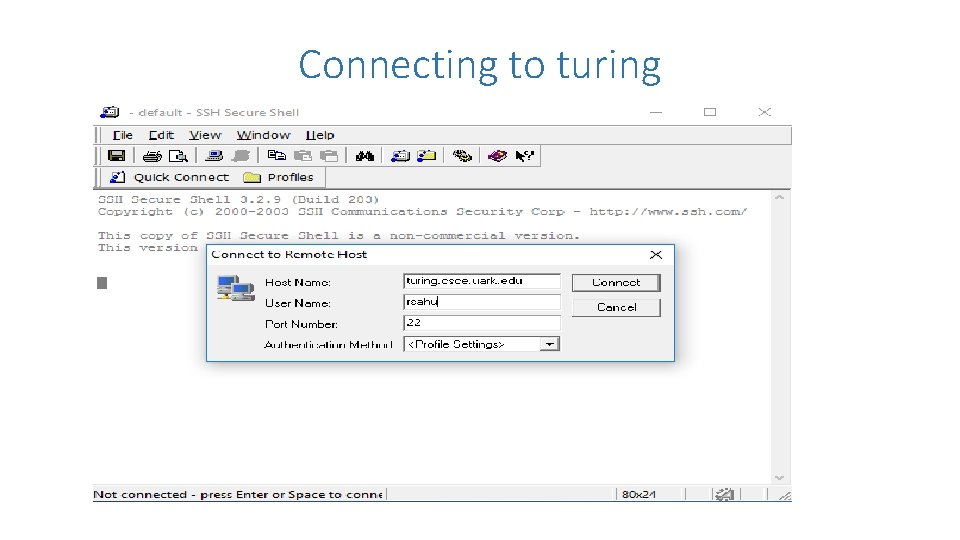
Connecting to turing
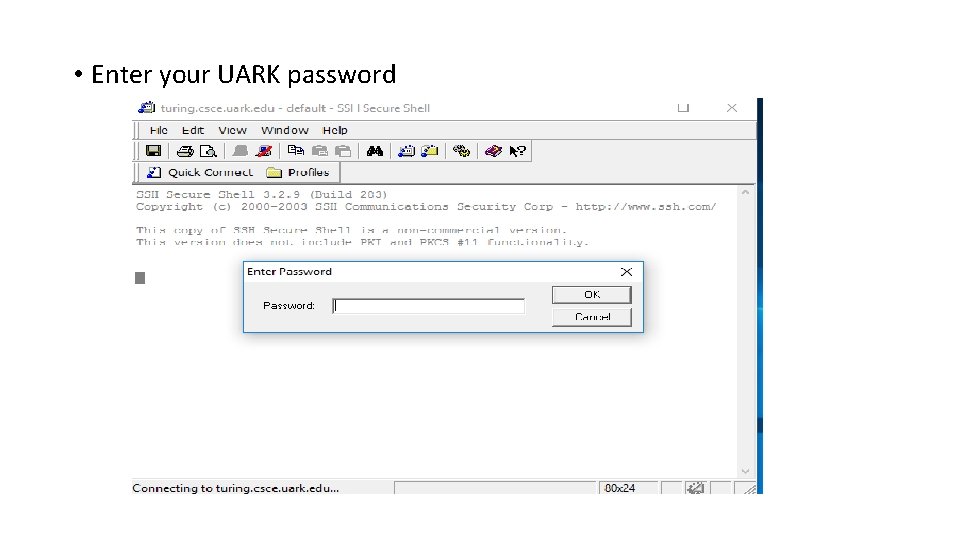
• Enter your UARK password
Login Screen of turing
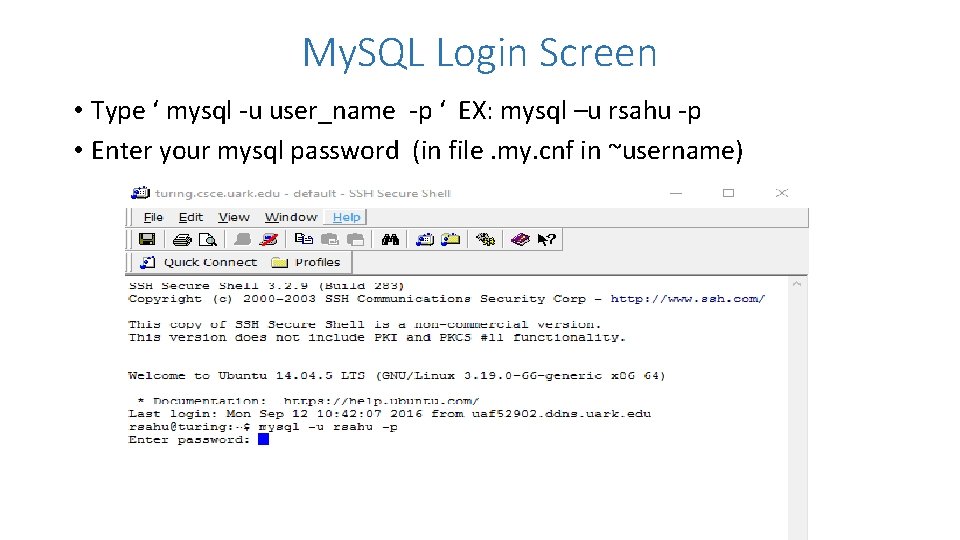
My. SQL Login Screen • Type ‘ mysql -u user_name -p ‘ EX: mysql –u rsahu -p • Enter your mysql password (in file. my. cnf in ~username)
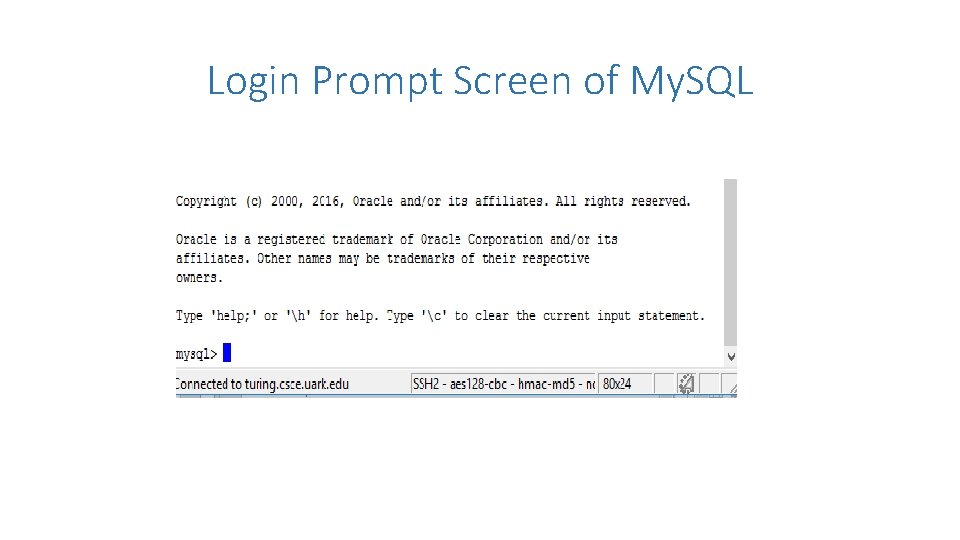
Login Prompt Screen of My. SQL
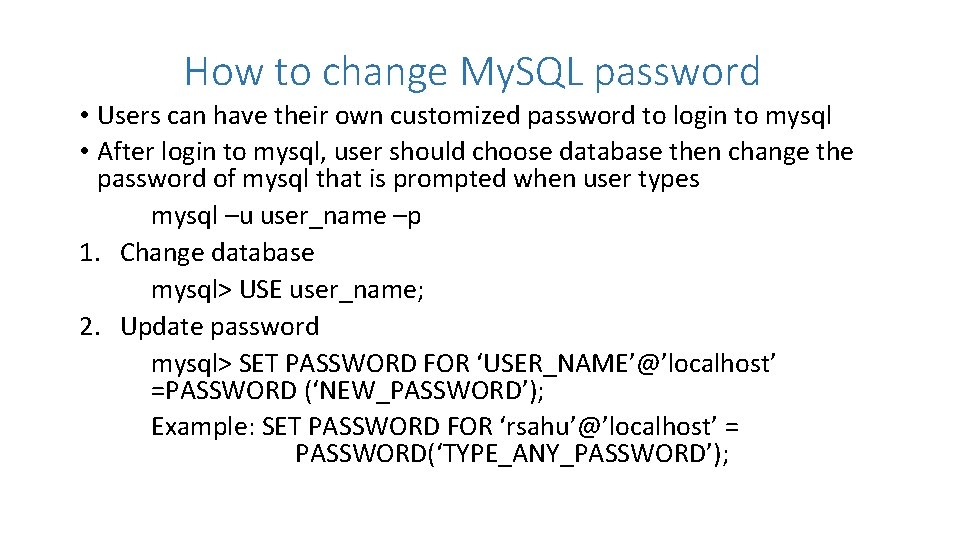
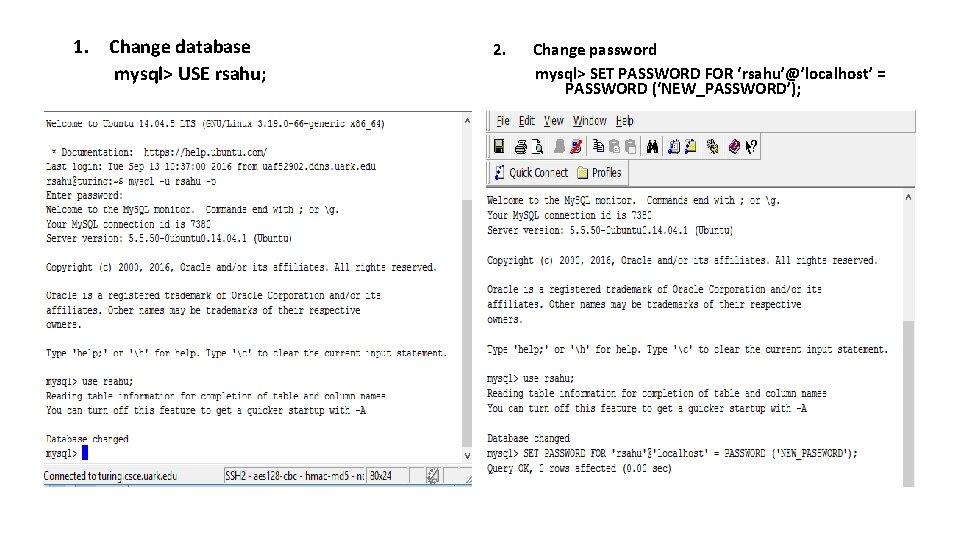
How to change My. SQL password • Users can have their own customized password to login to mysql • After login to mysql, user should choose database then change the password of mysql that is prompted when user types mysql –u user_name –p 1. Change database mysql> USE user_name; 2. Update password mysql> SET PASSWORD FOR ‘USER_NAME’@’localhost’ =PASSWORD (‘NEW_PASSWORD’); Example: SET PASSWORD FOR ‘rsahu’@’localhost’ = PASSWORD(‘TYPE_ANY_PASSWORD’);
1. Change database mysql> USE rsahu; 2. Change password mysql> SET PASSWORD FOR ‘rsahu’@’localhost’ = PASSWORD (‘NEW_PASSWORD’);
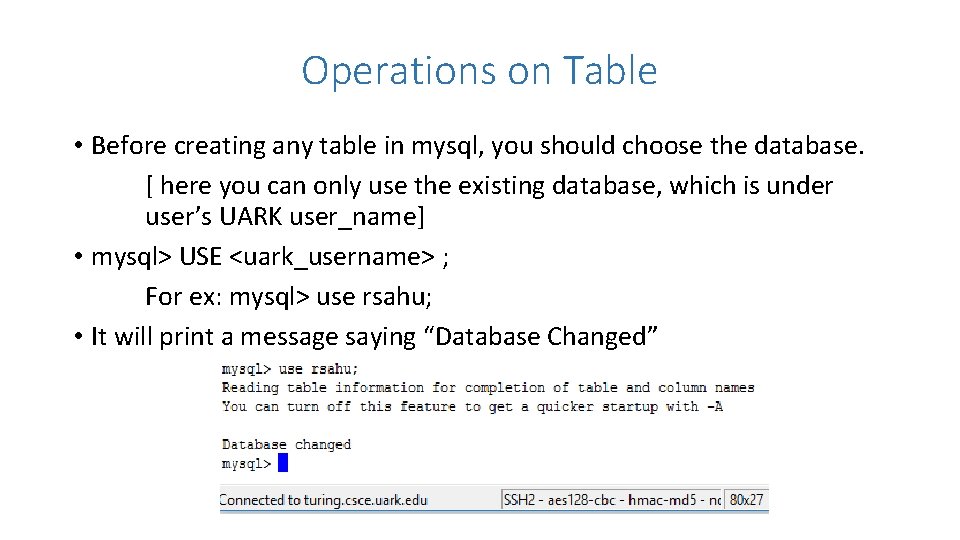
Operations on Table • Before creating any table in mysql, you should choose the database. [ here you can only use the existing database, which is under user’s UARK user_name] • mysql> USE <uark_username> ; For ex: mysql> use rsahu; • It will print a message saying “Database Changed”
Create Table • Mysql> CREATE TABLE table_name (columnname datatype[constraint name]]…. ); • EX: CREATE TABLE Test 1 (Test_Id Integer Primary Key, Test_name Char(5));
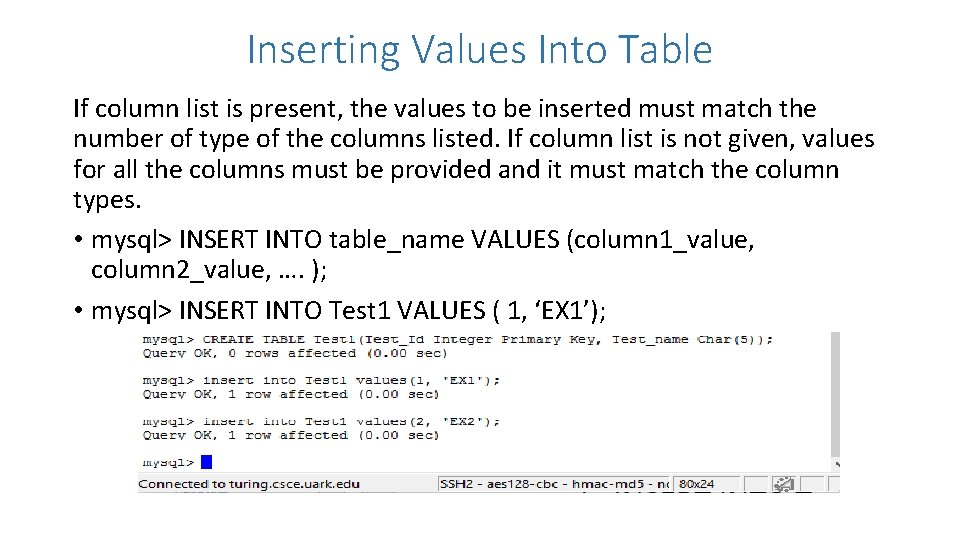
Inserting Values Into Table If column list is present, the values to be inserted must match the number of type of the columns listed. If column list is not given, values for all the columns must be provided and it must match the column types. • mysql> INSERT INTO table_name VALUES (column 1_value, column 2_value, …. ); • mysql> INSERT INTO Test 1 VALUES ( 1, ‘EX 1’);
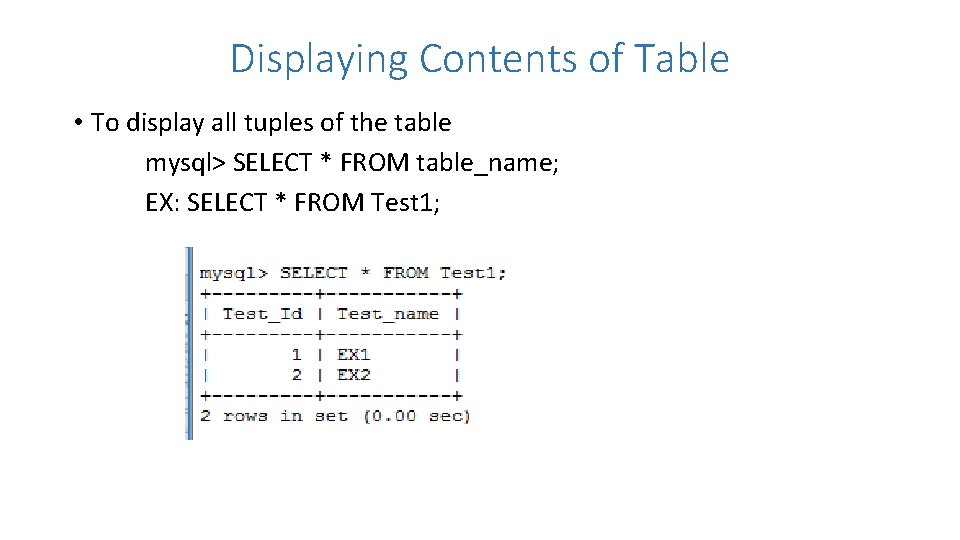
Displaying Contents of Table • To display all tuples of the table mysql> SELECT * FROM table_name; EX: SELECT * FROM Test 1;
To display certain distinct tuples • mysql> SELECT [DISTINCT] columnlist FROM tablename(s) [WHERE condition]; EX: SELECT * FROM Test 1 WHERE Test_Id= 1;
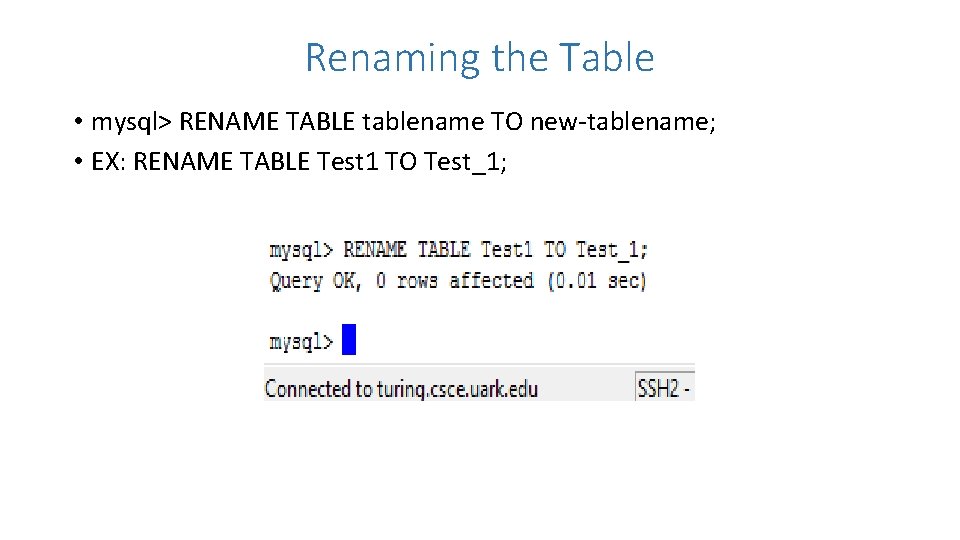
Renaming the Table • mysql> RENAME TABLE tablename TO new-tablename; • EX: RENAME TABLE Test 1 TO Test_1;
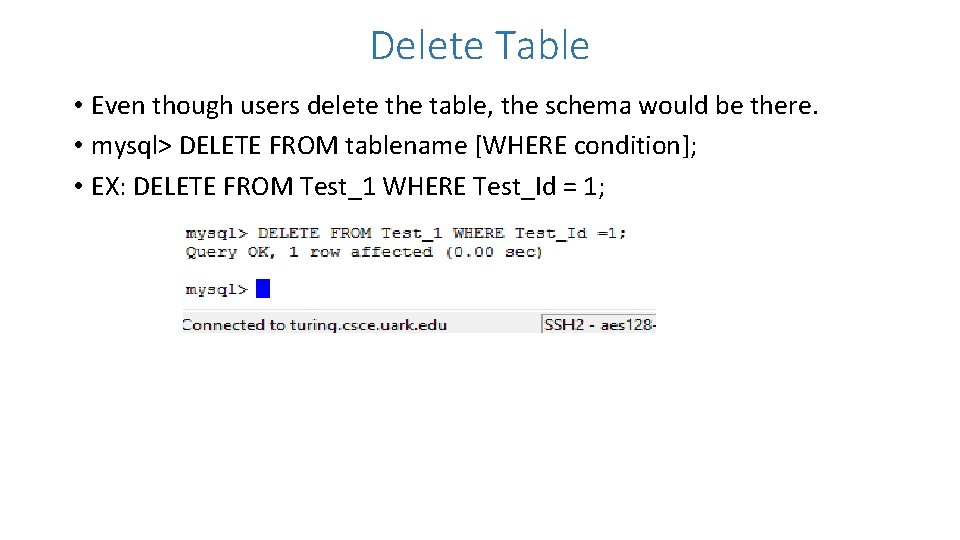
Delete Table • Even though users delete the table, the schema would be there. • mysql> DELETE FROM tablename [WHERE condition]; • EX: DELETE FROM Test_1 WHERE Test_Id = 1;
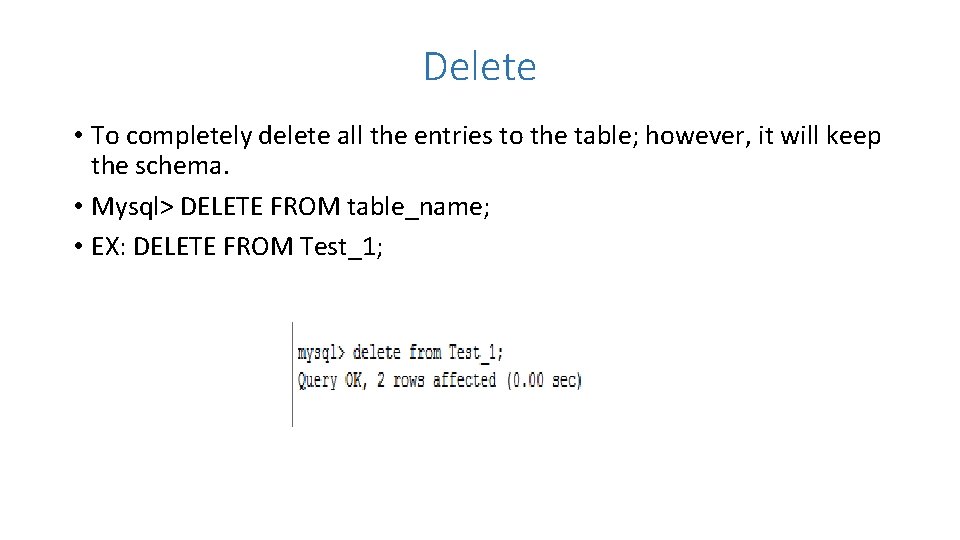
Delete • To completely delete all the entries to the table; however, it will keep the schema. • Mysql> DELETE FROM table_name; • EX: DELETE FROM Test_1;
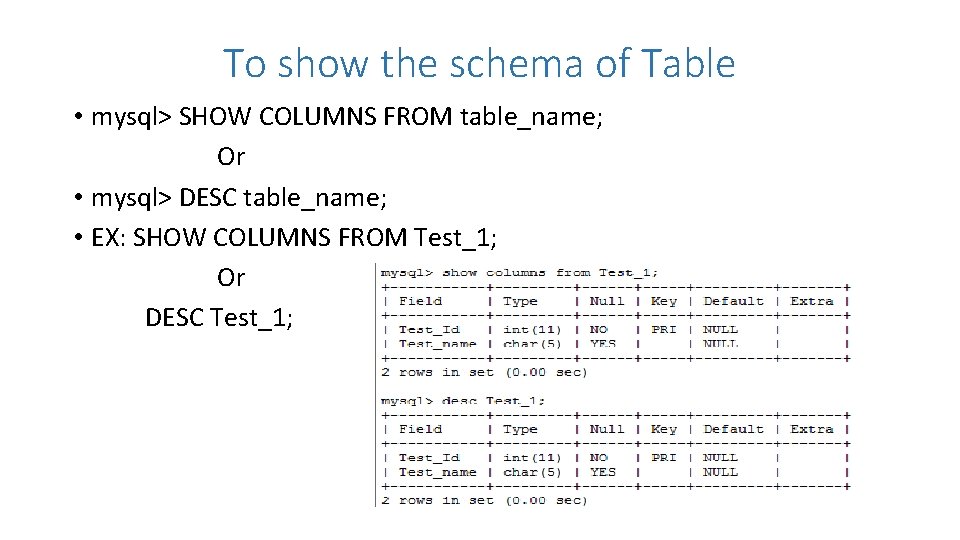
To show the schema of Table • mysql> SHOW COLUMNS FROM table_name; Or • mysql> DESC table_name; • EX: SHOW COLUMNS FROM Test_1; Or DESC Test_1;
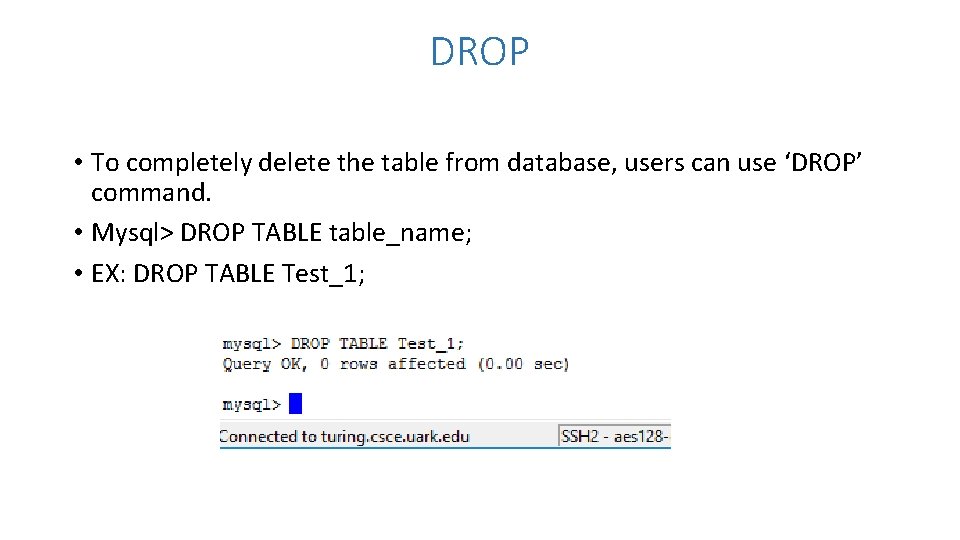
DROP • To completely delete the table from database, users can use ‘DROP’ command. • Mysql> DROP TABLE table_name; • EX: DROP TABLE Test_1;
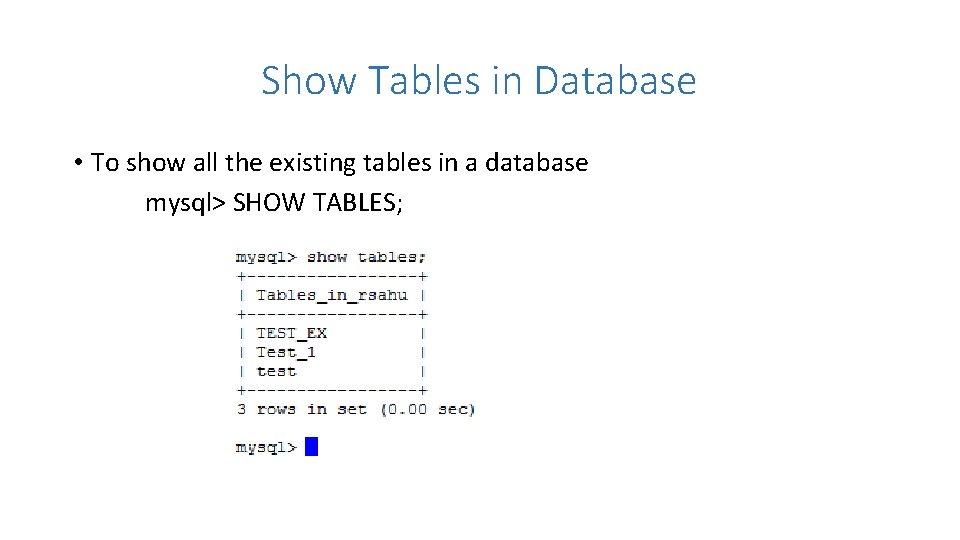
Show Tables in Database • To show all the existing tables in a database mysql> SHOW TABLES;
Log Out of My. SQL and SSH • Type two time ‘ exit ‘ , it will log out of mysql and ssh. • You can close SSH choosing ‘exit’ button in file appears at the top-left most of SSH screen. • Every command in mysql should be end with a semicolon (; ). • My. SQl is not case-sensitive for its command keywords; however, it is case sensitive for its variables. For ex: variables like Table name, Column Name etc are case sensitive. Whereas, keywords like SELECT, create etc are not case sensitive.