
My SQL Programming Mimi Opkins David Brown CECS
My. SQL Programming Mimi Opkins & David Brown CECS 323
General Introduction There are several different ways to protect a database from corruption: Datatypes for the individual columns Primary key and other uniqueness constraints Referential integrity constraints: Implement relationships between tables Ensure that enumerated values are valid Implementing reference data Database code that implements complex (non declarative) constraints One major benefit to doing all of this in the database is that there is no way to “back door” the database. The other benefit is that the stored procedure/function/trigger runs on the server, which saves on network traffic.
Other Approaches Alternatively, you could require that all access to a given database (using that term loosely) has to be brokered by an application. It’s not uncommon to have an application start off “owning” the data, then that data becomes of interest to other applications. That means that outside applications coming in through an interface somehow need to use that application so that the business rules are only implemented once. Or, the business rules need to be published and agreed to by all users of the data to prevent corruption.
Basic Programming Structures Stored Procedures Blocks of code stored in the database that are pre-compiled. They can operate on the tables within the database and return scalars or results sets. Functions Can be used like a built-in function to provide expanded capability to your SQL statements. They can take any number of arguments and return a single value. Triggers Kick off in response to standard database operations on a specified table. Can be used to automatically perform additional database operations when the triggering event occurs.
Basic Programming Structures Reference None of this is original, look at it as a digest from: http: //dev. mysql. com/doc/. More specifically, we’ll be talking about material found in: https: //dev. mysql. com/doc/refman/8. 0/en/sql-compoundstatements. html.
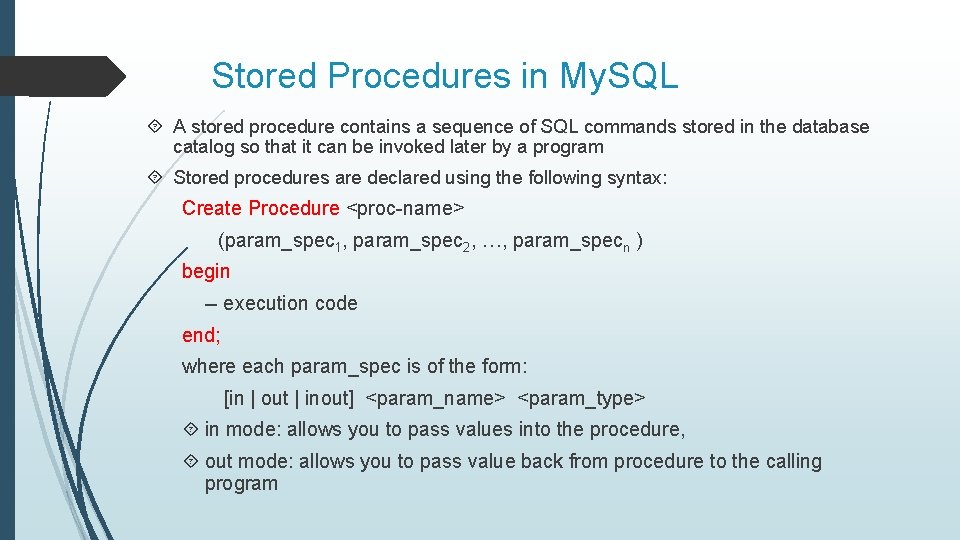
Stored Procedures in My. SQL A stored procedure contains a sequence of SQL commands stored in the database catalog so that it can be invoked later by a program Stored procedures are declared using the following syntax: Create Procedure <proc-name> (param_spec 1, param_spec 2, …, param_specn ) begin -- execution code end; where each param_spec is of the form: [in | out | inout] <param_name> <param_type> in mode: allows you to pass values into the procedure, out mode: allows you to pass value back from procedure to the calling program
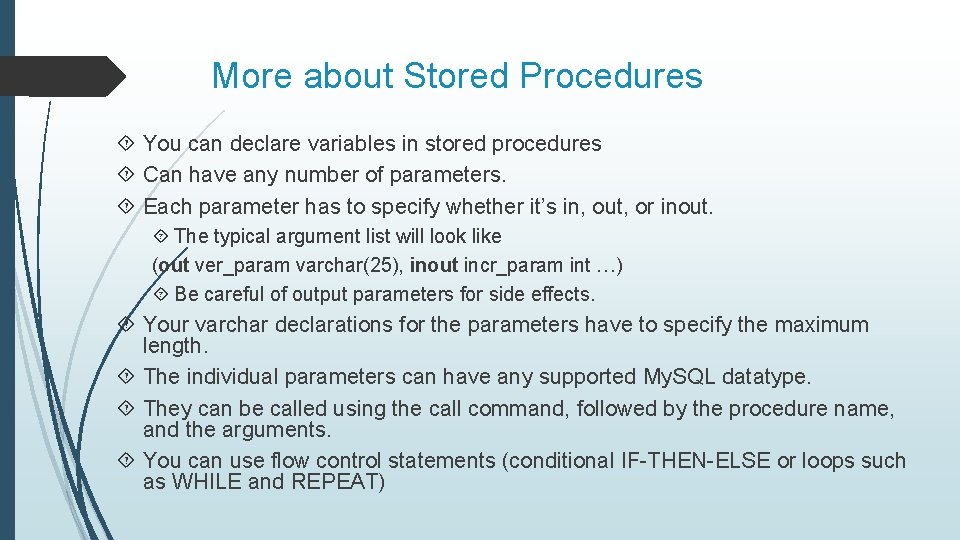
More about Stored Procedures You can declare variables in stored procedures Can have any number of parameters. Each parameter has to specify whether it’s in, out, or inout. The typical argument list will look like (out ver_param varchar(25), inout incr_param int …) Be careful of output parameters for side effects. Your varchar declarations for the parameters have to specify the maximum length. The individual parameters can have any supported My. SQL datatype. They can be called using the call command, followed by the procedure name, and the arguments. You can use flow control statements (conditional IF-THEN-ELSE or loops such as WHILE and REPEAT)
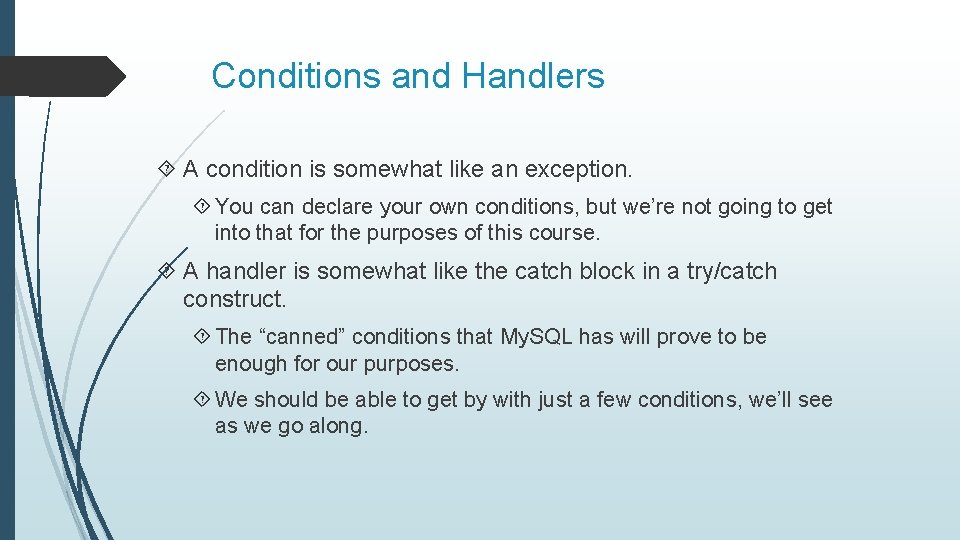
Conditions and Handlers A condition is somewhat like an exception. You can declare your own conditions, but we’re not going to get into that for the purposes of this course. A handler is somewhat like the catch block in a try/catch construct. The “canned” conditions that My. SQL has will prove to be enough for our purposes. We should be able to get by with just a few conditions, we’ll see as we go along.
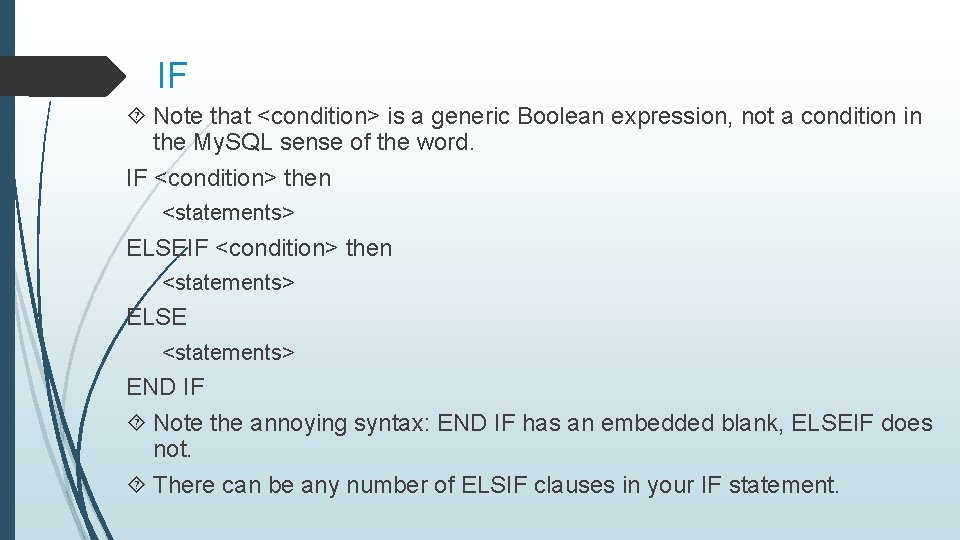
IF Note that <condition> is a generic Boolean expression, not a condition in the My. SQL sense of the word. IF <condition> then <statements> ELSE <statements> END IF Note the annoying syntax: END IF has an embedded blank, ELSEIF does not. There can be any number of ELSIF clauses in your IF statement.
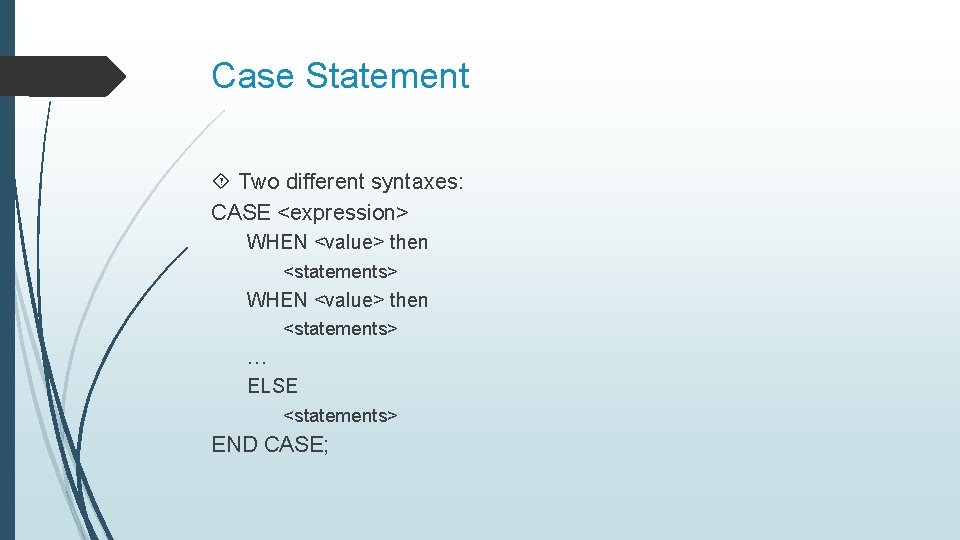
Case Statement Two different syntaxes: CASE <expression> WHEN <value> then <statements> … ELSE <statements> END CASE;
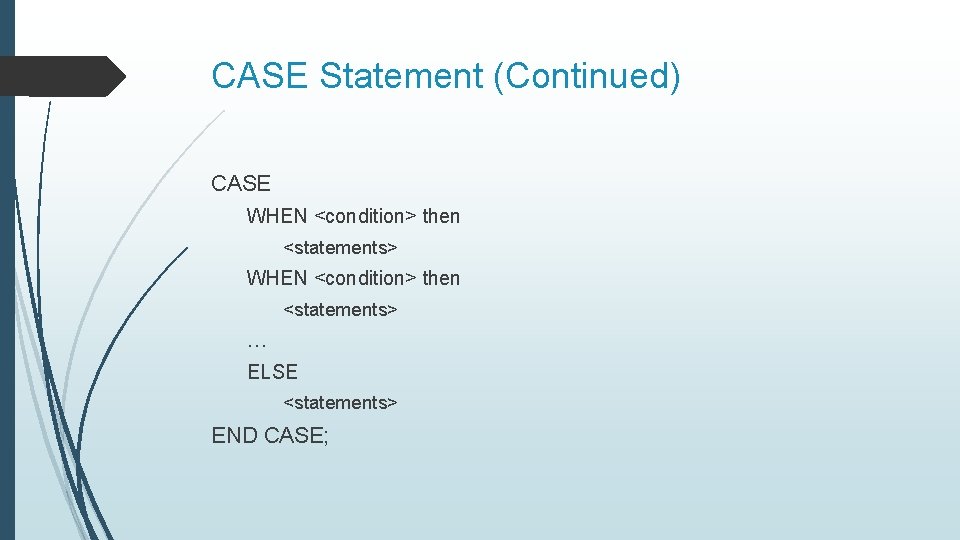
CASE Statement (Continued) CASE WHEN <condition> then <statements> … ELSE <statements> END CASE;
![Looping [begin_label: ] LOOP <statement list> END LOOP [end_label] Note that the end_label has](http://slidetodoc.com/presentation_image_h/c769288888b91f9c0b40d0eb9925ae3a/image-12.jpg "Looping [begin_label: ] LOOP <statement list> END LOOP [end_label] Note that the end_label has")
Looping [begin_label: ] LOOP <statement list> END LOOP [end_label] Note that the end_label has to = the begin_label Both are optional [begin_label: ] REPEAT <statement list> UNTIL <search_condition> END REPEAT [end_label]
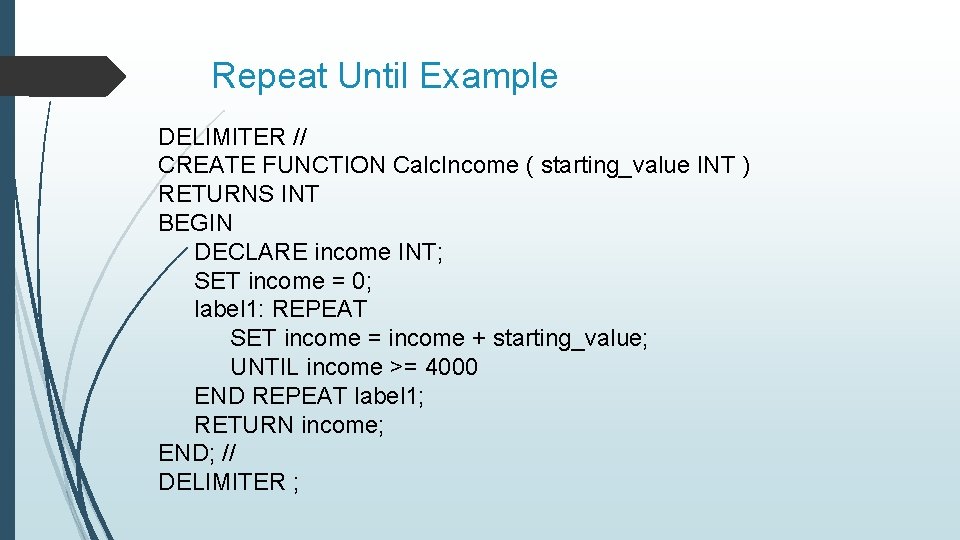
Repeat Until Example DELIMITER // CREATE FUNCTION Calc. Income ( starting_value INT ) RETURNS INT BEGIN DECLARE income INT; SET income = 0; label 1: REPEAT SET income = income + starting_value; UNTIL income >= 4000 END REPEAT label 1; RETURN income; END; // DELIMITER ;
Notes on the previous example The DELIMITER // statement sets a session variable so that the // becomes the statement terminator. For the purposes of that session, the “; ” within the stored procedure are just like any other character. When the stored procedure is run, however, the “; ” function the way that they normally do in My. SQL. You always want to make the delimiter a “; ” again when you change it.
![While [begin_label: ] WHILE <condition> DO <statements> END WHILE [end_label]](http://slidetodoc.com/presentation_image_h/c769288888b91f9c0b40d0eb9925ae3a/image-15.jpg "While [begin_label: ] WHILE <condition> DO <statements> END WHILE [end_label]")
While [begin_label: ] WHILE <condition> DO <statements> END WHILE [end_label]
Loop Control Flow Iterate <label> – start the loop again Can only be issued within LOOP, REPEAT, or WHILE statements Works much like the “continue” statement in Java or C++. Leave <label> – jumps out of the control construct that has the given label. Can only be issued within LOOP, REPEAT, or WHILE statements, just like the iterate statement. You can use this at any level of nesting, you can jump out to the out of the outermost loop if you desire.
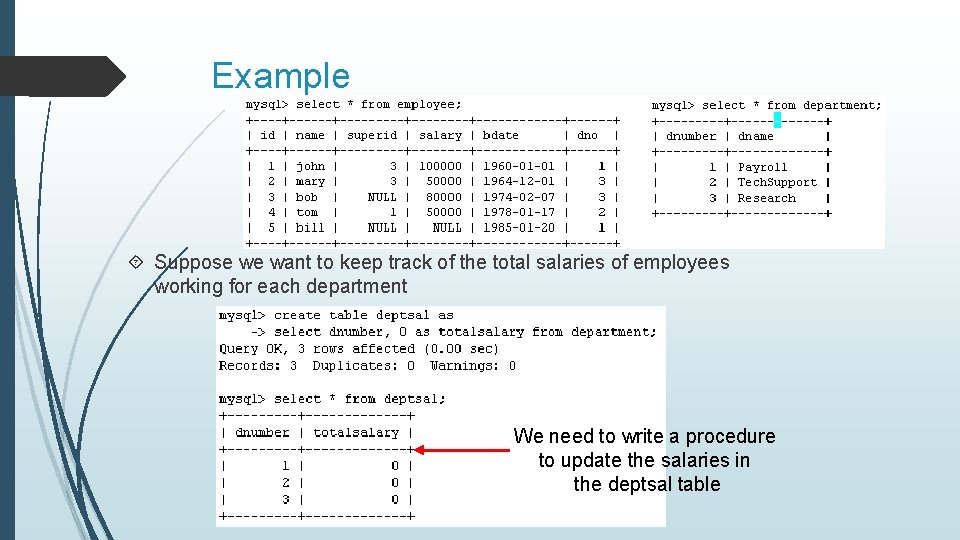
Example Suppose we want to keep track of the total salaries of employees working for each department We need to write a procedure to update the salaries in the deptsal table
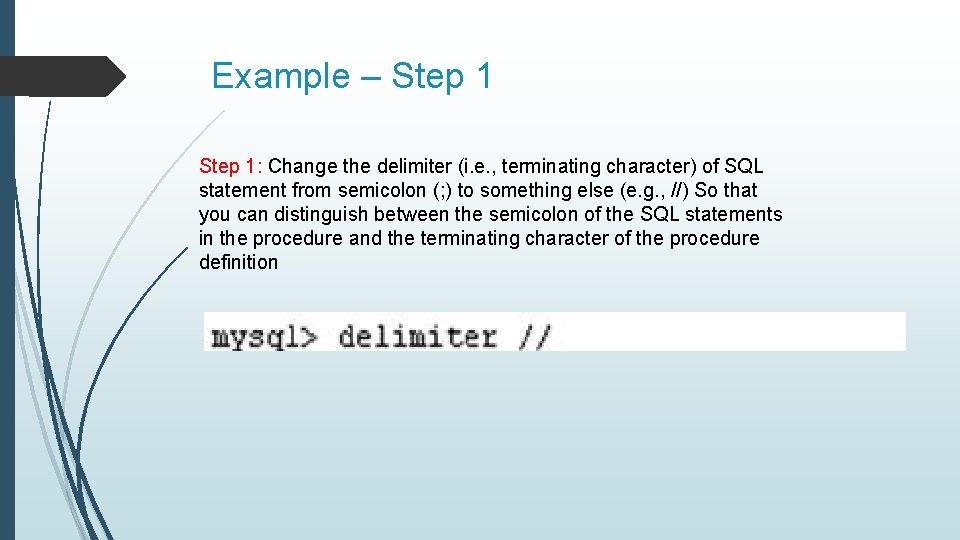
Example – Step 1: Change the delimiter (i. e. , terminating character) of SQL statement from semicolon (; ) to something else (e. g. , //) So that you can distinguish between the semicolon of the SQL statements in the procedure and the terminating character of the procedure definition
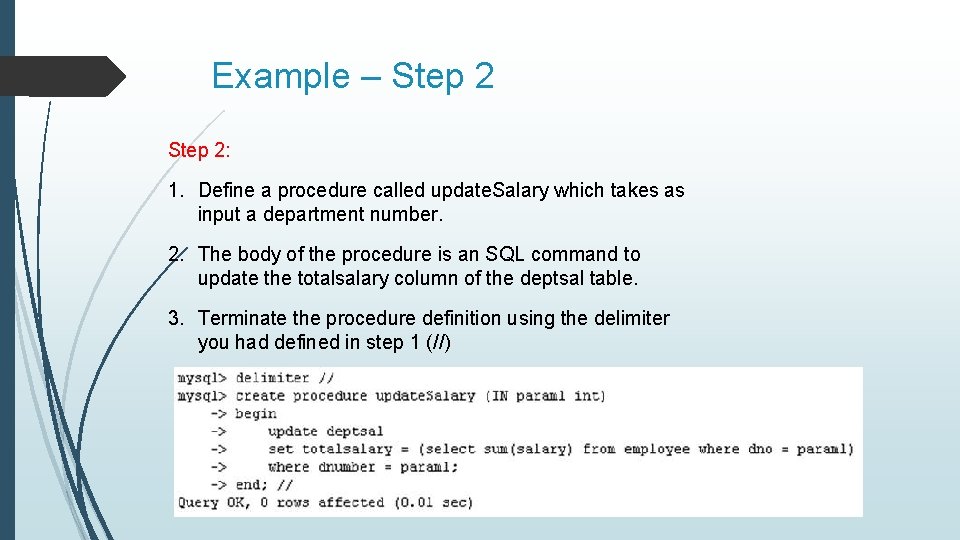
Example – Step 2: 1. Define a procedure called update. Salary which takes as input a department number. 2. The body of the procedure is an SQL command to update the totalsalary column of the deptsal table. 3. Terminate the procedure definition using the delimiter you had defined in step 1 (//)
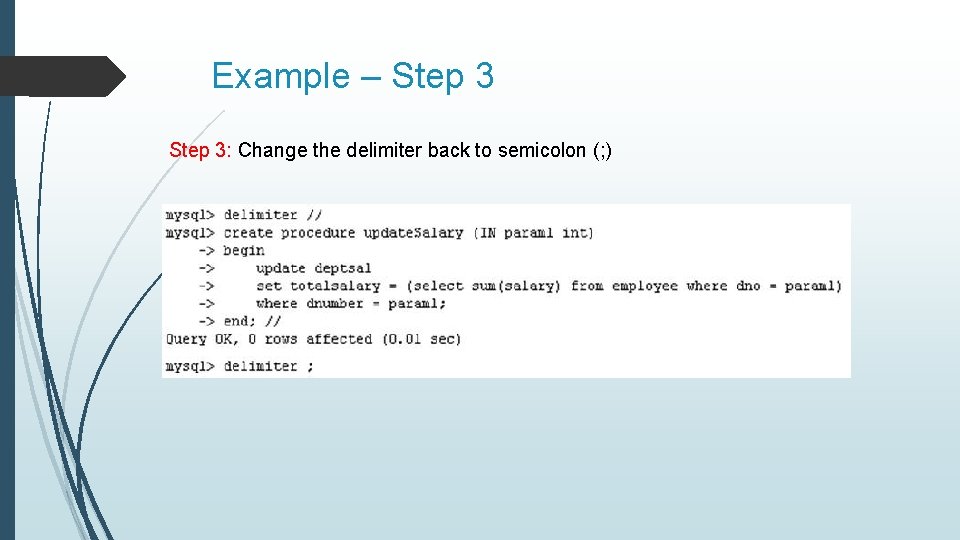
Example – Step 3: Change the delimiter back to semicolon (; )
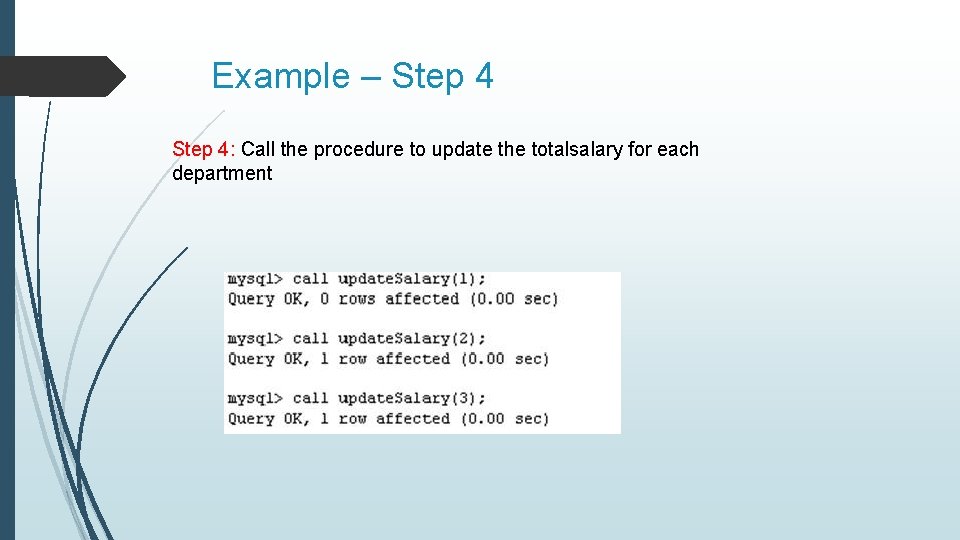
Example – Step 4: Call the procedure to update the totalsalary for each department
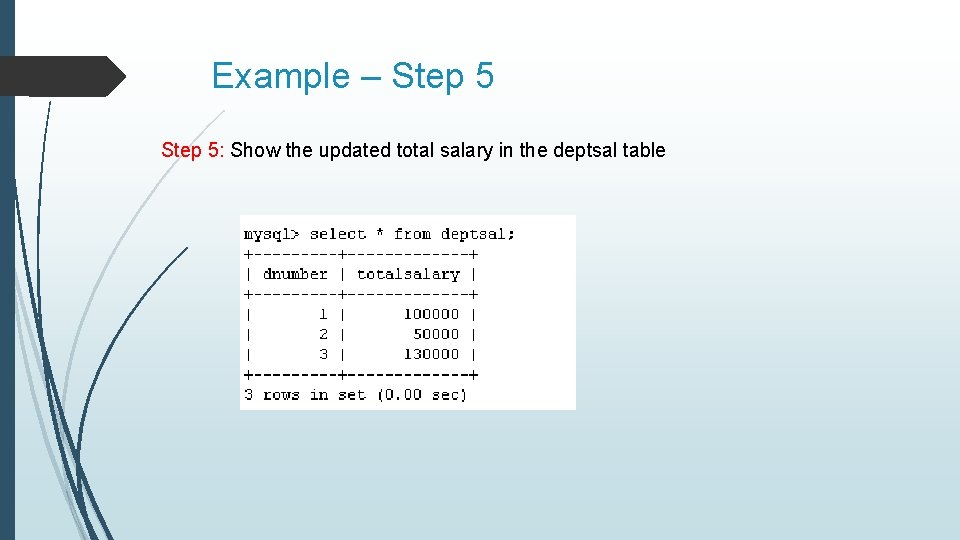
Example – Step 5: Show the updated total salary in the deptsal table
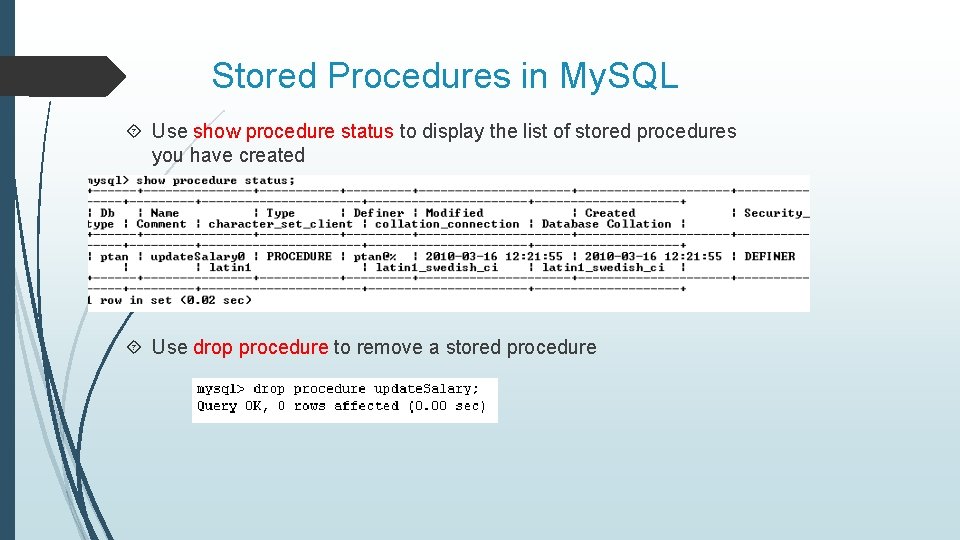
Stored Procedures in My. SQL Use show procedure status to display the list of stored procedures you have created Use drop procedure to remove a stored procedure
Debugging your stored procedures Using the select statement SELECT ‘Comment’; -- Put the literal Comment out to console SELECT concat(‘myvar is ‘, myvar); -- Put the literal prompt out, followed by the current value of a variable named myvar. Note, you cannot do this in a function as that is regarded as returning a result set. Insert into a table. Putting the current time and date stamp into a column with the message would be good too. Log messages to an output file: select … into outfile ‘<file_name>’; Which might be blocked by the secure-file-priv option in My. SQL.
Stored Procedures in My. SQL also supports cursors in stored procedures. A cursor is used to iterate through a set of rows returned by a query so that we can process each individual row. To learn more about stored procedures, go to: http: //www. mysqltutorial. org/mysql-stored-procedure-tutorial. aspx
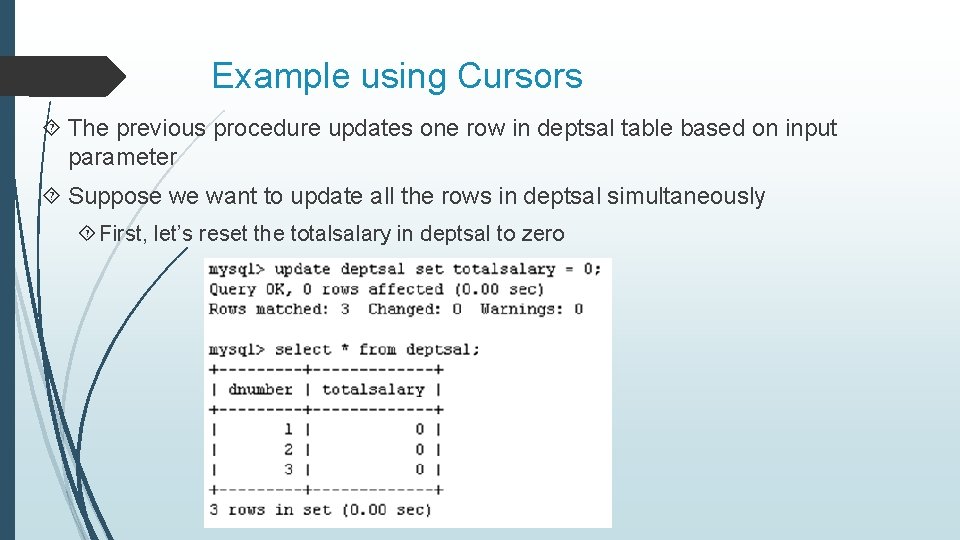
Example using Cursors The previous procedure updates one row in deptsal table based on input parameter Suppose we want to update all the rows in deptsal simultaneously First, let’s reset the totalsalary in deptsal to zero
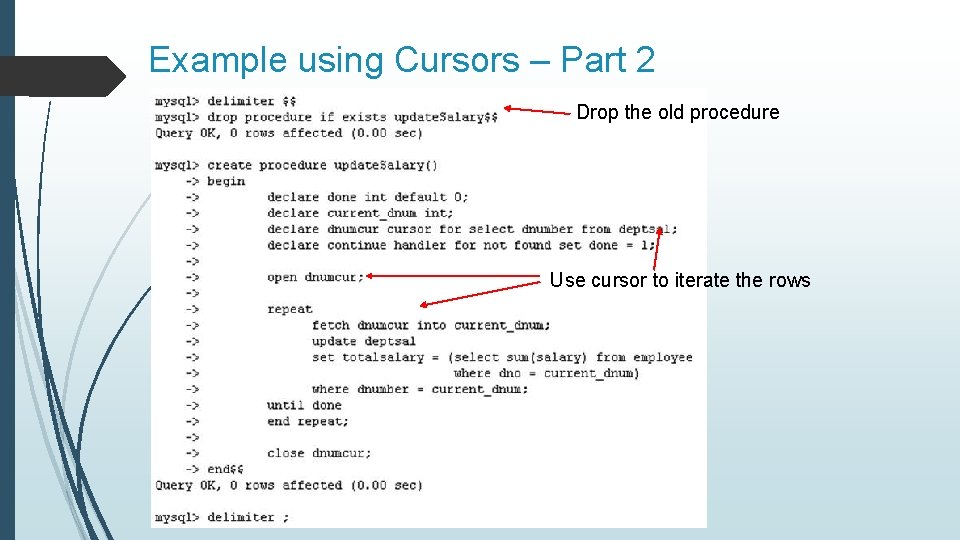
Example using Cursors – Part 2 Drop the old procedure Use cursor to iterate the rows
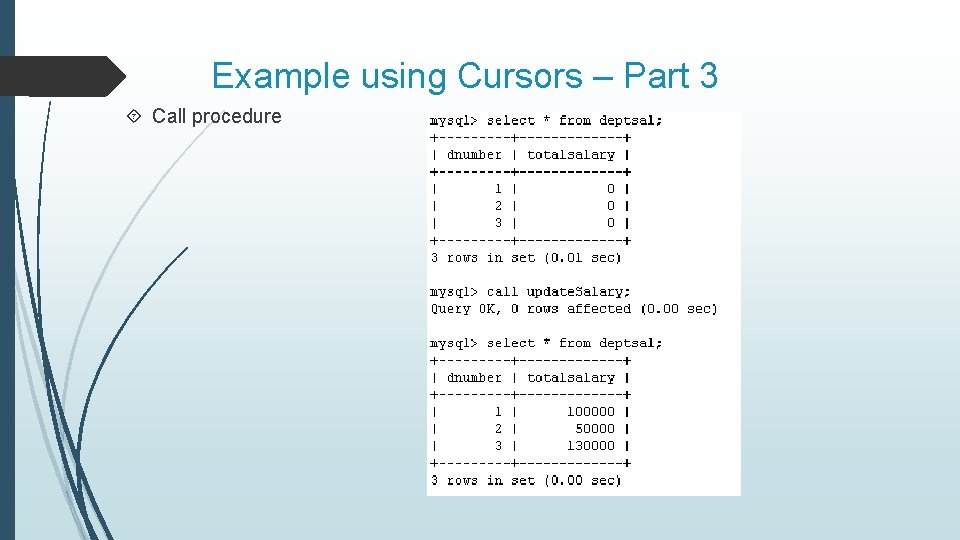
Example using Cursors – Part 3 Call procedure
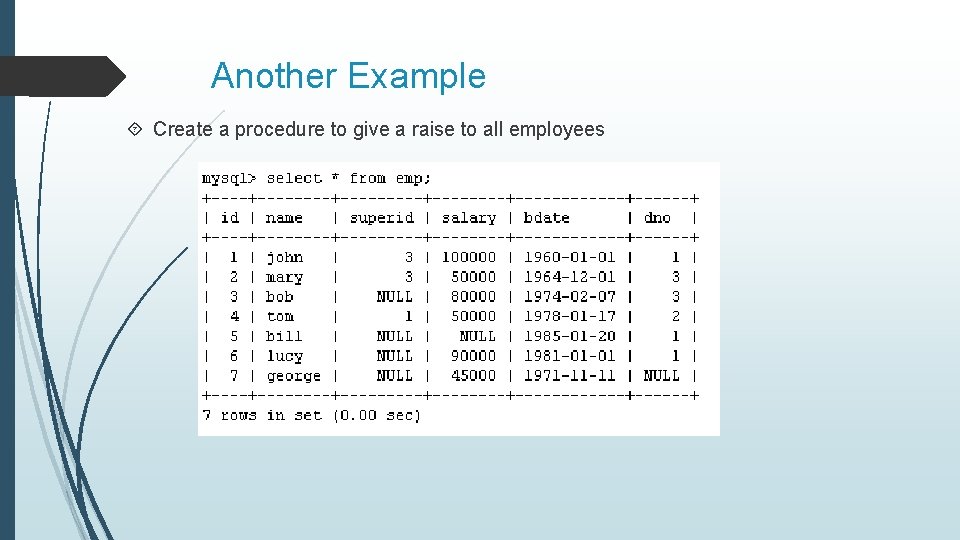
Another Example Create a procedure to give a raise to all employees
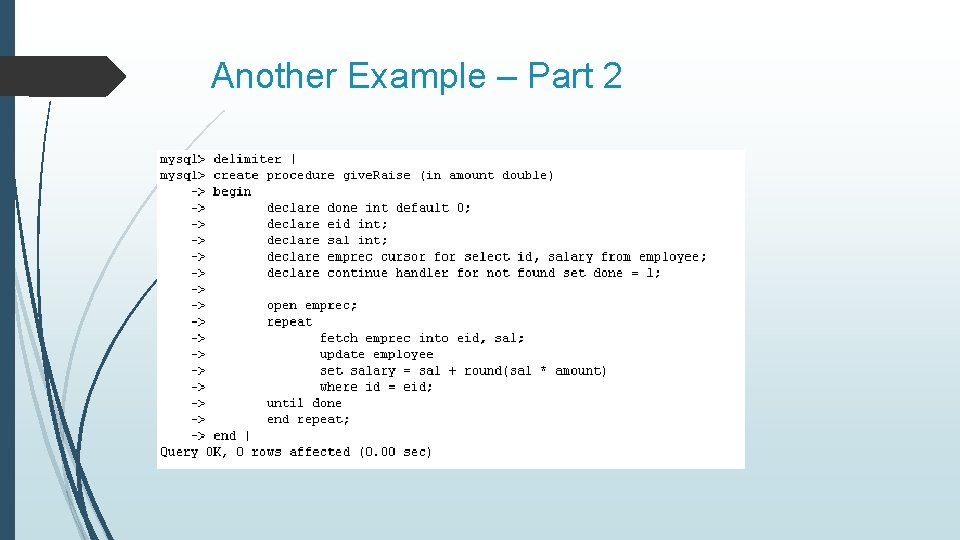
Another Example – Part 2
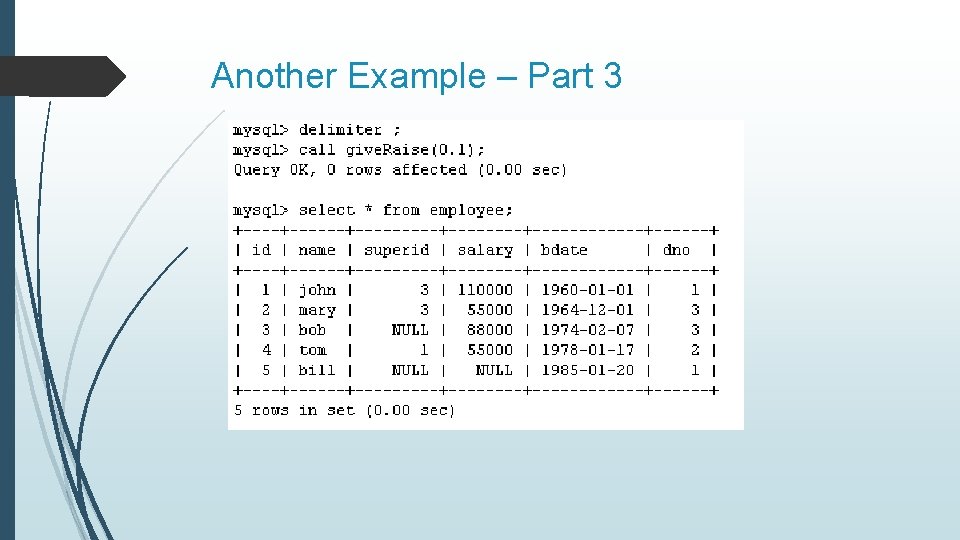
Another Example – Part 3
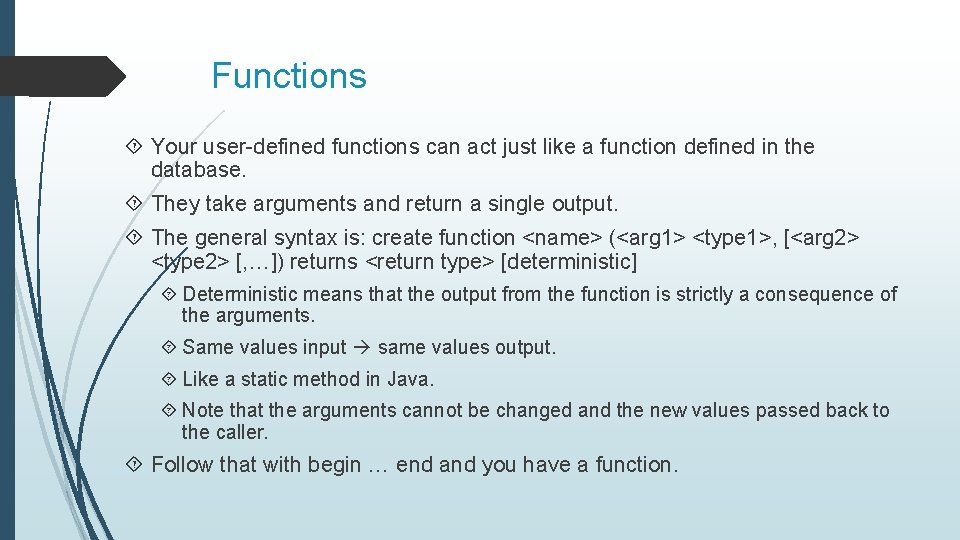
Functions Your user-defined functions can act just like a function defined in the database. They take arguments and return a single output. The general syntax is: create function <name> (<arg 1> <type 1>, [<arg 2> <type 2> [, …]) returns <return type> [deterministic] Deterministic means that the output from the function is strictly a consequence of the arguments. Same values input same values output. Like a static method in Java. Note that the arguments cannot be changed and the new values passed back to the caller. Follow that with begin … end and you have a function.
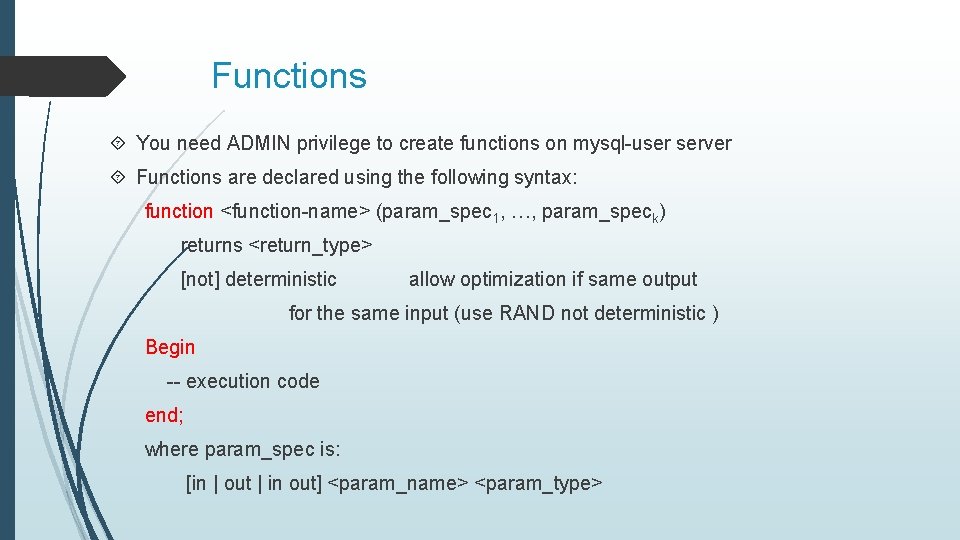
Functions You need ADMIN privilege to create functions on mysql-user server Functions are declared using the following syntax: function <function-name> (param_spec 1, …, param_speck) returns <return_type> [not] deterministic allow optimization if same output for the same input (use RAND not deterministic ) Begin -- execution code end; where param_spec is: [in | out | in out] <param_name> <param_type>
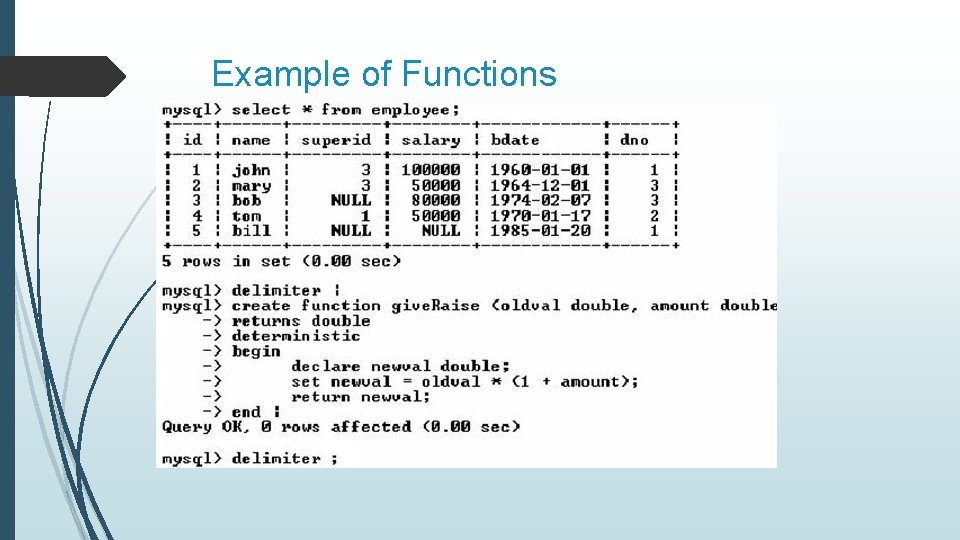
Example of Functions
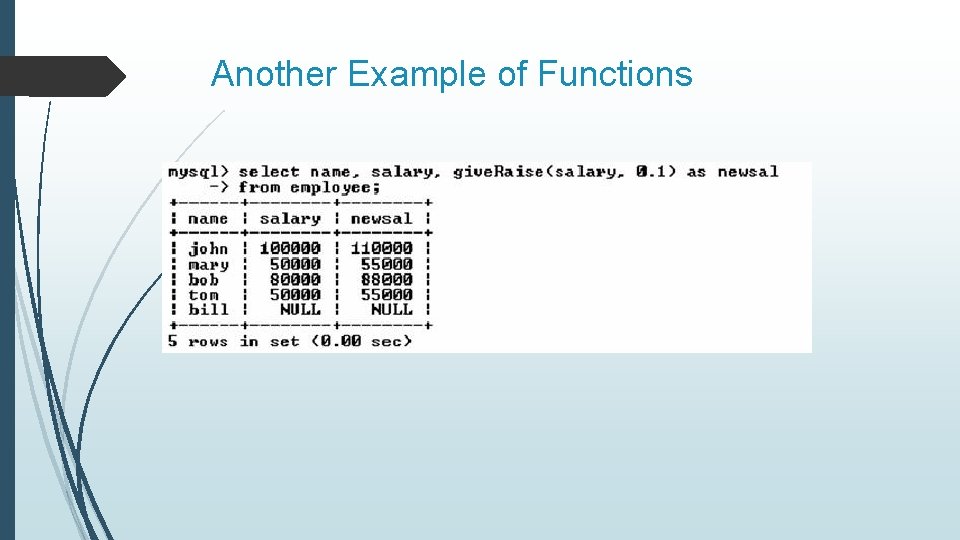
Another Example of Functions
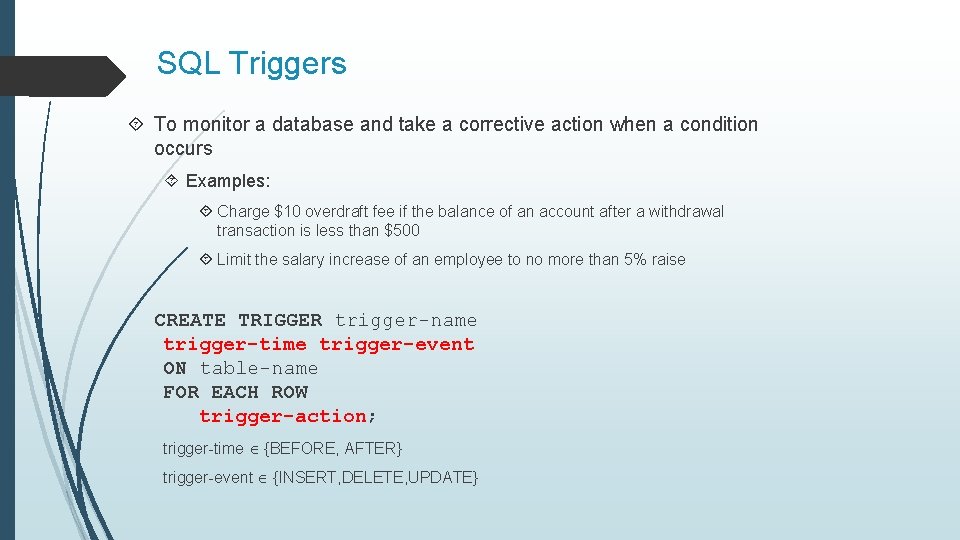
SQL Triggers To monitor a database and take a corrective action when a condition occurs Examples: Charge $10 overdraft fee if the balance of an account after a withdrawal transaction is less than $500 Limit the salary increase of an employee to no more than 5% raise CREATE TRIGGER trigger-name trigger-time trigger-event ON table-name FOR EACH ROW trigger-action; trigger-time {BEFORE, AFTER} trigger-event {INSERT, DELETE, UPDATE}
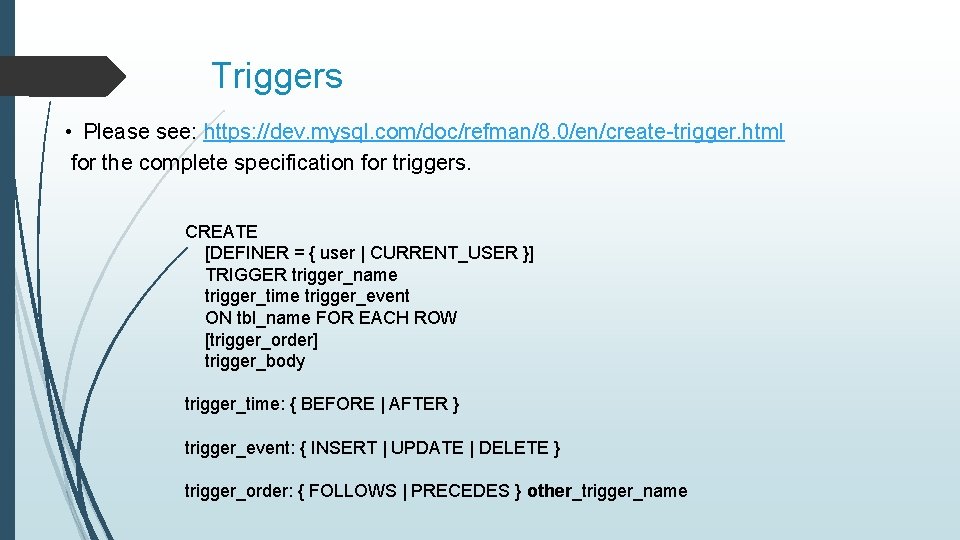
Triggers • Please see: https: //dev. mysql. com/doc/refman/8. 0/en/create-trigger. html for the complete specification for triggers. CREATE [DEFINER = { user | CURRENT_USER }] TRIGGER trigger_name trigger_time trigger_event ON tbl_name FOR EACH ROW [trigger_order] trigger_body trigger_time: { BEFORE | AFTER } trigger_event: { INSERT | UPDATE | DELETE } trigger_order: { FOLLOWS | PRECEDES } other_trigger_name
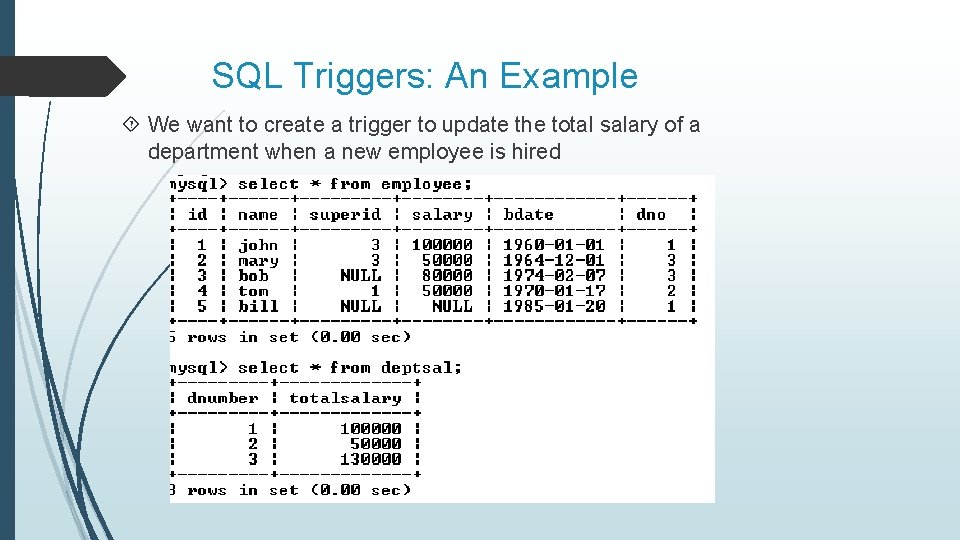
SQL Triggers: An Example We want to create a trigger to update the total salary of a department when a new employee is hired
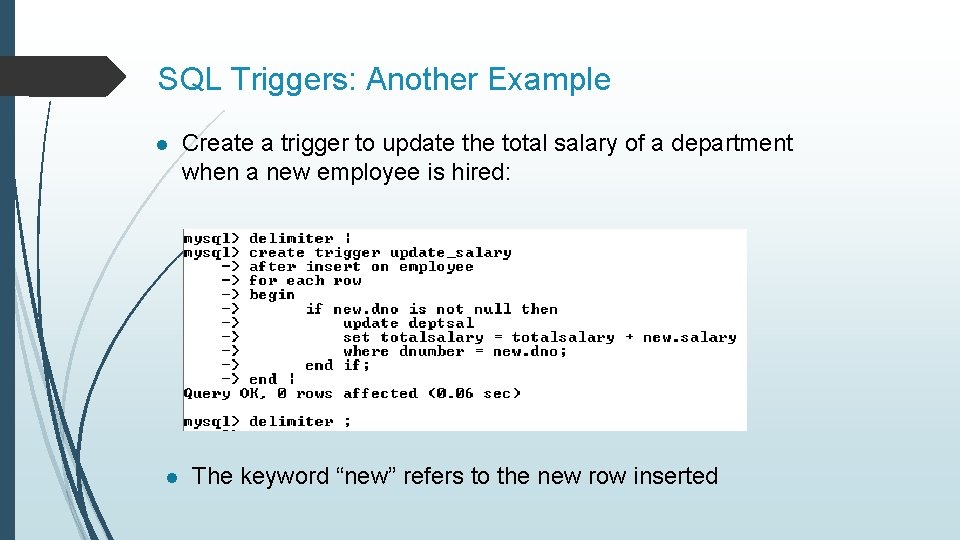
SQL Triggers: Another Example l l Create a trigger to update the total salary of a department when a new employee is hired: The keyword “new” refers to the new row inserted
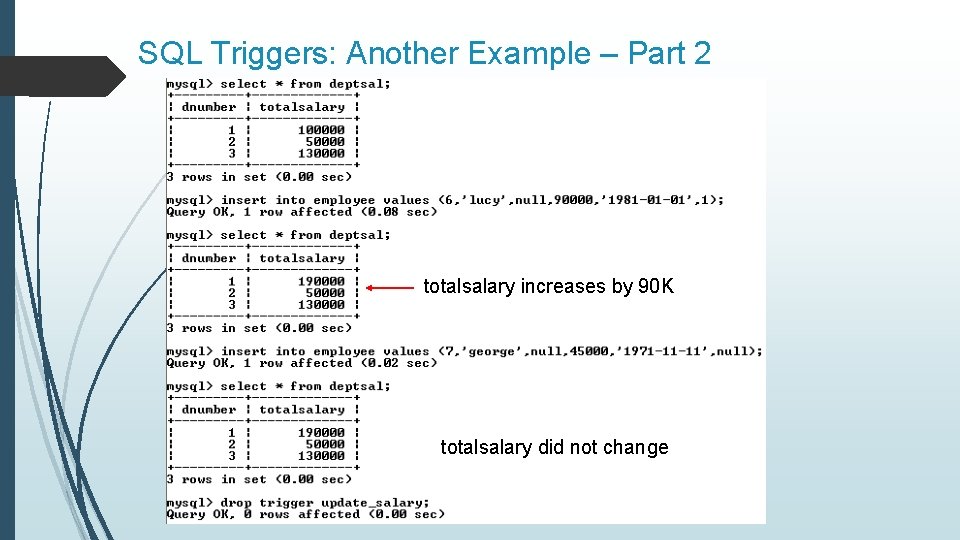
SQL Triggers: Another Example – Part 2 totalsalary increases by 90 K totalsalary did not change
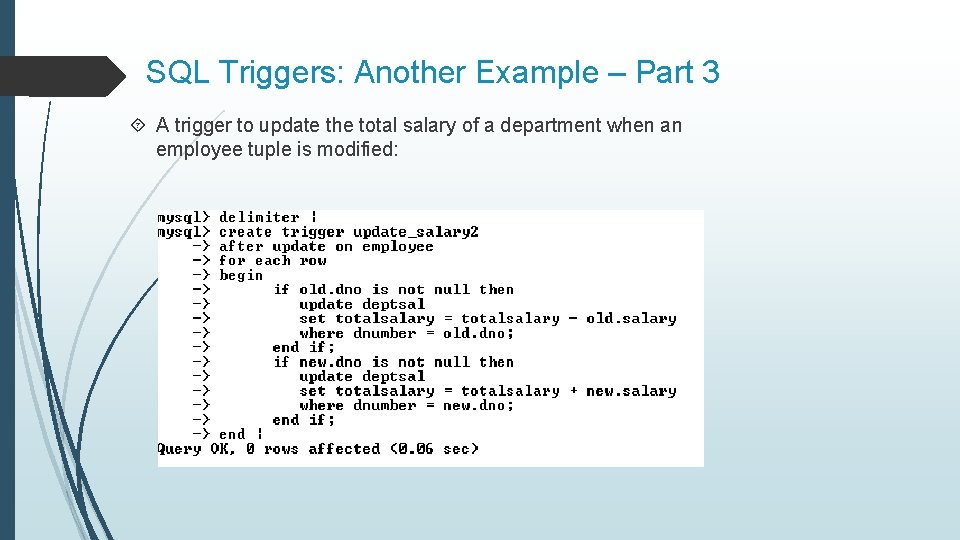
SQL Triggers: Another Example – Part 3 A trigger to update the total salary of a department when an employee tuple is modified:
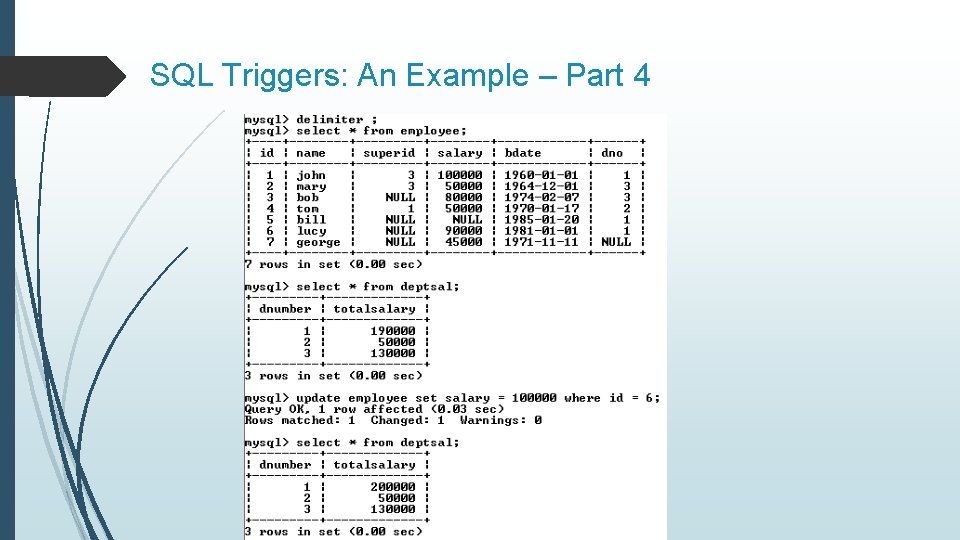
SQL Triggers: An Example – Part 4
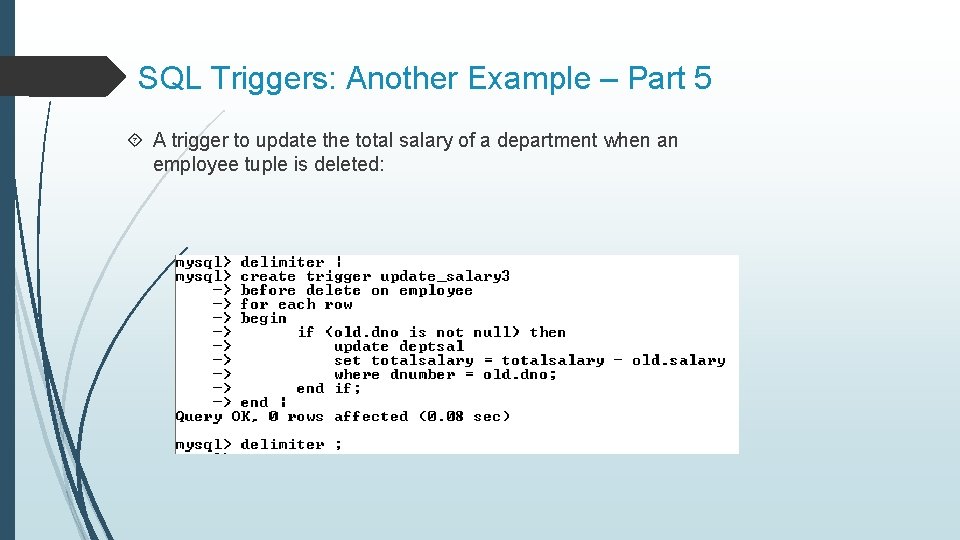
SQL Triggers: Another Example – Part 5 A trigger to update the total salary of a department when an employee tuple is deleted:
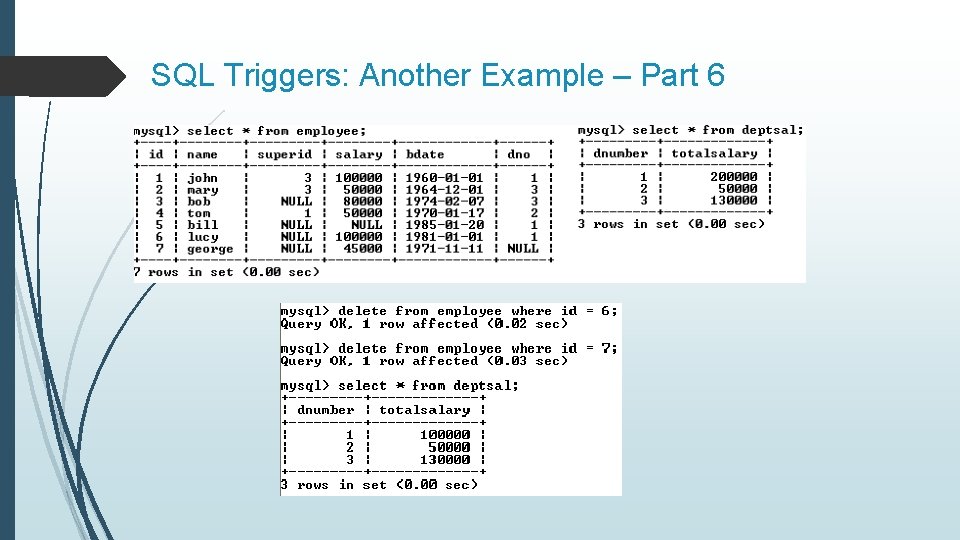
SQL Triggers: Another Example – Part 6
A Few Things to Note A given trigger can only have one event. If you have the same or similar processing that has to go on during insert and delete, then it’s best to have that in a procedure or function and then call it from the trigger. A good naming standard for a trigger is <table_name>_event if you have the room for that in the name. Just like a function or a procedure, the trigger body will need a begin … end unless it is a single statement trigger.
The Special Powers of a Trigger While in the body of a trigger, there are potentially two sets of column values available to you, with special syntax for denoting them. old. <column name> will give you the value of the column before the DML statement executed. new. <column name> will give you the value of that column after the DML statement executed. Insert triggers have no old values available, and delete triggers have no new values available for obvious reasons. Only update triggers have both the old and the new values available. Only triggers can access these values this way.
Changing columns in a trigger In the body of a trigger, it is possible to change the values for the columns in the current row. Just use the “set” verb to change them. You can only do this for an update or insert trigger. You can only change the values of new. <column name> since there is no point to changing the old values.
More Examples Simplified example of a parent table: hospital_room as the parent and hospital_bed as the child. The room has a column: max_beds that dictates the maximum number of beds for that room. The hospital_bed table has a before insert trigger that checks to make sure that the hospital room does not already have its allotted number of beds.
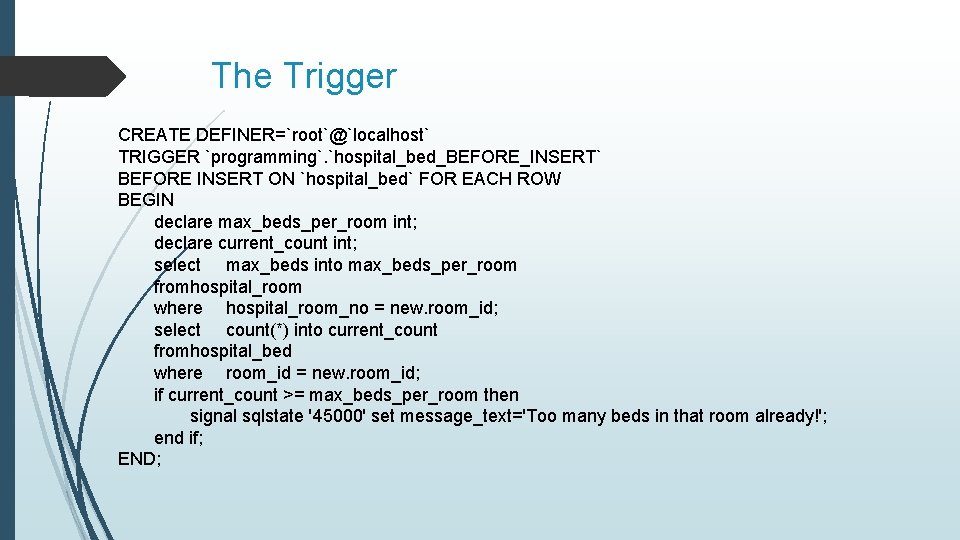
The Trigger CREATE DEFINER=`root`@`localhost` TRIGGER `programming`. `hospital_bed_BEFORE_INSERT` BEFORE INSERT ON `hospital_bed` FOR EACH ROW BEGIN declare max_beds_per_room int; declare current_count int; select max_beds into max_beds_per_room fromhospital_room where hospital_room_no = new. room_id; select count(*) into current_count fromhospital_bed where room_id = new. room_id; if current_count >= max_beds_per_room then signal sqlstate '45000' set message_text='Too many beds in that room already!'; end if; END;
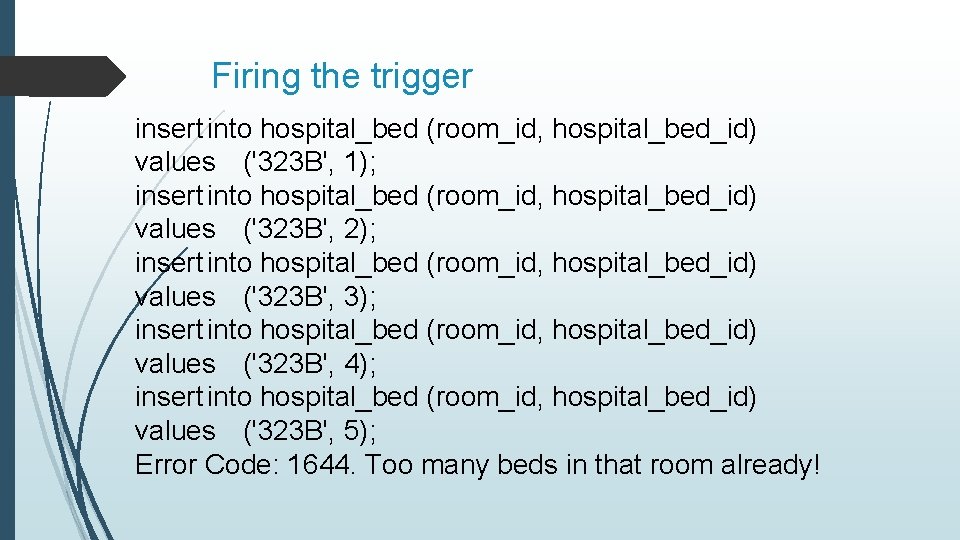
Firing the trigger insert into hospital_bed (room_id, hospital_bed_id) values ('323 B', 1); insert into hospital_bed (room_id, hospital_bed_id) values ('323 B', 2); insert into hospital_bed (room_id, hospital_bed_id) values ('323 B', 3); insert into hospital_bed (room_id, hospital_bed_id) values ('323 B', 4); insert into hospital_bed (room_id, hospital_bed_id) values ('323 B', 5); Error Code: 1644. Too many beds in that room already!
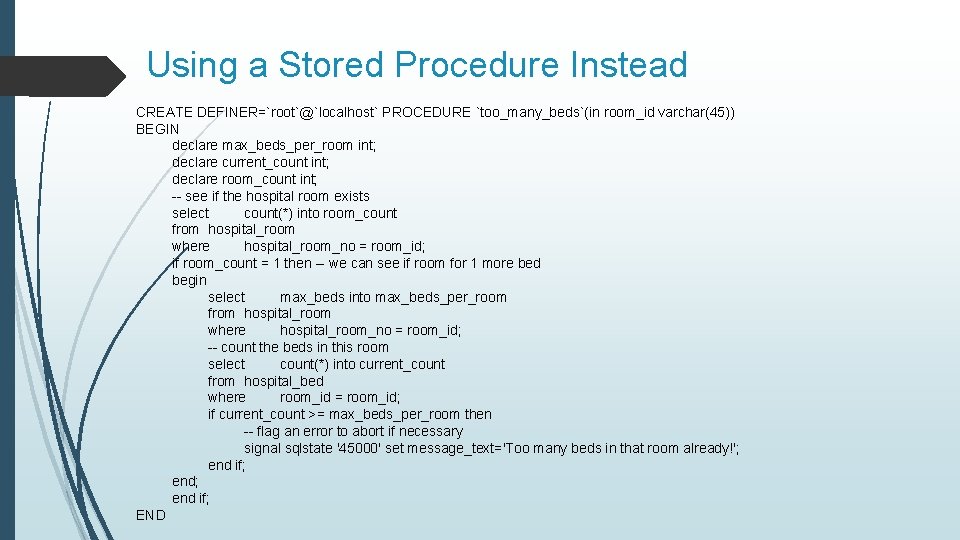
Using a Stored Procedure Instead CREATE DEFINER=`root`@`localhost` PROCEDURE `too_many_beds`(in room_id varchar(45)) BEGIN declare max_beds_per_room int; declare current_count int; declare room_count int; -- see if the hospital room exists select count(*) into room_count from hospital_room where hospital_room_no = room_id; if room_count = 1 then -- we can see if room for 1 more bed begin select max_beds into max_beds_per_room from hospital_room where hospital_room_no = room_id; -- count the beds in this room select count(*) into current_count from hospital_bed where room_id = room_id; if current_count >= max_beds_per_room then -- flag an error to abort if necessary signal sqlstate '45000' set message_text='Too many beds in that room already!'; end if; END
Comments on the Procedure Because that is in isolation from the beds table, we have to check to make sure that the room number is viable. As a stored procedure, this can be called directly from the command line as a means of unit testing. I’m still not too sure how exacting the typing of the parameters has to be. For instance, does that one argument have to be exactly a varchar(45) in order for it to work, or not?
Viewing Your Triggers My. SQL has a schema that has tables for all of the information that is needed to define and run the data in the database. This is meta data. select * from information_schema. triggers where trigger_schema=‘<your schema name>'; -- retrieve the trigger information for the triggers in <your schema name>. Alternatively, you can use the “show triggers” command (this is not SQL) that will display a report of your triggers from the default schema. mysql> show triggers;
Viewing Your Triggers (Continued) If you’re using My. SQL Workbench, the IDE provides access to your triggers: In the navigator pane, right click the table that has the trigger. Select "Alter Table" This will open up a rather lavish dialog which has tabs down near the bottom. One of those tabs is "Triggers". Select that. That will open up another dialog, and over to the left will be the list of events that you can define triggers for. At this point, you can right click one of those events and it will pop up a menu that will give you the option to create a new trigger for that event. Or you can double click an existing trigger to get into an editor on that particular trigger. This will allow you to update the trigger in place as it were, rather than drop and recreate it.
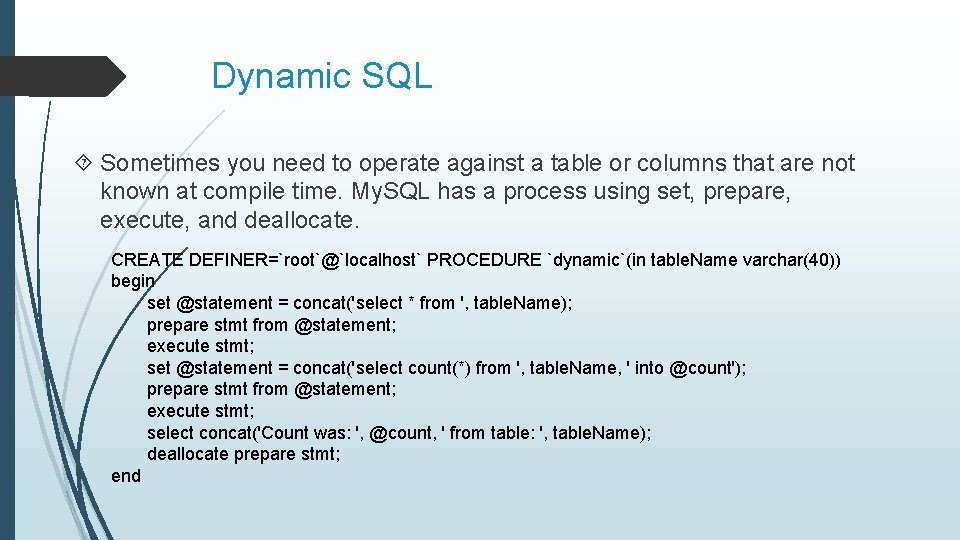
Dynamic SQL Sometimes you need to operate against a table or columns that are not known at compile time. My. SQL has a process using set, prepare, execute, and deallocate. CREATE DEFINER=`root`@`localhost` PROCEDURE `dynamic`(in table. Name varchar(40)) begin set @statement = concat('select * from ', table. Name); prepare stmt from @statement; execute stmt; set @statement = concat('select count(*) from ', table. Name, ' into @count'); prepare stmt from @statement; execute stmt; select concat('Count was: ', @count, ' from table: ', table. Name); deallocate prepare stmt; end
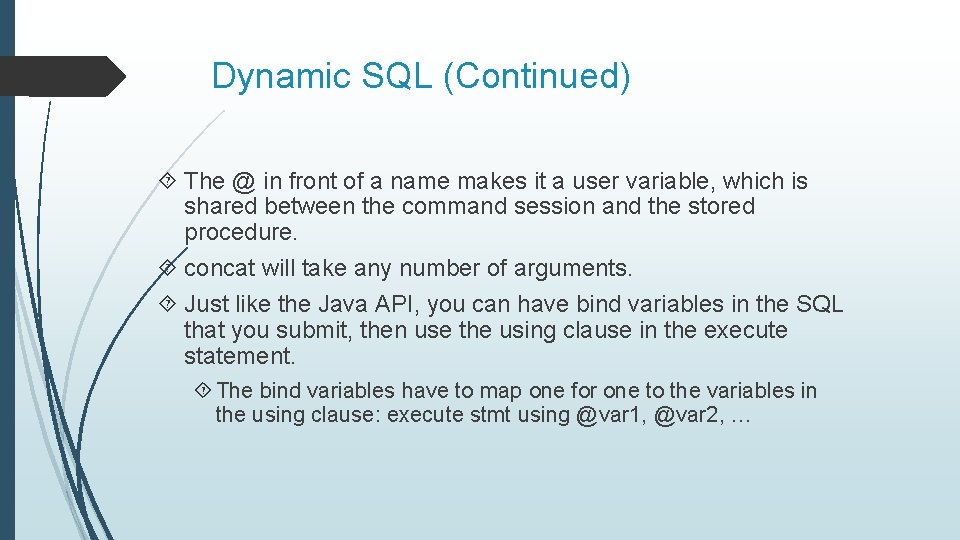
Dynamic SQL (Continued) The @ in front of a name makes it a user variable, which is shared between the command session and the stored procedure. concat will take any number of arguments. Just like the Java API, you can have bind variables in the SQL that you submit, then use the using clause in the execute statement. The bind variables have to map one for one to the variables in the using clause: execute stmt using @var 1, @var 2, …
Configuration Management Remember that all objects that you create, be they tables, indexes, constraints, triggers, stored procedures, functions, … exist in the database. The data dictionary has the definition of these objects, and generally speaking, you can use utilities (either in the IDE or the RDBMS) to reverse engineer those objects. My. SQL Workbench has a way to reverse engineer an entire schema. Read about it at: https: //dev. mysql. com/doc/workbench/en/wb-reverse-engineerlive. html.
Credits Presentation taken from: www. cse. msu. edu/~pramanik/teaching/courses/cse 480/14 s/le ctures/12/lecture 13. ppt by Sakti Pramanik at Michigan State University My. SQL Procedural Language by David Brown at California State University Long Beach
- Slides: 58