
My LCI Tips and Tricks for Club Officers
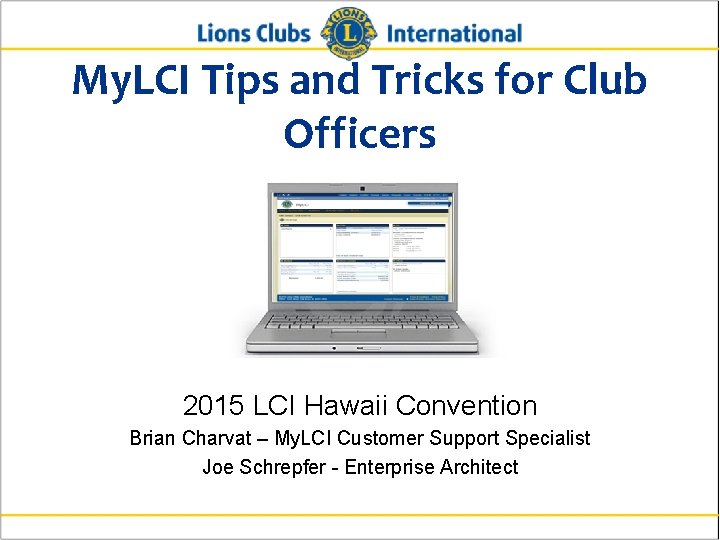
My. LCI Tips and Tricks for Club Officers 2015 LCI Hawaii Convention Brian Charvat – My. LCI Customer Support Specialist Joe Schrepfer - Enterprise Architect
Poll Club Officer
Poll District Officer

Poll Sponsoring a Leo Club
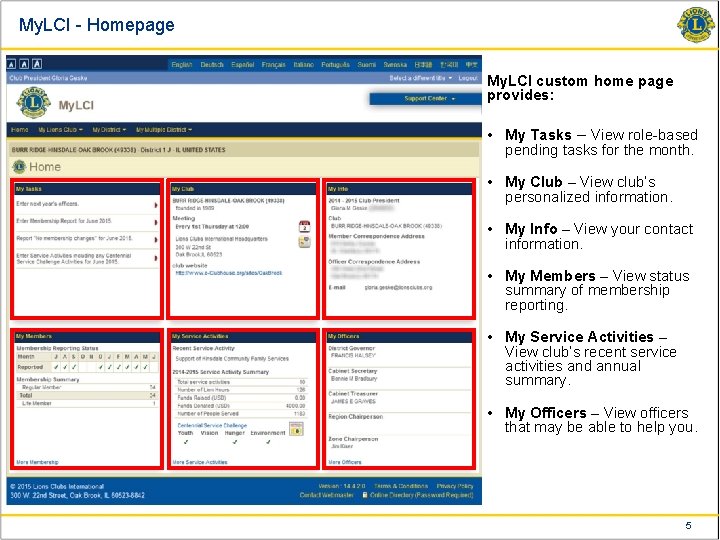
My. LCI - Homepage My. LCI custom home page provides: • My Tasks – View role-based pending tasks for the month. • My Club – View club’s personalized information. • My Info – View your contact information. • My Members – View status summary of membership reporting. • My Service Activities – View club’s recent service activities and annual summary. • My Officers – View officers that may be able to help you. 5
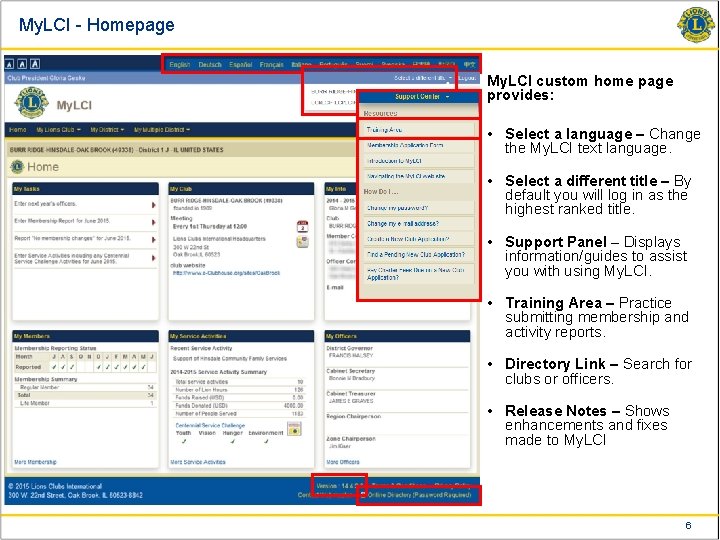
My. LCI - Homepage My. LCI custom home page provides: • Select a language – Change the My. LCI text language. • Select a different title – By default you will log in as the highest ranked title. • Support Panel – Displays information/guides to assist you with using My. LCI. • Training Area – Practice submitting membership and activity reports. • Directory Link – Search for clubs or officers. • Release Notes – Shows enhancements and fixes made to My. LCI 6
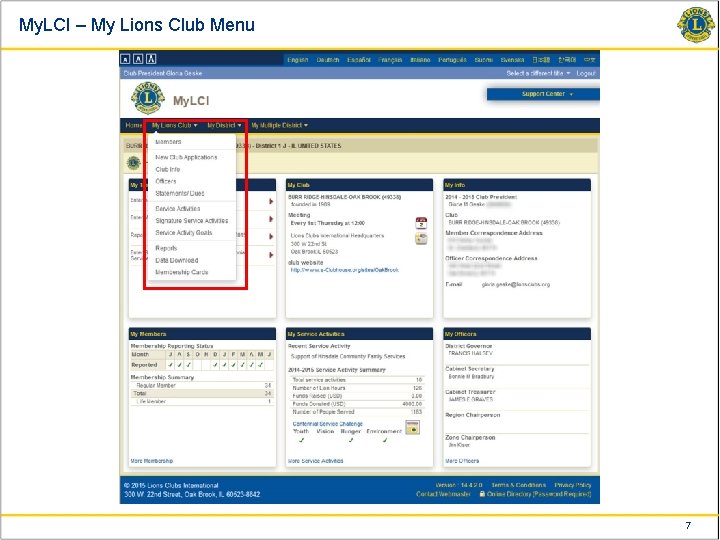
My. LCI – My Lions Club Menu 7
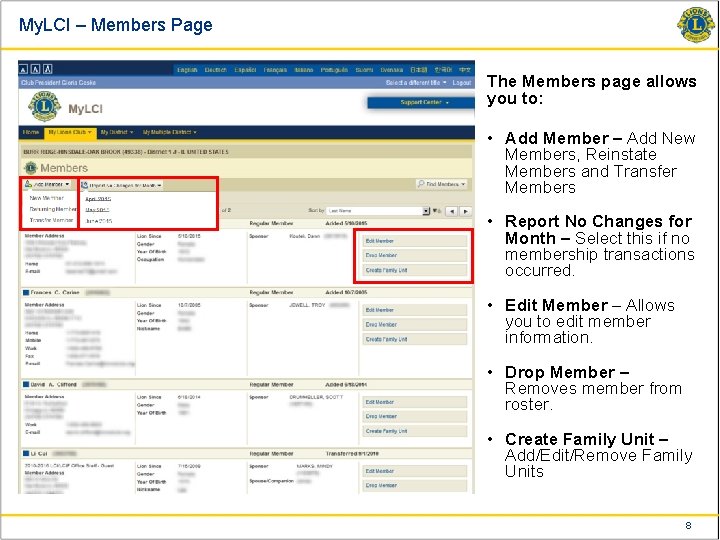
My. LCI – Members Page The Members page allows you to: • Add Member – Add New Members, Reinstate Members and Transfer Members • Report No Changes for Month – Select this if no membership transactions occurred. • Edit Member – Allows you to edit member information. • Drop Member – Removes member from roster. • Create Family Unit – Add/Edit/Remove Family Units 8
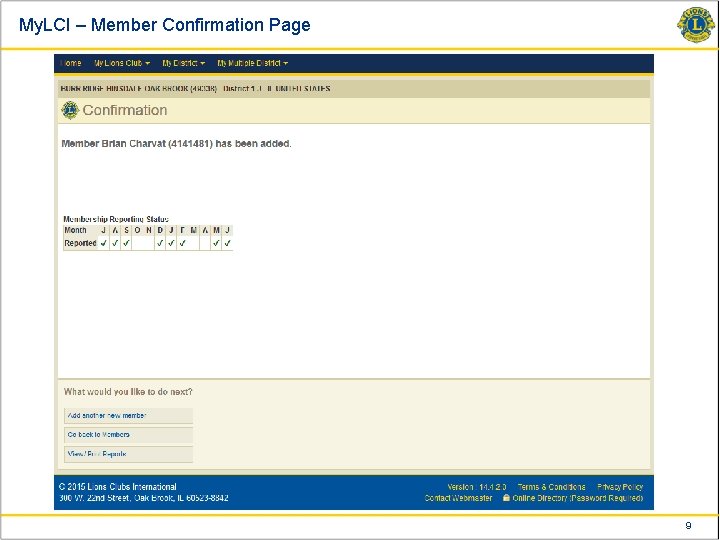
My. LCI – Member Confirmation Page 9
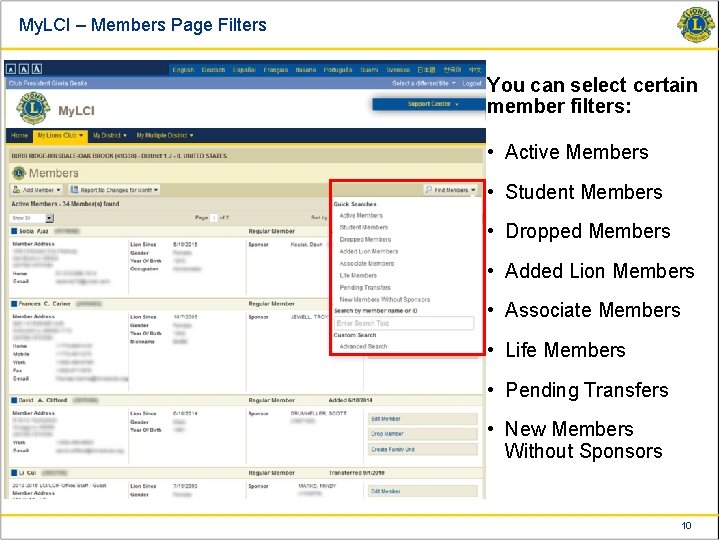
My. LCI – Members Page Filters You can select certain member filters: • Active Members • Student Members • Dropped Members • Added Lion Members • Associate Members • Life Members • Pending Transfers • New Members Without Sponsors 10
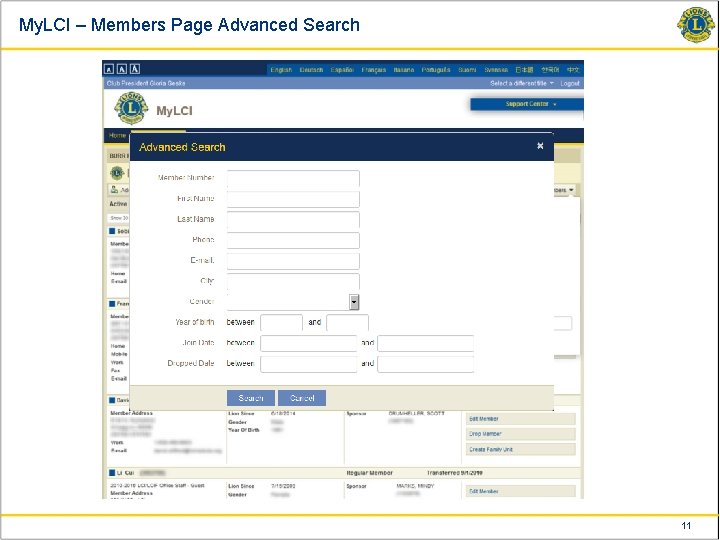
My. LCI – Members Page Advanced Search 11
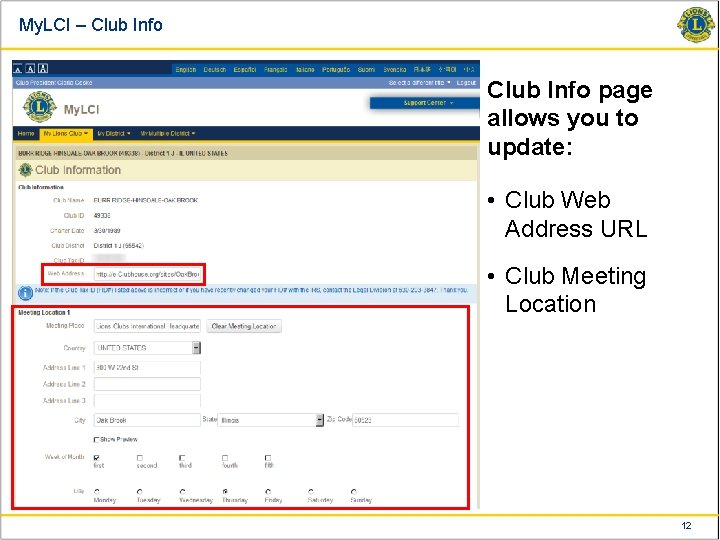
My. LCI – Club Info page allows you to update: • Club Web Address URL • Club Meeting Location 12
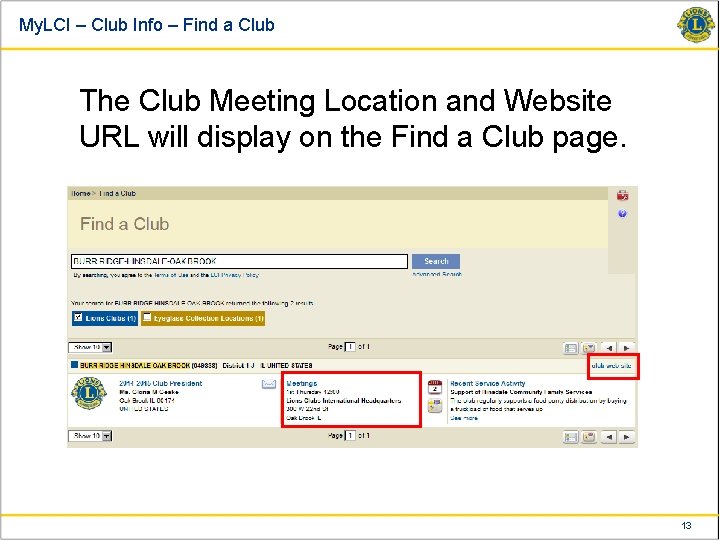
My. LCI – Club Info – Find a Club The Club Meeting Location and Website URL will display on the Find a Club page. 13
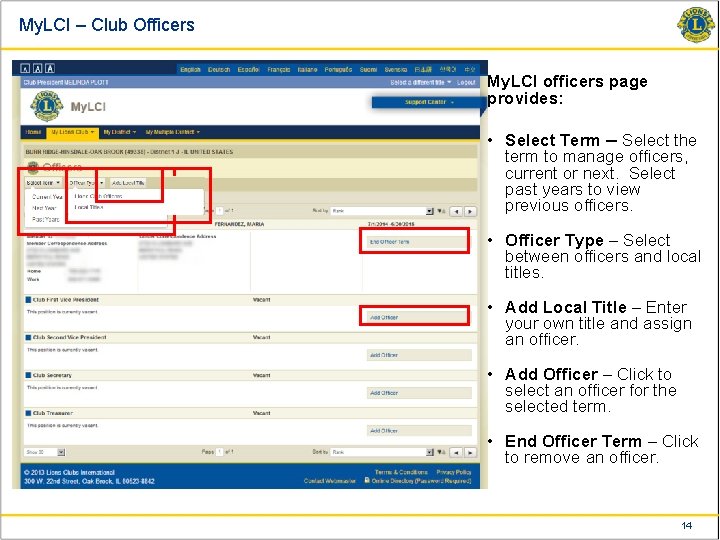
My. LCI – Club Officers My. LCI officers page provides: • Select Term – Select the term to manage officers, current or next. Select past years to view previous officers. • Officer Type – Select between officers and local titles. • Add Local Title – Enter your own title and assign an officer. • Add Officer – Click to select an officer for the selected term. • End Officer Term – Click to remove an officer. 14
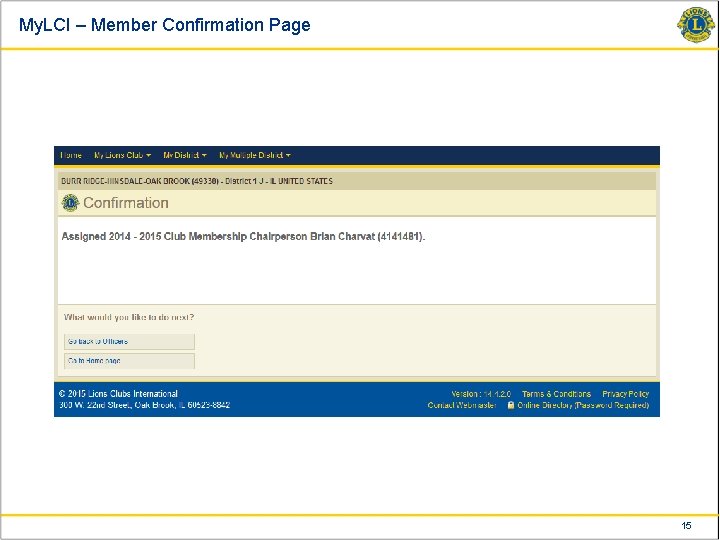
My. LCI – Member Confirmation Page 15
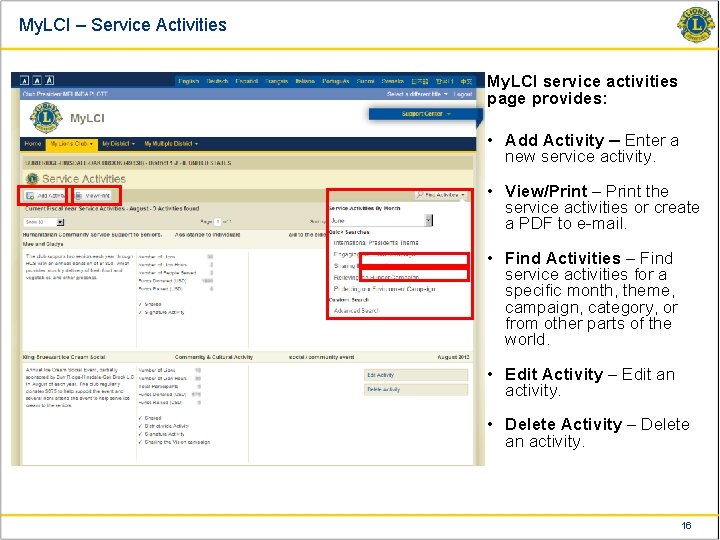
My. LCI – Service Activities My. LCI service activities page provides: • Add Activity – Enter a new service activity. • View/Print – Print the service activities or create a PDF to e-mail. • Find Activities – Find service activities for a specific month, theme, campaign, category, or from other parts of the world. • Edit Activity – Edit an activity. • Delete Activity – Delete an activity. 16
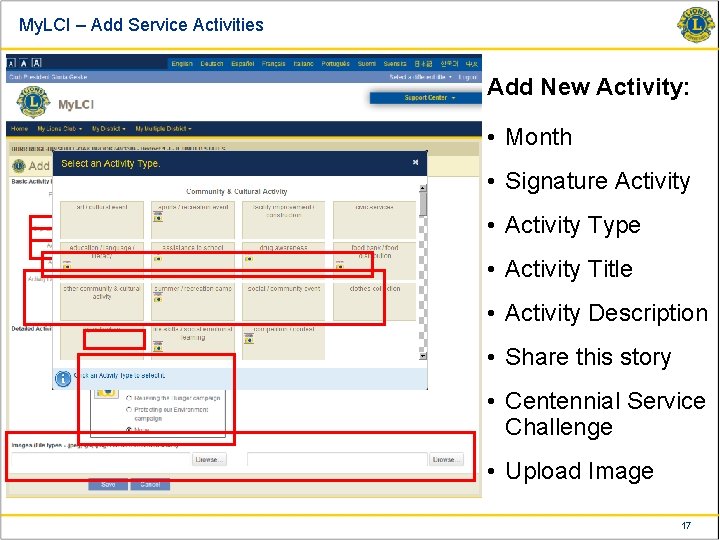
My. LCI – Add Service Activities Add New Activity: • Month • Signature Activity • Activity Type • Activity Title • Activity Description • Share this story • Centennial Service Challenge • Upload Image 17
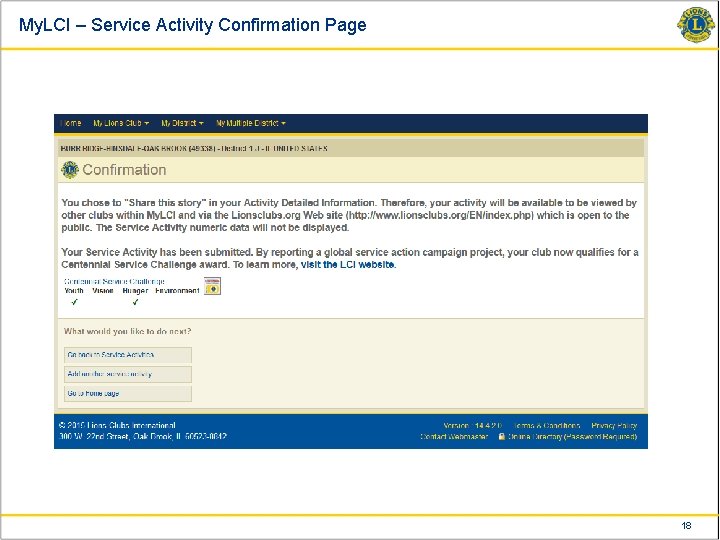
My. LCI – Service Activity Confirmation Page 18
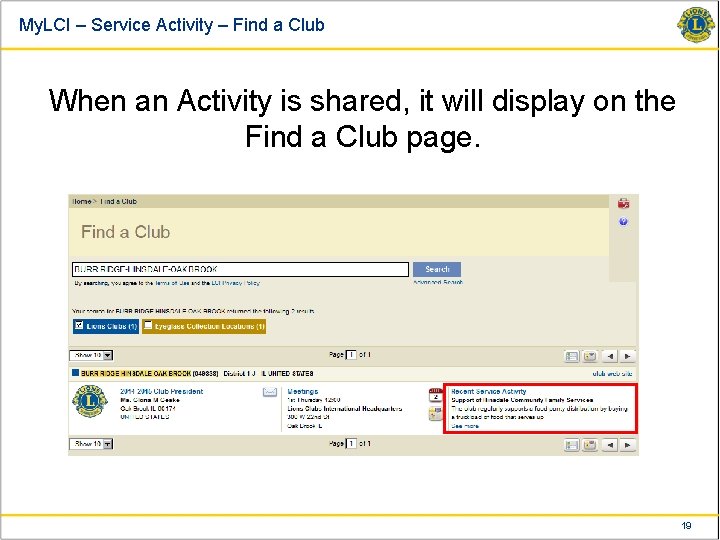
My. LCI – Service Activity – Find a Club When an Activity is shared, it will display on the Find a Club page. 19
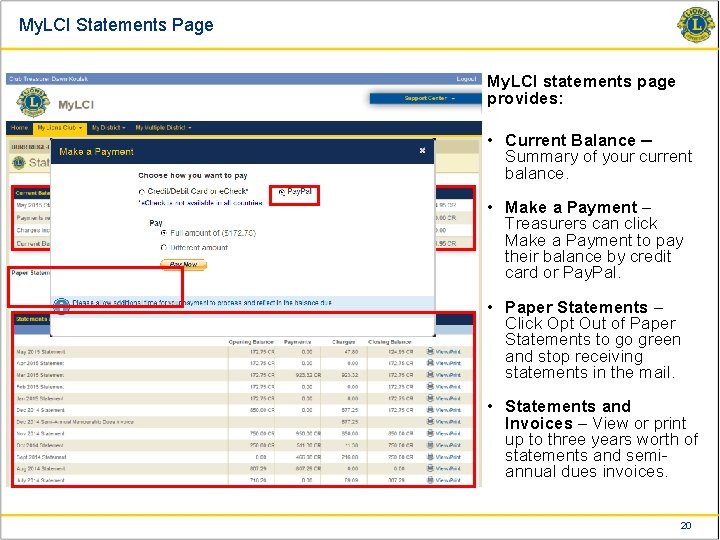
My. LCI Statements Page My. LCI statements page provides: • Current Balance – Summary of your current balance. • Make a Payment – Treasurers can click Make a Payment to pay their balance by credit card or Pay. Pal. • Paper Statements – Click Opt Out of Paper Statements to go green and stop receiving statements in the mail. • Statements and Invoices – View or print up to three years worth of statements and semiannual dues invoices. 20
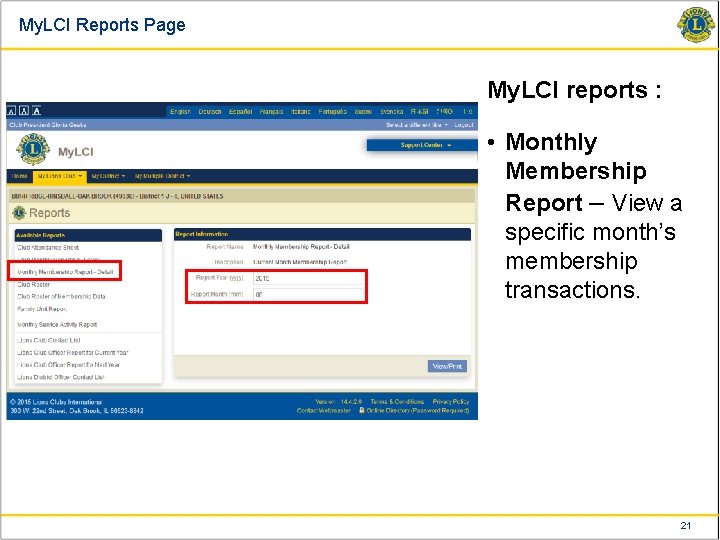
My. LCI Reports Page My. LCI reports : • Monthly Membership Report – View a specific month’s membership transactions. 21
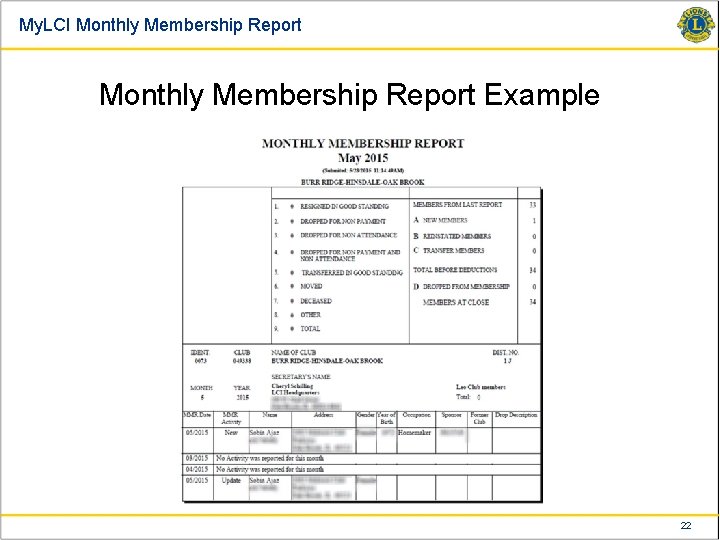
My. LCI Monthly Membership Report Example 22
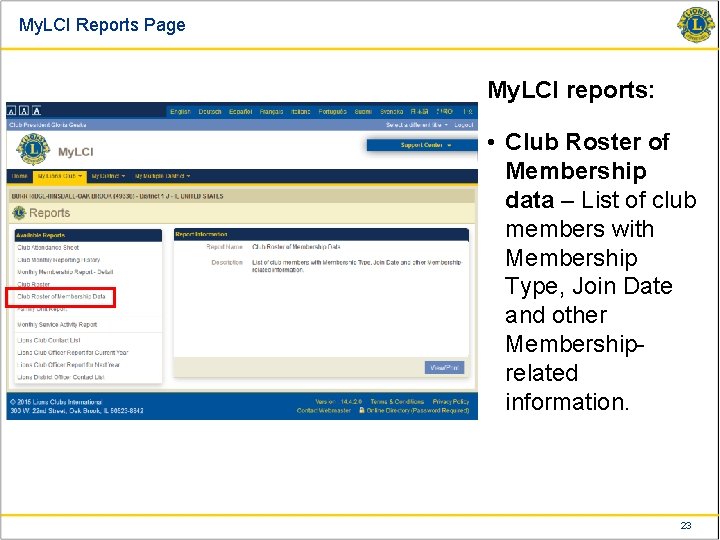
My. LCI Reports Page My. LCI reports: • Club Roster of Membership data – List of club members with Membership Type, Join Date and other Membershiprelated information. 23
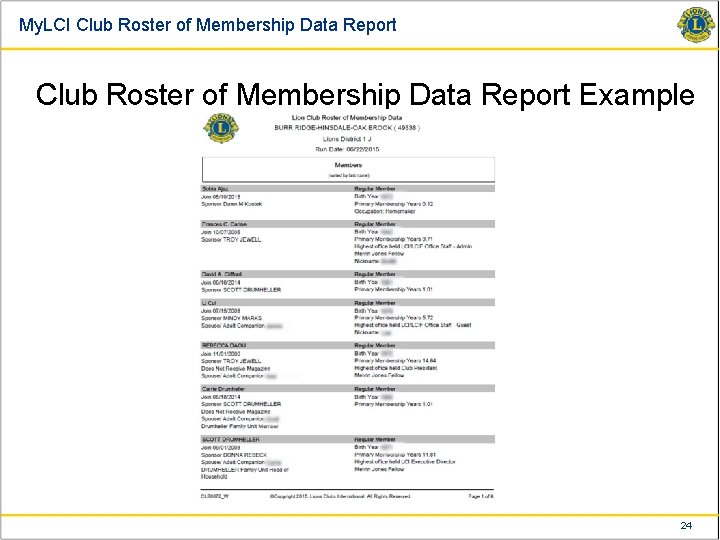
My. LCI Club Roster of Membership Data Report Example 24
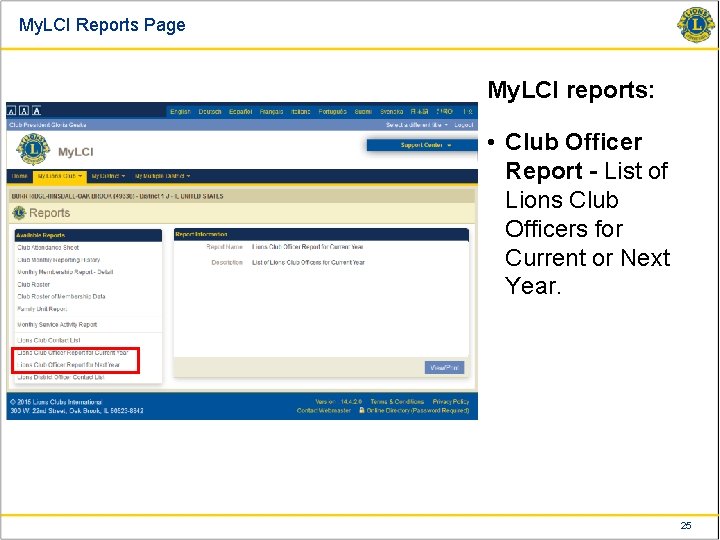
My. LCI Reports Page My. LCI reports: • Club Officer Report - List of Lions Club Officers for Current or Next Year. 25
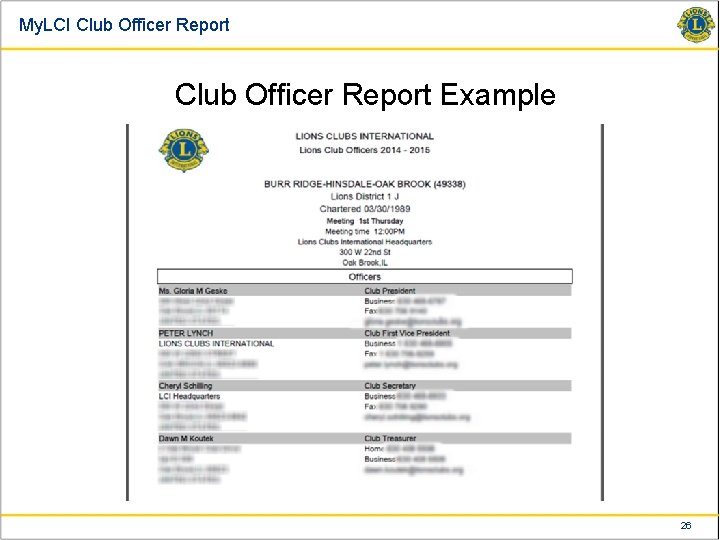
My. LCI Club Officer Report Example 26
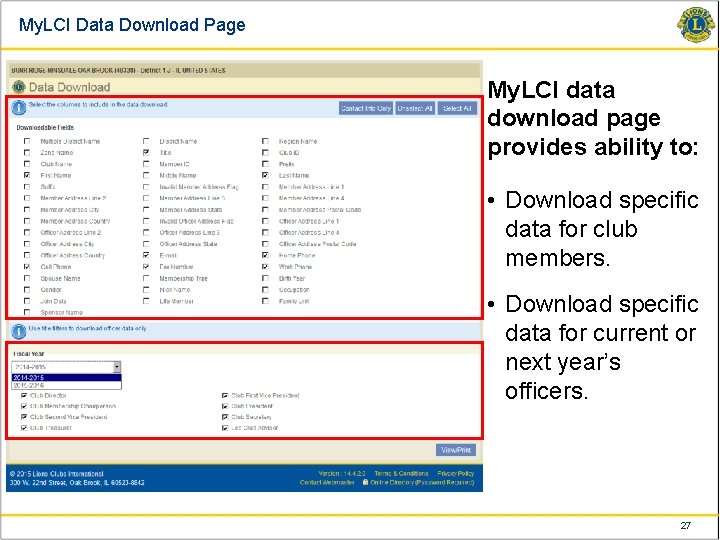
My. LCI Data Download Page My. LCI data download page provides ability to: • Download specific data for club members. • Download specific data for current or next year’s officers. 27
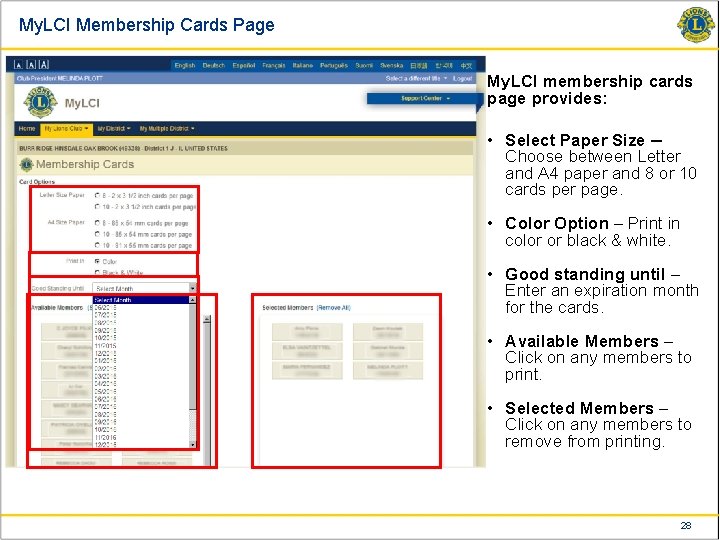
My. LCI Membership Cards Page My. LCI membership cards page provides: • Select Paper Size – Choose between Letter and A 4 paper and 8 or 10 cards per page. • Color Option – Print in color or black & white. • Good standing until – Enter an expiration month for the cards. • Available Members – Click on any members to print. • Selected Members – Click on any members to remove from printing. 28
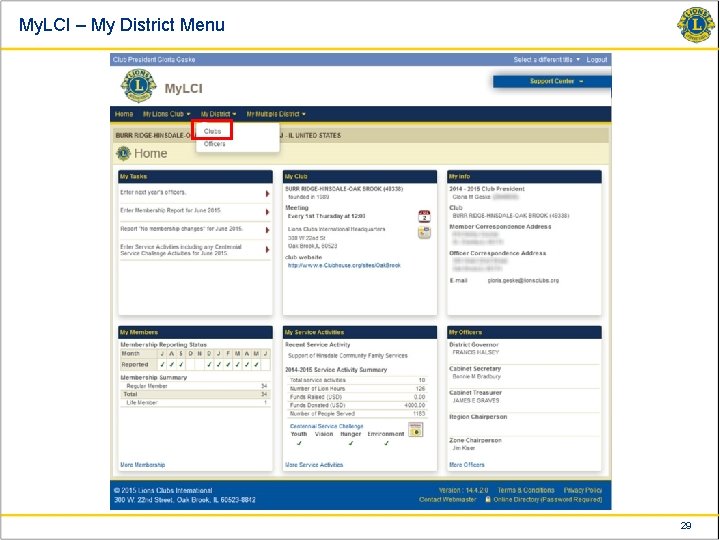
My. LCI – My District Menu 29
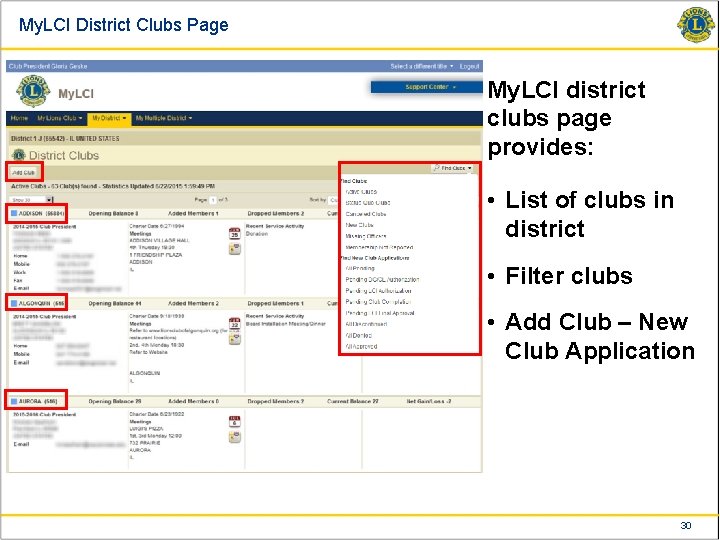
My. LCI District Clubs Page My. LCI district clubs page provides: • List of clubs in district • Filter clubs • Add Club – New Club Application 30
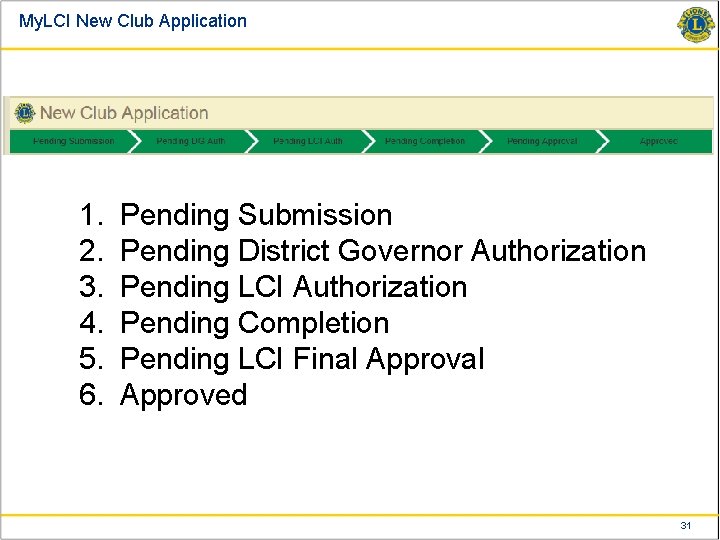
My. LCI New Club Application 1. 2. 3. 4. 5. 6. Pending Submission Pending District Governor Authorization Pending LCI Authorization Pending Completion Pending LCI Final Approved 31
My. LCI New Club Application Stages: § Pending Submission ○ The creation of a new club starts in this stage § Pending Completion ○ During this stage, the charter members can be added, the officers can be assigned and the application can be submitted to LCI for final approval 32
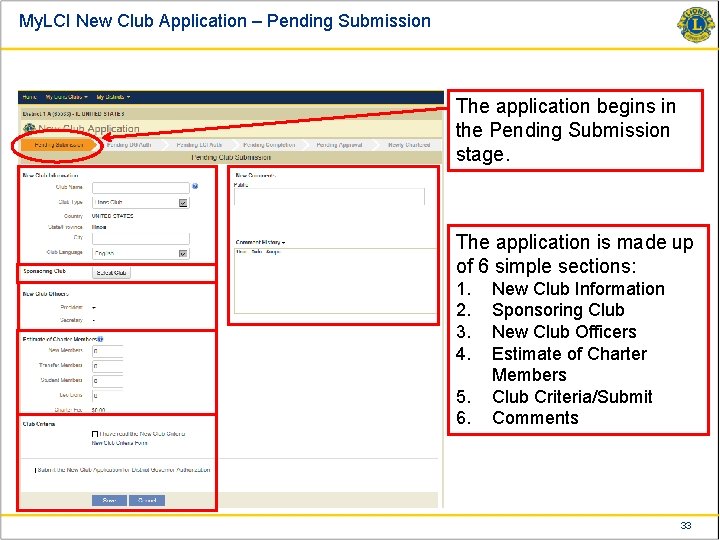
My. LCI New Club Application – Pending Submission The application begins in the Pending Submission stage. The application is made up of 6 simple sections: 1. 2. 3. 4. 5. 6. New Club Information Sponsoring Club New Club Officers Estimate of Charter Members Club Criteria/Submit Comments 33
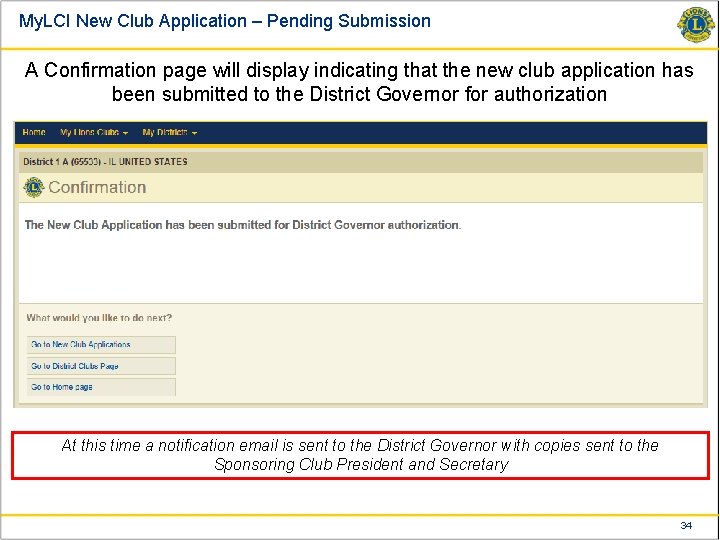
My. LCI New Club Application – Pending Submission A Confirmation page will display indicating that the new club application has been submitted to the District Governor for authorization At this time a notification email is sent to the District Governor with copies sent to the Sponsoring Club President and Secretary 34
My. LCI New Club Application – Pending Completion 1. Once the District Governor authorizes the application, it moves to LCI for review. § An email notification is sent with a copy to the Sponsoring Club 2. Once LCI Authorizes the application, it moves to Pending Completion. § An email notification is sent to: • The District Governor • The Sponsoring Club Officers • The New Club Officers 3. During the Pending Completion stage of the application: § The Sponsoring Club can enter the charter members and assign officers § The Charter Night Date can also be entered at this time 35
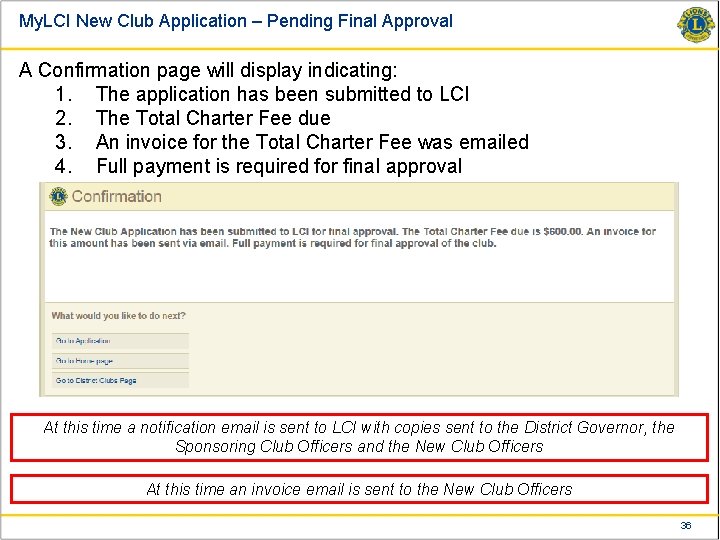
My. LCI New Club Application – Pending Final Approval A Confirmation page will display indicating: 1. The application has been submitted to LCI 2. The Total Charter Fee due 3. An invoice for the Total Charter Fee was emailed 4. Full payment is required for final approval At this time a notification email is sent to LCI with copies sent to the District Governor, the Sponsoring Club Officers and the New Club Officers At this time an invoice email is sent to the New Club Officers 36
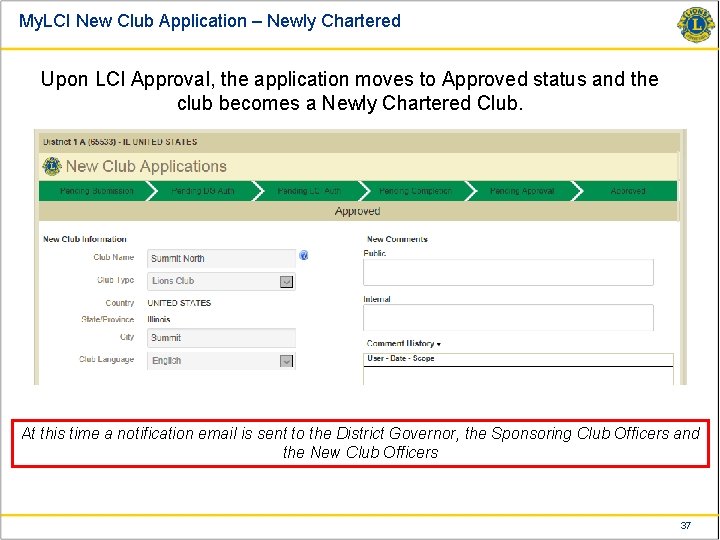
My. LCI New Club Application – Newly Chartered Upon LCI Approval, the application moves to Approved status and the club becomes a Newly Chartered Club. At this time a notification email is sent to the District Governor, the Sponsoring Club Officers and the New Club Officers 37
My. LCI Support Center Questions? ? ? How to? ? ? Who to ask? ? ? Where is it? ? ? My. LCI@Lions. Clubs. org or 630 -468 -6900 (8 am – 4: 30 pm Chicago) 38
- Slides: 38