
My Accounting Lab Student User Guide To ensure

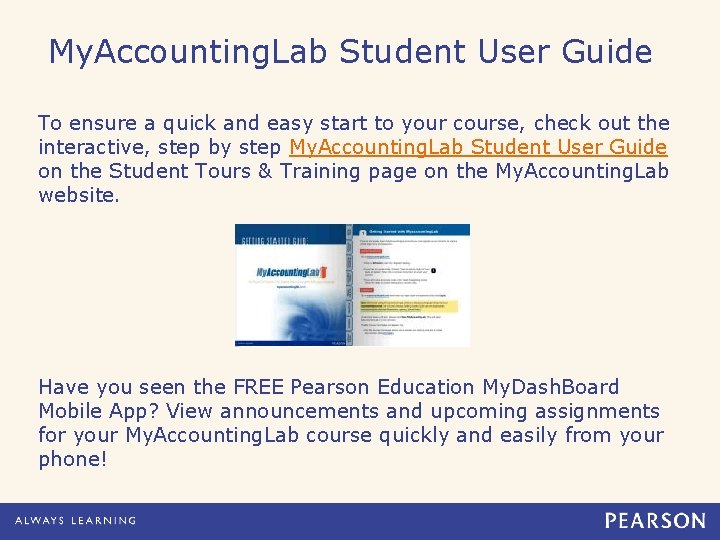
My. Accounting. Lab Student User Guide To ensure a quick and easy start to your course, check out the interactive, step by step My. Accounting. Lab Student User Guide on the Student Tours & Training page on the My. Accounting. Lab website. Have you seen the FREE Pearson Education My. Dash. Board Mobile App? View announcements and upcoming assignments for your My. Accounting. Lab course quickly and easily from your phone!
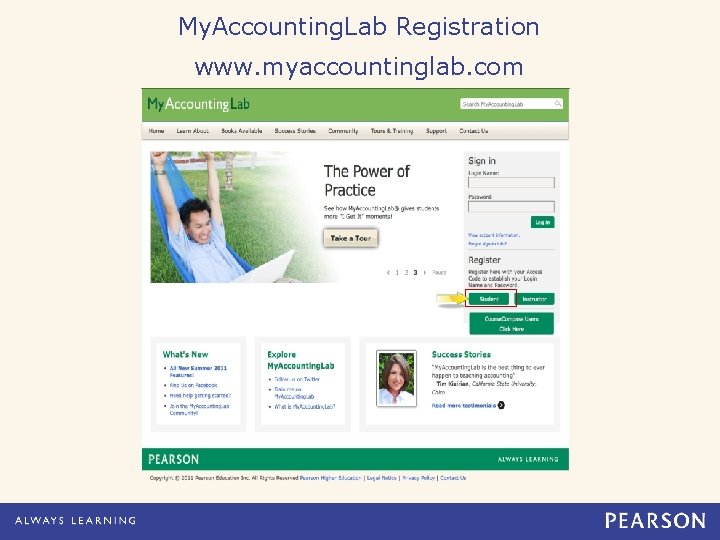
My. Accounting. Lab Registration www. myaccountinglab. com
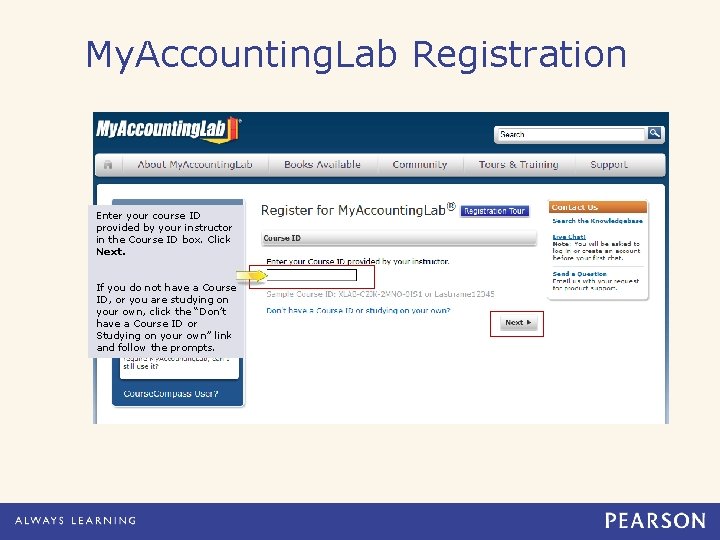
My. Accounting. Lab Registration Enter your course ID provided by your instructor in the Course ID box. Click Next. If you do not have a Course ID, or you are studying on your own, click the “Don’t have a Course ID or Studying on your own” link and follow the prompts.

My. Accounting. Lab Registration Verify that your Course ID matched your course’s textbook. Choose an enrollment option – you can access your online course using an access code or your can buy instant access online.

My. Accounting. Lab Registration If you have an access code, select the access code radio dial and click Next.
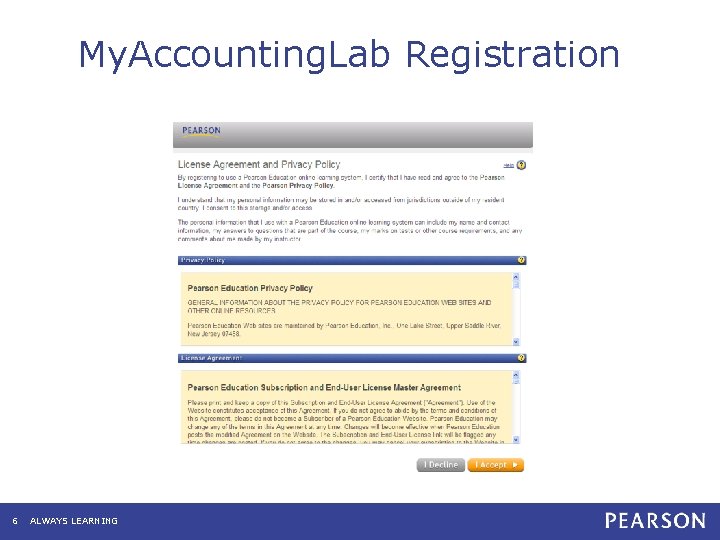
My. Accounting. Lab Registration 6 ALWAYS LEARNING
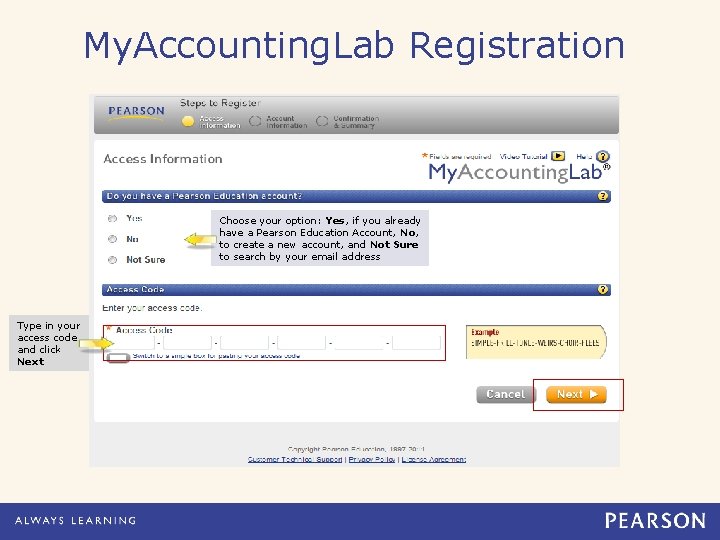
My. Accounting. Lab Registration Choose your option: Yes, if you already have a Pearson Education Account, No, to create a new account, and Not Sure to search by your email address Type in your access code and click Next
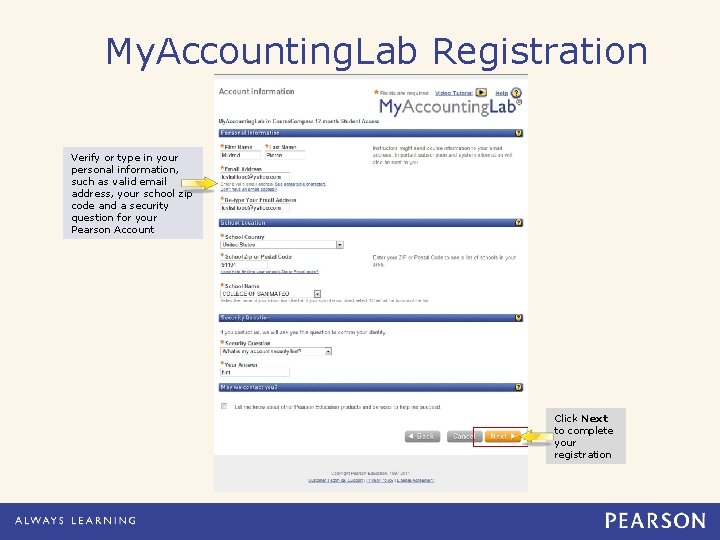
My. Accounting. Lab Registration Verify or type in your personal information, such as valid email address, your school zip code and a security question for your Pearson Account Click Next to complete your registration
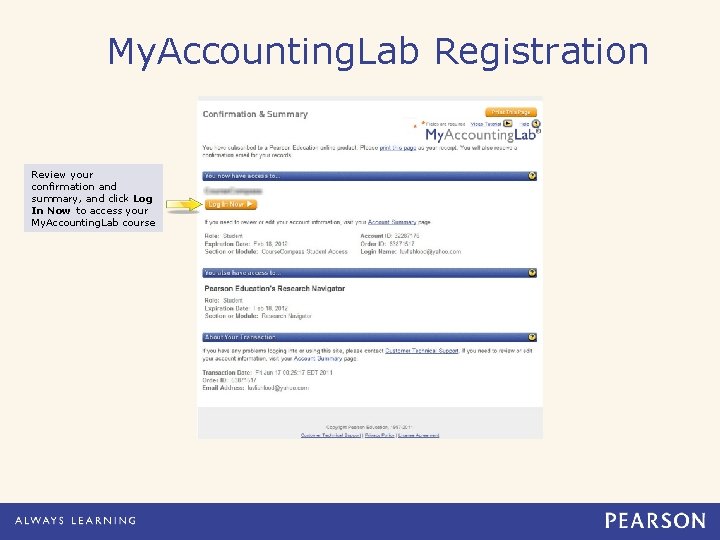
My. Accounting. Lab Registration Review your confirmation and summary, and click Log In Now to access your My. Accounting. Lab course
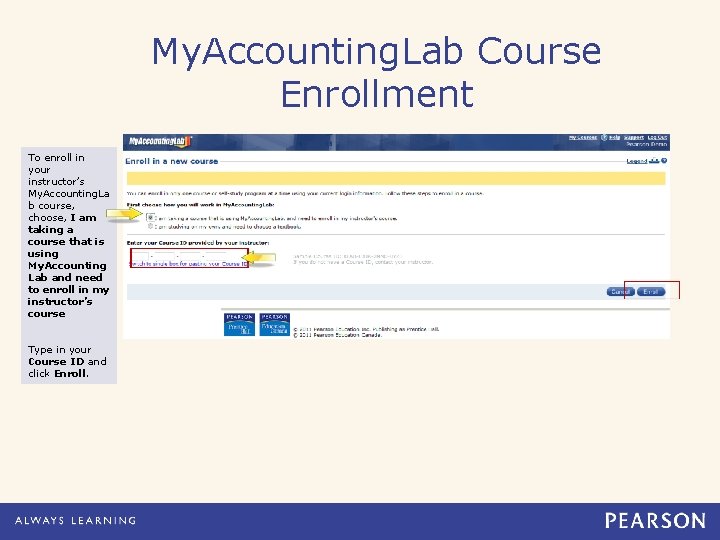
My. Accounting. Lab Course Enrollment To enroll in your instructor’s My. Accounting. La b course, choose, I am taking a course that is using My. Accounting Lab and need to enroll in my instructor’s course Type in your Course ID and click Enroll.

Take Advantage of Pearson 24/7 Technical Support http: //247 pearsoned. custhelp. com The Knowledge Base • Instant answers to most of your questions • Answer Wizard: an adaptive tool that figures out your problem for you • Available 24/7 Speedy Email Communication • 24/7 Support Agents respond quickly and thoroughly • Available 24/7
24/7 Support is Available for You We’re always available via email and chat Instant Chat • Skip the phone – IM an Agent instead! • Available 24/7 The All-Product Phone • (800) 677 -6337 • 12 PM to 8 PM EST, Monday through Friday
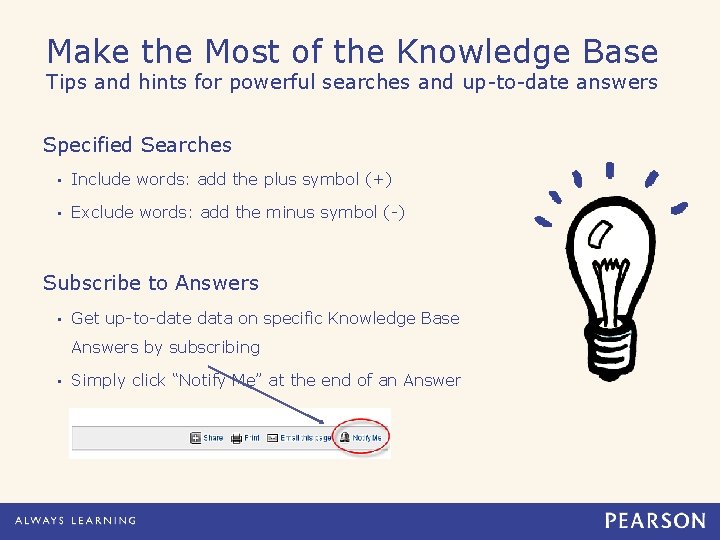
Make the Most of the Knowledge Base Tips and hints for powerful searches and up-to-date answers Specified Searches • Include words: add the plus symbol (+) • Exclude words: add the minus symbol (-) Subscribe to Answers • Get up-to-date data on specific Knowledge Base Answers by subscribing • Simply click “Notify Me” at the end of an Answer
- Slides: 14