
Multimodules programming mvantabitdefender com 4 Libraries Copyright Bitdefender
Multi-modules programming mvanta@bitdefender. com
4. Libraries Copyright © Bitdefender 2017 / www. bitdefender. com

Introduction • Library = a separate collection (module) of code and data resources, meant to be reused across multiple programs or by multiple modules of the same program • The allowed/contained resources can be subroutines, classes and objects (OO languages), documentation, user manuals, audio and video items etc. . . • Each published resource must be uniquely identifiable • They usually have associated unique names but other methods can also be used (such as numerical identifiers) • For proper reuse, the behavior and interfaces have to be well documented! • User-mode applications are supervised by the OS and can only perform some critical operations through the system libraries • Hardware resources: keyboard, disk (files), network, audio/video etc. . . • Software resources: threads, memory and application management etc. . . Copyright © Bitdefender 2017 / www. bitdefender. com
Key concepts • Linkediting • Link-time static linking • Dinamic linking at load-time and run-time • Object file formats • • Relocatable Object Module Format (OMF) • A MS-DOS dedicated file format (16 bits) with 32 bits compatibility • nasm. exe -fobj și alink. exe Common Object File Format (COFF) • A more recent file format embraced by Windows, Unix and EFI • Used by Microsoft across the whole build toolchain • nasm. exe -fwin 32 and link. exe • Library types • • • Static libraries (LIB) Import libraries (import LIB) Dynamic libraries (DLL) • Relevant nasm directives: global, extern / import and export Copyright © Bitdefender 2017 / www. bitdefender. com
Key concepts • Load-time dynamic linking • The sole information needed by the linker is where the resources are located • • OMF: their provenience is specified via the NASM directive import COFF: such information is described by an import LIB • • The resulting program won’t embed the resources, but instead, it will only reference their names and the library file (. dll) they’re part of The OS (the program loader) is responsible for the actual linking Advantages: • • • The resources are not contained inside, it merely provides directions to a DLL Reduced program size Same resources are available to multiple programs without need for duplication Disadvantages: • • • A DLL file is specifically needed as other. obj or. lib files can’t be dynamically linked Complex and time consuming processing is performed right at program start-up Potential version incompatibilities can’t be known beforehand they’re only detected when trying to run the application Copyright © Bitdefender 2017 / www. bitdefender. com
Key concepts • Runtime dynamic linking • • The needed resources are only loaded when explicitly requested and kept for only as long as they’re actually wanted The requests originate on the application side and are handled by the OS • • • The linker has no direct involvement throughout the run-time linking process! Advantages: • • Dynamic linking against kernel 32. dll is needed at load-time for a handful of essential system subroutines: • Load. Library: load a DLL at runtime • Get. Proc. Address: search for a resource by its name • Free. Library: unload and free the DLL resources The program starts faster and may need less memory Allows keeping active in memory only the code and data needed for the current activities Behavior can be altered on-the-fly by loading different or updated (DLL) modules Disadvantages: • Versioning issues are determined even later, at run-time, and data loss is likely without proper care Copyright © Bitdefender 2017 / www. bitdefender. com
Key concepts • Overview – module inclusion and linking options • Compile-time Link-time Load-time Run-time Static linking Textual inclusion (embedding) OBJ/LIB inclusion (embedding) - - Dynamic linking - - Reference to an external DLL Loading an external DLL How to decide between them? • Small ASM-only program? %include is an option, although, it’s not recommended… • Self-contained stand-alone program? Static linking is the only way for achieving the result! • For every other case dynamic linking is recommended • • Load-time dynamic linking is easier to use and less error-prone A mix of load-time + run-time dynamic linking should be used for faster application load time and/or for supporting plugin-able application modules or on-the-fly updates Copyright © Bitdefender 2017 / www. bitdefender. com
Key concepts . . . source N source 1 source 2 . . . source N static import obj 1 obj 2 application EXE code + data Loader source 2 obj N Stack static library LIB linker source 1 obj 2 librarian source N obj 1 uninitialized data obj N dynamic import at load-time obj 1 obj 2 obj N Copyright © Bitdefender 2017 / www. bitdefender. com linker . . . compiler / assembler source 2 compiler / assembler source 1 compiler / assembler • Overview – the link-editing workflow import library LIB dynamic library DLL. . . dynamic, run-time import
Using libraries in ASM – the necessary steps 1. Find the name of the wanted subroutine in the library documentation • This applies in the same manner for other resource types too • Except for this very first step, which is generic and applies to any resource type, all of the steps that follow are not applicable to anything other than functions! 2. Extract from the function’s documentation the following info: a) b) c) d) The The • • • calling convention name, type and meaning of each parameter associated type and meaning of the returned result file (or files) required for accessing the function, namely: . DLL/. LIB: the dynamic (or static!) library file containing the function. LIB: the import library which is necessary alongside the DLL (for COFF only). H: although the header files are meant to be used by C programs, due to the rigorous nature of the types and constants definitions contained, it often proves useful even when writing ASM code, and especially so if the documentation doesn’t cover all the technical details an ASM program needs… Copyright © Bitdefender 2017 / www. bitdefender. com
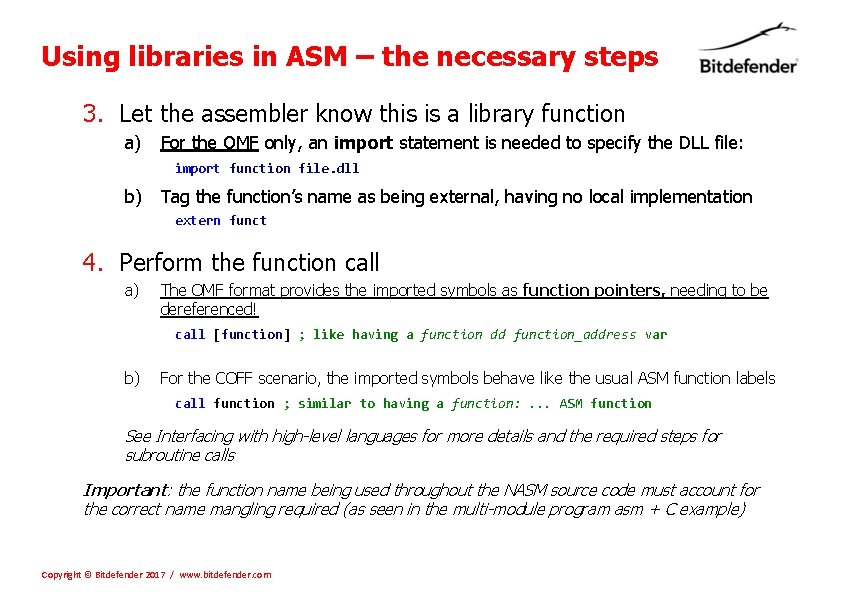
Using libraries in ASM – the necessary steps 3. Let the assembler know this is a library function a) For the OMF only, an import statement is needed to specify the DLL file: import function file. dll b) Tag the function’s name as being external, having no local implementation extern funct 4. Perform the function call a) The OMF format provides the imported symbols as function pointers, needing to be dereferenced! call [function] ; like having a function dd function_address var b) For the COFF scenario, the imported symbols behave like the usual ASM function labels call function ; similar to having a function: . . . ASM function See Interfacing with high-level languages for more details and the required steps for subroutine calls Important: the function name being used throughout the NASM source code must account for the correct name mangling required (as seen in the multi-module program asm + C example) Copyright © Bitdefender 2017 / www. bitdefender. com
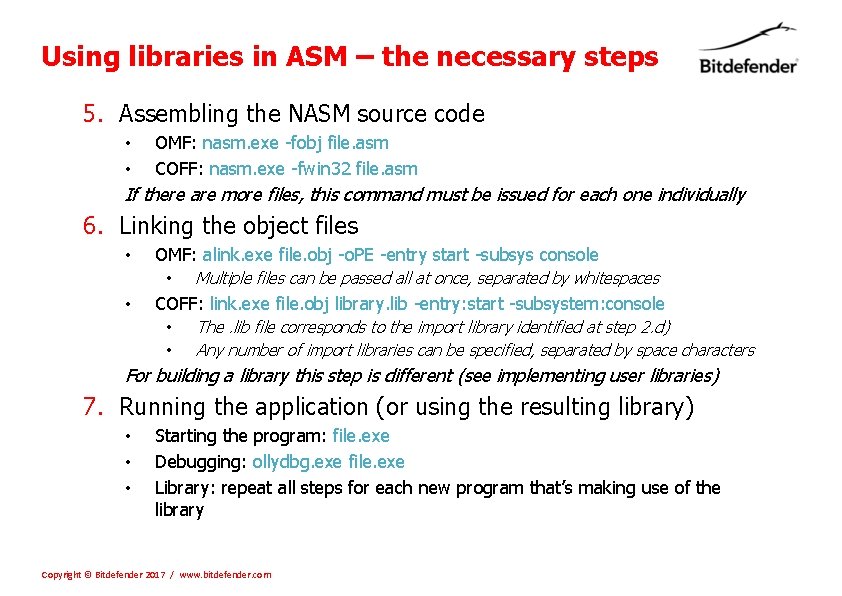
Using libraries in ASM – the necessary steps 5. Assembling the NASM source code • OMF: nasm. exe -fobj file. asm • COFF: nasm. exe -fwin 32 file. asm If there are more files, this command must be issued for each one individually 6. Linking the object files • OMF: alink. exe file. obj -o. PE -entry start -subsys console • • Multiple files can be passed all at once, separated by whitespaces COFF: link. exe file. obj library. lib -entry: start -subsystem: console • • The. lib file corresponds to the import library identified at step 2. d) Any number of import libraries can be specified, separated by space characters For building a library this step is different (see implementing user libraries) 7. Running the application (or using the resulting library) • • • Starting the program: file. exe Debugging: ollydbg. exe file. exe Library: repeat all steps for each new program that’s making use of the library Copyright © Bitdefender 2017 / www. bitdefender. com
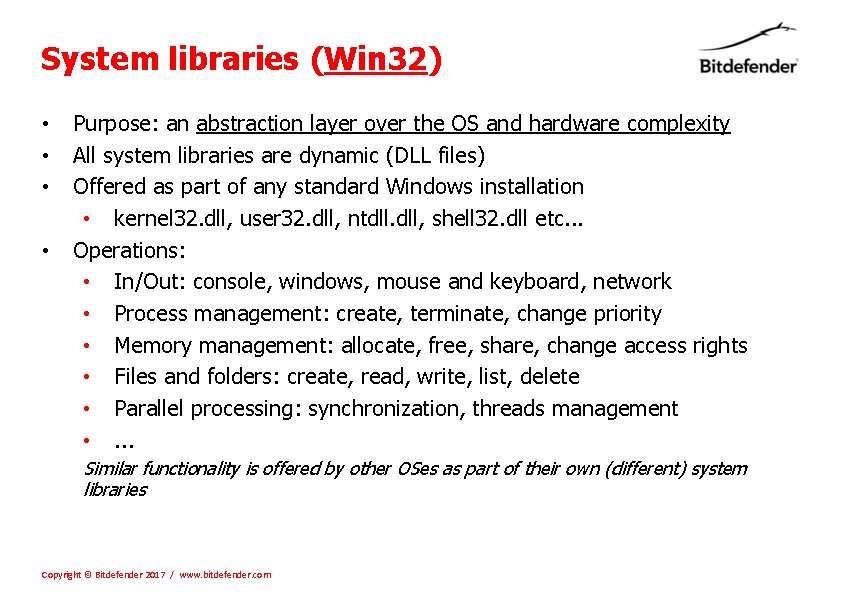
System libraries (Win 32) • • Purpose: an abstraction layer over the OS and hardware complexity All system libraries are dynamic (DLL files) Offered as part of any standard Windows installation • kernel 32. dll, user 32. dll, ntdll. dll, shell 32. dll etc. . . Operations: • In/Out: console, windows, mouse and keyboard, network • Process management: create, terminate, change priority • Memory management: allocate, free, share, change access rights • Files and folders: create, read, write, list, delete • Parallel processing: synchronization, threads management • . . . Similar functionality is offered by other OSes as part of their own (different) system libraries Copyright © Bitdefender 2017 / www. bitdefender. com
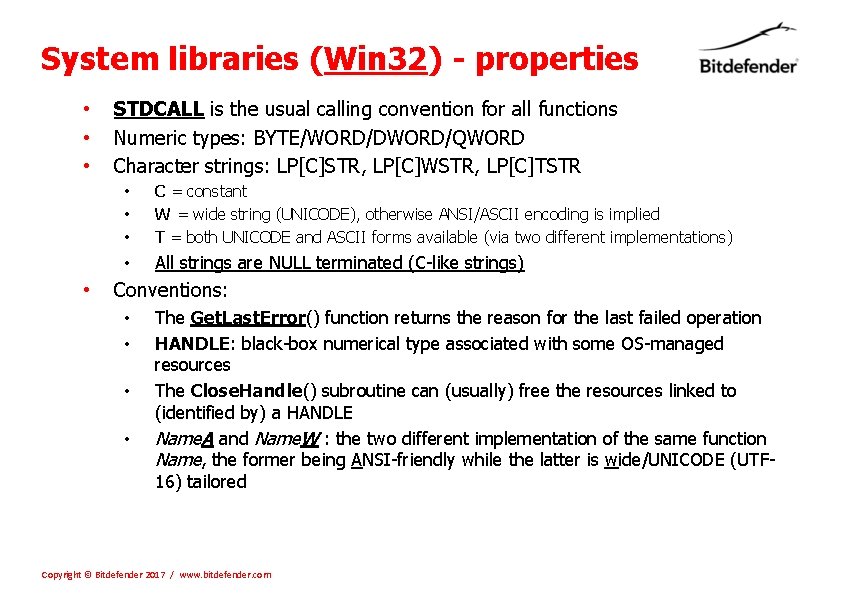
System libraries (Win 32) - properties • • STDCALL is the usual calling convention for all functions Numeric types: BYTE/WORD/DWORD/QWORD Character strings: LP[C]STR, LP[C]WSTR, LP[C]TSTR • • • C = constant W = wide string (UNICODE), otherwise ANSI/ASCII encoding is implied T = both UNICODE and ASCII forms available (via two different implementations) • All strings are NULL terminated (C-like strings) Conventions: • • The Get. Last. Error() function returns the reason for the last failed operation HANDLE: black-box numerical type associated with some OS-managed resources The Close. Handle() subroutine can (usually) free the resources linked to (identified by) a HANDLE Name. A and Name. W : the two different implementation of the same function Name, the former being ANSI-friendly while the latter is wide/UNICODE (UTF 16) tailored Copyright © Bitdefender 2017 / www. bitdefender. com
System libraries (Win 32) - File management • The files are seen as devices providing sequential-access to data • • • They have a current position associated, pointing to the next byte to process They don’t necessarily reside on a disk drive and can model other devices too The HANDLE returned when opening a file is needed for any actions Close. Handle is used for freeing resources and saving any changes Path specifier: a string that identifies a unique node in a files and folders tree • • It defines the folder nodes that need to be traversed for arriving at a desired node Absolute path: any path specifier starting from the very root node of the tree • The root name is, usually, a drive letter (such as C, D etc. . . ) • Path specifier example: C: WindowsSystem 32calc. exe Relative path: a path starting at some other, already known, node of the tree • Example: System 32calc. exe Path separators: • collon (: ) between the drive letter and the rest of the path • Backslah () for separating the folder names walked across the path (and between the last folder and a file name) Copyright © Bitdefender 2017 / www. bitdefender. com
System libraries (Win 32) - File management • Relevant functions: • • • Create. File: create (or open an existing) file Get. File. Size. Ex: requests the number of bytes occupied by the given file Set. File. Pointer: (re)position the file position at the specified byte index Read. File: read data from file to a memory buffer Write. File: save the content of the memory buffer to the file Copy. File: create a copy of a file Move. File: move a file to a different folder/location Find. First. File/Find. Next. File/Find. Close: iterate all files matched by a (glob) name pattern Create. Directory: create a new folder Remove. Directory: delete an existing folder Get. Current. Directory: retrieve the working directory of the application • • Working folder: all relative paths are, by default, considered as starting here (at this tree node) Each program has its own working directory, set by the OS when the. exe is loaded Set. Current. Directory: change the current working directory to point to a different folder Remarks • • Powerful but complex (many parameters) => it’s important to read their documentation! They’re all exported by kernel 32. dll Both ANSI and UNICODE versions are available for all the functions having strings as inputs The C standard library functions are, in the end, wrappers over these functions Copyright © Bitdefender 2017 / www. bitdefender. com
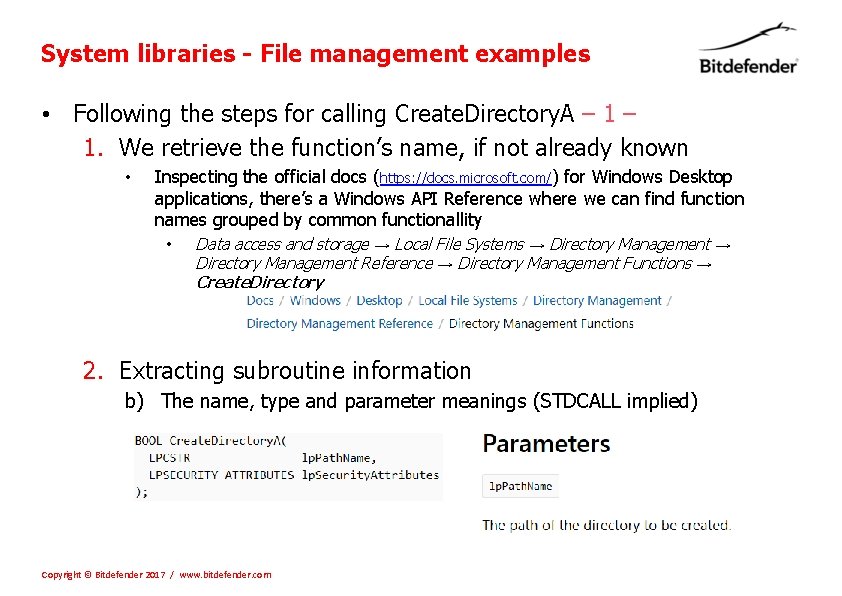
System libraries - File management examples • Following the steps for calling Create. Directory. A – 1. We retrieve the function’s name, if not already known • Inspecting the official docs (https: //docs. microsoft. com/) for Windows Desktop applications, there’s a Windows API Reference where we can find function names grouped by common functionallity • Data access and storage → Local File Systems → Directory Management Reference → Directory Management Functions → Create. Directory 2. Extracting subroutine information b) The name, type and parameter meanings (STDCALL implied) Copyright © Bitdefender 2017 / www. bitdefender. com
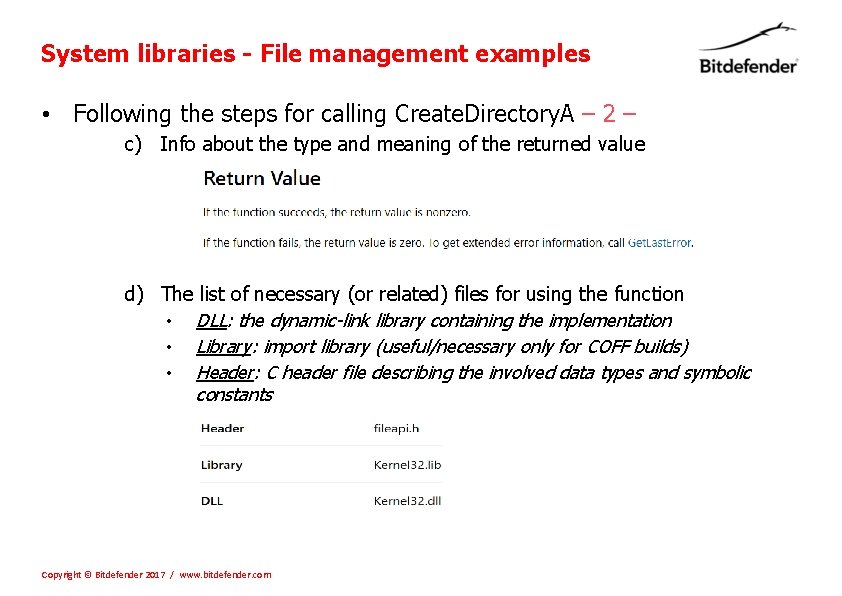
System libraries - File management examples • Following the steps for calling Create. Directory. A – 2 – c) Info about the type and meaning of the returned value d) The list of necessary (or related) files for using the function • • • DLL: the dynamic-link library containing the implementation Library: import library (useful/necessary only for COFF builds) Header: C header file describing the involved data types and symbolic constants Copyright © Bitdefender 2017 / www. bitdefender. com
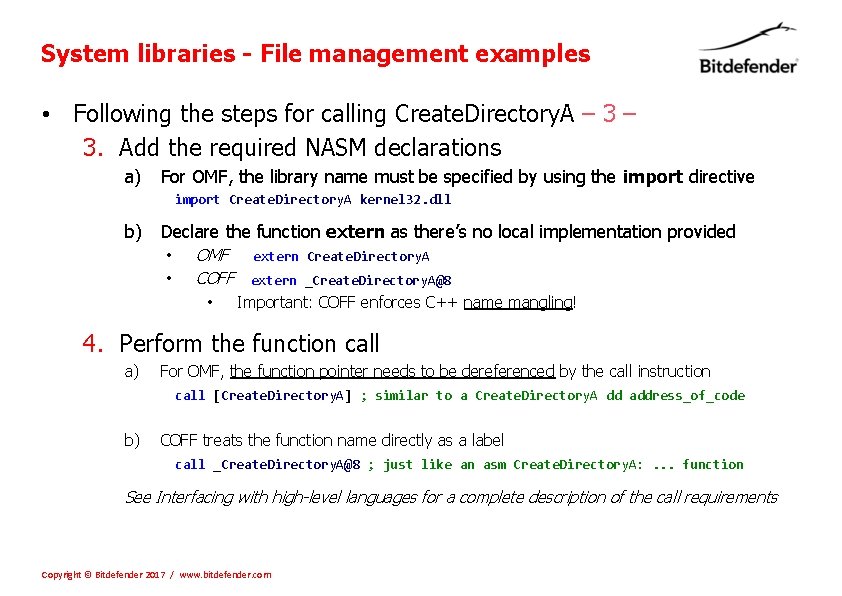
System libraries - File management examples • Following the steps for calling Create. Directory. A – 3. Add the required NASM declarations a) For OMF, the library name must be specified by using the import directive import Create. Directory. A kernel 32. dll b) Declare the function extern as there’s no local implementation provided • • OMF extern Create. Directory. A COFF extern _Create. Directory. A@8 • Important: COFF enforces C++ name mangling! 4. Perform the function call a) For OMF, the function pointer needs to be dereferenced by the call instruction call [Create. Directory. A] ; similar to a Create. Directory. A dd address_of_code b) COFF treats the function name directly as a label call _Create. Directory. A@8 ; just like an asm Create. Directory. A: . . . function See Interfacing with high-level languages for a complete description of the call requirements Copyright © Bitdefender 2017 / www. bitdefender. com
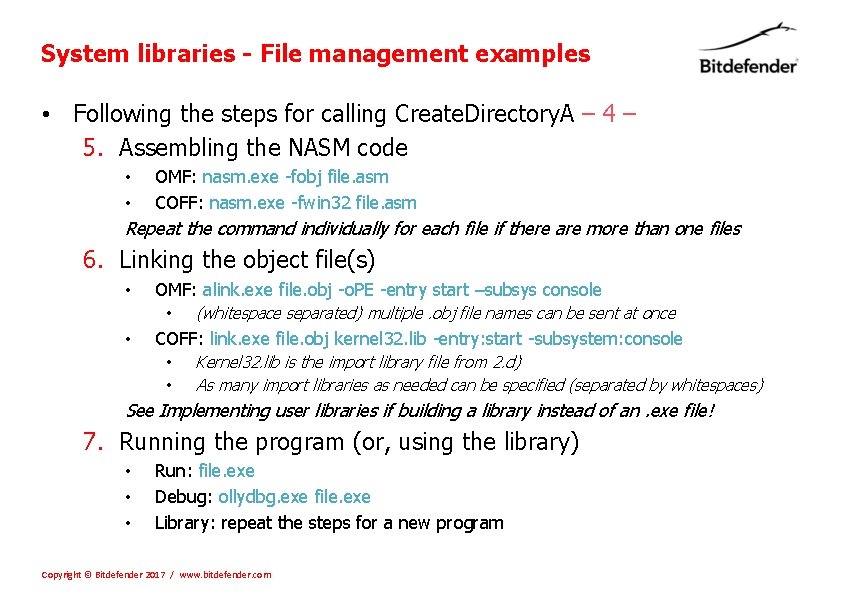
System libraries - File management examples • Following the steps for calling Create. Directory. A – 4 – 5. Assembling the NASM code • OMF: nasm. exe -fobj file. asm • COFF: nasm. exe -fwin 32 file. asm Repeat the command individually for each file if there are more than one files 6. Linking the object file(s) • OMF: alink. exe file. obj -o. PE -entry start –subsys console • • (whitespace separated) multiple. obj file names can be sent at once COFF: link. exe file. obj kernel 32. lib -entry: start -subsystem: console • • Kernel 32. lib is the import library file from 2. d) As many import libraries as needed can be specified (separated by whitespaces) See Implementing user libraries if building a library instead of an. exe file! 7. Running the program (or, using the library) • • • Run: file. exe Debug: ollydbg. exe file. exe Library: repeat the steps for a new program Copyright © Bitdefender 2017 / www. bitdefender. com
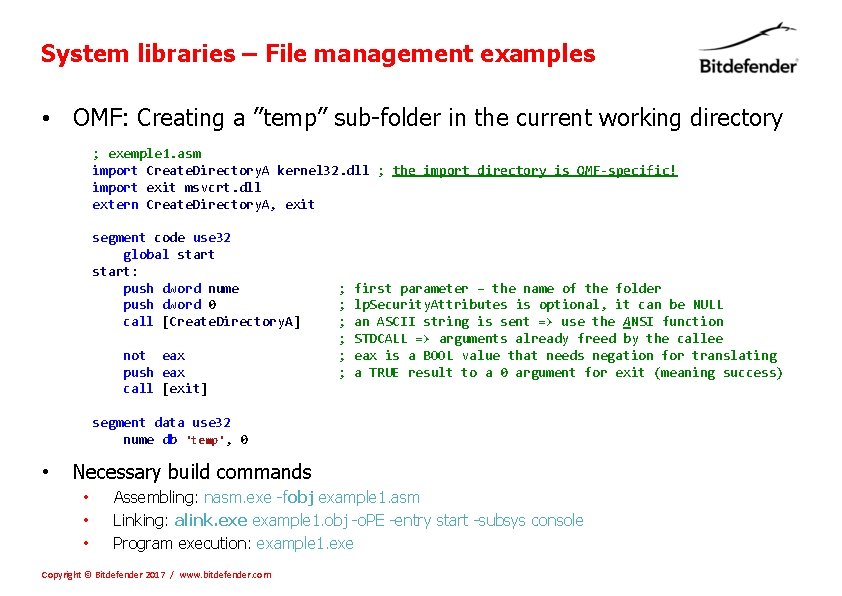
System libraries – File management examples • OMF: Creating a ”temp” sub-folder in the current working directory ; exemple 1. asm import Create. Directory. A kernel 32. dll ; the import directory is OMF-specific! import exit msvcrt. dll extern Create. Directory. A, exit segment code use 32 global start: push dword nume push dword 0 call [Create. Directory. A] not eax push eax call [exit] ; ; ; first parameter – the name of the folder lp. Security. Attributes is optional, it can be NULL an ASCII string is sent => use the ANSI function STDCALL => arguments already freed by the callee eax is a BOOL value that needs negation for translating a TRUE result to a 0 argument for exit (meaning success) segment data use 32 nume db 'temp', 0 • Necessary build commands • • • Assembling: nasm. exe -fobj example 1. asm Linking: alink. exe example 1. obj -o. PE -entry start -subsys console Program execution: example 1. exe Copyright © Bitdefender 2017 / www. bitdefender. com
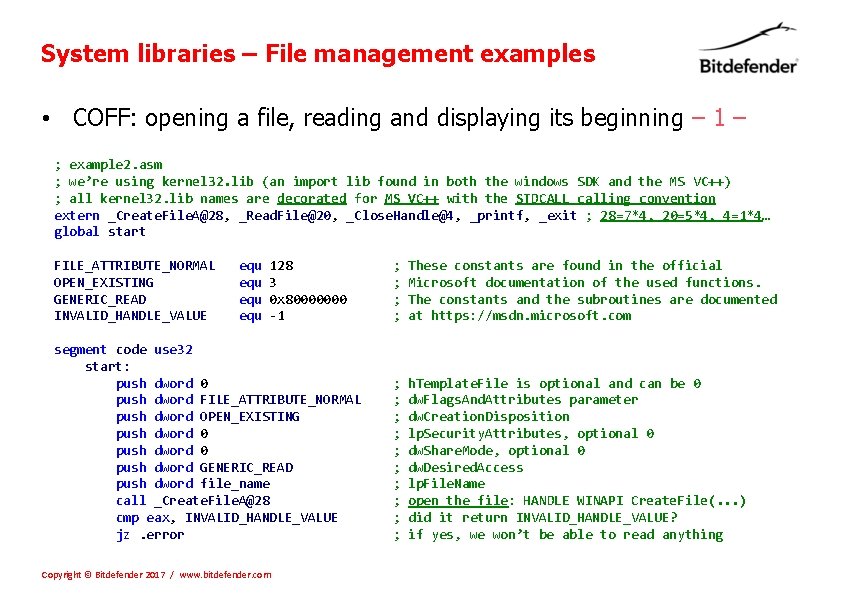
System libraries – File management examples • COFF: opening a file, reading and displaying its beginning – 1 – ; example 2. asm ; we’re using kernel 32. lib (an import lib found in both the windows SDK and the MS VC++) ; all kernel 32. lib names are decorated for MS VC++ with the STDCALL calling convention extern _Create. File. A@28, _Read. File@20, _Close. Handle@4, _printf, _exit ; 28=7*4, 20=5*4, 4=1*4… global start FILE_ATTRIBUTE_NORMAL OPEN_EXISTING GENERIC_READ INVALID_HANDLE_VALUE equ equ 128 3 0 x 80000000 -1 segment code use 32 start: push dword 0 push dword FILE_ATTRIBUTE_NORMAL push dword OPEN_EXISTING push dword 0 push dword GENERIC_READ push dword file_name call _Create. File. A@28 cmp eax, INVALID_HANDLE_VALUE jz. error Copyright © Bitdefender 2017 / www. bitdefender. com ; ; These constants are found in the official Microsoft documentation of the used functions. The constants and the subroutines are documented at https: //msdn. microsoft. com ; ; ; ; ; h. Template. File is optional and can be 0 dw. Flags. And. Attributes parameter dw. Creation. Disposition lp. Security. Attributes, optional 0 dw. Share. Mode, optional 0 dw. Desired. Access lp. File. Name open the file: HANDLE WINAPI Create. File(. . . ) did it return INVALID_HANDLE_VALUE? if yes, we won’t be able to read anything
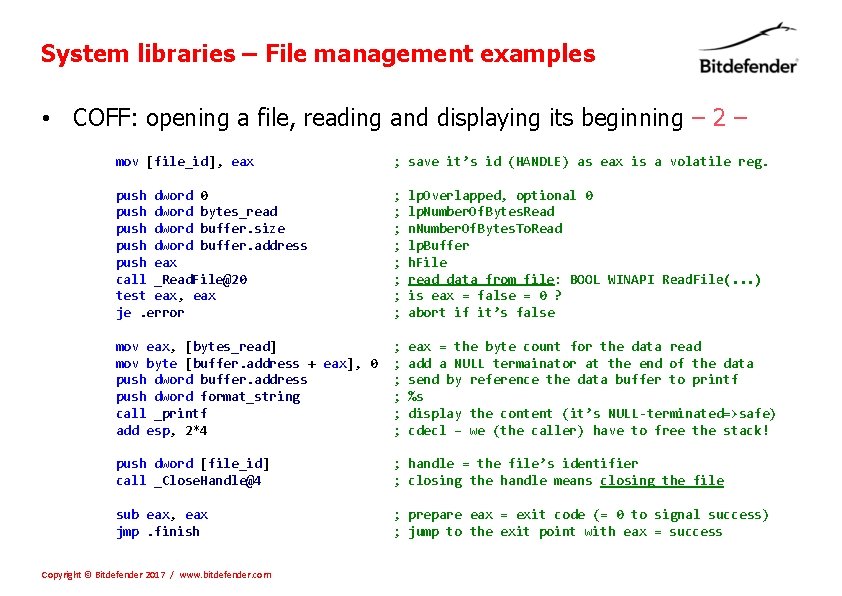
System libraries – File management examples • COFF: opening a file, reading and displaying its beginning – 2 – mov [file_id], eax ; save it’s id (HANDLE) as eax is a volatile reg. push dword 0 push dword bytes_read push dword buffer. size push dword buffer. address push eax call _Read. File@20 test eax, eax je. error ; ; ; ; lp. Overlapped, optional 0 lp. Number. Of. Bytes. Read n. Number. Of. Bytes. To. Read lp. Buffer h. File read data from file: BOOL WINAPI Read. File(. . . ) is eax = false = 0 ? abort if it’s false mov eax, [bytes_read] mov byte [buffer. address + eax], 0 push dword buffer. address push dword format_string call _printf add esp, 2*4 ; ; ; eax = the byte count for the data read add a NULL termainator at the end of the data send by reference the data buffer to printf %s display the content (it’s NULL-terminated=>safe) cdecl – we (the caller) have to free the stack! push dword [file_id] call _Close. Handle@4 ; handle = the file’s identifier ; closing the handle means closing the file sub eax, eax jmp. finish ; prepare eax = exit code (= 0 to signal success) ; jump to the exit point with eax = success Copyright © Bitdefender 2017 / www. bitdefender. com
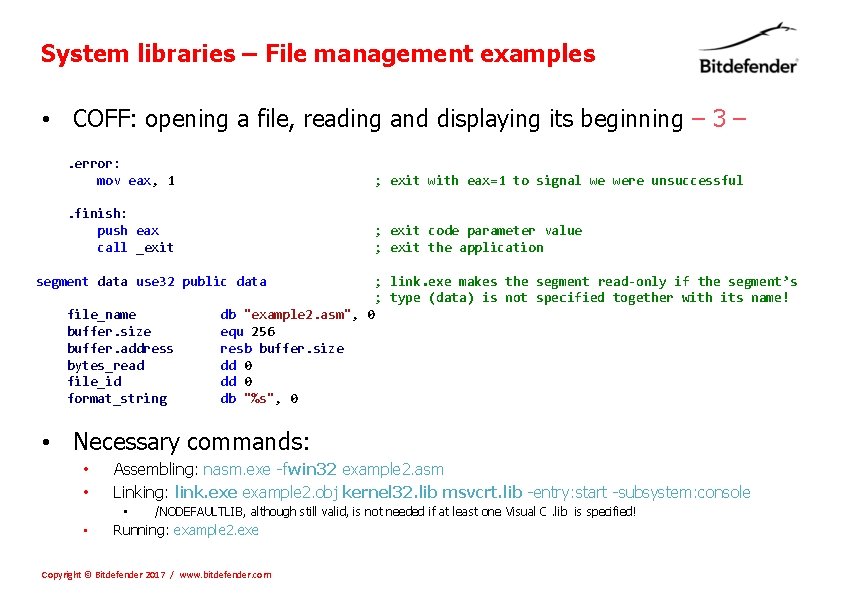
System libraries – File management examples • COFF: opening a file, reading and displaying its beginning – 3 –. error: mov eax, 1 ; exit with eax=1 to signal we were unsuccessful . finish: push eax call _exit ; exit code parameter value ; exit the application segment data use 32 public data file_name buffer. size buffer. address bytes_read file_id format_string ; link. exe makes the segment read-only if the segment’s ; type (data) is not specified together with its name! db "example 2. asm", 0 equ 256 resb buffer. size dd 0 db "%s", 0 • Necessary commands: • • Assembling: nasm. exe -fwin 32 example 2. asm Linking: link. exe example 2. obj kernel 32. lib msvcrt. lib -entry: start -subsystem: console • • /NODEFAULTLIB, although still valid, is not needed if at least one Visual C. lib is specified! Running: example 2. exe Copyright © Bitdefender 2017 / www. bitdefender. com
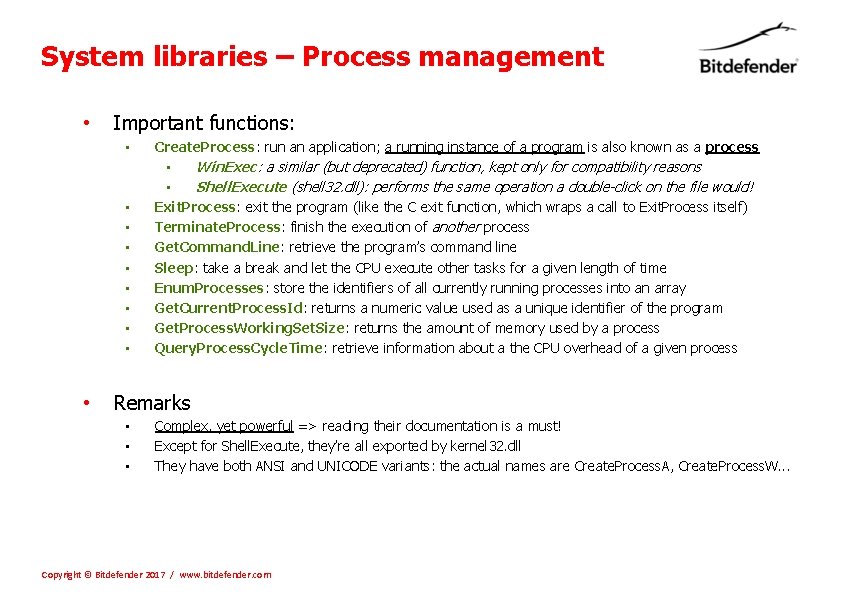
System libraries – Process management • Important functions: • • • Create. Process: run an application; a running instance of a program is also known as a process • Win. Exec: a similar (but deprecated) function, kept only for compatibility reasons • Shell. Execute (shell 32. dll): performs the same operation a double-click on the file would! Exit. Process: exit the program (like the C exit function, which wraps a call to Exit. Process itself) Terminate. Process: finish the execution of another process Get. Command. Line: retrieve the program’s command line Sleep: take a break and let the CPU execute other tasks for a given length of time Enum. Processes: store the identifiers of all currently running processes into an array Get. Current. Process. Id: returns a numeric value used as a unique identifier of the program Get. Process. Working. Set. Size: returns the amount of memory used by a process Query. Process. Cycle. Time: retrieve information about a the CPU overhead of a given process Remarks • • • Complex, yet powerful => reading their documentation is a must! Except for Shell. Execute, they’re all exported by kernel 32. dll They have both ANSI and UNICODE variants: the actual names are Create. Process. A, Create. Process. W. . . Copyright © Bitdefender 2017 / www. bitdefender. com
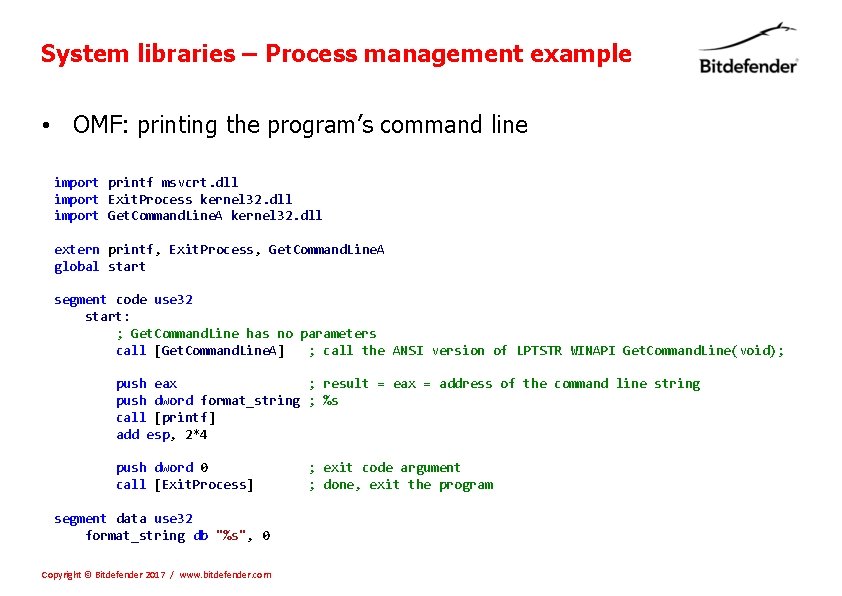
System libraries – Process management example • OMF: printing the program’s command line import printf msvcrt. dll import Exit. Process kernel 32. dll import Get. Command. Line. A kernel 32. dll extern printf, Exit. Process, Get. Command. Line. A global start segment code use 32 start: ; Get. Command. Line has no parameters call [Get. Command. Line. A] ; call the ANSI version of LPTSTR WINAPI Get. Command. Line(void); push eax ; result = eax = address of the command line string push dword format_string ; %s call [printf] add esp, 2*4 push dword 0 call [Exit. Process] segment data use 32 format_string db "%s", 0 Copyright © Bitdefender 2017 / www. bitdefender. com ; exit code argument ; done, exit the program
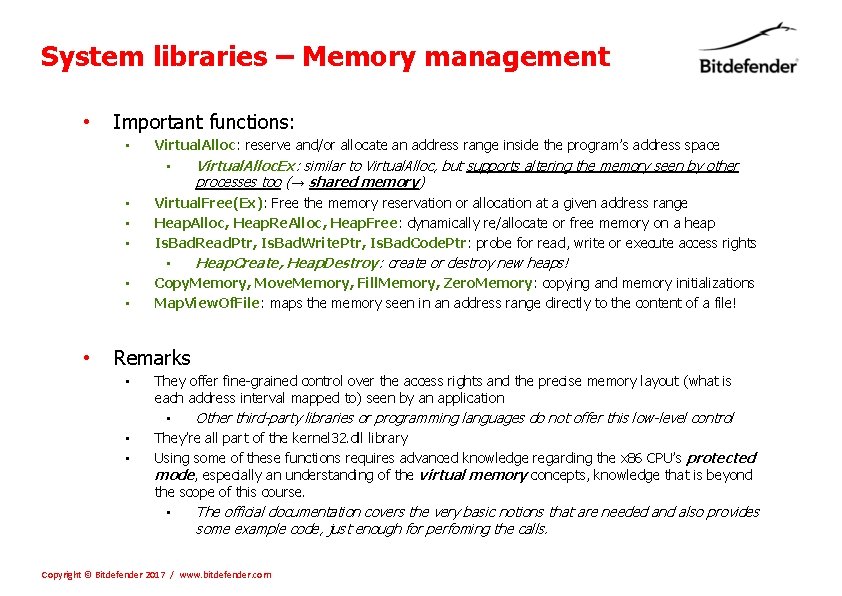
System libraries – Memory management • Important functions: • • Virtual. Alloc: reserve and/or allocate an address range inside the program’s address space • Virtual. Alloc. Ex: similar to Virtual. Alloc, but supports altering the memory seen by other processes too (→ shared memory) Virtual. Free(Ex): Free the memory reservation or allocation at a given address range Heap. Alloc, Heap. Re. Alloc, Heap. Free: dynamically re/allocate or free memory on a heap Is. Bad. Read. Ptr, Is. Bad. Write. Ptr, Is. Bad. Code. Ptr: probe for read, write or execute access rights • Heap. Create, Heap. Destroy: create or destroy new heaps! Copy. Memory, Move. Memory, Fill. Memory, Zero. Memory: copying and memory initializations Map. View. Of. File: maps the memory seen in an address range directly to the content of a file! Remarks • • • They offer fine-grained control over the access rights and the precise memory layout (what is each address interval mapped to) seen by an application • Other third-party libraries or programming languages do not offer this low-level control They’re all part of the kernel 32. dll library Using some of these functions requires advanced knowledge regarding the x 86 CPU’s protected mode, especially an understanding of the virtual memory concepts, knowledge that is beyond the scope of this course. • The official documentation covers the very basic notions that are needed and also provides some example code, just enough for perfoming the calls. Copyright © Bitdefender 2017 / www. bitdefender. com
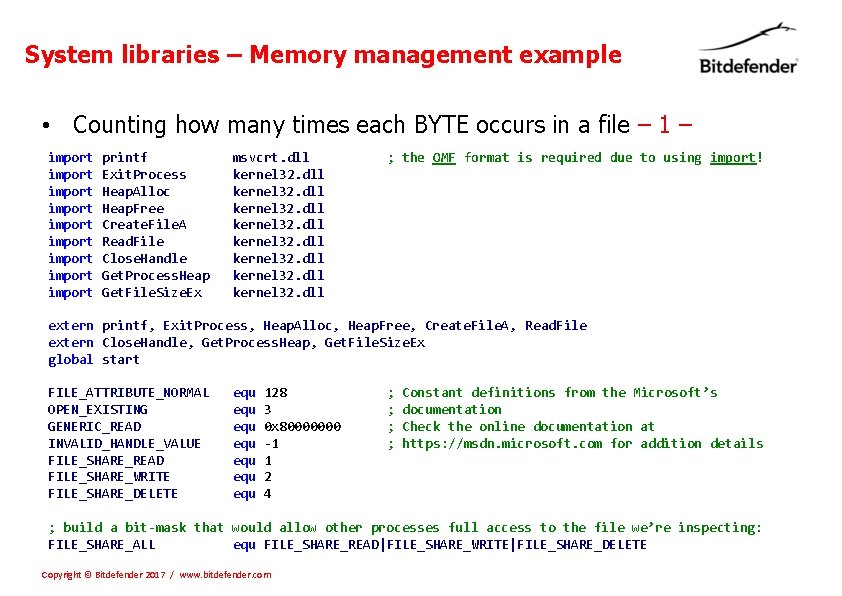
System libraries – Memory management example • Counting how many times each BYTE occurs in a file – 1 – import import import printf Exit. Process Heap. Alloc Heap. Free Create. File. A Read. File Close. Handle Get. Process. Heap Get. File. Size. Ex msvcrt. dll kernel 32. dll ; the OMF format is required due to using import! extern printf, Exit. Process, Heap. Alloc, Heap. Free, Create. File. A, Read. File extern Close. Handle, Get. Process. Heap, Get. File. Size. Ex global start FILE_ATTRIBUTE_NORMAL OPEN_EXISTING GENERIC_READ INVALID_HANDLE_VALUE FILE_SHARE_READ FILE_SHARE_WRITE FILE_SHARE_DELETE equ equ 128 3 0 x 80000000 -1 1 2 4 ; ; Constant definitions from the Microsoft’s documentation Check the online documentation at https: //msdn. microsoft. com for addition details ; build a bit-mask that would allow other processes full access to the file we’re inspecting: FILE_SHARE_ALL equ FILE_SHARE_READ|FILE_SHARE_WRITE|FILE_SHARE_DELETE Copyright © Bitdefender 2017 / www. bitdefender. com
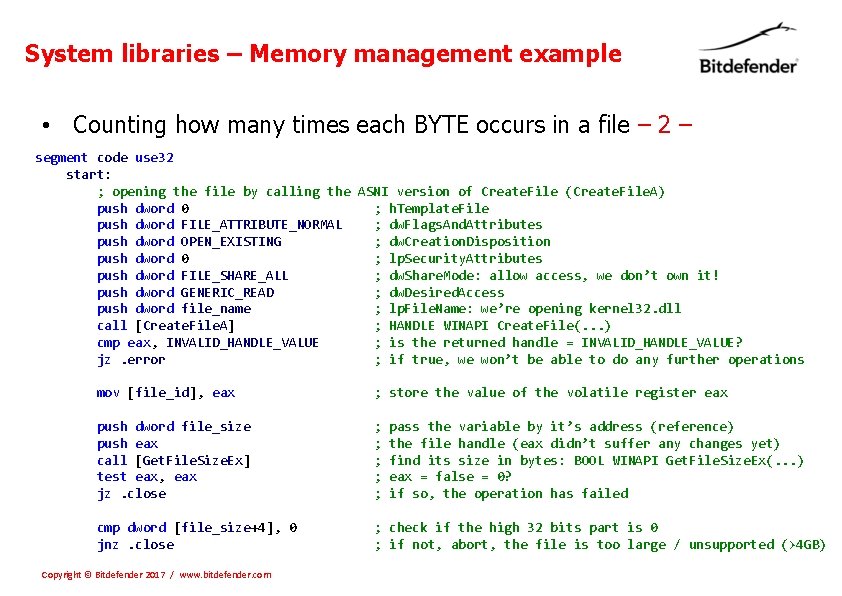
System libraries – Memory management example • Counting how many times each BYTE occurs in a file – 2 – segment code use 32 start: ; opening the file by calling the ASNI version of Create. File (Create. File. A) push dword 0 ; h. Template. File push dword FILE_ATTRIBUTE_NORMAL ; dw. Flags. And. Attributes push dword OPEN_EXISTING ; dw. Creation. Disposition push dword 0 ; lp. Security. Attributes push dword FILE_SHARE_ALL ; dw. Share. Mode: allow access, we don’t own it! push dword GENERIC_READ ; dw. Desired. Access push dword file_name ; lp. File. Name: we’re opening kernel 32. dll call [Create. File. A] ; HANDLE WINAPI Create. File(. . . ) cmp eax, INVALID_HANDLE_VALUE ; is the returned handle = INVALID_HANDLE_VALUE? jz. error ; if true, we won’t be able to do any further operations mov [file_id], eax ; store the value of the volatile register eax push dword file_size push eax call [Get. File. Size. Ex] test eax, eax jz. close ; ; ; cmp dword [file_size+4], 0 jnz. close ; check if the high 32 bits part is 0 ; if not, abort, the file is too large / unsupported (>4 GB) Copyright © Bitdefender 2017 / www. bitdefender. com pass the variable by it’s address (reference) the file handle (eax didn’t suffer any changes yet) find its size in bytes: BOOL WINAPI Get. File. Size. Ex(. . . ) eax = false = 0? if so, the operation has failed
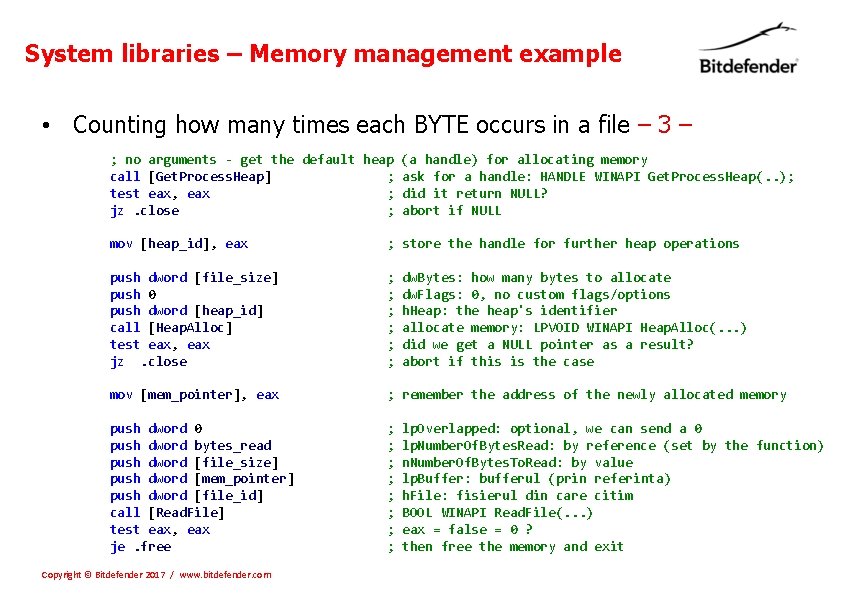
System libraries – Memory management example • Counting how many times each BYTE occurs in a file – 3 – ; no arguments - get the default heap (a handle) for allocating memory call [Get. Process. Heap] ; ask for a handle: HANDLE WINAPI Get. Process. Heap(. . ); test eax, eax ; did it return NULL? jz. close ; abort if NULL mov [heap_id], eax ; store the handle for further heap operations push dword [file_size] push 0 push dword [heap_id] call [Heap. Alloc] test eax, eax jz. close ; ; ; mov [mem_pointer], eax ; remember the address of the newly allocated memory push dword 0 push dword bytes_read push dword [file_size] push dword [mem_pointer] push dword [file_id] call [Read. File] test eax, eax je. free ; ; ; ; Copyright © Bitdefender 2017 / www. bitdefender. com dw. Bytes: how many bytes to allocate dw. Flags: 0, no custom flags/options h. Heap: the heap's identifier allocate memory: LPVOID WINAPI Heap. Alloc(. . . ) did we get a NULL pointer as a result? abort if this is the case lp. Overlapped: optional, we can send a 0 lp. Number. Of. Bytes. Read: by reference (set by the function) n. Number. Of. Bytes. To. Read: by value lp. Buffer: bufferul (prin referinta) h. File: fisierul din care citim BOOL WINAPI Read. File(. . . ) eax = false = 0 ? then free the memory and exit
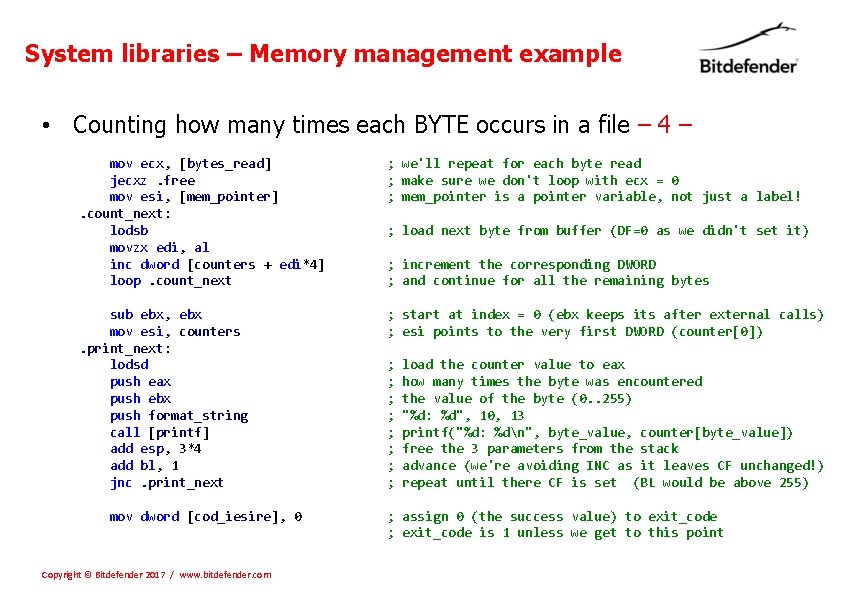
System libraries – Memory management example • Counting how many times each BYTE occurs in a file – 4 – mov ecx, [bytes_read] jecxz. free mov esi, [mem_pointer]. count_next: lodsb movzx edi, al inc dword [counters + edi*4] loop. count_next ; we'll repeat for each byte read ; make sure we don't loop with ecx = 0 ; mem_pointer is a pointer variable, not just a label! sub ebx, ebx mov esi, counters. print_next: lodsd push eax push ebx push format_string call [printf] add esp, 3*4 add bl, 1 jnc. print_next ; start at index = 0 (ebx keeps its after external calls) ; esi points to the very first DWORD (counter[0]) mov dword [cod_iesire], 0 Copyright © Bitdefender 2017 / www. bitdefender. com ; load next byte from buffer (DF=0 as we didn't set it) ; increment the corresponding DWORD ; and continue for all the remaining bytes ; ; ; ; load the counter value to eax how many times the byte was encountered the value of the byte (0. . 255) "%d: %d", 10, 13 printf("%d: %dn", byte_value, counter[byte_value]) free the 3 parameters from the stack advance (we're avoiding INC as it leaves CF unchanged!) repeat until there CF is set (BL would be above 255) ; assign 0 (the success value) to exit_code ; exit_code is 1 unless we get to this point
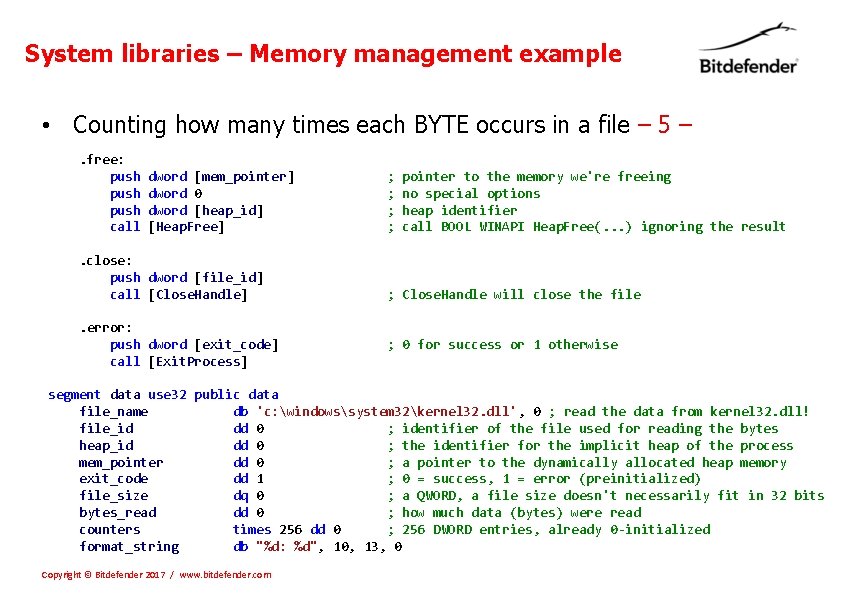
System libraries – Memory management example • Counting how many times each BYTE occurs in a file – 5 –. free: push call dword [mem_pointer] dword 0 dword [heap_id] [Heap. Free] . close: push dword [file_id] call [Close. Handle]. error: push dword [exit_code] call [Exit. Process] ; ; pointer to the memory we're freeing no special options heap identifier call BOOL WINAPI Heap. Free(. . . ) ignoring the result ; Close. Handle will close the file ; 0 for success or 1 otherwise segment data use 32 public data file_name db 'c: windowssystem 32kernel 32. dll', 0 ; read the data from kernel 32. dll! file_id dd 0 ; identifier of the file used for reading the bytes heap_id dd 0 ; the identifier for the implicit heap of the process mem_pointer dd 0 ; a pointer to the dynamically allocated heap memory exit_code dd 1 ; 0 = success, 1 = error (preinitialized) file_size dq 0 ; a QWORD, a file size doesn't necessarily fit in 32 bits bytes_read dd 0 ; how much data (bytes) were read counters times 256 dd 0 ; 256 DWORD entries, already 0 -initialized format_string db "%d: %d", 10, 13, 0 Copyright © Bitdefender 2017 / www. bitdefender. com
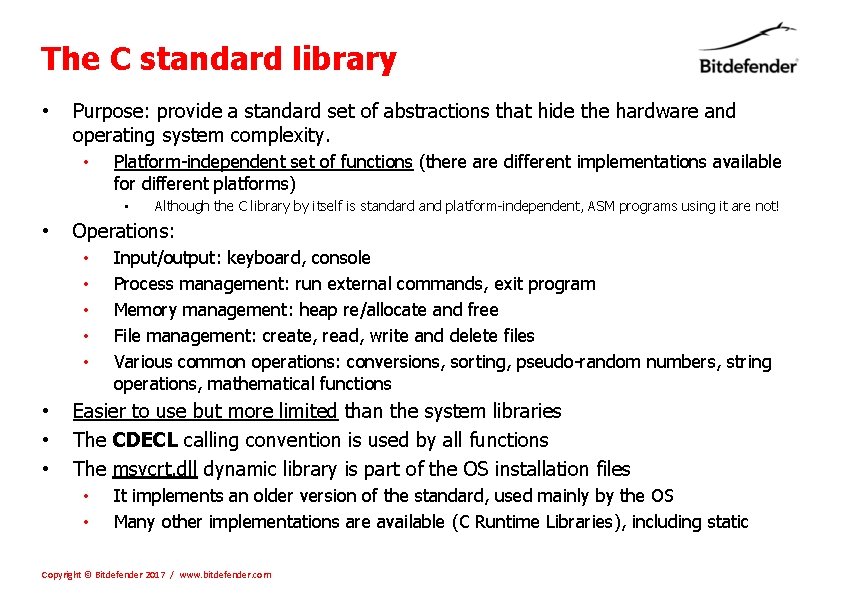
The C standard library • Purpose: provide a standard set of abstractions that hide the hardware and operating system complexity. • Platform-independent set of functions (there are different implementations available for different platforms) • • Operations: • • Although the C library by itself is standard and platform-independent, ASM programs using it are not! Input/output: keyboard, console Process management: run external commands, exit program Memory management: heap re/allocate and free File management: create, read, write and delete files Various common operations: conversions, sorting, pseudo-random numbers, string operations, mathematical functions Easier to use but more limited than the system libraries The CDECL calling convention is used by all functions The msvcrt. dll dynamic library is part of the OS installation files • • It implements an older version of the standard, used mainly by the OS Many other implementations are available (C Runtime Libraries), including static Copyright © Bitdefender 2017 / www. bitdefender. com
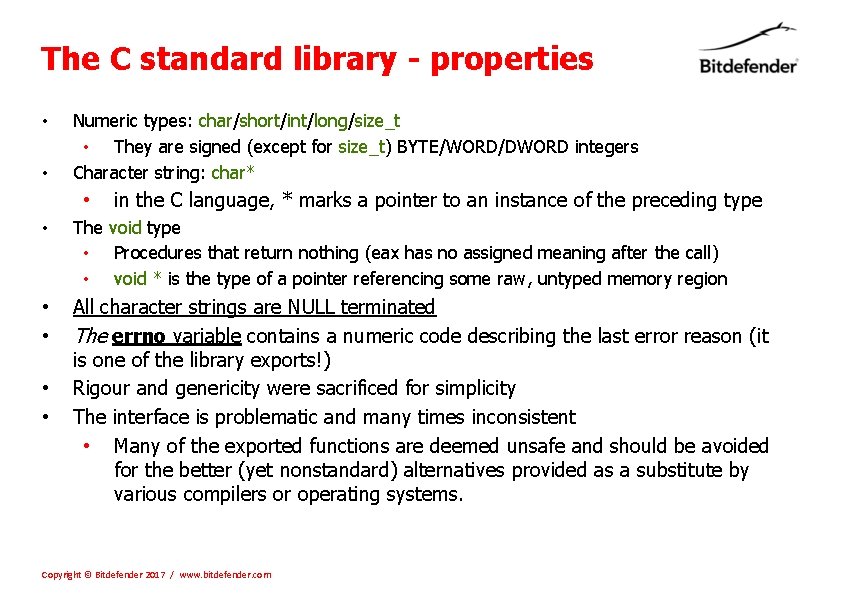
The C standard library - properties • • Numeric types: char/short/int/long/size_t • They are signed (except for size_t) BYTE/WORD/DWORD integers Character string: char* • in the C language, * marks a pointer to an instance of the preceding type • The void type • Procedures that return nothing (eax has no assigned meaning after the call) • void * is the type of a pointer referencing some raw, untyped memory region • • All character strings are NULL terminated The errno variable contains a numeric code describing the last error reason (it is one of the library exports!) Rigour and genericity were sacrificed for simplicity The interface is problematic and many times inconsistent • Many of the exported functions are deemed unsafe and should be avoided for the better (yet nonstandard) alternatives provided as a substitute by various compilers or operating systems. • • Copyright © Bitdefender 2017 / www. bitdefender. com
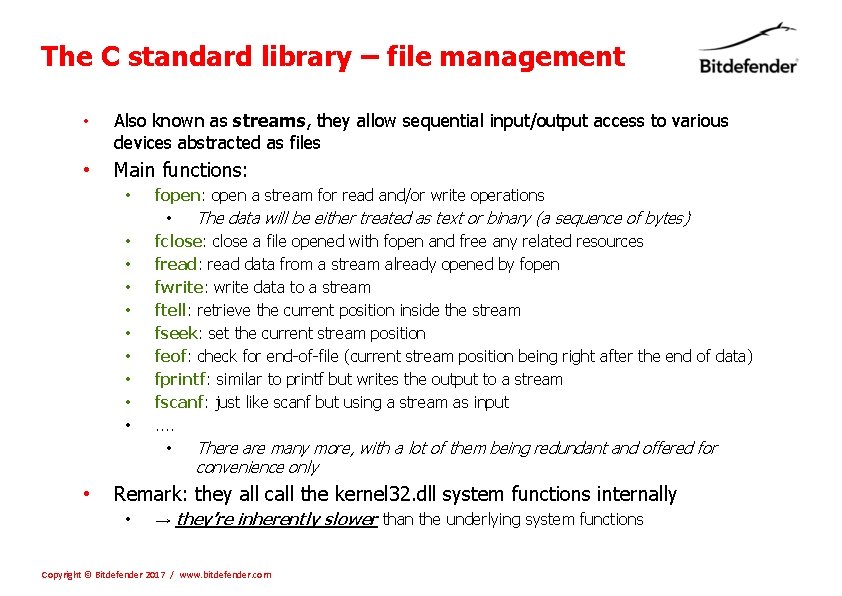
The C standard library – file management • Also known as streams, they allow sequential input/output access to various devices abstracted as files • Main functions: • • • fopen: open a stream for read and/or write operations • The data will be either treated as text or binary (a sequence of bytes) fclose: close a file opened with fopen and free any related resources fread: read data from a stream already opened by fopen fwrite: write data to a stream ftell: retrieve the current position inside the stream fseek: set the current stream position feof: check for end-of-file (current stream position being right after the end of data) fprintf: similar to printf but writes the output to a stream fscanf: just like scanf but using a stream as input. . • There are many more, with a lot of them being redundant and offered for convenience only • Remark: they all call the kernel 32. dll system functions internally • → they’re inherently slower than the underlying system functions Copyright © Bitdefender 2017 / www. bitdefender. com
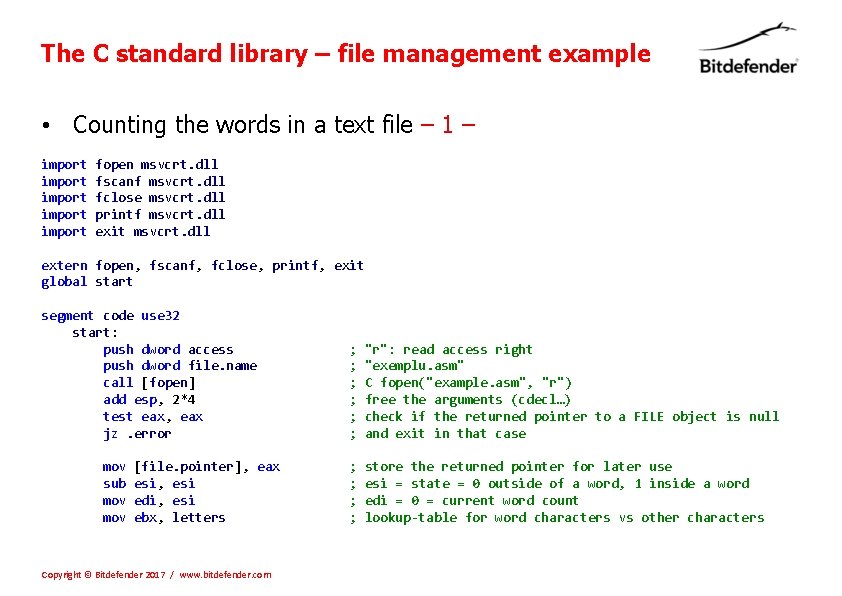
The C standard library – file management example • Counting the words in a text file – 1 – import import fopen msvcrt. dll fscanf msvcrt. dll fclose msvcrt. dll printf msvcrt. dll exit msvcrt. dll extern fopen, fscanf, fclose, printf, exit global start segment code use 32 start: push dword access push dword file. name call [fopen] add esp, 2*4 test eax, eax jz. error mov sub mov [file. pointer], eax esi, esi edi, esi ebx, letters Copyright © Bitdefender 2017 / www. bitdefender. com ; ; ; "r": read access right "exemplu. asm" C fopen("example. asm", "r") free the arguments (cdecl…) check if the returned pointer to a FILE object is null and exit in that case ; ; store the returned pointer for later use esi = state = 0 outside of a word, 1 inside a word edi = 0 = current word count lookup-table for word characters vs other characters
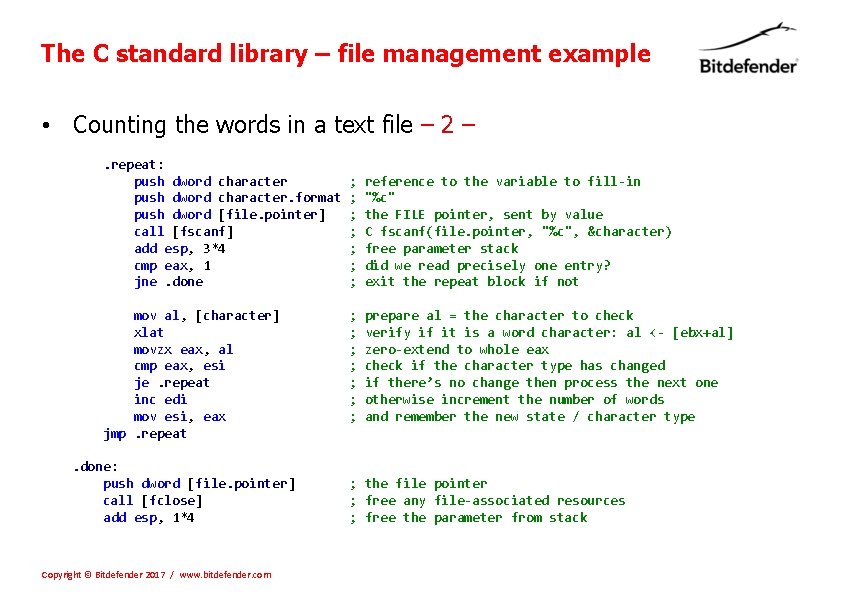
The C standard library – file management example • Counting the words in a text file – 2 –. repeat: push dword character. format push dword [file. pointer] call [fscanf] add esp, 3*4 cmp eax, 1 jne. done mov al, [character] xlat movzx eax, al cmp eax, esi je. repeat inc edi mov esi, eax jmp. repeat. done: push dword [file. pointer] call [fclose] add esp, 1*4 Copyright © Bitdefender 2017 / www. bitdefender. com ; ; ; ; reference to the variable to fill-in "%c" the FILE pointer, sent by value C fscanf(file. pointer, "%c", &character) free parameter stack did we read precisely one entry? exit the repeat block if not ; ; ; ; prepare al = the character to check verify if it is a word character: al <- [ebx+al] zero-extend to whole eax check if the character type has changed if there’s no change then process the next one otherwise increment the number of words and remember the new state / character type ; the file pointer ; free any file-associated resources ; free the parameter from stack
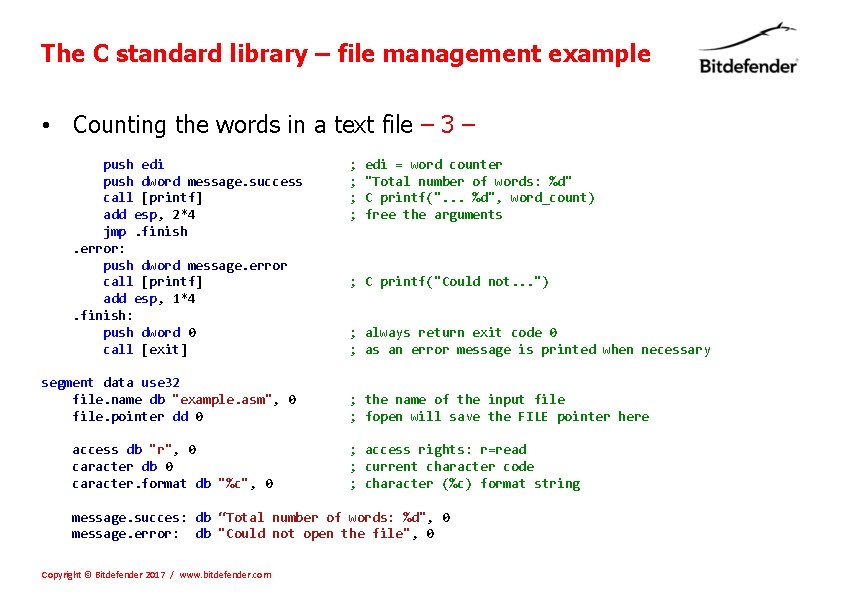
The C standard library – file management example • Counting the words in a text file – 3 – push edi push dword message. success call [printf] add esp, 2*4 jmp. finish. error: push dword message. error call [printf] add esp, 1*4. finish: push dword 0 call [exit] segment data use 32 file. name db "example. asm", 0 file. pointer dd 0 access db "r", 0 caracter db 0 caracter. format db "%c", 0 ; ; edi = word counter "Total number of words: %d" C printf(". . . %d", word_count) free the arguments ; C printf("Could not. . . ") ; always return exit code 0 ; as an error message is printed when necessary ; the name of the input file ; fopen will save the FILE pointer here ; access rights: r=read ; current character code ; character (%c) format string message. succes: db “Total number of words: %d", 0 message. error: db "Could not open the file", 0 Copyright © Bitdefender 2017 / www. bitdefender. com
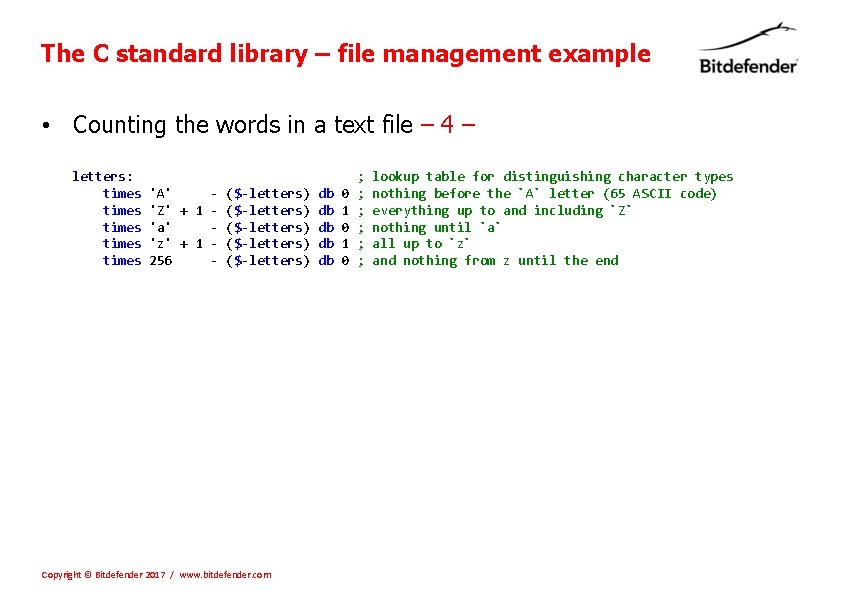
The C standard library – file management example • Counting the words in a text file – 4 – letters: times times 'A' 'Z' + 1 'a' 'z' + 1 256 - ($-letters) ($-letters) Copyright © Bitdefender 2017 / www. bitdefender. com db db db 0 1 0 ; ; ; lookup table for distinguishing character types nothing before the `A` letter (65 ASCII code) everything up to and including `Z` nothing until `a` all up to `z` and nothing from z until the end
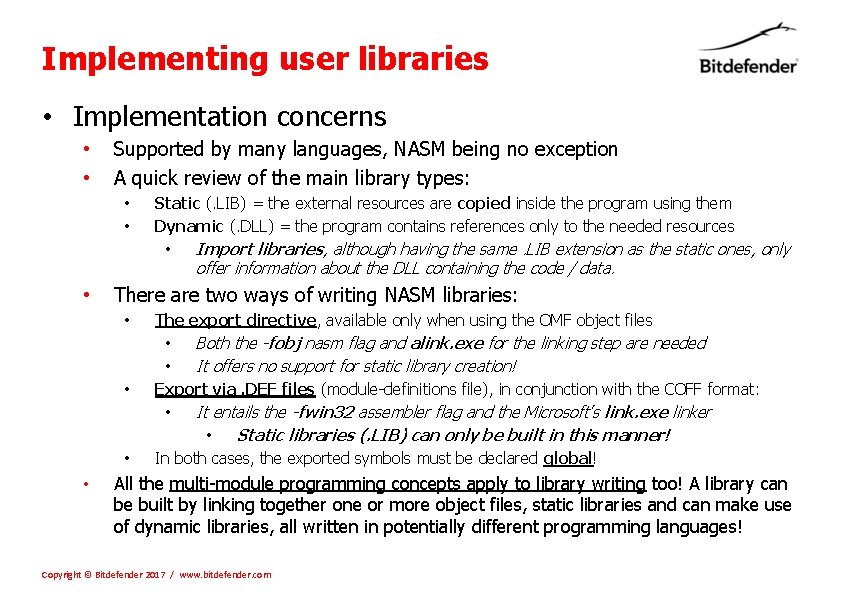
Implementing user libraries • Implementation concerns • • Supported by many languages, NASM being no exception A quick review of the main library types: • • Static (. LIB) = the external resources are copied inside the program using them Dynamic (. DLL) = the program contains references only to the needed resources • Import libraries, although having the same. LIB extension as the static ones, only offer information about the DLL containing the code / data. • There are two ways of writing NASM libraries: • • The export directive, available only when using the OMF object files • Both the -fobj nasm flag and alink. exe for the linking step are needed • It offers no support for static library creation! Export via. DEF files (module-definitions file), in conjunction with the COFF format: • It entails the -fwin 32 assembler flag and the Microsoft’s link. exe linker • Static libraries (. LIB) can only be built in this manner! In both cases, the exported symbols must be declared global! All the multi-module programming concepts apply to library writing too! A library can be built by linking together one or more object files, static libraries and can make use of dynamic libraries, all written in potentially different programming languages! Copyright © Bitdefender 2017 / www. bitdefender. com
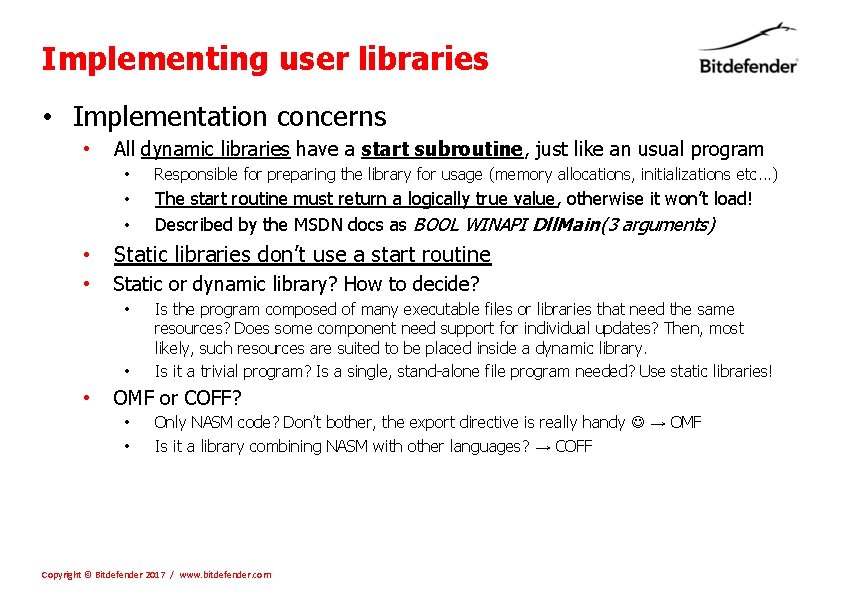
Implementing user libraries • Implementation concerns • All dynamic libraries have a start subroutine, just like an usual program • Responsible for preparing the library for usage (memory allocations, initializations etc. . . ) • • The start routine must return a logically true value, otherwise it won’t load! Described by the MSDN docs as BOOL WINAPI Dll. Main(3 arguments) • Static libraries don’t use a start routine • Static or dynamic library? How to decide? • • • Is the program composed of many executable files or libraries that need the same resources? Does some component need support for individual updates? Then, most likely, such resources are suited to be placed inside a dynamic library. Is it a trivial program? Is a single, stand-alone file program needed? Use static libraries! OMF or COFF? • • Only NASM code? Don’t bother, the export directive is really handy → OMF Is it a library combining NASM with other languages? → COFF Copyright © Bitdefender 2017 / www. bitdefender. com
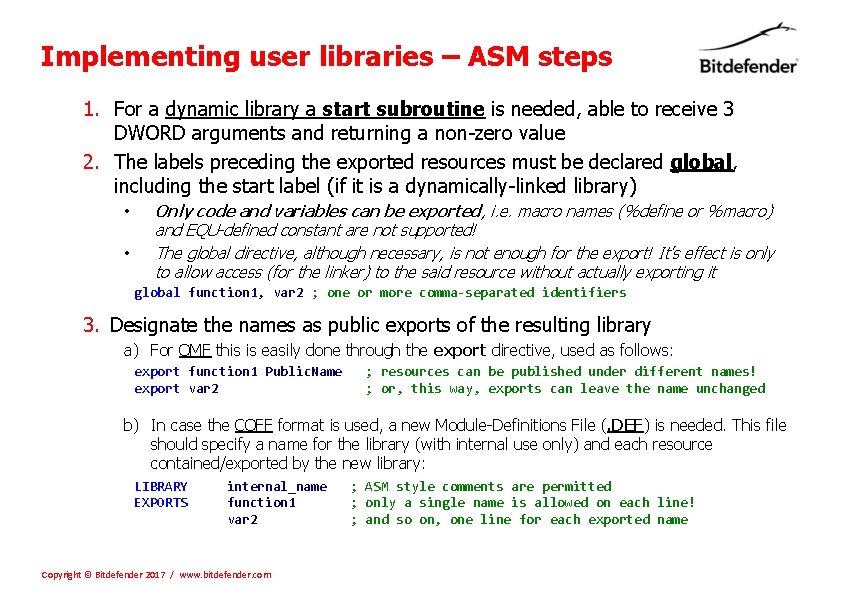
Implementing user libraries – ASM steps 1. For a dynamic library a start subroutine is needed, able to receive 3 DWORD arguments and returning a non-zero value 2. The labels preceding the exported resources must be declared global, including the start label (if it is a dynamically-linked library) • • Only code and variables can be exported, i. e. macro names (%define or %macro) and EQU-defined constant are not supported! The global directive, although necessary, is not enough for the export! It’s effect is only to allow access (for the linker) to the said resource without actually exporting it global function 1, var 2 ; one or more comma-separated identifiers 3. Designate the names as public exports of the resulting library a) For OMF this is easily done through the export directive, used as follows: export function 1 Public. Name export var 2 ; resources can be published under different names! ; or, this way, exports can leave the name unchanged b) In case the COFF format is used, a new Module-Definitions File (. DEF) is needed. This file should specify a name for the library (with internal use only) and each resource contained/exported by the new library: LIBRARY EXPORTS internal_name function 1 var 2 Copyright © Bitdefender 2017 / www. bitdefender. com ; ASM style comments are permitted ; only a single name is allowed on each line! ; and so on, one line for each exported name
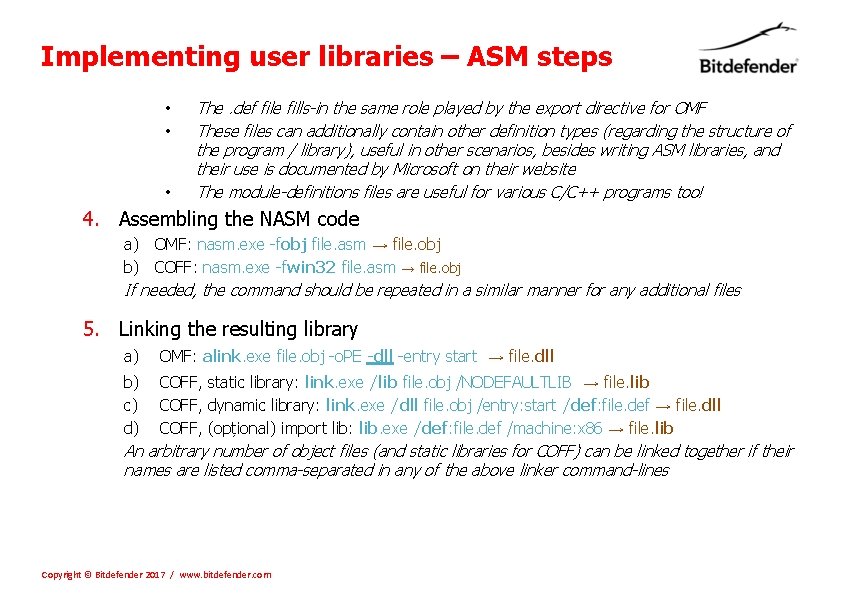
Implementing user libraries – ASM steps • • • The. def file fills-in the same role played by the export directive for OMF These files can additionally contain other definition types (regarding the structure of the program / library), useful in other scenarios, besides writing ASM libraries, and their use is documented by Microsoft on their website The module-definitions files are useful for various C/C++ programs too! 4. Assembling the NASM code a) OMF: nasm. exe -fobj file. asm → file. obj b) COFF: nasm. exe -fwin 32 file. asm → file. obj If needed, the command should be repeated in a similar manner for any additional files 5. Linking the resulting library a) OMF: alink. exe file. obj -o. PE -dll -entry start → file. dll b) COFF, static library: link. exe /lib file. obj /NODEFAULTLIB → file. lib c) COFF, dynamic library: link. exe /dll file. obj /entry: start /def: file. def → file. dll d) COFF, (opțional) import lib: lib. exe /def: file. def /machine: x 86 → file. lib An arbitrary number of object files (and static libraries for COFF) can be linked together if their names are listed comma-separated in any of the above linker command-lines Copyright © Bitdefender 2017 / www. bitdefender. com
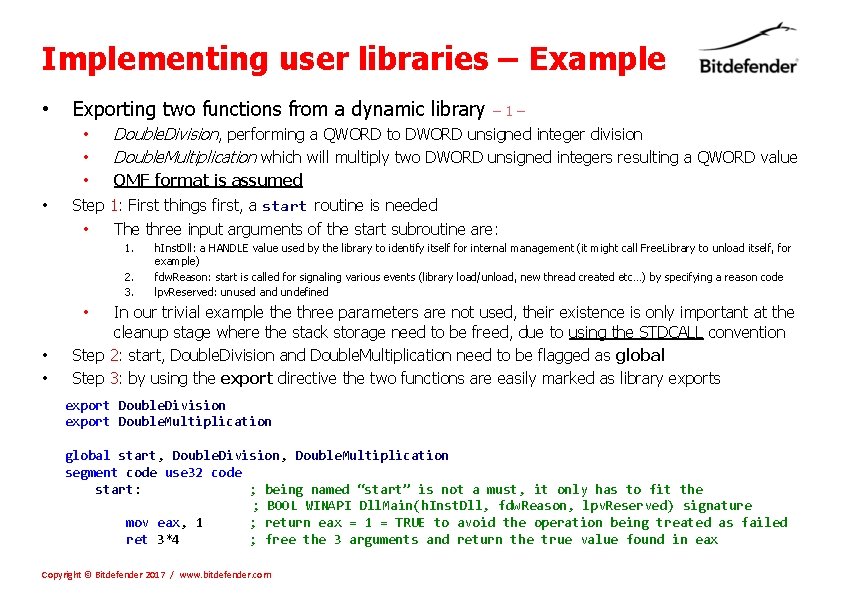
Implementing user libraries – Example • Exporting two functions from a dynamic library • • – 1– Double. Division, performing a QWORD to DWORD unsigned integer division Double. Multiplication which will multiply two DWORD unsigned integers resulting a QWORD value OMF format is assumed Step 1: First things first, a start routine is needed • The three input arguments of the start subroutine are: 1. 2. 3. h. Inst. Dll: a HANDLE value used by the library to identify itself for internal management (it might call Free. Library to unload itself, for example) fdw. Reason: start is called for signaling various events (library load/unload, new thread created etc…) by specifying a reason code lpv. Reserved: unused and undefined In our trivial example three parameters are not used, their existence is only important at the cleanup stage where the stack storage need to be freed, due to using the STDCALL convention Step 2: start, Double. Division and Double. Multiplication need to be flagged as global Step 3: by using the export directive the two functions are easily marked as library exports • • • export Double. Division export Double. Multiplication global start, Double. Division, Double. Multiplication segment code use 32 code start: ; being named “start” is not a must, it only has to fit the ; BOOL WINAPI Dll. Main(h. Inst. Dll, fdw. Reason, lpv. Reserved) signature mov eax, 1 ; return eax = 1 = TRUE to avoid the operation being treated as failed ret 3*4 ; free the 3 arguments and return the true value found in eax Copyright © Bitdefender 2017 / www. bitdefender. com
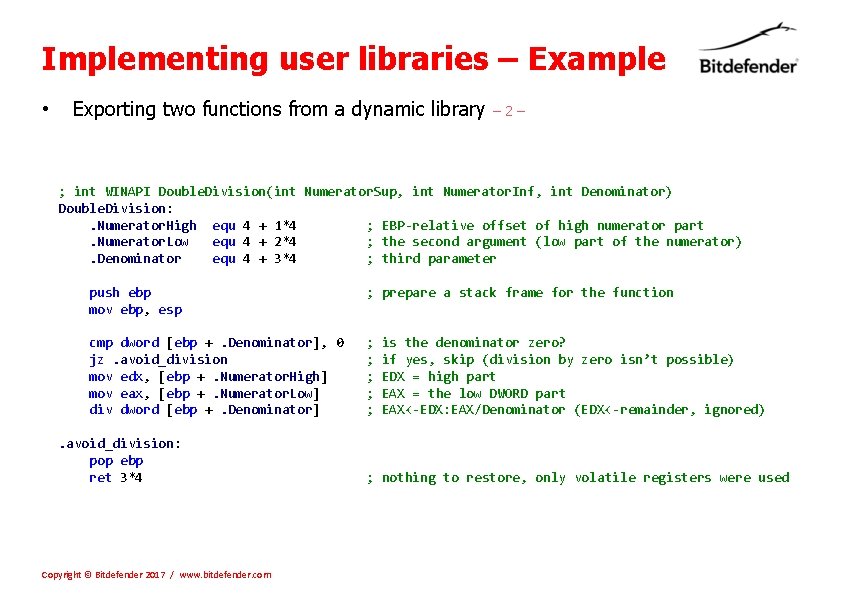
Implementing user libraries – Example • Exporting two functions from a dynamic library – 2– ; int WINAPI Double. Division(int Numerator. Sup, int Numerator. Inf, int Denominator) Double. Division: . Numerator. High equ 4 + 1*4 ; EBP-relative offset of high numerator part. Numerator. Low equ 4 + 2*4 ; the second argument (low part of the numerator). Denominator equ 4 + 3*4 ; third parameter push ebp mov ebp, esp ; prepare a stack frame for the function cmp dword [ebp +. Denominator], 0 jz. avoid_division mov edx, [ebp +. Numerator. High] mov eax, [ebp +. Numerator. Low] div dword [ebp +. Denominator] ; ; ; . avoid_division: pop ebp ret 3*4 Copyright © Bitdefender 2017 / www. bitdefender. com is the denominator zero? if yes, skip (division by zero isn’t possible) EDX = high part EAX = the low DWORD part EAX<-EDX: EAX/Denominator (EDX<-remainder, ignored) ; nothing to restore, only volatile registers were used
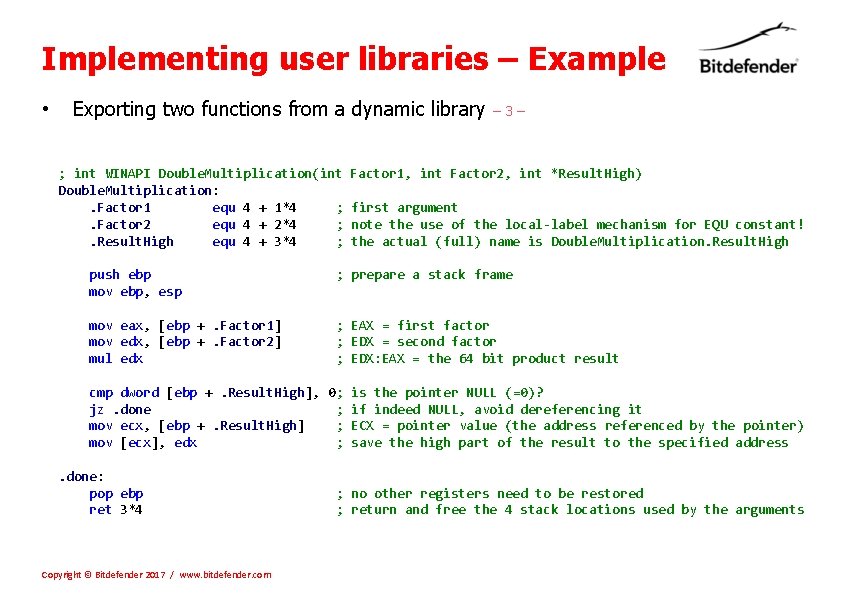
Implementing user libraries – Example • Exporting two functions from a dynamic library ; int WINAPI Double. Multiplication(int Double. Multiplication: . Factor 1 equ 4 + 1*4 ; . Factor 2 equ 4 + 2*4 ; . Result. High equ 4 + 3*4 ; – 3– Factor 1, int Factor 2, int *Result. High) first argument note the use of the local-label mechanism for EQU constant! the actual (full) name is Double. Multiplication. Result. High push ebp mov ebp, esp ; prepare a stack frame mov eax, [ebp +. Factor 1] mov edx, [ebp +. Factor 2] mul edx ; EAX = first factor ; EDX = second factor ; EDX: EAX = the 64 bit product result cmp dword [ebp +. Result. High], 0; is the pointer NULL (=0)? jz. done ; if indeed NULL, avoid dereferencing it mov ecx, [ebp +. Result. High] ; ECX = pointer value (the address referenced by the pointer) mov [ecx], edx ; save the high part of the result to the specified address. done: pop ebp ret 3*4 Copyright © Bitdefender 2017 / www. bitdefender. com ; no other registers need to be restored ; return and free the 4 stack locations used by the arguments
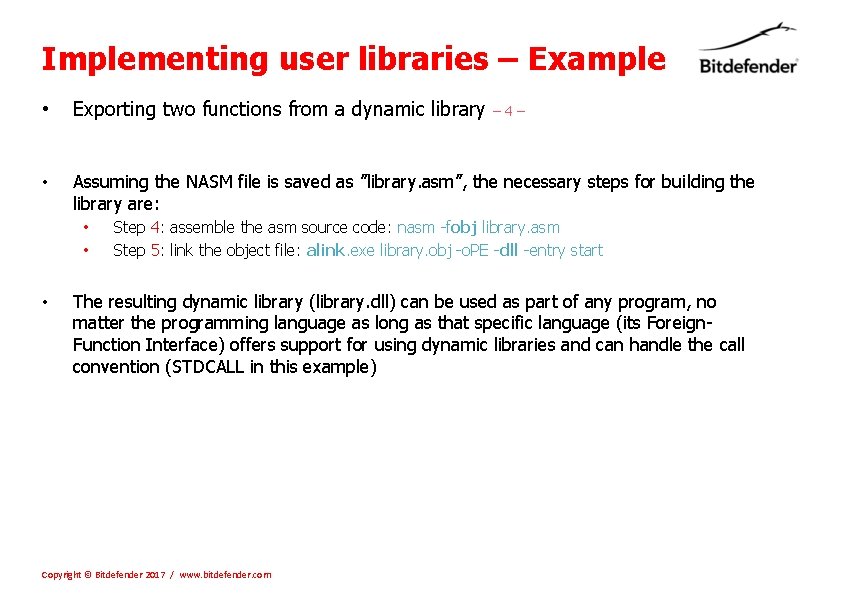
Implementing user libraries – Example • Exporting two functions from a dynamic library • Assuming the NASM file is saved as ”library. asm”, the necessary steps for building the library are: • • • – 4– Step 4: assemble the asm source code: nasm -fobj library. asm Step 5: link the object file: alink. exe library. obj -o. PE -dll -entry start The resulting dynamic library (library. dll) can be used as part of any program, no matter the programming language as long as that specific language (its Foreign. Function Interface) offers support for using dynamic libraries and can handle the call convention (STDCALL in this example) Copyright © Bitdefender 2017 / www. bitdefender. com
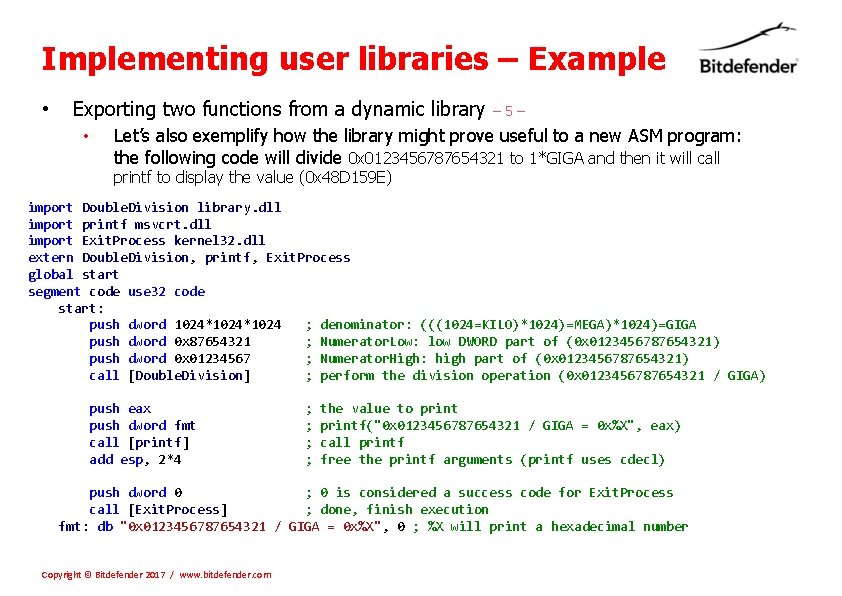
Implementing user libraries – Example • Exporting two functions from a dynamic library • – 5– Let’s also exemplify how the library might prove useful to a new ASM program: the following code will divide 0 x 0123456787654321 to 1*GIGA and then it will call printf to display the value (0 x 48 D 159 E) import Double. Division library. dll import printf msvcrt. dll import Exit. Process kernel 32. dll extern Double. Division, printf, Exit. Process global start segment code use 32 code start: push dword 1024*1024 ; denominator: (((1024=KILO)*1024)=MEGA)*1024)=GIGA push dword 0 x 87654321 ; Numerator. Low: low DWORD part of (0 x 0123456787654321) push dword 0 x 01234567 ; Numerator. High: high part of (0 x 0123456787654321) call [Double. Division] ; perform the division operation (0 x 0123456787654321 / GIGA) push eax push dword fmt call [printf] add esp, 2*4 ; ; the value to printf("0 x 0123456787654321 / GIGA = 0 x%X", eax) call printf free the printf arguments (printf uses cdecl) push dword 0 ; 0 is considered a success code for Exit. Process call [Exit. Process] ; done, finish execution fmt: db "0 x 0123456787654321 / GIGA = 0 x%X", 0 ; %X will print a hexadecimal number Copyright © Bitdefender 2017 / www. bitdefender. com
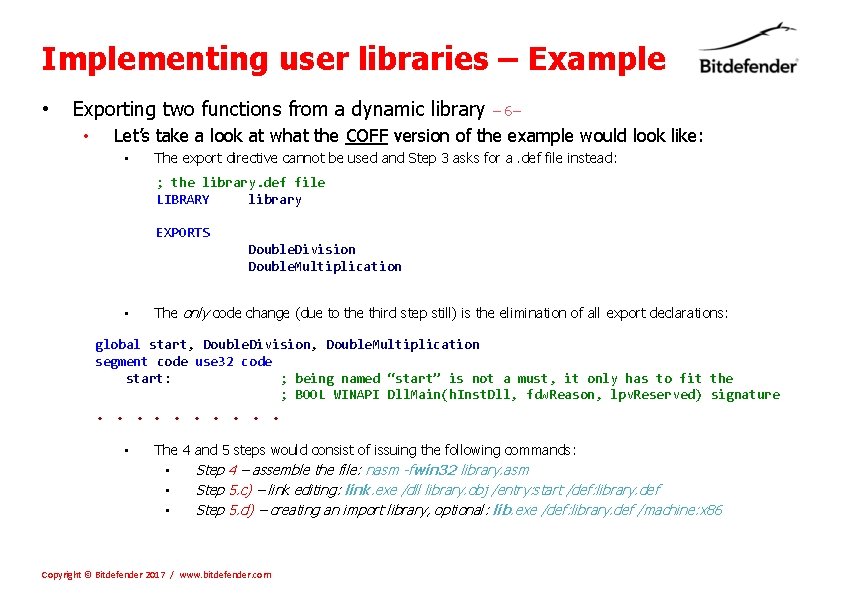
Implementing user libraries – Example • Exporting two functions from a dynamic library • – 6– Let’s take a look at what the COFF version of the example would look like: • The export directive cannot be used and Step 3 asks for a. def file instead: ; the library. def file LIBRARY library EXPORTS Double. Division Double. Multiplication • The only code change (due to the third step still) is the elimination of all export declarations: global start, Double. Division, Double. Multiplication segment code use 32 code start: ; being named “start” is not a must, it only has to fit the ; BOOL WINAPI Dll. Main(h. Inst. Dll, fdw. Reason, lpv. Reserved) signature . . • The 4 and 5 steps would consist of issuing the following commands: • Step 4 – assemble the file: nasm -fwin 32 library. asm • Step 5. c) – link editing: link. exe /dll library. obj /entry: start /def: library. def • Step 5. d) – creating an import library, optional: lib. exe /def: library. def /machine: x 86 Copyright © Bitdefender 2017 / www. bitdefender. com
- Slides: 49