
Multimodule programming mvantabitdefender com 1 Modular Architectures Copyright
Multi-module programming mvanta@bitdefender. com
1. Modular Architectures Copyright © Bitdefender 2017 / www. bitdefender. com
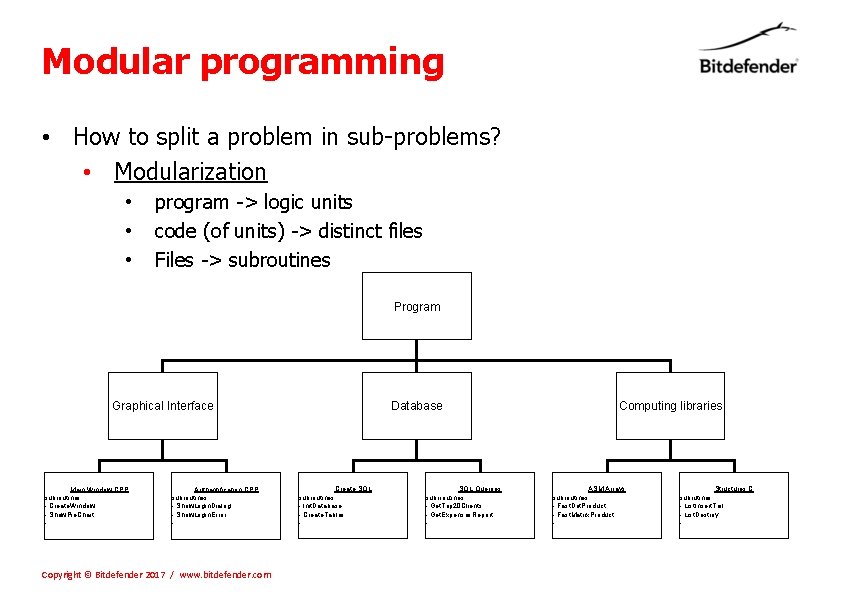
Modular programming • How to split a problem in sub-problems? • Modularization • • • program -> logic units code (of units) -> distinct files Files -> subroutines Program Graphical Interface Main Window. CPP subroutines: - Create. Window - Show. Pie. Chart -. . . Authentification. CPP subroutines: - Show. Login. Dialog - Show. Login. Error -. . . Copyright © Bitdefender 2017 / www. bitdefender. com Database Create. SQL subroutines: - Init. Database - Create. Tables -. . . SQL Querries subrroutines: - Get. Top 20 Clients - Get. Expenses. Report -. . . Computing libraries ASM Arrays subroutines - Fast. Dot. Product - Fast. Matrix. Product -. . . Structures. C subrutines - List. Insert. Tail - List. Destroy -. . .
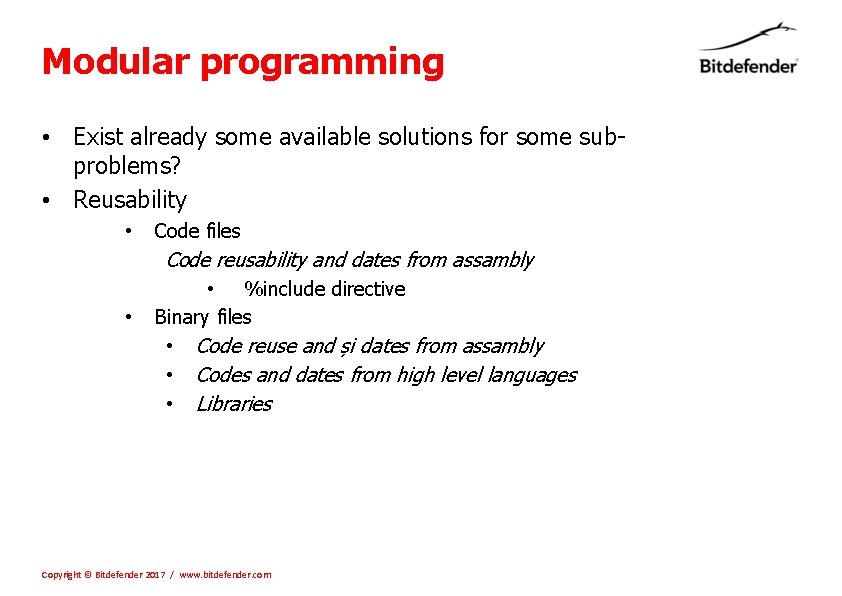
Modular programming • Exist already some available solutions for some subproblems? • Reusability • Code files Code reusability and dates from assambly • %include directive • Binary files • Code reuse and și dates from assambly • Codes and dates from high level languages • Libraries Copyright © Bitdefender 2017 / www. bitdefender. com
2. Techniques and tools Copyright © Bitdefender 2017 / www. bitdefender. com
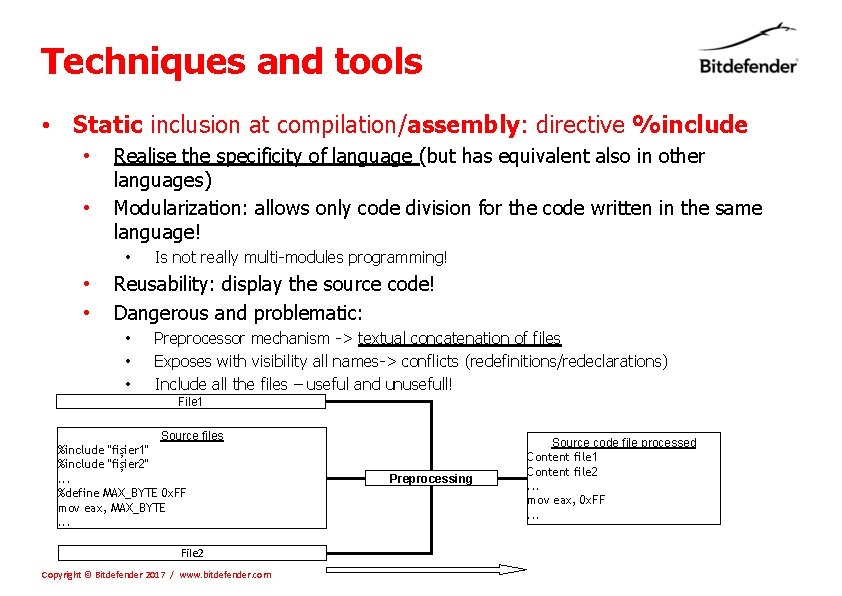
Techniques and tools • Static inclusion at compilation/assembly: directive %include • • Realise the specificity of language (but has equivalent also in other languages) Modularization: allows only code division for the code written in the same language! • • • Is not really multi-modules programming! Reusability: display the source code! Dangerous and problematic: • • • Preprocessor mechanism -> textual concatenation of files Exposes with visibility all names-> conflicts (redefinitions/redeclarations) Include all the files – useful and unusefull! File 1 Source files %include "fișier 1" %include "fișier 2". . . %define MAX_BYTE 0 x. FF mov eax, MAX_BYTE. . . File 2 Copyright © Bitdefender 2017 / www. bitdefender. com Preprocessing Source code file processed Content file 1 Content file 2. . . mov eax, 0 x. FF. . .
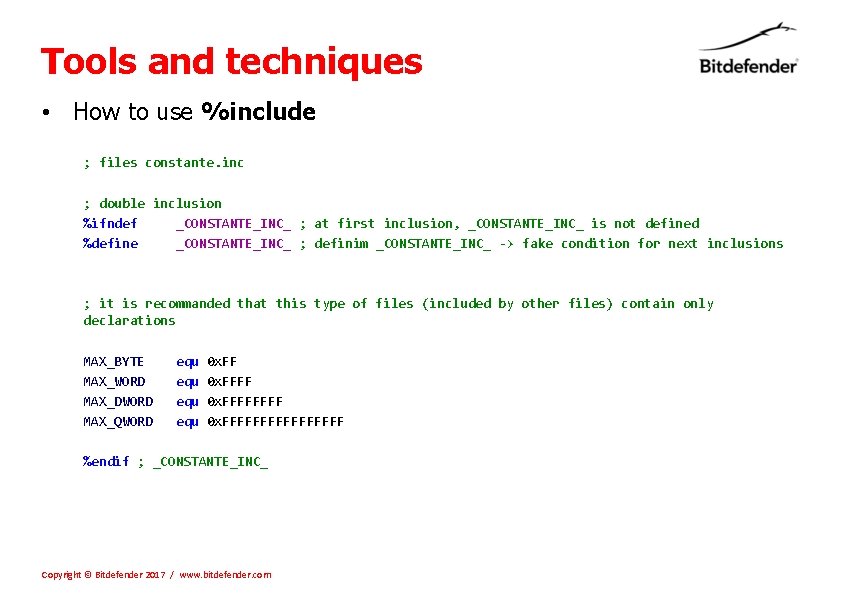
Tools and techniques • How to use %include ; files constante. inc ; double inclusion %ifndef _CONSTANTE_INC_ ; at first inclusion, _CONSTANTE_INC_ is not defined %define _CONSTANTE_INC_ ; definim _CONSTANTE_INC_ -> fake condition for next inclusions ; it is recommanded that this type of files (included by other files) contain only declarations MAX_BYTE equ 0 x. FF MAX_WORD equ 0 x. FFFF MAX_DWORD equ 0 x. FFFF MAX_QWORD equ 0 x. FFFFFFFF %endif ; _CONSTANTE_INC_ Copyright © Bitdefender 2017 / www. bitdefender. com
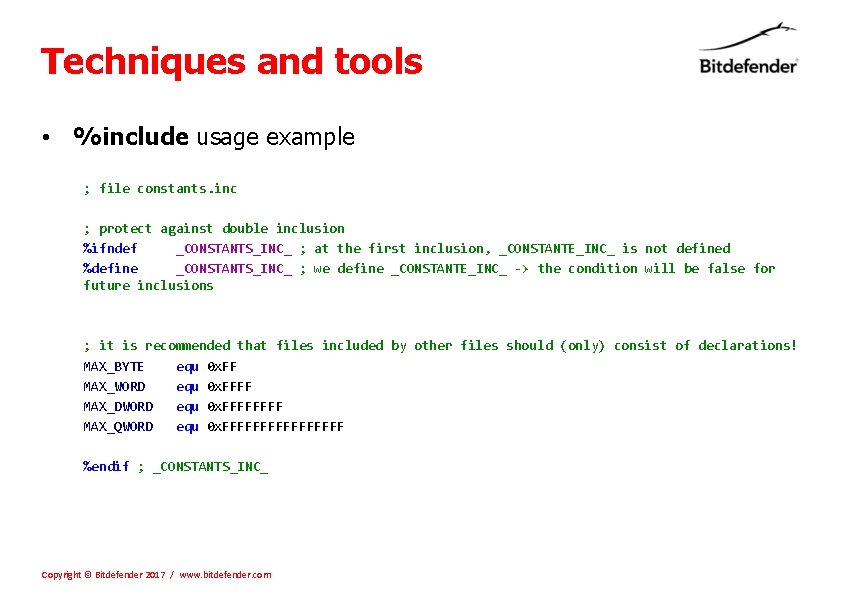
Techniques and tools • %include usage example ; file constants. inc ; protect against double inclusion %ifndef _CONSTANTS_INC_ ; at the first inclusion, _CONSTANTE_INC_ is not defined %define _CONSTANTS_INC_ ; we define _CONSTANTE_INC_ -> the condition will be false for future inclusions ; it is recommended that files included by other files should (only) consist of declarations! MAX_BYTE equ 0 x. FF MAX_WORD equ 0 x. FFFF MAX_DWORD equ 0 x. FFFF MAX_QWORD equ 0 x. FFFFFFFF %endif ; _CONSTANTS_INC_ Copyright © Bitdefender 2017 / www. bitdefender. com
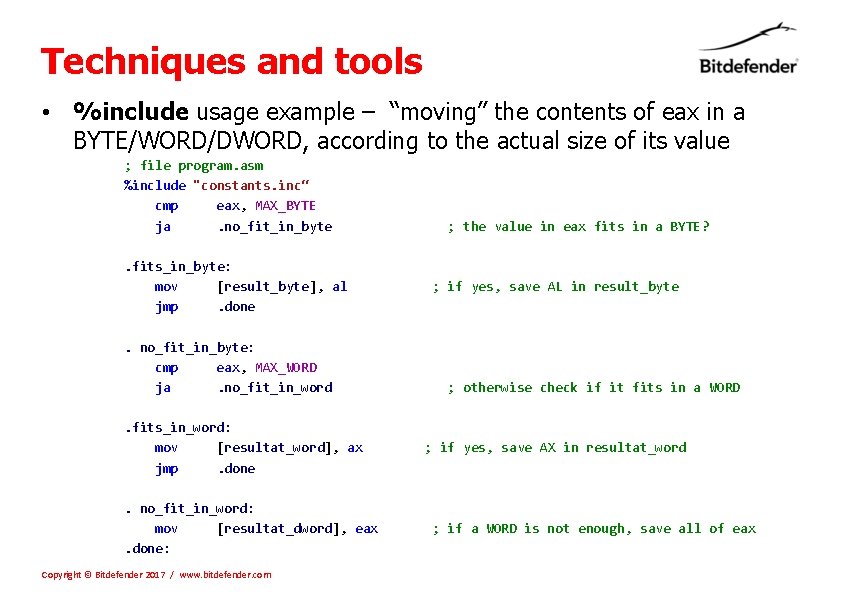
Techniques and tools • %include usage example – “moving” the contents of eax in a BYTE/WORD/DWORD, according to the actual size of its value ; file program. asm %include "constants. inc“ cmp eax, MAX_BYTE ja . no_fit_in_byte ; the value in eax fits in a BYTE? . fits_in_byte: mov [result_byte], al ; if yes, save AL in result_byte jmp . done. no_fit_in_byte: cmp eax, MAX_WORD ja . no_fit_in_word ; otherwise check if it fits in a WORD. fits_in_word: mov [resultat_word], ax ; if yes, save AX in resultat_word jmp . done. no_fit_in_word: mov [resultat_dword], eax ; if a WORD is not enough, save all of eax. done: Copyright © Bitdefender 2017 / www. bitdefender. com
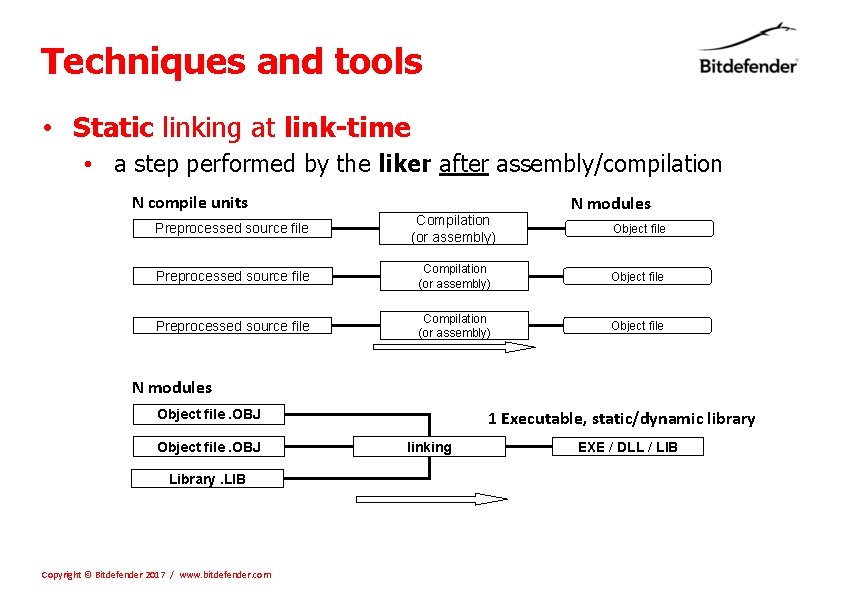
Techniques and tools • Static linking at link-time • a step performed by the liker after assembly/compilation N compile units N modules Preprocessed source file Compilation (or assembly) Object file N modules 1 Executable, static/dynamic library Object file. OBJ Library. LIB Copyright © Bitdefender 2017 / www. bitdefender. com linking EXE / DLL / LIB
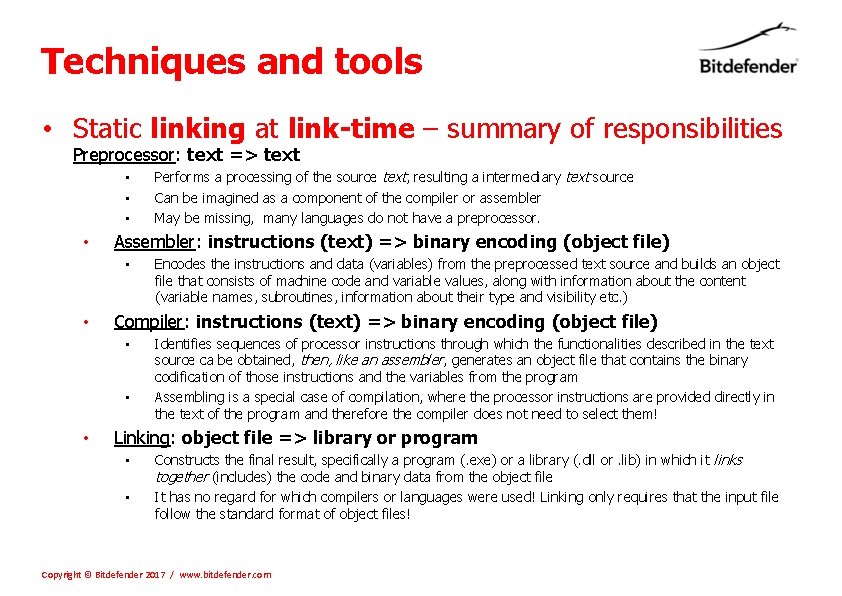
Techniques and tools • Static linking at link-time – summary of responsibilities Preprocessor: text => text • • Assembler: instructions (text) => binary encoding (object file) • • Encodes the instructions and data (variables) from the preprocessed text source and builds an object file that consists of machine code and variable values, along with information about the content (variable names, subroutines, information about their type and visibility etc. ) Compiler: instructions (text) => binary encoding (object file) • • • Performs a processing of the source text, resulting a intermediary text source Can be imagined as a component of the compiler or assembler May be missing, many languages do not have a preprocessor. Identifies sequences of processor instructions through which the functionalities described in the text source ca be obtained, then, like an assembler, generates an object file that contains the binary codification of those instructions and the variables from the program Assembling is a special case of compilation, where the processor instructions are provided directly in the text of the program and therefore the compiler does not need to select them! Linking: object file => library or program • • Constructs the final result, specifically a program (. exe) or a library (. dll or. lib) in which it links together (includes) the code and binary data from the object file It has no regard for which compilers or languages were used! Linking only requires that the input file follow the standard format of object files! Copyright © Bitdefender 2017 / www. bitdefender. com
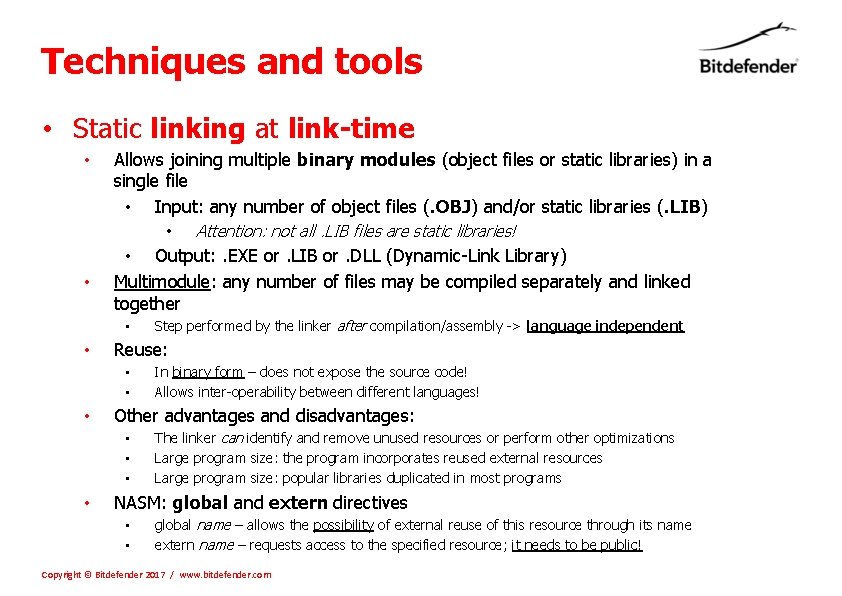
Techniques and tools • Static linking at link-time • Allows joining multiple binary modules (object files or static libraries) in a single file • Input: any number of object files (. OBJ) and/or static libraries (. LIB) • • • Output: . EXE or. LIB or. DLL (Dynamic-Link Library) Multimodule: any number of files may be compiled separately and linked together • • In binary form – does not expose the source code! Allows inter-operability between different languages! Other advantages and disadvantages: • • Step performed by the linker after compilation/assembly -> language independent Reuse: • • • Attention: not all. LIB files are static libraries! The linker can identify and remove unused resources or perform other optimizations Large program size: the program incorporates reused external resources Large program size: popular libraries duplicated in most programs NASM: global and extern directives • • global name – allows the possibility of external reuse of this resource through its name extern name – requests access to the specified resource; it needs to be public! Copyright © Bitdefender 2017 / www. bitdefender. com
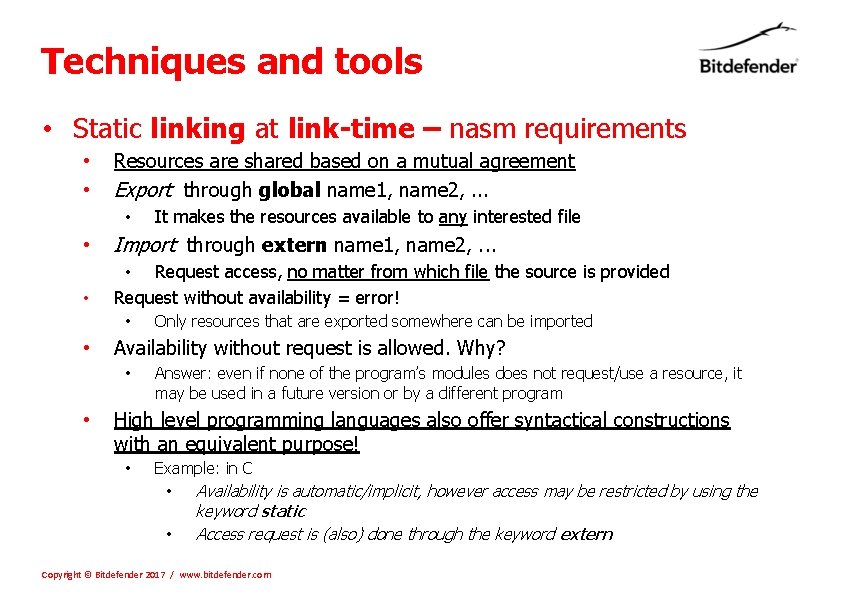
Techniques and tools • Static linking at link-time – nasm requirements • • Resources are shared based on a mutual agreement Export through global name 1, name 2, . . . • It makes the resources available to any interested file • Import through extern name 1, name 2, . . . • • Request access, no matter from which file the source is provided Request without availability = error! • • Availability without request is allowed. Why? • • Only resources that are exported somewhere can be imported Answer: even if none of the program’s modules does not request/use a resource, it may be used in a future version or by a different program High level programming languages also offer syntactical constructions with an equivalent purpose! • Example: in C • Availability is automatic/implicit, however access may be restricted by using the • keyword static Access request is (also) done through the keyword extern Copyright © Bitdefender 2017 / www. bitdefender. com
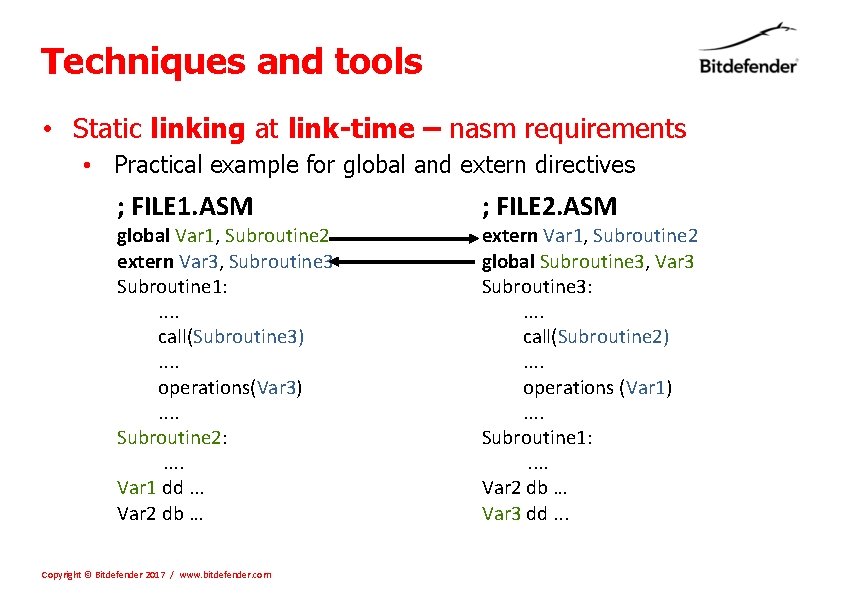
Techniques and tools • Static linking at link-time – nasm requirements • Practical example for global and extern directives ; FILE 1. ASM global Var 1, Subroutine 2 extern Var 3, Subroutine 3 Subroutine 1: . . call(Subroutine 3). . operations(Var 3). . Subroutine 2: . . Var 1 dd. . . Var 2 db … Copyright © Bitdefender 2017 / www. bitdefender. com ; FILE 2. ASM extern Var 1, Subroutine 2 global Subroutine 3, Var 3 Subroutine 3: . . call(Subroutine 2). . operations (Var 1). . Subroutine 1: . . Var 2 db … Var 3 dd. . .
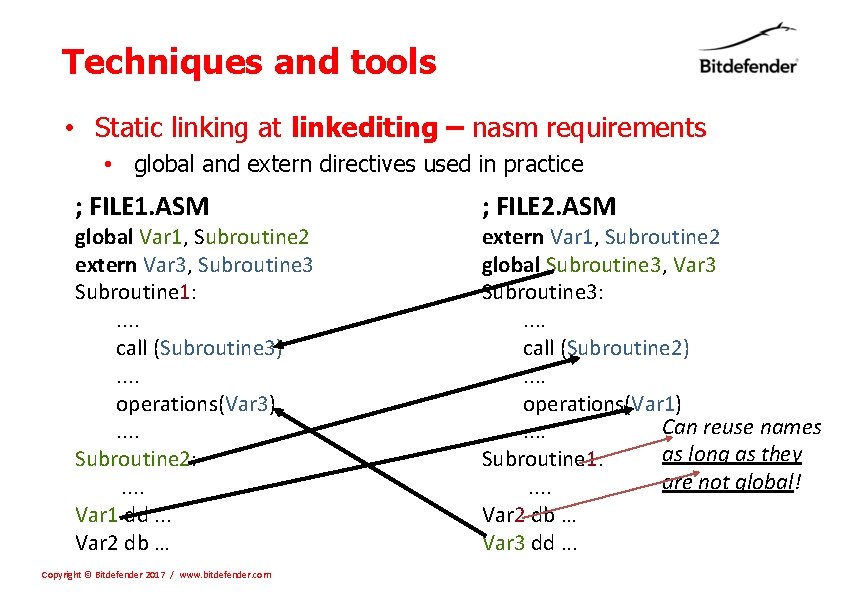
Techniques and tools • Static linking at linkediting – nasm requirements • global and extern directives used in practice ; FILE 1. ASM global Var 1, Subroutine 2 extern Var 3, Subroutine 3 Subroutine 1: . . call (Subroutine 3). . operations(Var 3). . Subroutine 2: . . Var 1 dd. . . Var 2 db … Copyright © Bitdefender 2017 / www. bitdefender. com ; FILE 2. ASM extern Var 1, Subroutine 2 global Subroutine 3, Var 3 Subroutine 3: . . call (Subroutine 2). . operations(Var 1) Can reuse names. . as long as they Subroutine 1: are not global!. . Var 2 db … Var 3 dd. . .
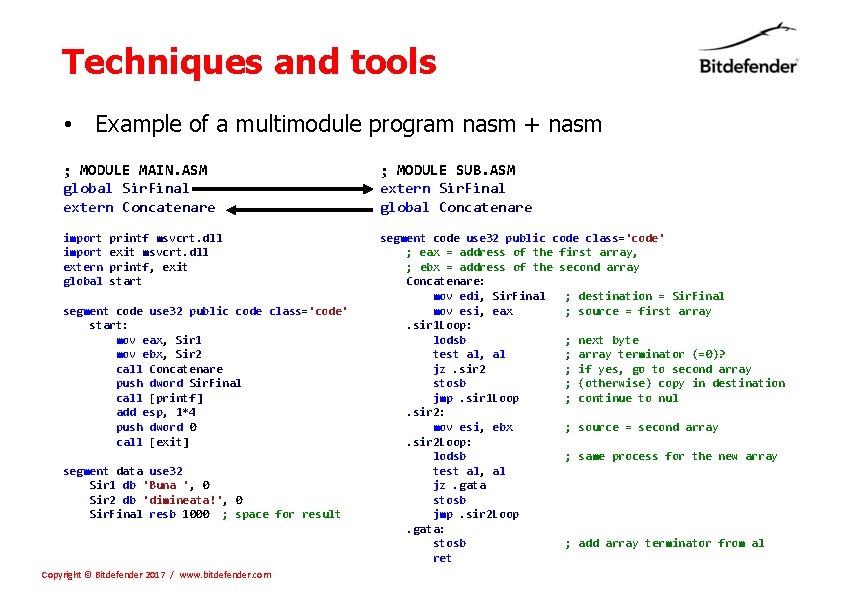
Techniques and tools • Example of a multimodule program nasm + nasm ; MODULE MAIN. ASM global Sir. Final extern Concatenare ; MODULE SUB. ASM extern Sir. Final global Concatenare import printf msvcrt. dll import exit msvcrt. dll extern printf, exit global start segment code use 32 public code class='code' ; eax = address of the first array, ; ebx = address of the second array Concatenare: mov edi, Sir. Final ; destination = Sir. Final mov esi, eax ; source = first array . sir 1 Loop: lodsb ; next byte test al, al ; array terminator (=0)? jz. sir 2 ; if yes, go to second array stosb ; (otherwise) copy in destination jmp. sir 1 Loop ; continue to nul . sir 2: mov esi, ebx ; source = second array . sir 2 Loop: lodsb ; same process for the new array test al, al jz. gata stosb jmp. sir 2 Loop . gata: stosb ; add array terminator from al ret segment code use 32 public code class='code' start: mov eax, Sir 1 mov ebx, Sir 2 call Concatenare push dword Sir. Final call [printf] add esp, 1*4 push dword 0 call [exit] segment data use 32 Sir 1 db 'Buna ', 0 Sir 2 db 'dimineata!', 0 Sir. Final resb 1000 ; space for result Copyright © Bitdefender 2017 / www. bitdefender. com
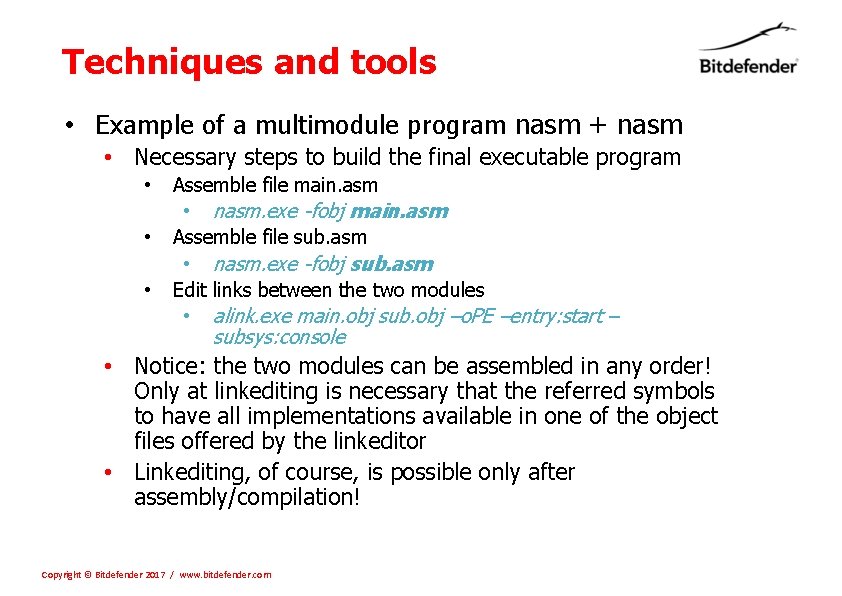
Techniques and tools • Example of a multimodule program nasm + nasm • Necessary steps to build the final executable program • • • Assemble file main. asm • nasm. exe -fobj main. asm Assemble file sub. asm • nasm. exe -fobj sub. asm Edit links between the two modules • alink. exe main. obj sub. obj –o. PE –entry: start – subsys: console • Notice: the two modules can be assembled in any order! Only at linkediting is necessary that the referred symbols to have all implementations available in one of the object files offered by the linkeditor • Linkediting, of course, is possible only after assembly/compilation! Copyright © Bitdefender 2017 / www. bitdefender. com
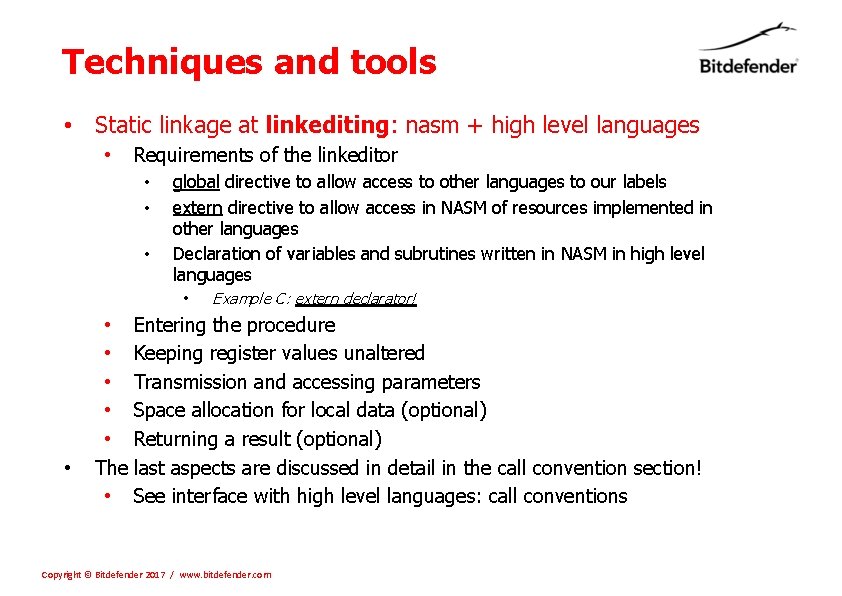
Techniques and tools • Static linkage at linkediting: nasm + high level languages • Requirements of the linkeditor • • • global directive to allow access to other languages to our labels extern directive to allow access in NASM of resources implemented in other languages Declaration of variables and subrutines written in NASM in high level languages • • Example C: extern declarator! • Entering the procedure • Keeping register values unaltered • Transmission and accessing parameters • Space allocation for local data (optional) • Returning a result (optional) The last aspects are discussed in detail in the call convention section! • See interface with high level languages: call conventions Copyright © Bitdefender 2017 / www. bitdefender. com
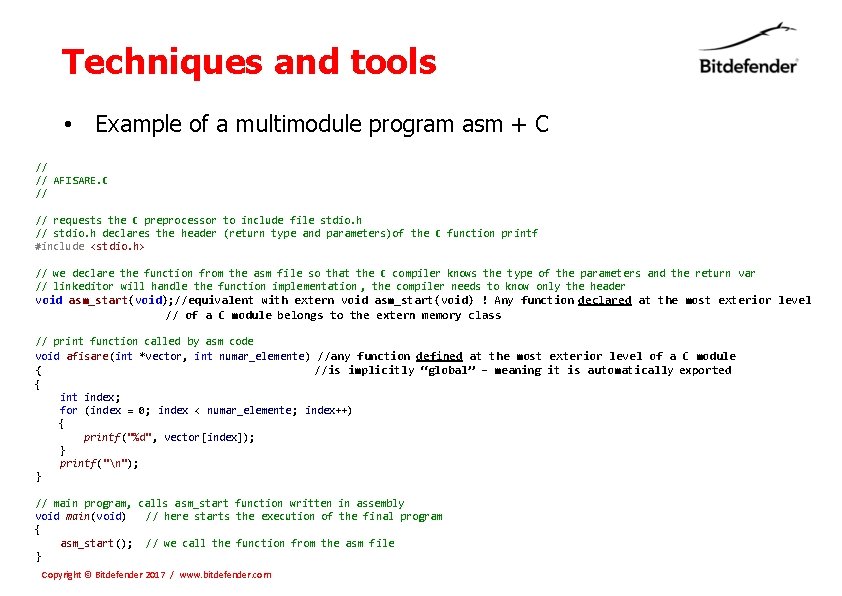
Techniques and tools • Example of a multimodule program asm + C // // AFISARE. C // requests the C preprocessor to include file stdio. h // stdio. h declares the header (return type and parameters)of the C function printf #include <stdio. h> // we declare the function from the asm file so that the C compiler knows the type of the parameters and the return var // linkeditor will handle the function implementation , the compiler needs to know only the header void asm_start(void); //equivalent with extern void asm_start(void) ! Any function declared at the most exterior level // of a C module belongs to the extern memory class // print function called by asm code void afisare(int *vector, int numar_elemente) //any function defined at the most exterior level of a C module { //is implicitly “global” – meaning it is automatically exported { int index; for (index = 0; index < numar_elemente; index++) { printf("%d", vector[index]); } printf("n"); } // main program, calls asm_start function written in assembly void main(void) // here starts the execution of the final program { asm_start(); // we call the function from the asm file } Copyright © Bitdefender 2017 / www. bitdefender. com
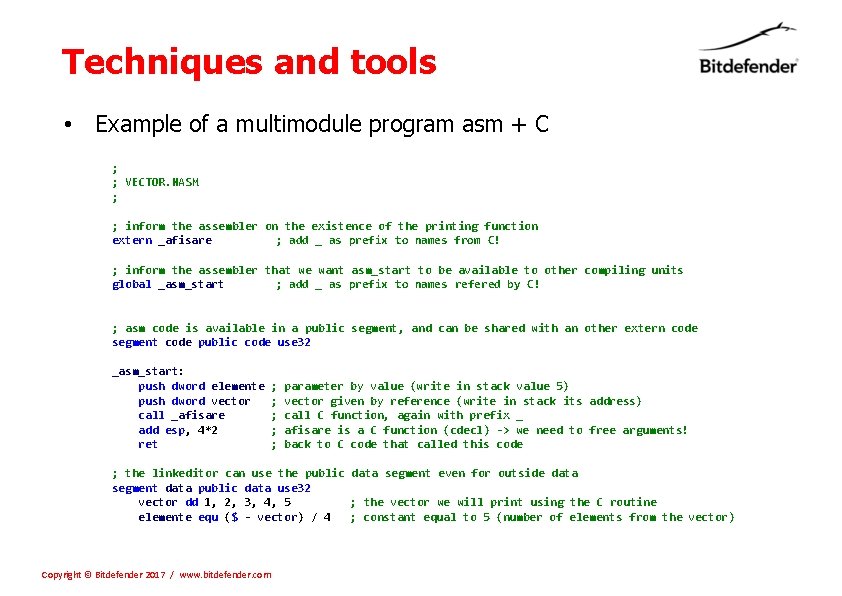
Techniques and tools • Example of a multimodule program asm + C ; ; VECTOR. NASM ; ; inform the assembler on the existence of the printing function extern _afisare ; add _ as prefix to names from C! ; inform the assembler that we want asm_start to be available to other compiling units global _asm_start ; add _ as prefix to names refered by C! ; asm code is available in a public segment, and can be shared with an other extern code segment code public code use 32 _asm_start: push dword elemente ; parameter by value (write in stack value 5) push dword vector ; vector given by reference (write in stack its address) call _afisare ; call C function, again with prefix _ add esp, 4*2 ; afisare is a C function (cdecl) -> we need to free arguments! ret ; back to C code that called this code ; the linkeditor can use the public data segment even for outside data segment data public data use 32 vector dd 1, 2, 3, 4, 5 ; the vector we will print using the C routine elemente equ ($ - vector) / 4 ; constant equal to 5 (number of elements from the vector) Copyright © Bitdefender 2017 / www. bitdefender. com
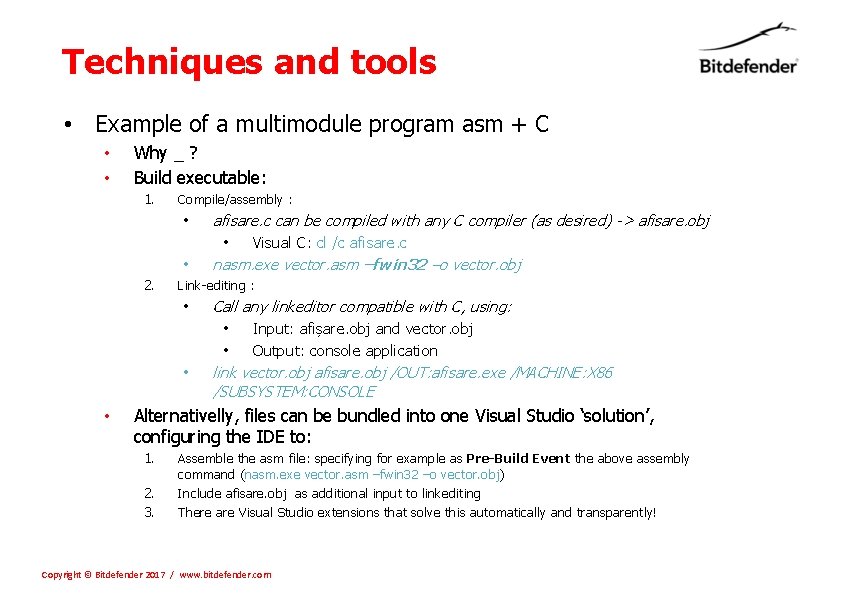
Techniques and tools • Example of a multimodule program asm + C • • Why _ ? Build executable: 1. Compile/assembly : • • 2. Link-editing : • • • afisare. c can be compiled with any C compiler (as desired) -> afisare. obj • Visual C: cl /c afisare. c nasm. exe vector. asm –fwin 32 –o vector. obj Call any linkeditor compatible with C, using: • Input: afișare. obj and vector. obj • Output: console application link vector. obj afisare. obj /OUT: afisare. exe /MACHINE: X 86 /SUBSYSTEM: CONSOLE Alternativelly, files can be bundled into one Visual Studio ‘solution’, configuring the IDE to: 1. 2. 3. Assemble the asm file: specifying for example as Pre-Build Event the above assembly command (nasm. exe vector. asm –fwin 32 –o vector. obj) Include afisare. obj as additional input to linkediting There are Visual Studio extensions that solve this automatically and transparently! Copyright © Bitdefender 2017 / www. bitdefender. com
- Slides: 21