
Multimedia 2 Midterm Chapter 4 Objects and DOM
Multimedia 2 Midterm Chapter 4 Objects and DOM
Review Ø Ø Ø Ø Java. Script Basics(ECMAScript) Conditional Statement Function Scripting Language Other user of Java. Script Where to put the Java. Script Limitation of Java. Script 12/20/2021 content presentation behavior
Course Objectives On completion of this course we will be able to: Objects in Java. Script Ø Java. Script Basics(ECMAScript) Array Math Objects Date Objects String Objects Understanding Document Object Model Ø Working with DOM
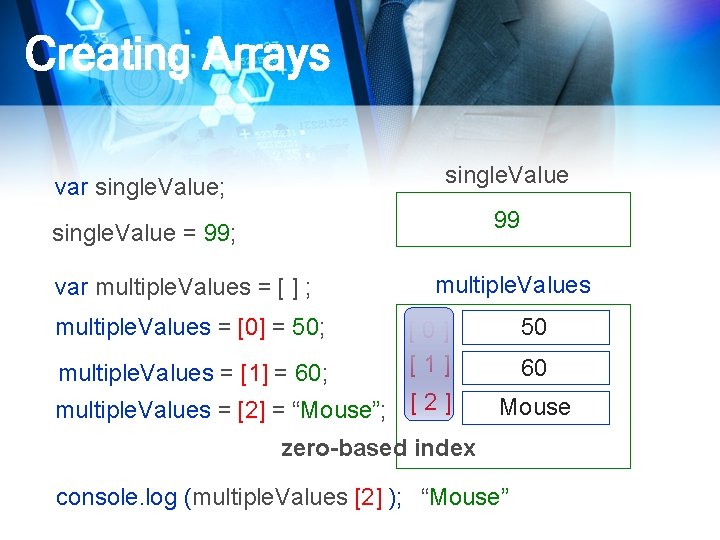
Creating Arrays single. Value var single. Value; 99 single. Value = 99; var multiple. Values = [ ] ; multiple. Values = [0] = 50; multiple. Values = [1] = 60; multiple. Values 50 [0] [1] multiple. Values = [2] = “Mouse”; [ 2 ] 60 Mouse zero-based index console. log (multiple. Values [2] ); “Mouse”
![Creating Arrays- Shorthand var multiple. Values = [ ] ; multiple. Values = [0]](http://slidetodoc.com/presentation_image_h2/2204da217622b5c3730928178d504a8c/image-5.jpg "Creating Arrays- Shorthand var multiple. Values = [ ] ; multiple. Values = [0]")
Creating Arrays- Shorthand var multiple. Values = [ ] ; multiple. Values = [0] = 50; multiple. Values = [1] = 60; multiple. Values = [2] = “Mouse”; var multiple. Values = [ 50, 60, “Mouse” ]; [0] [1] [2] zero-based
![Creating Arrays-Longhand var multiple. Values = [ ] ; var multiple. Values = new](http://slidetodoc.com/presentation_image_h2/2204da217622b5c3730928178d504a8c/image-6.jpg "Creating Arrays-Longhand var multiple. Values = [ ] ; var multiple. Values = new")
Creating Arrays-Longhand var multiple. Values = [ ] ; var multiple. Values = new Array ( ); var multiple. Values = Array (5); array are objects
![Array Properties var multiple. Values = [ 10, 20, 30, 40, 50 ] ;](http://slidetodoc.com/presentation_image_h2/2204da217622b5c3730928178d504a8c/image-7.jpg "Array Properties var multiple. Values = [ 10, 20, 30, 40, 50 ] ;")
Array Properties var multiple. Values = [ 10, 20, 30, 40, 50 ] ; console. log (multiple. Values. length); length is 5 highest index is [4]
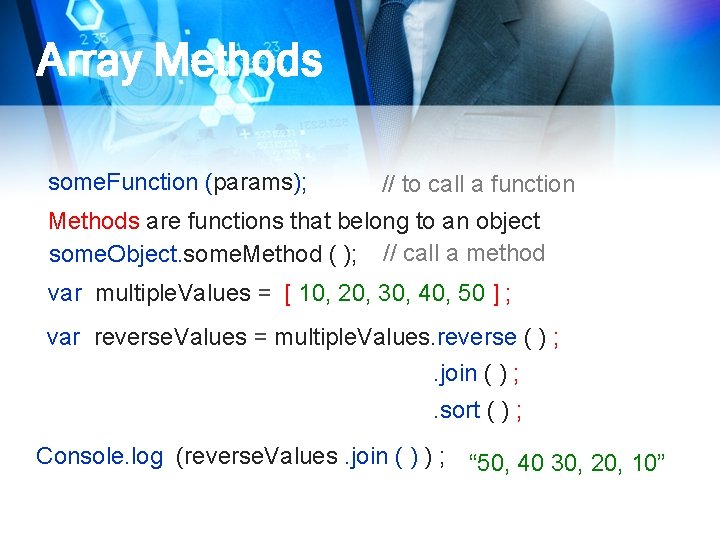
Array Methods some. Function (params); // to call a function Methods are functions that belong to an object some. Object. some. Method ( ); // call a method var multiple. Values = [ 10, 20, 30, 40, 50 ] ; var reverse. Values = multiple. Values. reverse ( ) ; . join ( ) ; . sort ( ) ; Console. log (reverse. Values. join ( ) ) ; “ 50, 40 30, 20, 10”
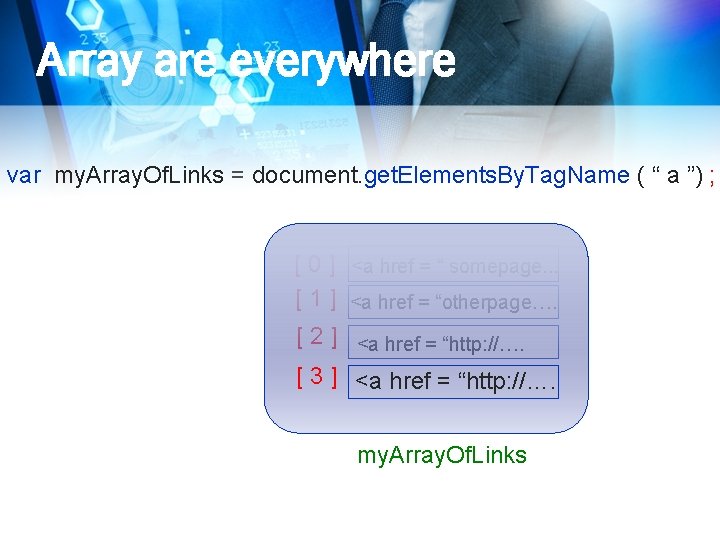
Array are everywhere var my. Array. Of. Links = document. get. Elements. By. Tag. Name ( “ a ”) ; [ 0 ] <a href = “ somepage. . . [ 1 ] <a href = “otherpage…. [ 2 ] <a href = “http: //…. [ 3 ] <a href = “http: //…. my. Array. Of. Links
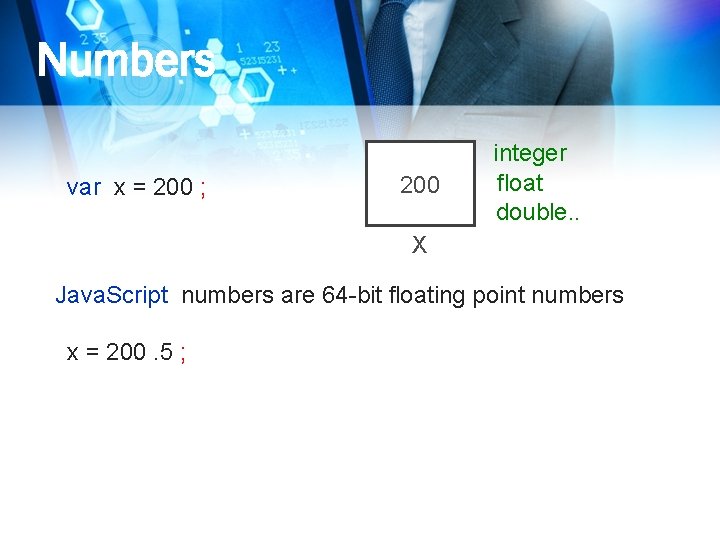
Numbers var x = 200 ; 200 integer float double. . X Java. Script numbers are 64 -bit floating point numbers x = 200. 5 ;
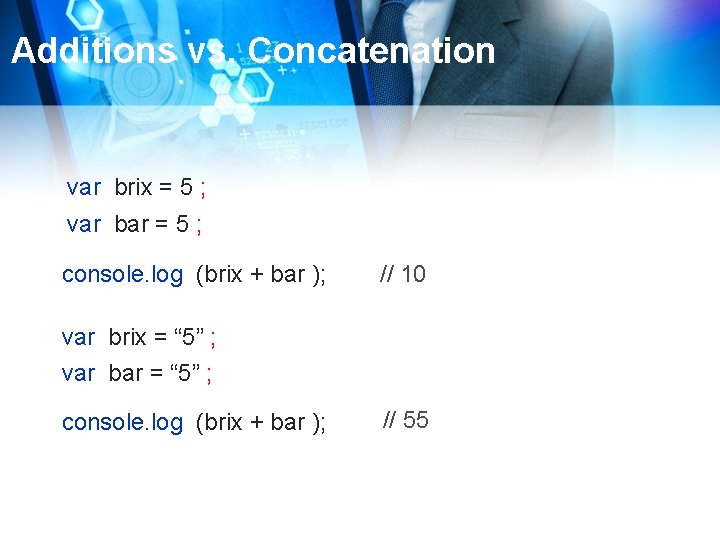
Additions vs. Concatenation var brix = 5 ; var bar = 5 ; console. log (brix + bar ); // 10 var brix = “ 5” ; var bar = “ 5” ; console. log (brix + bar ); // 55
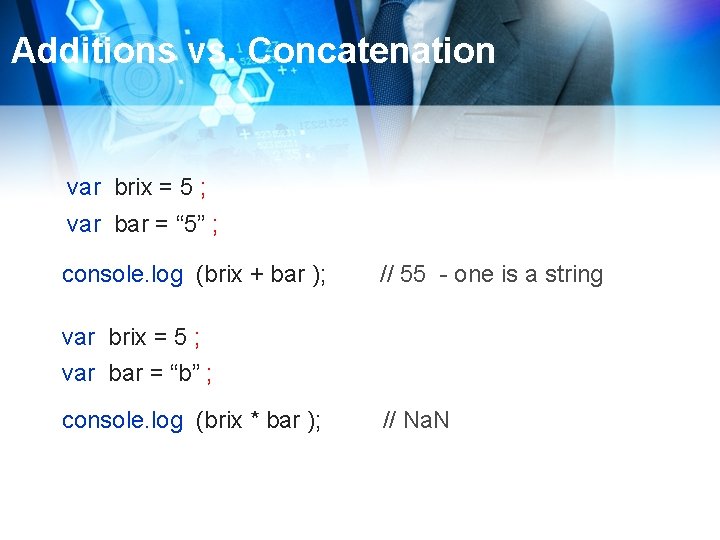
Additions vs. Concatenation var brix = 5 ; var bar = “ 5” ; console. log (brix + bar ); // 55 - one is a string var brix = 5 ; var bar = “b” ; console. log (brix * bar ); // Na. N
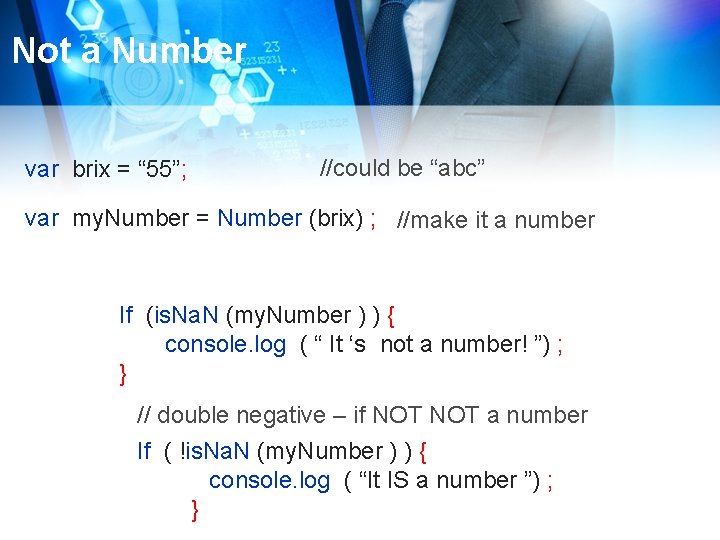
Not a Number var brix = “ 55”; //could be “abc” var my. Number = Number (brix) ; //make it a number If (is. Na. N (my. Number ) ) { console. log ( “ It ‘s not a number! ”) ; } // double negative – if NOT a number If ( !is. Na. N (my. Number ) ) { console. log ( “It IS a number ”) ; }
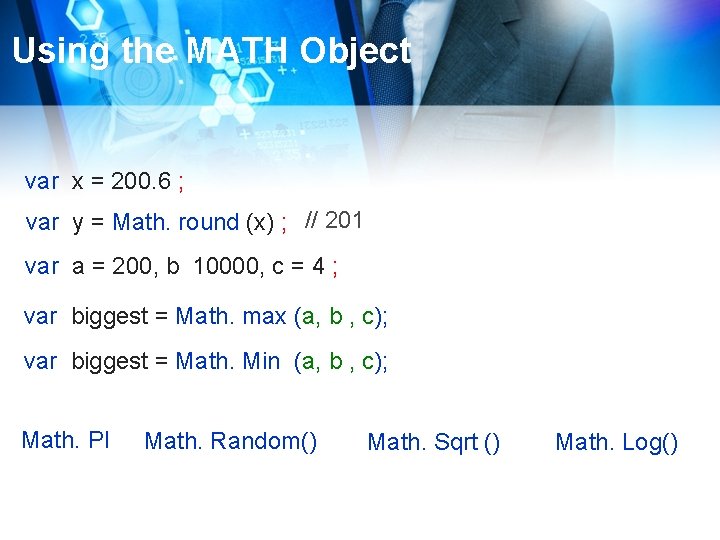
Using the MATH Object var x = 200. 6 ; var y = Math. round (x) ; // 201 var a = 200, b 10000, c = 4 ; var biggest = Math. max (a, b , c); var biggest = Math. Min (a, b , c); Math. PI Math. Random() Math. Sqrt () Math. Log()
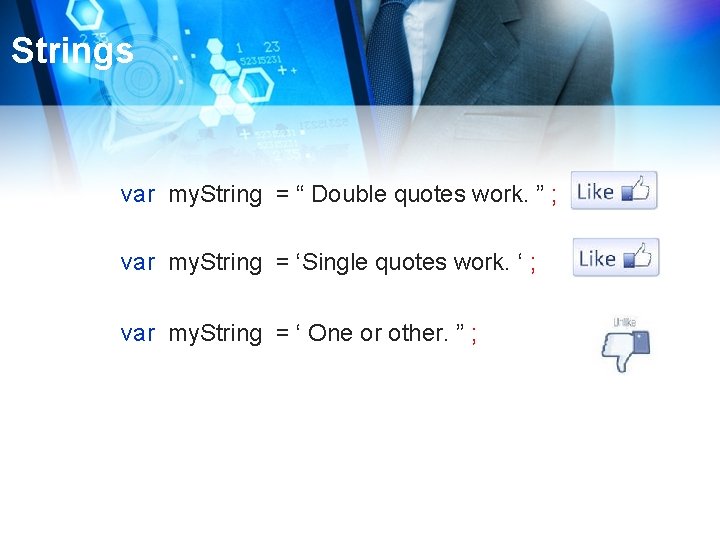
Strings var my. String = “ Double quotes work. ” ; var my. String = ‘Single quotes work. ‘ ; var my. String = ‘ One or other. ” ;
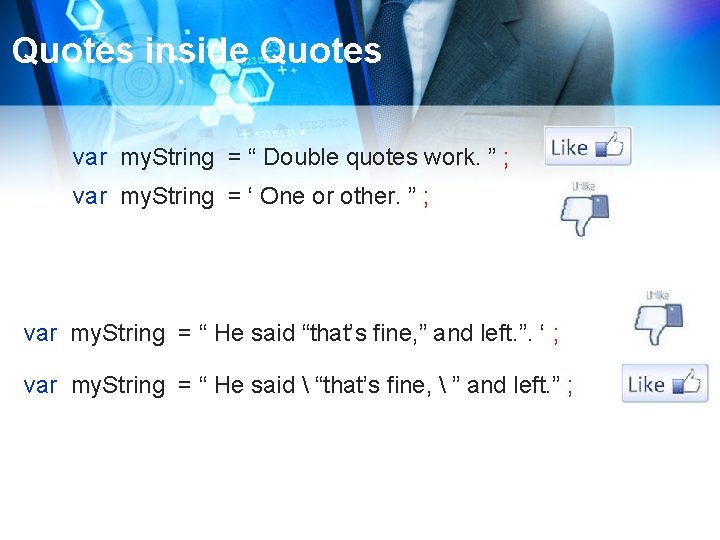
Quotes inside Quotes var my. String = “ Double quotes work. ” ; var my. String = ‘ One or other. ” ; var my. String = “ He said “that’s fine, ” and left. ”. ‘ ; var my. String = “ He said “that’s fine, ” and left. ” ;
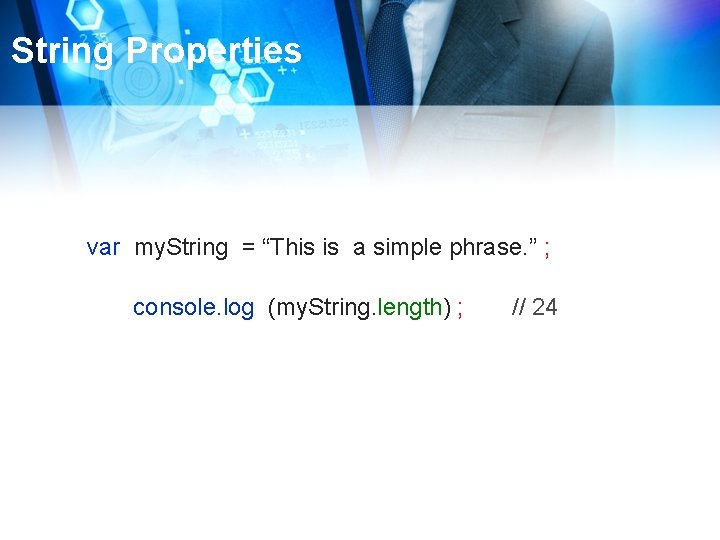
String Properties var my. String = “This is a simple phrase. ” ; console. log (my. String. length) ; // 24
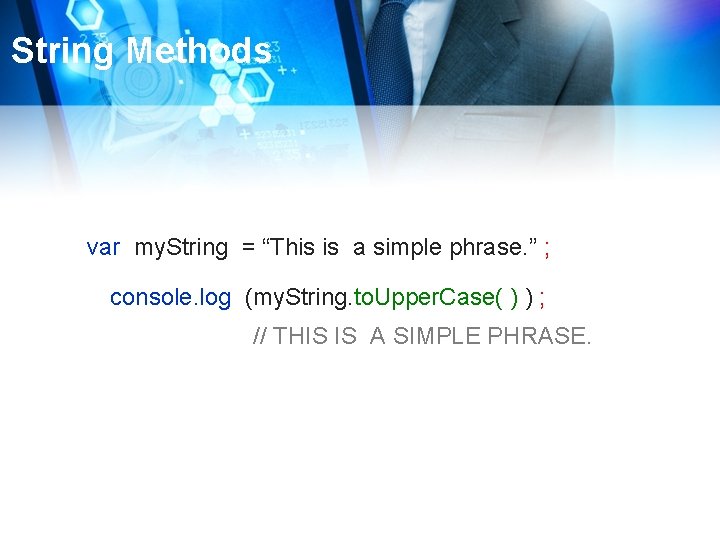
String Methods var my. String = “This is a simple phrase. ” ; console. log (my. String. to. Upper. Case( ) ) ; // THIS IS A SIMPLE PHRASE.
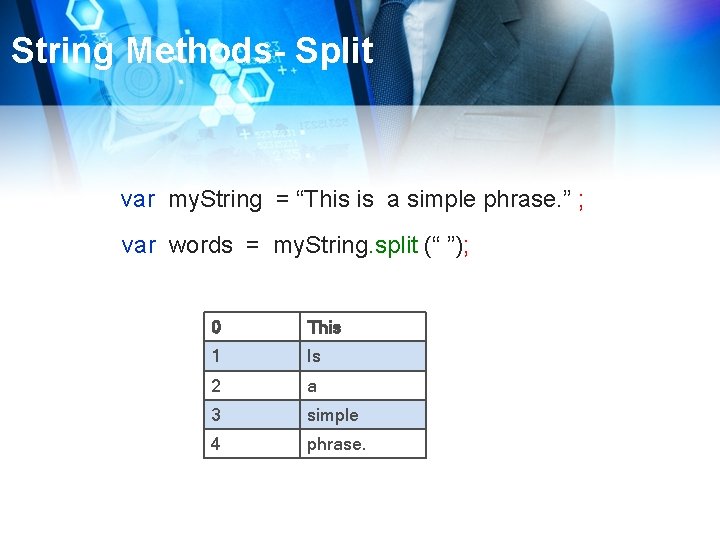
String Methods- Split var my. String = “This is a simple phrase. ” ; var words = my. String. split (“ ”); 0 This 1 Is 2 a 3 simple 4 phrase.
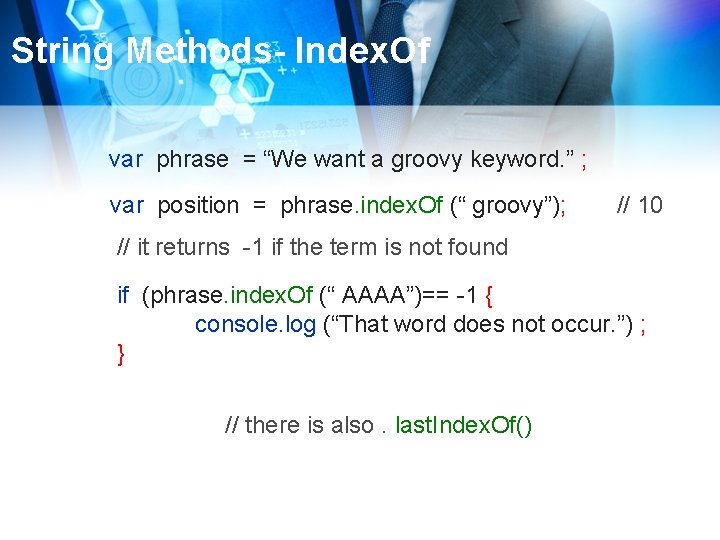
String Methods- Index. Of var phrase = “We want a groovy keyword. ” ; var position = phrase. index. Of (“ groovy”); // 10 // it returns -1 if the term is not found if (phrase. index. Of (“ AAAA”)== -1 { console. log (“That word does not occur. ”) ; } // there is also. last. Index. Of()
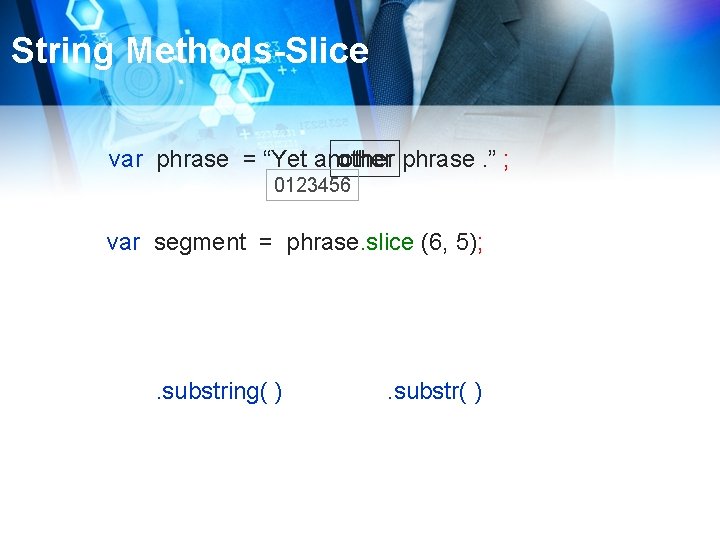
String Methods-Slice var phrase = “Yet another phrase. ” ; 0123456 var segment = phrase. slice (6, 5); . substring( ) . substr( )
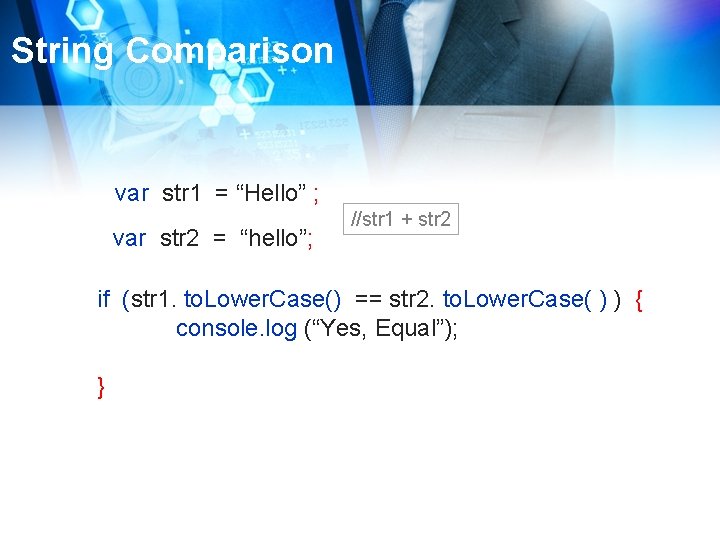
String Comparison var str 1 = “Hello” ; var str 2 = “hello”; //str 1 + str 2 if (str 1. to. Lower. Case() == str 2. to. Lower. Case( ) ) { console. log (“Yes, Equal”); }
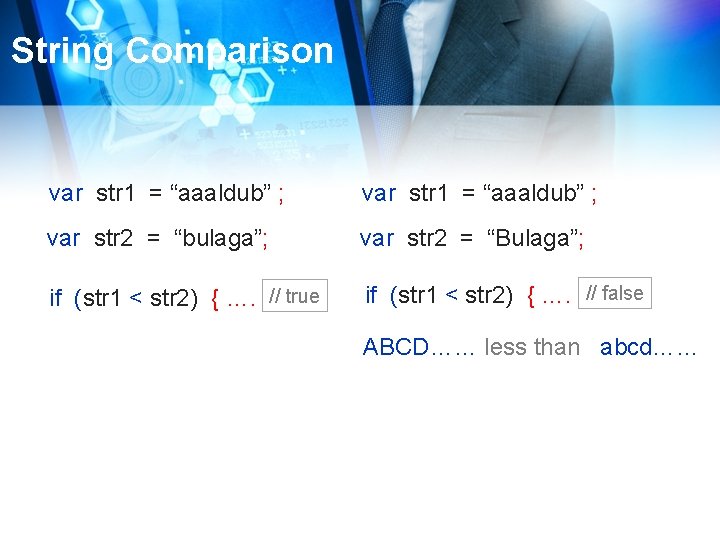
String Comparison var str 1 = “aaaldub” ; var str 2 = “bulaga”; var str 2 = “Bulaga”; if (str 1 < str 2) { …. // true if (str 1 < str 2) { …. // false ABCD…… less than abcd……
String Reference http: // developer. Mozilla. org/en/Java. Script/Reference
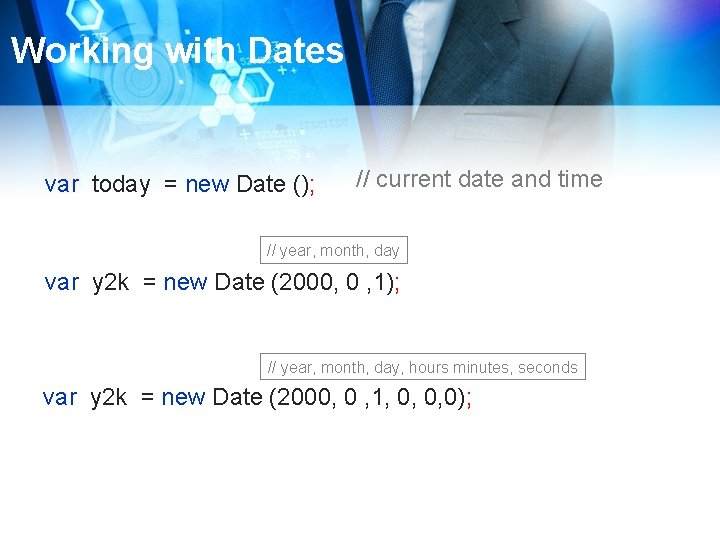
Working with Dates var today = new Date (); // current date and time // year, month, day var y 2 k = new Date (2000, 0 , 1); // year, month, day, hours minutes, seconds var y 2 k = new Date (2000, 0 , 1, 0, 0, 0);
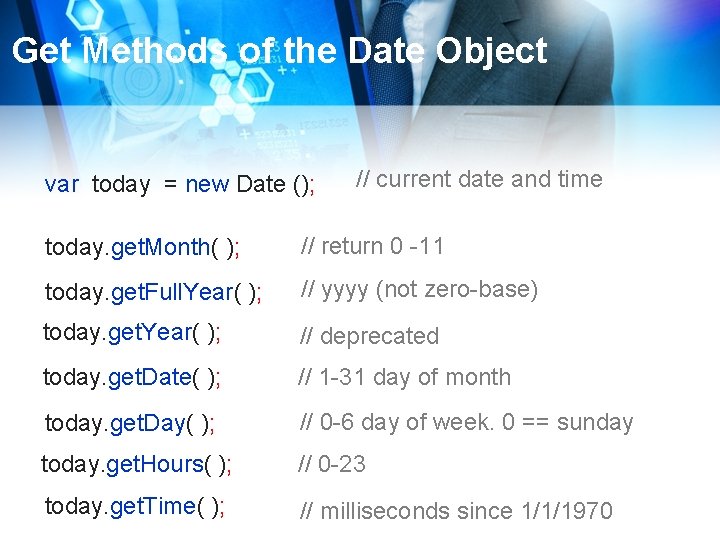
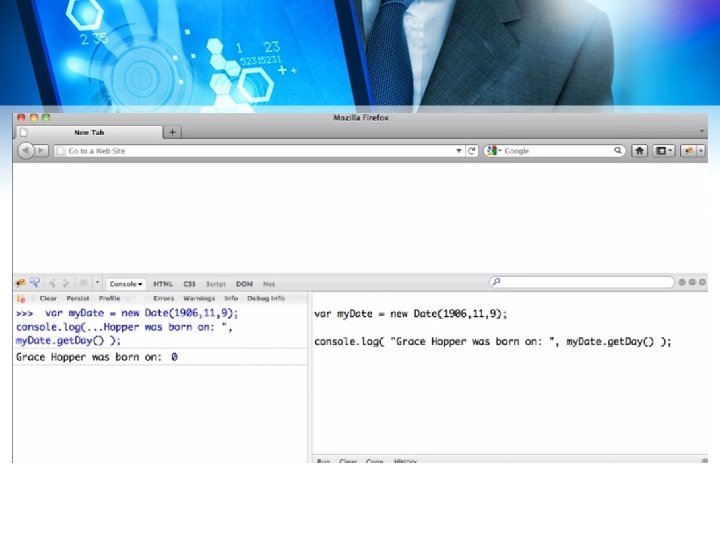
Get Methods of the Date Object var today = new Date (); // current date and time today. get. Month( ); // return 0 -11 today. get. Full. Year( ); // yyyy (not zero-base) today. get. Year( ); // deprecated today. get. Date( ); // 1 -31 day of month today. get. Day( ); // 0 -6 day of week. 0 == sunday today. get. Hours( ); // 0 -23 today. get. Time( ); // milliseconds since 1/1/1970
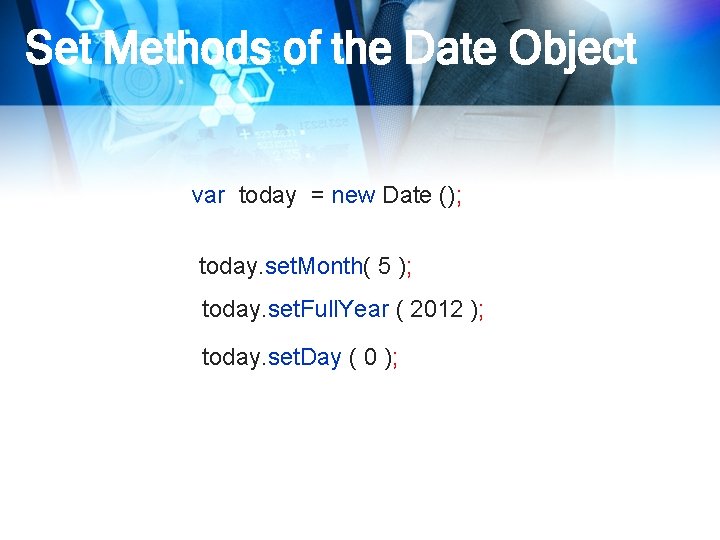
Set Methods of the Date Object var today = new Date (); today. set. Month( 5 ); today. set. Full. Year ( 2012 ); today. set. Day ( 0 );
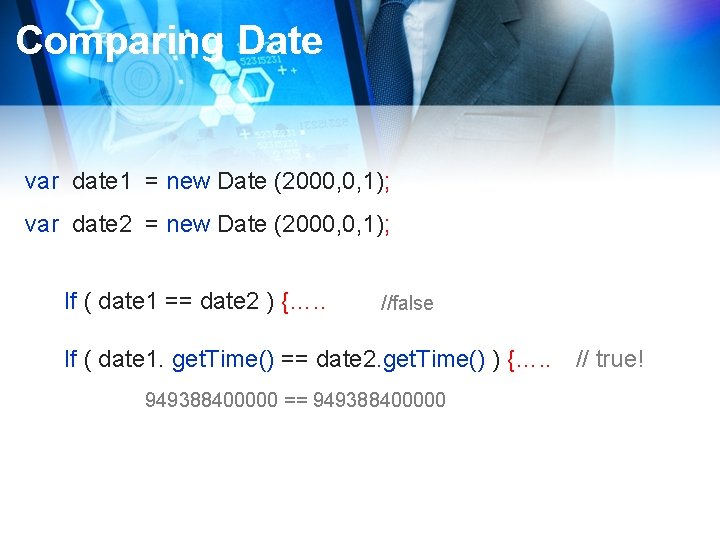
Comparing Date var date 1 = new Date (2000, 0, 1); var date 2 = new Date (2000, 0, 1); If ( date 1 == date 2 ) {…. . //false If ( date 1. get. Time() == date 2. get. Time() ) {…. . // true! 949388400000 == 949388400000
![Objects in Java. Script var my. Array = [ 10, 20, 30, “Forty”, 50]](http://slidetodoc.com/presentation_image_h2/2204da217622b5c3730928178d504a8c/image-30.jpg "Objects in Java. Script var my. Array = [ 10, 20, 30, “Forty”, 50]")
Objects in Java. Script var my. Array = [ 10, 20, 30, “Forty”, 50] ; Console. log (my. Array. length); var todays. Date = new Date ( ); var ms = todays. Date. get. Time ( ); 0 10 1 20 2 30 3 “Forty” 4 50
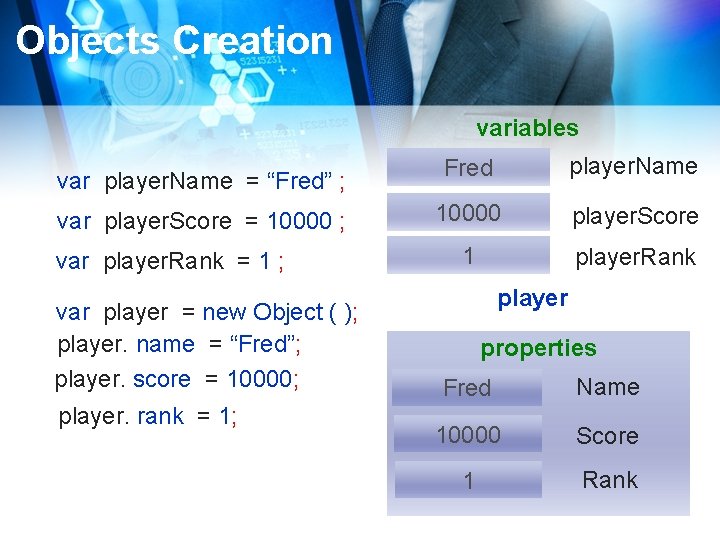
Objects Creation variables var player. Name = “Fred” ; var player. Score = 10000 ; var player. Rank = 1 ; var player = new Object ( ); player. name = “Fred”; player. score = 10000; player. rank = 1; Fred player. Name 10000 player. Score 1 player. Rank player properties Fred Name 10000 Score 1 Rank
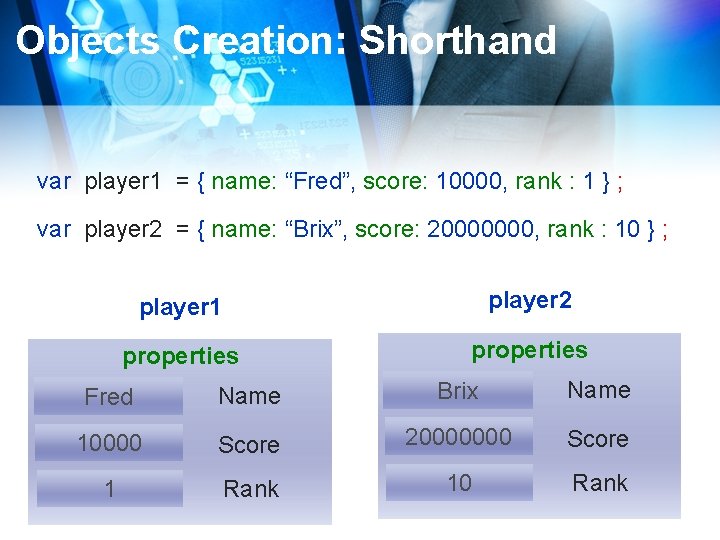
Objects Creation: Shorthand var player 1 = { name: “Fred”, score: 10000, rank : 1 } ; var player 2 = { name: “Brix”, score: 20000000, rank : 10 } ; player 1 player 2 properties Fred Name Brix Name 10000 Score 20000000 Score 1 Rank 10 Rank
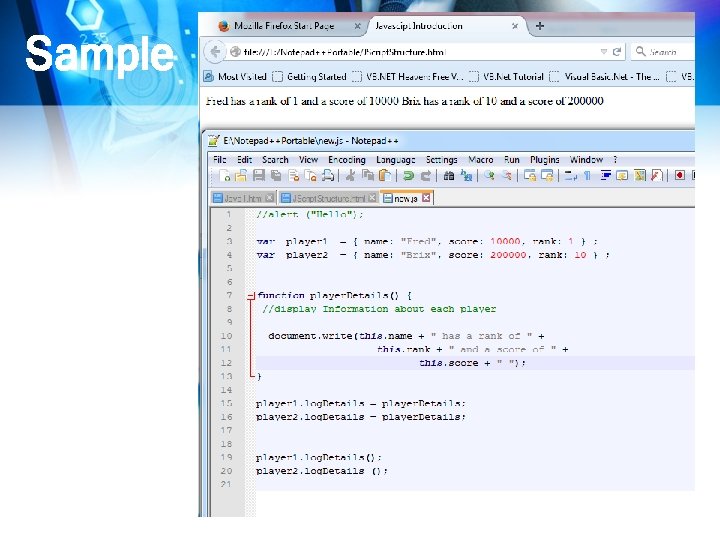
Sample

What is DOM
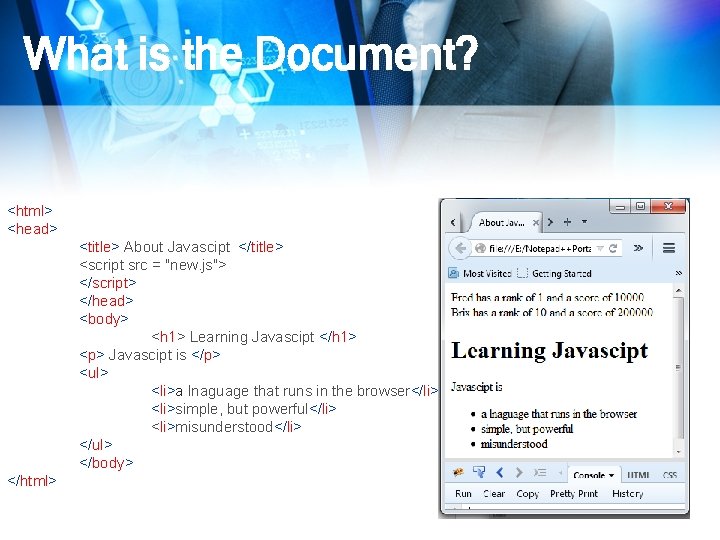
What is the Document? <html> <head> <title> About Javascipt </title> <script src = "new. js"> </script> </head> <body> <h 1> Learning Javascipt </h 1> <p> Javascipt is </p> <ul> <li>a lnaguage that runs in the browser</li> <li>simple, but powerful</li> <li>misunderstood</li> </ul> </body> </html>
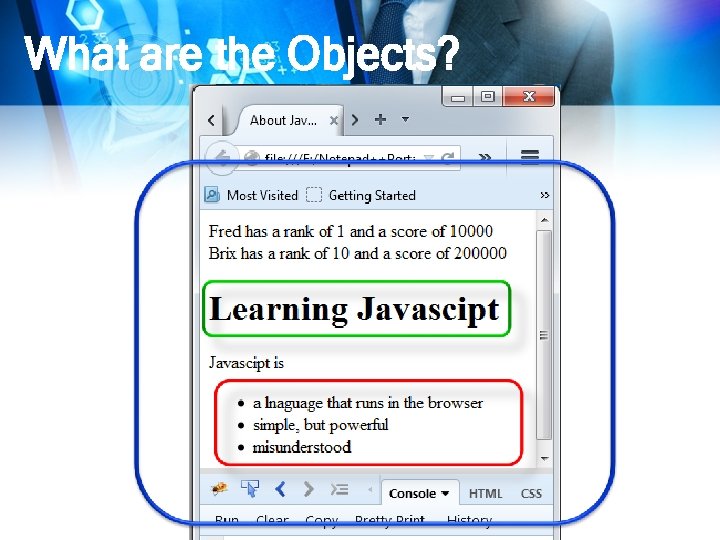
What are the Objects?
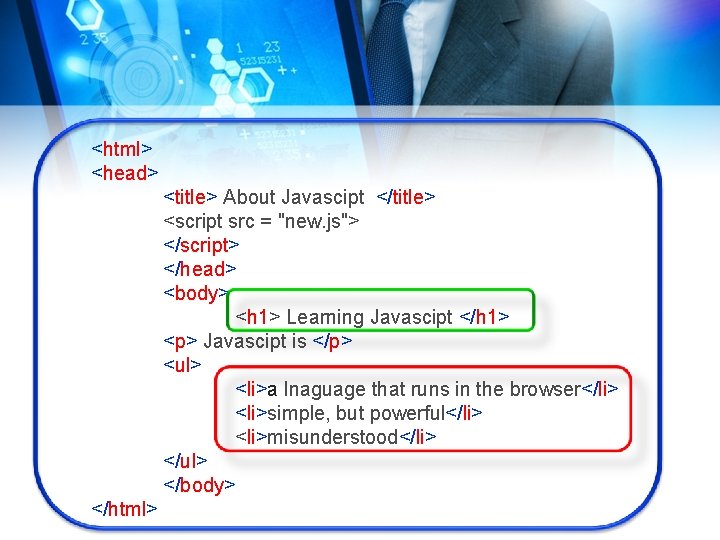
<html> <head> <title> About Javascipt </title> <script src = "new. js"> </script> </head> <body> <h 1> Learning Javascipt </h 1> <p> Javascipt is </p> <ul> <li>a lnaguage that runs in the browser</li> <li>simple, but powerful</li> <li>misunderstood</li> </ul> </body> </html>
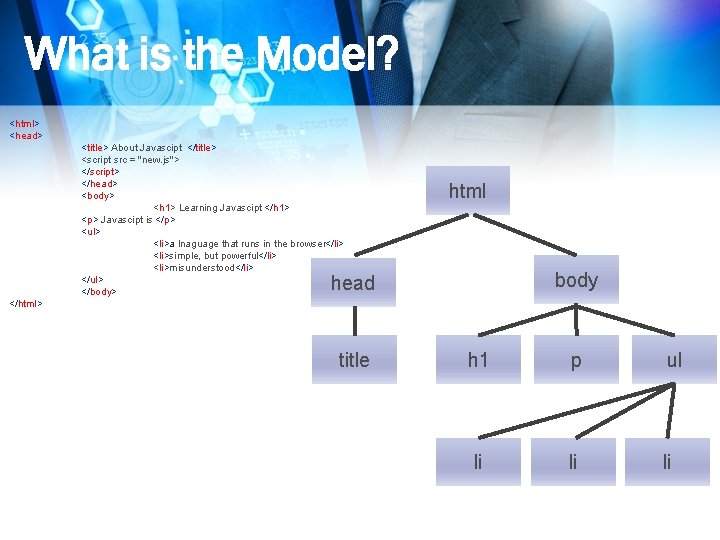
What is the Model? <html> <head> <title> About Javascipt </title> <script src = "new. js"> </script> </head> <body> <h 1> Learning Javascipt </h 1> <p> Javascipt is </p> <ul> <li>a lnaguage that runs in the browser</li> <li>simple, but powerful</li> <li>misunderstood</li> </ul> </body> html body head </html> title h 1 p ul li li li
Document Object Model (DOM) agreed-upon set of term pieces web page
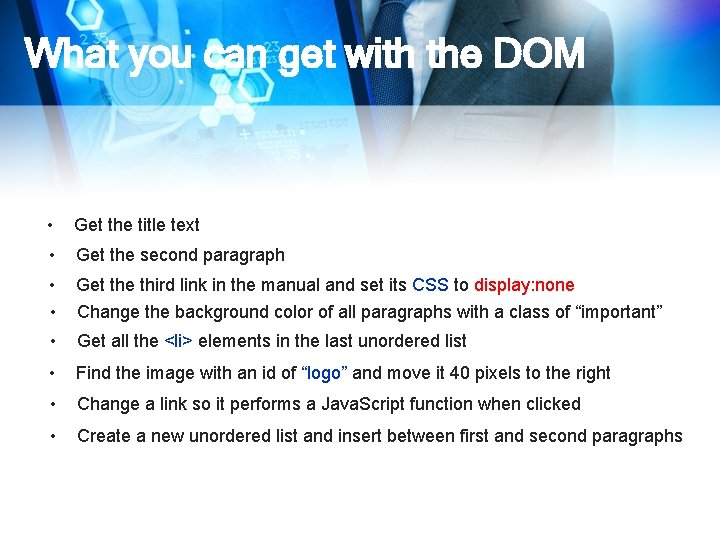
What you can get with the DOM • Get the title text • Get the second paragraph • • Get the third link in the manual and set its CSS to display: none Change the background color of all paragraphs with a class of “important” • Get all the <li> elements in the last unordered list • Find the image with an id of “logo” and move it 40 pixels to the right • Change a link so it performs a Java. Script function when clicked • Create a new unordered list and insert between first and second paragraphs
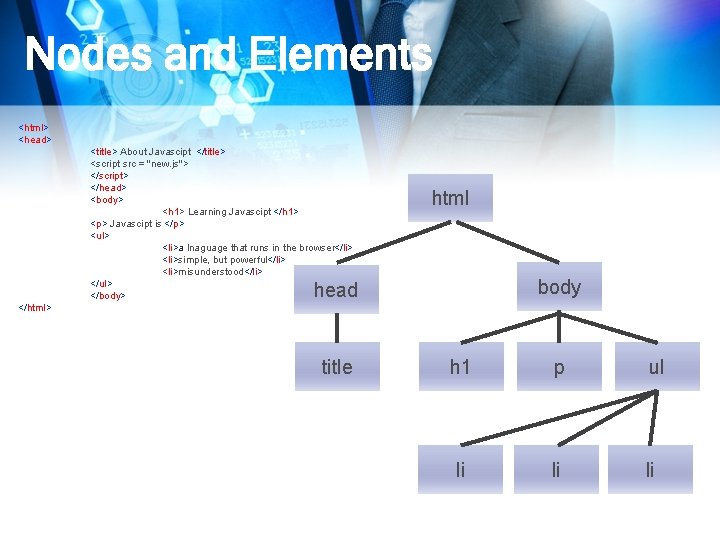
Nodes and Elements <html> <head> <title> About Javascipt </title> <script src = "new. js"> </script> </head> <body> <h 1> Learning Javascipt </h 1> <p> Javascipt is </p> <ul> <li>a lnaguage that runs in the browser</li> <li>simple, but powerful</li> <li>misunderstood</li> </ul> </body> html body head </html> title h 1 p ul li li li
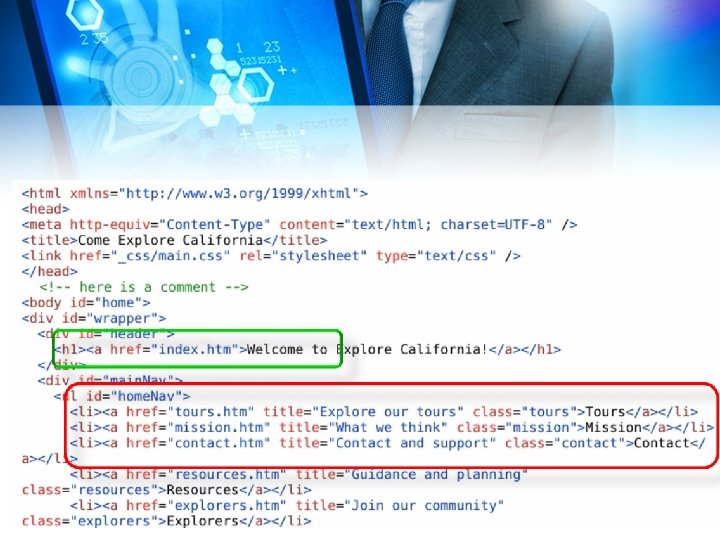
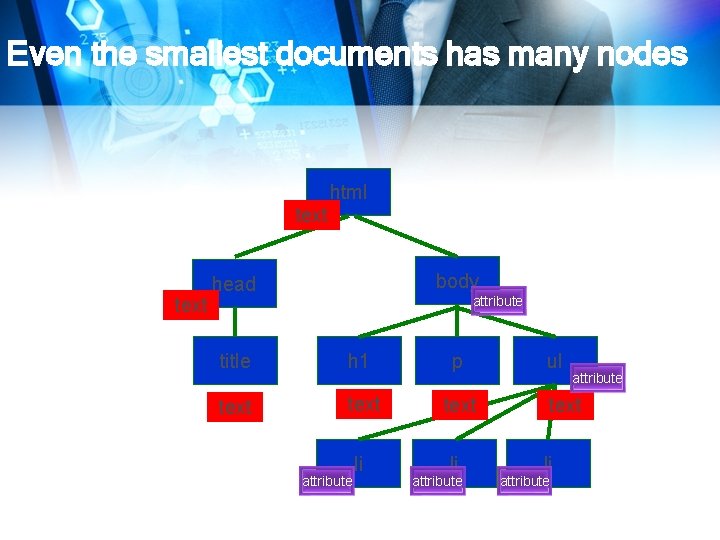
Even the smallest documents has many nodes html text body head attribute title h 1 p text li li li attribute ul attribute
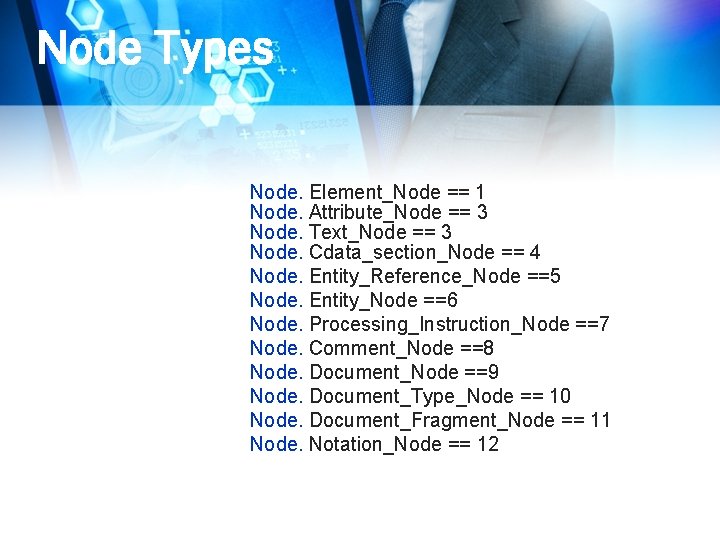
Node Types Node. Element_Node == 1 Node. Attribute_Node == 3 Node. Text_Node == 3 Node. Cdata_section_Node == 4 Node. Entity_Reference_Node ==5 Node. Entity_Node ==6 Node. Processing_Instruction_Node ==7 Node. Comment_Node ==8 Node. Document_Node ==9 Node. Document_Type_Node == 10 Node. Document_Fragment_Node == 11 Node. Notation_Node == 12
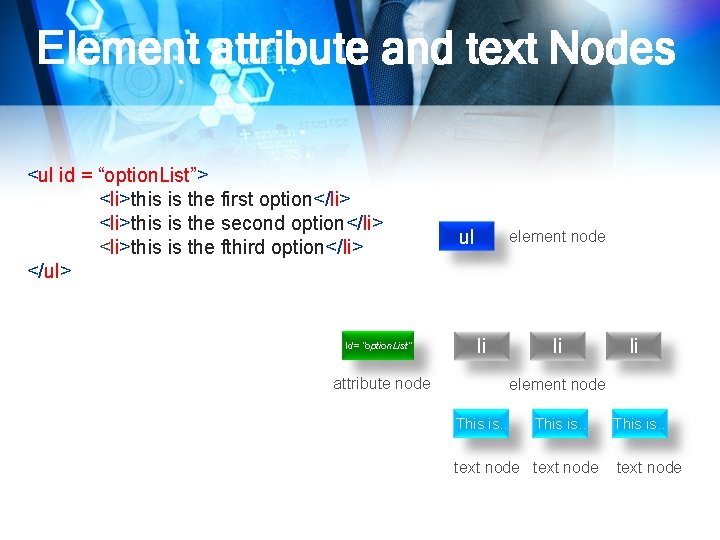
Element attribute and text Nodes <ul id = “option. List”> <li>this is the first option</li> <li>this is the second option</li> <li>this is the fthird option</li> </ul> Id= “option. List” ul element node li attribute node li li element node This is. . text node
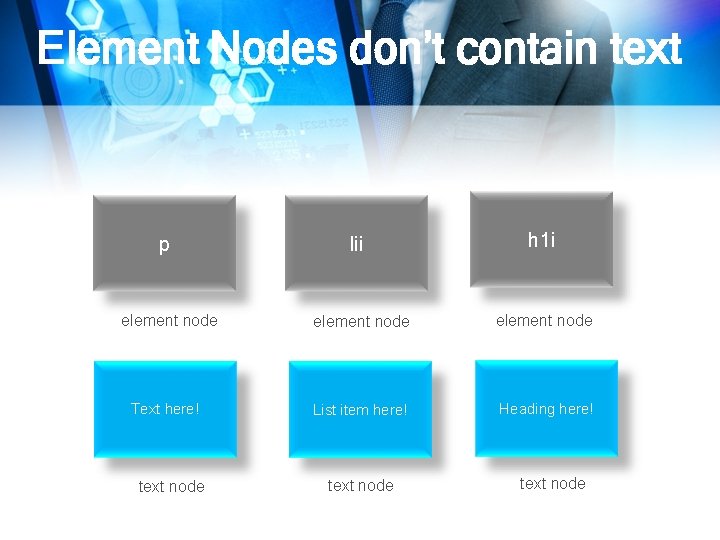
Element Nodes don’t contain text p element node Text here! text node lii h 1 i element node List item here! Heading here! text node
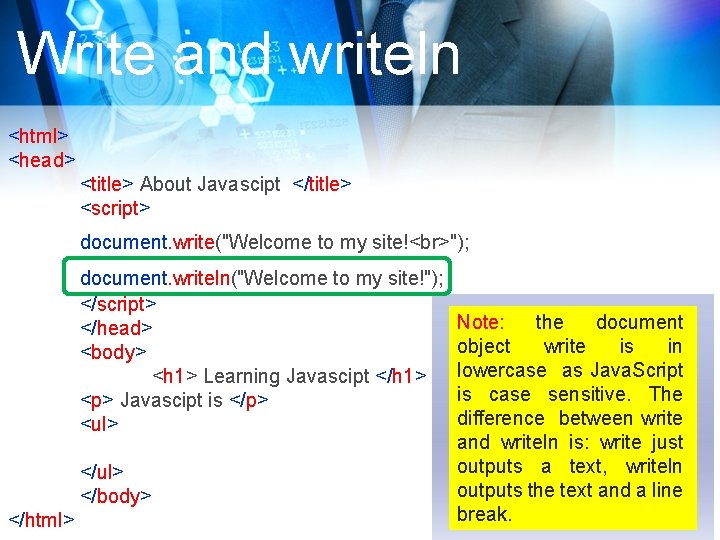
Write and writeln <html> <head> <title> About Javascipt </title> <script> document. write("Welcome to my site! "); document. writeln("Welcome to my site!"); </script> </head> <body> <h 1> Learning Javascipt </h 1> <p> Javascipt is </p> <ul> </body> </html> Note: the document object write is in lowercase as Java. Script is case sensitive. The difference between write and writeln is: write just outputs a text, writeln outputs the text and a line break.
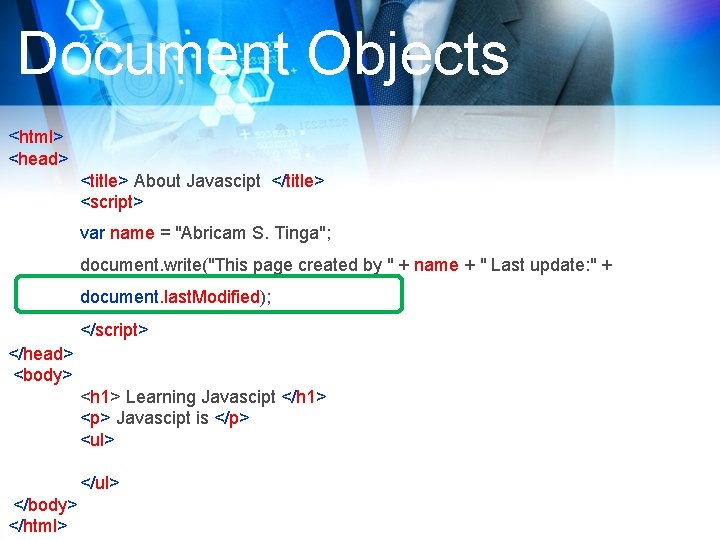
Document Objects <html> <head> <title> About Javascipt </title> <script> var name = "Abricam S. Tinga"; document. write("This page created by " + name + " Last update: " + document. last. Modified); </script> </head> <body> <h 1> Learning Javascipt </h 1> <p> Javascipt is </p> <ul> </body> </html>
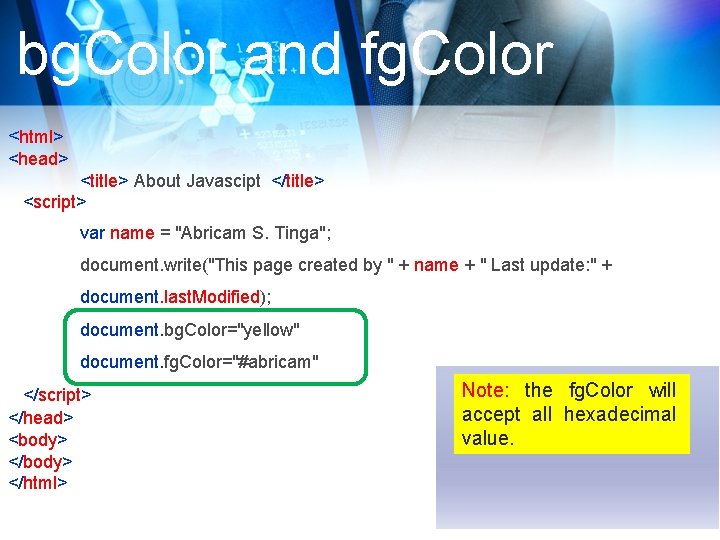
bg. Color and fg. Color <html> <head> <title> About Javascipt </title> <script> var name = "Abricam S. Tinga"; document. write("This page created by " + name + " Last update: " + document. last. Modified); document. bg. Color="yellow" document. fg. Color="#abricam" </script> </head> <body> </html> Note: the fg. Color will accept all hexadecimal value.
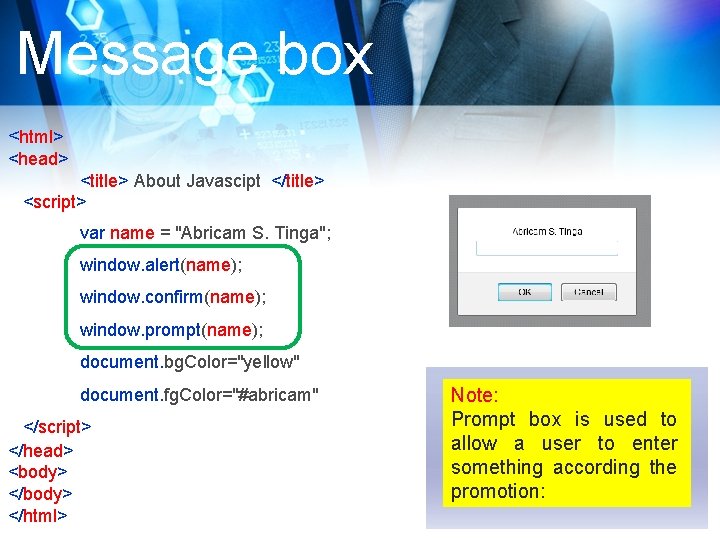
Message box <html> <head> <title> About Javascipt </title> <script> var name = "Abricam S. Tinga"; window. alert(name); window. confirm(name); window. prompt(name); document. bg. Color="yellow" document. fg. Color="#abricam" </script> </head> <body> </html> Note: Prompt box is used to allow a user to enter something according the promotion:
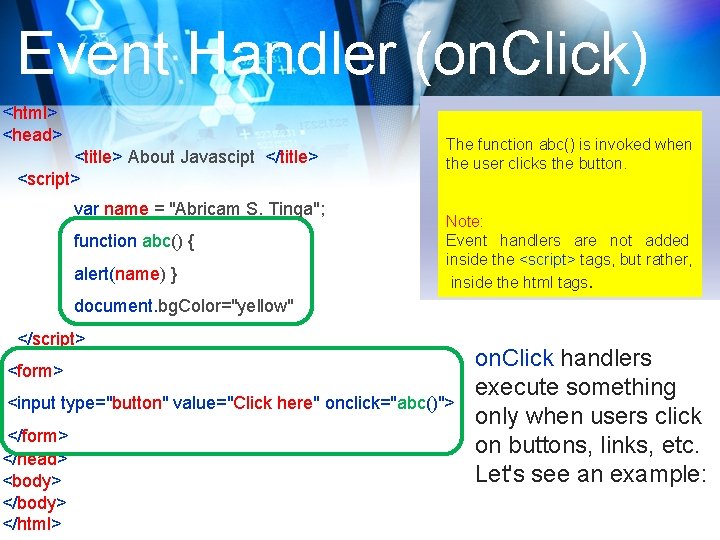
Event Handler (on. Click) <html> <head> <title> About Javascipt </title> <script> var name = "Abricam S. Tinga"; function abc() { alert(name) } The function abc() is invoked when the user clicks the button. Note: Event handlers are not added inside the <script> tags, but rather, inside the html tags. document. bg. Color="yellow" </script> <form> <input type="button" value="Click here" onclick="abc()"> </form> </head> <body> </html> on. Click handlers execute something only when users click on buttons, links, etc. Let's see an example:
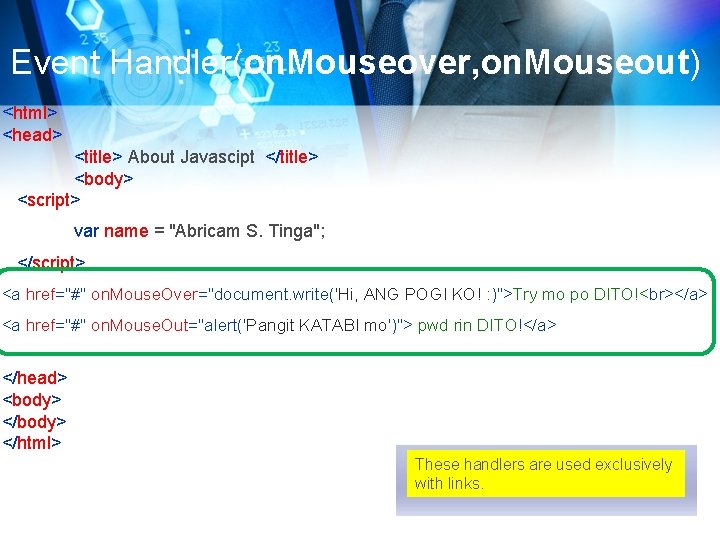
Event Handler(on. Mouseover, on. Mouseout) <html> <head> <title> About Javascipt </title> <body> <script> var name = "Abricam S. Tinga"; </script> <a href="#" on. Mouse. Over="document. write('Hi, ANG POGI KO! : )">Try mo po DITO! </a> <a href="#" on. Mouse. Out="alert('Pangit KATABI mo')"> pwd rin DITO!</a> </head> <body> </html> These handlers are used exclusively with links.
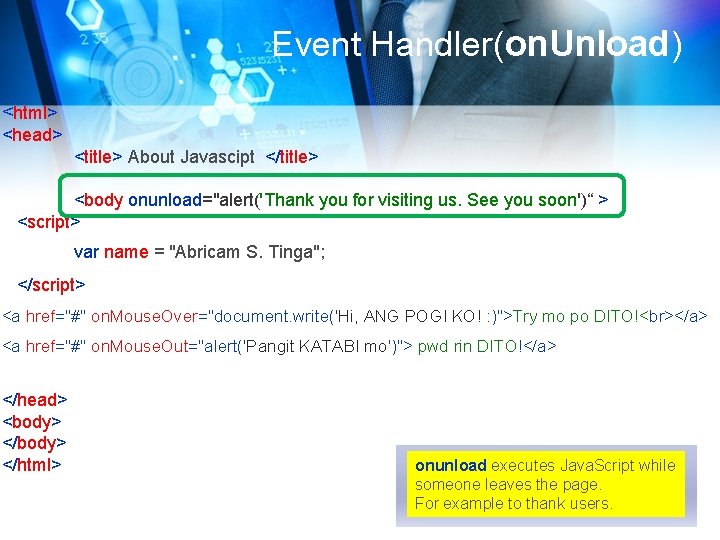
Event Handler(on. Unload) <html> <head> <title> About Javascipt </title> <body onunload="alert('Thank you for visiting us. See you soon')“ > <script> var name = "Abricam S. Tinga"; </script> <a href="#" on. Mouse. Over="document. write('Hi, ANG POGI KO! : )">Try mo po DITO! </a> <a href="#" on. Mouse. Out="alert('Pangit KATABI mo')"> pwd rin DITO!</a> </head> <body> </html> onunload executes Java. Script while someone leaves the page. For example to thank users.
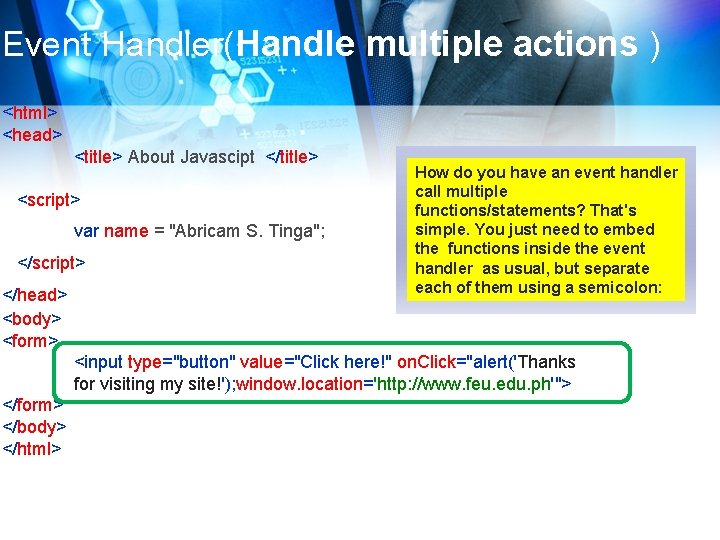
Event Handler(Handle multiple actions ) <html> <head> <title> About Javascipt </title> <script> var name = "Abricam S. Tinga"; </script> </head> <body> <form> How do you have an event handler call multiple functions/statements? That's simple. You just need to embed the functions inside the event handler as usual, but separate each of them using a semicolon: <input type="button" value="Click here!" on. Click="alert('Thanks for visiting my site!'); window. location='http: //www. feu. edu. ph'"> </form> </body> </html>

THANK YOU
Laboratory Create a Thumbnail pictures using Java. Script Create an object that has 5 properties content presentation behavior
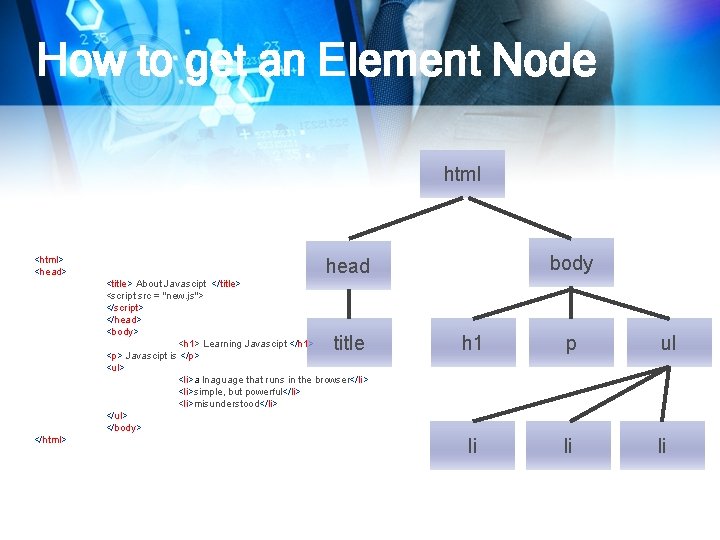
How to get an Element Node html <html> <head> <title> About Javascipt </title> <script src = "new. js"> </script> </head> <body> <h 1> Learning Javascipt </h 1> <p> Javascipt is </p> <ul> <li>a lnaguage that runs in the browser</li> <li>simple, but powerful</li> <li>misunderstood</li> </ul> </body> title </html> body head h 1 p ul li li li
How to get an Element Node document. get. Elment. By. Id (“some. ID”);
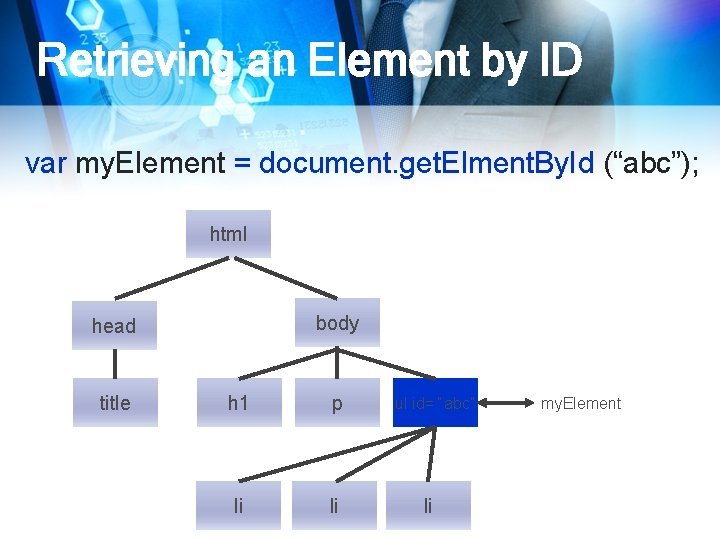
Retrieving an Element by ID var my. Element = document. get. Elment. By. Id (“abc”); html body head title h 1 p li li ul id= “abc” li my. Element
Retrieving an Element by ID document. get. Elments. By. Tag. Name (“a”);
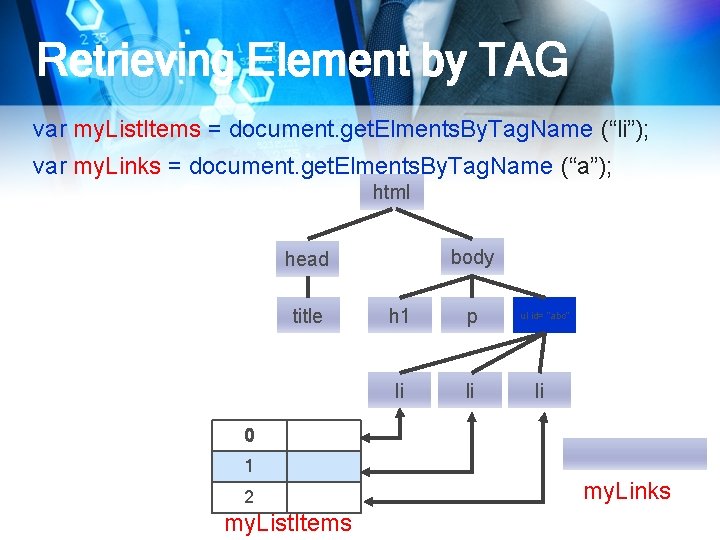
Retrieving Element by TAG var my. List. Items = document. get. Elments. By. Tag. Name (“li”); var my. Links = document. get. Elments. By. Tag. Name (“a”); html body head title h 1 p li li ul id= “abc” li 0 1 2 my. List. Items my. Links
Retrieving Element by TAG
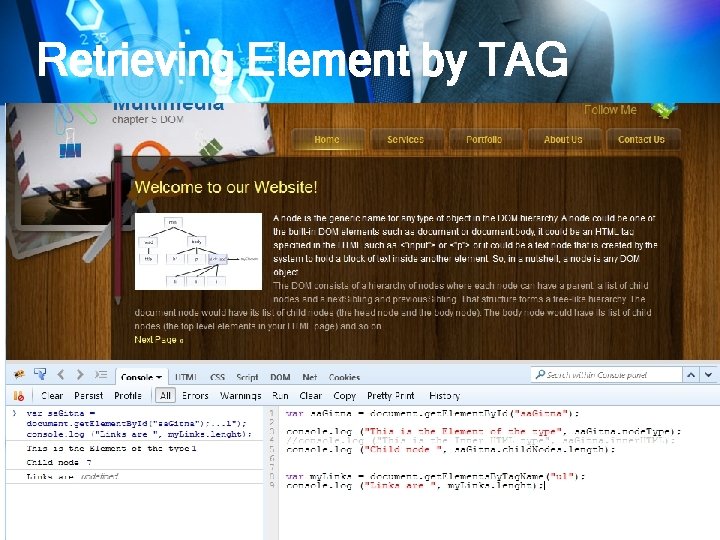
Retrieving Element by TAG
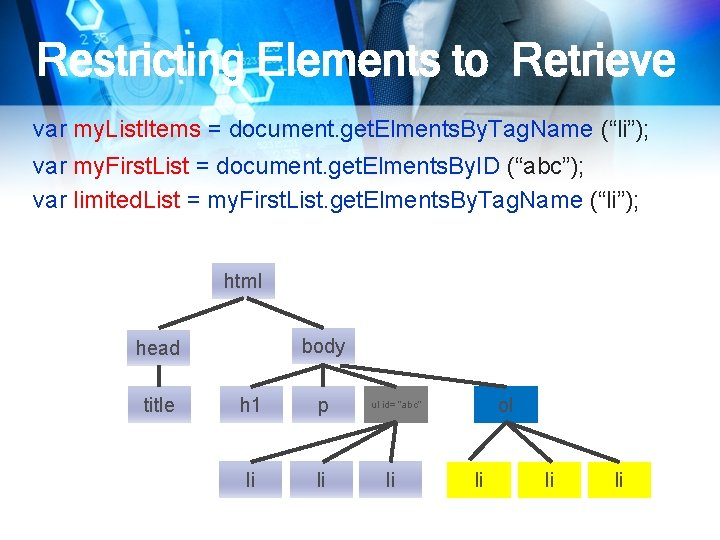
Restricting Elements to Retrieve var my. List. Items = document. get. Elments. By. Tag. Name (“li”); var my. First. List = document. get. Elments. By. ID (“abc”); var limited. List = my. First. List. get. Elments. By. Tag. Name (“li”); html body head title h 1 p li li ol ul id= “abc” li li
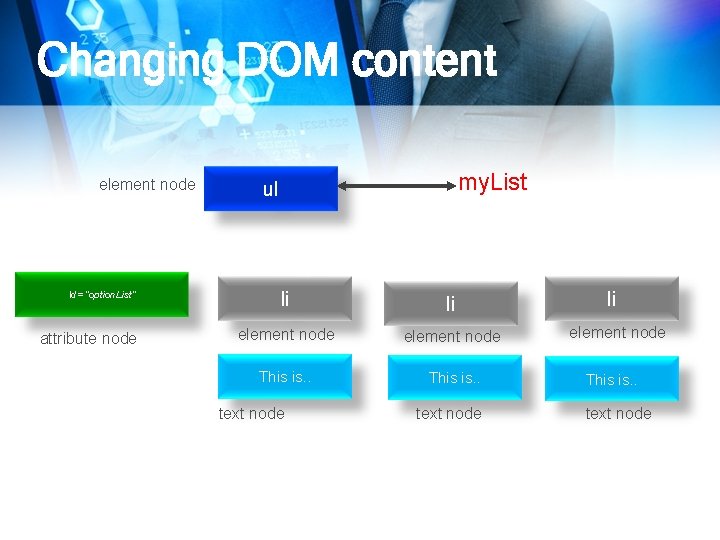
Changing DOM content element node Id= “option. List” attribute node my. List ul li li element node This is. . text node
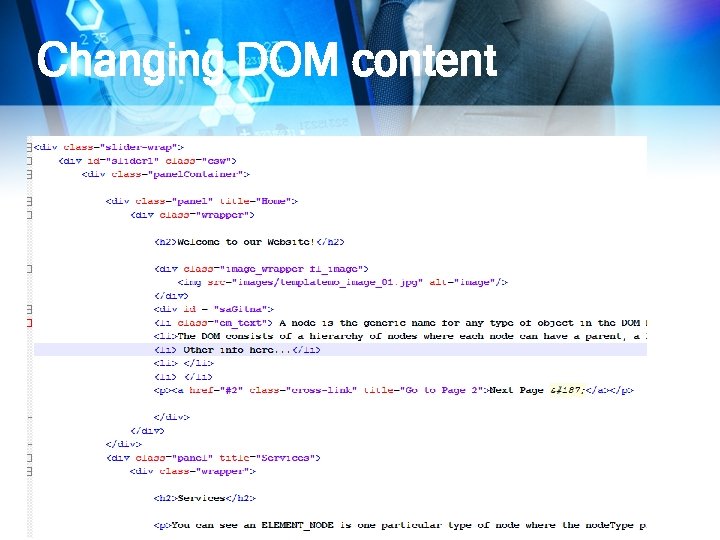
Changing DOM content
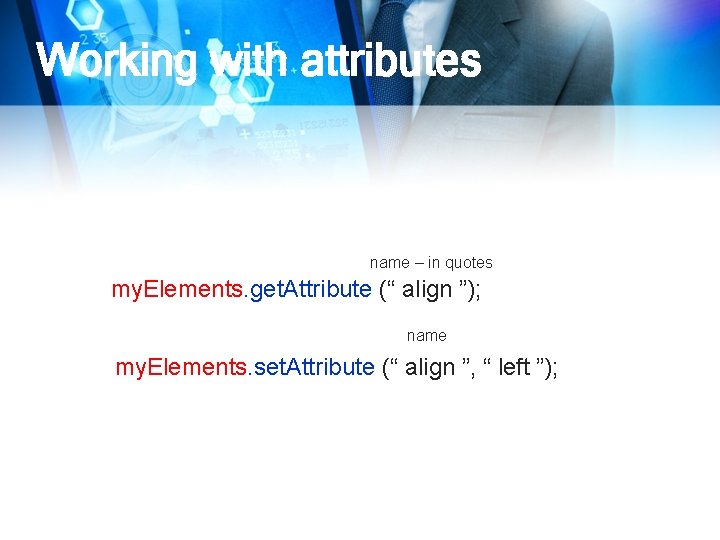
Working with attributes name – in quotes my. Elements. get. Attribute (“ align ”); name my. Elements. set. Attribute (“ align ”, “ left ”);

Working with attributes
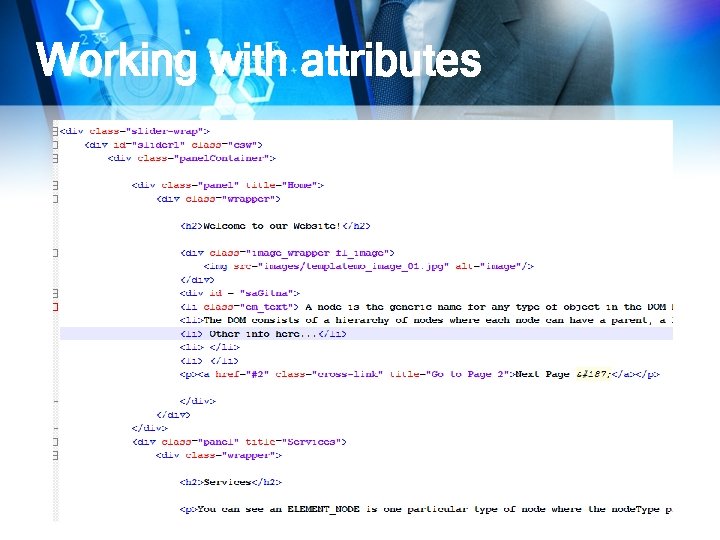
Working with attributes
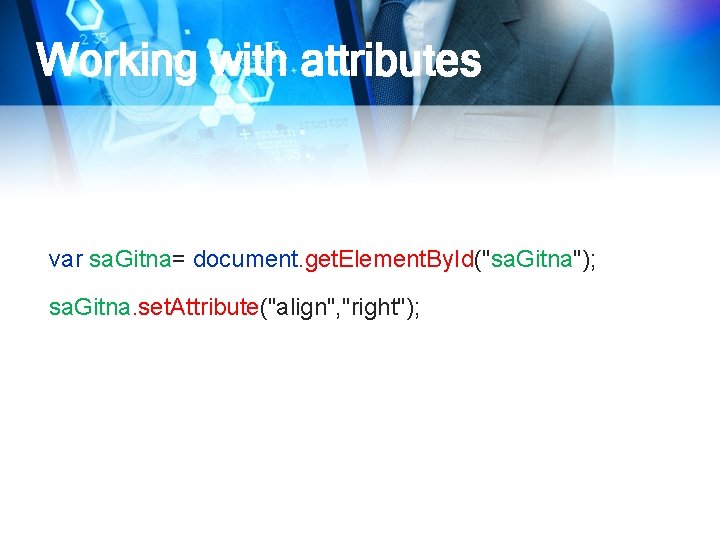
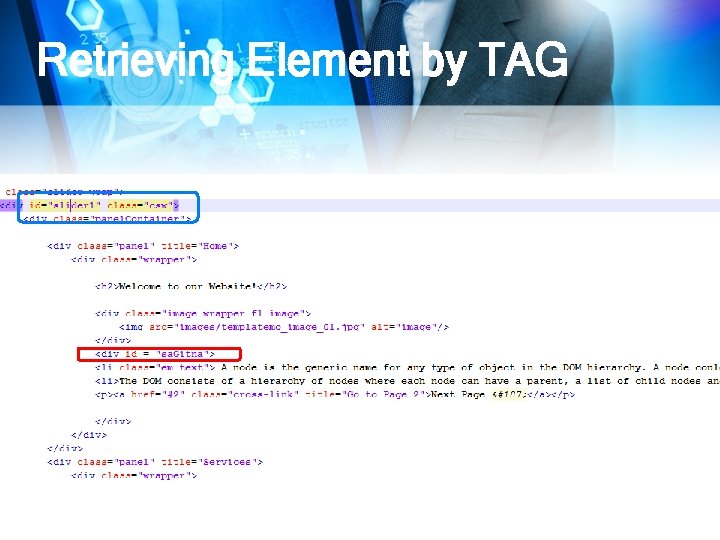
Working with attributes var sa. Gitna= document. get. Element. By. Id("sa. Gitna"); sa. Gitna. set. Attribute("align", "right");

Working with attributes
Working with attributes DEMONSTRATION
Creating DOM Element 1. create the element 2. Add it to the document
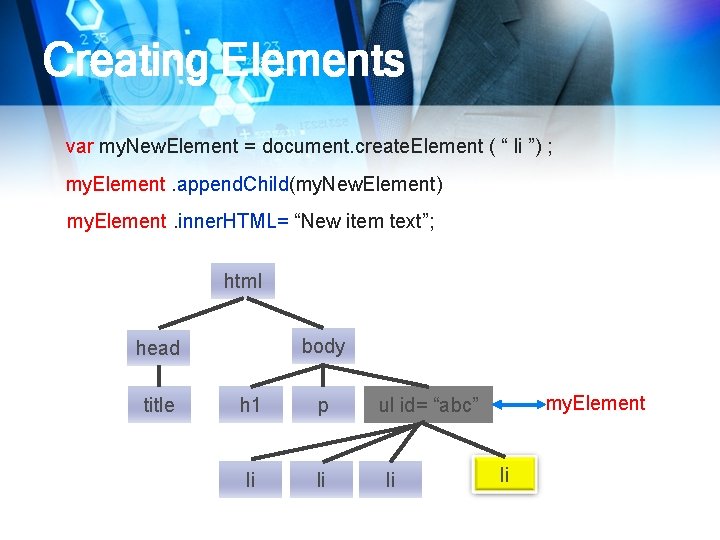
Creating Elements var my. New. Element = document. create. Element ( “ li ”) ; my. Element. append. Child(my. New. Element) my. Element. inner. HTML= “New item text”; html body head title h 1 p li li my. Element ul id= “abc” li li
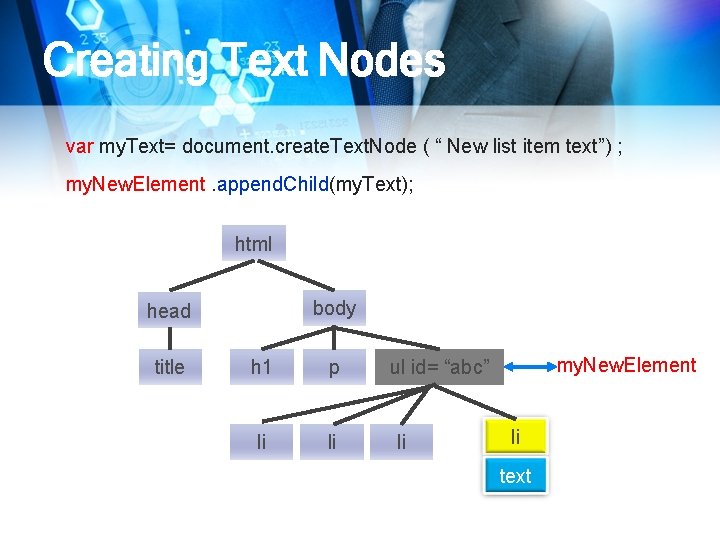
Creating Text Nodes var my. Text= document. create. Text. Node ( “ New list item text”) ; my. New. Element. append. Child(my. Text); html body head title h 1 p li li my. New. Element ul id= “abc” li li text
Creating Text Nodes
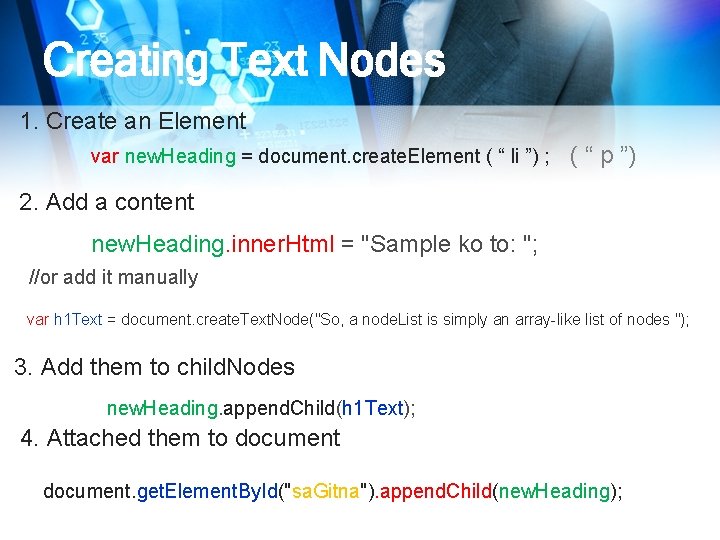
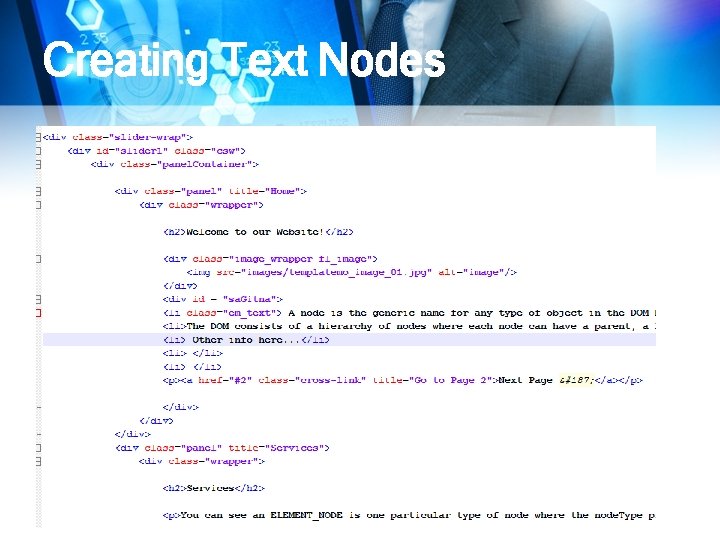
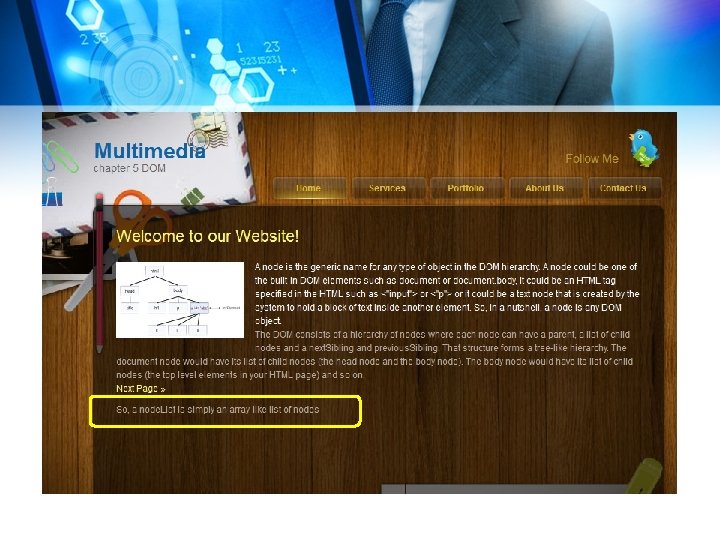
Creating Text Nodes 1. Create an Element var new. Heading = document. create. Element ( “ li ”) ; ( “ p ”) 2. Add a content new. Heading. inner. Html = "Sample ko to: "; //or add it manually var h 1 Text = document. create. Text. Node("So, a node. List is simply an array-like list of nodes "); 3. Add them to child. Nodes new. Heading. append. Child(h 1 Text); 4. Attached them to document. get. Element. By. Id("sa. Gitna"). append. Child(new. Heading);
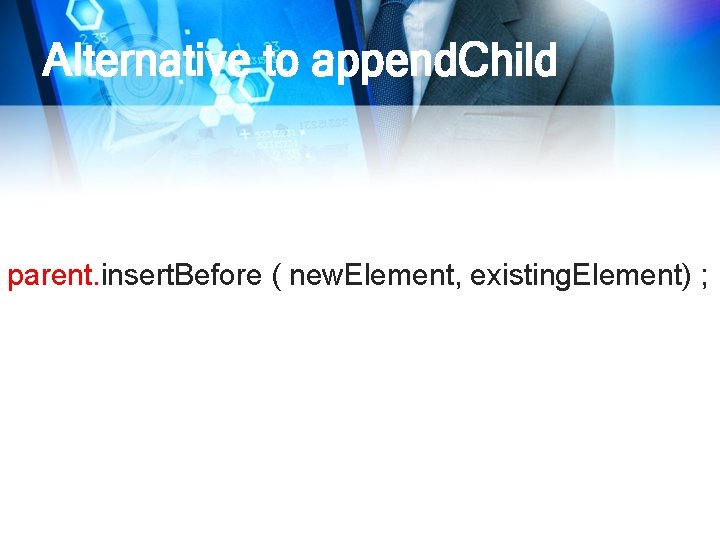
Alternative to append. Child parent. insert. Before ( new. Element, existing. Element) ;
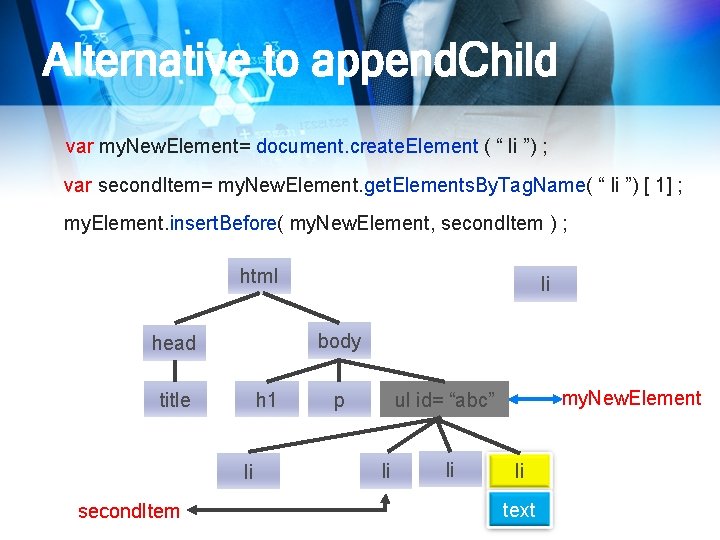
Alternative to append. Child var my. New. Element= document. create. Element ( “ li ”) ; var second. Item= my. New. Element. get. Elements. By. Tag. Name( “ li ”) [ 1] ; my. Element. insert. Before( my. New. Element, second. Item ) ; html body head title h 1 li second. Item li p my. New. Element ul id= “abc” li li li text
LABORATORY 12/20/2021
- Slides: 81