
MTAT 03 231 Business Process Management Lecture 10
MTAT. 03. 231 – Business Process Management Lecture 10: Process Automation University of Tartu marlon. dumas@ut. ee Slides prepared in collaboration with Marcello La Rosa (QUT) With contributions from Remco Dijkman (TU/e)
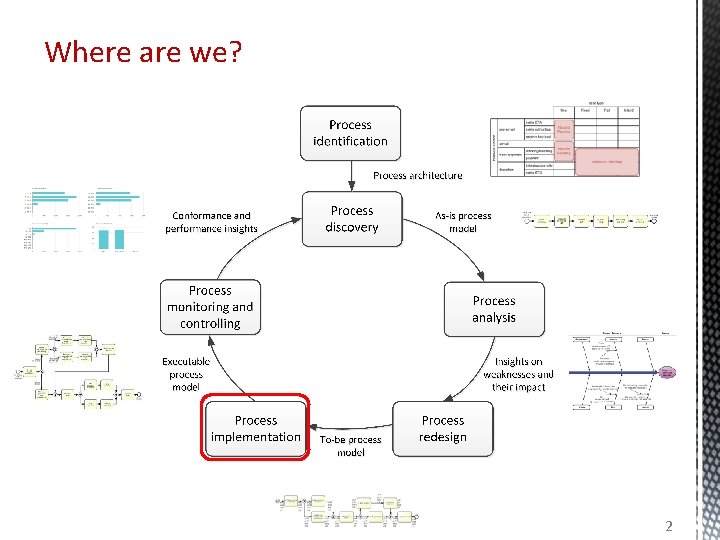
Where are we? 2

From “conceptual” to executable models Conceptual “to-be” process models • are made by domain experts • provide a basis for communication amongst relevant stakeholders • must be understandable • must be intuitive and may leave room for interpretation • contain purely a relevant set of process information Executable process models • are made by IT experts • provide input to a process enactment system - BPMS • must be machine readable • must be unambiguous and should not contain any uncertainties • contain further details that are only relevant to implementation “to-be executed” process model 3
Bridging the gap: A five-step method 1. 2. 3. 4. 5. Identify the automation boundaries Review manual tasks Complete the process model Adjust task granularity Specify execution properties Adapted from teaching material of Remco Dijkman, TU/e. 4
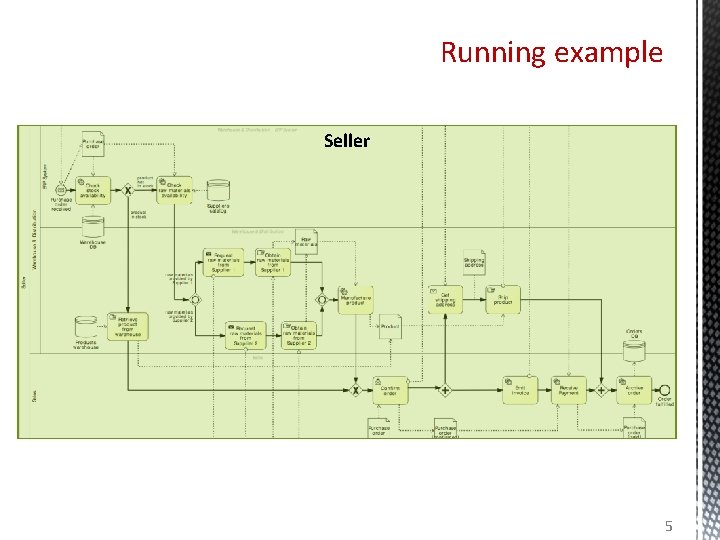
Running example Customer Seller Supplier 1 Supplier 2 5
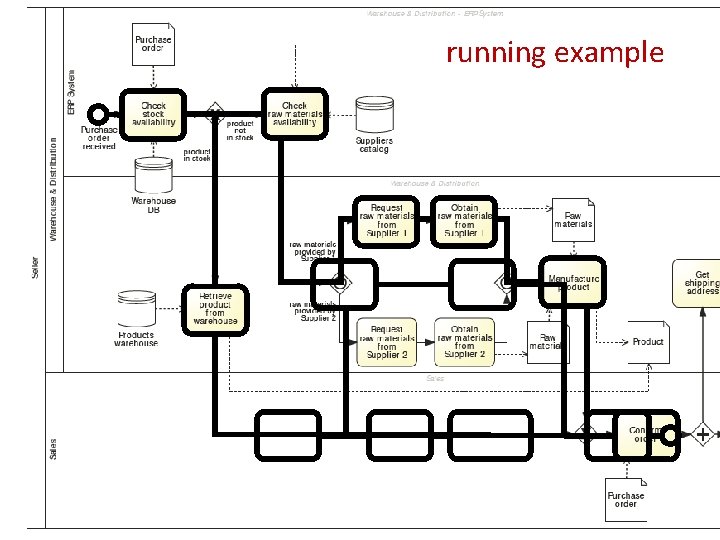
running example
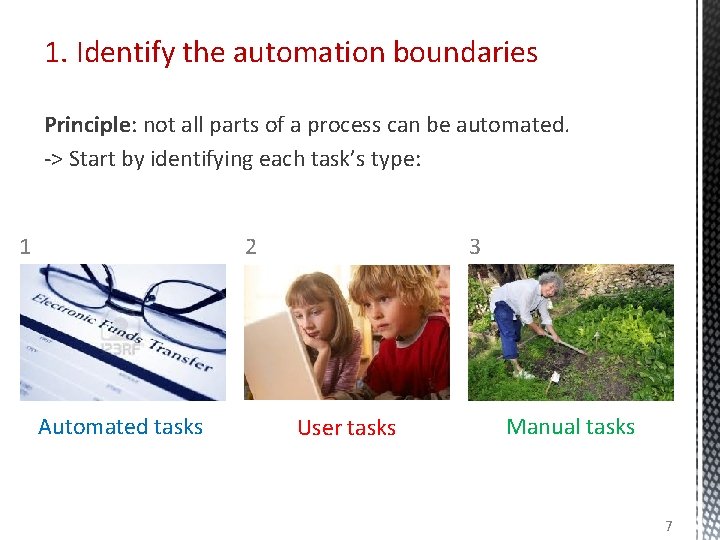
1. Identify the automation boundaries Principle: not all parts of a process can be automated. -> Start by identifying each task’s type: 1 2 Automated tasks 3 User tasks Manual tasks 7
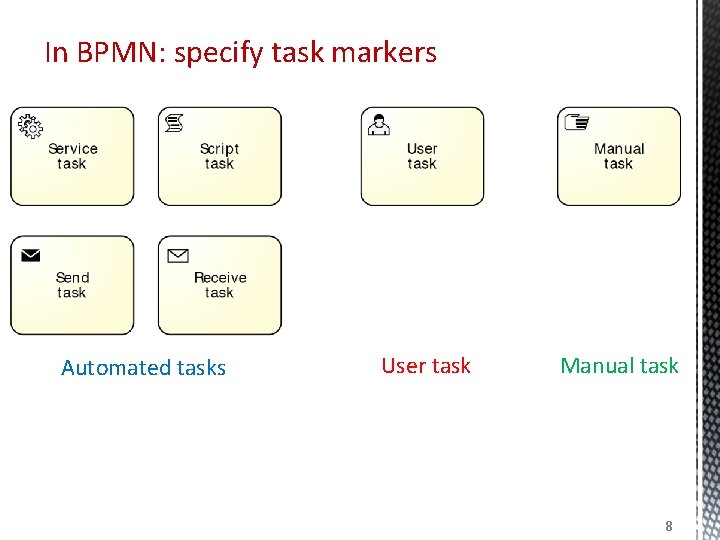
In BPMN: specify task markers Automated tasks User task Manual task 8
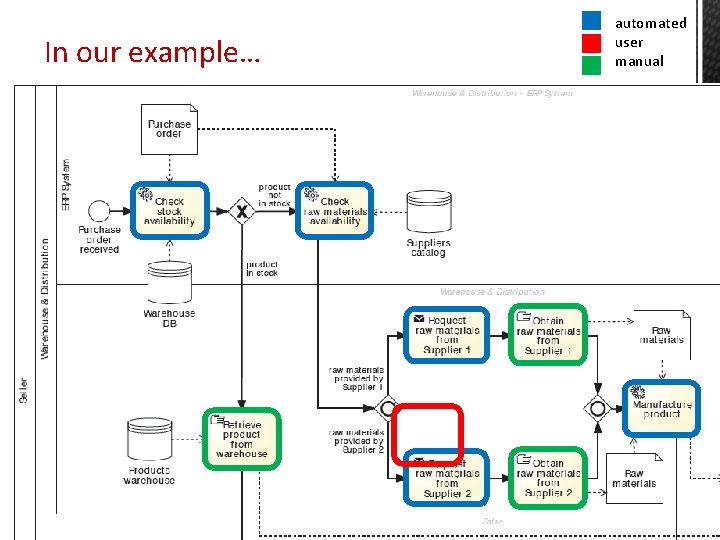
In our example… automated user manual
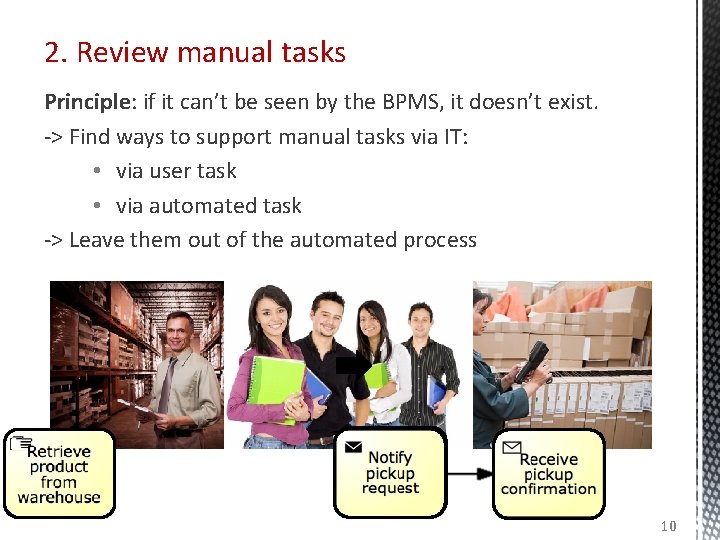
2. Review manual tasks Principle: if it can’t be seen by the BPMS, it doesn’t exist. -> Find ways to support manual tasks via IT: • via user task • via automated task -> Leave them out of the automated process 10
3. Complete the process model Principle 1: exceptions are the rule. • Consider incomplete paths • Rules of thumb • If we send something to another party, what happens if they do not respond? What happens if the response comes late? What happens if they do not respond the way we expect? • For each task: Can it go wrong and what happens if it goes wrong? • For each external party: Have we captured all messages or queries they might send us? (use CRUD) Principle: no data = no decisions, no tasks handover. • Specify all (electronic) business objects • For each task, determine which business objects it creates, reads, updates, delete (CRUD) • For each decision, determine which objects it needs 11
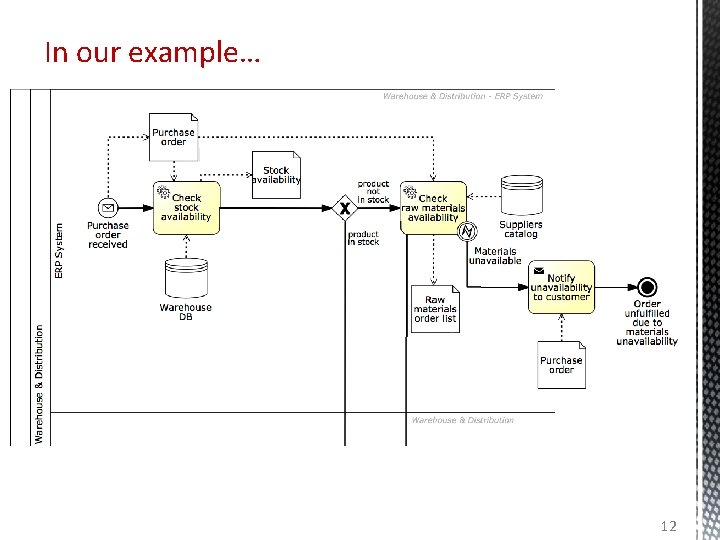
In our example… 12
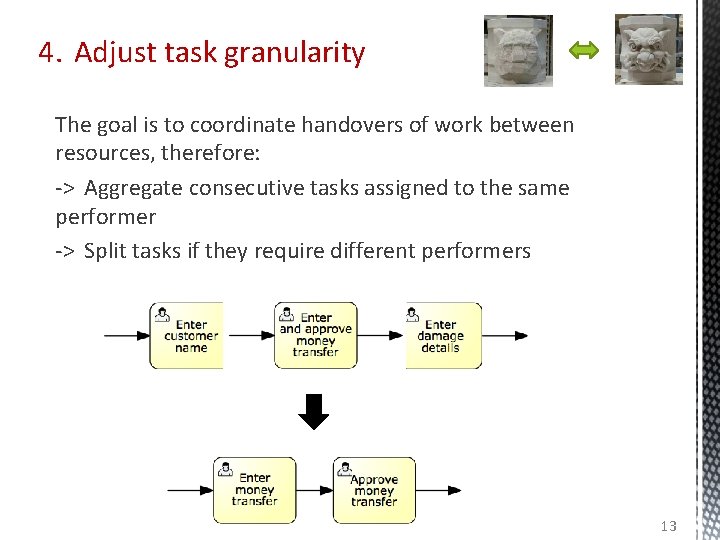
4. Adjust task granularity The goal is to coordinate handovers of work between resources, therefore: -> Aggregate consecutive tasks assigned to the same performer -> Split tasks if they require different performers 13
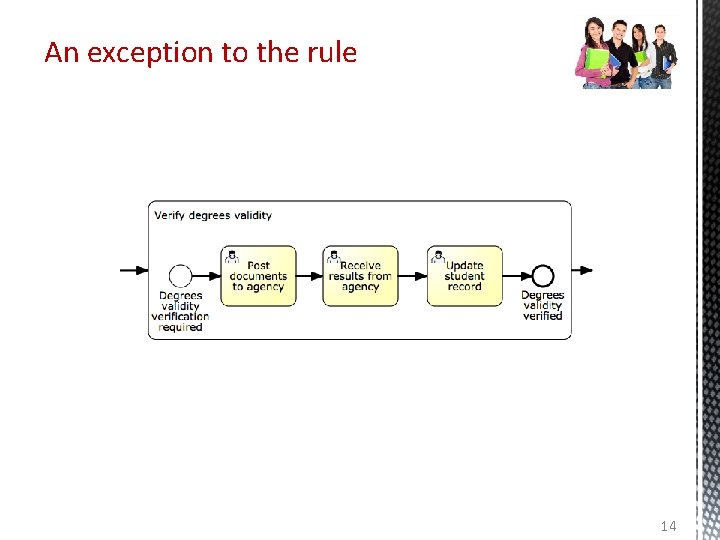
An exception to the rule 14
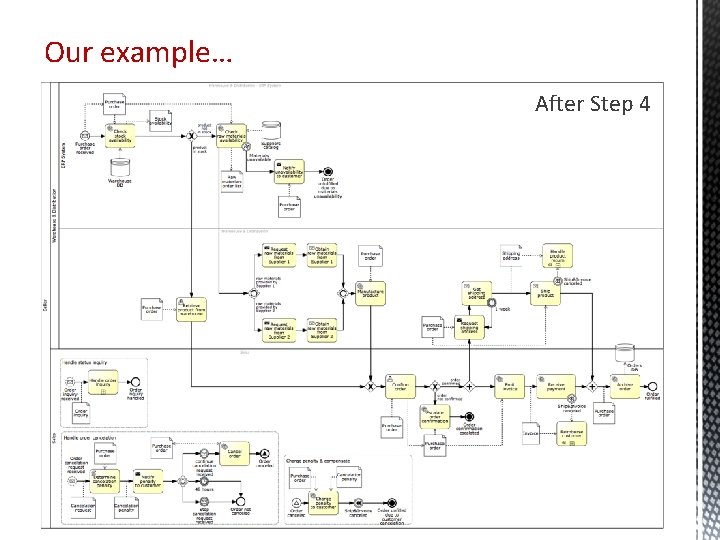
Our example… Before After Step 41
Bridging the gap: one task at a time 1. 2. 3. 4. 5. Identify the automation boundaries Review manual tasks Complete the process model Adjust task granularity Specify execution properties 16
5. Specify execution properties Process variables, messages, signals, errors Task and event variables and their mappings to process variables Service details Code snippets Participant assignment rules User interface specification (e. g. forms) Task, event and sequence flow expressions BPMS-specific: work queues, forms, connectors…
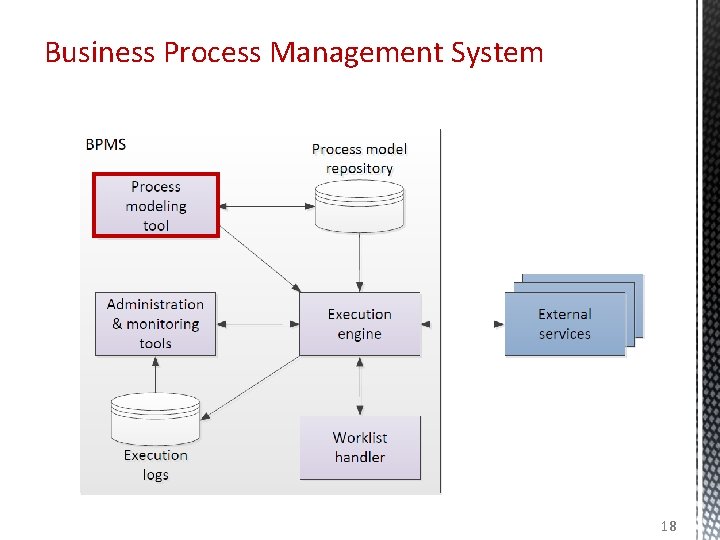
Business Process Management System 18
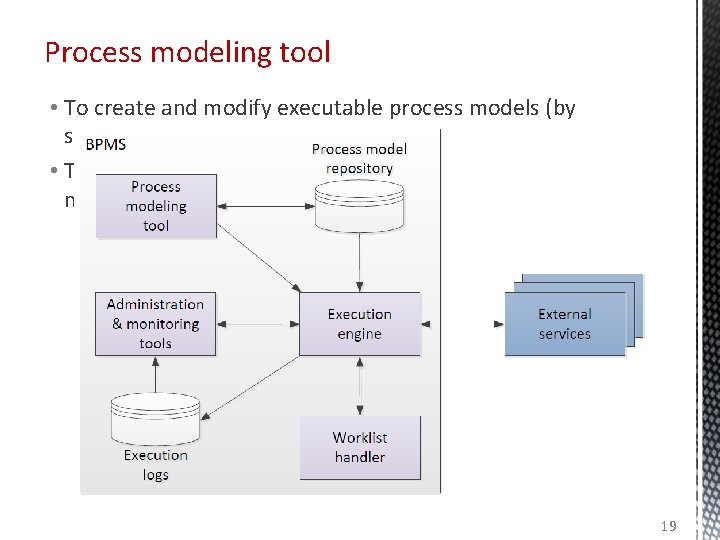
Process modeling tool • To create and modify executable process models (by specifying execution properties) • To store and retrieve automation solutions from a process model repository 19
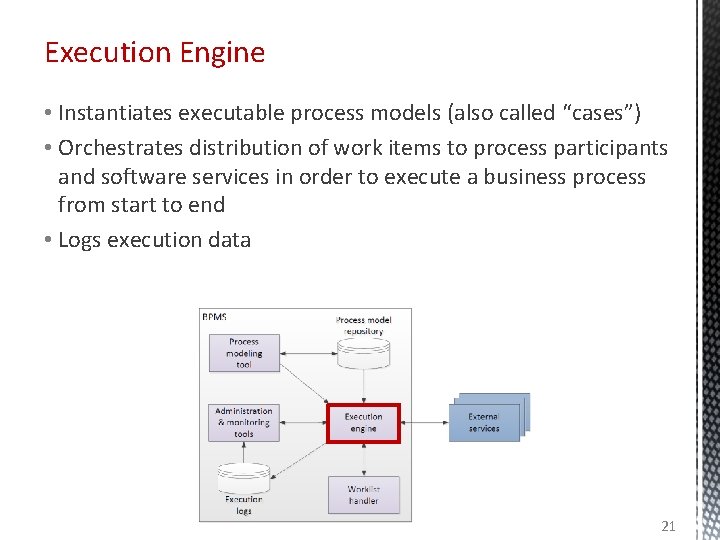
Execution Engine • Instantiates executable process models (also called “cases”) • Orchestrates distribution of work items to process participants and software services in order to execute a business process from start to end • Logs execution data 21
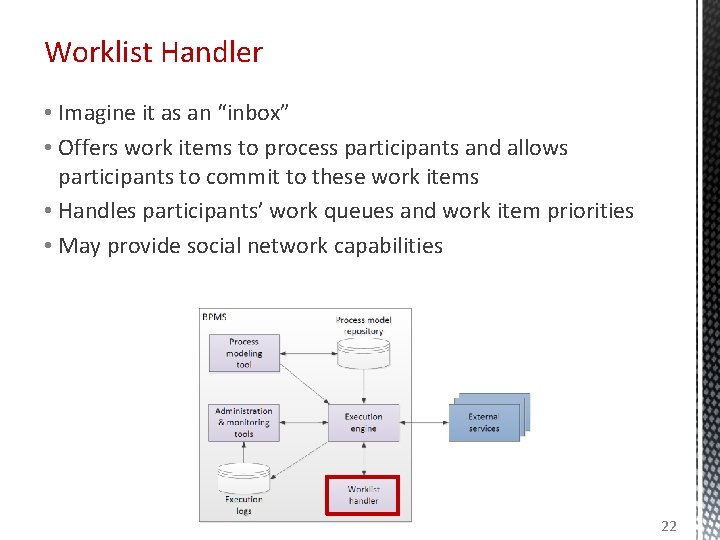
Worklist Handler • Imagine it as an “inbox” • Offers work items to process participants and allows participants to commit to these work items • Handles participants’ work queues and work item priorities • May provide social network capabilities 22
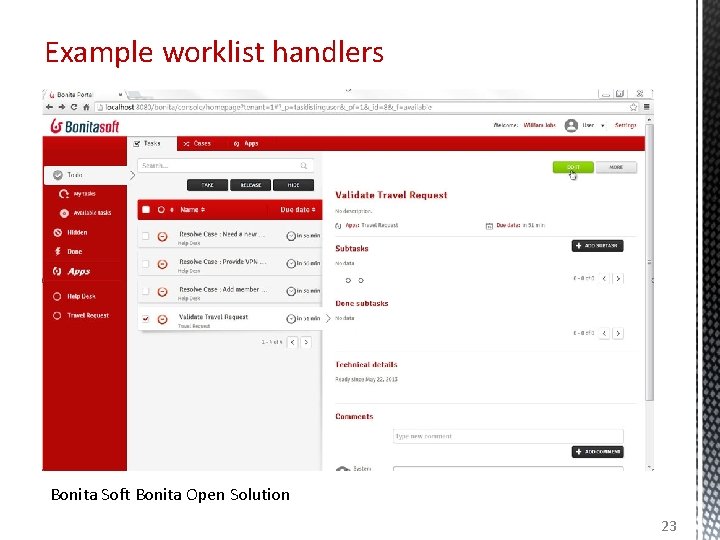
Example worklist handlers Bonita Soft Bonita Open Solution 23
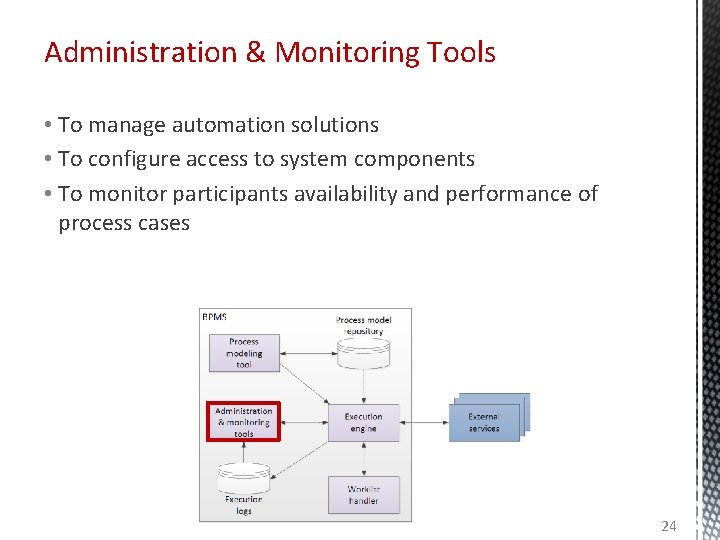
Administration & Monitoring Tools • To manage automation solutions • To configure access to system components • To monitor participants availability and performance of process cases 24
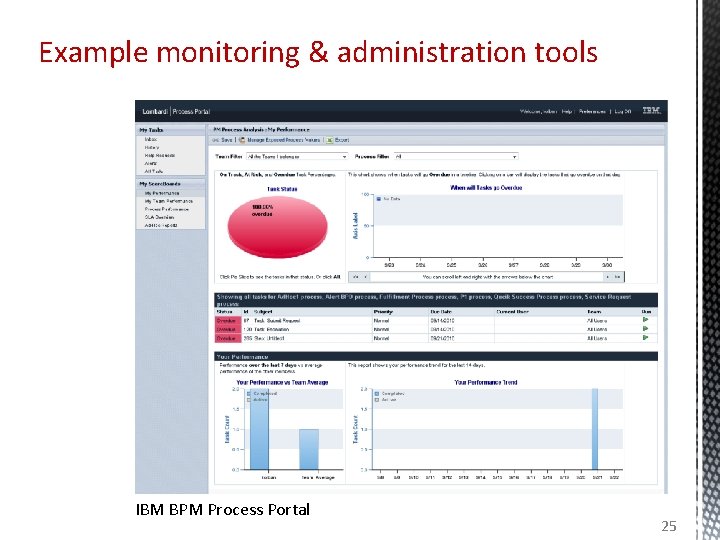
Example monitoring & administration tools IBM BPM Process Portal 25
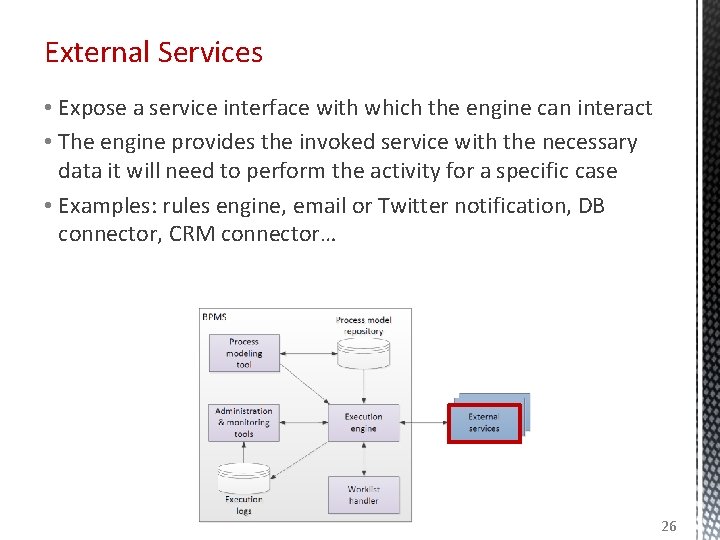
External Services • Expose a service interface with which the engine can interact • The engine provides the invoked service with the necessary data it will need to perform the activity for a specific case • Examples: rules engine, email or Twitter notification, DB connector, CRM connector… 26
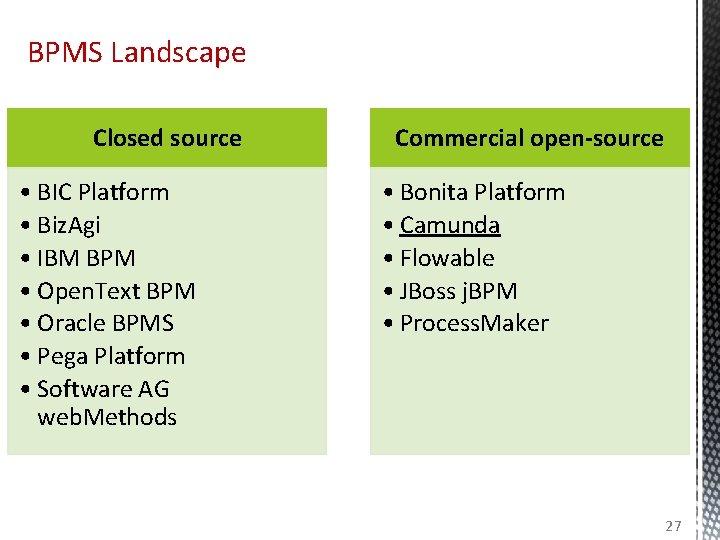
BPMS Landscape Closed source • BIC Platform • Biz. Agi • IBM BPM • Open. Text BPM • Oracle BPMS • Pega Platform • Software AG web. Methods Commercial open-source • Bonita Platform • Camunda • Flowable • JBoss j. BPM • Process. Maker 27
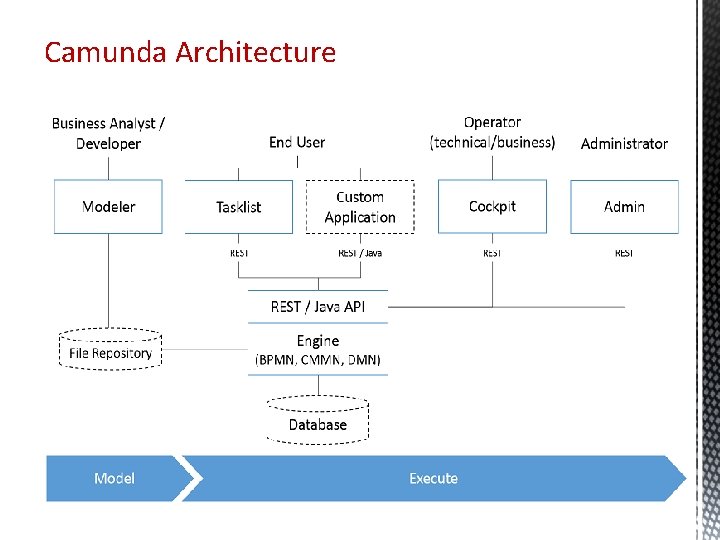
Camunda Architecture
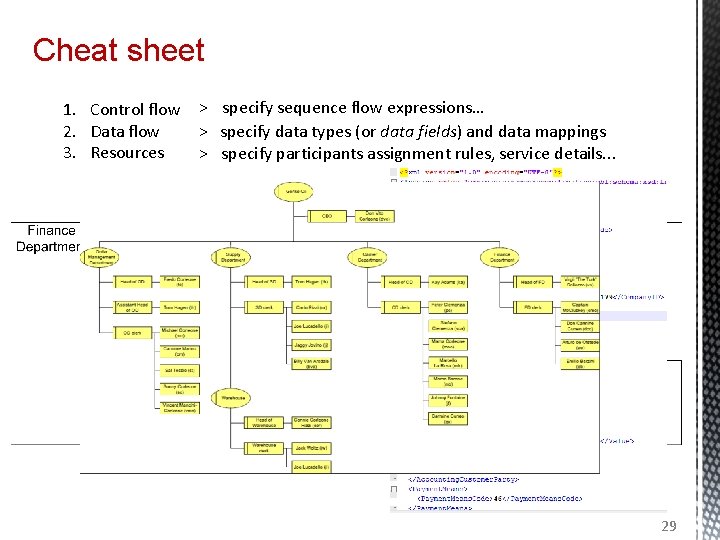
Cheat sheet 1. Control flow > specify sequence flow expressions… 2. Data flow > specify data types (or data fields) and data mappings 3. Resources > specify participants assignment rules, service details. . . 29
- Slides: 28