
MS Excel Environment and Functions Computer Applications in
- Slides: 9
MS Excel Environment and Functions Computer Applications in Finance Dr. Attaullah Shah www. Open. Doors. Pk
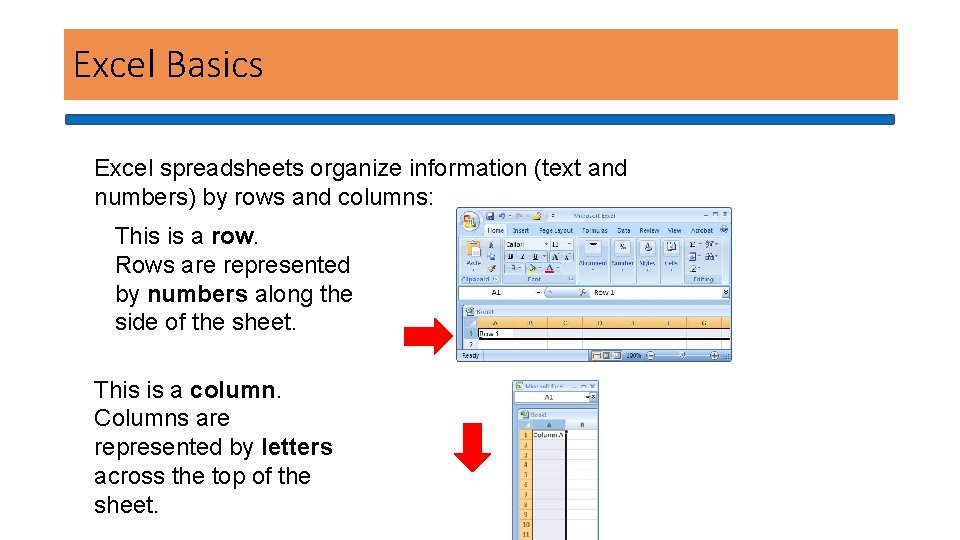
Excel Basics Excel spreadsheets organize information (text and numbers) by rows and columns: This is a row. Rows are represented by numbers along the side of the sheet. This is a column. Columns are represented by letters across the top of the sheet.
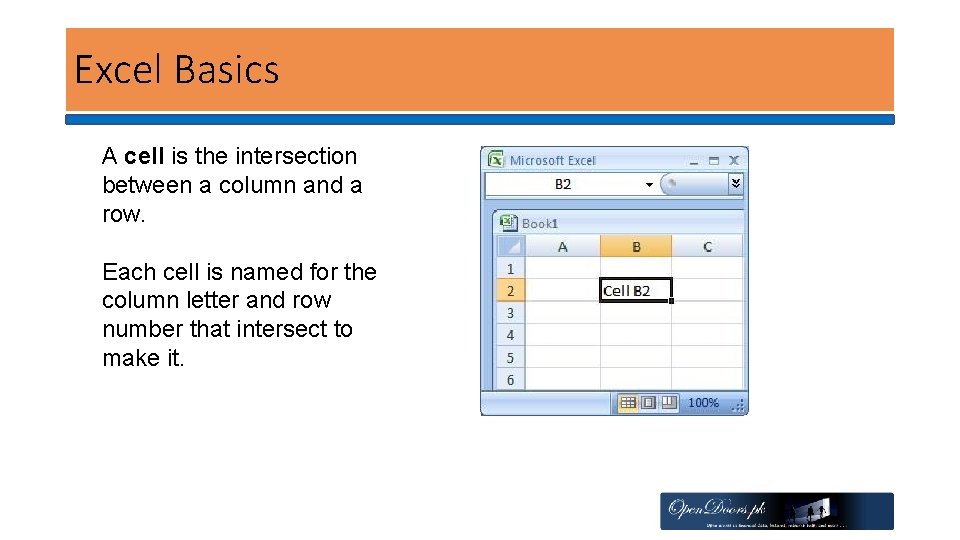
Excel Basics A cell is the intersection between a column and a row. Each cell is named for the column letter and row number that intersect to make it.
Add, delete columns and rows • Insert columns: right click on the column headers, i. e. letters A, B, etc, and click insert • Delete columns: right click on column headers, and click delete • Insert rows: right click on extreme left row headers, i. e. the numbers 1, 2, etc, and click insert • Delete rows: as above, click delete
Workbooks and Sheets • Workbook : A workbook is an Excel file that contains one or more worksheets. • Worksheets: • An Excel worksheet is a single spreadsheet that contains cells organized by rows and columns.
Formulas and Functions • Formulas are equations that perform calculations in your spreadsheet. Formulas always begin with an equals sign (=). When you enter an equals sign into a cell, you are basically telling Excel to “calculate this. ” • Functions are Excel-defined formulas. They take data you select and enter, perform calculations on them, and return value(s).
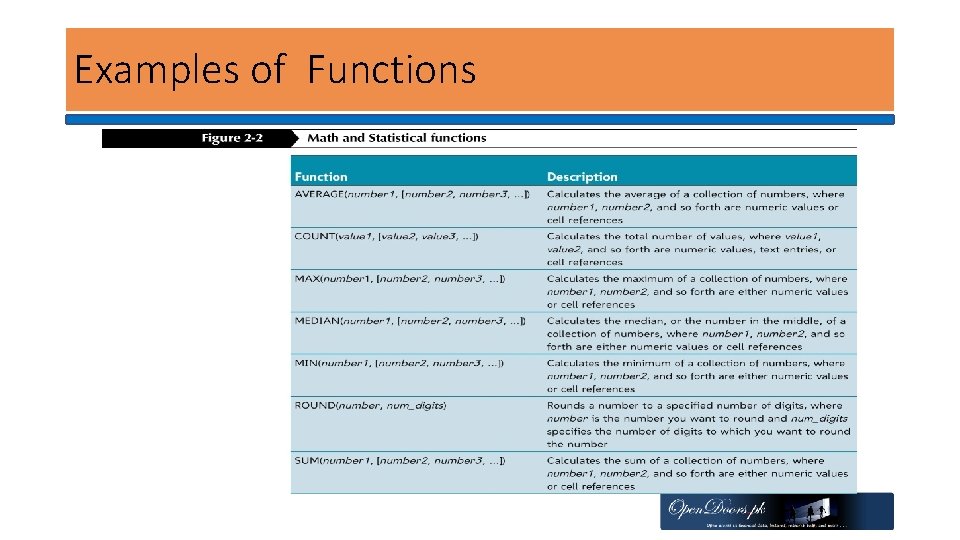
Examples of Functions
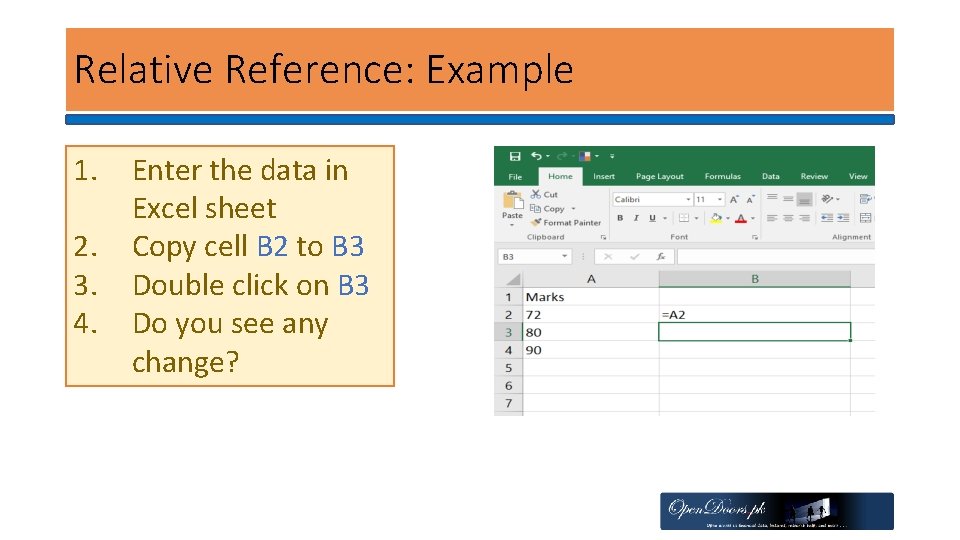
Cell References • Relative Reference By default, Excel uses relative reference. These references change based on the relative position of rows and columns. For example, =A 5, when copied one cell down, it becomes =A 6 • Absolute references do not change when copied to other cells. These references have $ sign
Relative Reference: Example 1. 2. 3. 4. Enter the data in Excel sheet Copy cell B 2 to B 3 Double click on B 3 Do you see any change?