
MPP Cluster Scale Out for BLU Acceleration in
MPP Cluster Scale Out for BLU Acceleration in dash. DB David Kalmuk, IBM Session Code: C 09 Tuesday November 17 th, 16: 30 – 17: 30 Platform: DB 2 for Linux, Unix, Windows
Objectives • Learn about MPP shared nothing scale-out with BLU Acceleration • Take a look “under the hood” at the MPP architecture and implementation inside BLU Acceleration • Learn about best practices for deploying this technology in your own environment
Agenda • A Quick Introduction to IBM dash. DB • dash. DB MPP with BLU Acceleration: A Peek Under the Hood • Best Practices for Getting Started • How to Leverage dash. DB in your Own Environment 3
A Quick Introduction to IBM dash. DB
IBM Cloud Data Services Provides a comprehensive set of rich, integrated cloud data services covering content, data and analytics. Get started: IBM. com/Bluemix
IBM dash. DB Supporting Applications at Web Scale Fast, fully managed, cloud data warehouse designed for performance and scale. Leverages integrated analytics to deliver answers as fast as you can think. dash. DB’s unique built-in analytics, R predictive modeling and business intelligence tools free you to analyze your data to get precise insights, quicker. • Built-in performance with in-memory columnar technology • Predictive modeling built into the database (linear regression, k-means clustering, Esri compatible, and more) • Works with an ecosystem of apps and tools • Integrated security and maintenance • Frequent feature + service improvements 
IBM dash. DB is designed with the greater data ecosystem in mind.
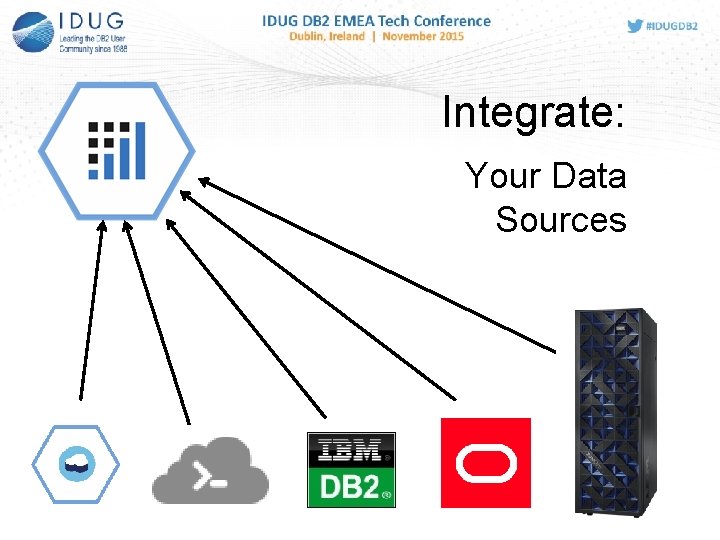
Integrate: Your Data Sources
Integrate: Your Analytics
Integrate: Your BI Tools
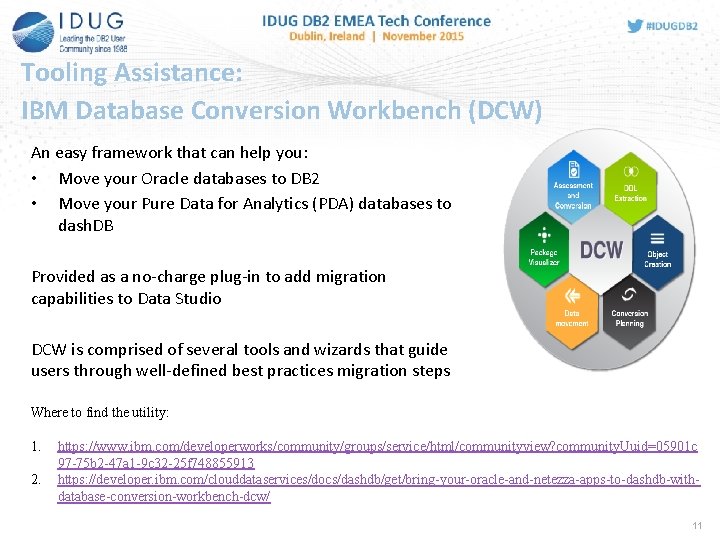
Tooling Assistance: IBM Database Conversion Workbench (DCW) An easy framework that can help you: • Move your Oracle databases to DB 2 • Move your Pure Data for Analytics (PDA) databases to dash. DB Provided as a no-charge plug-in to add migration capabilities to Data Studio DCW is comprised of several tools and wizards that guide users through well-defined best practices migration steps Where to find the utility: 1. 2. https: //www. ibm. com/developerworks/community/groups/service/html/communityview? community. Uuid=05901 c 97 -75 b 2 -47 a 1 -9 c 32 -25 f 748855913 https: //developer. ibm. com/clouddataservices/docs/dashdb/get/bring-your-oracle-and-netezza-apps-to-dashdb-withdatabase-conversion-workbench-dcw/ 11
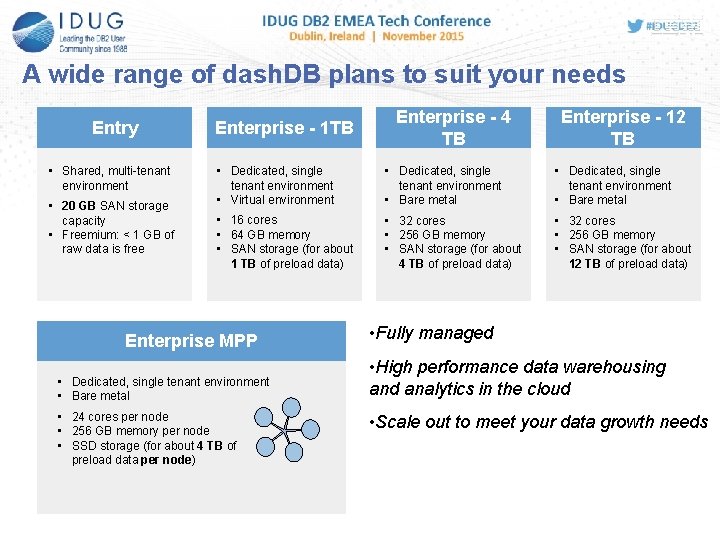
A wide range of dash. DB plans to suit your needs Entry • Shared, multi-tenant environment • 20 GB SAN storage capacity • Freemium: < 1 GB of raw data is free Enterprise - 1 TB Enterprise - 4 TB Enterprise - 12 TB • Dedicated, single tenant environment • Virtual environment • Dedicated, single tenant environment • Bare metal • 16 cores • 64 GB memory • SAN storage (for about 1 TB of preload data) • 32 cores • 256 GB memory • SAN storage (for about 4 TB of preload data) • 32 cores • 256 GB memory • SAN storage (for about 12 TB of preload data) Enterprise MPP • Dedicated, single tenant environment • Bare metal • 24 cores per node • 256 GB memory per node • SSD storage (for about 4 TB of preload data per node) • Fully managed • High performance data warehousing and analytics in the cloud • Scale out to meet your data growth needs
How does dash. DB MPP change the game? • MPP shared-nothing multi-node data warehouse • Architecture allows for unlimited scalability • Higher performance by leveraging parallel cluster based computing • Massive scaling of storage capacity • Fully managed 13

dash. DB MPP with BLU Acceleration: A Peek Under the Hood
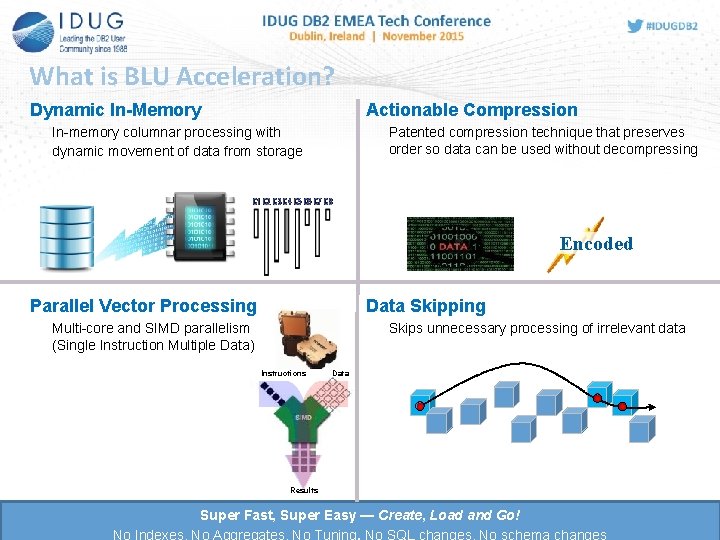
What is BLU Acceleration? Dynamic In-Memory Actionable Compression In-memory columnar processing with dynamic movement of data from storage Patented compression technique that preserves order so data can be used without decompressing Encoded Data Skipping Parallel Vector Processing Skips unnecessary processing of irrelevant data Multi-core and SIMD parallelism (Single Instruction Multiple Data) Instructions Data Results Super Fast, Super Easy — Create, Load and Go! No Indexes, No Aggregates, No Tuning, No SQL changes, No schema changes
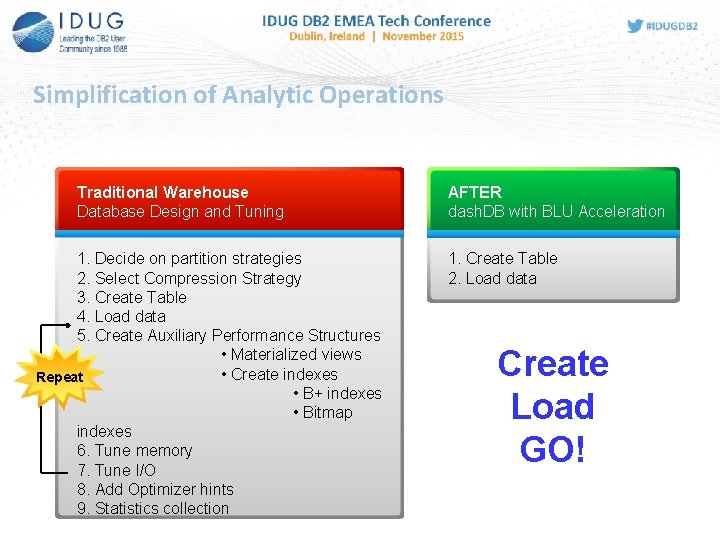
Simplification of Analytic Operations Traditional Warehouse Database Design and Tuning 1. Decide on partition strategies 2. Select Compression Strategy 3. Create Table 4. Load data 5. Create Auxiliary Performance Structures • Materialized views • Create indexes Repeat • B+ indexes • Bitmap indexes 6. Tune memory 7. Tune I/O 8. Add Optimizer hints 9. Statistics collection AFTER dash. DB with BLU Acceleration 1. Create Table 2. Load data Create Load GO!

dash. DB MPP architecture
What makes IBM dash. DB’s MPP technology superior?
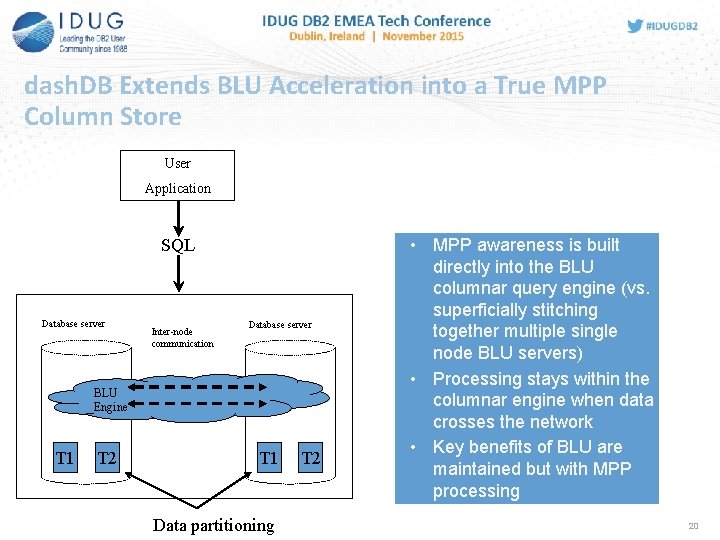
dash. DB Extends BLU Acceleration into a True MPP Column Store User Application SQL Database server Inter-node communication Database server BLU Engine T 1 T 2 T 1 Data partitioning T 2 • MPP awareness is built directly into the BLU columnar query engine (vs. superficially stitching together multiple single node BLU servers) • Processing stays within the columnar engine when data crosses the network • Key benefits of BLU are maintained but with MPP processing 20
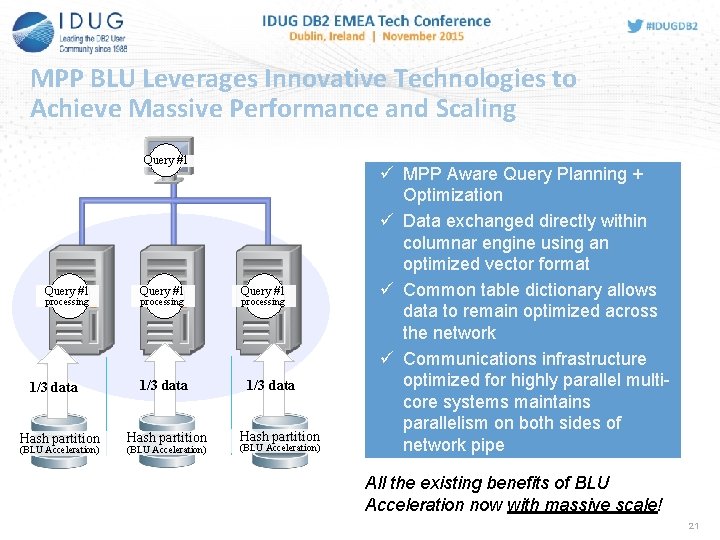
MPP BLU Leverages Innovative Technologies to Achieve Massive Performance and Scaling Query #1 processing 1/3 data Hash partition (BLU Acceleration) ü MPP Aware Query Planning + Optimization ü Data exchanged directly within columnar engine using an optimized vector format ü Common table dictionary allows data to remain optimized across the network ü Communications infrastructure optimized for highly parallel multicore systems maintains parallelism on both sides of network pipe All the existing benefits of BLU Acceleration now with massive scale! 21
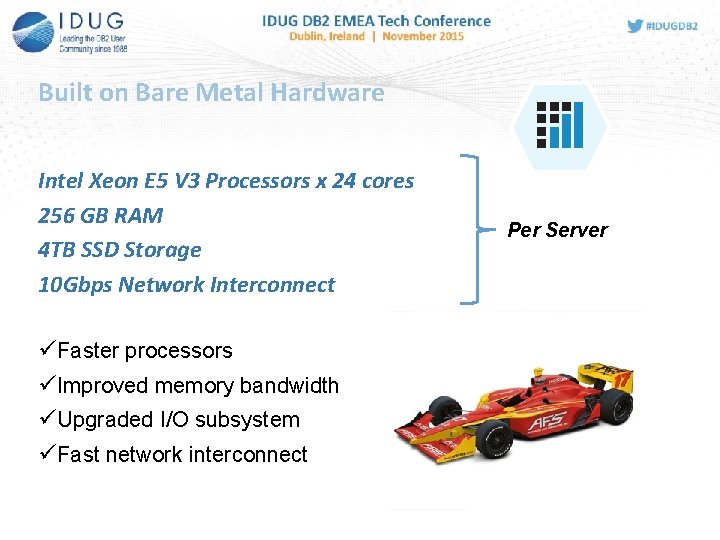
Built on Bare Metal Hardware Intel Xeon E 5 V 3 Processors x 24 cores 256 GB RAM 4 TB SSD Storage 10 Gbps Network Interconnect üFaster processors üImproved memory bandwidth üUpgraded I/O subsystem üFast network interconnect Per Server
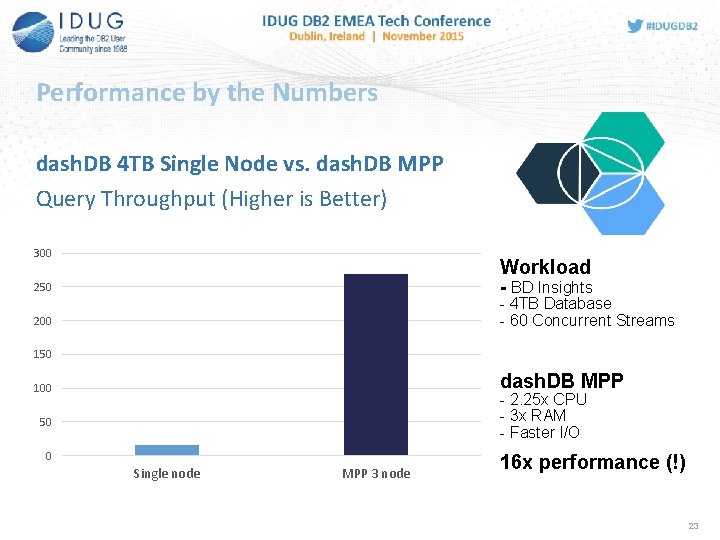
Performance by the Numbers dash. DB 4 TB Single Node vs. dash. DB MPP Query Throughput (Higher is Better) 300 Workload - BD Insights 250 - 4 TB Database - 60 Concurrent Streams 200 150 dash. DB MPP 100 - 2. 25 x CPU - 3 x RAM - Faster I/O 50 0 Single node MPP 3 node 16 x performance (!) 23
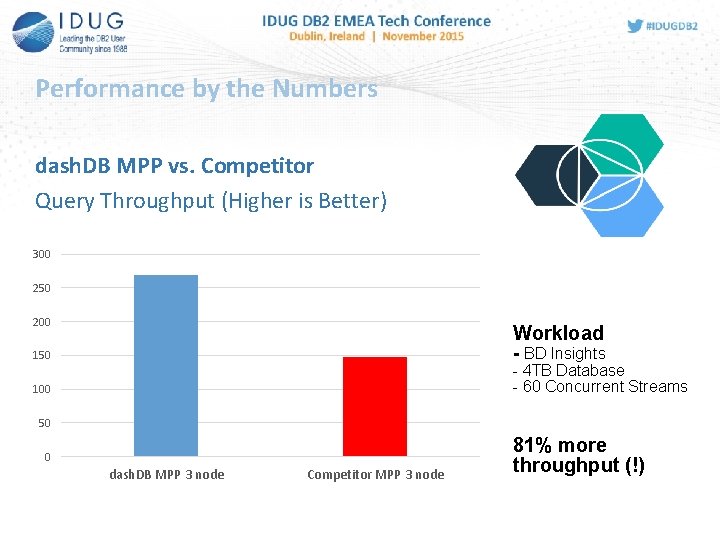
Performance by the Numbers dash. DB MPP vs. Competitor Query Throughput (Higher is Better) 300 250 200 Workload - BD Insights 150 - 4 TB Database - 60 Concurrent Streams 100 50 0 dash. DB MPP 3 node Competitor MPP 3 node 81% more throughput (!)
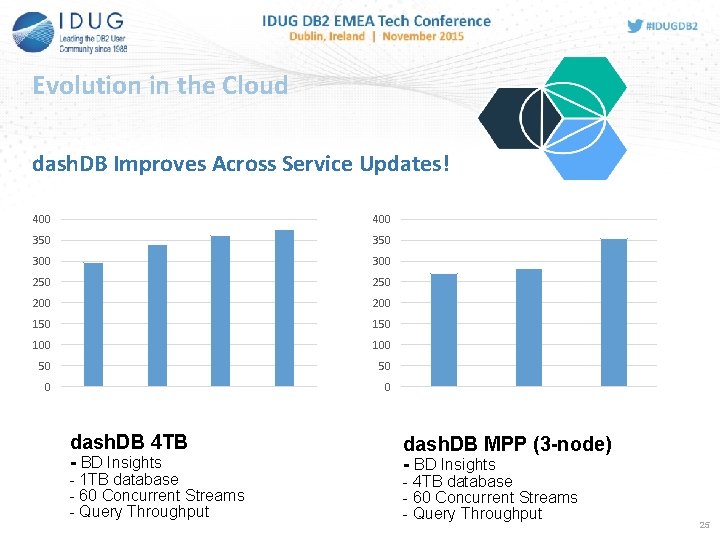
Evolution in the Cloud dash. DB Improves Across Service Updates! 400 350 300 250 200 150 100 50 50 0 0 dash. DB 4 TB dash. DB MPP (3 -node) - 1 TB database - 60 Concurrent Streams - Query Throughput - 4 TB database - 60 Concurrent Streams - Query Throughput - BD Insights 25
Avnet customer experience with dash. DB MPP • 300 times speedup over their previous system that used a popular Windows based relational database with Cognos 10. 2. 2 FP 1. • Competitor: OLEDB • dash. DB: JDBC • See their live video example here: • https: //edgedev. avnet. com/edgeadmin/cognos_dashdbmpp/cognos_dashdb-mpp. html 26

dash. DB MPP: Best Practices for Getting Started
Deploying dash. DB MPP • It’s very easy to deploy a dash. DB MPP service • The process is virtually identical to other dash. DB MPP services • The one exception is the definition MPP distribution keys • This section will walk you through the basic deployment steps and close with a few thoughts on how you can leverage dash. DB MPP in your environment 28
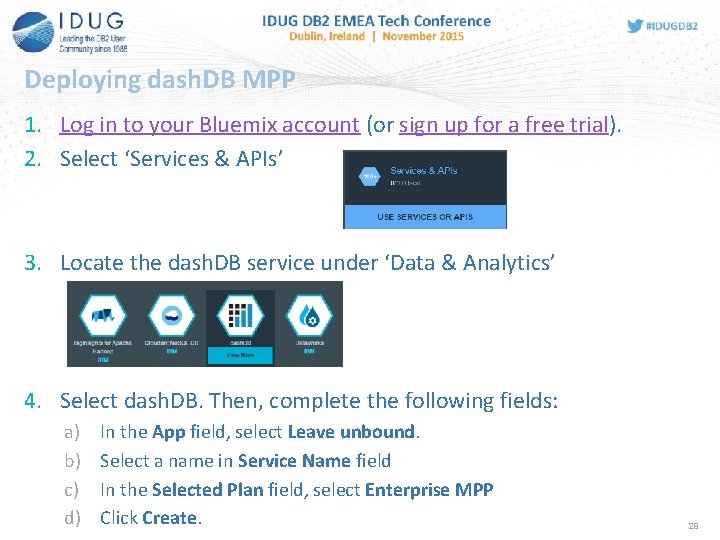
Deploying dash. DB MPP 1. Log in to your Bluemix account (or sign up for a free trial). 2. Select ‘Services & APIs’ 3. Locate the dash. DB service under ‘Data & Analytics’ 4. Select dash. DB. Then, complete the following fields: a) b) c) d) In the App field, select Leave unbound. Select a name in Service Name field In the Selected Plan field, select Enterprise MPP Click Create. 29
Creating tables in a dash. DB MPP database • In dash. DB MPP tables are partitioned across the different servers based on a distribution key • A hash on the key fields determines the location of a row • It is recommended that you specify a distribution key if you have enough information to choose an effective one • If you do not specify a distribution key, dash. DB will automatically select one for you • If your table has a primary key this will be used as the distribution key • Otherwise up to three columns will be selected automatically as a key 30
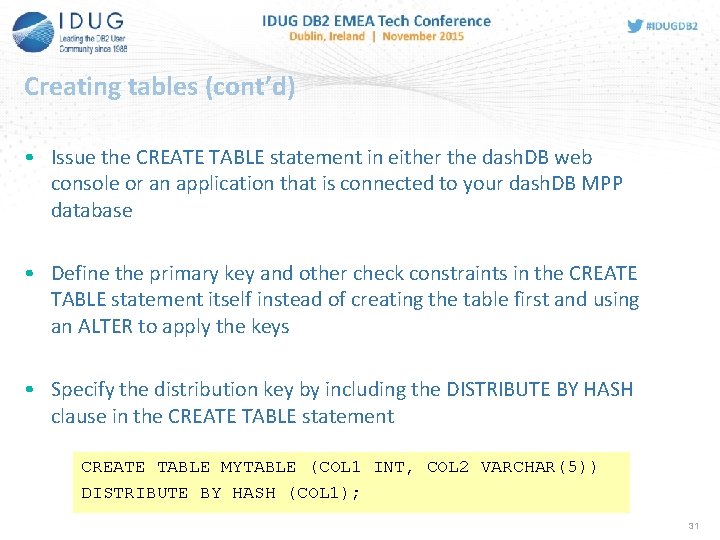
Creating tables (cont’d) • Issue the CREATE TABLE statement in either the dash. DB web console or an application that is connected to your dash. DB MPP database • Define the primary key and other check constraints in the CREATE TABLE statement itself instead of creating the table first and using an ALTER to apply the keys • Specify the distribution key by including the DISTRIBUTE BY HASH clause in the CREATE TABLE statement CREATE TABLE MYTABLE (COL 1 INT, COL 2 VARCHAR(5)) DISTRIBUTE BY HASH (COL 1); 31
What makes an Effective Distribution Key? • An effective distribution key is one that can achieve one or both of the following • Ensures even distribution of data across all data partitions • Maximizes collocation of records for table joins performed on the same key values • Even distribution of data yields storage + performance benefits • Makes most efficient use of available storage by avoiding skew • Maximizes inter-node parallelism • Collocation of records achieves performance benefits • Allows joins on distribution keys without crossing the network • Particularly valuable for large dimension tables 32
How to Choose a Good Distribution Key • To ensure an even distribution • Set primary or unique keys as the distribution key when possible • Otherwise choose a key that is anticipated to contain many distinct and evenly distributed values • To optimize for collocated query processing • Choose columns that are used as join keys or for equality tests • Common best practice • Use primary keys of dimension tables as distribution keys • Use foreign key of fact table that correspond to the largest frequently joined dimension • Most important for joins of two large tables; small tables can be broadcast cheaply. • Prefer even distribution over collocation when the two conflict 33
Loading data into dash. DB MPP • Once tables are defined data can be loaded from multiple sources: • • Load data from your desktop Load data from the Cloud Load data from Twitter Load JSON data from Cloudant • See the above links for web tutorials on using each source • For the initial LOAD on a table make sure you use a representative dataset to ensure good compression rates • Once your data is loaded you are ready to go! To wrap up let’s look at a few ways you can leverage the dash. DB MPP service in your environment 34
How to Leverage dash. DB MPP in your own Environment
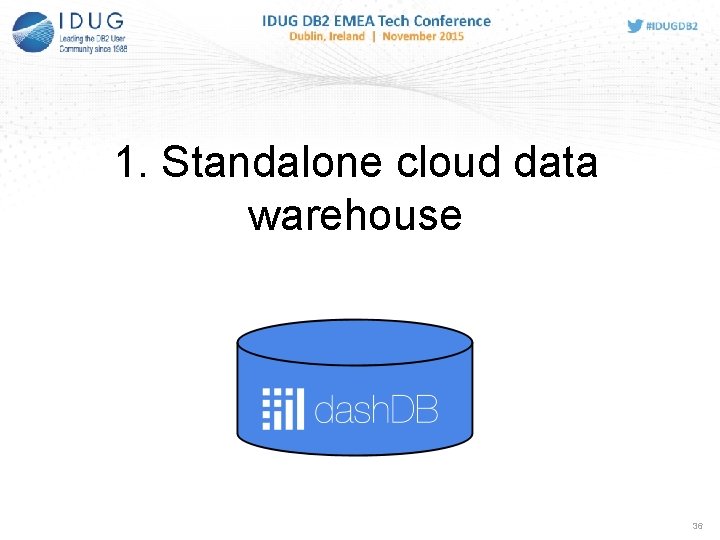
1. Standalone cloud data warehouse 36
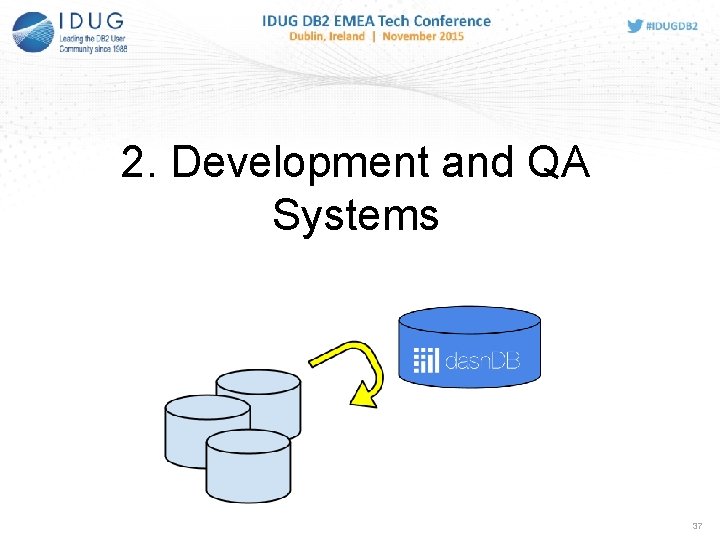
2. Development and QA Systems 37
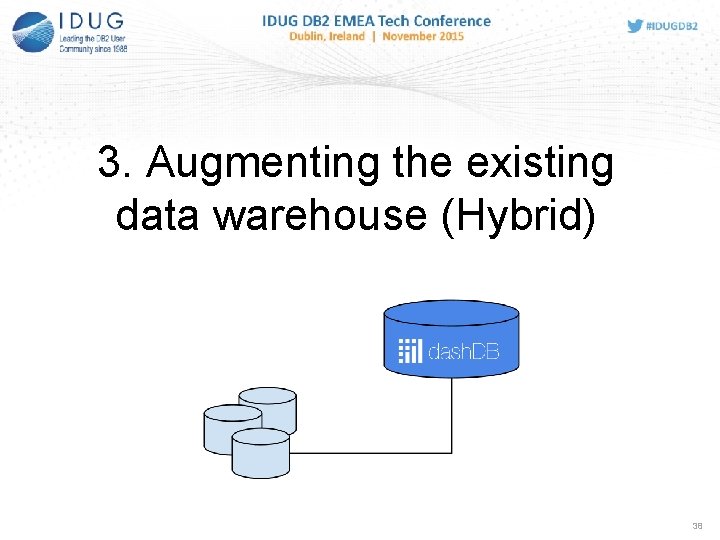
3. Augmenting the existing data warehouse (Hybrid) 38
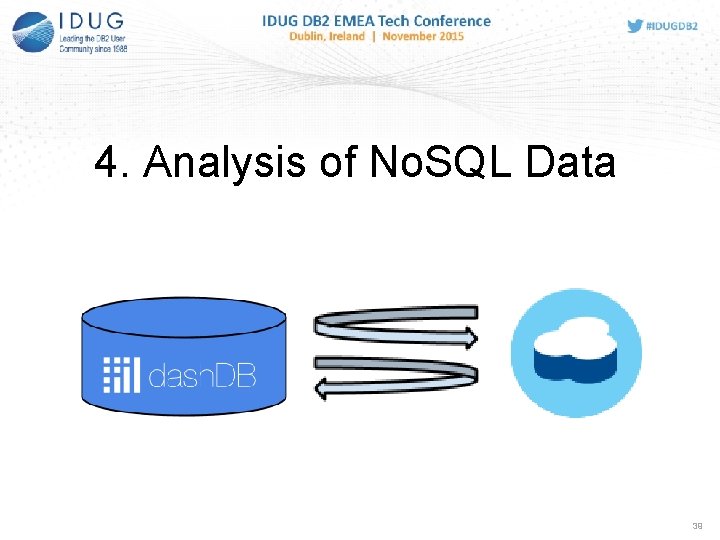
4. Analysis of No. SQL Data 39
5. Data science data store 40

6. Rapid Prototyping and Evaluation 41

Questions?

DB 2 BLU Resources
DB 2 BLU Resources • BLU Acceleration Best Practices Paper • https: //www. ibm. com/developerworks/community/wikis/home? la ng=en#!/wiki/Wc 9 a 068 d 7 f 6 a 6_4434_aece_0 d 297 ea 80 ab 1/page/O ptimizing%20 analytic%20 workloads%20 using%20 DB 2%2010. 5%20 with%20 BLU%20 Acceleration • Related IDUG Sessions • C 1: What’s New in BLU: Tips and insights on the newest breakthroughs (Matthias Nicola) • D 9: DB 2 BLU: Concepts and Best Practices (Matthew Huras) • D 12: DB 2 BLU: Best Practices & Lessons Learned from the Field (David Kalmuk)

David Kalmuk IBM dckalmuk@ca. ibm. com C 09 MPP Cluster Scale Out for BLU Acceleration with Please fill out your session dash. DB evaluation before leaving!
- Slides: 45